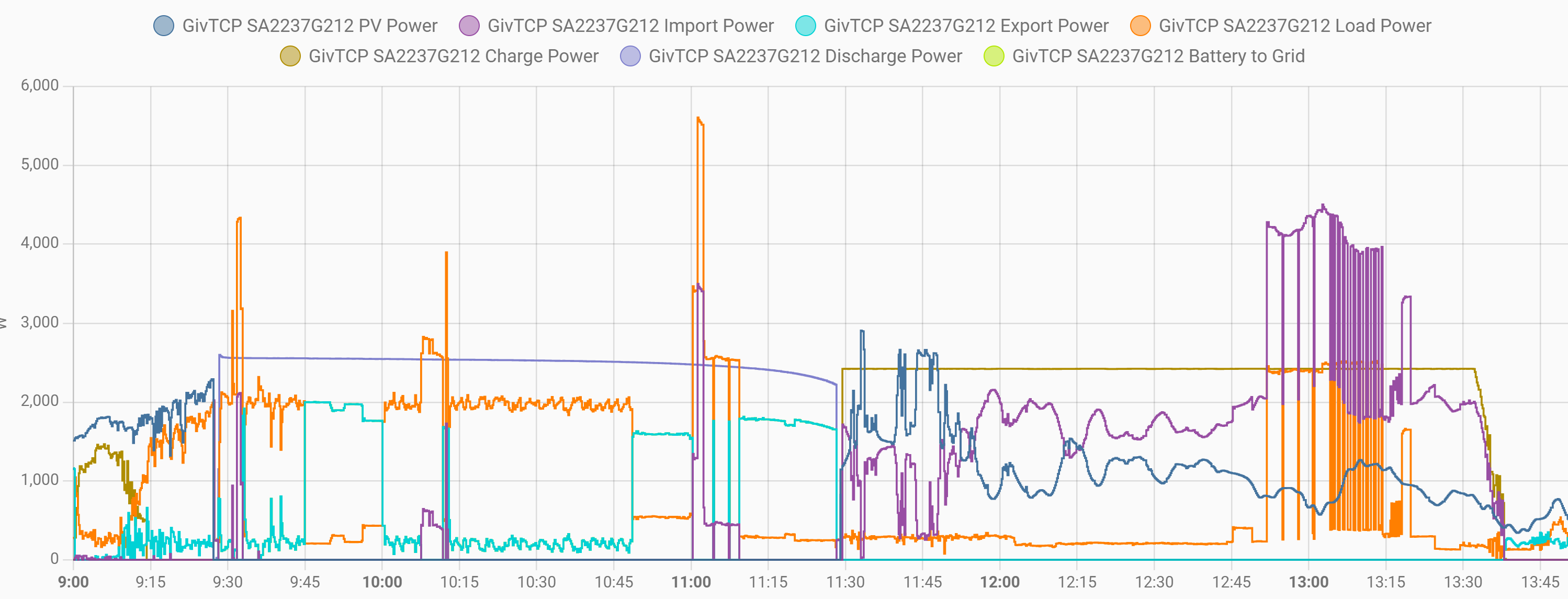
We've got so used to seamless operation that when my wife saw a colossal import on the smart meter she actually rang me at work to find out what happened. In the power graph (5 min samples only, sorry) it looks like this:
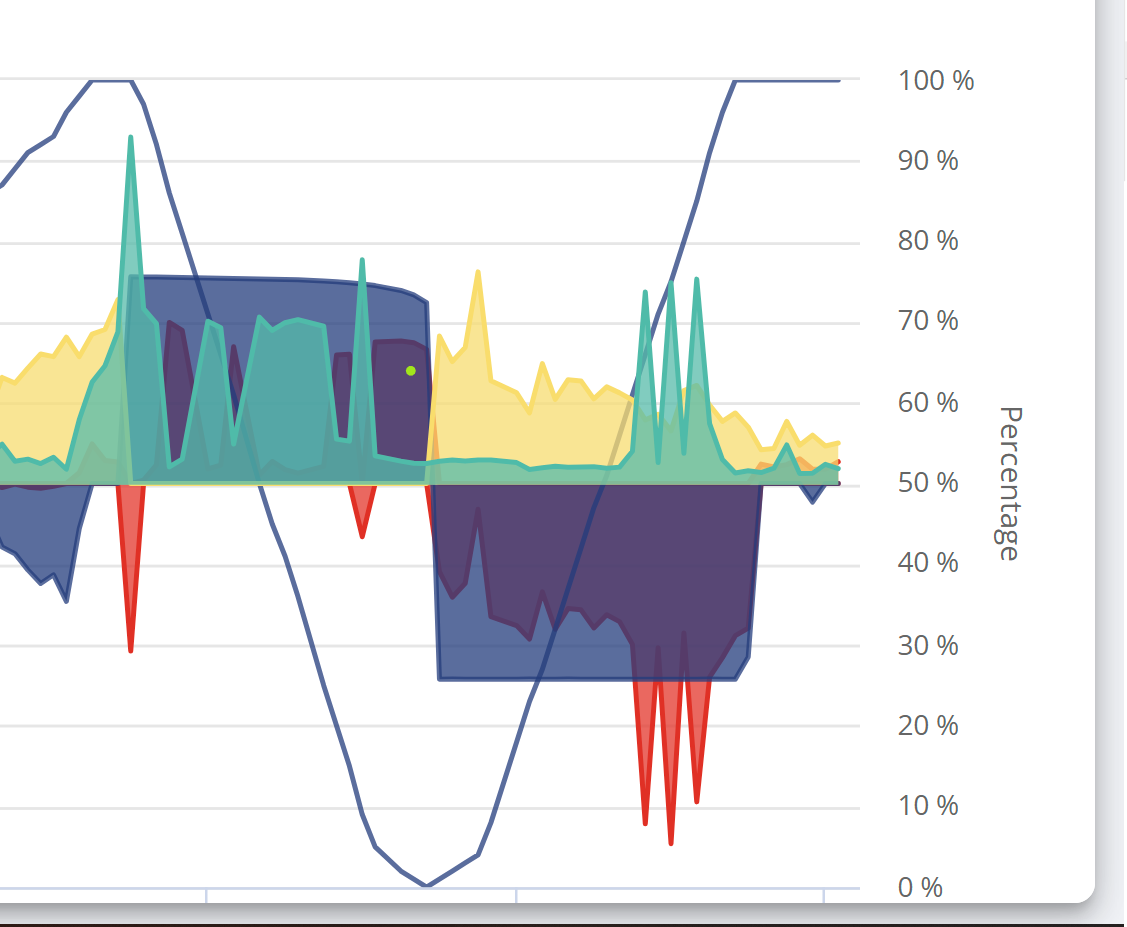
This looks like a forced discharge and recharge event, but there is no notification on my dashboard at all. Am I right?
Also, because this happened in the middle of the day, this cost far more than it should of.
For GivEnergy: How come these events aren't scheduled in a "preferred maintenance window". As a Go customer you can schedule this in the 0030 to 0430 window thanks very much!

#2TheDragon (GivEnergy)
Hello, I see nothing in the log for a calibration.
Are you using any 3rd party apps writing directly to the inverter?
Hello, I see nothing in the log for a calibration.
Are you using any 3rd party apps writing directly to the inverter?
I do have HA / GivTcp installed and reading the inverter. It's supposed to be doing the timed Charge vs forecast thing but so far it hasn't managed to change the inverter behaviour at all. I will check logs this evening when I get back from work.
A
#4AlastairCooper
Right so I made a slight fubar in that I looked at the GivTcp and took steps from another thread to remedy the automation problem, which restarted the addon and lost the logs. Bother.
But I couldn't see anything that really stood out as a cause of this. Looking at the inverter data I am very suspicious about something Inverter related causing the issue because the solar generation ceased for exactly the duration of the battery discharge. I can't see any other way the system can choose not to use solar energy and then choose to do so, also the sun was shining while this happened so looks very suspicious.
Here's the Home assistant history for the period
Looked in the remote control log page for the inverter and it looks very suspicious that there were some writes:
The inverter -1 response seems to have triggered some kind of panic where did a full discharge/charge cycle and suppressed all the solar while discharging!
R
#5Rubikcube
You seem to have (at least partly) answered your own question.
Did you mess with the settings at 09:27? If so, make a note to in future only mess with the settings in the evening, then when it happens again at least it will recharge in the GO window. If it wasn't you, then the mystery deepens!
A
#6AlastairCooper
Did you mess with the settings at 09:27? If so, make a note to in future only mess with the settings in the evening, then when it happens again at least it will recharge in the GO window. If it wasn't you, then the mystery deepens!
I may have messed with it, but if you look, the settings written were the same as the settings previously, but there is a staggeringly high probability that this caused some bizarre behaviour in the inverter and a full cycle of the battery!
R
#7Rubikcube
In my opinion, the most likely explanation is that data was somehow corrupted as it traversed the internet. Essentially the commands from the portal come down to just two numbers; a register and a value to set it to. The command to enable charge limit is 20:01 and the command to restart the inverter and perform a battery calibration is 29:01.
How exactly the data corruption happened we will probably never know, but let's just acknowledge that this can happen occasionally.
T
#8Tim
Rubikcube The command to enable charge limit is 20:01 and the command to restart the inverter and perform a battery calibration is 29:01
With this knowledge, could end users DIY a calibration to suit themselves again?
R
#9Rubikcube
Tim Anyone smart enough to know HOW to run a calibration is smart enough to know NOT to run a calibration.