Battery fully charged in 5 minutes!

12 comments started 2023-04-13 last 2023-04-15
GivEnergy Products
H
#1 Hugh

I have a 9.5kWh GivEnergy battery + inverter, as well as a SolarEdge inverter for 16 solar panels installed in March. Currently most of my solar panels are covered as there is a full house scaffolding tent in place. Therefore I'm not generating much solar power and the battery only charges to about 10% or so at most.

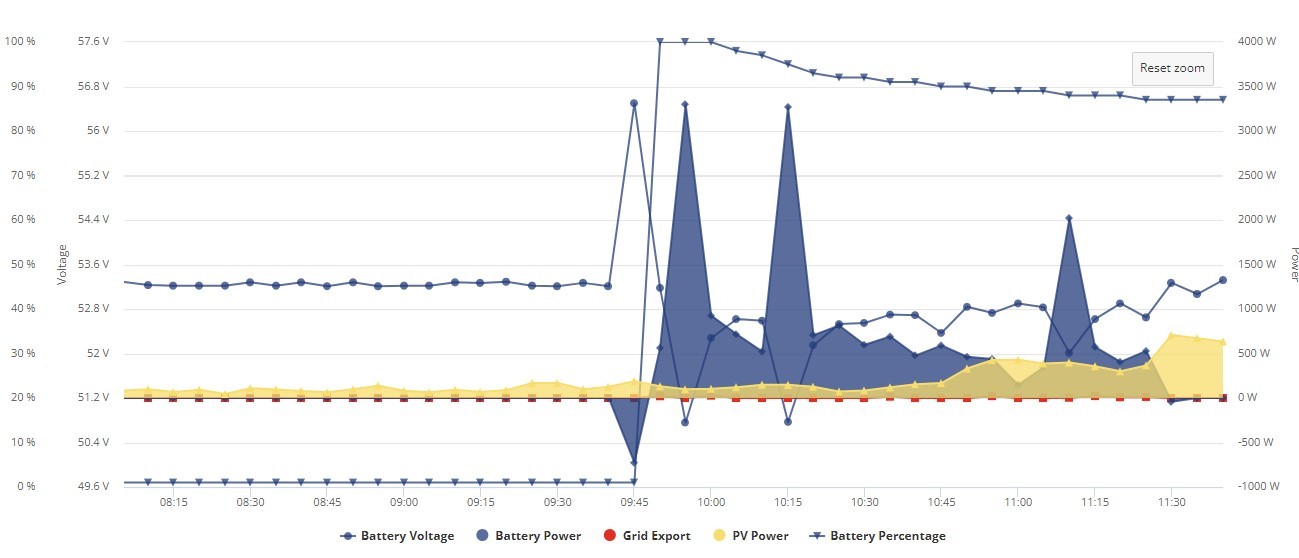
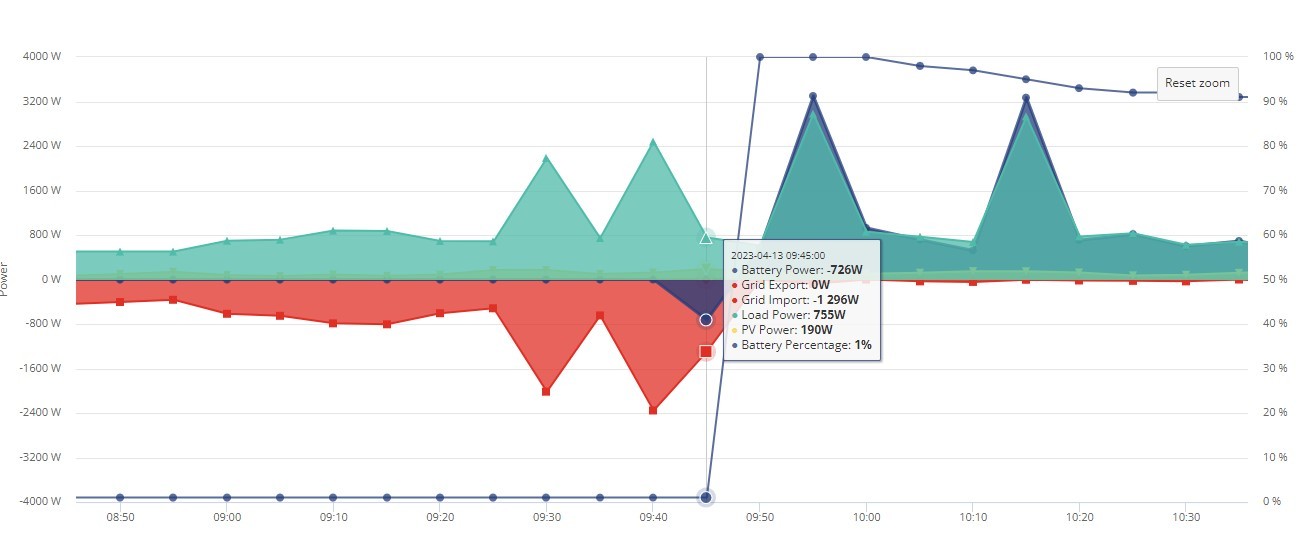
However, today my graph is showing that the battery charged to 100% in 5 minutes, corresponding to a short charging time from the grid drawing 726W. The battery itself is showing all 4 charge lights and if I turn on a hob ring, drawing about 1kW, the smart meter shows no import implying that the battery genuinely has charge and is supplying it. What could have caused this? Does the battery calibration get out of sync if it's not charged very much?

Looking back over the last few days I can see some times where the battery is charging from the grid which bumps the level up a bit. For example, at 21:25 on 10/04/2023, charging at 2791W for 5 minutes or so, and increasing battery charge from 0% to 4%. That seems more reasonable than today.

#3 Simon_C

Hugh, if you add the Battery Voltage to the power graph, it will provide more information on whether the battery is really full or not.

More than 54 V is likely full.
Less than 50 V is likely empty.

T
#4 ToothyChris

The grid charge you saw, taking the battery from 0% to 4% is a safety charge, as the battery should not be kept in a discharged state.

Jumps up like this are usually the SOC bug, and usually show the correct value after the jump. But I don't think I have ever seen a 0-100% SOC jump before. As mentioned above, the voltage will tell us/you much more.

H
#5 Hugh

Adding the voltage shows that it was probably nearly full, sitting above 53V prior to the quick charge. It peaked at 56V during the charge, and then shows a pattern of lower voltage when discharging which is what I would expect from cell resistance. So this does look to be genuine charge.

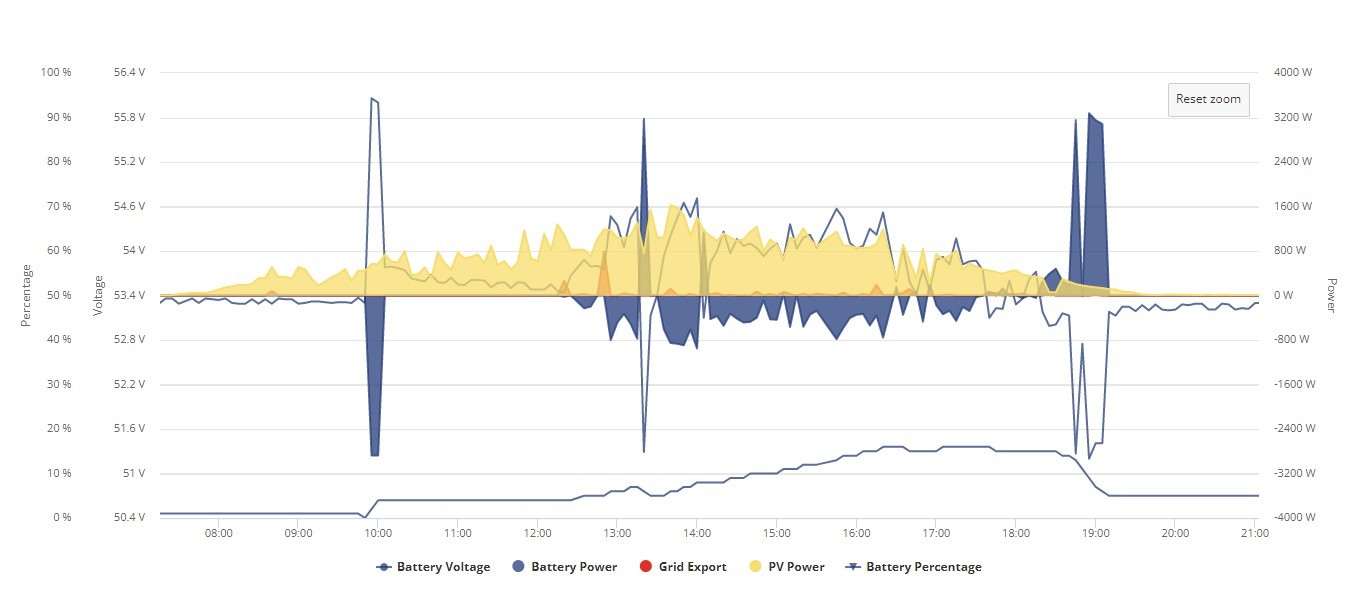
A normal day when the battery charged is below. Not sure why it's different today - will read that thread.

T
#6 Tim

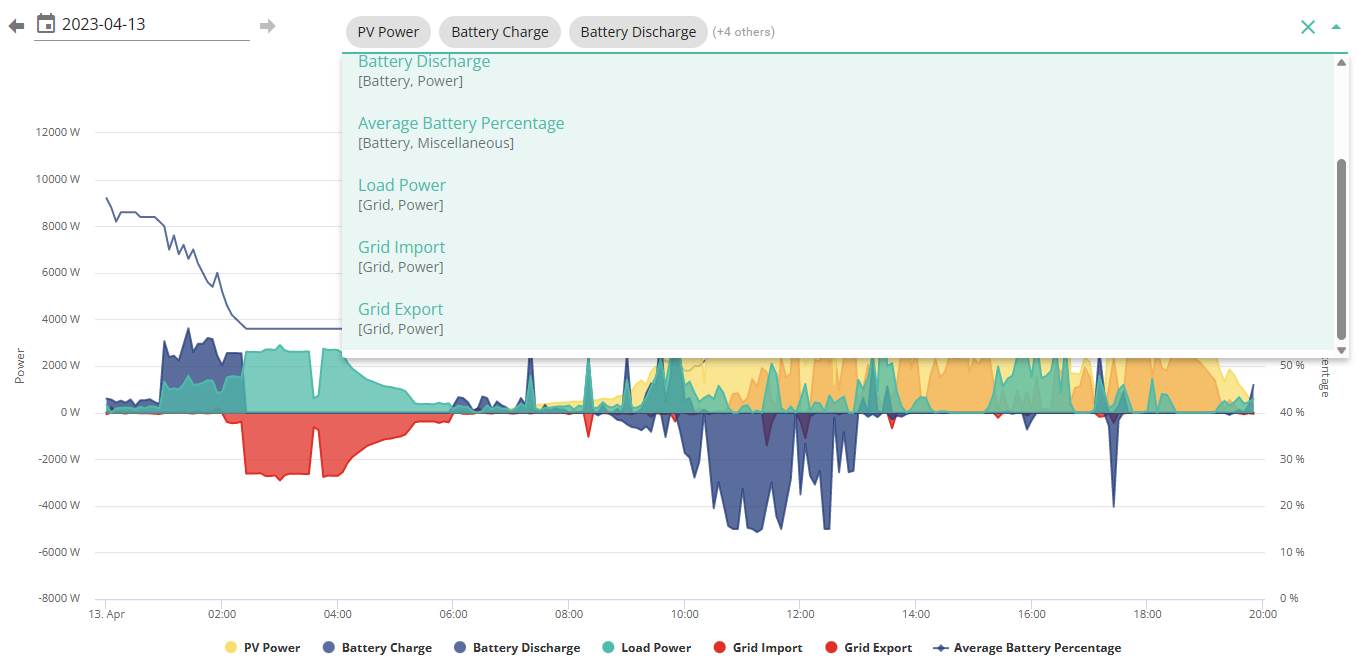
Simon_C Er ... My graph doesn't have any voltage options. Is there a setting somewhere?


Don't want to hijack the thread but there's an elephant in my room.

T
#7 ToothyChris

Tim 'My inverter/s', then 'Inverter Data', and then 'Graphs'. Now you should be able to add voltage.

#8 Simon_C

Tim, are you using the latest portal? I know there was a changeover just before I got my GE equipment installed.
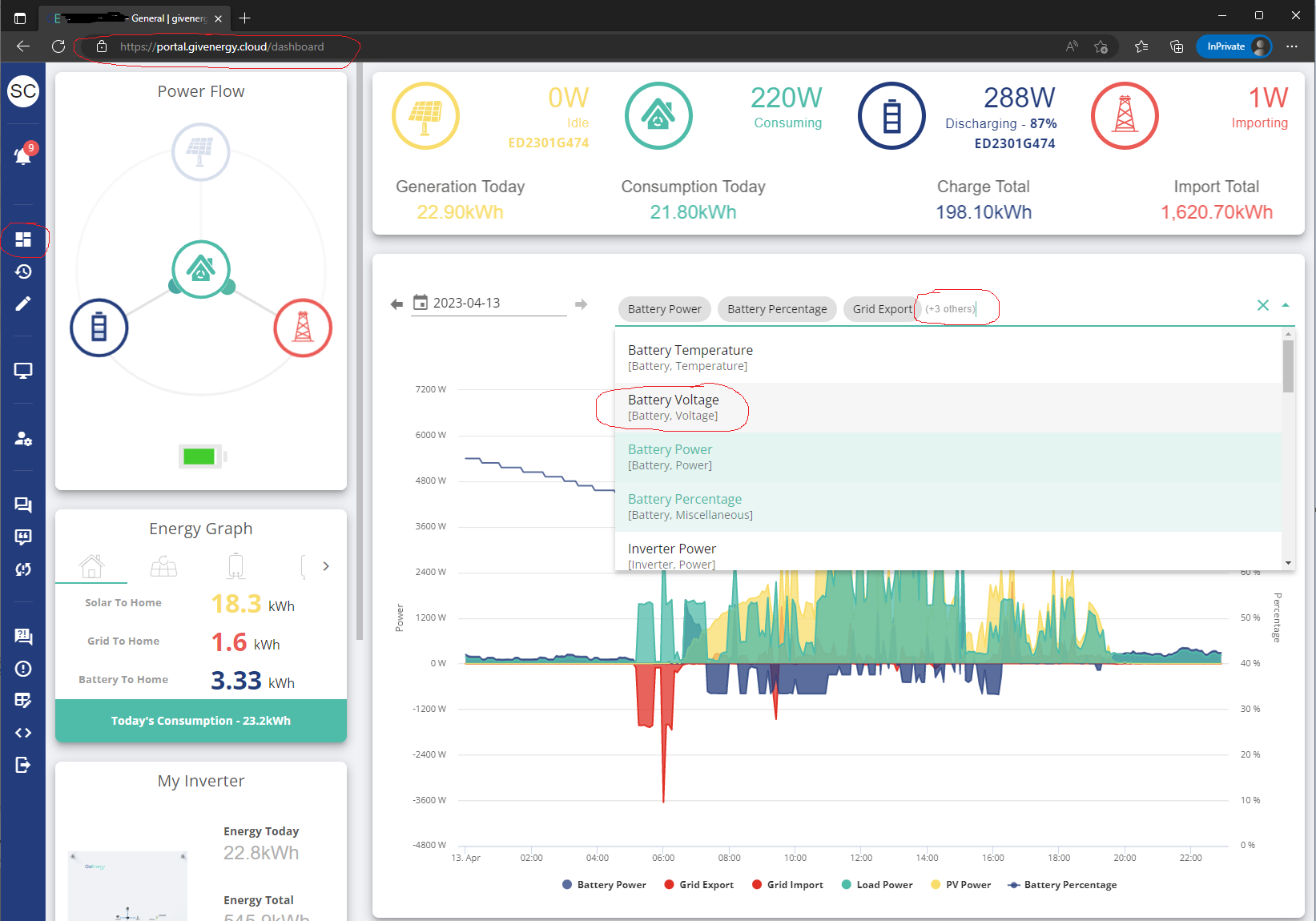
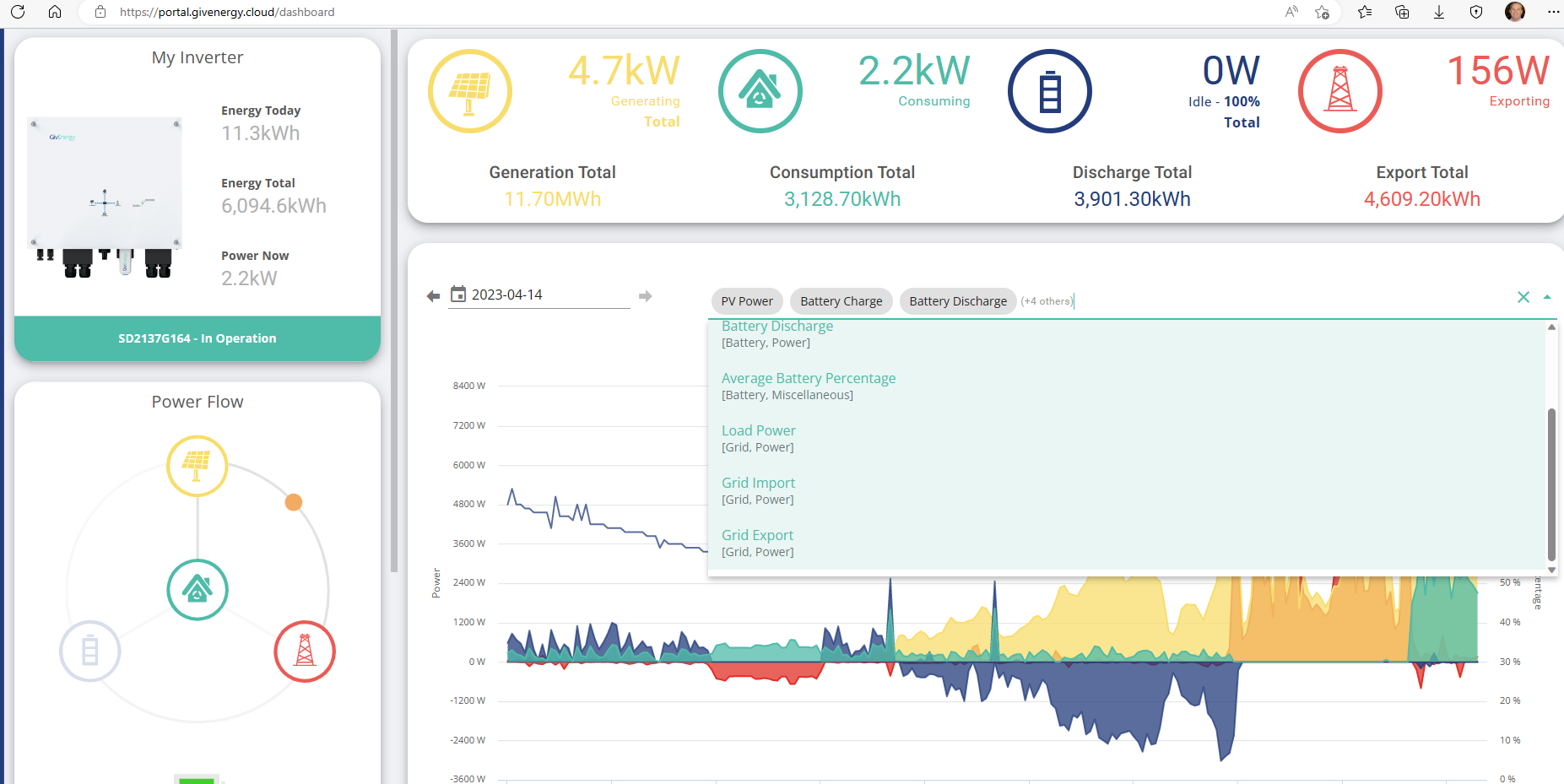
I just pick the Power Graph from the standard Dashboard, then click on the text (+3 others) which displays the drop down list including the Battery Voltage.

T
#10 ToothyChris

Tim Given this graph is an amalgamation of the data from multiple inverters (2 x AC3 each with a battery in my case), this may explain why I also don't see 'Battery Voltage' listed as an option either.

Do you have a similar setup Tim?

#11 Simon_C

ToothyChris, that makes sense, I think Tim has 2 inverters each with 1 battery.

T
#12 Tim

Simon_C that’s correct 2 x HY5 gen 1 each with Batt8.2.