
I restarted invertor and now its offline and not connected to app. Is there a way to get it back online again so I can control it and get data again?

I restarted invertor and now its offline and not connected to app. Is there a way to get it back online again so I can control it and get data again?
This all started when I got a new router last week. It took a lot of connecting back then. But this time is like impossible to connect again. What could it be that's causing it?
Signal strength maybe?
Can you see the inverter dongle on your network?
Follow this post
https://community.givenergy.cloud/d/1919-new-router
SteveCook Yes I can. It begins WS..... But when i try to connect to it it disconnects instantly, or doesn't connect at all. Just done the push reset button on dongle for 10 seconds thing, and waited 20 minutes and tried to connect to it again but same thing. I even had phone right up to the dongle!
Second day begins with no control over the system and no data. I'm beginning to think the GIV energy solution was the wrong choice. I can easily change the inverter to another make I think?
How do you get someone to help, or come out to hve a look even?
Eon whom installed it aren't responding at all.
Credit to giv energy that have communicated and asked me to try different things. But nothing works.
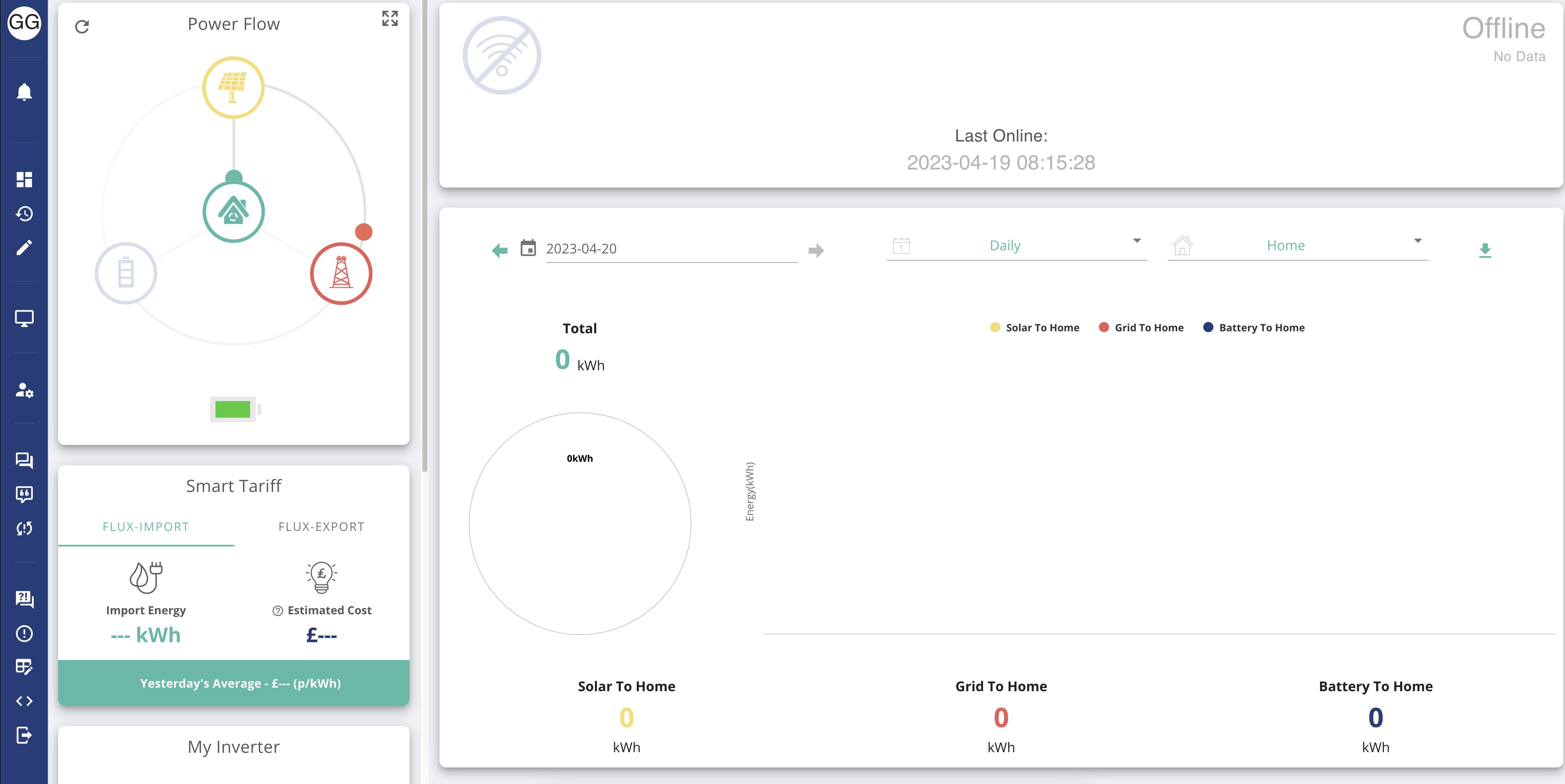
What we all like to see....
As a temporary solution can you try a different router? Maybe even a mobile phone with hotspot on, rule out your new router as being part of the problem?
If you haven’t got it already, there is a guide to reconfiguring the dongle to work with a different network here
https://kb.givenergy.cloud/article.php?id=1
Also, maybe see if you can change the channel the new router is using - maybe interference from a neighbour on the same channel. You can get phone apps to monitor Wi-Fi networks, I’ve got one called Wi-Fi analyzer from Kevin Yaun
Plus if you have a mesh of Wi-Fi dishes (rather than just one router) there may be some things to change on it before pairing with the inverter - search the forum for the word mesh for more about that if need be.
Likewise the older dongles only like the 2.6Ghz networks, not the 5.
GazzaGreen Do you know what you did to get it all back?
I haven't got anything back yet. Giv energy have told me this morning they can't come and help with this as its a connection issue and they don't do home visits.
Eon whom installed it aren't responding at all! They answered all queries when I was having it fitted, now it is fitted I guess I'm been left to rot with a system that doesn't work!
Thanks for your response Tim, but most of that just went over my head.
I'm using a Virgin media business router so it can't be changed. I can't go back to the old one as it had to be changed their end to get it to work.
GazzaGreen sorry, I thought the screenshot was of the system back and working. The link to a download file put up by @TX200 should be enough to help you reconnect the dongle to a new SSID. if it’s any help you can unscrew the dongle from the inverter, plug it into a computer to configure per the downloaded instructions, and the fit it back to the inverter.
However i believe the dongle is already all set up, I have had it working. But it now won't connect to the app.
One thing I could try if its going to help, get an extender for the router to help put a signal into the garage where the inverter is. But isn't this just one way and would it not do what we need. Or am i wrong?
GazzaGreen Hi Tim
OK I plugged the Dongle into the back of my iMac and then got the Disk not proper ejected message? I am beginning to think there is a hardware failure in the dongle? What do you think?
Its now up and running
Weldone Tim, taking the dongle and plugging it into a computer was the answer. I just rescanned router and put password in again and rebooted and it worked! All working at least for now. See how long before it stops again.
But for now all happy again.
GazzaGreen Glad something worked for you! Maybe it just needed completely disconnecting form a power supply so it could reboot when next powered up? In answer to your question regarding access point/extended in the garage; no if you did put in an extender, it would work both ways but would also introduce another potential point of failure, but might be worth trying. Another way to achieve the same outcome is to run a cat5 cable to the garage and put a wifi access point on the end (make sure it works on the 2.4GHz). That would give you the same "local" wifi access but is IMO more reliable.
Eon never got back to me. I need a new battery at some point, I wont be asking them to install it though!
I wonder if there's any benefit in using a usb extension cable between dongle and inverter, so that dongle is physically closer to the router. No idea if that's a valid configuration, but if it's a standard usb connection, I can't immediately think why it wouldn't be.
Could work, but personally I have two brick walls between the dongle and router so can't be done, unless i went under the floor and through doorways perhaps. That would be quite a long extension though? Do you loose signal with length?
BTW not sure if i mentioned it before, I can't see that I did. I plugged the dongle into a Mac at first and it wouldn't connect for more than a few seconds.
Then I tried plugging it into my PC. Worked perfectly. So it seems you need to use a PC to connect to the dongle to get a stable connection when editing its software! Just something worth mentioning.
GazzaGreen That would be quite a long extension though? Do you loose signal with length?
There would be some degradation, but there would also be effects on the signal timings. IIRC, max cable length for USB 2 is something like 5m (whereas ethernet can be a lot longer).
GazzaGreen There are two possible issues which could arise from using a USB extension cable, as follows:
1) There might be a voltage drop on the two power wires, which means that the dongle does not get the correct voltage to operate. If the dongle only draws a very low current, this is not likely to be an issue, in practice.
2) The signal wires may suffer from electrical interference, which could cause data issues.
Both of these could be mitigated by using a good quality USB extender cable. By this I mean one which has twisted pair for the data, good conductors for the power wires and an external shield/screen.
I use a 1.5m extender on one of my inverter dongles, to give it some separation from my other inverter, and it is fine. A 2-3m extender would probably also be fine, but much more than that could cause issues. That 2-3m could make the difference between a mediocre WiFi signal, and a good WiFi signal, particularly if that reduces the number of walls between the dongle and the WiFi router.
Obviously an extender could not be used on an outside-mounted inverter, due to the potential for water/moisture ingress.
OK I'll look into an extension or a wifi booster if I get another issue with the dongle.
Last night my battery didn't charge. I'm thinking it was my phone app to blame. I will delete it from my phone if it happens again tonight to see it it was that. I like to control the inverter via the browser on my Mac which is all set up correctly.
GazzaGreen the app and the web portal on the Mac are different ways to view data and send commands to the same point in the cloud. Even in “Home” mode on the app, I’d expect commands to go via the cloud. While folk have found the web portal more reliable in the past, they are both on a par now as far as sending commands to the inverter. That said, it’s always good to change your settings and then refresh the portal data or close the page/app and open again to force a data load from the cloud. When you Save (app) or Submit (Portal) changes you should get a banner confirming success or not from either interface. Even so it’s still good to refresh/restart to check.
Battery charged OK last night 🙂