Hybrid 5.0 Gen1 and 9.5kWhr battery
Battery firmware was 3009
Saw that update was available so clicked it.
Received a notification within a minute saying "Firmware Update Started, We'll let you know when it is finished" - that was an hour ago.
Everything now seems to be running as normal.
No further notifications received.
Battery Firmware still shows 3009, but no option to update?
Is everything going as planned?
S
#2SteveCook
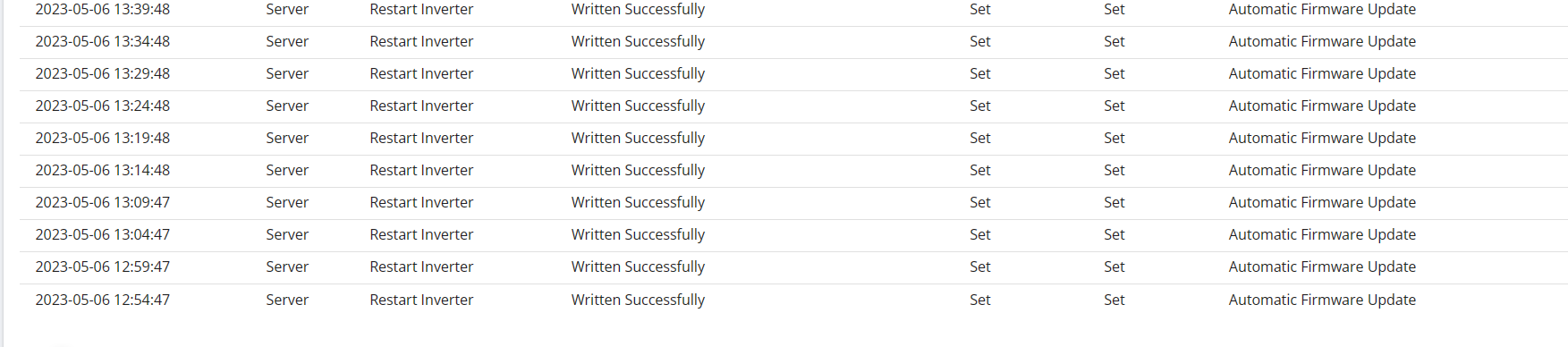
Looking at inverter remote control log, I am not sure this looks right.
It started at 12:09 and still going??
#3TheDragon (GivEnergy)
its failed.
Likely reason there is garbage stuck on your master battery USB stick, or the USB stick is not present.
Ive emailed you the file to do manually if you so wish
Likely reason there is garbage stuck on your master battery USB stick, or the USB stick is not present.
Ive emailed you the file to do manually if you so wish
Thanks
Before I took the cover off, I thought I would try a battery manual reboot. I held the black button on the side so it beeped and went off. I counted to 30 and pressed the black button again to turn the battery on.
I went to get some Allen keys, and checked the portal.
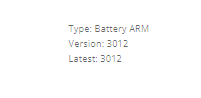
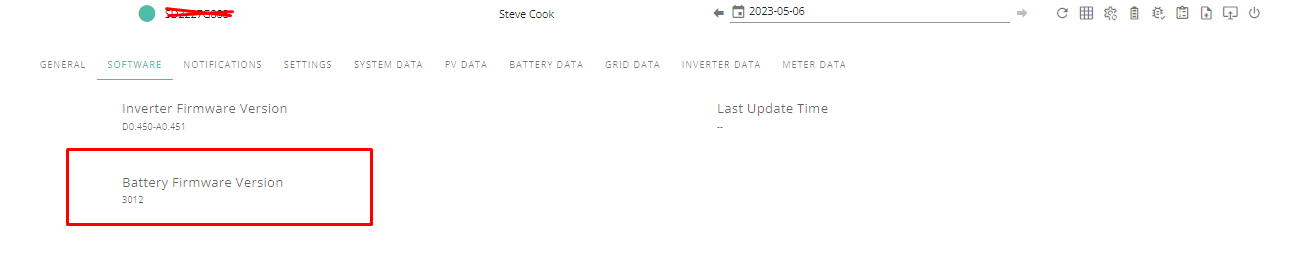
Firmware now showing 3012
Notification received that calibration has started.
I did check, the USB is present and looks to be bonded in with some sort of red glue, so I left it.
The manual reboot of the battery without messing with the USB seems to have fixed things?
Steve
D
#6Dpe
TheDragon (GivEnergy)
I saw the same behaviour during my update last night. Is it possible you could email me the software etc
CE2142G186
SteveCook that glue was a nightmare to get off when I did mine!
A
#10anglefire
Mine has dropped to 4% - taken all day which is unusual - though not done much apart from edit photographs and watch the Coronation - so pressed the button.
Cycled around saying updating ARM - got to 6% - tried probably 1/2 dozen times and now says failed.
No big deal.
Remove Dongle, place in a laptop (Ideally windoz)
A USB Drive appears. Copy the msn.txt to your desktop for safe keeping (Should be the only thing on there normally)
right click the drive and properties, tools, error checking. Scan for errors and repair
delete everything on it. Scan again
Replace msn.txt.
Eject
Put back in the inverter and re-try the update
A
#14anglefire
Nothing in the USB drive at all. Empty.
S
#15SteveCook
My battery is showing 2.2Kw discharging, 0% but it has been like that for 4 hours now.
Do i need to do anything
A
#16anglefire
anglefire I’ve got sandisk rescue pro delux (didn’t “pay” for it as it came with a memory card for the camera) and scanned the usb drive and it could recover nothing.
S
#17SteveCook
SteveCook My battery is showing 2.2Kw discharging, 0% but it has been like that for 4 hours now.
Do i need to do anything
Its now charging at 2.4kW - that's lucky it started just after 19:00 as I am on Flux
A
#18anglefire
TheDragon (GivEnergy) hang on you are talking about the WiFi dongle and not the battery usb stick?
#19hoggy
anglefire I think so, I had to do this on mine ages ago as it got itself in a mess.
Just make sure you take a copy of everything on it first before you wipe it so you can put it back if it all goes wrong!
#20positor1
SteveCook
yours was massively under reporting its SOC. I suspect you will be surprised how long your batteries "appear" to last from now on compared to before.
#21positor1
hoggy
I wonder if the file "msn.txt" is the same for all dongles and if so perhaps it should be downloadable.
#22hoggy
positor1 I have a copy of it somewhere - pretty sure it’s a text file with a serial number in it but that was 2 years ago.
Unsure of it’s significance, without knowing the inner workings of the ARM software but as a wild stab in the dark it could be how the battery and inverter get their serial numbers kept after a firmware update.
The dongle will be coming under my scrutiny same as the portal & app has done over the next few weeks so guess I’ll find out what it does.
#23positor1
hoggy pretty sure it’s a text file with a serial number in it
That would make perfect sense. MSN = manufacturer serial number perhaps
A
#25anglefire
I always backup memory cards before formatting - experience tells you a lot as long as you learn by it!
The other day at work I had an upgrade to do which involves wiping a card and installing new software - backed it up first and yep it failed to update, so rolled back and was up and running again in minutes.
A
#26anglefire
Dongle now wiped (Couldn't get the bin file off the stick - was corrupted, but got the msn.txt file off and formatted the USB drive and copied it back over and is now ready for an update - but given the battery has now got some charge in it, I'm not wild about dumping it out to grid.
I'll see what the plan is regarding washing this morning. 🙂
A
#27anglefire
House load was quite high so battery pretty much dead, so pressed the button - and it worked faultlessly this time (I did turn off GivTCP so it wasn't fighting the comms)
Just doing a final dump by the looks of things.
#28TheDragon (GivEnergy)
Dont use SanDisk USB on the BMS. It will lock up!!!
But easily creatable. its the dongle serial number
#30TheDragon (GivEnergy)
anglefire this is what is the root cause of 99% of the failed updates.
corrupted file on either dongle or BMS USB
A
#31anglefire
TheDragon (GivEnergy) - No the USB in the battery is something else - forget the name now, but not Sandisk - odd though that Sandisk crashes the BMS! It was just the recovery software when I was being a muppet!
Its currently sucking everything off the solar and grid to recharge the battery at the moment. So all is well. (As an aside, the emoji button on the forum no longer works!- Get regional codes!)
R
#32rob-f
TheDragon (GivEnergy) Hi I've been trying the same thing but on putting the battery master USB into my computer it comes up utterly blank. What file should be present isn't - are you able to advice?
A
#33anglefire
rob-f the battery usb should be blank. It’s the dongle in the inverter you need to look at. Need to unscrew it from the bottom of the inverter.
R
#34rob-f
anglefire I'm a fool. thanks! battery now weirdly reading 0.0 SOC... who knows!?
B
#36Bone5
TheDragon (GivEnergy) I've been watching these threads, and your involvement Paul, with much interested. Seriously impressed with your efforts, approach and determination to get people on the right path.
My system is Gen 1 Hybrid 5Kw inverter and single 8.2kwh battery.
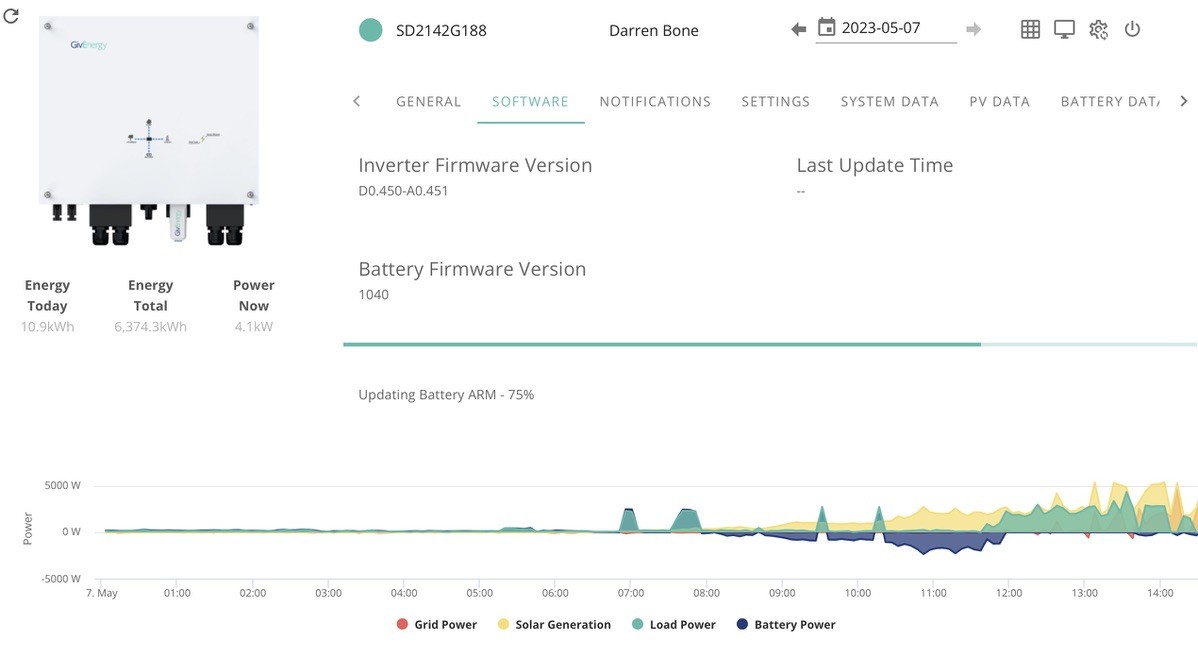
As you'll see from the image, my firmware is firmly stuck in the stone age as 1040. It has never updated, despite numerous attempts. Adam Rawlings ultimately advised me last year to wait until new BMS firmware available. So I've tried again today and same result - nothing happens.
Might be red herring, but while the Inverter serial number is shown, this is the 2nd inverter, after the 1st failed and GE engineer fitted replacement in Mar 22. I expected a new inverter ID, but they simply pulled off the serial number sticker from the old one and stuck it on the new.
Grateful for guidance as to how to update my FW. (Just noting that I am on Apple, not microsoft system).
Cheers, Darren
#37TheDragon (GivEnergy)
Bone5 The BMS dongle is fine in a Mac. Its the Dongle itself that throws the mac in to a spiral
below is the body of the emails im sending out to those requesting manual.
Contact support and they can send you the BMS update, wrapped in a zip to prevent corruption.
Remove Slave battery cover, 4mm allen key needed. USB might be stuck in to prevent installer nicking them.
Remove the USB stick, silver key
Place in a laptop, windows preferred, mac will do
If not empty, delete everything and check for errors.
Place the file inside the attached zip BMS_ARM.bin on the USB drive and eject it.
Place the USB back in the battery and it will with a bit of luck, flash red/green a few times and reboot.
Repeat for the Master
Reference at https://kb.givenergy.cloud/article.php?id=72
You will need calibration set off manually. Let me know and Ill start it
DO NOT SUB the USB for a SanDISK one. BMS Lockup will happen
Going forward, we are looking at a Firmware repository behind a login, to allow anyone to manual if they wish. Subject to certain advise being adhered to. As after all, 52v DC can bite.

B
#38Boffinboy
Looks like I may be having the same issue. Started my firmware update 40 minutes ago, got the notification it was ongoing. Battery jumped to 100%. Looks like it’s trying to restart the inverter every 5 minutes looking at the logs. Inverter just discharging to meet house load. @TheDragon (GivEnergy) any chance you can take a look for me? I am CE2142G312
B
#39Boffinboy
Boffinboy looks like it failed overnight. Is there a way to do it that isn’t manual? Or do I have to do it manually