Scheduled discharging

34 comments started 2023-05-08 last 2023-06-24
Home AutomationForums/Meta
D
#1 DDunn

When using scheduled discharging works all fine except after the full export discharge finished it fails to return to normal operation and uses energy
from grid rather than battery, making a mockery of the discharge to boost my return from Octopus flux!

T
#2 thewhalw21

DDunn from what I've read on here you'll need to use the discharge to home consumption (it discharges at full rate to). Apparently that puts the invert back into eco. Someone please correct me if I'm wrong.

J
#3 justpassing

If you have a gen2 inverter, this might help justpassing

P
#4 Pinnell9908

I have a Gen 1 inverter and I have tried to set the battery to discharge between 4pm and 6pm and the system does not revert back to running off the battery. If the oven is turned on after 6pm it draws from the grid. When I check the GE cloud I find ECO is turned off. Pain in the rear πŸ™

S
#5 SteveCook

Use Octo R&D scheduler

S
#6 Sunny

I am experiencing the same. I have to manually manage every day. I’ve been exporting now for 8 days. I have gen 1 inverter.

Is there a way to do this automatically.

L
#7 LordHippos

Sunny You need an external control system to do it currently as the GE Inverter isn't flexible enough, there are a few options.

I use Home Assistant via https://github.com/cdpuk/givenergy-local but there is a technical knowledge barrier to entry doing it this way, you also need to run Home Assistant on something. Even though this can work the solution is far from perfect in my view.

You may find the Octo R & D scheduler approach easier like @SteveCook mentioned, though I can't comment on how that works exactly.

S
#8 Sunny

Thank you so much for the information this makes it a little clearer for me. I probably do t have the technical knowledge but will look at this. At least I know that I’m not missing something obvious. I could see that you can charge up to a percentage, Shane you can’t export this way too.

You’ve been very helpful, thanks again.

#9 Wonder Watt

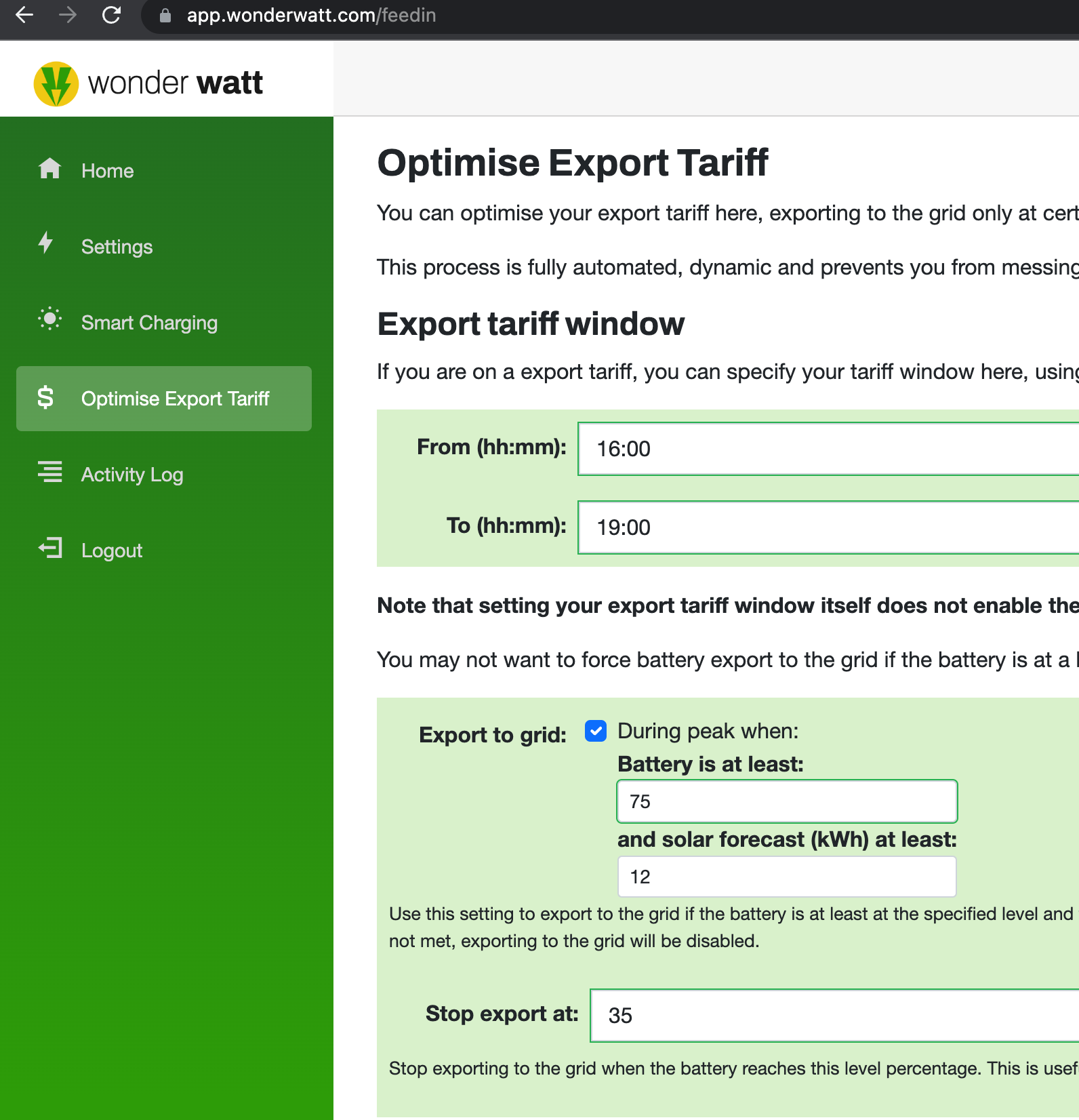
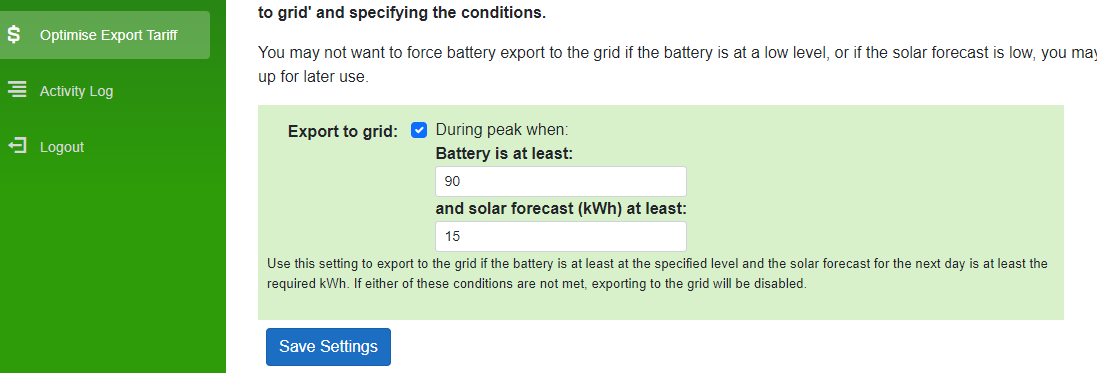
Hi, this clearly is an issue. But our online free service sets Eco-mode back after Timed Export.

Hope that helps.

Cheers,
Wim

#10 Cdent

Wonder Watt interesting, thanks Wim.

I've signed up but I don't appear to get the Stop export option, is there something else I need to do?

Also, my array is split East/West and that wasn't an option so I set my forecast accordingly

#11 Wonder Watt

Cdent Thanks for signing up. Ah yeah, that was my bad. I took a screenshot of a Growatt setup, which does support the "Stop export at" setting.

GivEnergy unfortunately does not support this.

Cheers,
Wim

S
#12 SteveCook

LordHippos You may find the Octo R & D scheduler approach easier like @SteveCook mentioned, though I can't comment on how that works exactly.

I found R&D flaky at times as it relies on signaling GE and then GE signaling the inverter.
Multiple timed charge and back to export slots were generally fine in R&D, but after export I could not get Eco to kick in.
I have gone to Home Assistant as that can deal multiple import and export times and scenarios, plus the HA is on a home network so is not subject to vagaries of GE and Octo servers and the internet.

After nicking my sons Raspberry Pi it took me a day to read up and get HA working and controlling.

#13 Cdent

Wonder Watt Ah that makes sense, I've got it set up and we'll see if it does better than the GE tech tonight!

L
#14 LordHippos

SteveCook Yes I've been doing this for a while now works pretty well, though Octopus have just announced they're cutting Flux pricing looks like around 10% across the board.

Home Assistant is great but it's beyond what most people have the knowledge or willpower to learn!

S
#15 SteveCook

LordHippos Home Assistant is great but it's beyond what most people have the knowledge or willpower to learn!

I am 62 and I got my head around HA and up and running in a day. I dont profess to be writing code in yaml or anything and I only use the prewritten functions but it does what i need

#16 ProximusAl

SteveCook Wish I could double like this post!

Good job and well done πŸ˜€

#17 Wonder Watt

Cdent How has it been working for you so far?

L
#18 LordHippos

SteveCook Well played sir! πŸ™‚

I am mostly using the built in stuff where I can as well, I can make scripts and do code things in other languages, but I don't want to learn too much for just HA stuff if I can make it work without anything special! πŸ™‚

If anyone wants to mess about with how my automations work, welcome to copy some of my ideas.

Screenshots and sample Yaml at the end of this post, it's possible to do it all via the GUI as long as you pick the right options to do the same things how I've laid them out, you can combine conditions with and / or operators, and add actions within those πŸ™‚

You can also test the steps with the dots => test.

My setup is a G1 Hybrid inverter, so G2 might work a little differently. But I do the following:

02:00 - 04:50 charge battery. This is always set, I don't ever edit this. I stop this a little early as otherwise it seems to like using the grid for 5-10 mins after 05:00.

Most of the day run in Timed Discharge mode + Eco Mode enabled. This sounds backwards but when outside of Timed Discharge period, it will simply use the battery like it was normal Eco mode.

Within Timed Discharge window it will prevent solar charging battery. So from 16:00 - 22:00 I specify that the battery should stop charging, all excess solar goes to export or house load. Battery supplies house load as well if needed here.

At 17:00 (and again at 17:10 and 17:20) it will attempt to enable Timed Export mode assuming battery capacity is over 90% and it's not already in Timed Export mode. This runs 3 times in case of single failure but only applies the change if the conditions are met.

At intervals of 10 mins from 17:30, it will switch Timed Discharge mode back on assuming the battery is above 1 % or below 60% and the current state is Timed Export. This again only runs if the conditions are met. At just after 19:00 it will switch Timed Discharge mode back on if it happens to be off, though I may move this to it's own automation and do that check a few times just in case it's missed due to failure.

This all sounds nuts but it's actually fairly logical if stepped through the process.

Timed Discharge automation:

alias: Timed Discharge
description: ""
trigger:
  - platform: time
    at: "17:30:00"
  - platform: time
    at: "17:40:00"
  - platform: time
    at: "17:50:00"
  - platform: time
    at: "18:00:00"
  - platform: time
    at: "18:10:00"
  - platform: time
    at: "18:20:00"
  - platform: time
    at: "18:30:00"
  - platform: time
    at: "18:40:00"
  - platform: time
    at: "18:50:00"
  - platform: time
    at: "19:00:01"
condition:
  - condition: or
    conditions:
      - condition: and
        conditions:
          - type: is_battery_level
            condition: device
            device_id: 01630bfd63221a38b457843dc38f42d7
            entity_id: sensor.battery_charge
            domain: sensor
            below: 60
          - type: is_battery_level
            condition: device
            device_id: 01630bfd63221a38b457843dc38f42d7
            entity_id: sensor.battery_charge
            domain: sensor
            above: 1
          - condition: state
            entity_id: sensor.battery_mode
            state: Timed Export
      - condition: time
        after: "19:00:00"
action:
  - service: givenergy_local.activate_mode_timed_discharge
    data:
      device_id: 290020c0ae3b31bb96733680bebffc60
      start_time: "16:00:00"
      end_time: "22:00:00"
mode: single

Timed Export automation:

alias: Timed Export
description: ""
trigger:
  - platform: time
    at: "17:00:00"
  - platform: time
    at: "17:10:00"
  - platform: time
    at: "17:20:00"
condition:
  - condition: and
    conditions:
      - type: is_battery_level
        condition: device
        device_id: 01630bfd63221a38b457843dc38f42d7
        entity_id: sensor.battery_charge
        domain: sensor
        above: 90
      - condition: not
        conditions:
          - condition: state
            entity_id: sensor.battery_mode
            state: Timed Export
action:
  - service: givenergy_local.activate_mode_timed_export
    data:
      device_id: 290020c0ae3b31bb96733680bebffc60
      start_time: "16:00:00"
      end_time: "22:00:00"
mode: single

S
#19 SteveCook

LordHippos
Fantastic description of how to get it working even better than I have on mine.
Thanks for the guidance of what can be easily done.

J
#20 James L

So what are the remote options when away from home? I can't divine the answer from this thread (should I start a new one)?

I've been using Octopus R&D for the last few weeks with good success. However, it's stopped working - the R&D scheduler has all the settings, but the inverter is not discharging when it should.

So I'm looking for an alternative which I can program remotely. I'm a software engineer, so happy with teccy solutions!

S
#21 SteveCook

Home Assistant can do all you want, and just set it and leave it - see above. You can pretty much define all sorts of conditions you want to monitor and what you then want the inverter to do.
Before i used HA, regularly when I tried changing things away from home using the app, things would mess up so I have disabled the control functions on the app and just use it for monitoring.
A big advantage of HA is it sits on home network so doesn't get hung up on the vagaries of Octo R&D servers, GE servers and the internet.
There is a HA cloud connection version but I think it has a subscription so I have not looked at it.

J
#22 James L

Thanks - think I'll have to go for the HA cloud option for now.

J
#23 James L

James L @Wonder Watt - I've signed up with you to see how it goes. Let's see!

#24 Cdent

Wonder Watt it's so far not done any of the discharging because I've had to only enter one aspect of my array and but it hasn't met the forecast requirements yet

#25 Wonder Watt

We'll be adding multi-plane setups at some point.

Cdent You could inflate your PV peak output to correct for this as a workaround for now.

We'll also add a correction factor (defaulting to 1.0) which you can use to increase or decrease depending on the forecast calculations you are seeing.

Thanks both, for signing up and trying it out! @James L

L
#26 LordHippos

James L The big problem with cloud approach is that HA presumably then needs to talk to something else in the cloud, for example Givenergy Cloud.

GE cloud then needs to talk to your inverter, if the inverter isn't contactable it will probably just not do anything, but won't be obvious why to you it's failed.

That's why local HA + GE Local integration is the best, it's the shortest chain you can get for control.

T
#27 Tim

LordHippos @SteveCook If you install DuckDNS as an HA add-on and configure the external duckdns url in HA - Settings - Network, when you open the app on your phone, it uses local when on the home wifi and the duckdns url when not. This has been so reliable for me, whether I'm on someone's guest wifi or 4G. It's as fast away from home as it is at home and this is the biggest benefit to me using HA over my previous home automation cludge. It just works, and I don't use the HA cloud subscription service currently.

L
#28 LordHippos

Tim Nice workaround, though I admit I don't even look at HA unless I need to for some reason! πŸ™‚

#29 TheDragon (GivEnergy)

Wonder Watt can you make contact with us.

We are interested in what you are wanting. Maybe we can help each other and certify your service.

#30 positor1

Wonder Watt
Your site looks very interesting but a couple of things:-
It mentions GE hybrid inverters , does that mean AC3 are not controllable via your site?
It says you can sign in with your google account but actually there doesn't appear to be any other option.
I don't / wont have a google account for example.

#31 Wonder Watt

TheDragon (GivEnergy) No problem, drop us a line: labs @ wonderwatt.com - thanks!

#32 Wonder Watt

positor1 Thanks, to be honest, we started out with Growatt hybrids (tho we also support AC-coupled now), and when we built the GivEnergy support only had access to a GivEnergy Hybrid.

Having said that, provided the API acts the same, there is no reason it won't work with an AC-coupled inverter with attached storage.

We will remove the hybrid part from our copy.

In terms of the Google account thing, we didn't want to have yet another own custom login, so went for Google. We will likely expand login options in the future. Do you have a Microsoft account?

Cheers,
Wim

#33 positor1

Wonder Watt
I do have a microsoft account , in fact it occurs to me that i do have a google account as i have an android phone but there is where it ends, no cross linking, no use of that email for anything to prevent cross corroboration and a new google account for a new android phone each time.
Yes, I am one of those sorry.

#34 Wonder Watt

positor1 No problem, totally get it. MS login integration will be the next login option we add. :-)