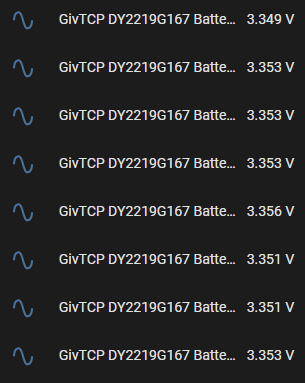
@TheDragon (GivEnergy) Any idea what has happened to my battery?
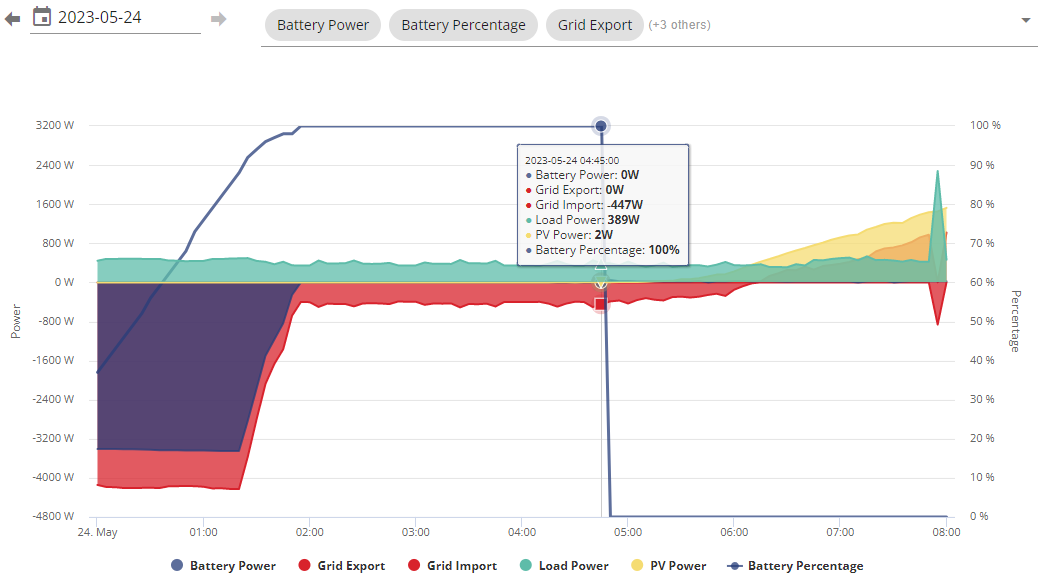
Went from 100% IDLE to 0% overnight. Got a few messages about Battery Voltage High, BMS Over Voltage
ED2253G654
D0.994-A0.994
BMS 3012
Will try and inverter restart.

@TheDragon (GivEnergy) Any idea what has happened to my battery?
Went from 100% IDLE to 0% overnight. Got a few messages about Battery Voltage High, BMS Over Voltage
ED2253G654
D0.994-A0.994
BMS 3012
Will try and inverter restart.
Also the battery now shows this??
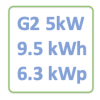
100 Ah | 5.12 kWh | (1 Pack)
Its an 8.2?

ProximusAl Your battery has 4 cells that hit the over voltage limit. Let them discharge a little they will return 100%.
If the BMS turns the charge circuit off, to prevent further charging, the Inverter see's the battery is gone, it says SOC 0%. The discharge circuit is still on, it will discharge.
Once the cells return to normal spec andrange the charging will return.
I am working with the firmware team to find out why this happens and wasn't seen in beta testing, but is now in the wild, only on batteries with 1 or more cells that trigger over voltage. Previous BMS this would be ignored and the cells would be even higher. Inverter then would stop at 58v.
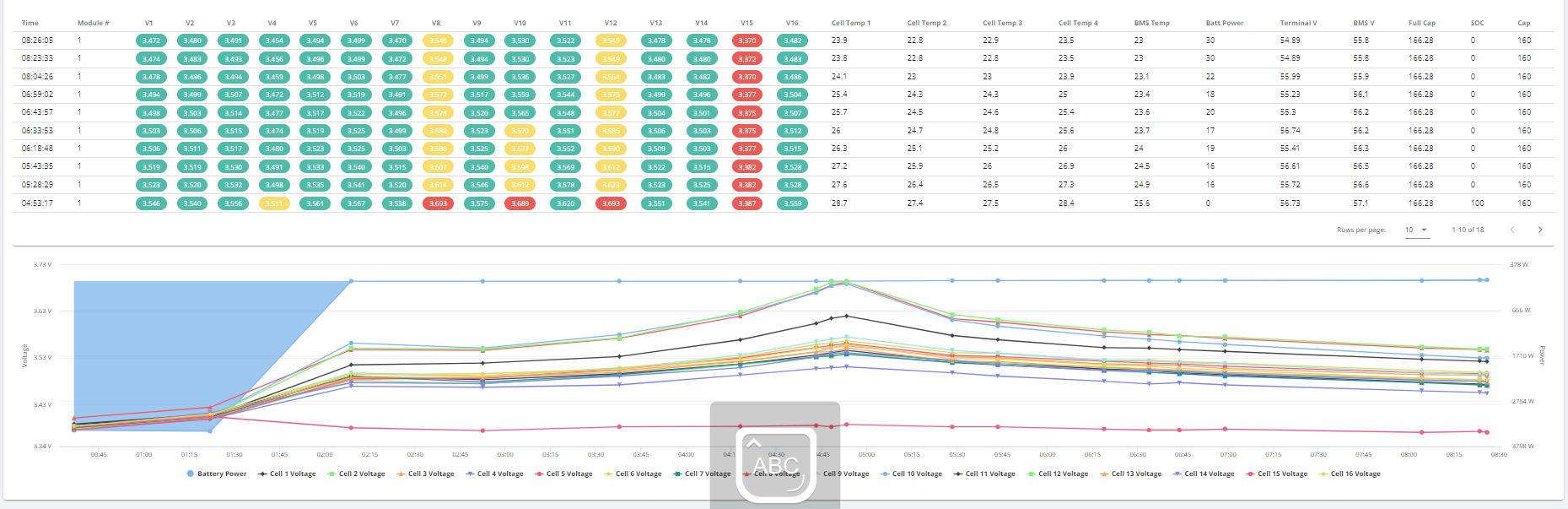
This BMS is much more details and on battery health, so looks at cell level. Here is Cell data, 8, 10, & 12 all high.
If its a one off and the BMS just went a bit high, it will learn next time. It also shows Cell 15 is lazy
,
Here is it happening on mine, it went over once early on 21st, next time it remembered the limit.
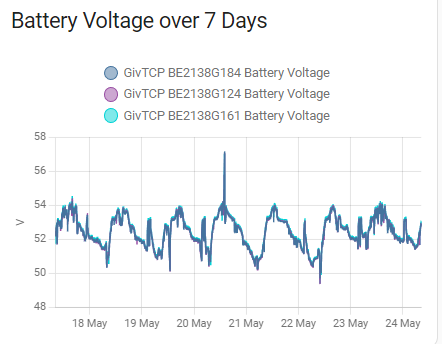
If its happening every day, it would indicate faulty cells
TheDragon (GivEnergy) Thanks Paul. Will keep an eye on it today.
TheDragon (GivEnergy) Can anything be done about that lazy cell just out of interest?
Would a calibration potentially sort it out?
I have a second battery being fitted June 9th (Upgrading BMS using your instructions), so I'll contact you then for a calibration.
ProximusAl OK, I have also given your over voltage BMS alarms a kick in the butt, by a forced discharge for 30 seconds. BMS alarms have gone now.
Yes keep an eye, I have also stuck the Final Gen2 release on D909-A909, ahead of it going on the portal later this week
TheDragon (GivEnergy) Paul, how did you create that fancy Cell Voltage table & graph - that looks like it is from the Graphs section of GivEnergy Cloud, but when I try to reproduce it, it doesn't let me select the cell voltages. I have created something similar to the graph for myself on Home Assistant, but yours is a lot better !

It's GOD MODE on the GE portal. They removed it for us mere mortals (customers)
TheDragon (GivEnergy) as in the Givenergy API or GivTCP (can't say I've noticed cell data in the GE API before but neither have I been looking for it.)
Yeah it's been in GTCP for a while, was just curious about the API, it's not the first time someone's mentioned cell data can be retrieved by it but it's not doing so on any API call I can see (although it may be undocumented.)