Had an AIO and Gateway installed a couple of weeks ago, a few hiccups during installation which were smoothed eventually by remote logins from GE. But one issue remained, that we couldn't get the LAN connection going at all and had to leave it all on WiFi. Yes the cables were fine (checked with a laptop plugged into cable instead and just fine).
Has anyone got their AIO and Gateway running with LAN connections and if so, what state did you need the DIP switches in each unit and do you have the LAN cable just from the Gateway or just the AIO or one cable from both? And do you need a reboot of one or both units when changing from WiFi to LAN?
I want to find a known good working setup before my installer comes back out to look at it next week!
The phone conversations the installer had at the time with GE support implied that they thought maybe the LAN board might be duff but GE weren't prepared to send a replacement board out because the WiFi was working. Which seemed a bit off because after all, I've paid for the LAN connection... Anyway I'm hoping it's just config and we can get it working. I want LAN because it's just more future proof, I don't want to be stuck having to have an ancient mode WiFi network running in 10 years just for the battery.
AIO and Gateway LAN connection
Barns When changing from wifi to lan you have to completely power down when switching, sometimes you may need to leave it offline for a minute or two,

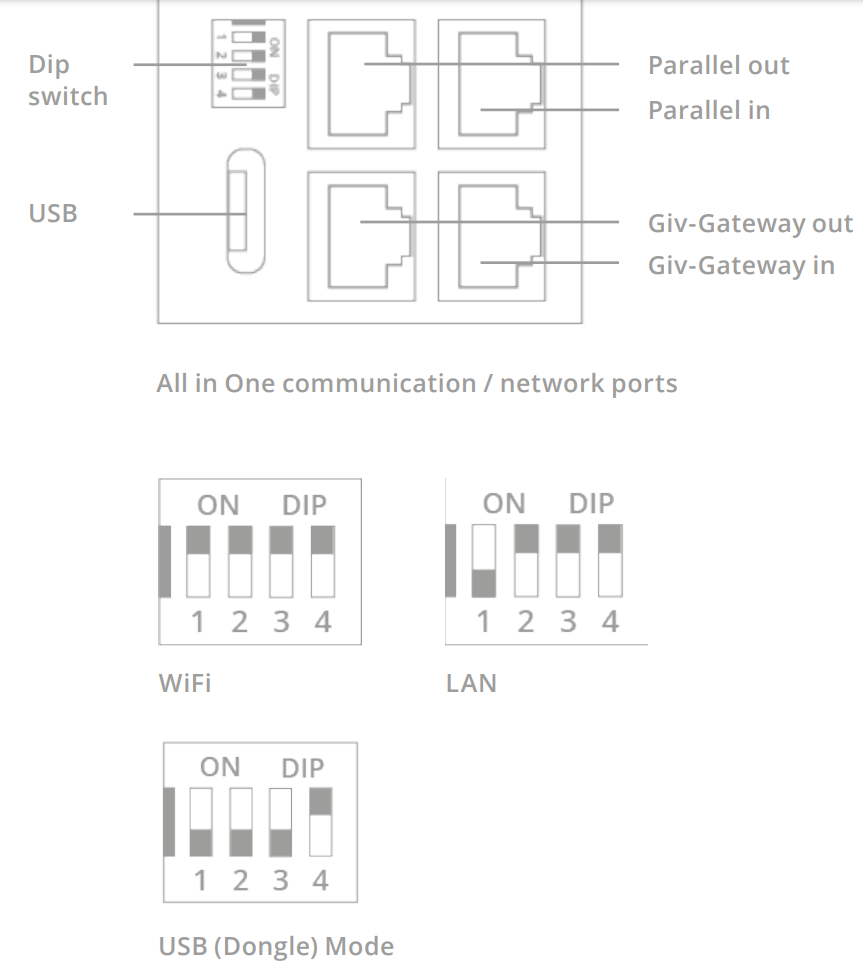
How it should look, they didn't flip the opposite end by mistake did they, thinking bottom was first instead of top?
Also id get back in touch with GE because if a part of the product isn't working then it needs to be replaced with one that is fully working, period, regardless if wifi is working as that is not guaranteed to be problem free like lan.
Are you able to open the connection cover just to look at the switches themselves?

I don't like the sound of you being fobbed off on a 7k piece of equipment that has a faulty component, an important piece.
I would add that for me, and another poster, we used the black dangling black RJ45 with the female to female adaptor supplied.
I was advised by Givenergy tech to set gateway dip, in this case, to
1 off
2 off
3 off
4 on.
To clarify, you need 3 RJ45 cables.
1 - AIO to Gateway to act as data link.
2 - AIO to router LAN
3 - Gateway to router LAN
Thanks both, I'll give this a go next week with the installer. Sounds like the things we might have been missing were needing LAN from both units and not just one or the other, and possibly full reboots when changing to LAN from WiFi. Fingers crossed it'll work.
As an aside, do you find it weird that the DIP switch settings for LAN are opposite in the Gateway and the AIO? Not a big deal but it bothers me somehow!
Spike The AIO to Gateway would have been done regardless of mode would it not?
Don't suppose you got pics of it for visual aid do you?
I would agree, mine was one of first installs, so we kept being advised the two different dip switch settings, to see which worked better.
either with 1 OR 4 to on, with others to off. (gateway)
Yes the RJ45 between the two units should be installed in every case, as its the data link.
Connected as per instructions.
Sorry, its not letting upload photos atm

Hi all
My installer is here today commissioning our system
- Gen3 inverter
- AIO
- Gateway
The first two are on the LAN (port lights on the switch), but the gateway LAN is not on/lit.
DIP switches on Gateway are
1 on
2 off
3 off
4 off
We've tried power cycling the gateway - no success.
Also can't get into the Gateway on the wifi as the network is secure (other two are open...) - anyone know what the password would be please?
Thanks all!

As suggested above (THANK YOU), our installer flipped the DIP switches on the Gateway AND used the black RJ45 lead inside the box (NOT the port unhelpfully labelled LAN 🤦 ) + a female-female connector, and we're up and running. So as others reported, for us the correct DIPs are:
AIO
1 - ON
2 - off
3 - off
4 - off
Gateway
1 - off
2 - off
3 - off
4 - ON
Good to hear that worked for you... Took about 3hrs between me & Givenergy support to find the combination that worked!

Well, it was, until the firmware update seemingly nuked the Gateway - so the AIO and Gateway are now “Lost” to the dashboard.
Tried lots of different configs with the installer but seems like it’s going to take a GE site visit to fix it now.
Another tip - you can’t have a GE hybrid inverter, AIO and Gateway on the same GE account. So I now have the inverter on one GE account/ dashboard and the AIO and Gateway on another. Bonkers.
Yes, my gateway and AIO are on separate customer accounts, bonkers too, seems to be a work around to stop them conflicting by Givenergy tech support. I use the AIO dashboard to see whats going on, as the gateway is only a clever distribution box,
We never got the firmware update, during commissioning to accept, would update, then throw an error on the checklist a few minutes later, eventually, Givenergy tech bypassed the checklist.
Is a shame, as my commissioning was such a pain, I'm not even sure its right now tbf, but is working well.

Spike OK, so I might need three accounts with one box per account. Interesting...
26Left I have the Gateway and the AIO on one account and it seems to be working fine. Shouldn't need two accounts for those. I don't know about a separate inverter though, I've not got a GE inverter for my PV array.
I'm left somewhat confused by what's known to work and not work for LAN connections, I guess I'll have to persuade my installer to try various different things. They didn't leave any spare cables or tools from the boxes behind after the install though so if I need a "black cable" as alluded then I'm not convinced they'll have that on them. What am I looking for?
Given the state of uncertainty about the LAN connections, I'm tempted to leave as is with working WiFi for now and wait to see whether it's easier to switch to LAN in a few months.

Barns That's helpful, thank you re having AIO and GW on the same dashboard account.
If it's working fine for you on Wifi, I'd stay put. I don't have that option unfortunately so it's LAN or nothing for me.
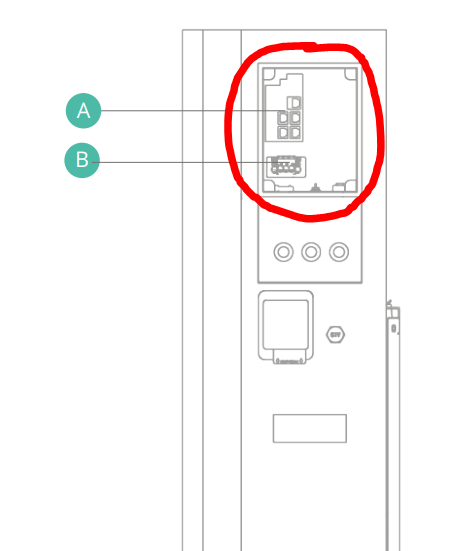
Re the "black cable" - in the back of the Gateway, behind the bottom inspection panel, there's a black RJ45 cable with a male plug on the end. You need to put a female-female connector block on the end of that, and then run a normal CAT5/6 LAN cable from that to your switch. (There's a separate socket labelled LAN on the printed circuit board, but that does NOT work, so don't use it.)
You will also need to change the DIP switches to move from WiFi to LAN, and then power cycle the device.
Spike wait what, I am supposed to have two accounts one for AIO and one for gateway?
26Left Don't suppose you got some pictures of it did ya?
Been waiting since 19th of july for appointment for installers to come out and flip my switch and after taking mum to vets on Thursday and making an appointment for my cat on Monday at 5pm I get a text on way home, someone is available to come Monday afternoon, seriously, what are the odds?
Jellybaby This was a suggestion during commissioning when we couldn't get checklist to complete, so we could try complete the AIO and gateway separably
Ideally you want one customer account with both bits on.
Spike hhmmm, only info I got on my account is for inverter, no other firmware version is listed anywhere.
Jellybaby Same here- I've been told to contact GivE support to enable both devices on main portal
Time to get a box of cat 6 cable by the sounds of it.

Jellybaby The installer does as he had to send in to GE for trouble shooting - I'll see if I can track them down.

GE site engineer arrived yesterday (and installer engineer accompanied) after waiting a few weeks for an appointment to sort out my "LOST" gateway and AIO. He replaced out all the batteries in the AIO (which as it was never commissioned, I don't think were ever used). We then went through power cycling the gateway and the AIO, flipping dip switches to wifi turning off and on, then back to LAN, and more turning off and on again. Eventually all registered correctly, AIO started charging and installer could complete the commissioning process.
GE then kick off a calibration process remotely for the AIO to fully discharge and charge (ideally ask them to do this outside peak importing hours).
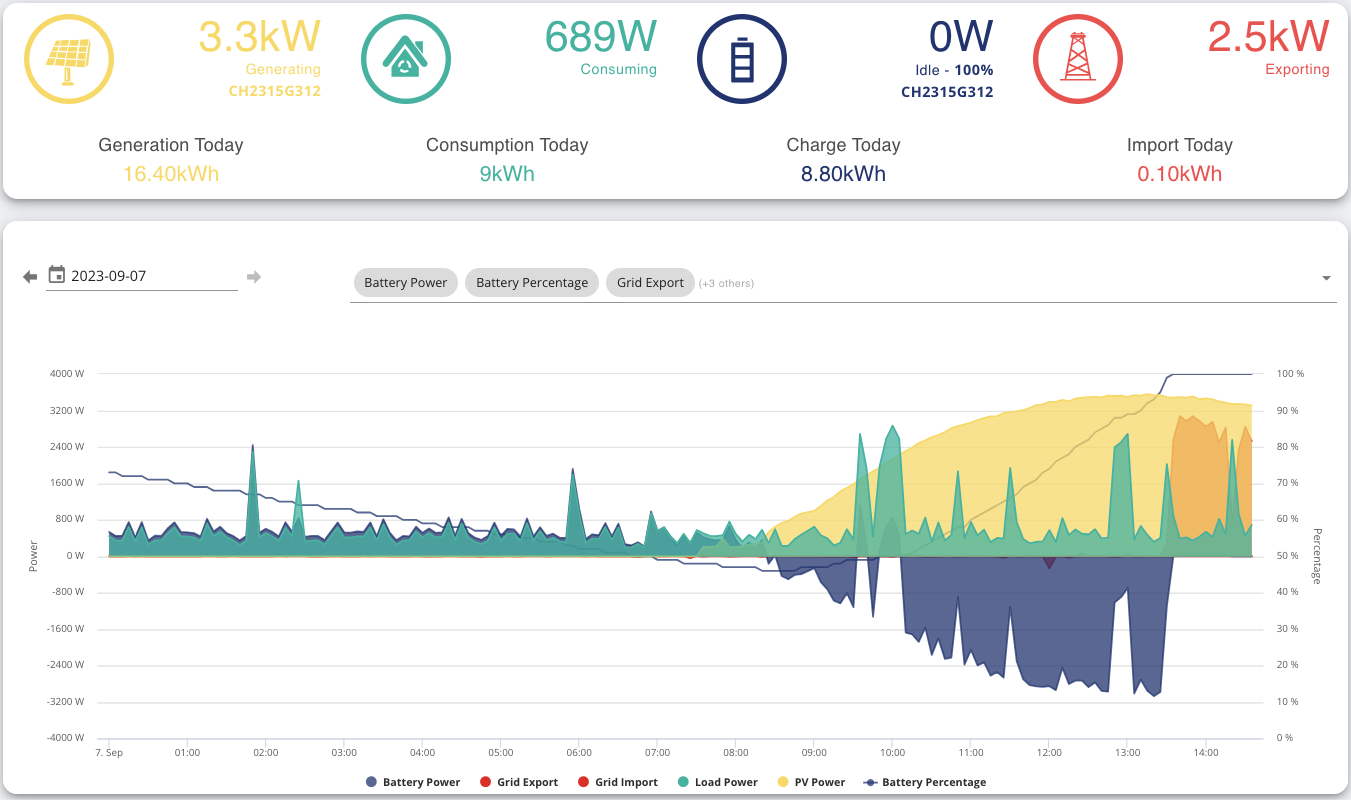
Bar some wacky numbers on the "Energy graph" part of the dashboard, the "Power graph" appears to be behaving sensibly.

26Left The Energy graph data, for AC coupled and AIO has recently gone off the rails, the developers are investigating the reason why.
The system data is correct, as is the power graphs
Hi all/Spike
I had the same issue and after some investigating and talking to GE this is what’s understood at the moment.
AIO Ethernet uplink to Gateway (for single AIO)
AIO future (up to 6) Ethernet uplink will go to 1st AIO then to Gateway
AIO Ethernet LAN port goes to Switch (internet)
Gateway Ethernet LAN Port goes to Switch (internet)
AIO is talking to GE cloud and connected to Internet, it is also talking to Gateway, the AIO updates the Gateway as required.
The LAN port on Gateway is connected to switch and internet but is NOT working and is not required. As AIO does it.
The extra Ethernet cable you have connected to via the Ethernet to Ethernet connector is going to the Gateway motherboard and is for Technician onsite updates if required. I would not have this connected to the Internet, incase a hacker gets to it !
26Left I am having a few issues with my connectivity at present. Would it be possible to send a picture of the dip switch settings on your AIO now that is is working?
A picture would be useful as there seems to be some confusion between the dip switch numbers posted above and the picture from the manual.

I don’t have photos to hand but I am certain the above is correct: it’s 1-ON and the rest off for the AIO. We did have to put it into Wi-Fi mode, power cycle it, put it back into LAN mode, power cycle it again to get there after commissioning to get it back “talking” to the GivEnergy servers and thus appearing with “Normal” / green status on the dashboard under “My Inverters”
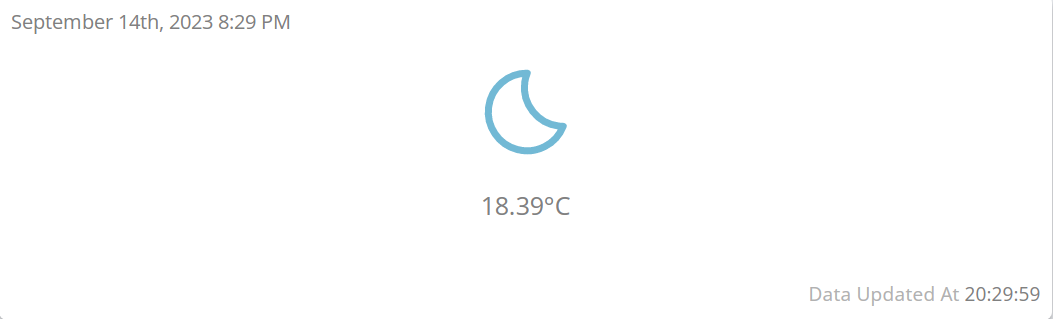
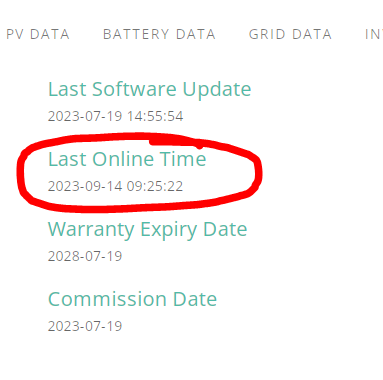
26Left On your dashboard if you go to "My Inverter" does your "Last Online" time match with the dashboard, for example


Jellybaby Last online time is a few hours adrift - but if you check the system data I can see an update from within the last 5 minutes
26Left Same, glad its not just me.
Well this sounds frightening.
1st AIO my engineers have done and they do not have a clue - all this does not fill me full of confidence they are ever going to get it working !
Dip switch heaven
IanSm My guys didn't know what they were doing but done it first time, I printed hte manual for the AIO out so paper was at had with switches. Everything was shut off, switches were flipped then lan cables attaches and when fired back up they were instantly seen on network (got superhub connected to UPS so internet + phone stays on)
Jellybaby
Very similar here. I had to print off the instructions for them here too, though the LAN connection is just not documented properly. See all the different DIP switch settings suggested.
There is a LAN port shown "but dont plug it in there - use the flying lead with a F/F converter". How strange. Someone one here suggests that this lead is for engineering to get in to the Gateway.
It would be really helpful to know what the coloured lights and beeping mean too.
Very poor instruction/operating manual. Yes I was aware that it would likely be the first one they had done but planning and support hopeless. Been in IT for years and if any of my teams did this they would be back for huge re-training or sacked.
Lets see what Monday brings. Interestingly GE support have not told them to switch things off as the flip DIP switches.
Hi all/Spike update as of 28th September 2023
I had the same issue and after some investigating and talking to GE this is what’s understood at the moment.
AIO Ethernet uplink to Gateway (for single AIO)
AIO future (up to 6) Ethernet uplink will go to 1st AIO then to Gateway
AIO Ethernet LAN port goes to Switch (internet)
Gateway Ethernet LAN Port goes to Switch (internet)
AIO is talking to GE cloud and connected to Internet, it is also talking to Gateway, the AIO updates the Gateway as required.
I have been communicating with GE second line technical this time and the below is now correct and the current install manual is incorrect.
The LAN port on Gateway as per the manual is not enabled (you guys were correct) and you have to connect it to the extra Ethernet cable dangling on the left hand side via the female to female connector supplied with the Gateway. GE also said they know the manual v2 is incorrect and it will be updated on the next release.
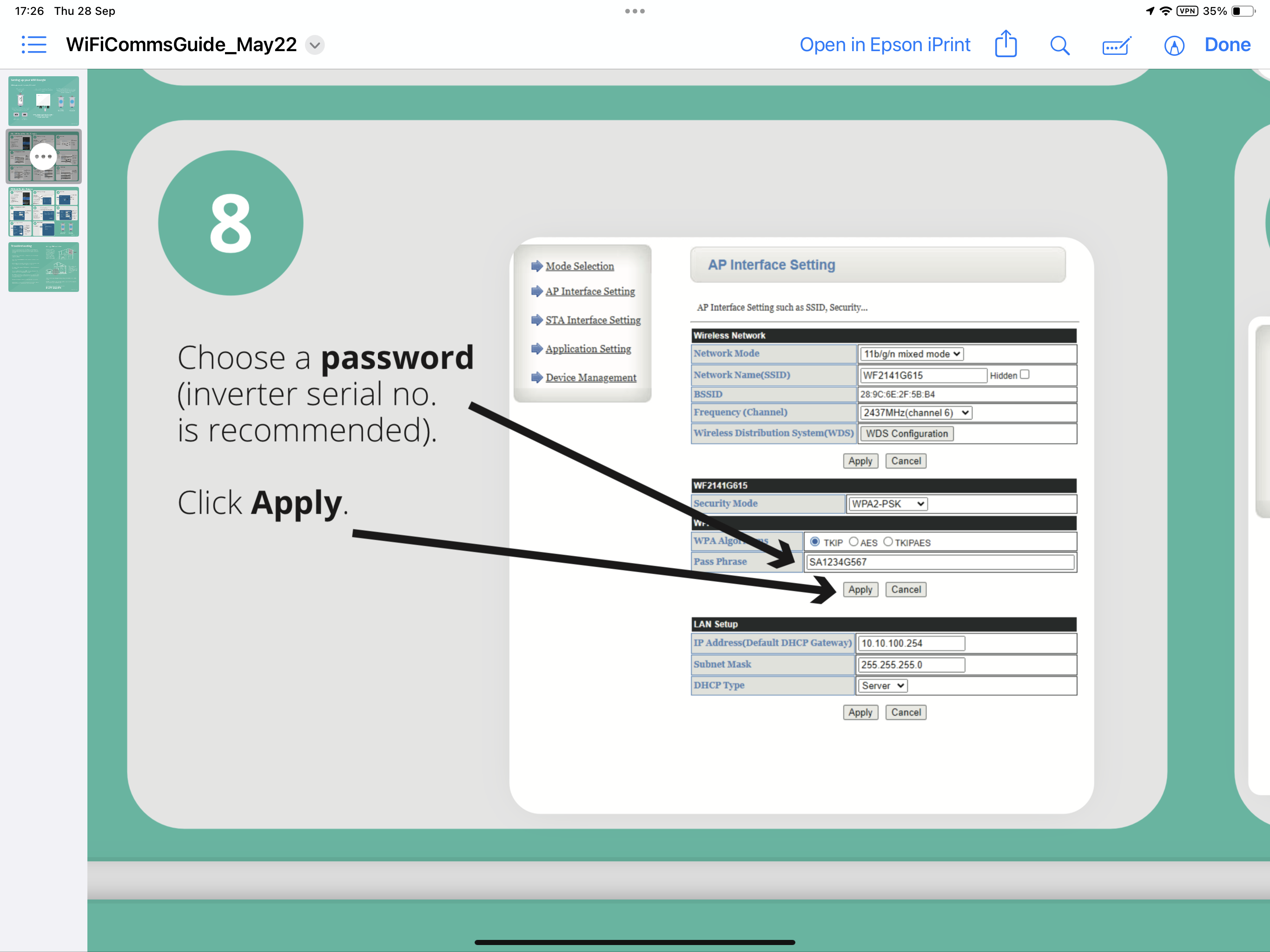
Extra - I noticed the WiFi on both the AIO and GW were still working even though I had flipped the dip switch to LAN, both were also not secure or needing a pw. GE sent me this document to make the WiFi secure and change the default password. (There is no dongle but the webpage is the same once you login)
https://kb.givenergy.cloud/article.php?id=1
One good thing to check is - configure both one at a time as per the doc, then while still on the AIO and Gateway WiFi go to a web page and check you can get to the internet. So now both WiFi and LAN working on both AIO and Gateway, and both secure.

Daveb01
Many thanks for this Extra!
I had not noticed that there was such a gaping hole in my home network security. I had put both the AIO and Gateway on my IoT vlan, but this is such a major flaw that I may actually create a special vlan just for these devices, in case some future firmware update is equally dangerous. I'll certainly be looking to apply some firewall rules.
I have left mine in AP mode, with a secure password, as I have no wish to allow them to connect to my wifi. I wish it was possible to disable the wifi capability - do you know if this is possible?
I would like to have disabled it as well, it it is not clear on turning it off. You can hide the SSID. I did not try the DHCP tab at the bottom (options are server or disabled)


Daveb01
I did think about putting them into Station mode (which I suspect just makes them a wifi network client, rather than an access point on the wired LAN) on a specially created wifi network, and then just disable that network. But decided against, on the basis that they would probably just revert to AP mode if Station mode fails.
As I'm sure you know, hiding the SSID is not an effective security mechanism.
What an extraordinary way to leave a network device in, by default.
I have configured it in AP mode (same as you) with long password, hidden the SSID, and changed the admin password, and AES security, so as best as it’s going to get today. I did not want to risk changing it from server mode, just incase I need to get in, in an emergency.
Now all set up I can get in via LAN IP as well now and you can not see the SSID unless you know how.
Would you risk turning Server mode off? To test? 🙂

Having slept on it, I am still appalled by this serious security breach. I think this merits a higher profile warning to others. I will file a bug report (though I doubt that will actually do anything), but do you want to make a forum post highlighting this issue, or shall I do it? Are you on the Facebook group (I am not)?

PianSom not to belittle the issue, but this comes up time and time again with every new batch of users.... its similar for the entire GE range not just the AIO.
https://community.givenergy.cloud/d/1213-urgent-security-issues

Good grief!
I had assumed this was an issue with the early adoption of the AIO. I am staggered that this has been a known issue for so long, and that Givenergy are so relaxed about it.
Thanks for letting me know.
Engineers are trained in this ( I hope ).
There is documention they are supposed to follow.
New dongles will apparently be secure by default. Not sure when the new dongles will be ready though.
So it's an install fail more than a GE failure.
That said, maybe it's something an automatic commissioning task should check - if it is possible for such a task to be run. There's not much space on the earlier dongles so they are very limited as to what they can do.

As I understand it, there is no wifi dongle for the AIO or Gateway - is that correct? I thought it was just in-built functionality. If there are dongles then they should/could have been removed at installation - no?
I have to say, imho anyone who supplies a consumer unit which is designed to be connected to a wired Lan, and which then automatically and silently provides open wifi access to the domestic network is negligent. It seems to me that this a clear design flaw, and hoping it will be addressed at installation is an inadequate response to a fundamental manufacturing safety issue.
That said, I haven't suffered a loss or been the victim of a crime, so there'll be no need for me to sue either the manufacturer or the installer just yet! Let's just hope that my naively open access point wasn't used to download any illegal pornography or something that could provide support to a terrorist. I wait with baited breath ... 🙂
(I wouldn't fancy GE's chances in court, given this has apparently been pointed out multiple times on their own web support service, including being acknowledged by employees. Anyway, time to move on with life.)
Hi All,
Now my system is on a dedicated vLAN for my Solar devices, I can not get the Home connection working, only the away works. I have tried to find the traffic details and ports etc to open in my Firewall to all this to work again.
Does anyone know the port info so I can change my firewall please
Daveb01 Mine never did find the AIO automatically. I toggle the 'Search for inverters manually' to 'on' and added the IP address and it all worked then.
Daveb01 I couldnt access internet with gateway but could with AIO, are you sure gateway supposed to connect to internet?
PianSom Wifi has to be on by default and it being accessible with wifi is great for troubleshooting even when connected to LAN.
I know why I can not get home to work as it’s now on a vLAN and not my home vLAN so adding the IP address does not work and need to update my firewall, so traffic can pass between the vlans.
Both access the internet when It was connected to my WiFi. However now LAN is working for both and can be seen in the cloud, I have switched WiFi back to AP only, changed the admin pw and hidden the SSID, will only go to WiFi in an emergency, but happy it is as secure as it can be.
I have put a request into GE to have the option to turn off WiFi like you can on a router if only using LAN.
Hi, I realise that this thread is some months old now but I would also point out that having 2 2.4GHz access points is also not very useful for zigbee integration. What with a proprietary Wiser zigbee network, a native zigbee network and Philips hue, it has been a bit of a challenge to avoid interference. I had a zigbee router drop out the other day that is located near to a newly installed AIO/Gateway. 'Shaded' the AP signal from the AIO/Gateway and it came back online.
For all the reason stated + the interference aspect, I would like to see an option to disable the WiFi APs
DrJohnM61 Zigbee is the spawn of the devil in terms of WLANs.
https://www.metageek.com/training/resources/zigbee-wifi-coexistence/
Enjoy.
Spike the manual says 1 off, 2,3,4 on. The setting 1 on, 2,3,4 off is the USB dongle setting according to the manual.
Which did you get it writing with in the end?