TLDR - Skip to the last paragraph for our solution, otherwise read on.
We have been suffering from all of the problems in this thread since our inverter was installed in 2023. We live in a relatively dense urban area with a number of neighbouring WiFi networks, although as of today we are the only WiFi 7 network in range.
Both I and the installer were completely unable to get our inverter connected to our WiFi network due to 5Ghz WiFi 5/6 networks with the same SSID. It feels like installers should be provided with better materials on this very well known issue.
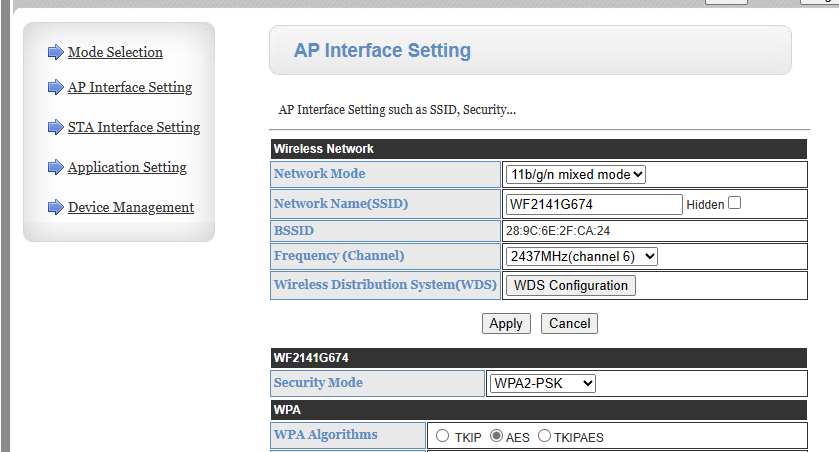
Remaining connected to the Access Point created by the dongle was also difficult and frustrating with the network dropping anytime between twenty seconds or a couple of minutes after connecting. This made configuring it ridiculously difficult.
I ended up having to set up a separate WiFi 4 network on our ISP router which was providing digital voice services anyway. This meant that the inverter added two net additional 2.4GHz networks to already crowded airwaves.
I experienced intermittent network issues with a range of devices, in particular gaming on Stadia, our wireless video doorbell and our Hildebrand Glow IHD. Other devices would also experience intermittent slowness or video buffering. Our video doorbell would seemingly randomly stop recording activity and be very slow to respond until it was rebooted.
The inverter itself would sometimes become slow to respond on Local Monitoring, both using the GivEnergy app and the excellent third party Monitor for GivEnergy Inverter app. I sometimes had to repeatedly toggle between Home and Away modes if I hadn't had the app open for a while.
I upgraded to a WiFi 7 mesh in November 2024 and most of our network issues persisted. This mesh did allow me to temporarily switch off the 5GHz network (leaving just 2.4GHz and 6GHz) and get the inverter connected to our main network and switch off the network I had created on our ISP router. This reduced but didn't eliminate the problems with our video doorbell.
After this change though I also saw increasing issues where I just could not access the inverter data via Local Monitoring at all - using either the GivEnergy or Monitor for GivEnergy Inverter app. Away would still update every five minutes but I could not get live updates.
The Solution
The solution was in two parts. I will only briefly touch on the first since it is well documented elsewhere in the community.
Either switch your router to broadcast different bands using different SSIDs or temporarily switch off the 5GHz band before connecting the Inverter, after which you can switch it back on again and the Inverter should remain connected. If you have a mesh network then you may need to experiment with some other settings so you might want to search the community for the term "mesh" if you are still struggling.
Go to the GivEnergy Installer Resources page and locate HF21 Dongle Chipset Update under "Accessories". Download the zip file, extract it and follow the instructions in the word document to update both components using the management page accessible either via your Inverter's IP address on your own network, or via the separate Access Point the dongle creates. If you have never changed this then the default credentials are I believe "admin"/"admin" but more information on this and accessing the page will be on GivEnergy's WiFi setup guide.
The dongle will need to be rebooted after each update.