I've had/have the same IOF signup issue. 2FA not turned on, go through the enrolment to give Octopus access to my GivEnergy account, login to GE cloud OK, then get a generic 'make sure your battery is connected' etc message.
But I see the Octopus token has been created in my GivEnergy security settings.
Followed the suggestion of Leeshore and ocntacted GivEnergy support.
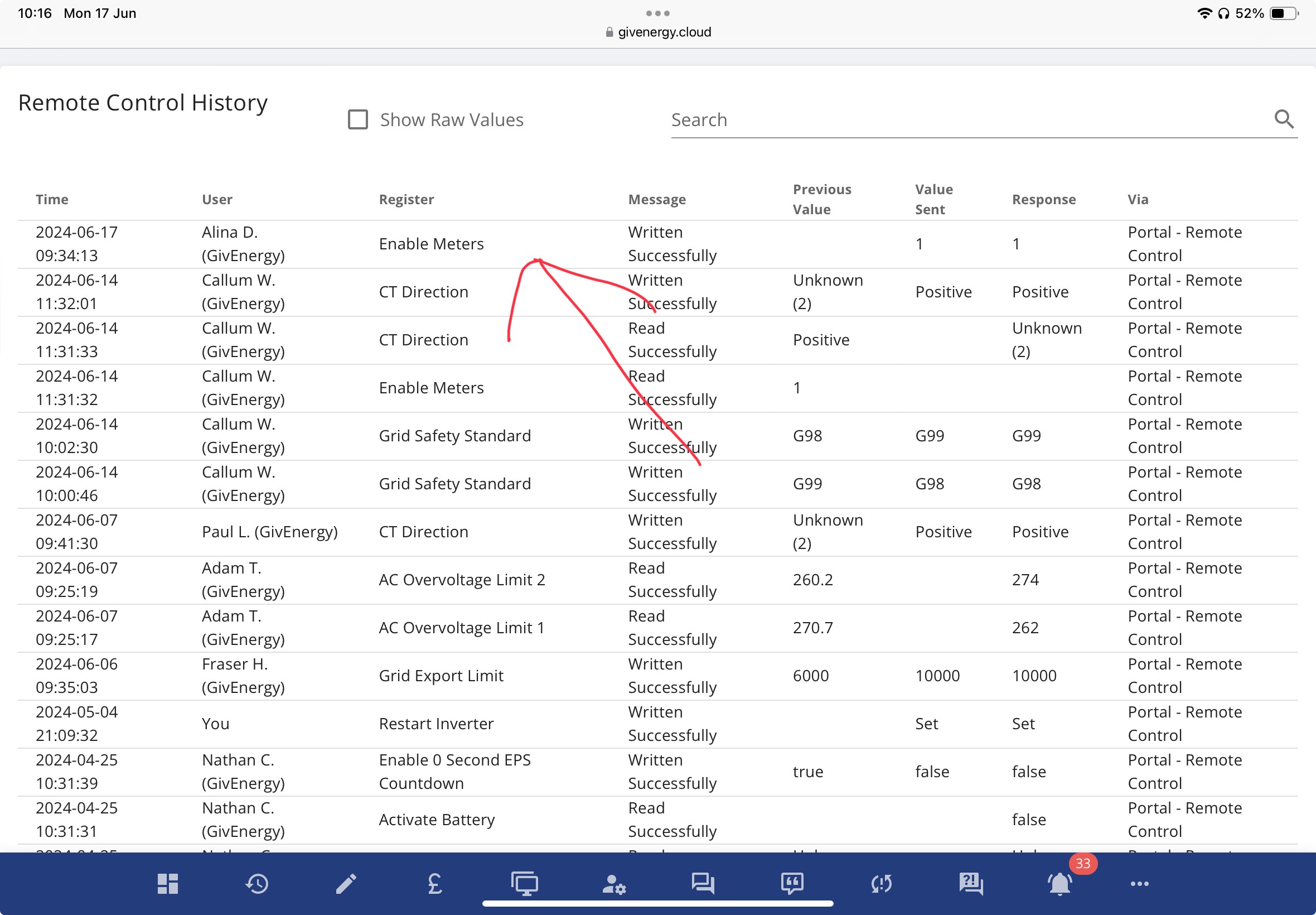
What they did for him and for me is to change the inverter type from G99 (5kW) to G98 (3.6kW) and back again. Apparently this causes a 'reset to defaults' of the inverter which has been known to cure some issue.
Didn't cure the IOF enrolment issue for me, same behaviour, token created but then fails on the Octopus side. I have logged it with Octopus via twitter/X and its with their "smart energy team" and has been for a week now.
Oh, and if you do get GivEnergy to try this fix for you, make sure that support correctly reconfigure your inverter afterwards. I found that GivEnergy support had forgotten to turn the Import/Export Meters on afterwards, leaving the inverter not reporting any Import or Export and not working in Eco mode properly for the weekend.
Here's what you should see: