AIO - Second/Third Battery install

242 comments started 2024-07-07 last 2025-03-30
CommisioningGivEnergy ProductsBattery
D
#1 Daveb01

Hi All, thought I would start a new post for those that have ordered a second/Third AIO. This is really to help those that are thinking about it, and any issues that occur.

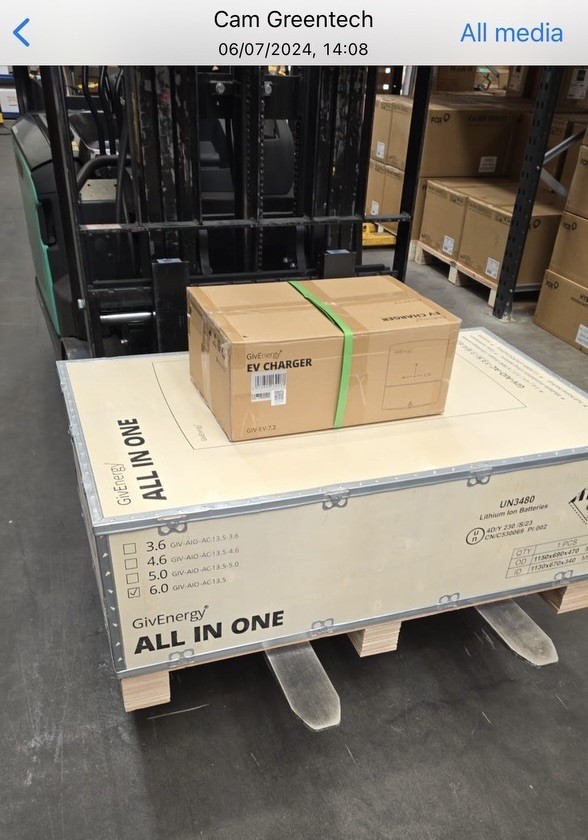
I ordered my AIO the Friday before the announcement with my installer, however as it was still at the warehouse and not picked up, he and his supplier stuck to there word and managed to get me a free EVC.

Hopefully the AIO will be delivered and bolted to the wall, while my installer sorts out how it is wired.

D
#2 Daveb01

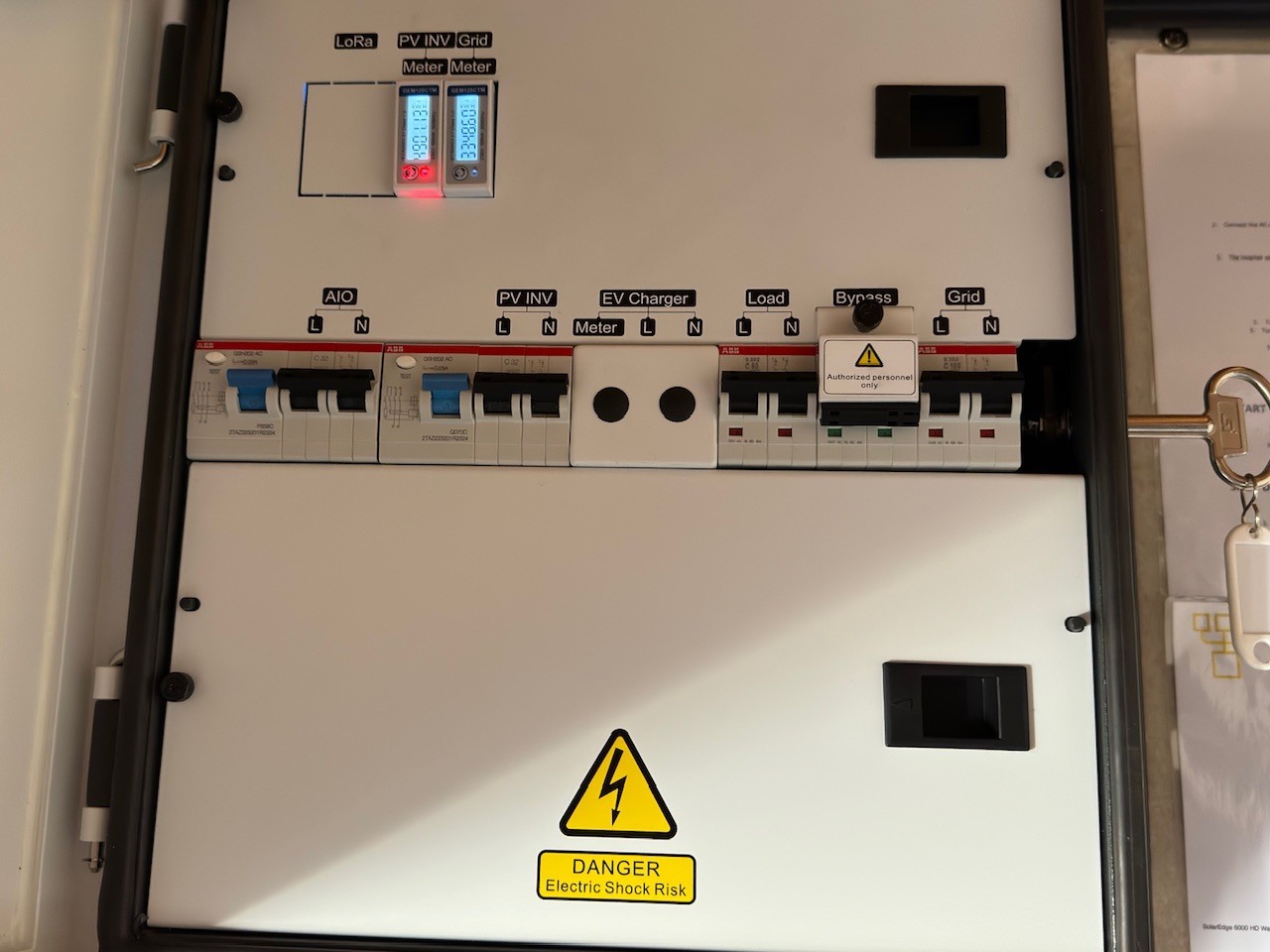
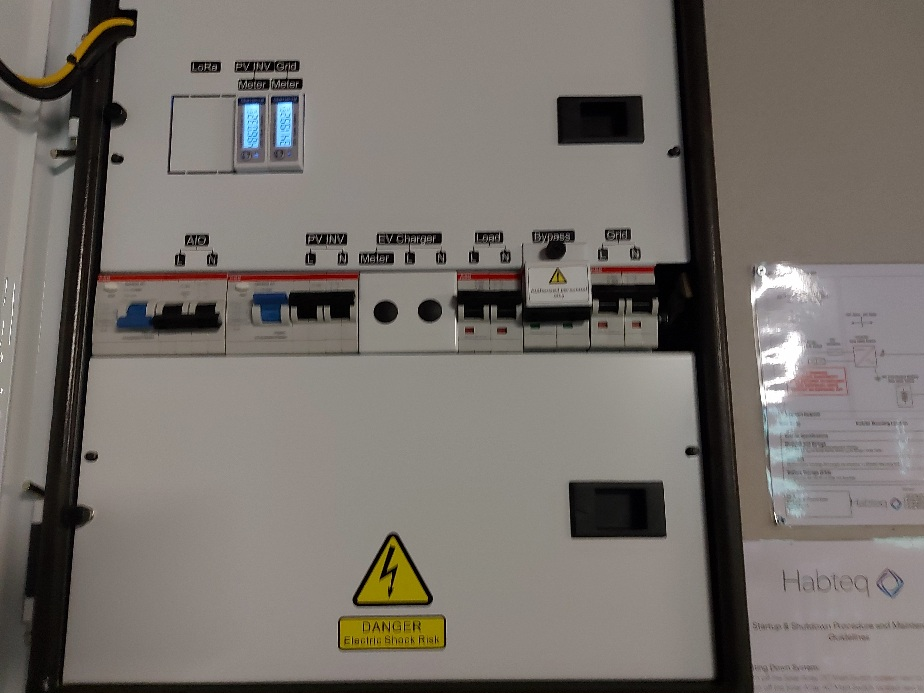
FYI this is the starting point in My Gateway

J
#3 JasonF

Just ordered mine too, and managed to get the free EVC also.

G
#4 geoffreycoan

Its a more impressive and solid box (with metal reinforcements) than the 9.5 battery which just comes in a large cardboard box with some foam inserts.

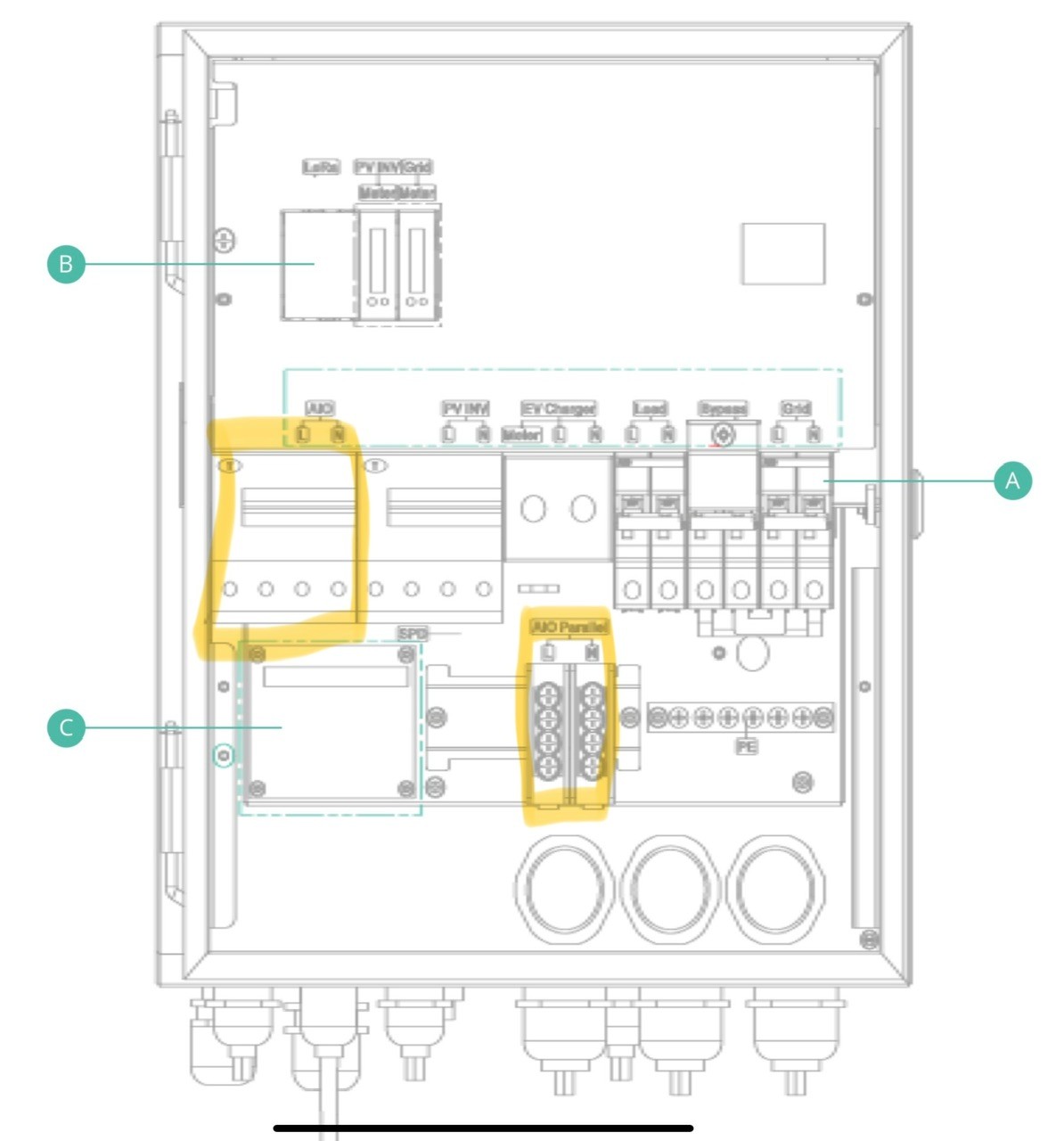
D
#5 Daveb01

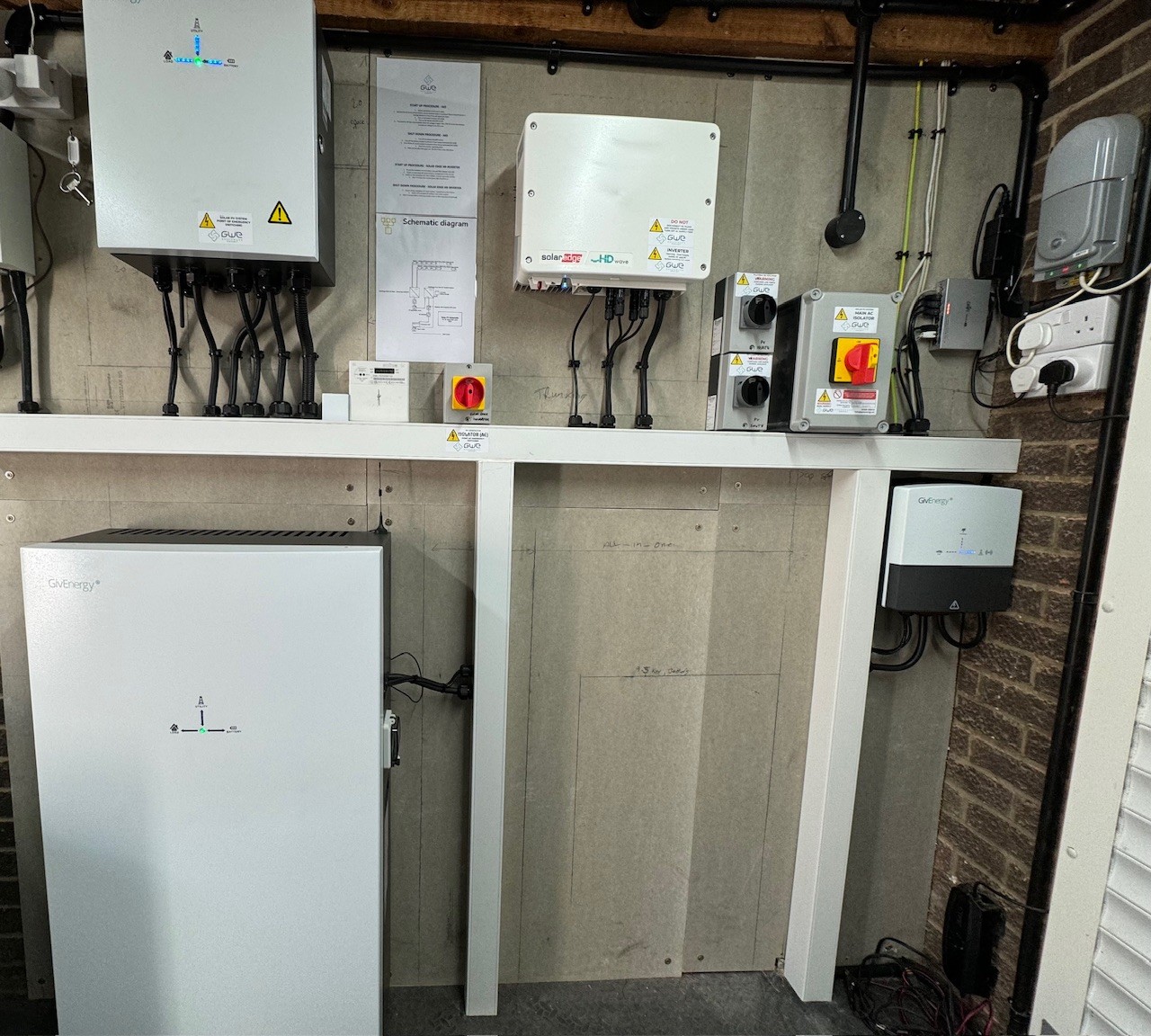
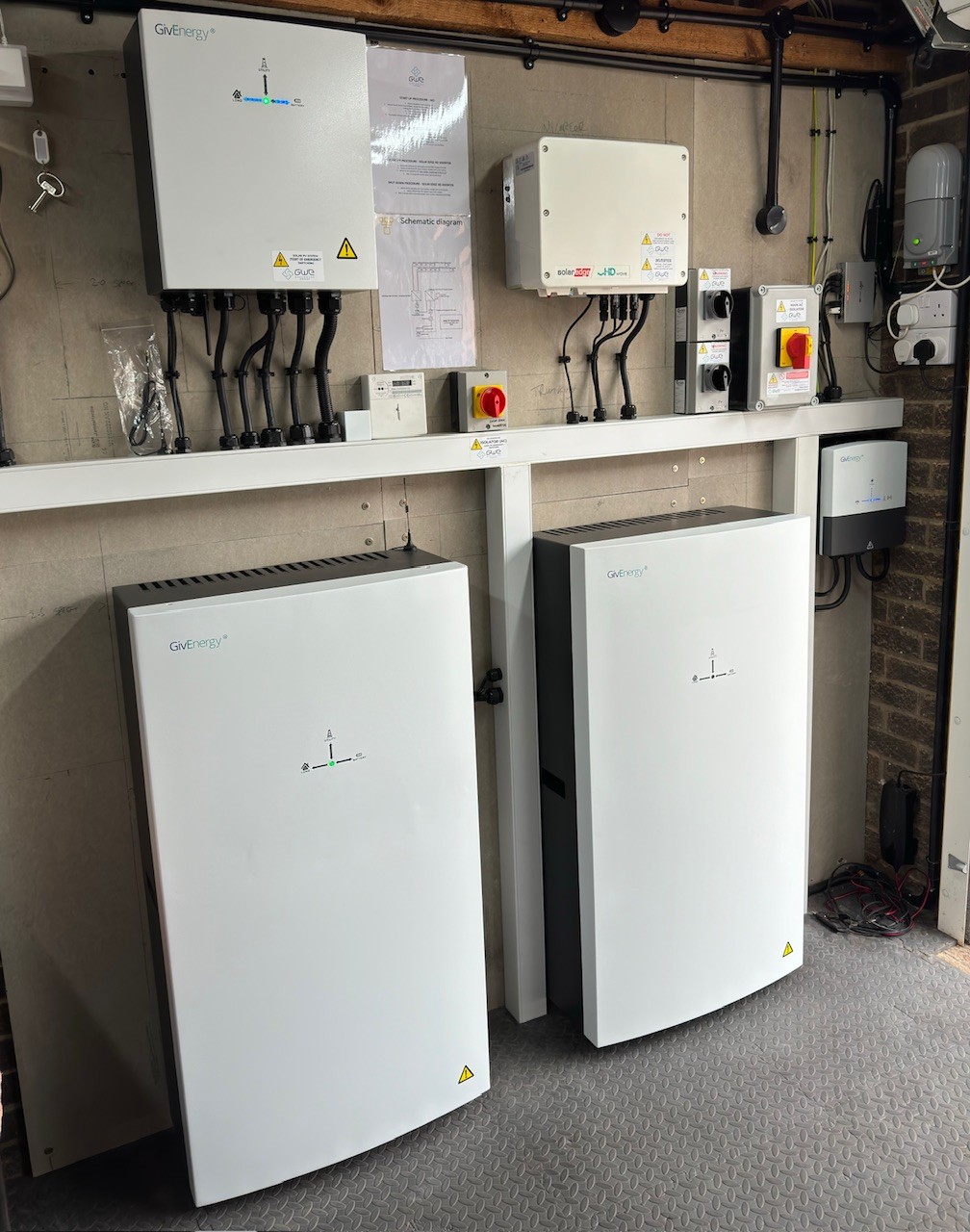
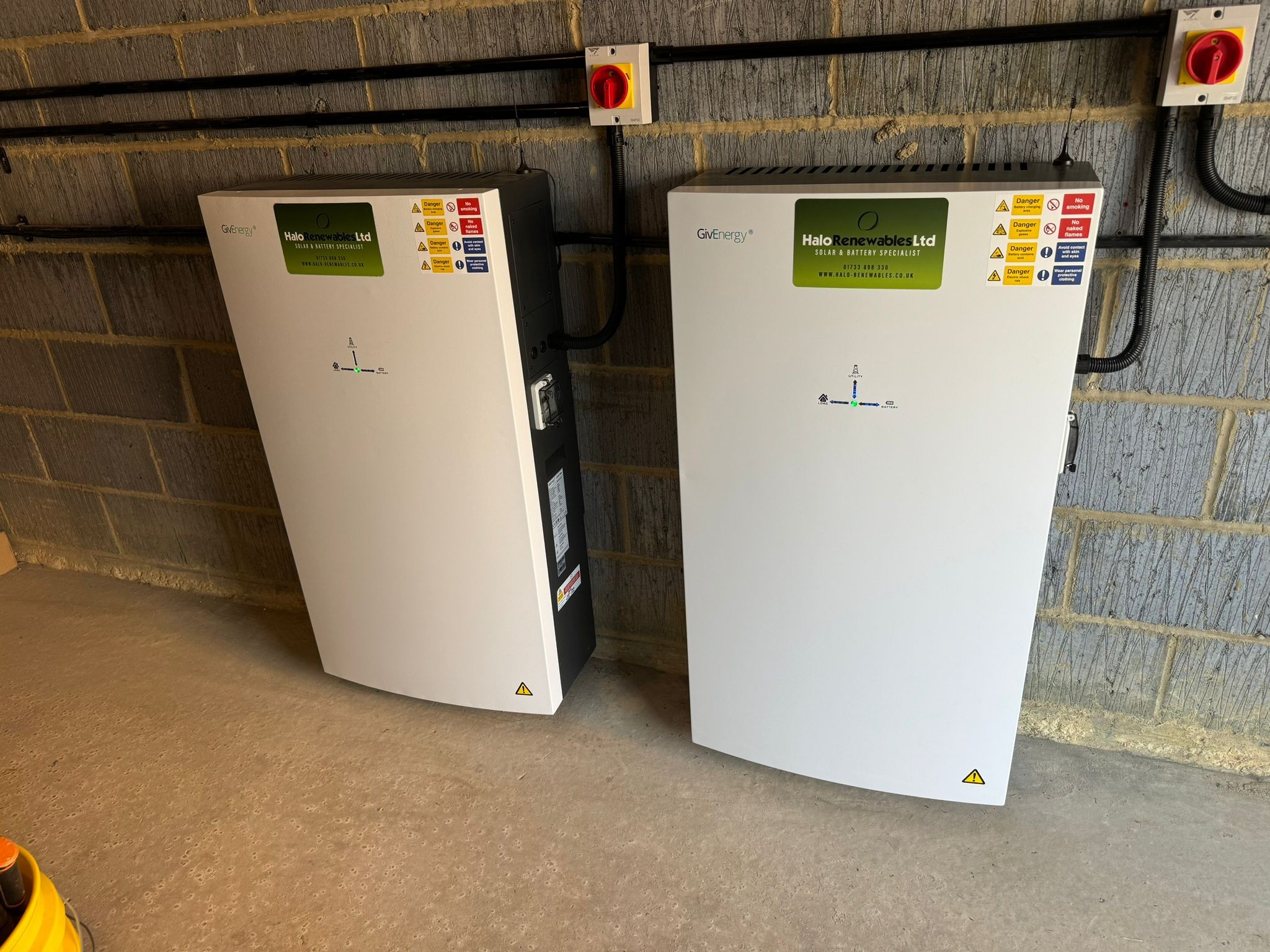
FYI this is the starting point inside the Garage

#6 PianSom

My Gateway is on the other side of the house from the AIO. I’ve always planned for two AIOs.

Although I have the space ready for the install of my second battery unit, I believe my installer put in especially heavy duty cable to transfer AC between the AIO location and the GW, to allow for double the power. Understandable for him not to know at that stage that two batteries would mean two AC connections back to the Gateway.

Oh dear.

#7 hoggy

PianSom if the cable was specced for two then I see no reason electrically why you can't fit a CU next to your AIOs, RCBO them individually in there and then bring the cumulative power back to the Gateway (where you'd protect it again at whatever rating is lower - 2x AIO or the cable)
I believe this has been discussed as an option.
You'd probably still need to run data cables back though if not already covered.

#8 PianSom

hoggy
Very interesting idea - thanks for pointing it out.

The second/third AIO each need an individual data cable back to the GW? How very retro! I had sort of assumed that one cable would have way too much bandwidth for the very limited traffic. I guess it's a modus thing?

#9 hoggy

PianSom it's not really a data cable (well the Lan one is) but more of a mixed signalling cable - each pair does different things - I can't quite remember them all but one pair does the RS485 meters, another controls the grid relay, another is CanBus to the gateway...)
If you go over a certain length (that i cant remember on a Sunday night) then because the pairs chosen aren't always an actual pair for some weird reason (one from Orange, one from Blue) you get weird things happening as the data gets corrupted from the amount of noise/pickup along the route.

K
#10 kram

Doncaster cables do a Powerwall cable, which has power and comms. That might be a good option for the second AIO?

D
#11 Daveb01

Part 1

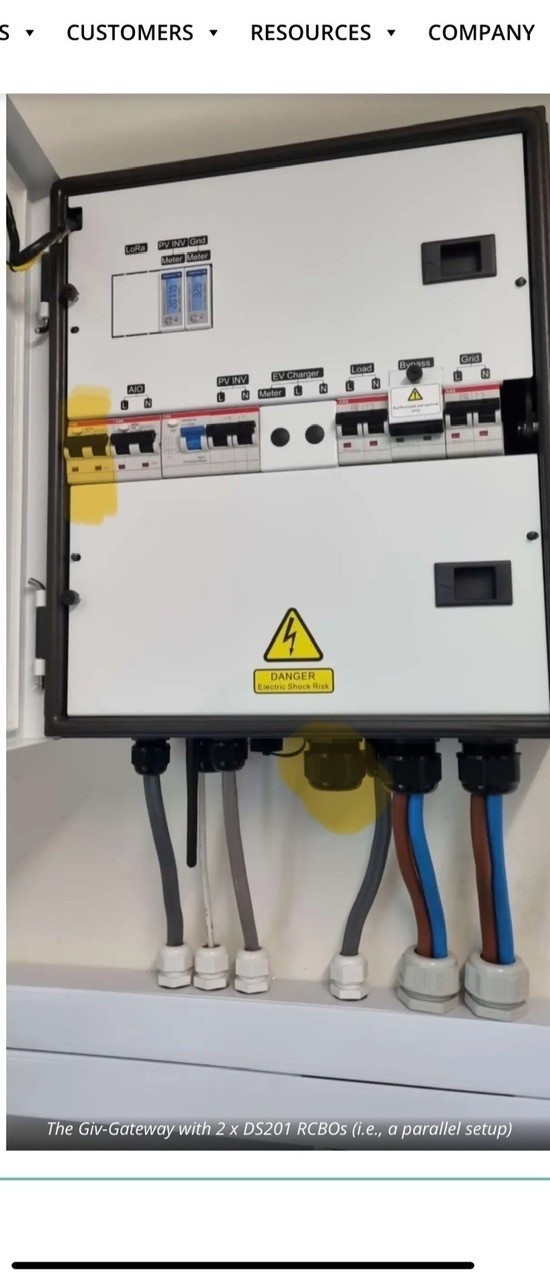
EVC installed & commissioned. So just the cable and EV plug on outside. All nice and dry and out of full sun.

D
#12 Daveb01

Part 2

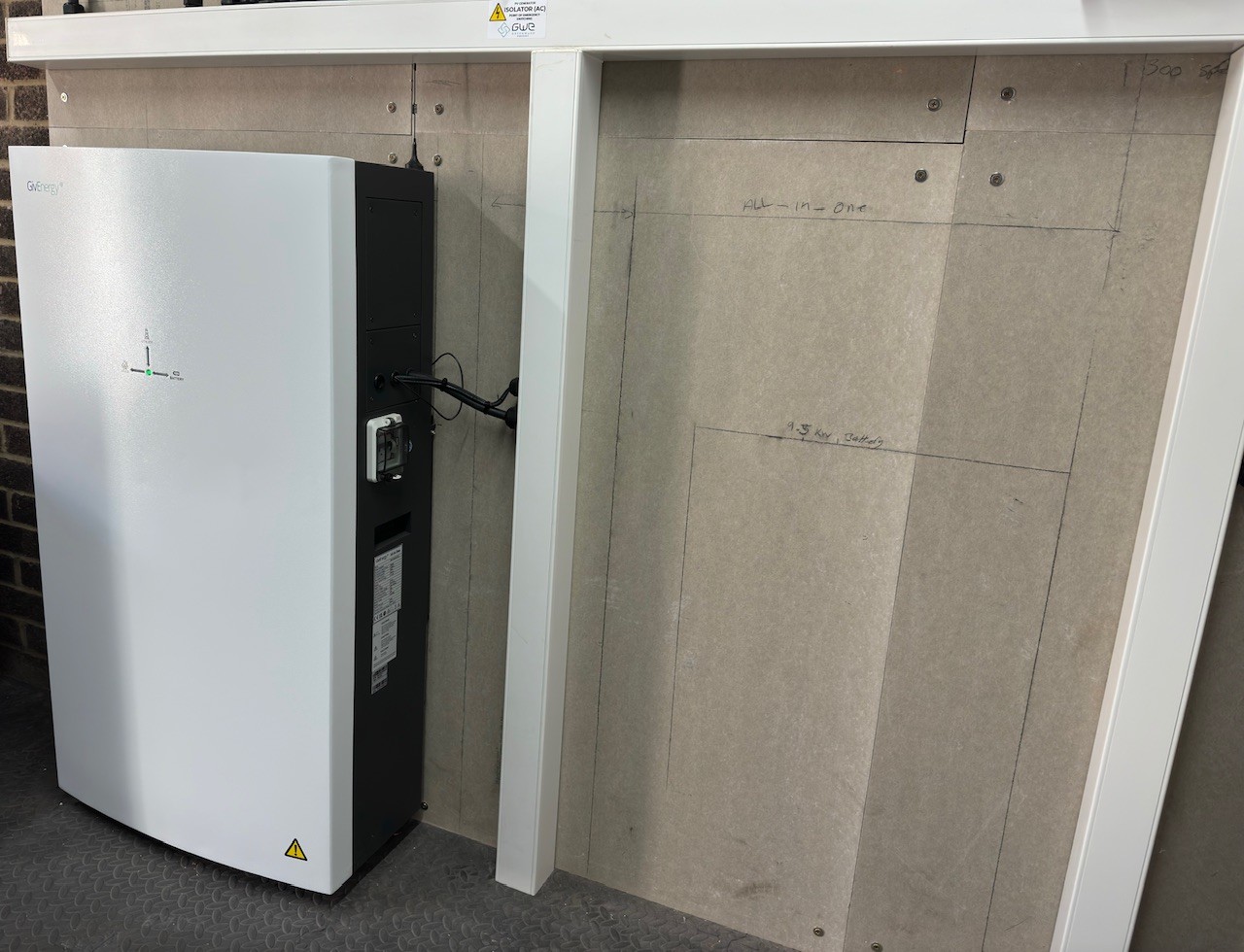
My installer has also brought the 2nd AIO round to bolt to the wall ONLY.

GE have not released the wiring information yet into the Gateway. He is in two minds, wait a while to let others get through a few issues and wire it up in a few weeks or wire it as soon as GE send him the info? Also if GE bring out a kit? Hhhmmmm. As in no hurry, I suggested we wait a little.

Photo to come once it’s installed later today 👍🤞

D
#13 Daveb01

Part 1 A

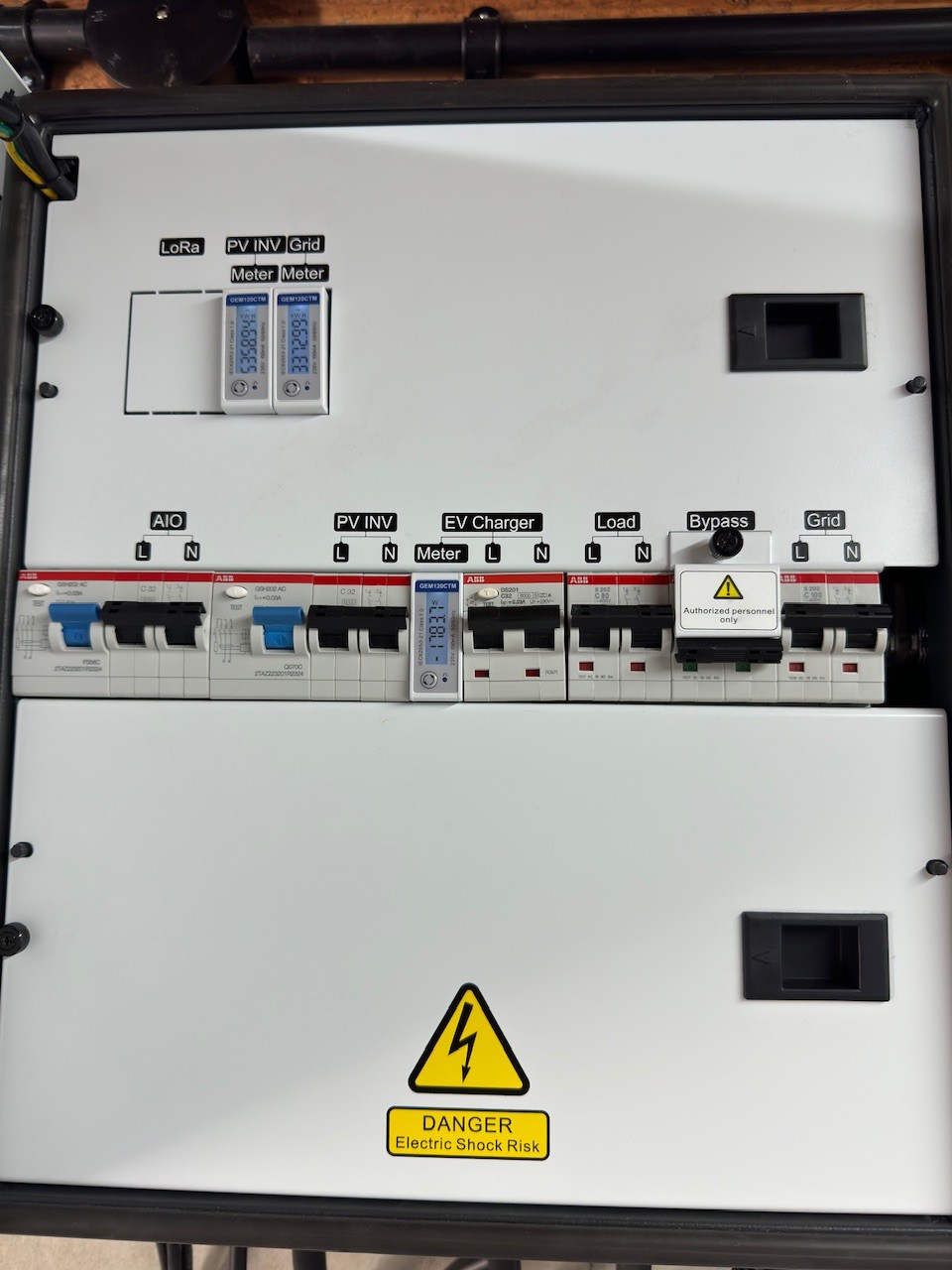
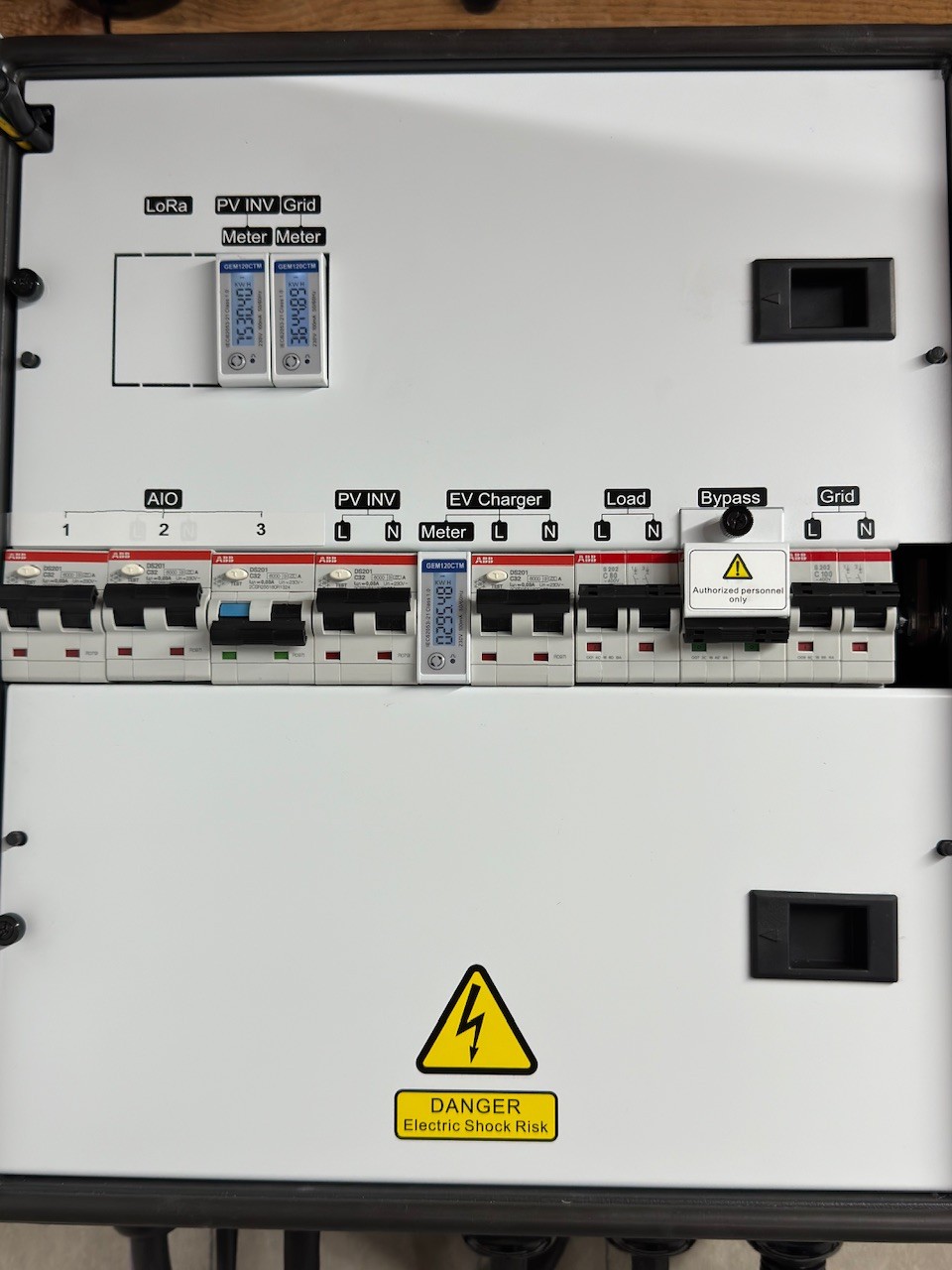
Inside Gateway after EVC installed

#14 hoggy

Daveb01 I think your installer has to ask GE and they will send the drawings out.
They are not released on the portal yet as its all still a Beta program.

D
#15 Daveb01

Part 2 A

My installer will be order the cable and any RCBO’s if GE are not doing a kit.

D
#16 Daveb01

Discussing the Kit with my Installer (except cable and comms)

So far :-

  1. Sticker kit for Gateway - AIO-2 (L & N), AIO-3 (L & N)
  2. ABB RCBO’s 32A x 2
  3. ?
D
#17 Daveb01

Installer was also looking at the Grommets in the Gateway.

There is one for the 1st AIO (Named AIO)
There is one for the 2nd AIO (Named Parallel AIO)
There does not seem to be one for the 3rd AIO?

Note:- if you put in smaller cables two many fit in the Parallel AIO grommet? (But not how my installer has done it. He did not strip the wire, the whole armoured cable goes through the grommet)

#18 hoggy

Daveb01 bearing in mind (given how long it's taken) parallel AIO was obviously not "oven ready" on the gateways release, I'm 99% sure the initial plan was to take those single parallel points at the back of the gateway and break out consecutive units into their own CU on a single cable, hence 1 gland.

D
#19 Daveb01

Discussing the Kit with my Installer (except cable and comms)

So far :-

  1. Sticker kit for Gateway - AIO-2 (L & N), AIO-3 (L & N)
  2. ABB RCBO’s 32A x 2 (for 2 x AIO)
  3. ABB RCBO’s 32A x 4 (for 3 x AIO)
  4. Possible Grommet for 3rd AIO cable + Sticker kit under the Gateway for label.
  5. ?
D
#20 Daveb01

hoggy

It will be interesting to see how installers get instructed by GE plus the first install of the 3rd AIO. I don’t need three so it will not be me adding a third AIO but still interested to see how it goes.

I am also wondering if they will bring out a new Gateway?
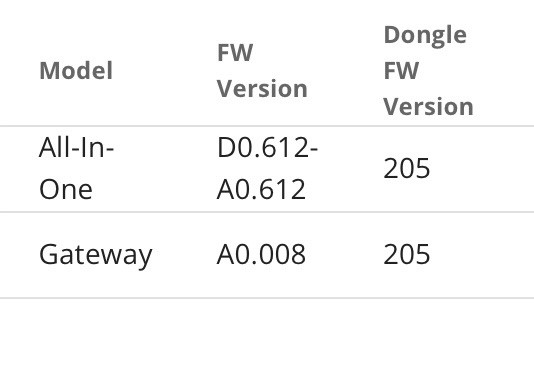
Or they could wire each AIO x 6 into their own CU with their own RCBO and then run something to the new Gateway? But as you have pointed out it is only rated to 80v today. Most installers would not have run bigger cable to support more than 3 x AIO.

#21 hoggy

Daveb01 It'll be quite niche more than 3. That's someone needing more than 40kWh & 18kW on a single phase. Probably not a massive market for that (& those that do need more are likely to have 3 phase anyway, so 3 Gateways to play with)
Doubt there are that many people with 4x 9.5 packs on the older inverters as a comparison.
Someone with one of the newer gateways might be able to chime in here, I believe they have a different rating plate on the side so might support more current.

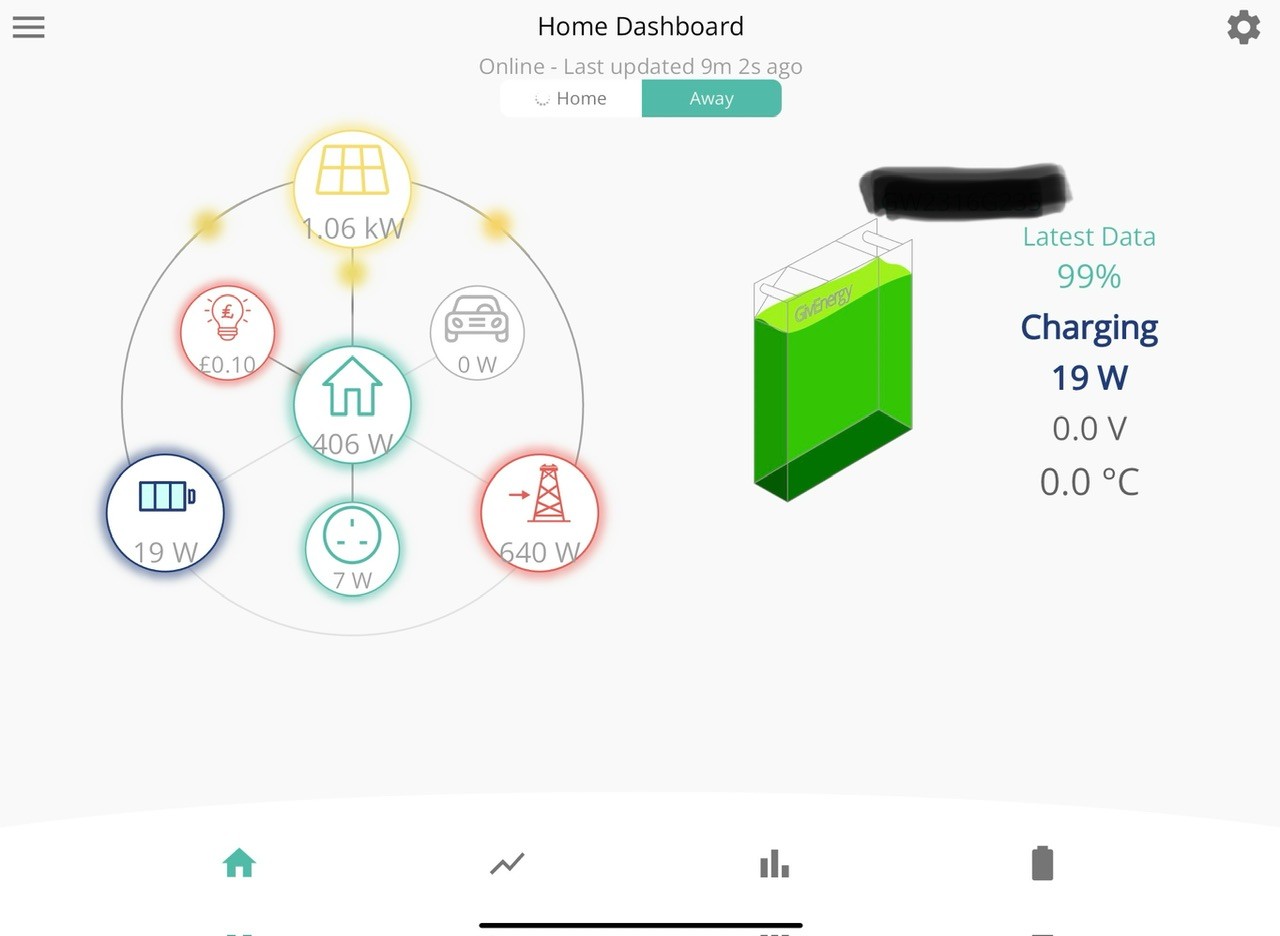
J
#22 JamesFisher22

So guys is yours actually working?
The reason I ask is that my 2nd AIO install is currently a mess.
The hardware all went in ok as did the comp EV charger but it’s not functioning anything like it should. Firmware was all updated remotely by Paul at GE but I still have the following issues;
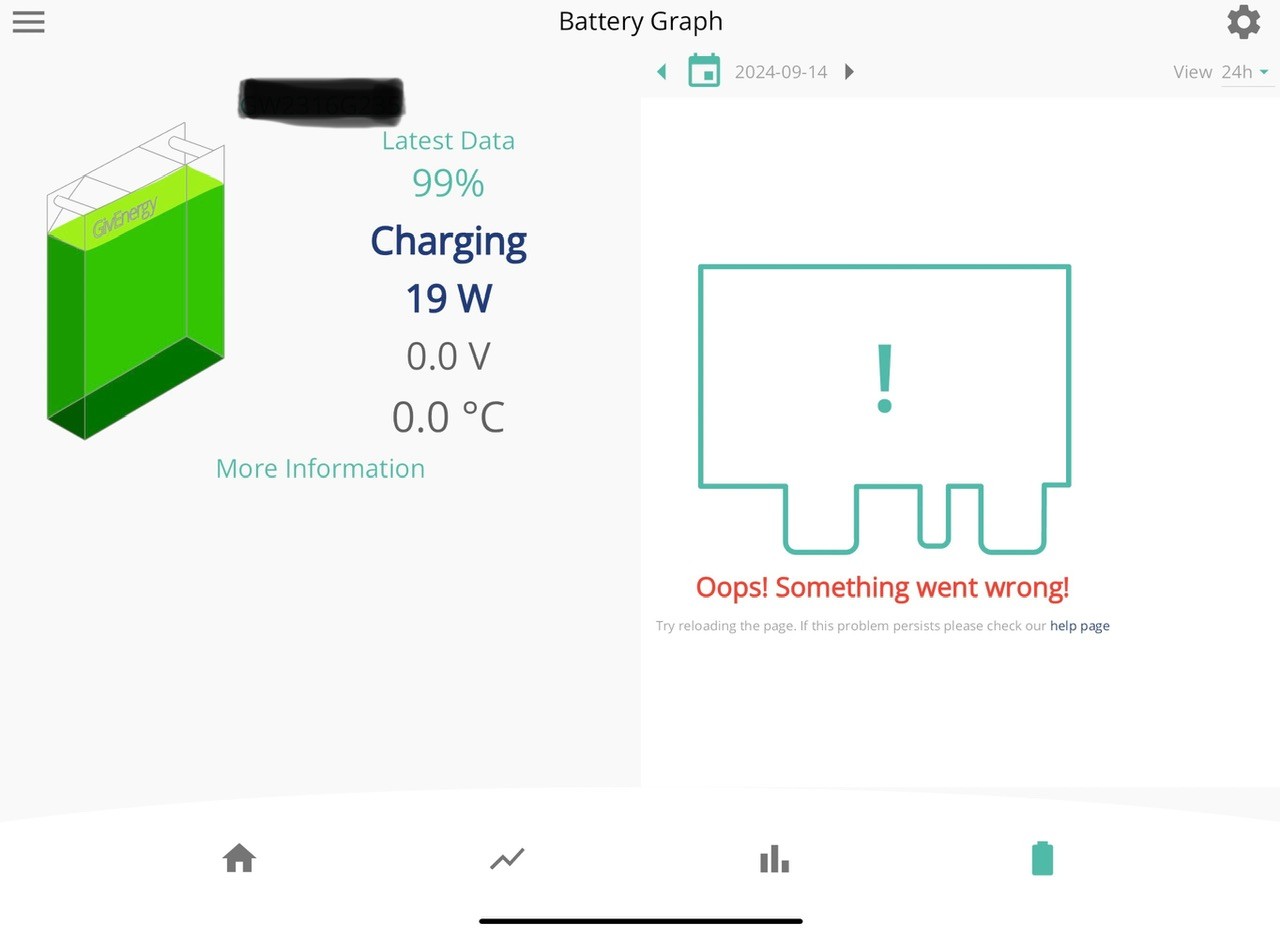
The app is pretty much useless now and battery SOC is nonsense.
A lot of app functions are either inhibited or just don’t work.
The web portal isn’t much better. As I write this one AIO is fully charged but I can’t tell if it’s discharging.
The second AIO is at 0% and I can’t control it.
The Gateway now thinks it’s a battery and is showing a SOC of 40% and I can’t really control the functions of that either.

Ok so the EV charger works but was a faff to commission and the cable is over a metre shorter than the Zappi it replaces and it looks properly low quality.
All in all not a good experience so far. Happy to try beta software to get the second AIO but this is rediculously bad.

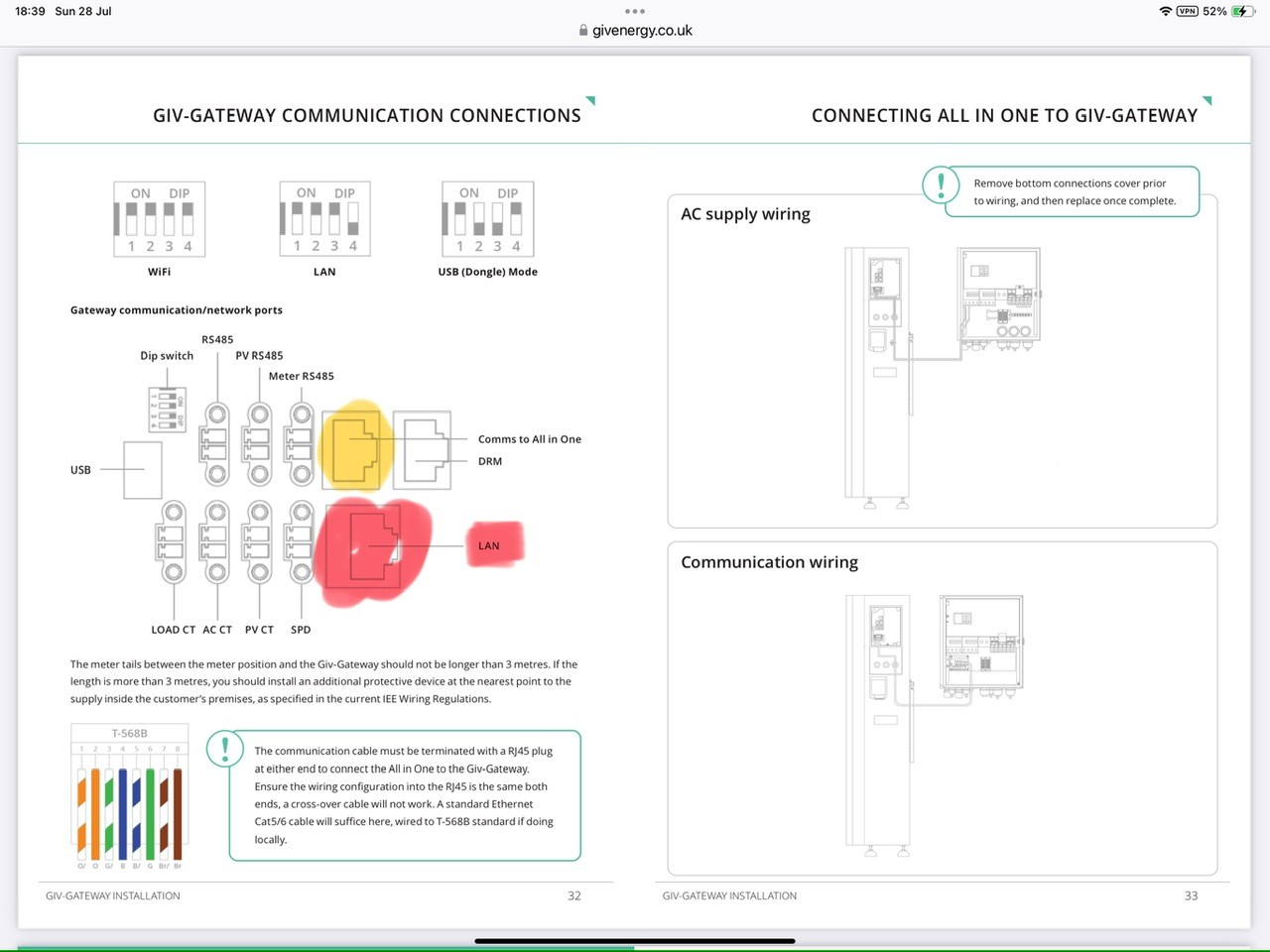
Is anyone else having issues with this??

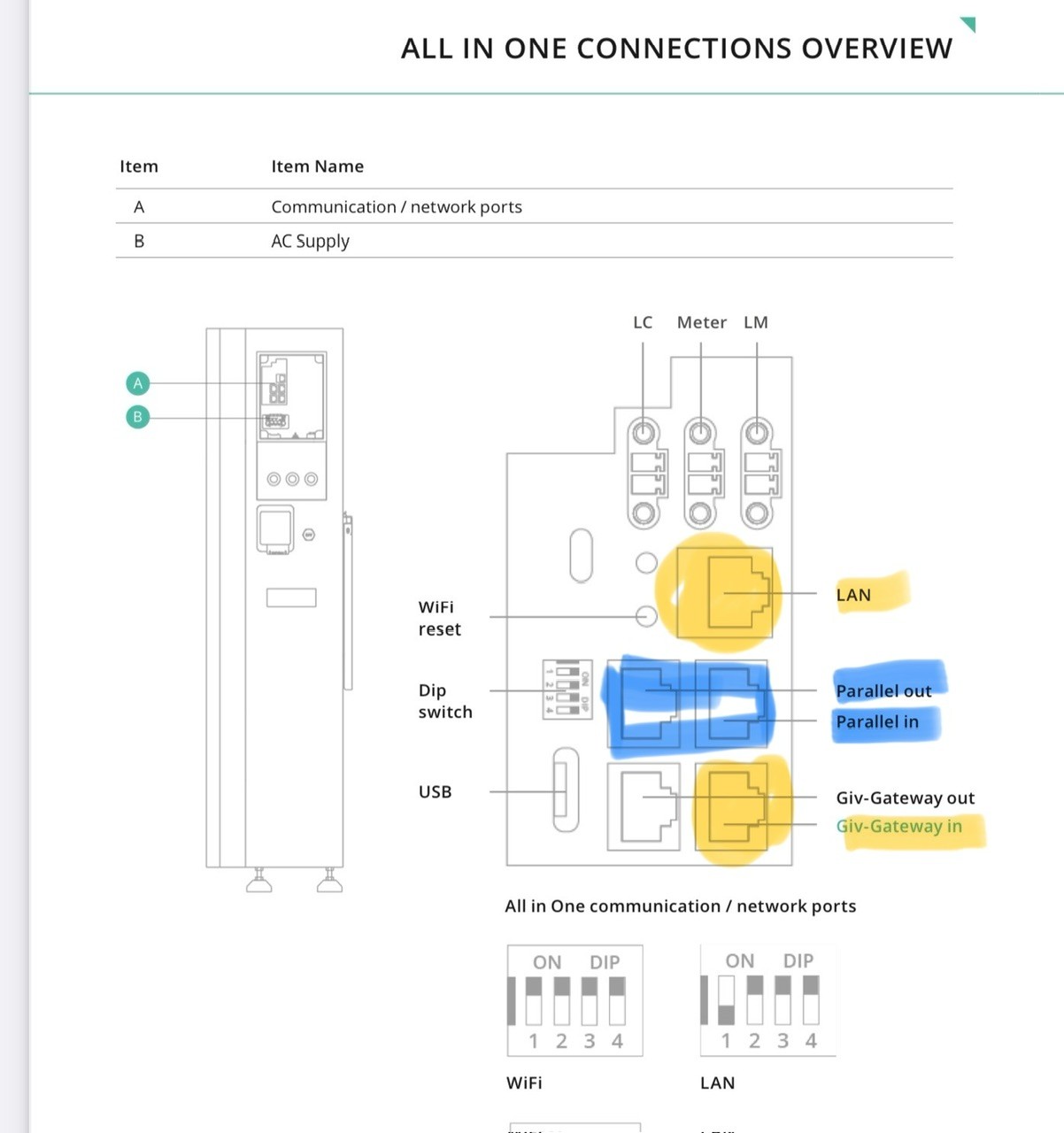
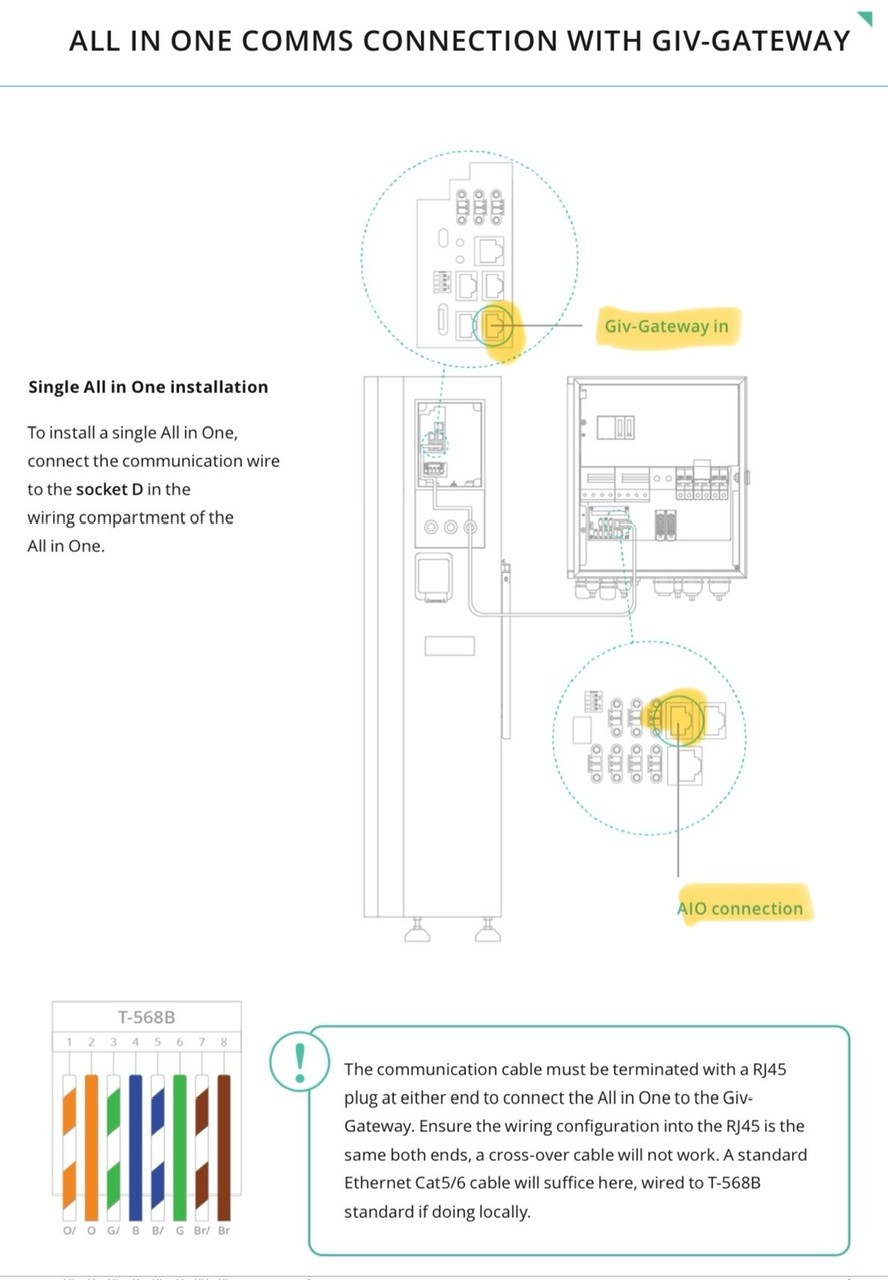
#23 hoggy

JamesFisher22 that's a bit worrying, I know GE & plant setups have a history of being poor for portal and app, but they've had nearly a year to crack all this. Hopefully its a one off unless others find the same.
If you view only the gateway does it make more sense? It's supposed to be the conductor of them all in multi AIO.

D
#24 Daveb01

JamesFisher22

Hi James, that’s not good, thank you for posting your experience. I have held off with the wiring and just purchased the AIO and got the free EVC. The EVC has been commissioned & is working OK so far, except for the high amount of notifications Error:26 (ground leak). GE and my supplier say this is a DNO issue.

I would be interested to see a photo of your Gateway and the inside on how the second AIO was wired (if your willing to post a few photo’s)

J
#25 JamesFisher22

hoggy

On the portal (My Inverters) I can select the GW and look at the data. Within that I can see SOC etc for AIO 1/2. However the dashboard shows the Gateway voltage at 11% and charging even though the charge is reducing? My guess is the software is wrong or possibly a pickup is receiving the wrong data. On Remote control for the GW quite a lot of the functions are frozen and when I force charge the battery only AIO 1 charges🫤

J
#26 JamesFisher22

Daveb01 I would be interested to see a photo of your Gateway and the inside on how the second AIO was wired (if your willing to post a few photo’s)

So would I! Hoping the installer hasn’t made a boo boo with the connections. He was following the GE instructions and did a good job the first time around so I’ll be interested to see where the fault lies. I can’t really be taking things apart and taking pics at this juncture as it might cause issues with accountability and warranties, I’m sure you understand.

D
#27 Daveb01

JamesFisher22

Hi James, I understand. How about just a pic with the door open of the Gateway, so those going through a second AIO can see what Switches have been installed and advised by GE, as your one of the first? See mine above.

J
#28 JasonF

Daveb01
When are you having your second one installed?

J
#29 JamesFisher22

Daveb01

Happy to do that but there’s prob not much point until it’s working as it will just cause confusion if there has been an installation error. So it looks like I’m the only fool that rushed in so far then unless there is anybody else who has a properly functioning parallel system?

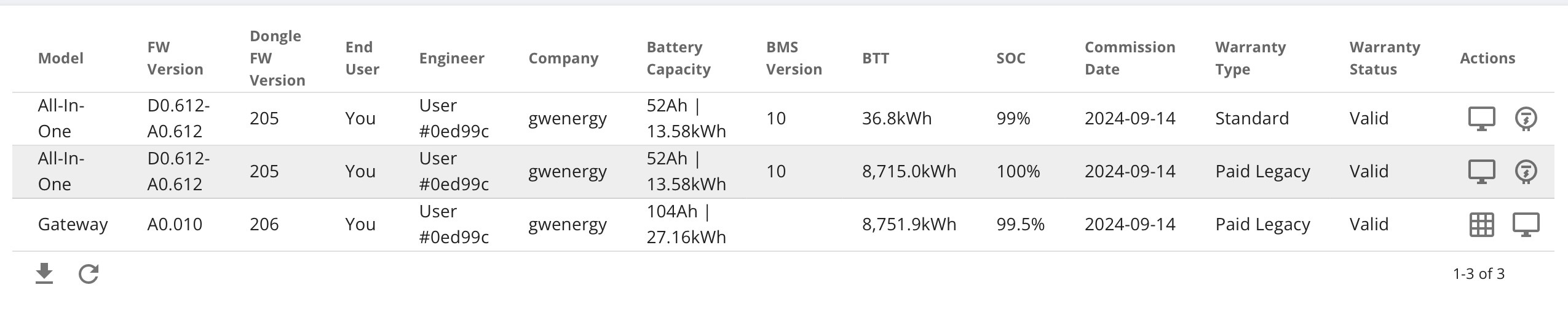
D
#31 Daveb01

JasonF

Not sure yet, as in no hurry, I need it for the winter really.

I ordered it to get the free EVC, and the price offered by the supplier was a good deal. My installer and I are in communication and will post here once he hears back from GE and we both agree the wiring solution is correct, together with the RCBO’s. If the software is not working correctly, I will hold off longer.

J
#32 JasonF

JamesFisher22

Couple of thoughts here, does the app sort itself out if you go into the options and rescan for inverters? Do you need to select the gateway now and not the AIO which is what the app uses when you have one AIO?

Were the two batteries calibrated and synced as part of commissioning? My installer said the gateway should keep them balanced if they are in sync when the second one is added, this is something GE should be able to sort out for you.

Have you spoken with Paul Landregan? He’s the guy taking care of the beta I believe.

They have had this in testing for a while so I would struggle to believe they would release it to the wild in this state even if it is beta. (Not that it would be outside the realm of possibility)

J
#33 JamesFisher22

JasonF

I'm hoping to get answers to all this tomorrow. Paul L was involved in updating the firmware leasing with the installer. I have had no direct contact with him nor have I seen the installation guide as it was sent to the installer and tbh I shouldn't need to get involved on this level as a customer.
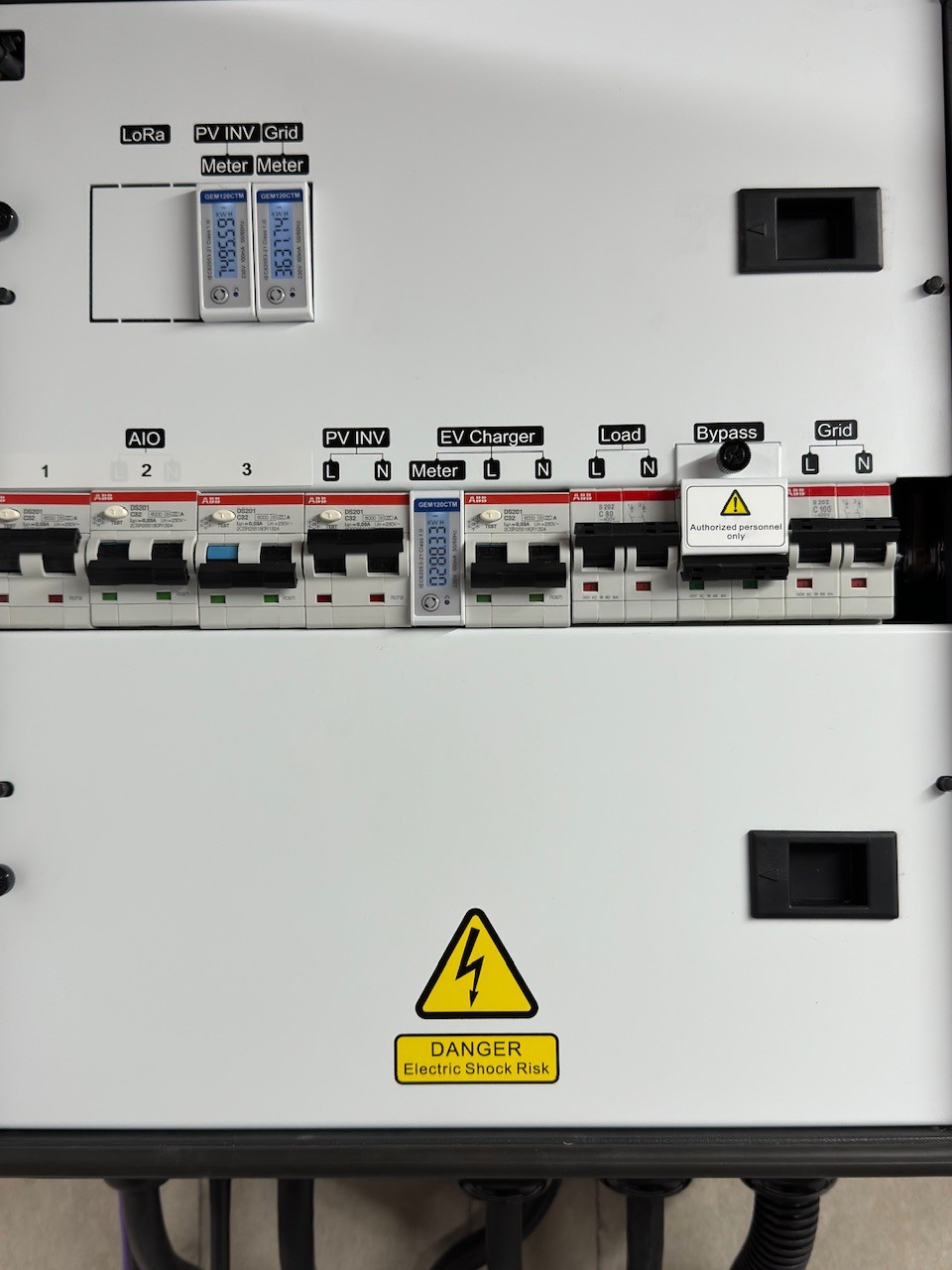
Really hope this can be sorted ASAP. My reason for posting was to see if anyone had encountered issues as well not just to have a moan. Obviously something has gone pretty wrong with my setup. For others benefit I'll try and share what went wrong and what is being done to remedy the situation when I can.

D
#35 Daveb01

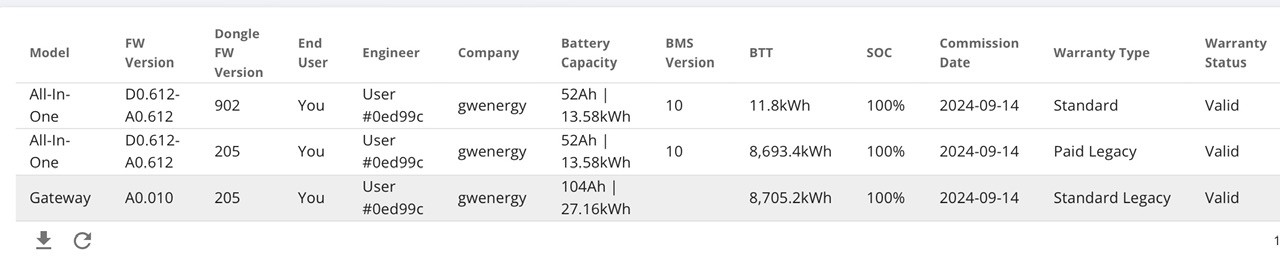
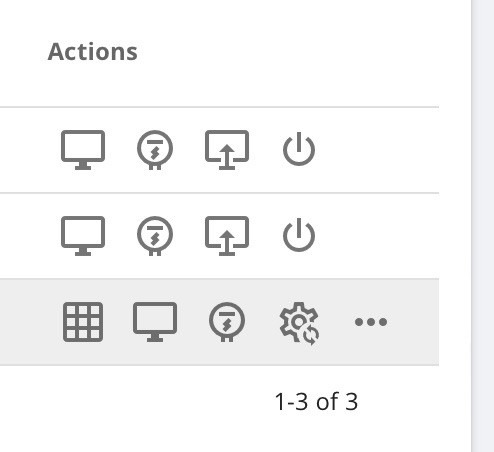
JamesFisher22

This is why I started this chat, so everyone installing a Second AIO would have a place to chat and let people know how it is going.

I am sorry you were one of the first and have had this issue, I hope GE sort it and you report back all is OK. There will be a few of us installing the second AIO, so let’s try and help each other in this post and get through the beta 🤞😀👍

J
#37 JamesFisher22

Daveb01

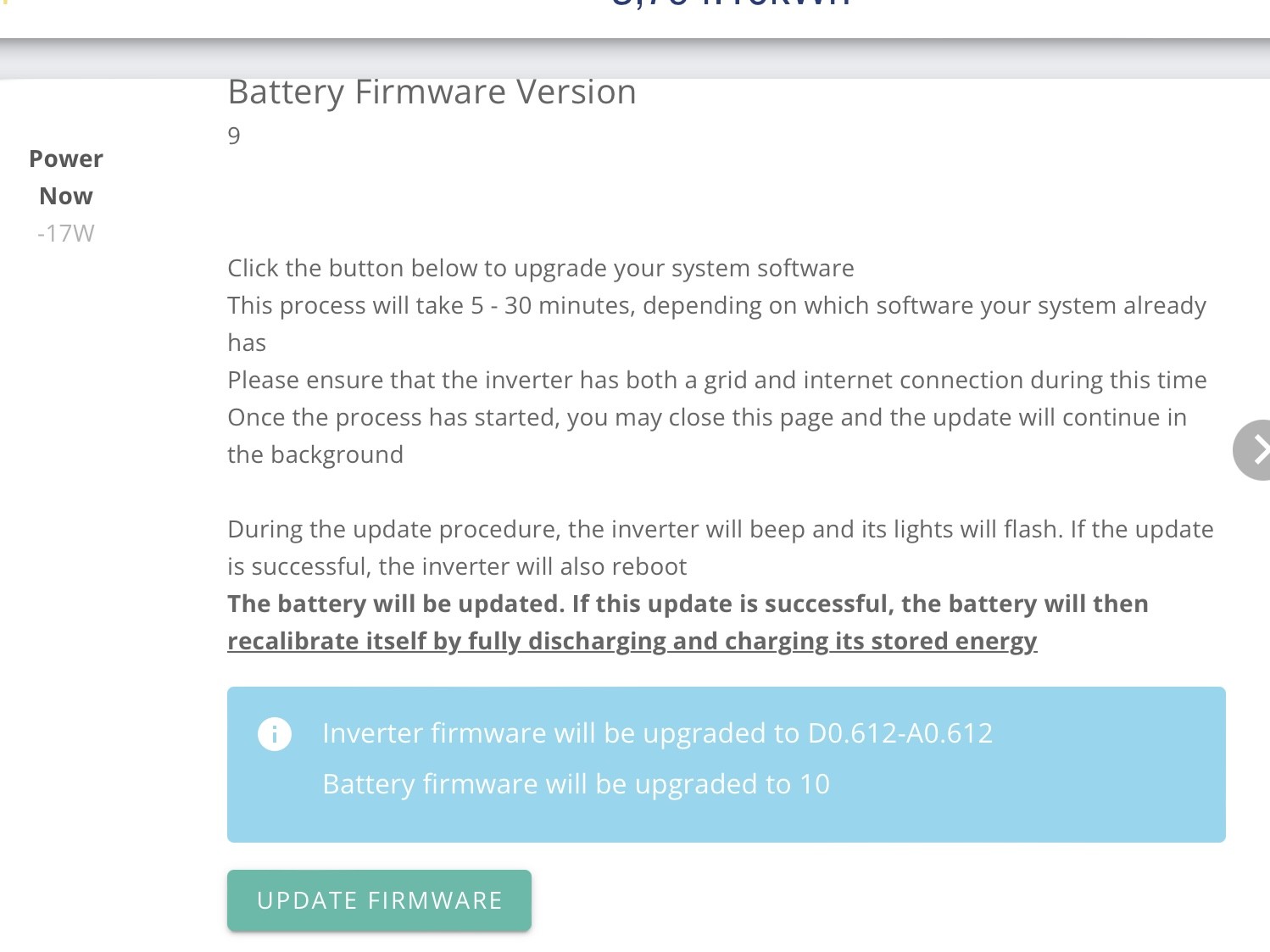
Some progress has been made. Paul L at GE has been very helpful so far. So I now have 2 AIO's balanced and charging/discharging as required. The reason for AIO2 going flat a falling over was the BMS wasn't updated to V10 (being the latest version). I'm not sure why this wasn't spotted before but anyway its now done. So both AIO's are talking to the GW and under control👍

The app and portal software is a work in progress. There's a bug where the polarity of the GW is reversed so it shows a charge not a discharge. Paul says this has just been sent for correction. There's a few other issues on app and portal where the energy flow graphics don't seem to flow in the right direction or at all.
Another interesting issue is the house load is in error and seems to be the sum of the PV and GW output. Paul is working this now with my installer to see if it's software or perhaps a wiring issue.
So it's better and now a functioning system again but control and visibility through the app & portal have a way to go.

Credit where credits due Paul is hands on a is getting things done, hopefully we'll continue on a positive trajectory now.

Will report further.........

D
#38 Daveb01

JamesFisher22

Now you have contacted GE and it seems to be software (that is understandable during Beta), your installer has done a great job, are you willing to share how GE are asking for the second AIO to be wired into the Gateway and what RCBO’s are needed please.

As you can see above I have posted, my second AIO bolted to the wall ready, he has fitted the EVC. The Gateway is now ready for the AIO but we both want to see how others have done it please?

J
#39 JamesFisher22

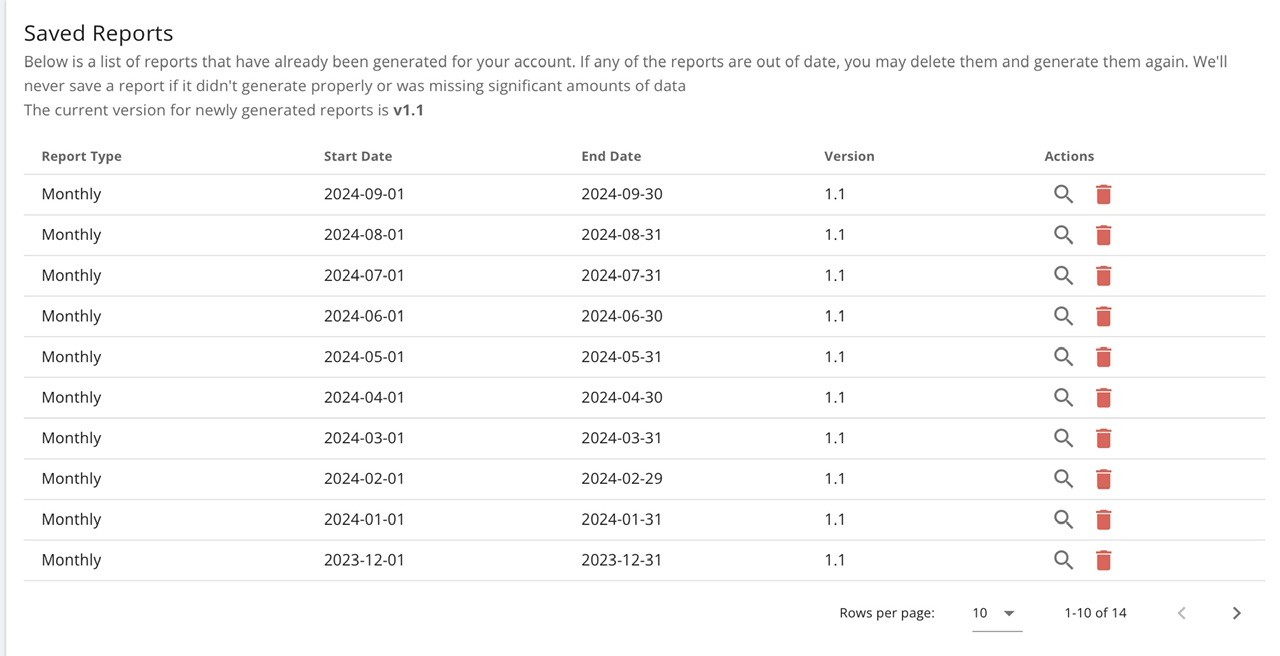
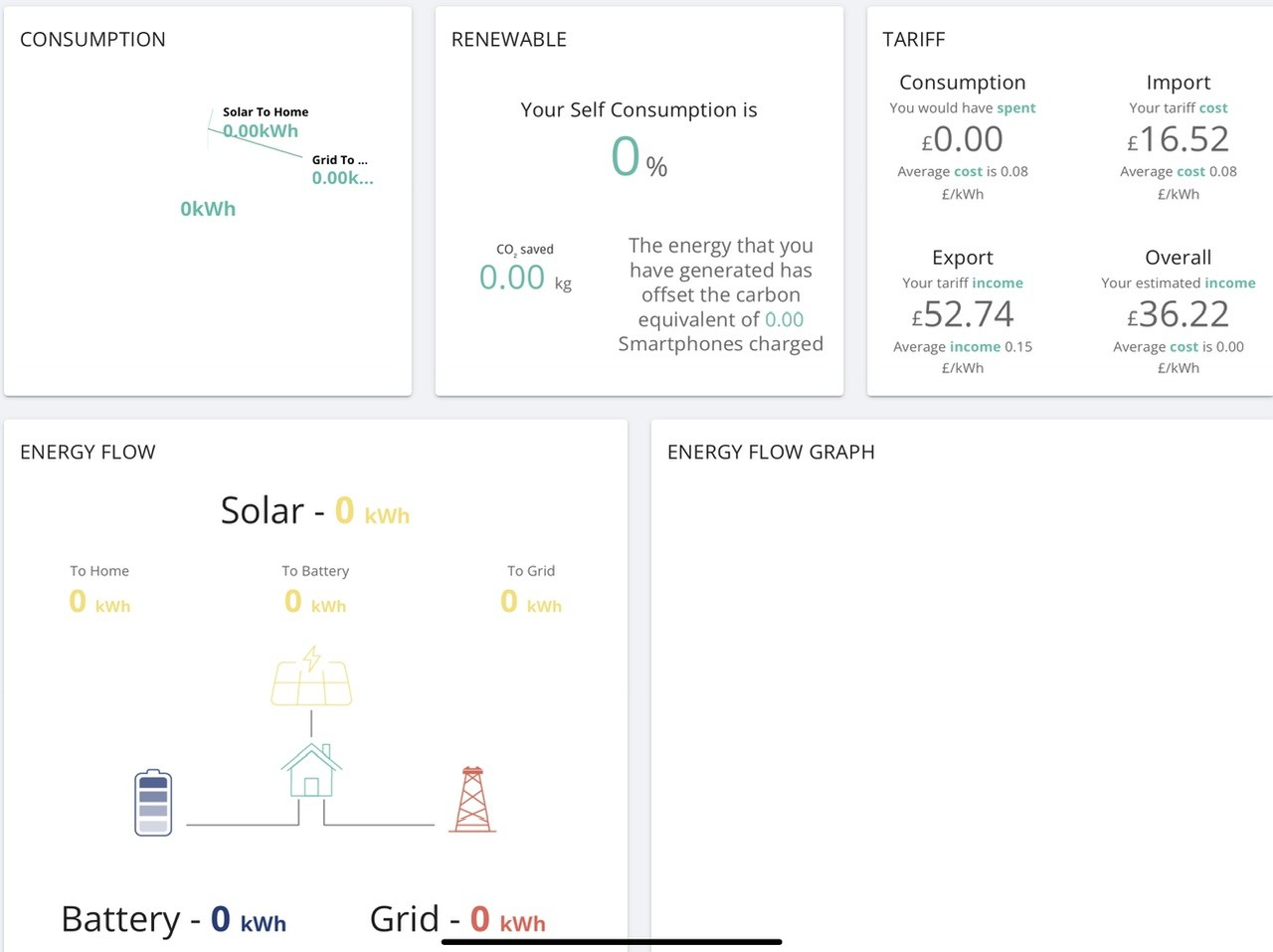
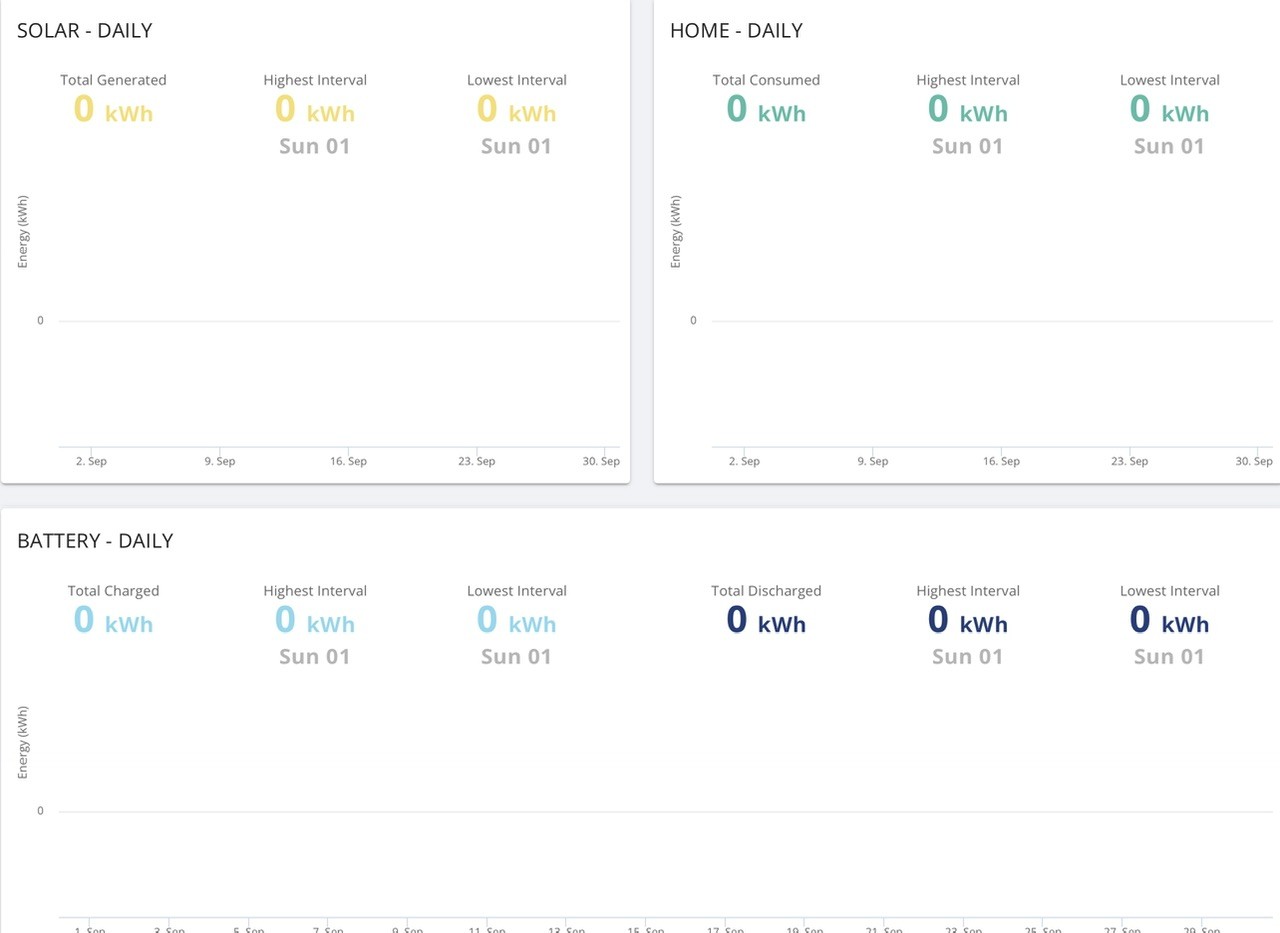
Daveb01

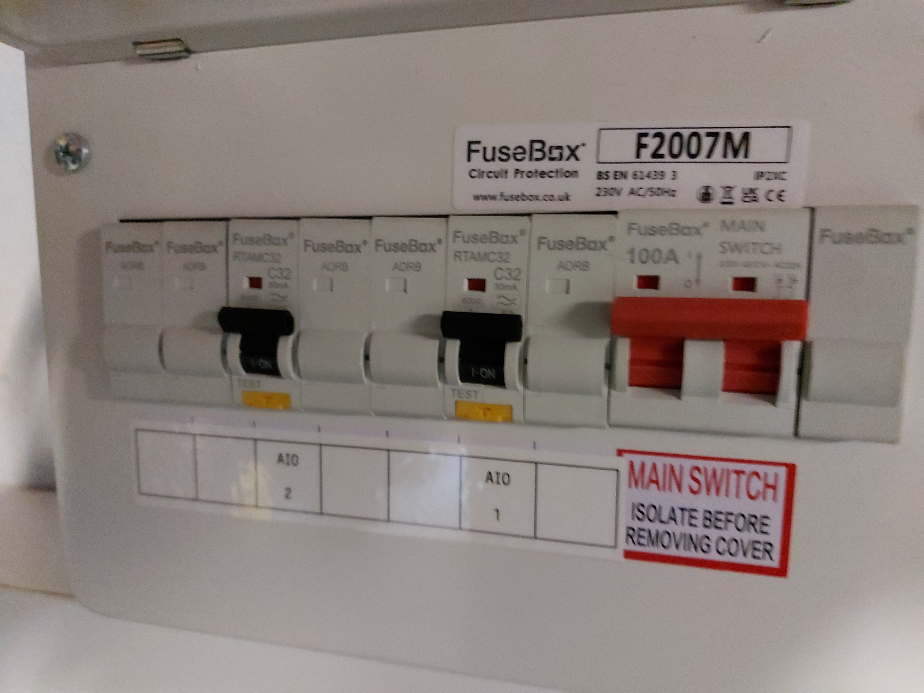
I don't know precisely how its wired in as that info has not been made available to me but know he followed the guidance from GE so your installer should have the same. Make sure all the firmware is updated pref from a memory stick in case of dodgy internet (if you have such a problem). the AIO's are not joined to each other by the assumed glands on the side by the breakers but from the rear of the case into trunking and to a sub-board with individual RCBO's for each AIO.
Important: If your EV charger is already online the GW may not recognise this load and think it is additional house load or so I'm told. So make sure the charger is re-commissioned following setup of the AIO's and GW.
There is a software patch to take care of this should the reset of the EV charger not work.
I'll take a pic later but its pretty much as described.

Good luck, hopefully you'll have a better initial experience than I did. If so I'm pleased I could help.

J
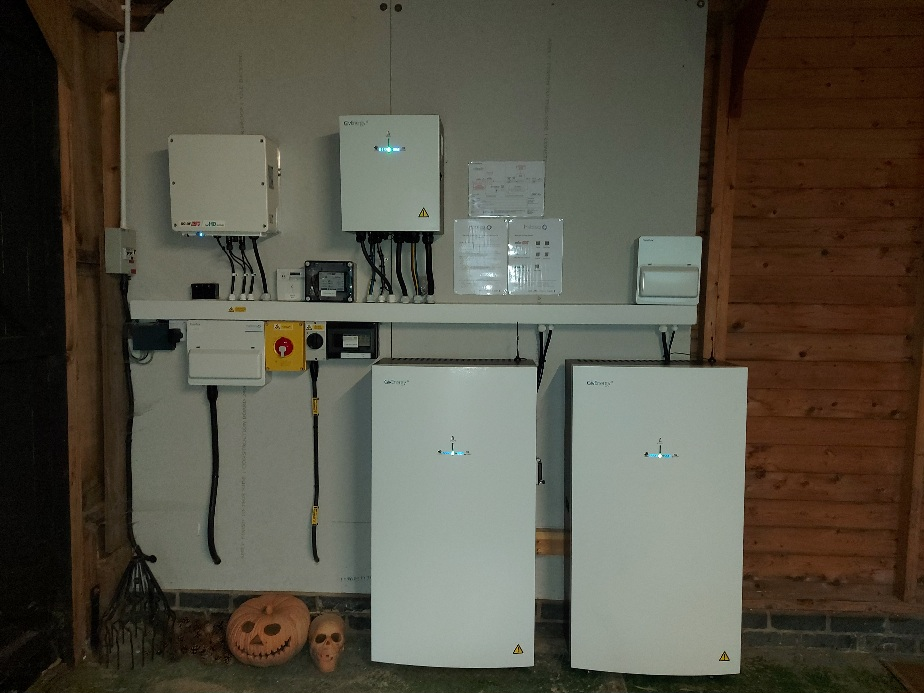
#40 JamesFisher22

D
#41 Daveb01

JamesFisher22

Thank you for posting your photo’s James.

This looks like one of the options discussed in another post, all the AIO’s going to a fuse box, then one connection going to the Gateway.

This is what Paul posted on the GE website for his installation, a bit different to yours. The RCBO’s are installed directly into the Gateway.

J
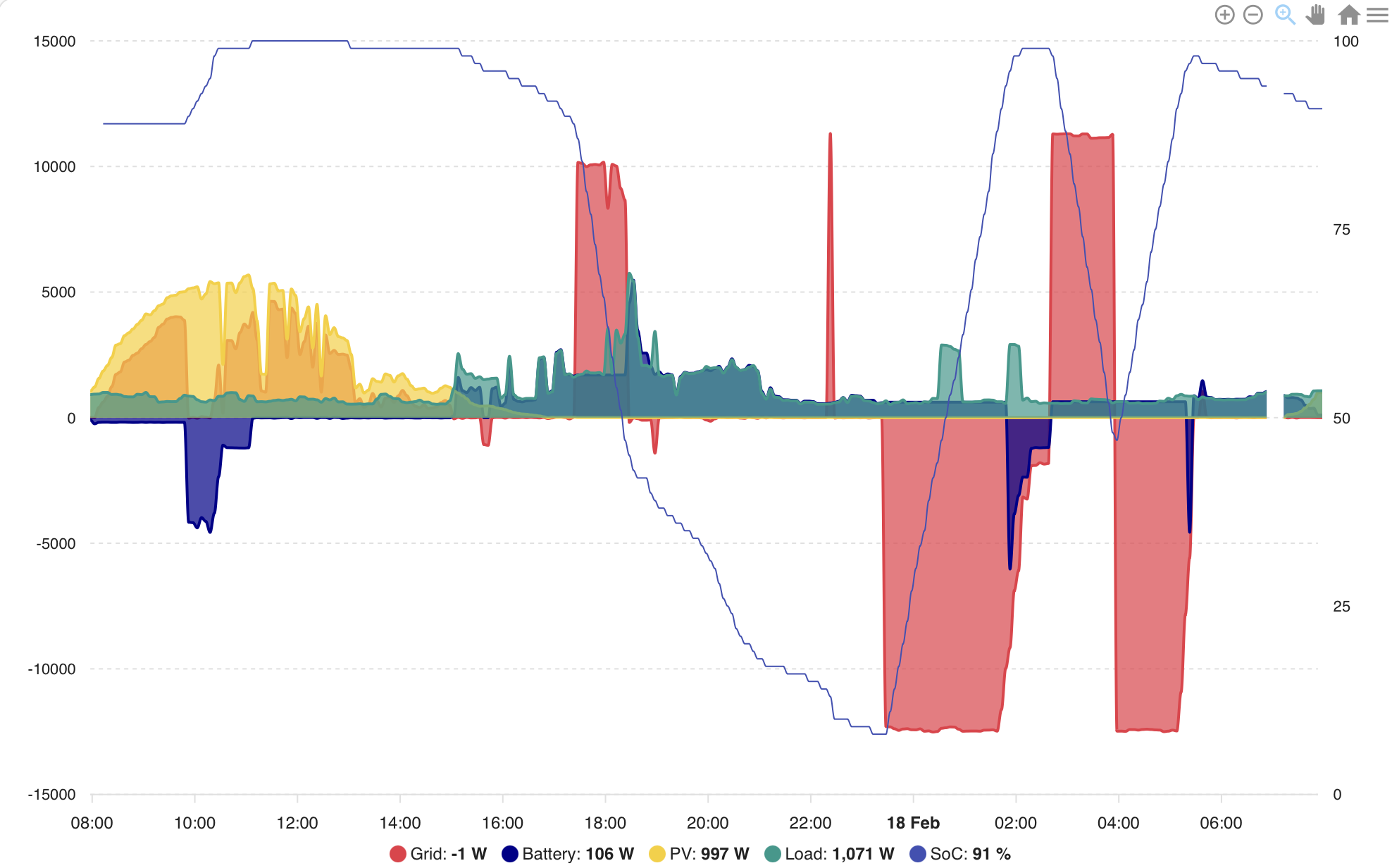
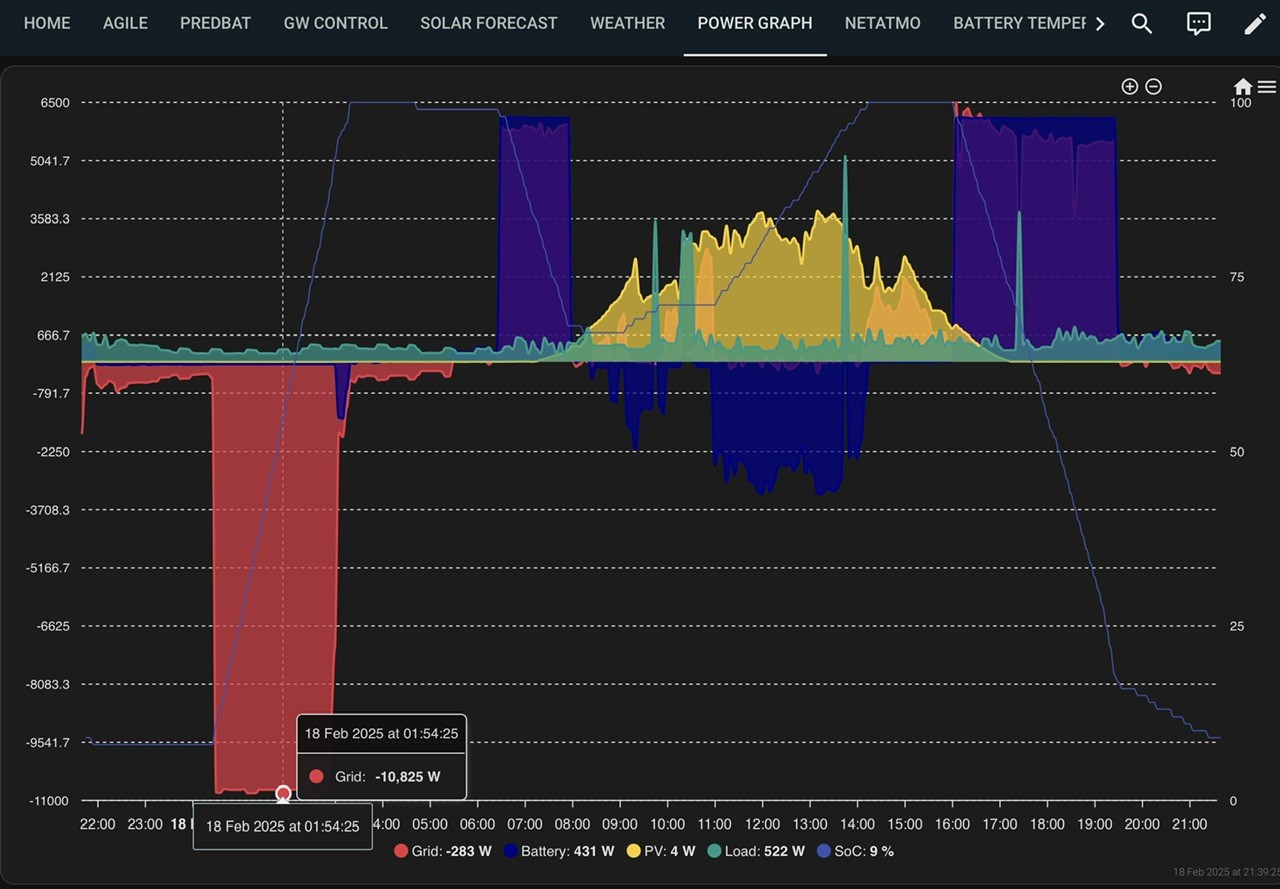
#42 JamesFisher22

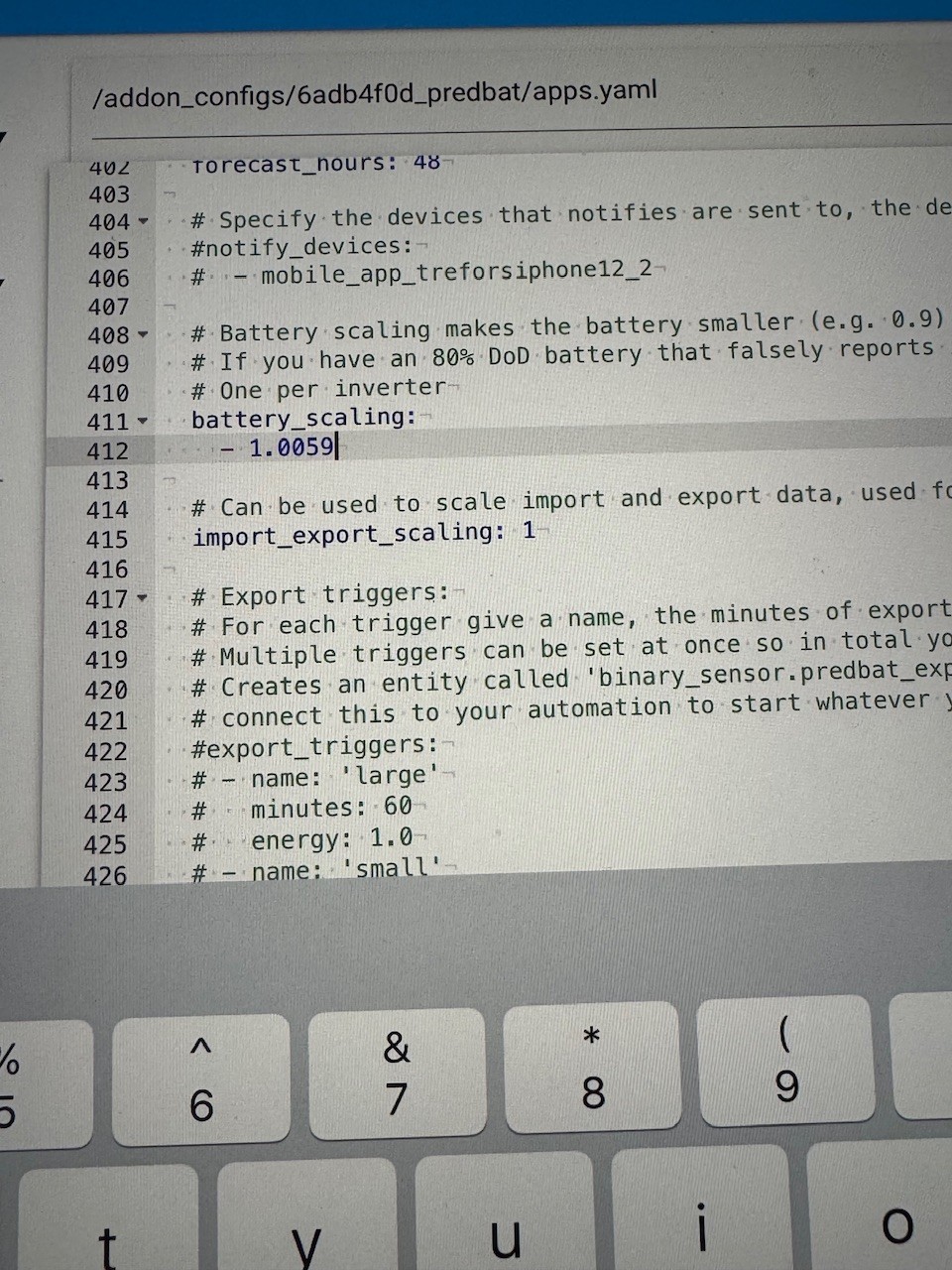
I wonder if there is any advantage installing RCBO's straight into the GW over my setup other than less boxes bolted on the wall?

J
#43 JasonF

I’ve just asked my installer what they plan to do.

D
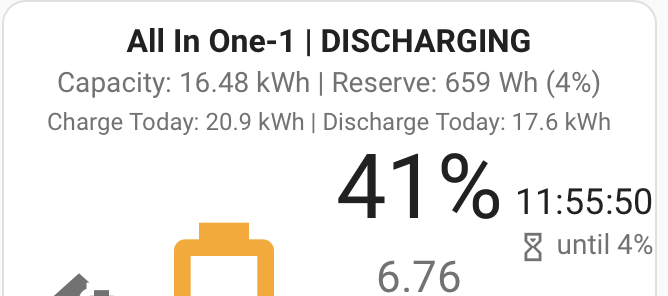
#44 Daveb01

FYI

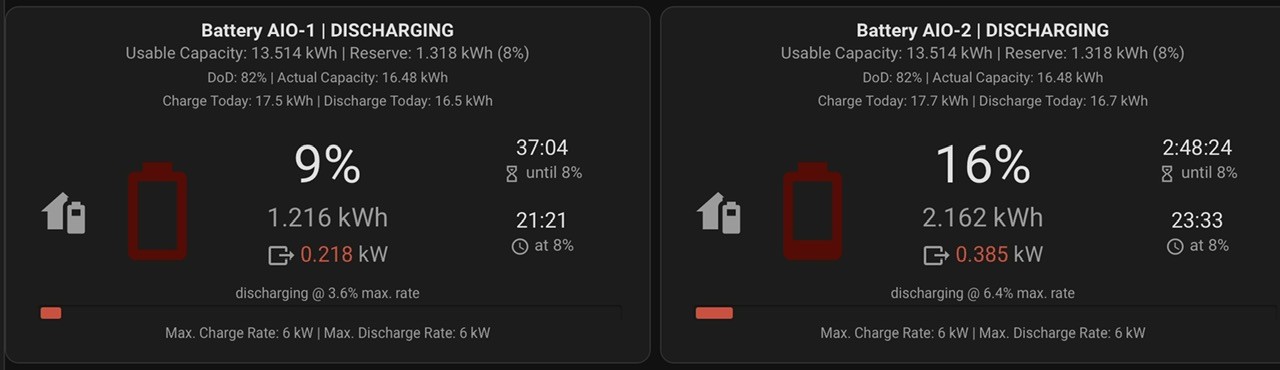
J
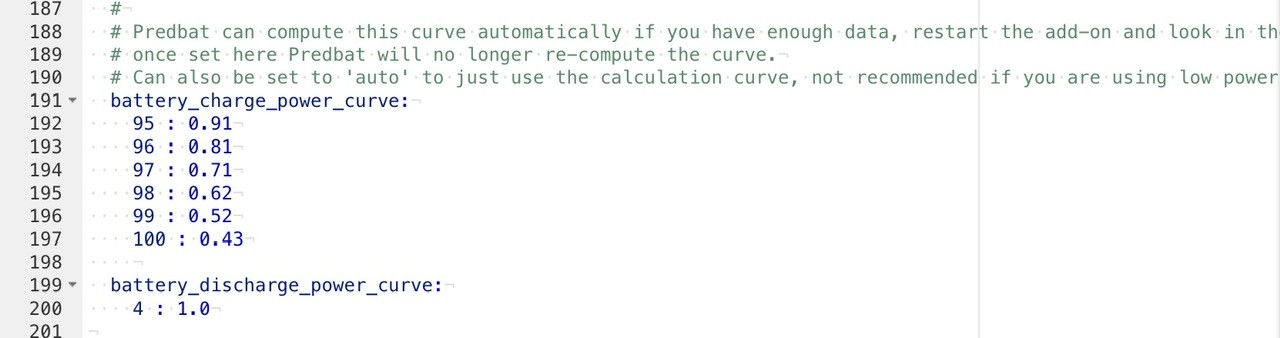
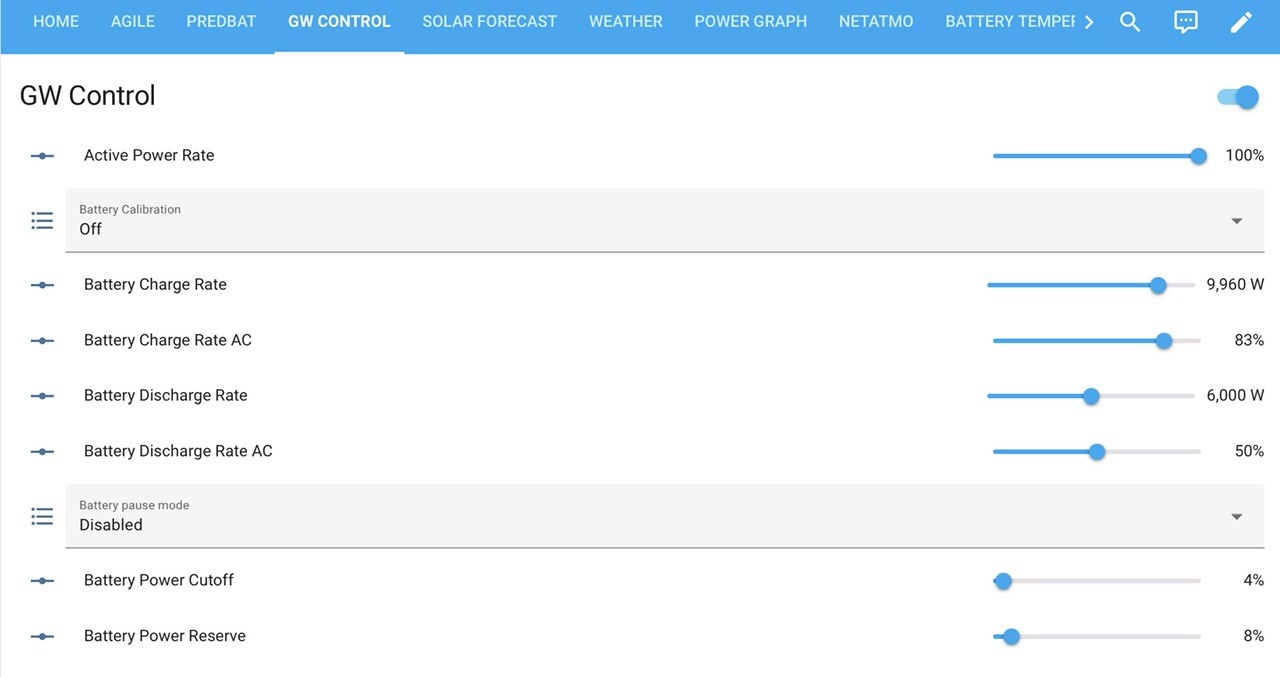
#45 JasonF

Got my install booked for Wednesday, wish me luck.

J
#46 JasonF

Does anyone know if GivTCP is ready for parallel AIO? Or know who to ask?

D
#47 DD

JasonF possibly not. Probably best to ask on the GitHub page. Main difficulty with development is having access to the different kinds of devices to see how they behave.

T
#48 TX200

JasonF I reckon @TheDragon (GivEnergy) will be invested in getting GivTCP working on multi AIO systems, believe he's already got two AIOs installed as part of the alpha testing.

Just depends how busy Mark is I guess.

#49 hoggy

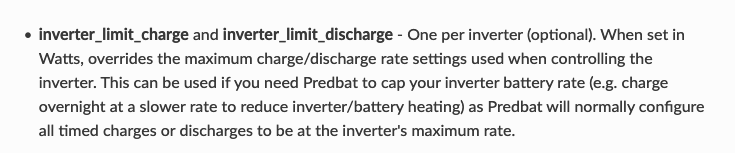
I'm 99% sure it's already working in GivTCP-Dev build, just need to point GivTCP to your gateway IP (as that is the thing controlling them now) not the individual AIO itself.

#50 TheDragon (GivEnergy)

GivTCP is absolutely working. Was working right at the start of alpha testing.
Beta or Dev versions.
Once Mark is happy. It will be a full release. Which has some breaking changes to how it's all setup.

J
#51 JasonF

Ah nice that’s great to know!

D
#54 Daveb01

TX200

I asked them days ago and no reply that’s why I though I would ask this forum.

#55 Wonder Watt

Daveb01 We don't support multiple inverter control at the moment. I presume you'd want to configure them independently?

D
#56 Daveb01

Wonder Watt

Hi, oh no I love Wonder Watt, I thought a parallel config e.g 2 x AIO in the Gateway would appear as one 27 kw battery?

#57 hoggy

Not sure how it's achieved via API (if it works yet) but seeing as you need to tell the gateway what to do (one device) not each AIO it may not be such a chore to implement over what you already do?

D
#58 Daveb01

hoggy

So that’s confused me a bit Hoggy.

I currently have an api that WW use. If that’s all WW need than all good.

Do you think there maybe a new api released by GE for parallel AIO that is connected to the Gateway? Will the current api stop working?

#59 Wonder Watt

Daveb01 It really depends on the implementation to be fair. If you can designate one of the AIO's effectively as master and control that via the API, we shouldn't have an issue with it.

D
#60 Daveb01

JamesFisher22

Hi James, I am trying to find out if Wonder Watt can use AIO in parallel. Can you do me a favour and screen shot your inverters on the GE cloud please. (See below photo)

Click on the blue menu on left and click inverters.
Either screen shot this and edit out your s/n or move the inverters left so the s/n disappear like my screen shot below.

This is to understand if you have the same Inverters as me or three now you have a second AIO. I would then look at GE API to see if there is more than one.

J
#61 JasonF

I think the gateway becomes a “virtual” battery and shows the combined capacity and sends out the controls to each AIO. I think you just manage the gateway and it takes care of the controls to each individual AIO.

D
#62 Daveb01

JasonF

Hi Jason, that’s my understanding as well, however I am not sure if my existing api will still work or will GE release a new api for those that have more than one AIO?

Do the AIO inverters disappear from the cloud and just the Gateway remains or do we see all three.?

In the section where I mange my api’s will this change?

D
#63 DD

Daveb01 it might all happen transparently: the nature of typical firewalls is that the inverter/device has to make an outgoing connection to the cloud - it can't go the other way. If an AIO knows it's connected to a gateway as one of several, so that is being driven by the gateway, then it could choose not to make the outgoing connection, allowing the gateway to do it instead. So it is then the gateway that receives API requests from the cloud.
(It would then seem simpler that even when there's only one AIO with a gateway, it's the gateway the makes the connection, but I don't know if that's what happens in practise )

#64 hoggy

Daveb01 it may not need a new API call, the Gateway presents itself pretty much as an inverter to the modbus library so will look the same to their APi.
You currently stipulate the inverter you want to control via API by defining its serial number as part of the call, therefore It may be as simple as just directing API calls to the Gateways serial number instead of the AIO.

J
#65 JasonF

hoggy where do I get the beta build from?

#68 hoggy

geoffreycoan Even easier then (sorry, I don't use GivTCP!)

J
#70 JasonF

geoffreycoan in the new config, what’s the significance of the “inverter name”? Can I call it anything or does it need to be the serial number etc?

D
#71 Daveb01

JamesFisher22

Hi James, could you take a screen shot of the inverters tab please as your the only one that’s completed a second AIO install. This would help the group see what’s going on.

In the cloud click on the My Inverters tab
Screen shot this, but don’t send it with your s/n please?

Like this

I am interested to see if there is now 2 x AIO or none and just the Gatway?

G
#72 geoffreycoan

JasonF geoffreycoan in the new config, what’s the significance of the “inverter name”? Can I call it anything or does it need to be the serial number etc?

I’ve heard that this is new and optional. I’m running the public release of givtcp as it’s doing the job fine for me

J
#73 JamesFisher22

Daveb01

You see all 3 inverters through the portal but control is via the GW only.
Data is available Individually for AIO1 & AIO2 and a combined data set from the GW but settings other than restart are only available via the GW cogg.

J
#75 JasonF

Installer had to have his van recovered today so install had to be rescheduled, so no parallel AIO for me tomorrow 🙁

#76 PianSom

Do all installers have very unreliable vans? My Gateway replacement last week was delayed because of van problems.

J
#77 JasonF

Who’s your installer?

J
#78 JamesFisher22

PianSom

Maybe they should get an electric van😁

#79 PianSom

JasonF
Not sure I am ready to name and shame publicly at this point.

J
#80 JasonF

PianSom oh I didn’t see it as naming and shaming, was just curious 🙂

Mine have been really good in general.

M
#81 ma9mwah

Is there any maximum distance the 2nd AIO can be away from the gateway? If I got a second then it would have to be on the other side of a double garage

D
#82 Daveb01

ma9mwah

You can do that 👍

Some have the Gateway in the house and batteries in the garage or outside. But I would not put it in next door garage 😀

Just make sure you have the correct size cable. 32A

J
#83 JasonF

Yeah my gateway is inside the house, in a cupboard with the consumer unit and my AIO is out in the garage.

D
#84 Daveb01

JasonF

Any news Jason on your second AIO install?

If the software update on the Second AIO takes as long as the single one your installer better be round early or may have to visit again the next day?

My installer would not go home when he did the 1st AIO until it was commissioned and that included the software update, so he did not get home until after 7pm. I am guessing the second AIO will need an update to be able to work in parallel?

J
#85 JasonF

Good point! They’re coming tomorrow….. I’ll let you know how it goes. I’m not sure what they’re going to do about the gateway firmware to be honest, I think GE have to push that. So I have a feeling it won’t be working properly until Monday.

J
#86 JamesFisher22

JasonF

Good luck!
GE recommended the installer updating from a memory stick rather than over the air as it's more assured. I appreciate the GW may have to be done by GE remotely but I'd check your installer has the update for the AIO's handy on a stick. This was one of the little things that would have helped my install run a bit smoother. The success rate seems highly variable updating over the Internet.

FYI mine is running fine. Aside from the software tweeks to the app and portal it's set and forget, ive not had any issues to date. The extra capacity is a real game changer for us as I no longer have to actively manage the system. I'm pleased about that as I've got better things to be doing with my time😁

J
#87 JasonF

Yeah he has the firmware for the AIO’s and gateway on a USB stick and has someone from GE on standby for when he gets to setting it all up.

Fingers crossed!

J
#88 JasonF

JamesFisher22 yeah I sold it to my partner by saying “you can put the washing machine on whenever you want” ha!

D
#89 Daveb01

JasonF

Hi Jason good luck today.

So we can compare apples to apples and not apples to pears, here are my model numbers of Gateway and AIO (if you have a look on the side it is the part of the number after the letters)

James could you let us what ones you have as well please.

This is to check on which ones are working and if any have issues e.g the gateway. Some have had issues with the old Gateway (which I have) and had it replaced. I have not had any issues (touch wood)

Type - Version - Software
Gateway - 2316 - 0.008
AIO 1 - 2316 - 612 - BMS v10
AIO 2 - 2414 - not wired up yet or connected.

J
#90 JasonF

J
#91 JasonF

In the wild….

J
#92 JasonF

Daveb01

Gateway - 2316 - A0.010
AIO 1 - 2315 - D0.612-A0.612 - BMS 10
AIO 2 - 2414 - D0.612-A0.612 - BMS 10

J
#93 JamesFisher22

JasonF

Nice. Is it working?

J
#94 JasonF

JamesFisher22 seems to be, the app doesn’t seem to work in home mode, only shows info when set to away from the cloud. Like you said battery info can’t be seen.

Managed to set timed charge in the portal. Inverter power for charge and discharge seems to be set at 0 and not changeable so I’ll have to see if it actually charges later.

J
#95 JasonF

Seems like there’s an issue with the “live” app and dashboard data. It isn’t updating. If I force the battery to charge or discharge it kicks back in, but when I put it on normal mode it updates for about a minute then stops. The data by inverter etc further down the dashboard is working, just not the stuff used for the app. Weird.

J
#96 JamesFisher22

JasonF seems to be, the app doesn’t seem to work in home mode, only shows info when set to away from the cloud. Like you said battery info can’t be seen.

Managed to set timed charge in the portal. Inverter power for charge and discharge seems to be set at 0 and not changeable so I’ll have to see if it actually charges later.

Yep that’s basically what I have. ‘Home’ doesn’t work but that is being worked on I’m told.
Timed charge should be fine I tested it out to calibrate the batteries after install.
If your set to 5 min data updates on the ‘away’ tab and this doesn’t suit you email The beta team and they can switch it. Mines set to 30s update now pending the ‘home’ function working again.

J
#97 JasonF

JamesFisher22 I think I have a bigger problem with the “live data” mine was last updated 13 minutes ago. Prior to that is was 48 minutes.

What firmware is your gateway running?
In the app do your charge and discharge power settings also say 0?

J
#98 JamesFisher22

JasonF

My GW is on A0.010
No control of battery charge or discharge power through app or portal. Values are frozen at 0 and cannot be changed but it is working. I've seen 9kw coming out of the batteries so far when EV charging and with the oven on.
Hopefully these funtions will be unfrozen in due course.

J
#99 JasonF

Ok thanks, same as mine.

J
#100 JasonF

JasonF this seems to have magically fixed itself overnight … all working well this morning 🙂

D
#101 Daveb01

JasonF

Thank you for the update Jason & glad it is working today. This is a good point to get across for the next person leave it overnight before fiddling with any settings (very difficult for us in these posts though because we all like to mess with things 😀)

Did your installer do a separate fuse box with 2 x AIO or did he RCBO x 2 in the Gateway?
Did you manage to take any pics of the wiring connections in the Gateway?

J
#102 JasonF

Daveb01

He did it all in the gateway because it was easier with the space I have.

He said you can do it either way, and both achieves the same end result.

I’ll try to get a photo of the internals later.

J
#103 JasonF

geoffreycoan @hoggy

I’ve installed the beta version of GivTCP and it picks up everything and looks good. The only question I have is that there does not appear to be a combined parallel SOC sensor/entity? I can get the SOC for each individual AIO but for my dashboards and energy cards I need one combined. Any ideas, or know who I raise it with?

#104 hoggy

JasonF have you added 3 IP addresses as its the Gateway that gives you combined SoC.
Gateway
AIO 1
AIO 2

(Other than clearing out cache/pkl files and rebooting I'm probably out of ideas after that, not having an AIO and all...)

J
#105 JasonF

hoggy

Yeah I’ve added all 3 and everything seems fine, I can see combined everything else just no SOC

D
#106 Daveb01

Hi Jason and James below are the bits my installer will be interested in.

Does the second AIO go into this terminal in the Gateway or does it go to a new RCBO.?
My installer says I need 2 x RCBO’s and remove the current RDC in the Gateway? James you have done it differently for this part.

The next question is about comms, how was this done in your cases please?


As my Gateway is one of the older ones the LAN port does not work, there is a separate Ethernet connection down the side of the Gateway, there was also a female to female connection in the Gateway box to accommodate this. The RED LAN port is the one not working, the one that is working goes to the mother board at the back.

J
#107 JasonF

In terms of the gateway, my installer ran 25mm tails out of the parallel connector at the back to the new connections for two aios because the default cabling is only suitable for 1. This can be done inside the gateway or outside, doesn’t seem to matter how.

In terms of the communications:
The gateway and both aios have an Ethernet cable for internet connection (assume WiFi could be used if you don’t cable)
For inter communication:
There is an Ethernet cable from the gateway to AIO 1 gateway in, then a cable from aio1 to AIO 2 gateway out to gateway in (AIO 2 does not cable directly to the gateway for comms, it goes through AIO 1) there is another Ethernet cable between AIO 1 and Aio2 parallel out and parallel in.

Hope that helps.

But GE should walk your installer through all of this.

J
#108 JamesFisher22

JasonF But GE should walk your installer through all of this.

Daveb01

Dave. I don't mean to be unhelpful but if your installer/electrician is competent and in touch with GE they should be able to figure this out. Happy to assist with sharing info for trouble
shooting functionality and software but I'm not comfortable offering potentially misleading pictures of wiring that may not be appropriate or have safety ramifications.
Hope you understand.
As myself and Jason now have working systems I'd just get on and do it👍

J
#109 JasonF

Yeah I can confirm, apart from the app problems, it seems to be working exactly as expected. The two AIO’s have stayed very well balanced with their individual SOC’s and I can see the power is being split pretty much 50/50 across both of them.

I just hit 49% SOC, previously I would have run out of battery.

Just need to work through getting GivTCP and my home assistant dashboards and predbat playing nicely now.

D
#110 Daveb01

JasonF

Thank you Jason, you have answered all my questions (sorry for being so inquisitive but I am an IT Architect and can not help it). I think anyone else installing a second AIO will now understand the basics on how it’s going to work. The software will get updated by GE over the coming few months.

My installer has already been in touch with GE and will contact them again once I give the go ahead.

My thanks to you Jason and James for being helpful in this post. I hope someone installing a third AIO will join soon and give there thoughts and advice. 👍🤞🍺🍺

#111 PianSom

JasonF Just need to work through getting GivTCP and my home assistant dashboards and predbat playing nicely now.

Is it just the SoC you are missing?

J
#112 JasonF

PianSom

I think so. There is an energy device for each AIO serial and the gateway. Each AIO has its own info but also some of the combined data, like solar. The gateway energy device has much less info (no night day rate etc, but you can grab that from each individual AIO if you needed it) and is missing the SOC for the combined system.

The gateway also exposes AIO devices with more summarised data.

But really the SOC is the big one, as I’m not sure what Pred bat will do if it can’t work it out.

I think I’ll open an issue on GitHub tomorrow to try and get an answer as to the expected behaviour.

#113 PianSom

JasonF
FWIW I have been running the beta GivTCP on my single AIO for a few weeks now, with no issues. (Actually on 2.4.265, ought to update I guess.)

One suggestion - you may want to see whether the SoC is reported in the raw section in MQTT. If it is you can pick it up there for Predbat

J
#114 JasonF

PianSom where do I find that?

#115 PianSom

JasonF
Lots of ways to check, but my personal fave is a prog called “MQTT Explorer”. Freeware.

J
#116 JasonF

Ah yeah, I think I have that. I’ll have a dig around and see what’s in there. Thanks!

J
#117 JasonF

PianSom I can’t see it in the raw mqtt data either

#118 PianSom

JasonF
Pity. I'd hoped that things like raw/inverter/battery_percent might have survived. Seems not.

J
#119 JasonF

That is there but is says 0, there’s nothing for total battery capacity either.

None of the custom GivTCP cards work either…

J
#120 JasonF

Seems like predbat isn’t going to play nicely, until GivTCP can give it what it needs.

I’ve kinda got it up and running, had to disable rest because it tries to talk to the gateway and I assume it can’t get what it needs so falls over.

You can’t say 1 inverter because the gateway doesn’t have combined numbers for a the stats. And when you set it to two inverters you have to duplicate some controls and not others because of where the entities sit.

Anyone know the developer of GivTCP? I’ve raised an issue on GitHub for the SOC but there a bunch of stuff that needs looking at.

J
#121 JasonF

I’m going to try and create some of the missing sensors myself, but REST isn’t going to work

J
#122 JasonF

I’ve managed to get Predbat working (I think). Had to disable REST and create the missing sensors.

Left it in read only now, just to keep an eye on it and I need to find out from GE how you control charge and discharge power because it’s shows as 0 against the inverter currently.

Going to create the missing sensors for the custom GivTCP graphs too.

D
#123 Daveb01

Jason could I ask if you could take a pic of your Gateway with the door open to include the Switches you now have please? I am going to go with RCBO’s in Gateway same as you.

My installer is booked in for week of 9th September.

J
#124 JasonF

Eugh…. So last night I thought “let’s take predbat off read only” I woke up this morning with one AIO powered off, had tripped in the gateway. And now they aren’t discharging evenly. Well one AIO isn’t discharging at all it’s charging slightly, and the other one is taking all the load. If I put them on a force charge or discharge they both kick into life. And if I switch eco off then back on they balance the load for a short period before one AIO decreases as described above.

I don’t know how predbat caused this chaos, maybe it tried to set something in a way the gateway didn’t like. But I will be leaving it in read only mode for sure.

D
#125 DD

JasonF perhaps it's speaking to the AIO directly, rather than the gateway?

J
#126 JasonF

I disabled REST and changed all the entities to be the gateway entities, so it doesn’t look like it should be, but something bad happened!!

D
#127 DD

JasonF I think there should be a log somewhere of all the changes that were sent to the system?

J
#128 JasonF

I need to have a proper look. It was a bit of a fudge anyway because GivTCP doesn’t expose everything that’s needed so I created some sensors myself. The prediction seems to work, but just too much of a coincidence for the first issue to happen since install to be the same night I switched predbat on.

J
#129 JasonF

Seems it wasn’t predbat, this morning the same AIO had tripped again.

D
#130 Daveb01

Hi Jason

Have you had your EVC fitted yet/same time as Second AIO?

Are you getting loads of errors? ground Leak?

J
#131 JasonF

Nah it’s still in the box….its staying there until I see reports of it working properly!

J
#132 JasonF

JasonF anyone having a second one installed make sure it’s installed using 2 x rcbo’s (the ones GE recommends) my installer used RCD+MCB and there seems to be an issue with one of the MCB’s (probably cheap) but if you don’t have individual RCBO’s if one battery trips, it knocks both out of action.

D
#133 Daveb01

JasonF

Thank you for posting this Jason as this is just the thing this thread needs to help people understand the issues when installing a second or third AIO.

D
#134 Daveb01

My Second AIO has been confirmed (booked) 9th September

My installer and I are on the same page, he will double check with GE and also phone them on the day (hopefully he will get to talk to Paul at GE)

He understands the comms cables (Ethernet) and how they are linked. Plus out to internet.
Remove current RCD for AIO1
Install 2 x RCBO 32A (ABB manufacture) for AIO1 and AIO2.
Upgrade AIO2 firmware
Upgrade Gateway firmware (from v8 unsure yet)
Change tails in Gateway for AIO2 parallel connection (possibility will confirm with GE)

Unknowns
Current api will continue to work with Wonder Watt

J
#135 JasonF

Make sure the dongle firmware on the gateway is updated to 206, and the dongle firmware on the new AIO to 205.

You should end up with your AIOs on FW612, Dongle 205 and BMS10 and the gateway on FW10 and dongle 206

Paul checked mine over and the dongle FW had been forgotten on the GW.

D
#136 Daveb01

JasonF

Thank you Jason here is my current FW versions

D
#137 Daveb01

My inquisitive mind wants to know how the third AIO is wired. Will the PV RCD need to be removed and replace with 2 x RCBO’s?

Will the new Gateway not have RCD’s and just have RCBO’s?
Will the Gateway have RCBO’s installed for EVC and 3 x AIO’s or just spaces for them?
Will the Gateway have the correct labelling for 3 x AIO’s, EVC and PV (L & N)?
Will the Gateway have the LAN connection sorted? (This does not work on mine, there is a direct connection to the motherboard at the side).

Or is the best option to have a separate CU just for AIO’s (coming soon - 4 to 6 total)

#138 Jase1703

My original AIO installer has now come back to me with a fully installed price to add a second parallel AIO, £6500 total. I’m still 50/50 if I want to do it, I have had single AIO for 12 months now and want to be 100% certain a pair will work harmoniously. I also feel like V2G is coming soon and I’ll have a compatible EV from October, so that is 100kwh available to me most of the time for £2-3k of new EV charger plus some fancy boxes!

C
#139 CW

Jase1703 This is similar to my situation - I've been toying around with an additional battery, but not really sure about it, and then this whole V2G pops up - what is required to support this - do you need a compatible vehicle, or a compatible charger, or both?

J
#140 JasonF

Car has to be compatible. And it’s only really useful if your car is at home…

J
#141 JasonF

Jase1703 mine has worked perfectly since I had it installed.

C
#142 CW

JasonF The car is home most of the time. So if I understand correctly, it is the car that is the determining factor rather that the charger? So if I brought a GE charger, then getting a car that could export back would be supported?

#143 Jase1703

CW JasonF Studies show cars are park at home on average 90% of the time. yes it’s car and charger and only 3 compatible chargers right now and none seem to be on sale. Take a look at this Octopus tariff and sign up for updates.
https://octopus.energy/power-pack/

J
#145 JasonF

I think if your car is consistently parked at home more often than not it’s ok, but I wanted something guaranteed. My car isn’t home most of the day, and like right now it’s in an airport car park so can’t be used by my house.

D
#146 DD

CW So if I understand correctly, it is the car that is the determining factor rather that the charger?

It's complicated. First note that the AC charger is actually in the car - the chargepoint is merely a fancy AC switch, and it's the car's hardware that converts AC to DC for the battery. And that is unidirectional

An older DC interface chademo has always been bidirectional, and there was at least one commercial chargepoint that could plug into that DC port for bidirectional charging. But it's only older Leaf that has chademo. All cars now come with CCS instead, using a single port for both AC and DC charging.

Some cars have V2L, with a built-in inverter that can generate AC. But that lacks the additional circuitry to phase-match to connect it directly to the house/grid. I'm not if that's something that can be massaged by an external unit - I'd have it really wants inputs into the inverter to do that.

I think I read that Renault 5 will have V2H built in?

Seems weird to me for all that hardware to be built in the car - better to be external and in the house. Preferably integrated into solar inverter since that already has much of the required hardware.

S
#147 solaroptimist

I would be interested to know what happens to the inverter capacity when one has a second AIO battery. I have a 3.6kW AIO version currently. If I add a 6kW AIO battery, what export/import capacity do I end up with please?
Thank you for all advice.

J
#148 JasonF

Depends on what your DNO allows.

I have 2 x 6kw AIO and I am allowed the full capacity so I have a total of 12kw import and export.

If you got a 6kw AIO to add to yours and we’re allowed the full rate you’d end up with 9.6 I assume.

J
#149 JasonF

solaroptimist and when I say you get 9.6 that’s total, each inverter can obviously only work at its set rate.

You might not be able to mix inverter rates, because the gateway tries to keep the batteries balanced. So splits the load between them. I’m not sure how it would enjoy you going above the 3.6kw your current AIO can handle. The new AIO would charge and discharge if at max rate almost twice as fast as the first one.

You might have to give them a call.

D
#150 Daveb01

Second AIO being installed today, as my installer had to postpone the Monday slot, will keep you guys posted and upload photos once completed and tested.

D
#151 Daveb01

Update 1.

Installer wired up second AIO as per instructions (second method RCBO’s, plus swapped out the old RCD type AC for PV). So now have 4 x RCBO’s in Gateway.

  1. AIO 1
  2. AIO 2
  3. AIO 3 (spare if needed in future)
  4. PV

He run out of time trying to update the FW, so commissioning tomorrow.
(Note to all :- your installer/GE has to delete the existing commission and start a new one, this is because the AIO 1 is looking after things if you have one, when you have two or more the GW is in charge.)(we are not sure if all the data is lost, so download all the reports before you do this and data if needed/possible)

D
#152 Daveb01
all-in-one-parallel-mode-installers.pdf
246kB
D
#153 Daveb01

Quick update on the plus side Commissioning completed, Data History still intact, api needed updating as it goes from the 1st AIO to the Gateway.

I will update this post later with the final things on how it went and a few pics.

D
#154 Daveb01

Update on today’s fluff. The commission was supposed to be completed yesterday however my installer was not able to update the firmware on the new AIO, the existing Gateway, plus could not update the dongles to 206. We tried all three methods in the instructions.

So he popped round this morning to finish off, we got GE to update the Gateway from v8 to v10, then during the commissioning process the AIO FW was updated. I can now see three devices in the GE Cloud. The dongles were not updated so will have to give GE a ring on Monday (or if it does not matter then will leave it)

As you can see the settings cog is now on the GW setting

This is the new setting when you get two/three AIO’s

D
#155 Daveb01

Here are the new views in the Cloud for the GW.


D
#156 Daveb01

Here is what I can see in the app on iPhone. (Understandable at the moment as still in Beta)
So no complaints just feedback.

Note:- no voltage


J
#157 JasonF

The dongle firmware is important to make sure they communicate properly. AIO’s should be 205 and gateway 206. The gateway update is the important one.

D
#158 Daveb01

JasonF

Thanks for checking yours and confirming, I will get it sorted asap.

As you can see one AIO is on 205 but the new one is on 902 (wonder if this is an error)

Do you have the same app issues (beta) as I have or is it just me?

J
#159 JasonF

Yeah my new AIO was on 902 or 904 when it was installed, now on 206.

Yeah my app looks the same as yours does, basically home mode doesn’t work and you get errors in some places. I pretty much just use home assistant anyway so it doesn’t matter much to me.

D
#160 Daveb01

JasonF

Thank you for the update and confirmation. HA is the direction I am going in or down (the rabbit hole). It’s a bit of a learning curve but good bunch of people helping me out on here.

D
#161 Daveb01

Last picture inside My Gateway.

I chose this option plus as I have an old version I decided to remove the PV RCD type AC and replace it with a new RCBO 32A, I did not like a gap so future proofed it incase a third AIO would ever be needed. 🤞👍

D
#162 Daveb01

Good luck anyone else installing a Second or Third AIO. I hope this post helps until we are out of Beta and the production version of how to do it becomes live.

J
#163 JayC68

I'd like to thank all the participants of this thread over the last few months. You have provided insight and thought provoking content.
I had a single 13.5 AIO installed in May '24. My electrician, a man never to go near beta, and a lover of the next ISO over-spec, has been holding back on my next AIOs. In fairness to him it turns out just as well as I had been fully signed up to the 'daisy chaining' AIO concept up to 6. Nowhere near where we have landed as we prepare to step out of beta into 'paralleling' to 3.
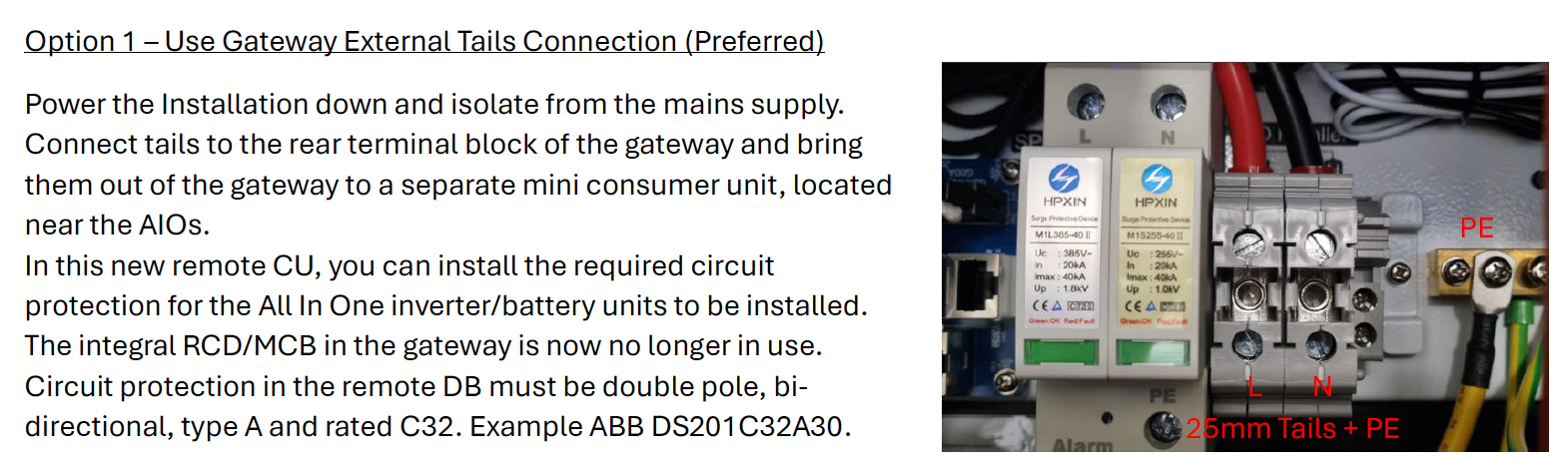
For my planning: I'd appreciate your knowledgable views on the attached screen shot (grateful to @Daveb01 for sharing). My first AIO is around 7 metres from the gateway and outside. The second AIO (and then the third) will be adjacent. The spec in the Giv instructions suggests to me that the 25mm (tail) cables must run from the gateway to the new (in my case IP65) consumer unit. Have I understood correctly?

D
#164 Daveb01

JayC68

Yes that’s right, as I was only ever going to get 2 x AIO I went for the RCBO in the Gateway (option 2).

Option 1 is to have a CU and have all AIO’s going to that, then one cable going to the connection as per the diagram. My installer was a bit worried about that option going forward for the following reason:-

  1. He was a bit worried about the voltage going down the single 25mm wires to the bus bar once you went above 2 x AIO (I am thinking GE have only tested it to take 3 x AIO). We were not sure what they had in mind for the other AIO’s? How would they connect to the GW (they can’t all go to separate RCBO’s as no more room). If they used your method then each AIO would got to the CU, but the total output would go down a single wire to that one connection. Hhhmmm.

Chat gpt says

The current-carrying capacity (ampacity) of a 25 mm² electric cable depends on various factors such as the type of insulation, the installation method, and the ambient temperature. Below are some general guidelines for 25 mm² cables based on typical conditions:

•	Copper conductor, PVC insulation, clipped direct: Approximately 108–127 amps.
•	Copper conductor, XLPE insulation, clipped direct: Approximately 119–146 amps.
•	Aluminum conductor, PVC insulation, clipped direct: Approximately 81–100 amps.
•	Aluminum conductor, XLPE insulation, clipped direct: Approximately 90–114 amps.

These values can vary based on specific standards and local regulations, so it is important to consult the relevant electrical standards for precise information (e.g., IEC 60502 or local codes). Additionally, if the cable is in a bundle, buried, or exposed to high ambient temperatures, the current-carrying capacity will decrease.

To calculate the kWh (kilowatt-hour) rating for an electric cable, you need to understand that kWh is a measure of energy consumption, not a property of the cable itself. However, you can calculate the energy consumption of a device or load connected to the cable over time.

The formula to calculate kWh is:

[
\text{kWh} = \frac{\text{Power (W)} \times \text{Time (hours)}}{1000}
]

Where:

  • Power is measured in watts (W) or kilowatts (kW).
  • Time is the duration for which the power is used, measured in hours.

If you know the current (I) flowing through the cable and the voltage (V), you can calculate the power using:

[
\text{Power (W)} = \text{Voltage (V)} \times \text{Current (I)}
]

Once you know the power, multiply it by the time the load is running to find the energy consumption in kWh.

Example

If a device connected to a 25 mm² cable draws 50 amps (A) at 230 volts (V) for 5 hours:

  1. Calculate the power:

[
\text{Power} = 230 \text{V} \times 50 \text{A} = 11,500 \text{W} = 11.5 \text{kW}
]

  1. Calculate the energy consumption over 5 hours:

[
\text{kWh} = 11.5 \text{kW} \times 5 \text{hours} = 57.5 \text{kWh}
]

This means 57.5 kilowatt-hours of energy are consumed over that period.

J
#165 JayC68

Daveb01 On my first read through option two did seem preferable yet I was put off by the distance from my gateway to my AIO(s). The text suggests they should be collocated. The C-GBT and follow on example is useful: I don't believe I would get near those numbers but the point on distance and heat are worth considering as at least 4 metres of the run will be in an insulated attic...albeit north facing.
D
#166 Daveb01

Hi all, another update on a few things to double check.

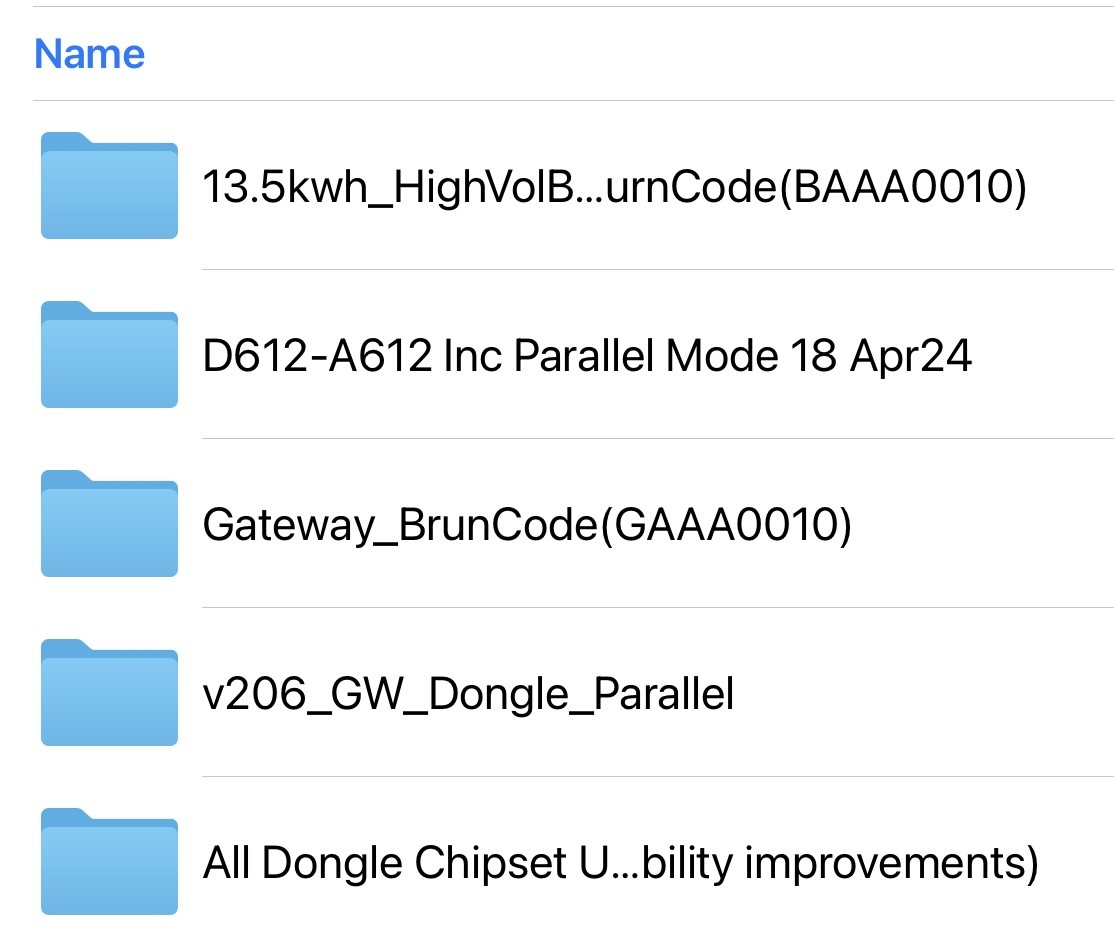
This is the installer pack screen shot of FW that needs to be updated, my installer had a few issues updating things but we got there in the end. So 5 things.

Here is where to check 4 of them (inverters tab in the cloud)

The 5th one can only be done locally (updating the WiFi dongle chipset)

The last thing to check is Warranty information. Because the existing commission needed to be deleted a new commission date will have been added. My Gateway Warranty changed from 10 years to 4. There is a new GE chat live function so I used that and it was updated there and then.

J
#168 JayC68

Do any of you happen to be in Essex or the South East?
I'd like to identify an installer with experience of fitting 2nd or 3rd AIOs. My original installer hasn't done any. He has suggested running 16mm from the new consumer unit that will serve AIO-1 and AIO-2. I'm no expert either.

J
#169 JasonF

GivEnergy have very detailed and clear instructions on how to do it. Your installer just needs to ask for them. They specific the exact equipment needed, what types of cables etc.

D
#170 Dunzzy

Great thread - Quick Question does adding a 2nd AIO Need a further DNO G99 approval?
I am considering it but our DNO (SSEN) did not allow me to have a 5.2 KW Solar inverter and an AIO without paying stupid money for network upgrades so had to settle for a 3.6KW solar inverter and AIO. Concenet that a 2nd AIO will be victim of same network capacity constraints.

J
#171 JasonF

Dunzzy I would assume that it does, I didn’t ask my installer so I don’t know for sure. But I already had solar when I got my first AIO and they had to do one to add the battery then.

G
#172 geoffreycoan

Dunzzy

My original GivEnergy installation was two Gen 1 hybrid inverters, 28 solar panels and a single battery, needing a G100 approval (which I got). When I had a second battery installed on the second inverter my installer had to get another DNO approval, but the approval was only for the additional equipment. When I queried that this didn’t include the prior stuff I was told that the DNO knew about it and thus it didn’t need to be on the form again.
So maybe they were aware, and maybe they weren’t.

D
#173 Daveb01

@JasonF
@geoffreycoan

Hi guys, I setup monthly reports when I logged into the GE Cloud over a year ago. Everything has been working well, until September 24. Plus all the previously generated reports don’t show any info.

Jason do you get this as well please?

So my question:- is it because I had a second AIO and GE force the installer to do a new install process or is it anything to do with Predbat?


J
#174 JasonF

Daveb01 no idea I’m afraid, I haven’t ever looked at those.

G
#175 geoffreycoan

Daveb01 Its definitely nothing to do with Predbat, it doesn’t even know about the GivEnergy cloud reports.

I suspect that when you had the second AIO added the system had to be recommissioned. When you just had one AIO, it generated all the data for the reports, but now with multiple AIO’s the gateway controls all the AIO’s so its the gateway data that is used for the reports.
In the recommissioning process maybe the reports got deleted as a side effect of setting your new equipment up?

Probably a question for GivEnergy support

D
#176 Daveb01

geoffreycoan

Or could it be because the GW on not an inverter and the bra-hs were based on the inverter on the AIO?

GE have not replied to any of my emails for the past month. 😡

#177 PianSom

Hi all

Sorry for the dead thread revival, but as new, proud owner of a second AIO I have a few teething issues and am looking for some peer help/feedback.

Is there somewhere that all the cool twin-AIO users hang out that I don't know about??

D
#178 Daveb01

@PianSom "#p76443

There’s only me that answers on these posts at the moments. I am happy to help if I can answer your questions, but please bear in mind I am only at Rabbit stage for coding in HA and Predbat.

R
#179 Rbor

Daveb01 I am only at Rabbit stage

But you are a valued Rabbit
🐰
Rob

#180 PianSom

Daveb01
Thanks Dave!

I asked the same question over on the beta forums, and Paul L responded. It seems that in reality everyone uses Facebook, which - notwithstanding my preferences - that is what I'll need to do to avoid bothering you all the time.

Time to dust off a dedicated browser/machine to slow down the trackers and sniffers, I guess.

D
#181 Daveb01

PianSom

I don’t do Facebook, so you having both is a good idea, good luck 😎🤞

I forgot @JasonF also has 2 x AIO, and he has commented above, so sorry Jason. 🍺

D
#182 Daveb01

@PianSom #p76467

May I ask, which one of the install process you went for please, GW or Mini CU for AIO’s?

#183 PianSom

Daveb01
I have a new mini CU just above my GW

#185 PianSom

So after one weekend's double AIO use all is going pretty well. What with that strange ball of fire in the sky, it looks like today I will be in negative cost territory. My only issues so far are

  • the install process turned off EPS and the 0-second changeover. I sorted the first, Paul L the second
  • GivTCP does not report battery flows when charging/discharging overnight. It works just fine during the day. Very odd, and I can't imagine what is causing the problem. Luckily it does not affect behaviour. Seems to be a just me issue as far as I can work out
  • I am REALLY missing the BBC Basic app, which no longer reports properly 🙁
J
#186 JasonF

[unknown]

Yeah sometimes when I force export I get nothing reading in givTCP I was going to raise a bug, it seems there’s a separate sensor for it.

J
#187 JasonF

PianSom

Yeah sometimes when I force export I get nothing reading in givTCP I was going to raise a bug, it seems there’s a separate sensor for it.

#188 PianSom

JasonF
For me it's EVERY time I am doing a charge or discharge from grid - the battery flow numbers stay static at zero or some seemingly random number. If I am not grid charging/discharging then all the numbers look just fine.

Here's yesterday's chart, for example. All the big red blocks should have big blue blocks shadowing them.

Very odd.

D
#189 Daveb01

@JasonF
@PianSom

Hi Jason, we have been discussing battery discharging and I remembered you have one setting and I have the default. 0.85. You said you have 1.0059 in Battery Scaling, where did you get that number from please?

J
#190 JasonF

PianSom yeah do it at less than 100% and it also won’t happen.

Weird, I don’t know why the high power stops it working too.

J
#191 JasonF

Daveb01 because the total capacity of both AIO’s is 27.16 as reported on the GivEnergy dashboard against the gateway. But givetcp reports 27kwh so I scaled it up slightly to make it correct.

#192 PianSom

[unknown]
Interesting. Yes, it certainly makes sense to use that number, rather than 0.85. (NB @[deleted] )

I also see 13.58x2, so I will move to 1.0059.

This will increase my effective battery size from 27 x 0.85 =22.95 (so 45% is 10.3kWh, which would explain why my original Predbat issue) to 27 x 1.0059 = 27.16 (so 45% is 12.2kWh - which is closer to what I expected, and what I observed as being discharged yesterday and today during a 1hr saving session, and is pretty much equal to 12kW inverter output + a bit of discharge scaling).

Thanks @[deleted]

G
#193 geoffreycoan

PianSom Interesting. Maybe this has been fixed in later versions of GivTCP with the gateway (or in the gateway firmware) because I definitely updated the predbat documentation to cover multiple AIO’s based on what @Daveb01 found with his https://github.com/gcoan/batpred/blob/main/docs/apps-yaml.md#battery-size-scaling

You will still need to use the battery scaling factor on the givtcp battery cards as they query each AIO individually and these are still misreported AFAIK

#194 PianSom

geoffreycoan You will still need to use the battery scaling factor on the givtcp battery cards as they query each AIO individually and these are still misreported AFAIK

Yes, but ...
With no scaling as yet on the battery cards I see eg

(So 16.48kWh, not 15.9.)

What a mess.

#195 PianSom

@geoffreycoan
Excerpts from Predbat log (post change of battery_scaling to 1.0059)-

Found 1 inverters totals: min reserve 1.09 current reserve 1.09 soc_max 27.159 soc 11.407 charge rate 11.592 kW discharge rate 12.66 kW battery_rate_min 0.0 w ac limit 18.0 export limit 18.0 kW loss charge 5 % loss discharge 5 % inverter loss 5 %
Inverter 0 with soc_max 27.16 kWh nominal_capacity 27.0 kWh battery rate raw 12000 w charge rate 12.0 kW discharge rate 12.0 kW battery_rate_min 0.0 w ac limit 18.0 kW export limit 18.0 kW reserve 4.0 % current_reserve 4.0 % temperature 20 c

(Note the distinction between soc_max and nominal_capacity)

D
#196 Daveb01

PianSom

I looked at this as well, Geoffrey said Predbat does not use this information in its calculations, but it is best for me anyway to see the correct capacity. It seems the card is reading the AIO correctly with 4 x 4kw batteries, however GE have software that reduces this to 13.5kw including the 4% minimum.

In the card I tried all the settings and only DoD sorted it. I started at 85 and works down until it read the closest to 13.5kw. This setting is 82%. This also makes the view of charging and discharging a better read.

You can also see my oldest AIO drop quicker

D
#197 Daveb01

@PianSom #p76663

One other thing I have taken into consideration with export, what’s the max I would really need and what I could export for a bit of £.

My home survived with 6000w when I had a single AIO, this could be much lower really, so it really came down to one of two, DNO regulations (if you have any) and £. Do I want go get as much as possible when exporting but will the batteries last the export window and will I have any left to last me till the next charge window.

When I tried 12000 in and out, my batteries did not either last the 4-7 period or get me to the charge window, this was on Flux. I reduced mine to the same as Jason, then tweaked it a bit for me. The AIO’s worked much better on the lower numbers. Mine is really set in my head at 10000 import and 6000 export. The power graph says different some times.

It will be interesting to see how yours do and where your settings end up.

Last thing I changed was the Charge Power Curve, I reduced mine to 95-100

#198 PianSom

Daveb01
That’s a very interesting graph. I hadn’t realised it was not just me suffering from battery flow reporting errors. In fact, yours are worse than mine (even with your lower flow rate). Mine only fails - so far - only during grid charging, whereas yours shows it at pretty much any time.

So it must either be an inverter firmware issue or a GivTCP issue. The former seems more likely.

I haven’t changed my (fixed) Predbat charge curve since the second battery. This is only used for the Predbat plan and doesn’t affect the charge behaviour, I believe. I’d prefer “auto” but that wouldn’t be possible until the bug above is sorted.

D
#199 Daveb01

[unknown]

Myself and others see this when you charge the battery up to 100%, then use it for a bit, then discharge it down to your set reserve. When I am on Agile I hardly see it as Predbat, does its thing and keeps the battery to where you need it, charging and discharging at different times and only for 30 min slots etc etc.

I would stay on Agile all year if it did not go to 99p in the winter.

#200 PianSom

Daveb01
My thinking - looking again at your graph - is that there is an issue ONLY when the power flow exceeds 6k in either direction. Otherwise the battery reports properly.

But that doesn't explain why you didn't see it on Agile ...

#202 PianSom

hoggy
Ah, was it you who answered me on my new Facebook presence? Thanks!

I actually replied to you earlier on there - coming around to your suggestion. I think I will need to build my own docker container to start messing with the python, and so I will need to re-climb that particular learning curve as it's not something I do regularly.

I did raise a GitHub issue about it. But I just find it a bit odd that no-one has moaned about this before. For that reason I have thought for the last few days that it must be something to do with my setup, but I have come around to your thinking.

(For some reason I can't get access to the Facebook side chat for 2xAIO users, so can't check with other people.)

Luckily, this is a cosmetic issue, and doesn't seem to affect operation at all.

#203 hoggy

PianSom I'm not at home so don't have docker to hand but you can normally dive into the container you already run and just change files in GivTCP directly - without having to build a new one.
I can't remember what you click but it's something like "filesystem" from memory on the container your running.
And yes that would be me over on FB.

#204 PianSom

hoggy
Had a bit of a dig and used a docker exec -it givtcp3 sh and off to the races.

Moved the value to 13000 (and the negative to -13000) - we shall see ...

#205 PianSom

hoggy
OK, that was not the issue - problem persists after amending.

However, I did spot that when I force a charge (so a high power flow) the battery sensor on MQTT stops updating. Other values do change every 30 secs, but not that. When I stop the charge updates resume.

Github issue, which may be a better forum - https://github.com/britkat1980/giv_tcp/issues/344

#206 TheDragon (GivEnergy)

[unknown]
Hello Dave.

You seem a really helpful community member.
Do you wish to join the beta community?
Access new software ahead of release, sometimes never released.
You have a dual AIO

D
#208 Daveb01

TheDragon (GivEnergy)

Thank you for the kind words, yes I would like to join. Please let me know how to do that 👍

D
#209 Daveb01

PianSom

That’s interesting, you have found this in MQTT, can you confirm please.

Initial setting 12000 in and out (or were you on 18000)
You moved it to 13000 in and out

Have you tried 6000 in and out?

#210 PianSom

Daveb01
Yes, I was observing in MQTT Explorer and noted that there was no update, and then updates resumed when charging stopped.

I was on 12000. Last night I set Predbat to use 6000 (using inverter_limit_charge/_discharge) - but it did not use the limits, in spite of what is stated in the manual. Annoying.

D
#211 Daveb01

[unknown]

So looking at my power graph, it seems the export limit I have set 6000 is quite accurate, however the import ranges closer to 11000 even though I have 9960 set.

I am going to leave export as is, and going to reduce import a little at a time to see if anything changes.
One thing I have noticed is the AIO’s don’t do the numbers you want, it rounds it up or down, so maybe the GE software. If you go to the GE Cloud and change the setting it jumps e.g if your trying to set exactly 10000 you either get 9960 or 10098?

#212 PianSom

Daveb01
Yeah, I set 6000 in Predbat, checked the AIO and it said 5960 (or something close). Why it then used 12k is a mystery to me. I suspect I have some setting somewhere which overrides the override

#213 PianSom

@Daveb01
PS congratulations on your invitation to join the illuminati. I am looking forward to your initiation ceremony. There is absolutely no need to be nervous about it ...

🙂

D
#214 Daveb01

PianSom

Do you have Inverter control card somewhere. I have named mine GW. What I do every now and then is move the settings down, wait a bit and see what Predbat changes them to. If they don’t change age then there is something wrong between Predbat, GivTCP and MQTT.

Also have a look at this setting in GE Cloud, under GW. Change this and see if Predbat settings change it back?

G
#215 geoffreycoan

Daveb01 One thing I have noticed is the AIO’s don’t do the numbers you want, it rounds it up or down, so maybe the GE software. If you go to the GE Cloud and change the setting it jumps e.g if your trying to set exactly 10000 you either get 9960 or 10098?

This is the way the inverters are actually coded. The Watt value you see onscreen is a ‘friendly reformatting’ of the underlying registry data. Battery rates are on a scale from 0 to 50 I think so when you enter a Watt value it gets scaled to the appropriate value. You can see this in the GivTCP logs that you enter 3000W and it gets set to say 30 on the inverter.
So you can’t set the rate to a precise value, only to the nearest multiple of max value/50

G
#216 geoffreycoan

PianSom PS congratulations on your invitation to join the illuminati

I wasn’t drawing attention to his personal invite. @"Daveb01 won’t be good enough for us on the ‘ordinary’ forum any more, he’ll be mixing with his new Beta-best-friends and he’ll just look down on us 🥹

#217 PianSom

Daveb01
Yes, I do have access to similar HA screens, and know to look at the inverter page. But I MUCH prefer not to make manual adjustments, since things can interact in strange ways and have (to me, at least) confusing and non-intuitive names and effects.

When I set the limits in Predbat yesterday evening I checked the GivTCP logs and saw

2025-02-19 16:33:14,617 - GivTCP-GW - write       -  [INFO    ] - Setting battery discharge limit 6000 was a success
2025-02-19 16:33:15,081 - GivTCP-GW - write       -  [INFO    ] - Setting battery charge rate 6000 was a success

and thought I was all set. (IIRC I went and checked the setting in the GE Cloud, and saw the value 5960 or whatever there.) No change in these values was reported by GivTCP until I changed them back in Predbat this morning at 7.15.

And yet ...

D
#218 Daveb01

geoffreycoan

I respect you guys as you have helped me get from nowt to Rabbit in HA, Predbat etc and have much more knowledge than me. I will be looking up to you lot for a while yet as I am still learning.

If I have to sign a dna agreement then I am not sure what I will be able to share, but I will still be here asking questions and helping others.

T
#219 TX200

Daveb01 I think it's NDA not DNA.

If they really do want your DNA, I'd say no. 🤣

D
#221 Daveb01

TX200

What a time to do a typo

R
#222 Rbor

Daveb01 I hope you won’t abandon me.
Will you be graduating to a 'Head Rabbit' warren, leaving me on my own?

Rob

G
#223 geoffreycoan

Rbor Once you leave the warren, he’s gone forever and is a non-rabbit. That’s the rules for the safety of all in the warren.

Dave, who?

#224 TheDragon (GivEnergy)

Daveb01 ok, invite sent. took a while to find you, but i have. Dont see emails on here

#225 TheDragon (GivEnergy)

Rbor What system do you have?
Never mind, i pieced many posts together and found you.

Invite sent too

#226 TheDragon (GivEnergy)

geoffreycoan
I see you too have beta FW that could use an update.

#227 TheDragon (GivEnergy)

TX200 We have your DNA already. \LOL

R
#228 Rbor

[unknown] Looks like you will be getting some company in your new warren.

Rob

R
#229 Rbor

Daveb01 Looks like you will be getting some company in your new warren.

Rob

D
#230 Daveb01

geoffreycoan

Hahah do, i need to change my name now and pretend I am new to all this ?
I ow you a few beers so if I get banished from the warren they will become void?

I intend to post here just as often as I trust you guys and have learned so much, especially if something goes wrong or I have “no idea”. Or I have a doh question to ask you 👍😛✅😎🍺🍾

D
#231 Daveb01

TheDragon (GivEnergy)

Look what you have done inviting me to the beta program. 😜

D
#233 Daveb01

PianSom

Hi yah I have been doing some homework and found the following out.

The power graph in HA/Predbat is different to the one in GE Cloud. So when I set 12000w import and 6000w export (as discussed) it is showing correct (within the 50 as per Geoffrey). Predbat is doing much more and shows the import to the battery plus any load to the house at the same time. So what I was seeing was correct and not I set it to 9960w and it’s importing 10950w.

Now I have found this out (a doh moment really) everything is working as expected.

#234 PianSom

Daveb01 Now I have found this out (a doh moment really) everything is working as expected.

I'm not sure you are quite there yet.

Look at the chart you posted from HA above - https://community.givenergy.cloud/d/4706-aio-secondthird-battery-install/197 . See the big red down bar? That's you charging. It should be matched almost (but not quite exactly) by a blue bar showing the power going to the battery. But it isn't. I think because of a GivTCP bug (though it's just possible it's a firmware bug). So not quite working as expected just yet.

On your GE Cloud page can you see ANY battery flows? I no longer can (since second install) - so no blue bars at all. This is just a GE issue, which I thought was universal, not just me.

But both these are just display errors. As you say, AFAIK everything is actually working just fine.

D
#235 Daveb01

PianSom

Hi yah, as I am a newbie in the GE beta it seems I can only post a few comments on my first day 🙁. So can not reply to your post.

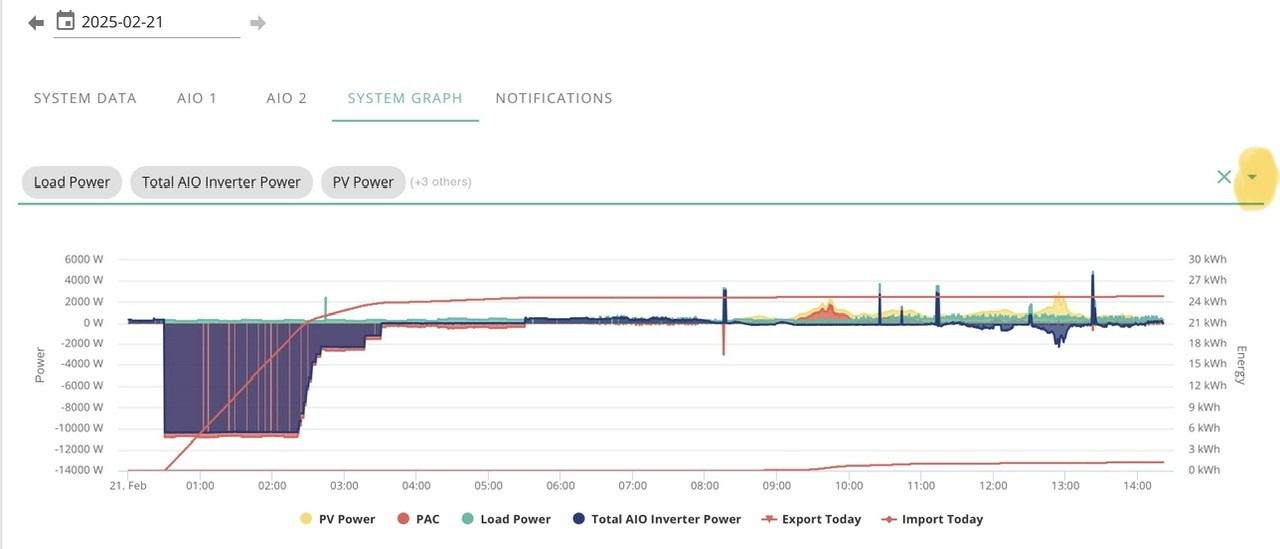
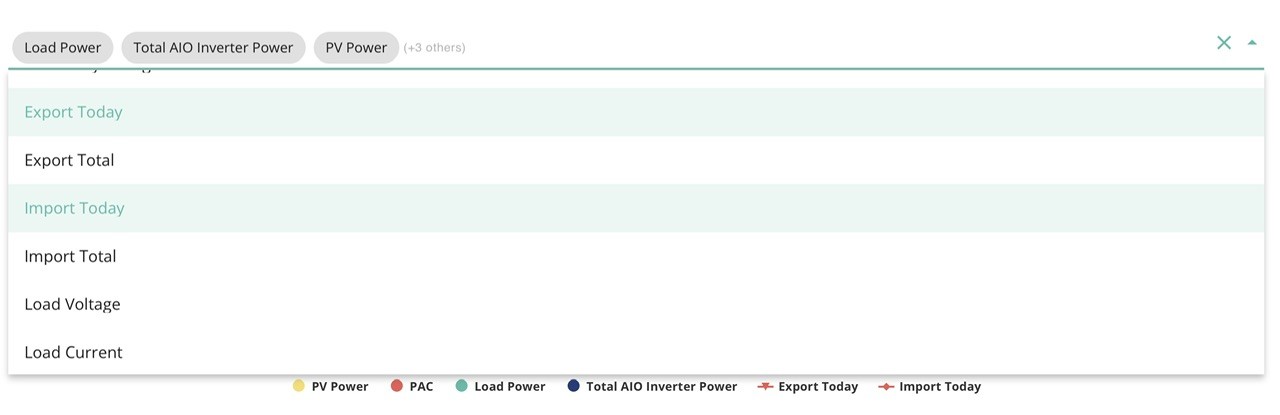
Have you looked at this, click the down arrow and select more things to display?


#236 TheDragon (GivEnergy)

Daveb01 few comments on my first day

ive upped your level, see if that helps. Im no Discord expert, so not sure how to even change that rule

#237 PianSom

Daveb01
Yes, but that is not the chart I am talking about. I am talking about the chart on Dashboard / Power Graph.

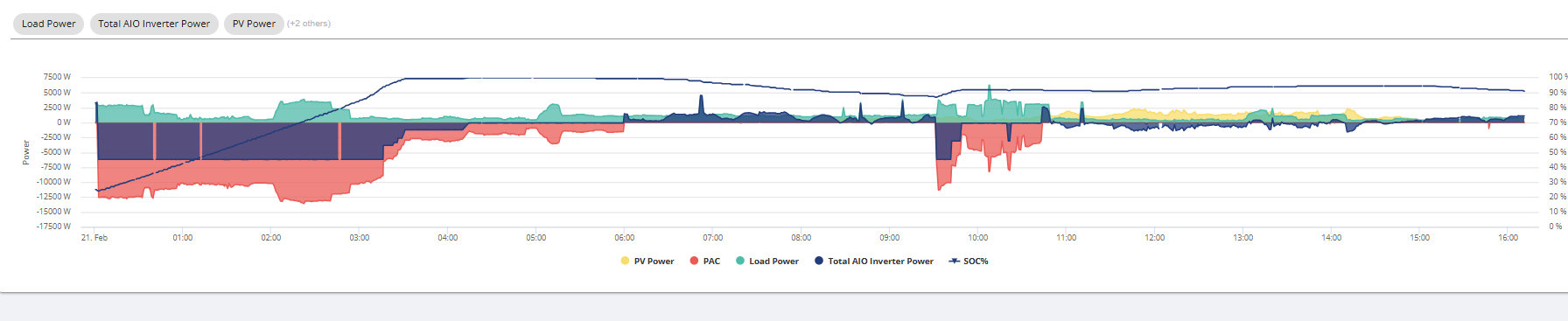
The System Graph chart you posted shows Inverter data - but not battery data. Battery data is not on the drop down list.

The Dashboard / Power Graph should show Battery Charge and Battery Discharge on the drop down menus, but it does not for me since I got my second AIO.

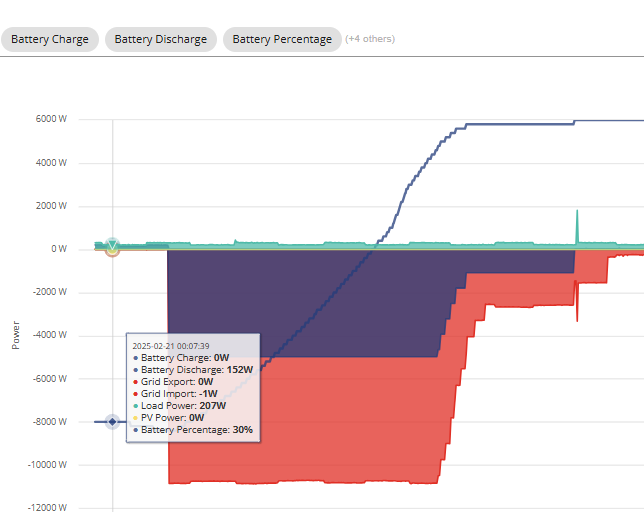
The graph that Paul posted was - I believe - a Dashboard / Power Graph. But his post displayed Battery Charge + Discharge (as you can see on the popup). Hence my question - I cannot now see Battery data on that graph; can other 2xAIO users, or is it just an admin thing?

#238 TheDragon (GivEnergy)

PianSom Blue is battery data

If you mean drilling down to each AIO, no. the user has now the data from the gateway

#239 PianSom

TheDragon (GivEnergy)
No, I did not mean drilling down to each battery, and I know users get data from the Gateway in a multiple AIO world.

I'm obviously not being clear, as I am confusing two different people. Let me try again ...

Over on the other forum you, Paul, posted this chart of Dave's system:

Now, to me that looks like the chart that can be found on https://givenergy.cloud/dashboard - Dashboard / Power Graph - is that correct? If not, then ignore my question below, and please tell me where I can find that chart you posted.

Now in particular, it says in the items selected at the top of the chart you posted: "Battery Charge" and "Battery Discharge" and "Battery Percentage". I used to have those three items on my Power Graph. But now I don't, since my second AIO was installed. I have NO blue areas and NO ability to select Battery Charge/Battery Discharge/Battery Percentage, since they are not on the list (though other things are).

So my question is - I don't have those things; is it just a "PianSom" issue? It doesn't seem to be a "Paul" issue. I don't know if it's a "Daveb01" issue.

#240 TheDragon (GivEnergy)

[unknown] Gotya.
Seperate inverter and battery data is not there for users. As they can see it at the GW.
Engineers can still see it for each inverter for diagnostics

S
#241 Slartibartfast

Same for EMS plant systems - no battery data. What kind of engineer do you have to be? Us poor plebs are left in the dark ...

S
#242 Slartibartfast

Same for EMS plant systems - no battery data. What kind of engineer do you have to be? Us poor plebs are left in the dark ...

G
#243 Guybrush-Threepwood

[unknown] how did you get your dongle firmware updated? I’ve tried manually but it just won’t update.

G
#244 Guybrush-Threepwood

JasonF how did you get your dongle firmware updated? I’ve tried manually but it just won’t update.