EV Charger behaviour with AIO + GW + Solar

20 comments started 2024-08-20 last 2024-11-21
GivEnergy ProductsAC CoupledBatteryEV Charger
A
#1 Andrew-CH1

Hello,

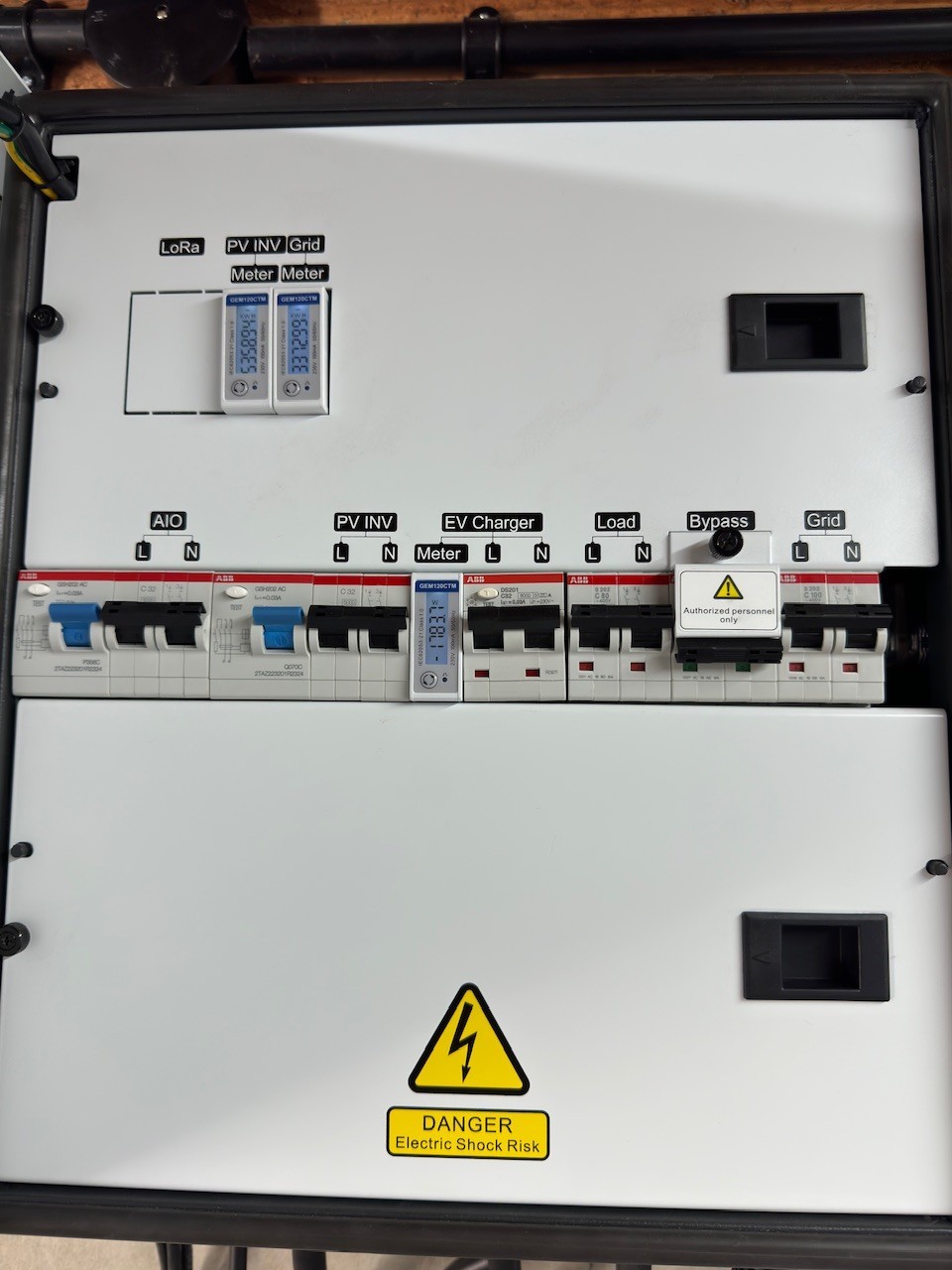
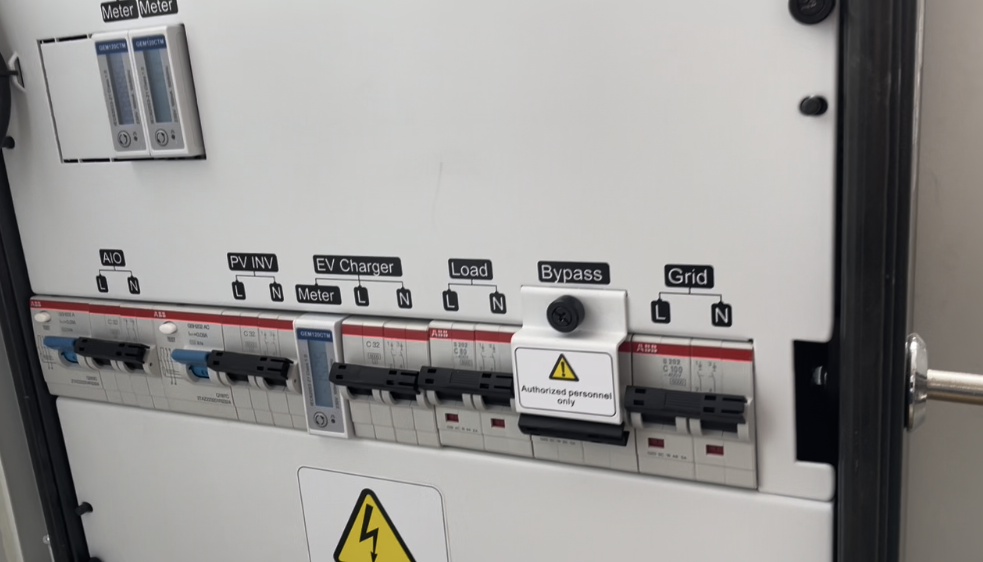
apologies if this has been covered already but I don't see much about the GE EV charger on here. I presume not many people have the setup I do, which is the AIO 6kW + Gateway + EV Charger + Solar (3rd party inverter). I am trying to find the expected behaviour of this setup for the EV charger.

My neighbours son has plugged into the GE EV charger which is the first time it has been used since install (we installed it during a major renovation in anticipation of buying an EV later this year). It is a lovely sunny day and my 3rd party solar array, which is connected into the Gateway, is generating 2.5-3kW of power.

I had the EV Charger set to Grid mode for the first 10mins of charging but then flipped it to Hybrid mode.

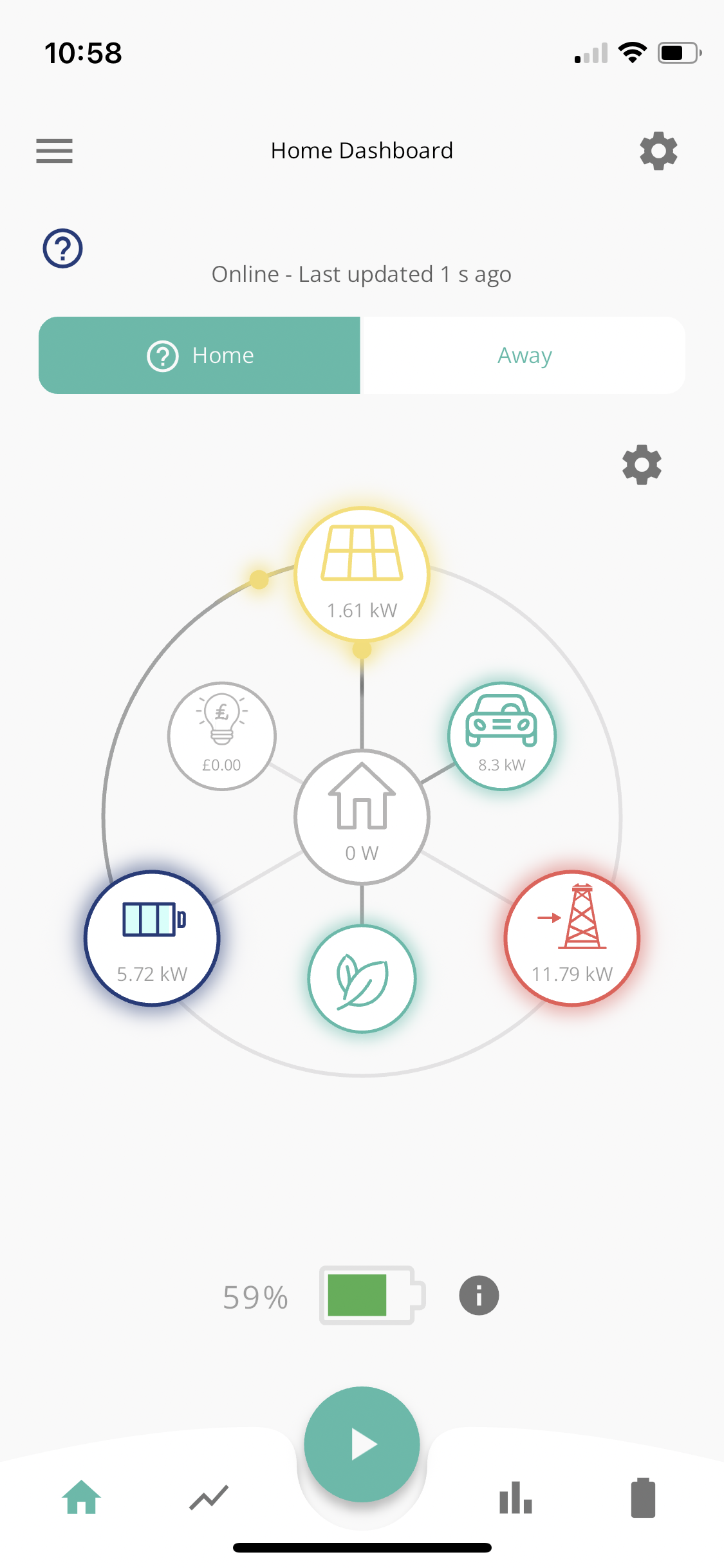
The desired behaviour (I think but admittedly I'm considering this all for the first time) would be that the solar filled the battery and when it is full the rest went to the EV Charger. Instead I find the AIO flip-flopping between charging and discharging. And slowly the charge level of the battery is going down, not holding steady or increasing.
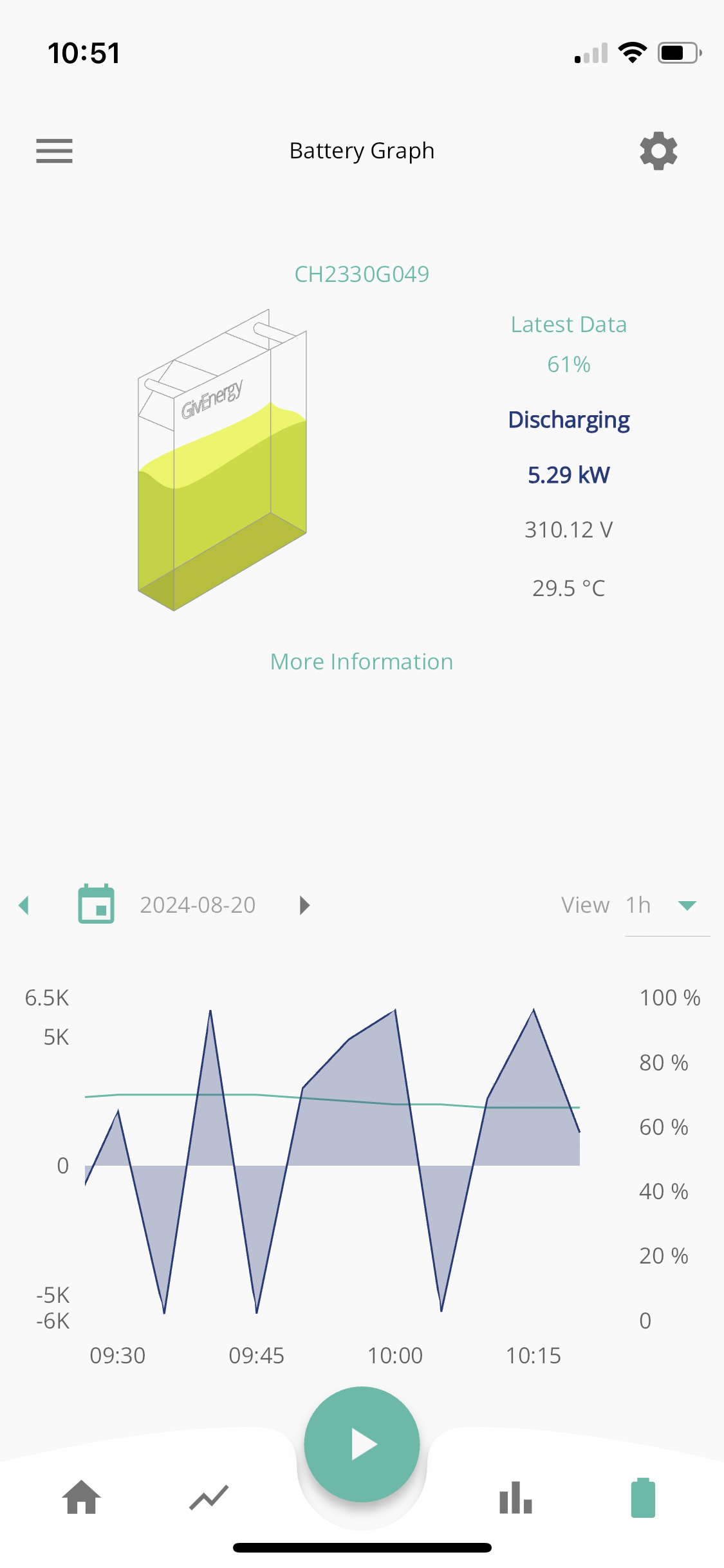
I guess my questions are:

  1. Is this expected (flip flopping AIO)
  2. Is it healthy for the battery (flip flopping AIO)
  3. Isn't "excess solar" what is left over from the house load and charging the battery? It appears GE might only consider house load before the solar generation being excess.

I guess as my AIO can charge at 6kW that would mean my 4kW solar array will never have any excess until the battery is full, so perhaps this is why GE don't consider it before sending power to the EV charger.

I appreciate everyone's thoughts and experiences. Be gentle, I am learning the best use of electrons and might have some illogical thinking going on.
Z
#2 zag164

We have a similar setup although we have a commando socket rather than the GE charger. It appear your installer has connected your EV charger to the so that it will charge the car from the AIO battery. Ours was originally connected like that initially but we asked our installer to switch it to grid side. Now the AIO doesn't ever register the car load. This change was made in the gateway and only took him about 5 mins.
Aside from this there is another issue as the numbers don't add up. According to the power flow grid, you are exporting 11.79kW to the grid with zero house load and 5.7kW battery discharge, including 1.6kW of solar. I would definitely query that with your installer. The numbers are never perfect, but they should look more like this.

D
#3 Daveb01

Andrew-CH1

Hi Andrew, I have the same set up. As you say the first time it is an experiment and needs a few weeks. I have tried the app and the cloud portal.

I have set this in the cloud portal & and don’t touch the app. I will change the config at the end of September for winter.

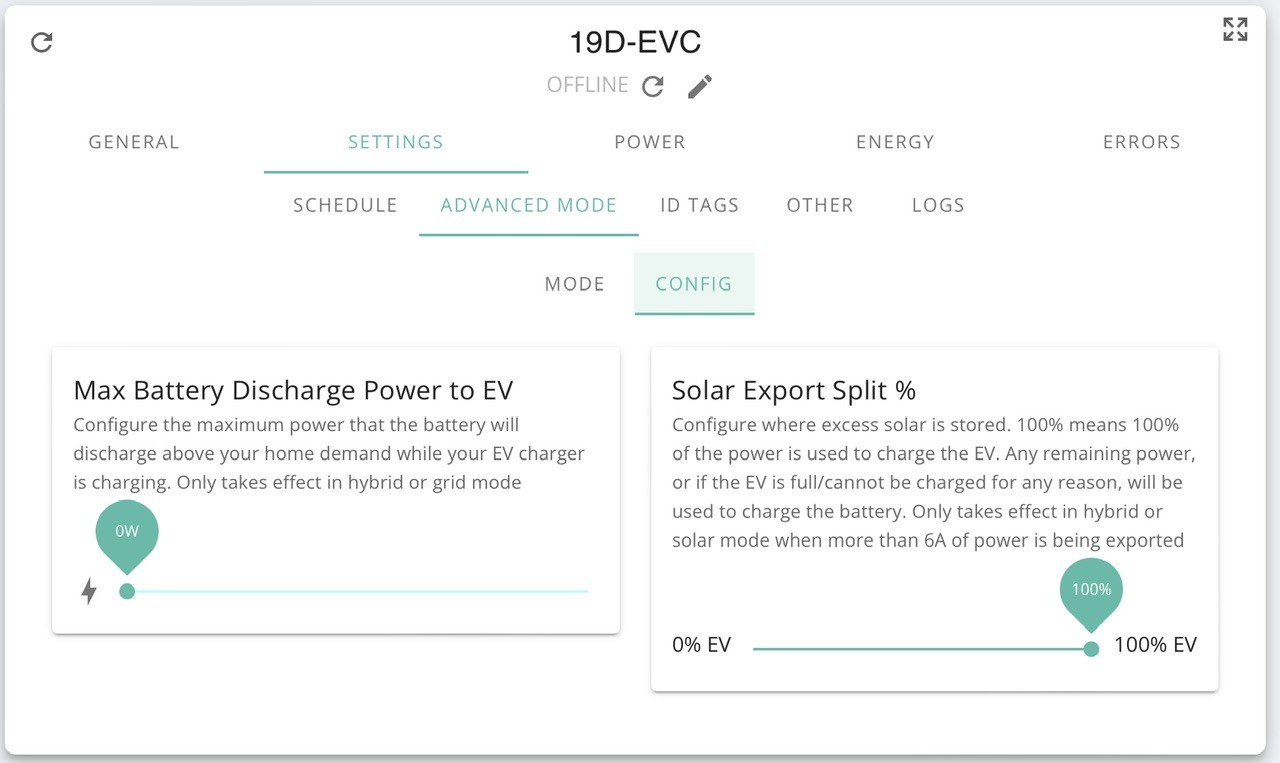
You have to set the Solar Export Split etc.


A
#4 Andrew-CH1

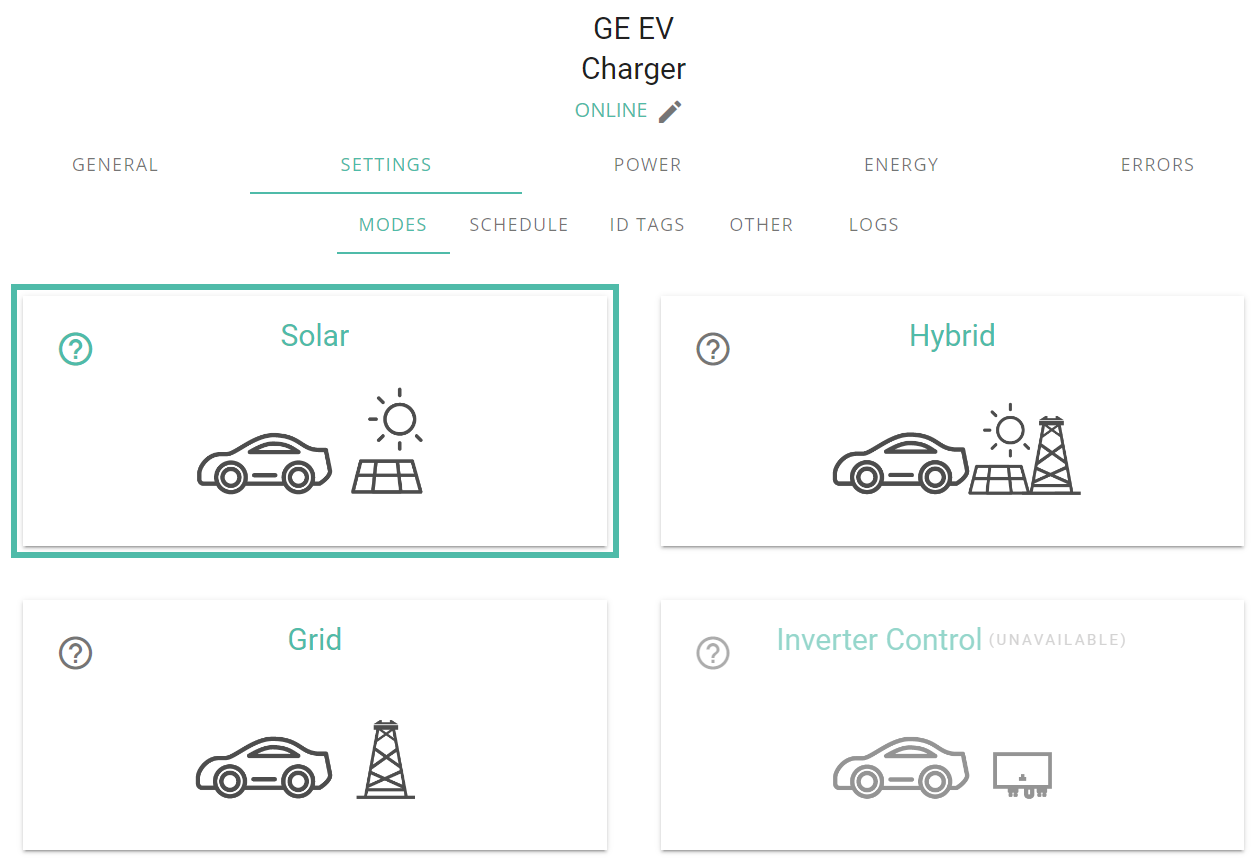
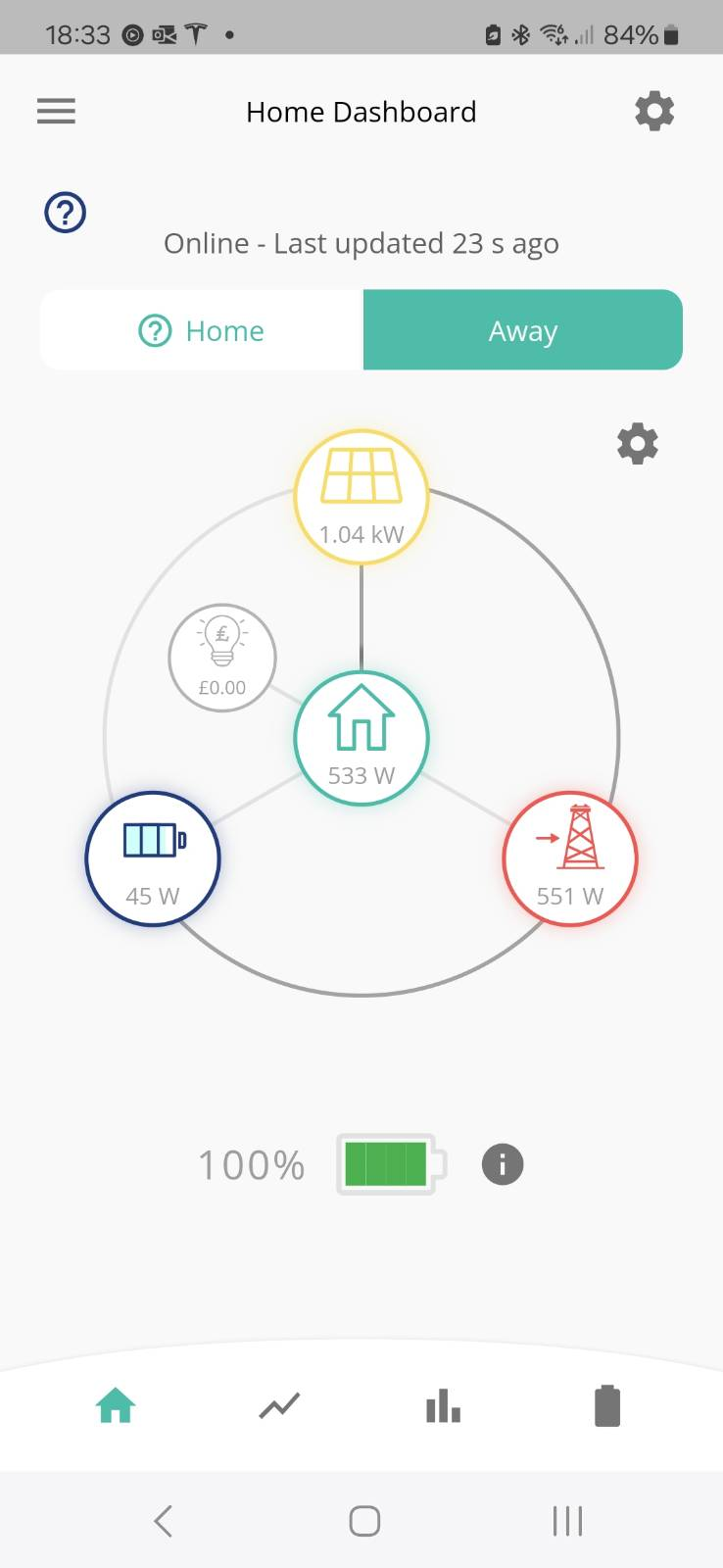
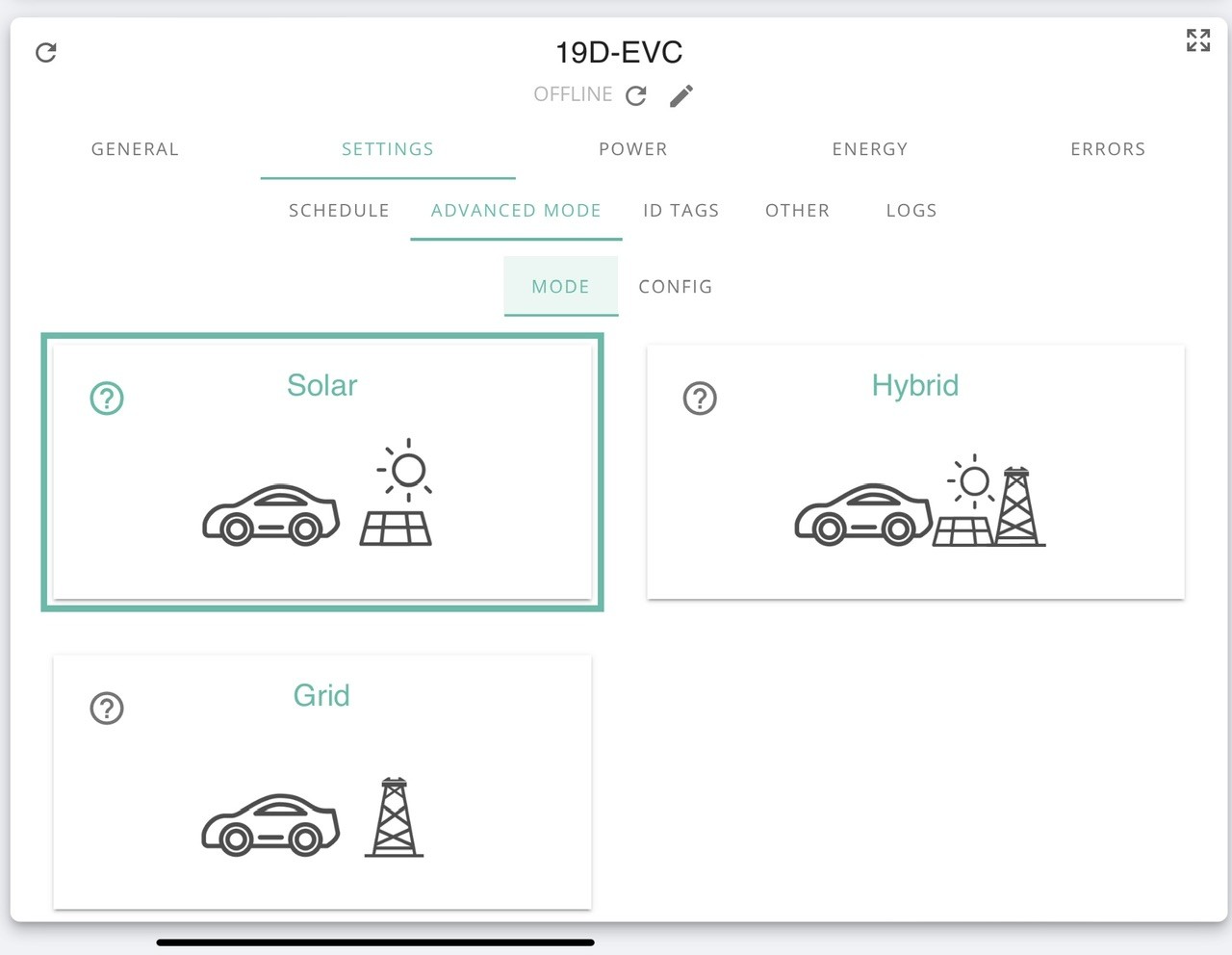
Dave - thank you for the screenshots but I don't get the same options in my cloud dashboard. Are you a beta user or accessing some advanced user program that provides more options? Or perhaps its because I'm using GE's own EV charger connected directly to the gateway. (Note: I have mine set to Hybrid mode but selected Solar for the screenshot so it matched yours to see if opened up the Advanced Mode option).

Zag - thanks for the response. After a lot of research I was going to buy a Zappi and install it like you have now (Grid side using Henley blocks). I preferred the Zappi for the 2m longer charging cable and the ability to give access based on PIN. But I decided as I was installing the Gateway and the AIO I could be more intelligent with by battery and solar usage if I stuck with one eco-system and used the GE EV charger. Thankfully I got it for free in their recent promo which helps accept the unpredictable behaviour I saw on the first charge. It is also a new product, so hopefully it'll get better over time.

A
#5 Andrew-CH1

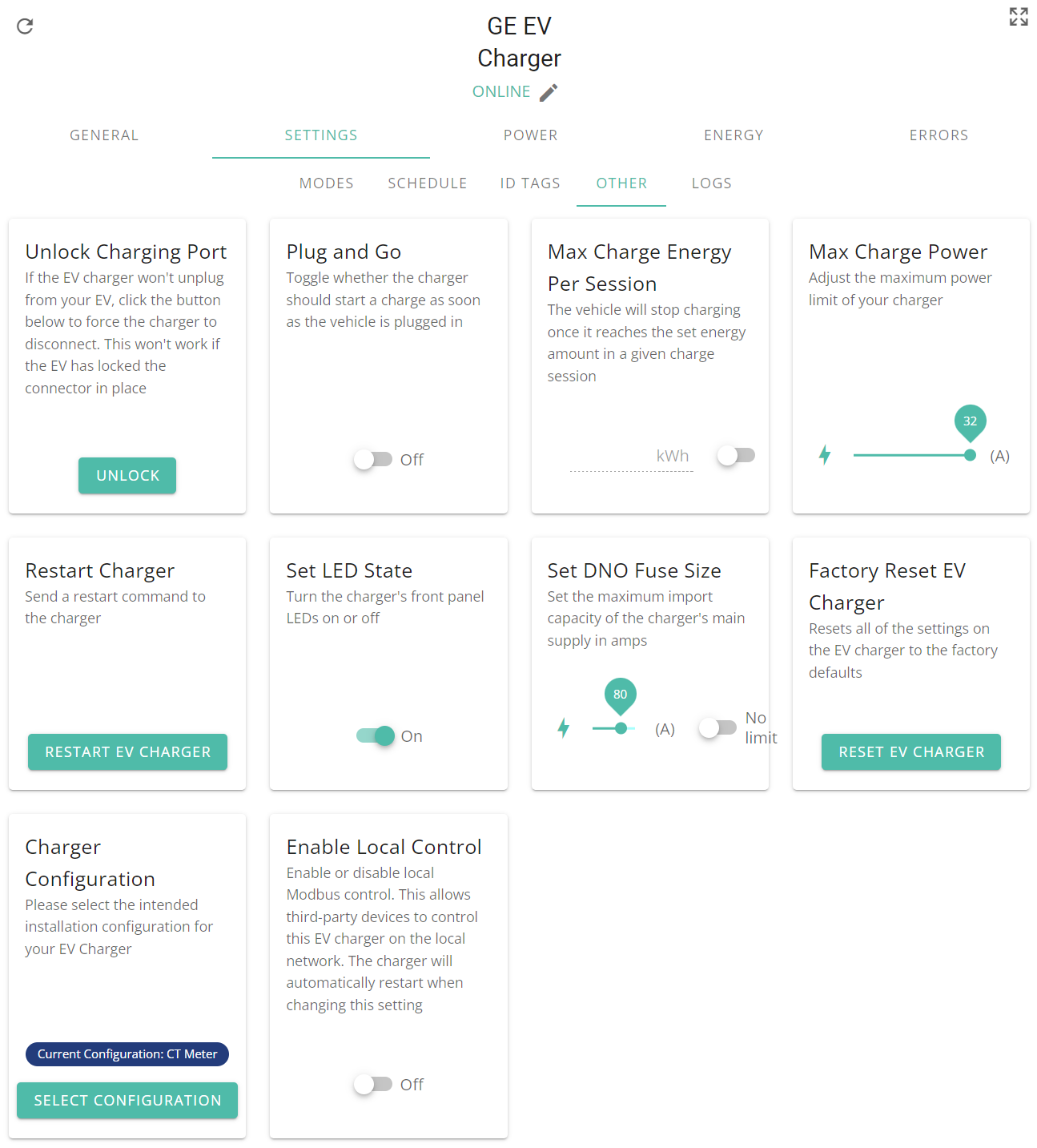
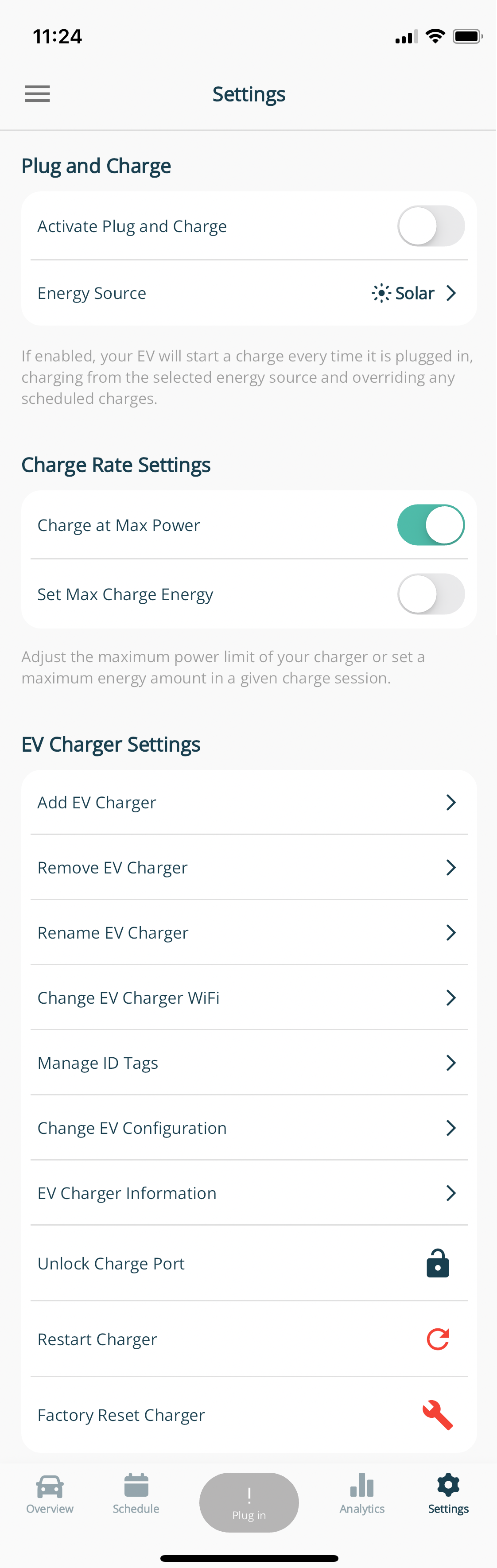
For anyone wondering, these are the options I get under Other. I can't see anything here that would help the situation.

D
#6 Daveb01

Andrew-CH1

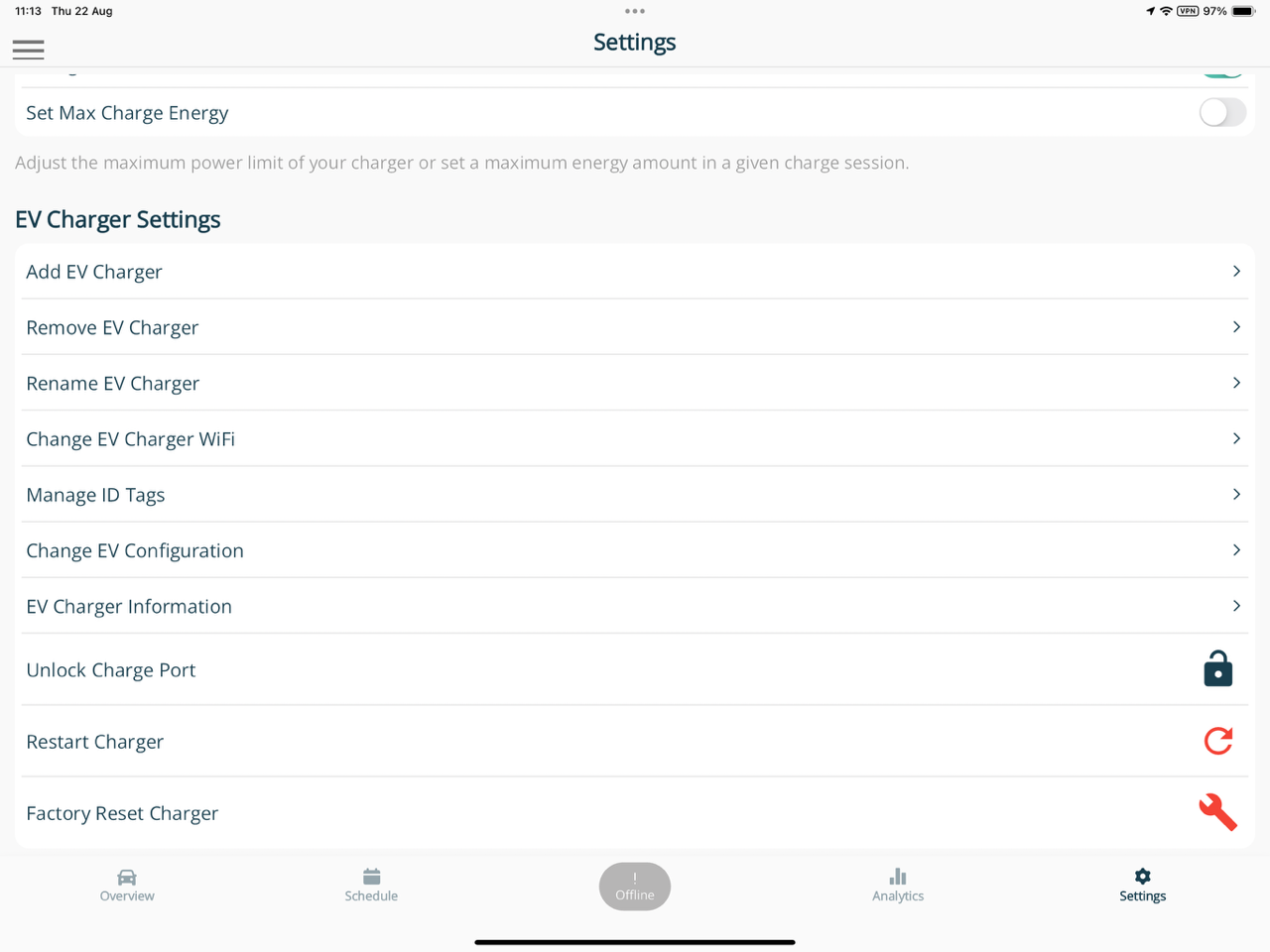
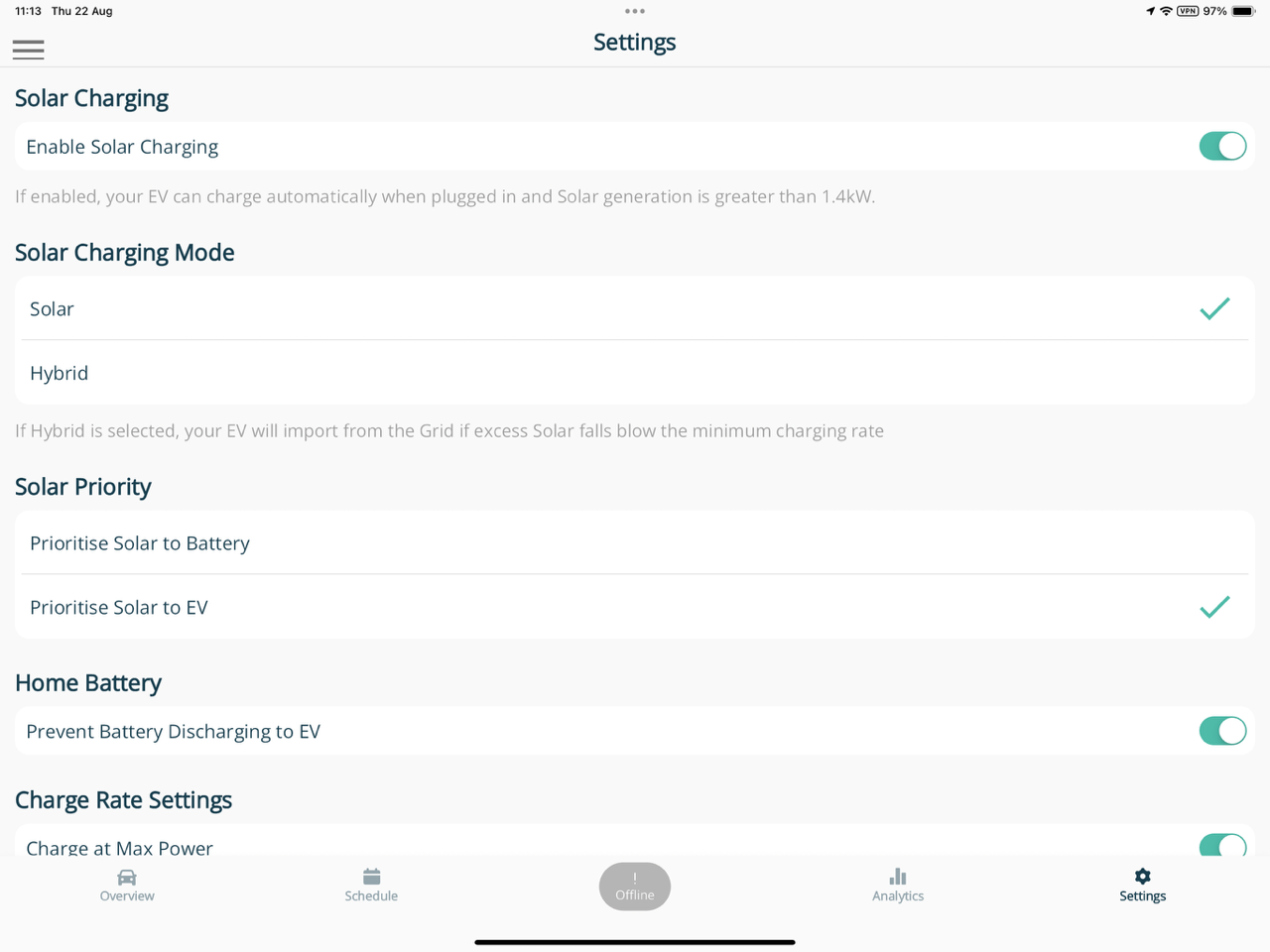
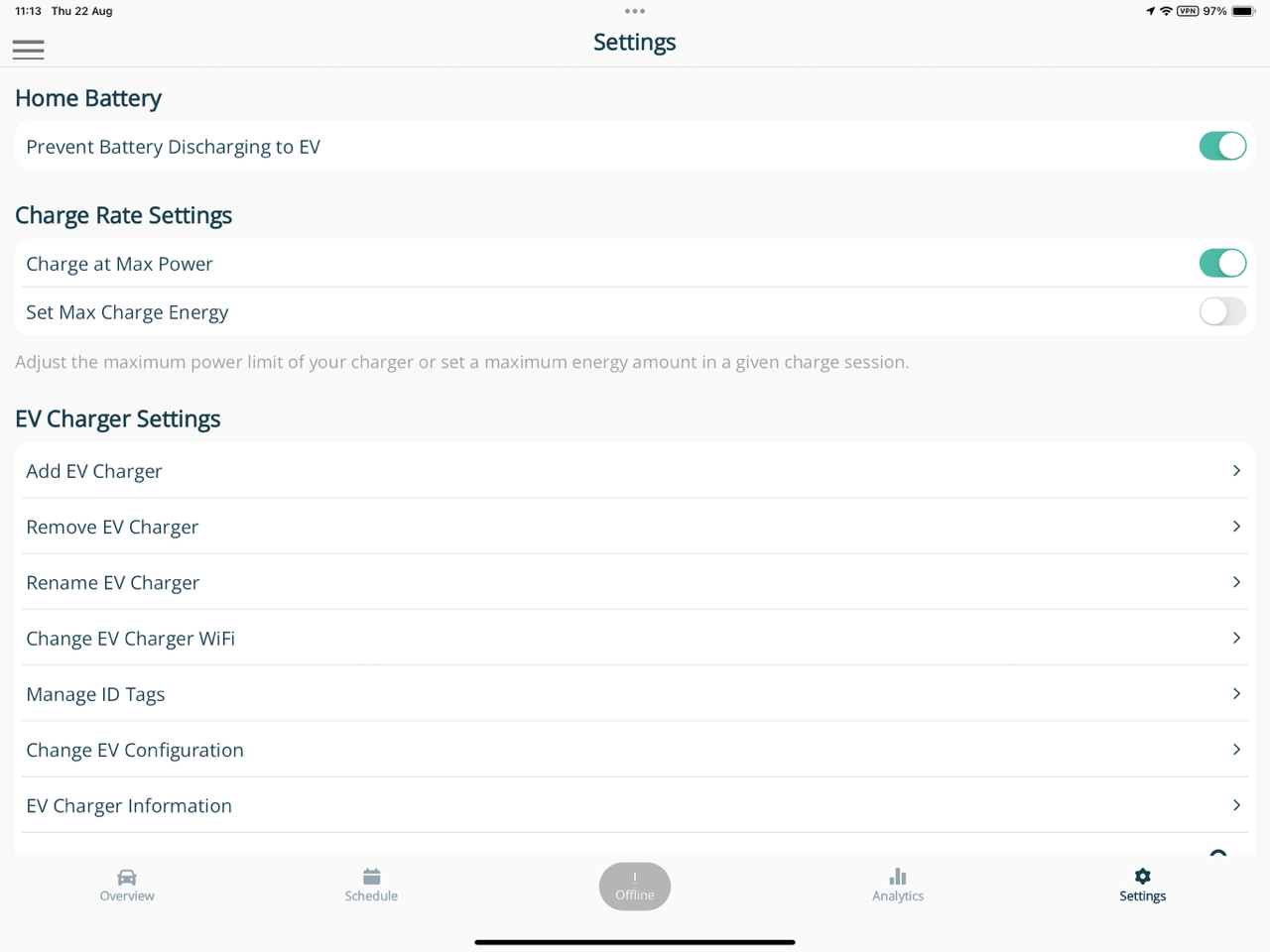
Not sure why you have not got advanced mode either. I have my EVC going to Gateway as well. Let’s check a few settings in the app.

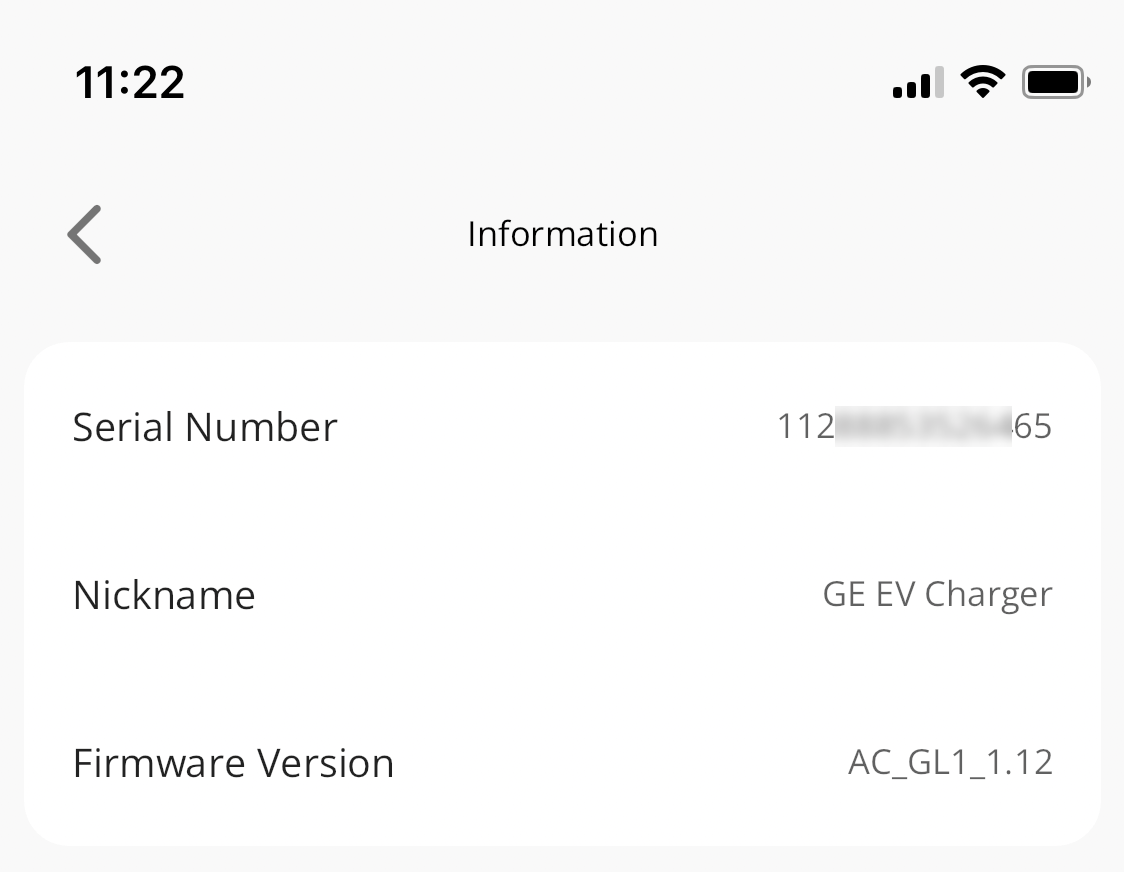
Have you got the latest software version?
EV charger information in settings

These are the other settings auto done from the cloud.


A
#7 Andrew-CH1

I've got the same EV charger firmware as you (AC_GL1_1.12) but my iOS app has a lot less settings than you have (presuming all those solar settings are at the root of the settings screen and not buried somewhere I'm not finding them).

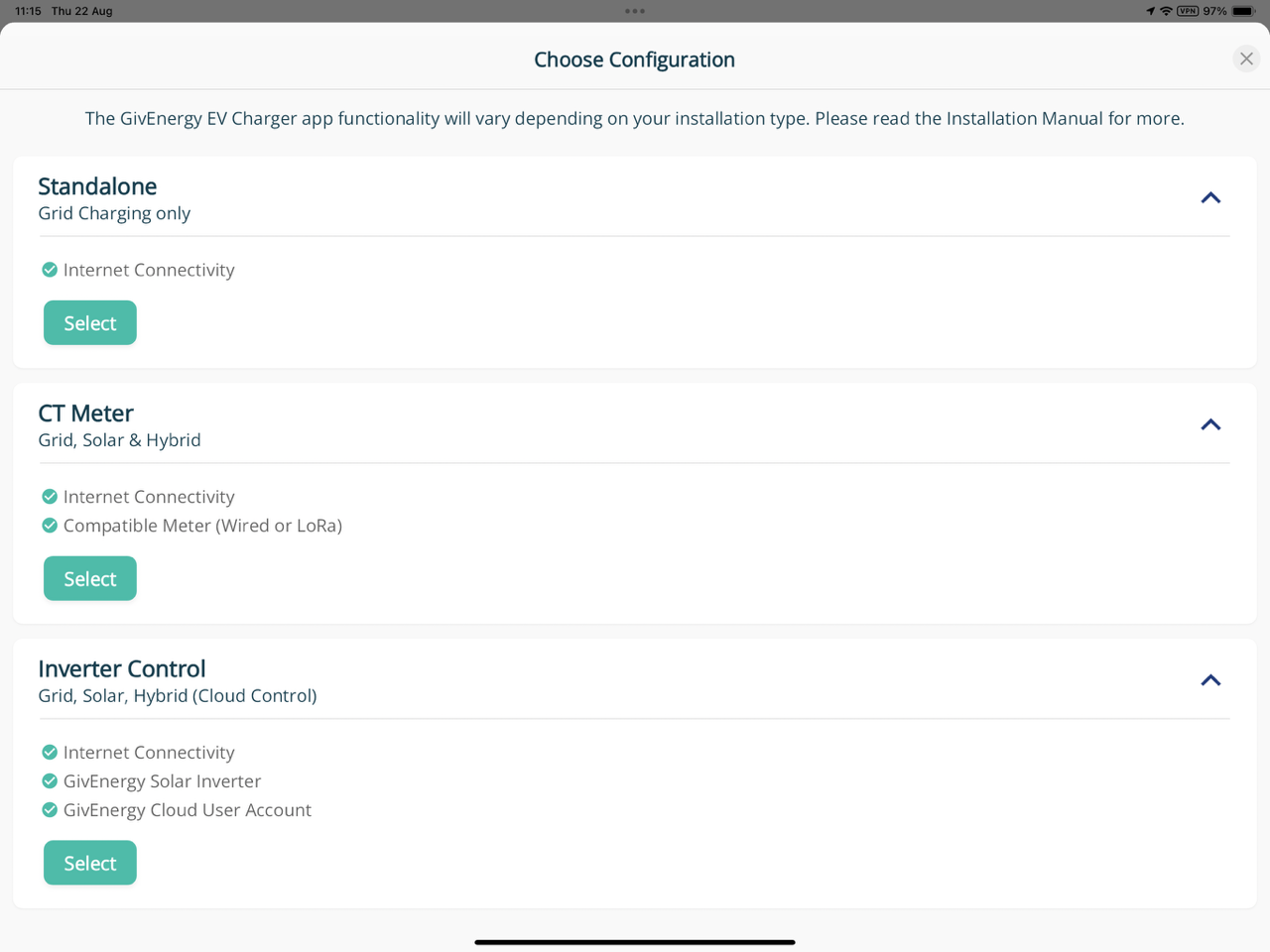
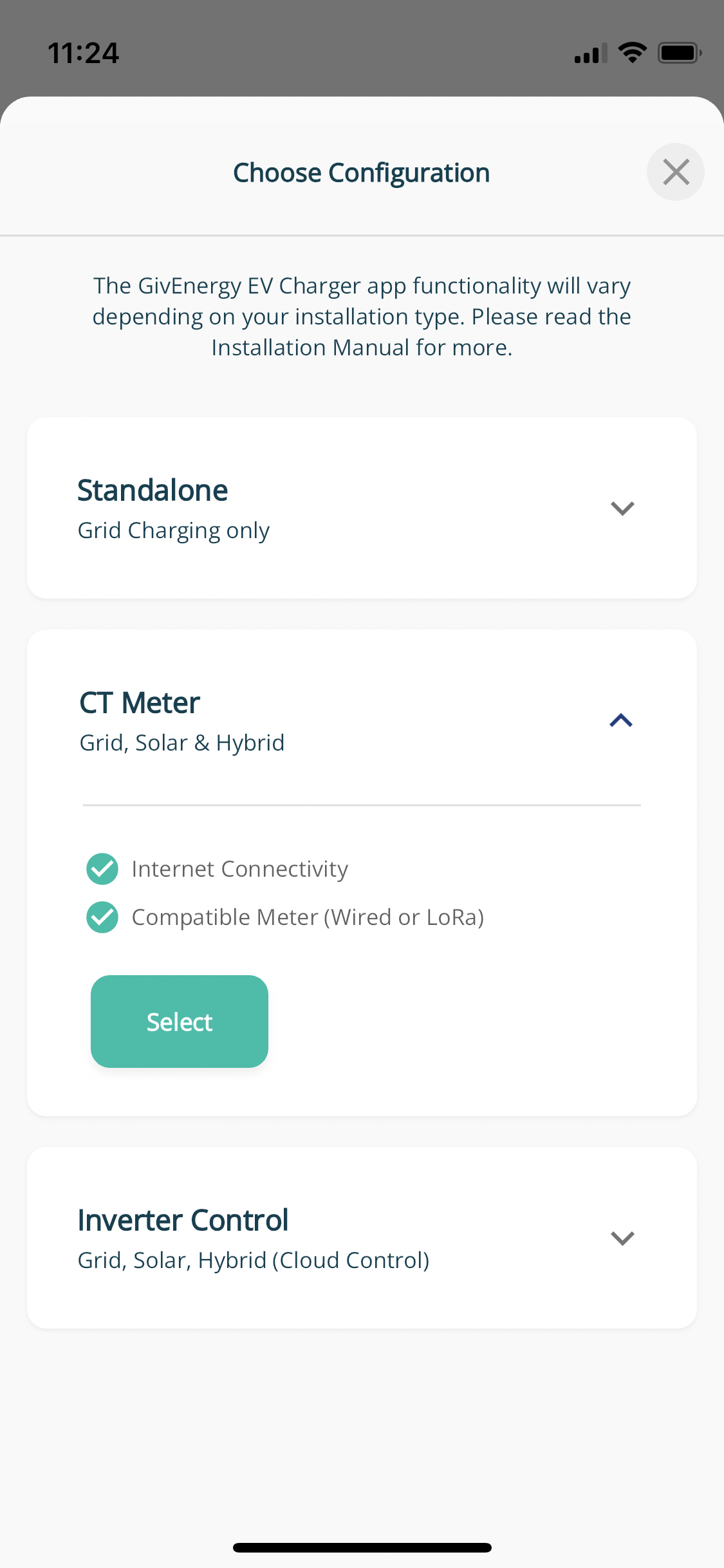
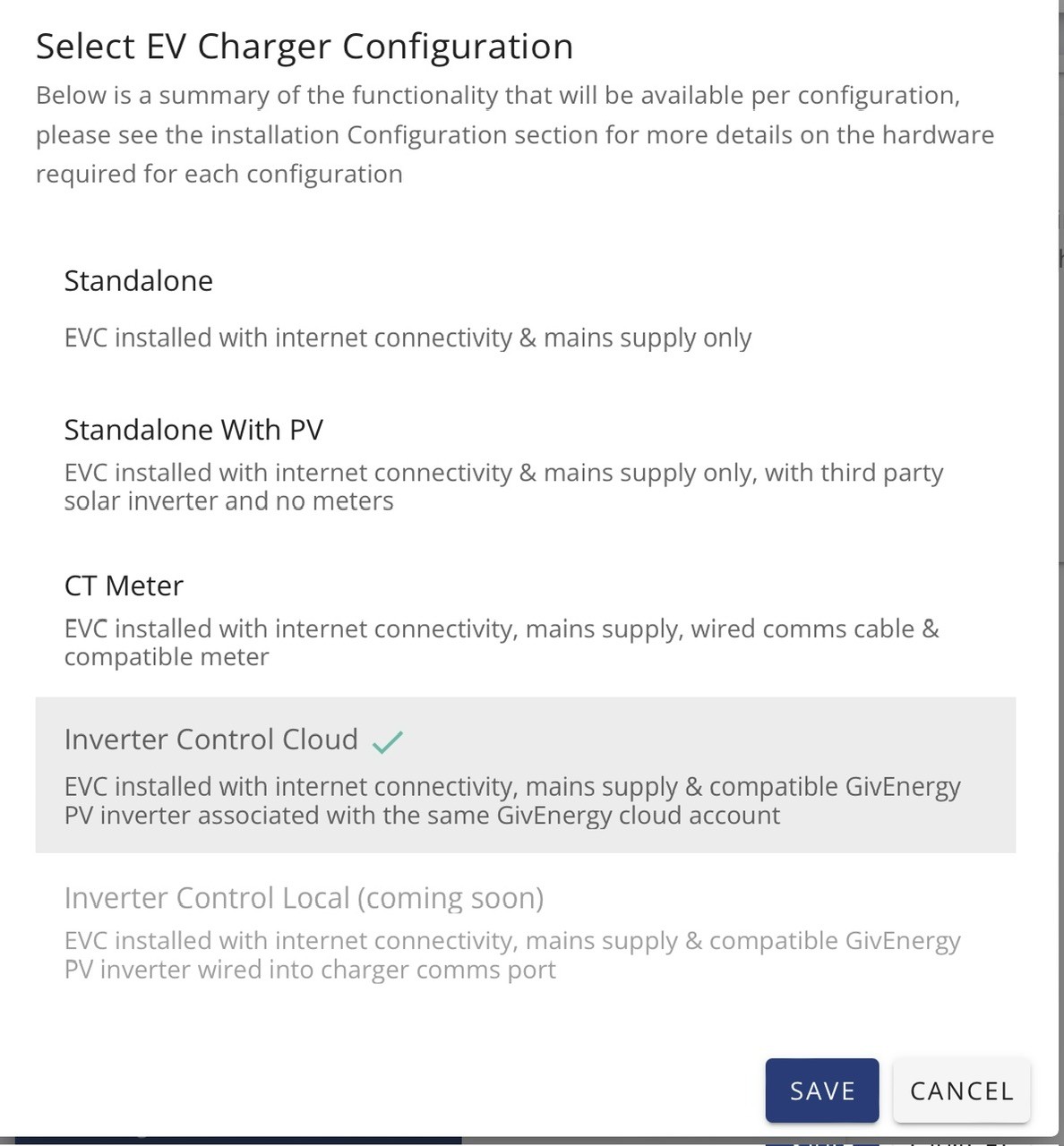
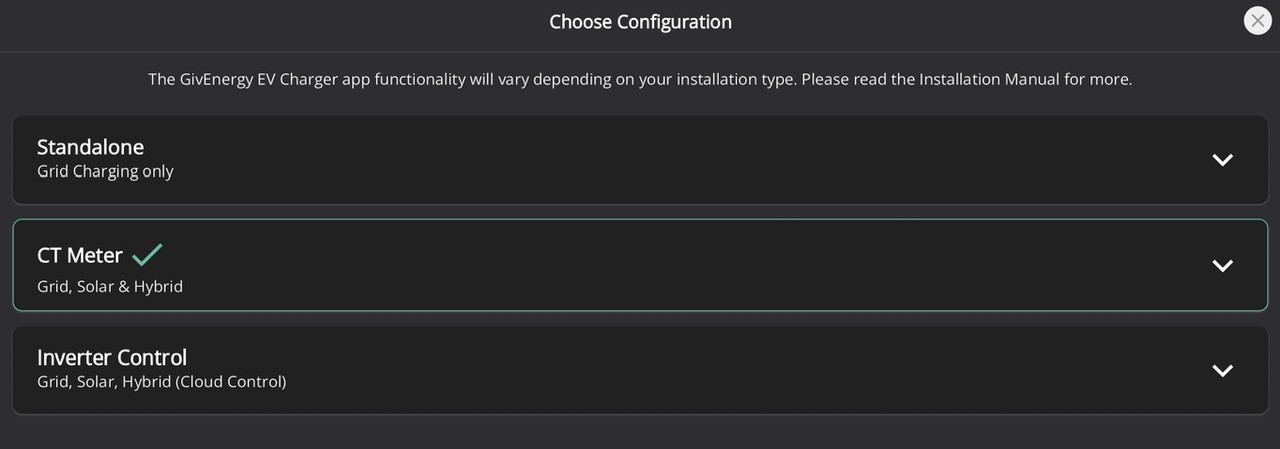
Is your Config set to Standalone, CT Meter or Inverter Control? Mine is set to CT Meter (I inherited my inverters with the house so they are not GE, but the feed from them does go directly into the Gateway).

I selected Solar as the Energy Source inside the app as you're using that but it still did not open up the options for me.


D
#8 Daveb01

Andrew-CH1

Everything in mine goes to the Gateway, I had a CT meter put into the gateway with the RCBO (see pic)

I have this schedule set up as that’s what GE advised if you have an AIO and GW. (See pic)
Go to setting/other/charger configuration.

A
#9 Andrew-CH1

Thanks Dave, setting mine to Inverter Control opens up all those settings. However, my installer said I need to use the CT Meter option and I just emailed GE Support to check, and they said to use CT Metered if a CT meter was installed.

I don't have a GE compatible PV inverter as Inverter Control mode wants but I wonder if in this situation the Gateway is acting like a GE PV inverter as it can tell the generation coming in obviously...

It'd be nice to have better documentation on this wouldn't it...

D
#10 Daveb01

Andrew-CH1

A thought, as you can change the mode, try the new setting and see if it works with your AIO. Mess about with the settings etc. it took me a few goes to get it how I wanted it.

You can always put it back, if not happy 👍😀

Another thought is to ask your installer to put a meter in the Gateway like mine so you can have the extra settings?

D
#11 Daveb01

Andrew-CH1

I have a Solar Edge 6 kWh inverter going to the Gateway for the PV.
I have the EVC going to the Gateway
I have AIO 1 going to Gateway
I have AIO 2 (fitting on 9th Sept) going to Gateway

To sure why that have said not to use GE inverter setting as I have a Meter GEM120CTM as well?

A
#12 Andrew-CH1

Dave, thanks for including the Meter model number, that helped me visualise what we're talking about. In my head I was seeing a CT clamp, and I can't check if any of those are installed as its behind the panels.

Now I know what we're talking about I do have a CT meter installed also.

So, this leaves the question why you were told to use Inverter Control. As one of the options is CT Meter it makes sense that this would be the option you and I want. There is more options with the Inverter Control option though.

I probably will have a play like you suggest but I don't own an EV yet, so its not easy to do. Maybe by the time I get the EV the software and documentation will have improved...

D
#13 Daveb01

Andrew-CH1

I was told this was the best setting for us with an AIO, this is a GE inverter and cloud controlled. If you tell GE you have the GEM fitted into the Gateway and others have this setting see what they say. It may have been a misunderstanding by GE because your installer said it had a CT clamp, but not mentioned it was as per above.

Now you have the same set up as me I would leave it on inverter control as it does the things you and I require.

M
#14 matttheotter

Daveb01 LORD did I have fun with this today, do not use the app.

Ended up using the Portal, my fathers EVC had been set to CT clamp, that was wrong and they drained their 13.5kW battery last night.

Flipped it to Inverter Control Cloud, set it up to Grid only and problem solved, Grid only charging enabled.

A
#15 Andrew-CH1

As an update, mine has been set to Inverter Control + Grid since my conversation with Dave above. Next time I had access to an EV I tested it out and still had issues. The AIO was still flip/flopping between charging and discharging when the car was plugged in.

I called up GE Support who looked at my data and agreed my battery was discharging when it should not have been (there was plenty of solar to power the load and charge battery). Unfortunately it was the weekend so support expertise was limited. The senior techs took a look during the week and I believe made some changes but I have not had an EV to plug in for more testing yet.

They have left my setup as Inverter Control + Grid, so if someone is reading the above it appears this is the correct setting if you have the AIO + Gateway with a CT Meter despite the documentation saying otherwise. And if you have discharging problems contact GE Support. Hopefully you'll have access to an EV full time unlike me and they can get this fixed for all of us.

D
#16 Daveb01

Andrew-CH1

So an update on my EVC.

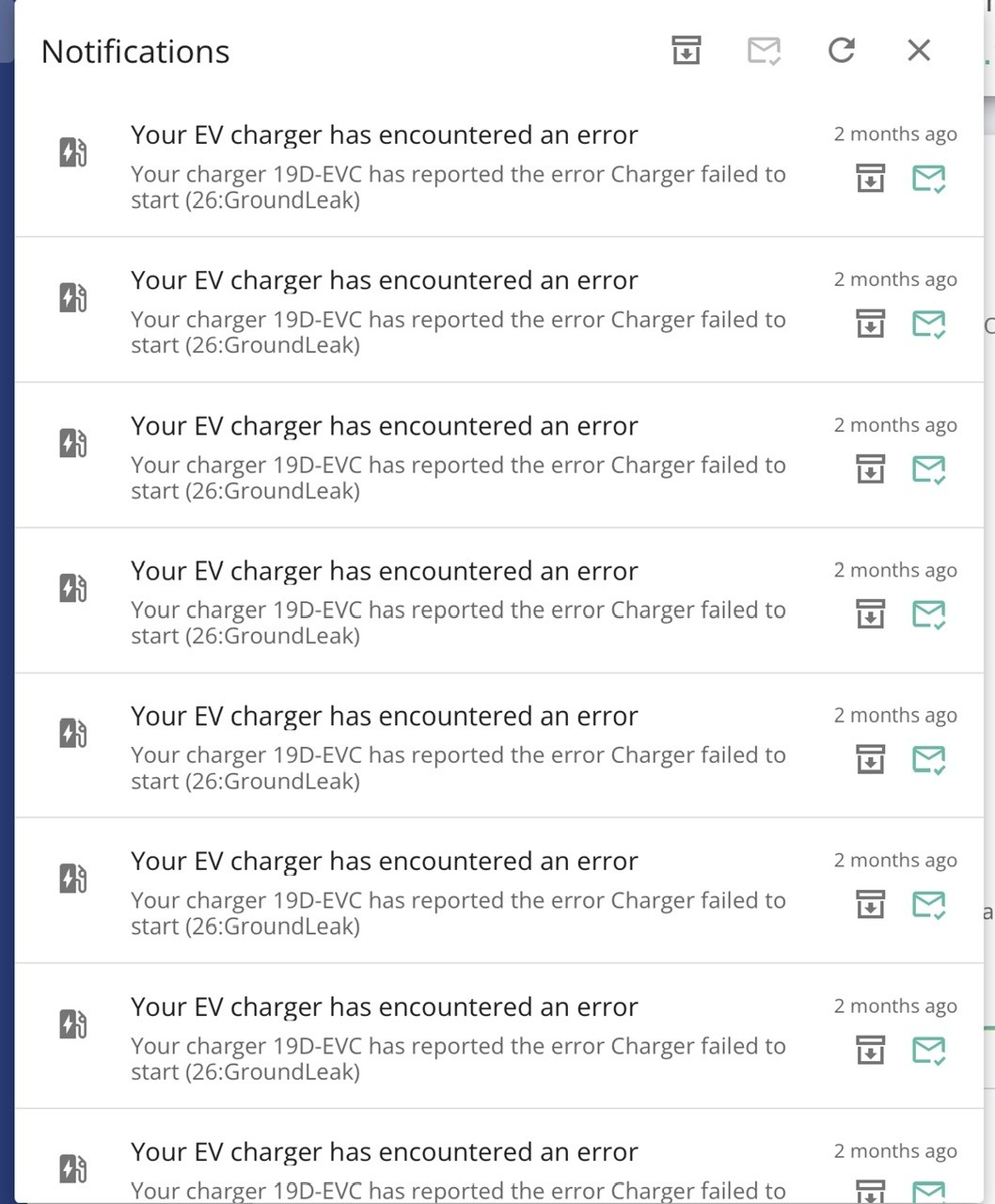
I started to get loads of errors saying (26:GroundLeak). I looked this up and it was something to do with Over Voltage. I contacted GE and they said it was nothing to do with them, I should contact the DNO. My installer came round to have a look and check things out, he contacted the DNO (SSE in my area), they came round within 3 hours. They checked out my voltage at the fuse and it was within tolerances. I was going to contact GE, however I decided to try a different setting first. I set the GE EVC to CT Meter and I have had not errors since then. So if you are seeing these errors this is what you could do.

The issue I have is I don’t have anything EV yet to test my system extensively. My installer is getting a new EV Van from Ford. I have invited him round for a cuppa and free electric to test it out. Want to see what it does please if it drains the battery etc, plus I will put it back to Inverter control to see if I get any errors while he is here.

I will keep you guys undated when this happens.

I think I will then contact GE to see what they say, when there EV is in Inverter mode and has errors but not in any other mode.

A
#17 Andrew-CH1

That is interesting Dave!

I have had that same error at least once, and I have had 25:GroundFailure on mine a couple of times too.

I haven't had any of those errors in a month+ though, and I've had EV's plugged in since then with the EVC in Inverter Control mode. So I doubt this is the issue.

I'll be interested in seeing what you find. I'm hoping to order our EV this week so should be able to do some much more thorough testing towards the end of the year.

A
#19 Andrew-CH1

Thanks for posting that Steve. As me and Dave both have the GE Gateway installed I would hope this is doing the optimisation of the current into our properties. Maybe I am naive but as this wonderful gateway genius (ahem) sits between the incoming circuit and everything else in my property (EV charger, battery, solar, house load) I am presuming that inside my property the electrical quality is smooth and good (the whole property was rewired this year, nothing is using an old wire). Having said that, the issues I have had with the Gateway and the Charger does make me wonder about the quality of the hardware GE are producing.

I am just about to put solar and battery on another property and sadly I won't be using GE for it as I'm just not convinced by the quality of it. Maybe they are all the same and I'll find that out when I start using another vendors products.

B
#20 bRhFDKtjRMK9

Sorry to hear about your problems. I have similar setup, but with Zappi charger, not GE one. And everything works perfectly well, I charge the car regularly. I set mode so that It can only charge from excess solar (if it happens), or during cheap night tariff. And Zappi does that without fail.
Your problems could indicate incorrect CT clams orientation or something else to do with the installer. Not necessarily quality of the product, but quality of the installation.