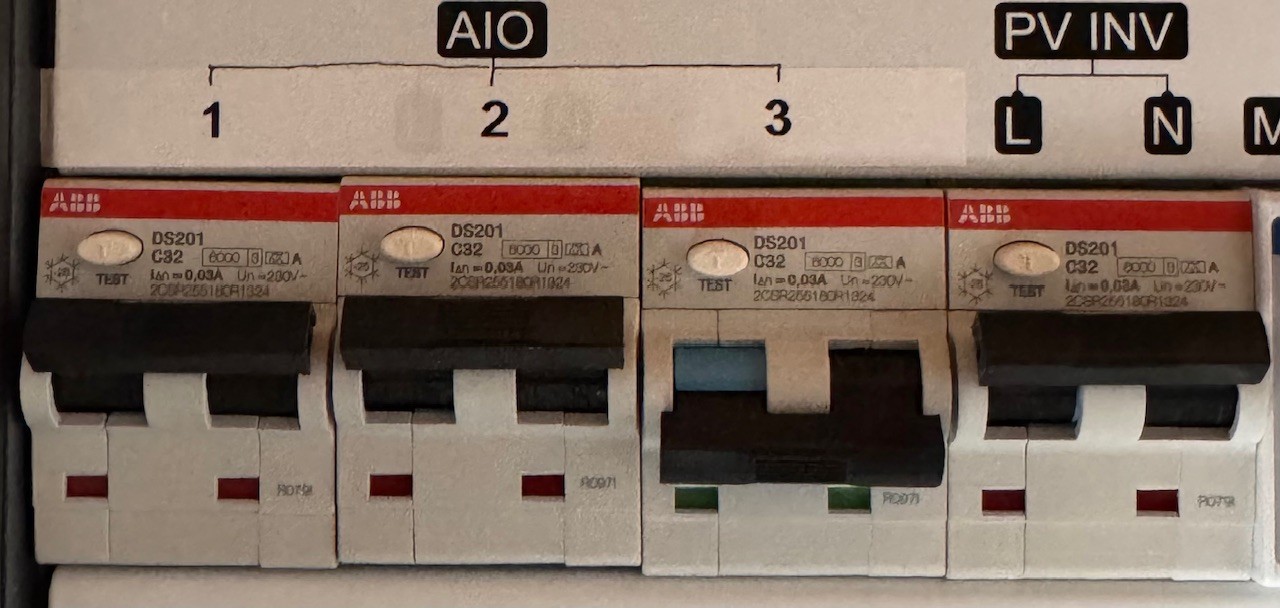
Force off grid toggle

44 comments started 2024-08-31 last 2024-10-12
GivEnergy Products
S
#1 solaroptimist

Please could someone explain to me what the "Force off grid" toggle should do in the remote control software?
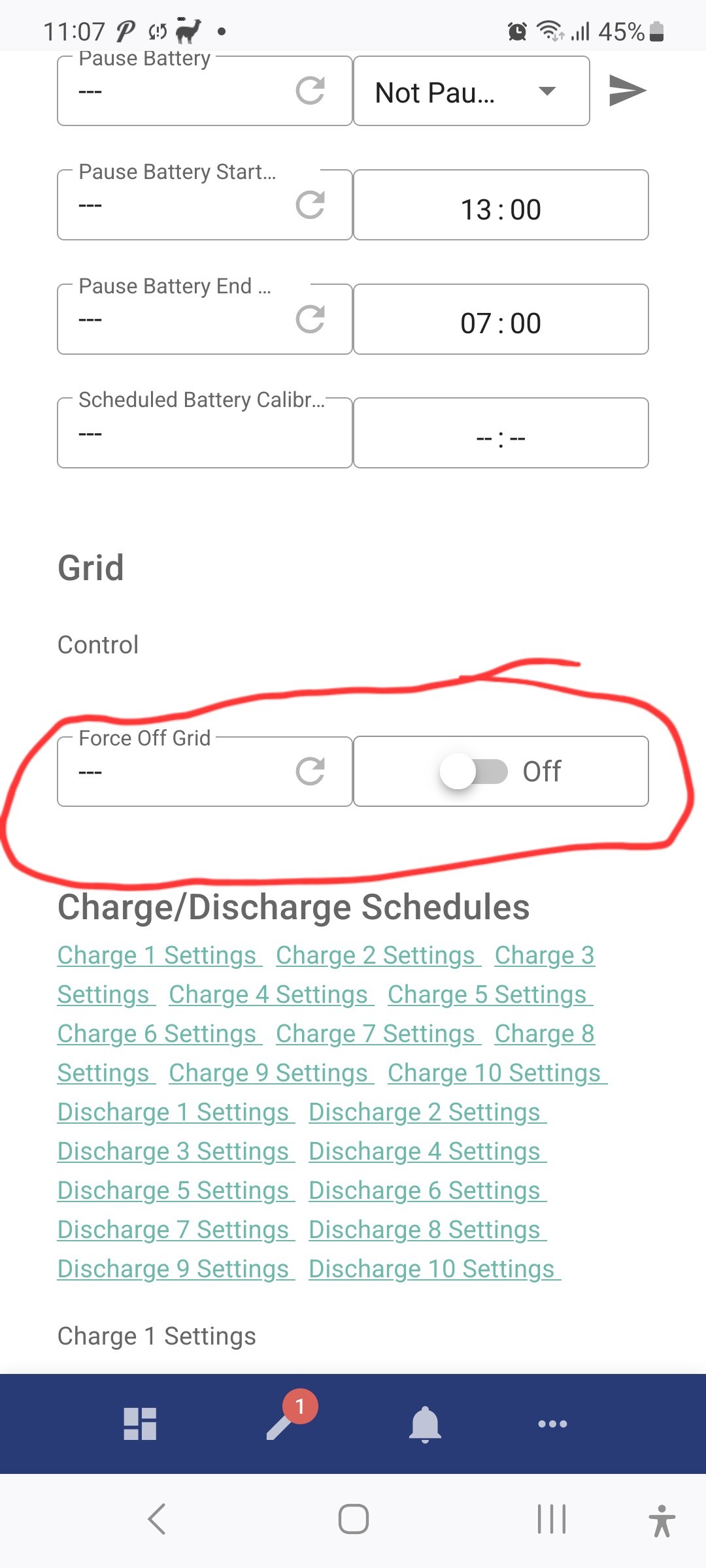
I had the GE AIO installed last week. It has worked as planned since installation. Yesterday afternoon in an idle moment I toggled "Force off grid" switch. I expected this to isolate the house from the mains supply so that I could demonstrate the battery running in a simulated power cut.
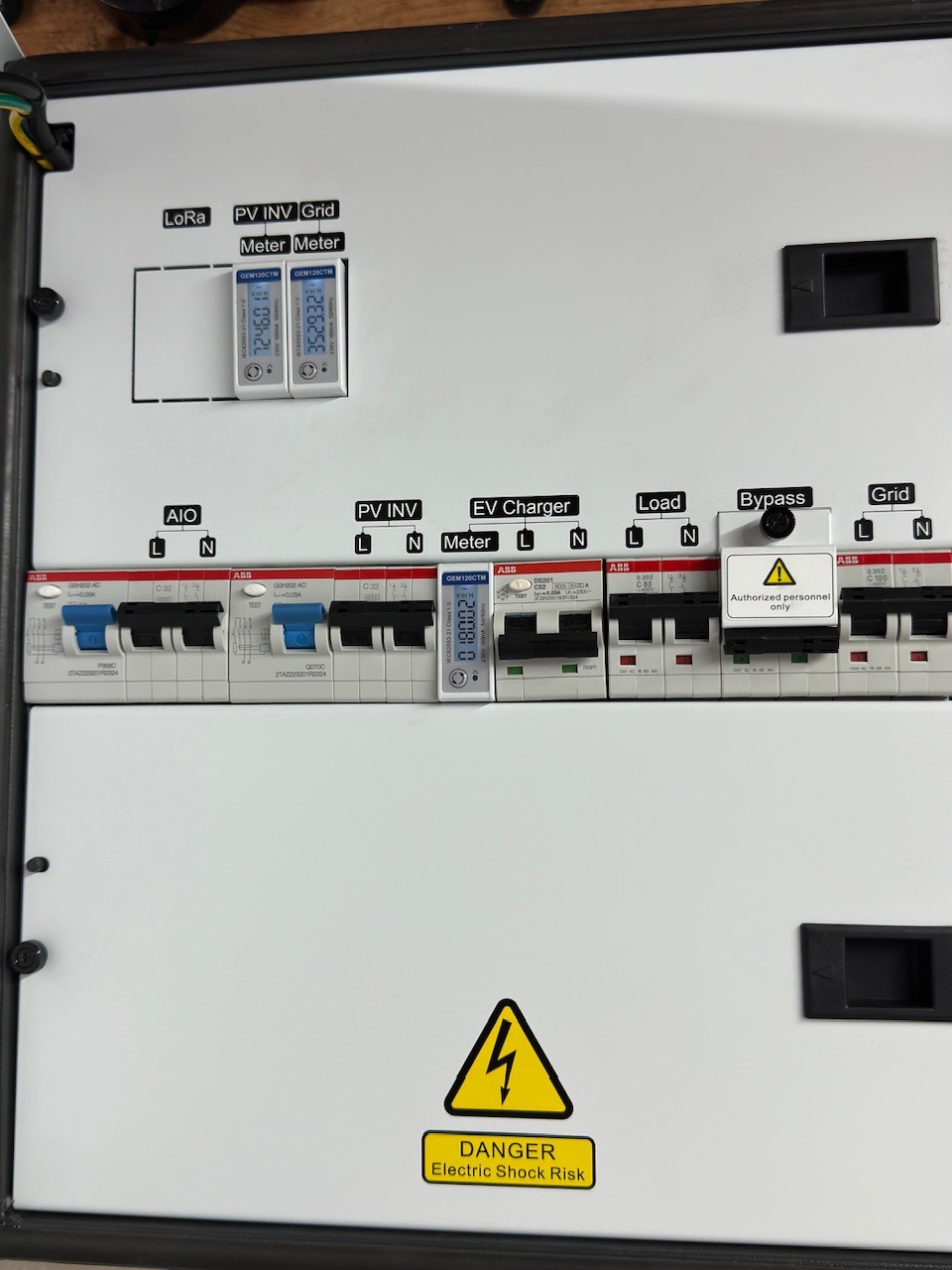
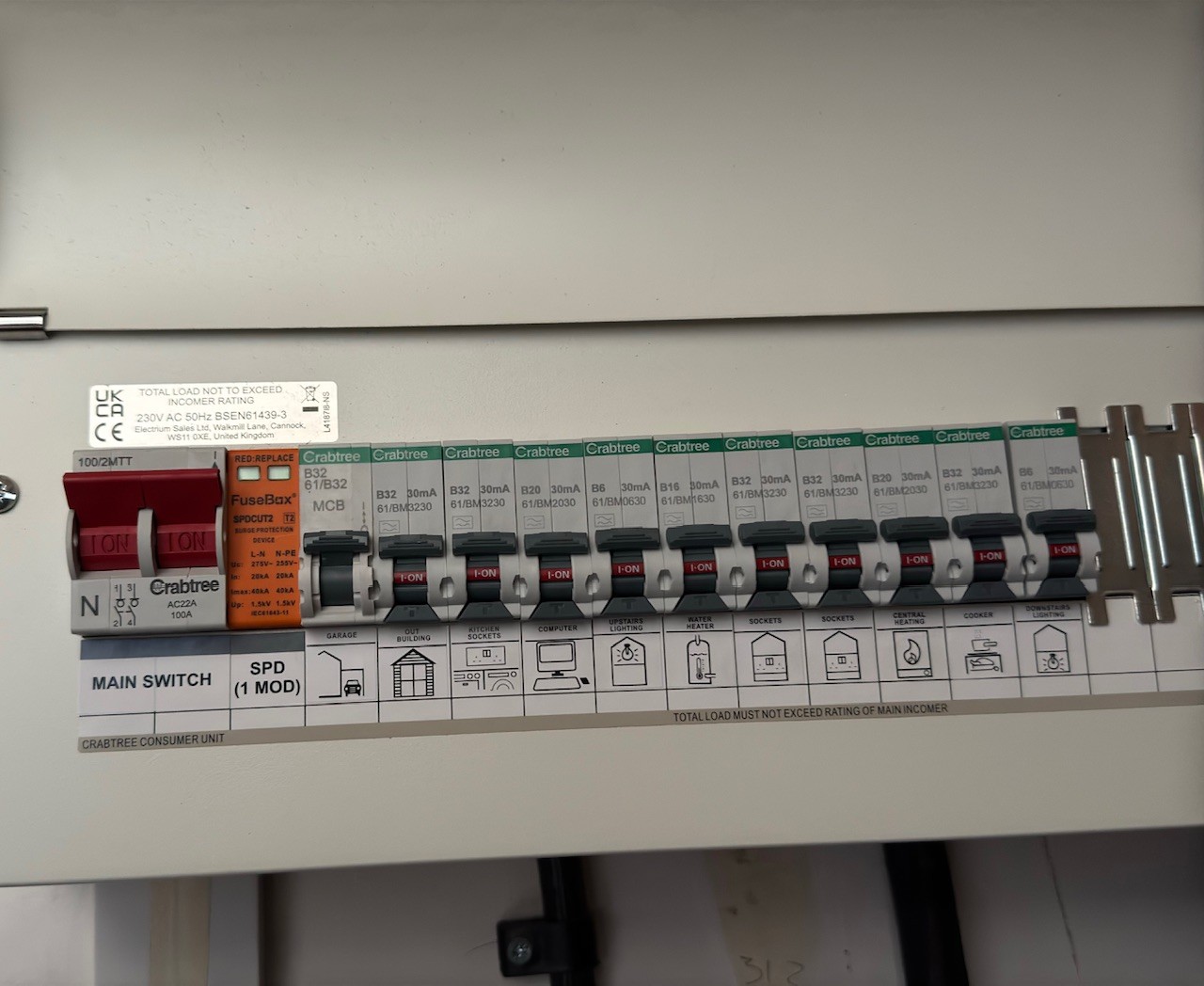
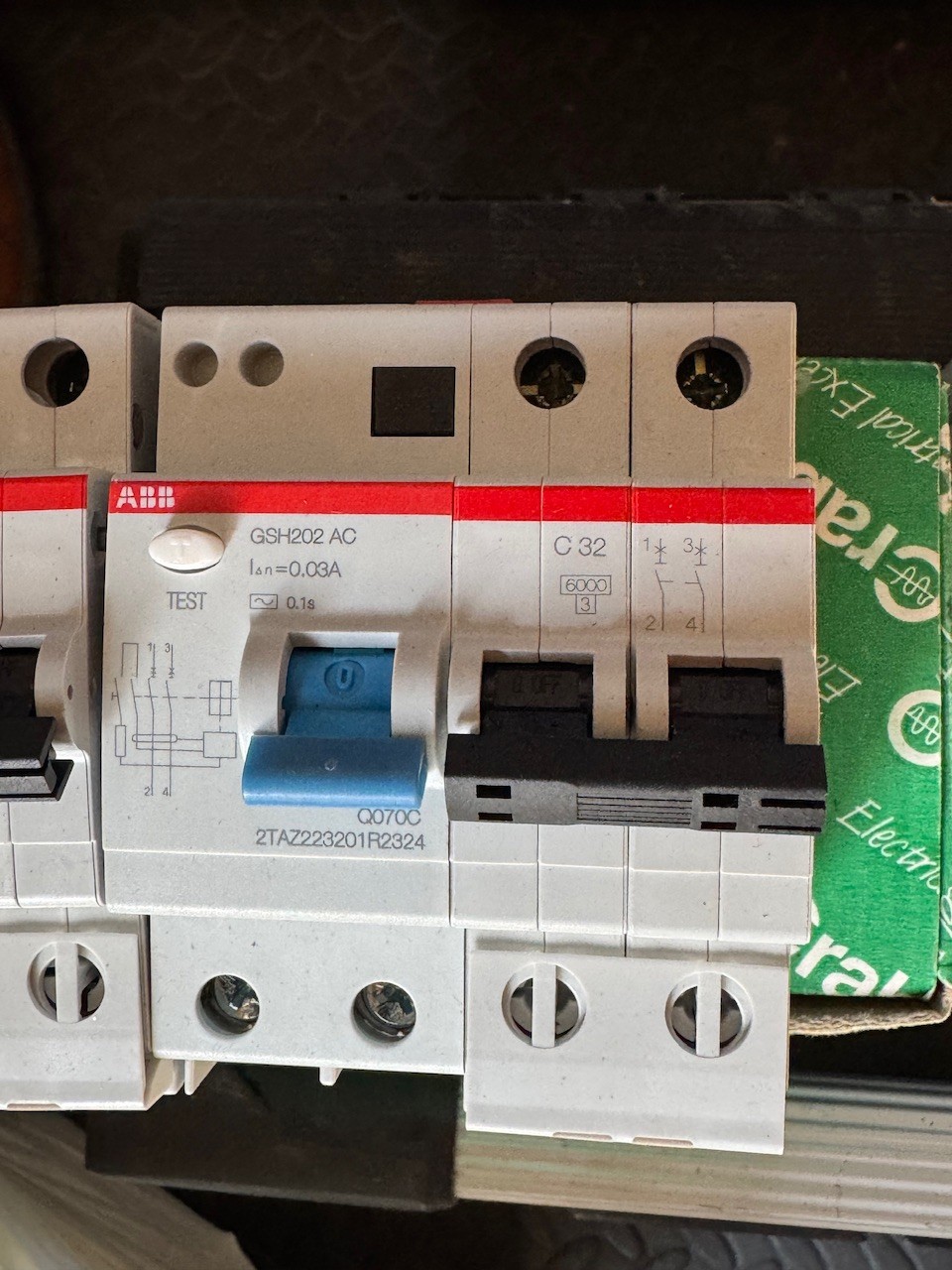
The effect was that the AIO breakers flicked off:
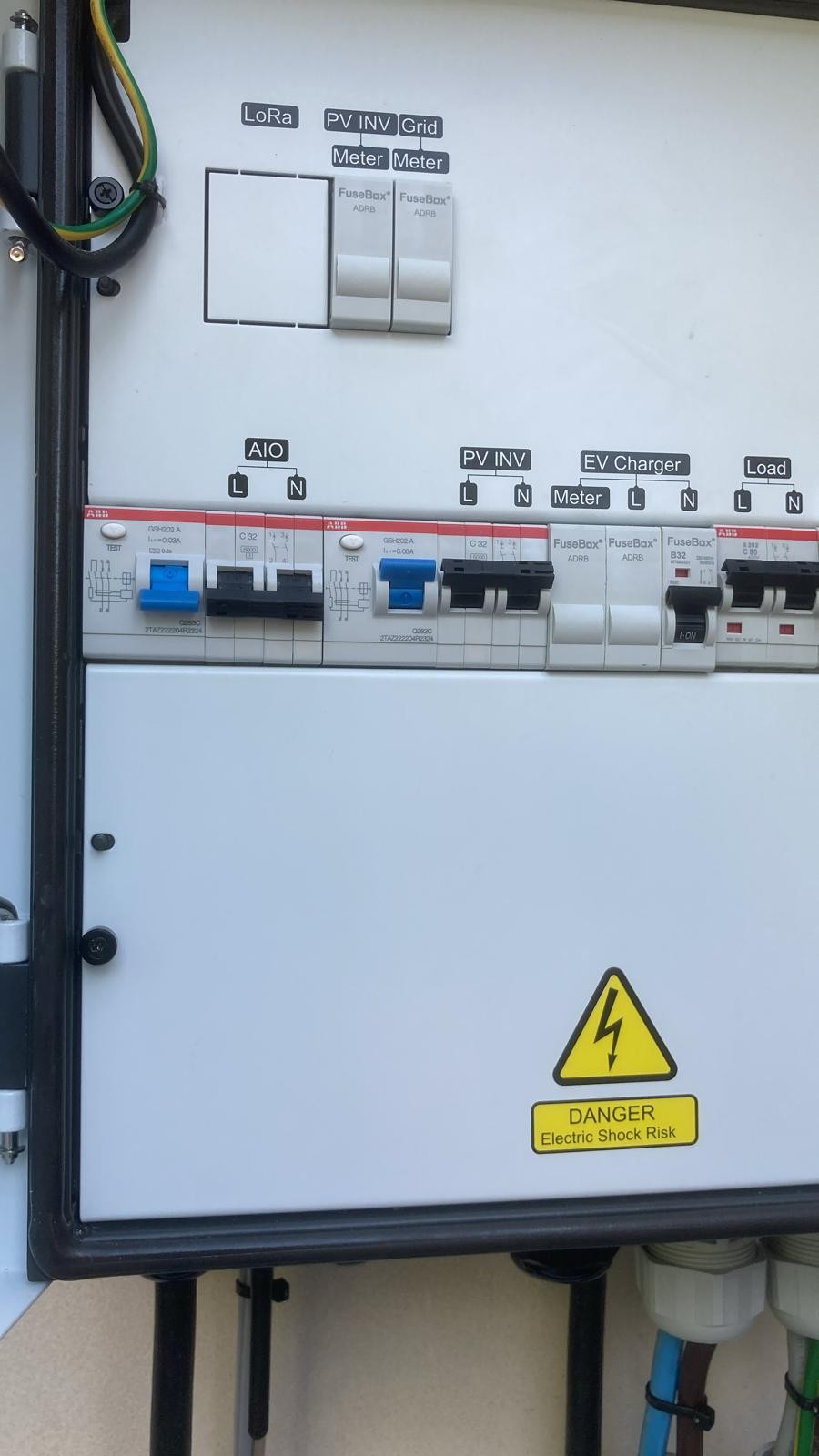
After much messing around with the software including a soft reset, to get the AIO working again needed a hard reset of the battery.

Is toggling the "Force off grid" switch meant to stop the AIO working like a software kill switch? In which case it could be better termed "Close down".

Thank you for any advice.

PS. Rookie error meddling with electrics late on a Friday afternoon!

GivEnergy All in One 3.6, 13.5kWh battery
App v3.3.165530

#2 hoggy

It is supposed to do what you expect (force you into island mode) however the tripping may be unrelated to the toggle but more how you AIO behaves in a power cut (I.e you may find it does the same if you flick the grid supply MCB off (mimicking a power cut) and is likely down to earth leakage OR if your gateway is an older one, the Neutral Earth relay missing thing)

C
#3 CW

hoggy That is interesting - I seem to have a problem where the AIO trips when grid power goes off (not when I disconnect from the grid myself). I also seem to have an issue whereby the AIO takes about 30 seconds to cut-over. GE said that the relevent settings were set and think it is an earth issue. I'm waiting for the installer to come out and take a look.

How can I tell what version my Gateway is ?

J
#4 JasonF

I really need to do some testing with this off grid stuff. I know we had a power cut once and it was ok, but not since I had the parallel installed.

S
#5 solaroptimist

Thank you for the advice @hoggy. There was a lot of having to reset the house breakers and then back to the AIO to reset it's breakers so maybe it's a house thing and not an AIO thing.

#6 PianSom

GE agreed to replace my old Gateway with a new one. After waiting an age for them to do it, they eventually agreed for my installer to do it.

They swapped two weeks ago, and it didn’t solve my tripping issues. They then installed an earth rod - no difference.

GE are now sending out their own field team. I await a date for that. In the mean time the old Gateway is sitting in my garage.

J
#7 JasonF

PianSom what issues are you having?

D
#8 Daveb01

solaroptimist

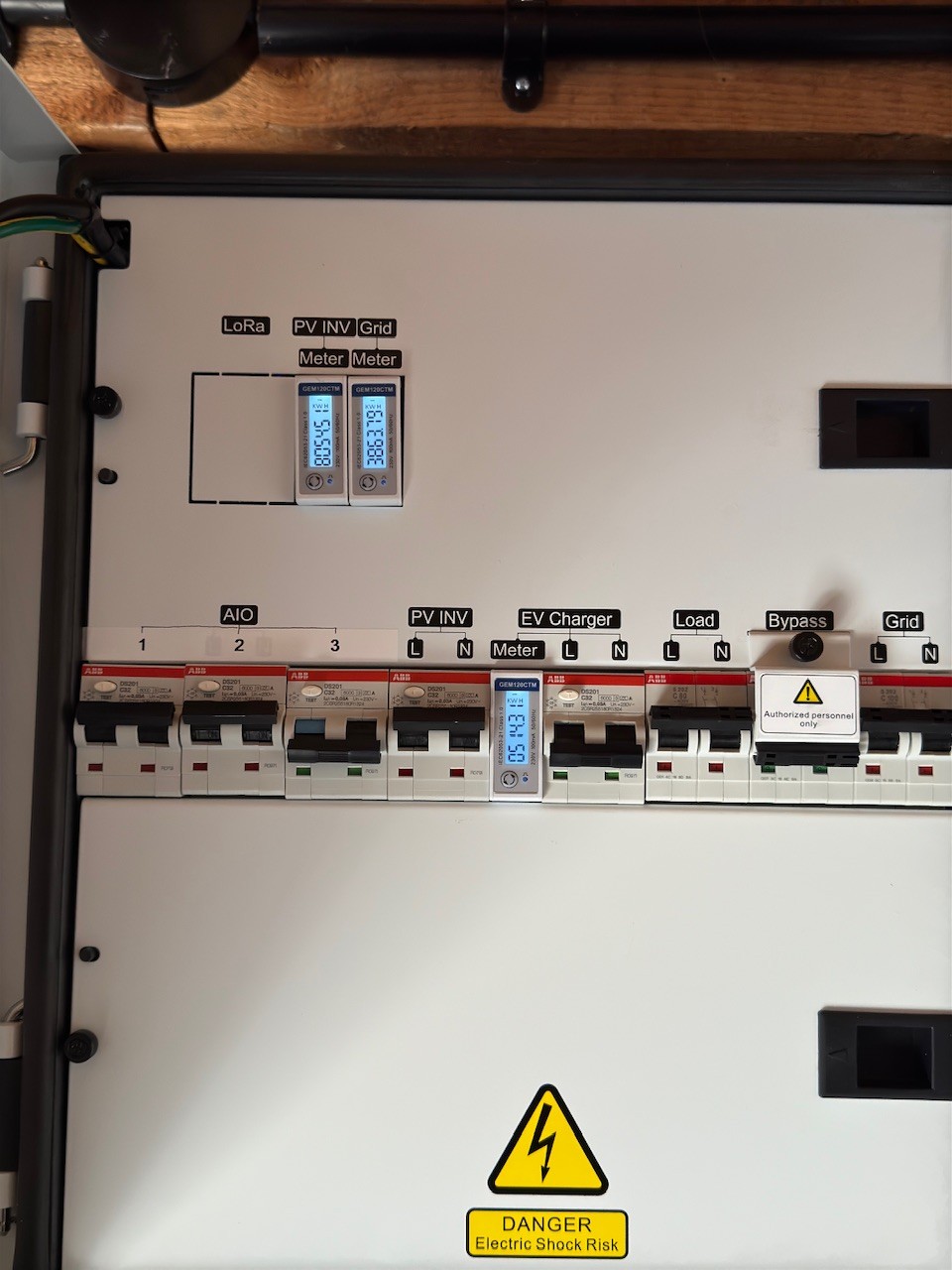
Thank you also for posting a picture of your Gateway with the door open. Looking at it, there are no meters (GEM120). Is this the new GW that GE now send out. How does the Gateway measure things without meter’s???

Here is a pic of my GW (will update in other post one second AIO is fitted on the 9th)

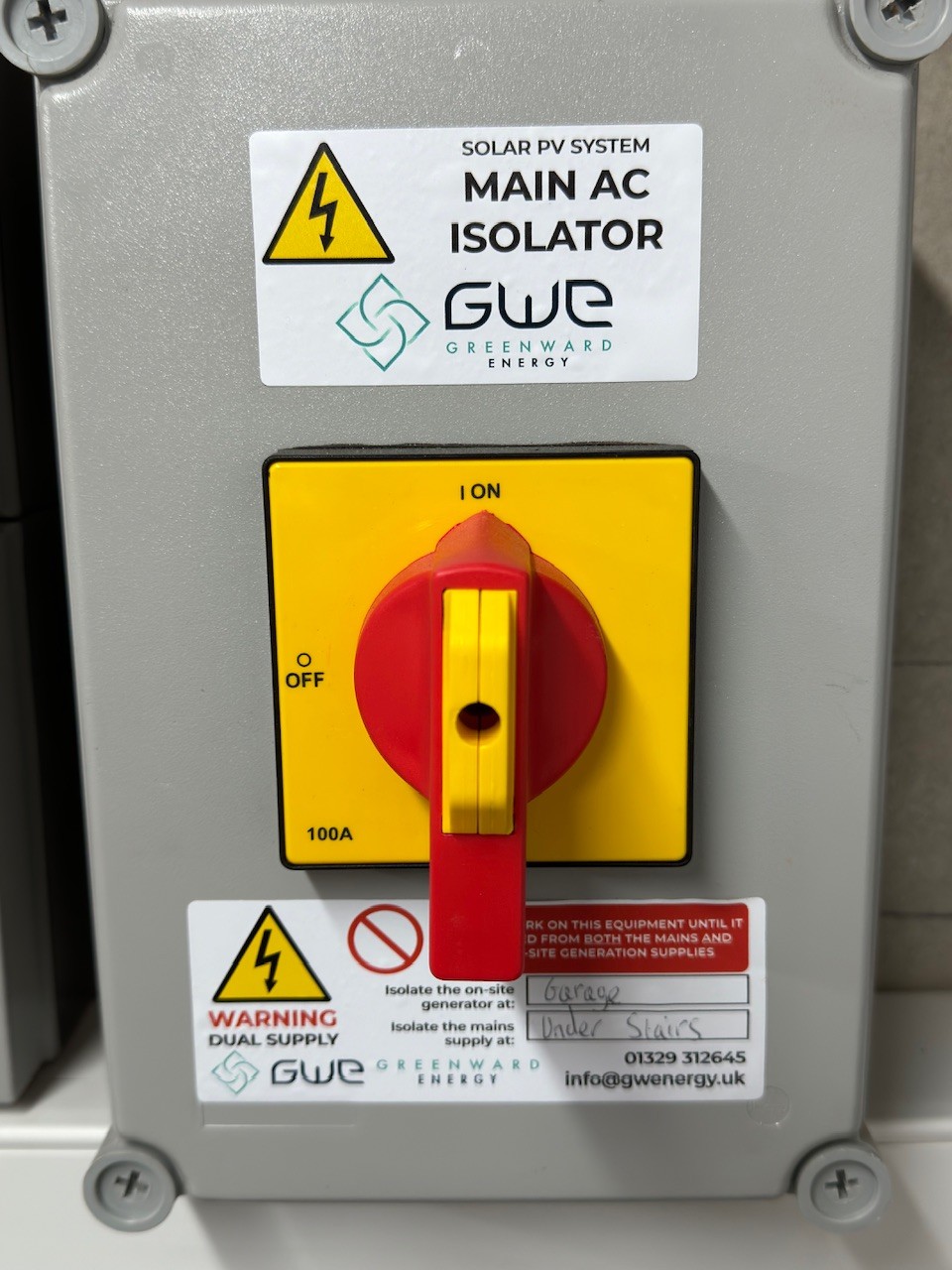
Did your installer put one of these in to isolate the grid if needed?

#9 hoggy

CW anything before gateway serial 2346 is likely to suffer from the Neutral Relay thing.
After that there seemed to be a revision that included the relay in the gateway and also changes the RCDs to type A rather than type AC. Think there's a 3rd revision after that but can't remember what changes (reset button moving springs to mind)
The first gateways failings have been discussed before on a few threads if you rummage around.

(Those still suffering trips on newer ones will likely be earth imbalance spikes on changeover, partially depends on whats going on in your house but I think that relying on mechanical relays for grid disconnect / reconnect is also part of the problem - getting them all to fire in harmony is a mixed bag. In hindsight solid state relays would probably have been a better choice)

#10 PianSom

JasonF
I've had several power cuts, and in every case the AIO trips off (I believe on power recovery). In addition, my RCBOs on my consumer unit trip on a power outage. This behaviour also happens when the grid switch is tripped on the Gateway. Replacing the Gateway seemed to have no effect.

My installer has checked for earth leakage across the consumer unit and has reported that this is minimal, and I believe within tolerance for the kit. Hence the GE field team referral.

This is all way above my knowledge/understanding level. I just want a working system. It's been a year now, and I am pretty fed up. I don't get many power outages, but - Sod's Law - twice it has happened while I have been out of the country.

#11 PianSom

hoggy anything before gateway serial 2346 is likely to suffer from the Neutral Relay thing.

My new replacement GW is 2347!!

C
#12 CW

hoggy (Those still suffering trips on newer ones will likely be earth imbalance spikes on changeover, partially depends on whats going on in your house but I think that relying on mechanical relays for grid disconnect / reconnect is also part of the problem - getting them all to fire in harmony is a mixed bag. In hindsight solid state relays would probably have been a better choice)

After my last outage, I asked GE to take a look and they upgraded the firmware. I noticed then that the gateway took around 30 secs to cut-over to EPS. Asking GE to check the EPS 0 countdown was set, which he said was, but then he asked me to try a test where I switched off all the trips on the CU and then re-try the "outage". This appeared to work immediately (no lights so going on sound!) and it sounded like he knew what the problem was (something to do with earthing and needed installer to come out and to speak to him to resolve) - not sure if the AOI breaker going and this problem are related, but it wouldn't surprise me.

I think my inverter is a later model (Inverter SN GW2410G...) so I'll see what happens when the installer comes out and if they resolve will report back

C
#13 CW

PianSom I've had several power cuts, and in every case the AIO trips off (I believe on power recovery).

For me I think it trips on the power going off - only happened twice since install and then only once when we were up.

#14 PianSom

CW
Can't swear I'm correct in what I said - I'd have to go and check. And I don't fancy a house power outage atm!

S
#15 solaroptimist

Daveb01
The PV meter and the mains meter are set up away from the inverter. They are attached to CT clamps. One is attached to the cable attached to my solar array inverter. The other CT clamp is around the mains cable just before it joins the big 80A fuse.

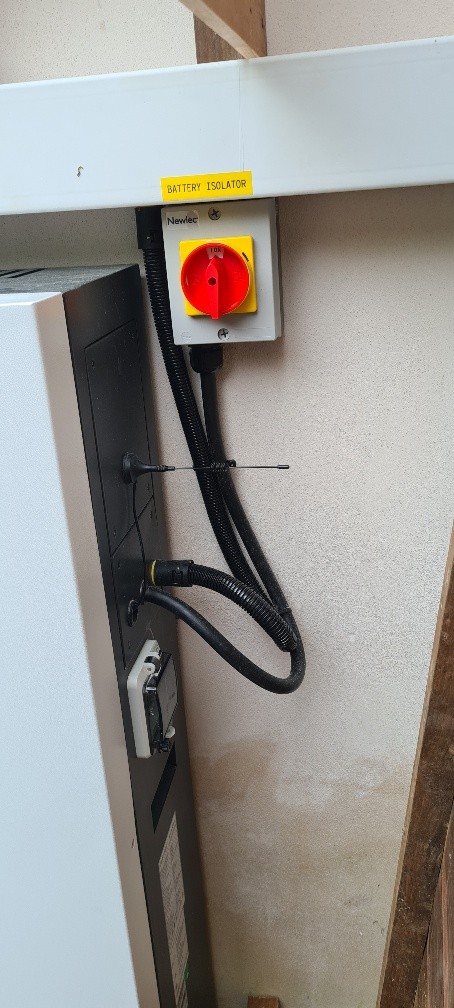
The batter has an isolator next to it:

D
#16 Daveb01

solaroptimist

Was just wondering why the meters were not in the GW? As all the cables should go to the GW (AIO, EVC, PV, Grid, House) and most already have the CT clamps in the correct position.

Did the GW come with the meters already installed? As you seem to have the newest version and was just wondering?

D
#17 DD

PianSom They then installed an earth rod - no difference.

I thought an earth rod was a requirement in order to have any off-grid support at all?

D
#18 Daveb01

DD

It is mandatory if you have AIO & Gateway.

#19 PianSom

DD
It was not mandatory at the time of my installation, but is now.

B
#20 Blasteh

hoggy what's the neutral relay thing and is it something to be concerned about?

D
#21 Daveb01

solaroptimist

Hi again, I am a bit worried your installer may have removed the Gateway meters and positioned them elsewhere, if this is the case I would check with GE this is what had been agreed with your installer, if not then I would ask if the warranty is still valid.

#22 hoggy

Blasteh Neutral Earth Bond relay. The early gateways were if I'm being honest bending if not breaking BS7671 by running as IT earthing when off grid mode in a domestic environment with none of the additional requirements of the regs being implemented to meet said requirements.
Installers (eventually) pressured enough that this bond relay was enabled remotely if asked BUT the older gateways didn't have the relay inside the gateway, and as such relies on the one inside the AIO - which has a habit of making RCDs trip when transitioning on/off grid in some circumstances.
The later gateways have the relay in the gateway (which kind of undoes the whole "its working as designed" excuse that was pushed at the time but whatever...)
If you have a voltage above say 30V between Neutral and Earth when off grid you have one that is running as IT earth still. I've been through what that all is on a few other threads someplace.

C
#23 CW

PianSom Not sure if this is helpful/useful or not, or just not relevant (maybe @hoggy can opine), but I found this on the Giveenergy Monitor help page talking about EPS and installation

#24 hoggy

CW it both is and isn't useful for the AIO but a nice read nonetheless. It does explain a few things but it's more for the standard range of inverters with EPS outputs rather than the AiO (where much of the off grid functions are moved to the gateway on those, hence not as much emphasis needed on multiple consumer units etc...)
What it doesn't go into much detail is what not having a working NE bond means (I.e IT earthing) which I've now finally found my post on here

S
#25 solaroptimist

Daveb01
I'm not sure if there are two separate issues running on this thread. One about whether the meters are positioned correctly, and one about where the earthing rod is placed (I think...).
In answer to your question about the meter positions, the solar meter being placed by the solar supply (that runs direct to the mains supply and not via the AIO), and the mains meter being placed by the mains supply where it comes into the house was signed off by GE. The electrician installing this said there were a few hours of faffing around until he realised that the two meters, which have identical model numbers, actually were different and he had inadvertently attached the mains meter to the solar supply and vice versa. Once switched round the whole system worked.

Regarding the earthing, I do not understand the issue (very sorry). The electrician disconnected the earth connection from the mains supply and put an earthing rod into the ground next to the battery installation outside.
I don't know if this contributes to that bit of this thread, or not.

D
#26 Daveb01

solaroptimist

Sorry for the delay as I have been away. I am a bit worried about your set up, as you have described. Here is my opinion, please do not think it is a criticism I am just a bit worried.

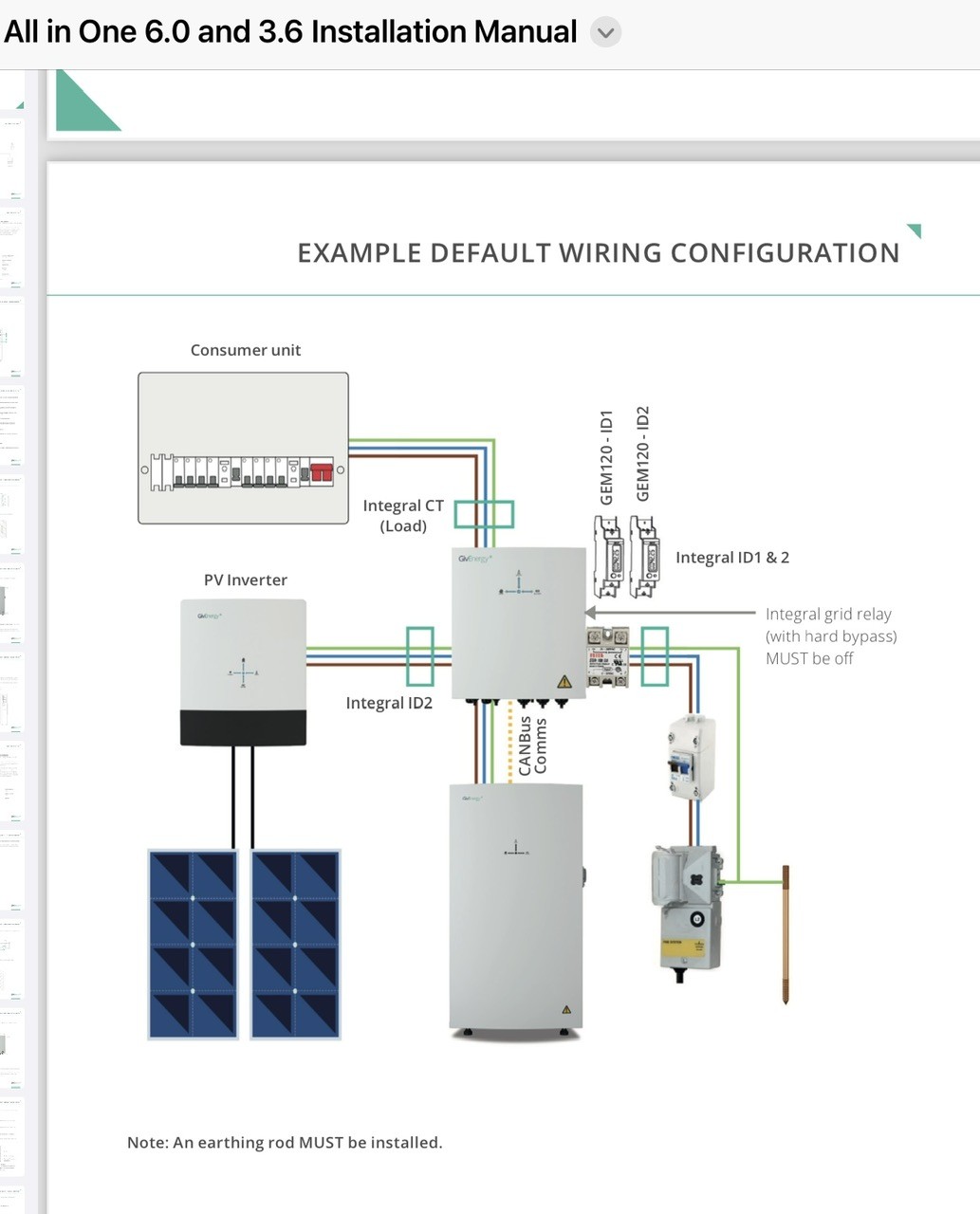
As you can see from the diagram above, the Gateway was designed to be the centre of things that kicks in when there is a grid outage, so you can get power from PV and/or battery. If your installer has wired it as you have said you will not get PV only the battery on a grid outage. I would also check that any PV generation going to your mains can’t get back to the grid. E.g If there are workman doing stuff on the grid the GW stops anything going back to the grid and supplies your house only.

So the grid should go directly to the GW, then to your house CU. Your PV and battery should go to the GW so you have electric when there is a power outage.

Have you switched off the grid supply to check the GW kicks in?

On a very sunny day, I would pause the battery and then turn off the grid supply to see if you get solar powering the house? Or any RCBO’s trip etc I would get your installer back.

S
#27 solaroptimist

Daveb01 thank you for your insights and observations. Possibly I haven't explained my system accurately. The gateway is the last gadget before the main meter. The solar power connection is on the home side of the GW. My understanding is that this means when the GW disconnects from the external supply the solar panels are also disconnected from the extension supply.
I have clicked the "Force off grid" button on the software control. This caused some of the breakers within the internal house circuit to click off. But these were doing this before the battery was inserted. I'm waiting for a day when the rest of the family won't lynch me when I plunge the house into darkness again!
I hope this has clarified things. Apologies for the non technical explanation.

J
#28 JasonF

hoggy when I flick the grid supply off in the gateway everything goes off. But if I cut the grid at the isolator before the gateway it stays on (this is with bypass off as expected). I assume the grid switch in the gateway is the on off switch - because in the event of a power outage that would stay on but there would just be no power which I simulated by cutting it at the isolator?

C
#29 CW

JasonF when I flick the grid supply off in the gateway everything goes off

I am currently investigating with my installer a problem with the Gateway whereby if the grid goes down, then the AIO breaker usually trips.
When here was here the other day, he was using the grid breaker in the AIO to simulate a power-cut. What happens on my set-up is that when the things works (rather than tripping the AIO breaker) the lights flicker and all power stays on, so I am surprised for you when you switch the grid off in the Gateway the whole thing stays off - I presume you have an AIO if you have a Gateway?

J
#30 JasonF

Yeah I have 2 AIO’s. When you say grid breaker, you mean the one on the right hand side.

C
#31 CW

JasonF yes

#32 PianSom

Just as a follow up to my last post, after my Gateway was replaced my AIO tripping continued on grid disconnection, so I was waiting for a GE engineer visit. He came about a week ago.

The upshot is - earth leakage. When three of my house circuits are off then the AIO behaves as expected - a grid disconnection moves it into Island mode. But if those three are on then the AIO trips out. The explanation given was that the AIO RBCO trips if a surge of more than 30mA occurs, and the AIO itself produces a surge of around 10mA (iirc), so if there is some domestic wiring issues which cause a significant surge then the RCBO will trip. (Apologies if this makes no sense to experts - I am not one!)

The solution is to replace the AIO RCBO with one with a higher (100mA) tolerance. I was assured that there are no safety issues, since the three circuits already have their own RCBOs protecting them.

However, this will have to be done by my installer, on whom I am currently waiting.

C
#33 CW

PianSom The upshot is - earth leakage

This is where my installer is heading I believe - I think the suggestion might be to install a 100mA breaker instead of the 30mA.

C
#34 CW

PianSom Just out of interest, which parts of the breaker tripped, was it the blue switch and/or the black one (sorry not technical so I don't know exactly the difference, just that they are - my installer did explain but it went over my head)

D
#35 Daveb01

CW

Here is the document the installer gets, you have 2 options:-

  1. Install in GW (which would require the replacement of current switches for RCBO (A) (not AC)
  2. New CU with RCBO’s, this then connects to GW

Both of the above have been done in another post

all-in-one-parallel-mode-installers.pdf
246kB
#36 PianSom

CW
Been a while since I tripped it myself, but my fading recollection is both.

J
#37 JasonF

CW seems odd I wonder which behaviour is correct.

D
#38 Daveb01

My installer said that my old plastic Home CU was not compliant and as I was having Solar, AIO’s, PV and the GW with backup power it would be wise to update it. I agreed and this is now what it looks like, plus I choose the GW method.

One other thing that I had to have was an earthing pole.

My installer tested my system and I test the EPS once a quarter.

Note:- my installer said that RCD’s would trip plus a high possibility RCBO type AC would trip as well. So I had RCBO’s type A.

The old ones taken out the GW were RCD type AC

A few pics


C
#39 CW

PianSom Yes - that is what I am experiancing - both switches go,

C
#40 CW

JasonF I'm not an electrician but I would have thought either scenario should trigger the same behaviour, but maybe there are differing wiring configurations that could result in this?

In my case the Gateway is located in the garage around 60 meters or so away from the CU. I had a really thick 4-way cable between the CU and the Gateway (power from main fuse through the cable to the GW and then back from the GW to the CU). There is also a 100 Amp fuse in that loop as well (not sure which route it is protecting - in, out or both)

D
#41 Daveb01

CW

I agree, however I went for the more expensive option (as all my kit is in the Garage) except the house CU.
One cable from grid to GW & and one cable back to the Home CU. I was only able to do this as my house used to have hot air, when I changed it over to Radiators I left some of the ducting just in case. So used the ducting to get to the garage easier.

The earthing cables were the worst, as had to go from Home and Garage to earthing pole in garden.

C
#42 CW

Daveb01 Pretty much the same here - all the GE kit is in the garage (no space where the CU is). Sadly I didn;t have any conduit, so the (very) lucky installer had to dig a trench to take the armoured cable to the garage!

D
#43 Daveb01

There is a new GW and AIO coming soon. Looks very good as you don’t need a seperate inverter. And the GW-2 does Smart Load stuff.

The brand new Hybrid GivEnergy All in One is being released soon, and we have gone through the full technical breakdown in this video.

Watch Tok run through the new hybrid inverter with 6 MPPTs, the new Giv-Gateway 2, with smart loads and critical load backup, and the other technical specs in this video.

The brand new Hybrid GivEnergy All in One is being released soon, and we have gone through the full technical breakdown in this video.

Watch Tok run through the new hybrid inverter with 6 MPPTs, the new Giv-Gateway 2, with smart loads and critical load backup, and the other technical specs.

https://youtu.be/cKc0l08frIc?si=ImpouwNqCSf-1_nX

#44 hoggy

JasonF sorry, slow response from me.
That's a very odd scenario if cutting the feed before the gateway produces different results to simply switching off the grid input MCB in the gateway itself (furthest right from memory)
Both should achieve the same effect (unless there are some Henley blocks feeding other boards before the gateway and there's some weird backfeed / loop going back to the gateway side).
I guess you could have a faulty grid relay or your bypass is somehow stuck on but would be a bit unfortunate.