Inverter doing its own thing. No control

31 comments started 2024-09-19 last 2024-09-26
Home AutomationGivEnergy ProductsHybrid
S
#1 SteveCook

Gen1 Hy5.0 and 9,5battery with Home Assistant and Predbat (for 9 months)
Lat weekend (Friday) I plugged in an SSD to my Pi4 and "moved the data disk" in Home Automation from the MicroSD to the SSD (apparently this is because MicroSDs do not like continued read/write).
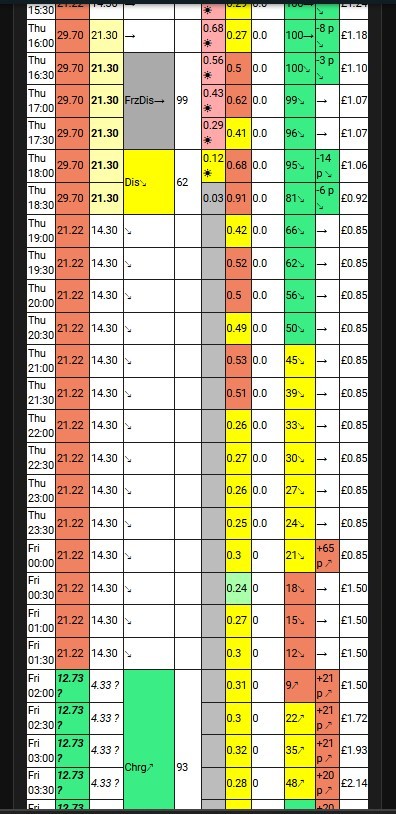
Everything restarted and has been running fine until Monday night and now the inverter and battery just seem to want to hold charge at 100% and consume grid elec rather than ever us the battery.
It will not charge at off peak (02:00-04:30) and will not peak export when Predbat says.
I have tried "reset to default" on portal and just get "inverter offline", but portal page shows all data and green icon.
Home assistant has all data fields populated and all predbat fields filled in. Prediction for today below.
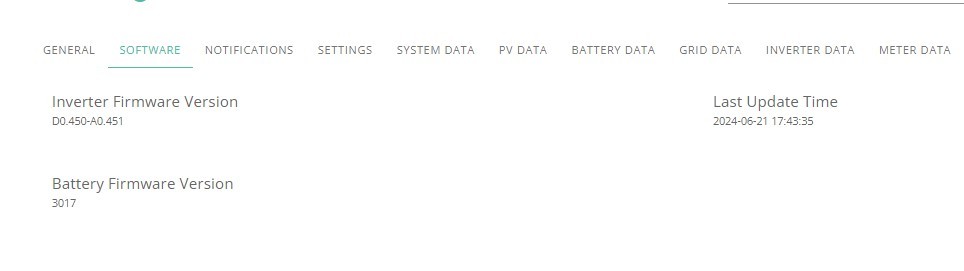
Firmware updated 3 months ago

Any ideas please?

G
#2 geoffreycoan

What do you see in the GivTCP log, are there any errors?

Have a look at the Logbook in Home Assistant, you should see a regular drumbeat of inverter time sensor being updated every 20/30 seconds or so. If you don’t see this then GivTCP has stopped talking to your inverter. Delete all the /config/GivTCP/*.pkl files and restarting GivTCP can fix GivTCP if the error is at the Home Assistant end, or resetting the inverter as you’ve already tried if its at the inverter end.

Powering the inverter off and on again can sometimes help (then try the reset to defaults once it reconnects to the wifi) as can manually changing some of the controls, e.g. do a force charge or force discharge.

S
#3 SteveCook

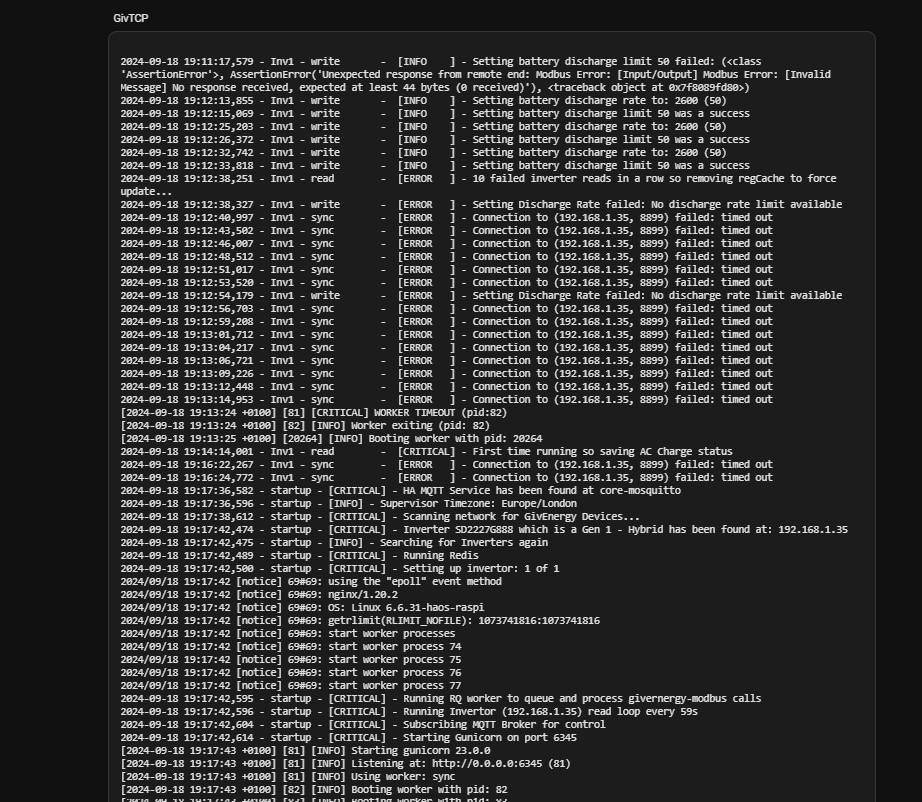
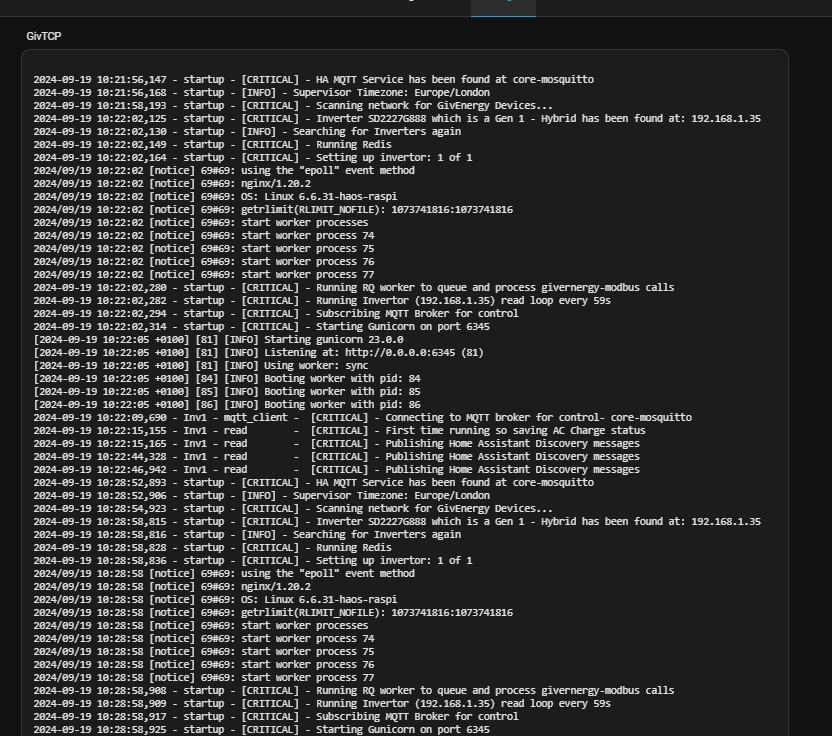
Geoffrey Thanks. When I go to Add ins and Giv TCP i see this. Trouble is, I don't really know what it is saying.
Do I navigate to /config/TCP/*.pkl and jst delete them?
I do see a "fail" about battery discharge rate

S
#4 SteveCook

i dont see a /config/TCP directory to go to

G
#5 geoffreycoan

SteveCook Hi Steve

The directory is /config/GivTCP and yes, delete all the files with a PKL extension

Looking at your GivTCP logfile its showing lots of failures to communicate to the inverter. The ‘connection timed out’ is a read failure as is ‘worker timeout’ and ‘modbus error’. Curious that it shows some successful writes at 19:12 and then a whole series of read failures.
To me this says that GivTCP and the inverter are not talking to each other. Delete the PKL files and restart GivTCP.

Predbat can detect such failures and auto-restart GivTCP. I fairly recently configured this in my predbat and found it works very well.

There’s also a GivTCP ‘health’ monitor in the Output Data part of the predbat docs that can check that you are regularly receiving givtcp data and its working correctly

S
#6 SteveCook

Geoffrey
Thanks
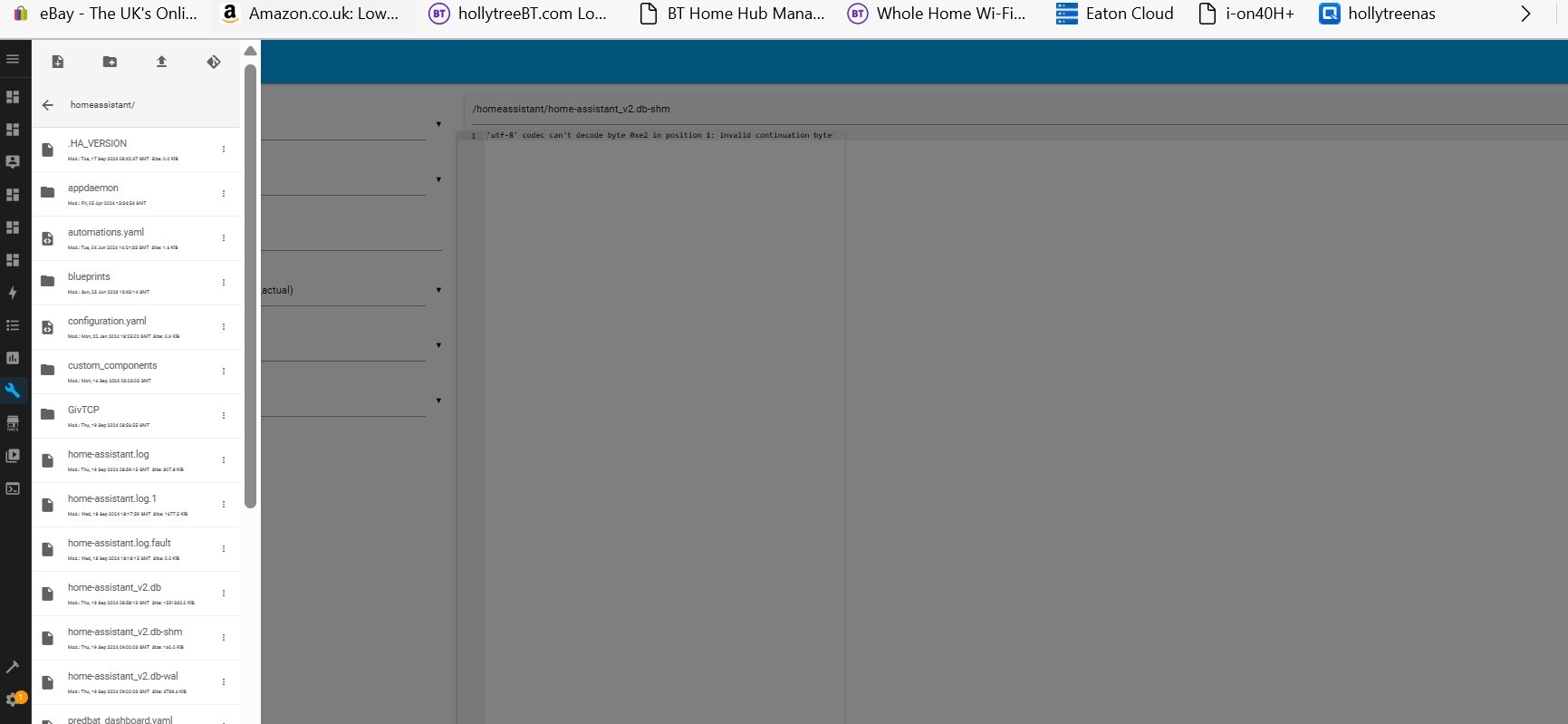
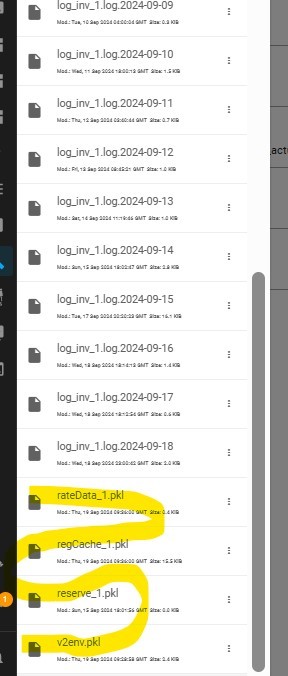
I go to file editor in HA and see the following. There is no /config/GivTCP.
There is a configuration.yaml but only about 12 lines in it.
I cannot see how to get to any TCP directory

G
#7 geoffreycoan

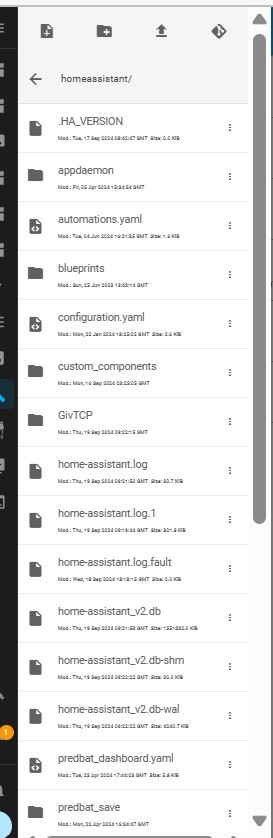
SteveCook /homeassistant and /config are synonymous (technical term they are symbolically linked). The GivTCP folder is about half way down the screenshot above, /homeassistant/GivTCP is the same place as /config/GivTCP

S
#8 SteveCook

Geoffrey. Thanks.
I have found these 4 in /homeassistant/GivTCP. Shall I delete them?

G
#9 geoffreycoan

SteveCook Hi Steve, yes delete those. I have some other files with a pkl extension but I’m now running GivTCP v3, but from memory there was about that number of pkl files with v2.

Then restart the givtcp addon and see what the log says

S
#10 SteveCook

Done that, but log seems an hour behind current time?

S
#11 SteveCook

Changed to GMT +1 and restarted everything.
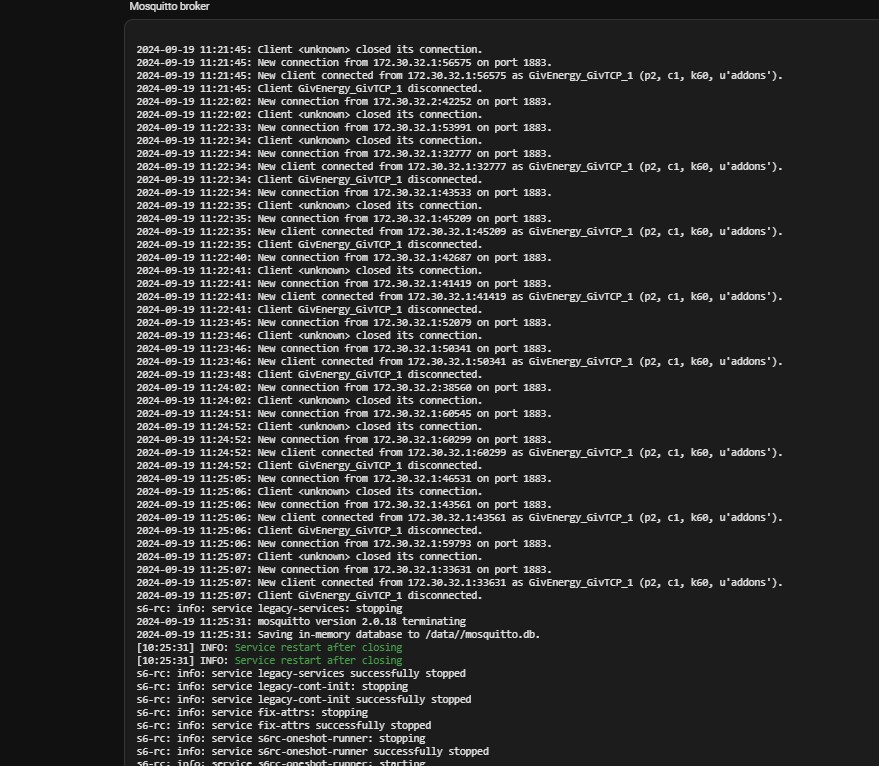
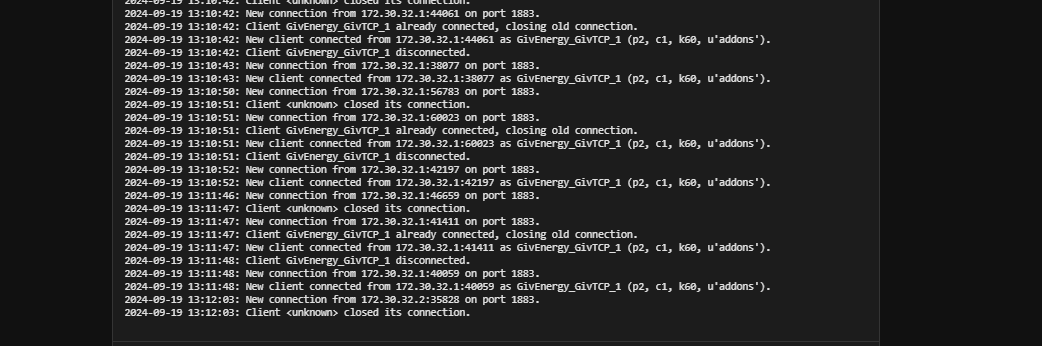
This is MQTT log

S
#12 SteveCook

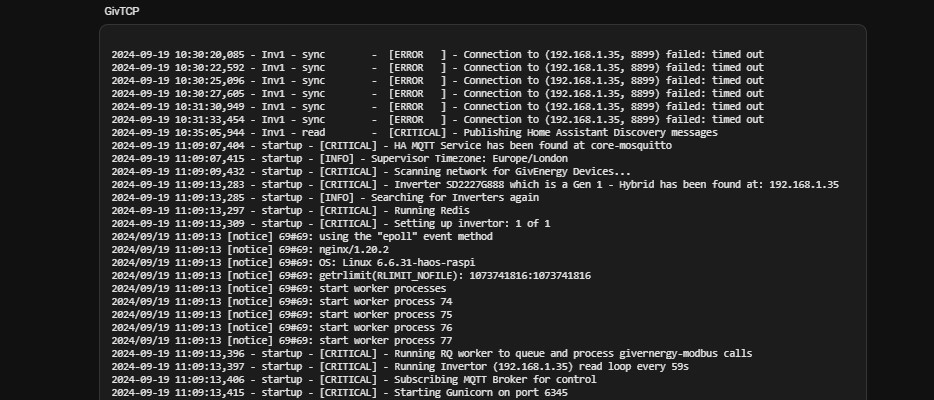
now i get this on GivTCP. Seems to me comms error, yet i have never had a comms problem before and GivEnergy portal page is all OK

G
#13 geoffreycoan

SteveCook It is a comms error, the bit up to 10:30 shows your inverter isn’t talking to GivTCP. Was this before or after you deleted the pkl files and restarted GivTCP.

your MQTT log looks normal, nothing untoward I see in it. I’ve never had to change the time on my HA, it’s set to GMT+0 (London) and seems to handle BST OK.

I have in the past seen my inverter talk perfectly fine to the GE portal but not respond to local commands from GivTCP. I fixed it by deleting the pkl files and restarting GivTCP and/or doing a reset to defaults and/or reboot from the portal. Can only suggest you try doing those things.

S
#14 SteveCook

Geoffrey. Thanks. I want back to the backup of last Monday after SDD added.
I have now deleted the pkl files and restarted HA.
Not sure what I am looking at but in MQTT logs it seems that some sort of user connection (name/password maybe) is lost and the connection does not take place

G
#15 geoffreycoan

SteveCook I don’t think that’s unusual Steve, I see the same in my Mosquitto logs.

2024-09-19 12:33:38: New connection from 172.30.32.2:54872 on port 1883.
2024-09-19 12:33:38: Client <unknown> closed its connection.
2024-09-19 12:35:20: New connection from 172.30.33.7:53046 on port 1883.
2024-09-19 12:35:20: New client connected from 172.30.33.7:53046 as mqtt-explorer-52dfac40 (p2, c1, k60, u'Mqttuser').
2024-09-19 12:35:38: New connection from 172.30.32.2:43856 on port 1883.
2024-09-19 12:35:38: Client <unknown> closed its connection.
2024-09-19 12:37:38: New connection from 172.30.32.2:60072 on port 1883.
2024-09-19 12:37:38: Client <unknown> closed its connection.
2024-09-19 12:39:38: New connection from 172.30.32.2:50516 on port 1883.
2024-09-19 12:39:38: Client <unknown> closed its connection.
2024-09-19 12:41:38: New connection from 172.30.32.2:39950 on port 1883.
2024-09-19 12:41:38: Client <unknown> closed its connection.
2024-09-19 12:43:38: New connection from 172.30.32.2:53522 on port 1883.
2024-09-19 12:43:38: Client <unknown> closed its connection.
2024-09-19 12:45:38: New connection from 172.30.32.2:46982 on port 1883. 

It seems that GivTCP doesn’t keep the connection alive but repeatedly makes and breaks it

S
#16 SteveCook

geoffreycoan
OK Ta. I will just see how things go tonightl
Might have to put the charge slots in the GivEnergy portal and spend winter getting HA working again.
Aaargh........

S
#17 SteveCook

Well for the last 2 days, ECO has not been working, even after restarting the inverter from the portal page and resetting the inverter to default.
Battery was showing 82% so I shut down all power to inverter (mains, DC strings, turned of battery etc) and then turned all on again.
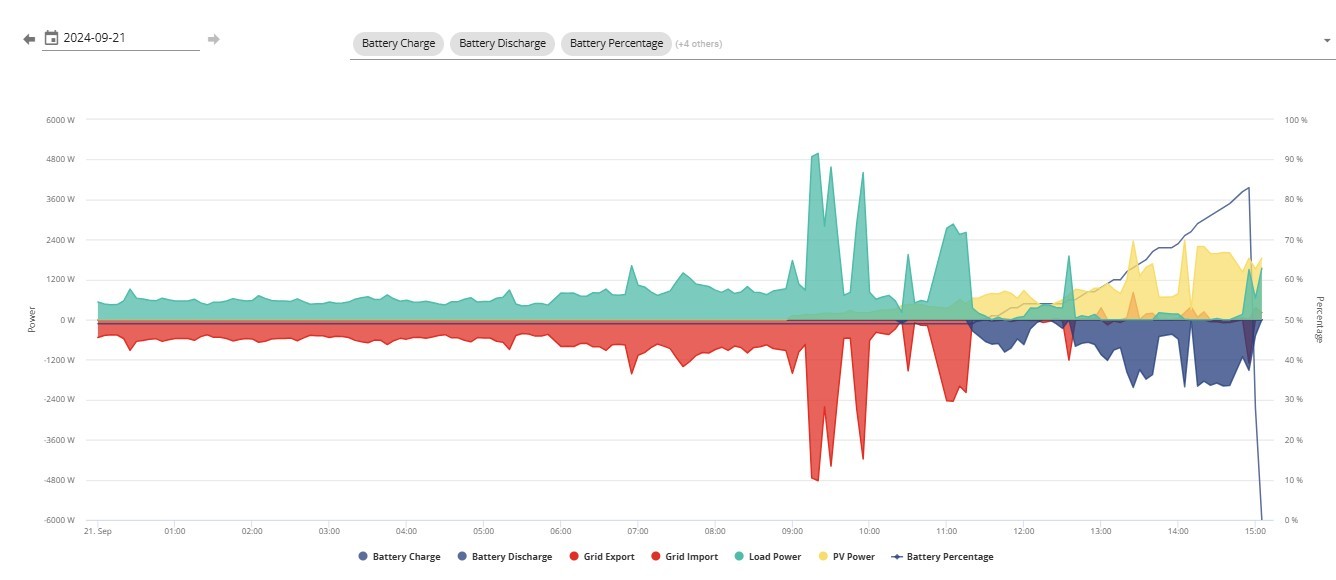
All came back on. Battery LEDs show 100%, but portal and phone app (and HA) show battery as 0%.
I think the big drop in % is between turning off and back on
Any ideas plz?

S
#18 SteveCook

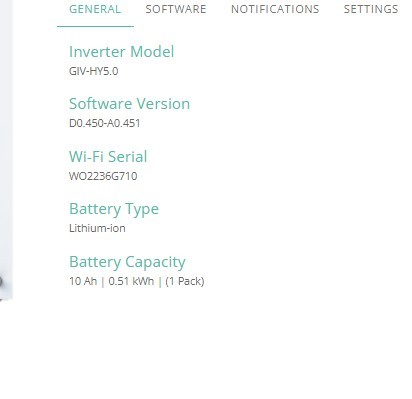
Battery now thinks it is a 0.51kwh and not the 9.5kwh it used to be?

S
#19 SteveCook

turned battery off and back on (again!) and now it thinks it is a 9.5kwh - one bit of success

S
#20 SteveCook

After 2 battery shutdowns and restarts and 2 inverter shutdowns (cut off mains, open DC breakers to panels, power down battery etc) and restarts everything appears to now be workings as it should.
That is a PITA. Why does it get itself in a pickle

G
#21 geoffreycoan

SteveCook I don’t know Steve, it sounds like it could be a poor connection (eg loose cable) between the battery and inverter, but the fact that it fixed itself after lots of restarts sounds more like a software problem

Is GivTCP working OK now which was your original problem?

S
#22 SteveCook

Geoffrey. Sorry got to go out today, but it did not charge overnight as Predbat said it should.
I think I have some sort of connection issue going on with the dongle.
I have 3 BT discs and my router always shows connection, but on the GivEnergy portal the inverter repeatedly shows as offline, though the phone app shows connected!
It has been good for 3 years and I have not changed anything with network/wifi

S
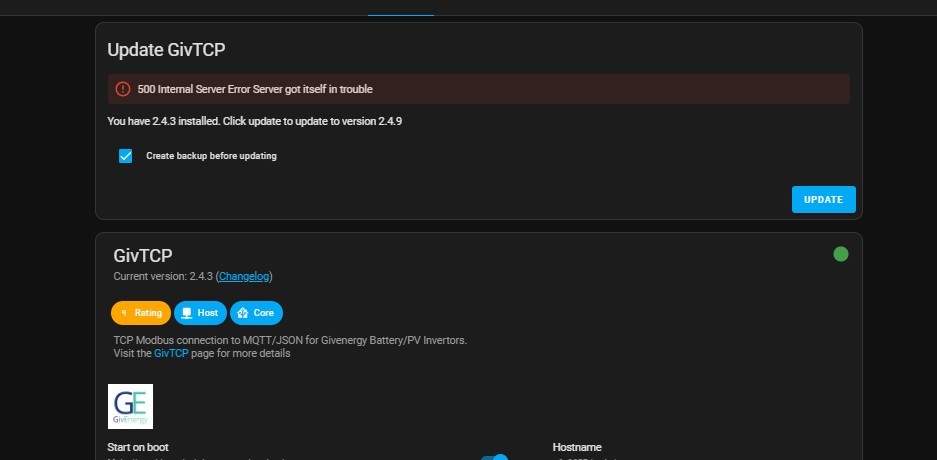
#23 SteveCook

Thought I had fixed this yesterday, even though I dont know what it means. I did the update to 2.4.9 and restarted and all was OK. I just looked and this is showing again.

S
#24 SteveCook

i hit update to 2.4.9 and it seems to have worked. This is the GivTCP log.
There appears to be some sort of error

G
#25 geoffreycoan

SteveCook I saw something similar on my GivTCP add-on yesterday as well. I had 2.4.9 installed but was being recommended to update to 2.4.3 (i.e. a downgrade), and was getting a server error as you were as well.

I suspect something wrong in the internet was causing that because later on it cleared itself.

2.4.9 is a precursor to going to GivTCP v3.0. At the moment with the issues I’ve had with v3 not reporting my battery data I have gone back to 2.4.9. There is a v3.0.1 out which Rob reports is working but I’m personally holding off until I’m more sure it is fixed.

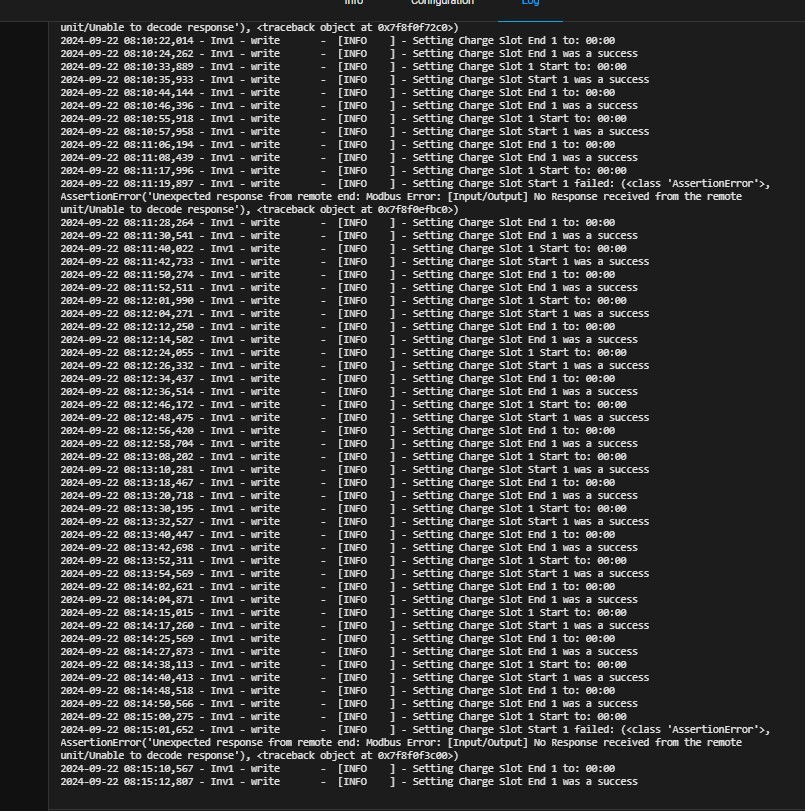
On your GivTCP log though, on the face of it, you have a few write errors and lots of write success messages. The occasional error is fine, I get them as well, but what doesn’t look right is the repeated writing every 10 seconds to charge slot 1. I don’t think Predbat is doing that (you can check the Predbat log for the same time period to see what it says its doing), but it looks to me more like the write is not working and is being retried automatically by GivTCP. GivTCP does a write and then read afterwards to check the data is there, and so this might possibly be what’s happening - the write works but when the read back is done, the data hasn’t changed, and so givtcp retries after 10 seconds.

Here for comparison is my log from this morning, a read error at 4:30 causing a python error and a battery read error (no data) at 8:04, but commands get written once and don’t repeat as they are in yours.
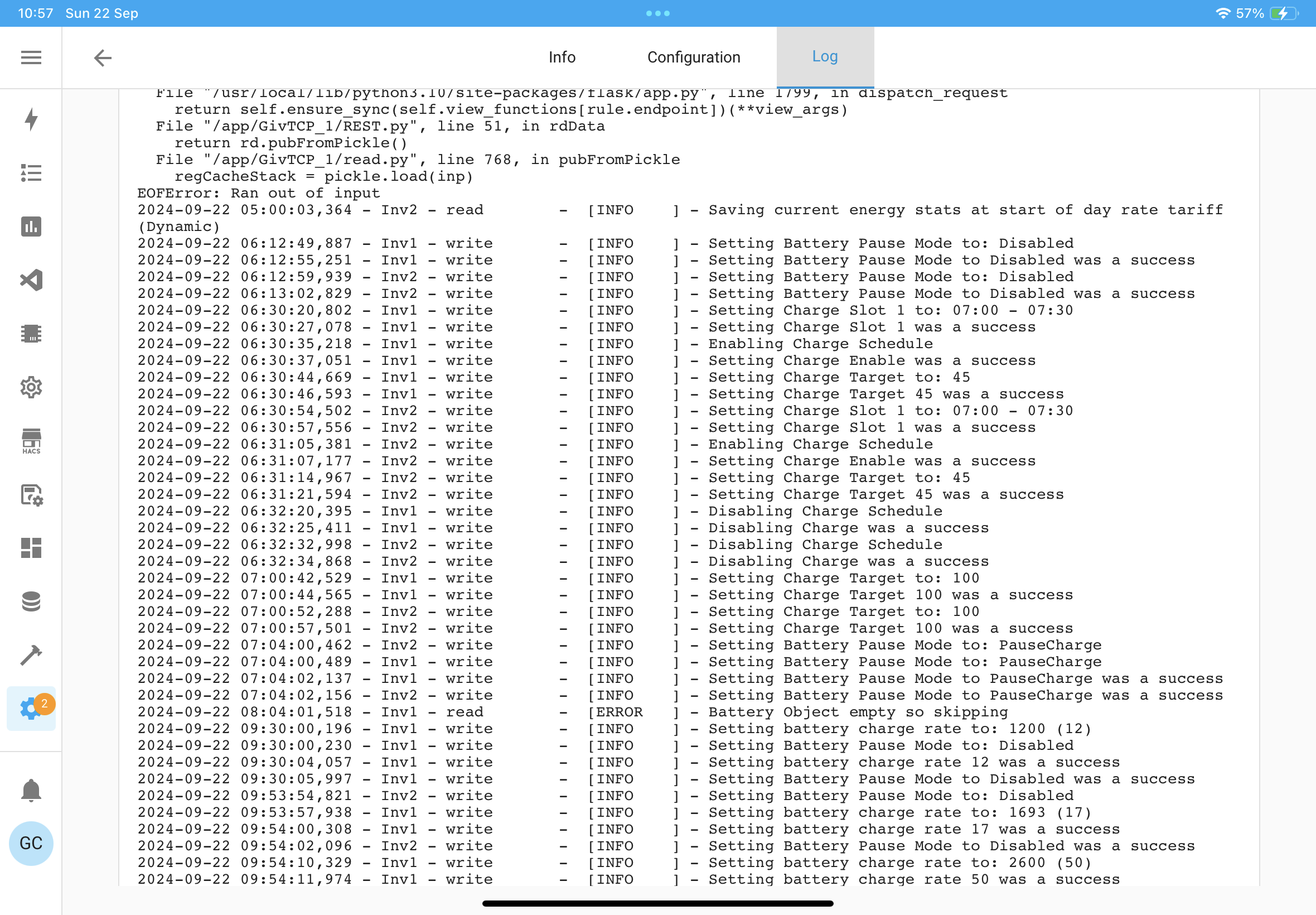
And I have two inverters so twice as much chance for things to not work

What’s your run loop timer set to in the givtcp settings - something like 20 or 30 seconds (it shouldn’t be too small a value, above 15 is recommended), and check you have ‘raw output’ set to on as well.

This is pointing to a problem with comms to your inverter to me, either the dongle, the inverter itself, or your wifi.

Have a look at this video https://youtu.be/v9a7sDsiK0s and in particular go through the steps to login to your dongle and check what wifi and what wifi strength it is on. Maybe the inverter has connected to a mesh node with poor signal. I have a mesh node in my garage and sometimes I see my inverters are connected to the node in the lounge not the garage - maybe the signal is just too strong for them? Dunno, worth checking your wifi connection from the inverter first before calling GE support

R
#26 Rbor

geoffreycoan With my journeys between givTCP versions, I never deleted the GivTCP/.pkl files.
Do you think I should delete them now and restart the givTCP addon?
Will new GivTCP/
.pkl files then be regenerated?
I think that Speak to the Geek mentioned this but I didn't do it!

Thanks

Rob

G
#27 geoffreycoan

Rbor The PKL files are I believe cache files and so can be safely deleted. Trefor’s auto-restart code deletes them and that seems to work, but equally I never had any problems just restarting the add-on to get it to work.

I don’t think there’s any harm in deleting the PKL files and maybe, just maybe, it’ll cure your problem with the inverter energy today being rejected, but I don’t know

Oh, and I never deleted the PKL files when swapping versions either, it seemed to be OK for me.

S
#28 SteveCook

geoffreycoan
Geoffrey. When we moved in i installed 4 BT wifi discs.
Looking 1st think this morning they appear to be "offline" for some strange reason.
I have reset them all and got the wifi network going again.
I did not really notice this as most of the stuff in the house is LAN connected.
I wanted to do LAN with my planned Gen2, but in the end I had to accept a Gen1 ( i had even run a cable in anticipation).
Maybe the poor wifi - inverter would only be connecting direct to router- possibly/probably weak signal.
I will see how things go.
Is there any log anywhere in HA that I should examine?
Thanks
Steve

G
#29 geoffreycoan

SteveCook Maybe the poor wifi - inverter would only be connecting direct to router- possibly/probably weak signal.
I will see how things go.
Is there any log anywhere in HA that I should examine?

An underlying network problem does match the errors and timeouts you were seeing in the GivTCP log. Looking at that add-on log as you already are doing is the best place to see what’s happening. Can turn the log level up further (in the givtcp config) to see more debugging.
The other place I look at is the logfile to check there is a steady stream of date last updated messages coming through from the inverters.

There’s a HA automation in the output data part of the Predbat docs that I wrote that detects if givtcp isn’t working properly, and another one for Predbat itself

S
#30 SteveCook

I have now turned off the router wifi (in BT router settings).
I have turned off the BT discs guest network - not an issue as nobody visits!! - (in BT discs settings)
I have turned off 5GHz wifi network

Predbat now seems to be running and controlling OK.
Maybe just 'stray' wifi around the house messes up the GivEnergy dongle.
I wanted a Gen2 with Lan connection and even ran a cable but only get a Gen1 (Dont go there)

T
#31 TX200

I had a strange thing a while back. My Plusnet router auto changed WiFi channel. Everything connecting on the 2Ghz failed to connect after that, including the inverter.

Setting it to a different channel and forcing it to stay on that channel resolved my issue. Must have been interference from nearby WiFi (or something) on that channel.