GivInstaller app - should we be using it?

41 comments started 2024-12-10 last 2024-12-19
Mobile App
G
#1 geoffreycoan

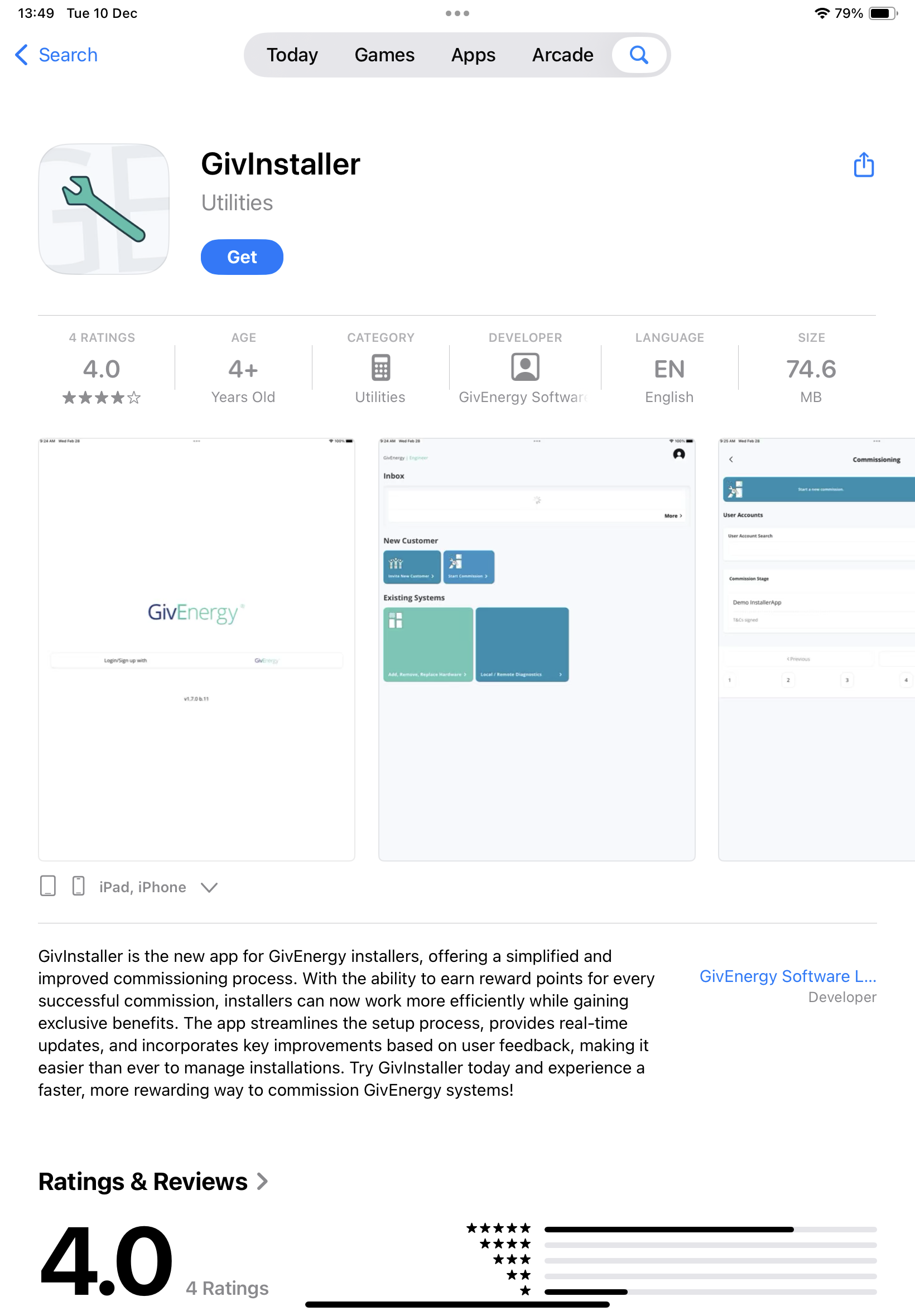
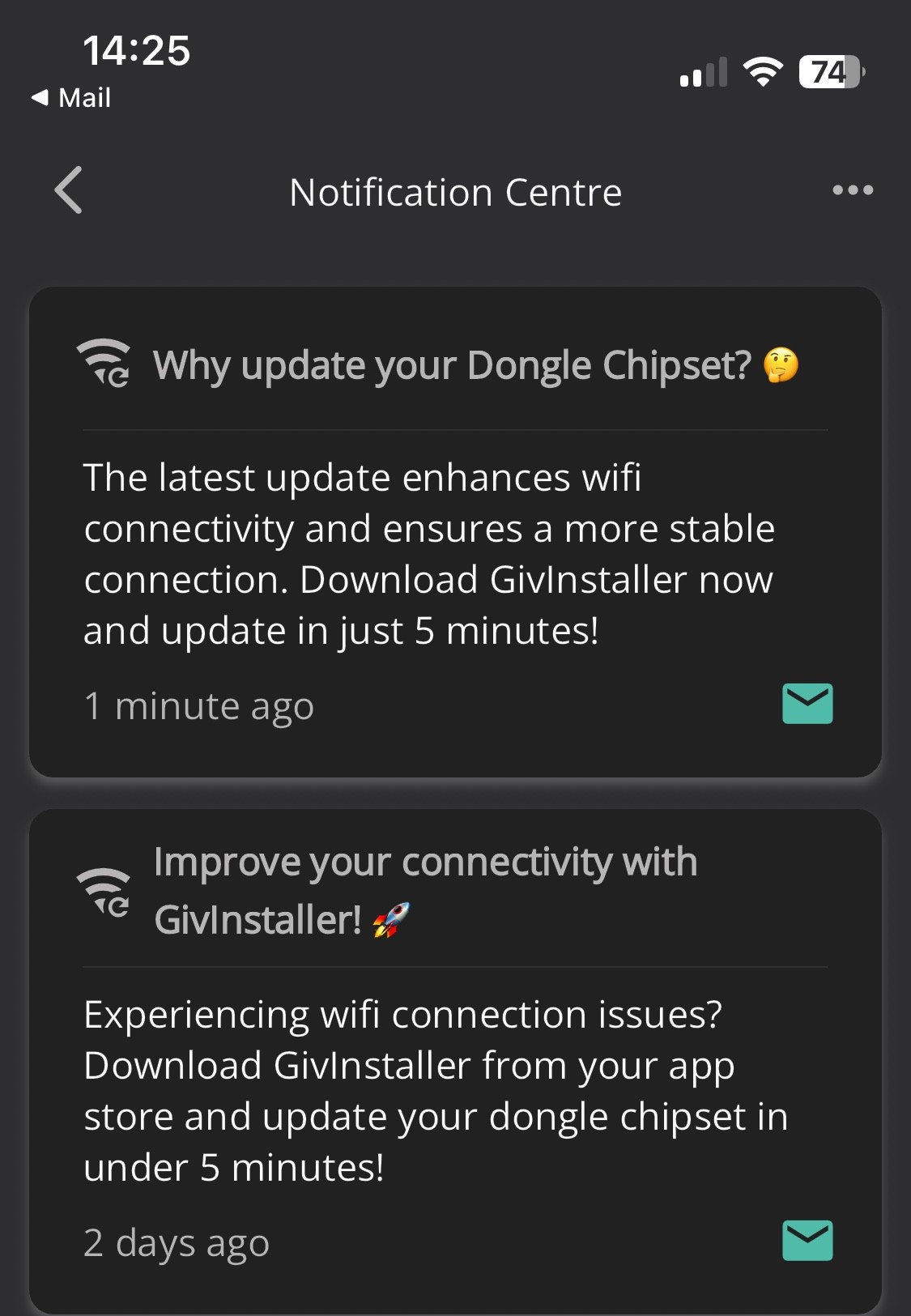
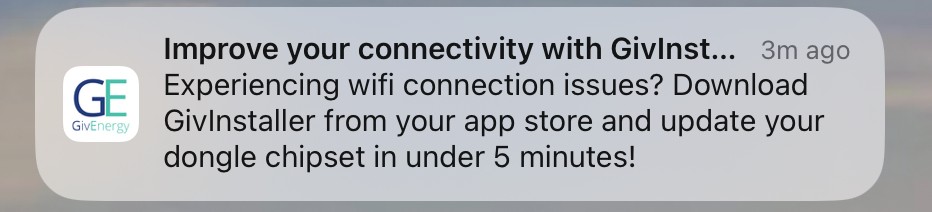
I just got an alert notification on my phone and iPad from the GivEnergy app, encouraging me to install the new givinstaller app to “improve my connectivity” and update my dongle chipset

Looking at the app on the app store it seems to be aimed at installers, options to create a new customer account, start the commissioning process, etc.

Slightly confused if this is for consumers or not?

🤷‍♂️

D
#2 DBamford

Yeah, I've had it too.

Wondered if it was because my system doesn't seem to be fully functioning lately:

  1. Not responding to instructions
  2. Not covering the house load.
  3. Battery always reporting to be 100%
V
#3 Vestas

DBamford No its just spam.

R
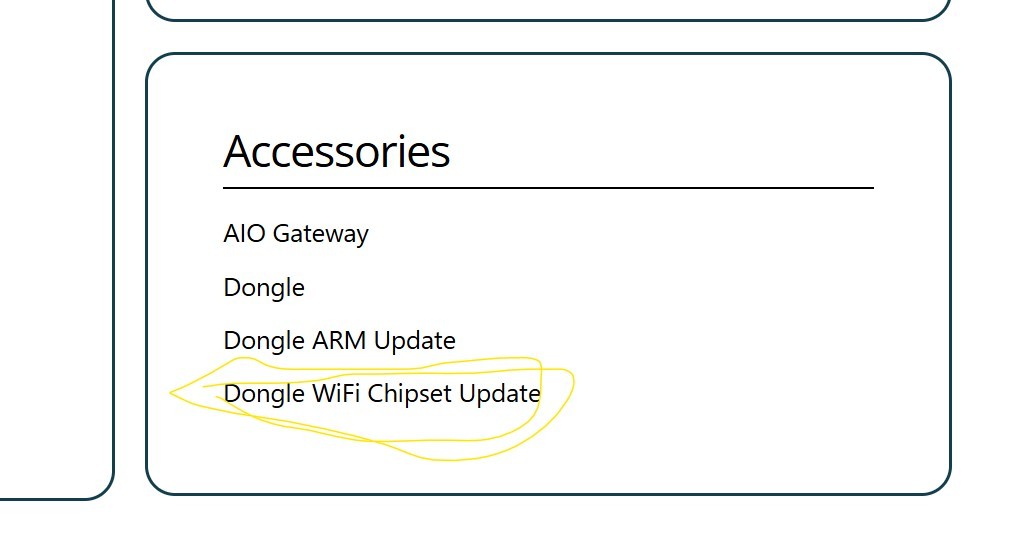
#6 Robgy

Vestas it wasn't an email or txt mine was a phone alert

S
#8 sparkymark75

I wonder if this will fix my issue I’ve had for the past few weeks where opening the app always stays in Away mode. I have to manually select Home.

I have the IP address of the inverter manually set in the app and it works fine when I select Home.

O
#9 ONEIL

Has anyone contacted GivEnergy directly to clarify if this is legitimate or indeed a requirement…?

#10 nophead

My inverter Wifi works flawlessly, so I won't be upgrading.

O
#11 ONEIL

sparkymark75 …mine has always been “Away “…and sometimes takes Time or two when manually changing…

S
#12 Steve0898

Tried to do this and I’ve ruined it. I went through the restart of dongle but now WiFi wants to reconnect to dongle but I don’t know the password for it and it’s not on any paperwork I was given :s.

O
#13 ONEIL

nophead if it ain’t broke…don’t fix it…👍

L
#14 Leeshore

I had an update for dongle chipset through cloud app last week which I installed with no issue. Gen3 hybrid inverter...

S
#16 SimonClarke

sparkymark75 same happens to me except it won’t connect to home at all on my new android phone

V
#17 Vestas

Robgy

DBamford Wondered if it was because my system doesn't seem to be fully functioning lately

That's what I was referring to - its just an unsolicited message is all.

V
#18 Vestas

Oh and I wouldn't touch any dongle update without proper release notes but maybe that's just me....

H
#19 Henry3rd

Thankfully, Octopus hard wired the network connection, as the dongle was so intermittent.

D
#20 Daveb01

I use this web site now to check on firmware and BMS updates. Then either phone or email GE and ask them to do the update. The dongle firmware is quite important it seems not just WiFi. I don’t use WiFi I have an Ethernet connection, it was told that dongle does other things.

I have also updated it myself, it’s quite easy, get a memory stick (the right size) formate it and put files there, then change the dip switches to USB, plug it on and it happens, then put it back to what it was before you changed it to USB.

Out of the two, getting GE to do it is much easier and safer. The only thing they can not do is the WiFi security settings, you have to login and do these yourself.

Don’t bother with the app, as you need an installer account to login, so can only use the dongle update process that does not require you to login.

https://givenergy.co.uk/installer-resources/

B
#21 batleys

Henry3rd same here - my installer connected ethernet to the Inverter as the wifi was too unreliable. No problems with ethernet.

P
#22 P3tro

Does anyone know if the dongle firmware gets updated when you do an inverter and/or battery software update? I’m sure my logs indicated the dongle got updated…

D
#23 Daveb01

P3tro

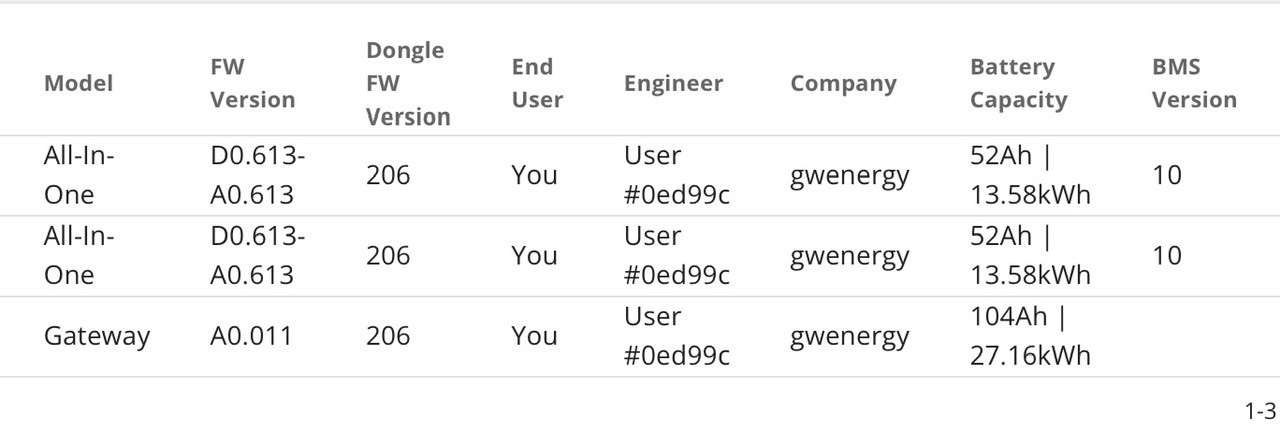
No not always, I have GW and AIO’s there all on v206

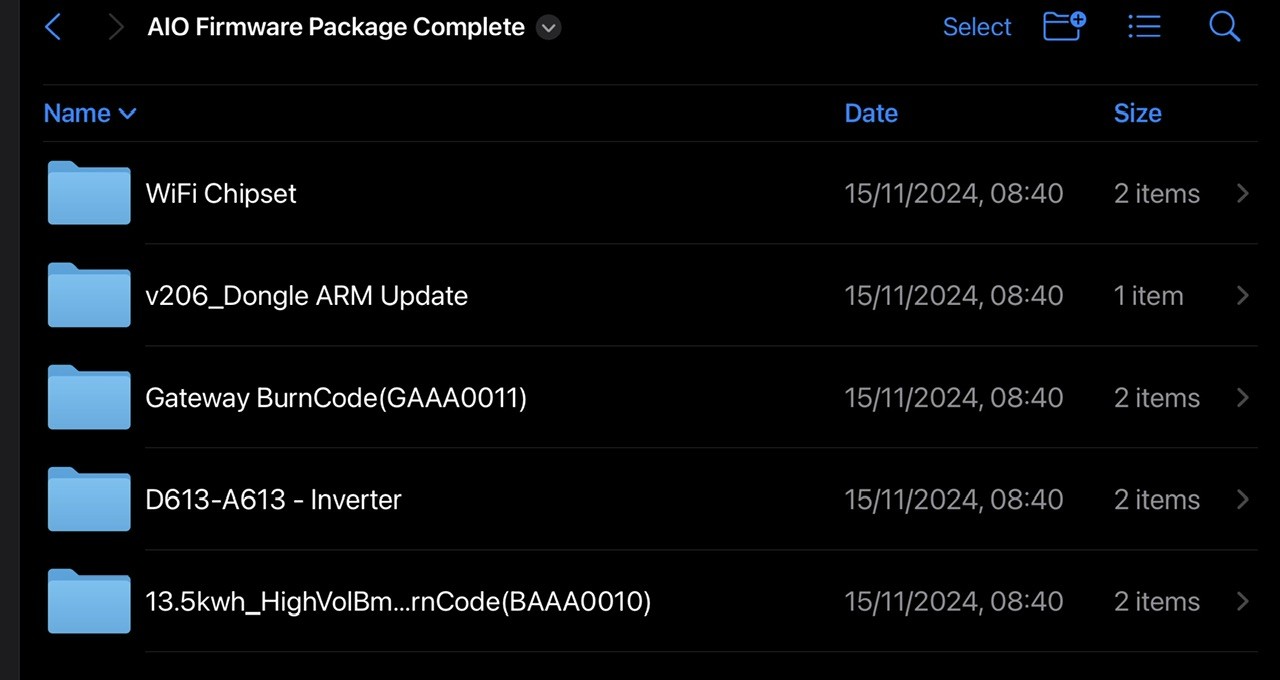
If you download the installer package and unzip it, you can see what’s available, I keep an eye on it and download it once a month to see if anything has changed. Then I leave it a while, then install it if the documentation looks worthwhile doing the update.

This is what it looks like for the AIO & GW

D
#24 Daveb01

As I said GE can do everything except the WiFi chipset.

K
#25 killythebid

ONEIL

I haven't contacted them but it is at least legitimate as I had a message through the Givenergy Dashboard and as a message on the phone APP (Android in my case) I doubt it is a requirement though and for my part I will only install and use if instructed to do so by Givenergy support to resolve an issue.

I do not voluntary update firmware and the like from Givenergy I have been burnt by doing that previously and just leave it alone. I have no wish to spend all day sat in my loft on the phone trying to breath life back into the system again.

G
#26 geoffreycoan

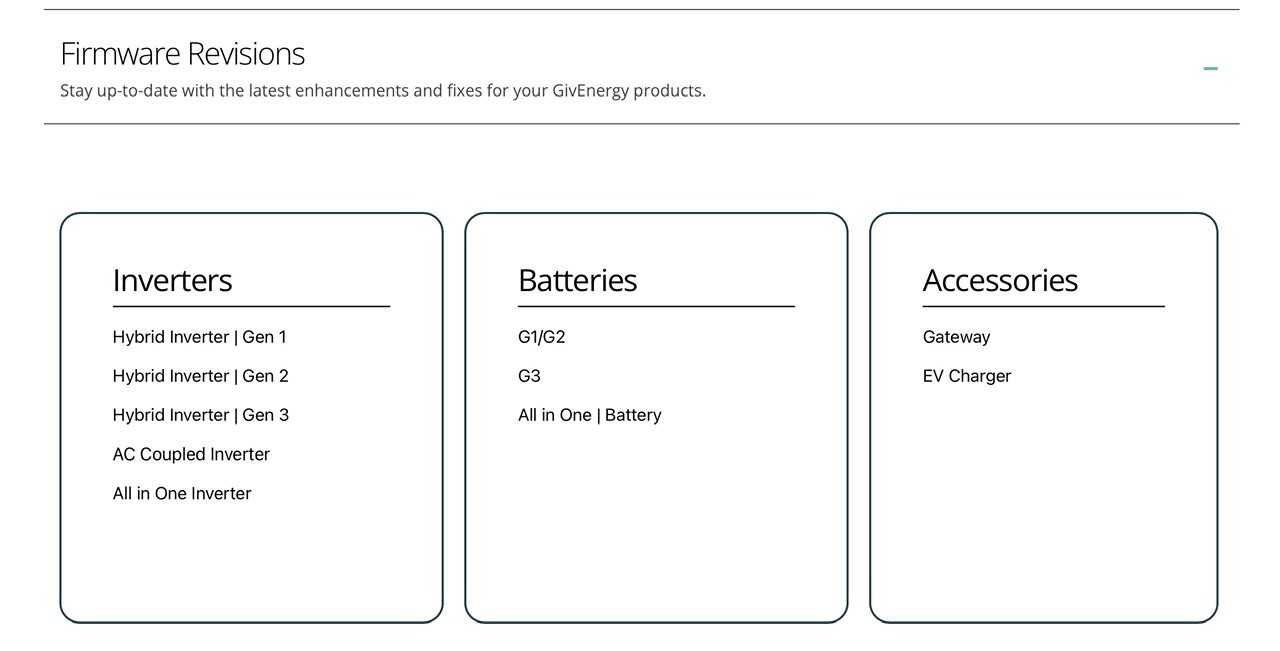
Daveb01 I use this web site now to check on firmware and BMS updates. Then either phone or email GE and ask them to do the update.

https://givenergy.co.uk/installer-resources/
My Gen 1 hybrid inverter doesn’t appear ☹️ only the G1 and G2 batteries

S
#28 SteveCook

geoffreycoan

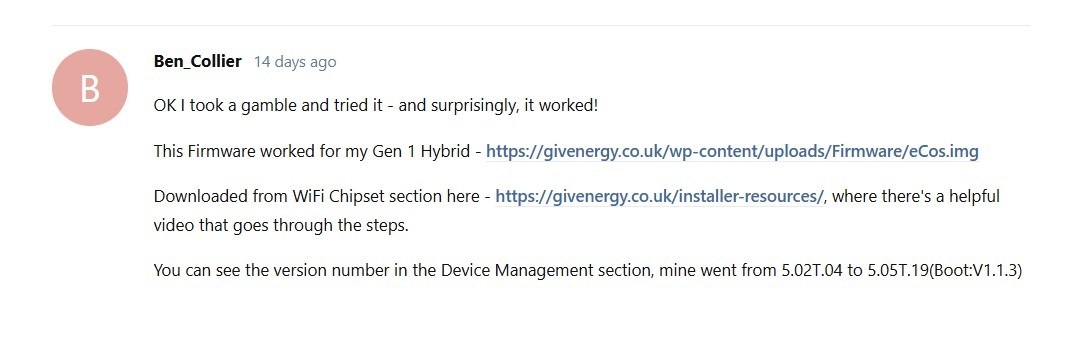
This worked on my Gen 1 dongle. The chipset update. See my link above

G
#30 geoffreycoan

SteveCook Thanks Steve, I’m kinda on the page of “my inverter wifi is working fine, no need to risk it by upgrading” and I can’t see any release notes either here or on the installer-resources page, but good to know that the chipset update does work if I needed to upgrade

S
#31 SteveCook

geoffreycoan
Summary of what happens. Though what the difference in versions is, no idea!

R
#32 Roy124

I took a gamble too and got stopped at first base. It does not recognise my password.

Forgot password.

Entered email address and it returned: page.forgot-password.retry.cta

Any ideas?

D
#33 Daveb01

Roy124

It was advised to put the s/n of the device? If not you can reset it to default and set it up again.

If you can’t connect to the dongle/internal WiFi as the W###### network is password protected - try your inverter serial number, if not reset the dongle/
internal WiFi. This can be done by pressing the small button under the cover on the bottom of the dongle and holding down for 15 seconds. Please wait 30
minutes to allow the dongle to fully reset. Should the dongle not reset, repeat the process.

J
#34 JJB

ONEIL Good Luck with this. GE seem hell-bent on making sure that nobody who has spent thousands of pounds with them can contact them 'directly' at all. Their service has just gone down the tubes and I'm left with a hobbled system that one of their engineers, who visited to replace yet another AC3 'board' has inexplicably broken. Can I get hold of anyone? Of course not.

#35 Tenkaykev


These popped up in Notifications, the last one just a few minutes ago. My current WiFi connection seems to be working fine so I will probably leave well alone until after BMS11 has been released and and bugs squashed 😉

D
#36 Daveb01

Tenkaykev

I have been on v206 since September and all good, it was a requirement for parallel AIO’s. I am just waiting for BMS 11 and firmware 614

My installer also updated all the WiFi chipsets.

#37 PianSom

Daveb01 I am just waiting for BMS 11 and firmware 614

If you are very keen then go over to the Beta forum and ask Paul if he is accepting people on to the program atm.

If there is actually a beta program going on at the moment, of course.

R
#38 Romero

Essentially, I didn't have any connectivity issues. However, since the message from GivEnergy sounded urgent, I inadvertently unplugged the cables behind the dongle while trying to take a photo of the serial number needed for the GivInstaller App. I then proceeded to update the dongle's firmware.

After reconnecting the cables, I've been experiencing an error message on the inverter since Saturday when I first contacted GivEnergy. Both myself and my installer have reached out, but we still haven't received a response.

Has anyone else encountered a similar issue after accidentally disconnecting the dongle cables and updating the firmware? If so, how did you resolve it?

Any advice or assistance would be greatly appreciated.
Thanks in advance.

S
#39 SteveCook

What inverter do you have and what error messages are you getting
The EM115 plug has to be in the correct port and when looking from underneath it can be difficult to see
Is it correctly plugged in far enough and in the right port

R
#40 Romero

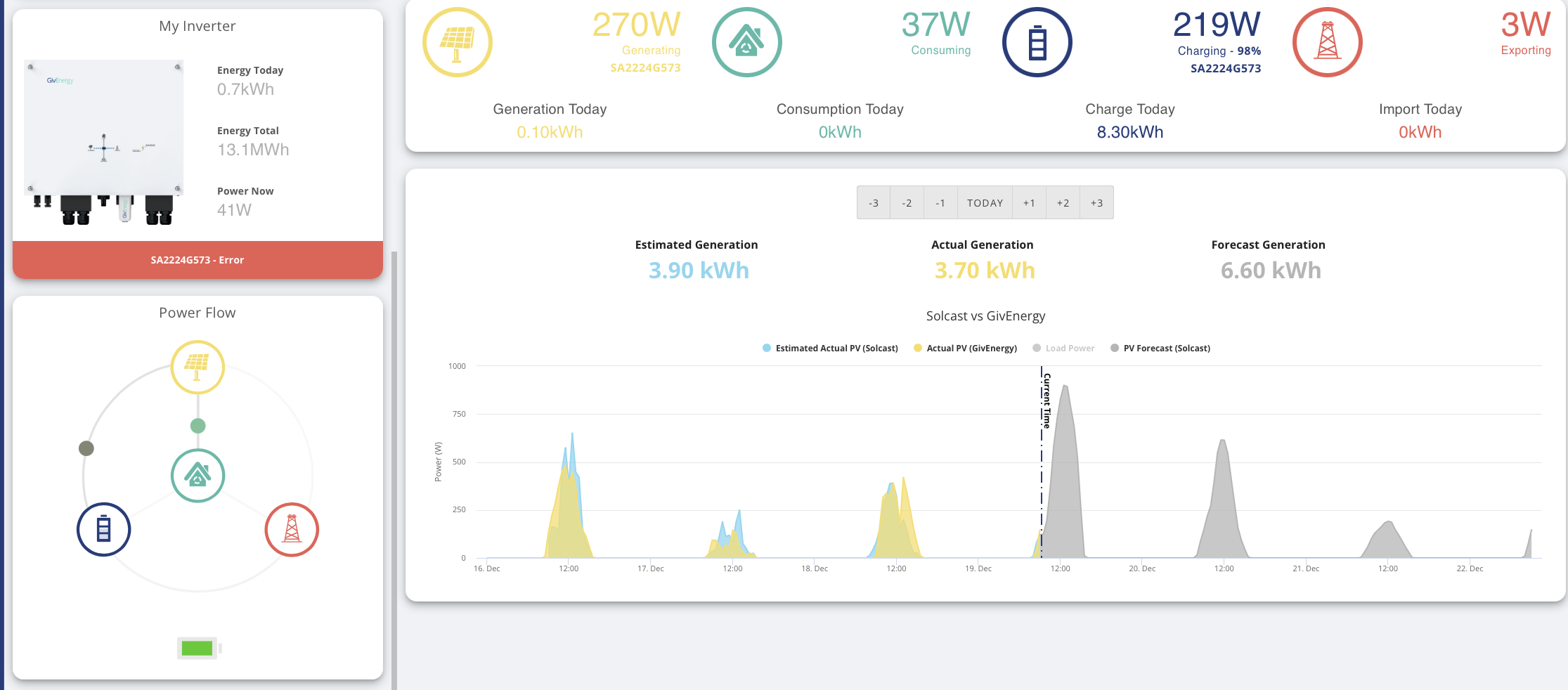
Thanks for responding, the Inverter Model is GIV-HY3.6 and the error message is on the screen, so I took a couple of screenshots. Sorry I'm not familiar with the system or how to get log level data, if you know how to delve deeper I happy to provide this information. Btw similar to other posts, there is no response from Givenergy support team, I guess they are swamped with work.


R
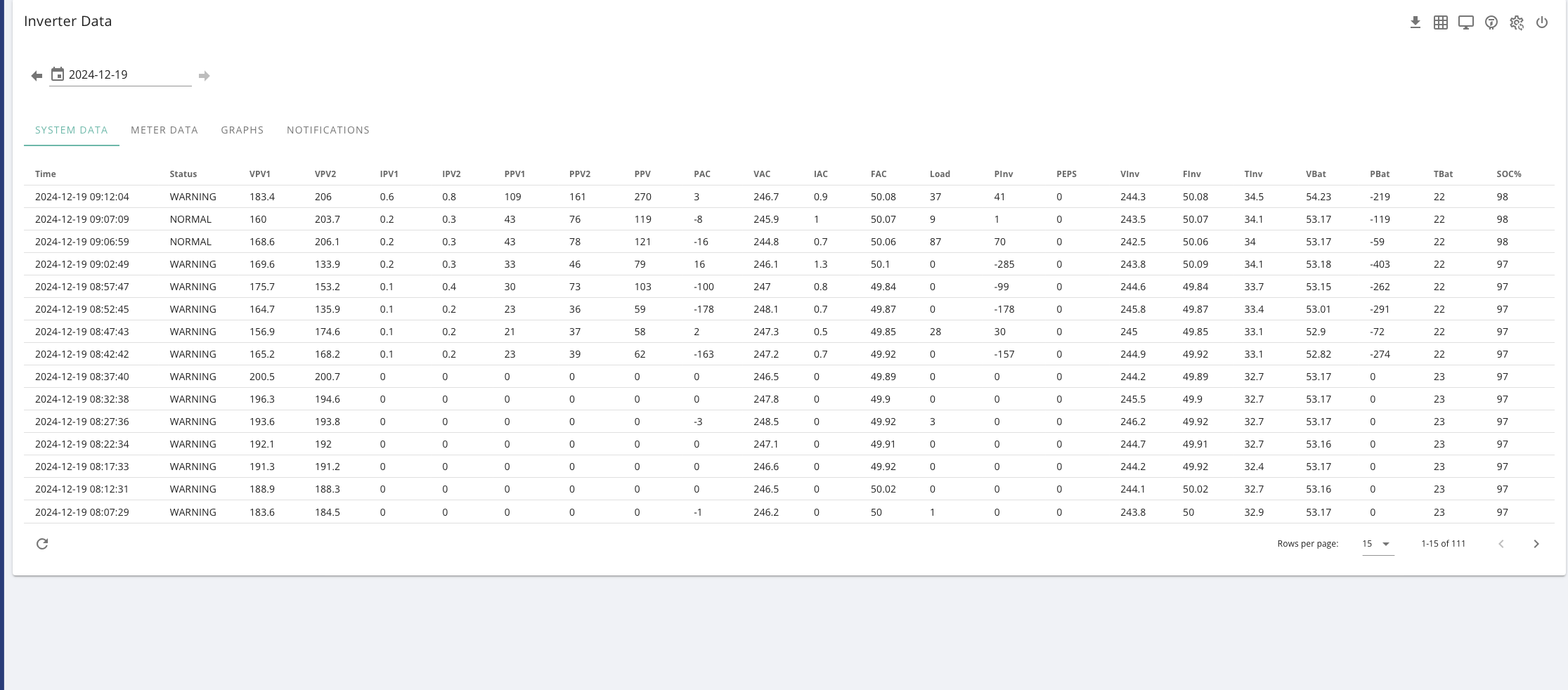
#41 Romero

sorry forgot to mention if you reboot the inverter for a couple of minutes the status goes green between 09:02:49 and 09:12:04, the inverter status fluctuated. It was in a WARNING state at 09:02:49, then when I reboot it it changes to NORMAL state sometime between 09:02:49 and 09:06:59. It remained NORMAL at 09:06:59 and 09:07:09, but returned to a WARNING state by 09:12:04. This indicates the inverter is struggling to maintain stable operation and requires further investigation.