WiFi Woes - again!

27 comments started 2024-12-12 last 2025-01-12
GivEnergy Products
D
#1 DaveCole

Gen 2 Inverter problem - about 6 weeks ago the inverter lost connection with the WiFi. I'm au fait with the GivEnergy instructions on resetting the connection (I've done it enough times!) but eventually Eon sent an engineer. He reset everything, it didn't work initially, but switching it on and off a few times eventually got it to work.

8 days ago it did it again, and despite all efforts, it's still offline. Eon are yet to confirm an engineer will attend. Via the app I've been sent a hint to get the GivInstaller app, and since then another to update the dongle. No instructions, just a notification without acknowledgement of my problem.

As this subliminal messaging seems to be nudging me to fix it myself, I've installed the app, pressed the reset button on the internal dongle, scanned the barcode and followed all the prompts. The GivInstaller app either tells me the device cannot be found or that 'something came up' or the update failed. Not sure what else to do. The system otherwise appears to be functioning properly.

It's not a WiFi environment problem as there's very good signal and no other devices on the network have connectivity problems. Is there an inherent weakness in the GivEnergy dongle I need to know about?

S
#3 SteveCook

DaveCole It seems they are saying this new chipset makes the dongle "better" but no details anywhere.
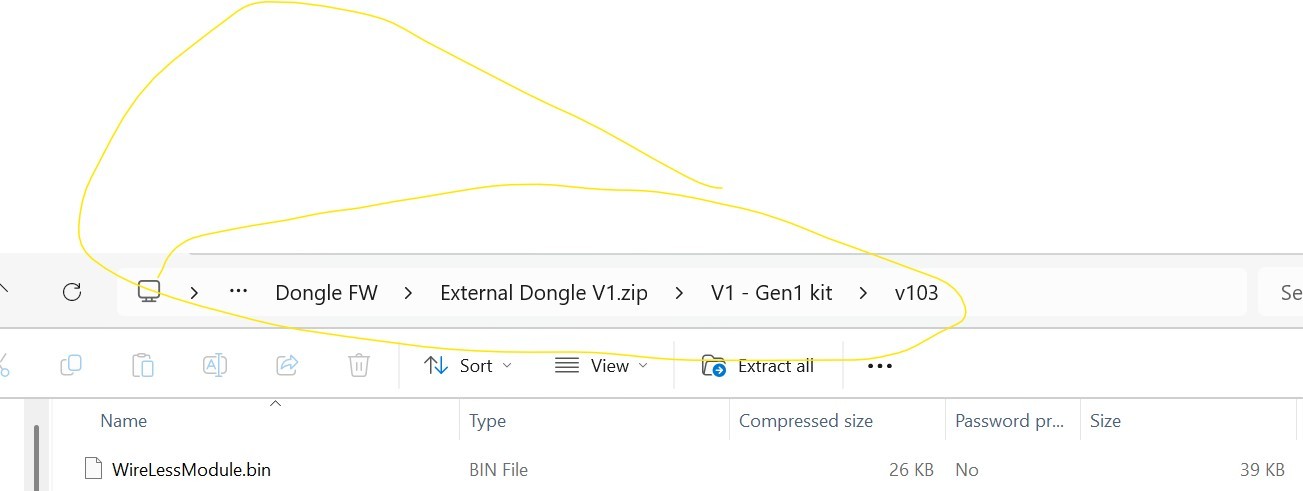
I tried but could not do it via the app and had to reset the dongle and go through the whole reconnection process (5gHz off etc) and then did it by downloading the image file to my laptop and logging into the dongle using the assigned IP address

D
#4 DaveCole

SteveCook I hadn't signed up for all this nonsense - it's the only device that gives me any connectivity issues whatsoever; it's 2024 and we shouldn't have to be cutting and pasting files or continually resetting devices to maintain the system. Dismal.

S
#5 SteveCook

DaveCole
Dave
I agree with you. It is PP really for what we have both spent on equipment. I guess the UK market share of the whole GivEnergy(Chinese company) is miniscule, so no urgency to fix things or even do them correctly in the 1st instance

B
#6 bRhFDKtjRMK9

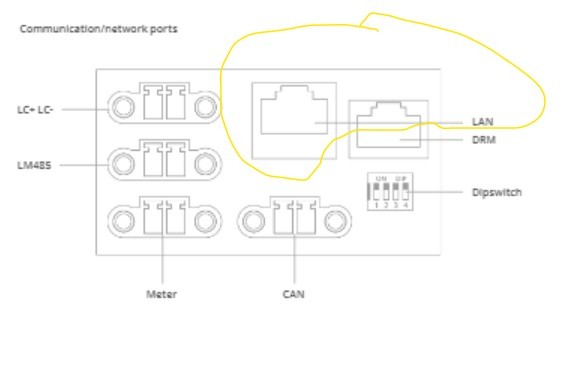
Anyone pulling their hairs out due to unstable WiFi should seriously consider just moving to Ethernet connection, for example via Powerline Adapter.

One adapter by the router, one by the GivEnergy equipment (with dual ethernet socket, or with extra network switch to give enough ports). Problem solved.

#7 nophead

I don't think it is an option on my Gen3 inverter. It doesn't even have an external Dongle. I would have to remove the Inverter cover to get to it.

D
#8 Dean

Although I had good coverage, I still had drop outs from the battery dongle. So I bought a Wifi extender and placed it near the battery on an inside wall (the range of the dongle is not good, so it needs a strong signal), then connected the dongle to that. Been rock solid stable for me since, so I'm reluctant to do this dongle update.

S
#9 SteveCook

nophead
Gen3 installation manual snip from KB. Remove the plastic cover on the underside

S
#11 SteveCook

dragon2905
Dragon
Thanks.
Do you know if this is for Gen1 Hy5.0 dongle.
It appears to suggest so, but no readme files anywhere.
I have updated the wifi chipset successfully (well appears so, just took a punt)

L
#12 Leeshore

nophead it’s quite easy to do

S
#13 SteveCook

Leeshore
But what is it for. Gen 1 hy5.0 dongle?

G
#14 geoffreycoan

bRhFDKtjRMK9 Anyone pulling their hairs out due to unstable WiFi should seriously consider just moving to Ethernet connection, for example via Powerline Adapter.

I would not recommend using a Powerline adapter. I had powerline adapters to extend my wifi network and whilst they worked most of the time, often they would just drop out and you’d have to unplug and plug them back in again to get them working. I even bought new higher speed adapters to improve the resilience but it didn’t.

The powerline adapters don’t like working through extension fuse boxes with MCB’s/RCD’s in them, and noise on the mains ring circuit really kills the throughput. I eventually tracked the poor wifi performance with my powerline network down to two things, mains sockets with built in USB adapters and poor power converters such as cheap phone chargers. Getting rid of these resolved a lot of my powerline issues but didn’t fix the stability.

I gave up and bought a Mesh network and didn’t look back.

J
#15 Jellybaby

geoffreycoan

often they would just drop out and you’d have to unplug and plug them back in again to get them working

I keep having to do that with my Netgear switch

B
#16 bRhFDKtjRMK9

geoffreycoan I would not recommend using a Powerline adapter. I had powerline adapters to extend my wifi network and whilst they worked most of the time, often they would just drop out and you’d have to unplug and plug them back in again to get them working. I even bought new higher speed adapters to improve the resilience but it didn’t.

Problems you are describing can be associated with poorly designed Powerline Adapter, not the weakness of the technology itself. I also had poor PA years ago, Zyxel brand, which could drop out, needing to be reset occasionally. I got rid of it, and bought TP-Link ones. That was about 5 years ago. Since then, I had one occurrence where I had to turn it off and turn on back on again.

geoffreycoan The powerline adapters don’t like working through extension fuse boxes with MCB’s/RCD’s in them, and noise on the mains ring circuit really kills the throughput. I eventually tracked the poor wifi performance with my powerline network down to two things, mains sockets with built in USB adapters and poor power converters such as cheap phone chargers. Getting rid of these resolved a lot of my powerline issues but didn’t fix the stability.

GE equipment doesn't need any extensive throughput, only a stable connection. My GE installer was also sceptical to this idea, suggesting hardwired Ethernet, or WiFi to the AIO and Gateway. I told him my last five years experience with PAs, and went with it, added PA adapter to the utility room where GE equipment is, with free network switch I had laying around. PA and switch provides connection to Gateway, AIO and Zappi charger. Throughput is low, because it's on another circuit, away from the router in the living room. However, it did not drop even once since I installed it, all devices are online 24/7.

B
#17 bRhFDKtjRMK9

geoffreycoan I gave up and bought a Mesh network and didn’t look back.

What make and model do you use? I also considered mesh network once but didn't want to add more stuff on WiFi if I could tuck it away in the walls via powerline.

L
#18 Leeshore

I use google wifi. Initially had dropouts. So I put one of the boxes next to my inverter and have an ethernet connection from the google wifi box to the inverter. Never had an issue since.

L
#19 Leeshore

SteveCook But what is it for. Gen 1 hy5.0 dongle?

SteveCook Not sure. Was just commenting easy to remove plastic cover......

C
#20 CW

geoffreycoan Almost exactly the same experiance as me (except I didn't try and track down the cuplrits!!). Moved over to a mesh network as we have really thick solid brick walls and haven't had a wifi issue since. Even extended the network so that the plant room (aka garage) had a good source right next to it. Never had network issues with the GE kit and I guess, should I ever replace the router, will not have the problems of the kit losing access to the "tinternet" as the SSID/pwd will still remain.

Q
#21 Quassi

Original from the manufacturer HF-A21 the last firmware was version: ......5.05T.18(Boot:V1.1.3) from 11/08/2022........ and there were problems with it... YOU changed it to ver. ... 5.05T.19(Boot:V1.1.3)..... - and in fact what did you fix in the last version??? Just the number, or really some software modifications??? The difference in size is 1kB...

B
#22 bRhFDKtjRMK9

CW Well done with your mesh solution.

CW should I ever replace the router, will not have the problems of the kit losing access to the "tinternet" as the SSID/pwd will still remain.

By the way another interesting tip for WiFi users. Every time you change ISP, keep your WiFi SSID and password static. Just restore your own favourite name into the new router. Or like me, disable WiFi in ISP router, and use separate WiFi access points with fixed SSID name. That way, you can change internet providers every year, and your WiFi will never change.

C
#23 CW

bRhFDKtjRMK9 disable WiFi in ISP router,

That's exactly what I do - just run the BT Wifi Home (or whatever it is called)

D
#24 DaveCole

bRhFDKtjRMK9 I'm not running network cables through the house to my external inverter when every other WiFi device I own is capable of maintaining a stable connection except this one. I've even got an IP camera 30 yards from the house that's rock solid!

B
#25 bRhFDKtjRMK9

DaveCole I'm not running network cables through the house to my external inverter when every other WiFi device I own is capable of maintaining a stable connection except this one. I've even got an IP camera 30 yards from the house that's rock solid!

If every other WiFi device works fine except for GE inverter, and you don't want to reinvent the wheel, try powerline adapter, wire it up, no more WiFi, no network cables through the house, no major costs, only two devices in sockets, one next to the router, one next to the inverter.

D
#26 DaveCole

bRhFDKtjRMK9 the inverter is outside the house...

B
#27 bRhFDKtjRMK9

DaveCole Powerline adapter with WiFi access point function, placed as close as possible on indoor wall, should reach inventer outside. You could boost WiFi further by placing WiFi AP outside, or its antenna, buy this may require drilling or installing an ourdoor power socket.