Discharge Slots

16 comments started 2024-12-21 last 2024-12-22
GivEnergy ProductsHybrid
S
#1 spencermccarthy

Still learning.....

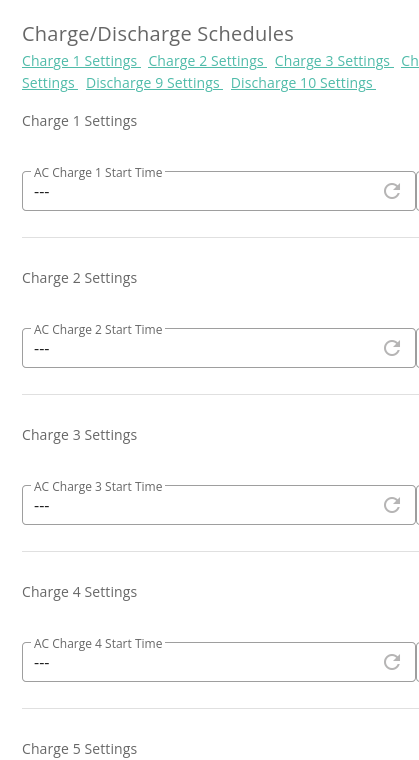
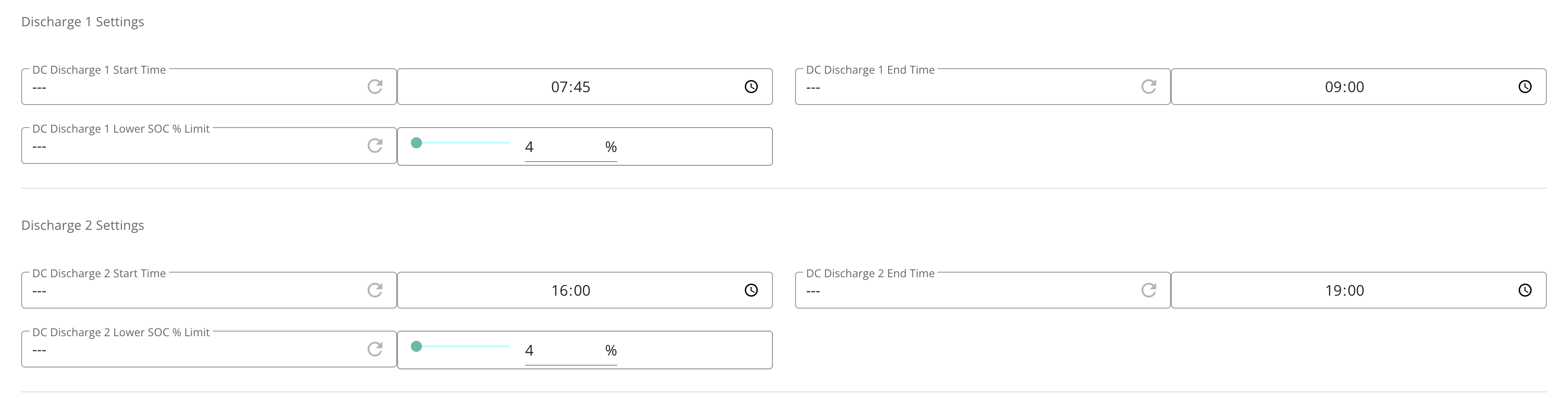
Looking at the cloud website, looks like the only place to setup multiple dischage slots is in the remote control section, is this right? The normal setting only shows 1 discharge slot and it now doesn't reflact the settings I put in the remote control section.

This just a slightly poor web implementation?

cheers

B
#2 bRhFDKtjRMK9

Website (menu My inverters -> Remote control) gives you 10 charge and discharge slots.
Mobile app gives you access to one or something, I don't use it.

S
#3 SteveCook

I think there are lots of posts that say just because the portal shows lots of slots, it does not mean that the inverter can handle them.
May need to use a 3rd party app
Octo R&D labs scheduler
WonderWatt
HomeAssistant

S
#4 spencermccarthy

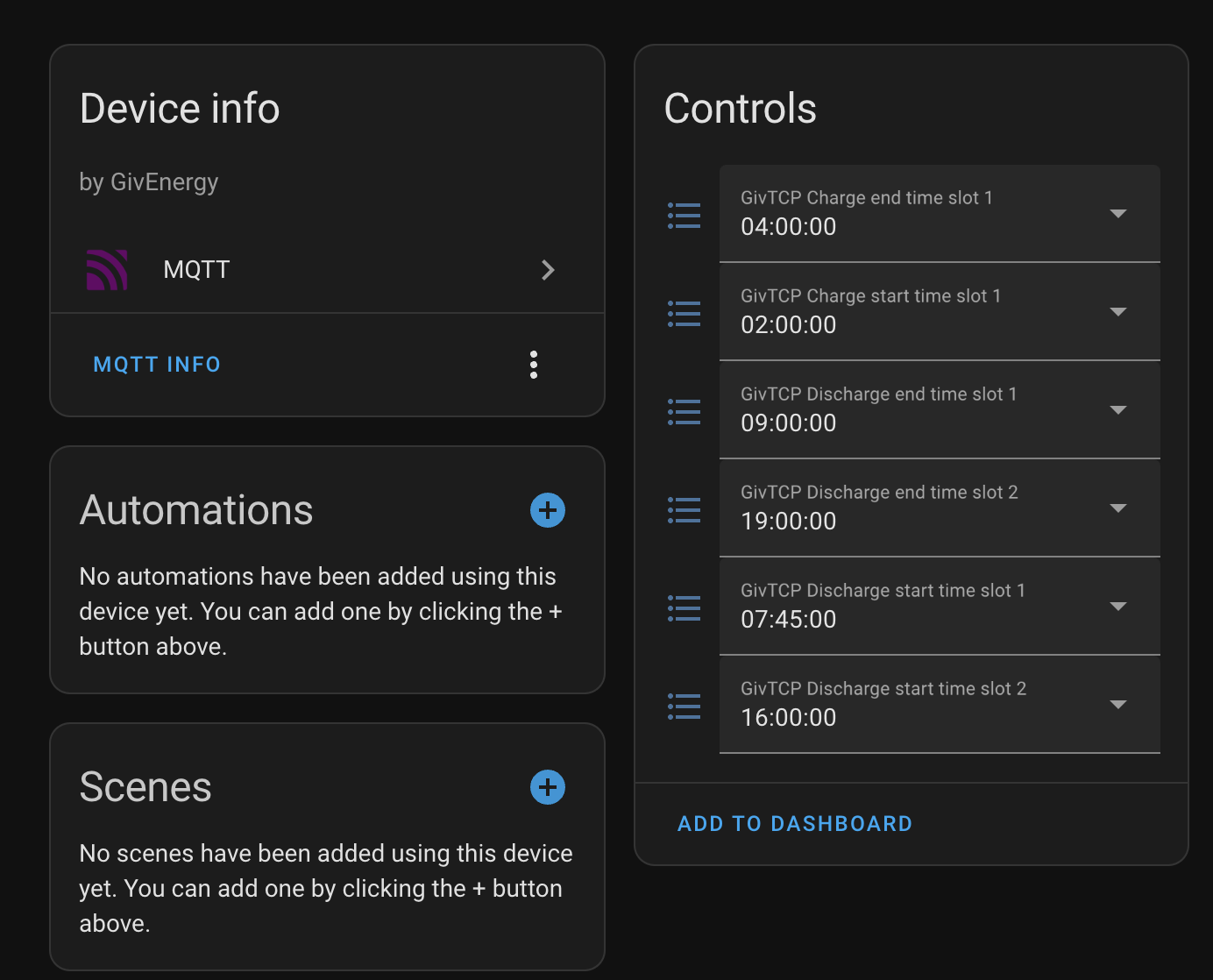
Ok, I’m running HA, I’ll have a look at the entities, see if it shows the updates I’ve added. Thanks

G
#5 geoffreycoan

spencermccarthy Looking at the cloud website, looks like the only place to setup multiple dischage slots is in the remote control section, is this right?

Yes, the portal is the only place you can put multiple discharge slots in, the app only allows you to control slot 1.

The normal setting only shows 1 discharge slot and it now doesn't reflact the settings I put in the remote control section.

Not quite sure what you are saying here

S
#6 spencermccarthy

The Inverter settings show a single slot on the website.

But the remote control section shows...

So just a bit confusing.

N
#7 NormC

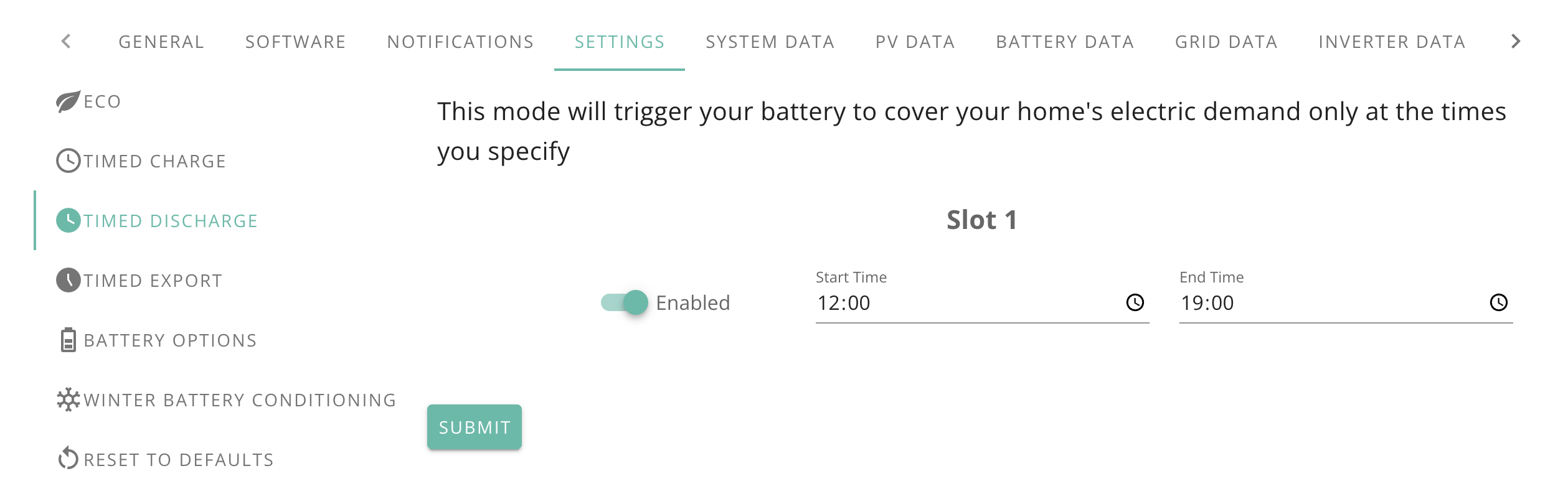
bRhFDKtjRMK9 In the mobile app there are 10 export slots which correspond to the portal remote control discharge slots. The app also has one discharge slot which I think corresponds to the pause battery section on the portal. It allows the battery to cover the home's electric only between the start and stop time set. It would make things a lot simpler if there was a consistent naming convention on the portal and app.

S
#8 spencermccarthy

Home Assistant shows that the values are correct though.

N
#9 NormC

spencermccarthy Click the Timed Export link under to see all the slots.

S
#10 spencermccarthy

I'm not tryig to export, I'm only trying to schedule when the house should use the battery as the house might use the battery before the peak high rate tariff starts.

G
#11 geoffreycoan

spencermccarthy Ah see what you mean. It is labelled ‘slot 1’ on the settings page, but you are right, need to access the remote control section for all the slots.

Just be aware of the behaviour of the discharge function, when the battery reaches the % target you set, if there is any home demand before the end time you specified then the inverter will import from the grid. So just be careful how you specify the end time and target %.

NormC In the mobile app there are 10 export slots which correspond to the portal remote control discharge slots

Curious. My Gen 1 inverter has 2 discharge slots and 1 charge slot but the app for me it only shows a single discharge and charge slot. Only way I can set slot 2 if I wanted to is via the portal.

As it is I use Home Assistant and only ever use slot 1.

N
#12 NormC

geoffreycoan My inverter is a gen3. I guess that is why the slots are showing in the app.

I have just been playing about on the app and setting Timed Discharge on between 1900 and 0100 on the app set the Pause Battery option to Pause Discharge. The Pause Battery Start Time was set to 0100 and the Pause Battery End Time was set to 1900. I also set a Timed Export in slot one on the app which showed up in the portal remote control in slot one under the Discharge section. I wonder if there are two different teams (one for the app and one for the portal) who never talk to each other.

G
#13 geoffreycoan

NormC Believe it or not but this is as a result of GivEnergy implementing changes to the app and inverter controls to make it more logical.

The problem is that the original timed discharge didn’t operate as it should have done leading to a lot of confusion for end users. The way this was resolved is that Timed Discharge is implemented as a battery pause for the inverse hours - i.e. in the hours you want timed discharge (battery can discharge to meet home load) the battery isn’t paused, and outside of those hours the battery is paused.

The portal shows the controls that align to how it is implemented in the inverter, the app tries to show more user friendly ways of understanding the controls.

D
#14 DD

geoffreycoan The portal shows the controls that align to how it is implemented in the inverter, the app tries to show more user friendly ways of understanding the controls.

Except that the app allows only pause mode of pause-discharge, whereas remote control allows any type of pause - pause-charge or pause-both.

It is quite confusing that the remote control labels them as discharge slots, whereas they are used for timed-export, not timed-discharge

B
#15 bRhFDKtjRMK9

spencermccarthy That's why I don't modify any settings from the mobile app. I don't want to have two sets of incompatible settings or get confused. There's no need, website works well, even can be accessed from mobile browser.

S
#16 spencermccarthy

Thanks for all the help on this one guys. I have my head around it now. As you guys say it's a bit odd the naming convensions don't sync up between the remote control section and the normal website. Going to just stick to the pause battery discharge function for now as I'm getting nothing for the export at the moment while Octpus sort that bit out. Need to be registered or something.