GivEnergy do have the ability to monitor and control their systems locally.
Thread for dicussions on this capability

GivEnergy do have the ability to monitor and control their systems locally.
Thread for dicussions on this capability

Please tell me more!!!
For customers home use we have written a piece of middleware called "GivTCP". That can run on almost any infrastructure. We have customers hosting on Raspberry Pi, PC & NAS. It can run locally or preferable in Docker.
This software can monitor the inverter at local speeds, so every 5s for example. Far quicker than the refresh rate for cloud services. GivTCP can present the data as a data stream, or you can use GivTCP as a MQTT data feed. ( it hosts its own broker, or you can publish to your own ). This is activley being used for more real time in home displays.
Control is also enabled. By design the methods exposed are the same as our cloud hosted battery.api
https://kb.givenergy.cloud/article.php?id=54&oid=8
At this time this service is still beta, but has been used by some customers for a considerable time. They have used it to drive home automations such as Home Assistant, OpenHab, NodeRed. It also allows local data extracts to be stored and cisualised in whatever database the customer prefers e.g. Influx, Grafana
Work is activley being pursued to take this to the next level as we expect this to be used far more by customers in the future. It is a key feature which will only get even better in the future
Due to this still being beta currently, I can not share openly how this works. If you are a GivEnergy customer use the feedback in the beta portal and I will provide more information via that channel
MQTT may not mean a lot to most people but it is nice to see it being adopted like this. It may even get me to dust off my MQ/MQTT programming skills again. I look forward to seeing how this develops. 😄
Nice. Definitely going to be interested in hosting GivTCP on a RaspberryPi.
To help us.....
What do you want to do and why?
That question is just so I can do the capability match against GivTCP without asking questions in a leading way.
Also, PIs are not something you buy from a high street computer shop, so I assume you are an enthusiast about such things. We are aiming to make this as simple as possible, but its a bit techie at present so needs a little knowlege to get working. Our developments are to make this much more consumable to all levels of IT skill
simon_swinburne Yeah I'm a techie. I'd only use a Pi for the small and silent form factor in an "always-on" state. Planning on putting a few things on a Pi like PiHole for adblocking just haven't gotten around to it. Alternatively I'd run a lightweight VM on my NUC and just leave that always-on.
I'm mostly interested in the realtime stats, but having local control would be a bonus too - I'm not fond of relying on a cloud service to control something that is physically located in my home.
Ok, thats good to know. A big bonus of this solution is quicker data refresh times. Mine is every 5s vs 5 mins in the cloud.
We do have some users running this in docker on NAS drives.
What would you do with the data? Push to a local in home display and / or store locally?
How long can you wait? As we are refactoring it to make it easier would you like to be an early adopter? I can't promise that in the next weeks but it is definatley coming and we will need people who havn't been exposed to it before to help us test it.
This makes me think, should we set up a 'register of interest' for beta products such as this?
simon_swinburne
I'm in no rush whatsoever and to be honest it might not be something I have time to play with this side of Christmas.
I'd try and push it to some display/visualisation - if the GivEnergy app was updated to be able to read the local GivTCP that would be the best but I understand that might not on the roadmap.
If I can jump in on this, having something that updates as frequently as every 5s would be of interest for me, purely to better understand the interplay between my "plant" and the real world. I have a Pi working in the same area as my GivEnergy setup, although it's currently being use to track the performance of may latest homebrew specific gravity...I take my brewing very seriously!
I'm competent at IT infrastructure and computing but can't program for toffee. It would ideally need to be some kind of disk image that I could load into the Pi and get up-and-running from there. But my current quantty and accuracy of data, especially in relation to my batteries, would be good to know.
Interest registered, again that will be the more polished version when its ready
Would it be possible (or is it somewhere already) to have some local web interface that we could connect in locally to view the inverter/ battery status and make changes? something that most devices at home have these days (things like smart switches, internet modems etc.)
Then there would be no need for any additional piece of equipment, and this would allow to make any changes when Internet is down or cloud services not available.
Technically that is possible, lets be fair everything in technology is possible. In reality that will not be a company priority. We are focussing on safely locally exposing all the required data and controls, in such a way that they can be consumed by any service / product the cusotmer wishes. In part thats because the options are so vast we would never be able to keep up and maintain to a high standard.
If in home displays are being used, or computers etc there is already middleware kit potentially avaialble. With the right software that should be able to consume the provided services to deliver the capabilities you seek. In terms of supportability that is better for GivEnergy as we just make sure the foundations are solid and make them easy to use.
In terms of innovation that enables the community to do what the like. I hope to see, and am already starting to see, consumer developed products in the future that will meet this need.
simon_swinburne
Woo hoo!
I think a few people on here have been waiting for this actually.
The real-time aspect, and cloud avoidance is really useful if you're at home monitoring what the system is doing right now, or, if you wish to make changes quickly and without the cloud. No lag or protective delay.
I'll be taking a look at the article during lunch, and I'm quite looking forward to seeing what the service can do so far.
I'm definitely interested in being able to see something near real time in a similar way that I can with my smart meter in-house display or my home weather station. I'd probably do something with a Pi3 and a screen in a case, connect it to the same part of the LAN as the Hybrid 5 is connected to and then sit watching it. Just because I could really. To be honest, the cloud data probably gives me enough to be able to make sensible decisions about what next in terms of upgrades (more battery/more panels/ immersion controller/ whatever) but having local control over the data and being able to see it in real time would definitely be a good thing to have.
simon_swinburne
Great to have a forum at last!
I've only had my set-up (lots of PV / zappi EV charger / 2 X 8.2 batteries - each with their own AC Coupled 3.0 controller) for a few weeks, and access to other, like-minded folk, will undoubtedly be of great help as I learn more & more about the products. I'll also be very pleased to help others with anything I can.
Please add me to your register of interested parties, for upcoming products / beta software etc.
I'd very much like to have local control over my system - mainly to be less reliant upon remote servers.
Ultimately, I'm hoping to build a UI which will allow access to all of my kit from one place - particularly integration between the GE controllers & batteries, and the myenergi products - zappi etc, as I do find myself hopping around all over the place quite regularly, changing the settings on both systems, to get them working together in the mode that I want - which depends a great deal upon whether the PV's producing enough for the EV, or whether I'm importing cheaply from the grid, on Octopus.
I'm hoping to host everything on my Synology NAS, and perhaps use Python for the donkey work. Only just learning a bit of Python though, so it's early days yet...
[unknown]
seems like we have struck a seem of interest....
No worries. Interest loggged
We do have some of our closed group beta testers using Synology NAS as a base. I use one for half of my system (NodeRed and openHAB )
If you keep an eye on the "whats new" in the beta portal you will see several thing that are alligning to yout vision ;-)
simon_swinburne
Great. Thanks Simon.

For me, the local access is far less important than the response time of the data being displayed (even though it seems like one leads to the other). I hate checking the app and seeing the battery 'discharging' at 3kW because I boiled the kettle 5 minutes ago and it happened to snapshot the data then. The idea of having an in home view displaying solar, battery and grid usage in closer to real time would be amazing.
This is a real dilema.
Technically we can get data quicker but it adds lots to the running costs of the service which would make it unsustainable ( especially bearing in mind growth in customers ).
Maybe this seeds thread about the granularity of data required and whats its worth to people? Whether that be best via the portal or a local device or both ?
simon_swinburne For fairly slow changing data items like daily usage, I've personally got no need for them to update faster than they already do. If I could have solar, battery and grid usage shown closer to real time even if only when at home then I'd be a very happy customer. I have a Raspberry Pi so would be happy to try things out for you, or would a different cut down portal which only worked locally be a possible solution?
Very interested to hear about the developments for Home.Assistant. I am planning to develop a HA application running on a Raspberry Pi, primarily for security but would definitely like to add a real time(ish) GivEnergy dashboard. Would be happy to test any Beta applications, probably early next year.
My background is industrial automation with logic controllers (PLCs) and SCADA visualisation. From this experience I would very much like to see an intelligent control mode available from GivEnergy. Local control can be useful and interesting, but not always very efficient. I have better things to do!
The objective of PV as I see it, is to reduce energy import and maximise export at peak times. To achieve this I envisage an intelligent system that would for example, make decisions about how much to charge my battery at night, if at all, based on tomorrows weather, typical demand and import tariffs. Or during the day make decisions about when to charge while covering demand and when to export with the goal of retaining as much battery charge for export at peak time. Is this something GivEnergy are working on? Again, if at some stage testing is required I would be happy to help!
chrisw To achieve this I envisage an intelligent system that would for example, make decisions about how much to charge my battery at night, if at all, based on tomorrows weather, typical demand and import tariffs. Or during the day make decisions about when to charge while covering demand and when to export with the goal of retaining as much battery charge for export at peak time.
This sounds like what I believe most people would like to be able to do, but as I have no experience with API use, Raspberry Pi or home automation software (my very little automation is web or app based), would need to be able to use systems already set up.
chrisw To achieve this I envisage an intelligent system that would for example, make decisions about how much to charge my battery at night, if at all, based on tomorrows weather, typical demand and import tariffs.
Yeah, this is one of the first things that popped into my mind. I'd also thought of building a dashboard that made it obvious when there is spare generation so I can put appliances one.
Right now I'm toying with just getting an active summary displayed with import/export/generation on it. After that I'd like to be able to merge the data with what I can get from Octopus to get some kind of cost per kw or per day type figure
MrChaz
So something for you to consider in your logic....
If you know your baseload and PV forecast you can work out how much 'spare' energy PV might give you to charge the battery. In turn that can inform you how muc to charge overnight. Thats the simple formular
My off peak finishes at 04:30, PV does not meet house demand until at least 09:30 ( maybe even later ), so I will always need to use the battery for some time in the morning. If the forecast is a nice bell curve thats quite straight forward maths to work out hopw much energy needs to be stored to meet needs before that time, but if most of the PV doesnt come until late afternoon the logic is a lot harder.
I have done some logic for this and really got it pretty good at minimising overnight charging durig the summer. All was great until a day when the forecast didnt materialise. I then ended up spending quite a lot on peak time power to make up the shortfall. That got me thinking about what the actual goal is by doing this. For me its to minimise houshold energy & costs, whether that be electricity or gas. As the differnential between peak and off peak electricity is so great I have refined my calculations to be very conservative, charging more that I really need as a minimum. The reason I am happy to do that is that any 'spare' PV that is available after my battery is full then heats up my hot water. If after all that I also didnt empty the battery during the evening, then its just needs to charge up less overnight. ( like credit rolling over )
So my point is that you can automate and optimise a lot, but consider all aspects of energy use and storage before deciding how far to go, and the consequence of over tuning may be significant.
How that can be delivered in a way that meets all sorts of customers needs is a little challenging. Really obvious difference as FIT and SEG. Very different approaches required. Lots more complexities if you scratch below the surface.
I am happy to share the logic I have used. I use NodeRed, so low code. The GivEnergy battery.api gives all the control functions you need, Solcast gives the PV forecast, Your own energy graphs give your baseload and profile
I have had a go at creating a register of interest for local monitorig and control
Its an Office365 form so not very complicated, but it will allow me to keep track of people wanting to give it a go.
Please fill this in in you want to be an early adopter
https://forms.office.com/r/55F46wdJ6z
btw, if this form needs to change, you can tell me that too.
simon_swinburne
Late to replying to this on the forum Simon but as other people have already said. RaspberryPi running a more 'Live' view is what im after. Been able to see what is happening at any given moment to better understand my home utilisation and the PV performance I key. Im a keen Pi enthusiast and have multiple running thought my home. Various systems running such as Pi-Hole, Plex server, VPN Server and a few home baked applications for controlling physical devices/voltages within my Camper.
Im very keen to see what we can make from this. As already shown I have made a very simple monitoring using your Home Display and an old Kindle fire.
Simon
I have 11 responses so far ( so my form must be reasonable and certain serves its purpose ). Obvious quite a bit of interest in this capability
Keep registering. More interest means high priority :-)
I created a GIT repo this week for NodeRed flows. My tidy up has started.....
Not sure if this should be a new post really, but it sort of fits with local control....are there any plans to support ifttt?
Add another to your "interested" list here @simon_swinburne I'm a techie, part time software dev and all round geek 🤣 Would love local data capture with more frequent intervals (was hoping this would be possible).
chris_p
please fill in the form to lodge your interest. 18 currently, so pretty popular idea :-)
https://forms.office.com/r/55F46wdJ6z
The stats tell me the average time to fill this in is 4.5 minutes. A bit longer than I would have hoped but not too bad

Could this be made available as an alternative app in the future? Load it on an old tablet as an example. My days of needing a local NAS etc are over. Everything's online for me now. But I would love a simple solution to view the data faster, 5 second refresh etc.
JasonCartwright No idea, I am not a programmer. But yes in the future that kind of feature/app would also be cool.
JasonCartwright Agreed. It is something I plan on trying to do with a Google Home Hub, I would expect it to be similar for an Amazon Echo.
I have written my own motoring page that I then cast to Google Hub(s).
The problem with the current site is how it authenticates. If you just cast say the 'power graph' then it actually results in the login page. Thats not a bad thing as security is important, but something that required an alternative solution to work
Less of an issue on a tablet as at least that has a keybord to be able to log in
Thats something being looked at
I use home assistant to create a monitoring page. I can then use the echo show web browser to show the monitoring. Unfortunately the screensavers keep kicking in and then got the whole polarva or launching and browsing back to the page every time. Need more time to play with this but for the brief 5 minutes it works well 😂

I run a (https://dakboard.com) which looks nice as you can add your calendars, news, photos etc. feed data to it via Powershell scripts which I can clean up and share should anyone want them.

I think really I'd only want local monitoring because once you've seen your system updating every 5 seconds (as one of our 3 systems was for the first 8 hours of its life) you want it all the time. But I'd probably just want to be able to install whatever I needed to install, open a browser that is looking at whatever it needs to and seeing it there. It's a real shame that the 1 minute updates hasn't made it to the cloud yet, even if it didn't do it real time and just uploaded like once an hour with the granular data.
There is of course lots of scope for some smartypants that isn't Givenergy to do all that legwork and share it for a fee, but that person is not me!
simon_swinburne New GivEnergy customer as of today, and I am really keen on getting local access (to match what I already have for MyEnergi and EmonCMS).
I've been in software engineering for 20 years so consider myself fairly capable 🙂
Dewet
Hi Dewet
Welcome to the forum!
Just for info, Simon's now left GE, so you may not receive a reply (although I think he still has a presence on the forum).
One of the other GE staff may pick up your post, but don't feel let down if you don't receive a response.
There are several folk already accessing their systems using Home Assist / Python etc, so if you dig around on here, and on Github, you should find some info on it already.
It's certainly something that I want to do, eventually...
Eventually?! Would seem now Simon has left there maybe a shift in priority’s?!
andrew_bond Yup, managed to get it sorted. Thanks!
After a few delays due to the wind, we are having our solar system installed on Monday (Fingers crosses!) and will be looking for local control. I was originally hoping for the modbus registers as I can easily read them, but Simon said they wouldn't be released and the API was the way to go - which I've already sorted for Octopus on Homeassistant, so was hoping to be able to get local integration, but have I missed the boat? Or is something else coming along?
anglefire think theres some confusion here. The local control runs as almost a mimic of the cloud API in what/how you get data in and out of it or change things.
The registers being exposed is a bit of a no no as you'd be able to cause havoc with any and all settings. (Its not been brought up but I'd imagine its bye bye warranty if you've been messing around in there with things you shouldnt.)
You also need to set loads of registers just to achieve one thing, so I can't see any benefit in having the access to said registers if you just need to send a 1 line wonder via a local API which does the same. (Setting a charge schedule is about 7 registers to change as you can see on the old portal when it does this)
So I think by Simon suggesting to 'use the API' he probably meant use the GivTCP API and not the cloud one.
I appreciate the caution over accessing the (modbus) registers directly. It’s something I am extremely used to doing at work and whilst you can cock things up it’s actually very difficult as long as simple rules are followed. But for the majority it’s a fair point.
API is something that is new to me - I’ve never had to do it before but even my industry has been using them for a long time - I’ve just never had the need.
But yes Simon I think was suggesting the givenergy api locally. Though when I spoke to him I don’t think it was generally available.
I’m looking forward to seeing what it can do!
anglefire
I think we, as a community, have a chance to influence the API development. We just need to say what we really want to do. I am sure if there is enough interest GivEnergy will support providing the required functionality.
The current thinking is to replicate the cloud "battery.api" but so it locally so very quick. Also provide access to monitoring data so all "Modes and Times" and "Meter data". All those functions will be via simple to use APIs, so English processes eg "charge the battery", "get the monitoring data" etc. As customers we should not need to know registers as they may change as products evolve.
Easy to use APIs will open up a masive world of innovation as anyone can create their own presention / interaction without needing detailed knowledge of the inner workings of the device. This approach is now mainstream industry practice to work with IoT based systems. ( Think Tesla, TPLink, Tuya, MyEnergy etc etc )
GivTCP does provide that capability. The functions can be easily accessed via HTTP REST calls ( which in effect are API calls ), as well as traditional command line functions calls.
You can try using the cloud APIs today to get used to using them. GivTCP is the same signiture so if you work out how to use the battery.api you will be well on the way to local access in due course. The API signitures will be the same so recoding later is negligable. GivTCP is only being withheld from public consumption as it is being refactored to be a commodity that can simply and securely be published to the world.
I am aware access to the beta group was being restricted for this functionality pending release of the refactored solution. @anglefire maybe ask GivEnergy when it will be released ( email support ). If its still a while away then maybe ask to join the internal beta group. You will need to sign a NDA and access can be granted.
Thanks Seye, I'll walk before I run with the API's - getting the octopus one working was interesting!
But I will ask support what the time frame is and see if I can get beta access - NDA's aren't an issue. Used to those too!
I do agree that simple commands are best - its just a bit alien to me with what I do at work (Its not rocket science what I do I basically make hot things cold and cold things hot - but the one firm we are partners with are going very much down the IoT route with MQTT and bluetooth device tracking, dockers etc so its interesting!

Thanks to @browellm for pointing me to this discussion.
I too would be interested in having local monitoring via a Pi setup creating a web page similar to the beta portal, so that I could see the data at a more frequent interval than every 5 minutes via the cloud.
Not so bothered about having control of any settings, if that can still be done via the Cloud Portal.
For those that are more familiar with using a Pi, what would be the typical setup to be able to do the above?
Woodlands I currently use a PI running emoncms to provide data capture and ease of data display - it captures both current data (with clamps - solar and battery), weather (via weather station) and I get data by calling the givenergy cloud API for battery % - this would be good to do locally rather than calling a cloud service for quicker update.,
If you want to run GivTCP which is the current local way of accessing data ideally you run everything as docker containers.
I am about to swap mine over to it as I currently have HomeAssistant running under HASSIO and tried this morning to run GivTcp in a second rpi in a docker on that and got no where fast for some odd reason.
But docker is not simple in lots of ways - but is in others!
I am tired of Pi SD cards failing, so have just migrated to an old PC. It was sat on a shelf gathering dust so why not?
The code is agnostic ( Docker) that was a very smooth transition. (NAS devices can be used too )
The same PC is running OpenHab, NodeRed, Mosquitto. I plan to put HomeAssisant on in due course.
As its poweful enough its is also a media server and CCTV NVR
I have had GivTCP running on several PIs ( OpenHabian build, Raspian Build ), Several PCs
Hopefully the public version of GivTCP isnt too far away
i did have those. I think I had too many unplanned power interuptions, especially whilst I was first getting electrics set up. I think that upset them.
I did set the filesystem overlay in the end to reduce impact on the card. I could only d that once my config had stabalised. The problem is I keep 'tweaking' which prevents that as that makes the file system read only.
I have now set up a dev machine to allow me to tweak at will, with only finshed changes being pushed live. My data is now also being sent to a NAS drive, so not local to the Pi / PC. That has far better resilence and access
I know you can also use Thumb Drives, apparently they are better. Also it is now possible to connect SSD drives which are far better as designed for such use. I may get around to trying those again at some point, although its tempting to see my 2 PIs as I dont need them and the second hand price is now higher than I paid for them !
How are people getting GivTCP? I would really like to give it a go
For those that have already done it, what do users suggest is the best Pi version to buy to use for local monitoring?
Also, what is the most appropriate Docker software to run the GivTCP in?
The code is really light weight, you dont need an expensive Pi. Mine is Pi 3b.
Do get an endurance SD card for it, so it can cope with lots of reads and writes. Thats a common area of failure in PIs so dont skimp on that component.
Docker is the software that manages container orchestration. It isnt a type of software, it is the software to use to host GivTCP. GivTCP runs inside Docker. Docker is platform agnostic so that allows GivTCP to run on anything.
For a Pi look at : https://pimylifeup.com/raspberry-pi-docker/
I dont like command lines, so I use a GUI to make the management of Docker easier for me
https://pimylifeup.com/raspberry-pi-portainer/
Thats completley optional. If you are happy with command lines you dont need it
@MrChaz GE tech support can provide access, but I am aware that access was previously being limited whilst a more consumable version is being developed.
I am just switching my rpi4 to run docker and portainer. I’ve got access to givtcp this week - hence the change.
As for running sd cards I use a 240Gb ssd instead. Very easy to change the boot order to ssd first and sd second using the image program - you essentially install a revised boot loaded onto the rpi. Only works on rpi4 and possibly 3b.
The only issue is getting the right ssd to usb lead. Mine won’t run on usb3 but is fine on usb2.
Is the Raspberry Pi 400 suitable for this purpose?
I have looked at the other Pi versions, but it appears that once you add in the extras needed to use it, the cost works out about the same.
Seye I am tired of Pi SD cards failing, so have just migrated to an old PC. It was sat on a shelf gathering dust so why not?
The code is agnostic ( Docker) that was a very smooth transition. (NAS devices can be used too )
I have an old laptop that has a version of Linux on it that I experimented with. Would that be suitable for running the GivTCP software?
Rpi with SSD boot is a good alternative to anything else. I have a 240Gb SSD on a Rpi4 and that works well. And is cheap to run from an energy perspective.
But if you can run docker on the laptop then GivTcp should work.
I have struggled to get my head around HA on a docker and gave up - could get it work but the whole setup is not as easy as using the supervisor.
And haven't seen any decent instructions for running supervisor in a docker - or quite how that works actually.
Add me to the local control comunity. I already have a network of over a dozen Raspberry PIs. I would like to run local control from either my file server or my webserver. Mainly to try and work out why the system doen't work as expected. Waiting for the cloud to make changes wastes so much time and as someone else wrote I too don't like having to rely on a cloud service to control a device in my home. I've spent a lifetime working as a programmer and adding a few more pages to one of my webites shouldn't be a problem. It is a newly installed system (Dec 16th 2021). So I need to read through many other threads to see if others have the same problems as myself.
Nev Young The local control is still officially internal beta, which is why access is granted by GE. It still requires a reasonable level of technical knowlege to get working, but when it does it works well.
I know the GE plan is to make it consumable so easy to install so less techically capable users can implement it, but thats not ready yet. I don't know when it will be officially released.
The key component is a small program, GivTCP, that interacts with the inverter. That can run on many platforms. Docker does make that easy to get up and running as thats agnostic. How you then use it is totally flexible. You can use any toolset you are familair with
@Nev Young, I have to ask.... Why so many PIs?
Seye I don't wish to make this a Pi thread but as you asked: 1xmedia server, 1xfile server, 1xweb+DNS server + weather station, 3xsecurity cameras, 7xnature watch cameras, 2xham radio controlers.
I've checked over my instalation, which went live 16/12/21, and I suspect it is cabled wrongly. The inverter/charger (i/c) is wired through the consumer unit so when the i/c tries to soak up excess PV it sees it as consumer demand so doesn't charge the battery and the excess PV gets exported to the grid.
I need to find a more relevant thread for that problem.
I think your problem is a new one, just create a new thread
I think you first port of call will be with your installers. If they dont help GE tech support should be able to. Their first question may well be 'have you spoken to your installer", hence I suggest that first,
I am new to this community. My system has been up and running for just over a month now, and I am fascinated just by watching the updating results seen in the beta portal. A little frustrating since there has been the least amount of sun since 1956 apparently. The system is 5.4KW PV, Giv Hybrid 5.0, and 2 x 5.2KWhr batteries. Using a laptop with Win 10 and MS edge browser to look at the results.
My intention is to use the new GivTCP API and to write some code in order to create an animated near real time (updated every n seconds, whatever is a sensible faster rate than about every 5 min) set of bar graphs showing the various energy rates, all done locally. Maybe add some control and automation later.
I have been reading stuff on this community for a week or two, and am beginning to get to grips with some of the concepts. But, I should say a great deal of it is a bit alien to me.
Just as a bit of background, I used to write ANSI C code using various C compilers to create embedded and non embedded code, but that was all 25+ years ago and absolutely non of it was via the cloud as it did not exist then. I think I am a bit outdated, and as such things like Docker, Home Assistant, Postman and doing everything via the cloud and in fact the way the API's are presented are all very new to me. To me an API is something that uses header files (.h) and library files (.lib) that you point the compiler to and away you go.
So, I have a few questions for anyone who may have suggestions.
1) Is there any estimated date for a release or near release for the GivTCP API.
2) Am I correct in thinking that I should be able to use the GivTCP API via Python, or the MS Visual Studio C compiler to create an app this is completely local, that will extract data from the inverter every 10 seconds or so.
3) I see many of the tools being mentioned seen to need to use virtual machines. why is this necessary, is there some reason that means VM's are the preferred route. If all I want (at the moment ) is a simple display app do I need to use some sort of VM on my Win 10 laptop, or use a Ras Pi. my preference is to use the laptop all ready being used to monitor the beta portal.
Others have there own routes but mine just runs in a web browser locally (Javascript) - Data is pulled by a simple Powershell script (think cURL) - Nothing fancy needed really.
The VM thing is more to keep GivTCP easily manageable so it runs on multiple platforms.
For basic usage on W10, once dockers installed (simple download) it's 2 lines in command prompt and your away.
As a complete non-coder the automation of retrieving the data is alien to me.
I do like to think that I can pick things up reasonably quickly, and although I am not going to say interrogating the Giv data locally is easy, I assume that there are people who have already done this and could perhaps provide a simple "how to" retrieve your data more regularly than the cloud portal 5 minutes interval (more annoying on the beta portal as there is no reference to when last updated).
Hopefully it is possible to provide a compete beginners guide with example scripts / code (it may be something Giv could include in their knowledge database), and if it is would someone please be able to point me in the right direction?
Thanks in advance
Martyn
I use home assistant as the platform for retrieving and visualisation of the data.
I run mine in a raspberry pi.
It did take me a bit of time to sort it all out but if doing it from scratch again it’s simple enough.
I do believe though that givenergy are planning to have a direct integration into home assistant which will make things a lot simpler for those that don’t want to get into the coding side of things.
I could probably do a write up of what I’ve done starting from scratch - but it wouldn’t be for a while as I have a fair bit on with one thing and another.
anabanet I would recommend a pi4 with at least 4Gb ram (Mine is 4GB) and and external SSD to boot from - the SD cards are ok - but can fail with intensive data (apparently, I have 4 Pi's in the loft and 3 are on SD's with no issues).
The biggest issue with the SSD is the USB to SSD lead - I have the wrong one and does work on USB3, only 2.
anglefire just got my old Synology NAS to run Home Assistant via Docker - low overhead in terms of CPU and RAM usage that way.
Got the Myenergi stuff in and running ok as its a custom module via HACS but I'm out when it comes to node red type stuff that seems to be needed to support GivEnergy aspects on HA.
The beta portal aspects seem to be drifting towards most of things that I can use and setup in HA but that obviously doesn't include other household smart devices like Hue or Hive for example.
The Node-Red stuff is actually easy enough to sort out - I've modified the existing one to add a few more geeky bits - battery voltage, string power (I have 2 strings) and a couple of others.
More than happy to share what I've done when GivTCP becomes available officially or you get early access, though I would say its still work in progress as GivTCP is still evolving.
I also made lots of NodeRed flows too, to automate Agile / PV forcast charging, drive many persoal IHDs , Manual start / stop buttons, feed InfluxDB etc. As per @anglefire they rely on GivTCP so I should not publish until thats officially released.
At that time my suggestion would be a publically accessible repo of such flows. I think there is actually quite a library potentially avaialble within the community now
@yandards the portal is becoming more featured. There has been glimpses of pending developments in the "whats new" that eludes to wider smart home intergration. Personally I would not expect Hue to be managed ( although I have changed the colour of a bulb depending on solar production ;-) ) but any device that consumes / controls energy might be. If that does happen GE customers will have a choice to use the portal, HA, Google, NodeRed etc etc.
Choice is always good
I've managed to get the energy widget in HA to read the "live" data this evening - its not reading correctly because it works on data going forward and not live data,
Also got the solar and battery import/export working too. Took a bit of working out - which actually was easy once I found the right section in the manual for device classes and state classes.
@anglefire @Dewet I just had my solar PV install done yesterday including a GivEnergy inverter and 2 GivEnergy batteries. I am a coder and have home-assistant, mqtt setup for my other home goodies. I also have prometheus and grafana setup for monitoring data, and would like to use APIs that can extract data from the inverter locally to graph data and also provide the ability for me to have logic that determines when to charge my batteries, when the car should be charged as well as other things on more input.
I saw some stuff on github (givenergy-modbus) and dockerhub (givtcp_ma) which both seem in active development and I've started playing around with the code. Is there a different forum where this work is being collaborated on as I'd like to help contribute?
zaheermerali well the cats out that bag now (not really supposed to be public yet albeit it’s only really been a quick Google away for about 6 months…)
Not sure of GEs latest stance on this as it’s not quite there yet - getting some kinks ironed out - but if you speak to support they may give you access to the Dev group.
Go onto the givenergy website and chat when they are at work and ask the question if you can access the teams site and givtcp- there are some prebuilt node red flows for what you are after.
I'm really keen to access "live" data from my Givenergy Solar System...the current app's 5min snapshot/update is meaningless when you want to manage your use. Is ther anything available yet that can provide a local live feed?
Been using Hassio (Home Assistant) for some time now and been perfecting my flows in Node-RED. Everything has been working well for some time now so i have created a Repo of the flows I use. This isn't the Local API's but the standard cloud API's that are currently on offer. Help yourself and enjoy. I'll also start a new thread so this is easier to find in the future.
Hi all. I've got GivTCP running via container option and entered all the ENV variables. INVERTOR_IP is pointing to the IP I use to login to the GivEnergy wifi dongle. But I'm seeing the following errors in the container logs when it tries to connect (I can ping the GivEnergy wifi dongle from within the container):
Traceback (most recent call last):
File "/usr/local/lib/python3.10/site-packages/givenergy_modbus/modbus.py", line 50, in execute
response = super().execute(request)File "/usr/local/lib/python3.10/site-packages/pymodbus/client/sync.py", line 108, in execute
raise ConnectionException("Failed to connect[%s]" % (self.__str__()))pymodbus.exceptions.ConnectionException: Modbus Error: [Connection] Failed to connect[ModbusTcpClient(192.168.77.52:8899)]
ERROR:givenergy_modbus😃id not receive expected response type: ReadHoldingRegistersResponse != NoneType
ERROR:pymodbus.client.sync:Connection to (192.168.77.52, 8899) failed: timed out
ERROR:givenergy_modbus:Modbus Error: [Connection] Failed to connect[ModbusTcpClient(192.168.77.52:8899)]
Traceback (most recent call last):
File "/usr/local/lib/python3.10/site-packages/givenergy_modbus/modbus.py", line 50, in execute
response = super().execute(request)File "/usr/local/lib/python3.10/site-packages/pymodbus/client/sync.py", line 108, in execute
raise ConnectionException("Failed to connect[%s]" % (self.__str__()))pymodbus.exceptions.ConnectionException: Modbus Error: [Connection] Failed to connect[ModbusTcpClient(192.168.77.52:8899)]
ERROR:givenergy_modbus😃id not receive expected response type: ReadHoldingRegistersResponse != NoneType
ERROR:GivTCP:Error collecting registers: (<class 'KeyError'>, KeyError(HR:013), <traceback object at 0x7f43afddcb80>)
ERROR:GivTCP:Error processing registers: (<class 'UnboundLocalError'>, UnboundLocalError("local variable 'GEBat' referenced before assignment"), <traceback object at 0x7f43afdde680>)
ERROR:GivTCP:Error processing registers: (<class 'UnboundLocalError'>, UnboundLocalError("local variable 'GEBat' referenced before assignment"), <traceback object at 0x7f43afdded40>)
ERROR:GivTCP:Error processing registers: (<class 'UnboundLocalError'>, UnboundLocalError("local variable 'GEBat' referenced before assignment"), <traceback object at 0x7f43afddf400>)
ERROR:GivTCP:Error processing registers: (<class 'UnboundLocalError'>, UnboundLocalError("local variable 'GEBat' referenced before assignment"), <traceback object at 0x7f43afddfb00>)
My settings file in the container looks like this:~
class GiV_Settings:
invertorIP="192.168.77.52"
numBatteries="0"
Print_Raw_Registers="False"
MQTT_Output="True"
MQTT_Address="192.168.60.100"
MQTT_Username="mqtt_user"
MQTT_Password="removed"
MQTT_Topic="GivEnergy/Data"
MQTT_Port="1883"
JSON_Output="False"
Log_Level="Error"
Debug_File_Location=""
Influx_Output="False"
influxURL=""
influxToken=""
influxBucket=""
influxOrg=""
Is there anything I need to setup under the "Wifi-Uart Setting" in the givenergy wifi dongle?
https://github.com/britkat1980/giv_tcp
https://hub.docker.com/r/britkat/giv_tcp-ma
Is your docker instance of givtcp on the same network? It can’t be in bridge mode.
Looking at the ip addresses they are on different ranges so that may well be the issue.
Do you have a battery?
anglefire Ah okay, i might have misread the requirements. I thought if they were on the same network, there was no need to add the invertorIP as the container tries to do a local scan to find the invertor. You only add the invertorIP is container and invertor were on different subnets.
I can easily try moving the container onto the same subnet as the invertor and have the container use the host network.
Will report back.
PS, no battery yet... still waiting on delivery
steve The IP Scanner isn't always the best. It fails miserably on my network so needs it's hands forced. I ended up writing my own GivTCP Setup & IP scan tool to help back in the early days.
GivTCP is out on the HA forums, not sure why it's not been announced here yet? I have a handy How To guide to get it up and running but i'm half & half posting it here until the "official" nod.
Also not sure what GivTCP makes of no battery fitted. It may not be helping!
hoggy Thanks. I was having a gut feeling (I know, very technical 😄 ) that changing battery to zero, it might not like.
Looking forward to the how to guide when you are officially allowed to share. I'll try hacking about with it. I'll try same subnet and see if that helps, as I mentioned above.
Take it the "Wifi-Uart Setting" in the dongle should be "Server" mode and Port 8899. The IP in that section looks dimmed out, so guessing the right IP is the one I use to connect to the dongle setup page.
I would ensure the inverter is on a fixed IP address. Either set the dchp server to give it the same ip or fix it in the dongle settings.
The docker instance must be in host mode not the other one.
I do set the ip in the env variables to be the one that it is rather than let it find it.
Wifi Dongle Settings stay as default - nothing should have needed to be changed really on the TCP side.
Never touched mine.
Network Settings
Mode: Server
Protocol: TCP
Port: 8899
Server Address: 10.10.100.100 (Greyed Out)
MAX TCP Num. (132): 32
TCP Time out (MAX 600 s): 300
And yes the IP is the one you use to get to the setting page on the inverter.
Phew! It's a relief when you know your out of your depth but there are others who can help. I've given up trying to get givTCP to work in a native environment on my Pi and installed docker, Portainer, and finally givTCP (https://hub.docker.com/r/britkat/giv_tcp-ma). I know I need to set the variables for my installation and I can see that people can modify their container settings file, but how? I think this is a case of unconscious competence in that those who know how to do it have forgotten that they found out about it once.
I read the helpful "how-to" from @hoggy when I trialled this on my PC and he recommended starting the container with some command line parameters from a terminal window. How do I do that, either in Portainer (GUI) or using SSH?
Also do I have to have two instances of the docker container with different settings for inverter IP if I have two inverters or can I put the IP address of a second inverter in the config file?
I’ve not run two inverters. But I would think you would need two containers with givtcp setup in both.
If you use portainer (you don’t need to you can use either a command line or a config file) it’s quite easy to set up the environmental variables - just go to the container and the restart tab when you select the container. There is then a tab which says something like env and all the settings are in there including inverter ip.
Depending how you are using it you may need to set up different parameters for each drive so you know which one it is.
Would be interesting to know how you get on.
@anglefire Thanks for replying. I'd seen the list under ENV but I am not able to enter a value next to the parameter. I'm logged into Portainer with the admin account but do I need to do anything in Docker to allow Portainer to have write access?
No it should just let you change them.
I am using a raspberry pi4 though so May be different?
@anglefire I don't think it's the flavour of Pi that's the issue. I found that you have to click on the container and then click on Duplicate/Edit. When I did that, it enabled me to add values to the ENV section. It's not working but at least I know how to make the changes.
I should have left it alone. giv_tcp-ma container was working. Happily sending it's data to influxdb, then I decided to update the image to the latest. Now back to the old errors and it now connecting/pulling data from Modbus :-(
"If it's not broken, don't touch it" ;-)
Back to spamming the below. No other changes were made, just updating the image to the latest:
https://hub.docker.com/layers/britkat/giv_tcp-ma/latest/images/sha256-21a241aa0f71aa89a8ff848b7986bf4358cf8028240d40cbf5a95fd67e22e0d9?context=explore
ERROR:givenergy_modbus:Modbus Error: [Input/Output] Modbus Error: [Invalid Message] No response received, expected at least 164 bytes (0 received)
NoneType: None
ERROR:givenergy_modbus😃id not receive expected response type: ReadHoldingRegistersResponse != ModbusIOException
ERROR:givenergy_modbus:Transaction failed
ERROR:givenergy_modbus:Modbus Error: [Input/Output] Modbus Error: [Invalid Message] No response received, expected at least 164 bytes (0 received)
NoneType: None
ERROR:givenergy_modbus😃id not receive expected response type: ReadInputRegistersResponse != ModbusIOException
ERROR:GivTCP:Error collecting registers: (<class 'KeyError'>, KeyError(IR:110), <traceback object at 0x7fb670b08fc0>)
ERROR:GivTCP:Error collecting registers: (<class 'KeyError'>, KeyError(HR:013), <traceback object at 0x7f626b06a1c0>)
ERROR:GivTCP:Error processing registers: (<class 'AttributeError'>, AttributeError("'Battery' object has no attribute 'e_battery_charge_total_2'"), <traceback object at 0x7fb66f297340>)
ERROR:GivTCP:Error processing registers: (<class 'AttributeError'>, AttributeError("'Battery' object has no attribute 'e_battery_charge_total_2'"), <traceback object at 0x7f626b068640>)
ERROR:GivTCP:Error processing registers: (<class 'AttributeError'>, AttributeError("'Battery' object has no attribute 'e_battery_charge_total_2'"), <traceback object at 0x7fb66f2c9780>)
Rebooted dongle just in case. No other settings/config or network changes were any different to when it worked. Tried reverting to working image, but same errors. Very very odd
Ah, like magic. I decided to try dev tagged: https://hub.docker.com/layers/britkat/giv_tcp-ma/dev/images/sha256-b237085443ce1cc93823731c09d820e5f114e3f95d17afe42375e05593bac811?context=explore
All working again now.
I'll compare the two images later, out of interest
I’ve been following the updates on the dev group and decided to wait until some more updates are done. Mine is working fine so yes not broke don’t fix is the order of the day.
godfreym I actually don't know - I think it was latest at the time - but not sure what the actual version was.
I would think it may have been docker pull britkat/giv_tcp-ma:2022.02.22 or perhaps this one docker pull britkat/giv_tcp-ma:2022.02.03
There is this dev version that was pushed a few hours ago docker pull britkat/giv_tcp-ma:dev
Hi, Can anyone point me in the right direction? I've posted the Error log and Inspect output from my portainer install of britkat/giv_tcp-ma:latest. I'm at a loss as to what to do next to get this working at all (no change there then 😅).
Error Log:
from gunicorn.app.base import Application
File "/usr/local/lib/python3.10/site-packages/gunicorn/app/base.py", line 11, in <module>
from gunicorn import util
File "/usr/local/lib/python3.10/site-packages/gunicorn/util.py", line 13, in <module>
import logging
File "/usr/local/lib/python3.10/logging/init.py", line 57, in <module>
_startTime = time.time()
PermissionError: [Errno 1] Operation not permitted
/app/settings.py exists.
Running Invertor read loop every 20s...
Starting Gunicorn on port 6345
Traceback (most recent call last):
File "/app/sched.py", line 3, in <module>
import schedule
File "/usr/local/lib/python3.10/site-packages/schedule/init.py", line 43, in <module>
import logging
File "/usr/local/lib/python3.10/logging/init.py", line 57, in <module>
_startTime = time.time()
PermissionError: [Errno 1] Operation not permitted
Traceback (most recent call last):
File "/usr/local/bin/gunicorn", line 5, in <module>
from gunicorn.app.wsgiapp import run
File "/usr/local/lib/python3.10/site-packages/gunicorn/app/wsgiapp.py", line 9, in <module>
from gunicorn.app.base import Application
File "/usr/local/lib/python3.10/site-packages/gunicorn/app/base.py", line 11, in <module>
from gunicorn import util
File "/usr/local/lib/python3.10/site-packages/gunicorn/util.py", line 13, in <module>
import logging
File "/usr/local/lib/python3.10/logging/init.py", line 57, in <module>
_startTime = time.time()
PermissionError: [Errno 1] Operation not permitted
/app/settings.py exists.
Running Invertor read loop every 20s...
Starting Gunicorn on port 6345
Traceback (most recent call last):
File "/app/sched.py", line 3, in <module>
import schedule
File "/usr/local/lib/python3.10/site-packages/schedule/init.py", line 43, in <module>
import logging
File "/usr/local/lib/python3.10/logging/init.py", line 57, in <module>
_startTime = time.time()
PermissionError: [Errno 1] Operation not permitted
Traceback (most recent call last):
File "/usr/local/bin/gunicorn", line 5, in <module>
from gunicorn.app.wsgiapp import run
File "/usr/local/lib/python3.10/site-packages/gunicorn/app/wsgiapp.py", line 9, in <module>
from gunicorn.app.base import Application
File "/usr/local/lib/python3.10/site-packages/gunicorn/app/base.py", line 11, in <module>
from gunicorn import util
File "/usr/local/lib/python3.10/site-packages/gunicorn/util.py", line 13, in <module>
import logging
File "/usr/local/lib/python3.10/logging/init.py", line 57, in <module>
_startTime = time.time()
PermissionError: [Errno 1] Operation not permitted
/app/settings.py exists.
Running Invertor read loop every 20s...
Starting Gunicorn on port 6345
Traceback (most recent call last):
File "/app/sched.py", line 3, in <module>
import schedule
File "/usr/local/lib/python3.10/site-packages/schedule/init.py", line 43, in <module>
import logging
File "/usr/local/lib/python3.10/logging/init.py", line 57, in <module>
_startTime = time.time()
PermissionError: [Errno 1] Operation not permitted
Traceback (most recent call last):
File "/usr/local/bin/gunicorn", line 5, in <module>
from gunicorn.app.wsgiapp import run
File "/usr/local/lib/python3.10/site-packages/gunicorn/app/wsgiapp.py", line 9, in <module>
from gunicorn.app.base import Application
File "/usr/local/lib/python3.10/site-packages/gunicorn/app/base.py", line 11, in <module>
from gunicorn import util
File "/usr/local/lib/python3.10/site-packages/gunicorn/util.py", line 13, in <module>
import logging
File "/usr/local/lib/python3.10/logging/init.py", line 57, in <module>
_startTime = time.time()
PermissionError: [Errno 1] Operation not permitted
/app/settings.py exists.
Running Invertor read loop every 20s...
Starting Gunicorn on port 6345
Traceback (most recent call last):
File "/app/sched.py", line 3, in <module>
import schedule
File "/usr/local/lib/python3.10/site-packages/schedule/init.py", line 43, in <module>
import logging
File "/usr/local/lib/python3.10/logging/init.py", line 57, in <module>
_startTime = time.time()
PermissionError: [Errno 1] Operation not permitted
Traceback (most recent call last):
File "/usr/local/bin/gunicorn", line 5, in <module>
from gunicorn.app.wsgiapp import run
File "/usr/local/lib/python3.10/site-packages/gunicorn/app/wsgiapp.py", line 9, in <module>
from gunicorn.app.base import Application
File "/usr/local/lib/python3.10/site-packages/gunicorn/app/base.py", line 11, in <module>
from gunicorn import util
File "/usr/local/lib/python3.10/site-packages/gunicorn/util.py", line 13, in <module>
import logging
File "/usr/local/lib/python3.10/logging/init.py", line 57, in <module>
_startTime = time.time()
PermissionError: [Errno 1] Operation not permitted
Inspect Output:
{
"AppArmorProfile": "",
"Args": [
"/app/startup.sh"
],
"Config": {
"AttachStderr": false,
"AttachStdin": false,
"AttachStdout": false,
"Cmd": null,
"Domainname": "",
"Entrypoint": [
"sh",
"/app/startup.sh"
],
"Env": [
"PATH=/usr/local/bin:/usr/local/sbin:/usr/local/bin:/usr/sbin:/usr/bin:/sbin:/bin",
"LANG=C.UTF-8",
"GPG_KEY=A035C8C19219BA821ECEA86B64E628F8D684696D",
"PYTHON_VERSION=3.10.0rc2",
"PYTHON_PIP_VERSION=21.2.4",
"PYTHON_SETUPTOOLS_VERSION=57.5.0",
"PYTHON_GET_PIP_URL=https://github.com/pypa/get-pip/raw/c20b0cfd643cd4a19246ccf204e2997af70f6b21/public/get-pip.py",
"PYTHON_GET_PIP_SHA256=fa6f3fb93cce234cd4e8dd2beb54a51ab9c247653b52855a48dd44e6b21ff28b",
"INVERTOR_IP=192.168.1.146",
"NUM_BATTERIES=1",
"MQTT_OUTPUT=True",
"MQTT_ADDRESS=192.168.1.176",
"MQTT_USERNAME=",
"MQTT_PASSWORD=",
"MQTT_TOPIC=house/Givenergy/InverterR",
"MQTT_PORT=1883",
"JSON_OUTPUT=False",
"LOG_LEVEL=Error",
"DEBUG_FILE_LOCATION=",
"PRINT_RAW=False",
"SELF_RUN=True",
"SELF_RUN_LOOP_TIMER=20",
"INFLUX_OUTPUT=False",
"INFLUX_URL=",
"INFLUX_TOKEN=",
"INFLUX_BUCKET=",
"INFLUX_ORG="
],
"ExposedPorts": {
"1883/tcp": {},
"6345/tcp": {}
},
"Hostname": "9e9fdda538f3",
"Image": "britkat/giv_tcp-ma:latest",
"Labels": {},
"OnBuild": null,
"OpenStdin": false,
"StdinOnce": false,
"Tty": false,
"User": "",
"Volumes": null,
"WorkingDir": "/app"
},
"Created": "2022-02-26T12:40:59.378710289Z",
"Driver": "overlay2",
"ExecIDs": null,
"GraphDriver": {
"Data": {
"LowerDir": "/var/lib/docker/overlay2/7ee094ef3bdfcea75acc87f8398e3744a4baaaa82019eddb65f630c598c28b2a-init/diff:/var/lib/docker/overlay2/60871e7dc5a5dfa175a7186e7baccdf068bc3b9b137ef8d62fcde12c5b02ff41/diff:/var/lib/docker/overlay2/0dcd746da11cbd96b9b00cd4a4b21c15c22d12de493a200a8cd7cc7fa1fd164e/diff:/var/lib/docker/overlay2/91f5dab9fc0212fa1d549de613cfc5b09775c269aab5aff219e60ad3bb3c4b0d/diff:/var/lib/docker/overlay2/97ea6f113b23b1a14cf00534c31228b45df8862a54a63d879704f391b3fc1774/diff:/var/lib/docker/overlay2/5ab457bf4ea5014f4dc51a555462ba5c3dad7d242db2c3ed636ae7858b59d18a/diff:/var/lib/docker/overlay2/45d9b9069fb8a4dddc843e015d3b0fad9fd6425fd1e8638f171f36e341425cc6/diff:/var/lib/docker/overlay2/f83898174762eaa29c6bce0ed2417c14ef4d3aee7f6502980a43a70a9766e868/diff:/var/lib/docker/overlay2/d848e3c0b96b4a1e228f1691f29ab75f92be5b4fc8ef4c32cc7639800e6b9176/diff:/var/lib/docker/overlay2/d1460ee9ae19605abb2b405ea0dadfe7549b17d15fa80bd924f2b8d9cdb2cdbb/diff:/var/lib/docker/overlay2/7d8d8efec174aecc4f10440ebce1f0529abde82ed6a6df79b91d3a51d57b565d/diff:/var/lib/docker/overlay2/a9ebfe9b49cf7d821b3616a7e754da1a693b0a0f9d7eea8be4e2115c23260ee2/diff",
"MergedDir": "/var/lib/docker/overlay2/7ee094ef3bdfcea75acc87f8398e3744a4baaaa82019eddb65f630c598c28b2a/merged",
"UpperDir": "/var/lib/docker/overlay2/7ee094ef3bdfcea75acc87f8398e3744a4baaaa82019eddb65f630c598c28b2a/diff",
"WorkDir": "/var/lib/docker/overlay2/7ee094ef3bdfcea75acc87f8398e3744a4baaaa82019eddb65f630c598c28b2a/work"
},
"Name": "overlay2"
},
"HostConfig": {
"AutoRemove": false,
"Binds": [],
"BlkioDeviceReadBps": null,
"BlkioDeviceReadIOps": null,
"BlkioDeviceWriteBps": null,
"BlkioDeviceWriteIOps": null,
"BlkioWeight": 0,
"BlkioWeightDevice": null,
"CapAdd": [
"AUDIT_WRITE",
"CHOWN",
"DAC_OVERRIDE",
"FOWNER",
"FSETID",
"KILL",
"MKNOD",
"NET_BIND_SERVICE",
"NET_RAW",
"SETFCAP",
"SETGID",
"SETPCAP",
"SETUID",
"SYS_CHROOT"
],
"CapDrop": [
"AUDIT_CONTROL",
"BLOCK_SUSPEND",
"DAC_READ_SEARCH",
"IPC_LOCK",
"IPC_OWNER",
"LEASE",
"LINUX_IMMUTABLE",
"MAC_ADMIN",
"MAC_OVERRIDE",
"NET_ADMIN",
"NET_BROADCAST",
"SYSLOG",
"SYS_ADMIN",
"SYS_BOOT",
"SYS_MODULE",
"SYS_NICE",
"SYS_PACCT",
"SYS_PTRACE",
"SYS_RAWIO",
"SYS_RESOURCE",
"SYS_TIME",
"SYS_TTY_CONFIG",
"WAKE_ALARM"
],
"Cgroup": "",
"CgroupParent": "",
"CgroupnsMode": "host",
"ConsoleSize": [
0,
0
],
"ContainerIDFile": "",
"CpuCount": 0,
"CpuPercent": 0,
"CpuPeriod": 0,
"CpuQuota": 0,
"CpuRealtimePeriod": 0,
"CpuRealtimeRuntime": 0,
"CpuShares": 0,
"CpusetCpus": "",
"CpusetMems": "",
"DeviceCgroupRules": null,
"DeviceRequests": null,
"Devices": [],
"Dns": [],
"DnsOptions": null,
"DnsSearch": null,
"ExtraHosts": [],
"GroupAdd": null,
"IOMaximumBandwidth": 0,
"IOMaximumIOps": 0,
"Init": false,
"IpcMode": "private",
"Isolation": "",
"KernelMemory": 0,
"KernelMemoryTCP": 0,
"Links": null,
"LogConfig": {
"Config": {},
"Type": "json-file"
},
"MaskedPaths": [
"/proc/asound",
"/proc/acpi",
"/proc/kcore",
"/proc/keys",
"/proc/latency_stats",
"/proc/timer_list",
"/proc/timer_stats",
"/proc/sched_debug",
"/proc/scsi",
"/sys/firmware"
],
"Memory": 0,
"MemoryReservation": 0,
"MemorySwap": 0,
"MemorySwappiness": null,
"NanoCpus": 0,
"NetworkMode": "bridge",
"OomKillDisable": null,
"OomScoreAdj": 0,
"PidMode": "",
"PidsLimit": null,
"PortBindings": {
"6345/tcp": [
{
"HostIp": "",
"HostPort": "6345"
}
]
},
"Privileged": false,
"PublishAllPorts": false,
"ReadonlyPaths": [
"/proc/bus",
"/proc/fs",
"/proc/irq",
"/proc/sys",
"/proc/sysrq-trigger"
],
"ReadonlyRootfs": false,
"RestartPolicy": {
"MaximumRetryCount": 0,
"Name": "always"
},
"Runtime": "runc",
"SecurityOpt": null,
"ShmSize": 67108864,
"UTSMode": "",
"Ulimits": null,
"UsernsMode": "",
"VolumeDriver": "",
"VolumesFrom": null
},
"HostnamePath": "/var/lib/docker/containers/7ae348eb7bfddaa5f5458bd18a8b32aa8def7d2673c138654a7dde57de421b9f/hostname",
"HostsPath": "/var/lib/docker/containers/7ae348eb7bfddaa5f5458bd18a8b32aa8def7d2673c138654a7dde57de421b9f/hosts",
"Id": "7ae348eb7bfddaa5f5458bd18a8b32aa8def7d2673c138654a7dde57de421b9f",
"Image": "sha256:54a3c446a4c8b91c72124d5593761805a65521b21b5761523097209d2aa5c30f",
"LogPath": "/var/lib/docker/containers/7ae348eb7bfddaa5f5458bd18a8b32aa8def7d2673c138654a7dde57de421b9f/7ae348eb7bfddaa5f5458bd18a8b32aa8def7d2673c138654a7dde57de421b9f-json.log",
"MountLabel": "",
"Mounts": [],
"Name": "/GivTCPRightIP",
"NetworkSettings": {
"Bridge": "",
"EndpointID": "",
"Gateway": "",
"GlobalIPv6Address": "",
"GlobalIPv6PrefixLen": 0,
"HairpinMode": false,
"IPAddress": "",
"IPPrefixLen": 0,
"IPv6Gateway": "",
"LinkLocalIPv6Address": "",
"LinkLocalIPv6PrefixLen": 0,
"MacAddress": "",
"Networks": {
"bridge": {
"Aliases": null,
"DriverOpts": null,
"EndpointID": "",
"Gateway": "",
"GlobalIPv6Address": "",
"GlobalIPv6PrefixLen": 0,
"IPAMConfig": {},
"IPAddress": "",
"IPPrefixLen": 0,
"IPv6Gateway": "",
"Links": null,
"MacAddress": "",
"NetworkID": "7d20cd5845501f176266908f8a11dd04a189f97c24447ee558562cb1f1845fb5"
}
},
"Ports": {},
"SandboxID": "24f17f91a1b0a5d86866d0118afb58d0f34487e734c9135ddafaed55bb2c69dc",
"SandboxKey": "/var/run/docker/netns/24f17f91a1b0",
"SecondaryIPAddresses": null,
"SecondaryIPv6Addresses": null
},
"Path": "sh",
"Platform": "linux",
"Portainer": {
"ResourceControl": {
"Id": 6,
"ResourceId": "7ae348eb7bfddaa5f5458bd18a8b32aa8def7d2673c138654a7dde57de421b9f",
"SubResourceIds": [],
"Type": 1,
"UserAccesses": [],
"TeamAccesses": [],
"Public": false,
"AdministratorsOnly": true,
"System": false
}
},
"ProcessLabel": "",
"ResolvConfPath": "/var/lib/docker/containers/7ae348eb7bfddaa5f5458bd18a8b32aa8def7d2673c138654a7dde57de421b9f/resolv.conf",
"RestartCount": 11,
"State": {
"Dead": false,
"Error": "",
"ExitCode": 1,
"FinishedAt": "2022-02-26T12:42:59.962862382Z",
"OOMKilled": false,
"Paused": false,
"Pid": 0,
"Restarting": false,
"Running": false,
"StartedAt": "2022-02-26T12:42:59.562723166Z",
"Status": "exited"
}
}
Oh and how are you getting the data? It looks like you are just sending the data via MQTT and self publishing to an external broker?
@anglefire Thanks for the pointer. I found that if I click on Edit/Duplicate, I can change Bridge to Host in the Network section, but this fails unless I stop the container before editing. I deployed the container which started it again. However, the ports exposed (6345) don't show on the container summary page now.
I've not looked at MQTT yet particularly. I will get to that once I know the container is communicating with the inverter. I'm assuming that if I open a web browser and enter the URL of the pi (http://192.168.1.176:6345/runAll), then if there is something in there, I can move onto the MQTT bit. But for now, I'm really struggling to know what to do next.
Tim I'm not sure that will work (t doesn;t on mine - but I'm using home assistant and JSON to get the data)
As you are self publishing and I assume not using an external broker - I would change the MQTT address to local host (127.0.0.1) as that will create its own broker.
I would then use something like MQTT explorer (if using Windows) to see if you can see the data if you use 192.168.1.176 as the broker (no user and password is configured in your ENV - which I think is fine)
Oh and I don't have any exposed ports either on the summary view.
anglefire Thanks again for the suggestions. I do have Mosquitto running on my pi but have changed the MQTT_ADDRESS to 127.0.0.1 as you suggest. I also have MQTT Explorer running, connected to the Mosquito broker on my Pi. I can see lots of traffic on existing topics but nothing being published on this topic.
Would the error in the log provide any clue?
Traceback (most recent call last):
File "/usr/local/bin/gunicorn", line 5, in <module>
from gunicorn.app.wsgiapp import run
File "/usr/local/lib/python3.10/site-packages/gunicorn/app/wsgiapp.py", line 9, in <module>
from gunicorn.app.base import Application
File "/usr/local/lib/python3.10/site-packages/gunicorn/app/base.py", line 11, in <module>
from gunicorn import util
File "/usr/local/lib/python3.10/site-packages/gunicorn/util.py", line 13, in <module>
import logging
File "/usr/local/lib/python3.10/logging/init.py", line 57, in <module>
_startTime = time.time()
PermissionError: [Errno 1] Operation not permitted
Just looked in "/usr/local/lib/" on my pi and I have directories for pyp2.7, python2.7 and python3.7, but not one for python3.10. Presumably, the line refers to logging activity of some sort, but would the failure to log also prevent the package from working at all?
anglefire Thanks for responding. I can find britkat/giv_tcp-ma, last updated yesterday and britkat/giv_tcp, last updated 3 months ago. Can't find the one you mention. I vaguely recollect seeing a long list of versions, but not where. I'm also confused about which IP address/Hostname to subscribe to to see MQTT traffic from the container.
Are you using portainer? If so, just paste britkat/giv_tcp-ma:test that into the image. (the docker link is https://hub.docker.com/r/britkat/giv_tcp-ma/tags)
If you have a separate broker on your network already, then put the IP address of that in that (Mine is on my Pi as another container) so is 192.168.1.170) - if as you seem to be, then use 127.0.0.1 in the ENV for MQTT Address.
When you then use something like MQTT explorer, point that at your PI with GivTcp running - which in your case seems to be 192.168.176
anglefire I installed the test image as you suggested and am using the IP address of my other inverter now (192.168.1.119). Ironically, I have to get the IP address from the hostname, so from a command prompt, I "ping GivenergyInverterL" to get the IP address. I do the same with the pi to get it's IP from the hostname.
Anyways, I've add the address of the inverter IP to the relevant ENV variable and the IP address of the MQTT broker.
I changed the restart policy to "On Failure" and it looks to be running happily now, but unhappily, no MQTT messages!
Tim - Ok so getting somewhere - can you see the live log from the inverter?
You should see something like this - Though may only see it if Json is enabled?
"Invertor Energy Today kWh": 4.6,
"Battery Charge Energy Today kWh": 6.9,
"Battery Discharge Energy Today kWh": 0.3,
"Self Consumption Energy Today kWh": 11.6,
"Load Energy Today kWh": 9.4
}
},
"Power": {
"Power": {
"PV Power String 1": 97,
"PV Power String 2": 127,
"PV Power": 224,
"Grid Power": 10,
"Import Power": 0,
"Export Power": 10,
"EPS Power": 345,
"Invertor Power": 465,
"Load Power": 497,
"Self Consumption Power": 497,
"Battery Power": 268,
"Charge Power": 0,
"Discharge Power": 268,
"SOC": 75
},
"Flows": {
"Solar to House": 224,
"Solar to Battery": 0,
"Solar to Grid": 0,
"Battery to House": 258,
"Grid to Battery": 0,
"Grid to House": 0,
"Battery to Grid": 10
}
},
"Invertor Details": {
"Battery Type": "Lithium",
"Battery Capacity kWh": 8.19,
"Invertor Serial Number": "SA2142G221",
"Battery Serial Number": "BG2136G121",
"Modbus Version": 1.4,
"Meter Type": "EM115",
"Invertor Type": "Hybrid",
"Invertor Temperature": 27.1
},
"Timeslots": {
"Discharge start time slot 1": "00:00",
"Discharge end time slot 1": "00:00",
"Discharge start time slot 2": "00:00",
"Discharge end time slot 2": "00:00",
"Charge start time slot 1": "00:00",
"Charge end time slot 1": "00:00",
"Charge start time slot 2": "00:00",
"Charge end time slot 2": "00:04"
},
"Control": {
"Mode": 1,
"Battery Power Reserve": 5,
"Target SOC": 100,
"Charge Schedule State": "Active",
"Discharge Schedule State": "Paused",
"Battery Charge State": "Active",
"Battery Discharge State": "Active",
"Battery Charge Rate": 100,
"Battery Discharge Rate": 100
},
"Battery Details": {
"BG2136G121": {
"Battery Serial Number": "BG2136G121",
"Battery SOC": 74,
"Battery Capacity": 201.23,
"Battery Design Capacity": 158.72,
"Battery Remaining Capcity": 148.43,
"Battery Firmware Version": 3005,
"Battery Cells": 16,
"Battery Cycles": 23,
"Battery USB present": true,
"Battery Temperature": 19.5,
"Battery Voltage": 52.59,
"Battery Cell 1 Voltage": 3.29,
"Battery Cell 2 Voltage": 3.28,
"Battery Cell 3 Voltage": 3.29,
"Battery Cell 4 Voltage": 3.29,
"Battery Cell 5 Voltage": 3.29,
"Battery Cell 6 Voltage": 3.29,
"Battery Cell 7 Voltage": 3.29,
"Battery Cell 8 Voltage": 3.29,
"Battery Cell 9 Voltage": 3.29,
"Battery Cell 10 Voltage": 3.29,
"Battery Cell 11 Voltage": 3.29,
"Battery Cell 12 Voltage": 3.29,
"Battery Cell 13 Voltage": 3.29,
"Battery Cell 14 Voltage": 3.29,
"Battery Cell 15 Voltage": 3.29,
"Battery Cell 16 Voltage": 3.29,
"Battery Cell 1 Temperature": 19.1,
"Battery Cell 2 Temperature": 18.0,
"Battery Cell 3 Temperature": 16.7,
"Battery Cell 4 Temperature": 18.5
}
}
Yes it’s the first icon on the portainer container. That gives you the logs from the container and update live.
I’ll screen grab it later if you struggle. But the rugby is on and I’m cooking tea and drinking beer 🍺 🤣
anglefire Hi, yes. I've clicked on that and there's nothing other than the error messages similar to posted earlier today.
Sounds like half time at the moment and it's not sounding good. My team usually get a better result when I don't watch but the missus is downstairs doing the ironing so I can hear what's happening 👎️.
Maybe I'll go and start tea and have a beer too.
I turned off JSON and just had MQTT enabled - but pointing towards my broker. This is what I see when I run it - together with the explorer running.
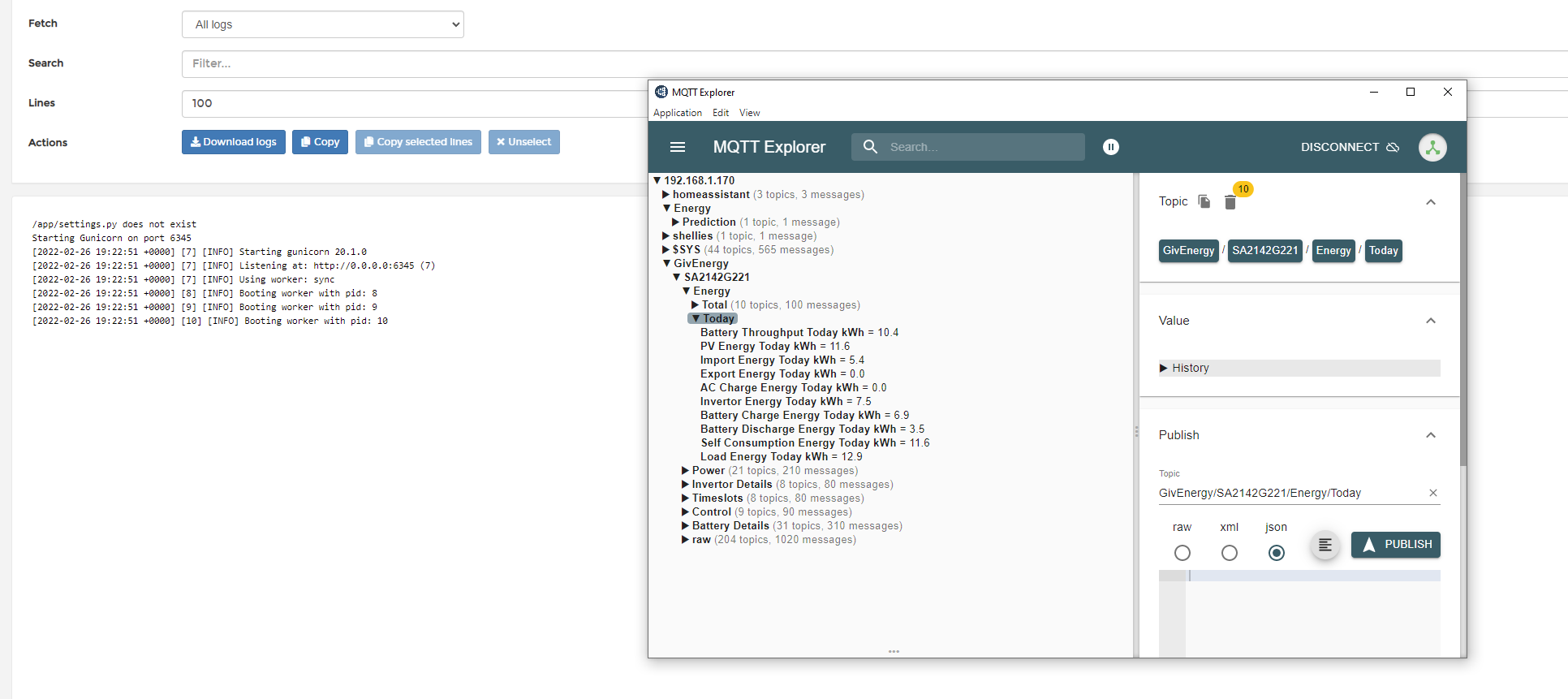
And my ENV.
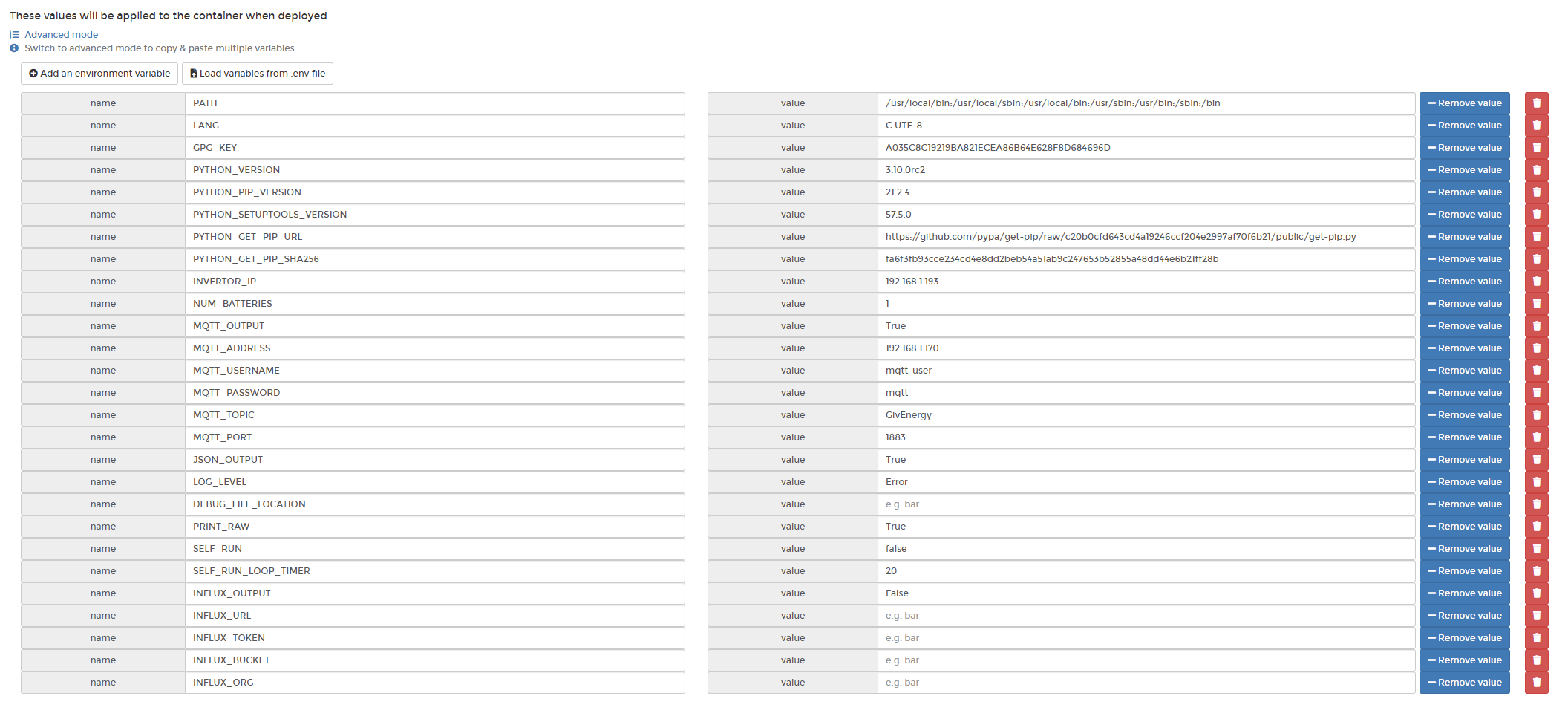
@anglefire Those screenshots help get this all working in HA. The setting I had wrong was leaving the "SELF_RUN" to True. Once I changed this to False, all started working with the givtcp.yaml in the packages folder 😁
Sorry, been away a fair bit. For the guide to setting up GivTCP in Docker I'm guessing you mean this one for anyone else wondering.
This is mainly just to get it up and running. Windows/x86 biased as that's all I run with but theory is similar with Pi etc. + info from above.
Note: I did find that Docker & firewalls don't like one another too well so had to allow it through to be able to call up the "runAll" from another machine . No idea what the Pi situation is with firewalls but that may not be helping!
anglefire Thanks for the information. I've changed my ENV settings to replicate yours (excepting the inverter and Mosquitto broker IPs) and re-deployed. It started OK. A section of my log file is copied below. As far as I can tell, it repeats exactly the same lines every 20 seconds or so, so I haven't copied the whole thing. Comparing yours with mine; yours starts Gunicorn on port 6345 and then listens whereas mine does nothing like.
2022-02-27T10:53:51.770876811Z /app/settings.py exists.
2022-02-27T10:53:51.771240352Z Starting Gunicorn on port 6345
2022-02-27T10:53:52.074951355Z Traceback (most recent call last):
2022-02-27T10:53:52.075148229Z File "/usr/local/bin/gunicorn", line 5, in <module>
2022-02-27T10:53:52.075623800Z from gunicorn.app.wsgiapp import run
2022-02-27T10:53:52.075756769Z File "/usr/local/lib/python3.10/site-packages/gunicorn/app/wsgiapp.py", line 9, in <module>
2022-02-27T10:53:52.078742019Z from gunicorn.app.base import Application
2022-02-27T10:53:52.078902852Z File "/usr/local/lib/python3.10/site-packages/gunicorn/app/base.py", line 11, in <module>
2022-02-27T10:53:52.078959206Z from gunicorn import util
2022-02-27T10:53:52.078990717Z File "/usr/local/lib/python3.10/site-packages/gunicorn/util.py", line 13, in <module>
2022-02-27T10:53:52.079044310Z import logging
2022-02-27T10:53:52.079075039Z File "/usr/local/lib/python3.10/logging/init.py", line 57, in <module>
2022-02-27T10:53:52.079972276Z _startTime = time.time()
2022-02-27T10:53:52.080327275Z PermissionError: [Errno 1] Operation not permitted
I'm not sure what the traceback means but maybe it's hinting that the Gunicorn start was unsuccessful?
Tim Based on Hoggy's reply above, I tried running this command on my docker instance of GivTCP (Which is on a rpi4) and it does work: http://192.168.1.170:6345/runAll - where the IP is my RPI's ip.
It failed the first time but worked the second time - probably because nodered calls the same thing every 10seconds.
However, I you have to enable JSON in the ENV to get this to come out - unless someone knows differently.
This is what i had return.
{ "Battery Details": { "BG00000000": { "Battery Capacity": 201.23, "Battery Cell 1 Temperature": 13.2, "Battery Cell 1 Voltage": 3.266, "Battery Cell 10 Voltage": 3.269, "Battery Cell 11 Voltage": 3.266, "Battery Cell 12 Voltage": 3.269, "Battery Cell 13 Voltage": 3.28, "Battery Cell 14 Voltage": 3.27, "Battery Cell 15 Voltage": 3.27, "Battery Cell 16 Voltage": 3.269, "Battery Cell 2 Temperature": 12.4, "Battery Cell 2 Voltage": 3.261, "Battery Cell 3 Temperature": 11.5, "Battery Cell 3 Voltage": 3.264, "Battery Cell 4 Temperature": 13.1, "Battery Cell 4 Voltage": 3.27, "Battery Cell 5 Voltage": 3.269, "Battery Cell 6 Voltage": 3.264, "Battery Cell 7 Voltage": 3.266, "Battery Cell 8 Voltage": 3.27, "Battery Cell 9 Voltage": 3.267, "Battery Cells": 16, "Battery Cycles": 24, "Battery Design Capacity": 158.72, "Battery Firmware Version": 3005, "Battery Remaining Capcity": 35.93, "Battery SOC": 18, "Battery Serial Number": "BG00000000", "Battery Temperature": 17.8, "Battery USB present": true, "Battery Voltage": 52.295 } }, "Control": { "Battery Charge Rate": 100, "Battery Charge State": "Active", "Battery Discharge Rate": 100, "Battery Discharge State": "Active", "Battery Power Reserve": 5, "Charge Schedule State": "Active", "Discharge Schedule State": "Paused", "Mode": 1, "Target SOC": 100 }, "Energy": { "Today": { "AC Charge Energy Today kWh": 0.0, "Battery Charge Energy Today kWh": 0.9, "Battery Discharge Energy Today kWh": 0.0, "Battery Throughput Today kWh": 0.9, "Export Energy Today kWh": 0.0, "Import Energy Today kWh": 3.7, "Invertor Energy Today kWh": 1.4, "Load Energy Today kWh": 5.1, "PV Energy Today kWh": 2.3, "Self Consumption Energy Today kWh": 2.3 }, "Total": { "AC Charge Energy Total kWh": 96.0, "Battery Charge Energy Total kWh": 157.7, "Battery Discharge Energy Total kWh": 134.7, "Battery Throughput Total kWh": 292.4, "Export Energy Total kWh": 20.5, "Import Energy Total kWh": 1082.5, "Invertor Energy Total kWh": 270.7, "Load Energy Total kWh": 1236.7, "PV Energy Total kWh": 219.9, "Self Consumption Energy Total kWh": 199.4 } }, "Invertor Details": { "Battery Capacity kWh": 8.192, "Battery Serial Number": "BG00000000", "Battery Type": "Lithium", "Invertor Serial Number": "SA00000000", "Invertor Temperature": 28.2, "Invertor Type": "Hybrid", "Meter Type": "EM115", "Modbus Version": 1.4 }, "Power": { "Flows": { "Battery to Grid": 0, "Battery to House": 0, "Grid to Battery": -43, "Grid to House": 0, "Solar to Battery": 1109, "Solar to Grid": 0, "Solar to House": 549 }, "Power": { "Battery Power": -1066, "Charge Power": 1066, "Discharge Power": 0, "EPS Power": 366, "Export Power": 0, "Grid Power": -39, "Import Power": 39, "Invertor Power": 521, "Load Power": 549, "PV Power": 1658, "PV Power String 1": 122, "PV Power String 2": 1536, "SOC": 13, "Self Consumption Power": 510 } }, "Timeslots": { "Charge end time slot 1": "00:00:00", "Charge end time slot 2": "00:04:00", "Charge start time slot 1": "00:00:00", "Charge start time slot 2": "00:00:00", "Discharge end time slot 1": "00:00:00", "Discharge end time slot 2": "00:00:00", "Discharge start time slot 1": "00:00:00", "Discharge start time slot 2": "00:00:00" }, "raw": { "batteries": { "BG00000000": { "battery_design_capacity": 158.72, "battery_design_capacity_2": 160.0, "battery_full_capacity": 201.23, "battery_num_cells": 16, "battery_num_cycles": 24, "battery_remaining_capacity": 35.93, "battery_serial_number": "BG00000000", "battery_soc": 18, "battery_status_1_2": [ 0, 0 ], "battery_status_3_4": [ 6, 16 ], "battery_status_5_6": [ 0, 0 ], "battery_status_7": [ 0, 0 ], "battery_warning_1_2": [ 0, 0 ], "bms_firmware_version": 3005, "e_battery_charge_total_2": 157.7, "e_battery_discharge_total_2": 134.7, "temp_battery_cells_1": 13.2, "temp_battery_cells_2": 12.4, "temp_battery_cells_3": 11.5, "temp_battery_cells_4": 13.1, "temp_battery_max": 13.2, "temp_battery_min": 11.4, "temp_bms_mos": 17.8, "usb_inserted": true, "v_battery_cell_01": 3.266, "v_battery_cell_02": 3.261, "v_battery_cell_03": 3.264, "v_battery_cell_04": 3.27, "v_battery_cell_05": 3.269, "v_battery_cell_06": 3.264, "v_battery_cell_07": 3.266, "v_battery_cell_08": 3.27, "v_battery_cell_09": 3.267, "v_battery_cell_10": 3.269, "v_battery_cell_11": 3.266, "v_battery_cell_12": 3.269, "v_battery_cell_13": 3.28, "v_battery_cell_14": 3.27, "v_battery_cell_15": 3.27, "v_battery_cell_16": 3.269, "v_battery_cells_sum": 52.295, "v_battery_out": 52.025 } }, "invertor": { "active_power_rate": 100, "arm_firmware_version": 450, "battery_charge_limit": 50, "battery_discharge_limit": 50, "battery_discharge_min_power_reserve": 5, "battery_low_force_charge_time": 6, "battery_nominal_capacity": 160.0, "battery_percent": 13, "battery_power_mode": 1, "battery_soc_reserve": 10, "battery_type": 1, "battery_voltage_adjust": 0, "charge_and_discharge_soc": [ 0, 0 ], "charge_slot_1": [ "00:00:00", "00:00:00" ], "charge_slot_2": [ "00:00:00", "00:04:00" ], "charge_soc_stop_1": 0, "charge_soc_stop_2": 0, "charge_status": 2, "charge_target_soc": 100, "charger_warning_code": 0, "ct_adjust": 2, "dci_1_i": 0.0, "dci_1_time": 0, "dci_2_i": 0.0, "dci_2_time": 0, "device_type_code": "2003", "discharge_slot_1": [ "00:00:00", "00:00:00" ], "discharge_slot_2": [ "00:00:00", "00:00:00" ], "discharge_soc_stop_1": 0, "discharge_soc_stop_2": 0, "dsp_firmware_version": 450, "e_battery_charge_day": 0.9, "e_battery_charge_day_2": 0.0, "e_battery_charge_total": 0.0, "e_battery_discharge_day": 0.0, "e_battery_discharge_day_2": 0.0, "e_battery_discharge_total": 0.0, "e_battery_throughput_total": 292.4, "e_discharge_year": 0.0, "e_grid_in_day": 3.7, "e_grid_in_total": 1082.5, "e_grid_out_day": 0.0, "e_grid_out_total": 20.5, "e_inverter_in_day": 0.0, "e_inverter_in_total": 96.0, "e_inverter_out_day": 1.4, "e_inverter_out_total": 270.7, "e_pv1_day": 0.3, "e_pv2_day": 2.0, "e_pv_total": 219.9, "e_solar_diverter": 0.0, "enable_60hz_freq_mode": false, "enable_ammeter": true, "enable_auto_judge_battery_type": true, "enable_bms_read": true, "enable_buzzer": false, "enable_charge": true, "enable_charge_target": false, "enable_discharge": false, "enable_drm_rj45_port": true, "f_ac1": 49.96, "f_ac_high_c": 52.0, "f_ac_high_in": 52.0, "f_ac_high_in_time": 28, "f_ac_high_out": 51.98, "f_ac_high_out_time": 28, "f_ac_low_c": 47.0, "f_ac_low_in": 47.45, "f_ac_low_in_time": 948, "f_ac_low_out": 47.0, "f_ac_low_out_time": 24, "f_eps_backup": 49.96, "fault_code": 0, "firmware_version": "D0.450-A0.450", "first_battery_bms_firmware_version": 3005, "first_battery_serial_number": "BG00000000", "gfci_1_i": 0.0, "gfci_1_time": 0, "gfci_2_i": 0.0, "gfci_2_time": 0, "grid_power_adjust": 0, "grid_r_voltage_adjust": 0, "grid_s_voltage_adjust": 0, "grid_t_voltage_adjust": 0, "i_ac1": 0.21, "i_battery": -21.02, "i_grid_port": 1.6, "i_pv1": 0.05, "i_pv2": 0.61, "inverter_countdown": 0, "inverter_modbus_address": 17, "inverter_model": "Hybrid", "inverter_module": 198692, "inverter_restart_delay_time": 30, "inverter_serial_number": "SA00000000", "inverter_start_time": 30, "inverter_state": [ 0, 1 ], "inverter_status": 1, "island_check_continue": 0, "meter_type": 1, "modbus_version": 1.4, "num_mppt": 2, "num_phases": 1, "p_battery": -1066, "p_eps_backup": 366, "p_grid_apparent": 348, "p_grid_out": -39, "p_grid_port_max_output": 6000, "p_inverter_out": 521, "p_load_demand": 549, "p_pv1": 122, "p_pv2": 1536, "pf_inverter_out": -0.101, "power_factor": -1, "pv1_power_adjust": 0, "pv1_voltage_adjust": 0, "pv2_power_adjust": 0, "pv2_voltage_adjust": 0, "reactive_power_rate": 0, "reverse_115_meter_direct": false, "reverse_418_meter_direct": false, "select_arm_chip": false, "soc_force_adjust": 0, "system_mode": 1, "system_time": "2022-02-27 10:57:13", "temp_battery": 13.0, "temp_charger": 28.2, "temp_inverter_heatsink": 28.2, "usb_device_inserted": 2, "v_ac1": 247.0, "v_ac_high_c": 283.7, "v_ac_high_in": 262.0, "v_ac_high_in_time": 52, "v_ac_high_out": 274.0, "v_ac_high_out_time": 27, "v_ac_low_c": 175.5, "v_ac_low_in": 184.0, "v_ac_low_in_time": 126, "v_ac_low_out": 184.0, "v_ac_low_out_time": 126, "v_battery": 52.33, "v_battery_over_protection_limit": 58.5, "v_battery_under_protection_limit": 43.2, "v_eps_backup": 246.9, "v_highbrigh_bus": 3056, "v_n_bus": 0.0, "v_p_bus": 384.4, "v_pv1": 227.2, "v_pv2": 249.3, "v_pv_input_start": 150.0, "work_time_total": 720 } } }
hoggy No issue with firewalls on mine running on a RPI (and mine is pretty robust)
@Tim daft question, but you do have all the required repositories on yours? Though having said that, I don't remember adding anything particularly.
The only thing I did before installing was to run sudo apt-get install jq wget curl avahi-daemon udisks2 libglib2.0-bin network-manager dbus apparmor -y
But that is probably more to do with docker and possibly homeassistant?
anglefire Hi, thanks for the information. It doesn't make any difference whether JSON is True or False in the ENV, it's still showing the same error and not listening. Even running http://192.168.1.176:6345/runAll (the pi IP) and http://127.0.0.1:6345/runAll (Loopback) said the IP refused to connect. I suspect that it's because it's not listening on port 6345.
I appreciate all the help you're giving me and hope it will be of benefit to others searching for answers in the future, but it's not getting to the root of why my setup isn't working.
Its written by someone else on the GivEnergy dev group and uses some different things - never tried it though.
Tim - I've found the official Git Giv_Tcp Api for the basic API and one of the things that you have to have installed is this:
pip install -r requirements.txt
Its probably included in the docker container - but worth looking
steve
Yes, self_run should only really be used if you want to publish to MQTT and NOT use the REST interface for reading.
In short this is because the GE invertor is very sensitive to multiple calls. I personally do not use self_run, but make all my calls through Node-Red via the REST interface.
anglefire
Note of caution, the "official" github takes updates from mine, and consequently is not running same code as https://github.com/britkat1980/giv_tcp currently so there will be some differences.
Britkat Hi and thanks for getting involved. I'd really like to use Node-RED for handling the inverter data, leaving givtcp as a black box that I don't need to touch. Can you explain how I can start the container in "privileged" mode? It's probably obvious when you know where it is, but I've looked around after stopping the container and can't see it as an option in Portainer.
Britkat Thanks. I've now got the container running but when I created a second container with the settings for my second inverter, it fails. Although they are in separate containers, the second one fails starting Gunicorn on port 6345 because the port is already in use. I've tried to do manual network port publishing, mapping host 6901 to container 6345 and also mapping host 6901 to container 6901 but in both cases, Gunicorn fails with the same message that port 6345 is in use. How can I fix this? To be clear, both containers provide the MQTT messages with the right inverter serial number and the expected data, but they won't run at the same time. The second one to be started fails with the "port in use" error.
Tim OK, great that the "privileged" setting worked for you. I'll add that to the Readme.
I think you are the first person to use GivTCP on two invertors. The reason you are having a problem is because I hardwired Gunicorn to use port 6345... and as you are running on Host you can't port map...
Let me have a look at how to fix this and I'll send you a "special" docker image to test. I think it will include a new ENV with an instance number so it uses the next port up for the second invertor (6346)
Hi All,
so now able to run the Giv_TCP docker container without errors (birkkat/giv_tcp-ma:test).
Looking at the Container log data, the update rate is around 20secs as expected.
The call 127.0.0.1:6345/runAll displays all the data from my inverter - great.
Unfortunately this is just a snapshot of all the parameters available at the time of refresh.
I’ve tried using MQTT explorer but I'm struggling to get it to display data.
I believe I've set the Env attributes correctly associated with the docker run command but when I run the MQTT explorer I just get the MQTT connection window (which seems to reflect the Server connect/disconnect rate of 20secs) but nothing else.
The protocol / host / port values I have entered are mqtt / 127.0.0.1 / 1883 respectively.
Can anyone point out what I'm doing wrong please - thanks.
Britkat That's working now! Thanks. I specified a top level topic of "house" and the two inverters now appear with their serial numbers as separate topic trees under the house topic. However, I am now benefitting from a rogue root topic of GivEnergy with a single entry of status = online and also (presumably because its a dev container) there's another root topic of homeassistant and all the data for both inverters is showing up there. However, both these unexpected topics seem to have only updated on initial startup.
Anyone know how to add an image using the insert button on the bottom of the dialog? 
Britkat I think I'm close to giving up...just can't seem to grasp the nomenclature - it just seems to me
that the MQTT naming (Pub/Broker/Sub) can get mixed up with Client/Host/Client or some other SW descriptor...ahhhhhh!
So is the container known as the Broker? if so, who's the Publisher - GivEnergy_GivTCP? and finally how do I configure a Subscriber so that I can read data related to my own Solar setup? As you can probably guess I'm no Software Engineer!
SB900 Give up? I know what you mean! It can be so frustrating when everything you try just doesn't work, especially when everyone else seems to be working fine. I started about three weeks ago to try to extract data from my inverters using Modbus and Node-RED (didn't want to use givtcp) and I did give up. I finally gave in and installed docker etc on my Pi and thanks to @Britkat , this week have got it working. I use Mosquito broker on my Raspberry pi and so the docker givtcp container publishes its messages to there. In order to see what's being published I can recommend MQTT Explorer which seems to be quite widely used. You have to set the IP address (or host name) of the broker in order to see the traffic, but it is a very useful tool and I have it open on my desktop most of the time. This doesn't answer the question of what is the IP address of the broker for the docker container as I don't know.
Once I'd got givtcp working and publishing the data, I disabled MQTT in the container and now use the REST API from Node-RED to "poke" the inverters with an HTTP GET each time I want data (no more often than 20 seconds). The data comes back formatted as JSON which Node-RED handles elegantly in a function node to give me the data I'm looking for (instantaneous export as my SMART Meter isn't configured to give me this data). The HTTP GET is directed to my pi on port 6345, so I would assume that whichever device is running your docker container will be the IP address for your broker. Therefore, connecting MQTT Explorer to that IP address using the mqtt protocol on port 1883 might show you some traffic (fingers crossed).
anglefire Quick question. How did you embed the graphics in this post? When I click on the Add an image button, it inserts a placeholder for a URL. There is another thread  which references a free third-party web site, but you've embedded a graphic somehow and I'd be interested to know how.
Tim use [https://imgbb.com/upload] to upload an image and generate a URL. Once it's uploaded then select "BBCode full linked" in the drop down menu, and copy the URL it generates. Paste the URL into the forum edit window where you want the image:
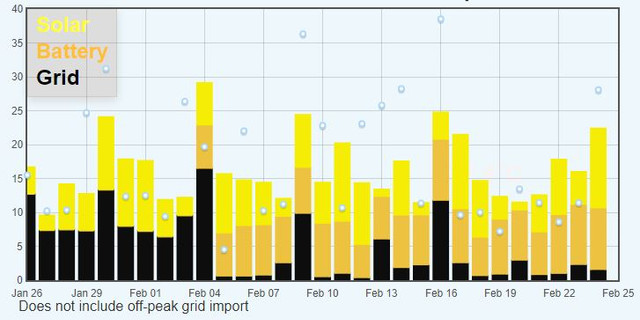
It looks embedded, but isn't really.
GrahamRead I saw Mickey's instructions and note that that is a solution that works. When i click on your image above, I get taken to that web site. However the post from @anglefire 6 days ago looks like an embedded screenshot as it doesn't link to anywhere but I can copy and paste it into a jpg editor. Not that it really matters, it's just that if I see something that I don't know how to do, it piques my curiosity.
SB900
GivTCP has its own MQTT "Broker" which is enabled when you set MQTT_ADDRESS to "127.0.0.1" (which means its running locally).
GivTCP itself is a publisher, also running inside the container, which pushes data from the invertor into the MQTT Broker.
Anyone/thing can subscribe to the MQTT broker, from anywhere that can access the container IP address. As Tim suggests MQTT Explorer is a good piece of software to test it works.
I will assume you are running the container on your PC in host mode...
Run the docker container ensuring that the following ENV are set
-MQTT_OUTPUT=True
-MQTT_ADDRESS="127.0.0.1"
-INVERTOR_IP= "xxx.xxx.xxx.xxx" (the IP address of your invertor
Open up MQTT Explorer and in the connection details use the IP address of your PC (which is running the docker container) and port 1883 to connect
This should then connect to the MQTT broker, running inside the docker container, and show you the data from your invertor.
If this doesn't work, you will need to look at your docker container log file and share the errors it shows and I can help you out.
Worst case, if this doesn't get you going, I'm happy to jump on a MS Teams call/Zoom and walk you through it, if that helps?
Once this works we can discuss how you want to use the data, where are you sending it? I'm working on an MQTT integration to Home Assistant
Britkat You're a star!! Thanks for helping me out. I'm pretty convinced I've achieved step 1 (yahoo!) as I can open up the web page 127.0.0.1 and using the /runAll command get the Inverter data dump...Its the MQTT Explorer bit...no matter what I fill it in with it doesn't appear to connect to the MQTT Broker. I'll give it another go sometime over the weekend and report back - thanks again for your support
Sounds like perhaps the MQTT broker isn’t starting. If you can send over a screenshot of the docker container config page showing the environment valuables I can try and diagnose
SB900 There's a shortage of Raspberry Pi currently, as there is for lots of electronic devices and components. I bought one so I could leave it tucked away in a corner being an MQTT broker and handling my Node-RED flows but if you don't have much call for that sort of thing, then running docker and the Givtcp container from @Britkat on your PC would work fine. What I like about the Pi is the small size and low power consumption so it stays on all the time, even when I'm away from home.
Tim What were you running to access modbus?
Its really easy with a Pi, ModeRed and a modbus ro RS485 adapter. Just chain onto the EM115. very small flow and its up and running.
DIrect Modbus will let you get the monitoring information easily , but not easily control the inverter. If you want that flow I can post it somewhere ( I have been waiting for a sanctioned repo to publish to. I also have flows for GivTCP, Octopus Agile, PV optimisation, Smart plug interaction etc etc ). I havn't developed them for nearly a year now as they just work.
I stopped using Modbus as soon as GivTCp worked. Its far better as it allows control too. I have 5s refreshes to my own IHD at present. I also dont need my Pi next to the inverter as its IP connected
Seye I was attempting and failing to use the Node-RED Modbus contrib. I watched a number of videos showing how to set it up, but they seemed to use either a Modbus emulator on the PC where Node-RED was or Modbus-RTU with one of the devices on the bus running Node-RED. I innocently assumed that if Givtcp can talk to the inverter over TCP/IP, then my Pi could too. I also tried to pull back data from an inverter with Simply Modbus so I could assure myself that the registers I was pulling data from were correct and the data made sense. I did make a little progress with this but the data didn't seem to be complete (I was only pulling back the serial number of the inverter) and the limit of three attempts for each time run (unless you bought the package) was frustrating. I think the Simply Modbus package is very good and if I was a SCADA developer, it might be a tool I would want to have. However, I was just wanting to use it to work out addresses/comms and so on.
Before I had the system installed, I had considered using an ESP32 as a slave device on the inverter Modbus (it's just a serial protocol after all) and then sending data to Node-RED over MQTT. However, my understanding of Modbus is that Modbus-RTU has one Master and many slave devices whereas Modbus/TCP has one Client and many servers. Either way, Master/Client does all the asking and Slave/Server does all the responding. I'm not fazed by the naming convention but part of the reason from shying away from this solution is that I couldn't get my head around how my slave/server ESP32 could do any asking! I still don't understand so I'm glad @Britkat does and has provided a workable solution.
Ok. I have done the same thing but have left ModBus running in parallel to GivTCP. Modbus every 2s, GivTCP every 5. They CoExist quite happily.
If you want to see the flow I have uploaded to: https://drive.google.com/drive/folders/1DLa1MdAXVfjxNMUpQmndrfSE7EVQhFsl
It isnt complex and I didnt spend a lot of time on it so don't expect much and you wont be dissapojnted. I just get the relevent figures and post to MQTT for my IHD
I run on a Pi using a usb to RS485 adapter that currently costs <£3. That then connects to EM115 so shares the bus with the inverter
The GE implemention of Modbus isn’t standard, so the usual libraries don’t work. If you’re piggy backing off the em115, are you only able to read the em115 readings or all the inverter registers…?
Seye That's interesting. I've copied the flow into Node-RED but without the hardware, it's not feasible to use or test. As @Britkat suggests, it looks like you're just pulling the EM115 data rather than the inverter data. While the instantaneous export figure is the one I've struggled to get, the inverter data would also be of interest, especially if you can poll at better than 15 second intervals. With Raspberry Pi availability under pressure currently (not to mention the price), I'd still be interested in putting an ESP32 with something like a XY-K485 to see if I could pull the inverter registers.
The only issue with this is that I don't want to do anything that upsets the inner karma of the inverter as it responds to variations in PV input and consumer demand. ie I don't want it so busy servicing the Modbus with requests for data that it doesn't do its job as designed by GE.
I can see that the EM115 will recognise it's device id and respond to a request for data, without knowing where the request comes from, but, assuming the inverter is the Master (RTU) device, will it respond to a request for data when it's Id is polled? I assume it must do using Givtcp, but would it do so under RTU? I'm hoping either @Britkat or another person with Modbus expertise can answer this as I have none whatsoever, just an interest in seeing what can be done.
Modbus devices on RTU (485 comms) really don't like multiple masters - at some point in time you are going to have two calls for the data and it will cause errors - now it may not be an issue as you are only reading. But I wouldn't do it! Doing it through an API or a ethernet/485 gateway is usually fine as the gateway will usually support multiple masters.
anglefire Thanks for the clarification. It bears out what I understood. It looks like you can pay as much as you want for an ethernet/485 gateway, so I don't think I'll bother. I had also considered just using an ESP32 with TTL/485 converter to "listen" to traffic on the Modbus and store the register data in its own memory for onward transmission over MQTT. However, if the inverter is the master device, then there's no need for it to ever provide it's register contents, and the device with the most useful data would never transmit. Of course, it does send out data over wifi (in my case) every five minutes, but that is the inverter pushing the data, presumably over a TTL connection directly to the dongle and no advantage in capturing that data locally as it's published to their cloud anyways.
Britkat ok , I've given in - I just can't see why the MQTT Explorer won't connect....sigh 🙁
Inspection of the Environment table shows all the correct data.
Opening MQTT Explorer, the MQTT Connection window displays, I duly fill in the Host field with the IP address of my PC, press the Connect button, which then gets replaced with an Abort button. This flashes amber to red every second or so with a red message window displayed (bottom LH corner) which appears/disappears every few seconds with the text "Disconnected from server". The MQTT Connection window remains displayed.
One thing you assumed was that I was running the container on my PC in host mode - how do I check that?
SB900 I'm not at home currently and I can't remember where it is in docker as I was using the Raspberry Pi Portainer GUI in a web browser. However it is an attribute of the Network settings: either Bridge (not what you want) or host. I couldn't change my setting in Portainer until I'd stopped the container from running.
If you can connect to the REST service on port 6345 is suspect you are running in host mode. If so MQTT explorer IP address for host should be 127.0.0.1 (assuming you are running on the same PC).
Only other thing I can think of is if you PC has some firewall blocking port 1883?

I would be interested in an App, that could run on an old iPhone of Android. In a cradle on the windowsill, like the current IBoost Buddy (that's near useless as its readings are so false. I like the look of the new dashboard portal, get this smaller on an App and refreshed at 5s intervals.,. You will have a lot of happy customers
TheDragon (GivEnergy) 5 seconds is pushing it for local monitoring - but there is a plan afoot to have the app work in local mode when on the same network at 10-20second updates or outside of the local network 5 minutes.
I have home assistant giving me 10 second updates and that works both locally and remotely - but then I have a fixed IP at home.
simon_swinburne Hello.
Tech wise I am more wires and soldering irons. But I want to get a pi to do some local control. I am missing the step between buying the parts and running the code. Do you have a step by step for that.
I am comfortable with the api that talks to the cloud.
I have some PHP code experience ( website development a number of years ago )
I have or will buy all the bits needed.
Just lacking the instructions to get from A to B.
anabanet I've not seen Simon on here for a while - he left GE last year.
To get local monitoring and control (I don't do the control bit at the moment) now, you need to get GivTCP working or use a powershell script going or similar. I've only gone down the GivTCP route and that needs to be run in a docker container - which can be a RPI or a windows machine with docker installed or pretty much anything of the linux flavour that can run dockers - NAS drives can, NUC's etc.
In my view, the simplest way is to use a RPI or NUC running linux and install docker and GivTCP in a container together with NodeRed also in a container. There are some pre-written scripts for NodeRed to enable control to be done.
Hi all. So, I'm new to GE (installed last Friday) but I am a tech geek so trying to get the docker container working. So I have set my dongle to static IP and I keep getting an error on both windows docker and linux docker (I am trying 2 computers) but the error is the same.
Initially, when I start the docker, I get Error: Address not available.
If I use --network host, then that error disappears but in either case, I keep getting something like
1646777571: New client connected from 127.0.0.1:33659 as GivEnergy_GivTCP (p2, c1, k60).
1646777571: Client GivEnergy_GivTCP disconnected due to malformed packet.
1646777595: New connection from 127.0.0.1:58171 on port 1883.
1646777596: Client <unknown> closed its connection.
if I try to connect using 127.0.0.1:6345/runall I get a 404 error
Oh, and if I just allow it to try to find it, irrespective as to whether I put it in host or bridge mode, it cannot autofind my invertor.
Any ideas?
Cheers
anabanet GivTCP can work in Docker or native on a PI. For control thats required rather than basic monitoring where you can use the EM115, but that only gives a very limited subset of information
You need something to drive GivTCP. I use NodeRed, others use scripting of some flavour. If you can call a rest API its pretty self explanitory
No wires required, even the connection can be wifi
The design of the GivTCP API is that the endpoints are deliberatley similar to the battery.api, so if you can use that from the cloud you can use GivTCP once its installed and running. You should be able to switch from one to the other by just changing the URL
ScottLinfoot I assume you shut down the one instance of GivTCP when running the other?
Are you setting the env via command line / config file or using portainer?
It looks like you are using the command line as you mention the --network host command - in which case, do you specify the IP address of the inverter in the command line? If not the chances are its not finding the inverter- I have not got the auto find to work.
Port 1883 is MQTT and it looks like GivTCP is starting its own broker - if you have another one on your network that will cause confusion too - either turn MQTT off or specify your brokers IP - all part of the command line string - or via Portainer ENV when you deploy the container.
anglefire Hiya. Yes, I only have a single instance of the container working at one time. The thing is that I have tried this using docker windows and docker Ubuntu - neither are working (not running at the same time). I do specify the IP of the invertor in the command line, yes. I don't have another MQTT running that I know of - it is a fresh install of linux.
Tred stopping the MQTT and still nothing
ScottLinfoot I also struggled to get Givtcp running and received lots of help from @anglefire (for which I was very grateful) but it took @Britkat whose Github/Docker Givtcp comes from, to solve the specific issue I had. The issue I had was solved by starting the container in Privileged(?) mode, whatever that means.
anabanet The difficulty will be in sourcing a Raspberry Pi. It looks like Farnell might have some the third week in March. I've been searching every day for about two weeks, looking for supplies to become available again, I also had the same issue with a FireAngel smoke detector to supplement my installation. This morning I found the smoke detector on the Toolstation website 😀 and about two hours ago I found a Raspberry Pi 4B/8GB on eBay, sold by OKDO (an official Raspberry Pi reseller) at below the current list price.
You don't have to use a Pi and you could easily use an older model than the one (I hope) I sourced, or you could use an old computer with Windows or Linux on. The advantage of the Pi (IMO) is the size, power requirements and the fact that it can sit headless anywhere on your network. I'm planning to use the new one to do everything my current two do (Node-RED, GivTCP, InfluxDB and Grafana), so I free up the other two for testing and development. I keep using my production Node-RED for developing flows and trying out other people's flows and my Node-RED environment is getting quite untidy.
In terms of how to get one up and running, there are plenty of Youtube videos and other internet resources. However, I did write up my installs for myself, as (from past experience), when you have to start from scratch, you can never quite remember what you did. I can share this with you if you wish.
Tim I got it going. It was me being a plonker, lol. A missing capital letter!!! it is runAll not runall. I feel thick, lol
Although, I am getting occasional key errors meaning that I am getting nothing back. any ideas why this might be the case? It isn't all the time, however
ScottLinfoot If you poll too quickly you will get occasional errors - and if you poll at the same time as the cloud polls you could get the same (No evidence of that though just a logical thought)
I poll at 10 second intervals and it works 99% of the time .
ScottLinfoot What is the issue you have now? Are you able to pull back inverter data the way you want (REST API or MQTT)? Is the issue one of reliability of data retrieval or that it doesn't respond with data?
Tim The problem is that MQTT doesn't work, irrespective of how I try to configure it. Through Node-Red, it won't connect via either the REST interface or the MQTT interface. However, what I have done is managed to connect to the giv_tcp now though a python script I am writing and, in all honesty, I think that this will be the best way forward anyhow as I can then do exactly what I am after.
What I essentially want to do is to collect a year or so's worth of data and then run some Machine learning over it, along with other data sources such as solar irradiation data and cloud coverage to see if it can predict the amount I will need to charge my battery to off-peak in order to make the most of my solar array and limit the export to the grid. I don't have a SEG as no one will give me a smart meter so I want to avoid export wherever possible (I am on a 3-phase system and few people will supply a 3-phase smart meter).
ScottLinfoot No solution as yet....everything seems to be working but MQTT Explorer refuses to play ball...I can use both local and remote calls to access the runAll data dump but can't get past the MQTT Explorer connection pop-up.
The test.mosquitto.org, that is preloaded when you invoke MQTT Explorer, works fine!!
Seems a few people are having issues connecting to in-built MQTT. Let me look into this and see if there’s anything to make it more reliable!
On a separate note I’ve just pushed my dev image to latest. This should now remove the failure messages you see occasionally. The best recommended way to run this is to use self_run and then either MQTT or rest to pick up the latest cache (using “/readData” in rest)
I have pushed a new update to GivTCP to both Dockerhub ("latest" or "2022.03.11" tags) and Github (1.1.0):
One major change is local caching of data and as such I now recommend running setting the container to "self-run" then either use mqtt to extract data or when using REST use the call "/readData". This will mask any missing data and provide the most recent valid data.
New Features:
Fixes:
Breaking Changes:
Happy to help anyone who has problems getting this running/modifying their current set-up to accomodate
All working fine for me now - using REST and /readData call. - Pain to change the white spaces to _ but all done.
The only thing that I'm not doing is any control. So don't know 100% if that works.
So, I've managed to get my little python programme working. It can now take in the readings from the REST API. However, when I look at the docker container, it seems to be going like the clappers which might explain why it keeps producing errors. Any idea how I can slow it down a little. I don't seem to have changed anything, my SELF_LOOP_TIMER is set to 20 (what I assume is the, well, loop timer). however, it appears to be looping about every 4-5 seconds which is why I think we are getting collissions (and, therefore, errors). Any thoughts?
What I MUST say, however, is that this API is totally fantastic and I really appreciate the effort put into making it. Thank you so much. It is a really interesting area in which to work.
EDIT: Scrap that - I have updated the container and it now is working nicely.
EDIT 2: So, am I right in that by running a /runAll (/readData doesn't seem to work for me), that triggers a read from the invertor? So, there is a self timer of 20 seconds, and that assumes that there are no api calls. If an API call is made, it overrides the timer? If so, that makes lot of sense as I was hammering the API call to test it and it was coming up with a lot of errors).
Britkat One thing I noticed is that we are getting a problem with the serial code of the invertor. For some reason, it is duplicating it on a single line and python doesn't like it. I went in and edited the settings.py in the container using vi and that has solved it but if you get a moment, you might want to take a look as every now and again, it throws an error. Cheers
ScottLinfoot do you have self running on and calling via rest? You should only do one or the other. Afaik.
ScottLinfoot ok, that’s odd. Let me double check this in the first_run code. Probably missing a check for it before trying to add it!
EDIT:
I've pushed an updated image with a (potential) fix for this. Let me know if it sorts the duplicate serial_number in settings.py issue
Britkat So, thanks to you and Anglefire. I am now running self_run (I don't know how to turn it off) but calling /readData which makes sense and that is now working. I am now getting few read errors as I suspect I was hammering the API.
I'm testing the new commits now to see if the same serial number error crops up. Thanks for responding so quickly.
ScottLinfoot self run is an environmental variable that is turned on by default if nothing else is specified at startup.
If you are using portainer to manage the docker then it’s a tab when you spin up the container.
If you are using the command line then you need to alter the config file (if you use one) or add the variable to the command line.
It’s britkat/giv_tcp-ma:latest
Serial number is populated the first time you run getData (typically through Self_Run). If it’s still crashing can you share the errors logged?
Britkat opening a web page and accessing 127.0.0.1/runAll dumps all the Inverter data (alot more today?) as does using the IP of the PC I'm running this all on. If I enable the json output, i get a sort of tabular data dump of the inverter within the Container Log - so everything seems to be working ok except MQTT Explorer - Help!!
SB900 i might be teaching granny here, if I apologise.
I assume you are using givtcp as the MQTT broker? If so you need to point mqtt explorer at the IP address of givtcp - if it’s the same machine as you are on - ie the pc you are on then it’s probably localhost. 127.0.0.1
Have you setup the user and password for mqtt? And used that in mqtt explorer?
If you are not using the internal broker be aware that later versions of mosquitto locked down access from external devices. You need to set up th connections and security for MQTT Explorer to see it.
Probably a red herring as you are using GivTCP broker, but I got caught out bu that when I rebuilt my sustem some moths ago as its a quite recent change
anglefire Please don't apologise, I'm up for any help and as basic as possible as I'm sure its me doing something wrong.
As far as I'm aware I haven't set up any user name / passwords for MQTT....I have just downloaded MQTT Explorer with the expectation it would just work but it doesn't.
Something, somewhere, must be blocking the MQTT connection to the local host but I've run out of ideas as to what it might be.
Any thoughts?
if you havnt set up an external one, and you leave the config in GivTCP as default, I think that uses internal.
If you wanted to try external use a docker version of mosquitto. The package I use is "eclipse-mosquitto:1.6.14-openssl"
Thats the old version so open and easy to use.
If you do do that, you need to disable broker for GivTCP or you will get clashes
SB900 port 1883 but I think it defaults to that anyway. If you login you should be able to publish to the broker from MQTT Explorer (say topic inverter and message payload of test). If you are subscribed to topic # (wildcard for everything I think). You should also see your published message in MQTT Explorer on topic inverter. I’m not at home currently so doing this from memory but think that should work.
With Britkat;s latest Container running (GivTCP latest) the log file looks like this...
https://ibb.co/svX9Rpq
and continuously loops around these 5 lines
Is this ok?
I seem to be able to access both local and remote web page to see Inverter/Battery data so I guess it is?
SB900 Just got back to the PC and I'm trying to use graphics for the first time. This took ages to find that I need to use BBCode Full to be able to show the image embedded into the post. 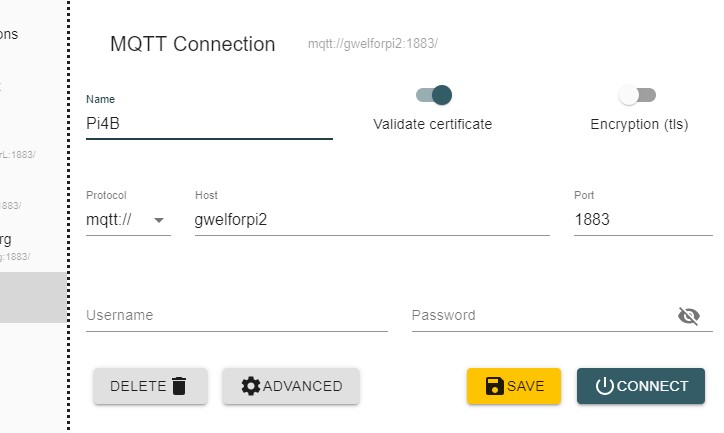 ](https://)
Anyway, I just installed Mosquitto onto a Pi, checked it was running and then I was able to connect to it using the hostname of the Pi (but IP would do just as well). No userids or passwords.
Then 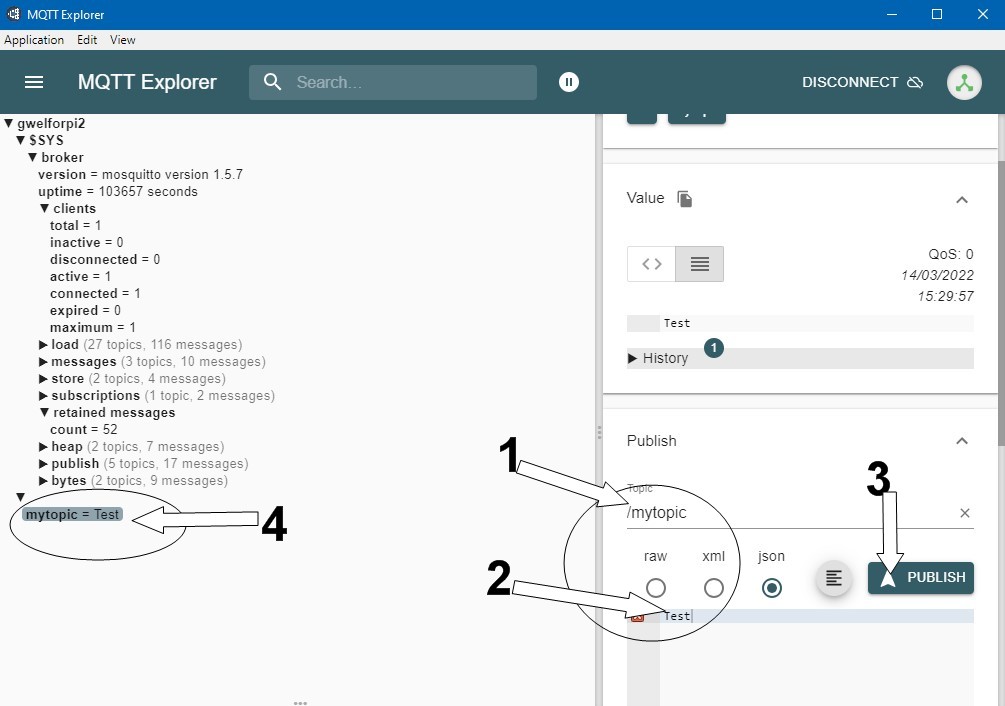 ](https://) the root of the broker tree is visible. If you post to a topic (1) eg mytopic payload (2) eg Test, then publish (3), it shoudl show in the left hand pane (4)
Tim Thanks Tim - I only found out how to post images from some friendly help.
On my PC I can't get past the MQTT Connection window - it just sits there with the red banner "disconnected from Server" in the bottom LH corner.
I'm running Britkat's latest container which seems to be running fine...I enter the IP of my PC that i'm running the Container on but it just sits there, ignoring me!
SB900 Must be something in the container ENV or the way it is run (i had to start it in Privilege mode for it to work). I think you need help from @Britkat to get beyond this. As stated, I use Mosquitto broker on my Pi and specified that hostname within the Portainer ENV but since I don't want the inverters to be queried routinely, I don't make use of the MQTT output any more, relying on the API and Node-RED to decide when to make the call. About the only thing I really need Givtcp for is to pull the instantaneous export on demand.
Can you post a screenshot of your ENV settings?
So only had my panels 4 days, but I have a spare Pi 3+ and would be interested in setting up more real time monitoring - probably integrating into a home assistant build perhaps.
Could anyone point me toward any guides to get started at all please?
Many thanks
Phil
Tim
https://ibb.co/gyqwTQS
https://ibb.co/6PC6BDf
https://ibb.co/CwLvxg6
I wish I had a Pi
SB900 The settings look fine to me, but then I don't understand how Givtcp fits together, hence needing @Britkat to help. I updated my docker containers to the latest version "Updated 2 days ago" and re-enabled MQTT and now both our inverters are showing up in MQTT Explorer. I think the root of your issue is the IP of the MQTT broker or getting the broker to start. I'm happy to firtle round with my own settings but think I'd struggle to help further without being sat at your screen. That said, I believe @Britkat has offered in the past to jump on somebody's shared screen to see what's happening.
Minimanic How much pointing do you need? Are you experienced in getting the Pi running on the network (headless or otherwise)? Do you know how to or want to use: MQTT, Home Assistant, Node-RED, what else? Is it just help to retrieve data from your Givenergy system? Do you have multiple inverters/batteries?
Tim Hi Tim, Im ok with Pi, I have a seperate one running a server for something else i do and I have done multiple projects.
I am totally new to Solar PV though, but found this thread whilst i was looking for ways to get more frequent/realtime updates - i have already been looking at setting up HomeAssistant for the various smart home bits so I guess my pointing is how I would get the info from Givenergy and set it up with Home assistant please?
EDIT: I have the hybrid 5kw inverter all set up and running and waiting for the 8.2kwh battery to be delivered and be added in the next few weeks.
Minimanic The inverters send a shedload of data every 5 minutes to the Givenergy cloud. APIs pull data from the Givenergy cloud and would work well for logging to your own database for your own trending purposes. Details of the API can be found from the side menu bar on the beta portal.
If you want real-time data, or to pull data without needing the cloud (cloud data is lost during loss of internet) you can use Givtcp. It also has some HA integration. Just Google that and you’ll find it on GitHub and Docker with setup and use instructions. This route enables access over MQTT or using API-like calls from command line, python or other code, batch files/power shell scripts or Node-RED and probably others too.
It all depends on where you want to take it.
Hi all. So next thing.
I have my nice REST API that is happily collecting data and plotting graphs with latest data captured from a csv. However, instead of connecting to a CSV file via REST, I note that it is possible to store the time series data in influxdb. I have never used this before (preferring Elastic). Are there any tutorials on how to set this up? The influx website is clear as mud. I could go elastic and kibana but figure that if there is native support for influxdb, why not.
Cheers
Are you using home assistant? If so that can use influxdb with almost no config required. Then use something like graphana to get graphs on the dashboard.
Otherwise you just need to spin up influxdb in a container and create a database and link it to the data source.
The config I use is:
listener 1883 0.0.0.0
allow_anonymous = true
You can tweak it by changing the mqtt.conf file in the container
Does MQTT Explorer show the data?
Where do you want to get the data, or what do you want to do with the data?
GivTCP needs to be running, so in the docker image you need to make sure self_run is set to True and you have set your invertor IP address, then restart the container.
Topic is not mandatory, it can be left blank
An extract from the docker log will help diagnose the problem if this doesn’t help
Looks like it is pushing data to the broker… can you share the first entries in the docker log?
Tim I have a physical pi.
I want to change the timers for charge and dischage according to my own schedule. Also change the power of the charge.
I can do these things using the remote control API, but I want to do this with local control.
I have a 2x3,0 Plant with 8.2 and 5.2
Step one?
anabanet Hi! If you have a Pi, you've probably already done this but if not:
You could also install the above in Docker on your Pi and/or use Home Assistant or similar products as the interface.
If you do the above, you will be able to query the Givenergy Cloud via API to get a feel for how things sit together. Once you're comfortable with that, I'd suggest installing Docker and Givtcp (although you can also install these on a PC for testing purposes) and then you can progress to controlling your inverters locally, without having to use the Givenergy Cloud. Shout out to Mark @Britkat for the Givtcp development and @hoggy whose website has loads of interesting information and he also has a "how to" set up docker and givtcp on your PC for testing. Just to be clear, the only way to query and control the inverters locally (ie without going via the Givenergy cloud) is with Givtcp.
Hopefully, the resources I've highlighted will help you get along the way. Otherwise, there are loads of youtube videos on setting up and using MQTT and Node-RED but get back to me if you have a query. Good Luck.
Call for help....
Has anyone successfully succeeded in running Britkat's container, GivTCP, on Windows 10 PC, viewing their Inverter data via MQTT Explorer.
I'm in need of the ENV settings that you use to run the Conatiner and the settings used for MQTT Explorer.
Thanks
Stupid question. It’s not the firewall blocking the ports is it?
anglefire Not stupid... I have no doubt I'm doing something silly but I just don't know what!!
I reckon I've disabled both Windows & antivirus apps....
With the container running, opening a Web page I can get the data dump from the inverter and battery (127.0.0.1/runAll) and also the same using ip address of the PC I'm running on.
I can open MQTT Explorer but it only shows #SYS topic, nothing else, this being a subtopic of 127.0.0.1.
What I'm interested in is what are the ENV settings required for the Container to output to MQTT Explorer (do I need to change the port mapping?) and also what fields to fill in for MQTT Explorer to display the Inverter data.... such as ip address / client ID / port / topic etc.
Thanks
The only thing I did when I ran givtcp as a broker was to enable it on 127.0.0.1 with user name mqtt-user and password mqtt on port 1883
And with mqtt explorer I point at the broker - if it’s the same pc then 127.0.0.1 otherwise the ip of the broker. Use the same user and password.
Oh and turn on self running.
SB900
I've just tried to spin up the container on windows and there is an oddity where using the host network won't allow access to the mqtt broker...
I have created a docker-compose.yml file which you can use to get it working (well it worked for me!)
This also works for those using Portainer (navigate to "Add Stack" and paste in the file contents and modify as needed)
Britkat
Hi
whatever you have done works...thanks for your efforts in sorting this, brilliant.
MQTT Explorer works now and displays Inverter data
However, it won't if I use Local host (127.0.0.1) but will if I use IP of the PC I'm using.
Now for the next step - some sort of display rather than the graphs.
Just out of curiosity, what exactly was the problem and how did you correct it?
(looks like you're running Docker from a script rather than command line?)
SB900 Essentially there is a limitation with docker in Windows where it can't publish ports when running a linux machine in host mode (or something like that!). So I created a docker-compose file (which is essentially a set-up file for containers) to map the right ports etc... Hopefully also an easier way for everyone to set-up their containers.
browellm The latest version has the function "enableChargeSchedule" and you can either send it {"state":"enable"} or {"state":"disable"}
Its the same functionality, but refactored. You can also do this for "enableDischargeSchedule" and you can also immediately pause, enable discharge by using "enableDischarge"
Britkat
Hi,
seems I spoke too soon....
Today, set it all up but no show on Inverter data...
IP Host / GivEnergy / Inverter available but only the Inverter "status" subtopic is displayed (online).
IP Host / homeassistant has all subtopics available.
Will try a master reset to see if it resolves.
Did you try this approach a number of times (closing down all and rebooting)?
I'll let you know if I work out what's wrong.
Britkat
Yes, only one container running.
Had another go today...still the same...MQTT Explorer only displaying the status of the Inverter.
Opened up web page and accessed Inverter data via the 127.0.0.1/runAll call...all Inverter / Battery data displayed on web page...when I then went back to MQTT Explorer all topics for the Inverter were available.
So it works but one needs to give it a kick first!
Britkat
I think so...looking at the environment table shows Self Run to be True...
Looks to be consistent...but it works...thanks again for your help with this, I know I would have been defeated a long time ago otherwise.
Graphs are great to monitor what's going on, pretty much in real time.
I just need to overlay them now....then replicate the GivEnergy App flow display but using this data and its update rate.
Morning. I had my inverter reset this morning by George after it went into fault state and there seems to be something different now with my mode settings. GivTCP was showing timed discharge but the web board (and REST) showed eco.
I switched mode via dashboard to timed discharge and then put it back to eco. GivTCP now shows the mode as "Eco (Paused) " which I don't recall seeing before. When I look in HA it shows as Eco until the reset, timed Demand after the reset till I flipped back and forth and now constant on Eco Paused...
** update **
I did some more testing and found that only when changing the mode back and forth on the mobile app did the mode finally display consistently between HA, Web and mobile. It appears to be finally in Eco (not paused) and I have seen the battery discharge. This isn't the first time I've seen where the mobile app seems to be the "reliable" way to set modes but it's a little disconcerting.
Anyway - aside from that, the local capability from GivTCP is working great for me, so thanks for that!
Hi,
New here - I had panels plus a battery installed a couple of days ago. I found givenergy-modbus and now have a raspberry pi exporting data to an influxdb instance, with a grafana dashboard to view it in.
Thanks everyone who helped make it so easy.
Cheers,
Roger
hi Folks
I need some help please, Here is the error log when I Fire up givtcp in Portainer, any help would be appreciated. Thx `
[2022-04-21 08:19:47 +0000] [14] [INFO] Starting gunicorn 20.1.0
[2022-04-21 08:19:47 +0000] [14] [INFO] Listening at: http://0.0.0.0:6345 (14)
[2022-04-21 08:19:47 +0000] [14] [INFO] Using worker: sync
[2022-04-21 08:19:47 +0000] [15] [INFO] Booting worker with pid: 15
[2022-04-21 08:19:47 +0000] [16] [INFO] Booting worker with pid: 16
[2022-04-21 08:19:48 +0000] [17] [INFO] Booting worker with pid: 17
ERROR:GivTCP:No serial_number available waiting for first read run to occur
ERROR:GivTCP:No serial_number available waiting for first read run to occur
ERROR:GivTCP:No serial_number available waiting for first read run to occur
1650529192: New connection from 127.0.0.1:37479 on port 1883.
1650529193: Client <unknown> closed its connection.
1650529193: New connection from 127.0.0.1:45963 on port 1883.
1650529193: New client connected from 127.0.0.1:45963 as GivEnergy_GivTCP (p2, c1, k60).
1650529193: New connection from 127.0.0.1:56259 on port 1883.
1650529193: Client GivEnergy_GivTCP disconnected.
1650529194: New connection from 127.0.0.1:47273 on port 1883.
1650529194: New client connected from 127.0.0.1:47273 as GivEnergy_GivTCP_Control (p2, c1, k60).
1650529194: Client <unknown> closed its connection.
1650529194: New connection from 127.0.0.1:37833 on port 1883.
1650529194: New client connected from 127.0.0.1:37833 as GivEnergy_GivTCP (p2, c1, k60).
1650529195: Client GivEnergy_GivTCP disconnected due to malformed packet.
1650529197: New connection from 127.0.0.1:42715 on port 1883.
1650529198: Client <unknown> closed its connection.
1650529198: New connection from 127.0.0.1:54819 on port 1883.
1650529198: New client connected from 127.0.0.1:54819 as GivEnergy_GivTCP (p2, c1, k60).
1650529198: Client GivEnergy_GivTCP disconnected due to malformed packet.
1650529201: New connection from 127.0.0.1:47301 on port 1883.
1650529202: Client <unknown> closed its connection.
1650529202: New connection from 127.0.0.1:38381 on port 1883.
1650529202: New client connected from 127.0.0.1:38381 as GivEnergy_GivTCP (p2, c1, k60).
1650529203: Client GivEnergy_GivTCP disconnected due to malformed packet.
1650529206: New connection from 127.0.0.1:55995 on port 1883.
1650529207: Client <unknown> closed its connection.
1650529207: New connection from 127.0.0.1:52063 on port 1883.
1650529207: New client connected from 127.0.0.1:52063 as GivEnergy_GivTCP (p2, c1, k60).
1650529207: Client GivEnergy_GivTCP disconnected due to malformed packet.
1650529210: New connection from 127.0.0.1:60785 on port 1883.
1650529211: Client <unknown> closed its connection.
1650529211: New connection from 127.0.0.1:33879 on port 1883.
1650529211: New client connected from 127.0.0.1:33879 as GivEnergy_GivTCP (p2, c1, k60).
1650529212: Client GivEnergy_GivTCP disconnected due to malformed packet.
1650529215: New connection from 127.0.0.1:43503 on port 1883.
1650529216: Client <unknown> closed its connection.
1650529216: New connection from 127.0.0.1:41987 on port 1883.
1650529216: New client connected from 127.0.0.1:41987 as GivEnergy_GivTCP (p2, c1, k60).
1650529216: Client GivEnergy_GivTCP disconnected due to malformed packet.
1650529219: New connection from 127.0.0.1:35269 on port 1883.
1650529220: Client <unknown> closed its connection.
1650529220: New connection from 127.0.0.1:38459 on port 1883.
1650529220: New client connected from 127.0.0.1:38459 as GivEnergy_GivTCP (p2, c1, k60).
1650529221: Client GivEnergy_GivTCP disconnected due to malformed packet.
1650529224: New connection from 127.0.0.1:47219 on port 1883.
1650529225: Client <unknown> closed its connection.
1650529225: New connection from 127.0.0.1:41599 on port 1883.
1650529225: New client connected from 127.0.0.1:41599 as GivEnergy_GivTCP (p2, c1, k60).
1650529225: Client GivEnergy_GivTCP disconnected due to malformed packet.
1650529228: New connection from 127.0.0.1:47843 on port 1883.
1650529229: Client <unknown> closed its connection.
1650529229: New connection from 127.0.0.1:45801 on port 1883.
1650529229: New client connected from 127.0.0.1:45801 as GivEnergy_GivTCP (p2, c1, k60).
1650529230: Client GivEnergy_GivTCP disconnected due to malformed packet.
1650529233: New connection from 127.0.0.1:35935 on port 1883.
1650529234: Client <unknown> closed its connection.
1650529234: New connection from 127.0.0.1:50683 on port 1883.
1650529234: New client connected from 127.0.0.1:50683 as GivEnergy_GivTCP (p2, c1, k60).
1650529234: Client GivEnergy_GivTCP disconnected due to malformed packet.
1650529237: New connection from 127.0.0.1:50699 on port 1883.
1650529238: Client <unknown> closed its connection.
1650529238: New connection from 127.0.0.1:52601 on port 1883.
1650529238: New client connected from 127.0.0.1:52601 as GivEnergy_GivTCP (p2, c1, k60).
1650529239: Client GivEnergy_GivTCP disconnected due to malformed packet.
1650529242: New connection from 127.0.0.1:39693 on port 1883.
1650529243: Client <unknown> closed its connection.
1650529243: New connection from 127.0.0.1:49895 on port 1883.
1650529243: New client connected from 127.0.0.1:49895 as GivEnergy_GivTCP (p2, c1, k60).
1650529243: Client GivEnergy_GivTCP disconnected due to malformed packet.
1650529246: New connection from 127.0.0.1:50701 on port 1883.
1650529247: Client <unknown> closed its connection.
1650529247: New connection from 127.0.0.1:41599 on port 1883.
1650529247: New client connected from 127.0.0.1:41599 as GivEnergy_GivTCP (p2, c1, k60).
1650529248: Client GivEnergy_GivTCP disconnected due to malformed packet.
`rogerlight Did you use giv_tcp or some python or something else. I'd be interested in knowing a bit more about what you've done to achieve comms with your inverter.
Have you specified the inverter ip in the configuration?
Has anyone else seen this? https://community.home-assistant.io/t/givenergy-solar-inverter/407844
It doesn't have everything yet bus is a HACS integration without NodeRed/GivTCP etc and uses local comms -nearly there !
I’ll stick with what I have as a) it works b) I get more stuff out of the GIVtcp integration.
GivTCP has flaws ofcourse which sporadically gives out errored readings and completely messes up historic data, especially in the HA energy dashboard. The author said it's not currently fixable, so I'd be curious if a direct modbus approach has the same issue. I've tried a filtering method in yaml config for givtcp which almost worked, but still get the odd error sadly.
jd I don’t think that’s the rrror with the energy tab on HA is 100% down to GIVtcp
I have noticed that sometimes you get a massive spike in usage. And it was down to me performing an update to HA - which results in the energy dashboard double counting.
I know only do HA updates when there is no solar generation. Ie first thing in the morning or in the evening.
Either way there’s a new underlying Modbus code coming for GivTCP with extra error checking and the ability to poll fast and disregard any errors from the registers.
The author has his on test at 5 second polling and appears stable so you may get some joy in the next few weeks when it gets rolled out.
Tim The Python code is here: https://github.com/ralight/solar
jd On what basis do you say that? Only because the only time I see the error is when the RPI is rebooted or - and this is where you could be coming from - if there is a loss of data and the meter data drops to zero and returns to the original value (Assuming a short drop out. The meter card then takes the value from zero and adds it to the total - if it took away the drop and added it back again, it would be fine.
Unless it uses a drop to zero to indicate a restart - but that wouldn't make that much sense as it adds it to the current day.
anglefire the reason I know it's either MQTT docker or givtcp is that I've filtered the sensor in HA by setting up a new sensor which has a value template that will only take the sensor value if it is "not none". Despite this (which removed a lot of the errors) it still gets reading anomalies (for example the battery will be at say 6kwh discharge and then suddenly drop to 0 and then back up again). The wifi dongle of the inverter is in very good signal and distance of a ubiquiti wifi network and unifi pro, so i can see the diagnostics of a very good connection.
jd You have the same local network as me then - Ubiquiti kit.
I agree that there are the occasional drop out (much improved since Mark added a form of persistence to the API) but I still maintain that whilst it may be an error on the GIVtcp, the energy tab shouldn't see the drop and return as anything other than net zero (ish as it might have gone up in the intervening time), except if it goes over the midnight.
anglefire The drops to 0 and then back up are definitely causing it. I've edited the data with the recently added edit feature and removed the anomalies and the energy card returns to where it should be - but obviously i'm not going to be doing that everyday 😉 The easiest way to see them if you add a statistics chart to your dashboard and identify when the data issue occurs.
That said, I'll be dropping the seperate givtcp docker as soon as the direct modbus component supports batteries and some inverter control, it makes a lot of sense in my mind to be more direct rather than through MQTT. I'm away at the parents in law right now in fact, and the docker failed to connect after a HA restart and alas, I now have no data at all. That said, the givtcp docker being a hass add-on could be a solution there too.
jd no it was out. Same today.
But whilst I didn’t see a drop out in the pv data - I did see a dropout on another register. So chances are it dropped and recovered before it got recorded but was seen by the energy card.
Still maintain the energy card should be able to ignore that sort of error. Not sure where to report it though.
Could this run on our LAMP intranet server.
I’ve no idea what a lamp server is, but if it can run docker (I find that easier for updates) and Homeassistant or has powershell then probably.
A LAMP server is simply a server instance with linux, apache, mysql and php. And yes it could run on a LAMP, but wouldn't use those services, it's MQTT.
My GivTCP docker crashed again (well disconnected from the MQTT and stopped reporting). I couldn't pin point the exact issue in the logs because there are so many repeated errors in there, it all gets lost.
jd GIVtcp doesn't have to be MQTT - I use NodeRed and the API - mostly because that's how it worked at first and don't want to change it now.
Except when I've cocked something up when changing the version or otherwise, its not crashed at all. It's currently been running for 3 days - but that is only because I changed the security settings on my RPI and had to reboot it. Before that it was weeks,
I have finally worked out how to Pi and docker and portainer and so on, its been a painfl process but finally I'm at a point where I have a Pi on site (not at my house), can access it remotely, can see HA and portainer remotely and now finally start to try and get givtcp going. Following my previous experience mentioned above, it isn't.
Here is my docker compose entry for givtcp
GivTCP:

    image: britkat/giv_tcp-ma:latest

    ports:

      #- "1883:1883"                   # changed to allow mosquitto to use port 1883

      - "6345:6345"

    environment:

      - INVERTOR_IP=192.168.1.172     # Set this to the IP address of your Invertor on you rlocal network

      - GIVTCPINSTANCE=1              # which instance of givtcp (3 for our system)

      - NUM_BATTERIES=1               # Number of battery modules installed and connected to the above invertor

      - MQTT_OUTPUT=True              # "True" if you want to publish your data to MQTT, "False" otherwise

      - MQTT_ADDRESS=192.168.1.200    # IP address of an existing MQTT broker, or leave as "127.0.0.1" to use the internal broker

      - MQTT_USERNAME=hass            # Username of your existing broker, if needed. Not required for internal broker

      - MQTT_PASSWORD=noneofyourbeeswax        # Password of your existing broker, if needed. Not required for internal broker

      - MQTT_TOPIC=                   # Root topic to publish data to. If left blank it will default to GivEnergy/<invertor_serial_number>

      - MQTT_PORT=1883                # Port of your existing broker, leave as "1883" for internal broker

      - LOG_LEVEL=Error               # Level of logs to be reported: "Error", "Info" or "Debug"

      - DEBUG_FILE_LOCATION=          # Location of log file stored inside the container, defalt location is /app/GivTCP

      - PRINT_RAW=True                # If True this will publish all inverotr data unprocessed as well as standard data

      - SELF_RUN=True                 # If True the container will self-run and connect and publish data. If "False" the you will need to trigger externally via REST

      - SELF_RUN_LOOP_TIMER=10        # Wait time between every read command to the invertor

      - INFLUX_OUTPUT=False           # "True" if you want to publish your data to InfluxDB, "False" otherwise

      - INFLUX_URL=                   # URL of an external Influx instance

      - INFLUX_TOKEN=                 # Access Token for your Influx instance

      - INFLUX_BUCKET=                # Data Bucket of your Influx instance you want data sent to

      - INFLUX_ORG=                   # Influx instance Organisation

      - HA_AUTO_D=True                # If True (and if MQTT_OUTPUT is True) this will publish Home Assistant Auto Discovery messages to the broker

    restart: always

    privileged: true

    network_mode: host
and here are the logs
/app/GivTCP/settings.py does not exist, creating.

Running Invertor read loop every 10s...

subscribing Mosquitto on port 1883

Starting Gunicorn on port 6345

[2022-06-15 18:57:00 +0000] [9] [INFO] Starting gunicorn 20.1.0

[2022-06-15 18:57:00 +0000] [9] [INFO] Listening at: http://0.0.0.0:6345 (9)

[2022-06-15 18:57:00 +0000] [9] [INFO] Using worker: sync

[2022-06-15 18:57:00 +0000] [10] [INFO] Booting worker with pid: 10

[2022-06-15 18:57:00 +0000] [11] [INFO] Booting worker with pid: 11

[2022-06-15 18:57:00 +0000] [12] [INFO] Booting worker with pid: 12

ERROR:GivTCP:No serial_number available waiting for first read run to occur

ERROR:GivTCP:No serial_number available waiting for first read run to occur

ERROR:GivTCP:No serial_number available waiting for first read run to occur

ERROR:givenergy_modbus:Returned base register (60) does not match that from request (180).

ERROR:givenergy_modbus:Returned base register (180) does not match that from request (60).

ERROR:givenergy_modbus:Transaction failed

ERROR:givenergy_modbus:Modbus Error: [Input/Output] Modbus Error: [Invalid Message] No response received, expected at least 164 bytes (0 received)

NoneType: None

ERROR:givenergy_modbus:Did not receive expected response type: ReadInputRegistersResponse != ModbusIOException

ERROR:givenergy_modbus:Did not receive expected response type: ReadInputRegistersResponse != ErrorResponse

ERROR:givenergy_modbus:Did not receive expected response type: ReadInputRegistersResponse != ErrorResponse

ERROR:givenergy_modbus:Returned base register (0) does not match that from request (60).

ERROR:givenergy_modbus:Returned base register (60) does not match that from request (0).

ERROR:givenergy_modbus:Returned base register (60) does not match that from request (180).

ERROR:givenergy_modbus:Returned base register (180) does not match that from request (60).

ERROR:givenergy_modbus:Transaction failed

ERROR:givenergy_modbus:Modbus Error: [Input/Output] Modbus Error: [Invalid Message] No response received, expected at least 164 bytes (0 received)

NoneType: None

ERROR:givenergy_modbus:Did not receive expected response type: ReadInputRegistersResponse != ModbusIOException

ERROR:givenergy_modbus:Did not receive expected response type: ReadInputRegistersResponse != ErrorResponse

ERROR:givenergy_modbus:Modbus Error: [Input/Output] No Response received from the remote unit/Unable to decode response

NoneType: None

ERROR:givenergy_modbus:Did not receive expected response type: ReadHoldingRegistersResponse != ModbusIOException

ERROR:givenergy_modbus:Returned base register (60) does not match that from request (180).

ERROR:givenergy_modbus:Returned base register (180) does not match that from request (60).

ERROR:givenergy_modbus:Transaction failed

ERROR:givenergy_modbus:Modbus Error: [Input/Output] Modbus Error: [Invalid Message] No response received, expected at least 164 bytes (0 received)

NoneType: None

ERROR:givenergy_modbus:Did not receive expected response type: ReadInputRegistersResponse != ModbusIOException

ERROR:givenergy_modbus:Did not receive expected response type: ReadInputRegistersResponse != ErrorResponse
Anyone that can help gets a cookie.
dbt85 Anyone that can help gets a cookie.
Top tip might be to copy in @Britkat in the hope that he has time to look at this and home in on the issue. He will also be able to advise whether the maximum number of inverters he can support is 2 or more.
I also had similar frustrating times as you are experiencing. Maybe concentrate on getting one inverter reliably communicating before creating additional containers for your additional inverters.
Check that running a web browser pointing to port 6345 of your Pi with read_all (I think) produces an output. If it doesn't you need to work backwards and make sure the MQTT server is working. If I'm honest, I went round this loop a dozen times swapping things back and forth, then it started working for me and it just ticks away in the background now (on two inverters).
Good luck.
I've not got MQTT enabled on mine (I use JSON) - but if I look at my logs I see this:
ERROR:givenergy_modbus😃id not receive expected response type: ReadHoldingRegistersResponse != ReadInputRegistersResponse
ERROR:givenergy_modbus😃id not receive expected response type: ReadHoldingRegistersResponse != ReadInputRegistersResponse
ERROR:givenergy_modbus:Returned base register (0) does not match that from request (60).
ERROR:givenergy_modbus:Returned base register (0) does not match that from request (180).
ERROR:givenergy_modbus😃id not receive expected response type: ReadHoldingRegistersResponse != ReadInputRegistersResponse
ERROR:givenergy_modbus😃id not receive expected response type: ReadHoldingRegistersResponse != ReadInputRegistersResponse
ERROR:givenergy_modbus😃id not receive expected response type: ReadHoldingRegistersResponse != ReadInputRegistersResponse
ERROR:givenergy_modbus:Returned base register (0) does not match that from request (60).
ERROR:givenergy_modbus😃id not receive expected response type: ReadHoldingRegistersResponse != ReadInputRegistersResponse
ERROR:givenergy_modbus😃id not receive expected response type: ReadHoldingRegistersResponse != ReadInputRegistersResponse
ERROR:givenergy_modbus:Transaction failed
ERROR:givenergy_modbus:Modbus Error: [Input/Output] Modbus Error: [Invalid Message] No response received, expected at least 164 bytes (0 received)
NoneType: None
ERROR:givenergy_modbus😃id not receive expected response type: ReadHoldingRegistersResponse != ModbusIOException
ERROR:givenergy_modbus:Transaction failed
ERROR:givenergy_modbus:Modbus Error: [Input/Output] Modbus Error: [Invalid Message] No response received, expected at least 164 bytes (0 received)
NoneType: None
ERROR:givenergy_modbus😃id not receive expected response type: ReadInputRegistersResponse != ModbusIOException
ERROR:givenergy_modbus😃id not receive expected response type: ReadHoldingRegistersResponse != ReadInputRegistersResponse
ERROR:givenergy_modbus😃id not receive expected response type: ReadHoldingRegistersResponse != ReadInputRegistersResponse
So not dissimilar to you.
Have you got something like MQTT explorer? Running this will allow you to see if any MQTT data is being published.
@dbt85 I had not checked the log for givtcp before but also see a similar set of errors but it all works nicely. Per @anglefire I can recommend MQTTExplorer, point it at your broker and it will show all the topics, data and more. There is a good chance your setup is working.
One other thought after copying the dockercompose.yml did you override the variables for your specific setup in the using the the instructions in the readme "Scoll down to the "Advanced container settings" and select the Env tab
Edit any settings you wish. Specifically the INVERTOR_IP
See the below table for other optional variables which you can also use."
Tim Check that running a web browser pointing to port 6345 of your Pi with read_all (I think) produces an output.
Ok so thats the first I'm hearing of that. And I don't know what you mean at all. 😂
I've only got one inverter container so far, so once its running I'll move on from there. Thanks for the other logs folks, I'll see if I can see if its actually working or not despite the confusing logs.
I did indeed override any variables I felt I needed to when copying the docker compose file but since I'm flying blind It's entirely possible I've missed something.
EDIT: So I noticed in HA that my MQTT was looking at an IP address ending 3, but portainer was showing Mosquitto with an IP ending 4. It obviously got reshuffled since I setup my MQTT in HA. Reloaded it on the host network to avoid such sillyness and a ton of data started spewing in. Huzzah!
All autopopulated onto the dash. I think I can hide a few of these! I do wonder if there is a way of getting it to set the names to be something specific by default rather than all starting GivTCP
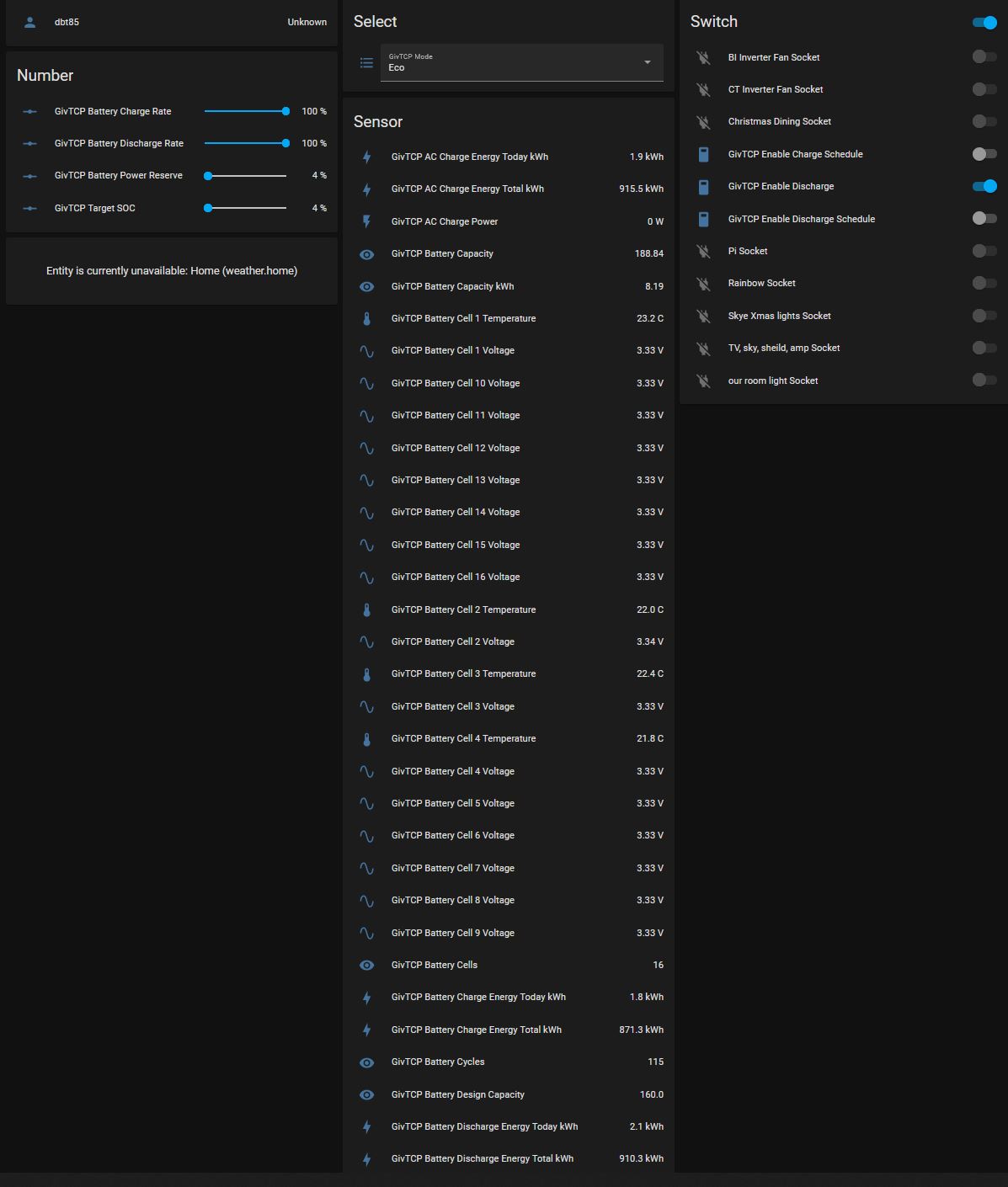
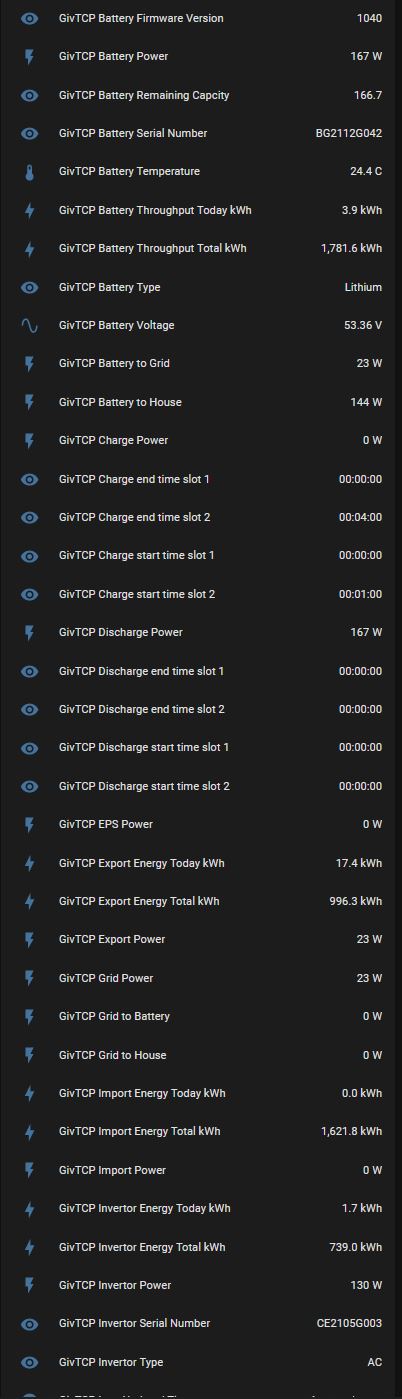
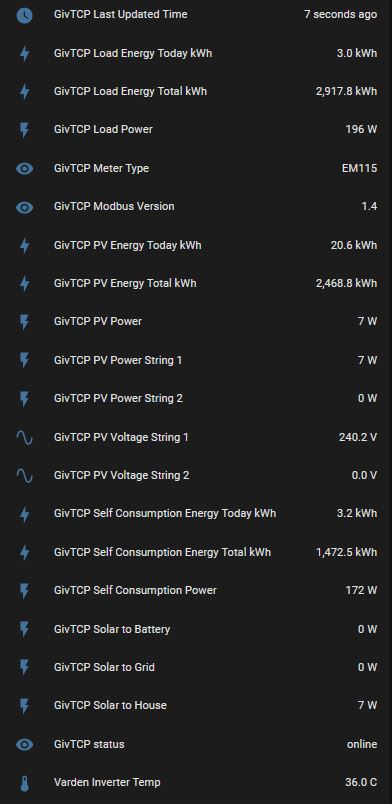
Yes you can change this line
To what you want it to be.
Obviously you need to make each instance unique
As for hiding some of them. Apart from firmware version why? All useful stuff in my view!
Well a few things.
When I changed the MQTT topic it didn't seem to want to auto discover in HA so I've gone back. It was definitely being seen in MQTT though as I could see it coming in.
However I've left it today with just the one instance and even redid my MQTT so that it could clear out all carnal knowledge of the other inverters. It seems to largly be ok and it now turns 3 fans off and on as commanded. One thing of note is that HA seems to show things as "last updated" when it last saw a different value. So if a voltage has been 243.2 for 3 minutes, it'll say "last updated 3 minutes ago" rather than "5 seconds ago with this same value as earlier". I'm assuming that's a HA thing.
I'll keep toying. I think the only way to get sensors to auto name to "House x Inverter Temp" for example would be to edit the image where @Britkat has his code for each instance. A variable that could be configured there would be cool I guess? For edge cases like me with more than one inverter.
I've not tried turning the other 2 containers back on yet. It didn't seem wholly happy with all 3 running before so I'm going to pause on it for the moment.
dbt85 My implementation was troublesome in that I got inconsistent results. The last time I looked (a few days ago after looking at your query), I realised that the MQTT isn't showing up in MQTT Explorer, suggesting that the MQTT side for my system is flakey. I use Node-RED for handling all my data flows and realise that I'm actually using a HTTP: GET to retrieve values via the Givenergy API. When the inverter temperature exceeds a limit, I use another HTTP: GET to pull inverter data locally by querying the inverter using Givtcp over port 6345/6346. These responses (to HTTP) look to be very reliable.
I know my MQTT server is rock solid as I only have one for all my home automation and MQTT Explorer is continuously showing messages being published and responses being triggered. The interface between Givtcp and MQTT has worked for me in the past but I used the alternative to query the inverter locally using HTTP:GET, limited to one call per inverter every 20 seconds (won't see temperature changes quicker then that anyhow). This means I need to look at values coming in from one data stream and then initiate another data stream for more frequent updates rather than simply listening to one (MQTT) data stream.
I still intend to look at implementing Modbus over TCP at some point to do a local query of the inverters with the payload published over MQTT as that's my preferred method of communications on my local network. I have to use HTTP requests to make use of API calls to manufacturer's cloud systems; that's OK, that's what they've designed. In fairness to @Britkat, he has shared the fruits of his work with the wider community and it works fine for most people. It must be very difficult for him to work out what issues we have as individuals as he doesn't have our plant (or home IT network) to replicate the problem. The same is true of Givenergy although they do have the plants to replicate all possible installations as they have access to all of ours, so testing for different scenarios is possible for them albeit laborious.
I recognise that just because I use Node-RED as my preferred consolidation environment, doesn't mean that you should consider moving away from your Home Assistant environment. Some people do use Node-RED to manipulate data before offering it to HA. If you're interested and have the capacity to pick it up that's fine, but lots of people just want to roll with what they have and what works with everything else. I think the simple answer is that there is no simple answer to get exactly what you want, just lots of options.
Thanks for that Tim. I'm not averse to fiddling with new bits and feel the bulk of my struggle is at least over as I have the rest of it running now. I have gotten so used to installing a thing and it just doing what it is supposed to do with minimal fiddling that I'd forgotten (more like purged from my brain) the faff in getting things like this (pi, portainrer etc) set up for the first time when you don't know what anyone is talking about and it feels everyone is only talking in some obscure version of English. Even now I don't have the foggiest about things like Node-Red, http:get or modbus so there is scope for more learning at some point.
It has been running all night of this morning and seems fine with that one inverter with 2 batts. The 3 120mm fans managed to drop the peak inverter temp down from a whopping 66.7c yesterday to a more modest 50.2c at the same time this morning while the inverter was running full tilt for a while refilling the batteries. As suspected, the other data that HA reports as "last updated 4 hours ago" is simply the last time it received a number that was different from the last one.
I've not yet had a look at mqtt explorer as it doesn't seem to run on the new Pi OS and I'm not on the local network with my own machine. I could install it on my inlaws and remote in to peek but for the moment it's working.
I'll now fire up the second container and let it run to see how it copes.
dbt85 Fair play. If all this is being done remotely for in-laws then they’re lucky to have someone who’s interested and motivated enough. You’re dangling on the remote end of something you may be able to configure on visits but it’s still not your kit and can’t call in the manufacturer big guns as you’re not actually their customer. Really difficult to do. Kudos.
Tim To be fair we all live on the farm, they are 100m from us, it was me dealing with the installers and with Givenergy since. In laws were just happy to get it all done and leave me to it haha. Hopefully over the winter I can get our planning app sorted fro my hopeful large array and battery and in the new year I'll have my own issues to solve!
No luck yet getting a second inverter appearing in HA and everything playing nice so I'll have a fiddle to get somewhere on that. Given the containers are running separately I don't see them interfering with one another while they each talk to different inverters. I also don;t see it being them all trying to talk on 1883 since all MQTT would be on there.
Oddly yesterday when I turned on the other two inverter containers a bunch of new devices appeared in HA but not the entities that go with it which was perplexing. More to poke around with I guess.
I recently connected the givtcp data to HAs energy dashboard. As it stands the Gv dashboard is more powerful and intuitive but good to have a choice. Only snag with HA dashboard is on 3 days out of 4 the data for the 16:00 to 17:00 time slot shows the data for the whole day, not just the 1 hour slot and as a result the figures for the whole day end up being way out. Has anyone else encountered this, know how to resolve?
Occasionally there is a brain fart and HA seems to set the data to zero and then back to what it was before and hence a big jump.
But it’s not specifically at any time.
locked
I had the same issues, so I created some template sensors that ignore zero values. You can then use these template 'filtered' sensors in your HA energy dashboard instead.
template:
  - sensor:
  # ===============================================================
  # GivTCP Filtered
    - name: "GivTCP Battery Charge Energy Total kWh FILTERED"
      unit_of_measurement: 'kWh'
      device_class: 'energy'
      state_class: 'total_increasing'
      state: >-
         {% if states('sensor.givtcp_battery_charge_energy_total_kwh') | float == 0 %}
           {{ states('sensor.givtcp_battery_charge_energy_total_kwh_filtered') }}
         {% else %}
           {{ states('sensor.givtcp_battery_charge_energy_total_kwh') }}
         {% endif %}

    - name: "GivTCP Battery Discharge Energy Total kWh FILTERED"
      unit_of_measurement: 'kWh'
      device_class: 'energy'
      state_class: 'total_increasing'
      state: >-
         {% if states('sensor.givtcp_battery_discharge_energy_total_kwh') | float == 0 %}
           {{ states('sensor.givtcp_battery_discharge_energy_total_kwh_filtered') }}
         {% else %}
           {{ states('sensor.givtcp_battery_discharge_energy_total_kwh') }}
{% endif %}SpeakToTheGeek excellent will have a play with that a little later.
SpeakToTheGeek just checked my config for the HA energy dashboard and I've set it to use the *today_kwh values rather than *total_kwh Is you energy dashboard configured and working with the _total_kwh sensors?
locked I use the total personally, and then fed those values into a Utility Meter on a daily cycle. The reason for doing that is I've experienced issues with daily sensors from various devices that end up delaying the last reading until after midnight - and if a sensor does that in Home Assistant then the full reading for a day ends up dumped in the following day too meaning you end up with double-accounting. Letting Home Assistant work out the daily values from a cumulative total has always been the safer option.
Hi All, has anyone tried using givtcp in an arduino? the only reason I ask is I've managed to fill my house will all kinds of arduino home projects and I've a project on the go at the moment which is just displaying the battery percentage on a lcd however as its using the cloud api's its only updated every 5 minutes.
I'd like to expand what it can do but to do that it'd need more up to date data....reading this forum is putting a smile on my face as it would appear we can now access the inverter data locally?
Any thoughts on arduino using givtcp would be great!
Thanks,
Mike
Rucky101 most people are running givtcp as a docker container on something like a NAS or a Pi. I believe its running in python so can run anywhere python runs. GivTCP utilises givenergy-modbus to access the data from the inverter https://github.com/dewet22/givenergy-modbus
If you have not come across home assistant I can recommend it as a focal point for integrating a wide range of devices into a single "pane of glass" / integration point. For instance, mine has off the shelf devices such as nest and ring and then custom integrations with gictcp and esp devices. https://www.home-assistant.io/
locked I've just moved mine onto an Intel NUC - which I installed Proxmox and then span up a couple of VM's - HASIO on one VM and GivTCP in a Ubuntu VM with docker on. Will be interesting to see if this solves/reduces my data dropouts.
I also plan to shift some other stuff running on my older rpi's to the NUC too.
Rucky101 Dewet22 was looking at producing libraries that can run on any platform, including low level ardinuos etc. My IHDs are arduino based but currently need to listen to MQTT for the data every 10s delivered locally from GivTCP. The plan was to get the data direct once the librararies were nativley avaialble for ESP32. The library would simply expose the same calls as GivTCP without the need for docker & MQTT.
I have 5 IHDs doing exactly what you descirbe. The benefit of using MQTT is that 1 interaction with the inverter can service many IHDs. If they all requested data directly there may well be conjestion at the inverter unless each call is highly optimsed. GivTCP takes several seconds to run, hence the need for direct low level library calls if that route is chose. I have used Docker on Windows and a Pi without issue
GivTCP is just a wrapper for the lower level code. It is optional but at present you need a lot of programming knowldege to use that mechanism. The release of a optimised low level library appears to have stalled
Eamonnogorman that’s my setup too and mainly because I couldn’t be bothered building a custom add-on for the Python code, I created a crude automation instead which uses GivTCP. But, even GivTCP needs another container host somewhere else at the moment and that must be a separate Raspberry Pi or server (I use a Synology NAS) until somebody goes to the effort of turning GivTCP into an official add-on. At that point all of this gets a lot easier…
SpeakToTheGeek Not true - if you run HA on a RPI within a Docker you an then run GivTCP on the same rpi in its own container- thats how I was doing it until the weekend. Now I'm running HA on a NUC with Proxmox (Basically a hypervisor if you don't know) which then can have a VM's which themselves can have docker installed.
But if you run HA on a rpi using HASSIO then you do have to install GivTCP on a separate device in a docker (There is a docker compose script which does everything for you if you use portainer and if you get the settings right will be up and running in minutes.
Except a Docker install means you don't get the amazing Add-on store 🙂
So... I decided enough was enough and I've got GivTCP working as an add-on in Home Assistant. I've made a pull request to the britkat1980 repo with the required files in so hopefully that'll be approved soon and everyone can make use of it in HASSIO.
SpeakToTheGeek you can run HA in a docker with addons. ( Supervised) . I did exactly this.
If you used Debian bullseye it is supported.
rwbarrett
Came here to introduce mysef as the maintainer of the Home Assistant integration you found: https://github.com/cdpuk/givenergy-local
I started the project as I wasn't very keen on having to run additional things outside of HA.
I've been steadily adding more features to it, but been somewhat limited by the reliability of the underlying modbus connection more recently - stacks of those errors about reading responses. I've been getting away with those when reading data - it's not the end of the world to skip a few updates. However, more recently I've been adding control features, and it's not great sending commands and getting unknown/error responses back, making it hard to tell what's actually been applied. Still very much work in progress.
Having seen some of the recent replies - that zero value filtering is something I recently had to deal with. It was also messing up my energy dashboard but should be all sorted in the current release version.
cdpuk I've been following your integration with interest - great work 🙂 I didn't use it originally because it didn't have battery capabilities until a couple of days ago, and because of that I'm using GivTCP. But I can see why someone starting from scratch or without an existing MQTT setup might prefer to use your integration instead.
Modbus really shouldn't be flaky - I use it all the time at work with sometimes really poor installation in terms of wire types used and it works over 2 or 3k meters - so I really can't see why it should be so bad on the lengths of runs used.
There are a couple of things I can think of why there might be issues.
looking at the the givenergy-modbus github repo it looks to be going through some some refactoring / updates which when finished will hopefully address some of the glitches.
for info, I've made a minor mod to givtcp that provides a configurable sleep time in between each read of the inverter. By default it continuously polls the inverter and was causing inverter timeout errors when calling the cloud api.
anglefire implemented in the dongle.
Are you suggesting that the Modbus itself is presented on the USB interface? I thought that the Modbus lines were greater than 5V differential. I suppose Universal Serial Bus is simply a evolution of RS485 and RS232. I presumed the dongle was simply the interface between the inverter (Modbus Master?) and the wifi, just as the Gen2 inverter ethernet interface would connect the inverter to a wired network.
Hello, out of interest is anyone running home assist and givtcp (or givenergy-modbus) on a ODROID-N2+box? i.e. all of that one the 1 box?
Looking at ODROID-N2+ as they appear to be available however due to the chip shortage getting hold of a new home assist board is tricky.
I haven't read the whole thread so forgive me if there is a better solution that has already been posted - and please do let me know if there is one!
I assume that other people have had the issue where the GivTCP MQTT reports 0s occasionally, before returning to the original value, for the various power consumption figures, which then messes up HA's energy reporting tab. I have a "sticking plaster" solution, which is simply to recalculate the entire "sum" column in the home-assistant_v2.db SQLite database. HA tries to do its own sum, presumably, and records it in this column. However, when the value goes to zero then back up again, the sum (again, presumably) messes up and double counts. For me this happens between 0 and 2 times per day, at no predictable time, so I just have a cronjob running every hour to recalculate the column and update the database tables. I just subtract the initial value in the "state" column from the current value in the "state" column, for the appropriate power consumption statistics. So far this has not caused any problems for me, and I haven't seen the Energy tab reporting incorrectly since.
Anyway, here is the PHP script I use to update my database:
<?php

$db = new SQLite3('/path/to/config/home-assistant_v2.db');

// the initial states of each of the givenergy variables we want to fix
// get these manually from the home assistant SQLite database
$metadata_ids = array("22","23","15","18","20");
$init_states = array("697.7","676.9","588.9","221.3","2194.5");

for ($i = 0; $i < 5; $i++) {
// the specific one we're fixing now
    $metadata_id = $metadata_ids[$i];
    $init_state = $init_states[$i];

// update the statistics table. just recalculate the whole "sum" column correctly.
    $qry = "update statistics
set sum = (state - $init_state)
where metadata_id = $metadata_id;";

    echo "$qry";
    $db->exec("$qry");

// update the statistics_short_term table
    $qry = "update statistics_short_term
set sum = (state - $init_state)
where metadata_id = $metadata_id;";

    echo "$qry";
    $db->exec("$qry");
}
Hopefully this is of use to some people here. You should absolutely NOT simply run this script on your machine as it contains "metadata_ids" and "init_states" that are specific to my set-up. You need to get these yourself by exploring the SQLite database. I recommend taking a copy of the database and exploring it visually if you're not comfortable with SQL.
Thanks for the script. The template in Ha that was posted earlier works too- I set it up a day it so ago.
But this it’sa bit more elegant and as the source!
But I’ve got ha running in effect in Hassio in a vm so where do you put the cron job?
SpeakToTheGeek Replying to my own post here...
I've put together a very short video on how to use the GivTCP Add-on for Home Assistant, including how to install Mosquitto / MQTT if you're not familiar with that either. Basically this now means you can run everything on one device in a user-friendly way.
https://youtu.be/NQ84z_Wa19k
My Add-on-ified GivTCP repo is here for anyone to use until it gets merged with the main branch: https://github.com/sOckhamSter/giv_tcp
Just had a go at following your instructions...which were great, many thanks, but can't get it working. I can see in the logs that it's just failing the connection to my inverter ip but it's 100% correct. Interestingly my app is currently not able to connect locally either so I wonder if the issues are connected.
SpeakToTheGeek PR created
judgepd It could be related, but I'm not sure what the most likely cause of your issue would be sorry. In the video, I basically did the whole run-through of the setup in real-time, only cutting out the pauses while I waited for things to load. The Raspberry Pi used in the demo is on the same wireless network as the GivEnergy inverter too, no extra hops, VLANs, or routing involved. It really was as simple as installing Mosquitto with the default options, configuring a user account, installing GivTCP, then providing GivTCP with the inverter's IP address and the MQTT creds.
Bit of an update, I checked again this afternoon and the entities are now in home assistant...which is amazing! I immediately checked the app and the local data was working there too. It could be not related at all but they did both seem to be working/not working at the same time.
SpeakToTheGeek This is brilliant. Thank you!
I have 2 batteries and doing a bit of experimenting (I'm a HA novice), if I put 2 batteries into the GivTCP config I only get 1 battery in devices, if I put 1 into the config I get the other battery (confirmed by the serial numbers).
However, I can't seem to see both batteries at the same time, is there a trick to this?
anglefire Ahh, I should have just scrolled up a bit - thanks for pointing out the template! I think the template has advantages over running update queries directly onto the database tbh, less can go wrong. I might give the template a go as well.
For your cronjob, as long as the path to the database is accessible by whatever user is running the cronjob, it should be fine. I'm not sure about your set-up but I can tell you what I do. I'm running Home Assistant in docker on an Odroid C2, with the config directory mounted to my user's home directory. I therefore run the script via my normal user's crontab, with the path to the database in my home directory. If you haven't already, I think the first thing for you to do would be to access the database manually using sqlite3, just to see if it's accessible. See https://www.home-assistant.io/docs/backend/database/
scrchngwsl As I'm now running HA on my NUC the easiest was was to run it in HASSIO via proxmox script. So it doesn't have cron . 🙁
I did run it in a docker on my rpi4 but decided to transition to the NUC for speed and reliabilty. And it will ultimately reduce my RPI's by one as I shall retire the RPI1 to test again.
This is well beyond my comfort zone 🙂 Recently installed sOckhamSter GicTCP add on for Home Assistant (in above thread). I've noticed that only 1 battery is being discovered, despite setting the configuration to 2 batteries.
If I listen to a topic in Mosquitto, I can see data on both batteries is being received e.g.
GivEnergy/CE214xxxxx/Battery_Details/BE22XXXXXX/Battery_SOC
GivEnergy/CE214xxxxx/Battery_Details/BE21XXXXXX/Battery_SOC
I'm guessing the auto discovery is only capturing the data of 1 battery, is there a way to manually set up the other as a new device, based on the topics above as an example- am on steep learning curve to how all this works
Thanks
I couldn't say why your Home Assistant installation isn't picking up the second battery, especially if as you say the MQTT data is being sent, because I only have a single battery and no way to reproduce/test your scenario. However, a workaround might be for you to create a manual MQTT sensor for each of the values you wish to capture: https://www.home-assistant.io/integrations/sensor.mqtt/
I've done this for devices such as the Glow IHD before and it might take a bit of fiddling to get working at first. For example, this is an untested example of how you might manually grab the SOC for a battery.
mqtt:
  sensor:
    - name: "GivEnergy Battery BE22XXXXXX SOC"
      unique_id: "GivEnergyBatteryBE22XXXXXXSOC"
      state_topic: "GivEnergy/CE214xxxxx/Battery_Details/BE22XXXXXX/Battery_SOC"
      device_class: "battery"
      unit_of_measurement: "%"
      state_class: "measurement"
      value_template: "{{ value }}"
      icon: "mdi:battery"
I'm curious though - does the actual GivTCP SOC (not GivTCP Battery SOC) not give you the whole system SOC? (sensor.givtcp_soc)?
SpeakToTheGeek GivTCP SOC does give me the whole system SOC, I was just curious to monitor both batteries individually as they have a tendency to go out of balance if not fully charged/discharged for a few days (even with 3007 firmware) - I had a 25% difference between the 2 at one point. It seems if I configure GivTCP config for 1 battery, it provides the details for the master, and for 2 batteries it provides the details for the slave, each time under 'GivTCP_CE214XXXX_Battery_Details'. I'm guessing the second values are stored to the same location and overwrite the first. After a full charge today and a bit of use, GicTCP SOC is 87% Master 82% and Slave 88% for example (no idea how it aggregates this to 87% as it's 2x5.2kWh.)
I did manage a basic work around in node red to create a new SOC sensor, but this means I would have to configure 30 different sensors if I wanted to replicate fully (cell voltages etc). I'll maybe just do the key ones. Will give your method a try
Question on the API, does this only update once every 5 minutes or so?
Naughtynoughts Locally the API will pull the current data from the registers - typically every 10 seconds and they will update every 10 seconds.
If remote, then the data you see via the API will only update once every 5 minutes (Or is it 10, can't remember) as it only calls the actual data that often over the internet.
mpartington basic work around in node red to create a new SOC sensor
I don't use HA and only use docker for givtcp but I do use Node-RED. My Node-RED flow uses a HTTP GET to http://<dockerGivTcp>:6345/runAll. The HTTP node is set to parse the response as a JSON Object. I'm not sure if this would help you to extract individual cell voltages but they exist as separate objects in the response. eg (middle chopped out for brevity)
{"Battery_Capacity":193.73,
"Battery_Cell_10_Voltage":3.345,
"Battery_Cell_11_Voltage":3.345,
...
"Battery_Cell_8_Voltage":3.349,
"Battery_Cell_9_Voltage":3.345,
"Battery_Cells":16,
"Battery_Cycles":84,
"Battery_Design_Capacity":160,
"Battery_Firmware_Version":3007,
"Battery_Remaining_Capcity":151.85,
"Battery_SOC":78,
"Battery_Serial_Number":"BGxxxxxxxx",
"Battery_Temperature":26.3,
"Battery_USB_present":true,
"Battery_Voltage":53.497}
anglefire This is what I am accessing currently (https://api.givenergy.cloud/v1/inverter/$SerialNum/system-data/latest/), what way can this be done to access locally via IP address?
Thanks
Naughtynoughts The only way I know is to use GivTCP - which is a program that runs in a docker container and then talks locally via the dongle to interrogate the inverter - it then either spits out the data into Home assistant or as MQTT data or can be pulled from GivTCP via node-red.
The easiest way is probably MQTT - either with a broker you already have on your network or by using GivTCP's internal broker.
Hi all, I’ve been MIA for a little bit on maintaining and updating GivTCP. I’m back now and big thanks to @SpeakToTheGeek for the help getting the add on working.
I think that the latest add on version 1.1.3 from my GitHub repo should work with multiple batteries, but please let me know if not!
I’m working on a new release which will come out shortly, but it’s packed with some new features, such as cost tracking (simple day/night tariff), web dashboard, multiple invertor support and data filtering ( to remove those annoying zero values).
Watch this space!!
That looks good. As that's a big issue I see. Lots of wierd 0 values. Looks like the graphs are bleeding
@Britkat Is there a way to slow down polling of the inverter? I set the loop timer to 30 seconds, but the dashboards still update much quicker.
Think HA is battering the Inverter with requests and its affecting the actual GE app and sometime it goes offline in the portal.
TheDragon (GivEnergy) what version of the docker image are you using. The current dev version does obey the loop timer env
Has anybody else noticed the local modbus interface stops responding about every 12 hours?
Most noticeable is midnight to 4am (BST) but also around noon.
Not predictable but happens most days.
Is there any sort of cloud access which ties up the inverter at these times?
(I'm using the python givenergy-modbus package directly and logging bad responses and timeouts on a 5kW hybrid gen 1 inverter plus 2x gen 2 batteries))
Not seen this using GivTCP, what error do you get from the library?
Mainly timeouts/no reply. Last night no response from midnight to 3am
GivTCP seems to have a bad data check and just freeze the last known good data.
The (masking of the) problem is with givenergy-modbus (which GivTCP uses) in that it does not indicate when bad or no data is returned when you call client.refresh_plant.
As far as I can see - Givtcp is working correctly except - I have to stop and restart it every day because the value returned for battery SOC drops at some point overnight to 3% and will not go back above that until I down/up the container for it.
anglefire @MikeBakke
I'm using the GivTCP addon and find that so long as I don't change any settings in the app everything is OK. making changes in the app results in errors in the GivTCP log.
Make changes in the portal usually results in the portal failing to write the change and less often errors in GivTCP.
For the most part I only use GivTCP to make changes.
But if I have to use the app or portal, I keep an eye on the GivTCP logs for a few connection attempts afterwards
Can you confirm which docker-tag you are pulling for Givtcp? There seems to be a mismatch between Github version and latest tags.
I pull the latest - which looking at the file sizes would be the 2.06 version I believe.
Ive had a lot of issues in the last 2 weeks with the service not reporting correctly (old data) or not at all. Main issue seems to be around the SOC data. Running version 1.1.5 on home assistant although I note that the latest version is 2.0.6 on Git. Update function on HS is not picking this up.
Any thoughts?
Sorry - latest release is 1.1.7 - still not picking it up though
Remove and re-install. The change may now be too great for an update
TheDragon (GivEnergy) Ok, many thanks will give that a go
Reinstalled but still on version 1.1.5
Anyone else running this on HA and have the same issue - or a solution?
beardyblair you using the right repository?
https://github.com/britkat1980/giv_tcp
It would seem this may be caused by the GE app and lots of calls to the inverter which then for some reason hangs the SOC in particular.
I had it today - I'm running it in a separate docker and call it from Node-Red - weirdly the MQTT data is still updating correctly - albeit a different register as it reads 9% when the battery in Node read reads 4% - which is something available only in the RAW output on MQTT!
I'm going to pull the latest GivTCP from docker as soon as we have a day with any brightness at all - I'm getting no solar all week which is a pain. The last issue I had was caused by me running an older version so let's see. It is a fantastic thing when working correctly and tbh the only time I look at GE dash is either to check what it thinks the system is doing against what HomeAssistant is telling me or to pull the reports which I think are excellent.
Had mine drop to 3% this morning- and from then on didn’t update. - I did a force charge and still didn’t.
The docker logs on givtcp did list some errors. Restarted the container and all back to normal.
The portal on the web showed the percentage charge at 4% so does seem to be something with the way givtcp Works out something has frozen.
i installed the latest GivTCP today. It's running on HA on a Pi4.
I've set it up as per Speak to the Geek's latest video. I can get the web interface to diplay, however all of the displays are blank. Any ideas?
The GivTCP configuration has been filled in correctly, as far as I can see, with the correct IP addressing, tariff details and peak/off-peak times.
Can you see the data elsewhere? Mqtt for example?
Blast....No.
It looks like it's not outputting any data whatsoever. <scratches head>
Is GivTCP self publishing or are you calling it from say Node Red via the Restful service? The latter you have to use the /RunAll command - the former just publishes every 10 seconds (Or whatever the ENV says)
anglefire Is GivTCP self publishing or are you calling it from say Node Red via the Restful service? The latter you have to use the /RunAll command - the former just publishes every 10 seconds (Or whatever the ENV says)
I'm pretty sure that's English that you are speaking.... 😆
I know just enough about HA to install it and to get myself in trouble.... I had this before when I tried to upgrade GivTCP to ver 2. It basically stopped everything from working. This rime I uninstalled the earlier version, then installed Ver 2.06 with what looks like the same results.
I tried deleting it and reinstalling. Uninstalled MQTT, reinstalled and set everything up.
Still the same results. All my dashboards are reporting no values. All the GivTCP sensors are saying "Unavailable". If I click on a sensor then I get this result:
Apologies, I am probably spamming this thread. I probably need to restore an old backup to go back to working old version of GivTCP or find a "Home Assistant for Gobshites" forum somewhere! 🤣
TheDragon (GivEnergy) removed old version, removed settings files (key I think) and removed the add on from my custyom repositories list. then reinstalled as if it was a new install and all working well (better than before)
Zakalwe Doesn't help now but as Portainer is only used for Givtcp and consequently I forget what/how to set things up, I have a process to enable me to get back to a known start point if necessary. I download the latest version, get it working (I know, simply said but ...), then stop the container and edit it with a new name "Template that works v2.?". I then duplicate it and rename the duplicate as "Operating version". Then, if I need to go back to a working version, I've got "Template ..." to copy and get working again.
When you do find the "Home Assistant for Gobshites" forum, let me know and I'll join you there.
I've uninstalled GivTCP and MQTT and reinstalled them twice, and still no joy.
I think that I might have to nuke the whole thing from orbit and reinstall HA from scratch at this stage.
Tim When you do find the "Home Assistant for Gobshites" forum, let me know and I'll join you there.
I might start one and me and thee can be moderators! 🤣
Sorry silly question, but how are you displaybing the givetcp webpage in HA ?
I have everything up and running, but can only view they inverter etc by http://hassipaddress:givtcpport so cant embedd it anywhere within HA to view >
Ok, back to errors again.
2022-12-06 03:10:16,283 - read - [ERROR] - Error collecting registers: (<class 'KeyError'>, KeyError(IR:110), <traceback object at 0x7f9113c540>)
Lots of errors like that! Anyone shed some light?
beardyblair if you have the Givenergy app open in local mode, it will be polling the inverter every ten seconds as well as Givtcp polling every (whatever your ENV auto-poll interval is set to). It might be worth increasing the Givtcp poll time and closing the Givenergy app while you work out a reliable compromise.
Ive ensured the app is closed. Does having the page : https://www.givenergy.cloud/dashboard open also cause this issue?
2022-12-06 10:41:42,249 - startup - [CRITICAL] - Running Redis
2022-12-06 10:41:42,264 - startup - [CRITICAL] - Running RQ Dashboard on port 9181
2022-12-06 10:41:42,266 - startup - [CRITICAL] - Setting up invertor: 1 of 1
2022-12-06 10:41:42,455 - startup - [CRITICAL] - Recreating settings.py for invertor 1
2022-12-06 10:41:42,457 - startup - [CRITICAL] - Removing old invertor data cache
2022-12-06 10:41:42,459 - startup - [CRITICAL] - Removing old battery data cache
2022-12-06 10:41:42,469 - startup - [CRITICAL] - Running RQ worker to queue and process givernergy-modbus calls
2022-12-06 10:41:42,471 - startup - [CRITICAL] - Running Invertor read loop every 5s
2022-12-06 10:41:42,480 - startup - [CRITICAL] - Subscribing Mosquitto on port 1883
2022-12-06 10:41:42,492 - startup - [CRITICAL] - Starting Gunicorn on port 6345
[2022-12-06 10:41:44 +0000] [17] [INFO] Starting gunicorn 20.1.0
[2022-12-06 10:41:44 +0000] [17] [INFO] Listening at: http://0.0.0.0:6345 (17)
[2022-12-06 10:41:44 +0000] [17] [INFO] Using worker: sync
[2022-12-06 10:41:44 +0000] [18] [INFO] Booting worker with pid: 18
[2022-12-06 10:41:44 +0000] [20] [INFO] Booting worker with pid: 20
[2022-12-06 10:41:44 +0000] [22] [INFO] Booting worker with pid: 22
RQ Dashboard version 0.6.0
Does any of this info help?
Running invertor firmware D0.449-A0.449
and battery 3007
beardyblair Having the portal page open shouldn't make any difference as the inverter pushes its data to the cloud every ten minutes and the cloud portal is your web browser view of that data.
Which version of Givtcp are you using?
Tim If HA_AUTO_D is set to true in the container ENV, you should be able to see the MQTT output for HA in MQTT Explorer. If you can't then it's something at the Givtcp/MQTT end. If you can, then it's something at the HA end.
Thanks Tim for trying to help, but honestly, I have no idea what any of that means.
All I know is that HA is installed on the Raspberry Pi 400. GivTCP 1.6 (I think) worked absolutely fine. I deinstalled it, deleted any GivTCP filkes in the config and then installed 2.06 via the Add in store using the Britkat repository. Now it doesn't work at all, despite deinstalling it and MQTT and reinstalling them.
There probably is something really simple that I am missing (apart from a brain!), without having to recourse to wiping the whole installation and reinstalling HA from scratch??
Anyone up for trying to help a numpty diagnose this? Be warned though, you will have to speak to me like you would to a Golden Retriever....
Zakalwe I'm allergic to dogs and only know as much as it takes to get the Givtcp container in Portainer (RPi 3B) querying the invertors and sending the MQTT response to my broker (RPi4). I use Node-RED (RPi4) to initiate the Runall requests, but it's equally valid to automate a polling interval from Givtcp so you don't need to call from another system. I installed HA on an old Dell Wyse (eBay about £30) box and am stumbling with that currently. However, each component works and in fairness, Givtcp was flakey when I installed V2.01 at the beginning of October but it has been very solid since I changed to logging to local to prevent the boot partition filling up with a log file.
Do you run the MQTT broker internal to Givtcp or a separate one? Either way, I've found MQTT Explorer to be invaluable to see whether devices are sending out traffic or not. What I would recommend you do is to install the MQTT broker (either in Portainer or separately, however works for you) and test that that's working by publishing messages to the broker and watching the traffic in MQTT explorer (you can actually publish from MQTT Explorer for testing purposes). Once you know you have a valid broker, install Givtcp and set the ENV variables. There are a few nuances such as deploying in Privileged mode and setting logging to local, getting the number and naming of inverters and batteries right and so on. Once Givtcp starts and runs, you should see the HA MQTT traffic in MQTT Explorer. When that's working OK, you can start to use HA to manipulate the data and control the inverter. That's the bit that I've been trying to set aside time for recently.
Zakalwe @beardyblair I just stopped my production Givtcp in portainer and downloaded :Latest (v2.06). I went through the settings for my plant and deployed the container. It's now running OK, querying the invertors and batteries; I can see the traffic in MQTT Explorer and in HA (except I don't yet know how to use the entities etc).
Having an MQTT broker installed and working would be the first step for me; then the Givtcp (had to reboot portainer device on one ocassion to get it to work, but fine since), watching the traffic in MQTT Explorer, then it should show up in HA if it knows about your local broker (hostname.local or ipaddress.local).
As a matter of interest, I changed my system this morning for the GivTCP (In separate Docker and not as an addin) to self publish every 10 seconds and changed the NodeRed script from RunAll to ReadData
Doesn't seem to actually make any difference - but does mean if I have HA turned off GIVtcp will still publish to MQTT.
Still getting the errrors - but doesn't seem to make any difference as long as the SOC is above 3% (Though not gone that low for a few days so that is still in question!)
2022-12-06 15:52:03,006 - read - [ERROR] - Error collecting registers: (<class 'KeyError'>, KeyError(HR:113), <traceback object at 0x7f6a1c804200>)
2022-12-06 15:53:39,420 - GivLUT - [CRITICAL] - Consecutive failure count= 1
2022-12-06 15:53:39,420 - read - [ERROR] - Error collecting registers: (<class 'KeyError'>, KeyError(HR:013), <traceback object at 0x7f6a1c813980>)
2022-12-06 16:28:05,303 - GivLUT - [CRITICAL] - Consecutive failure count= 1
2022-12-06 16:28:05,304 - read - [ERROR] - Error collecting registers: (<class 'KeyError'>, KeyError(IR:000), <traceback object at 0x7f6a1d158fc0>)
2022-12-06 16:28:52,866 - GivLUT - [CRITICAL] - Consecutive failure count= 1
2022-12-06 16:28:52,868 - read - [ERROR] - Error collecting registers: (<class 'KeyError'>, KeyError(HR:013), <traceback object at 0x7f6a1c8138c0>)
2022-12-06 16:31:03,516 - GivLUT - [CRITICAL] - Consecutive failure count= 1
2022-12-06 16:31:03,517 - read - [ERROR] - Error collecting registers: (<class 'KeyError'>, KeyError(HR:113), <traceback object at 0x7f6a1c813140>)
2022-12-06 16:34:01,769 - GivLUT - [CRITICAL] - Consecutive failure count= 1
2022-12-06 16:34:01,770 - read - [ERROR] - Error collecting registers: (<class 'KeyError'>, KeyError(IR:110), <traceback object at 0x7f6a1c80f980>)
2022-12-06 16:38:55,421 - GivLUT - [CRITICAL] - Consecutive failure count= 1
2022-12-06 16:38:55,422 - read - [ERROR] - Error collecting registers: (<class 'KeyError'>, KeyError(HR:113), <traceback object at 0x7f6a1c813140>)
2022-12-06 16:48:58,086 - GivLUT - [CRITICAL] - Consecutive failure count= 1
2022-12-06 16:48:58,087 - read - [ERROR] - Error processing registers: (<class 'KeyError'>, KeyError('\x00\x00\x00\x00\x00\x00\x00\x00\x00\x00'), <traceback object at 0x7f6a1c858400>)
2022-12-06 16:48:58,087 - read - [ERROR] - Invertor Update failed so using last known good data from cache (2022-12-06T16:48:41.682858+00:00)
MikeBakke Well I did update to latest GIVTCP (2.06) and still every morning it seems to stick at 3%. Interestingly it also only seems to "unstick" with a down/up of the container once there is actual charging happening. I did a pre-emptive when I got up before there was any pv and when I checked a couple of hours later it still showed 3%. When I repeated the down/up it then jumped to 33% and is now tracking correctly.
I will try to set an automation to run the restart when I see a certain amount of PV has happened if the SOC is still at 3%
Still no idea what I am doing, but it seems that GivTCP is not talking to MQTT.
Here's the logs from /config/GivTCP/log_inv_1.log
Any ideas?
2022-12-08 12:10:36,360 - GivLUT - [CRITICAL] - Consecutive failure count= 2
2022-12-08 12:10:36,367 - read - [ERROR] - Error collecting registers: (<class 'KeyError'>, KeyError(HR:013), <traceback object at 0x7f97900580>)
2022-12-08 12:10:59,747 - read - [CRITICAL] - First time running so saving AC Charge status
2022-12-08 12:10:59,845 - read - [CRITICAL] - Publishing Home Assistant Discovery messages
2022-12-08 12:10:59,893 - HA_Discovery - [ERROR] - Error connecting to MQTT Broker: (<class 'ConnectionRefusedError'>, ConnectionRefusedError(111, 'Connection refused'), <traceback object at 0x7f8fcaf600>)
2022-12-08 12:10:59,898 - mqtt - [ERROR] - Error connecting to MQTT Broker: (<class 'ConnectionRefusedError'>, ConnectionRefusedError(111, 'Connection refused'), <traceback object at 0x7f8fcafe80>)
2022-12-08 12:11:06,952 - mqtt - [ERROR] - Error connecting to MQTT Broker: (<class 'ConnectionRefusedError'>, ConnectionRefusedError(111, 'Connection refused'), <traceback object at 0x7f8fccb9c0>)
2022-12-08 12:11:19,012 - mqtt - [ERROR] - Error connecting to MQTT Broker: (<class 'ConnectionRefusedError'>, ConnectionRefusedError(111, 'Connection refused'), <traceback object at 0x7f8f7e4e40>)
2022-12-08 12:11:31,068 - mqtt - [ERROR] - Error connecting to MQTT Broker: (<class 'ConnectionRefusedError'>, ConnectionRefusedError(111, 'Connection refused'), <traceback object at 0x7f8f7d0dc0>)
2022-12-08 12:11:43,125 - mqtt - [ERROR] - Error connecting to MQTT Broker: (<class 'ConnectionRefusedError'>, ConnectionRefusedError(111, 'Connection refused'), <traceback object at 0x7f8f7e8040>)
2022-12-08 12:11:55,185 - mqtt - [ERROR] - Error connecting to MQTT Broker: (<class 'ConnectionRefusedError'>, ConnectionRefusedError(111, 'Connection refused'), <traceback object at 0x7f8f81a080>)
2022-12-08 12:12:08,449 - read - [CRITICAL] - First time running so saving AC Charge status
2022-12-08 12:12:09,074 - read - [CRITICAL] - Publishing Home Assistant Discovery messages
2022-12-08 12:12:12,588 - HA_Discovery - [ERROR] - Error connecting to MQTT Broker: (<class 'ConnectionRefusedError'>, ConnectionRefusedError(111, 'Connection refused'), <traceback object at 0x7fb6c1f640>)
2022-12-08 12:12:12,594 - mqtt - [ERROR] - Error connecting to MQTT Broker: (<class 'ConnectionRefusedError'>, ConnectionRefusedError(111, 'Connection refused'), <traceback object at 0x7fb6c1fe80>)
2022-12-08 12:12:22,642 - GivLUT - [CRITICAL] - Consecutive failure count= 1
2022-12-08 12:12:22,644 - read - [ERROR] - Error collecting registers: (<class 'KeyError'>, KeyError(IR:110), <traceback object at 0x7fb85f4540>)
2022-12-08 12:12:23,155 - mqtt - [ERROR] - Error connecting to MQTT Broker: (<class 'ConnectionRefusedError'>, ConnectionRefusedError(111, 'Connection refused'), <traceback object at 0x7fb6c39100>)
2022-12-08 12:12:41,243 - mqtt - [ERROR] - Error connecting to MQTT Broker: (<class 'ConnectionRefusedError'>, ConnectionRefusedError(111, 'Connection refused'), <traceback object at 0x7fb6c3fa80>)
2022-12-08 12:12:53,316 - mqtt - [ERROR] - Error connecting to MQTT Broker: (<class 'ConnectionRefusedError'>, ConnectionRefusedError(111, 'Connection refused'), <traceback object at 0x7fb6c3fa80>)
2022-12-08 12:13:05,364 - mqtt - [ERROR] - Error connecting to MQTT Broker: (<class 'ConnectionRefusedError'>, ConnectionRefusedError(111, 'Connection refused'), <traceback object at 0x7fb6d9d580>)
2022-12-08 12:13:17,428 - mqtt - [ERROR] - Error connecting to MQTT Broker: (<class 'ConnectionRefusedError'>, ConnectionRefusedError(111, 'Connection refused'), <traceback object at 0x7fb6780a00>)
2022-12-08 12:13:29,486 - mqtt - [ERROR] - Error connecting to MQTT Broker: (<class 'ConnectionRefusedError'>, ConnectionRefusedError(111, 'Connection refused'), <traceback object at 0x7fb67c3000>)
2022-12-08 12:13:41,545 - mqtt - [ERROR] - Error connecting to MQTT Broker: (<class 'ConnectionRefusedError'>, ConnectionRefusedError(111, 'Connection refused'), <traceback object at 0x7fb67f5600>)
2022-12-08 12:13:53,606 - mqtt - [ERROR] - Error connecting to MQTT Broker: (<class 'ConnectionRefusedError'>, ConnectionRefusedError(111, 'Connection refused'), <traceback object at 0x7fb6d9dec0>)
2022-12-08 12:14:05,664 - mqtt - [ERROR] - Error connecting to MQTT Broker: (<class 'ConnectionRefusedError'>, ConnectionRefusedError(111, 'Connection refused'), <traceback object at 0x7fb6c3b500>)
2022-12-08 12:14:17,721 - mqtt - [ERROR] - Error connecting to MQTT Broker: (<class 'ConnectionRefusedError'>, ConnectionRefusedError(111, 'Connection refused'), <traceback object at 0x7fb678f6c0>)
2022-12-08 12:14:29,774 - mqtt - [ERROR] - Error connecting to MQTT Broker: (<class 'ConnectionRefusedError'>, ConnectionRefusedError(111, 'Connection refused'), <traceback object at 0x7fb680d900>)
Have you got the right password for the broker? It says connection refused which suggests it exists.
Blow me down, I managed to get it working.
For some reason MQTT was not picking up the correct user details. Even though I uninstalled/re-installed it multiple time, it was not working with the correct MQTT user. I deleted the user multiple times, but it was still "lurking" somewhere. I ended up creating a new MQTT user with a completely different name and password and hey presto the damn thing sparked into life.
The lesson seems to be that HA does not handle resetting of usernames and passwords very well. if in doubt, delete to old users and set new ones up with new unique usernames and password credentials.
I've noticed that if you enable the Smart Target section in the config then it will ignore the Timed Charge settings in the app or portal and charge to 100%.
In fact, looking at it, the solar forecasting automation only works for 6 months of the year. That's not much use, is it?
Since I changed the smoothing in the ENV settings on my Docker contained GIVTcp, the freezing at 3% hasn't happened.
Noticed it had dropped to 3% this morning so forced charge for an hour - the previous charge yesterday when it dropped to 2% was fully automatic by the BMS. At least that's one issue that at least for me has been resolved.