Battery stopped supporting house

25 comments started 2025-10-29 last 2025-11-05
GivEnergy Products
N
#1 Nil Desperandum

For the second night in a row the battery has stopped supporting the house and we started pulling from the grid... last night from about 1625 for 30 mins or so before I spotted it ... I did a force discharge then back to standard eco and it was fine. Tonight I was watching closely and it happened about 5pm for about 5 mins before I intervened again. I've checked the settings and the logs and nothing obvious. Except it does say Octopus are controlling the battery and they aren't... perhaps I need to do something extra to regain control at the GE end of things? Thanks in advance for any help.
P
#2 pwdst

Which tariff are you on?

S
#3 SteveCook

Did you put anything in the smart tariff on the portal (i dont know what that does)

N
#4 Nil Desperandum

pwdst I was on IOF until about a month ago - I unhooked the battery when I moved back to Go/Outgoing ... but GE still says I don't have control (but I do!)

Just thought it would be nice to have GE not think someone else has control but I can't see how to do that... any ideas?

G
#5 geoffreycoan

Nil Desperandum I’ve heard of quite a few people that left IOF that have found that Octopus still have control and the account is locked saying that they don’t have control

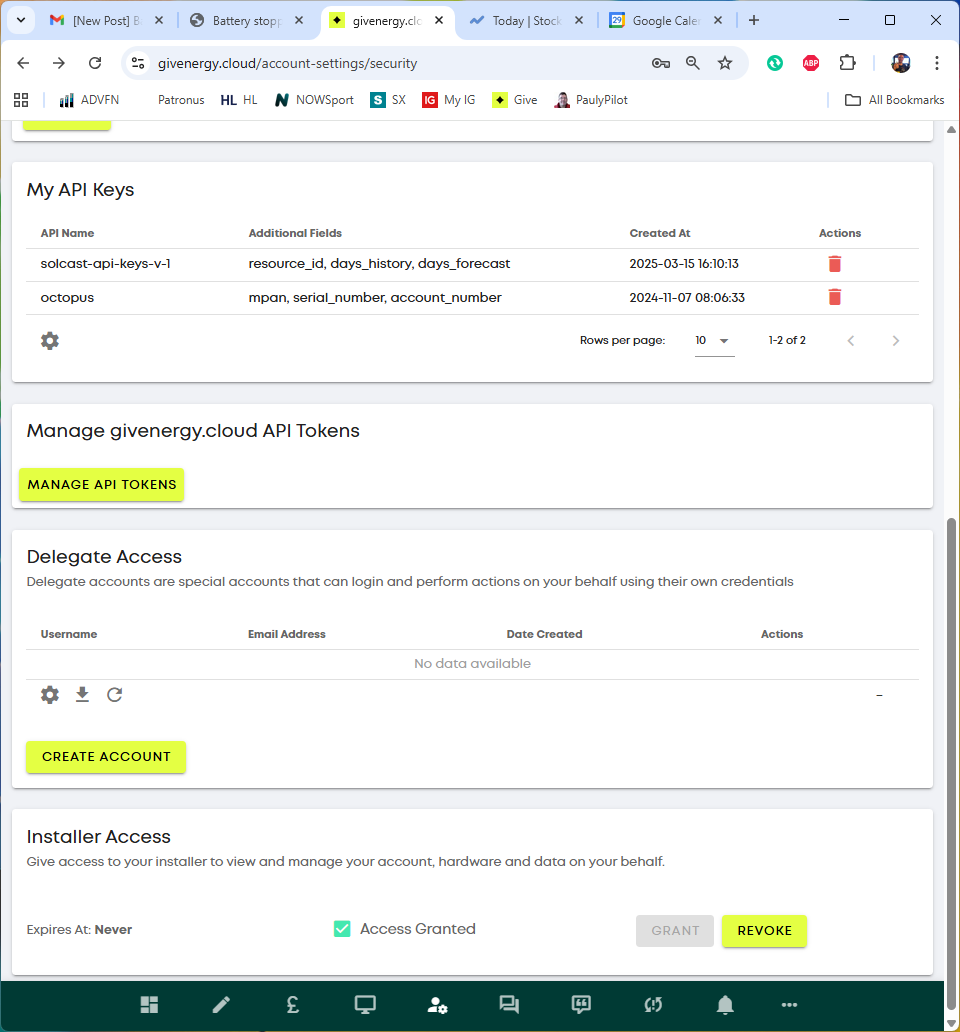
As well as removing the battery from IOF in the app, in the givenergy portal go into account settings/security/api keys and ensure any octopus API keys are deleted. It rather sounds as if IOF are still sending commands to your inverter

N
#6 Nil Desperandum

Thanks geoffreycoan that's what I'm looking for.

There is an API key "My API keys" but I think I need that one, don't I ?

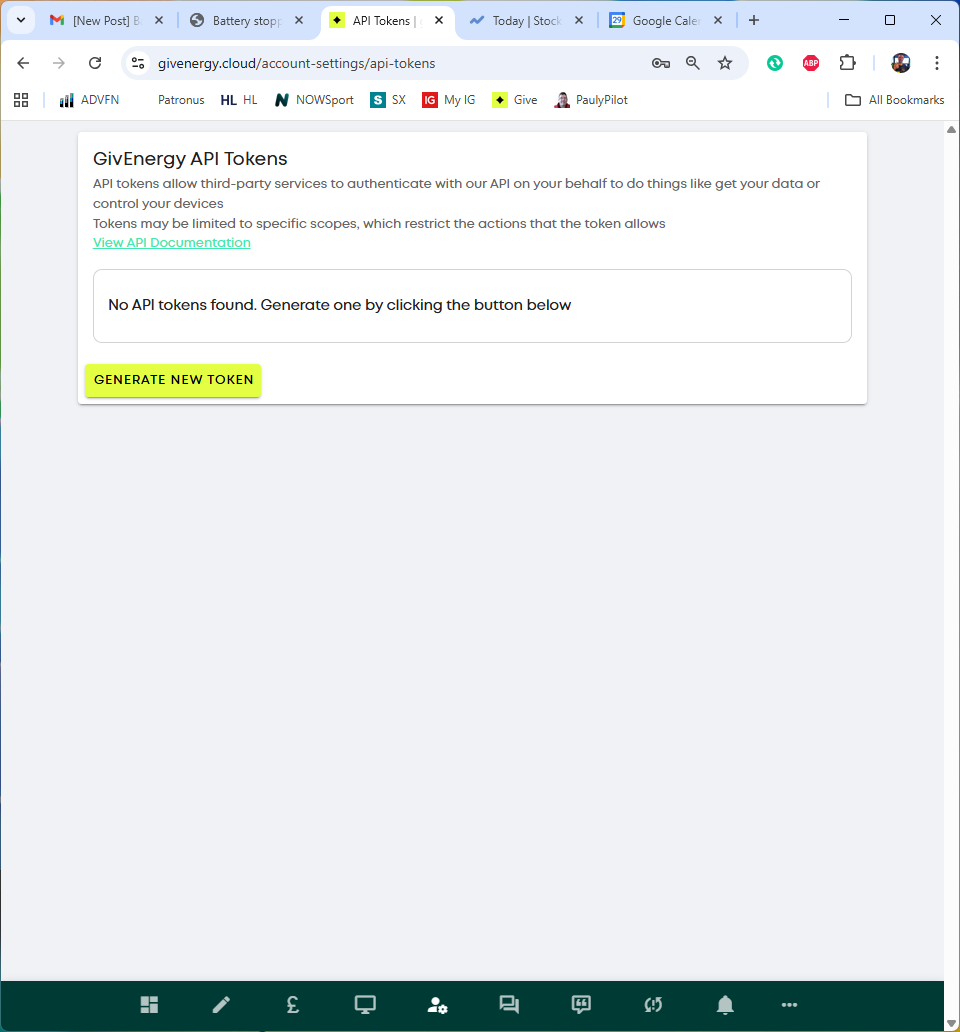
There are no API tokens which is I think what needs to go (if there was one)

Thoughts?

Thanks
Ian

V
#7 Vestas

Nil Desperandum I thought Octopus used OAuth, not the API. There have certainly been several instances where GE systems have remained under the control of suppliers even after the end user has moved to another supplier.

If it is OAuth then its down to GE to sort it out.

Edit - all you can do is take the system offline until the remote access problems are sorted.

L
#8 Leeshore

Have you disconnected the device in the octopus app? Go to devices at the bottom - pick the cogwheel top right and then disconnect….

N
#9 Nil Desperandum

Leeshore yes

V
#11 Vestas

DD There was another one (probably more, can't remember) and that couldn't be sorted by the end-user. I can't remember what the outcome was - I think GE had to block the OAuth request.

Moral of story is don't ever delegate/give access to third parties on GE kit. It WILL bite you on the bum eventually.

G
#12 geoffreycoan

Nil Desperandum There is an API key "My API keys" but I think I need that one, don't I ?

Those API keys are for the portal to pull in Solcast and Octopus data (the smart tariff card).

Nil Desperandum There are no API tokens which is I think what needs to go (if there was one)

Yes the API token is where you are giving remote access to your account to a third party via API and there is nothing there.
I agree with the OP comment, I think Octopus access is now via Oauth and the only way to revoke this is GivEnergy support.

You could try removing the Octopus key above which would kill your smart tariff control, just to eliminate that in case that is going wrong?

L
#13 Leeshore

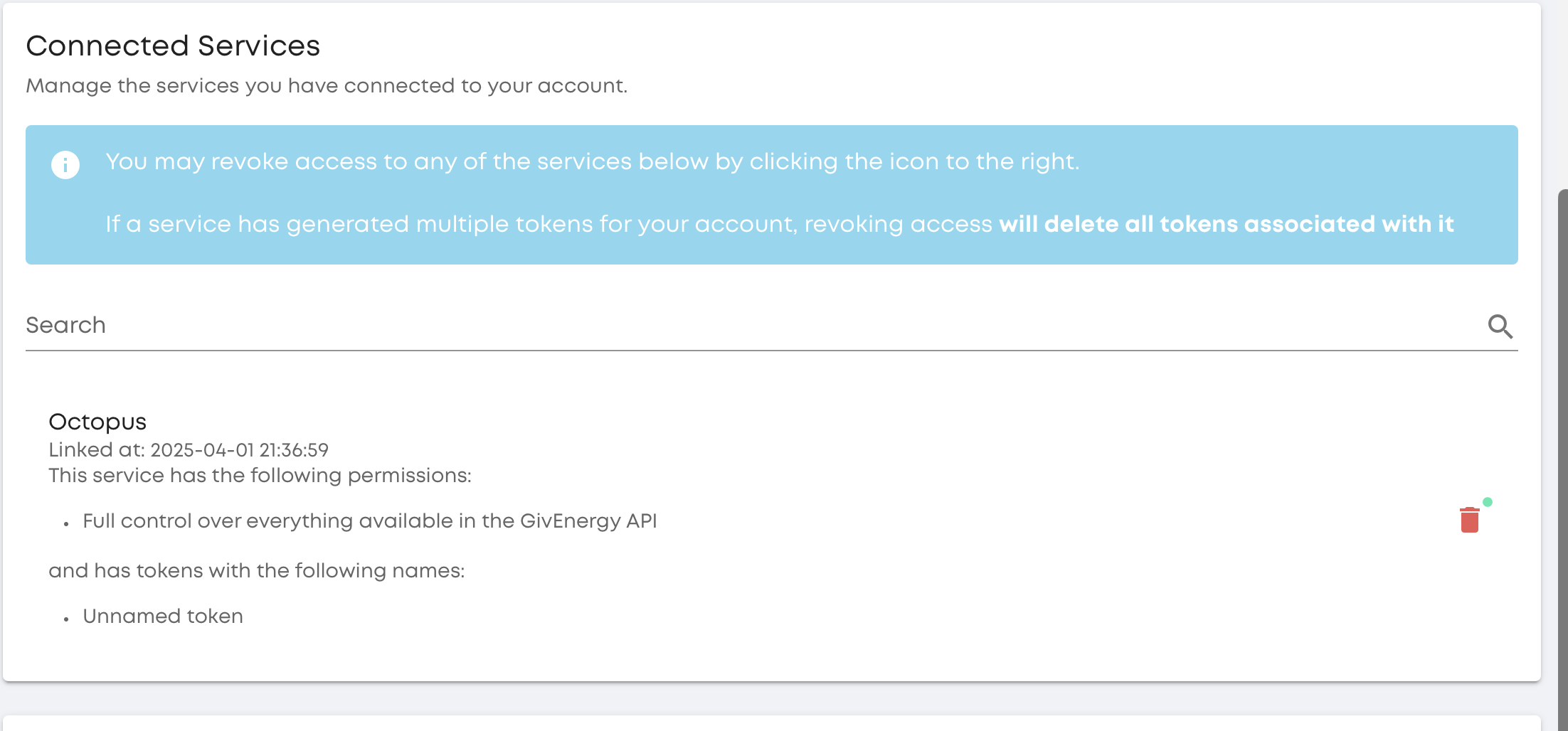
My IOF shows up in connected services:

S
#14 SteveCook

hit the red dustbin icon?

N
#15 Nil Desperandum

Leeshore Where do I find 'Connected Services' please?

I don't have that in the Account Security Settings page

N
#16 Nil Desperandum

Just happening again, but this time the inverter won't go into export mode it just does some clicking noise so I'm stuck pulling from the grid - very annoying!

Got control back about 30 mins later

L
#17 Leeshore

Nil Desperandum It was on my account security settings page above "My API keys". I have deleted it now as I am on agile. Looks like on your pictures you didn't have it. Sorry to not be more helpful.

N
#18 Nil Desperandum

Leeshore no that's helpful thanks ... suggest nothing there hence not showing ... I've emailed octopus and hopefully they can fix it...

N
#19 Nil Desperandum

Octopus said they don't have control and haven't sent any commands anyway since I moved tariff.
So thought I'd try GE and see if they could get rid of that message etc ... but how do you get through to them ... whatsapp used to work... but now all I get is:

All of our team are currently assisting other customers, please message us again shortly

and I've tried lots of times today...

N
#20 Nil Desperandum

happened again tonight. Seems to be 4.30-5pm ish ... very odd

T
#21 TimHutchings

Just a thought, 2 options!
Try going through all the settings under the inverter 'cog' settings. Check each one individually, making sure it's what you want, then change it, then switch it back, or if a slider, switch it off, then 10 seconds later back on. It has been known that the registers don't always show their current correct positions.
Second option would be to reset the inverter to defaults, which would revert the inverter back to it's original settings. It would mean having to input all your timings again under the 'cog' settings.
In the log at the bottom of the 'cog' page there should be some kind of notification if it continues as to who or what is altering your system.

N
#22 Nil Desperandum

TimHutchings yeah looked at logs and no clue.
My first port of call is to get rid of whatever is causing the flag that octopus have control (which they don't seem to ... but if they do then remove it)

But yes if need be it's then reset/reboot etc - total PITA

N
#23 Nil Desperandum

Logs just say that I am making changes from the App ... although I did notice one change which said MinSOC 25% which I never do and IS something that Octopus would do if discharging...

Tried to reboot the inverter this morning but portal wouldn't allow it (controlled by Octopus) ... so I did a manual reboot. Sign still there saying controlled by Octopus :-(

I guess I'll just have to keep trying to contact GE...

As an aside the battery doesn't discharge ... instead it pauses (well c. 8W discharge) ... I wonder if that's because I have force discharge disabled - so the commands are 'fighting'...

N
#24 Nil Desperandum

Since rebooting 3h ago I've had no data ... I normally have to leave it an hour or so to sort itself out but 3h is excessive ... I've now rebooted my wifi to kick it off and hopefully start again ... these systems really shouldn't be this difficult! I may be bask to ask for advice how to get the inverter back online ... no, wait - hurrah - data back online

N
#25 Nil Desperandum

Just an update - since I rebooted I've had no more battery pauses (that I can see)... but the banner saying Octopus are still in control is there.

On the downside - since the reboot my overhead has returned to being 6kwh+ per day (that's what it used to be then dropped to 3-4kwh per day after a power failure and reboot).
As an additional clue, during the lower overhead period I noticed a small drop off in production from one of my strings - it wouldn't start generating until it hit about 60W - but now it's back to working at low wattage again... Anyone got any idea what might be causing these seemingly correlated issues?