Inverter Monitor - Extended Controls

17 comments started 2026-01-25 last 2026-01-27
GivEnergy ProductsAC CoupledHybridBattery
R
#1 Rubikcube

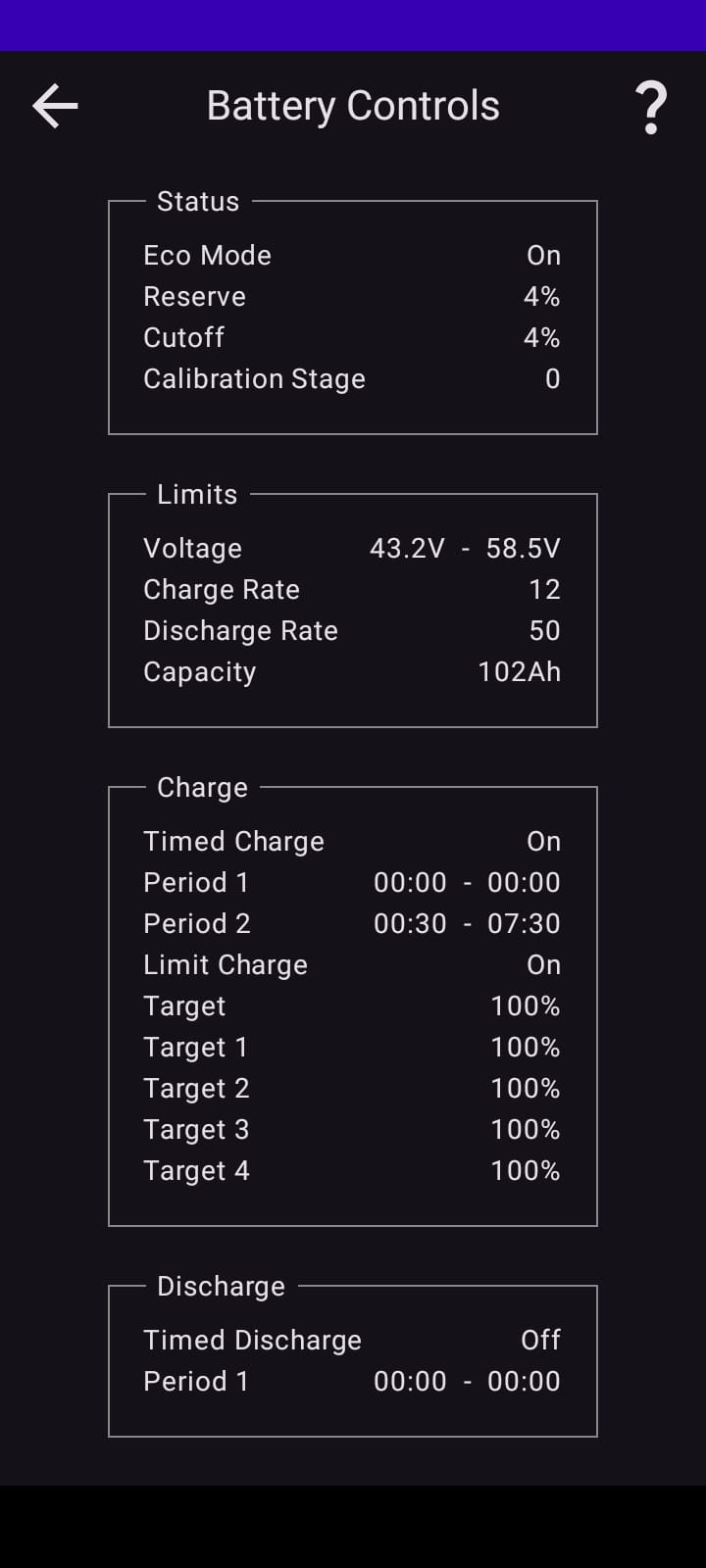
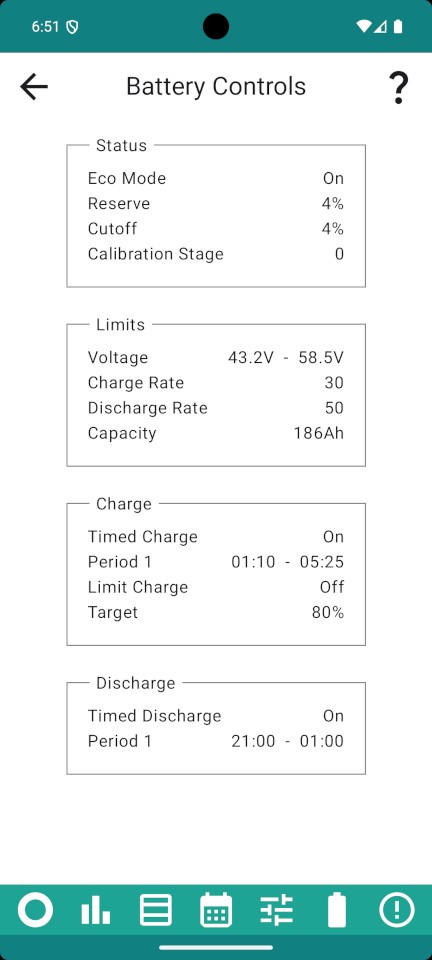
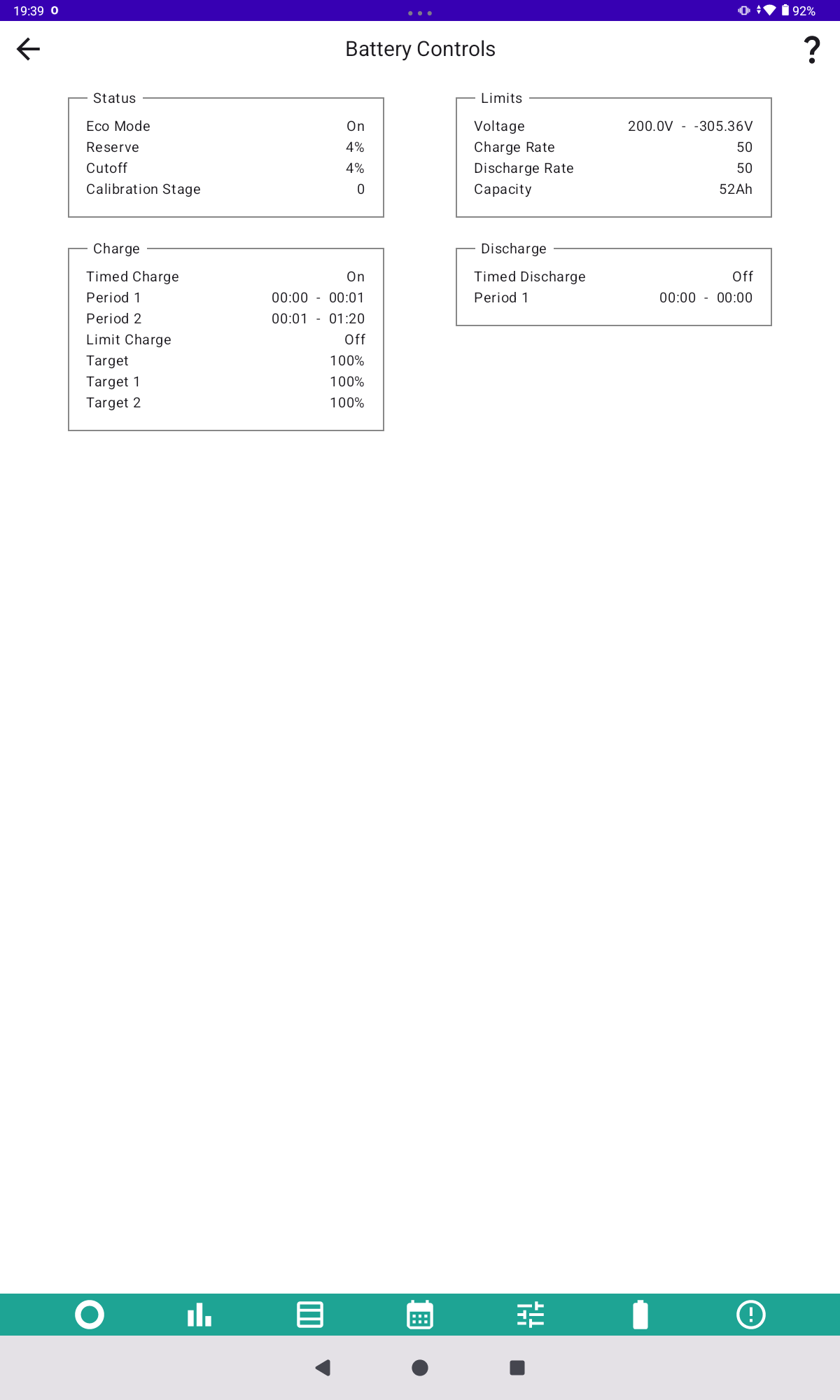
With version 4.1 of the Android Inverter Monitor, work has begun on the multiple charge slots available on newer systems. My system only has one charge slot and the battery controls will always look like this screenshot. Please can somebody who uses multiple charge slots check the Battery Controls (accessed by pressing the battery line on the main screen) and tell me if anything is shown? You may need to check you have the latest version (4.1) from the play store. Thanks.
M
#2 mole

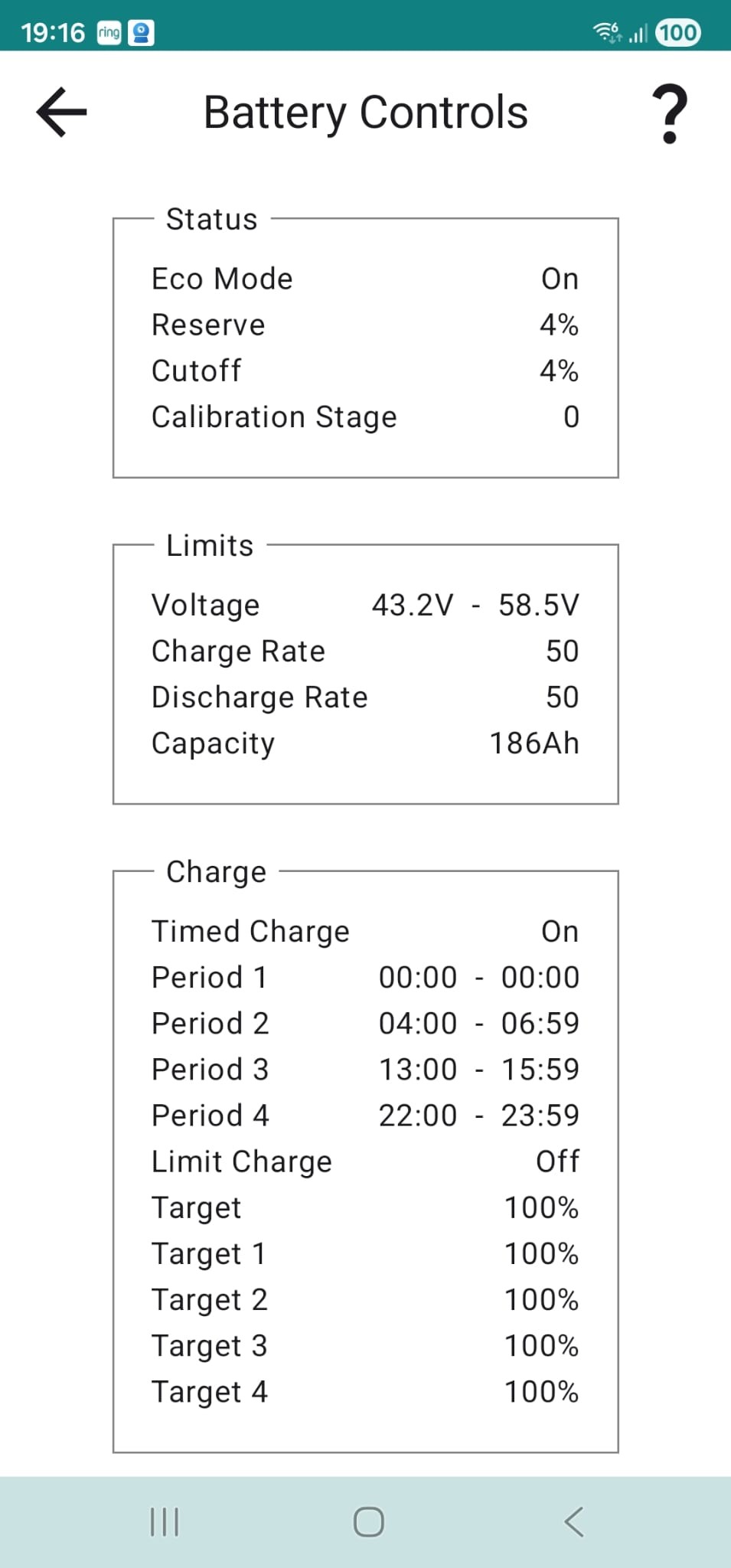
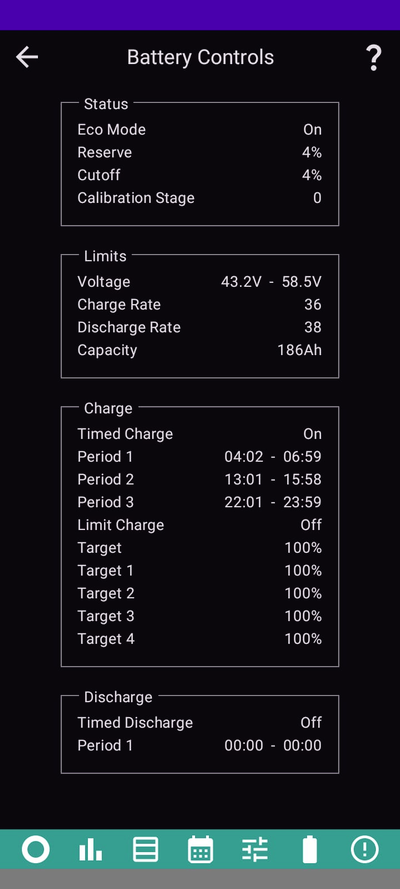
Hi Andrew. Can confirm multiple slots are shown.

R
#3 Rubikcube

mole Thanks. That's looking great. I see there is a bug with the upper voltage limit, it should be 350.0V. I will fix that.

#4 ChrisLav

Here also:

#5 nophead

I have 4.1 but I don't have a Battery Controls page.

R
#6 Rubikcube

ChrisLav Why are all your targets set to 100%? I would have expected the default to be 0% (i.e. charge to 0% = don't charge)

R
#7 Rubikcube

nophead Go back to the main screen and tap the battery line in the middle of the screen. The line that shows you the power. Hope that makes sense.

#8 ChrisLav

Rubikcube I use the time settings to charge or not charge (ie, 12.00AM - 12.00AM = don't charge). The 100% charge was the default setting when the system was originally installed, and it seems sensible to leave it at that for the charge periods that are actually used. I leave Period 1 empty for the Winter Battery Conditioning to use.

The discharge targets were all 4% originally, but were changed to 10% by Axle VPP in their first event and I haven't bothered changing them back.
GIV-HY5.0 + GIV 5.22 battery; FW D0.316-A0.316

R
#9 Rubikcube

ChrisLav Got it.

If both the start time and end time are zero I will not display either the period or the associated target.

Conversely, if either the start time or end time are non-zero I will display the period and associated target (even if the target is zero).

A
#10 AndyZ900rs

Got the charge sessions on mine as well... Two Q...

  1. can you add/schedule charge sessions directly on your app..or only on the GivEnergy website and it shows up on your app?
  2. Will there be a desktop/laptop/website version for us to use in the future..or only android app?
R
#11 Rubikcube

AndyZ900rs Two A ...

  1. Not yet, but coming soon thanks to the helpful people in this forum.
  2. You already have the Portal and Home Assistant. Any decent spec windows/mac/linux computers/laptops can easily run Android (in a VM) if you must.
A
#12 AndyZ900rs

Thanks...cannot wait...

S
#13 Slartibartfast

Rubikcube Quick question - EMS. Is it supported?

N
#14 NormC

Working fine on my Gen3 HY5 with a Gen2 9.5 battery.

I also leave slot 1 empty for Winter Battery Conditioning.

R
#15 Rubikcube

Slartibartfast EMS. Is it supported?

Probably not. I have no idea how it works. There is something in GivTCP for the Ems which suggests it works differently to a normal inverter.

R
#16 Robgy

On cosy tariff

A
#17 AndyZ900rs

I have ASHP and three 5.2kWh batteries - now on Cosy for the winter and back to Flux for spring to autumn...Good value