M
This morning the app was working but right now it's saying the data needs to be migrated.
Any ideas what's going on?

This morning the app was working but right now it's saying the data needs to be migrated.
Any ideas what's going on?
Working for me....
I logged out and tried to log back in but it wouldn't let me, it's saying I need to migrate to a sso account.
An sso (single sign on) account makes life easier apparently.
It's made it way harder.
However, things are working again.
I've created an SSO account via the portal and that is working but I can no longer get into the mobile App, it just sits there initialising, Cleared the App cache but it didn't help
Yep same here, requesting a SSO account.
App nerfed...
Will set an account later...
Same here. Worked first thing this morning and now it insists I create an SSO account (on the portal).
The app won't let me do anything.
You probably need to clear the app data as well as the cache as there will be a mismatch between your stored and actual user details now that you have migrated.
FWIW I imagine GivEnergy Software are forcing this now having been prompting people to migrate since December 2024 to avoid running duplicate infrastructure at unnecessary cost, and in particular to ensure that the "claims" necessary to show you have an active subscription can be added to your user token.
This is being forced now as charging starts on Friday, there is no time to continue to nudge people to do it after almost 18 months.
Rubikcube Thanks, yes, read all that. It worked fine for the Desktop portal but couldn't get the phone App to work. However, it now seems to have resolved itself, after a number of tries eventually a login screen appeared. I then had to repeatedly log in around 4 times, each with a code before ity finally seemed to stick! Maybe it takes time for things to sync up after the account is initially migrated.
TLDR Clear both the app data and the cache. You will need to log in again.
I don't work for GivEnergy but I am a software developer.
I logged out, logged back in then it forced SSO account creation. Was all pretty painless and one time passwords came via email very quickly. All logged into App and Portal via SSO credentials now and everything working as before the change-over


I already used one email and password for everything except this forum. Now it just says my password is wrong and the forgot password option doesn't send an email I so can't log on.
nophead I know that this doesn't solve your issue but that now means that your username/email and password are only as strong as the site with the weakest security.
Password stuffing is a technique where attackers take credentials from a breached site and use them against other popular services in order to take them over.
Ideally you would have a different password for every site/service you use. Since this would be unmanageable for most people given the number of accounts we accumulate a password manager like 1Password is a good way to create and store these.
Of more relevance to your issue, the portal/app use an email address to log in but the Community uses your username. Is that perhaps your problem?
I've got the dashboard, but totally different. I can't see a way to see how much electricty is being generated, or how to export energy or charge my batteries
Is this the new local only mode, or logging on (via SSO) to the Cloud. Several people have said that the local only dashboard is far from complete at the moment.
as far as i know it's logging on via SSO
pwdst I only meant for the GE portal and app.
Managed to log on now with a username. The confusion was it said did I already have an account, when it should have said SSO account.
Connect Locally does not work for me because it scans the network for the inverter and that has never worked. I have to put the IP address in manually,
Oh and it no longer remembers the IP address if I log out and in again.
nophead You only mentioned the community in the post about not being able to log on. There have been previous posts where someone was logged in to the community on one device but couldn't log on to another because they were using their portal credentials or didn't realise it was a username and not an email address.
I am not really clear what happened as the issues you mention keep changing but I am glad it is working for you now.
Login screen constantly flickering across the ipad screen….
Then it just worked. Try to open the app on android and it won’t open. Just the line drawings of inverter and battery wriggling around
SimonClarke Clear the app data and cache and then try again.
I’d cleared the cache but not the data. Thank you
All I've got on my app is this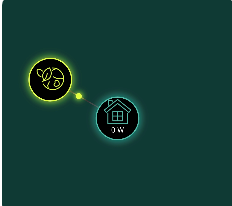
](https://)
That's all I had. You need to migrate to SSO
I have
For the avoidance of doubt your entered your username and password in the app after clearing the data and cache and relaunching, and the app is up to date?
Any advice as to how long to wait for the SSO code to be emailed out? It has been 40 mins (or so) since I registered, and I'm still waiting for it.
Sarand0588 mine was sent immediately
Marren2016 Thanks for confirming your experience. The OTP was in my Spam box - who'd have thought!?
My Android 15 app is still chugging away happily.
Are all these sign in problems for the Web portal?
Mine (A15) reset this afternoon and is forcing SSO...
mikes01666 For me, my issue was with the app on my (android) phone. I also have the app on a (fairly aged) android tablet, and that's still 'doing its thing' as I haven't disturbed it since first thing this morning.
If you had already migrated to SSO sometime between 2024 and now then you probably wouldn't see the issues reported in this thread.
I got booted out of the cloud on my tablet today and struggled to log back in, after entering the one time passcode it just kept having the circle go round and round. Eventually it just booted up to the android app
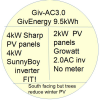
After reading this thread I looked at my app on this pad. It just cycles around with a line image of the GE house. So I’ve deleted the app.
So what is the status? My app has stopped working so I have no way of seeing the battery state. The app is version 4.0.4 - playstore says that there is an update available but wont download it. givenergy.cloud says its dns address could not be found - I've not used the dashboard since soon after the system was installed so maybe the address changed some time ago?
Advice above seems to suggest that reinstalling the app might work but how do I find the connection details to use if I delete the the app - come to that how do I find the details if the existing app isn't working?
Any definitive answer as to how to find out the battery status and set timed charge without the app?
rogerco Any definitive answer as to how to find out the battery status and set timed charge without the app?
Use a different app? Search the PlayStore for givenergy.
https://givenergymonitor.co.uk/index.html
Judith If you had read through the earlier posts in the thread, deleting the app cache and data would have got you to the point where you could have logged on after migrating to SSO.
Now that you have uninstalled it, a fresh install will have much the same effect.
If you don't intend to pay for Cloud access migrating to SSO might not be worth the effort now though if you haven't already.
rogerco SSO is an abbreviation for Single Sign On. https://givenergy.cloud/guides/sso-migration-guide-2026.pdf
rogerco this app works well.
https://givenergymonitor.co.uk/index.html That’s what we use nowadays.
I’ve no intention of paying for the cloud service so messing about with a useless app has no purpose.
Strangely and consistent with the GE software configuration competence the app on my phone still operates (I viewed it out of curiosity).
Like many, I went through the forced SSO shenanigans yesterday, and was relieved that everything worked... or so I thought.
On both the app and the website dashboard my battery was showing 100%, which was accurate yesterday afternoon. But it has stayed showing 100% through the night and in to today. (Amazing if true!!!). All the other info and the usage graphs seem to look about right for what I'd expect, it is just the battery percentage that is clearly wrong.
I guess this is a software issue that GE need to fix, but any other suggestions would be great.
Mine is working normally
semachthemonkey Are you sure Eco is on?
TimHutchings Yes, Eco is on. The battery and inverter are working as normal. The battery has been powering everything since sundown yesterday, but the percentage in the app or website desktop hasn't changed.
Finally got the migration to SSO completed, but the time taken for GE servers to respond with the OTP after logging in is crazy (several minutes). Hopefully this is not something that will be needed every time I launch the app on my phone.
semachthemonkey Mine is also working normally. Sounds like this is a local issue, might be worth re-starting your inverter (which you can do via the portal) or if that doesn't work, re-booting your batteries.
My phone app failed yesterday so I went to the portal and registered for SSO. But I had to enter the Confirmation Code and then a one-time password on three successive occasions before it was finally accepted. So the message is to keep trying...
I had 2FA set up in an app for my old account. Since moving to SSO, I'm getting a code by email, but I don't have the option to set up a different 2FA in the Security part of the account.
I've emailed Support, but I'm not holding my breath that there's anyone still going there. Has anyone here seen this and been able to set up app-based 2FA on an SSO account? Waiting for an email is not only a waste of time, it's less secure than generating the code dynamically in an app.
My Portal is still working (fingers crossed). However, my iOS phone App is not. I tried migrating to SSO but it failed. It seems I may have registered but the PW is not correct or not recognised. I used a few suggested high strength PW's but none of these seem to work.
Is there a "Forgot password" function in the App /SSO migration screens? - I can't see one!
I've never been good with setting up PW's & trying to do all this on a small screen mobile with dodgy eyesight is a PITA.
If the portal is still working then you have presumably already migrated. Try clearing your app data and cache and logging in with the same credentials you use for the portal. Make sure that your app is up to date. If you have an older phone and it is no longer supported click on the SSO Login button and enter your credentials there.
pwdst My Portal is showing a "Migrate to SSO" & set up "2FA" buttons in yellow so perhaps I didn't migrate when I messed with the App on my phone? I'm now frightened to mess with the Portal too much as this is now my only working access point to my system so don't want to screw that up as well!
Also, I can't read what my current Portal access PW is via the Account Setting page - just showing ***********. It just connects automatically via a bookmark shortcut in my browser.
I'm seeing my son this afternoon so I may see if he can assist with his sharper eyes & IT skills.
I can't wait to get rid of this Giv system & replace it with something that's easier for me to work with. The big question is what? Currently I'm looking at an Eleven Energy Sodium Iron system which seems to have a more simplified App & setup. We'll see.
In the meantime I just want to get my App back up & running & keep my Portal working as well. Unfortunately most users (me included) are not IT wizards which is what it seems you need to be to operate most of todays Apps & PC systems!!
CGoode It just connects automatically via a bookmark shortcut in my browser
The password is therefore stored in your browser: For Edge or Chrome click the "..." in the top bar and select passwords to view. You will need the password manager code to access. In Edge this is your log on PIN, in Chrome your Google password.
PaDav6 Thanks. OK, I got that & the PW sorted from the Portal. Put that into the App screen & it takes me to SSO sign up which I did earlier, got an authentication code etc so not sure why this requesting all this again. Think I'll wait until my son cna have a look as I think it's a forgotten PW issue in the App.
@CGoode In the portal go to "Account Settings" -> "Manage Account Security". If you don't see "Manage SSO" then you are still using the legacy login.
You will need to migrate to SSO before you can use the app again, and very likely to continue to use the portal at all once charging has started.
By all means wait until your son can help you, but hopefully you can take some comfort that this bit is managed by the still solvent software division who seem to be promptly replying to people's requests for help when needed.
The instructions you and your son will need to follow are at https://givenergy.cloud/guides/sso-migration-guide-2026.pdf
Recently had the forced migration to SSO, which has broken support for the 3.x GE app, which I've been running on an old iPad as an in-home display - a real shame as it's now only fit for e-waste.
Thanks all.
All sorted now with the help of my IT savvy son. Way more of a faff than it should have been. 3 different sign in's & 2 x verification codes later & I've now migrated to SSO & the Portal & App are both working. For how much longer is another matter.