T
Hi,
In the previous app I had to specify the IP manually to find it locally. The update seems to only support scanning for inverter which isn't working.
Has this setting been lost, moved or removed?
Thanks,
Tom

Hi,
In the previous app I had to specify the IP manually to find it locally. The update seems to only support scanning for inverter which isn't working.
Has this setting been lost, moved or removed?
Thanks,
Tom
Email them this feedback via premium@givenergy.co.uk
I very much doubt the software team read this forum. Paul (from the hardware side) was the only regular Giv poster here and he was made redundant along with the rest of the UK arm.
It’s under Connection after it scans and stored like before, but it always scans rather than just connecting to the IP listed
In my experience, if you have a VPN in place, then under connection you will not get any settings other than "Update WiFi Details". As soon as I switched off the VPN all the connection settings became available including local connection. Unfortunately the new app always does the "looking for inverters" loop even if you've set it manually.
I'm on an android phone with a wired GivEnergy AIO/GW setup.
KingCharles , to correct, I do in fact get the same problem on iPhone and iPad. It is the Inverter App by Richard Russell that seems to work fine.
I assigned a fixed ip address to the inverter in my Router (bog standard Sky)
Tap in this ip address into the app.and it found it every time (old and new app.)
Thanks Mikes01666, but I have the inverter IP address, and I’ve put it into the GE app under Connections, Local Connection. But if I then go back to the Dashboard, it scans and fails to find the inverter. Only if I connect to the cloud (slider at top) does it then work.
The only issue I can think of is that I’m using a device on a mesh, whereas the inverter connects to the main router which it is close to. Could this be the issue?
I don't use wifi but I seem to remember that it needs access to a 2.4 GHz wifi signal. I'm sure someone else will correct me if I'm wrong
Router is operating on both 5 and 2.4 GHz.
Is it possible to Ethernet connect the inverter to my router? They are only 4m apart.
Just updated to the new app version and now can’t see the inverter (locally). My inverter is on my network over WiFi , I can see its IP address (fixed) and I can access it from the Inverter app.
The new Giv app just goes into a searching loop and says it can’t find an inverter on my network.
With the new app I cannot access the inverter locally unless I switch off my phone's VPN. Rubikcube's app finds the inverter with my phone's VPN being on or off. My mesh routers use a fixed IP for the dongle on 2.4GHz. Additionally the new app does not appear go have a capability to manually add the Inverter dongle's IP address. If I log on via GivEnergy's cloud it finds the inverter. No VPN is used in this connection.
-
Dave2613
I don’t use a VPN but I do use a mesh network.
It would seem logical to look at the ‘connection’ menu but that just prompts to reset the WiFi credentials on the inverter using the installer app.
I’ve emailed premium@givenergy.co.uk hoping they can advise.
I have a mesh system which seems to be interfering with the local inverter search. I connected my phone to my router (by going briefly into aircraft mode to remake a connection with the phone close to my router) and then the inverter was found. But if the phone is connected to the mesh, inverter not found. It seems the phone and inverter needs to be on the same sub network. Anyone know a way to make the GivEnergy app look for inverters on a mesh network?
At present, when I open the app, it goes through a fruitless search before offering to connect via cloud.
It seems that their software only searches the IP range of the network phone is connected to, completely disregarding the manual setting which worked before. If the device you are connecting from is on a different network segment (as is usually the case with mesh networks) it will not find the inverter. This is just a bad design, and what’s worse it broke functionality which was working for a long time without problems.

I was away from home when the new app broke. And I had tried to use it via vpn. But that didn’t work. When I got back home it took a couple of scan attempts. But it did eventually find the inverter. This is the iOS app and on a linksys mesh. I did clear the app cache. Also worth checking in the app settings that the ge app is allowed to access your local network.
What I also find bizarre is that before the app found the inverter I had no menu option that allowed me to manually apply the inverter ip. But once it found the inverter that option became available again. Just like it was in the old app.
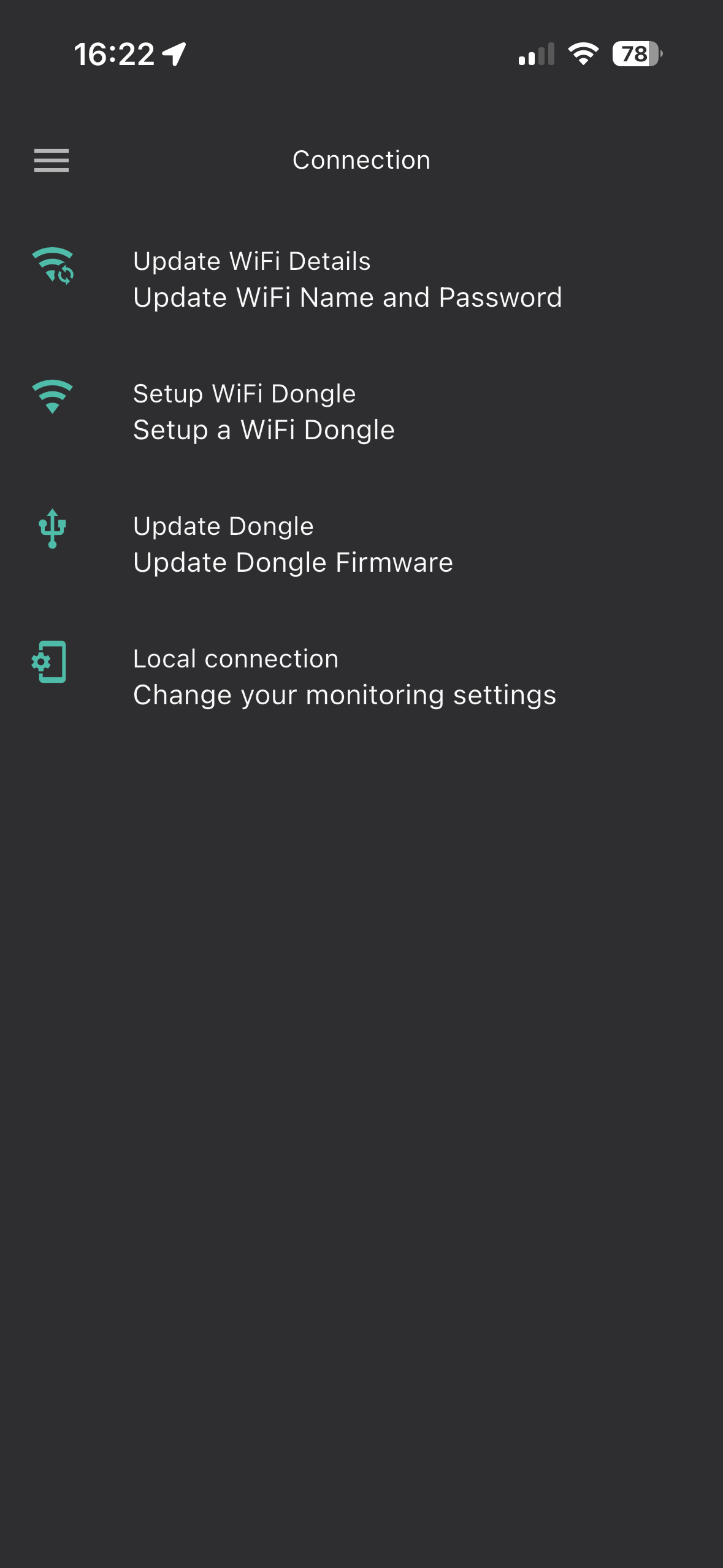
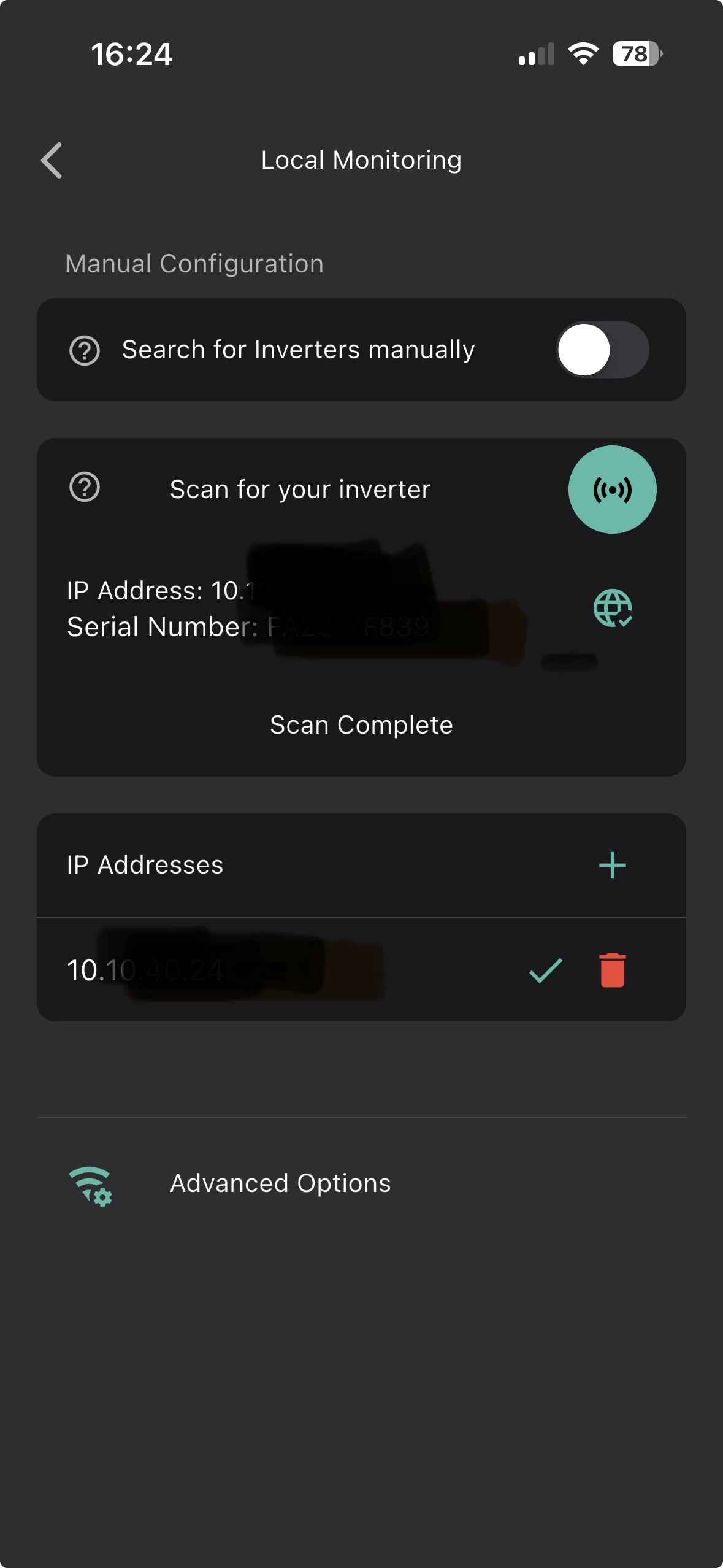
I can confirm that if I connect via Cloud, (because I signed up to Axle) then the option to specify my inverter IP appears. I can now connect locally and the ‘advanced’ option remains visible.
If I hadn’t got the premium version I wouldn’t have been able to specify an IP.
Not sure what’s premium about that function!
I also see the interface has changed. Not sure if this an app update or due to my update of the inverter firmware yesterday. Either way, it seems to be working now.
Using the Apple version of the app, it says it can't find any locally. The gateway seems to be offline but visible on the network router and it's working as expected I think, but the AIO2 is still reporting (can see it on HA and on the cloud). I've tried both SNs and dongle SNs but nothing found.
When I try to enter the ip address, it also asks for a port, but I've no idea what port(s) to try. Any ideas?
The app version is v4.0.6.5902
adskankster 8899
adskankster Maybe worth trying the clear app cache and even re-install the app.
Cleared the cache again and logged in once more and success! Hope it remains this time. Have not yet subscribed.
adskankster With the beeb app try deleting the .dat files that are in the Inverter folder in Files and then restart the app.
if you are able to sign in to your internet router, usually it is by putting in the browser https//192.168.1.254 or http://192.168.1.1 then you can use this to make sure your inverter always keeps the same IP address, and to find out what it is using. If you don't see the inverter listed, there should be a System Log, which gives the IP address for each device that's connected everyday time you restart the router or every time it renews. Router password is often on the back of it.
In the settings if you see a port choice next to the IP address, try 8899 (these are the details for the unofficial Givenergy Inverter app by Andrew Miller so hopefully should work too).