Battery not charging / discharging since lightning - Status Warning / Red

14 comments started 2026-05-31 last 2026-06-06
GivEnergy ProductsAC CoupledBattery
M
#1 MaxSkane

We had a thunderstorm here in North Wales on Wednesday evening, and since then our AIO battery (Gen 1) has not been discharging / charging and has been flashing green with portal status warning / red.

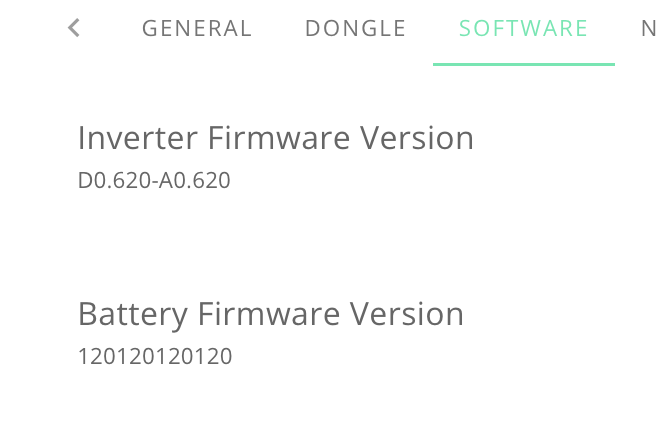
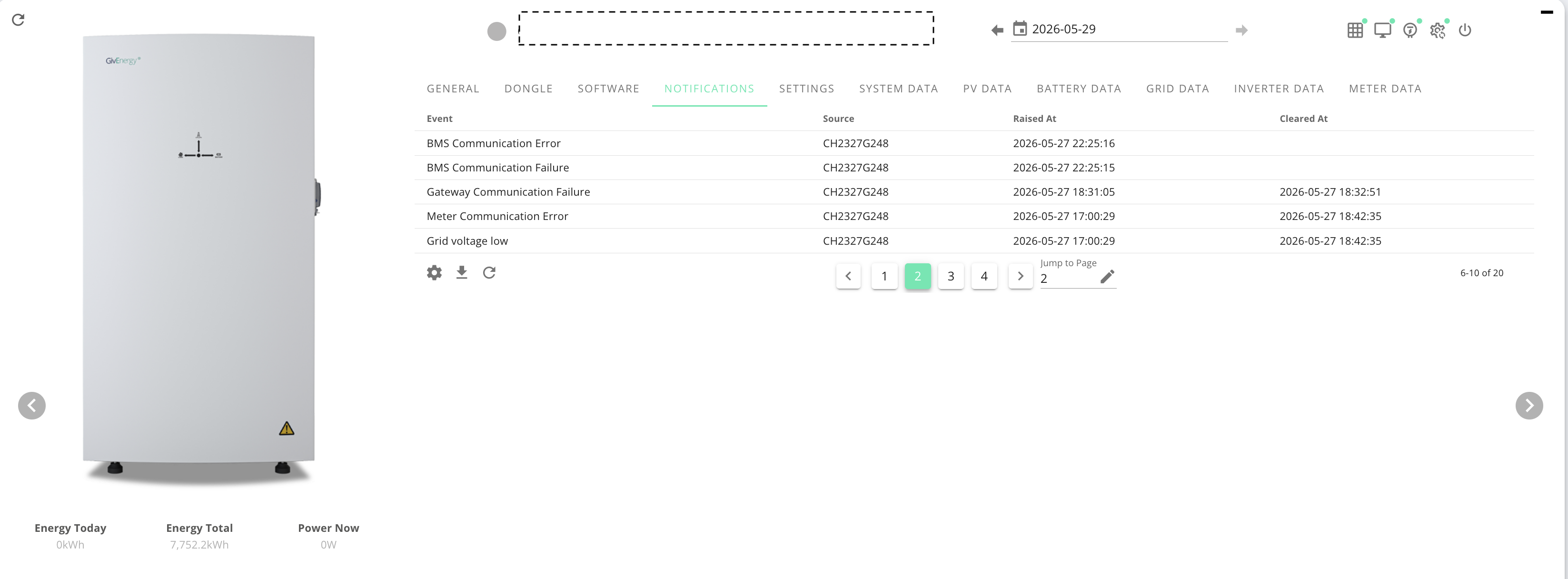
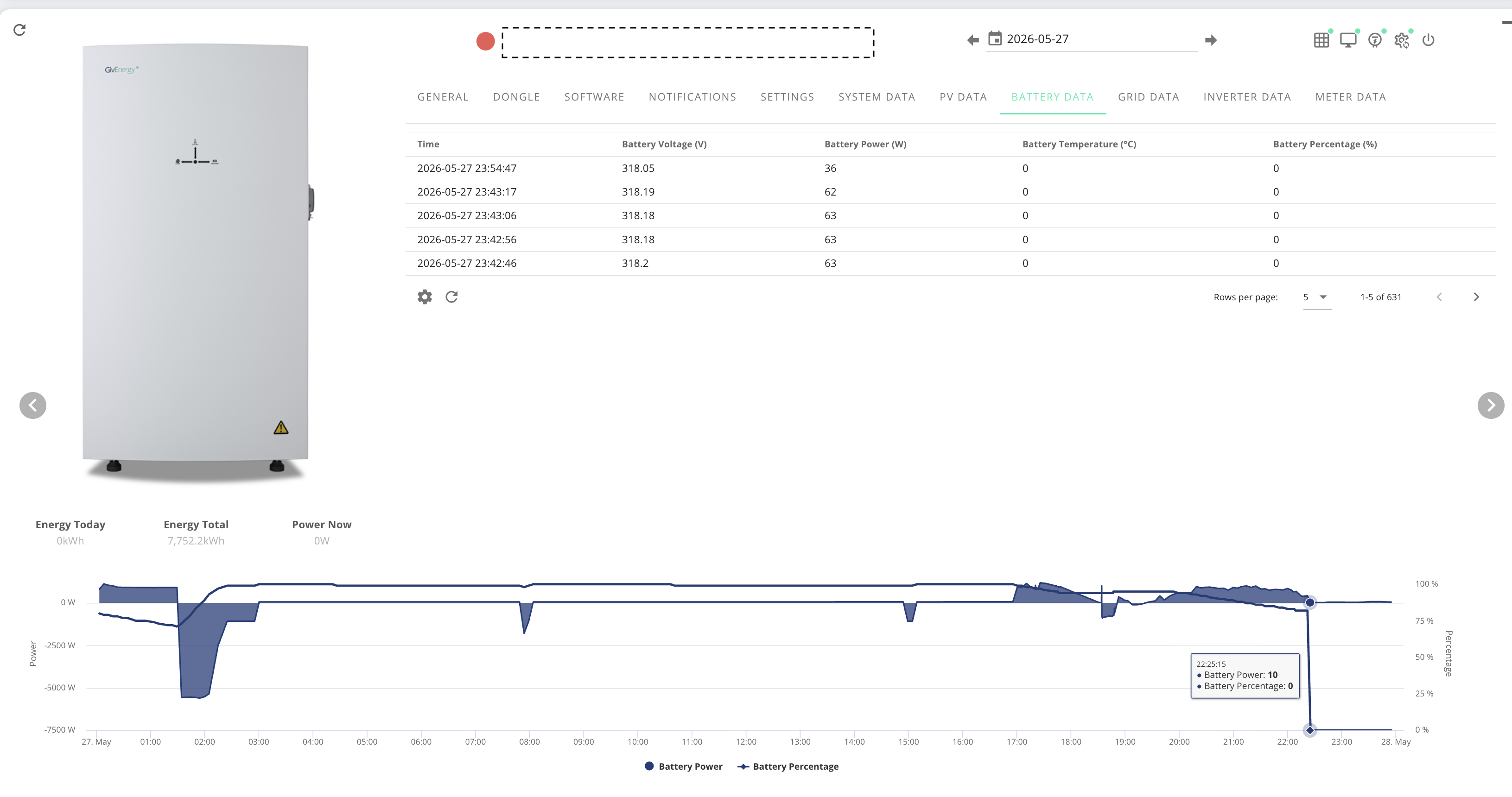
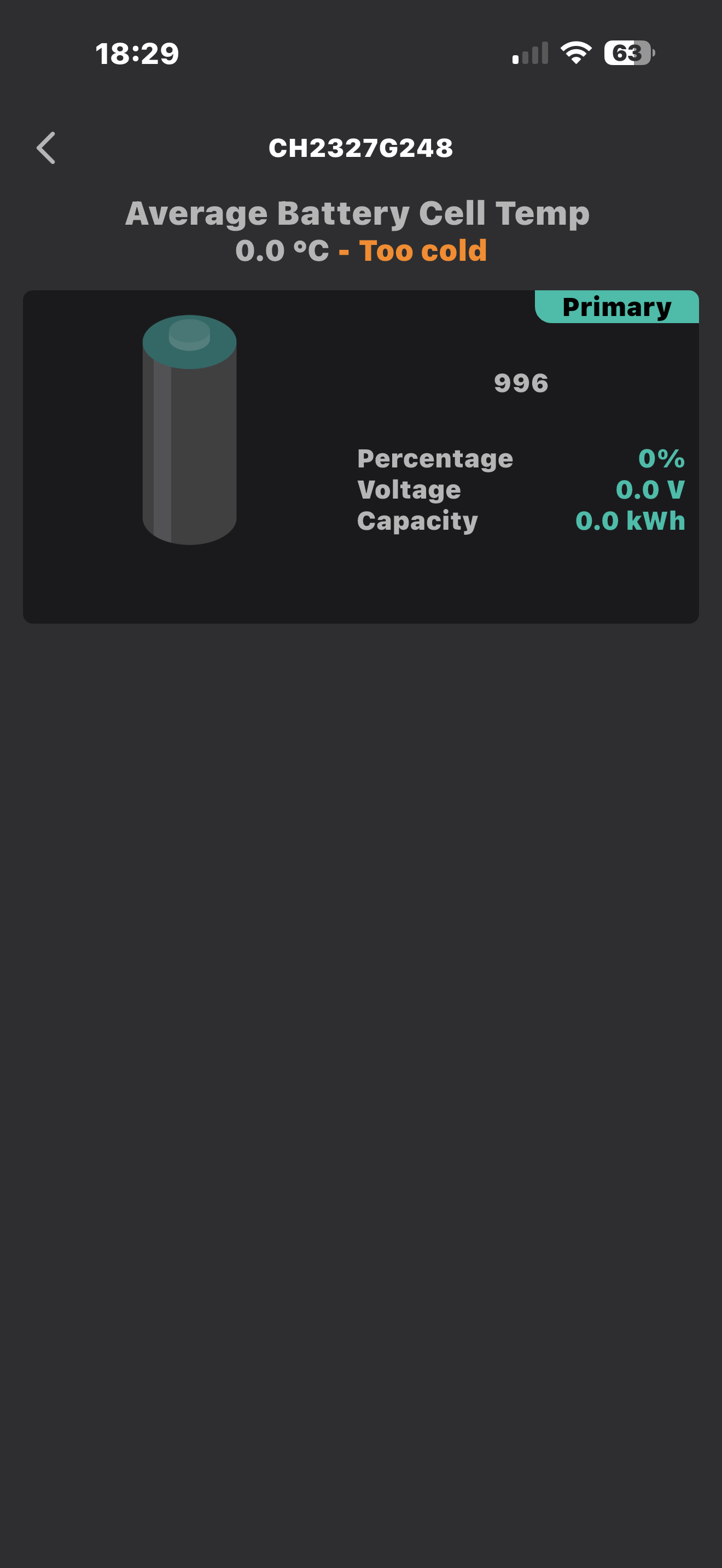
The SOC dropped from 84% to 0% battery voltage at the time was 318v (now 314), and the battery temp is showing as 0 "Too Cold". There was a BMS Communication Failure, which hasn't cleared and get BMS error every few hours, which clear each time. The battery firmware was on 13, but is now showing "120120120120"!

Have tried everything, have done multiple resets and a full reset (with everything off for over an hour late evening), manually updated the firmware - got the expected double handshake beep for the battery firmware, but remains at version 120120120120. Doing the update via the portal failed.

However, nothings worked or changed in terms of not charging, AIO flashing green, warning status. We are still exporting which is still being monitored via the AIO portal and the battery is discharging nominal amounts as it did previously 30-60 watts, so it doesn't appear dead.

Not sure if this is a physical BMS failure, or the battery is somehow locked in protection mode or something else?

I have hit a brick wall here, so any thoughts or help will be appreciated - given that customer support is no longer an option. I've added some relevant portal/app screenshots

Many thanks


S
#2 SteveCook

Have you checked that ALL breakers are on. AC and DC
Is your EM115 powered on and glowing green
Can you login to the portal and see any notifications
Possibly try the Android Inverter Monitor app

N
#3 NormC

MaxSkane If your installer is still in business, have you tried asking them for help? I have also been reading the Paul Landregan and other members of the old GivEnergy support section have set up a help section and can be contacted by emailing help@predbat.com.
I have no idea of the cost of such support.

M
#4 MaxSkane

Thanks - thankfully, the installer is still in business, so I will be contacting the installer tomorrow.

M
#5 MaxSkane

SteveCook Thanks Steve - I have a gateway and have checked all breakers I can physically see, with the AIO connected to a sub-consumer of the main board - they are all on. I can log into the inverter no problem, and it seems fine - it seems the inverter can't communicate properly with the battery for some reason.

M
#6 MaxSkane

NormC - thanks, will see how I get on with the installer tomorrow. Have posted on the official GivEnergy Facebook group, as I know Paul sometimes responds there. If I don't get any joy, I will reach out to help@predbat.com as you suggest.

S
#7 s125

Don't suppose your problem is the same as I had. Other than I also had the green light on gateway and AIO flashing for 4days. SOC stuck at 100% but not powering the house, battery not exporting at set time or charging at cheap rate as it was stuck at full so no need to charge. After trying everything I found a "calibrate" option on GivTCP which immediately started discharging. Left that to recalibrate overnight and next morning green lights back on solid and so far, all is working again. I don't think there is a recalibrate button on the GE portal though. I had set up the HA and GivTCP just as this happened but then having "uninstalled" the HA, unplugged it basically, the problem didn't go so whether it was a coincidence or setting it up caused the issue, I don't know. Set it up again though and found the "calibrate" option which solved the flashing light problem. Like yours, mine was also showing a few watts discharging and charging from solar at times. Though it was 99/100% rather than zero.

M
#9 MaxSkane

NormC Thanks 🙏

B
#10 Bob_Bobbings

Hey,
Out of curiosity when you did all your isolation/ breaker resets etc. Did you try isolating the aio DC breaker between the batteries and aio inverter too?

Guessing if you have trickle drainage it's not tripped. But might help with completely isolating everything.

It's roughly half way up on the right hand side of the aio itself. Next to the power button on the aio.

Thanks
Bob

M
#11 MaxSkane

Bob_Bobbings Thanks Bob yes, I did turn the AIO isolator off. An engineer from our installer came and had a look - couldn't find any hardware issues, fried boards, chips or blown fuses etc. Was unable to get it working i.e. hasn't changed - so complete mystery!

B
#12 Bob_Bobbings

MaxSkane only other thing I can think of is trying to do a manual firmware update on it with the latest firmware via usb.

Don't know if premium support could help you it.

Thanks
Bob

M
#13 MaxSkane

Thanks Bob, I have done the manual firmware upgrade - got the double beep handshake, but it hasn't changed anything. The installer can't find hardware faults, but suggested that doesn't mean there aren't any. As such, not sure what the new remote team can do. Given all the recent stuff happening with Givenegy, I might just cut my losses and get a new battery system. I might get something from our home insurance, so that will ease the pain a bit.