Automatically charging when Octopus Agile rates are lower

70 comments started 2022-09-29 last 2023-03-15
Beta PortalCloud PortalHome AutomationGivEnergy ProductsHybridBattery
C
#1 chrisppokit

Hi all,

As per the title is there a way? I have a Gen 1 5kw hybrid inverter & Gen 1 8.2kw battery.
Can't see a way to do this using the portal other than manually setting a defined charging time. The smart tariff integrations don't seem to enable this either.

Thanks!

#2 Cdent

chrisppokit smart tariff isn't available yet through the portal, but check out the Octupus R&D app, this can integrate with your GE equipment and might have some automation for charging. I've not checked it out that much as I'm on the price cap

H
#3 hamilton

Its so rare I just set it manually.

C
#4 ChrisJW

4 months on from this thread (noting there are other threads on this topic), Smart Tariff integration is available - for my PV/Battery system, I selected 'solar and battery' which claims it uses solar and weather forecasts to minimise grid import.

It worked for me while the winter sun was shining, charging when cheap(er) in the early hours to 66%, running the house and charging when required on solar during the day. Then we had a few days of cloud - the system still charged to 66% when cheapest and then, because it wasn't as sunny, topped up after 2pm at peak rates!

I raised this with GivEnergy who eventually admitted that this forecasting feature is not currently working and they are not working on a solution. I suggested that they remove or caveat this feature in the Portal and App.

In the meantime, the only sure way to not incur unnecessary additional cost is to manually align charge times to the cheapest rates when they are issued the previous evening. All very disappointing given this was one of the features that attracted me.


4.86kWp (12*405W) LR5-54HIB All Black Longi Mono Panels
Giv-Hy3.6 - 3.6kW Hybrid Inverter
Giv-Bat9.5 - 9.5 kWh Battery
Octopus Agile Import Tariff

N
#5 naltsta

Have you explored the Octopus R&D integration? I'm keen to have an explore with this too but can't see any info about what logic it uses...

S
#6 SteveCook

I have enrolled on the Octopus page R&D .
Apart from being able to be able to download my consumption data, I cannot see anything about integrating with anything.
Am I missing something?
Ta
Steve

#7 hoggy

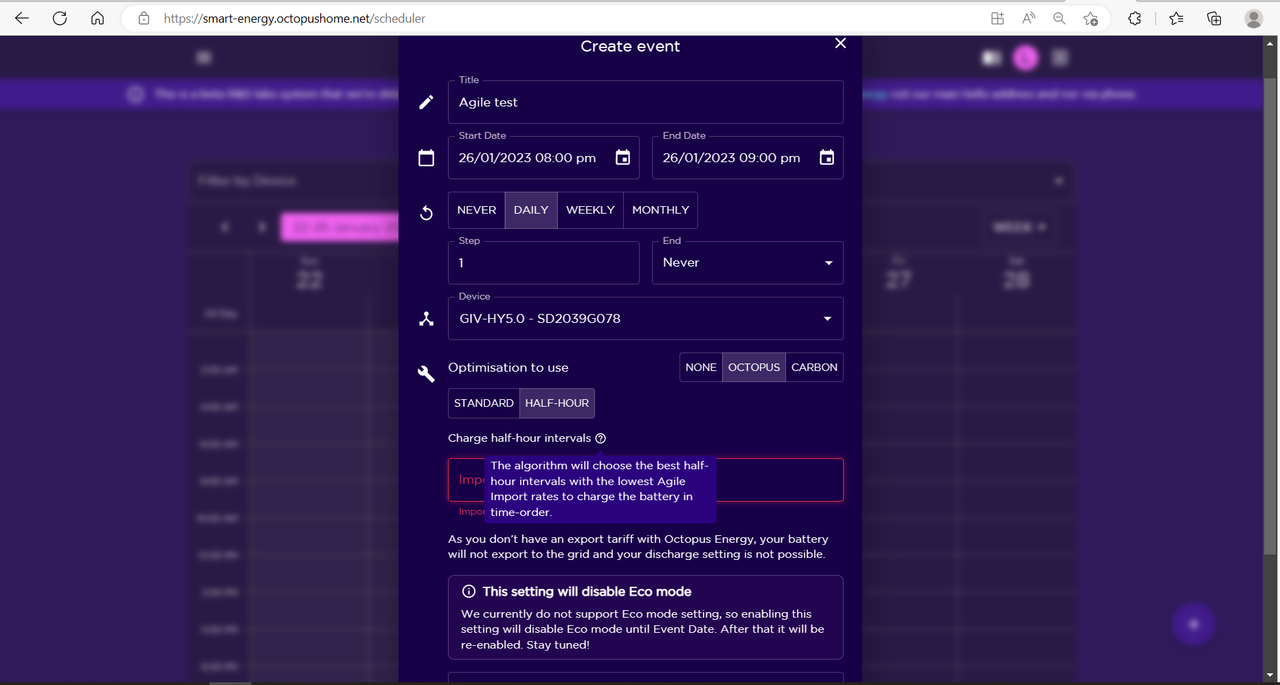
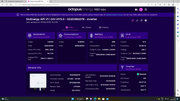
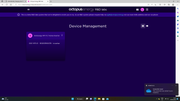
Once you've added the inverter (via it's API Key) go to Menu > Scheduler > + Event and setup from there.
In the Optimisations part pick Octopus, then either
Standard & tell it what price to only charge under
or
Half Hour and it'll pick as many of whatever are the cheapest HH slots as you tell it each day.
If you have export you can do the same again

Should look like this:

N
#8 naltsta

hoggy Have you had any success with securing overnight stuff? I keep having issues with them being the same day

#9 hoggy

I'm afraid I don't currently use it as i'm no longer on Agile. It was the "normal" way to run agile on Givenergy Equipment "back in the day" - Givenergy's own attempt from their app is not quite as good at picking slots as Octopus.
Perhaps someone else may be able to chime in here?

S
#10 SteveCook

hoggy
Thanks
But I am still in the process of switching over to the Intelligent tariff so perhaps that is why I am not seeing any options to add any equipment.
Where you say add the inverter via it's API key - where do I get that?
Sorry about this, but some Octopus instructions would be nice - do they exist?

I don't have any tabs to add equipment, schedule, dashboard or anything.
Regards
Steve

#11 THALL

SteveCook There used to be a KB article on how to get givenergy to work with the octopus lab. But I can't seem to find it now, removed maybe as GE did change their automation options. To be honest I had assumed the automation was in and working. Simple turn it how say how many slots you want to charge from discharge too and done. Clearly that is not the case.

I am still entertaining the idea of Agile, but need the givenergy agile automation and myenergi charging automation to agree. Doesn't sound like they will so might just stick with the 4.1p export price for a simple life. I will discharge most of the battery into the car anyway.

N
#12 naltsta

SteveCook There are some good instructions in the help pages when you log in to OctopusR&D. One option looks slightly different from what I saw but otherwise makes sense. It seems a lot smarter than the givenergy automation with a lot more customisation for your needs. Can't seem to set an automation to run overnight though - they seem limited to the same calendar day which is really annoying.

S
#13 SteveCook

naltsta
Thanks
I have been through the help pages a number of times but cannot see any tabs for dashboard, devices or scheduler etc.
Maybe until my tariff has been "corrected" to a smart one, I the API does not fire anything up that is not relevant.

M
#14 MattWhitfield

Fwiw I am writing some software to do it. It is likely to be a couple of weeks more dev and then some testing - but it's open source at https://github.com/mattwhitfield/Solarverse. Aim is to end up with half hourly control.

@stevelewis also has a python solution - but I am on my phone and I can't remember the uri.

S
#15 SteveCook

Thanks
I better get my son to help with this. Aargh.......

N
#16 naltsta

SteveCook When i signed up for Octopus R&D I think it asked me to apply and then took a couple of days before anything showed up.

D
#17 dcsh

The Agile integration used to be detailed in the old portal that has now been decommissioned. This was done via the Octopus R&D labs which you can sign up to here https://smart-energy.octopushome.net/sign-in

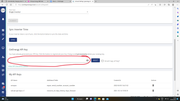
You can get your Givenergy API key on the account settings page of the portal https://givenergy.cloud/account-settings/edit

Good luck, let us know how it goes, here are some details from the help section, I’m not on Agile so haven’t tested.

Octopus Energy R&D labs is an ALPHA system we’re experimenting with - please use with caution and at your own risk. We will do everything we can to answer questions, solve issues and help but as a very new system please treat with caution.

Use these instructions to set up a GivEnergy system to track the Agile import and export rates.

Pre-requisites:
Agile import and Agile export tariff
GivEnergy system attached as a device to the Octopus Energy R&D labs system
1 Go to the Schedule menu option.
2 Start typing GivEnergy in the device box and select your inverter from the list.
3 Give your schedule a title.
4 Choose your start/end times.
5 Decide whether to run once (never repeat), or repeat daily, weekly or monthly.
6 Decide whether to use GivEnergy’s own Modes, or select the optimisation drop-down and select Octopus or Carbon.
7 If you have both import and export, you’ll be able to set both charge and discharge values.
8 If you’ve not got an export tariff, the discharge option will not be visible.
9 Set your preferences for the Agile import rate to charge below and the Agile export rate to discharge above. Also set the min and max SOC levels too.
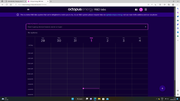
10 Alternatively use the Half-hour to charge and discharge using the best number of half-hours in the period of the schedule. In this screenshot example, the lowest 6 half-hours of Agile import and the highest 3 half-hours of Agile export
11 Once done you’ll see schedules in the Calendar and history will start to populate below.


S
#18 SteveCook

dcsh
Thanks
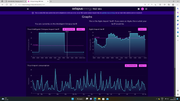
I have done the sign in to the labs page a few days ago, but apart from illustrative graphs showing "what I could have" there are no tabs or settings where I can select or setup anything.

I have requested to Octopus that my meter be set to Eco7 and I go onto an intelligent tariff. This is supposedly in progress.
Maybe until that completes the lab page will not show me anything I can change or work with
Regards
Steve

N
#19 naltsta

SteveCook Last night Octopus R&D did a good job of finding the 4 cheapest half hour slots to charge. It does seem to be much more intelligent than Givenergy's integrations but still needs a bit of work before its really hands off.

img

#20 Hook

naltsta That looks really good.

What was the rate at the time?

Are you on Octopus Agile Outgoing as well?

N
#21 naltsta

Hook ! img successfully picked the 4 cheapest half hour slots as requested.

I’m still waiting for my outgoing tariff to be set up but hopefully won’t be too long and certainly before I’m doing much exporting. Haven’t really looked into the comparative rates yet.

#22 Hook

naltsta Interested to see how you get on.

As a pending solar and battery owner I'm debating between E7, Octopus Agile, Octopus Outgoing Agile and Octopus Outgoing fixed.

#23 THALL

naltsta Did you pick how many slots you wanted or did you set a price below point? I can't remember what options are available now.

#24 TheDragon (GivEnergy)

Following as I may now beginning my Agile journey. This automation, a GivTCP written one, or the Octopus RD one

N
#25 naltsta

THALL You can choose either... I picked 4 half hour slots rather than below a certain price. It was one slot too many though as i ended up exporting this afternoon and don't have an export tariff set yet. Must have cost me about 10p so I'm furious...

#26 THALL

naltsta Well if I can work out how to make sure my givenergy battery and myenergi zappi pick the same charge slots I will switch :-)

S
#27 stanburyig3

ChrisJW
Chris, this is very useful info. I too am on Agile Octopus tariffs - not using the Economy rate - and I am extremely keen to optimise by battery charging/discharging.

I have just had a second 2.7Kw battery fitted - GE needed to phone my installers (based in Essex) and told them it had corrupted something-or-other, the installers called and corrected the issue.

My system is set on "ECO" mode and the PV output is at the wrong times and disappointingly low. I want to change the system so that I boost the battery storage to 100% during the lowest costs window i.e. between 2.00am and 5.00am to allow domestic usage at the high time periods i.e. between 7.00-10.00am and 4.00 - 8.00pm.

I am a total duffer on this stuff, I'm over 75 and a retired beancounter. I use a quill pen and abacus rather than a Notepad. I need an "Idiots Guide to Changing Givenergy Settings" and have asked GE and my installers for help without response so far. I am hoping someone on this Users Forum can point me in the right direction, as my cat is fed up with being sworn at . . .

Keith

S
#28 SteveCook

Keith
On the PC dashboard, look down the left hand side for the My Inverter tab (picture of TV next to it) - click on that
On the screen about an inch down click on settings tab
On the left of that click timed charge
Move the slider to enabled and put the times and percentage in you want. Use 24hr clock
You may want to limit the percentage charge so that you have headroom to absorb some solar generation during the day, but that might have to be adjusted depending on time of year.
Hit submit at the bottom.

You can try setting timed discharge also, but there is only one timeslot. I use timed discharge at 16:00 to 22:00 and let the early morning demand get picked up by what is in the battery before and any sun that is around.

I suggest you then go to Battery Options at the side below Timed Export and put the charge power slider up to the max to make sure battery charges in the time window.

Steve

W
#29 wrefordj

stanburyig3 Keith, I am catching you up on age and recommend that you ask your installer if there is someone nearby with solar and a battery. I am fairly certain they would be willing to "look over your shoulder" to help you out. That's what I did before I invested in GivEnergy.

S
#30 SteveCook

Well a bit of progress.
Octopus seemed to have remotely "converted" the meter to Eco7 and I can manually read day and night rates.
Though I have been night charging for 2 weeks now, my night import reads 00000

My meter info page now expects day and night rates to be entered or it will not accept the readings.
My tariff info though still shows I am on a single fixed import tariff

My R&D page though has come to life with all the tabs I could not see before.

S
#31 SteveCook

I have Hybrid inverter 5.0 and GivBat 9.5.
My GivEnergy API just gives me a single key which I presume I use on the Octopus R&D device input page.
I have to add devices and obviously with a single key can only add 1 device.
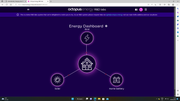
I presume the GivEnergy API will tell the R&D dashboard that there are panels, inverter and battery present, but the image the dashboard draws is just Grid, House and Battery

Any ideas?

S
#32 SteveCook

Cant get R&D page to accept the Solar Edge API for a smaller system on my garage.
Is there any special format/characters needed?

Generated a new key a couple of times and works now

#33 hoggy

It only supports Givenergy, Luxpower and Prime Hybrid (which is just a Givenergy in disguise) Solax & Solar Edge inverters so you can’t add any other brands.
If you’re a hybrid it should pick up you have panels attached so I’m not sure why they aren’t shown.

I’m not following the part about adding 1 device at a time - do you have multiple GE inverters?

Edit: i can’t read! Basically I’m unsure which API you need for Solar Edge support although I suspect a dig around their forum may be enough to shine a light on it.

S
#34 SteveCook

hoggy
Thanks
I have fixed the SolarEdge API and on the Octo R&D labs dashboard it now shows that small system (no battery, panels only) generating power. I input that API into devices as solar.

For my GivEnergy system (panels, hybrid 5.0 and 9.5 battery) I can only get a single API (from the GE accounts settings).
Does that API tell Octopus R&D that it consists of panels ,inverter and battery and draw a graphic accordingly with energy flows from panels to inverter and then to wherever?

#35 hoggy

SteveCook yes I’ve a hybrid and it did just that. No harm in removing it and adding again.
There is only 1 API key for Givenergy, the key is for the user not the device so it should populate panels, inverter and battery based on what you have installed.

G
#36 Grumpster

SteveCook just found a bit of info in that it only works if you are on both Agile import and export. Probably why it does nowt for me as on Fixed outgoing.

N
#37 naltsta

Grumpster I am agile import only and it is working really well for me...

#38 TheDragon (GivEnergy)

Grumpster just found a bit of info in that it only works if you are on both Agile import and export. Probably why it does nowt for me as on Fixed outgoing.

You can still use it as a dumb scheduler, setting as many charge's a day you wish

#39 hoggy

I'm on intelligent and it works fine still. Was on GO before then and equally worked fine.

G
#40 Grumpster

hoggy that's good to hear - sadly all I get is the graphs, no dashboard or anything, so no access to add inverter.

#41 THALL

hoggy Wish I could be on Intelligent, stupid Cupra car location services will not play nicely with Octopus :-(

G
#42 Grumpster

TheDragon (GivEnergy) sadly all I have access to is graphs. No dashboard and no ability to add inverter

G
#43 Grumpster

naltsta good to know. Did you have problems accessing dashboard as all I can see is graphs nothing else

S
#44 SteveCook

hoggy
Thanks
Do I add the GivEnergy API as a home battery or solar onto the Octo Dashboard?

S
#45 SteveCook

hoggy
thanks
Can you post an image please

#46 hoggy

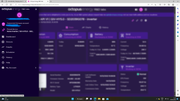
Examples using a Hybrid 5kW. On Intelligent Octopus using R&D Scheduler

S
#47 SteveCook

Fantastic thanks
If i put the GivEnergy API in as battery, the all that it draws on the dashboard is a battery
If i put the GivEnergy API in as solar, then all it draws on the dashboard is solar

If i put the SolarEdge API in solar and GivEnergy API in solar it merges both under a single icon of solar

#48 hoggy

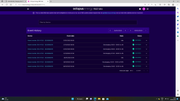
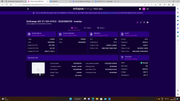
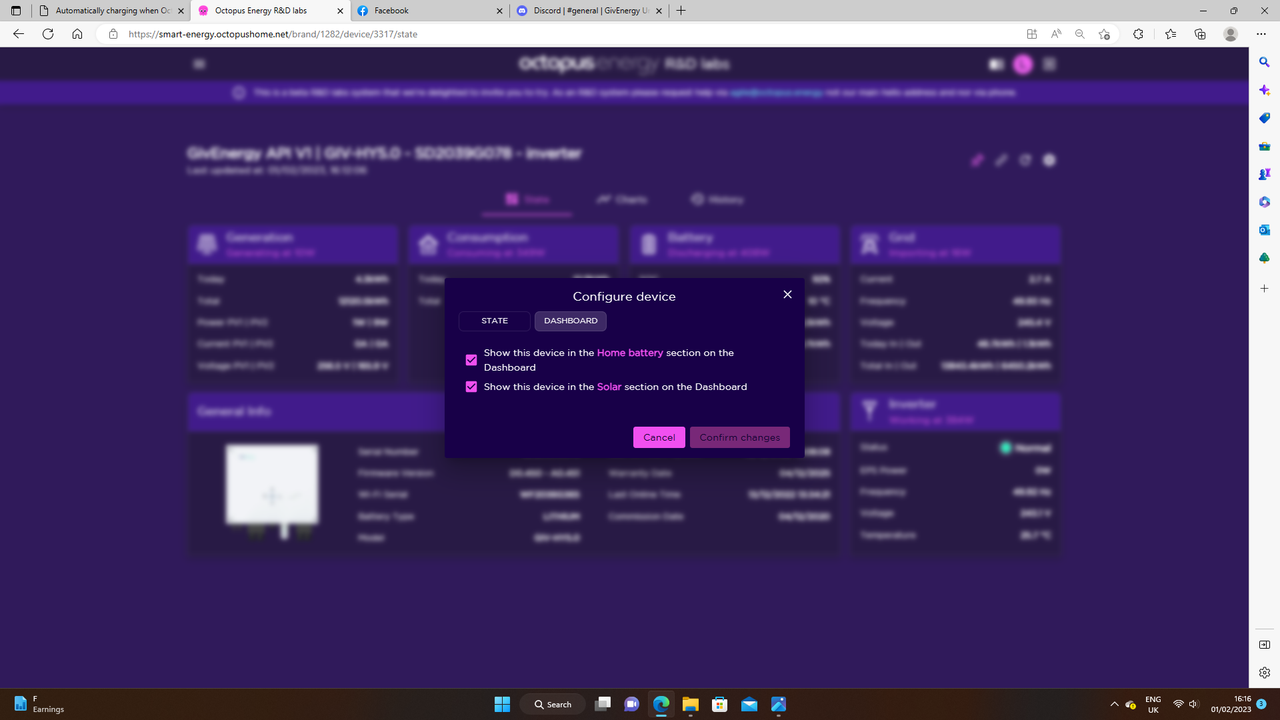
right so if you go to Menu > Devices > Click the inverter serial No. you should get this page:

Click the Cog in the top right and then go to Dashboard Tab and see if those are ticked as below:
2023-02-01-11.png

Or clicking the Cog on the dashboard appears to do similar:

S
#49 stanburyig3

SteveCook Steve, thanks for that. Couple of questions, if I may - when choosing timings should I "disable" the "ECO" choice? And when your last line refers to battery options Timed Export I believed that to be the times the batteris exported to the grid, not the times the panels charges to the battery - or am I misunderstanding or missing something?

S
#50 stanburyig3

wrefordj You are right. I emailed my installer and today one of their techy gurus changed some of my graph settings to give me better readings/understanding asnd invited me to chat with him if I needed more help. It's only taken them two years and the cost of a battery upgrade to get dialogue going . . .. 😃

Keith

S
#51 SteveCook

hoggy
Thanks.
it was the doubling up that confused me.

S
#52 SteveCook

stanburyig3
Hi
i left Eco on.
I was trying to use timed charge for cheap import
Where i referred to "battery options" under "timed export" i meant below/beneath to set the limits on battery energy flow.

if i have 100% charge at 16:00 i can run to 22:00 on battery (and maybe have a few % left) so avoiding peak charge costs, until cheap Eco7 arrives after midnight.

100% charge will then keep me going with solar in the day getting me back to 100% charge by 16:00 with hardly any input during the day.

I may have to back off the night charge percentage as days get longer so I save more solar rather than selling.

NB I have now got Octo R&D working so I am now trying their scheduler

S
#53 SteveCook

hoggy
I think the energy flow circumference lines like the GivEnergy one show things a bit more clearly where energy flows direct from panels to inverter and not via house, etc

#54 hoggy

SteveCook Yeah I think that's just because their app has to fit multiple inverter brands and some probably don't differentiate much either. I don't think anyone would particularly use it as a replacement of the Givenergy app entirely it's just a nice to have addition. I suspect if you own Tado thermostats & rads, a Climote, & a Powerloop V2G charger etc it's not a bad one stop shop though.

S
#55 SteveCook

hoggy
Thanks
I just need to get Octo to get their tariff working on Eco7 correctly. Been over 2 weeks now.
Maybe as 3 years approaches they will get the gas smart meter to read. It is 18" from the electric and still dumb.

M
#56 Martyn

hoggy
Hi
Just had a re-look at the Octopus R&D Labs pages. I had used scheduler previously when GivEnergy was on Mode 1-4 and it worked well. However it now seems to want to disable eco mode if I want to set a schedule, is this the same for you?

If so, do you know any way round this?

Thanks

#57 hoggy

Martyn I personally think it’s worded a bit poorly - it makes it sound like it disables eco mode all day.
It will disable eco mode during the time slot that you’ve picked only (or ones that it chooses if your on Agile)
It flicks back and forth back to your normal settings when it’s done whatever you’ve told it.
Seeing as the only real options are to charge or discharge (which would disable eco mode anyway even if you did this in the portal) I can’t think of many occasions where this would be a problem?

That’s my experience anyway

#58 positor1

SteveCook
I have waited over two months for Octopus to correct the single tariff since moving to eco7 and that in itself took weeks and numerous calls. Thankfully i checked the meter data and was able to get a refund but i suspect many will just assume they are charging the night rate.
I am still waiting for a reply regarding the API giving the wrong information, no one who answers the calls has any idea about API's or who they should request the fix so i dont hold out much hope.

M
#59 Martyn

hoggy

Thanks for that. I will try and set a discharge next time we have lot's of solar and see if mine works the same way.

C
#60 chrisppokit

Just saw some updates to this thread (been focussed on the SoC issues for the past few months).
Set up Octopus R&D to charge overnight when import prices are less than 24.5p.
We'll see how it goes...

#61 TheDragon (GivEnergy)

chrisppokit

I use the 9 cheapest slots between 0000 and 0700. My battery fills in 4Hr 30. So 9 slots needed. You choose similar.
Your way overnight, will choose the 1st slots available meeting your critera, not necessary the cheapest.
Lower than xp is fine during the day for topups

ALso set my hot water for 60 min beginning 2330

C
#62 ChrisJW

Crikey, great to see such healthy exploration and debate since I re-booted this thread several days ago!

However, for those of us that can't or wont dedicate the time, we surely must look to either GivEnergy or (Octopus in my case) to speed up implementation of what surely aren't rocket science algorithms to automatically select the cheapest import and the greatest export rates for maximum return - acknowledging that some degree of local control will need to be retained to account for variation in system and personal preferences.

Given that GivEnergy recently told me they are not currently (re)developing a solar/weather forecasting input to the import automation, even though the portal and app say it does this already, perhaps they are looking to the suppliers like Octopus to drive automation in future...?


S
#63 stevelewis

ChrisJW having developed software to automate SoC from solar forecasts myself, I suggest that you're underestimating the complexity of the problem.
Coding a predictor which uses forecast generation and consumption to set an overnight SoC is an interesting challenge that fuses data from multiple sources and I've had it working for almost a year now.
Coding a download of Agile rates and picking the lowest ones from a ranked list is trivial in comparison. Done that too.
But both are only a small subset of what you're asking for: given a broad range of import and export rates throughout the day and uncertain generation and consumption, what's the most profitable charging regime across a variety of different system configurations?
Time permitting, I might try fettling this together, but not before teatime!

M
#64 MattWhitfield

ChrisJW I have to agree with @stevelewis here. Actually that algorithm is a bunch more complicated than it seems. I've spent a couple of weeks working on mine, and I'm trying to do it generically - but it's definitely focused on my situation and desires.

Doing that and getting it right, whatever happens, is pretty tough.

S
#65 stevelewis

MattWhitfield Just to add to Matt's comments, even once the prediction algorithm is reliable(!), there's a whole host of "features" to contend with when pulling data from third-party APIs. Despite efforts to write reasonable code, some of these only crop up after many months of goodness. For example, I'd experimented with an afternoon charge based on carbon intensity forecasts to pre-empt Saving Sessions. It worked a dream until 6pm on 31st Dec when a rollover bug in the Carbon Intensity API caused valid but truncated data to be returned. I'd covered the cases for no response and no data, but not this form of good-bad data... there's a reason it costs so much to develop safety-critical software!

#66 TheDragon (GivEnergy)

There is another team on Facebook tracking this issue too.
With some good sucess

S
#67 stevelewis

TheDragon (GivEnergy) if you mean in the GivTCP group, the code Matt is devising is far more sophisticated algorithmically. It would be good to share (Matt's code and mine is open source and published), although it looks like most of the work is getting it integrated with HA at this time so parallel threads.

#68 judgepd

Grumpster Did you find a solution to this? I have access to R&D labs but see no option to add any other systems.

L
#69 lukesarge

Hi folks,

@hoggy I've setup everything and I can see the inverter and so forth on Octopus R&D, all looks fine. I've set the scheduler and can check the history and can see that it's reporting the changes to the schedule. I can then see within the inverter pages via GivEnergy that it's changed the state (i.e. setting it to charge battery when expected) however the inverter is sat at Idle and doesn't actually follow the command. I'm not sure why this would be being that it's set within it's own "settings" to do so. have you experienced anythign like this? Is there a "reboot" or similiar command I should send the inverter to try and clear out anything else that might be causing it to stop trying to charge? I've already disabled the solar+battery automation that was set as part of the smart tariff within the GivEnergy app, just wondering if I need to do something else so that it listens properly to the commands coming from OR&D.

Any suggestions would be appreciated.

Thanks,

Sarge

D
#70 dnhenderson007

lukesarge did you find a solution as I had the same problem but didn’t resolve it so went back to using the GivEnergy smart tariff logic rather than the OR&D?