Firmware Update

45 comments started 2023-05-05 last 2023-05-26
GivEnergy ProductsHybrid
#1 Maxwell

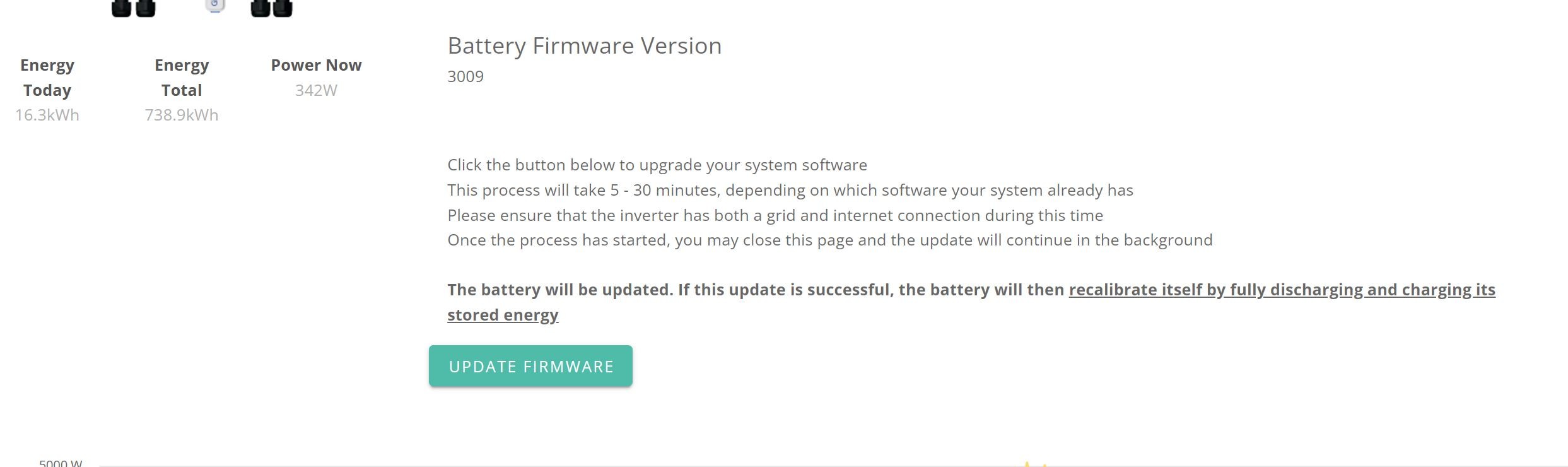
Just seen the update firmware button is enabled and as part of that you go through the dump and recharge cycle. Being on a single tariff it doesn't matter to me when the battery charges back up. Although my feeling is that i'd rather use as much of the stored battery energy. And i think that hitting the update early morning after the battery has fed the house overnight is the way to go. So, does it matter from a calibration perspective how full the battery is when you start the process ?

#2 ProximusAl

Maxwell I don’t believe so, as all the energy is dumped out from the battery to a minimum voltage, so shouldn’t matter at all. Probably best to do it when it’s low to be fair. Saves wasting energy.

P
#3 P3tro

Thanks for posting this question as I was wondering the same. But this morning I decided to 'bite the bullet' and do the battery update from when the battery was at 78% SOC. It's a cloudy day so far and the system is telling me it's going to take hours to calibrate the battery. Hope I've not done the wrong thing by updating!

A
#4 anglefire

P3tro I waited until the battery was flat before starting - but it doesn't matter as it will dump to either the load in your house (Stick the washing on, charge the car, whatever) or to grid, work out the bottom limit, then charge backup to 100% to find top limit.

P
#5 pjb904

I (stupidly?) decided to hit the Upgrade button. Miserable failure for me - batteries started to empty, then showed 'zero' in an instant, then did nothing. Appeared to start charging to 100% at 2330 normal charge time, but did so in 10 seconds. at 0530, discharge as normal from 100% except it seemed a really steep discharge curve, so I suspect it didn't really know what was going on.
Silly me for thinking GE software wasn't half baked beta that they appear to test on their customers.

A
#6 anglefire

pjb904 That's somewhat unfair. Hundreds have done the upgrade and have no issues. Just because you have an apparent issue (real or not, I'm sure someone with access will find out in due course.) doesn't mean the software is half baked as you call it. Or even beta.

W
#7 welshrat

Hey all, I updated the firmware via the web interface yesterday and have the latest 3012 installed fine however the battery doesn't seem to be working correctly, yesterday it went from 100% all the way down to 4% in about 30 mins, today it has charged to 100% in about an hour but is now cycling between 95% and 100% very quickly. I suspect that it isnt aware of its current correct charge level despite the calibration successfully completing yesterday (Firmware was done at battery being 100%). Is there anything I can do, restart battery ? if so can I do this simply with the battery circuit breaker or do I need to power down solar , inverter etc ?

#8 Maxwell

welshrat Not sure. But, from what is says here about doing the battery firmware update locally, if the remote one fails, it would look like you just have to isolate the battery from the inverter and then turn the battery off as there is no mention of isolating any of the other components.
https://kb.givenergy.cloud/article.php?id=72

W
#9 welshrat

Maxwell thanks Maxwell. The firmware was successful. I think it's the calibration that has failed somehow. Are givenergy able to reissue calibration request remotely?

T
#10 ToothyChris

Yes they can. You might have more luck getting it stated today, if you ask on one of the FB groups, as I think Paul and his other GE colleagues tend to lurk on there more often

P
#11 P3tro

Here's my experience from earlier, if of any interest to any readers of this topic.

My biggest motivation was the sudden SOC drop issue which you can read about in the dedicated topic. So I decided to do the update at 9:30am this morning, and I was slightly apprehensive about it but decided to go ahead. The update itself took around 8 minutes (I have one 9.5kwh with a GivAC3.0 inverter, which I think is the hybrid one?).

As @anglefire mentioned in his earlier reply, calibration started and my 78% battery charge was dumped to the house & grid. By 11:35am all battery charge was dumped to the home & grid, and battery commenced charging. This is, I'm assuming, a normal process as part of calibrating the battery. By about 4pm I got a notification that calibration was finished (I can see from the dashboard the battery got 100% SOC by 15:32 so it could be that I got the notification around the same time rather than 4pm).

I wasn't overly concerned by the limited solar power due to today's cloudy weather as I'm betting on my low grid usage both so far and after the update to compensate.

My update experience seems to be positive. I guess I'll wait and see how the system/battery performs over the next days and weeks.

I'll be frank and say I don't fully understand how to read the voltages being reported on the dashboard data (by which I mean knowing what's a good indicator vs. bad) so I don't know what to say about the cells and synchronisation or whatever terms are used with all that -- please excuse my ignorance. Any advice on that would be appreciated.


I
#12 Icosens

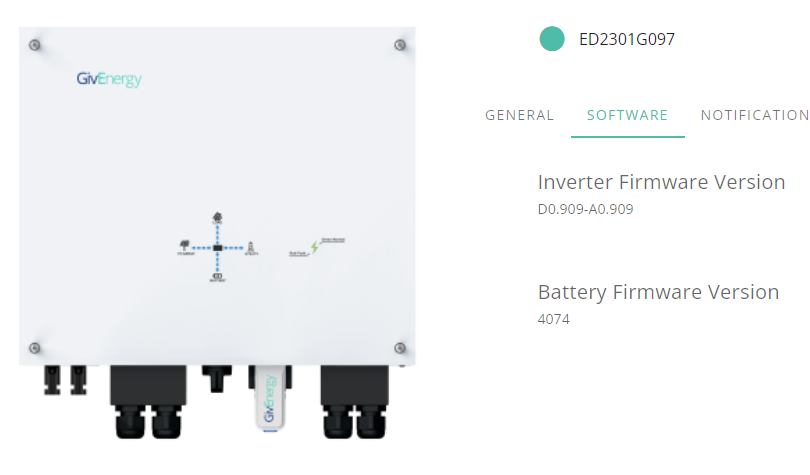
Think I’m being particularly thick but where is the update button. On the portal inverter software page I am showing 4074 which wa# the last beta I was on but there is no update option. Any help appreciated.

J
#13 Jon-boy

Icosens If you are on 4074 then like me you were part of the Beta testing and as such I dont think we will get a SW update button because the new SW is 3012 and I think it has to be done manually if the latter number is smaller. @TheDragon (GivEnergy) can you confirm please?

#14 TheDragon (GivEnergy)

Icosens OK if you are on a beta, it wont auto update. It will need doing manually.

If you were on my beta list, I would have emailed you. If it was done under the radar, for some reason, let me know and I will run it manually for you
A portal bug, as it thin 4074 is newer that 3012. It doesnt take into account the daft beta numbering the engineers adopted

I
#15 Icosens

TheDragon (GivEnergy)

Thanks, it was an official beta test. Paul Landregan did email to say update at my leisure and I was patiently waiting for the button to appear (assumed it was a bank holiday delay). Anyway, no problem … can I ask for a specific time for it to be updated or will it just get done?

J
#17 Jon-boy

I am interested if any of the BETA volunteers who ended up on Battery FW 4074 have been upgraded to 3012 yet, mine hasn't. We cant update ourselves as we wont get a button appearing due to the system only being able to update to a higher FW number. We have to wait for GE to update for us.

S
#18 Shikoku14

I’m planning to update mine tonight just before my cheap rate with Octopus kicks in, that way there should be little if any energy to dump from the battery and it will 100% charge as usual from 9:30pm (my cheap slot is 9:30pm-2:30am). I’ll report back tomorrow to see how that goes.

T
#19 TX200

Jon-boy did you get an email from Paul? If so, reply and he'll sort it.

Or email support with your inverter serial number.

S
#20 SimonClarke

Updated yesterday morning then charged back up from solar. No issues at all. It would be useful to have had more information particularly timings but it was ok.

J
#21 Jon-boy

TX200 I did get an email from Paul. I did reply asking when it would be upgraded to 3012 and he replied saying its with the FW team and they can only do so much....

J
#22 Jon-boy

SimonClarke Good that you had no issues.....Did you use the update button or did Paul do it for you?

T
#23 TX200

Jon-boy oh. 🫤

S
#24 SimonClarke

Jon-boy
Just pressed the button after using up as much juice as practical - tumble drier etc. just would be nice to have some sort of countdown to a finish. Even Tesla manages that on an update. Maybe I missed it? Only had the system since April so hardly an expert! The lack of a manual of any sort seems odd. Again even Tesla do that. Admittedly everything I have had to do so far has worked- fingers crossed touch wood etc…..

M
#25 MrChaz

Had to manually update my batteries a couple of days ago and the voltages/percentage readings are still wildly contradictory.
At what point is it supposed to start balancing?

#26 Cdent

MrChaz I think 10 cycles have been mentioned for them to be balanced

M
#27 MrChaz

Oh, What's a 'cycle'?

#28 positor1

charge and discharge

M
#29 MrChaz

Like 100-0? I hope it's not that, would be pretty useless

#30 positor1

I dont let mine get to zero and they have still synced up fine after a while . usually only 2% apart.

M
#31 MarkyG82

Just coming to the end of my update (battery calibration). It dropped to zero almost immediately which got me worried but then sate on discharge for a while. Started with roughly 60% charge and took just over 2 hrs until it stopped discharging from "zero". Then it started to charge (mostly by PV) which is coming to an end soon. Yet to see how it responds or if the battery capacity remains normal. Will report back if odd.

I
#32 IanMac

You all had an option do do this? I just found mine started at 8am the other day and it was a bit annoying as I had plans that didn't involve a full discharge/recharge cycle.

A
#33 Anomnomnomaly

My firmware was autoupdated today, and it's dumping my entire battery to the grid and is showing as zero solar production... When I should still be getting 1-2kw based on previous days like this (been a good week and haven't generated less than 24kwh all week... I've generated 19 so far and according to the data, was on track for another 24kwh day.

I don't mind the update.... I'd just like control over WHEN it happens so that I can at least get it discharged and charged back up at a time when I'm actually generating. Now I'll have a flat battery right at the peak use time of the day.... gee... thanks for that.

#34 Maxwell

So, for those early adopters what real term benefits are you seeing with this update ?

T
#35 TurnerSN13

Maxwell I've seen far better SOC reporting over an extended period, and with better awareness of SOC I feel like I have an extra 10% of useable battery. (2 x 8.2) I'm now confident that the SOC is accurate and am happy with the outcome. Looking forward to the Inverter FW update to couple that with improved reaction times!

A
#36 Arg0t

Maxwell SOC has fewer sudden changes in value, not at 80% one minute and 100% the next as the system realises it's full.
Previous firmware gave me the impression the SOC calc was a sum of energy in minus energy out, this firmware appears to perform additional calculations to make more frequent smaller adjustment on SOC based on condition and thus is more accurate overall.

So far I've run if for a week keeping charge at over 70% without any random spikes and for the past few days taken the system from 100% to less than 10% charge, across two 9.5kwh, without seeing any large corrections on SOC. To me the SOC is tracking well in scenarios when charge is maintained above 50% as well as when it is able to self calibrate due to almost full charge and discharge cycles.

TLDR: I have a higher confidence that the SOC is correct on this firmware.

#38 THALL

Jon-boy Were you part of the beta test? If not you should have an update button available to you, you can choose when to start it. A full calibration will take place when/if you do.

J
#39 Jon-boy

THALL Yes, I was part of the beta, hence needing to ask as no button is going to appear.

#40 TheDragon (GivEnergy)

Jon-boy I did your inverter yesterday.

You are asking a lot, are you sure at a SOC of 82%

J
#41 Jon-boy

TheDragon (GivEnergy) Sorry, I am not meaning to be a pain in the &r$£. I am just confused then......You say you did mine yesterday but this is what I see.

It still shows 4074.

T
#42 thewhalw21

Jon-boy Dragon did your inverter yesterday to 909, battery still to be done and is double checking you want to dump 89% battery to the grid at this time of day

J
#43 Jon-boy

thewhalw21 Ah ok, thanks for this response and yes of course, now I get it, just ignore me its my age.....
Now maybe not the best time......

T
#44 thewhalw21

Jon-boy I'm sure if you give the support team a call tomorrow morning when you've drained it down a bit they can do it on the phone with you.

D
#45 DazMav

Did a firmware update last night thinking all would be good today as I'm on an high day rate and low night rate. Battery shows 53 % when you click into it which is what it was before the firmware update. On the main screen it's 0.0 %. When you click on the cloud it says it can't detected a battery connected. Great weather and solar gen is also idle. Last time I perform a firmware update. If it's not broke and that...

Update: Manually restarted the battery and inverter and all working now.