J
Should I have gotten a message by now about this have being completed or do you only get the message that it has started, battery has been charged to 100% twice and discharged but no notifications since original message.

Should I have gotten a message by now about this have being completed or do you only get the message that it has started, battery has been charged to 100% twice and discharged but no notifications since original message.

I posted asking the same question when ours was installed in October - took a month but it came through eventually.
EmmetBrown My system was installed in January and then the second battery in March. On both occasions I got the alert that commissioning started but never received any commissioning completed message and that was after several months of waiting. The system appeared to be working fine so I didn’t worry about it.
Yet when I did the inverter firmware upgrade on first one and then 2 weeks later the second inverter, in both cases all the calibration messages came through correctly.
So in my experience it’s a bit random whether you get the ‘calibration completed’ message or not. As others have said, give GE a call or live chat if you are concerned
I agree with geoffreycoan on this. It's worth noting that GivEnergy support get a more extensive view of your system compared to the customers' portal. I found this out today as they were able to see things a lot quicker than me trying to navigate around! Anyway my point is while you might not get the notification, it's likely in my opinion that it's logged the status at each point of the process for troubleshooting etc.
P3tro im completely offline atm, waiting for installer to get back, I don't think they installed the antenna so wifi isnt getting boosted, it was spotty for a week with updating and commissioning took about 24hrs to go through and since the 27th ive been offline.
Can't do anything to interact with it because local wont work, the unit is connected to the wifi but apparently is unstable so currently I am SOL.
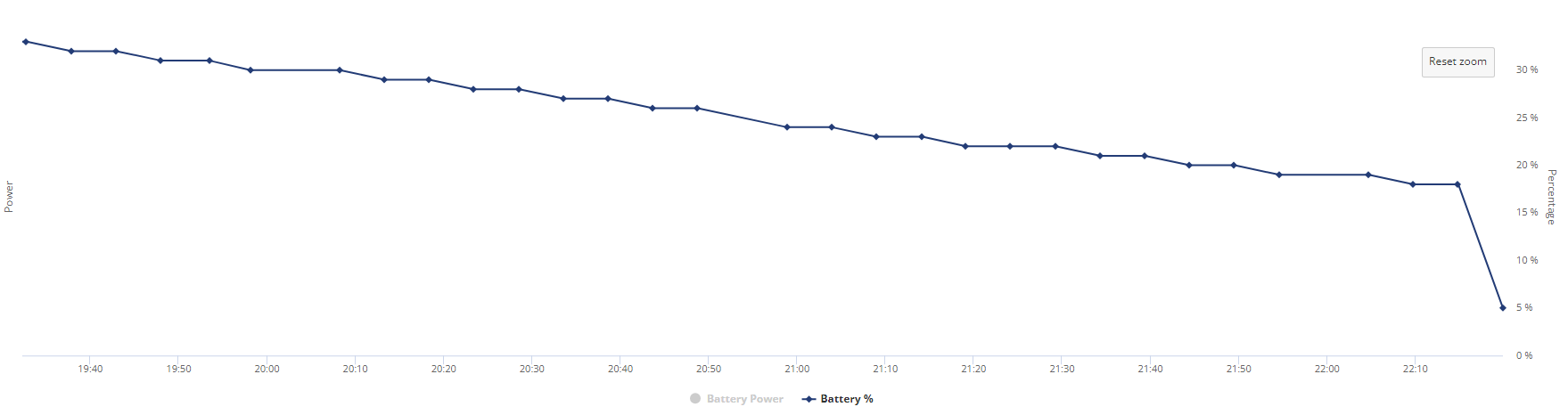
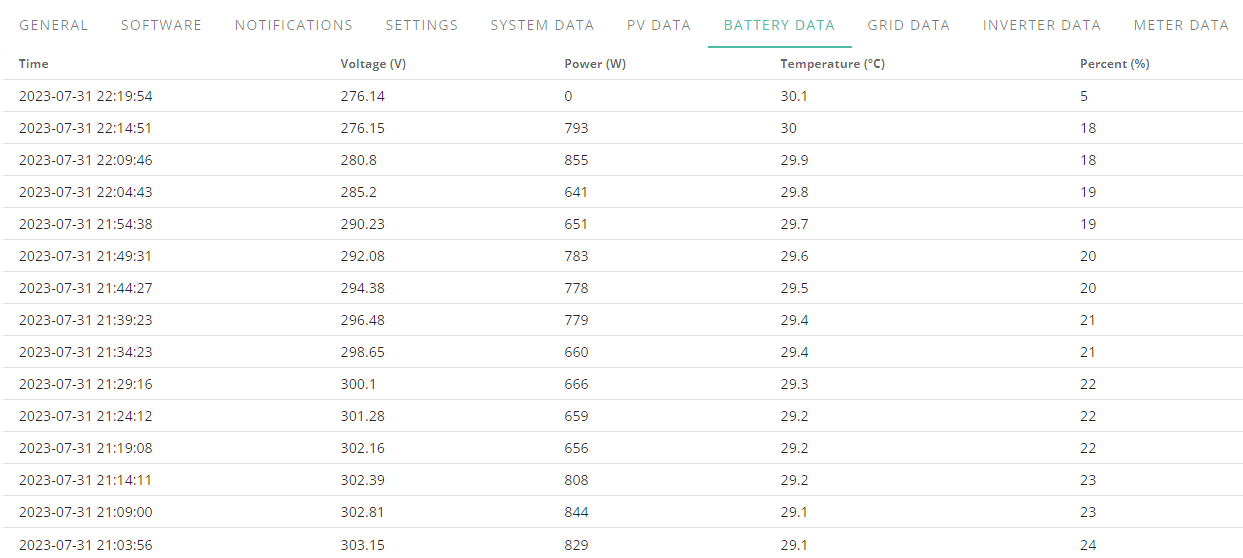
whelp, this is interesting, after using an old phone as a network bridge to get info back last night this happens.
Edit
I am not sure how but battery has gone up to 6% despite me running off grid.
Does this battery % strike anybody as odd or am I missing something obvious.
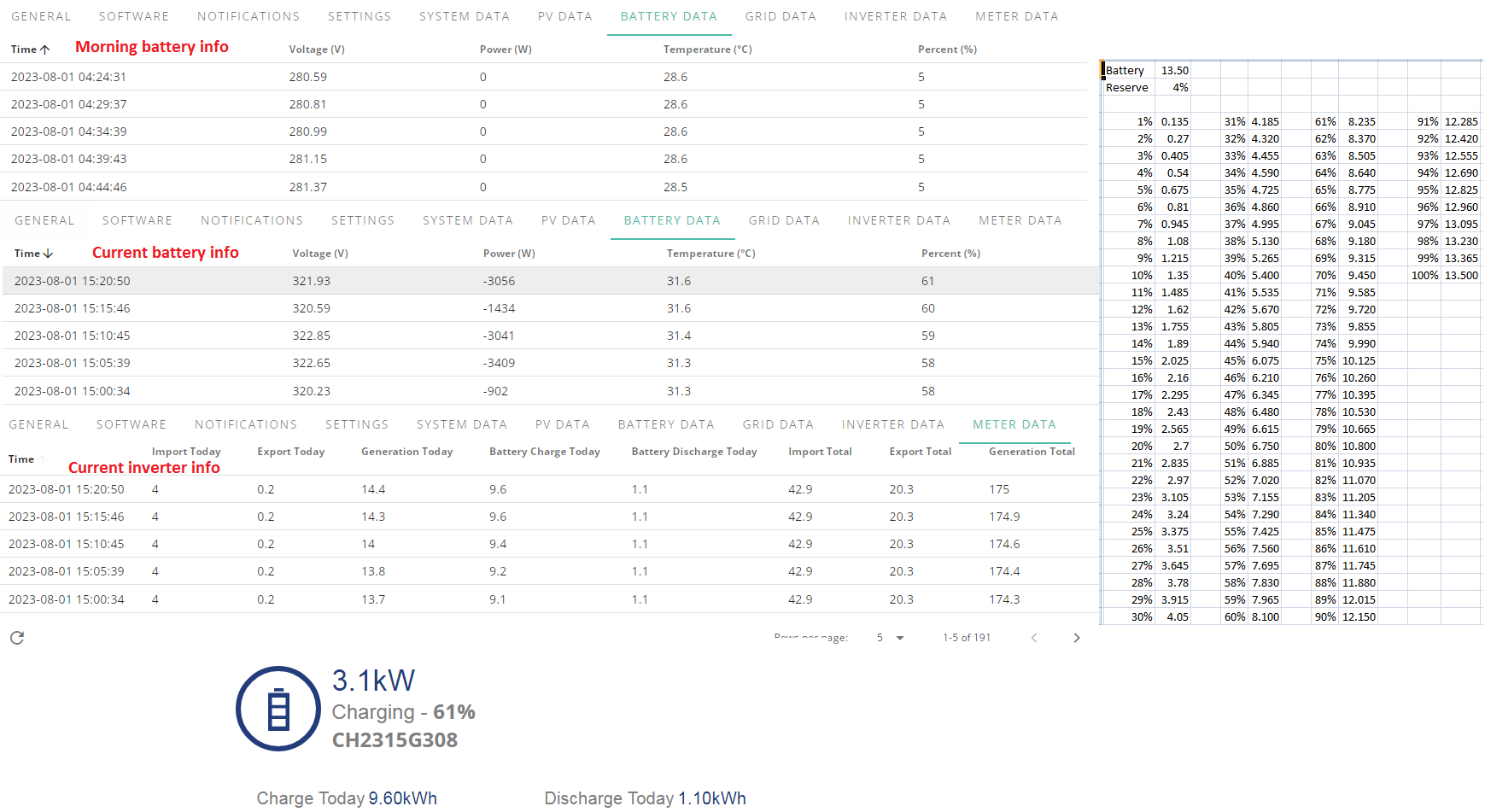
Evening taking off the 1.10 from the 9.60 from a 13.5kw battery with 4% reserve it should be higher

I'm just offering a suggestion here, I don't know the answer but if the 1.1 discharge is AC, then it will have taken more DC out of the battery to provide it. Also if the 9.6 charge was AC then it will have equated to less than that DC into the battery.

is 280V normal for "empty"?
Seems quite low if you work it back "per cell" from my original guess of them having 96 inside - maybe they have more.
hoggy No clue, AIO didn't come with any info so mostly trying to learn on the fly but battery voltage is 260-346v with 307 being nominal.
Still waiting for installer to come hardwire the connection from wifi to lan and trying to get them or scaffolders who damaged the rendering on the front of house when taking down the scaffolding to sort it out, they must have insurance for this kind of thing so they should be contacting a repair company and footing the bill.
Thanks to another post I was going through the logs for the inverter, is this normal procedure for soc calibration.
This was from day of install and the day after when they were trying to figure out why power was cutting off for 20s every few hours.

Or does it indicate an issue?
SOC drop happened again last night, what charge was left should have been enough to last.
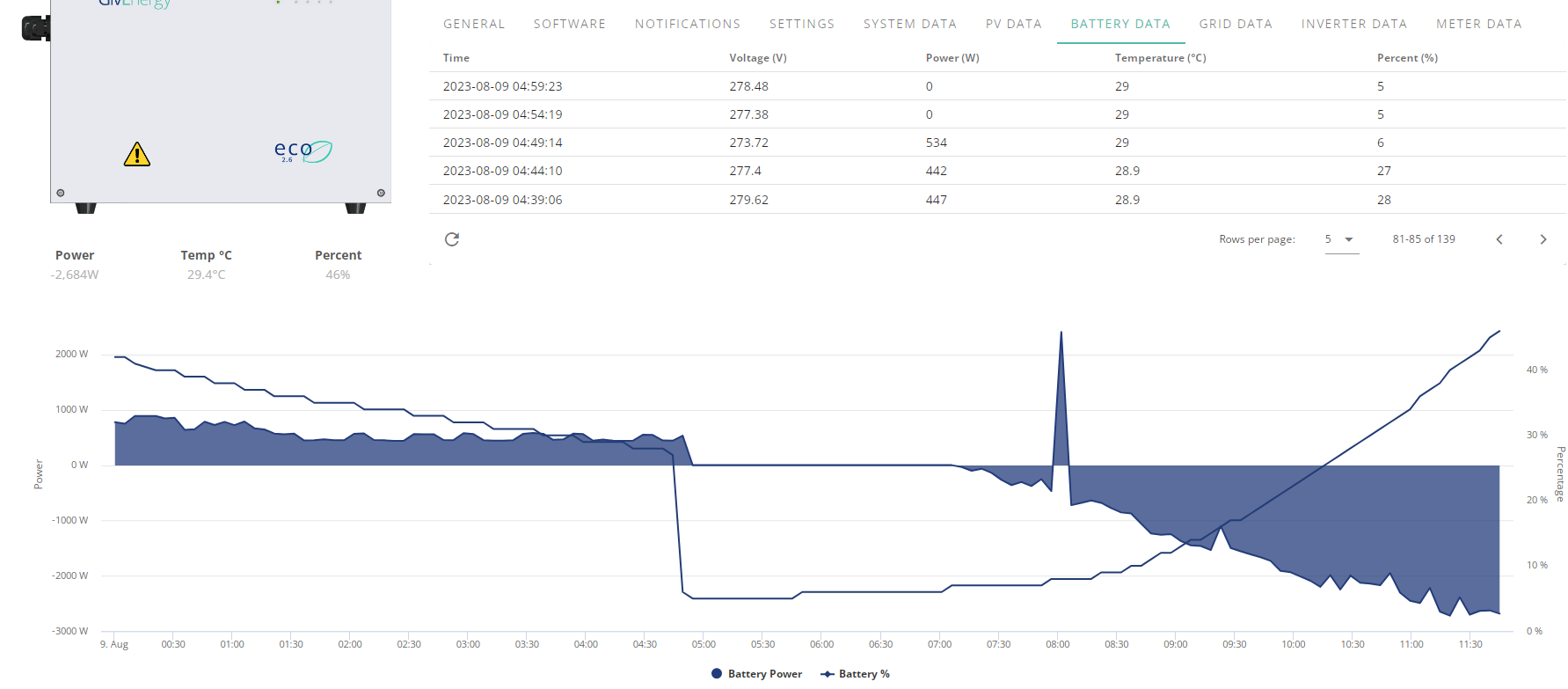
In another bout of weirdness I spotted this just now
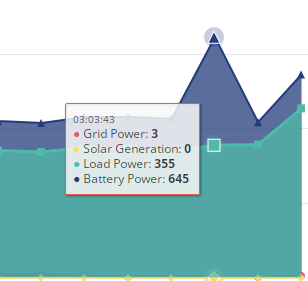
Never seen it spike like that, battery power has usually been +80-120w difference compared to load which I still think is weird.
Not had an issue for a while but 30 minutes into topping battery up on flux I thought I would check before heading to bed, I was on 65% but upon checking its still 65% despite IHD displaying around 4.3kw draw so scrolled down to find that the battery dropped to 55% when charging started from 65%.
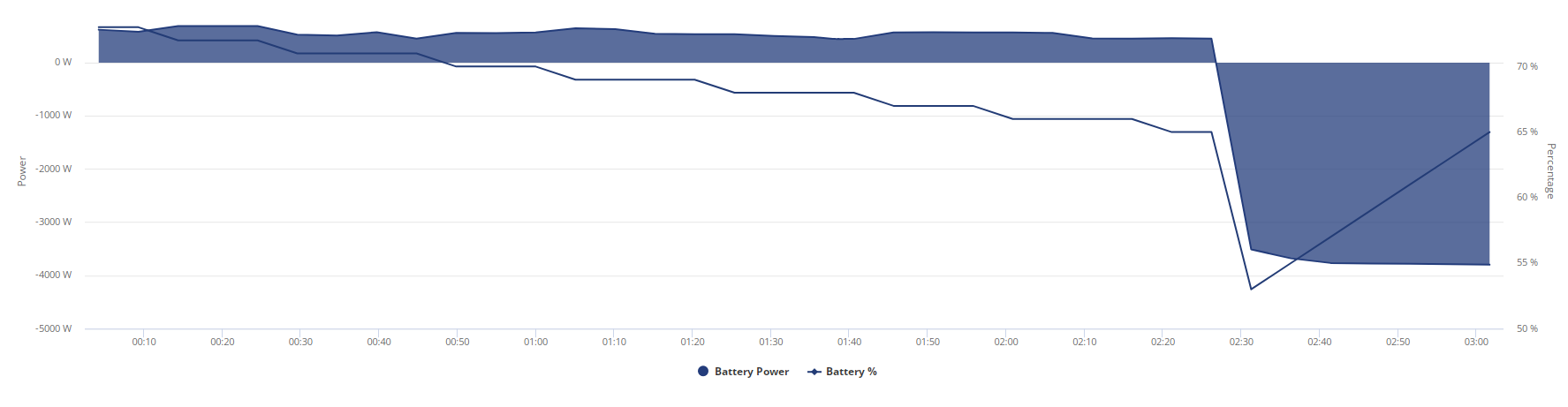
So 2kw charge into battery basically got me to where I originally was oO
Edit
My bad, it went from 65 to 53, lost 12% just starting to charge oO
Something seriously weird going on yesterday. Two 9.5Kwh batteries that have been calibrated twice. Their SOC still drifts wildly apart and they apparently have no idea when they are fully charged. I'm pretty sure there wasn't some sort of supernova event yesterday afternoon at 4pm in the UK!
Current Firmware version 3013.
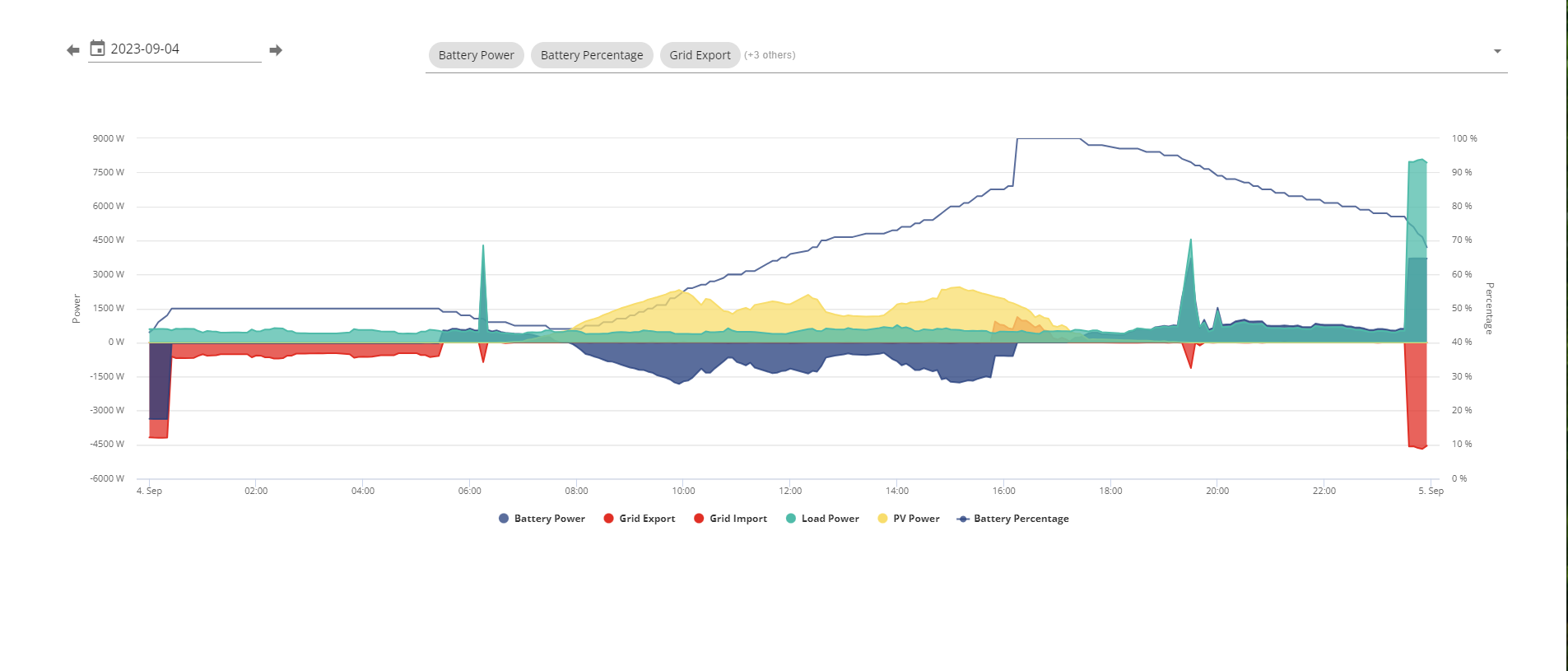
I am getting so very VERY angry right now
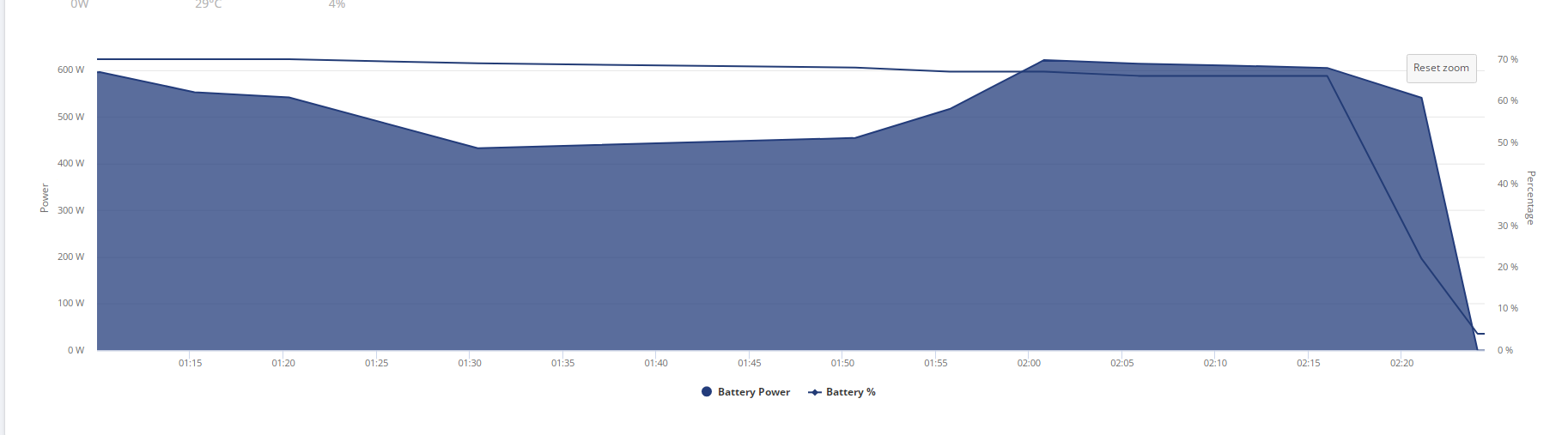
What in the sam hell is going on, it was at 67% at 2am and 21m later it drops to 22% and 2 minutes later its flat and im drawing from the grid.
That is two consecutive nights in a row its tanked and first time ever its gone from 67% to 4%.
I expected better from something that cost nearly 10 grand.
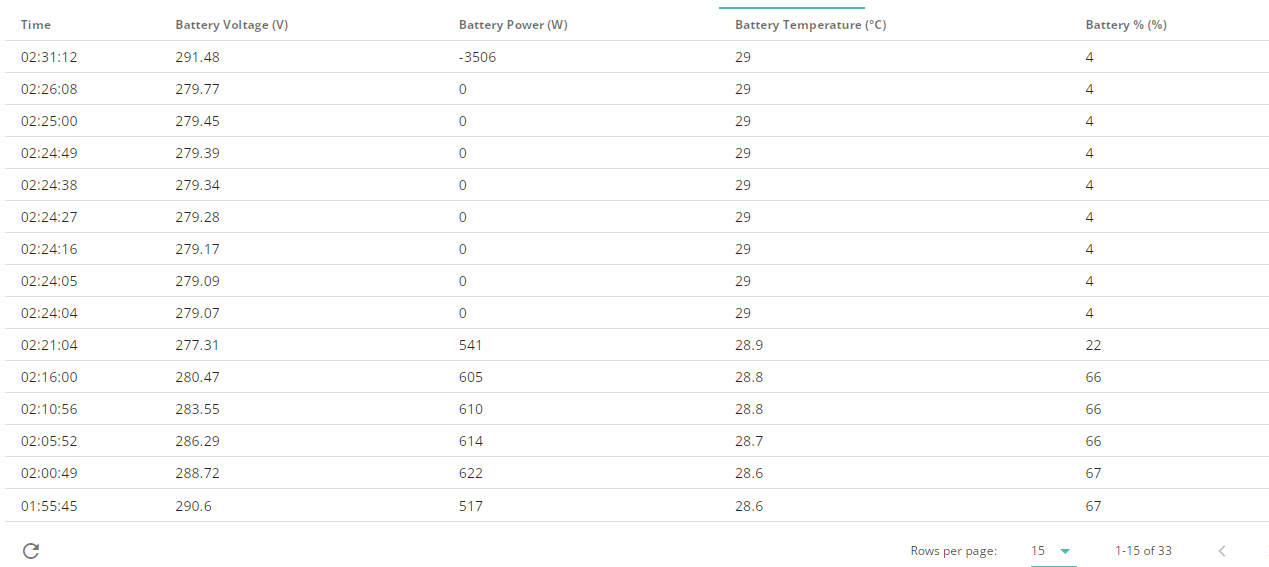
I need to rely on the info this is providing, it should be accurate, this is not accurate.
3 quid of stored leccie down the toilet.
Assuming it's a 96 cell battery, in my opinion, 288V=empty, and 336V=full.
I think the battery was empty last night too, but because it was charged without the SOC correcting, it wasn't able to fully charge from solar in the daytime.
Jellybaby That shouldn’t be happening. You need to get your installer back to look at it. Would be worth looking at the other power graphs (not just battery charge and SoC) to see if there was any unexplained house load or grid export that was soaking up all that battery power, but even so, I can’t think the battery would be able to genuinely pump out so much charge in such as short period of time.
Sounds like the battery is faulty. Your installer and GE need to look at it
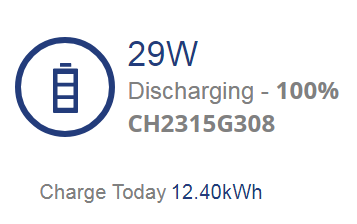
This doesn't look right, it was empty but only 12.4 kw charge. Even with the reserve, being depleted from 4:45 > 7am then charged up on solar it should be more than that for a 13.5kw storage.
Rubikcube I have gone through my history 327 is the highest it goes, this is today.
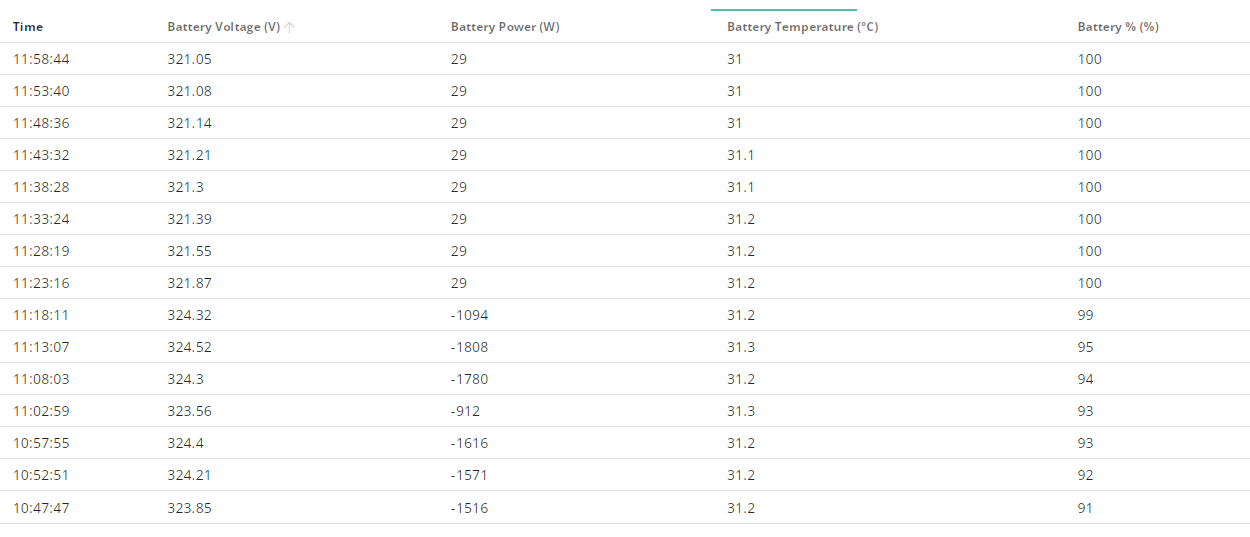
This is it currently, system is less than 2 months old.
This is this mornings battery chart
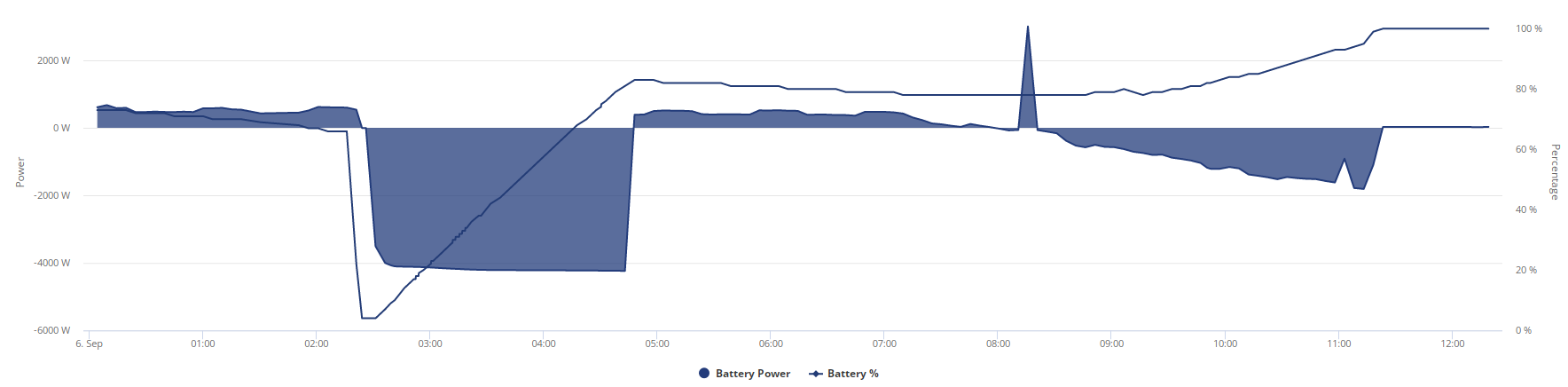
Definitely should have been more than 12.4 charge put into it from flat.
Shouldn't this thing be more accurate on SOC, is there no checks it can do.
Edit
Apparently I don't have permission to edit the post above this but reserve is set at 4%
Voltage just before charge period ends and after it ends
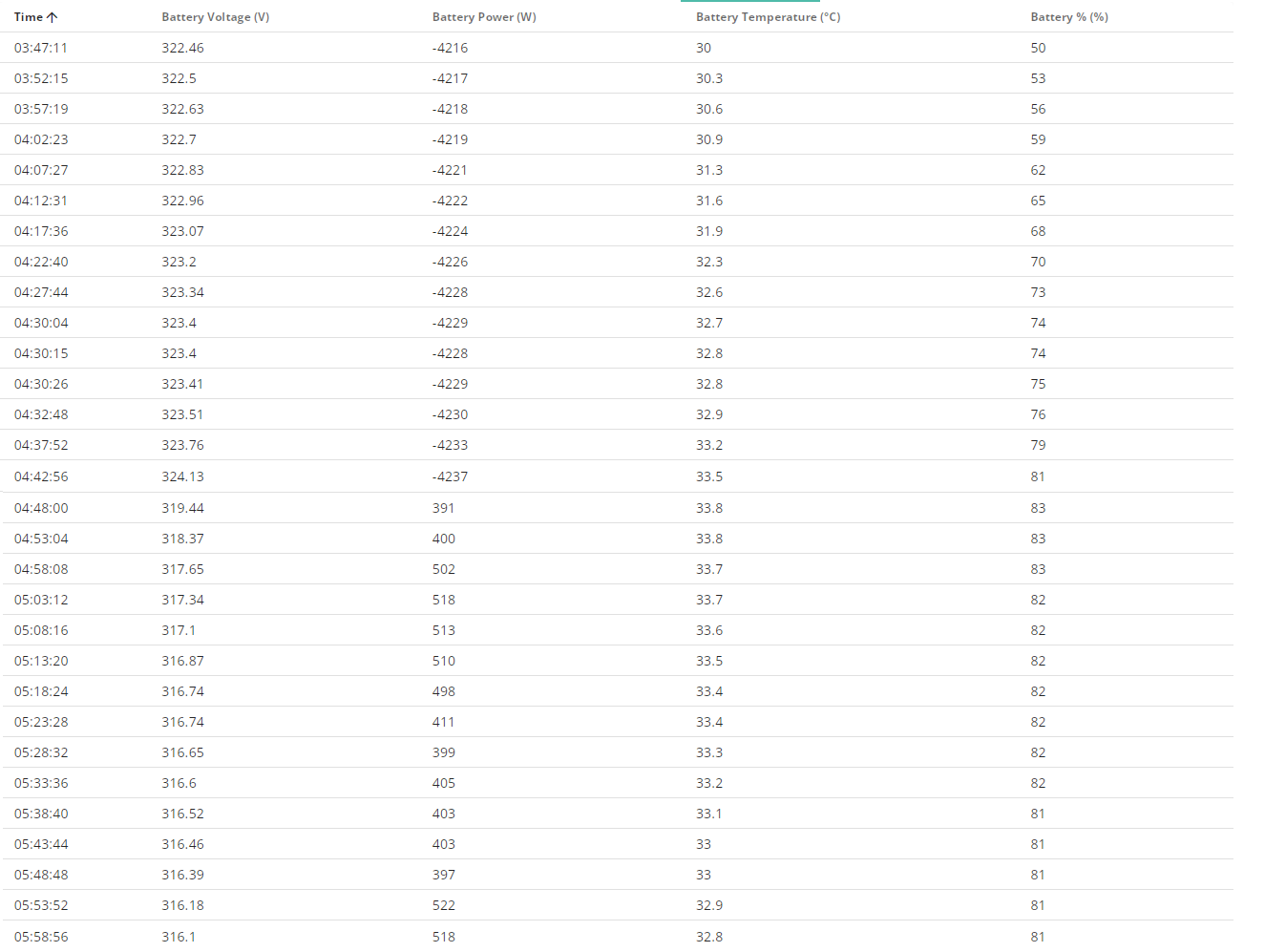
Charge period just before and after solar starts generating
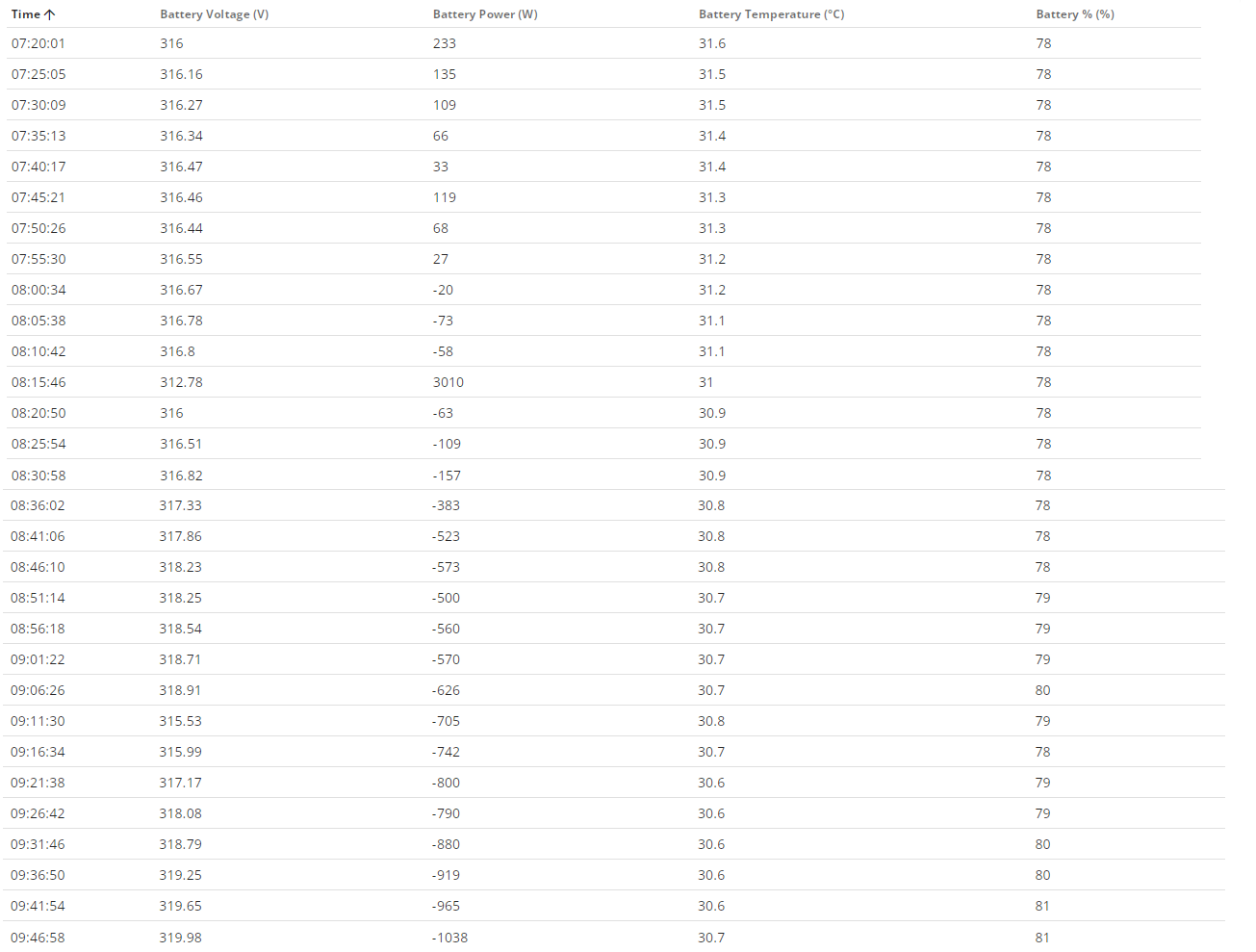
Voltage at 100%
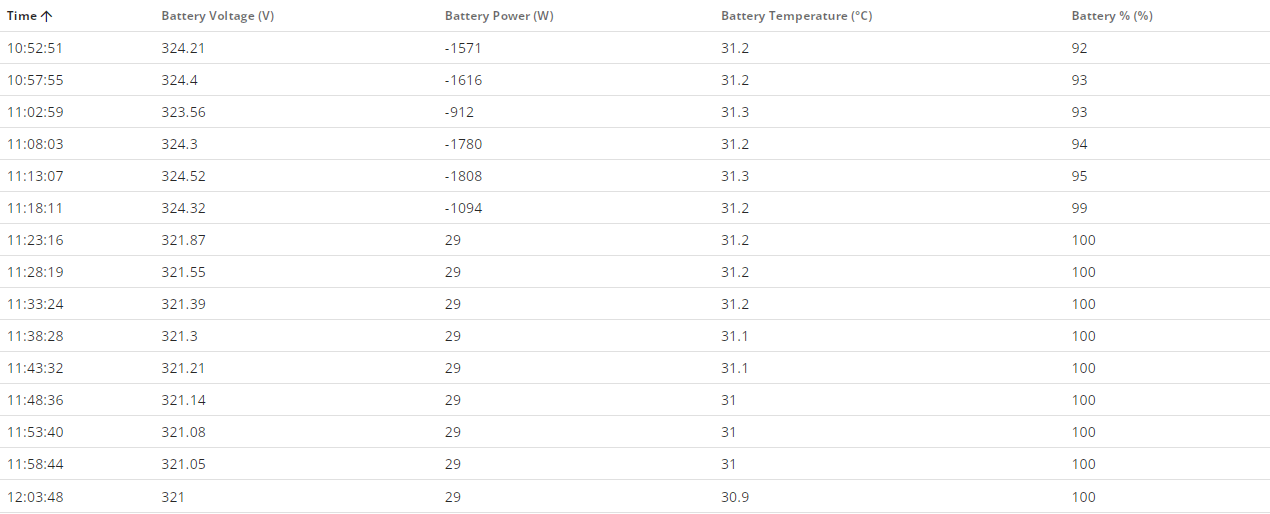
This was yesterday when it dropped 12% just before charge period as well
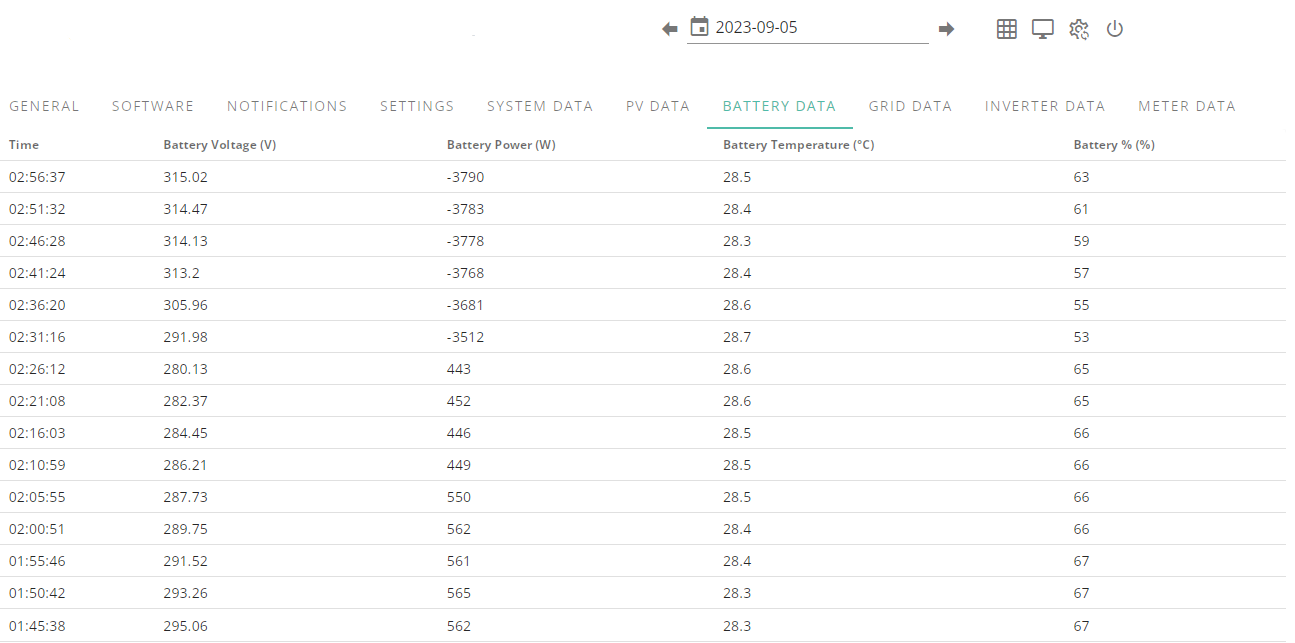
Jellybaby You are correct, the battery is NOT full. Presumably you can independently verify the 12.4 figure to be about right from smart meter readings. And the voltage suggests it's not full (although you can't independently verify that figure). Even though the actual charge level is 90%ish, the battery can't charge further because the SOC is 100%.
Because the SOC is over-estimated, when you use the battery, it will be empty before the SOC reaches 4%. Hence you will get a sudden drop.
Rubikcube So presumably im gonna need it looking at already despite it not even being 2 months old yet.
From the meter data
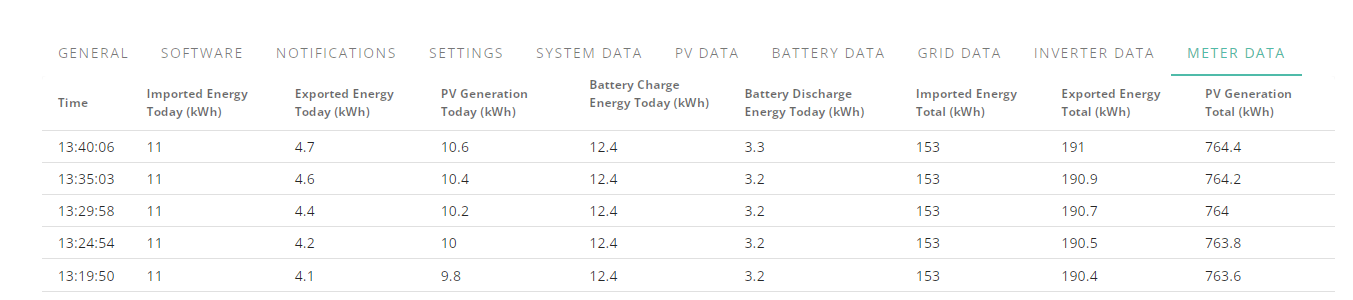
So if 100% charge should be over 330 then its never had full capacity since first installation.
Edit
Looks like it started going wrong around 01:30
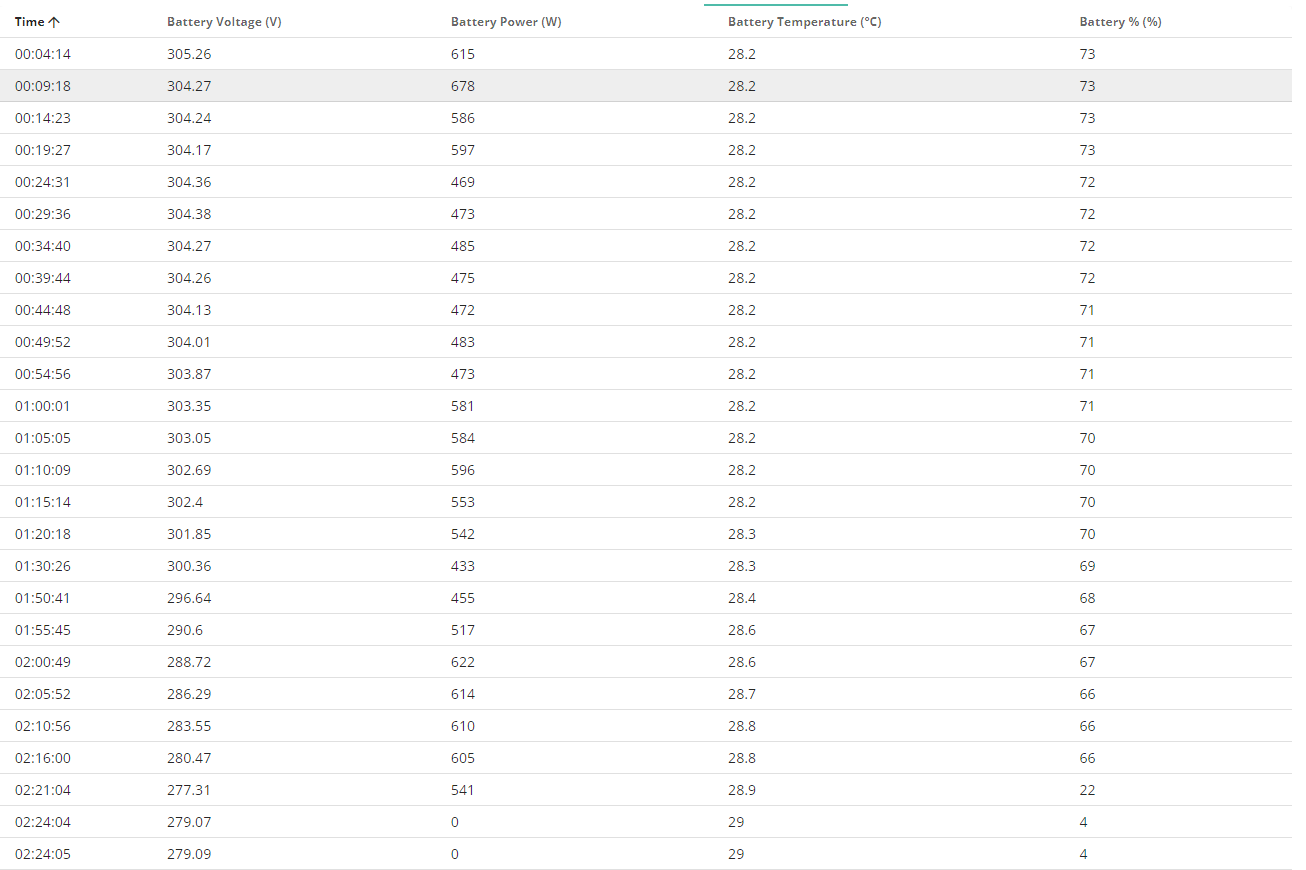
Edit
It was around 319v at 100% but now at 98% its at 316v, doesn't bode well for lasting long if the flat rate is around 270's
Is there no way to monitor battery voltage in home assistant?
Jellybaby yes you can see a lot of data from the batteries in Home Assistant, here’s some of what I get for my 9.5kW battery:
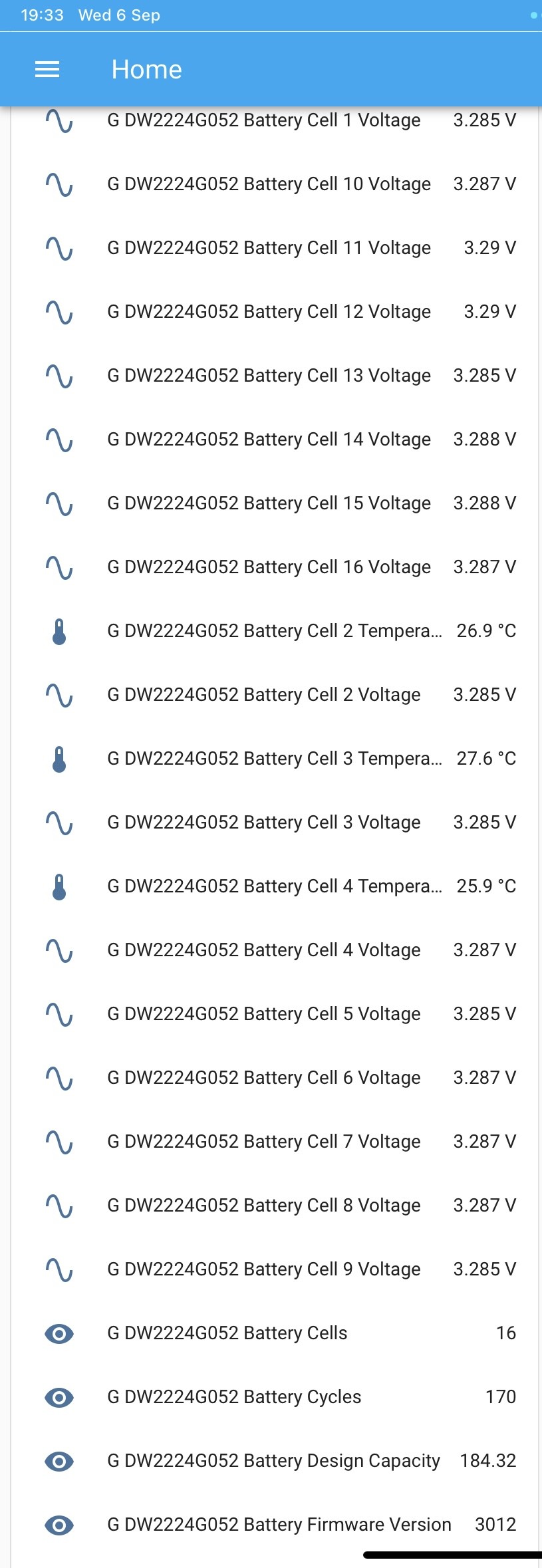
You don’t need to go to the expense of getting a dedicated Raspberry Pi for HA, you can install Virtual Box and run it in on a VM on an existing PC. That’s what I do (except the PC is dedicated for HA). You could just spin the VM up when you want to look at the battery data if you are not wanting to go down the HA rabbit hole
geoffreycoan just FYI @Jellybaby has the new AIO, which doesn't as yet give you all the cell data in GivTCP like the other ones did.
geoffreycoan Good to know its possible, hopefully that addition will make its way to the AIO in an update of some sort.
@hoggy Appreciate the heads up you gave geoff 🙂
@Rubikcube This is this mornings battery info including 100% charge, it got up to 324 but went back down to 321 by 100%, battery voltage range is 260-346, I tried getting the battery to under 65% to see if the same drop would happen as that seems to have been when it started the previous two nights but it didn't quite get there.
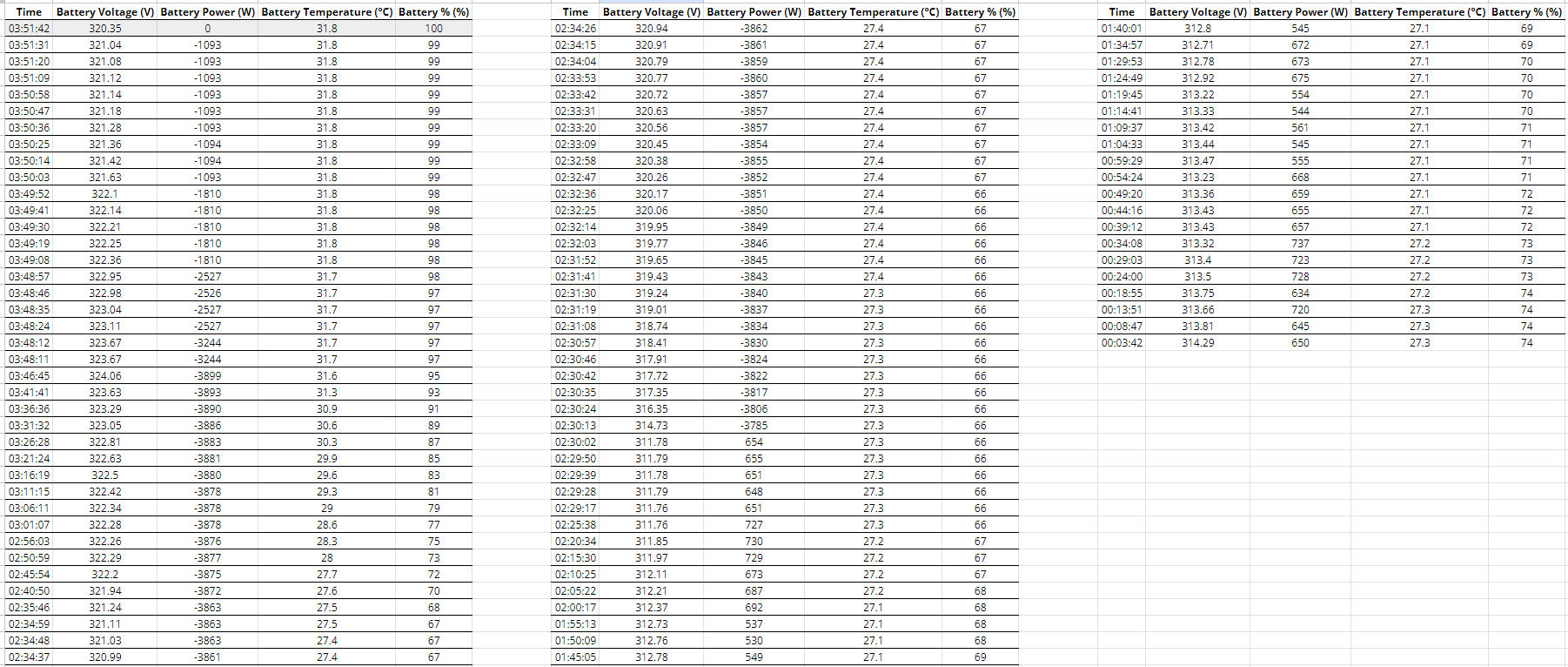
Edit
Didn't take long for a voltage drop
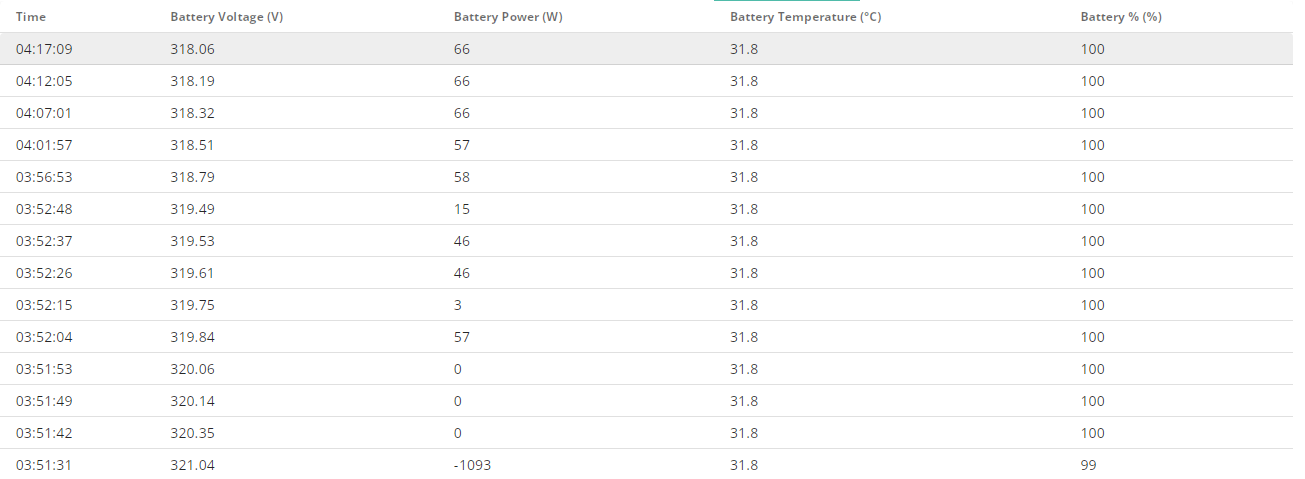
I can't add anything to discussions of what voltage is full or whether your capacity is right/wrong, but I will say that when charging a battery, the reported voltage will be higher than when it is idle, and when discharging it will report lower. So charging to 100%, once it stops charging the voltage reported will naturally drop even without any discharge. My 9.5kWh battery will be 54.xx volts charging to 100% but then rest at around 53.15 when full. Even the charge/discharge rate will affect voltage (faster charge/discharge will move the reported voltage further away from 'idle' for any given SOC).
TLDR: a drop from 321 to 318 over half an hour after finishing charging is the battery coming to rest, not it 'losing' charge
Phil_H Appreciate the info, this is all new to me and dumping most my savings into this solar and battery system has me a little on the paranoid side, money I spent will go back to bank in monthly installments based on past usage but now if I have a hiccup at least I don't have to worry too much about leccie bill assuming its all working as intended.
If the battery range in data sheet was supposed to be any kind of indication on charge level corresponding to voltage then there is something very wrong as I have never gone over 330v on the battery readings, not even during a 6kw charge (this was before flux when I started to limit the charge to spread out over the period, no need to tax the system more than needed 🙂 )
Edit
Should these batteries not be at 100% idle during generation and only start discharging when needed, seems to be stuck on 99% for past couple hours despite PV generation being around 3kw.
I am wondering if the constant slow discharging could be causing issues and misreadings.
Jellybaby I am wondering if the constant slow discharging could be causing issues and misreadings.
Have a look at Tim & Kat’s video on youtube about their recent visit to GivEnergy’s HQ. They asked questions about force charging, discharging, whether consumers should be trying to reduce the battery cycles to “preserve” them.
The reply from GE was “they are designed to take this kind of load, use them as much as you want to charge and discharge, that’s what they are there for and such use won’t cause any issues”
geoffreycoan Id like to but if I cant rely on the SOC reading and it can start tanking two days in a row from 65% (I think the first night would have gone to empty if the flux charge didnt kick in at 53%).
I can't plan anything unless its going to work as intended.
atm its been stuck on 99% since around 11:30
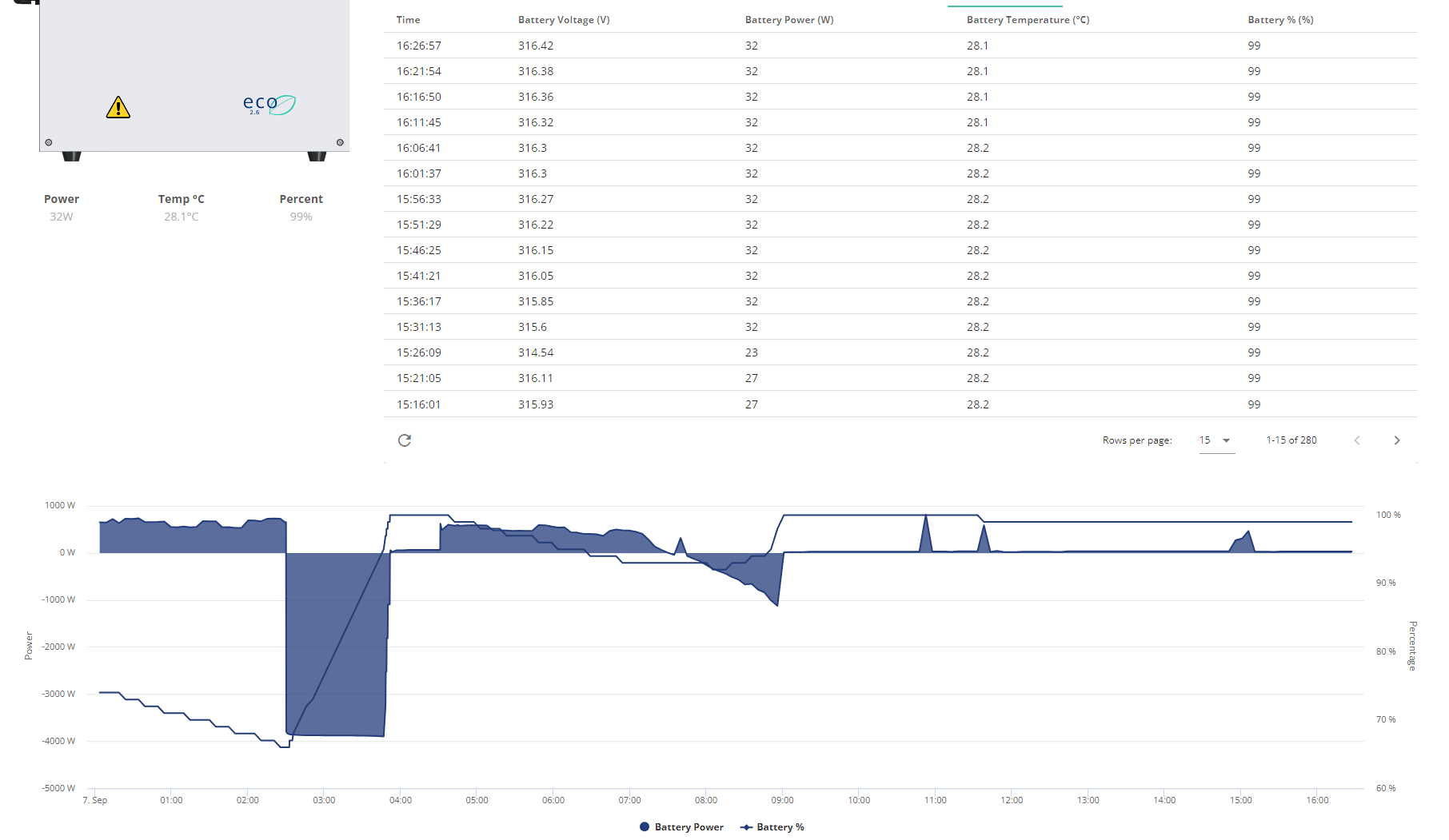
Its stayed within 315/6v range since around 9am
If the voltage operation range has any correlation to charge level then its not looking good tbh.
I am tempted to try a discharge tonight down to around 80% that should drop me to around 40-50% coming into flux overnight rate assuming it doesnt tank and put me on grid.
I keep meaning to ask, is this just something currently only related to the AIO units or are these supposed to ALWAYS be the same?

The engineer who designed the Inverter understood what is meant by THROUGHPUT ( or whatever the Chinese is for that). Unfortunately the portal designers didn't, so they just divided it by two 🙁
Looks like it was about to tank again last night if the battery voltage is any indication, it started dropping fast
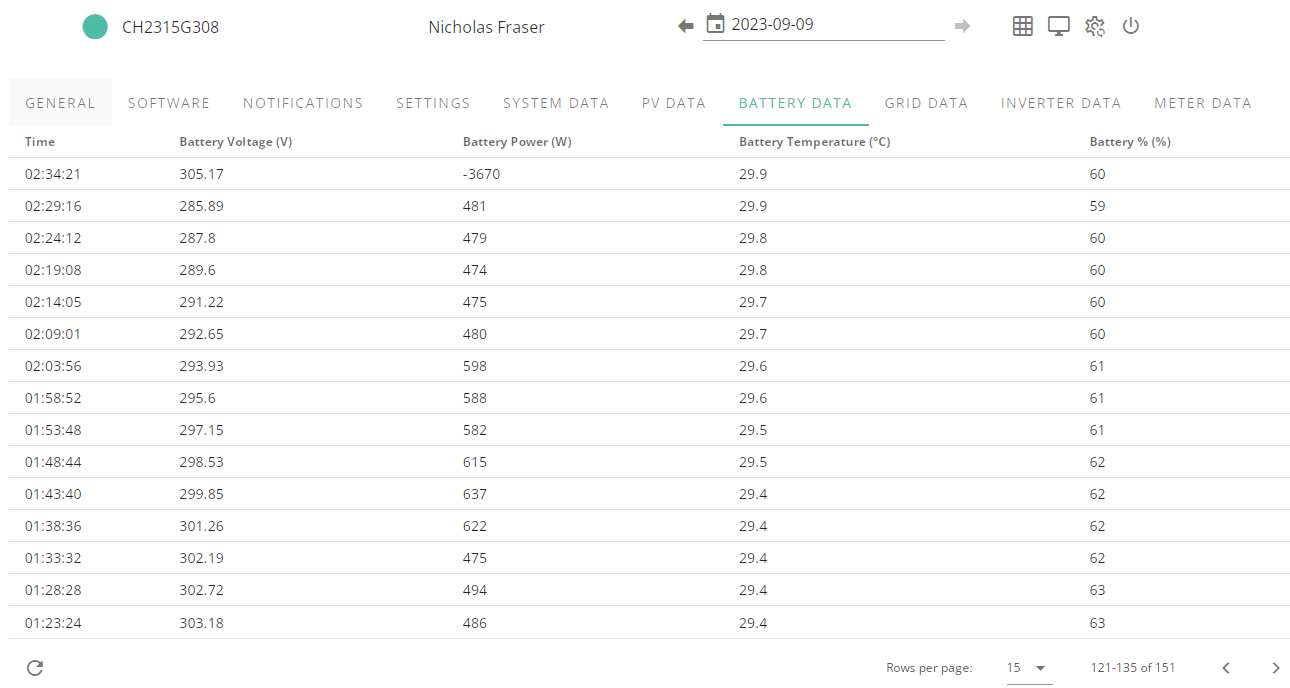
Happened just before the 02:30 flux charge kicked in when it had been looking like this
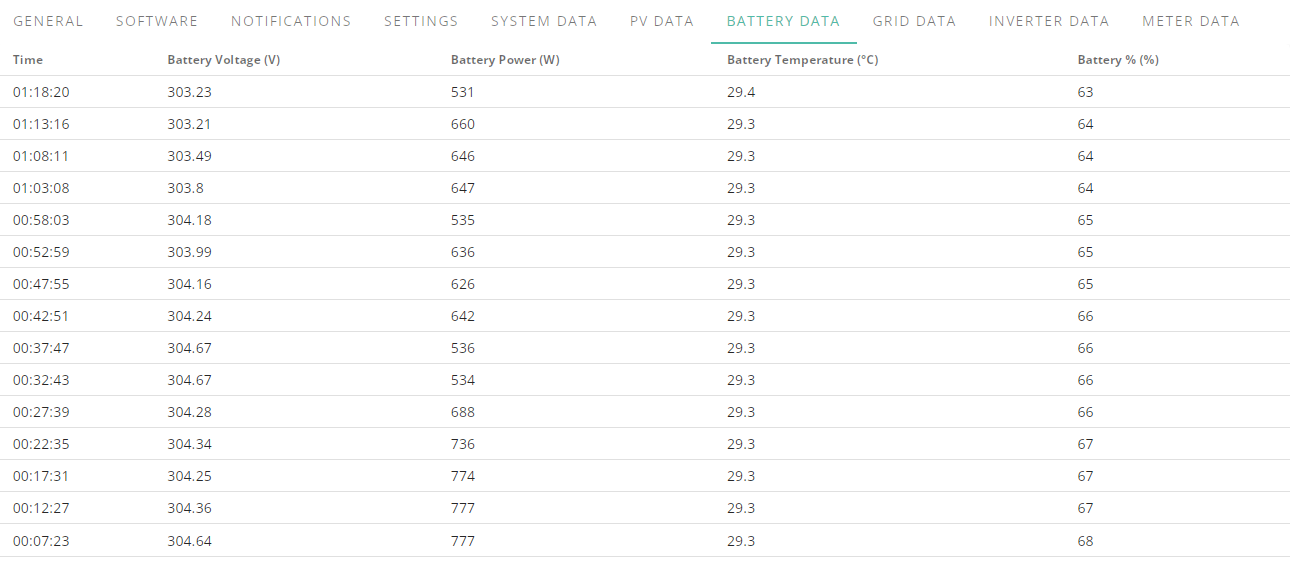
Damnit, here we are again, I am getting sick and tired of this, 65% reached again and battery SOC has tanked and I am now on the grid, 4 days ago it went from flat to full as well so should be enough of a calibration again, looked like it was going to tank just before flux charge kicked in but this time ive been keeping the load up to drain the battery and surprise surprise.
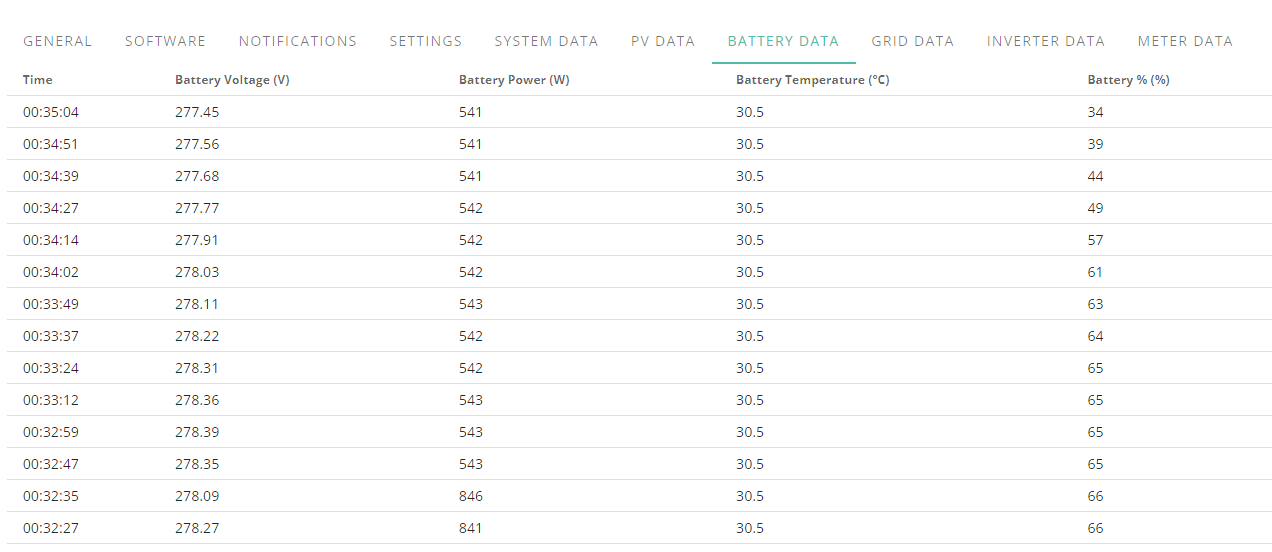
This needs sorting and pronto I am not happy, I am not even getting 50% out of this battery, its not even 2 months old.
I AM NOT HAPPY, this battery lasts 35% before tanking.
This battery usually gets to around 65% before it gets topped up on peak rate, so its not like it goes up and down every day, something is wrong and it needs fixing.
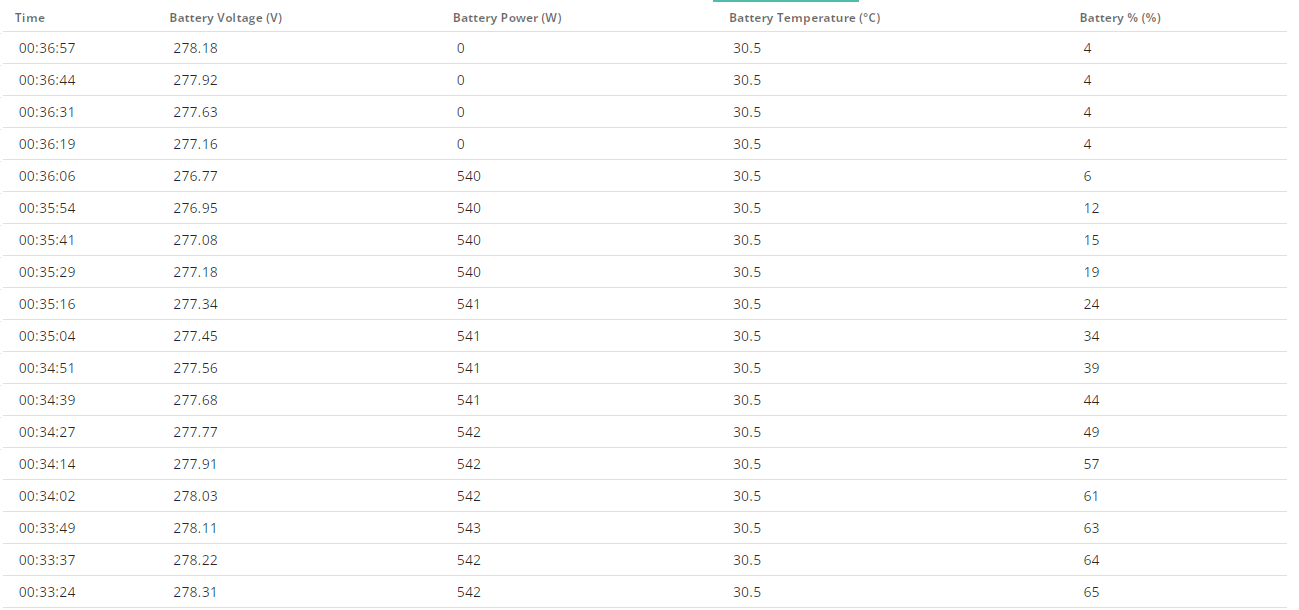
This battery should be on our load lasting 18-20 hours, not 6, went from 68% at 00:00 to 4% at 00:36
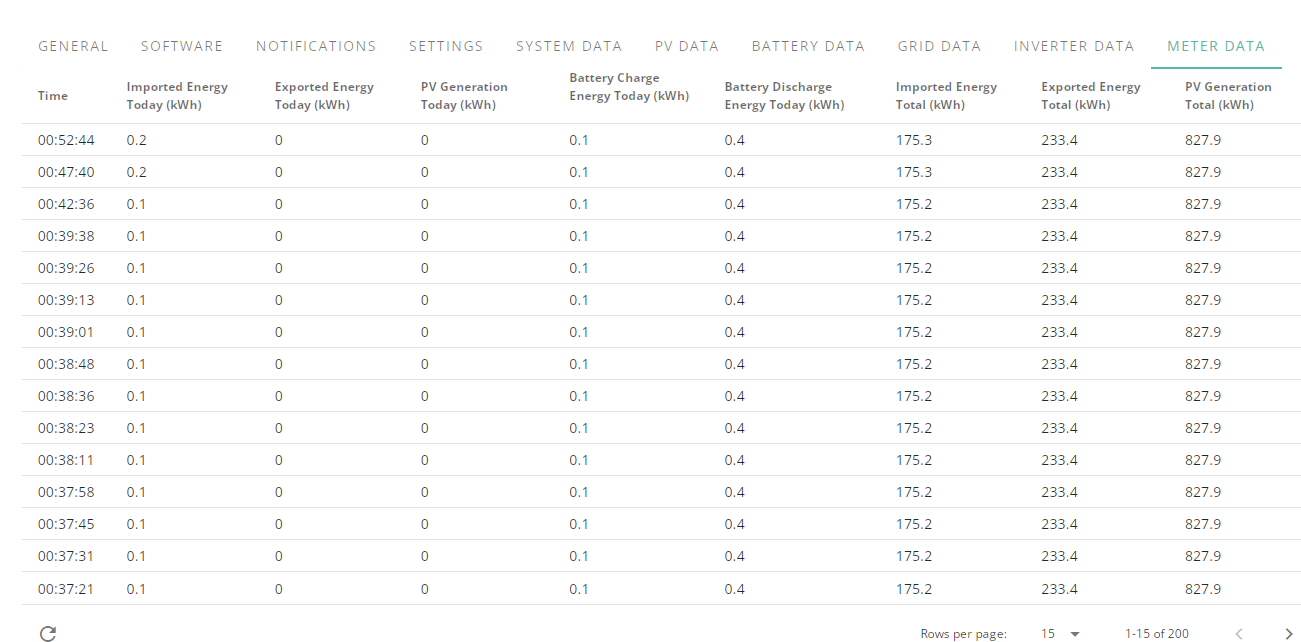
0.4kwh = 68% of battery apparently ><
You can see here (may have to open in new tab to see) that it gets to around same percentage every night and you can see I don't really have an erratic load on home and battery isn't always up and down, up and down, up and down and you can see on the 5th where the flux charge period caught it just as it started to tank as well and whilst hard to see on the 8th it started dropping at an accelerated pace.
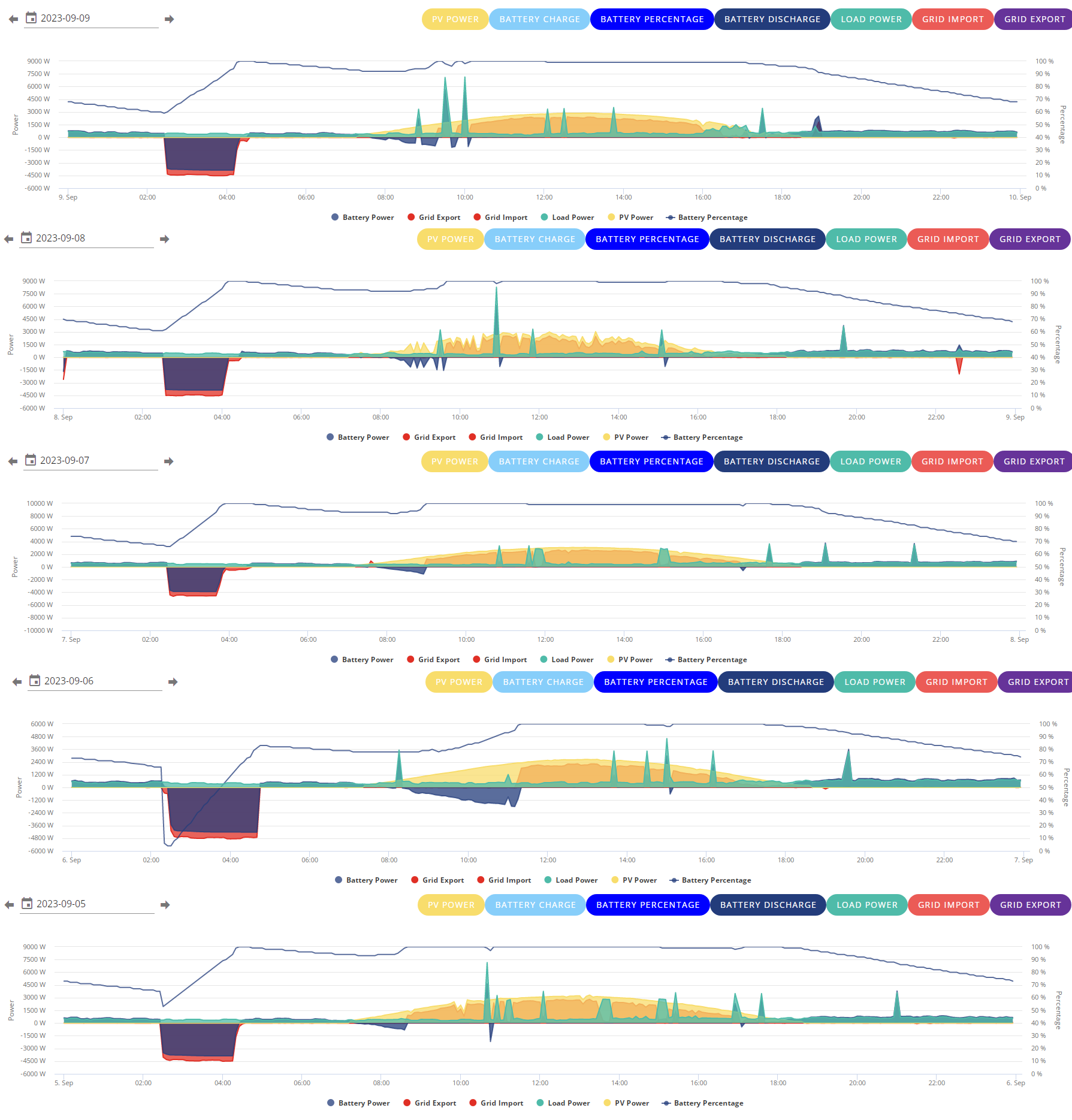
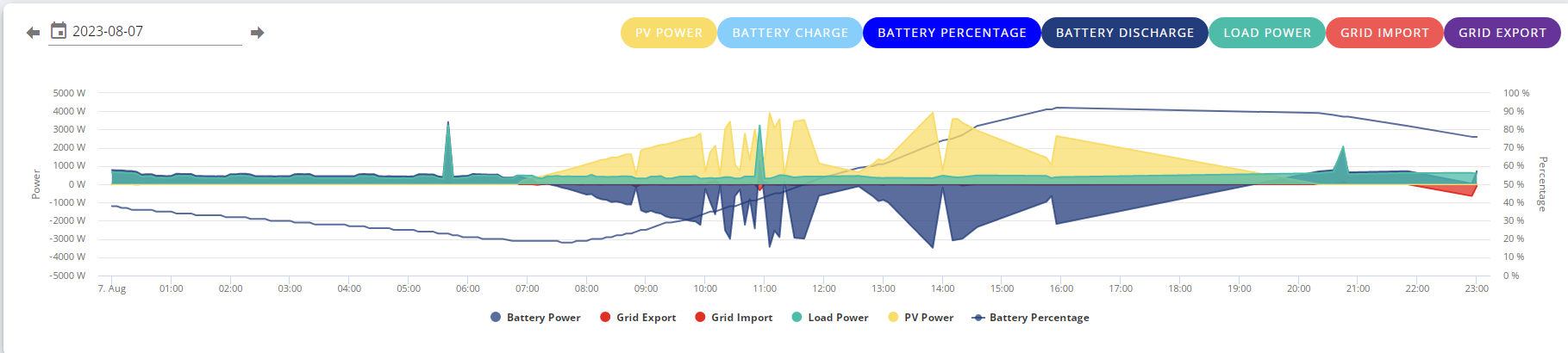
Its only been like this this month as far as I can tell, when it did get low last month it was fine, its even gotten into the 20's before back when I was on wifi and having issues getting steady graph going.
Here is some hourly battery info for August, I started it so I could get a rough idea of what is used during what periods each day etc etc
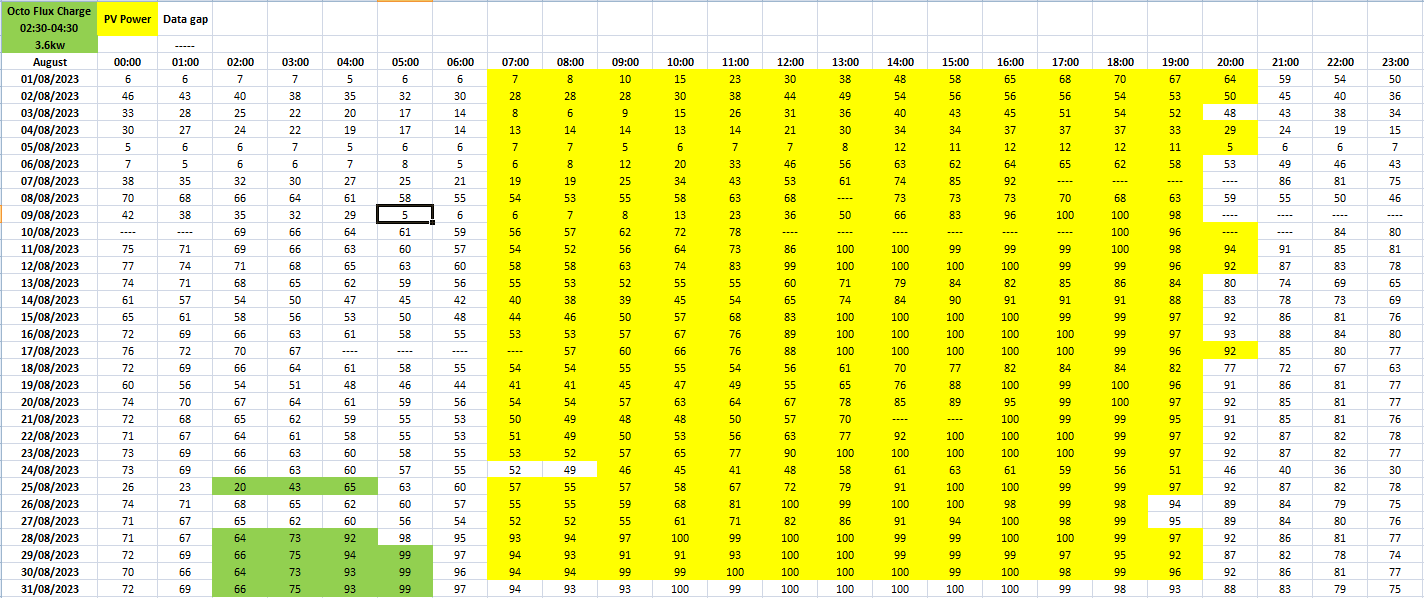
The fact that this month it kept getting stuck at 99% and still discharging had me scratching my head when there was more than enough solar.
I am going to do a full charge again tonight to see what it takes and then get it back to 65% before flux tomorrow night.
Battery is idling at flat but Voltage and SOC is going up
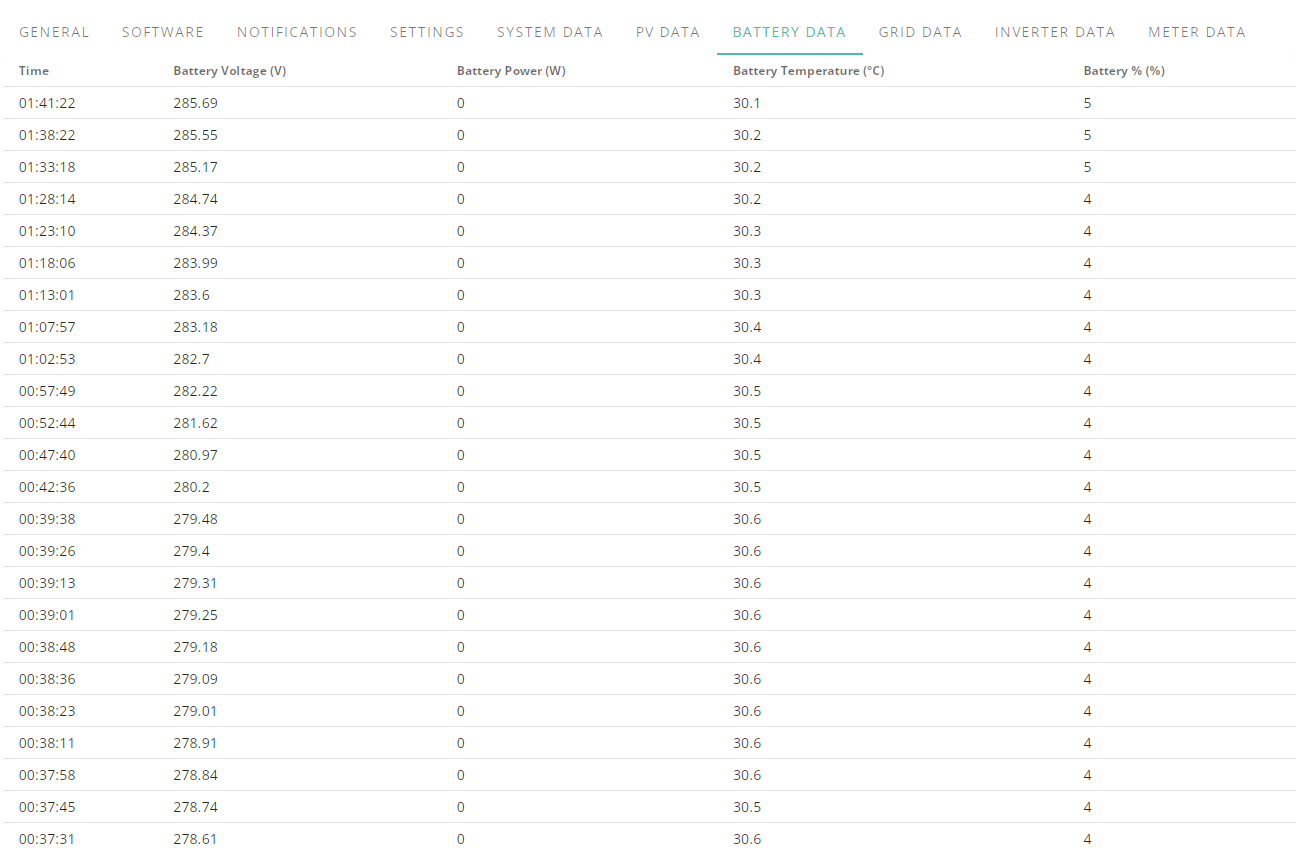
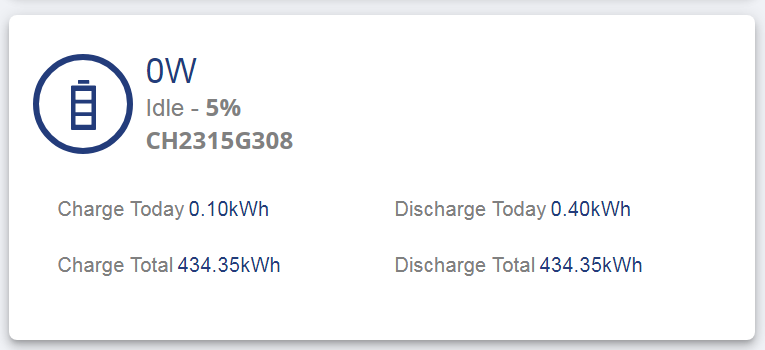
For those others with an AIO unit what are your voltage ranges for batteries day to day?
Since the minimum battery is level is 4% this seems like a tad much for 47% of a charge
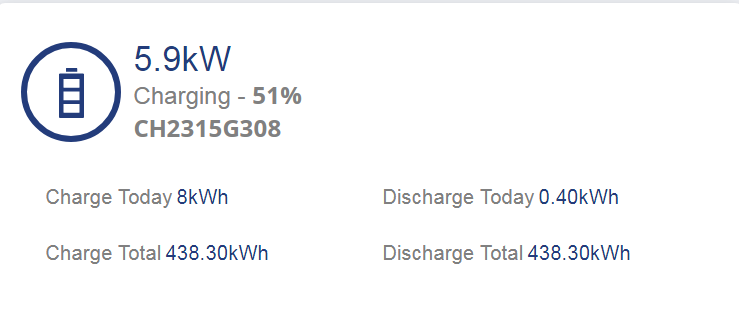
Battery charged 15.7kwh, 2 hours at 6kw inverter just over 2h 40m got up to 60c, battery voltage never went over 330, dropped after charging finished quite promptly to 321 and stayed there for a couple minutes.
8kw for 47% I was expecting to over 16 for total.
Edit
Getting stuck on 99% discharging again despite enough solar to be exporting over 1kw to the grid.
Edit 2
I have disabled overnight charging, if its going to keep tanking at 65% I am not going to waste 6-7kw of charge during flux and just pray sunshine gets me through the expensive flux peak period and at worst keep charging it up using overall 18kwh overnight then have to do it again the next night when before our daily usage was around 15kwh.
Edit 2
So far Monday AM it says battery has discharged 1kwh and gone down 5%, that doesn't seem right
I have been going through my history and it seems ive had a lot of SOC issues and its like it never remembers where empty is and when it has worked it has looked something like this
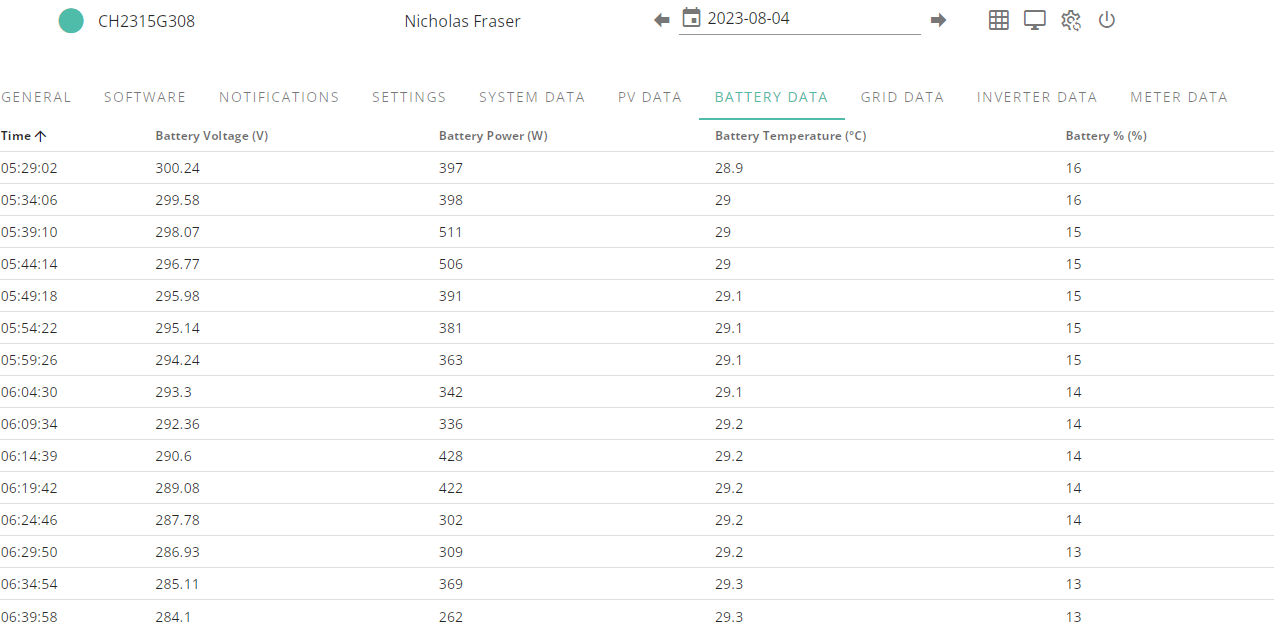
280's when its about to run dry
That is what it got down to in the morning and then later on that evening it got to 13% again and this happened
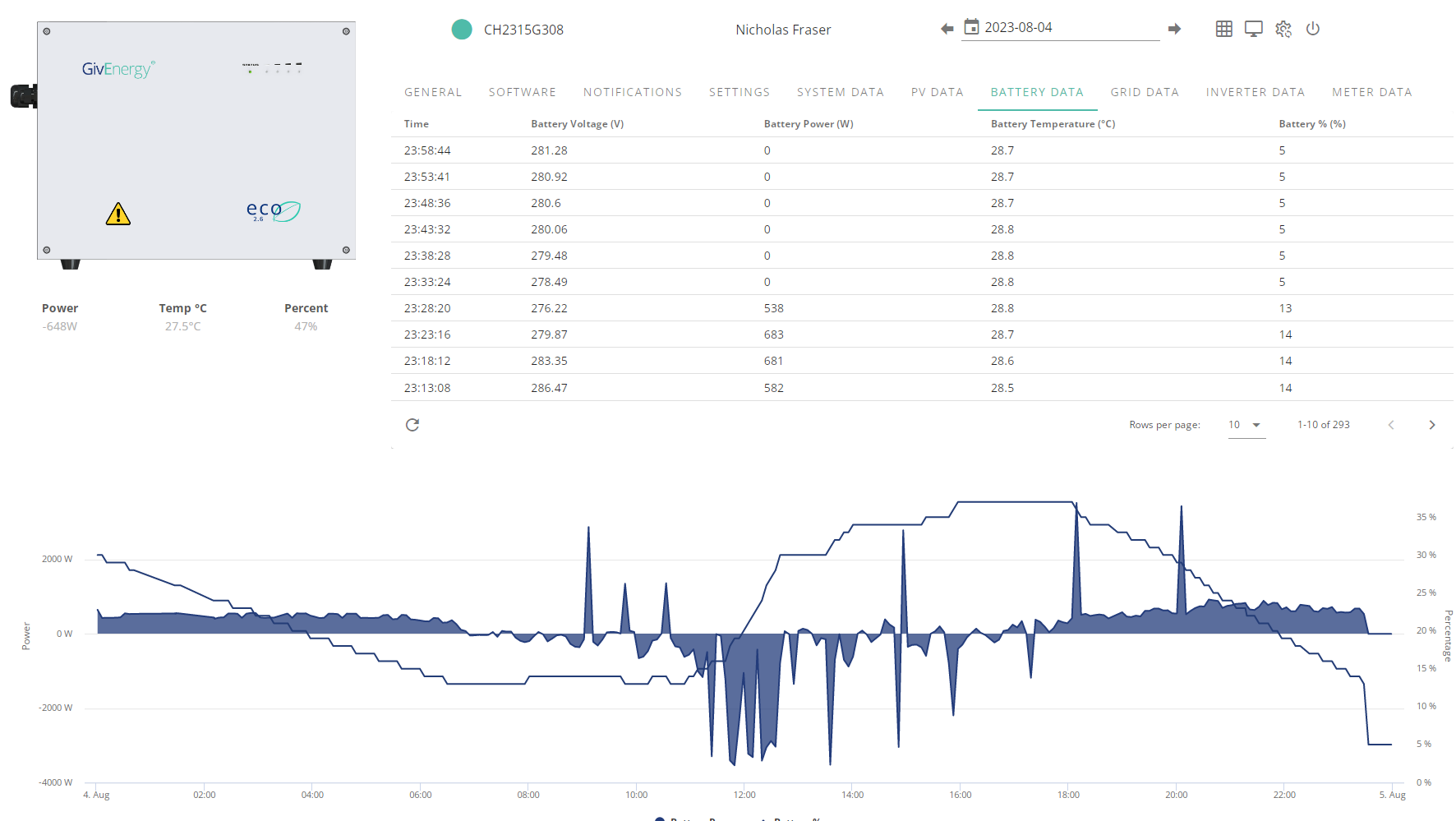
Its like it reached the last charge level it was at then BOOM tanked, just like it always used to get around 65% before flux kicked in and that is when it decided it was going to keep tanking.
Then I looked at all the days with SOC drops and the one thing I noticed is the battery voltage starting to tank like it did last night as you can see here
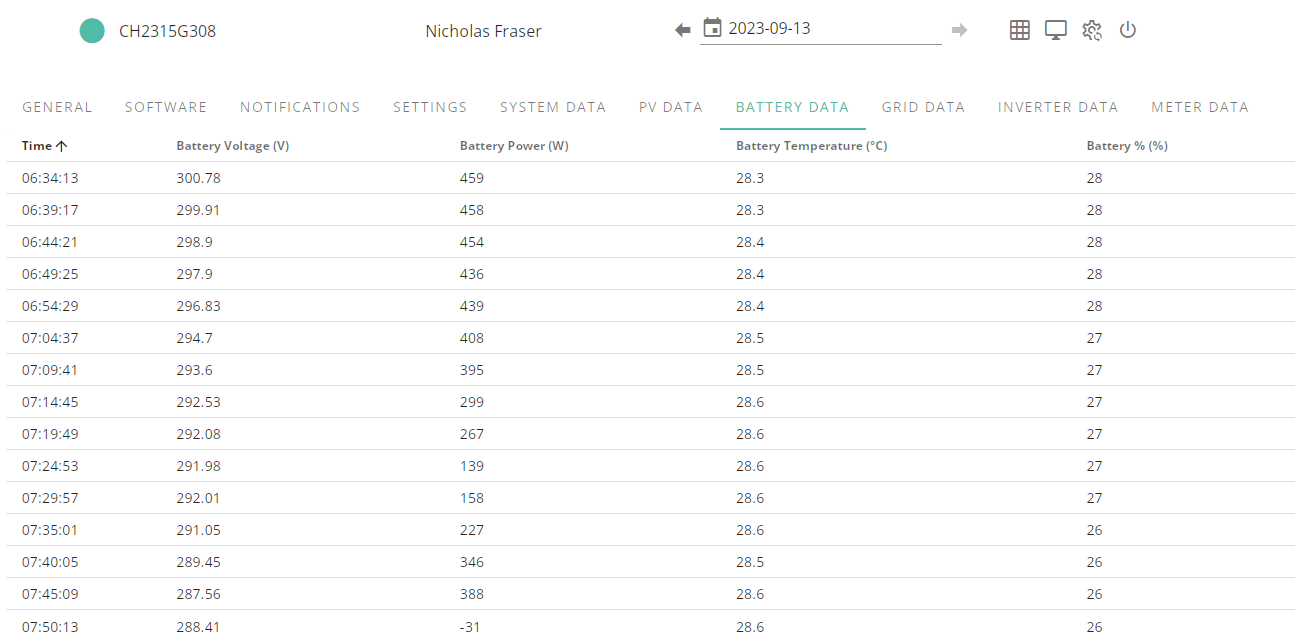
over 10 voltage drop to just above previous 4% readings when its in the 20's still is a red flag, I don't know if it keeps resetting minimum level to what it actually got to before or not but im definitely seeing a pattern to the sharp voltage drops and SOC tanking and its been charged from flat TWICE this month due to it tanking at around 65% it should know what is what.
I have been leaving it to run of solar all the time, probably not the best idea now sunny days are starting to get fewer but I needed info on if it was going to tank again and looking at the above it seems like a safe assumption that it wasn't going to reach 20% before tanking like a brick and the last charge from empty to full was on the 10th of September.
Whelp, im officially sick and tired of this issue now, will be giving Givenergy a ring up tomorrow to get an engineer out because something isn't working right and I was generous with my estimate on when SOC would take a cliff dive.
Voltage > Percentage
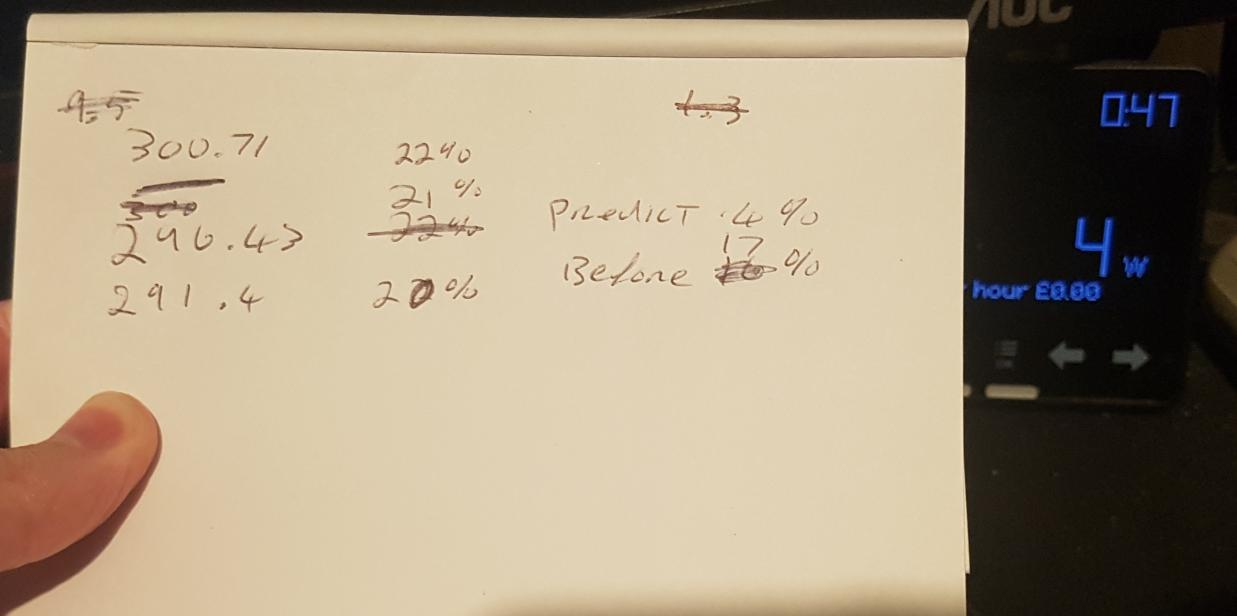
To fill in 19% it hit that at 283.43v, nearly 10v drop FOR ONE PERCENT.
This battery was fully charged and took in 15.7kwh on the 10th of September, thinking that me topping up at 65% was the problem I thought id let it slide for 1 week and hopefully would get enough sun to top it up so it didn't run out each night.
Tonight however I noticed the voltage tanking like a brick again when it got to around 20% so decided to keep track, 20% should have been WAY more than enough to get me to 02:30 as proven by this.
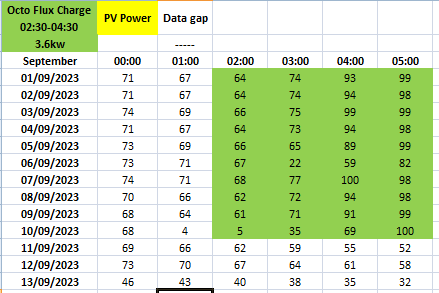
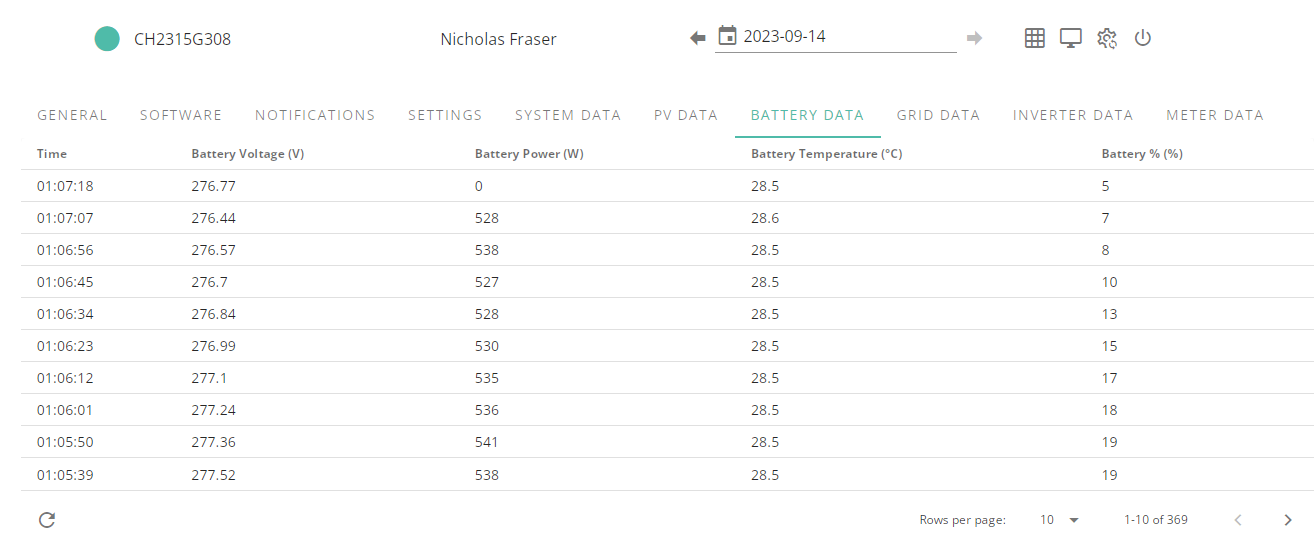
and I am SERIOUSLY GETTING TO THE END OF MY ROPE.
This unreliable piece of 7 grand equipment is a joke, it can't even go a few days without problems ALL THE TIME.
Why am I putting so much into charging the batteries if it never lets me use everything I put in, going by the datasheet info of 13.5kwh battery even taking off the 4% reserve I still should have had around 2kw of charge left which was more than enough to last me over another hour.
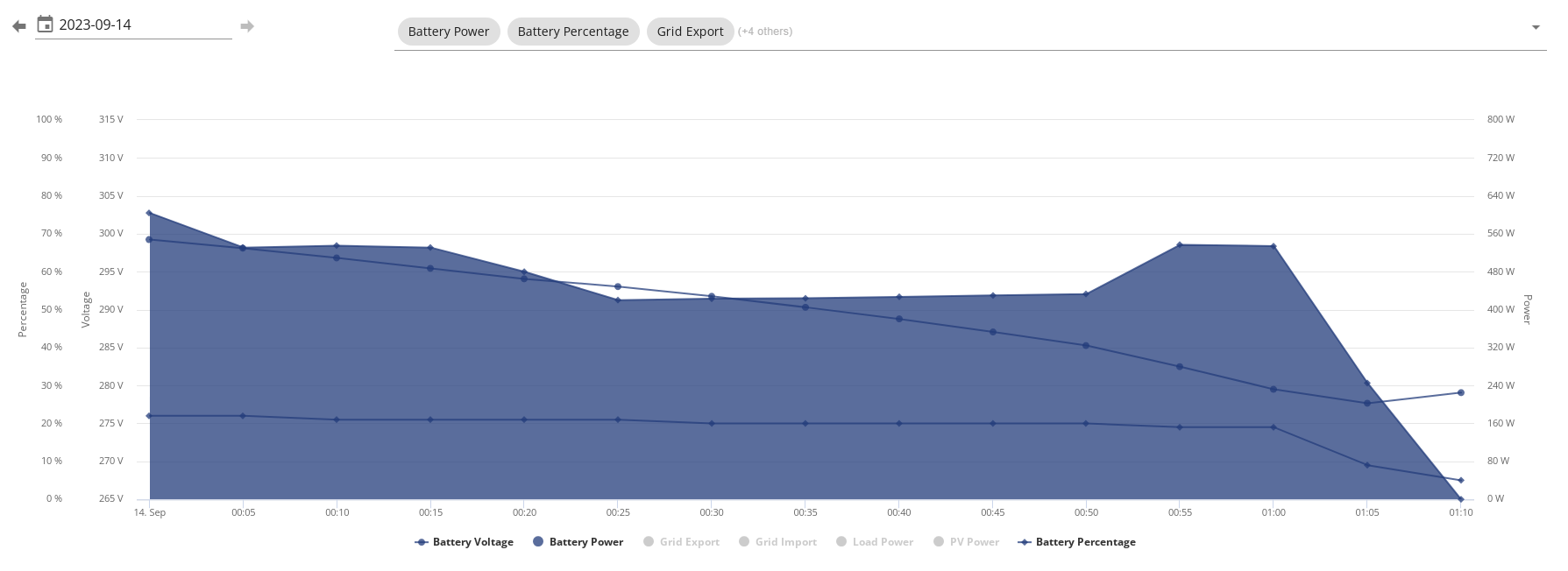
Spreadsheet info on what happened after midnight, too much to string together in image, battery info view.
https://docs.google.com/spreadsheets/d/10jHUyI2vkPRvasKEYtmjdq8hJsC5Bn7UTTKcbRB3uHo/edit#gid=0
Edit
Also is the inverter always supposed to lag behind unless its connected to home assistant?

This is when I shut down Home Assistant on my Gaming PC (Gaming PC isn't on 24/7) inverter last online time also seems to be 1h behind when it reports last online time BUT on the dashboard current time and data time are right and the charge starts when its supposed to when I set it.
I seriously cannot believe how much trouble im having with this.
Edit
So far at 2AM its up to 283.29v whilst idle.
A better system needs to be sorted for battery level that is actually reliable and doesn't go from even 65% to 4% between 5m data updates on the portal let alone any other percentage.
As it stands charging the battery seems pretty pointless if im not going to be able to use everything I put into it.
Another Edit
To those others with All In One units what have you seen your min/max battery voltages at?
Another edit
8.9kwh charge into battery took it up 52% from 5% to 57%, you telling me this time around it was going to eat over 17kwh??????
the last 5>100% fed 15.7kwh into the battery and this time around it was looking like over 17kwh, there has to be something wrong with these batteries or the BMS.
The amount of babying im having to do to try and figure out what is going on has me up every night paranoid about SOC tanking til nearly 5am watching it like a hawk.
Another edit
After checking when waking up battery only discharged 0.5kwh before going flat since midnight hit when battery was at 22% and even taking off the 5% it dropped to and removing 17% from total datasheet 13.5kwh I should have had at least 2kwh left.
It took 8.9 charge from the grid in the time period I set and since then the battery discharged a further 2.2kwh and total charge for today has been so far 15.4kwh and is currently at 86% after so far taking overall 13.2kwh of charge.
Another Edit
Looks like its a straight up SOC issue because since the battery went flat on the 10th of this month I have added total charge and discharge for the days between then and midnight last night and there is no way it should have been over 20% and it is not related to me topping up from the grid during flux causing any issues.
Charge Total > Discharge Total > Difference
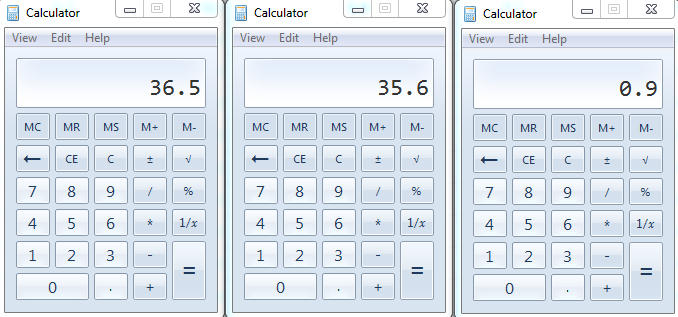
I don't know why it lags so far behind.
Date...Charge....Discharge
10th....16.3..........6.7
11th.....9.6............9.8
12th.....4.8...........10
13th.....5.8...........9.1
so going into today there was only .4kwh charge in the battery but if the SOC is way off and wont let me properly charge the battery up to full then this unit needs fixing or replacing already, there is no way it should lag this far behind and it means every few days im going to have a problem and I am NEVER going to get full use out of this thing ever.
Even if I do the math the state of charge counter will prevent me from fully charging or discharging this batteries full capacity and there is absolutely nothing I can do about it, there should not have been nearly 2kwh discrepency occurring in just THREE days since it was fully charged from flat, it should have known where the min/max is.
Battery just finished charging and im not sure I like the look of the 1% increase per minute after getting to 95% either.
Total charge taken today was 14.8 if you take off used vs total charge, nearly 1kwh less than when I full charged battery on the 10th.
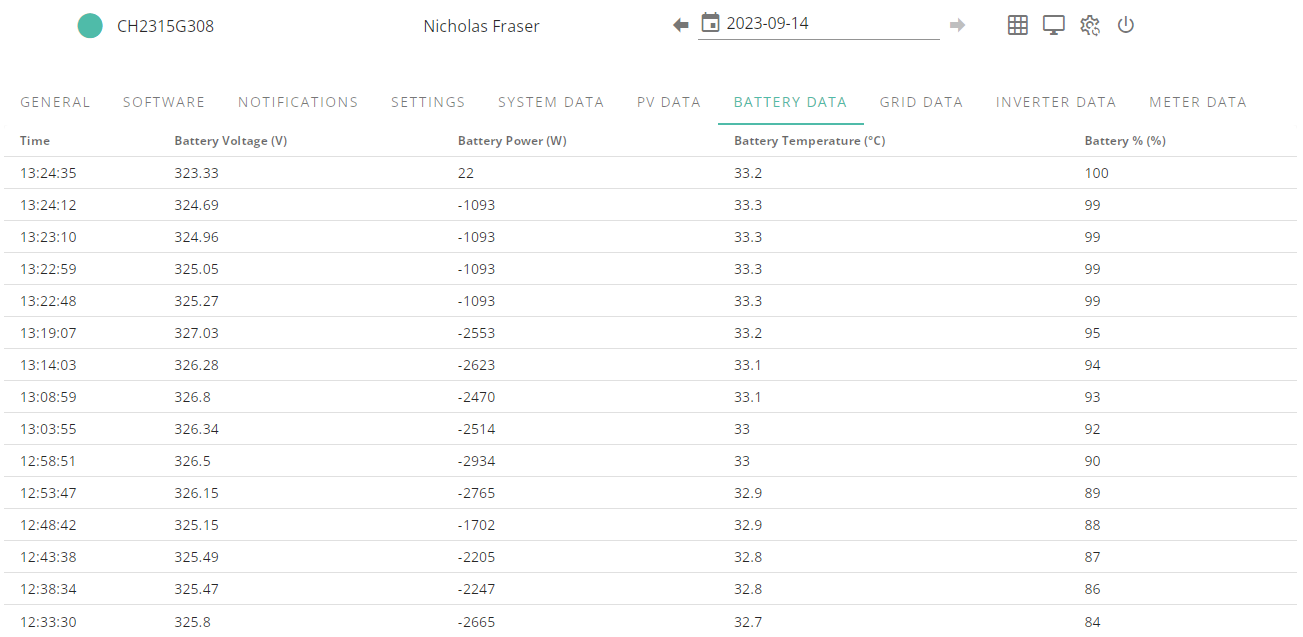
Today the battery for some weird reason finally says idle but whilst on 99%
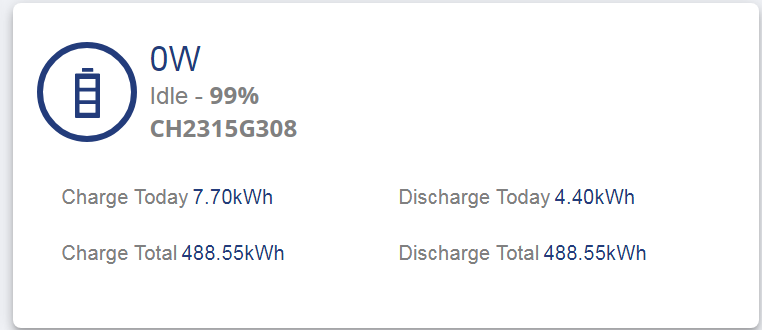
I caught it discharging for a minute when cloud clipped sun but then went back to idling on 99%.
omar They are claiming it could be firmware issue but AIO units are brand spanking new and everyone would be having this if this was the case, as of right now this is how its looking.
PLEASE NOTE THAT I SHOULD PROBABLY TAKE 95% AS 100% SINCE THE SYSTEM STOPS AT 5% AND ASSUME THE 5% IS 0% SINCE I WASN'T SURE WHAT TO DO ABOUT IT STARTING AT 5%, I JUST KEPT CONFUSING MYSELF ON HOW TO HANDLE IT AND GAVE UP
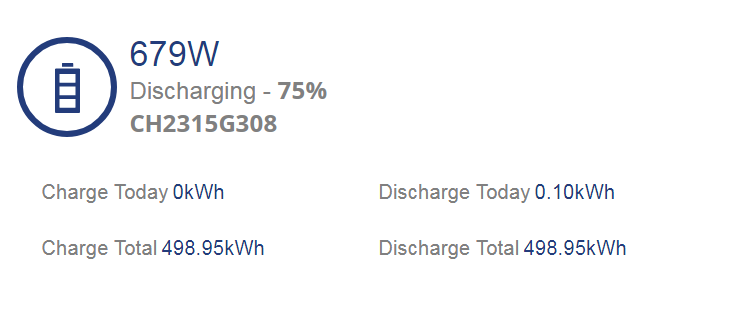
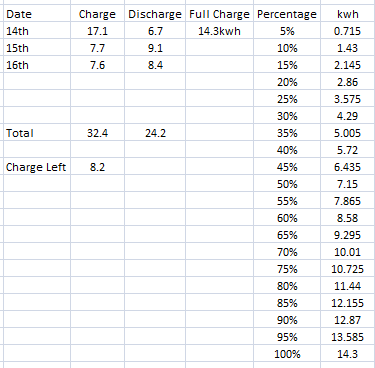
The math for charge/discharge usually works out but its the SOC that is screwing up and I guessed from last time it was about 6% behind a day and it stacks up til you just go flat.
Before my 12pm>12am average was around 7kwh before the inverter added 80-150w constant draw into the mix, you can see home load and what inverter adds from battery power here.
This was my previous daily usage before solar as you can see I got quite a bit of history.
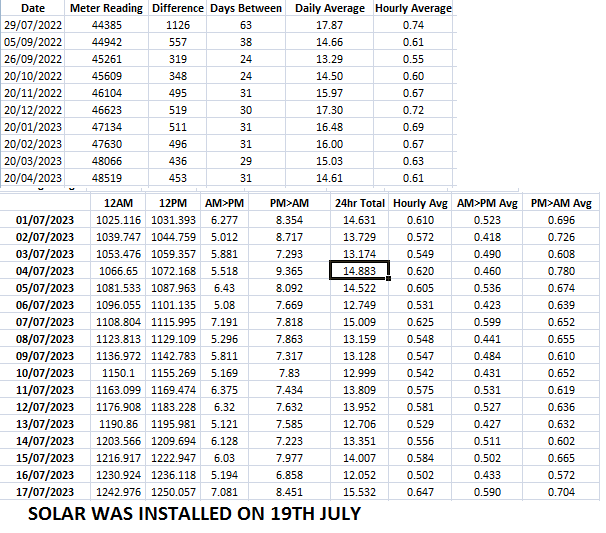
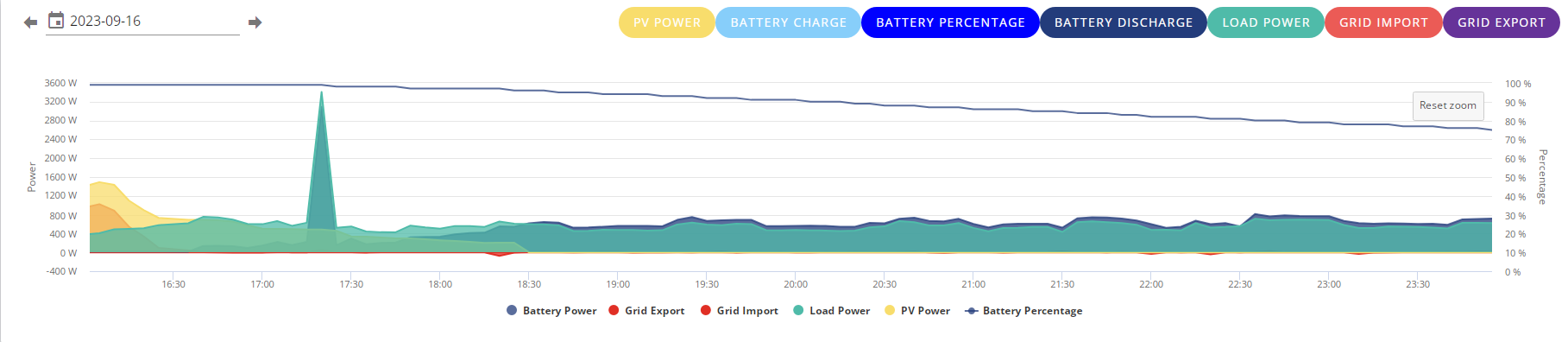
Before all this equipment for solar and storage the house load before the fridge freezer kicked in is around 450-550 when gaming PC is on, fridge freezer coming on takes it up to 6-700 and you can see in the above ive pretty much been on battery since 6pm and fridge freezer kicks on quite a bit so 750-800w draw peaks are plentiful and surprisingly long.
Battery says 75%, pure math from 5% flat just after midnight on the 14th so you know its a fresh start and around 14.3kwh charge is not including the 5% remaining power you cant go below.
Considering this is a home backup the SOC blocking the battery from charging fully and even giving an accurate representation of how much battery power is left is quite alarming.
I am doing the math again like I did in my post above to see if I end up with same result whilst not charging from teh grid, I am hoping any solar gets me past the expensive flux period whilst I am attempting to confirm my above results.
I was speaking with a chap on the phone as I was trying to chase up warranty info and in my previous E-Mail to them they cannot open the link to these forums, not sure why they don't have access but hey ho, I replied with a pdf of this entire topic so they could run though it with all the detailed info I have put into the last few posts.
Hi Jellybaby you are not alone my system installed in March 2023 has been plagued with issues regarding the reported state of charge, battery temperatures, attempted firmware updates and battery recalibrations. I believe that there are major software issues with Givenergy's battery management system (BMS). The problems are deep seated snd are causing unstable battery data reporting and control. When it works as expected its great but it throws wobblies frequently.
I don't know how Givenergy are going to fix this but it could require a full rewrite from the ground up with reduced interaction with other third party software. All IMHO
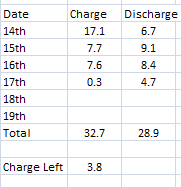
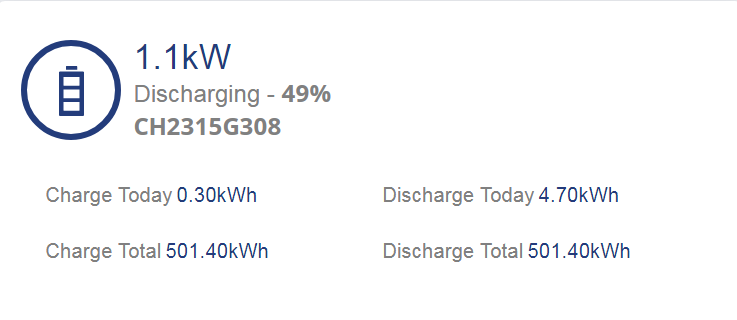
Just woke up, thought id check the numbers, apparently 3.8 charge left = 50% battery so even if I wanted to charge it to full I CANT.
Whelp, im not making it past flux expensive period as dad chose the worst day of the month to turn his laser cutter on and has had it on for 30 minutes so far, I am going to have to wait for battery to take a nosedive and charge off flux again tonight.
This is getting really old.
Edit
I don't understand this state of charge issue, the math is basically spot on for when its going to die if you add the charge and subtract the discharge, could we not just get a kwh remaining based off charge/discharge, that would be pretty darned accurate.
There is going to come a point even if I kept charging and never let it drop below 80% that its going to tank from over 80% to empty and that will be inside a week just like the 65% > Flat I was getting after less than a week so as soon as the battery does indeed go flat after the first full charge the SOC will prevent it from charging up to full and the gap will just get worse and worse til you are going dead really really quick.
I don't know if its just not calculating properly as it discharges or when it charges.
But thanks to these two tests it has had this behavior when I have been charging from grid and when I have just left it to go up and down between full charges via solar.
The math works if you add/subtract daily uses (easier to do when battery goes flat before midnight the day before) but even if you know its going to go you will never be able to fully charge the battery and will only ever keep topping it up less and less til you reach the breaking point where SOC takes a nosedive.
Its like when things are going good and you are just waiting for the other shoe to drop.
HOW AM I GETTING A SOC ALREADY GOOD GOD
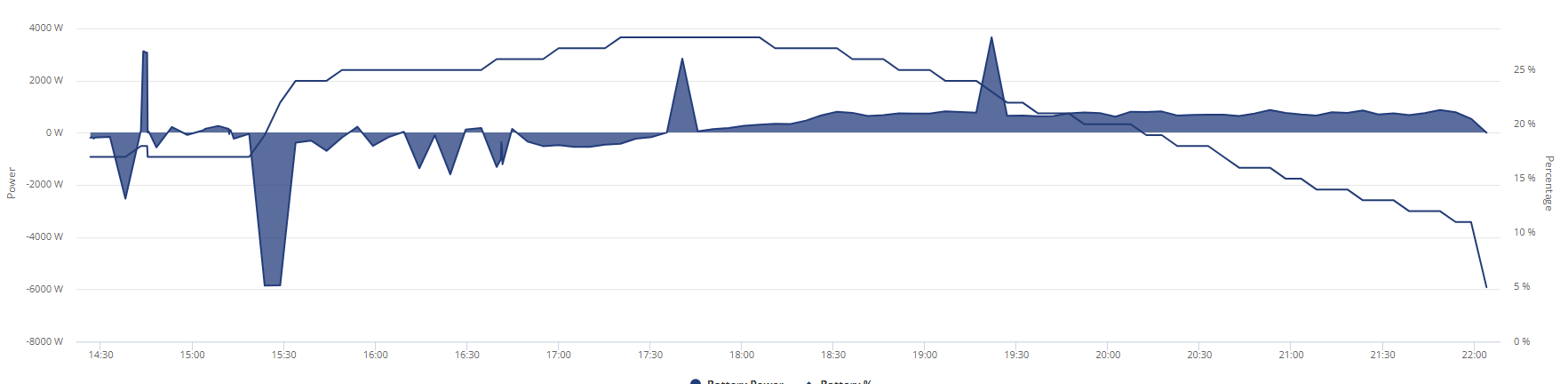
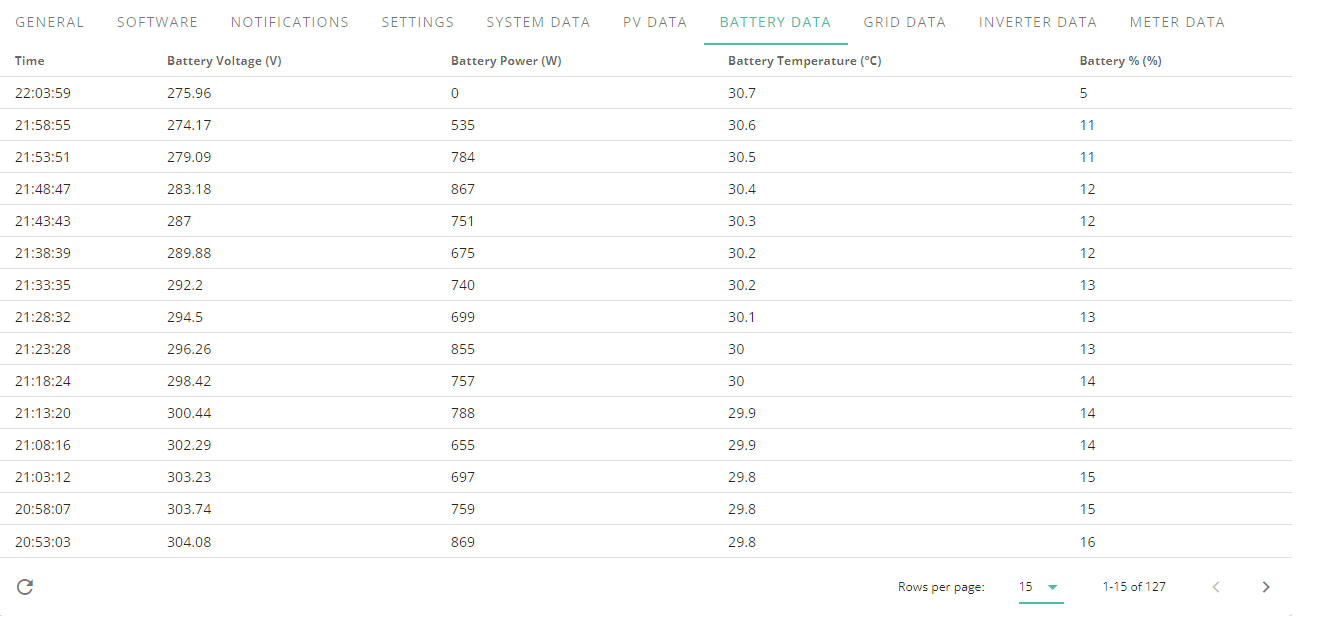
I was running off the grid all evening yesterday and today til sun came out and topped the battery up because the inverter decided to go radio silent so I couldn't try and charge during flux AND IVE ARLEADY GOT A SOC DROP WHAT THE ACTUAL HELL, it literally only has a charge from solar today and a 10 minute 6kwh charge before 4pm when I got inverter working so I didnt have to pay during flux peak.
I am SERIOUSLY losing my patience with this now, whatever you guys are doing to sort this out firmware wise hurry up.
Either drop the state of charge reading and do calculation based on charge/discharge amount from last 100% that will actually tell us in kwh how much time we got remaining or get it sorted because the SOC is preventing me from fully charging this battery up whether it be by solar or grid and its only a matter of time til it becomes a sub 5kwh battery.
I have had a charge in my battery for 14 hours, how can that be enough to cause a 6% SOC drop, 14 hours, really, is this issue really that bad.
Charged up from flat during flux and subtracting current discharge from charge leaves me around 7kwh and this is what that looks like
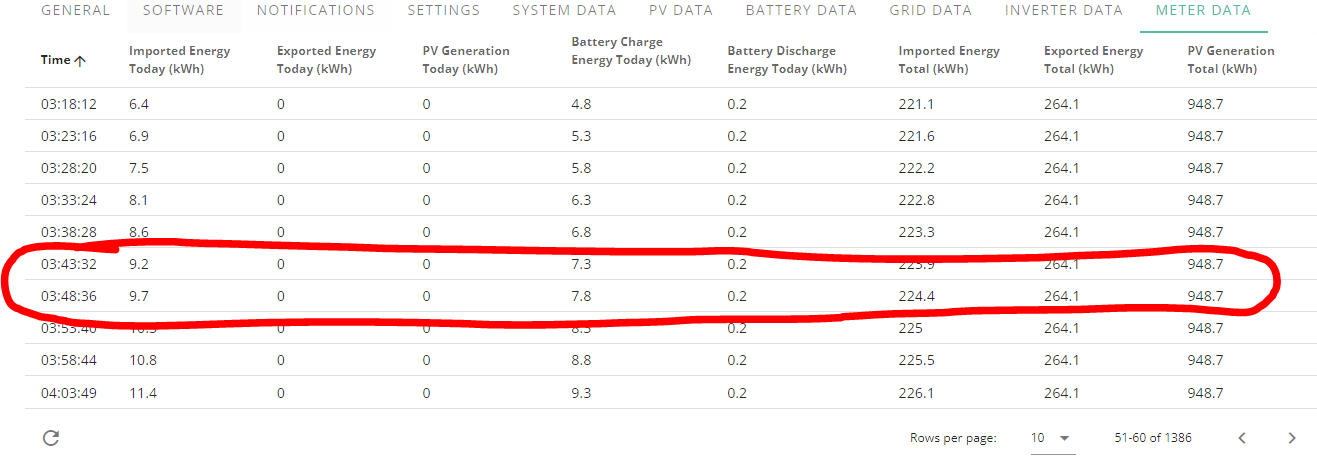
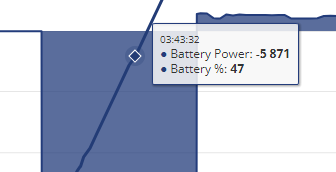
and right now this is what its telling me on portal
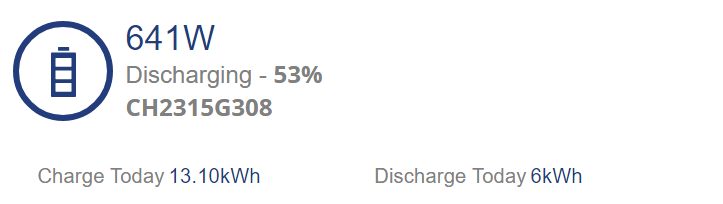
unless 6% is .10kwh
Not even 24 hours and im at a 6% discrepancy, 1 week my battery will only have half capacity unless I let the state of charge drop because when it hits 100% it wont bother charging the batteries anymore and I will never after just 3 days have the battery last a whole day.
24hr usage is around 15-18 with the excess the inverter uses and this battery should last a full day on a bad day floating by what little solar breaks through during the daytime and if this equipment was any good it would be fine.
At this point ill only be able to charge up to 89% capacity before the naff SOC stops me putting more in, tomorrow 83% best case.
The algorithm is far more accurate if you use the full range of the battery. If you mollycoddle it and don't let it go to the top and bottom of the range regularly, then the estimated SOC drifts. Solution for that is to drive it hard from end to end.
mrand31 kind of defeats the purpose of what I got it for, daily life is unpredictable and if I cant rely on teh state of charge on the same day it was flat how am I supposed to use it properly and make sure it will last from 5am to 2am?
What if I have to slap the dryer on for a while, what if I need to turn humidifier on after dumping battery, I can't make allowances if this is 100% unreliable pretty much in a 12 hour time gap, you tell me a 7 grand piece of equipment cant do an accurate state of charge after just 12 hours use from flat?
I have also let it get up and down day to day before and I still ended up getting massive drops, the solution can't be to math it down to a tea and charge/discharge every day or even in a 12 hour period, that is just ridiculous.
I have had several soc drops since this thing was installed and the longer I go between them the worse it gets.
Edit
I was just updating my spreadsheet battery level percentages to get a rough idea of how much I use and it just occurred to me this is a complete waste of time if its not even accurate, all it does is tell me what percentage it got up to before it decided to tank.
Edit 2
This was put together just now along with info from the 10th on a full charge, please remember that since the 18th I was running from grid from about 9-10pm so 19th flux period charge was from flat and from around 7-8pm there is a substantial discrepancy in kwh left and state of charge percentage.
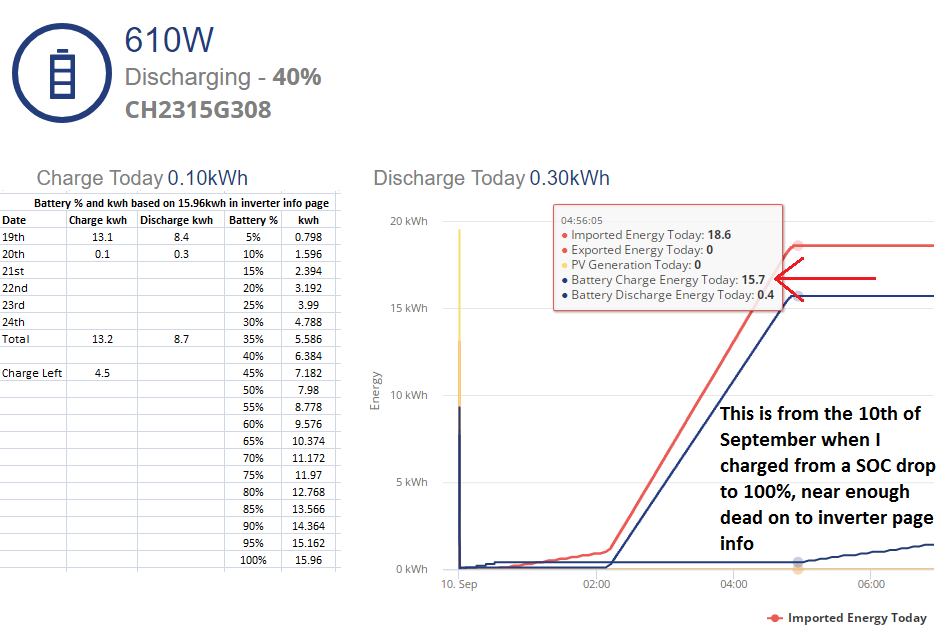
There is no way I don't care how its charged or to what level that there should be a 6% difference in battery percentage levels for pretty much the same kwh in about 12-16 hours.
It got charged to 12kwh put into the battery which according to teh portal info was 74%, considering the reserve and the sheet above is a fair bit under where it should have been at if you take the reserve into account but the inverter seems to idle at 5% when state of charge tanks.
Also on the 10th 7.3kwh was 47% of battery when fully charging so at least that is consistent
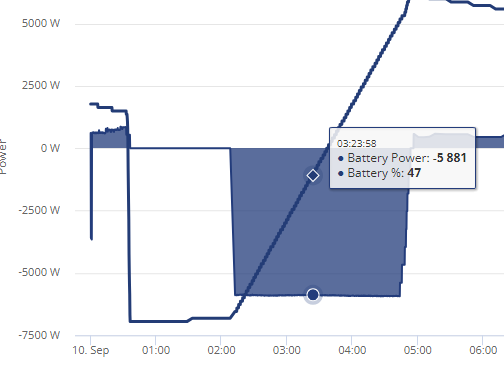
12kwh was also 74% as well on the 10ths full charge.
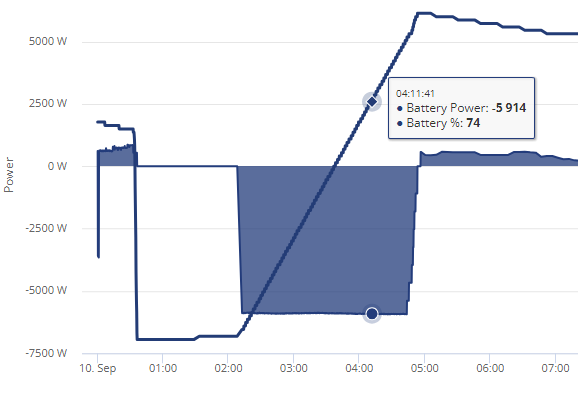
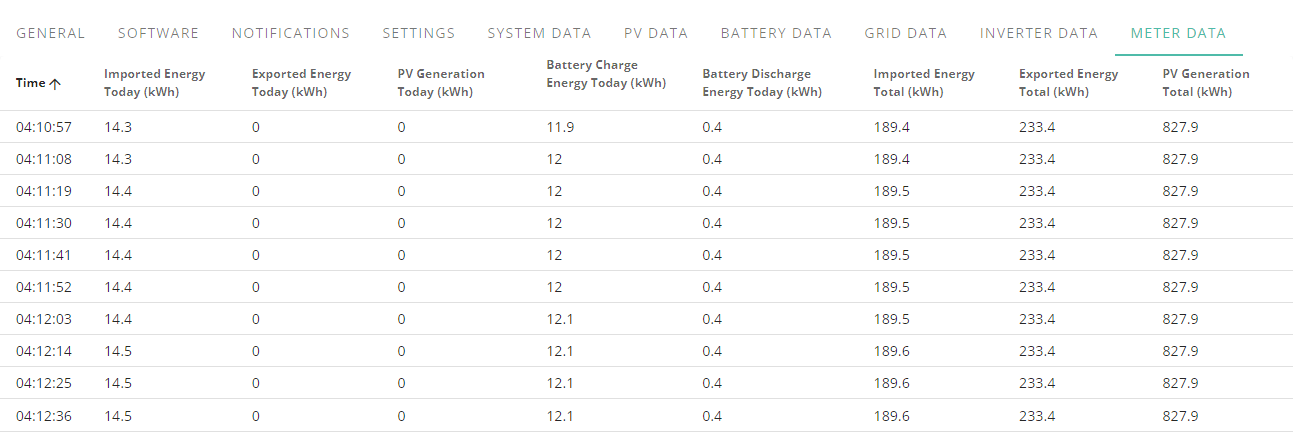
I just don't know how much the discrepancy can escalate so quickly in the same day.
Battery always stops at 5% and with the 10th being 15.7 put into battery shouldn't have been possible considering the 15.96 in inverter info page and it only saying 13.5kwh on the datasheet and the reserve being 4% but the inverter stops and idles at 5%, the battery does seem to jump from 95>100 pretty darned quick despite the charge slowing though.
I honestly have no idea what is going on but if this continues and/or gets worse someone from GE will have to come out and check the batteries.
EDIT 1
Right now this very second my battery should be around 28% but its not, its 38%, maybe over 24 hour period the SOC discrepancy gets to around 12%, so losing 12% capacity per day til SOC tanks and I start over then lose 12% a day again til I hit breaking point.
I am literally stressing out so hard trying to figure out what kwh should be what percentage considering the reserve but any way you look at it something seems off.
EDIT 2
Its half way through a charge now, there was 3.4kwh remaining in battery and 7.6kwh has been put into it bringing it up to 11kwh and its saying 78% charged when 12 hours ago as you see above 12kwh was 74%.
Jellybaby I can concur with your situation that the Givenergy system should work reliably.
I have been told that if you contact the Givenergy help desk at least 3 times to report a problem they raise a " ticket number" I.e. a fault report.
My advice;
get a ticket number and insist on a Givenergy engineer visit to give you a battery and inverter health check. Plus an explanation as to why you are having these issues.
My system is still working to supply an electricity saving as measured by what my Octopus meters tell me. But the Givenergy App is just irratic and unstable. And as long as I am winning cost wise I'm leaving it for Givenergy to fix their software.
L174559 I've found the numbers for my AIO in the app and the online portal to be very unreliable (to put it politely), but since setting up Home Assistant with GivTCP those numbers in HA are much more realistic and make much more sense. So personally I think it's all working ok under the hood at the hardware level, but the online portal and app numbers are suffering from various issues meaning their statistics come out plain wrong.
All the issues with SOC levels and charging that Jellybaby is annoyed with in this thread, may be genuine hardware/install problems with their setup, I don't know, I don't want to make out that's all just software. Definitely worth getting GE to give their system a once over.
Right, I waited til 100% charge on flux period last night and this is what I ended up with.
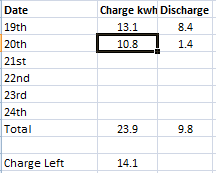
I have just got up and I am currently exporting to the grid as the battery is full and I updated the charge/discharge numbers for today, and apparently ive lost 1.1kwh of charge capacity in 8 hours, fantastic.
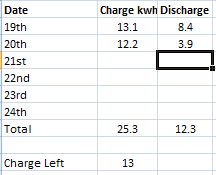
EDIT
Whilst I have been doing this and exporting between 1-3kwh it has gone from 3.9 discharge to 4
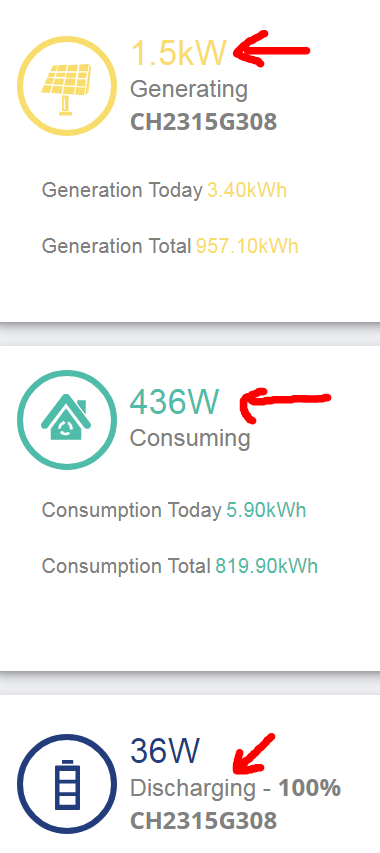
For the love of god why
Done enough exporting to cover me through to 2am and currently 6.9kwh remaining battery claims to be 62% of the battery
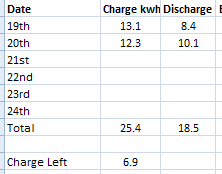
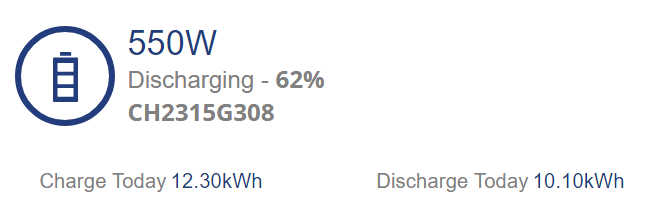
I will see how it goes on as the evening progresses.
EDIT
5.2kwh left is saying 53% battery left but that doesn't include the 5% it stops at.
It should be 30-35% not nearly 20% higher, also as you saw above 7.3kwh charge is around 47% on two consecutive charges.
EDIT 2
3.5 remaining at 22:47:32 based on charge/discharge and 43% being show, if around 7kwh is 45% then im already at half capacity within 2 days. I have no baseline for what % should be around what charge level with this inconsistency but if im anywhere close with the battery %age due to full charge im around 20% higher than I should be right now.
My last tank a couple of days ago.
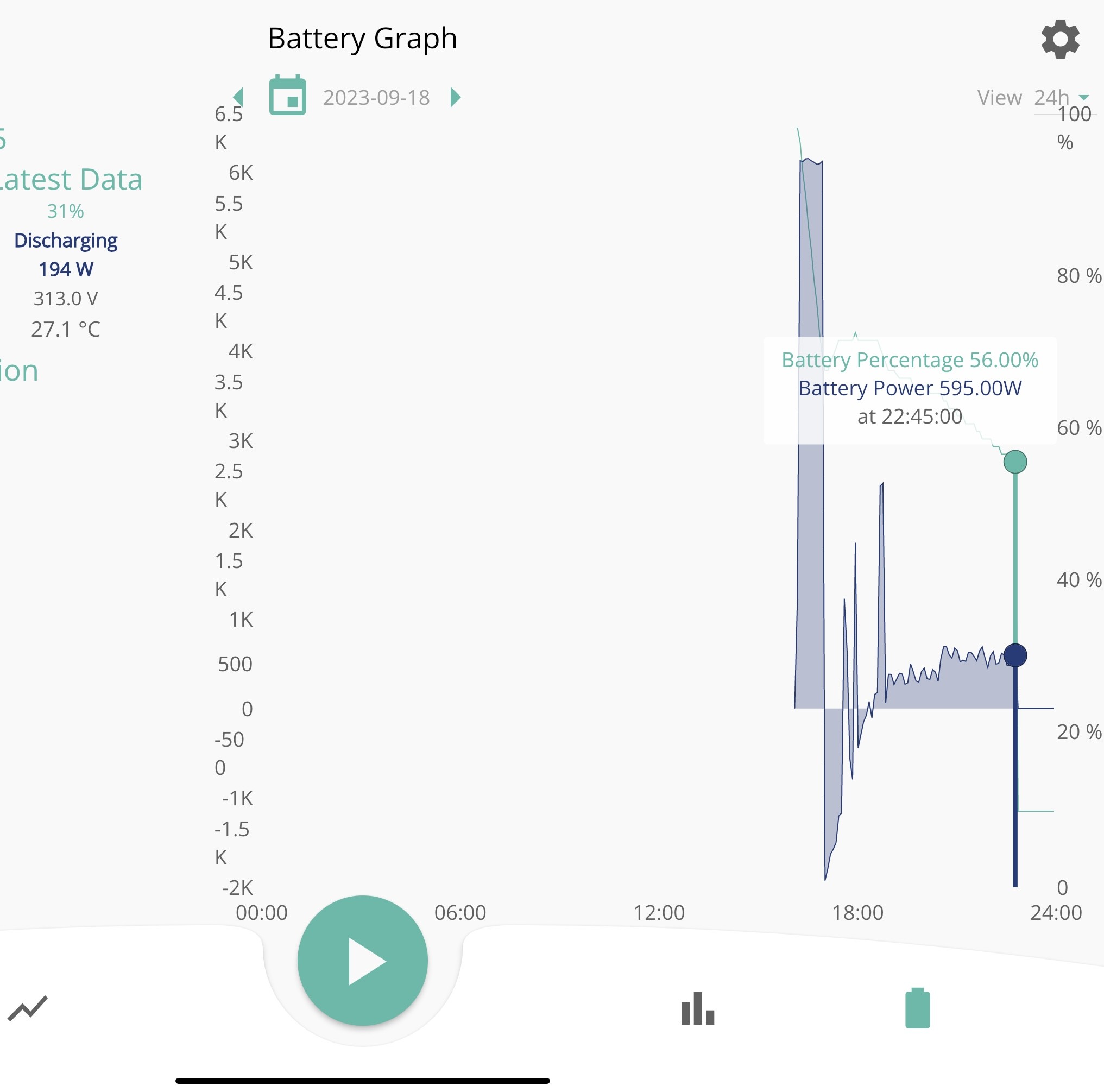
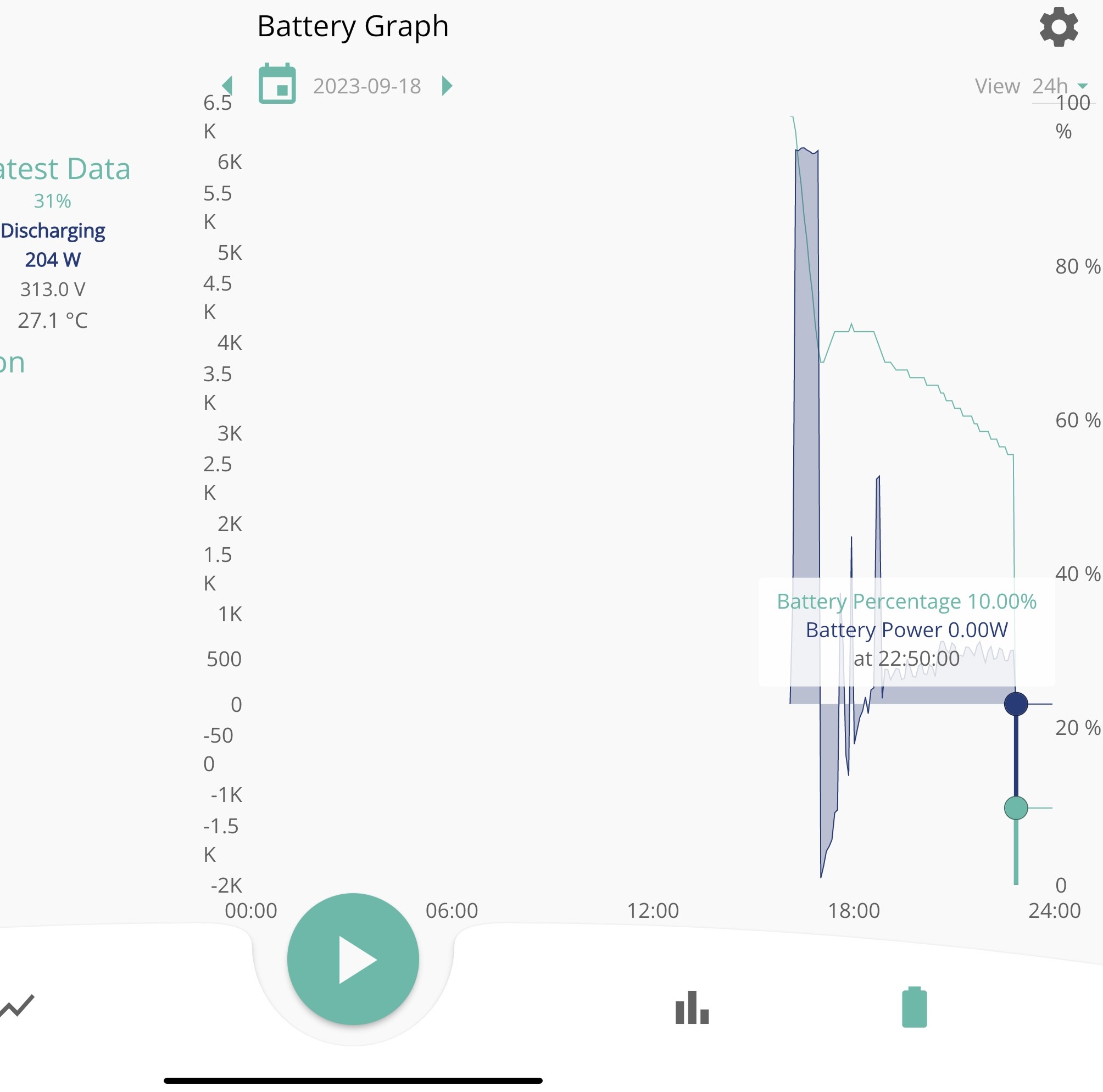
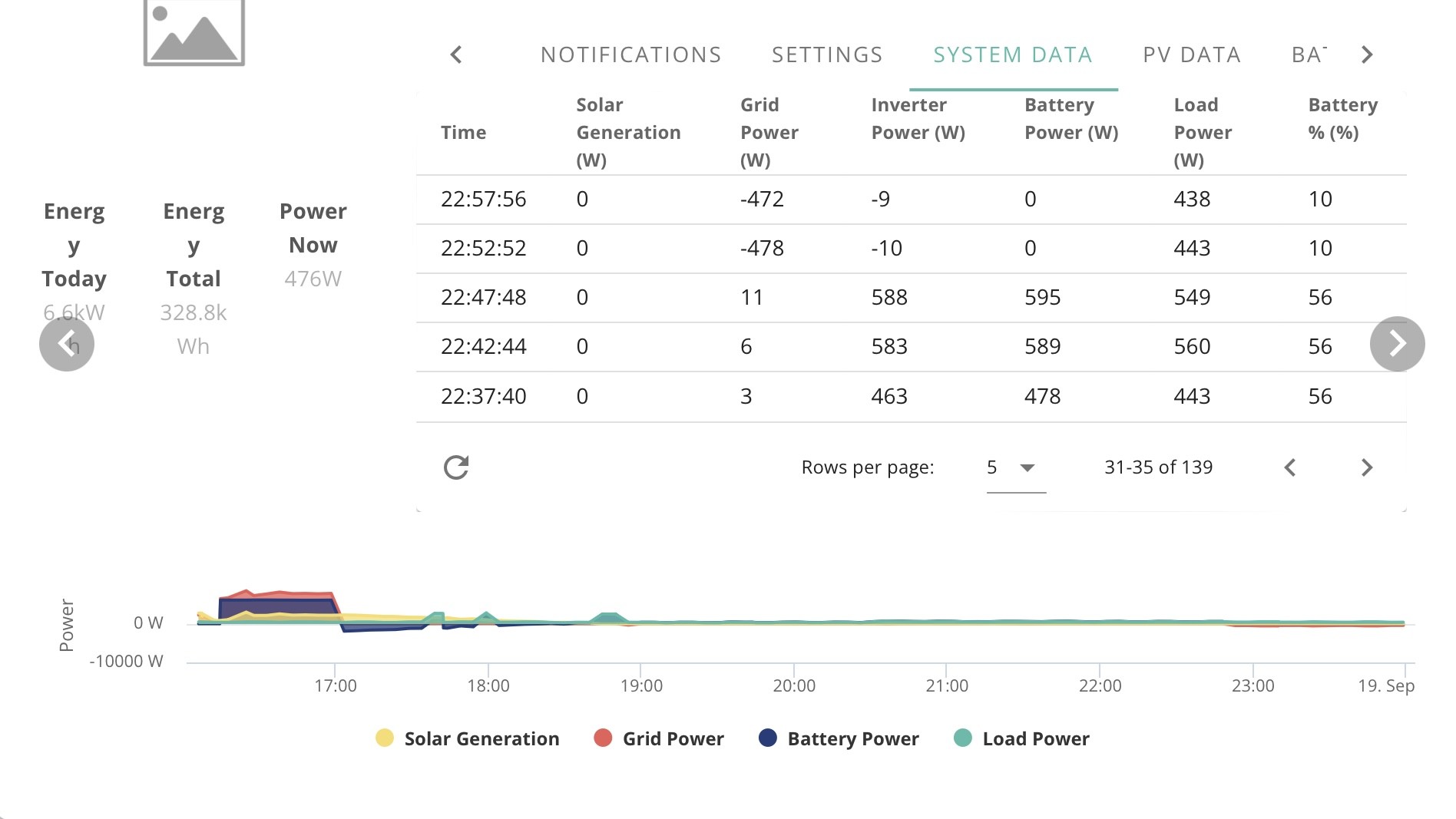
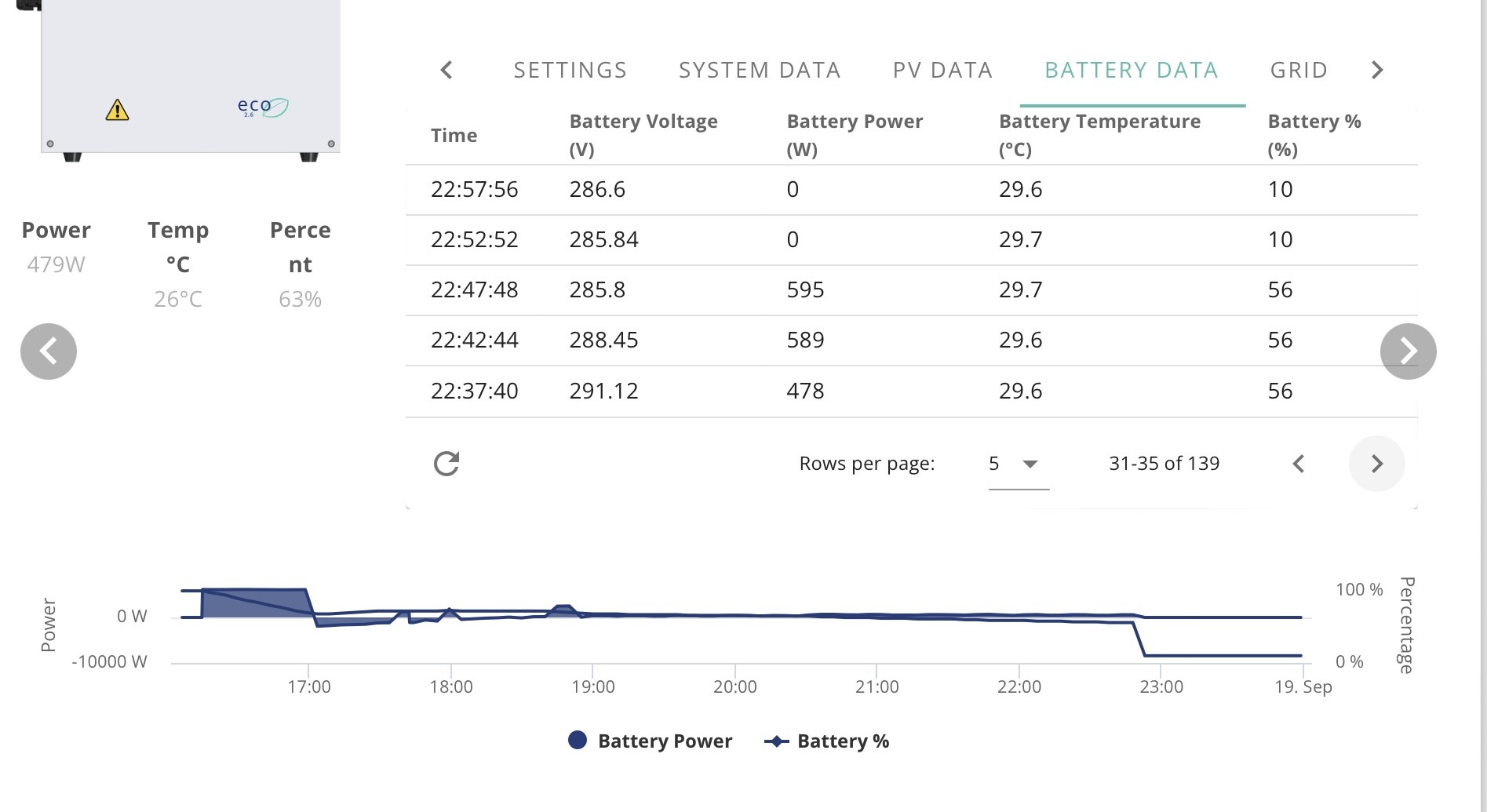
Looks like I cannot edit my above post anymore but this is where I stand currently at 23:27:55
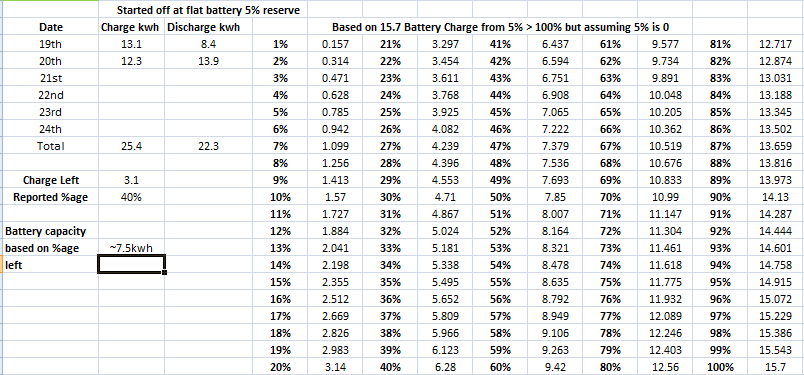
Yesterday within 20 hours I was 10% over what I should be, now im 20, looks like I was off on my 6% a day theory.
Really wish we could monitor voltages on the AIO in home assistant as well, although HA will stop when gaming pc goes off.
and why does setting a charge period keep doing this just after midnight ticks over ><
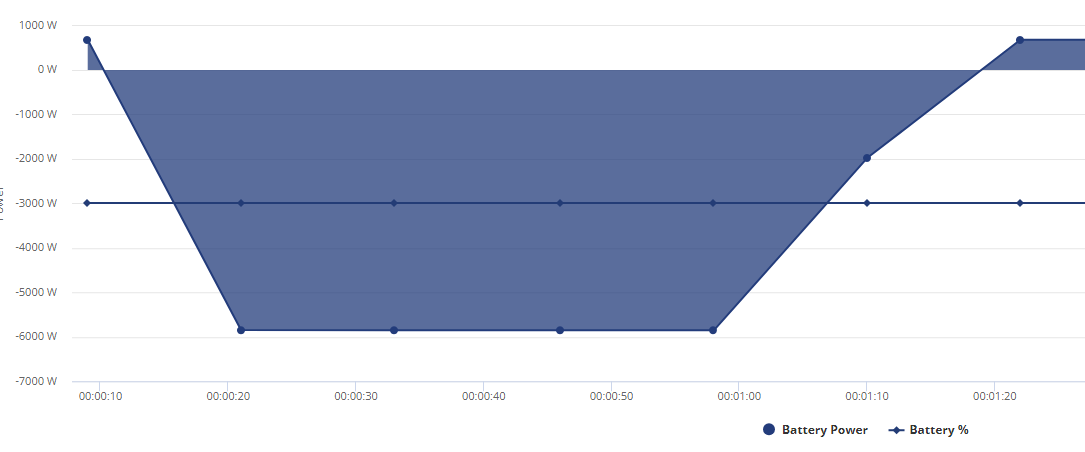
EDIT
This is what a lot of this month has been like

You can also see that the very last day because inverter was offline I couldn't do any charging whatsoever and yet despite that with it getting a charge only from solar IT STILL TANKED WITHIN 8 HOURS from 15>5, it was around 9pm when I started running from grid on the 17th and the little grey box is where I done a quick 6kw charge to make sure I made it past flux since I was doing the math kwh wise and knew it was going to drop beforehand more than likely.
At 01:33 I am also around (I hate that I cant use the ~ symbol properly) 22% ahead of where I should be kwh wise on reported SOC
EDIT 2
That was odd, and a first, it stalled on the charging?
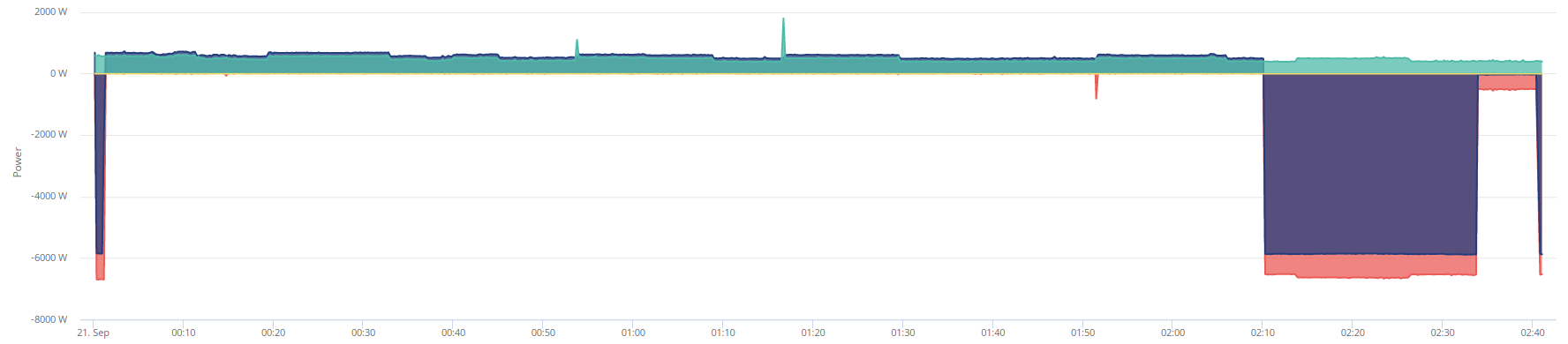
Attempted and failed to reset settings via portal (probably because I got home assistant running, for some reason portal shows inverter offline with HA running) but then it start off charging again, weird.
EDIT 3
Just finished another charge to 100%
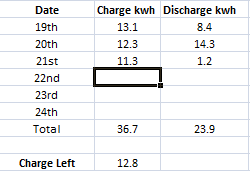
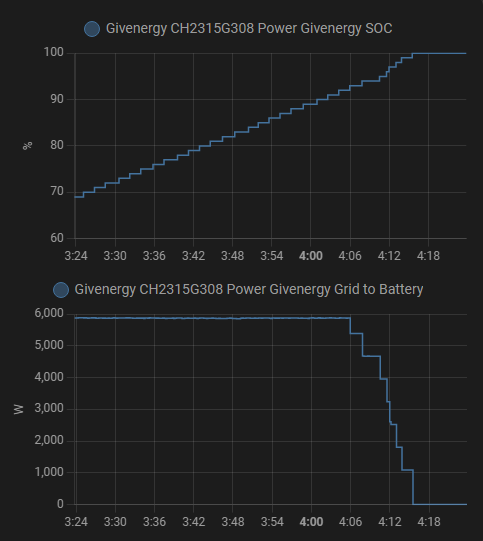
Looks like capacity so far down to 12.8kwh now, 16 hours ago a 100% charge was 14.1kwh so lost 1.3kwh max charge in 24 hours and its still less than the 13kwh by .2kwh I had when I woke up yesterday around mid day after battery had depleted a little and got back to 100% from solar.
I also find it a little frustrating that despite the grid draw tanking it accelerates the state of charge quite rapidly
Edit 4 21st Sept
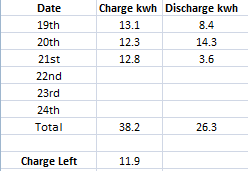
Just woke up and checked charge/discharge from when battery got to 100% on solar and apparently the capacity is now down to 11.9kwh, lost .9kwh capacity in 8 hours, superb.
EDIT 5 21st Sept 14:17
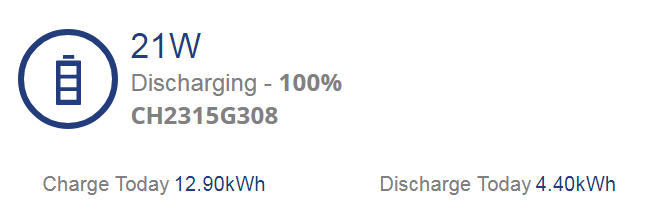
Just finished doing a load of laundry and got the battery topped back up to 100% via solar.
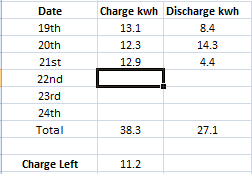
Down to 11.2kwh at 100%
100% has gone from 11.9 to 11.2kwh after washing machine had been on for an hour. 3 Hours ago 100% was 11.9kwh now its 11.2, this is beyond ridiculous.
1 full charge from flat and then its just a ticking timebomb til a SOC drop.
EDIT 6
25m of tumble dryer use and let it get back to 100%
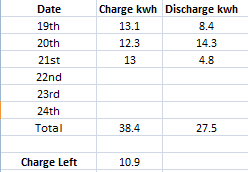
100% now = 10.9
EDIT 7
Midnight just hit, ticked over to 22nd September and battery SOC is 66% but current charge left is 5.4kwh
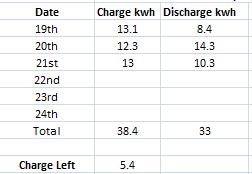
EDIT 8 - 03:45 22nd September
Interesting development, this is after flux charge to 100% has finished
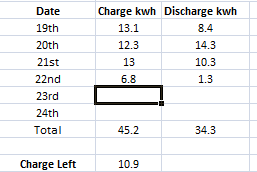
Back up to 10.9 which is what it got to when it hit 100% after tumble dryer usage, before in same time period it was 11.2 at 100% after using washing machine and after yesterdays flux charge I was sitting at 11.9.
Overall in 24hr period looks like im down 1.8kwh in battery capacity, so trend has gone from day to day (without letting the state of charge nosedive) at 100% charge
14.1 > 12.8 > 11.9 > 10.9
Lack of sleep to keep track of this data is starting to take its toll.
EDIT 9
12:00, 22nd September, just got to 100% from solar
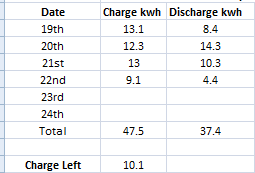
Gone down by nearly 1kwh from when it charged on flux earlier.
Edit 10
Whelp, this is interesting, 18:28 September 22nd
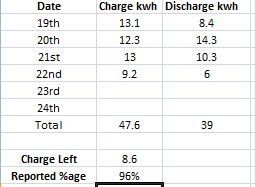
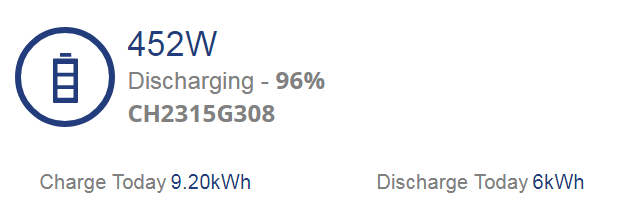
8.6kwh is apparently 96% now lol
September 22nd 21:27
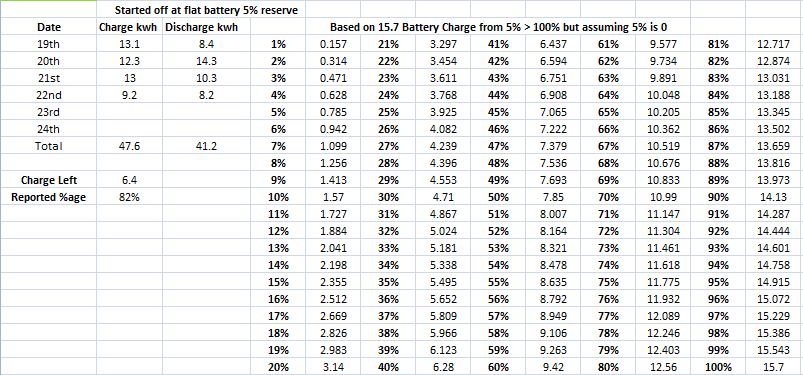
Not looking good, 19th September was from flux charge period 2am and apparently 6.4kwh left is 82% charge
EDIT 1
Midnight, now 23rd September
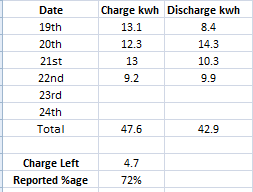
Still around 40% off where I should be, I have had 14.7 and 15.7 charges in the battery but even at 13.5kwh the figures are not going to be off enough to account for nearly 40% off where I should be.
EDIT 2
03:40 flux charge complete
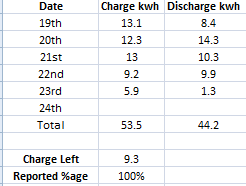
down to 9.3kwh on battery now
EDIT 3 Reported time on portal for data 12:29:01
Not long been up, grabbed coffee and started checking all the stuff I do when waking up and since I was exporting at over 2kwh (doesnt say that on image, data 5m interval must have not refreshed at the right time, pesky cloud clipping lol)
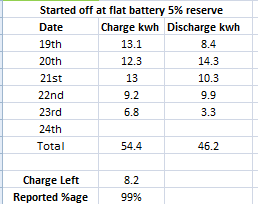
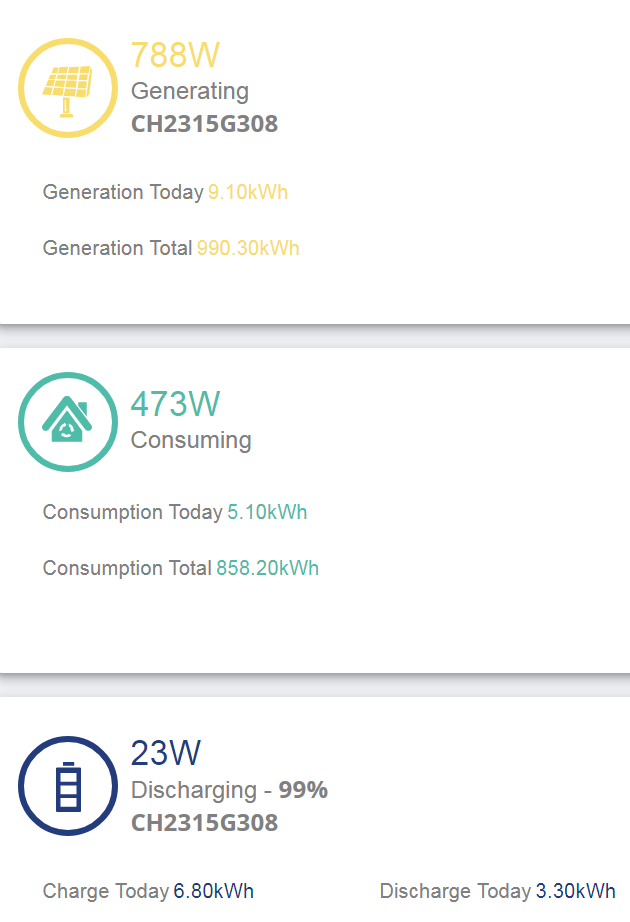
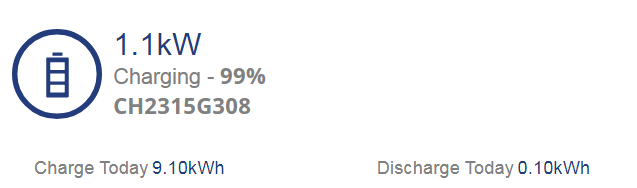
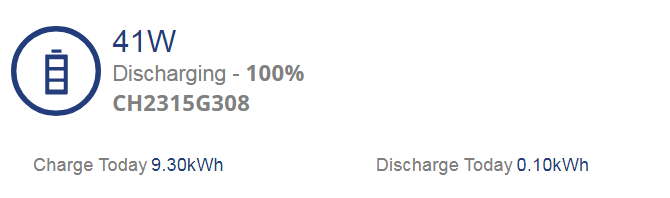
Why is it 99% discharging instead of 100% idle and how have I lost 1.1kwh from this mornings flux charge.
EDIT 4 - 23rd September 17:57
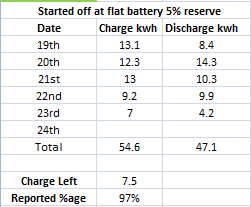
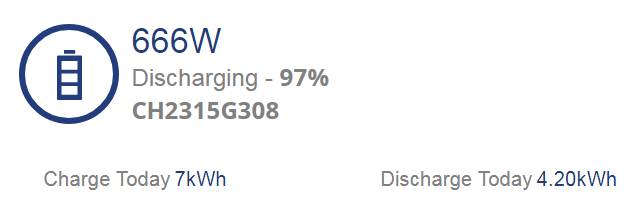
EDIT 5 - 24th September 02:24:57
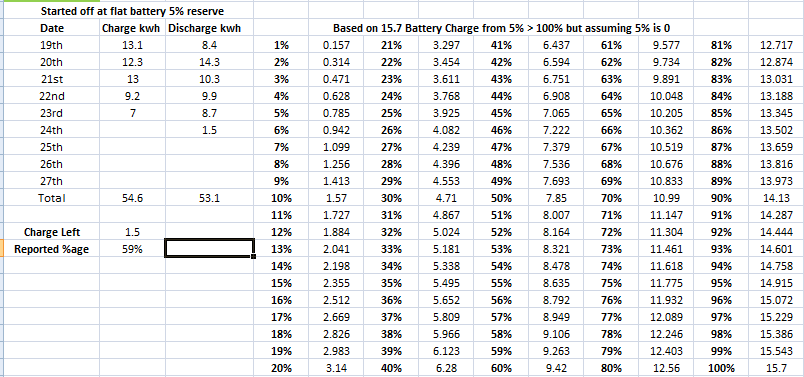
I am now nearly 50% off where I should be, I am using the battery quite a bit as you can see from daily charges but the SOC just keeps getting bigger and bigger.
EDIT 6
Flux charge just ended 03:40 24th Sept
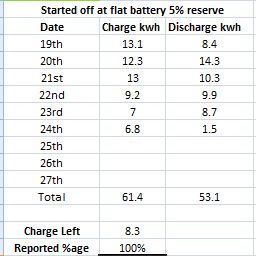
Edit 7 September 24th 17:22 data
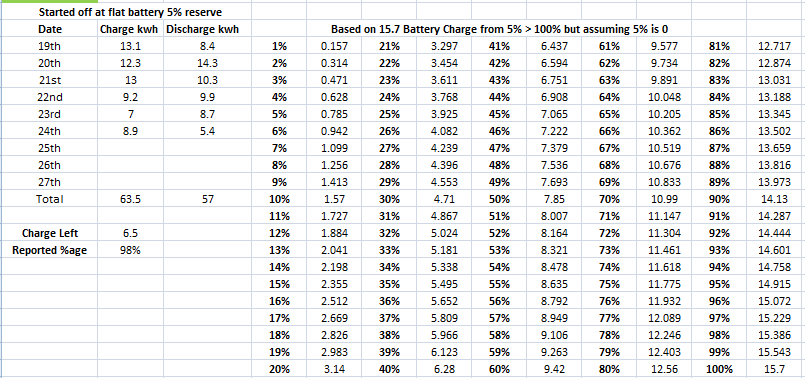
Half battery remaining but 98% capacity, looks to be on track for tanking around 65% every week, maybe they should be going by battery charge/discharge and not doing what they do to give a %age.
September 25th 02:33 I knew I was close to a SOC tank so decided to leave PC on for a bit longer to make it crash so I could get a decent charge in battery.
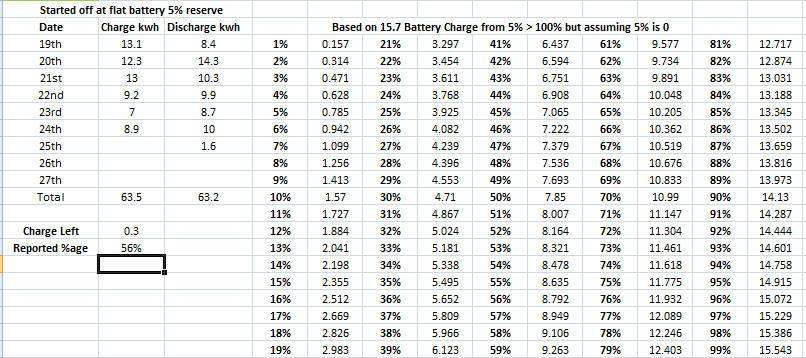
It started tanking just before this got updated with todays discharge, I spotted it as I started drawing from grid at around 100w so knew it was coming and last update I had was 1.2kwh used for today.
At least the math is pretty spot on for how much charge I have left but if I had left this til tomorrow it would have been over 60% SOC drop.
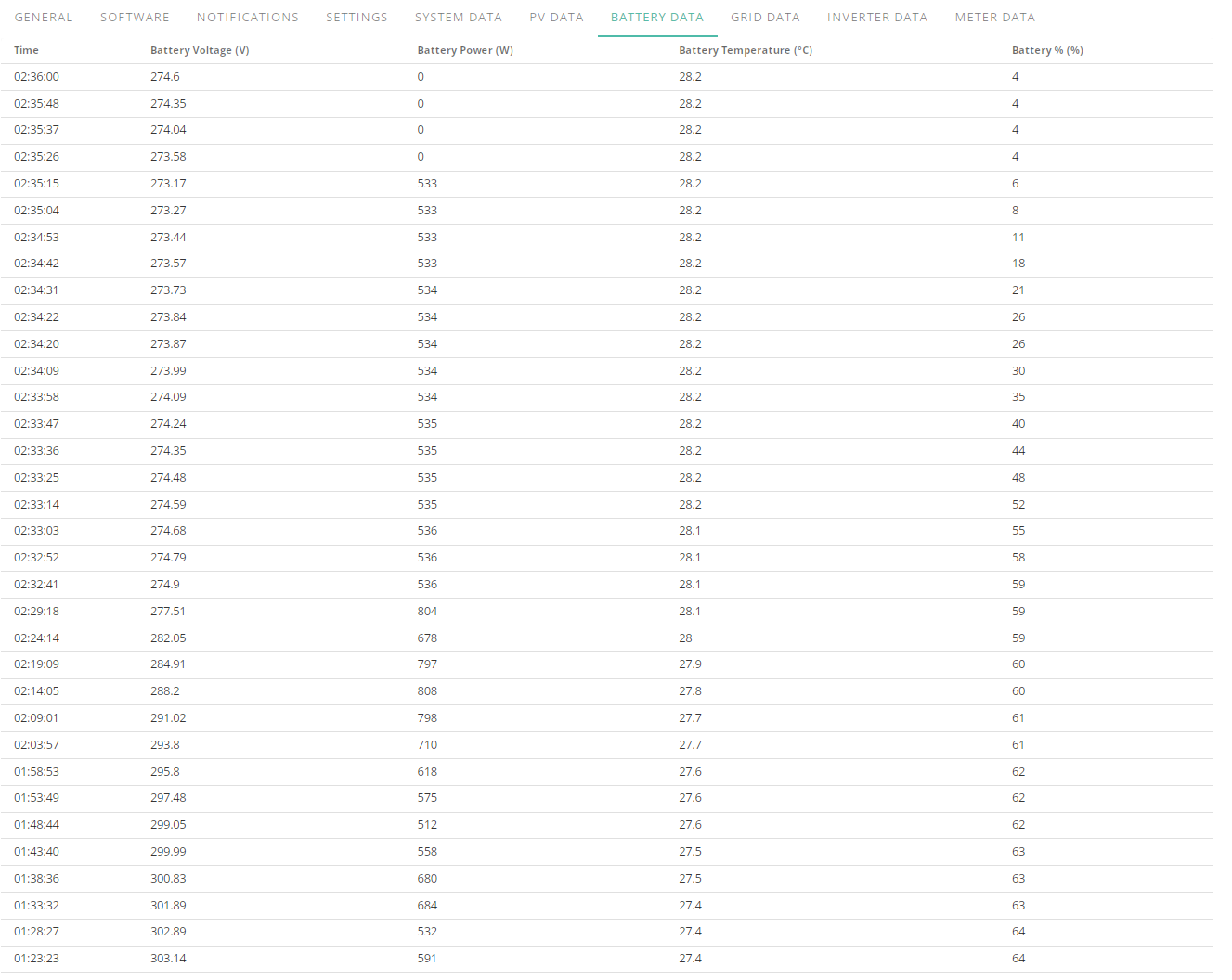
At least I am getting pretty consistent results with the state of charge increasing, 60% SOC difference in 6 days so my estimate of 65% once a week was pretty spot on as well, hopefully they got this thing sorted soon because I would like to get the full capacity of my battery more than once per state of charge drop.
Time to reset the sheet and start again, going to charge to 80% tonight since its supposed to be a nice day tomorrow and see what going up to 80%, letting it drop til sun then letting it charge will get me 100% wise.
EDIT
Battery discharge for today was 1.7 and if you add the charge left to the discharge at time I looked it was only .2 off but I was drawing around 800w on home to try and make the SOC tank because it had got up to around 60% so getting less than half the battery capacity.
EDIT 2
Flux charge to 80% just ended and this doesn't seem right, even at the quoted 13.5kwh on the datasheet it should be nearly 1kwh more on the charge even accounting for the 4% resere.
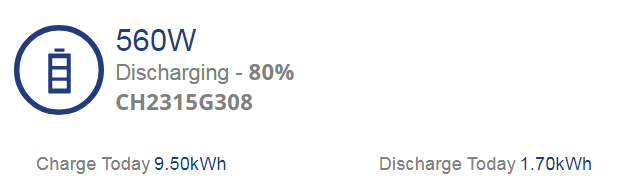
This is going by the datasheet 13.5kwh and taking off 4% so charge that went into battery would have been 76%
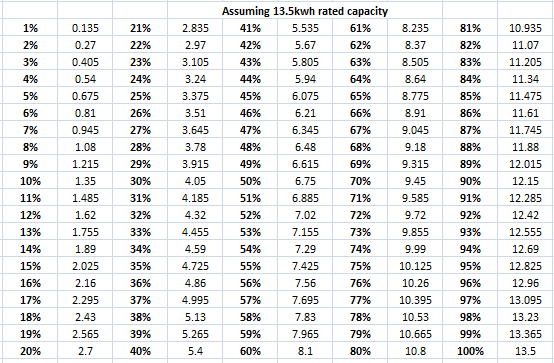
EDIT 3
Just hit 100% from solar after 80% charge earlier and apparently it only has 10.9kwh capacity now ><
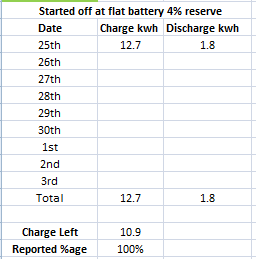
1.7 Discharge of the below total was before flux when it tanked to empty from 60%
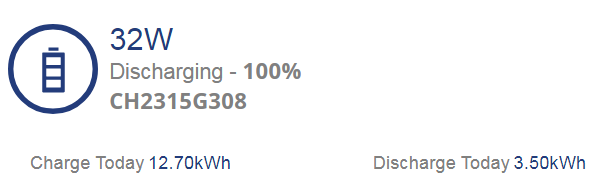
This is getting really tiresome, it started off at 4% HOW DO I LOSE NEARLY 3KWH CAPACITY IN 6 HOURS.
Edit 3
Just finished second flux charge, 24hrs since battery was charged from flat to 80% then I left it for solar and at 100% it is 9.7kwh in the battery so im down minimum nearly 4kwh in 24hrs.
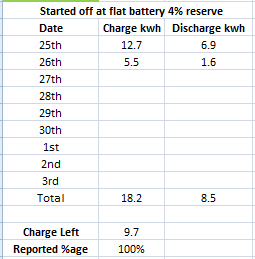
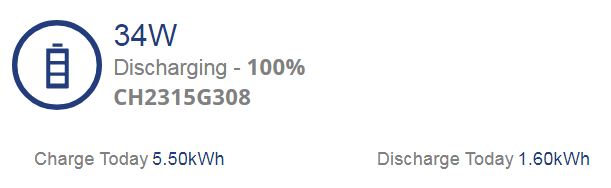
Just keeping thread updated for any GE staff that pop in and for personal reference mainly and helps to have something to send off as a PDF, will prove useful when I get round to updating firmware and letting it do its battery calibration.
Edit 4
I still have 30m before charge period for flux ends so I should be running off grid til the end but apparently im discharging to the grid, what in the sam hell, ive gone from 1.60 discharge today to 1.70 WHILST RUNNING OFF GRID.
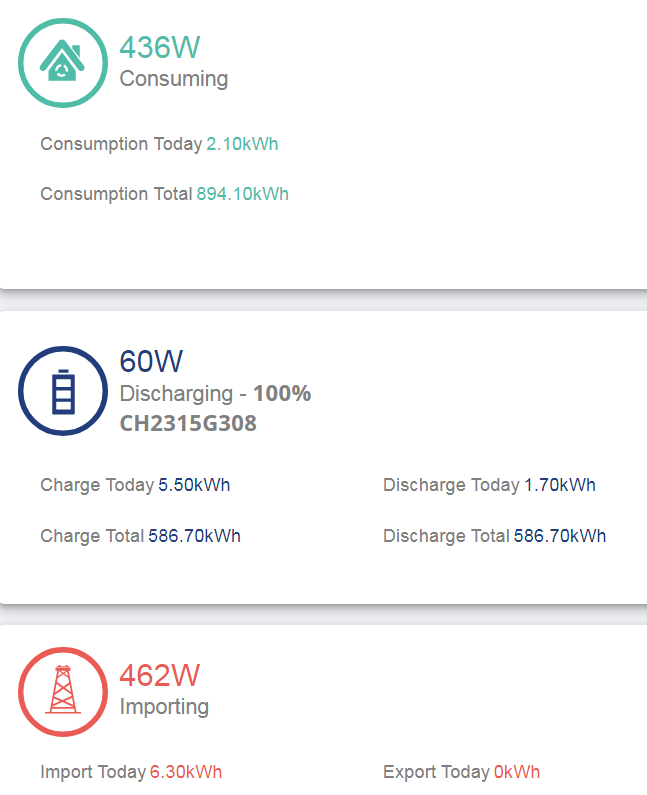
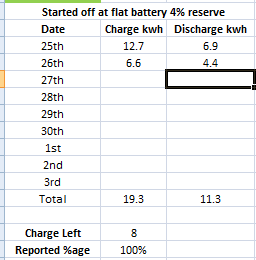
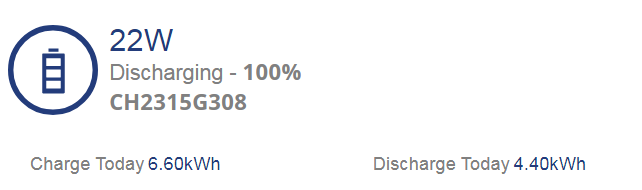
Edit 5 26th November 12:07
Whelp, just checking things out as I just woke up and apparently 100% is now 8kwh, man that dropped super fast.
Edit 6
As teh day goes on its getting worse,
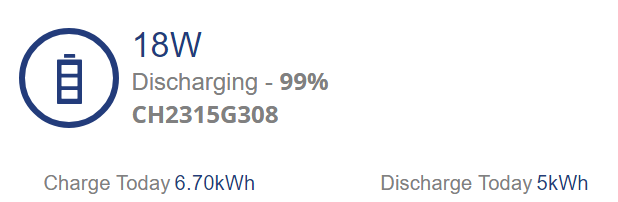
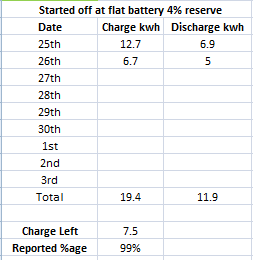
Discharging whilst at max til it starts going down but currently its saying my battery capacity is around 7.5kwh
Edit 7
Mum just had a shower, used full discharge of battery plus 2kw from grid for a few minutes, battery got back up to 100%
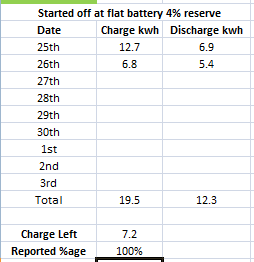
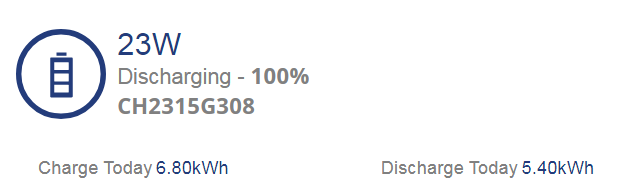
Lost .3kwh in just that exchange, good lord.
LOL wow, state of charge discrepancy is going to be over 50% in less than two days, jesus. Looks like im going to be dry enough to do firmware update and let battery recalibrate tonight during flux cheap period.
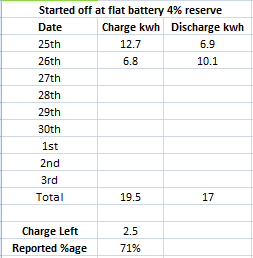
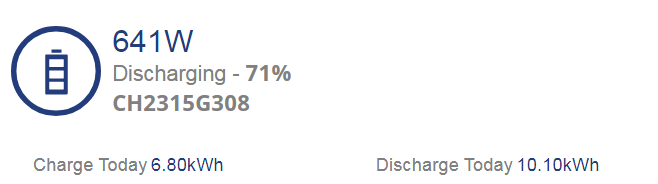
If nothing changes after this firmware update and battery calibration im going to be insisting an engineer come out pronto and check the system because its been like this since day 1 since installed July 19th.
Got the firmware updated and whole process took longer than I was expecting, ended up exporting 0.9 during flux low period and started charging around 13 minutes ago, so far its reporting 4% as 1.4kwh which doesn't bode well for state of charge jumping an obscene amount.
Ill keep editing this reply as it progresses.
Edit
I am not liking the sharp climb its currently taking after hitting 60%, it was nice and consistent from 0>4% which is the reserve then it was consistent up to 59% but then its not very consistent in its upward climb
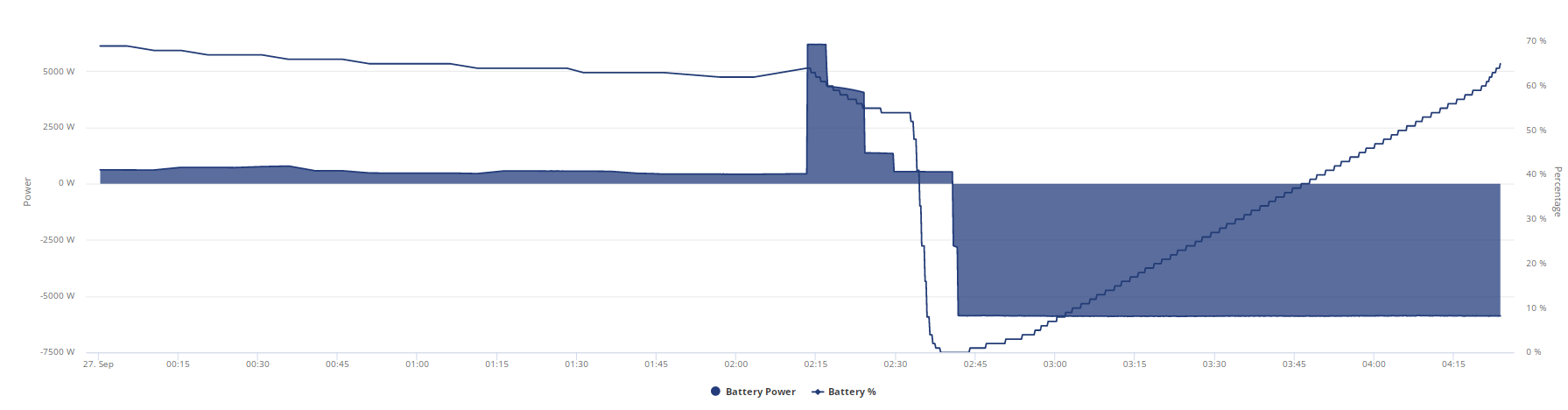
Battery Charge Today so far 10.3kwh
Battery %age so far 69% (Nice 😃 )
04:28 atm, not getting much sleep tonight.
EDIT 2
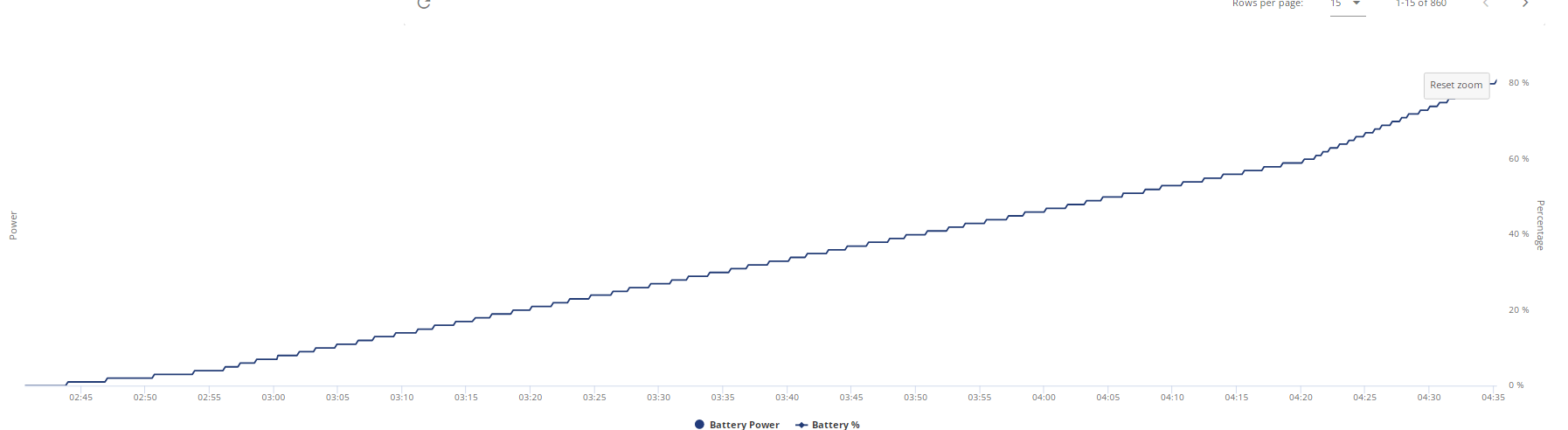
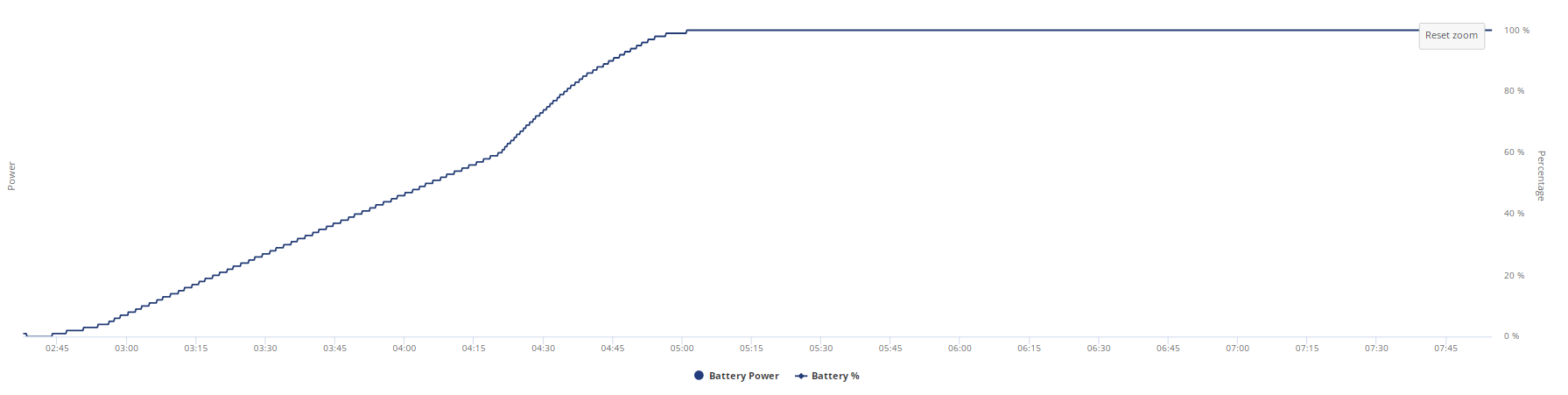
Follow up zoomed in graph to show consistency in %age increases
EDIT 3
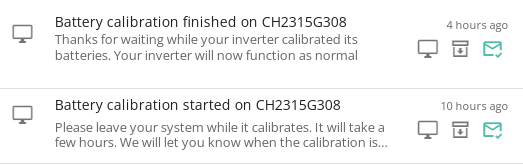
Calibration has been completed, gone 5am, I will spreadsheet the %age steps and the %age at the time and whatnot when I wake up tomorrow, I am knackered.
Battery from 0>100% took but even when it hit 100% it was still charging at 1.16kw from 05:01:00 til gone 05:15:00 as I will show tomorrow after I do some spreadsheeting after a big ol cup of coffee.
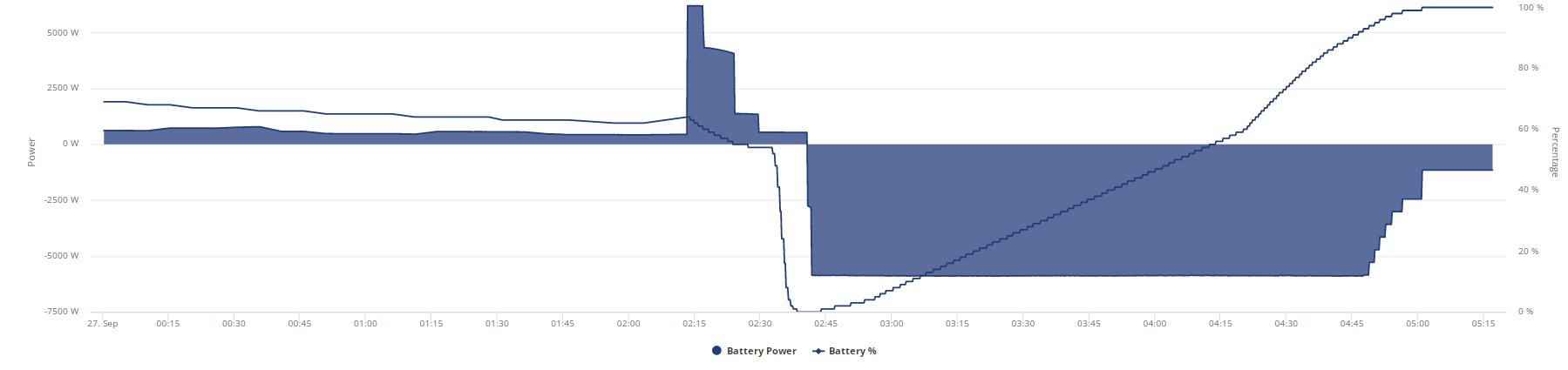
^^^^^^^ Still charging at time of snapshot
Only time will tell if this update and calibration has had any effect on my SOC issue, I am praying to anybody that will listen that there will never be more than a 5% gap between where SOC is and where it should be.
Your recharge SOC climb is weird. Increases in climb at around 4:20 even though the charge rate remains flat.
If I was a betting man I'd say you have a problem with one of the 4 battery modules and your weird SOC tracking issues will still be present.
Shame you can't see each modules and cell voltages yet anywhere - I suspect you'd see a spike on one of them thats throwing the SOC calc off.
Great, now I got a new problem, for some reason despite PV power being more than sufficient for house load it somehow magically discharged to 98% and has been charging the battery from solar at 98% at 1.25kw for the past 20 minutes.

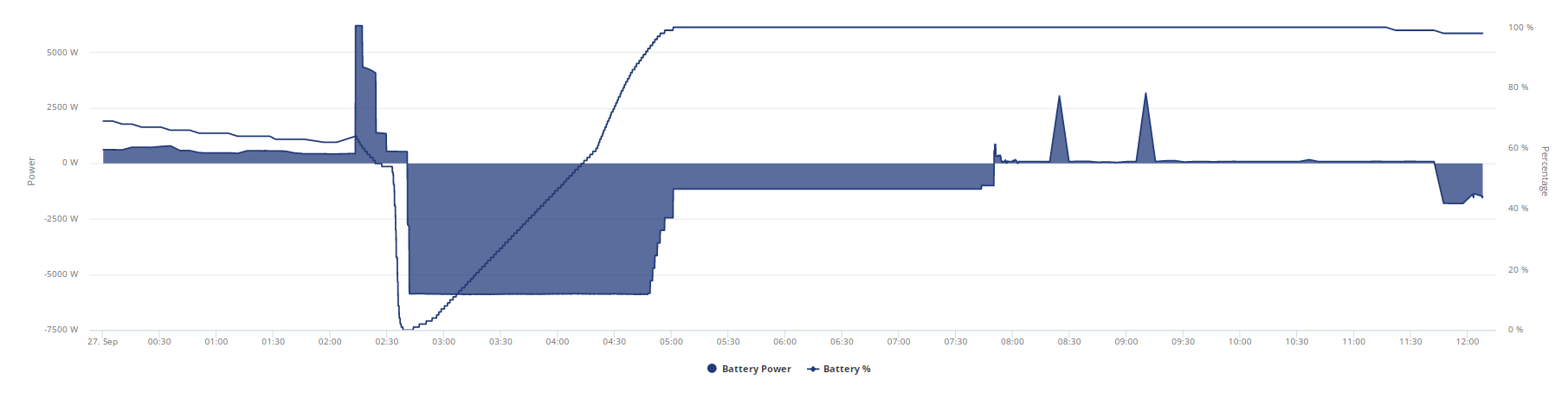
I should have been exporting all day by now and the charge cycle didnt stop til 07:50 WTH It started charging from empty at 02:40 it took 5 hours to charge the battery????
Edit
Got Coffee, ill work on that spreadsheet now.
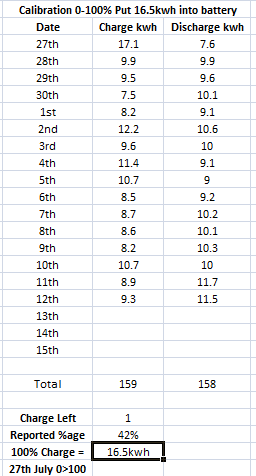
Here is battery charge graph for this battery calibration
Here is spreadsheet, too much to fit into one screen
https://docs.google.com/spreadsheets/d/1tvNXUKJkdSIJZDbEJrLwJgnOm8GfAsUA-2Ejzyfz7j0/edit#gid=0
It took nearly 3 hours at just over 1kwh at 100% to finish, I edited to cut out the repeat numbers in %age so you see every time it went up and I added how long it took to take that bump up.
hoggy Yeah that is a shame about the voltages, hopefully they can add that in soon, it spent 2h 50m charging at just over 1kwh when it was at 100%
It took longer to compelte 100% than it did to get there.
Edit
I just sent an E-Mail reply off to Givenergy conversation regarding SOC to get their 2 cents on the matter but something definitely seems off, it shouldn't take longer than it took to get to 100% to finish 100% and how was 16.5kwh into battery possible?
Edit 2
btw that graph was whilst I was running givenergy app in local mode so 10s refreshes not 5m gaps.
Here is its journey for charging
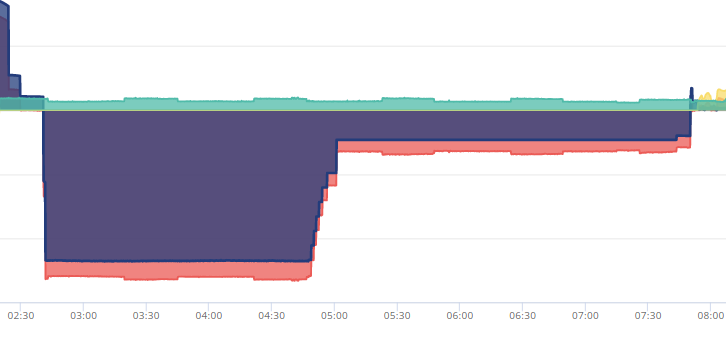
That was a lot of time at 100%, I tried to get a better closeup with zoom but everything just disappears when I zoom in but that long line just after 5am is 1.1kw whilst battery was 100% (referring to the blue battery line not total including grid)

As of 13:37 this is where I stand after calibration, I will monitor it over the next few days and keep this thread updated and hopefully it will be able to die soon with a happy ending 😃
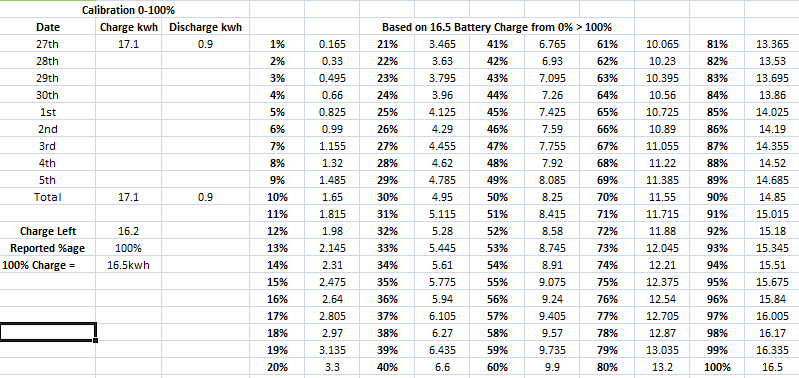
Took a long time to dump just 1kw of battery though lol

EDIT 3 15:48
Looking odd so far, above was 17.1 and 0.9 for charge and discharge, im now at 17.1 and 1.5 and I am still at 100%
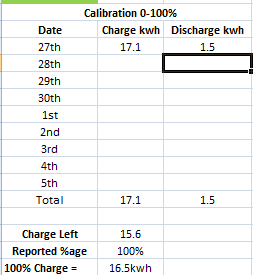
Ill keep monitoring as the day goes on.
Edit
After the kettle went on

I should be under 95% at this point going by todays charge but I know its early days yet, will have to see how it progresses over a few days but the charge this morning doesn't inspire confidence that everything is going to be ok.
Edit
Looks like im going to have to get used to the SOC going down faster now hehehe.
Edit
Not looking good atm, im around 5% off where I should be currently
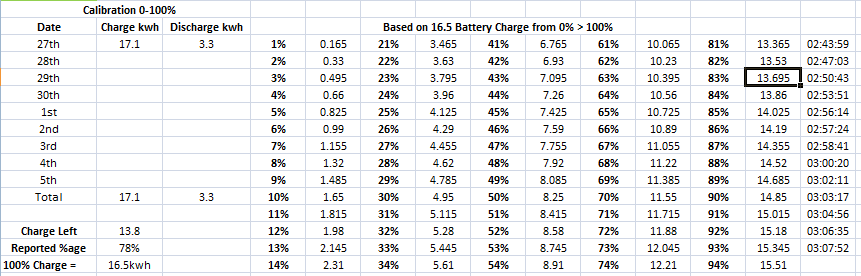
EDIT
Looking at the data atm for time period between 7pm and 8pm it says I used 0.7kwh from battery but the percentage dropped by 9, shouldn't each 10% be at a minimum over 1kwh?
It seems I have gone from SOC being way too high to what initially seems as being way too low, its looking like the same thing but just reversed, at this rate the SOC will drop to flat whilst I still have plenty of juice in the batteries.
Home usage in the evenings is between 0.7-0.8kwh from battery every hour but from 4PM to 8PM ive lost nearly 40% of the battery.
This is a full 24hr period in home assistant last week.
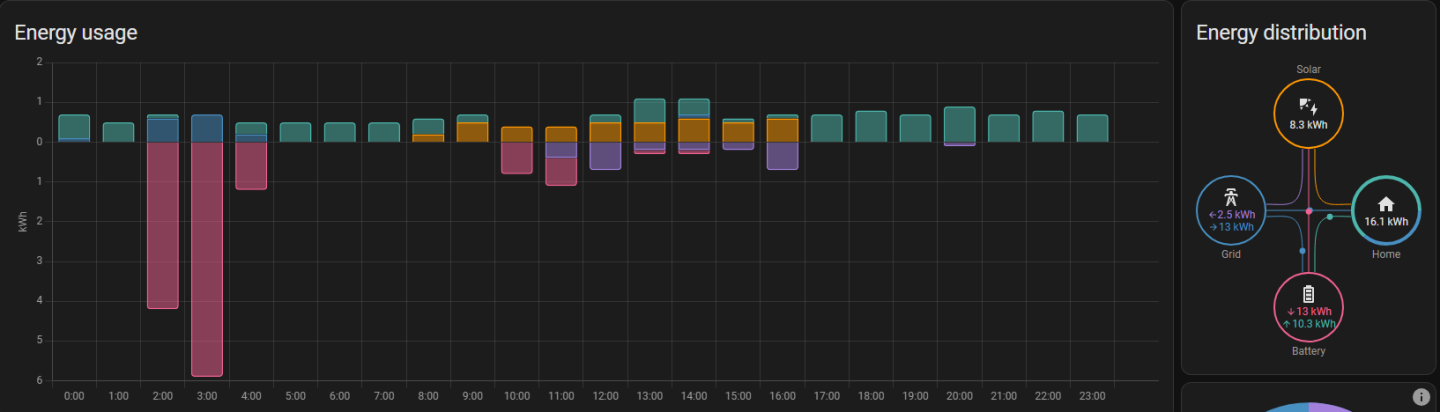
Only time it went over 1kwh was when teh washing machine was on between 1-2pm
This is currently where I stood at 8pm
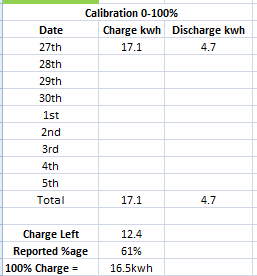
I will continue to monitor.
EDIT 21:24 looks like after 16.5 being put in 50% is 5.7kwh used
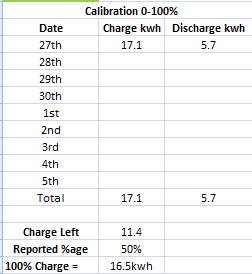
EDIT
This used to be my daily usage via meter readings at 00:00 and 12:00
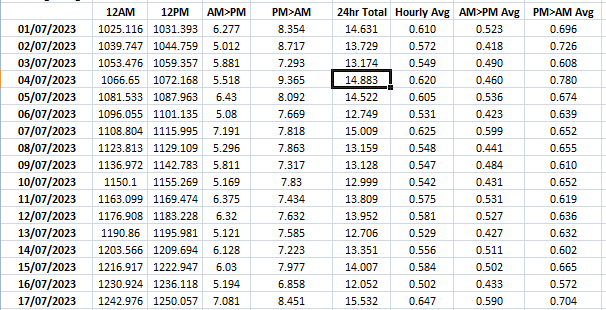
As it stands from last nights calibration of a 13.5kwh battery it somehow took 16.5kwh charge and despite the above knowledge on a TWELVE HOUR time period which is pretty consistent over 3 months how am I at 36% since 3pm today to right now
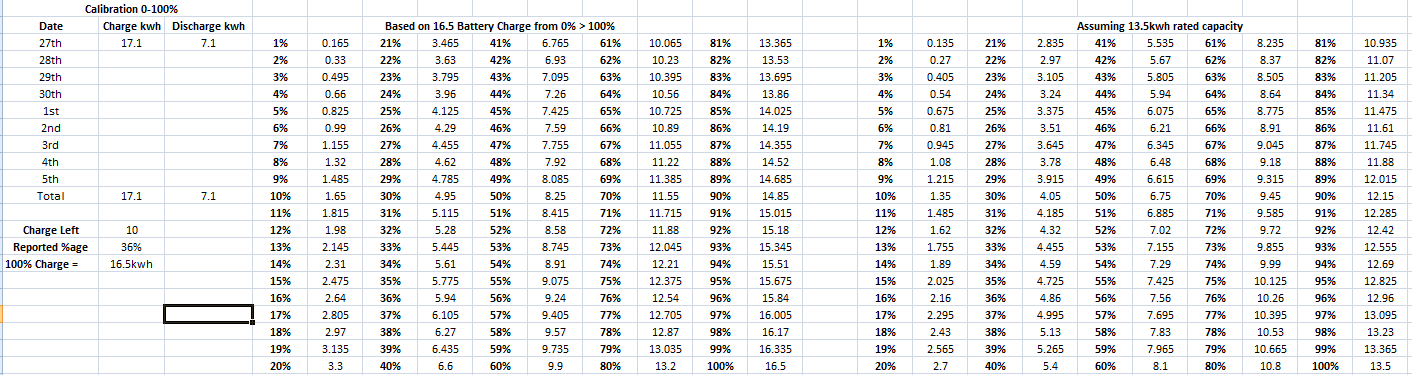
Even going by the 13.5 on the datasheet I am 2kwh short of where I should be given the amount I have used, where did all that juice I gave it go? Not to mention 5kw of that charge was outside of flux since it too over 5 hours to charge.

the percent drop even at 13.5 is nowhere near where it should be considering the house load doesn't even get to 900w let alone 1.3kw.
PS
FOR THE LOVE OF GOD please sort out zooming on the portal graphs so what you select doesn't just go poof.
EDIT
Final tally for 27th of September
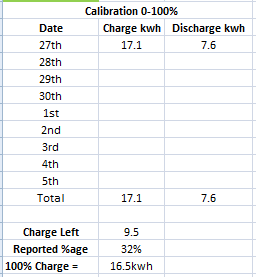
16.5kwh went in during calibration, over 3kwh of that was whilst it was at 100%
0.6kwh was added via solar to top it back up to 100%
7.6 Used for the period between end of charge to midnight
Somehow despite the charge minus dicharge saying I should have 9.5kwh left and the fact that its a 13.5kwh battery the remaining percentage is 32%, I shouldn't even at 13.5kwh be under 40% let alone closing in on 30%
I am not staying up for the flux charge tonight, I already lost enough sleep last night I cant go another night with barely any sleep so I will have to see how much charge goes into the battery but it better fully charge in the 2 hours ive set because that should be more than enough to fill the battery up. 2 hours at 6kw is 12 and even going by that obviously wrong state of charge it should be more than enough time.
Just woke up and checking things out only to discover that on the legacy portal this is broke
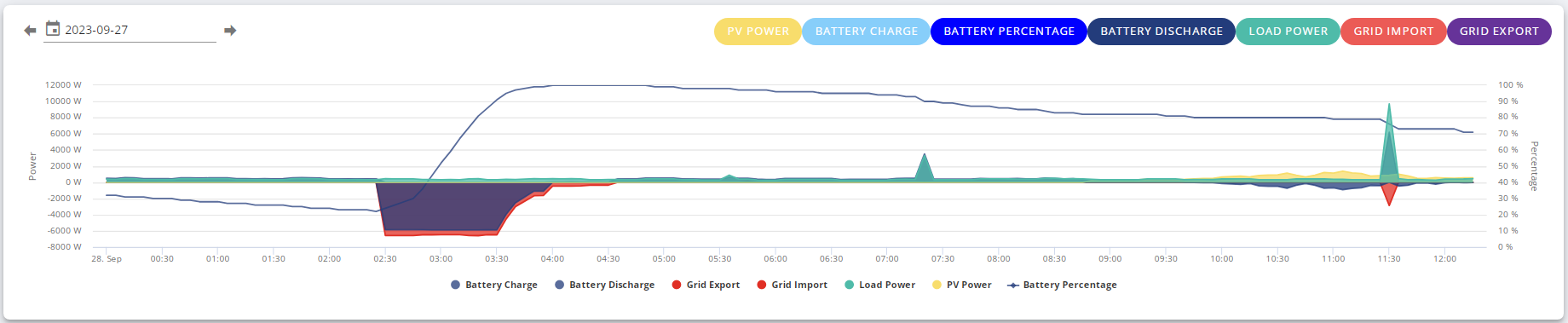
I have tried going back to previous days but it never changes.
Aside from that, at a quick glance the SOC is still off if I go by the math from the true flat 0% to 100% charge performed during the calibration.
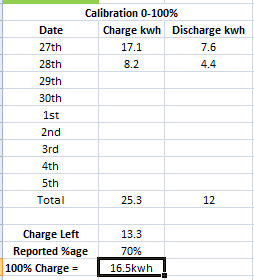
I got a feeling im going to need to let it run dry til it stops and charge it up because 16.5 charge shouldn't have been possible and going by that then subtracting the charge/discharge after the fact should be accurate considering it was a completely flat to completely full charge.
Yesterday when solar wasn't enough for house load I used from then til flux charge 7.9kwh of battery but the system only put 7.4 charge back into battery during flux.
Ill keep monitoring it til Monday to see what happens.
Jellybaby spent 2h 50m charging at just over 1kwh when it was at 100%
It took longer to compelte 100% than it did to get there.
The way that the system knows it is full is when the battery voltages hit a certain voltage. However, as the battery gets near that voltage it cannot accept as much current, so the charging rates slows. It sort of has to "creep up" on being full.
The other challenge is that LFP battery chemistry gives a very flat voltage curve. Many other battery chemistries show marked difference in their voltages at different SOCs. Not so with LFP, the voltage drops and rises quite steeply near flat and near full and stays very consistent from say 10% SOC to 95%.
However, the system should and does divert extra generation into supplying house load or grid as the battery charges. It should power the house even when it is "trickle" charging as the battery nears 100%.
Can't edit above post anymore but I did forget to mention that the battery before flux charge was 22% but 22% > 100% only took 7.4kw to fill, im sorry but there is no way that 78% charge is 7.4kw.
At that percentage it should have been around 10kw that went into the battery.
If I divvy up 13.5 into 4 and multiply that by 3 then take off 78% that bring the used kwh down to 7.89 which is closer to the charge it put in which makes no sense since it took 16.5 to fill the damned things in the first place.
Starting to think one of the batteries might be naff.
EDIT
Before I done the firmware update the math was rock solid +/- 0.1-0.3 (due to portal only showing one decimal place) and I don't see that changing due to firmware update as that is meter info.
From everything I have read on these forums it would seem that the AIO may have been released too early (or the product was ready but the software clearly isn't).
This very much feels like what ASUS continue to do in the PC Component world, release products and then use paying customers as hands on Beta Testers (which is why I no longer purchase ASUS PC components).
That's really poor from GE but also seems to be "par for the course" across their product stack. Customers have spent thousands and thousands of pounds on products that just don't work as they should!
Is it worth trying the "Monitor for GivEnergy Inverter"??
https://play.google.com/store/apps/details?id=uk.rubikcube.invertermonitor&hl=en_US
It works with my Gen 1 Hybrid Inverter and 9.5kw Gen 2 Battery and provides a lot of detail.
It's not shown on the app preview but it allows me to see the following, which may or may not be of help with the AIO (if it works).
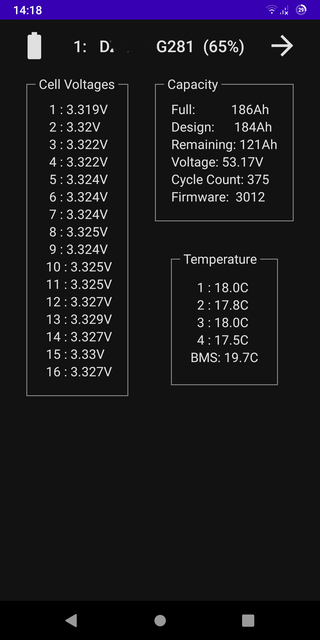
dragon2905 one for it's talented creator @Rubikcube to answer I guess but i don't think it's currently supported.
The AIO has far more cells (24 x4 = 96) and if I'm not mistaken I don't think anyone bar Givenergy themselves (not even GivTCP) know the registers involved to get any meaningful data out of them.
They are quite a bit different BMS wise even though the code running on it sounds ultimately based on the same logic as say FW 3012 runs on the old 51.2V packs we all know.
dragon2905 I gave feedback to that particular app, it does not work with the AIO, they were unsure so I downloaded it to test and let them know it doesn't and unless they get one it may not do ever.
I am starting to wonder if I should have bothered at all with battery and just went with the panels and let any export offset the cost of when sun isn't out but I only got battery to charge during cheap times.
Problem is any other battery has a low max capacity and you max out usually below 15kwh storage by the time you hit max daisy chain capability, the other HV battery I saw that supports higher than 3.6kw charge/discharge were low kwh and had a limit on how many you could daisy chain. per inverter and it wasn't much more than one AIO unit.
Edit
Between the SOC not going down fast enough so it never fully charges to what appears to be it now going down too fast to the point it will never fully discharge I think I may be worse off if my suspicions are correct as it means there will come a point where it will go from full to flat in a matter of minutes due to there being no safety net like the SOC dropping.
Don't get me wrong, it looks as though the batteries in their initial charge take what they are supposed to since they charge from 4% usually anywhere from 13-16kw but after that initial charge things start to go wrong but now with it looking like at first glance its tipped the other way there will be no state of charge adjustment so if a battery is faulty by either not being able to keep its charge at all or losing it rapidly then with my currently unit I am up the creek with no paddle.
But as I said ill have to keep monitoring it over the weekend.
Jellybaby Battery definitely adds to the saving.
Perhaps too late............ but you could have a look at SunSynk. You can pair them to any battery thats not eco system locked (GE, MyEnergi Libbi etc)
They offer 3/5/8kw Hybrid Inverters and the the 16kw Max Hybrid Inverter - all single phase. All can be paralleled.
2 x 8kw Hybrid Inverters costs less than a single 16kw Inverter so personally I would go that route as you get the option of adding more batteries
Came across the eTailer, ITS, offering consumers SunSynk with GSL Batteries (10 year warranty + 90% DoD) - installers should be able to get these at a discount. I have no idea what GSL batteries are like they seem to be a new entry to the market.
Here are some comparisons - remember that with the GE AIO you also need a separate Solar Inverter so this should be factored into the total cost consideration.
GivEnergy All In One - 6kW AC charger & 13.5 kWh storage 100% DOD £5,553 +VAT https://www.itstechnologies.shop/collections/clearance-products/products/givenergy-all-in-one-13-5-kw-with-gateway-for-backup
Sunsynk ECCO 5Kw Hybrid Inverter & GSL 10.24 kwh kit £3,820 +VAT
https://www.itstechnologies.shop/collections/sunsynk-on-off-grid-battery-storage/products/sunsynk-ecco-5kw-with-gsl-10-24-kwh-kit
Sunsynk ECCO 8Kw Hybrid Inverter & GSL 10.24 kwh kit £4,369 +vat
https://www.itstechnologies.shop/collections/sunsynk-on-off-grid-battery-storage/products/sunsynk-ecco-8kw-on-off-grid-hybrid-solar-wind-inverter-gsl-10-24-kwh-kit
Sunsynk ECCO 8KwHybrid Inverter & GSL 20.48 kwh kit £7,057 +vat
https://www.itstechnologies.shop/collections/sunsynk-on-off-grid-battery-storage/products/sunsynk-ecco-8kw-on-off-grid-hybrid-solar-wind-inverter-gsl-20-48-kwh-kit
FYI - I have no relationship with any supplier or installer I am just a consumer who keeps a careful eye on the market.
Also there's a good chance that in the next budget they will Zero Rate VAT "standalone" AC Coupled and Battery Storage systems (currently they must be installed with Solar PV to qualify)
Curious, this was yesterday
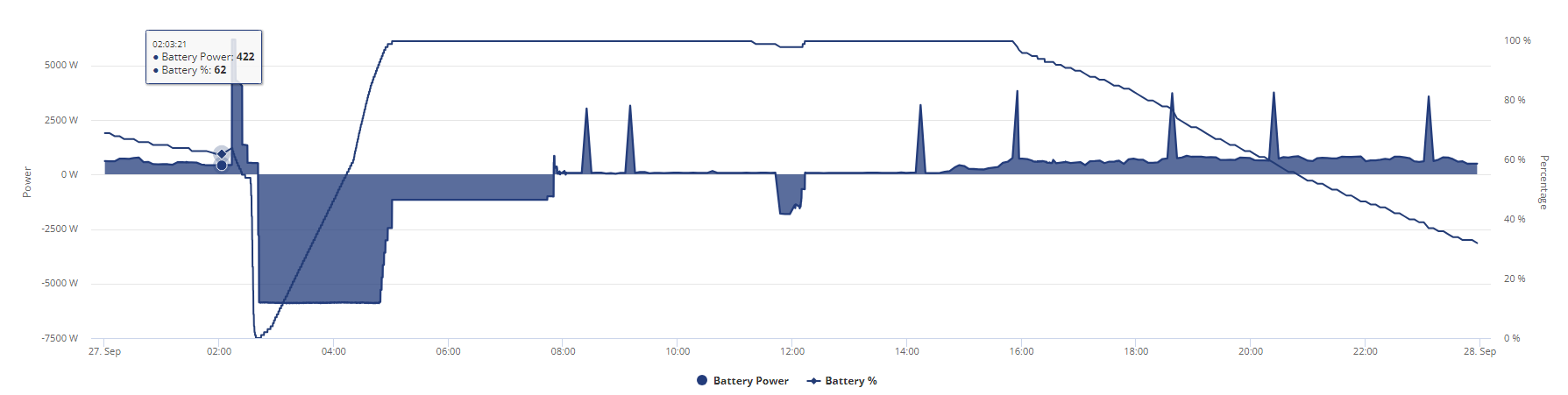
This is today so far
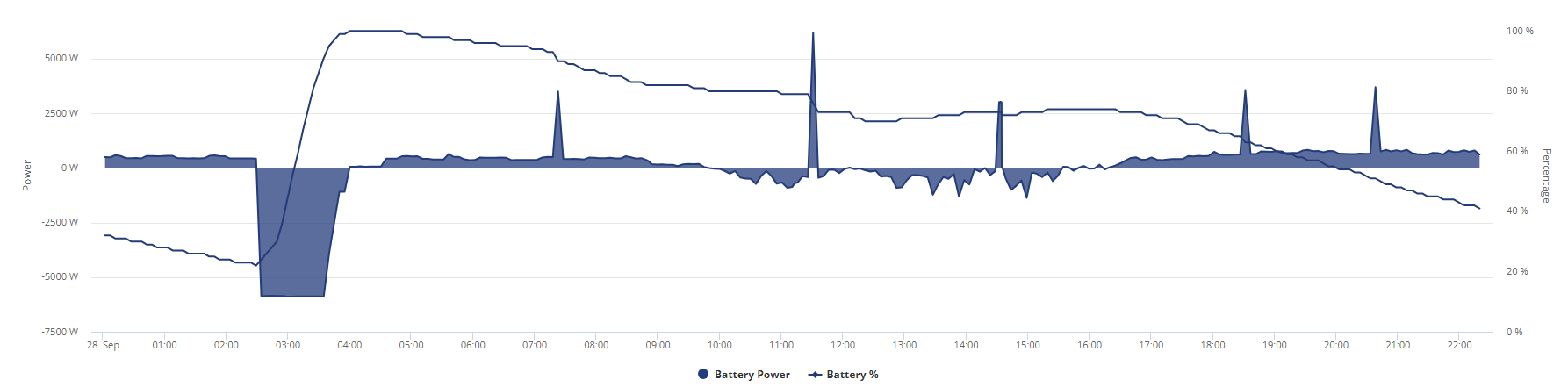
I started off 30% lower than yesterday around the same time but yet I am pretty much where I was yesterday around 10pm, hoping this is just a breaking in issue rather than the SOC issue rearing its ugly head again but only time will tell, I am tempted to let the battery go dry and run off grid and hope tomorrow is indeed a proper sunny day which it may be and hope it charges enough to get me through flux peak period or just keep charging it and wait and see if I happen to get a SOC drop, decision decisions.
There have been no deviations in usage from yesterday to today in regards to consumption
Can't seem to get any consistency so far, dad had his laser machine on tonight for around 20-30 minutes which put house load up to around 1.3-1.5kw for that time period, I had the tumble dryer on for nearly half an hour and yet there is only 1% difference in usage between two time periods yesterday and today despite a 0.6kwh more usage today than yesterday from the battery.
I made sure to pick same time period my computer was on as well as when solar was shut down, I am getting concerned that the less of a decline from the first to second picture means that my SOC issues may be returning or that I didn't have a SOC issue and one of the battery modules is just not working as it should.
I will have to see where I stand around midnight for a full days comparison between 3 graphs since the update and calibration but with consistent power loads in the home I was hoping to get some kind of baseline to do a day to day comparison.
Will keep watching over weekend.
EDIT
This was tonight for example, solar marking is up to that time period, not including that period to the next. I was full battery between 5pm and 6pm, 4pm I was exporting just under 1kwh, by 5pm it was half solar, half battery then by 6pm full battery.

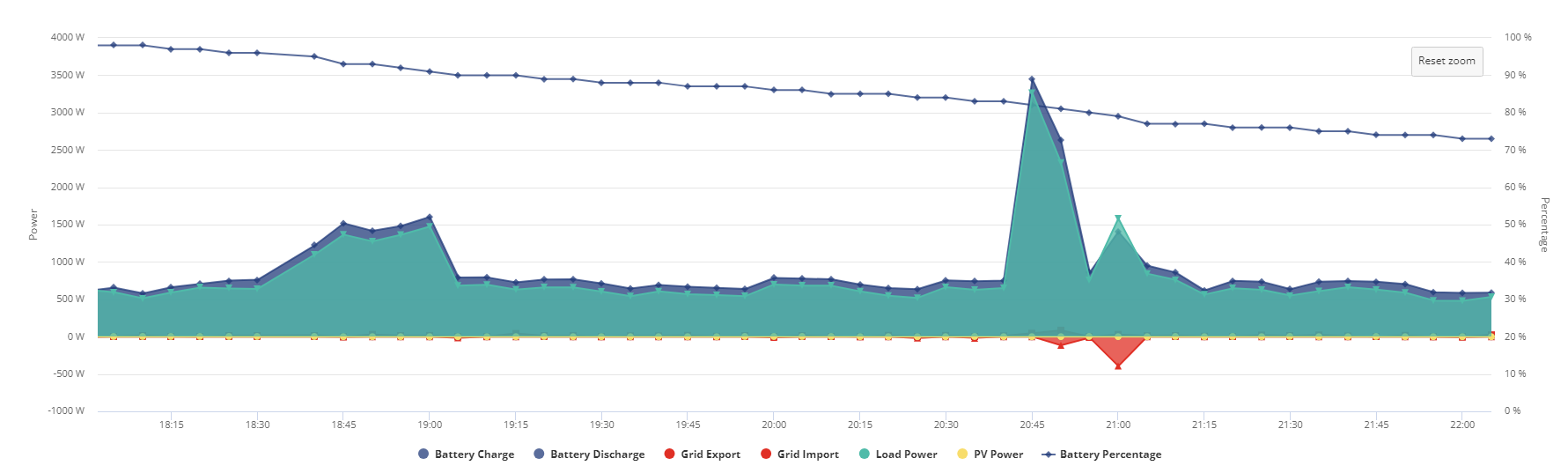
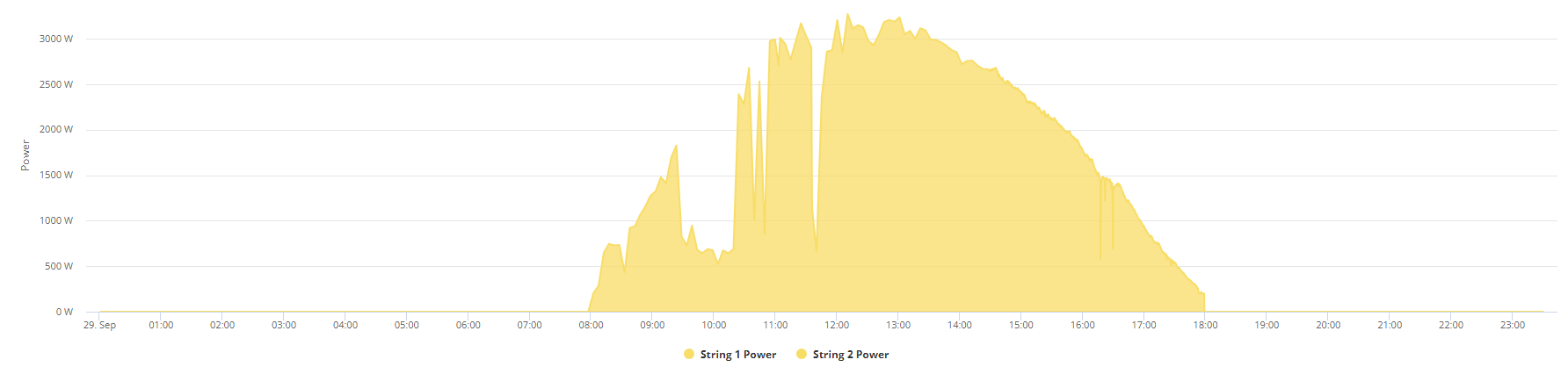
First spike was dads laser cutter, second was tumble dryer, both on for around 30 minutes.
Yellow is solar and I forgot to mark in green but 2>5am is when I set it to charge/run off flux period and update is self explanatory.
Just as a reference this was yesterdays graph for same time period
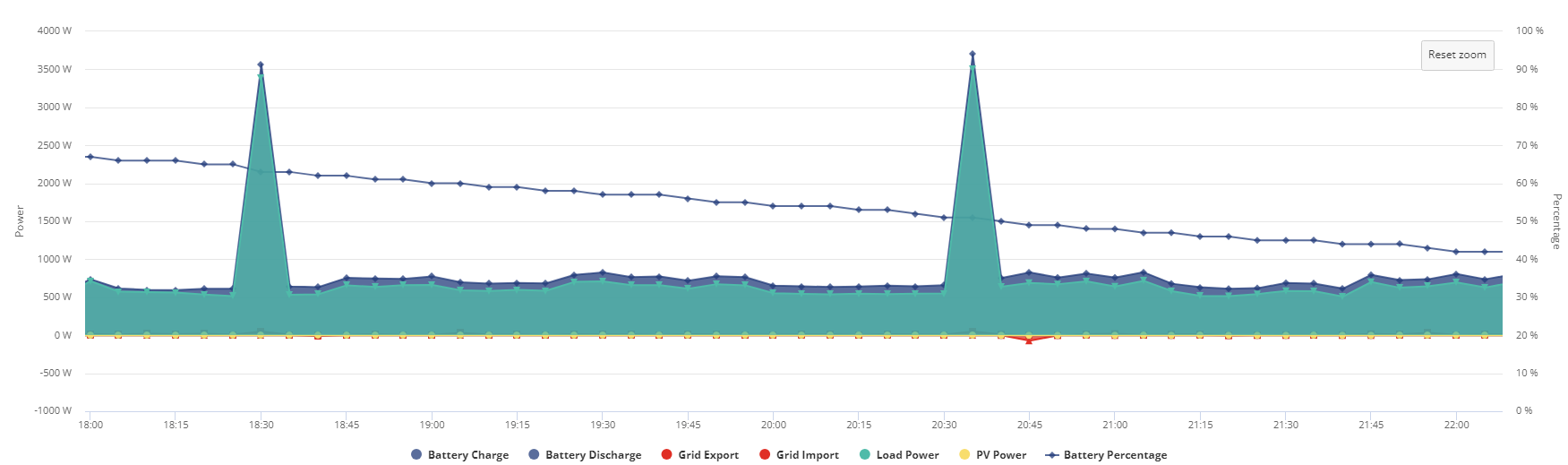
obviously it wont catch the odd kettle being boiled but nothing to the extent of over 1kwh for around half an hour as you see at just before 7pm or the tumble dryer.
Going to just play the waiting game to see if I get another SOC drop, if I do someone is going to have to come look at the batteries because the drop in percentage seems to be levelling off more and more as the days go on.
Would be a lot easier to look at things IF THE ZOOM WORKED ON THE PORTAL.
Will continue to monitor over weekend and may experiment on if it can get to 4% without tanking really fast and nosedive from double digits in one five minute refresh to drawing from grid the next 5 minutes.
I started off today at 34% battery, the battery has had 9.5kwh charge put into it overall and so far 8.5kw discharged but with 90 minutes to go til midnight I am at 72% which is wildly high considering ive almost taken out what I have put in today and used tumble dryer along with laser cutting machine, a very big one.
18:00>23:15 4.8kwh today, 4kwh yesterday, both 30% difference, that is pure discharge after sun gone down.
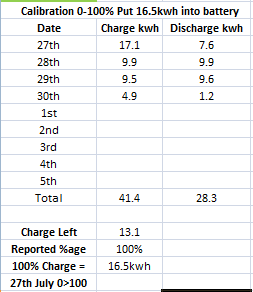
Difference in percentage between 6pm and midnight for the past 3 days
27th 50% 4.6kwh used 82% > 32%
28th 33% 4.4kwh used 67% > 34%
29th 33% 5.2kwh used 98% > 65%
Looks like I might still have a problem
Anybody else with an AIO and consistent usage patterns mind checking a time period with no solar generation and compare percentage lost to battery discharged over a few days?
Edit
Despite using 5.2kwh between 6pm and midnight and then a further 1.2kwh from midnight to 02:30 apparently the battery only had room for 4.90 despite 6.4kwh being used.
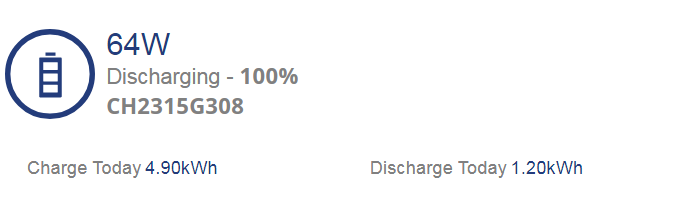
This is getting so very very very tiresome, I got absolutely no idea how much I got in the batteries because according to this in the last few days ive lost over 3kwh.
EDIT
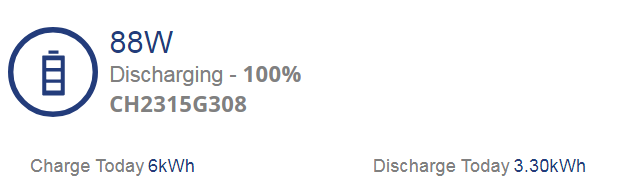
Just woke up but apparently 100% after lasts nights flux charge seems to indicate ive lost another 1kwh, have discharged an extra 2.1kwh but only charged 1.1.
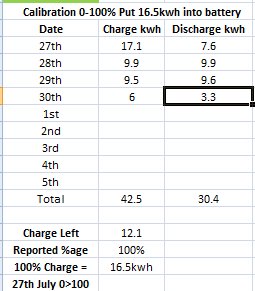
Right, ive let it run a few days and I am getting absolutely no consistency and 3/4 days this battery that should be lasting 16+ hours isnt going to even last 12 going by the %age remaining throughout the day.
Battery load when gaming PC is on only goes over 800w when fridge freezer kicks in or kettle is boiled and this is supposed to be a 13.5kwh battery as specced on the datasheet so unless im drawing 1.3kwh from the battery it should be going down slower than it is.
Below are the graphs for the day to day since the update and calibration took place.
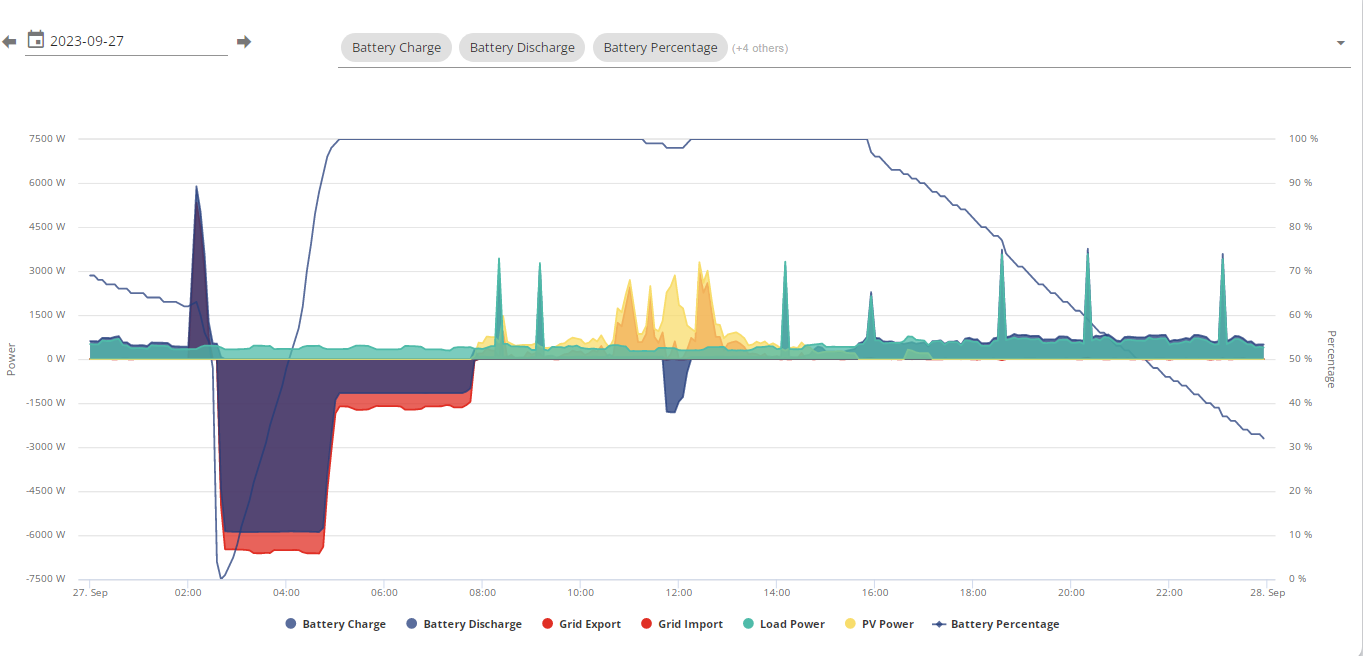
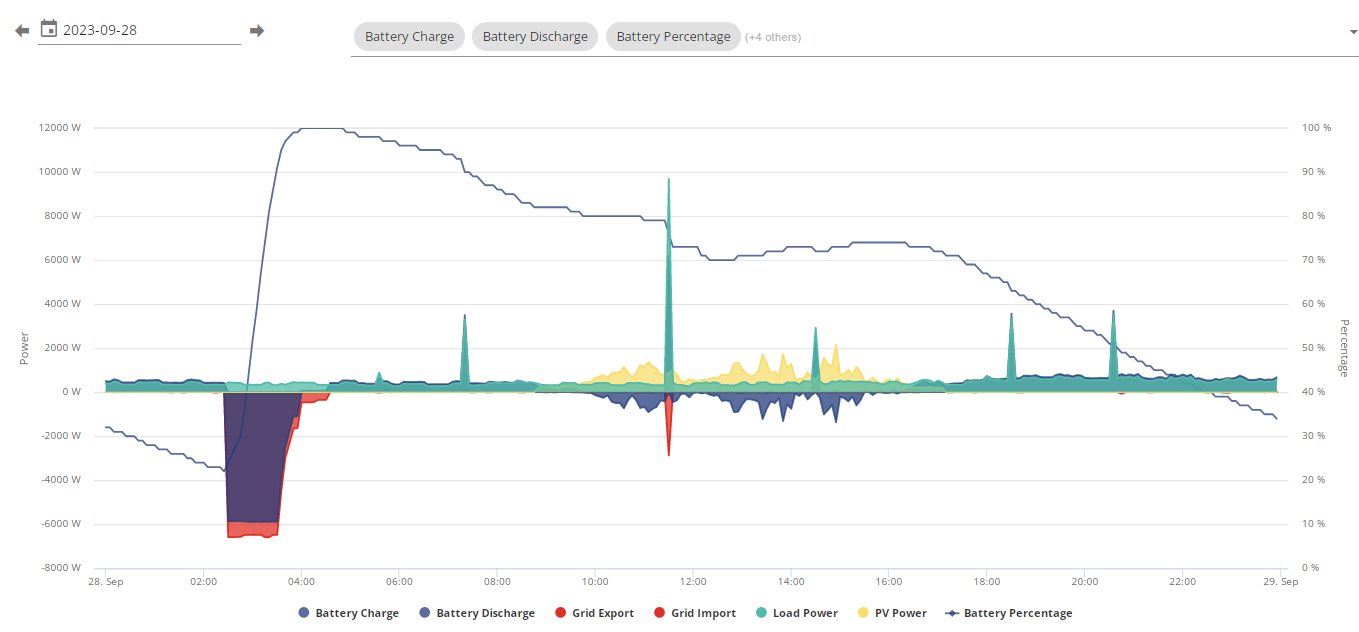
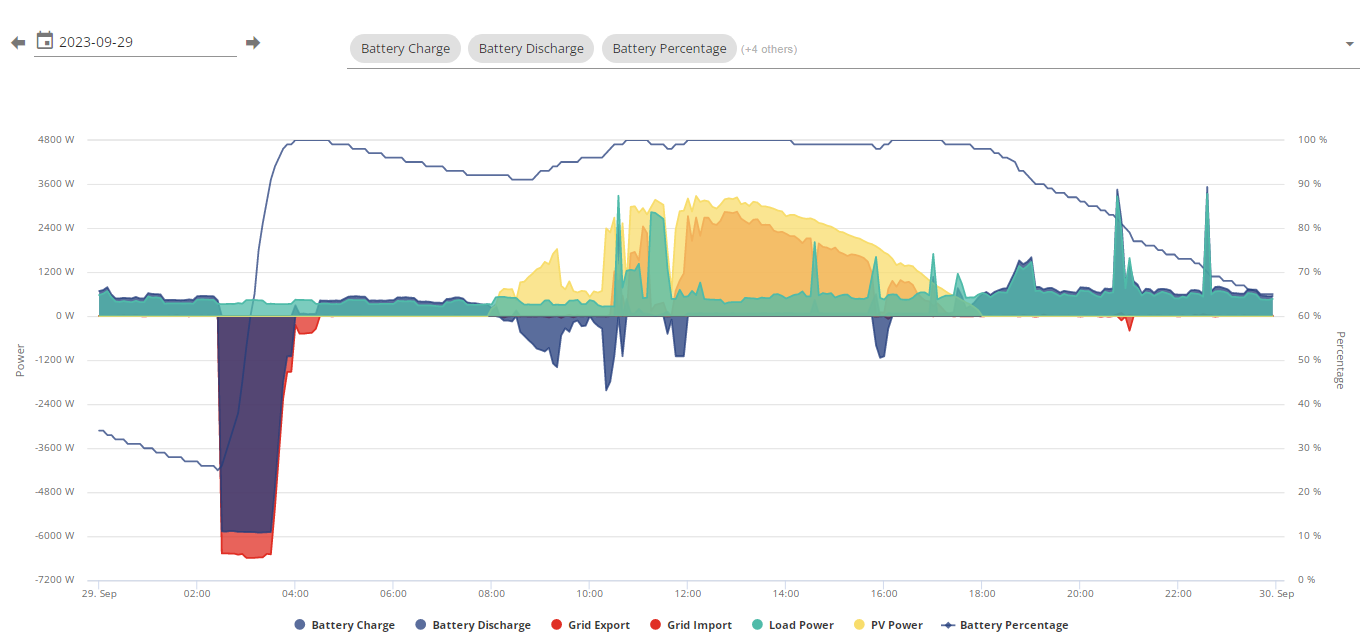
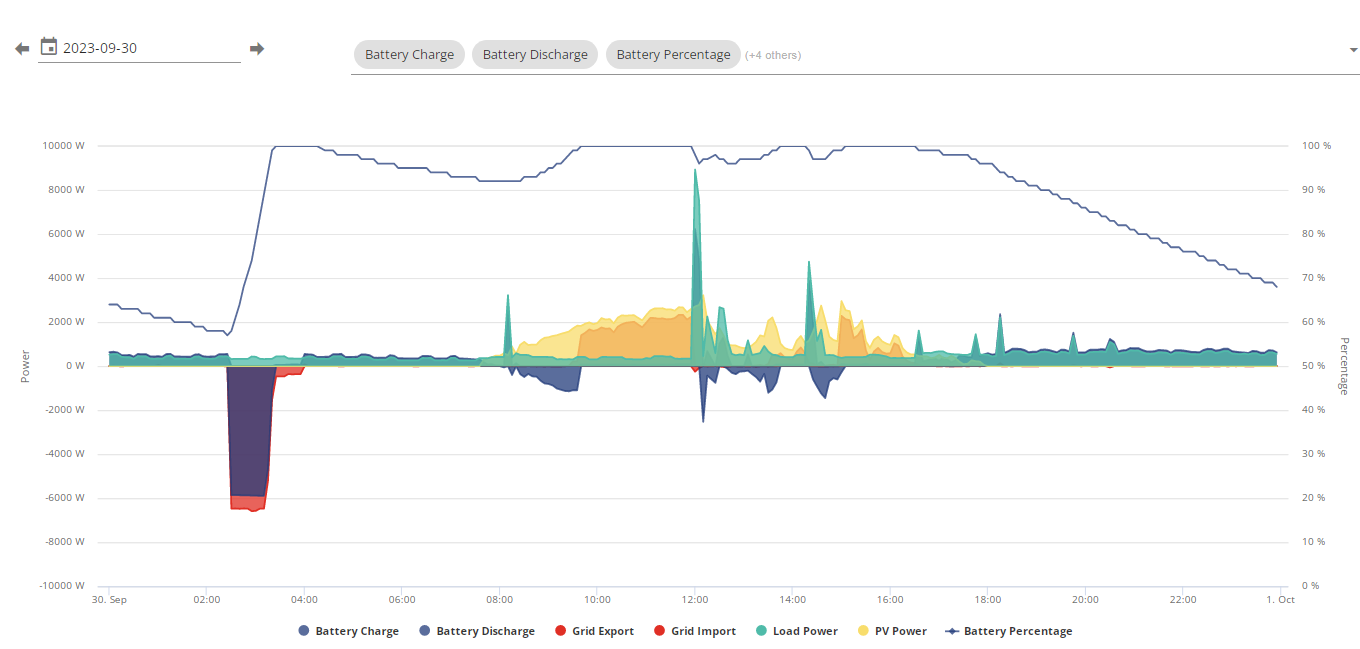
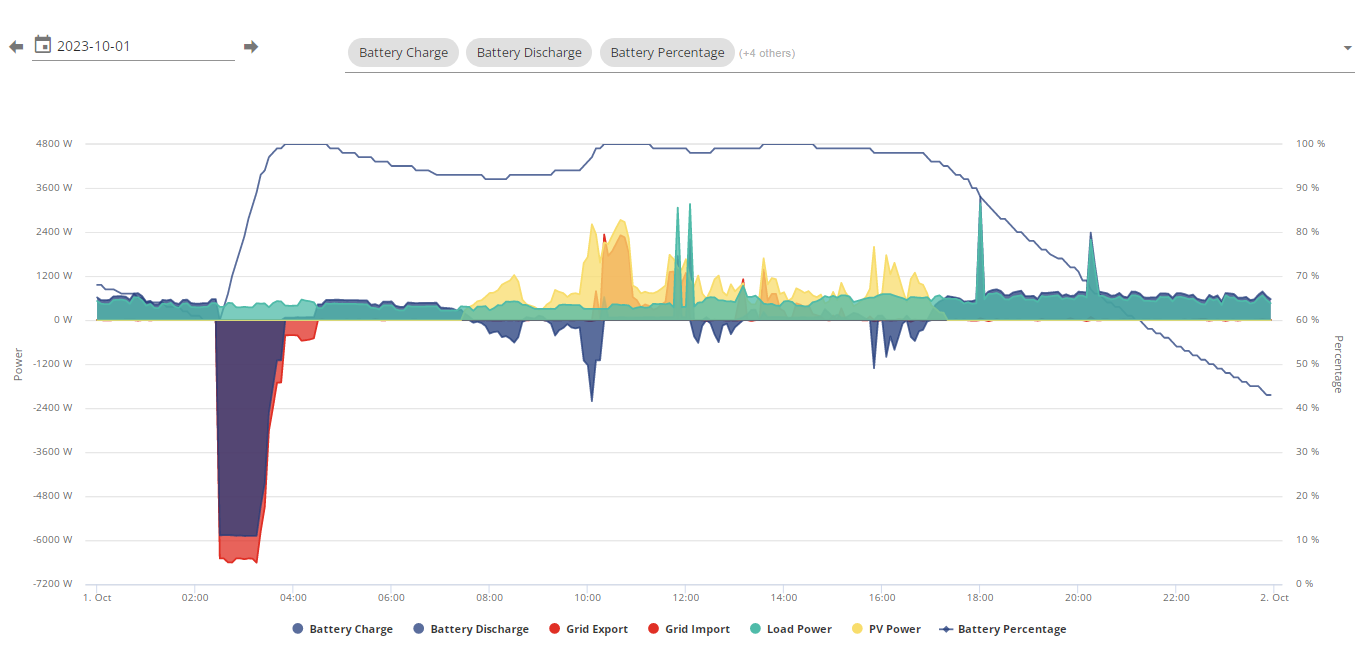
Now the 1st of October
18:00 - 00:00 I used 4.3kwh from the battery and that dropped the charge remaining from 88 to 43 dropping 45% for just 4.3kwh discharge from battery. I don't think that usage is enough to go over 35% let alone 45%.
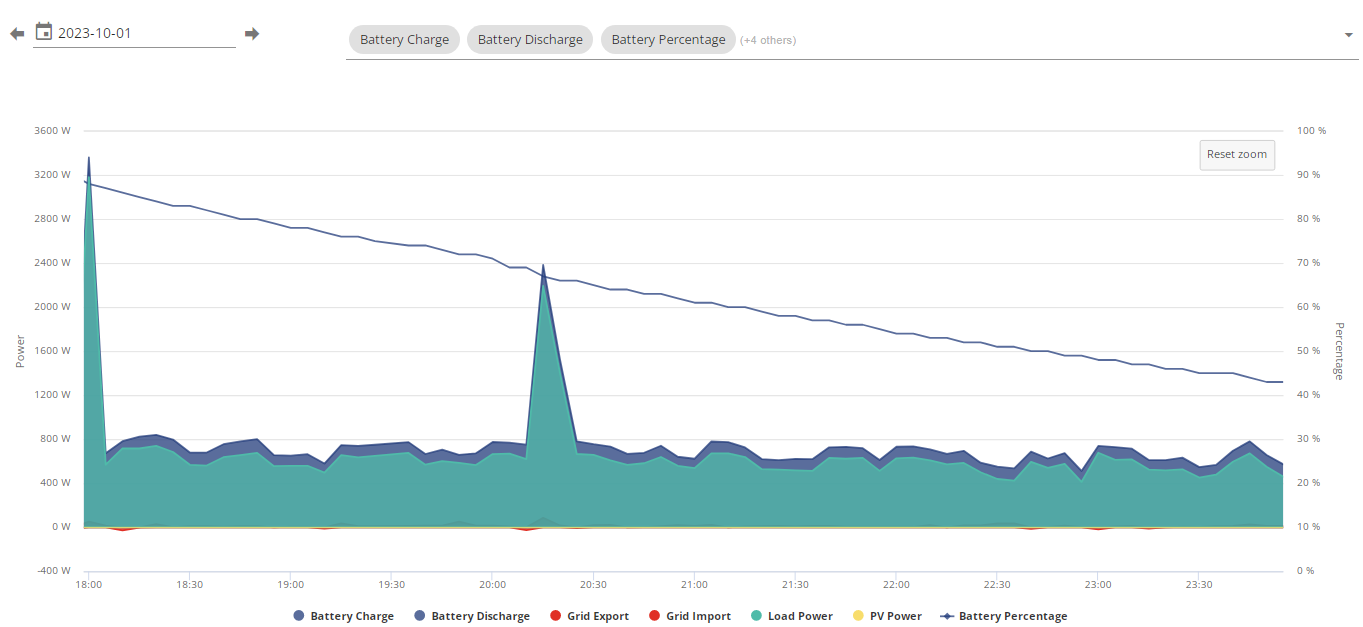
Is there supposed to be any consistency between usage and percentage? At the rate the drops are going its like im drawing over 1kwh all the time.
29th of September it seemed to go down slow despite dads laser cutter going on and the tumble dryer going on but the other days it just starts going down faster.
Either im crazy or it feels like its a 10kwh battery but that would be impossible since calibration put over 16kwh charge into the batteries.
Even a 13.5kwh battery at 900w draw which I never get to unless kettle/tumble dryer/washing machine etc etc goes on should last 15 hours, battery only briefly discharges just over 800w if I got a game going and the fridge freezer kicks in.
I have no idea how much capacity I got or how long I can run for, its completely unreliable currently.
EDIT
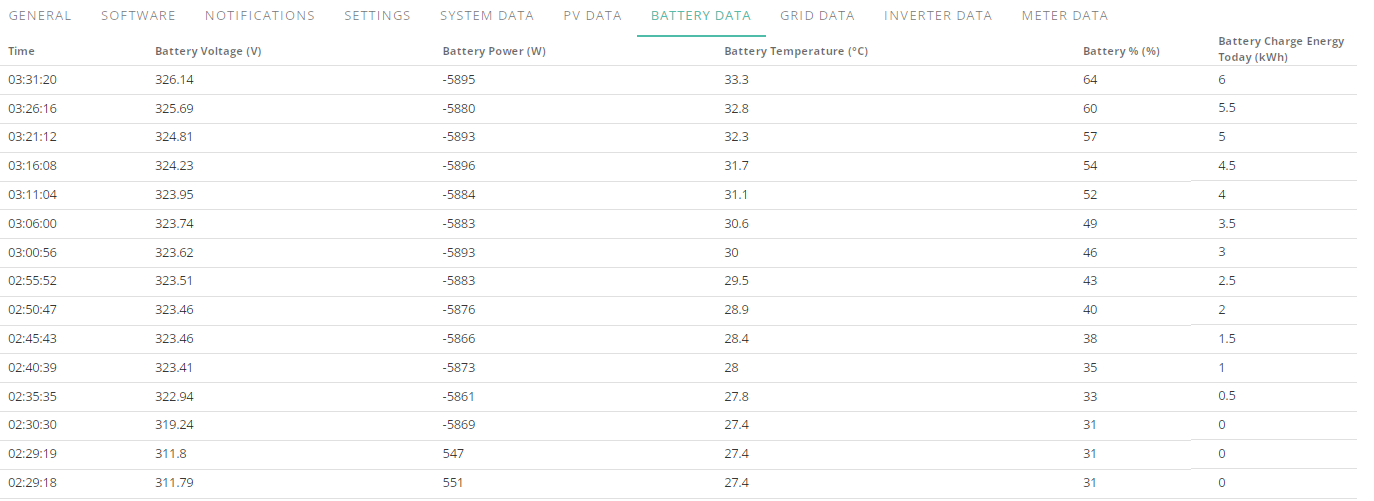
How?
How is 6kwh 33%, I used less than that between 6pm>02:30 and it tanked my battery by 45%, good god.
Gaming PC went off at 1am and at around 700w draw it was going down by 2% every 10 minutes, now at 6kw charge its going up by 3% every 5 minutes, considering the sub 6kw usage between 6pm and 02:30 (total for that time period was 5.7kwh) it should have charged in an hour not been at 64%
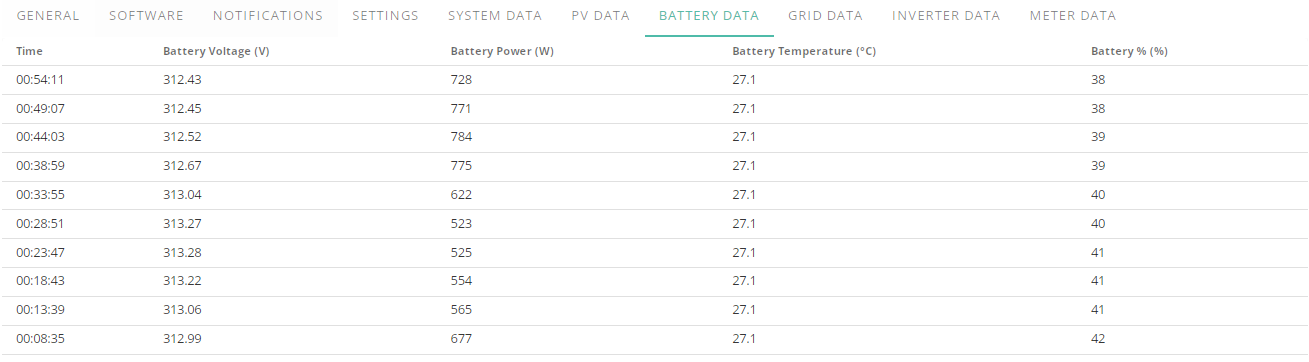
I am going to be dead before my parents with this amount of stress.
EDIT 2
Charge period ended
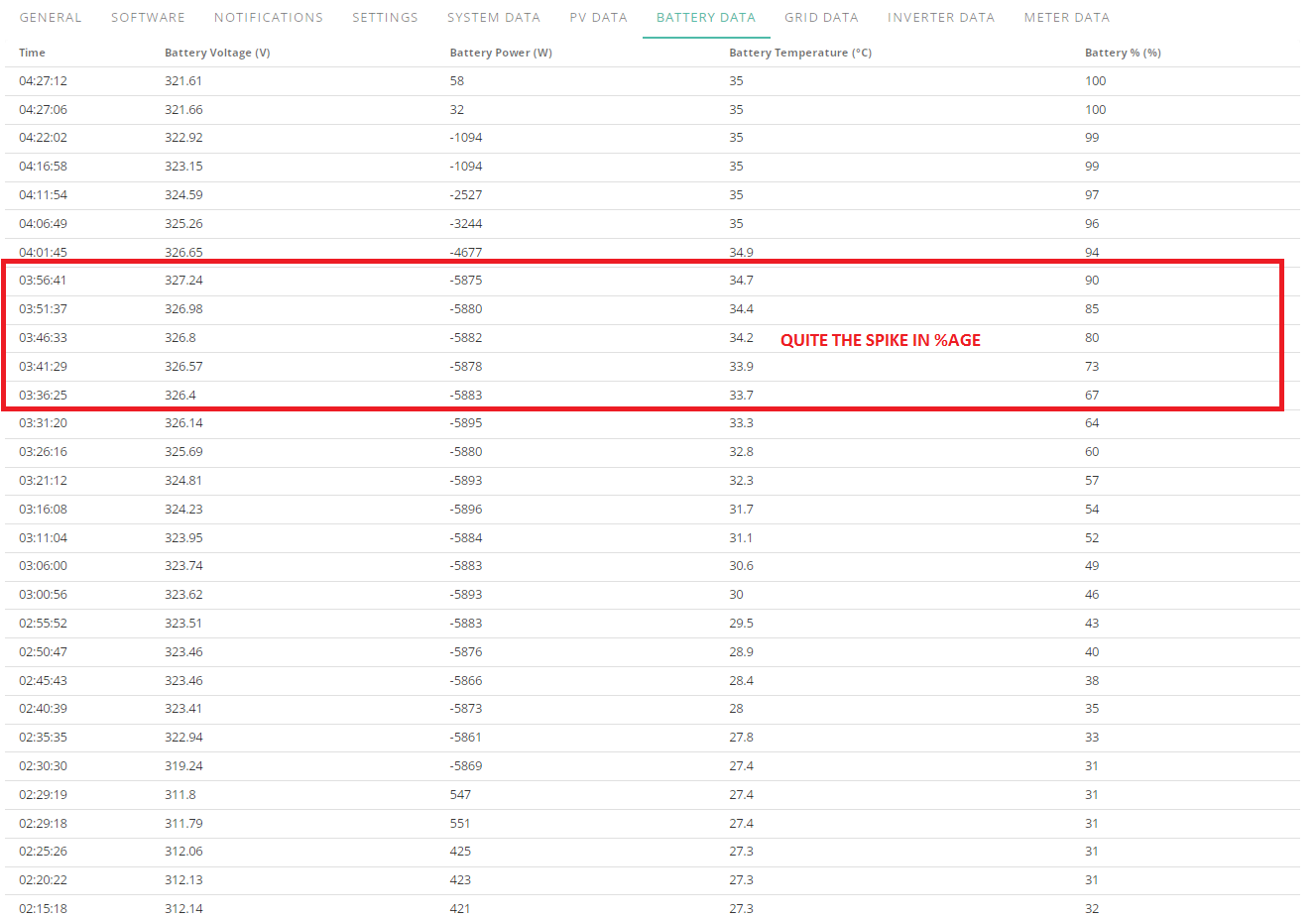
Yesterday 6pm - midnight was 4.3kwh and this is today so far
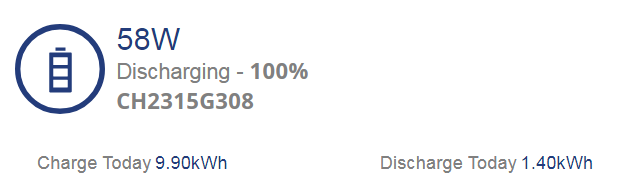
Not quite sure how 9kwh went into battery but hey ho.
Whelp, looks like ive lost comms to the inverter again, IHD starting showing that I was drawing from grid and thought I had another SOC drop but apparently last update was nearly 40m ago, not sure why it switched to grid power for about 30s then back to battery but im going to give it a minute then power cycle the inverter.
Going to have to start keeping track of when comms go do so I can get a general idea of when it happens.
BUT touch wood ive not had any SOC nosedives since the calibration just weird changes in speed of the SOC going down.
Edit
Strange, I cant even access the inverter page this time.
Edit 2
Thought after the inverter page hiccup id try restarting network switch before plodding downstairs to power cycle inverter and it, brought the password box up for the inverter login page so tried app again and its all going now.
Very odd.
But yeah, touch wood it looks like the nosedives have mellowed out.
I guess the issues I had may have been caused by the remote firmware update having to be applied during commission when they were having trouble getting it sorted (probably due to not installing the antenna) and the initial calibration being skipped so anybody getting one of these fitted make sure a proper calibration is done, I was told it was but no battery discharge/charge was done.
Here is current info ive been tracking since the calibration was done
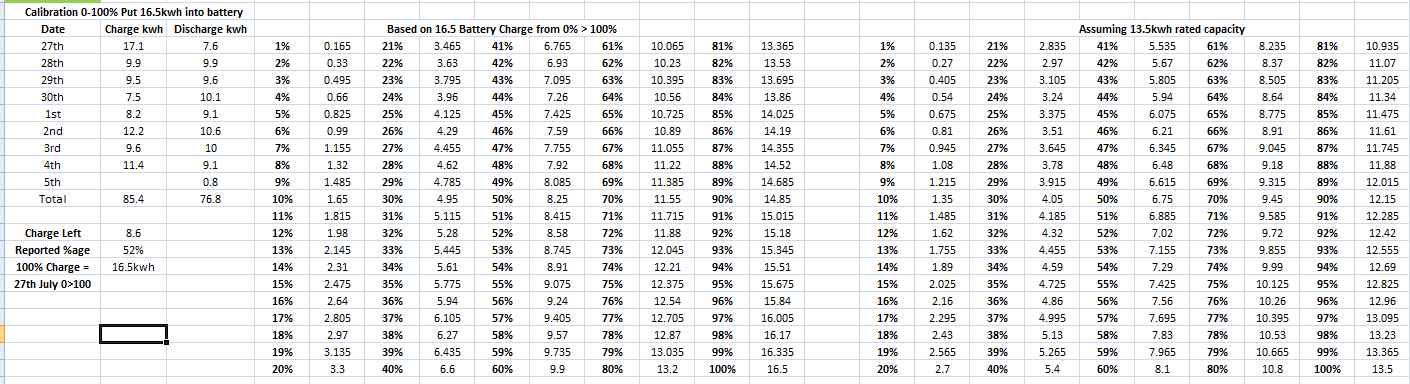
Option to calibrate the battery yourself would be nice in remote control page.
Edit 3
Example of weirdness, just finished charging on flux and only 5.9 went into it hehe.
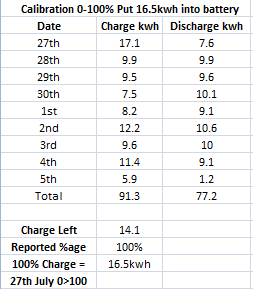
Seems to at least be finally working somewhat as it should now though.
Edit 4
lol
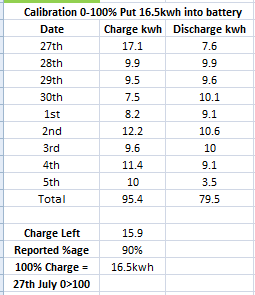
After flux this morning it was 5.9 put into battery and 1.2 discharged but somehow ive already put in double what ive used oO
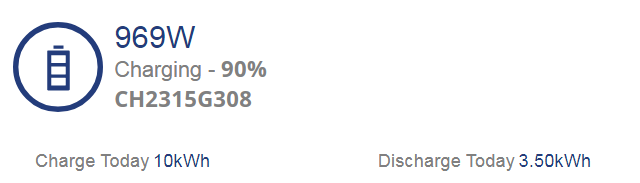
Edit 5
After battery got back up to 100%, after flux charge I used 2.3kwh from battery before solar was enough for house load but somehow put back in so far 4.7kwh and im only at 92%
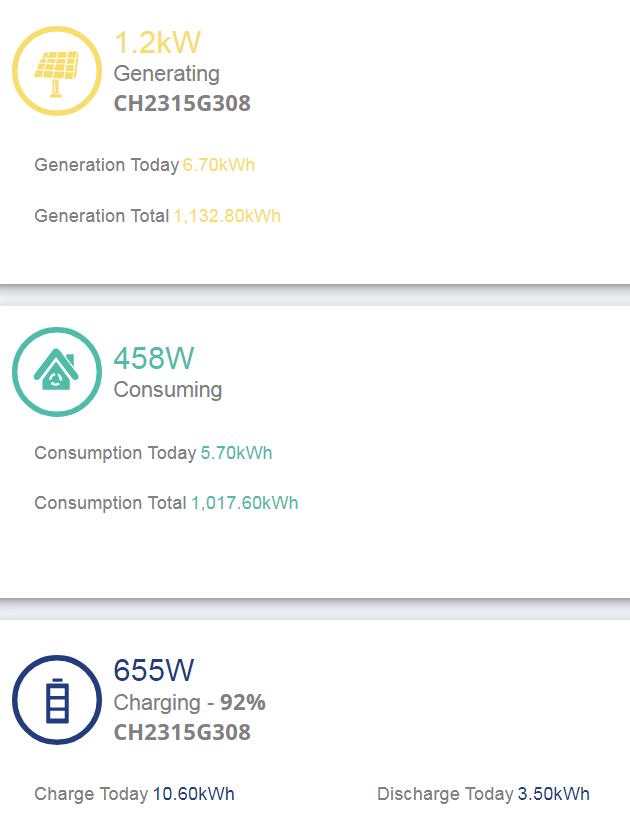
Guess I didn't touch enough wood?
Edit 6
Well, this doesn't bode well lol
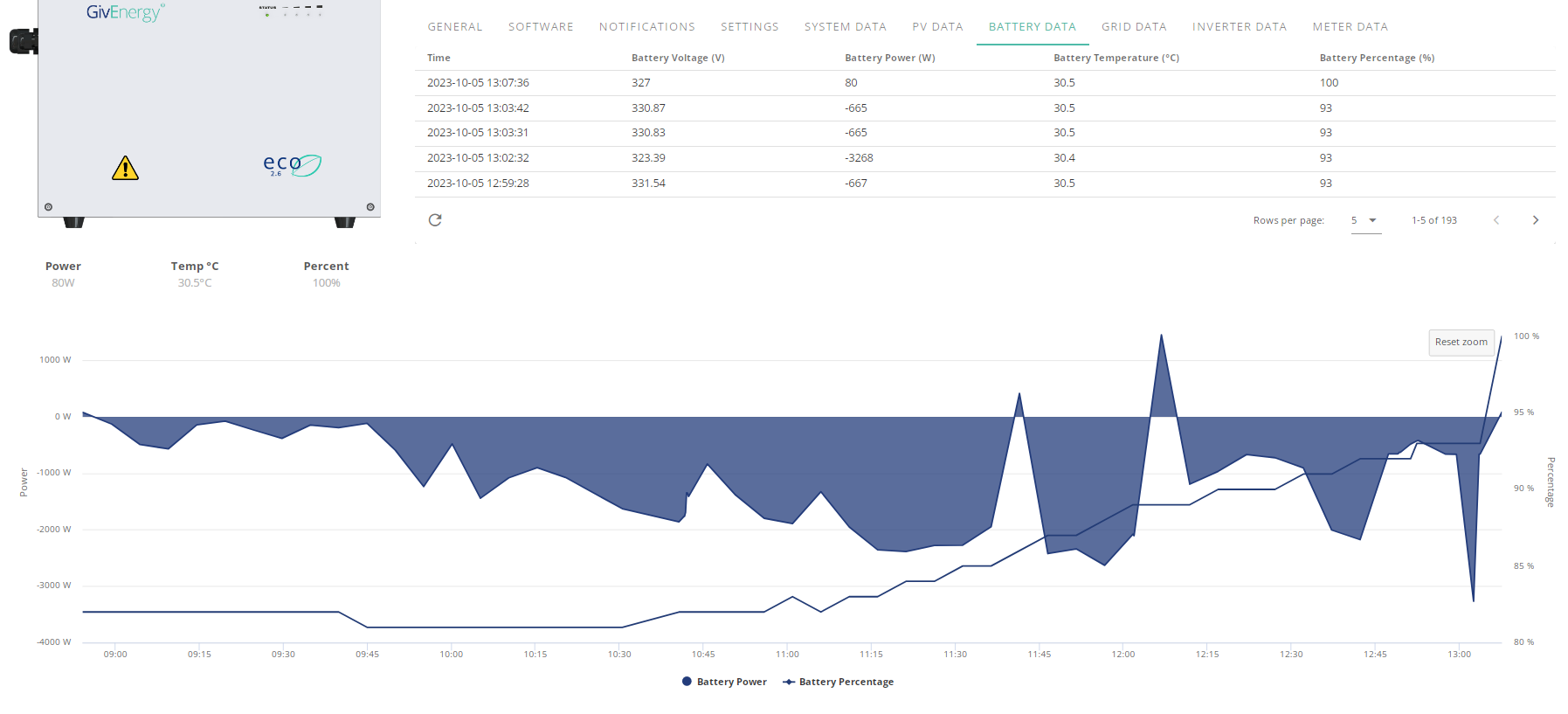
Looks like I may have been a tad premature about it being better, every since hte comms issue and following trouble with BMS message the voltages have been dropping quite rapidly at 40-50% charge left and its not looking too good now.
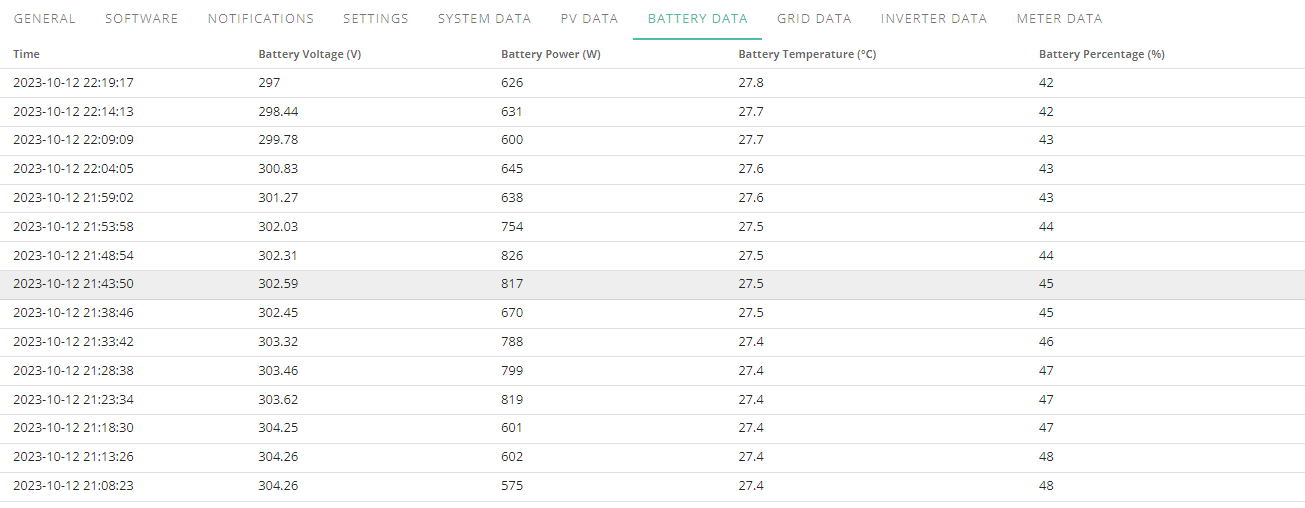
I will know pretty soon in any case as ive been doing the math day to day since hte calibration
If the math is right then I should be on grid by midnight.
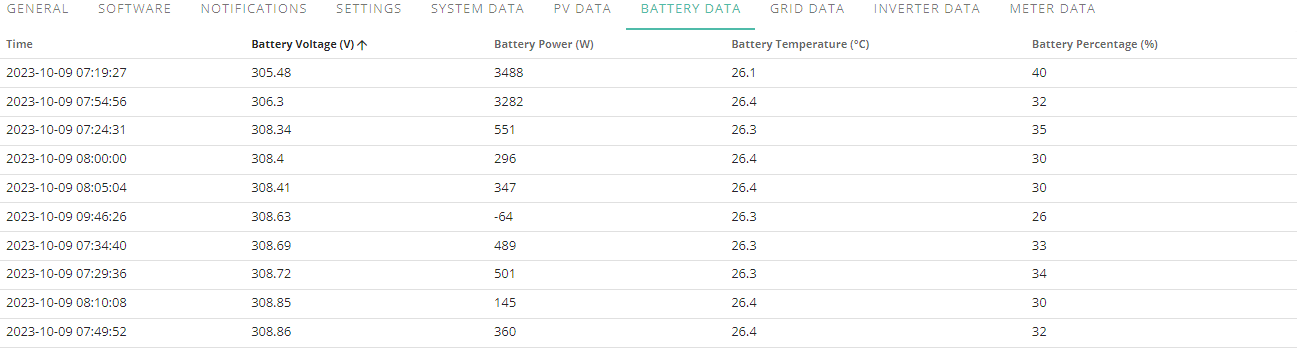
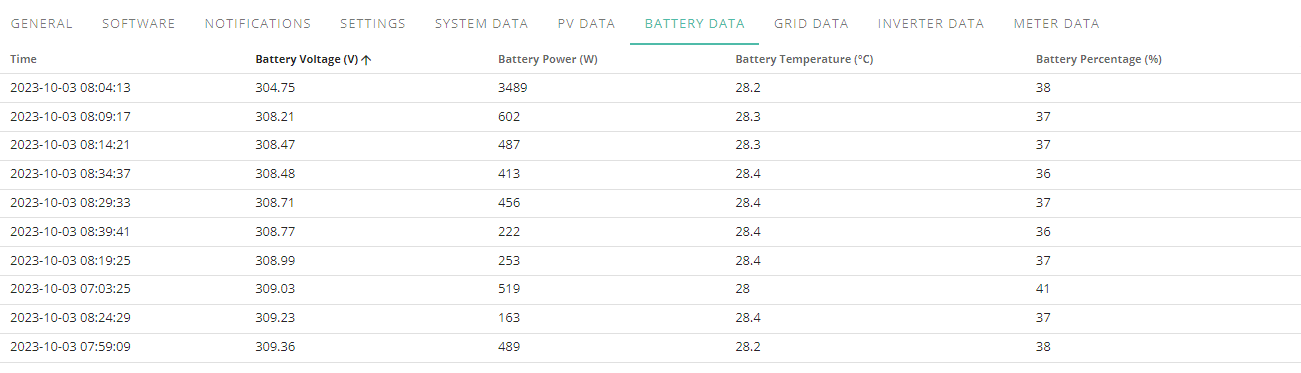
Since the calibration the voltages have stayed above 300 until I ran into the issue with the comms and then bms when trying to reset the aio as you can see here when the charge %age has been low
9th October
3rd October
Edit
This is unusual, usually it jumps straight to grid but its being split
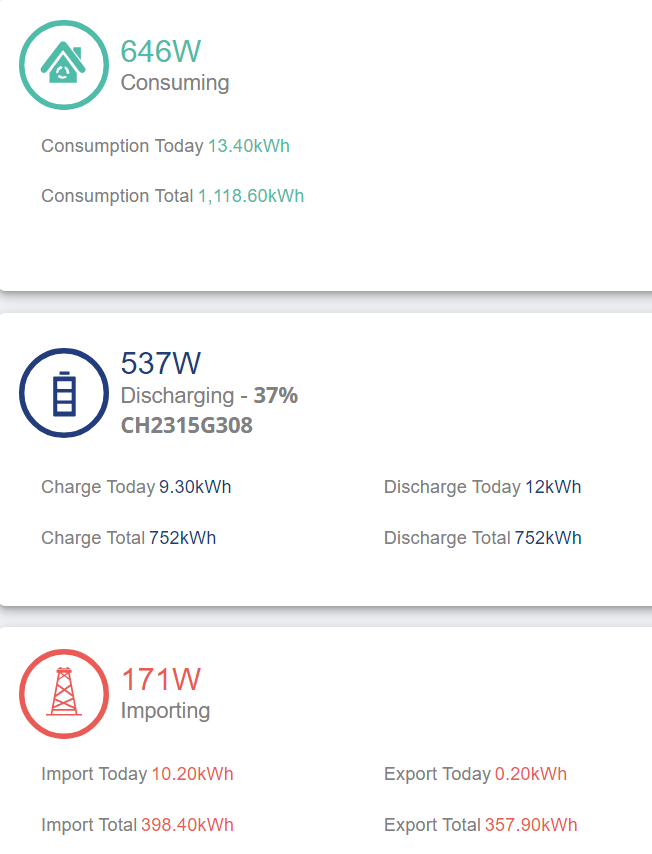
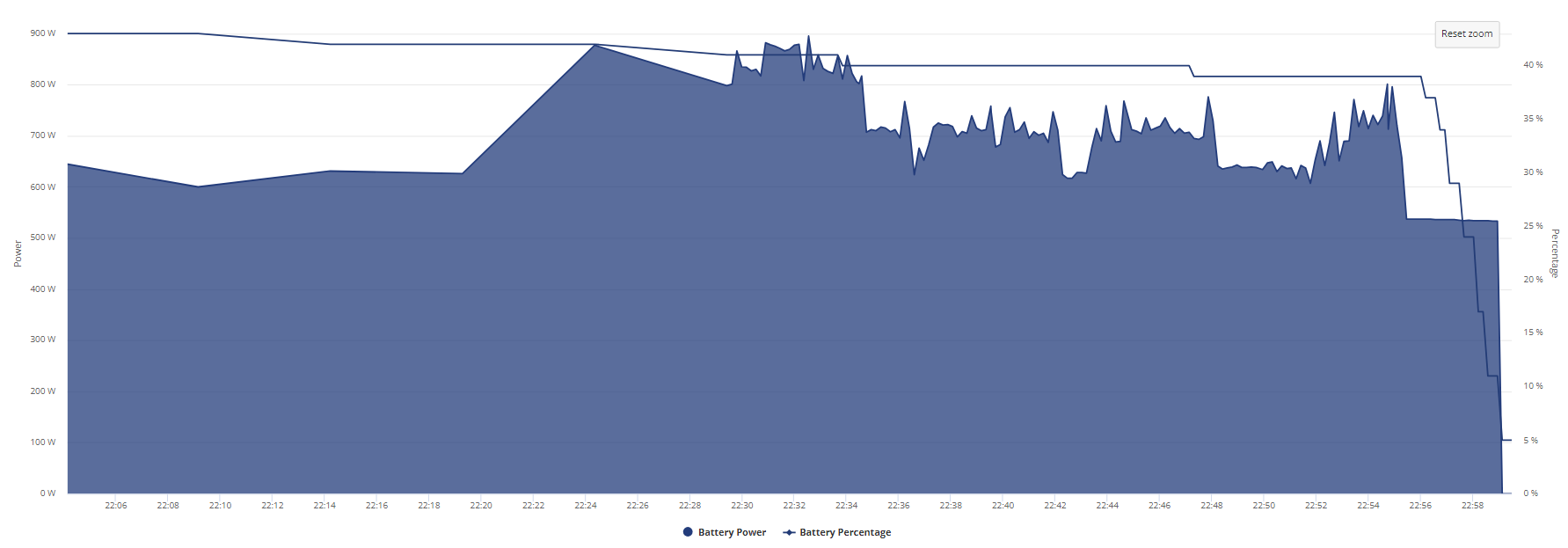
The math was 0.5kwh off, shouldn't have to keep up with the math to know when its going to die.
Edit 2
Charging off flux and apparently 1.4kwh charge is enough to take me from 7% (from idling) to 25%, in what universe is 1.4kwh 18% of a 13.5+kwh battery?
Just refreshed info (I have local mode running in app so quick time refresh)
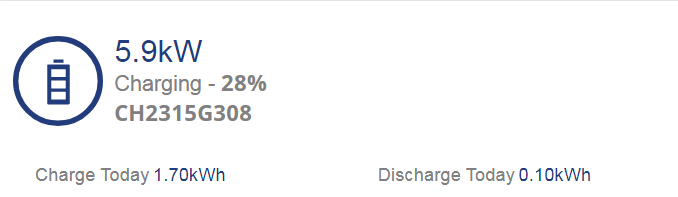
HOW??????? At 28% I should be closing in on 3kwh not 2 since I was starting at 7. At 6kw charge it should be going up around 45% an hour.
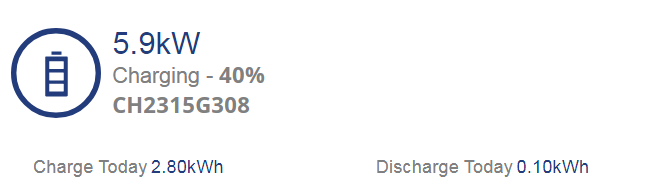
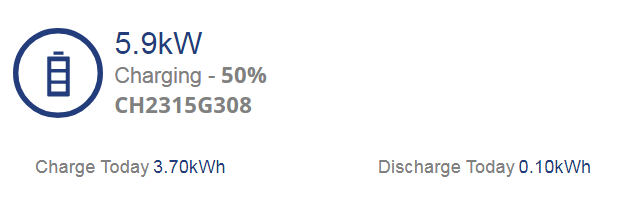
Above images are after 36 minutes of charging, HOW IS IT AT 50%
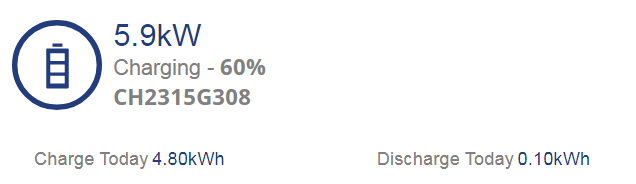
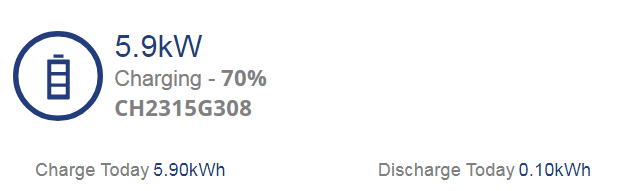
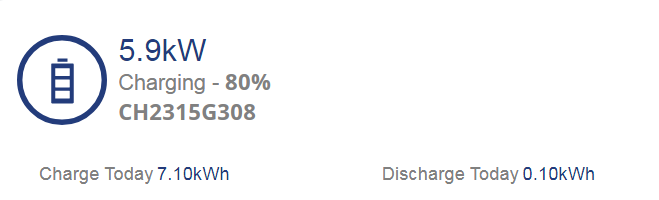
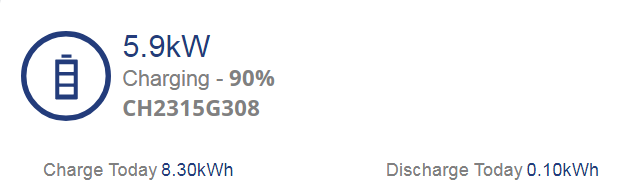
Not looking good, I am not getting 5kw from last 10%
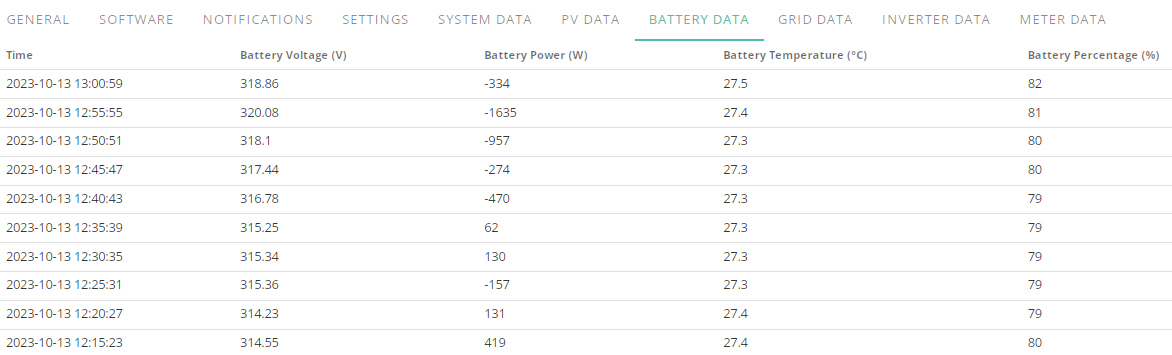
Thats it, someone can come out and take a look at this system.
Jellybaby as a battery only AIO owner with no solar complications I've determined the following.
Pre .608 firmware the numbers where all over the place. With .608 it's improved but 2 major issues remain.
Basically the battery thinks it's full too early on charge.
I'll watch for a few more days to confirm (a little complicated as charge starts one day and finishes on another)
Ive essentially lost just over 4kwh of storage, im regretting getting battery storage at this point.
Something that is a home house backup shouldn't be this unreliable.
%age going up way too quick imo
Edit
and it just jumped 2%, wth
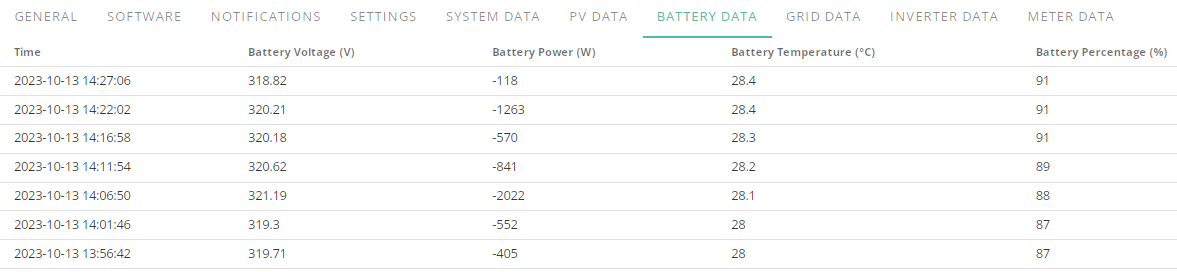
This makes no sense whatsoever

Went up a percentage without any additional power going into it.
EDIT 16:46
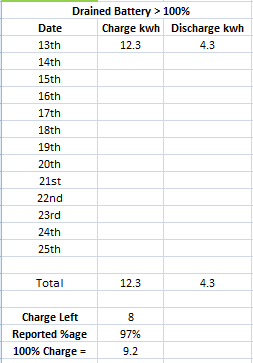
3% is 1.2kwh oO
What a shocker, got an E-Mail back saying firmware issue -_- not sure how much more stress hedaches I can take from this thing.
I find sitting cross legged on floor making hum noises while breathing long and slowly helps
That or get a punch bag 😁
This was after last nights flux charge
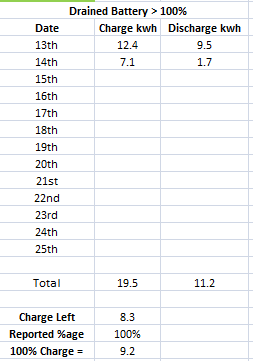
Already down a further 0.9kwh
This is after getting back to 100% from solar
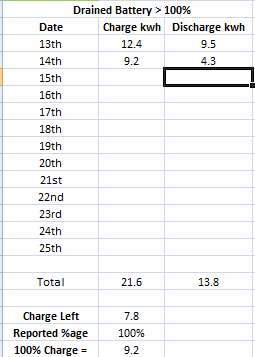
I am now down a further 0.5kwh in less than 12 hours.
So now not only am I never getting a full 13.5+kwh charge it looks like ill be at half capacity in a couple of days after putting in 3/4 of the capacity that it allows me to put in.
On a crappy day this battery is supposed to get me through expensive flux period.
Fantastic, my AIO 13.5kwh battery is now pretty much at half capacity
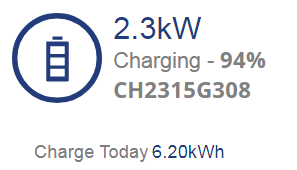

By next sunday I won't be able to charge it at all., I am REALLY STARTING TO GET ANGRY
This is when it hit 2kwh charge from solar being put into battery for first time, apparently 2 hours at sub 2kwh is enough for nearly 40% charge, this has got to be more than a firmware issue.
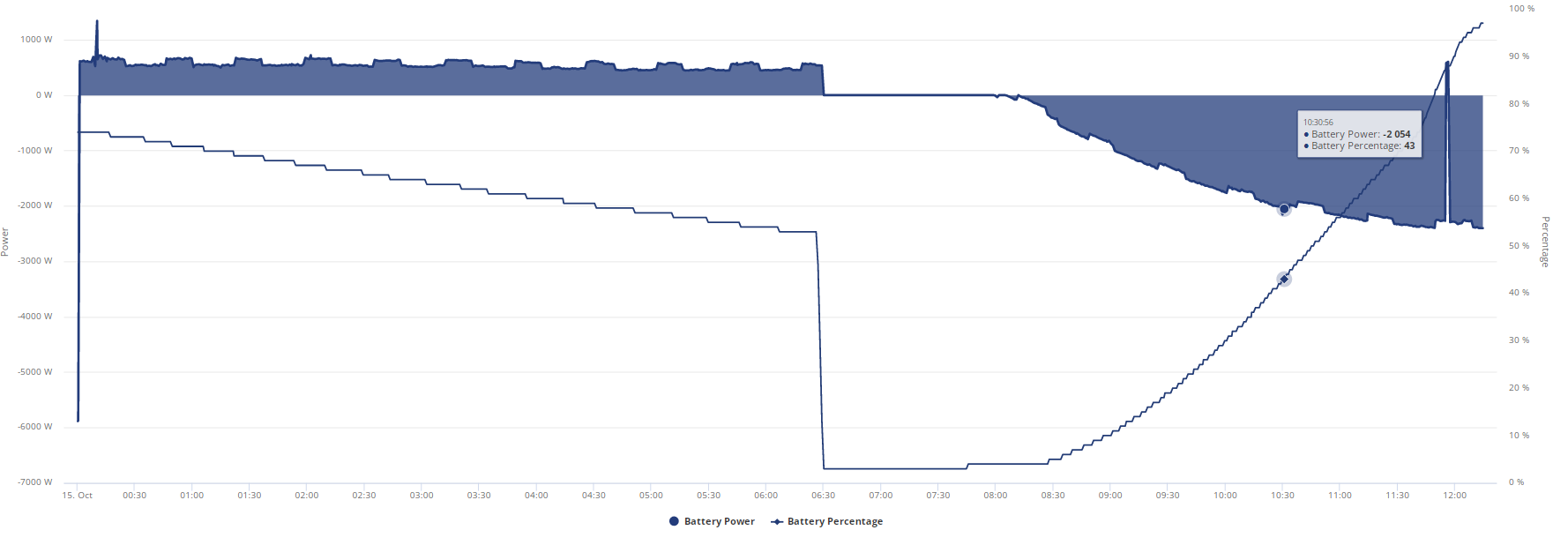
EDIT
and there we have it
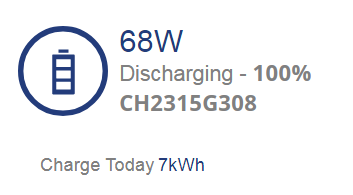
2 days ago a full charge was 9.2, now its 7.
The old firmware changed where the floor was but once there was a crash it at least took the full charge, now this firmware is changing where the ceiling is unless it not all on the firmware and there is something actually wrong but with them chucking out the firmware issue excuse ill never get someone to check it.
Ive had nothing but problems since the very first day, I wish I had listened to the warnings about GE batteries but my choices for HV were limited and powerwall was a lot more expensive and solax were limited to 3 batteries per inverter,
It it helps I'm sharing the misery, I'm just a little behind you on the capacity loss front.
To cheer you up a little, I've also got an installer who did not do the DNO paperwork and is trying to extort hundreds of pounds from me to do what is in the contract I paid for.
Sigh !!!
I've still got the joys of my heat pump install to come, hopefully that won't be quite as challenging.
tomorrowman Well I got emails saying he has submitted it, takes a while and it was done on fast track service and I am going to email them later and give them til the end of the week to give me a purchase reference number, if I don't get it im going to citizens advice because I have had as much trouble with this installer as I have the system so far.
If they even hint at wanting money to resubmit it won't be a happy ending.
Mine said same, then informed me G99 fast track was rejected and needed more money. I think as part of his arsey response to my 'read the contract and I don't do extortion' email is he was submitting a G98 with a max 3.6kW export.
In hindsight. Don't let installer on site unless he has the DNO authorisation (it's meant to be obtained prior), Don't pay him until you get it (It's just some paperwork I thought).
Also learnt 'MCS certified installer' is not quite what you think.
tomorrowman my installer wouldn’t do my install until they had the DNO approval in advance so I was delayed for 4 months waiting for it. I was lucky and got a G100 with no export limit.
I understand that the DNO can charge potentially quite a lot for the G99. Probably why your installer now wants more money ☹️
Did you pay for any of the install on credit card, section 75 might be easier?
geoffreycoan Stupidly not but I wasn't concerned as my quote expressly included DNO approval.
I've always wanted to try small claims court
geoffreycoan For me they said that was part of the cost so they can't wiggle their way out of that and if they say it was rejected I am going to want to see a reference number for the application and the email stating it was rejected so I can follow up.
I wonder if I can just pull the AIO breaker in the gateway and just shut the battery off and not have it cause any problems.
I should still just get home covered by solar with it off and just change to a flat tariff til the next battery update then fire it back up.
Whelp, looks like im down to 6.3kwh capacity after last nights flux charge
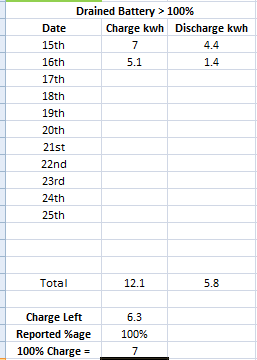
Fantastic.
EDIT
Just checked and this is what happened after flux charge
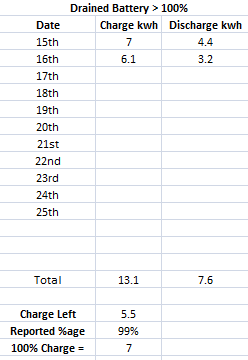
I am now down to less than 6kwh for a full charge.
EDIT 2
Got an E-Mail back from them this morning after claiming firmware issue saying
It looks like this has rectified itself now.
THE HELL IT HAS
Be intrigued as to how the AIO fares with the Intelligent Flux Tariff, given it stops doing things at 20% not 4% or whatever you tell it - so never really goes low enough to help find the knee of the cell voltage curve.
Can't imagine Octopus would be overly happy at large scale if they think they've got X kWh stored and actually have Y!
I am surprised Octopus allow it at all tbh with how unreliable batteries are, I didn't think they were this level of bad.
Whelp, if I am right I should be dry by around 22:00-22:30
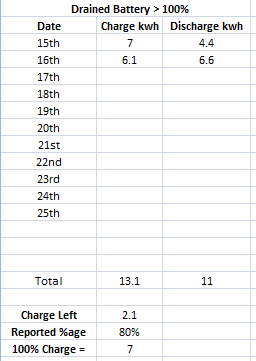
Should end up flat around 8.6kwh
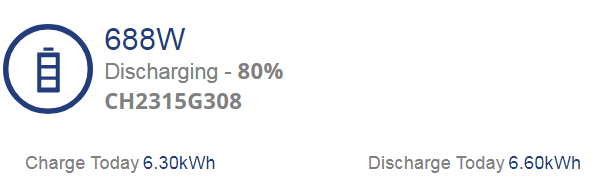
If I end up putting 5kwh or less into the battery tonight during flux I will be changing tariffs to flexible variable tariff and shutting down the AIO til a new firmware is released.
and so it begins, it dropped from 303v to 300 before this
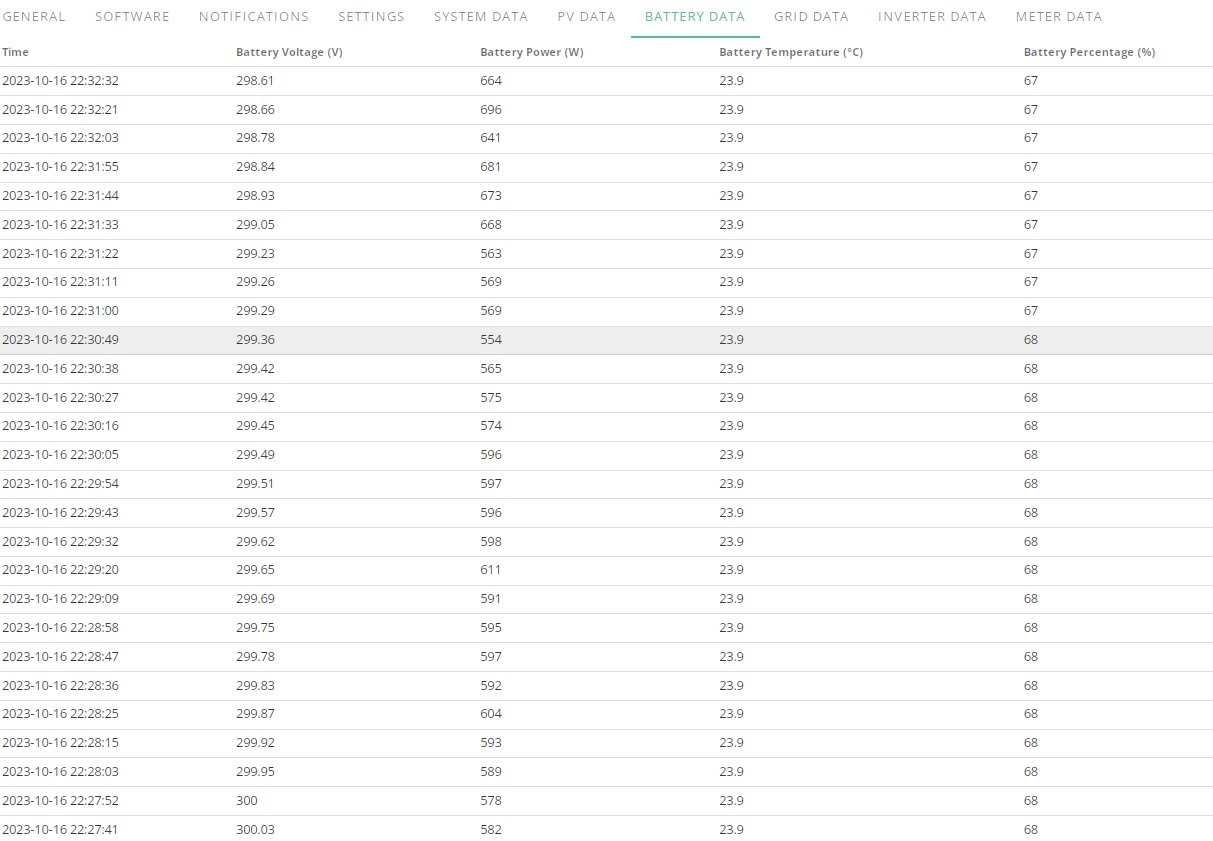
EDIT 22:46
Its lasting longer than I thought it would but its in the process of tanking, I expect to be on grid soon.
EDIT 2 22:51
I forgot to update charge today, I still have 6.1 on the sheet lol
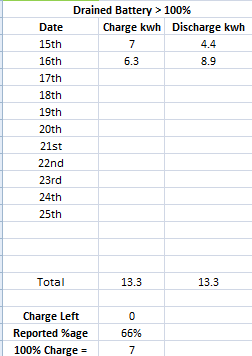
It should be going any time now.
EDIT 3
Well that lasted longer than I thought it would, going from grid at 23:16, I was 0.2kwh off. Before flux period starts im going to shut the AIO off from gateway see if that returns home usage to what it should be (before the 80-130w extra the unit adds) before powering it back on incase that kicks something loose that makes it start working properly.
Well, the good news, I can shut down the AIO and have electricity usage return to normal without the added 80-130w it adds on, lets see if reboot changes anything for tonights flux charge.
Before AIO comes online power is 410-430w, after its 520-540w, not going to waste all that extra energy just to have the inverter idle cause the battery no longer accepts a charge which is what its looking like based on current info.
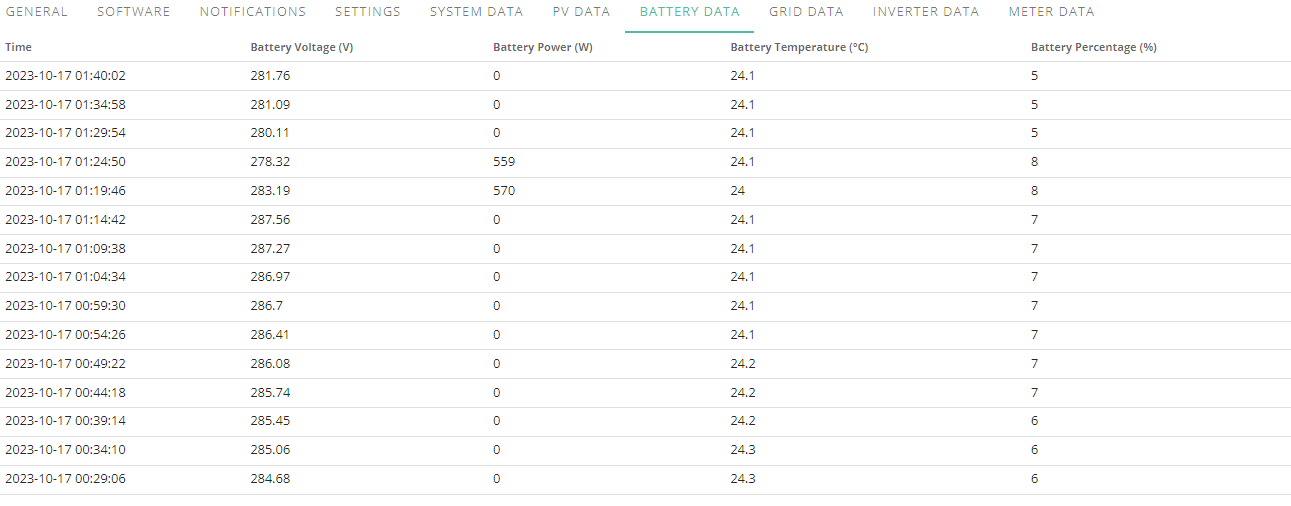
EDIT
What I don't understand is if the battery is empty why does the inverter not kinda go to sleep until needed and I just run purely off the grid till a charge is triggered? That would be nice, or have an option for its activity to go to sleep.
Would save me having to flip the breaker in the gateway if tonights charge fails to provide any good results.
EDIT 2
Seriously, HOW, goes up 3% whilst idle, no battery power.
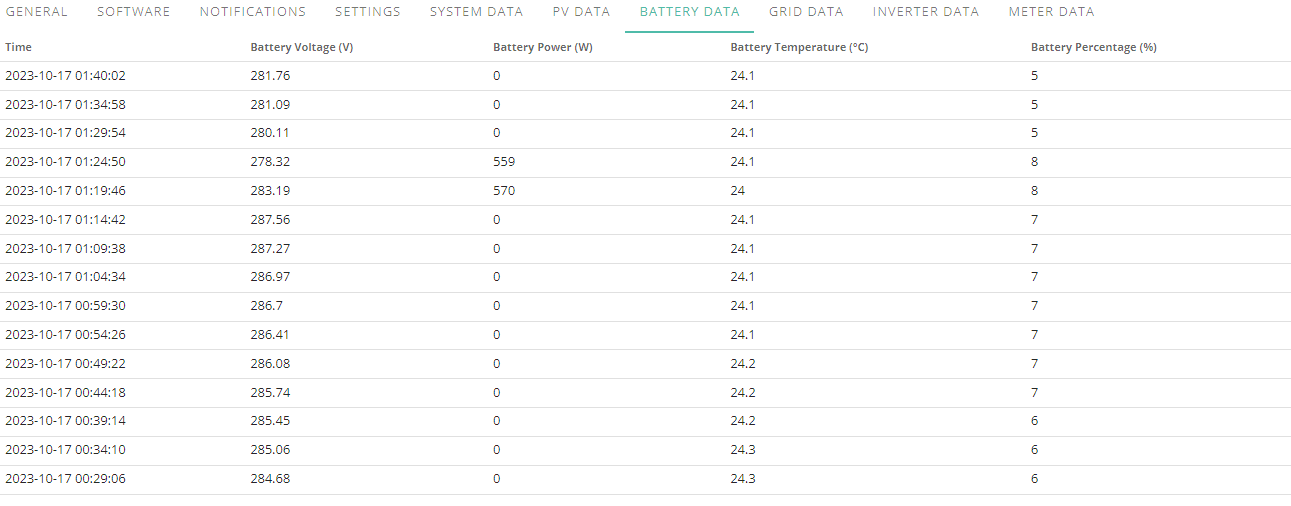
OH COME ON REALLY, GOOD GOD
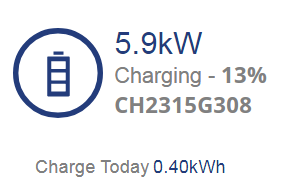
It should take around two hours to charge this battery from empty but apparently 15 minutes is enough for 20%
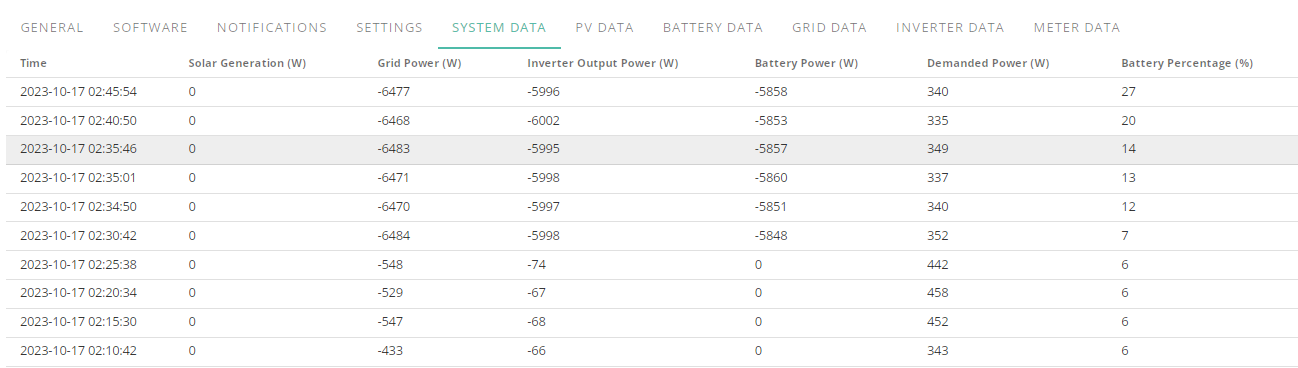
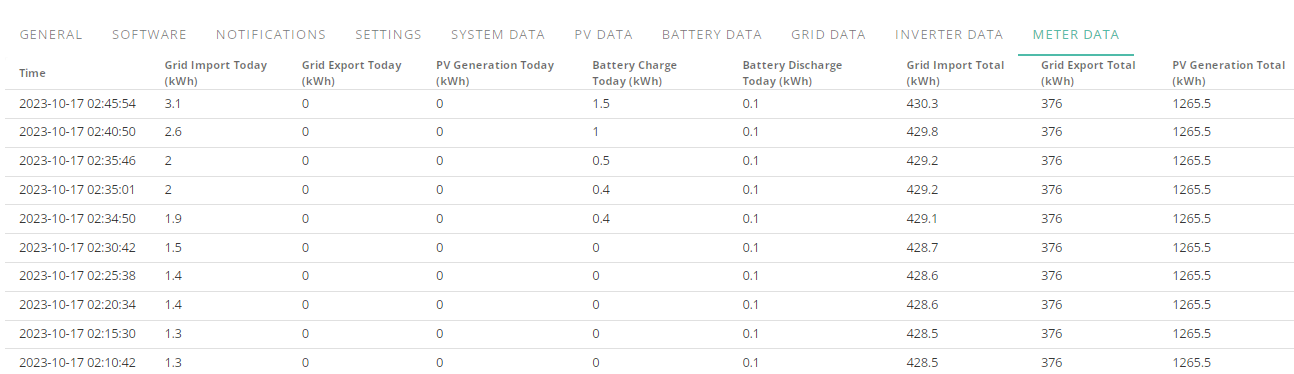
Few hiccups here and there might be able to overlook but this much loss in capacity is just a joke when its supposed to be a whole home backup and considering my daily use of around 15kwh it should really see me from flux charge to flux charge on even the most crappy day.
Currently ill be lucky in winter if it makes it through flux expensive period then im just adding on 80-150w power draw for a useless bit of kit.
Back on the 27th September when I calibrated the battery it was going up at 3-4% every 5 minutes not 7 at 5.9kw going into it.
Edit 02:30 - 02:56, 25 minutes
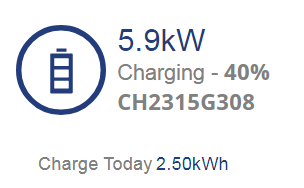
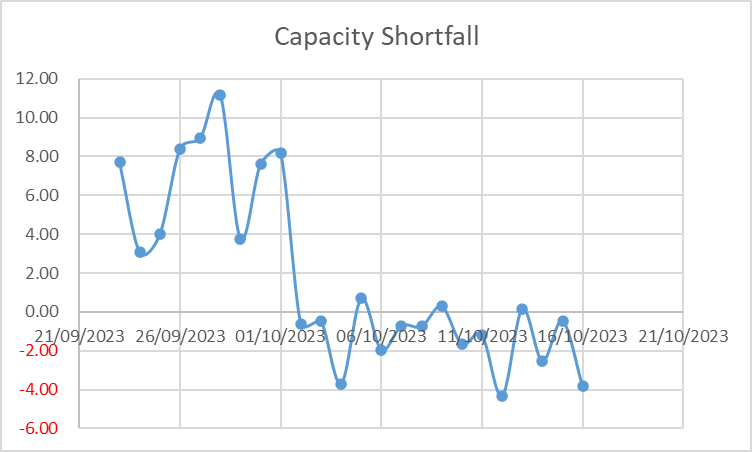
You are right the capacity issue is getting worse. The 'overcapacity' was based on the nonsense numbers generated by the .607 firmware. Post .608 nothing but capacity loss and I am finding myself increasingly using peak rate electricity, which kind of defeats the purpose of this better part of £8K battery. I have not even got the heatpump installed yet - sigh.
Cannot edit above post anymore but Flux Charge Period is set for 02:30-04:30
Latest 03:01
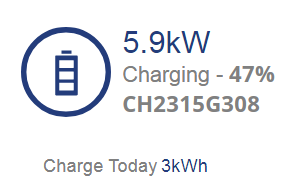
03:06, its a 13.5kw battery, how is it going up at 7% per 5 minutes, it should be 3, 4 tops if its slightly over 3 and tips over.
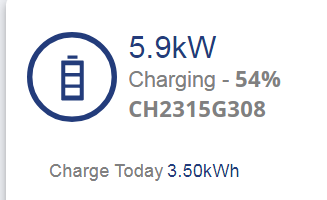
My first flat to full was 9.2 after firmware and calibration, second was 7kwh, lets see how third fairs but tbh im about to call up octopus and switch to flexible variable and flip the breaker on the AIO til they release another firmware.
They keep this up and they can refund me the cost of the unit.
I was about to go to bed til I saw how fast it was shooting up so now have to stay up and track it for E-Mail to send off after it hits 100%.
tomorrowman At least hte 607 you could plan for it to fall based on the charge/discharge but with it going the opposite way and instead of floor going up the roof is coming down and unlike the floor the ceiling has no point at which you can reset it.
At least on 607 if you hit the floor you got full capacity back and then it slowly got lower and lower but near the end of last month even that was getting odd for me.
Its not the fact that its JUST peak rate either its that whilst flat the inverter won't go on standby or offline and will continue to add 80-150w power consumption whilst doing bugger all which is why I am going to switch the AIO off after changing tariffs because with the weather nowadays it won't even soak enough up to compensate for that difference in power usage.
This is literally the first time ive ever had trouble with something I spent money on.
I think my capacity this time is going to be less than 7kwh
03:21 this shouldn't even be on 50%
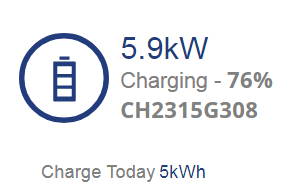
EDIT
03:36
Now its ramping down, im not even getting to 7kwh tonight from flat
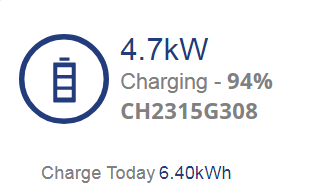
Surely this can't just be a firmware issue, 27th of september calibration put over 16kwh into the battery for god sake and now I cant even fit more than 7kwh.
EDIT
04:43
Whelp, im officially at half capacity
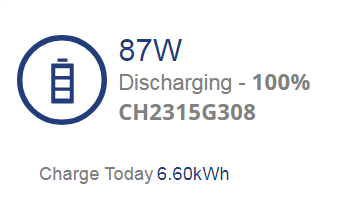
Time to change tariffs and shut down the AIO
EDIT
Thats my long E-Mail sent to Givenergy, time to go to bed, its nearly 4am, again, sick of staying up trying to monitor this things decline that is going as fast as my mental state.
Whelp just woke up and whilst I was sleeping it discharged a little and then went back to 100%, my previously 6.6kwh capacity is now 5.1kwh
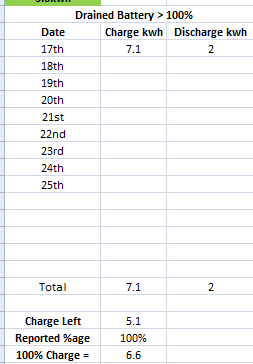
Time to change tariff and shut down the AIO
Is anyone from GiveEnergy looking at this apparent issue with AIO?
luckypants Depends upon which issue your are talking about.
Going to see what it takes to go from flat to full tonight and limit the discharge to make sure it sees me through flux expensive period and I am going to switch plans to Octopus Flexible Variable and once that is done either disable charging from grid altogether and hope solar puts enough in each day to cover its base use and set it to discharge at 200w max or just flip the breaker in the gateway to shut it off completely.
Well, looks like im about to tank out for tonight.

This has been the journey from the firmware update and calibration, taken me quite a while of alt tabbing and double checking but....
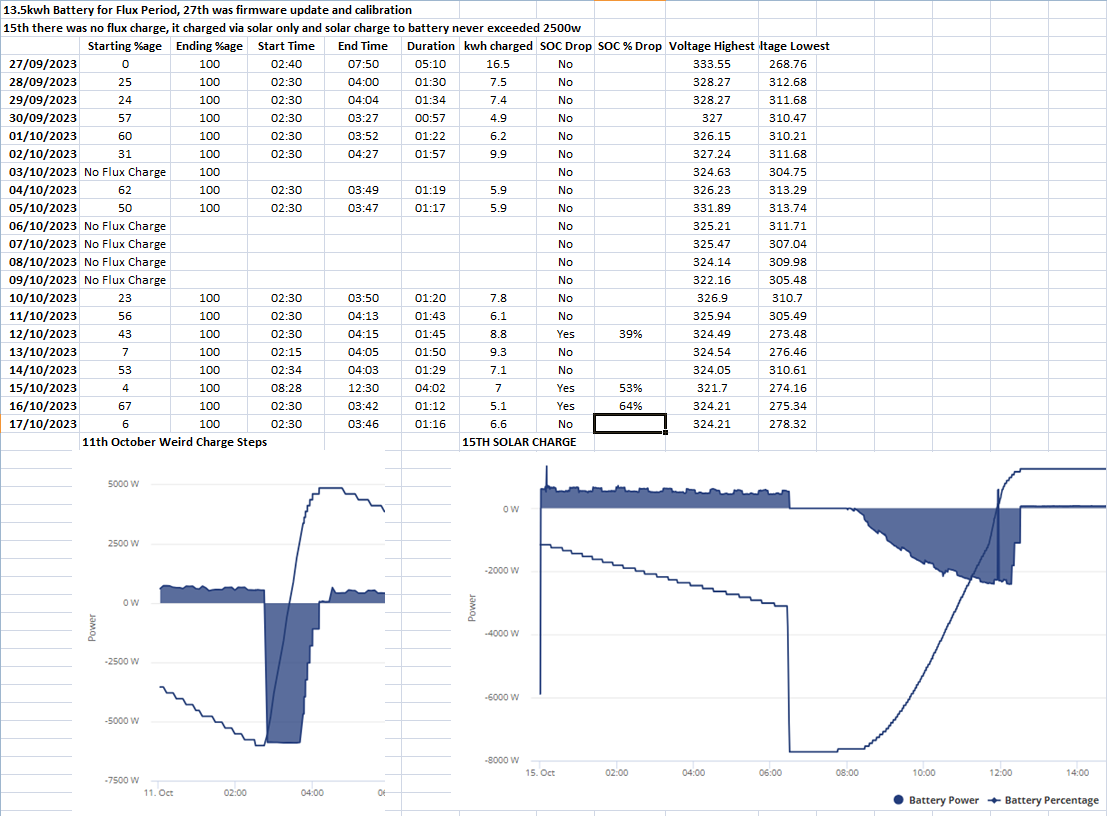
I am honestly at a loss for words
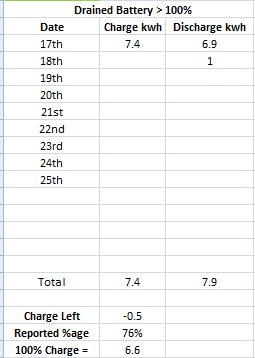
20 Volt drop in less than an hour oO
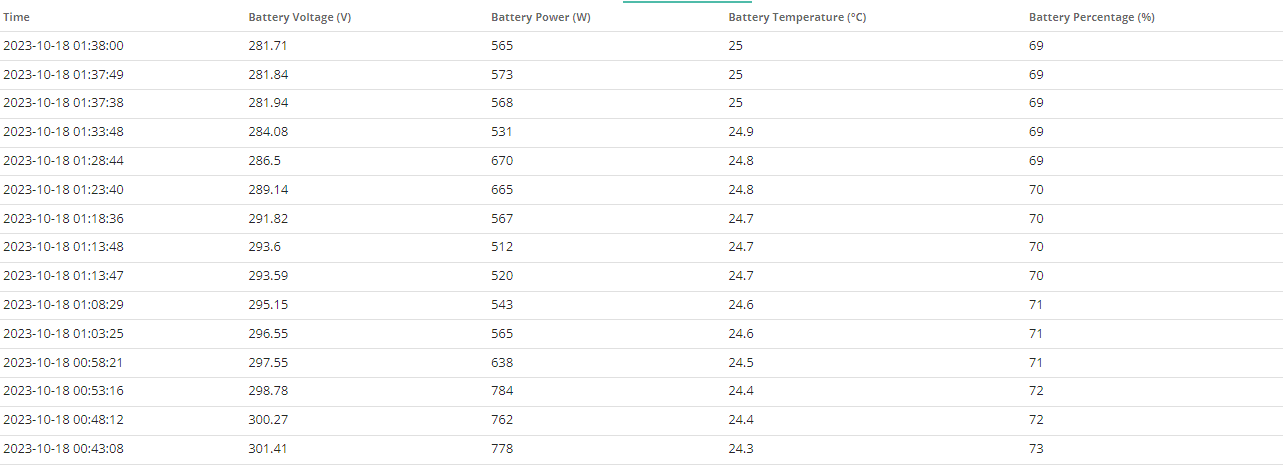
Looks like tonights tank was at 68%, getting higher
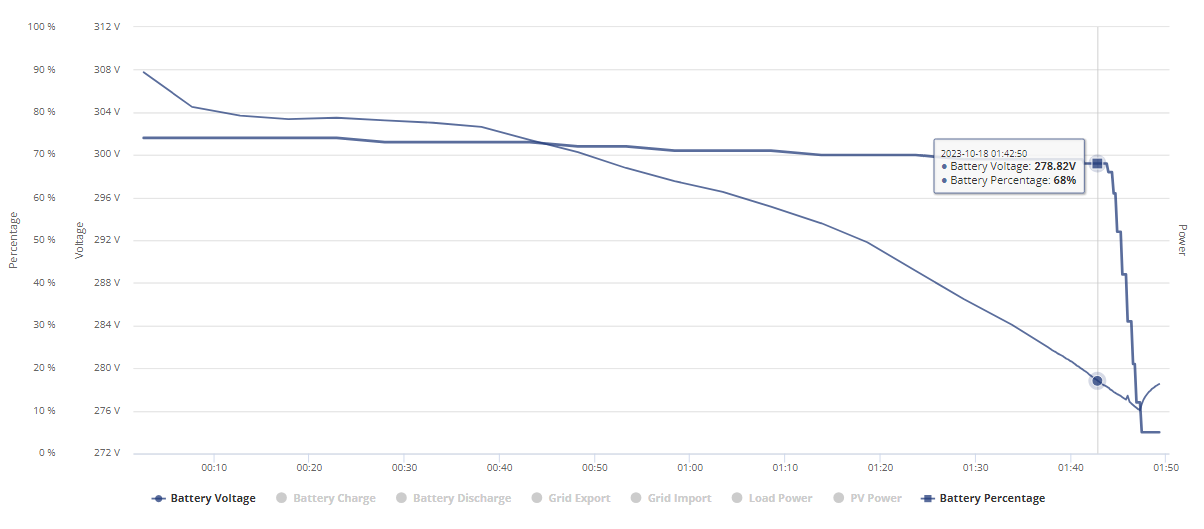
Ok, flux charge just finished, 1h 10 minutes and for the 2nd consecutive charge in a row the capacity has been from flat to full 6.6kwh, this can't just be a firmware issue can it?
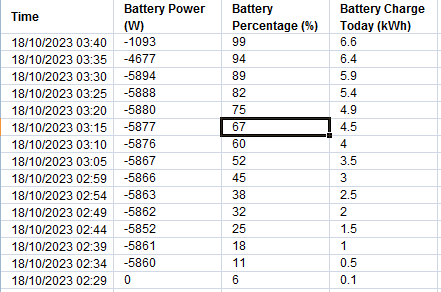
The 99% is just bad timing, literally seconds after I stopped drawing from grid.
Looks like I am ringing Octopus up tomorrow, changing tariffs and then powering off the AIO because ive had enough and I can't take it anymore, this piece of crap cost over 7 grand and with winter coming its just an expensive paperweight.
Just finished yet another E-Mail to GE as well since they didn't reply to my previous one as of yet.
tomorrowman You probably won't want to hear that the waiting list for small claims track cases in E&W is as much as 2 years at the moment. Businesses are well aware of this.....
Also SC track claims are limited to £10k in E&W, £5k in Scotland (Simple Procedure claim) and £3k in NI. If your claim is above those limits then you'll usually require a solicitor as you will be liable for all costs should you lose.
Vestas That's fine, I have time and patience and my battery only purchase price falls within the threshold.
I'll give it another month to see if this actually gets resolved and if not make a judgement call on what next.
my capacity issue is not yet as bad as Jellybabies, ie I get between 8-10kWh but it is dropping.
Well, exactly like yesterday, used some battery and it got topped off by solar and im down to 5.1 again just like yesterday.
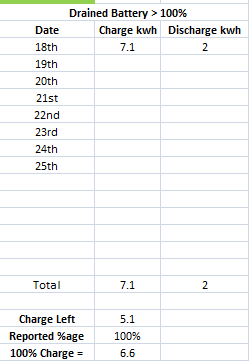
This was yesterday
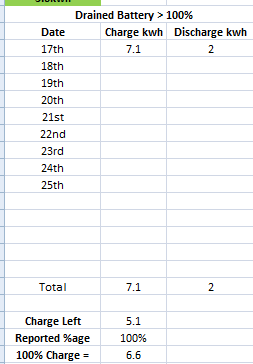
tomorrowman As long as you're aware of the timescales that's fine 🙂 Most people aren't and assume its something which will be sorted within a few months - hasn't been that quick in E&W for over 10 years now....
Just got off phone with octopus and changed to the flexible 27p variable tariff and now debating whether to just let the equipment idle consuming 80-150w of power all day through winter or power it off til they either come and look at it or release another firmware.
How about this guys, I was just giving The AIO some praise as it has been good for a while and then this happened I have not seen this before and so annoyed %€^&*
Gone to nothing twice in a day.
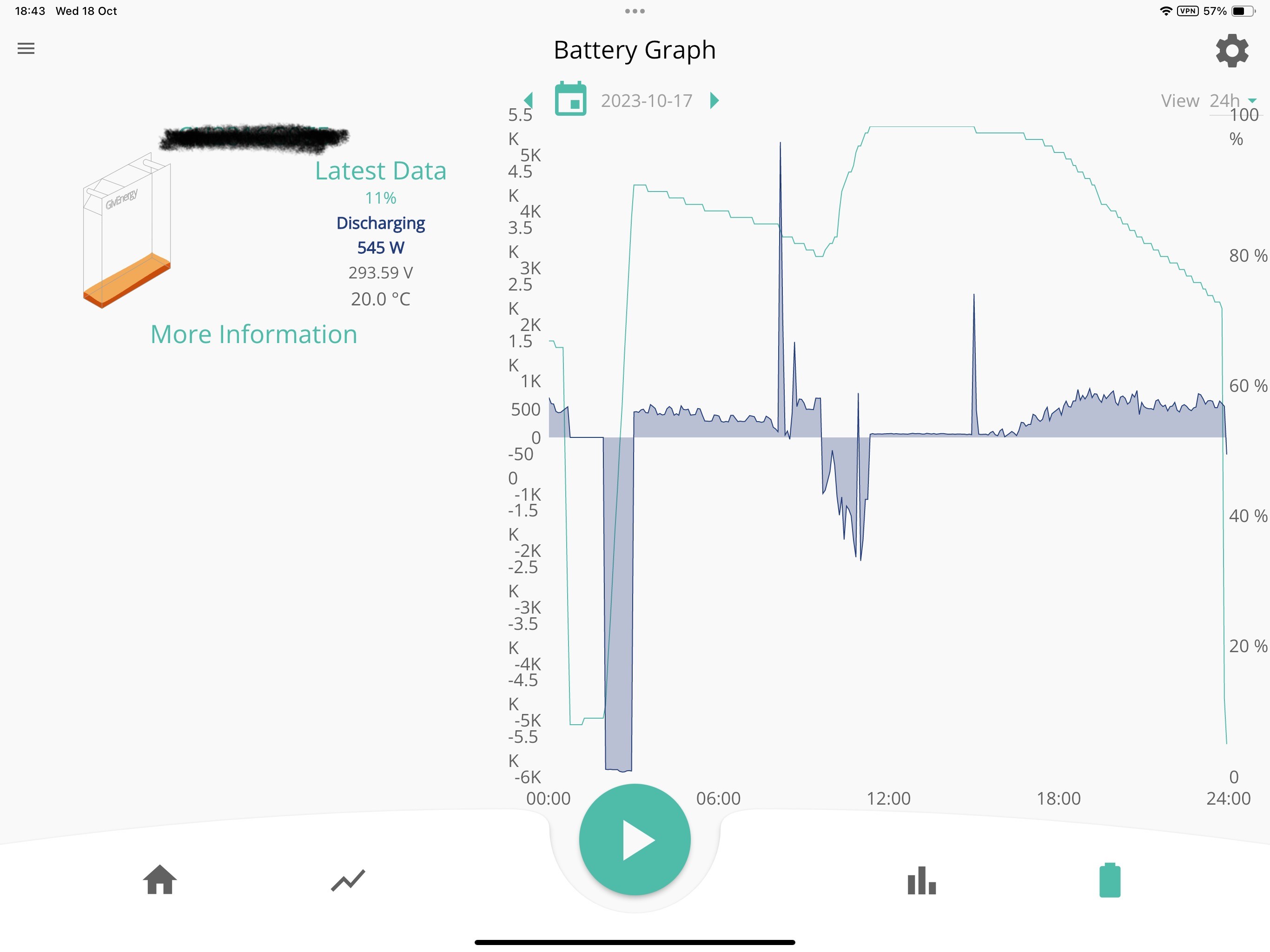

Yeah, mine did the double last week. SO frustrating
They better get this under some kind of control soon or they can give me the money back I paid for it, I don't even get more than 6.6kwh charge from the last 3 flat to full charges, ive already switched to Flexible Octopus 27p flat rate and I will just let the equipment idle til they either come and look at it or release another firmware.
I don't mind the drops as long as I can time them right but from flat I am not even getting half capacity and its a ******* joke.
Daveb01 I asked them to come and take a look but they just keep replying firmware issue and they are working on it.
The fact that it keeps repeatedly only charging to 6.6 means something is up and both times after flux charge with the drain and then topping back up to 100% it always mathed up to 5.1kwh left.
Another thought (but a conspiracy theory one really), if you go to battery tab on AIO cloud website it shows you a GE eco 2.6 battery image. If they are using smaller batteries (I have had a look and the smallest 2 sizes) and both of them only have a DoD of 80%, does the math work for this as well?
Says AIO 15.96 kWh battery capacity - minus 20% for 80% DoD = 12.77 kWH - minus the 4% they force on us = 12.26 kWh divided by 4 per battery = 3.06 kWh. So,9f 1 or 2 batteries die does this math add up.
Sorry I am on a diifferent planet today 🙂
I find it interesting that the max is 15.96 but calibration cycle put in 16.5kwh
Whelp, there it goes
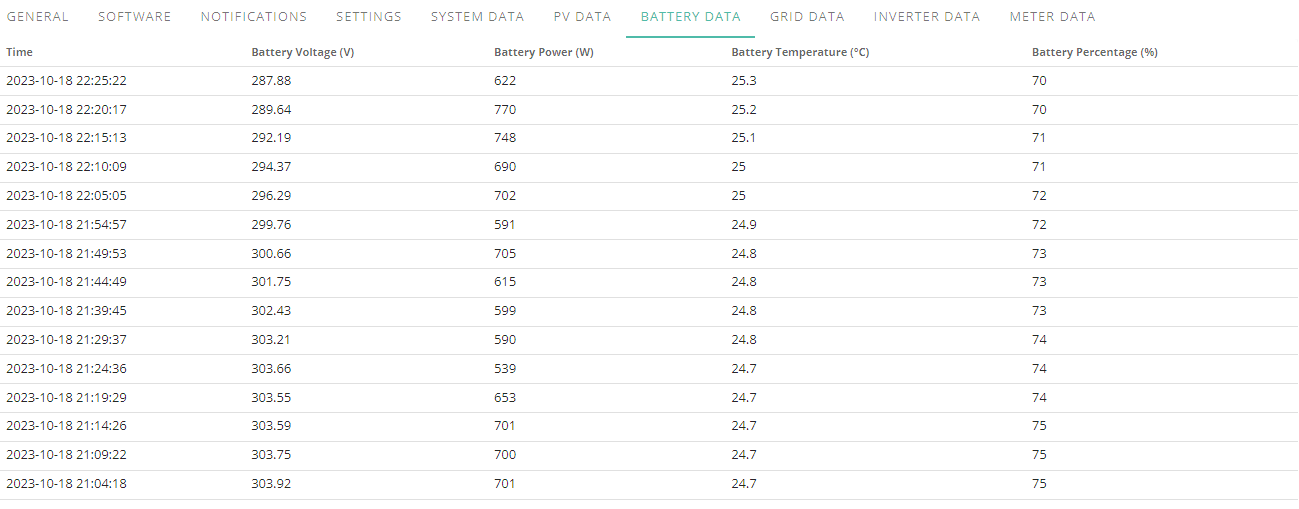
Jellybaby yeah very odd. Mine sits at 310-320v all the time, no matter the SOC value, whether charging or discharging and high or low watts in and out. Definitely looks like hardware issue to me. Can't see why a supposed firmware issue would affect identical hardware in different ways.
It tanked at 69% for me, the fact that when it does tank and then full charge only takes in 6.6 the last 3 times seems to indicate more than just a firmware issue.
This is odd, I set discharge rate at 320w so whatever solar does top the battery up it should cover the inverters operation but after idling and going up a few percent its ignoring the discharge rate and it is full covering the home load, WTH.


I was going to stick with flux and do this as well to get me through the peak rate, glad I didn't decide to do that now if it isn't going to listen.
Pandorian The only thing I'm not doing that perhaps lots of others here are doing is any force discharging, because I'm on a FIT arrangement for the solar panels and so don't want to lose that deemed export payment in order to get a "proper" export tariff. So I don't deliberately export anything. Just in case that's got any relevance to symptoms.
Still radio silence on E-Mails and just LOL at this this morning, it tanked before midnight last night so it was empty before today even started.
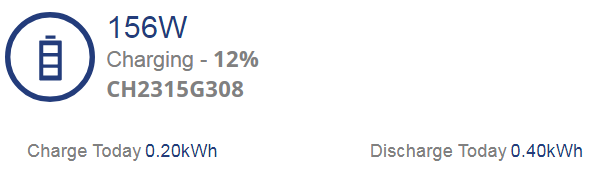
How is it even on 12%
Hi all,
I had this back from GE today.
The way we calculate the charge in the battery is by testing the upper and lower limits of the battery, setting 0% at the bottom end and 100% at the top end. Between this, we calculate the percentage from the voltage between these two limits.
Over time, on the current AIO battery firmware, this calculation can begin to drift and once the upper or lower limits are reached, the calculation will correct itself showing as the jumps and drops in the load.
This is a known issue and our firmware development team are currently working on a fix for this that should be coming in the next few weeks.
Looks like this has been going on for a while, I have seen a link from hoggy that goes back to 2022 and the older inverters and batteries, however I especially like this comment:-
In three years and 50,000 miles in a Model 3 I have NEVER seen the battery dropping or the charge being estimated with anything less than impressive accuracy. Didn't see it in the Merc hybrid that I had before that. Nor have I seen it in the gazillion devices that I have that rely on Li-ion batteries.
Family members and colleagues also have BEVs. Not a single one has ever reported anything like the SoC drops that are on display every day here.
In fact the only device that I have seen this behaviour in is in this Givenergy kit.
Daveb01 Well that is a load of rubbish in my case because all week flat > 100% has been 6.6kwh.
Also I am getting REALLY ****** off, I set it to discharge very low to cover inverter usage from solar but
Image below is from when it was empty last night, that percentage and battery charge kwh is from solar today lol
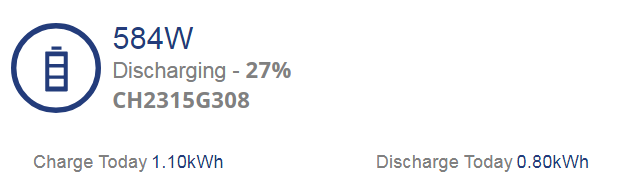
Its still discharging too much

Seriously, wth is wrong with this piece of crap.
Edit
I turned Eco mode off and it wont discharge from battery at all lol
My only advice, I have done this twice and it helped.
Go to cloud portal, sync the time, set the battery to default settings and restart the AIO inverter (do not switch off/on the AIO at home)
Then set it up again via the app charge / discharge to your requirements. (I have tried the cloud but the settings say different meanings). The app is simple.
lol
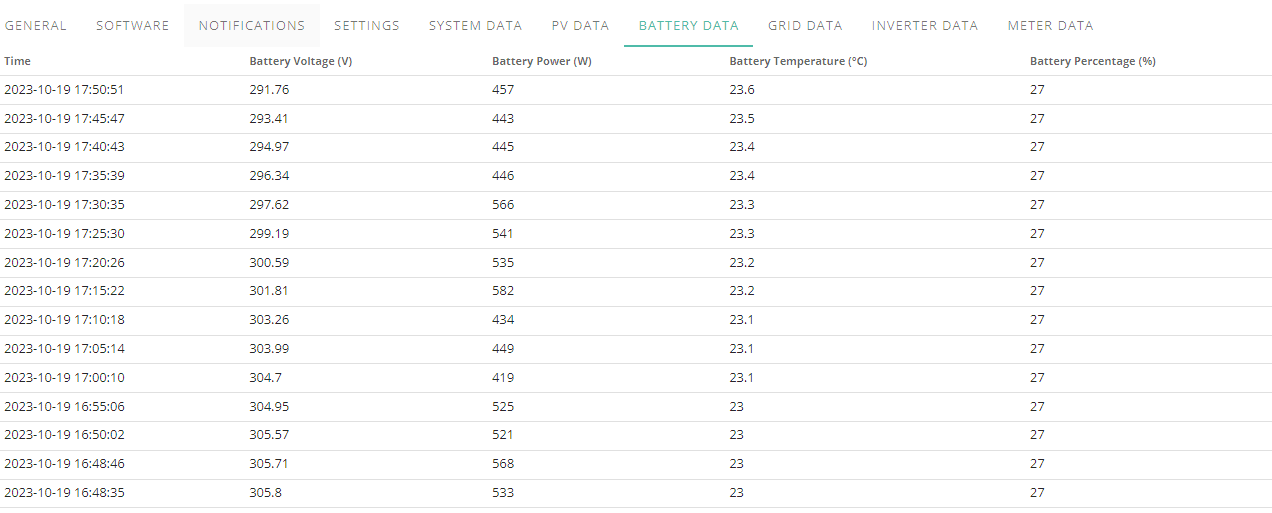
Still no E-Mail back from GE as of yet about this whole thing and custom discharge is still not working no matter what I do.
Has anybody else here modified their discharge power and know if it works because it doesn't seem like mine is.
lol
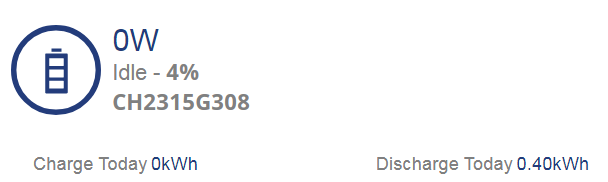
Pandorian Strange, either my unit is completely borked or there is a floor where it will just ignore whatever you put in, going to wait for a sunny day to put some charge into the battery then experiment, if it doesn't work ill forego email and be ringing GE up to send someone out and have a look.
If I could get it to work id stay on flux but tbh im considering going back on flux and then running off grid throughout day then using battery to get me through peak period.
EDIT
No matter what I do or what I try I cant get it to stick to discharge amount
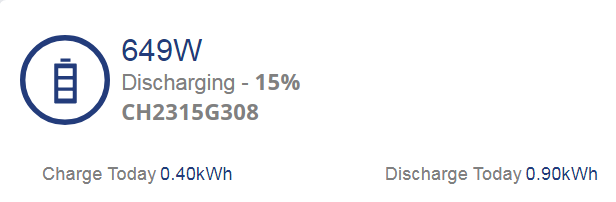

As you can see I even tried raising it a little.
Whether I use ios, android or portal.
Edit 2, within a minute of posting that im back to flat so have to wait to test other stuff again when sun comes out.
Gets funnier and funnier every day, sun is out and its started to charge from flat
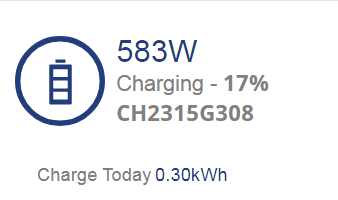
oooooooooooookkkkkkkkkkkkkkkkkkkk
and it still wont listen to the damn discharge rate ive set.
This is utter BS.
And for that reason… I’m out.
Will look at LG or PW3 next year.
Haven’t got time for this BS.
I’d want to buy £7k product and it should work right out of the box…
The battery has said 31% for over an hour and ive just had a 7 minute shower lol.
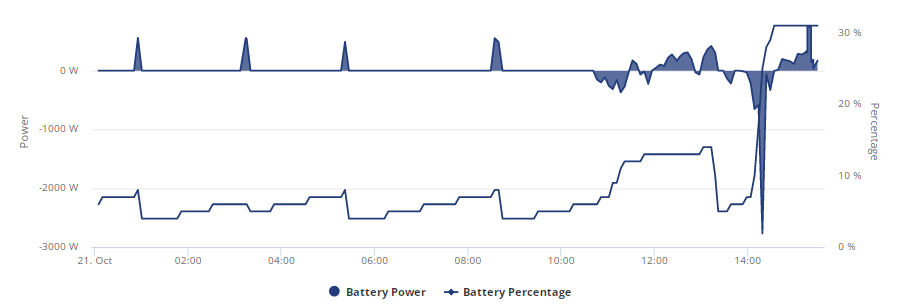
Going to phone them up on monday and demand someone come out to look at it, its not even getting half charge from empty and its not accepting any discharge settings, something is wrong.
This isn't just firmware.
Jellybaby do you have any external means of measuring charging and discharging values external to the AIO? Using a CT clamp device like a Shelly EM, you could independently (and probably more accurately) measure what charge is a ACTUALLY going into and out of your AIO when it does a full discharge/charge calibration and see if it's anywhere near 13/14kWh or is indeed a much smaller value like you suspect. That way you're not relying on the figures the AIO itself is providing which may or may not be suspect - rule out another variable!
geoffreycoan oh I do, I keep track every 12am/12pm and within a margin of error due to portal only using one decimal place and rounding its pretty accurate.
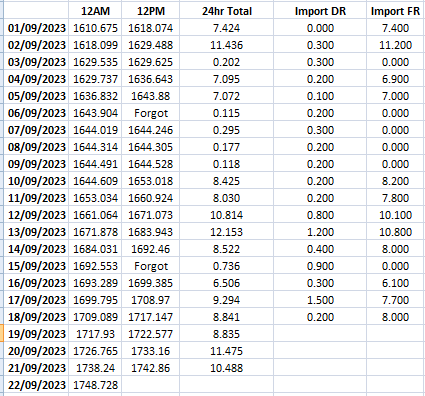
WOOOOOOOOOOOOOOOOOOOOOOOOW
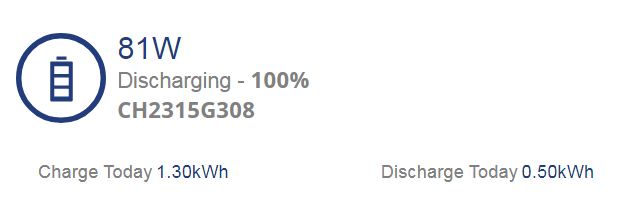
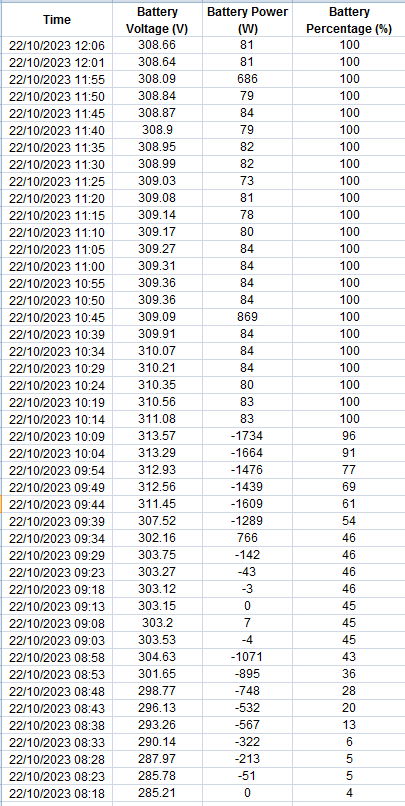
Jesus H Christ, whoever picks up the phone tomorrow better agree to send someone out.
EDIT
Force discharging to see if that helps and its been stuck on 94% for over 5 minutes lol
EDIT 2
Whelp, that didn't help, its gone up 3% in 2 minutes charging at 2kwh from solar.
EDIT 3
100% charge complete, first 100% was 1.3, after full discharge then letting it charge back up off solar it was at 3.6.
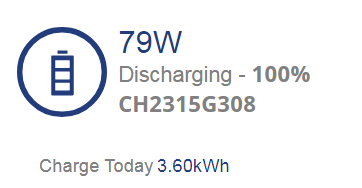
It barely went over 316v
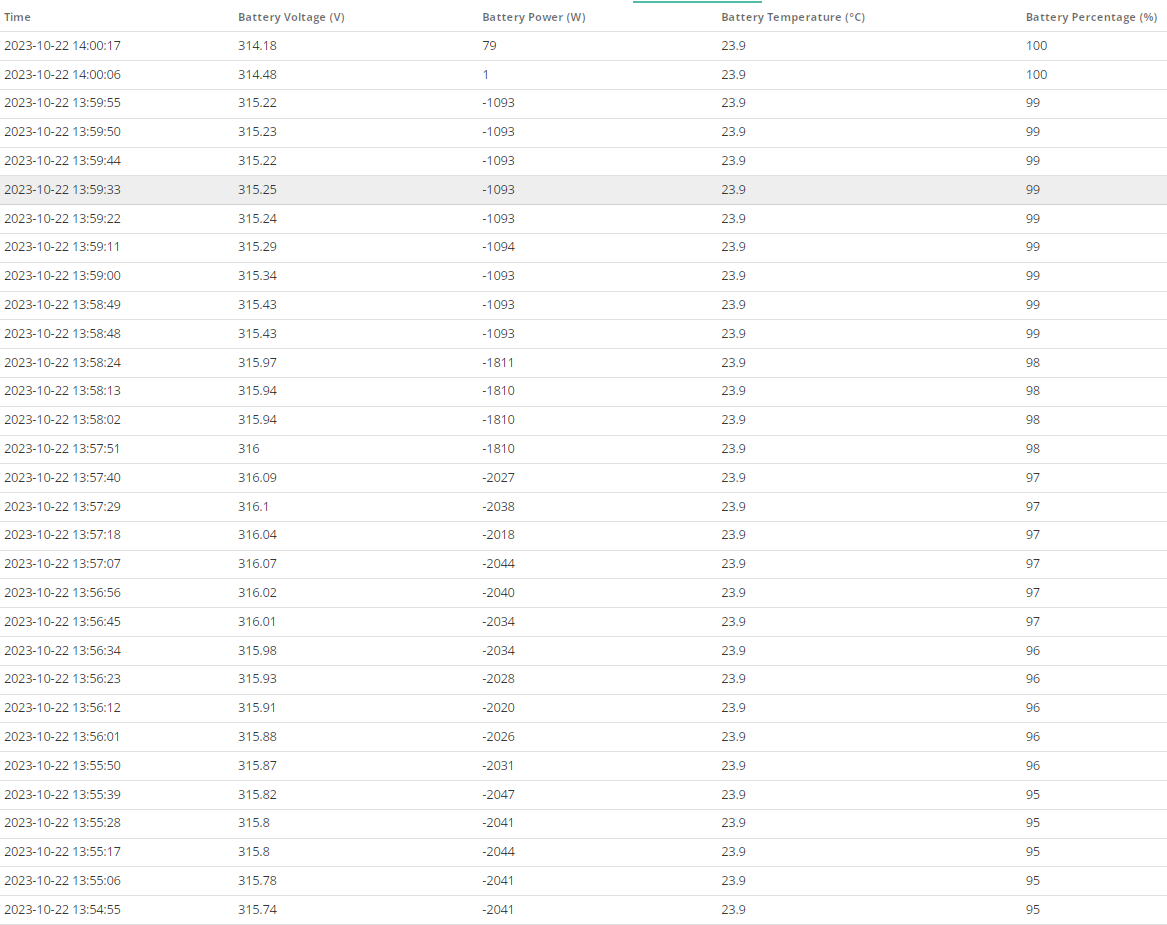
ok seriously what the hell is going on, another day sun is out and unlike literally TWO DAYS AGO I am seeing this after checking because I was like "Why the hell am I not exporting yet"
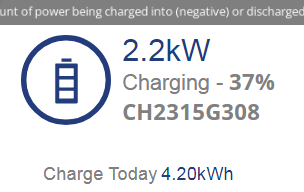
2 Days ago "Charge Today" was 3.6kwh AFTER TWO FULL FLAT TO FULL CHARGES
I seriously do not understand what the hell is going on??????????
EDIT 15:55
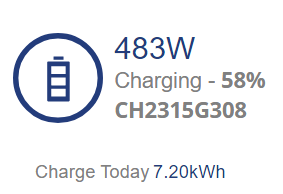
I am honestly extremely baffled as to what on earth is going on, I have absolutely no idea.
Jellybaby
On the morning of the 22nd, your unit was performing badly, yet on the 23rd and 24th it's performing better.
So what has changed? You are the best placed person to determine what has changed.
There was a lot of rain here on the 20th and 21st. Is your unit installed outside? Could water ingress be an issue?
Rubikcube Nope, stored inside in a cupboard, absolutely NOTHING has changed, no remote commands noticed in portal, I have just let the the idle all the time.
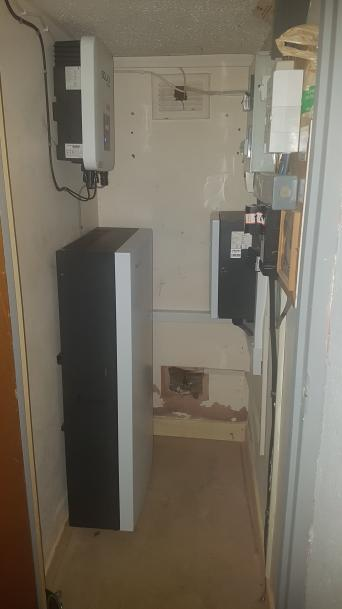
That was after the install was done, 2 fans 120mm were added to top of unit.
The squares at top and bottom are breeze block things that look like waffles on the other side as it used to lead to garden before extension was built.
I have not done any updates, modifications or anything AT ALL this month whilst this whole thing has been going down.
Unfortunately I couldnt get 100% charge from solar so I have no idea what kind of capacity I would have gotten up to.
As its this time of year and sun is lower I am no longer charging the battery currently but this is where it currently stands.
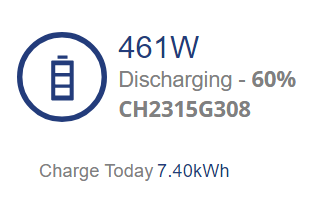
This whole thing has been quite the headscratcher.
However the system is still disregarding any discharge limit I set.
Honestly don't know why you are not DEMANDING a properly functioning unit or a refund whilst you still have time. Hanging about for 'firmware fixes' has been a fool's errand to date. Repair/replace/refund NOW.
phoenix Because if it is indeed just a firmware issue then another new unit isn't going to do anything but I couldn't even get past the firmware response to get someone out just to make sure there wasn't some kind of hardware fault.
I still have no idea why the system is still refusing to follow any discharge limit set though.
After the charge earlier that went into the battery it SEEMS to have been going down as it should, I am going to bed now but I am going to set a 1h charge period just to test how it behaves when being charged but I won't find out how it went til I wake up tomorrow but if it went up to around 50-55% then I will switch back over to flux and give it another try full charging at night to see how it behaves.
Only thing I need to speak with GE about though is this thing completely ignoring any discharge settings I set but that was only a measure for charging off flux and holding charge til 4-7pm but that plan went out the window when the capacity of battery went down to around 2kwh lol.
Lord help me.
Well, 6kwh put into battery took it up to 51% but there was still a little charge but after doing the math currently its on 28% and from what I figure I got about 1.7kwh left so excluding the 6% that it was at before it started charging from solar yesterday that would put battery at 21% at 1.7kwh. I will hold off on changing back to flux for the time being and let it empty tonight and then put a 1 hour charge into it again to see if I get around the same results as I did last night.
I feel all this trial and error should have been sorted out before being released, my installer has said the other systems he has installed have run into similar problems.
It tanked at 12%, big tank for only being charged yesterday
Interesting development on my troubles with discharge limit setting, I found it does actually set a limit but for some reason its double what I set it at.

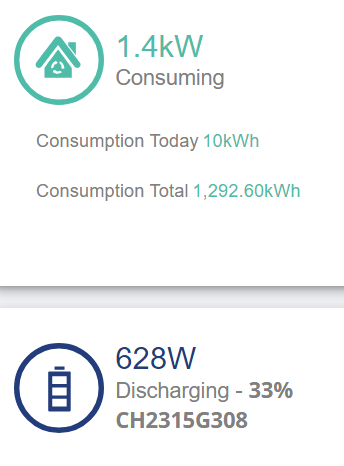
Very odd.
Edit
Forgot to include charge discharge for today as well, but this is back to being way off considering it was flat when the day ticked over.
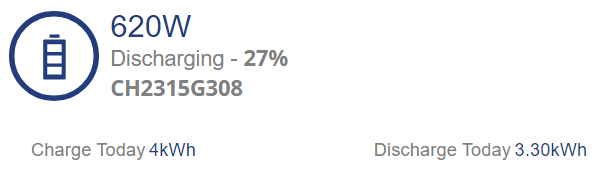
Ok, other day charged from solar then SOC dropped from 12%, charged from solar today and dropped at 21%. Might have to eat the cost of full price tariff and give the offered new bms software a test.
and the comms have gone again, so even if they wanted to update it they cant, jesus h christ, going to have to breaker off the aio and turn it back on......... AGAIN.
I honestly do not understand why the comms keeps dropping on these units.
Its on the network, I can access its page and if I connect via wifi to its access point I can go on the internet but it just stops allowing access to something on the side where the settings/info is stored.
This is getting ever so tiresome.
Came back up and battery had gone from 33-30% then when it got to 26% it went to flat so last 3 SOC drops have been 12%, 21% and 26%.
Apparently today from solar it put 3.1kwh into battery and that took it up to 46% from flat and in hte past hour ive used 0.7kwh and its currently gone down 2%, wonder what it will tank at tonight. Still waiting for reply from GE about pushing the BMS update and calibration, not sure if they work Saturdays so will prob be Monday now.
EDIT
Looks like todays lucky number is 34%
12%, 21%, 26% and now 34% SOC drops on consecutive solar charge days.
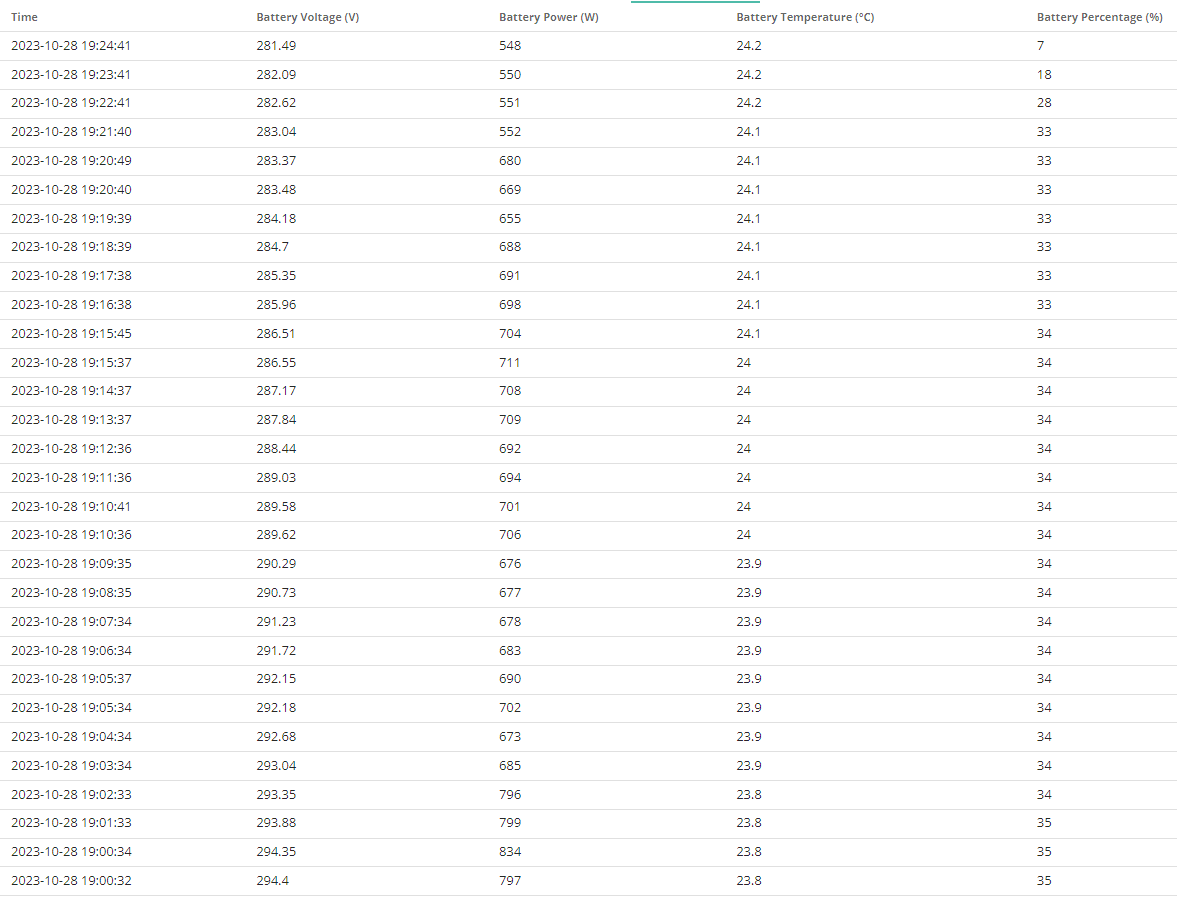
It doesn't even charge fast when its getting charged at sub 2kw/h from solar so its not like temperatures are a thing and the unit still has 2x120mm fans on top of hte unit anyway.
I didn't mind when the ceiling kept lowering because when I did get a SOC drop at least I got full capacity of battery back but now the floor is going up so im losing capacity and nothing to do to reset that floor.
Hi all,
My smart plugs did not receive the time update to go back to GMT, hopefully there sorted now. While sending another time sync I notice this setting (General) anyone had a play with the different settings? For the AIO?
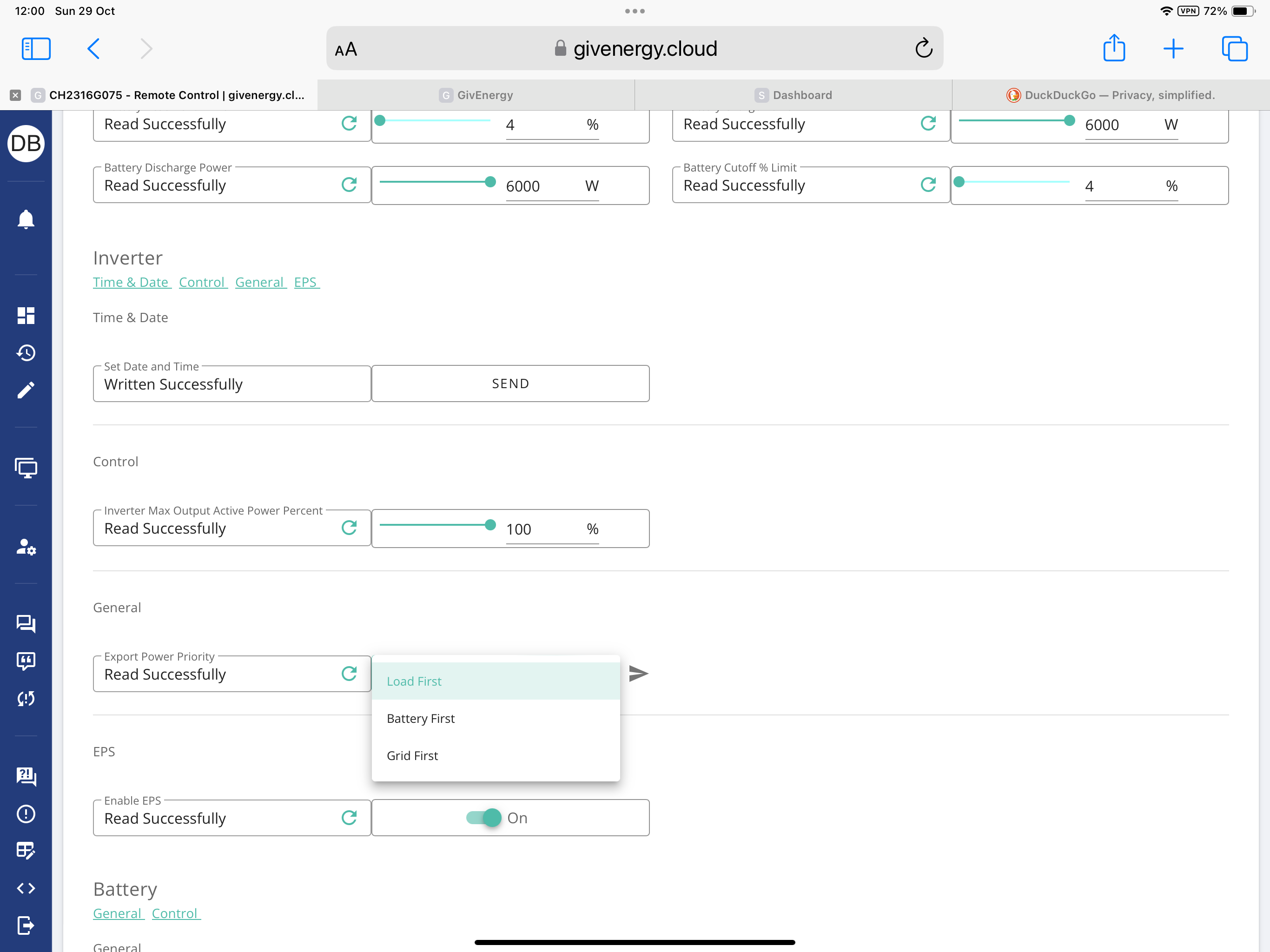
Interesting.
I wondered just yesterday whether this was possible. It was a sunny period in an Octopus Power-up, so unlimited free electricity. I found myself wondering of it was possible to divert the PV output to the grid, and earn some extra cash, while simultaneously charging my battery from the grid for free.
Then I decided I was being silly! Surely importing and exporting at the same time is not possible. Right?
First day its been cloud free for a few days and thought id see after waking up what status of battery was
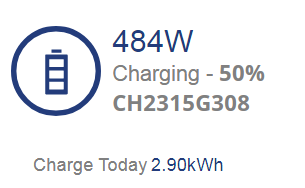
It was flat, I stopped charging it as there was no point as it got low enough that id have to charge it from grid every few hours lol. Hopefully that firmware will get pushed through to my unit soon.
EDIT
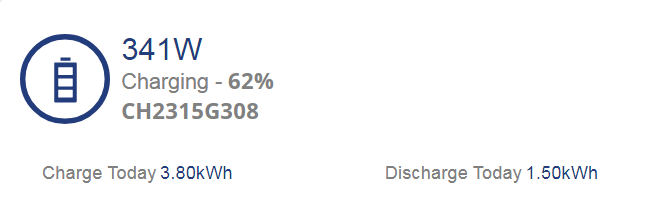
lul
EDIT 2
Now there is no sun and im fully discharging
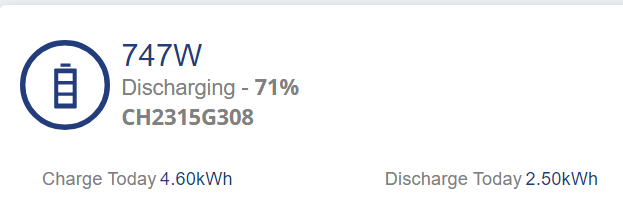
3.80 +1.50 = 5.30 at 62%
4.60 + 2.50 = 7.10 at 71%
Charge up by 0.8kwh
Discharge up by 1kwh
Battery +9%
EDIT 3
18:20
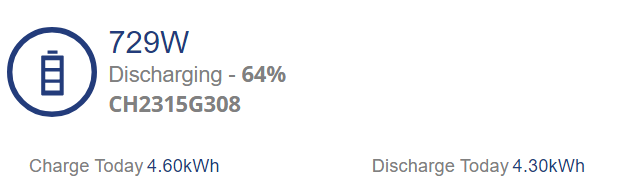
Can't help but laugh or id take a bat to the thing
EDIT 4
Todays magic number was 61% for SOC tank so so far that is.
12%, 21%, 26%, 34% and now 61%.
Whilst I am still waiting for the firmware and calibration to be pushed I thought why not set the battery discharge to 0 in the options, with it set to 0 it still discharged and highest I saw was 370, I was trying to get some juice in the battery and to have it hold it to see what would happen to the SOC.
Currently I have set a timed export to hold the battery charge til 23:59-00:00 to try and get some power into it from the crappy day we are having (hoping for an hour or two of brightness even with clouds) and see what happens.
Rather than setting the discharge rate to 0 have you tried setting the Pause mode to 'Pause discharge'?
Barns Nope, was 372, sec.
This is what I set

This is what occurred after
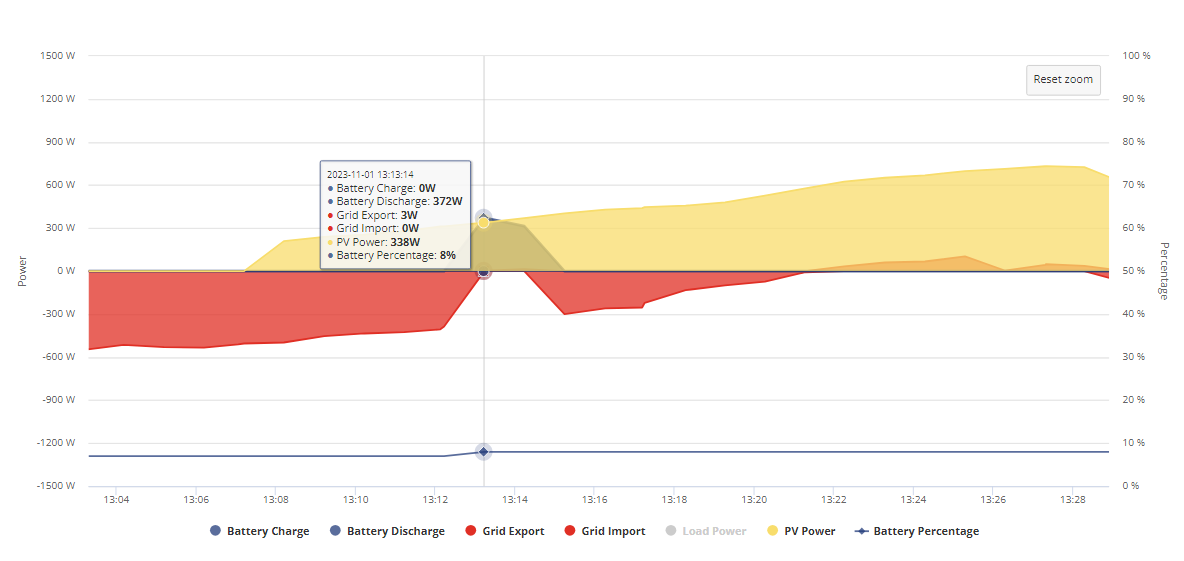
I set discharge rate to 0 BEFORE the battery started draining and when I saw it was I was like "eh, hol up" and then after I set it to hold battery and discharge at 23:59 and 00:00 as I knew that would 100% stop any discharge.
I just had to disable hold battery thing as it wasn't charging battery either lol.
I will try the pause thing.
EDIT
Seems I have to have ECO mode on as well.
Hi Jellybaby,
I have an AIO and from my experience, when it started to discharge from 50/60%. I got annoyed and started to try loads of different things and it seemed to get worse. I know GE are working on v8 of the software and I hope this version works. I hope yours is not a hardware issue.
Please please try the following for 7 days, even if you get your AIO software updated?
So what I did is reset the settings to default via the cloud and restarted the AIO (Don’t use 3rd party apps either e.g home assistant for 7 days)
Sync the time
In the GE app only, not in the GE cloud:
(as it is winter) set the battery to charge between the times of your tariff. (I am on flux so between 02:00 - 05:00) I have found because it charges at 6000w it only takes 2 hours to get to 100% as it is never flat (unless a crash) so have set mine to 02:00 - 04:00.
Now I have done this my AIO has settled down, from SOC crashing once or twice every couple of days, it runs the house during the day, charges at night and sometimes gets topped up from Solar. I do not discharge the AIO to the grid (as it’s winter). So far it has lasted 6 days before a crash.
I decided to do the above to try and limit what I was doing to the AIO and let GE software do its thing. I will do the same once v8 firmware has been released for a week or so.
This to me will determine if its software or hardware causing our pain, and what action I am going to take if the SOC issue continues. If I am messing with loads of settings and using 3rd party software this may have a negative effect and GE may say this is what’s causing the SOC issues??
Daveb01 Until this week I never used home assistant constantly, only quick load ups to tinker then shutting down and ive lost comms on the inverter enough times for it to start getting old since installation, October I think I rebooted it 3 times, ive synced trying to sort the discharge problem out as well as reset settings, believe me ive tried everything as you would see if you went through this thread and I am literally having the complete opposite issue on the current firmware than I did on the initial, at least with the first firmware I got full capacity after a SOC drop because it was the ceiling being lowered til SOC happened but it seems that now the floor is coming and when SOC drop happens its dropping to that raised floor and lowering hte overall capacity I can put back in.
I have only been using HA recently for more frequent monitoring without killing my phone battery, I got it set to get info every minute.
This is it so far
Trust me I have literally done everything under the sun which is why when I switched to flexible variable tariff I have just left the battery alone, no point charging it every 2-3 hours only to use it for that long, its just been idle for data logging purposes til I get next firmware.
Only thing I got to run Home Assistant on is my gaming PC which if left on means another 80-120w idle draw so it wasn't worth it which is why until the past 7 days I had only done I believe ONE full 24 hours to get an idea of daily usage after being installed because I couldnt rely on the portal info and IHD only shows grid activity.
If you are saying you have done what I suggested above one last time it can only be hardware.
My only other suggestion is to switch off the AIO and isolate it.
Take off the front cover.
Number the batteries with a marker 1-4
Remove the batteries
Put the batteries back in different slots
Replace the cover
Restart the system.
Reset as my suggestion above one last time.
If issue persists, I would phone GE and book in an engineer to come and replace the 4 x batteries, stay on the phone until you have a date or ask to speak to the operators manager or a manager further up the chain until you get a date.
Forgot to add my app settings I have set for winter.
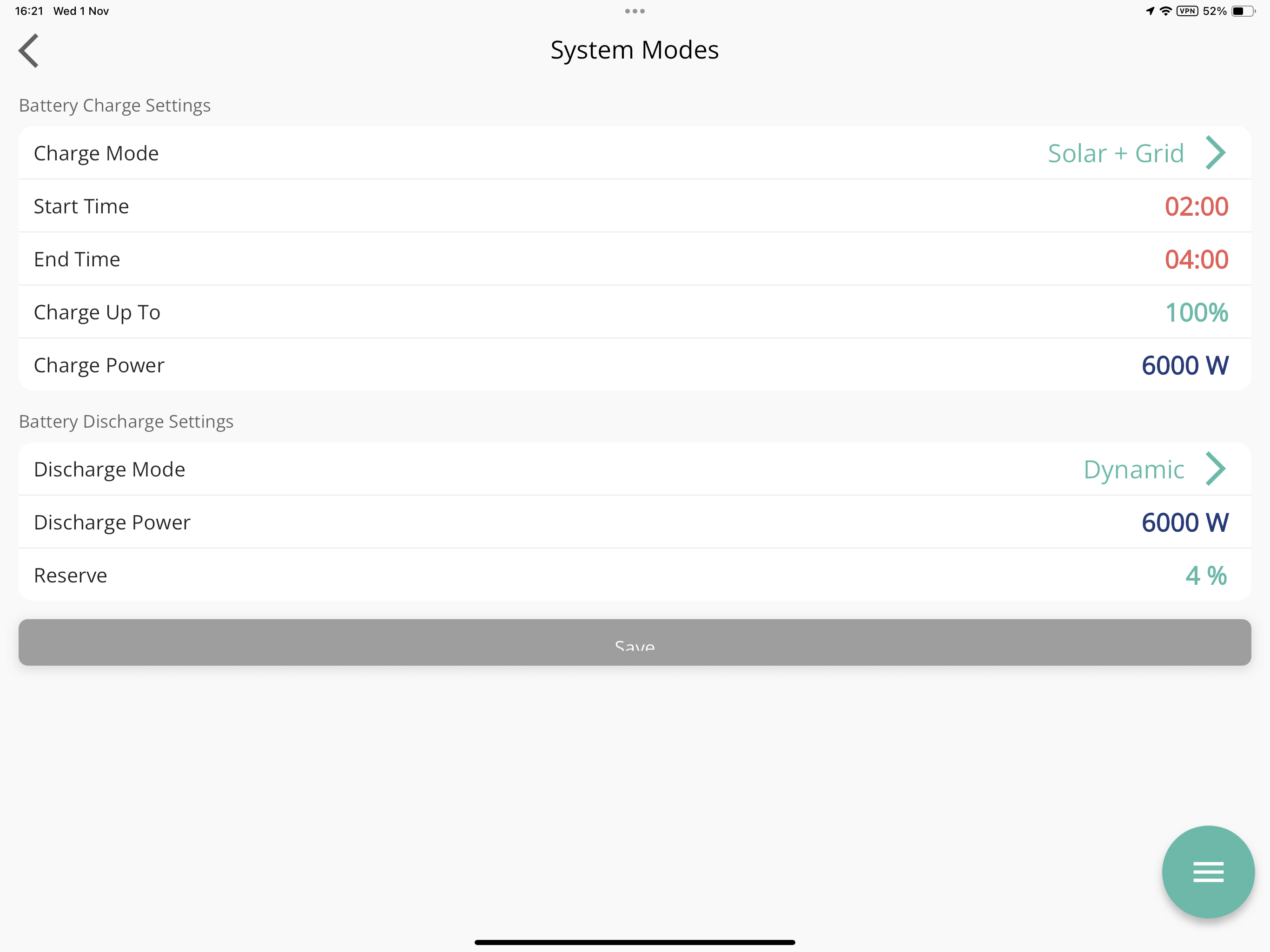
I am neither qualified or comfortable enough to be removing anything and pretty sure would void any warranty I have to go digging myself and if I did they can just fob me off by saying I must have broke something when I messed with it.
Since this issue is not isolated and it is a problem for quite a few I doubt it has anything to do with Home Assistant either, what I use givtcp for is basically to be a monitor, I do all adjustments on mobile device in local mode.
I think at least one of the batteries is a dud and is either not charging at capacity it says it is or it cannot hold a charge, I will wait to see what the next firmware does and calibration cycle.
If the calibration does not put in the full whack then ill be ringing up and demanding someone come out.
On another note since I paused discharge and despite it discharging at 30w whilst paused its capacity has gone up by 2% which is odd since less than 1kwh was put in when it got to 22% lol
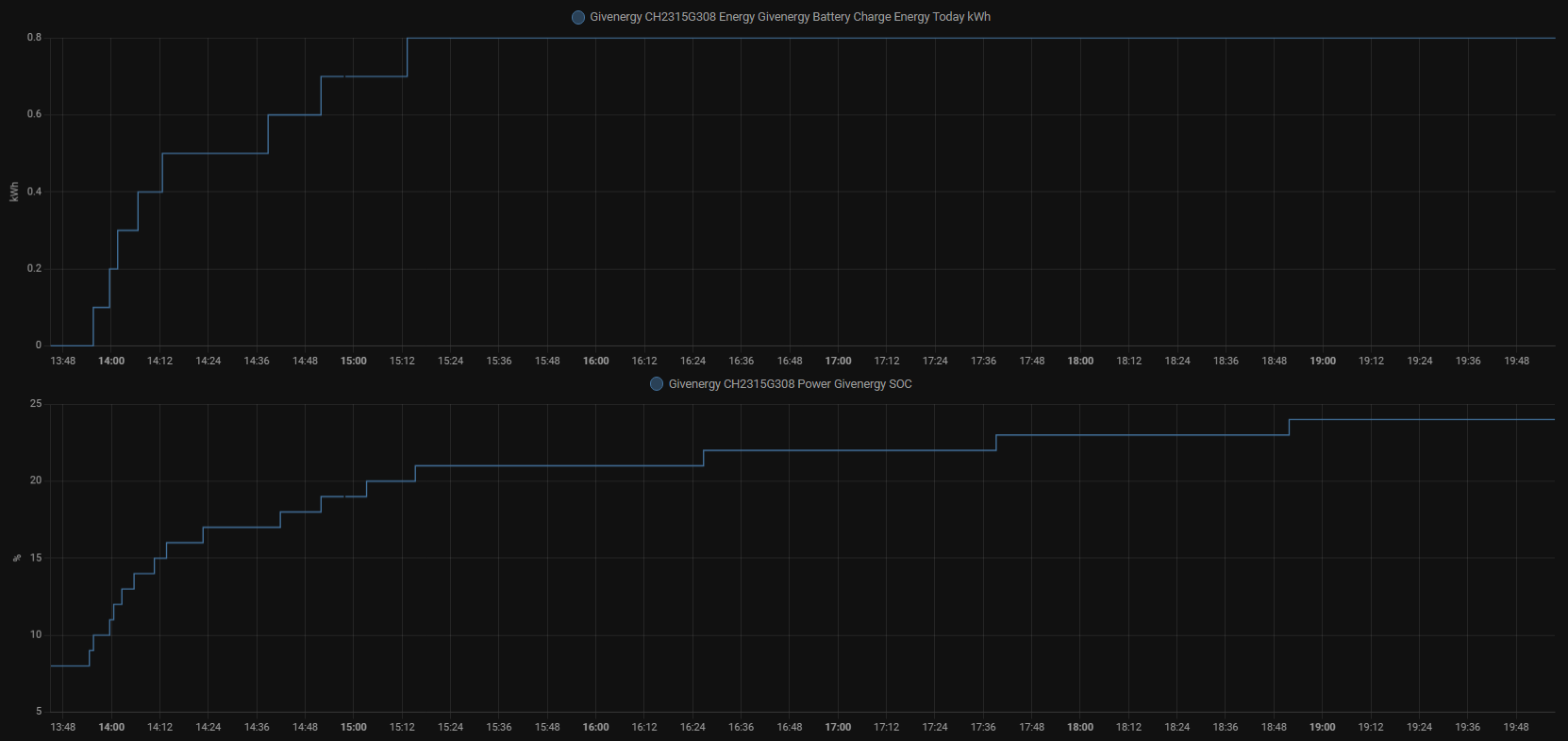
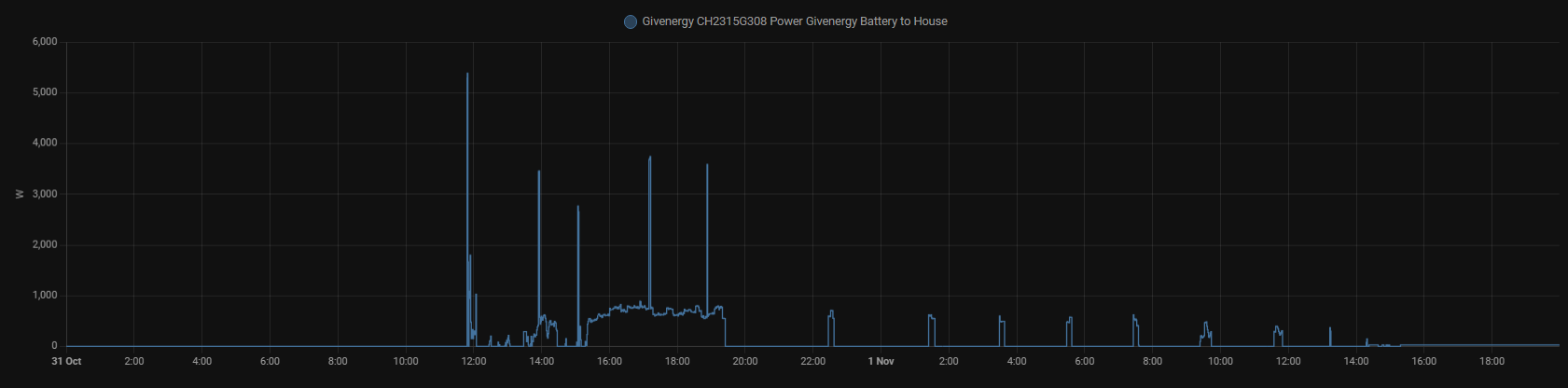
That is why I have been using home assistant, 1m intervals with better info and I can select a time period without the entire graph just disappearing like this
EDIT
Interesting
Battery pause end was scheduled for 8pm and for the last 27m its been supplying house on the 0.8kwh charge it got and yet it remains at 24%
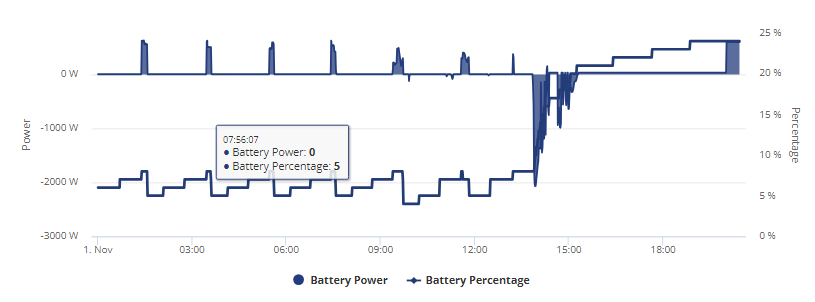
I thought id idle the battery with some charge to see if it lowered to the SOC it was supposed to be, instead its going up LOL
It gets weirder, its still 24% despite going from 309v down to ~ 295
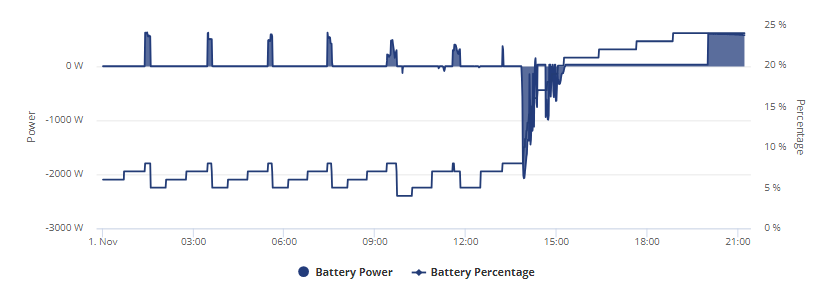
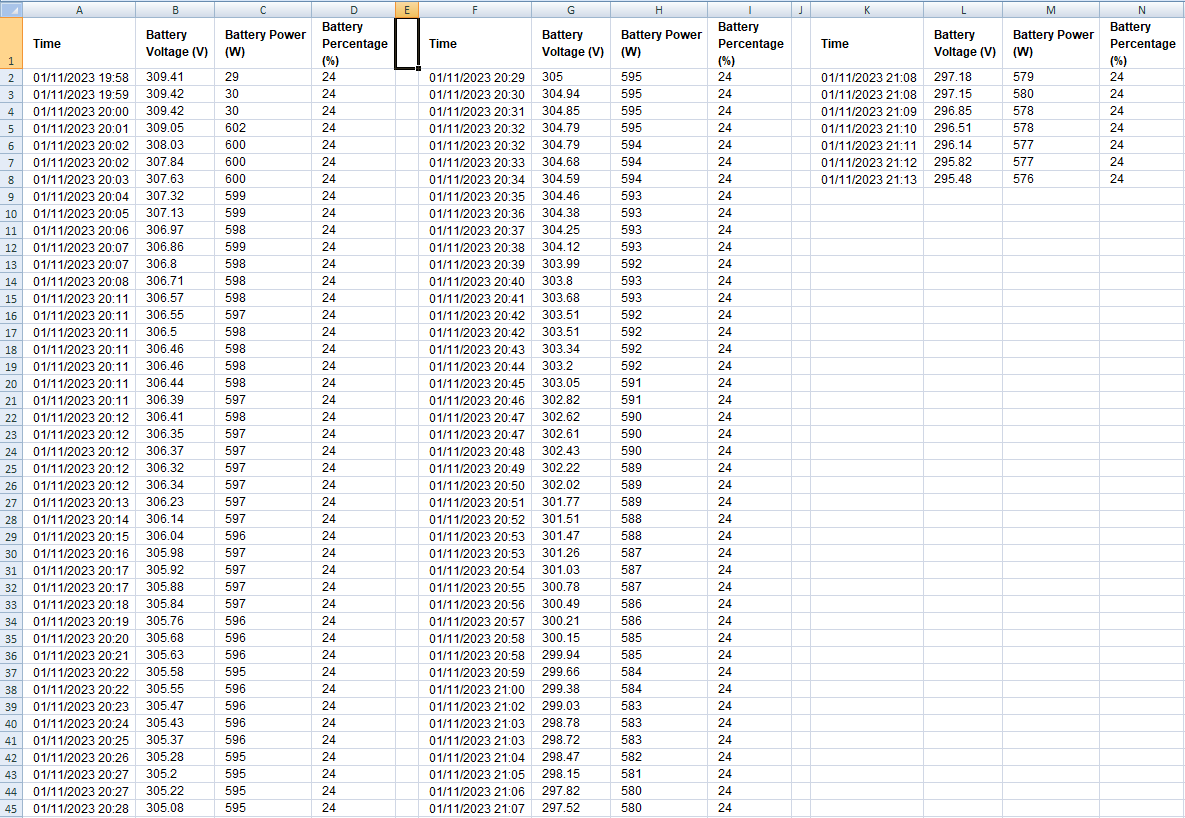
If you look close you can see the power from battery getting lower as the line gets thicker at the end its cause its not discharging fully and im only drawing 200w from grid atm.
If it turns out to be a hardware fault I am going to snap because I have been saying that from the start with everything thats been going on.
and ive lost comms again, jesus christ. I hate this hardware with a passion, off for yet another reboot of aio, how can I access its AP and browse the internet, connect to it over the LAN network and access its page but the only thing that keeps breaking is info for the device itself, shouldn't everything go down?
EDIT
Got it back up and tried to restore settings to default via local but kept getting error it failed on android but the green light went off then started blinking again anyway and no info in the portal about any commands being sent.
EDIT 2
hhmmmmmm

Jellybaby I hate this hardware with a passion
Why don't you just get the installer to remove it and refund/replace it with something else?
Even if new firmware fixes your problems you're just going to be waiting for something to go wrong again. You'll never be "happy" with the product after your experience so why not just give a deadline "if its not fixed by this date I want a refund".
Tough on the installer as its not their fault but you're going to have to live with this product for up to a decade.
Were I you I wouldn't be waiting around any longer.
I cant find any info as to what the yellow circle is supposed to even mean, has anybody ever seen this themselves?
I thought it was either grey or green.
Pretty sure yellow is "Idle" as in neither charging or discharging, just waiting to do either.
Red - Something wrong
Green - charging/discharging/doing things.
Grey - system offline (or its comms to the portal are)
Mine do it at night when no PV, battery is either flat or full & demand is fulfilled by something else (be that the other system or the grid if timed charge is happening)
hoggy System has been idle pretty much for 3-4 weeks and before the comms went down and I was forced to reboot it had been green, I have never seen it go yellow before.
Hope this firmware update gets pushed soon so I can switch off this expensive tariff im on like I don't own a battery that should cover the house for a 24 hours period on a bad day.
EDIT
Since the reboot its been constantly discharging at around 50w but I noticed that the SOC % is going up.
13:10 is when comms were lost and after when they were re-established
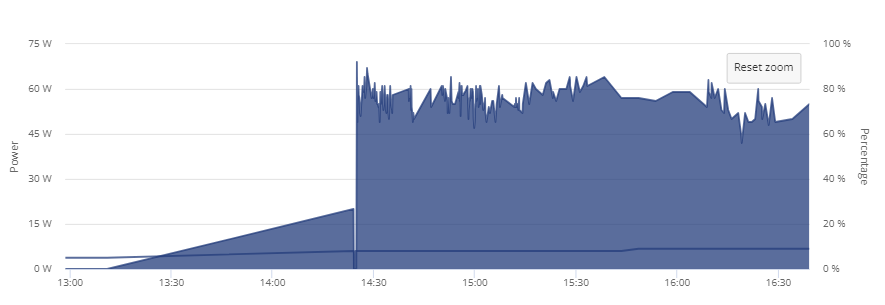
Also Vestas I didn't mind too much the SOC issue before as when it happened I at least got full capacity back of my unit, but I stopped charging it altogether when it was taking less than 2kwh to go from flat to full
In my concern over the first sighting of the yellow dot I did actually call GE as mobile device was getting errors in local mode when trying to restore default settings as well and I guess they decided to test whether the yellow would go away if charged a little and it id, its back to green even when fully running off grid but this was interesting results for a 5 minute charge session at full power.
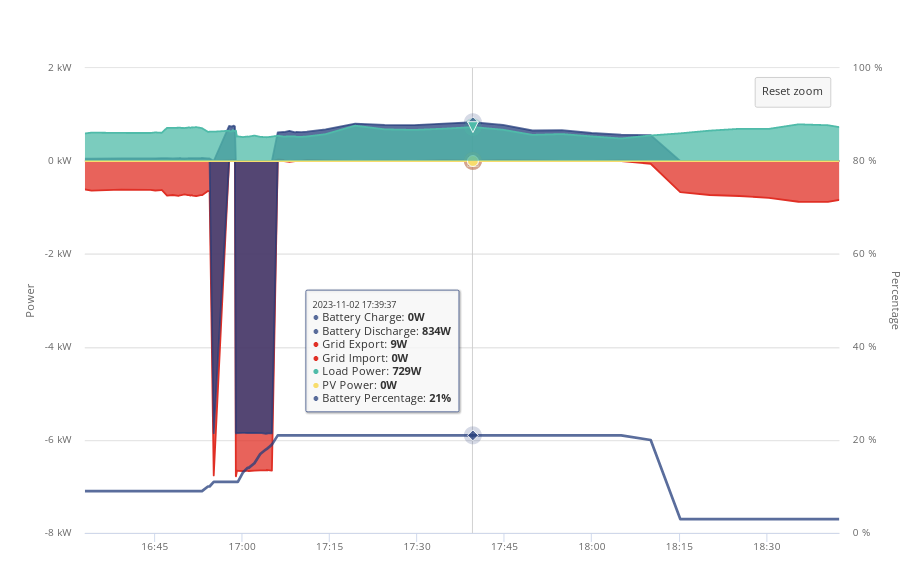
from flat
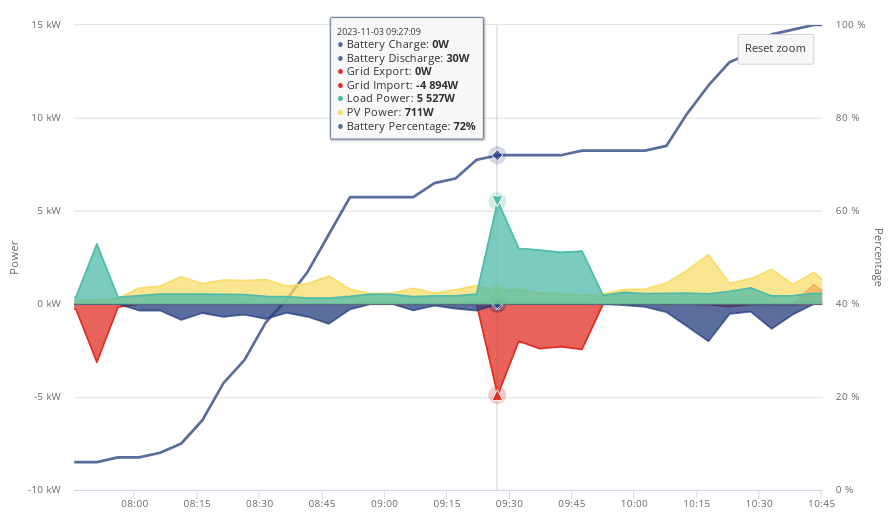
Large spike was shower.
Seems to be a total crapshoot on how much capacity the battery wants to give me, yesterday that 5m charge put around 0.7 I think into battery and it took it to 21% but today it was 81%
and I just got this

I would never, ever, EVER be able to do this with this unreliable hardware and given this is quite the issue im surprised anybody would partner with GE for this kind of thing.
Its a lovely sunny day, looking at 10-15kwh of solar minimum and I can't store none of it.
Well, this is interesting, it took 1.1kwh to fully charge the battery but after I saw that 63% when I woke up to go to bathroom I set it to pause discharge and I was just going to let it hold a charge rather than let it idle empty and upon a while ago it had dropped to 98% but was charging at over 1kwh which I thought was odd.
Just checked now before typing this up and it is still at 98% and charging at 1.2kwh from solar and so far its up to 1.7kwh with no discharge being done.
As you can see around 10m ago I loaded up the app and put it into local mode since I stopped running home assistant a few days ago as I had gotten about a weeks worth of data on usage to get a good day to day of what I use (which I will have to remove the gaming PC from for around 15 hours each of the days which is about 1.5kw daily)
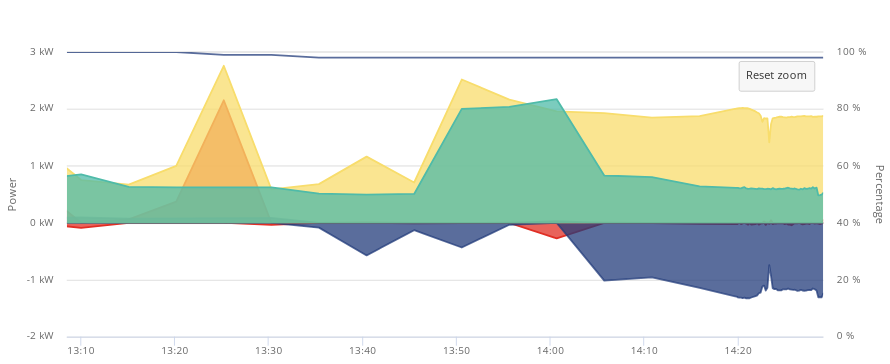
Going to keep watching and see what it does, not sure the stress is helping with this cold I got as a birthday present from mum lol.
heh, thought today was going to be really crappy but suns been out quite a while now and as of yet I was still not exporting so I thought I would check out whats going on with battery, keep in mind that 1.9kwh from yesterday included no discharge and it was left on 98% this is it now as of 13:50
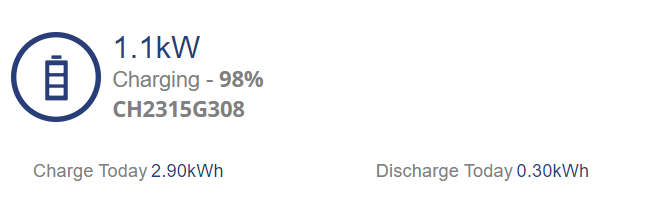
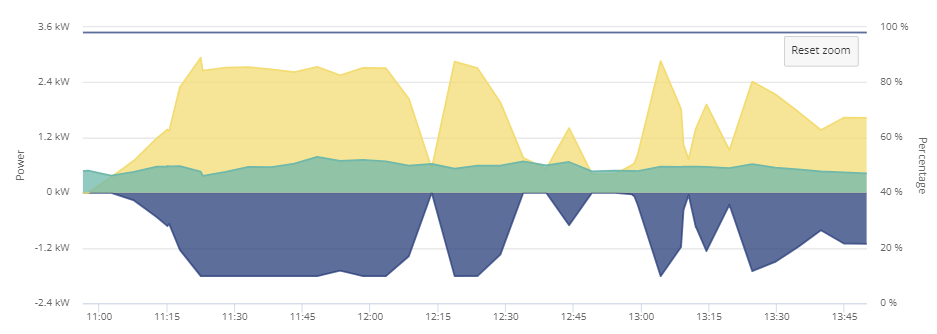
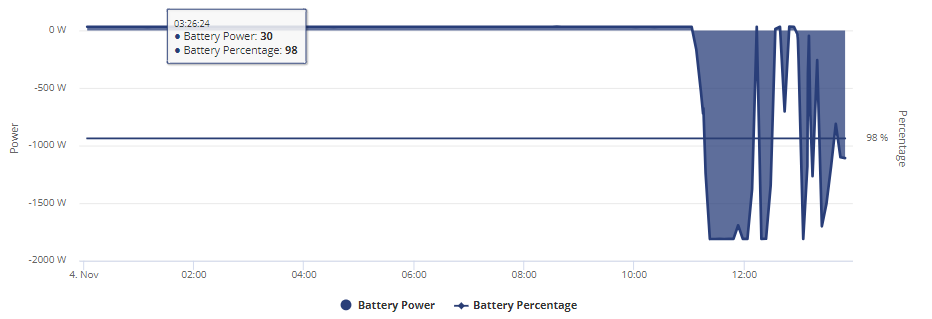
They should come swap out my unit if for any other reason than to just run tests on it to see what is happening.
EDIT
It took 3kwh today oO
Nice bright sunny day today, battery is still set to pause discharge for all but 1 minute of the day (didnt know if it would wig out if I done 00:00-00:00 lol) and just woke up and sun is shining and I guess its been a REALLY good morning.
Friday flat > 100 to 1.1kwh then it dropped to 98% after that and getting to total of for the day 2.1kwh
Yesterday was this
Today is this SO FAR, more is going in as I type this
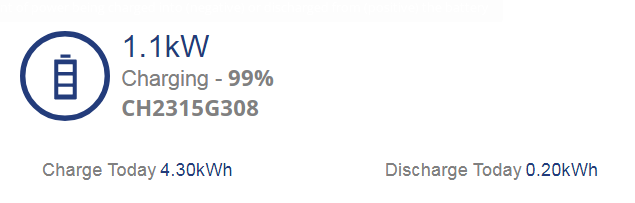
Friday 2.1 in 0.8 out
Saturday 3 in 0.7 out
Sunday 4.5 in 0.3 out so far
Total 9.6 in 1.8 out, leaves around 7.8 stored so far.
It seems I am a unique case from what I can gather as to how bad its been, not seen anybody here with such a serious case in regards to the SOC issue.
Its gotten to the point where the %age doesn't even go down when a charge has been put into it and its all a guessing game, if they want to test what might be going wrong with the firmware they might wanna come pick my unit up lol.
EDIT
Went up to 99% around 11:30 after around 3.9kwh was put in
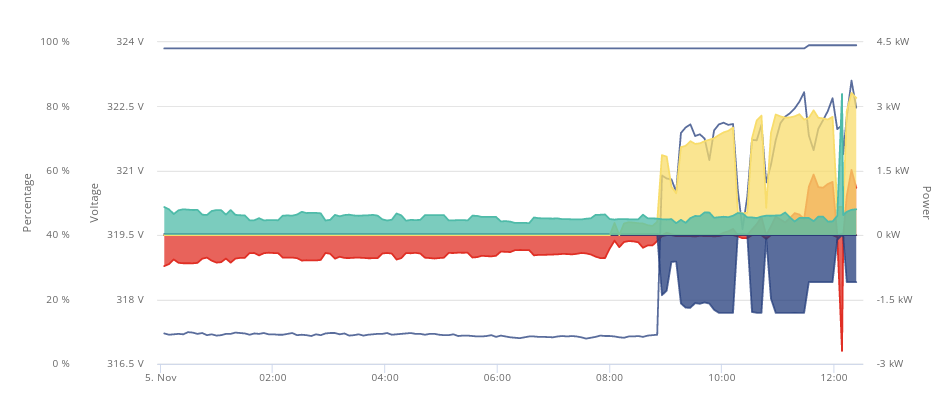
EDIT
Hit 100% then back down to 99 shortly after lol, washing machine is on atm soaking up excess solar so will have to wait to see if sun still out when its done
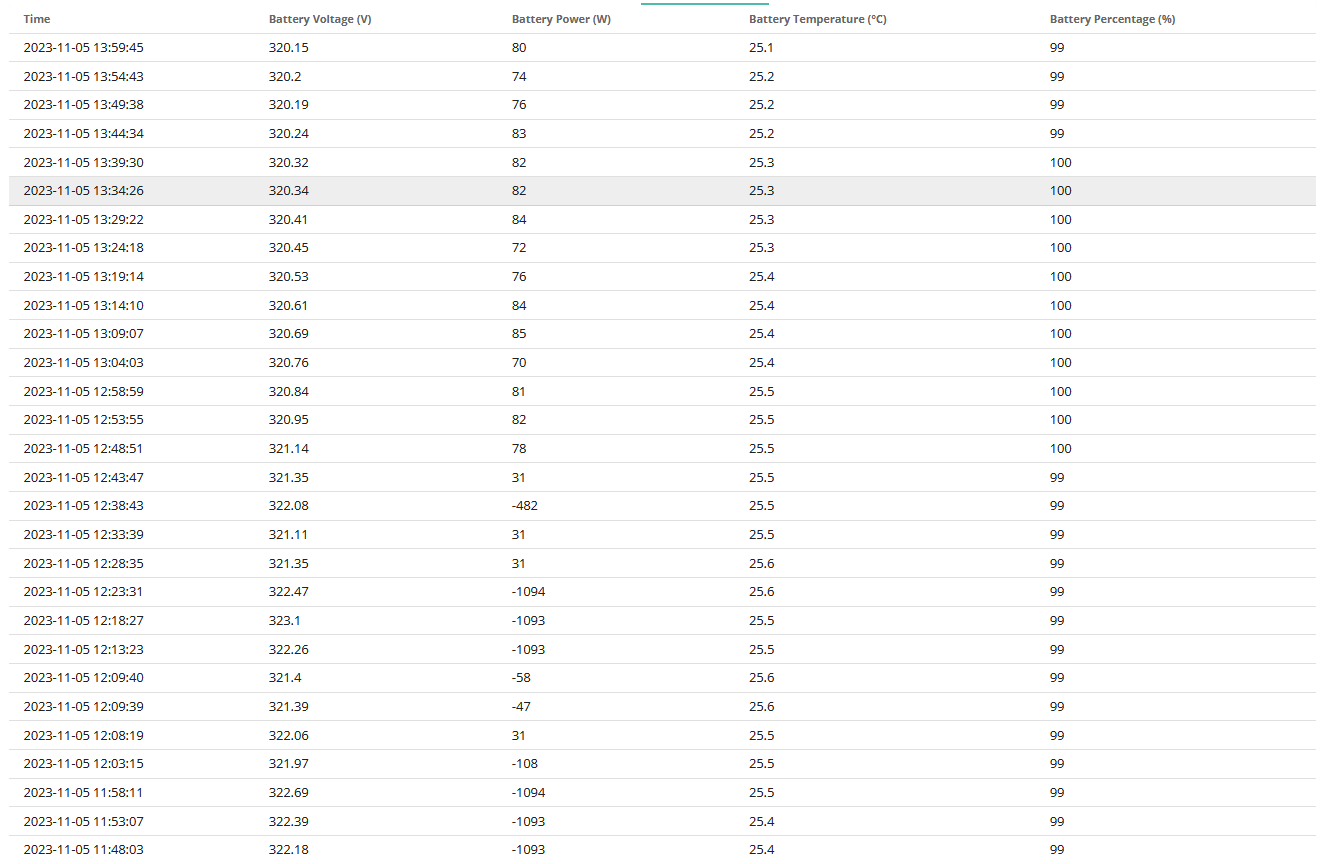
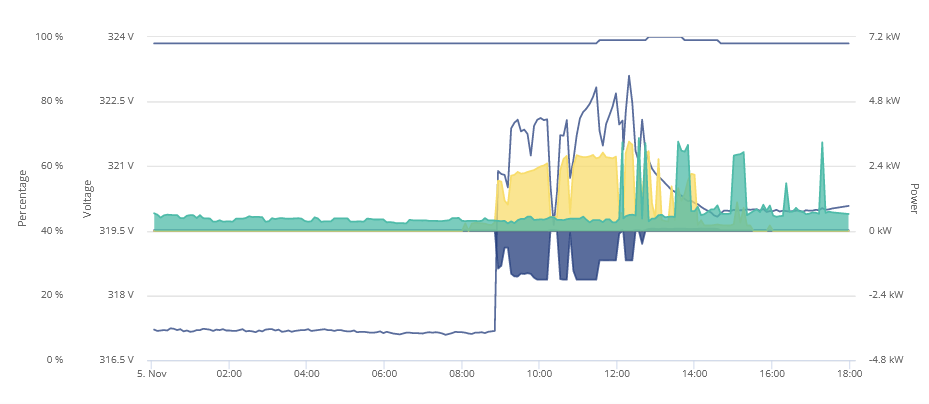
I honestly don't understand why you have not 'forcefully requested' a replacement/refund from your installer/GE. Your system clearly is not fit for purpose and seems much worse than others if this forum is anything to go by. You have more patience than I have, but make sure that does not let anyone off the hook timewise . Tbh, if it were me, I would not be waiting for a firmware update. I would be wanting a new system prior to that if I wanted to stick with GE. All choices for you to make obviously, but documenting it here, if it is your sole output, it probably not enough unless you start tagging GE staff too and 'demanding' a solution. Personally, it would take a lot of legally binding reassurances for me to trust your current hardware. Just my 2c 🙂
I agree with phoenix.
I would do the following:
If none of the above works then these could be the next steps.
phoenix They get an updated PDF sent in the E-Mails we have been exchanging, my patience is all but gone so if anything is not done soon I will be going full harassment mode for someone to either come out and give the system a check to make sure nothing else is going on, either come pick it up and replace it so they can investigate the unit in its entirety or if they don't want that ill just take a refund, get a bigass shed built and more panels in the garden.
Never in my life have I had such issues with anything I have purchased.
atm I have just been storing solar from the past 3 days and its just been stuck whilst constantly charging at 98%, I am hoping it will recognize its full and start doing what it should but im not holding out much hope.
Having a record of what is going on and any info I gather that may help anybody else isn't a bad idea though.
Would be nice to know how the beta testers are doing.
I think you are well within your rights to demand a replacement at this point. You have a lemon. Bite the bullet and start over with a new AIO or another brand. Personally I would never trust the specific hardware you currently have to be at the heart of my home electricity supply.
Or carry on posting the same stuff here and not really doing anything about it ...
And fuck betas - they may get there eventually, but your system is way worse than anyone else here. Frankly I would be surprised if its not a hardware issue. And the firmware fix for non AIO is now at 1 year of beta testing.
YOU WILL BE FOBBED OFF UNTIL YOU PUT YOUR FOOT DOWN
Nuf said, it's your choice, it's just painful to watch tbh
phoenix Had an E-Mail this morning they would be willing to push the firmware through and calibrate for me, I don't mind waiting to see if that changes the seriousness of my issues.
As I said I don't mind a little offset every now and then as long as its withing a margin of error and not BAM your battery is over 60% full after 5 minutes of charging.
If however the issue persists I am going to be demanding an engineer visit to check the system over and not in no several weeks and if there does seem to be a hardware issue from that as I have suspected since the start I am going to cause such a bloody stink.
I am rooting for the firmware to stabilize things a little, as long as I get full capacity of battery after a SOC drop whilst still an issue at least it won't be a crippling one.
So far on the keep solar and not discharge im at
Friday 2.1 in 0.8 out
Saturday 3 in 0.7 out
Sunday 4.5 in 0.7 out
Today 0.4 in 0.4 out
Had the comms drop at 07:08 for some reason and thought id have to reboot the AIO again but a couple of resets on the network switch got it going again, no idea why it dropped out but that issue is getting really old as well.
Sun has been out since 07:35 so looks like battery wont take no more and voltage atm is 320
This is quite odd though
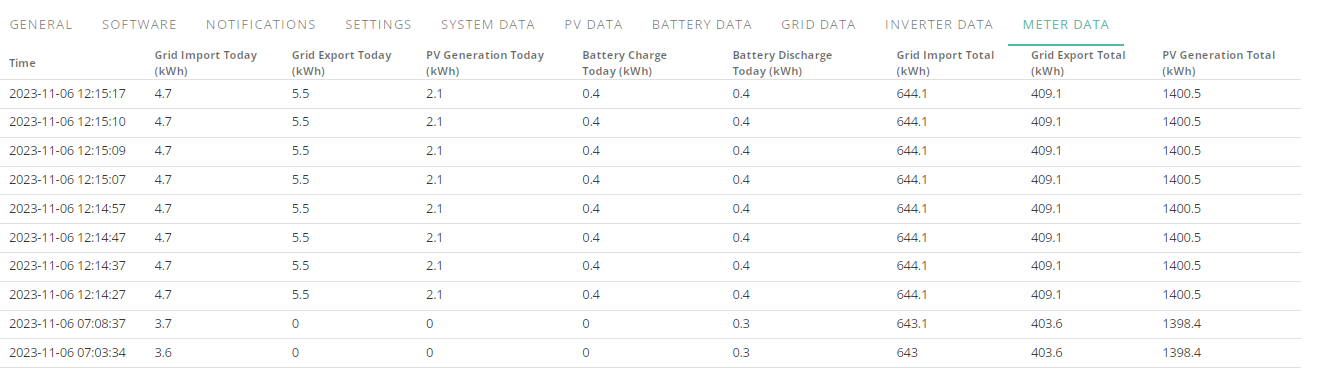
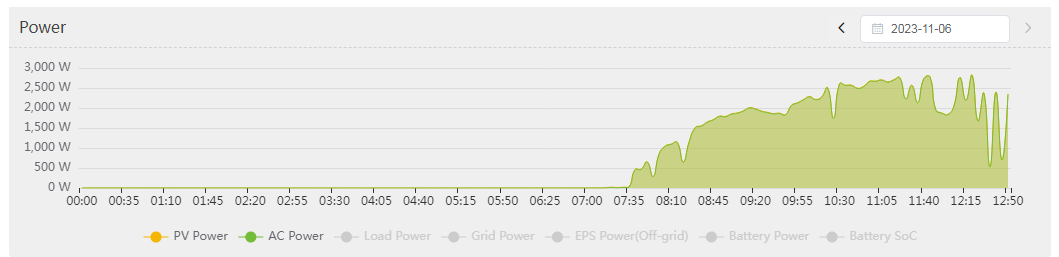
Meter data didnt track solar properly, ive generated over 10kwh so far but it only recorded 2 despite export being over 5, guess I shouldn't trust that from now on.
Thought meter data was reliable through comms issues,
TheDragon (GivEnergy) Appreciated, any idea why solar didnt track properly as it usually does on meter data, thought that info was pretty concrete and has been solid through previous comms lost.
Currently it is out by at least 7kwh
Whilst waiting for firmware next week to see how it changes things before escalating my issue I paused the discharge on the battery yesterday evening but somehow and I don't understand how its gone from around 6% to up 11% whilst being on a constant 25-30w discharge since I paused yesterday.
This was after pausing discharge
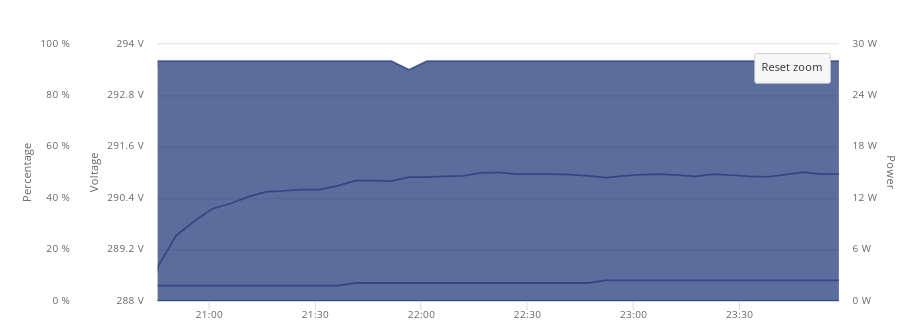
This is just since midnight
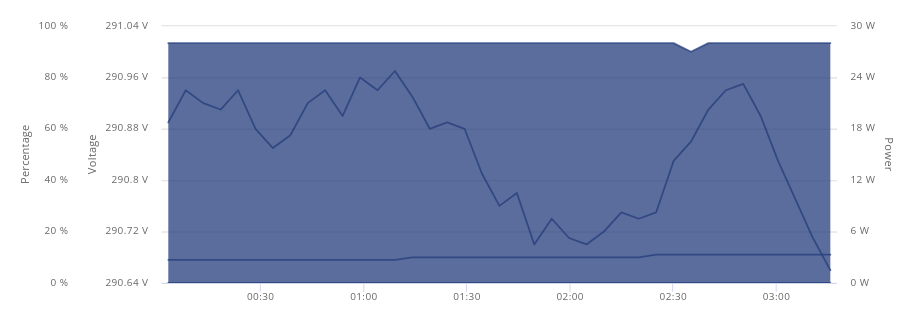
The voltage seemed a lot more stable before midnight ticked over.
I am kind of new to the whole battery storage scene and how they behave, is this at all normal?
Edit
Discharge just bumped up to 0.10
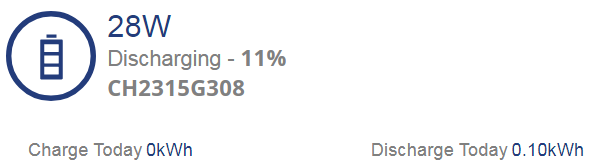
EDIT
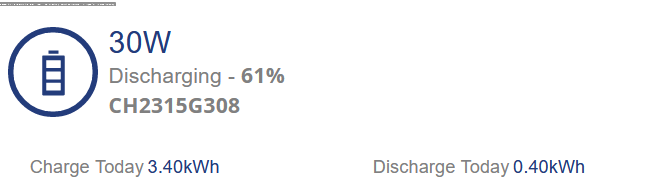
Whilst in a completely idle state whilst discharge is paused and it just discharging at a constant 30w in this state the battery SOC has gone up 11% total today from just being idle and a total of 15% if I include yesterday after pausing the battery.
I have a fairly simple question about Calibration. I have needed repairs to my AC-Coupled +2x5.2 system twice in the last 2 months. The inverter was replaced and battery software updated, and the engineer left, having initiated calibration.
The battery charged to 100% then stopped until, after several calls and days, they finally got the system working again.
After the second visit and calibration initiated again by the visiting engineer, it was charged up to 100%, then discharged to min (4 or 5%) but stayed there. More calls and days and eventually a call resulted in synching the time and declaring the calibration complete.
My question is whether the calibration simply fails to complete because GE need to declare it complete, and only then can the battery can revert to normal operation according to my settings (timed off-peak charge and ECO mode)? Was it complicated because it has been initiated by the engineer, and so GE central don't have a process to monitor and declare it complete?
Any suggestions how I can avoid this if it fails again?
Thanks (and apologies for the lack of brevity)
PeterB
PeterB calibration relies on the battery more than anything. You could calibrate without any Internet connectivity if you wanted so I'm unsure why yours is getting stuck.
It's looking for alarms on voltage (pack Undervolt & pack overvolt)
Once it hits those it knows it's end stops and then the SOC that the user sees is scaled accordingly 4-100%.
The battery itself actually runs 15% - 95% roughly.
PeterB the other thing I would highlight is that the messages you get about calibration complete don't always come through. When both my batteries were installed (different dates) they were calibrated, and on both occasions I got the calibration started but not the ended alert.
But the system worked fine regardless.
When I upgraded the firmware some months later it did a recalibration and then I did get both the start and end messages.
I'm not the only one who has experienced this.
Your calibration also sounds a bit weird. You describe it as charging then discharging. AFAIK the calibration is the other way round. It will firstly fully discharge the battery then fully charge it.
Normally GE don't need to get involved in a calibration.
Thanks both for your help. I didn't realise I could control the calibration here, but probably wouldn't want to, as I don't understand the details fully (e.g. as in the long discussion above).
The batteries were empty when the fault occurred, so didn't need discharging, though they were deliberately charged up slightly then discharged before the calibration began. It's the delay before the calibration is declared finished that causes the grief, so if I could declare it finished, that would be a help next time. I don't see where I could control the calibration other than setting Timed Charge and Discharge schedules on the My Inverter/Settings page.
Here are the messages from the latest episode:
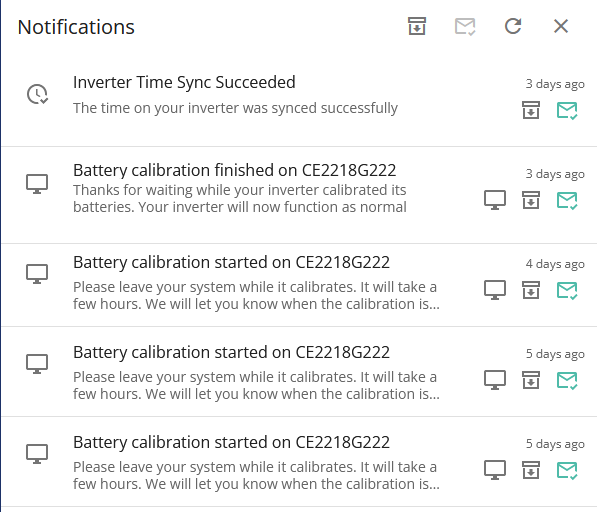
It seems that the procedure is not as I had deduced, but I'll be alert for the calibration getting stuck again next time, and hope it's not at a weekend.
Cheers
PeterB
there isn't an option for us end users to initiate a calibration. Something only your installer or GE can do
Sorry
Had firmware updated this morning and calibration is still ongoing, currently at 91% 13.7kwh put into battery so far, battery temperature has gotten to 36c and inverter peaked at 55 with 2x120mm fans at full speed on top.
I have been thinking of doing a box thing to put on top and connect the fans to and have a tube going to the breathing gap in wall to exhaust the hot air so it doesn't just circulate it around.
Ill let you know how I get on but when I woke up after 2.3kwh being put in after the firmware update it was only around 20% I believe, lot better than in the 60's
EDIT
15.7kwh was put into the battery, time to start keeping track of kwh in and out
EDIT 2
Still on 100% despite 0.6kwh been used so far, hope its just getting its bearings.
thewanted Negative, says 24211, its not an official release atm.
So far down to 79% after using 4.1kwh of the 15.7kwh charge that was put into it during calibration.
I don't mind the SOC drops every now and then as long as I get full use of my battery back afterwards and not 5-40%, will keep a close eye on system over the week. Also I switched to agile whilst still being on flux export which I have been on for a month since changing to Flexible Variable rate.
Just a wake up update and don't forget due to the portal only displaying one decimal point it may throw off exact numbers but this is what I have found so far, I know its early days less than 24hrs since calibration was done but thought id keep folks updated that have been following my woes.
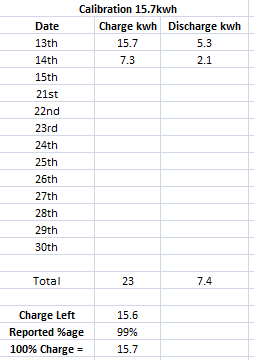
Despite initial concerns over the SOC not being in line with kwh usage straight after calibration (but that is just me being paranoid with all the trouble ive been having lol) after charging with the 15.7kwh being put into the battery for the rest of the evening til midnight it had discharged 5.3kwh as you see above and brought the SOC down to 72%.
From midnight to 03:35 it had used a further 2.1kwh dropping the SOC to 59% which given the initial charge is quite inline with the figures for a total of 7.4kwh discharged.
I set a charging period for agile between 03:35-05:55 at a rate of 3kwh (I forgot to check before setting the charge limit and I didn't want to overwork the system after the calibration) and in that period it put back in 7.2kwh and brought the SOC up to 99% as you see above.
As I said, its been 24hrs but the above alone gives me a glimmer of hope that I am no longer losing capacity on initial results but I will keep you updated.
EDIT
This is odd though, seeing quite a few jumps in data

Last reported update was 17m ago so loaded up app to check if comms are going but it connected locally straight away, odd.
It is connecting locally but for some reason there are still gaps in portal despite its connection seeming fine.
End of second day with new firmware and just finished a 30m period agile charge and the info at 23:55:55 said total charge into battery was 9.8.
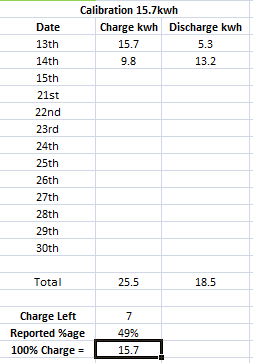
After refreshing the portal todays charge is 0.10 and it has gone to 53%, not sure how 0.10kwh put it up 4%, 7kwh charge remaining seems a little lower than I would like given the SOC and initial charge put into it but that may balance out and I have a few more charge periods set throughout the night where its less than 15p.
I will see what has transpired during the night and keep you all updated, hopefully for you as well as myself it remains to be hopeful 🙂
geoffreycoan Thanks, just woke up and having a little look at stuff.
This was after the agile charge periods last night
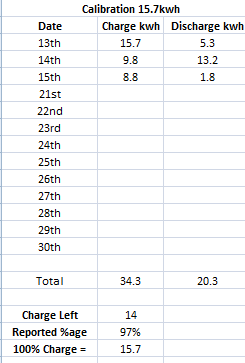
I have just woken up and updated and this is what I got currently
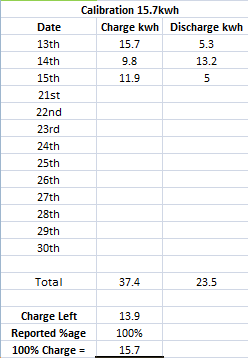
Already a million times better but the SOC drops never really bothered me that much it was the fact that 607 firmware seemed to be taken away capacity at an alarming rate.
So far if this holds up and stays steady I may never ever EVER update the firmware again LOL
EDIT
Not sure if a coincidence or not but im getting a LOT of gaps in data, 10-20m constantly despite when loading app up it connects to home instantly.
Whelp, comms have gone again, just the button on the side didn't do it so I am going to have to try powering down then flipping switch in the gateway, local mode in app not working, I can connect to it over network from PC and connect to its AP and browse the internet.
So far ive had to reboot
October 10th, 16th, 27th
November 2nd, 8th, 15th
Ill report back after flipping breaker for AIO and letting it power back on, is anybody else with an AIO having this much of a comms issue?
EDIT
Complete shut down and power up sorted it out and its back, shame just the button on the side doesn't work consistently, hopefully no adverse effects on the batteries.
Jellybaby
As previously mentioned, I have never had issues communicating. Though I find the iOS app frequently fails to connect locally after previously working.
Can I ask about your symptoms? Is it just that you lose local mode communications on the app? If that is all (and you say you still have web access) isn't it more likely to be an app issue than a AIO/Gateway issue?
If it is just the app, is this iOS or Android? If iOS, have you tried cloud connection followed by local (when the app fails to connect immediately I find this method is better/quicker than restarting the app)?
PianSom Well since yesterday the portal has been spotty and today it had gone 15m without updating and GE person after doing firmware and calibration said they had set it to refresh every 60s and I saw the command in the portal data but I was still only getting 5m refreshes unless it stopped for a while but local mode in app always kicked it back to updating portal.
It had been spotty since firmware update but when inquired was told that the comms servers were having issues and since the app still worked in local mode on both ios and android I guessed that must have been the case but then tonight local mode stopped working even after a soft reboot of the AIO.
After it rebooted from hard reboot (battery turned off and battery breaker flipped then AIO breaker flipped in the gateway til the light went on on the front of unit then reversed the order for powering back on) it seems I am indeed getting 60s intervals in the portal, well, 1m 4s.
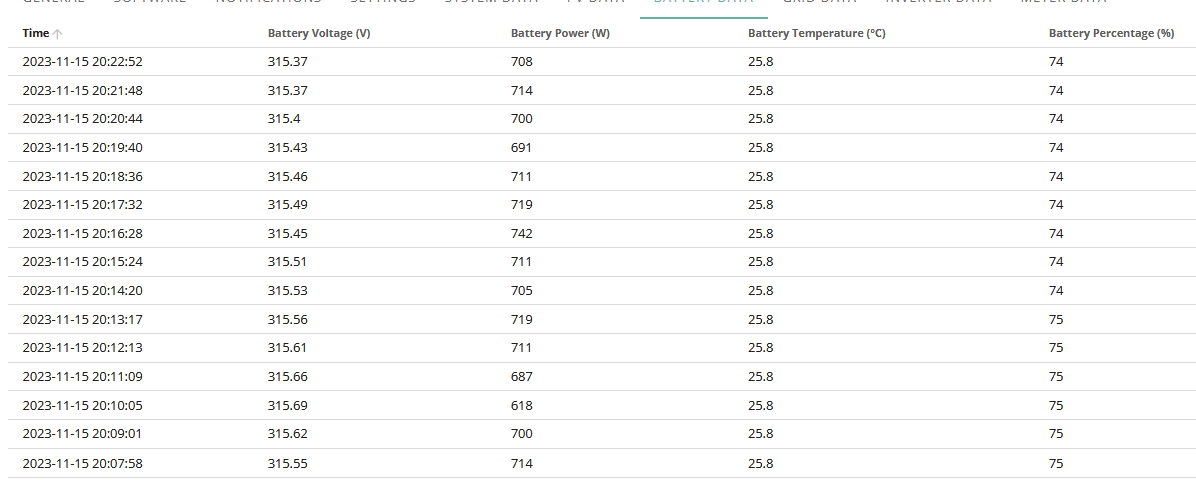
Hopefully the reboot didn't screw anything up but im probably being overly paranoid.
Jellybaby
OK, so you are looking at
web portal / My Inverter / Inverter Information / Battery Data
and found that (pre-reboot) the data there was not updating. Correct?
But anyway now it's working fine, with an update approx every 64 secs - correct? If that's the case, glad it is sorted. And fingers crossed that it stays sorted.
If it was me, if it happened again I would be calling the help line and asking for support in addressing that specific problem, rather than trying a whole system reboot. But that's me.
(FWIW and FYI mine seems to be set to about a 20 sec update period. I have not done any kind of restart myself since install on 25 Sep, though beta firmware installs seem to need a reboot of some kind.)
Daily wake up update for folks that have been following, this is how it looks so far
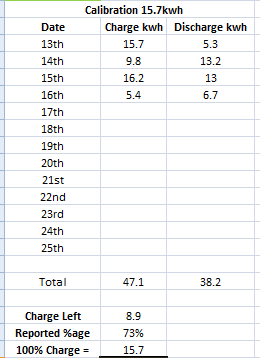
I may never ever EVER update the firmware on this thing if this holds steady.
EDIT
This is as of 17:10
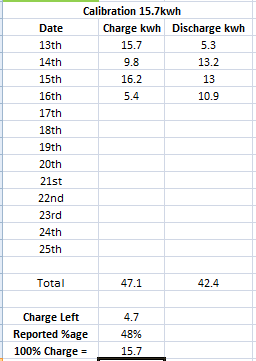
SOC seems a little high but battery will be drained nicely by the time 20p agile period hits at 10pm but so I can monitor to see how it progresses.
Whelp, just had SOC crash from 33% when I was supposed to have enough to see me to 10pm, not particularly happy as I was supposed to have around 2.1kwh left.
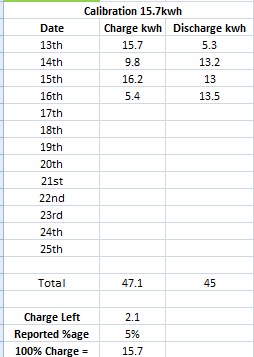
I am supposed to be able to at least be able to rely on the math.
Odd, voltage isnt even that low
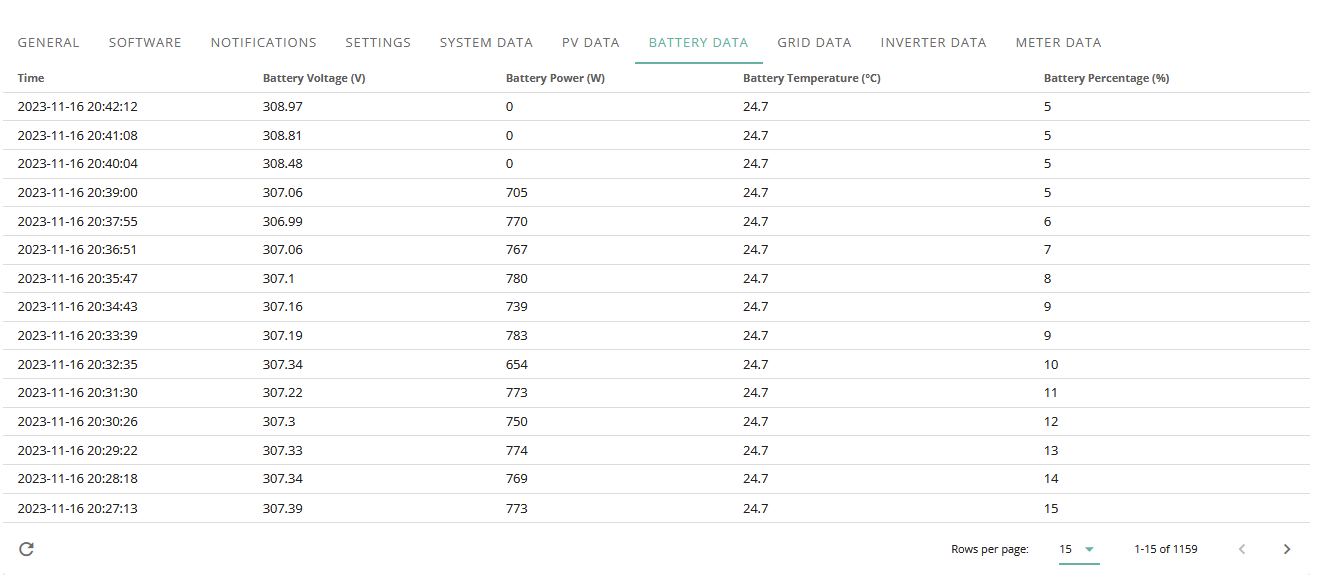
Time to reset and go again.
This will be my 0 after ive put some charge into it from 22:00-23:00
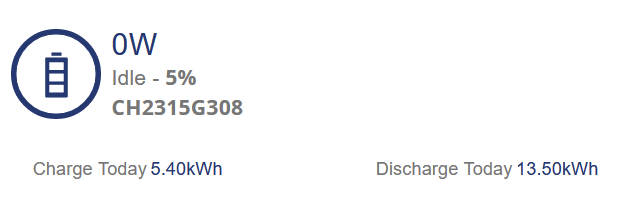
EDIT
Its up to 310v now, compared to previous trends since I got it that is quite high to be empty and given the voltage ranges for the unit it seems quite odd as well.
On 607+608 empty got to 280-290 iirc
This is where I currently stand, nearly 4am I charged during 1h agile period last night (10-11pm) and then set it to charge from 2-4AM and its now 03:56 and its just finished.
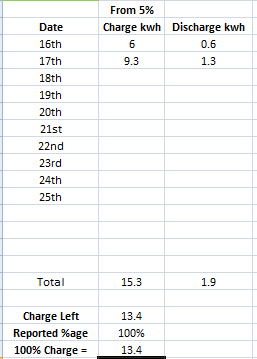
Hopefully round two goes a little better.
Now I can go to bed and get what little sleep I have left.
This isnt looking too promising
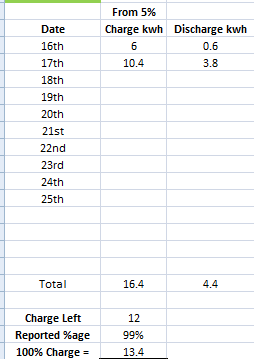
After waking up, not sure how its 80w discharging when im exporting 1.72kw
EDIT 19:42
and I lost comms again FFS.
damnit, lost comms again and a reboot of teh AIO didnt do anything, I am getting so sick and tired of this happening.
EDIT
False alarm on total loss, took an extra 5 minutes for it to come online
This AIO gets rebooted more than my PC.
Jellybaby What I've found is once it starts to lose comms, it gets back online briefly then eventually degrades until it needs a forced reset so will be interesting to see if it manages to keep connected, that would be progress. FYI my battery discontinuities got better today so will do the math to see if it's actually an improvement or just an adjustment
DCostura It was offline for a few hours, there is a 5m gap atm and its set at 60s intervals but loaded app up and it connected to home fine.
EDIT
ok this is odd, it seems to be updating on the dashboard every 5/10 minutes and inverter info reflects this but upon updating it does the 1m intervals in the gap.
I am so confused with this behavior.
EDIT 2
This is odd
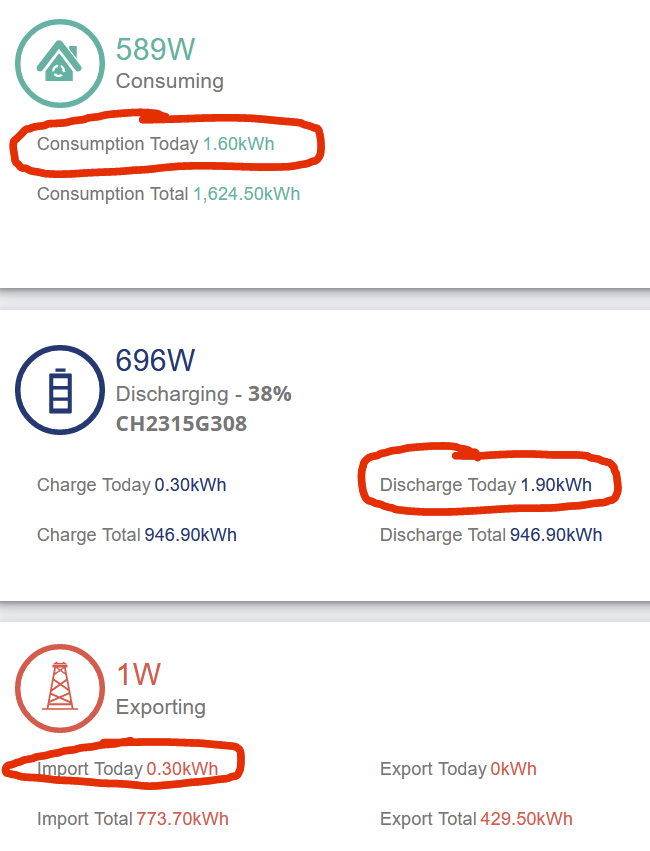
EDIT 3 03:45
It now seems as though it won't listen to set charge times and it just wants to charge regardless if I turn on grid charging.
Got it set to charge from 04:30 to 06:00 and its trying to charge now, it started right at midnight and I had to disable charging for it to stop and now it wont stop trying to charge, I am seriously at my ******* limit.
Edit 4
WTF I restored to default settings and when inverter came back online this happened
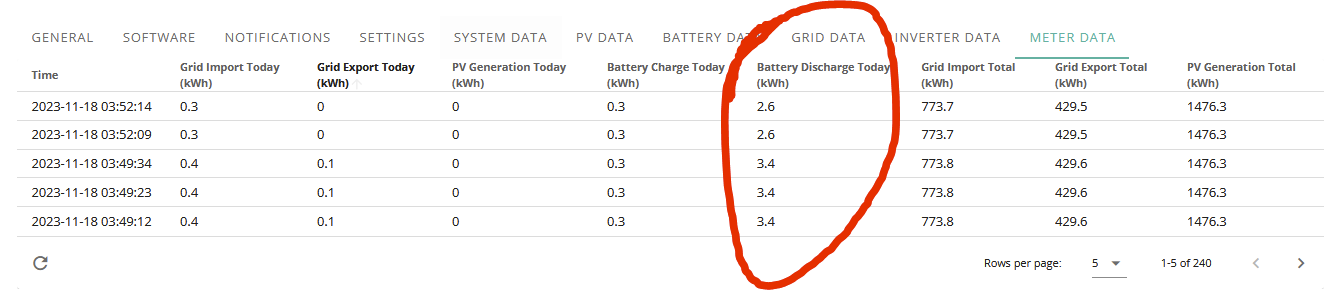
Yup, its now ignoring any time set and just wants to charge 24/7 apparently, its now 04:15, going to reboot the AIO again to see if that sorts it if not im turning it off and I aint doing diddly ******* squat til someone comes out because something isnt right.
EDIT
Another reboot didn't help, I am so done.
Another entry for the whole weirdness report, I thought id try again after waking up and sitting down with coffee and I set a charge period between 12:26 and 12:27, it didn't start immediately but it didn't end at 12:27 but 12:28.
Still waiting for an E-Mail back from GE though.
This is when it done its whole "im gonna charge at midnight" thing which I can assume is down to the 00:00-00:00 in remote control page for some reason but it didnt stop as it usually did after 30-60s but went on for a few minutes (after I disabled charging from grid), later is me trying to set charge time without it coming on.
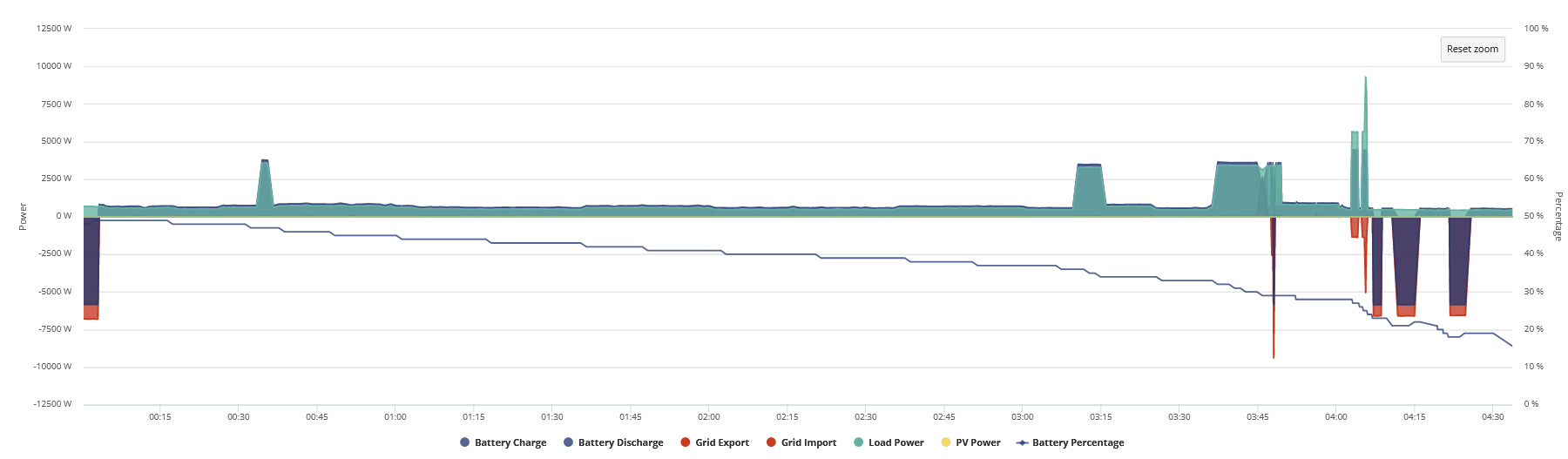
I also cannot get rid of this that popped up around 4am when I rebooted the AIO, thought it only lasted an hour.

yep, seen something similar it happens to wake up at somepoint, fyi my degradation of charge seemed to reset a bit last day or so was ok but just had another big drop, only 12ish% but it doesn't seem to track
I don't believe it, its done it again, I set a period last night for 00:00-00:30 and all was fine, didn't start trying to charge straight away at all but now its 03:33 and its still charging the battery, wth is goin gon with this?
I swear ive done nothing wrong
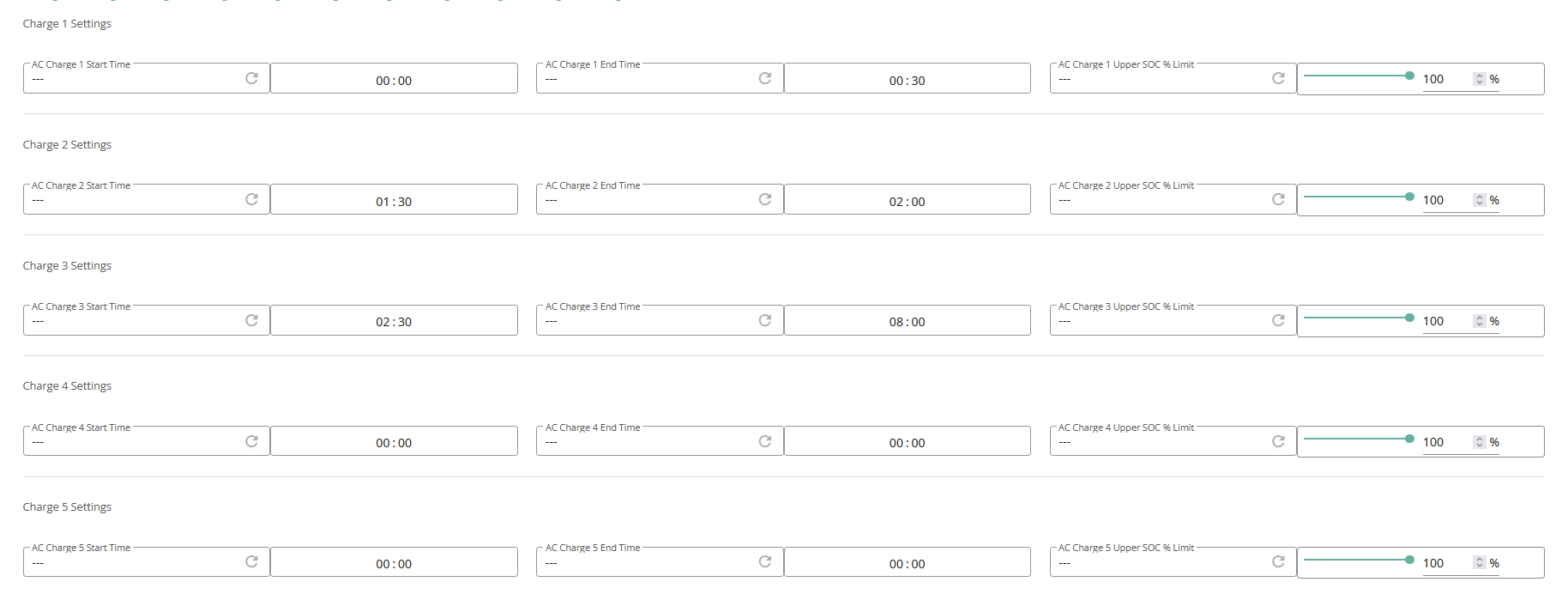
wth is it doing?
EDIT
I turned AC charging off, change the times and turned it back on and it started charging right away, what in the hell.
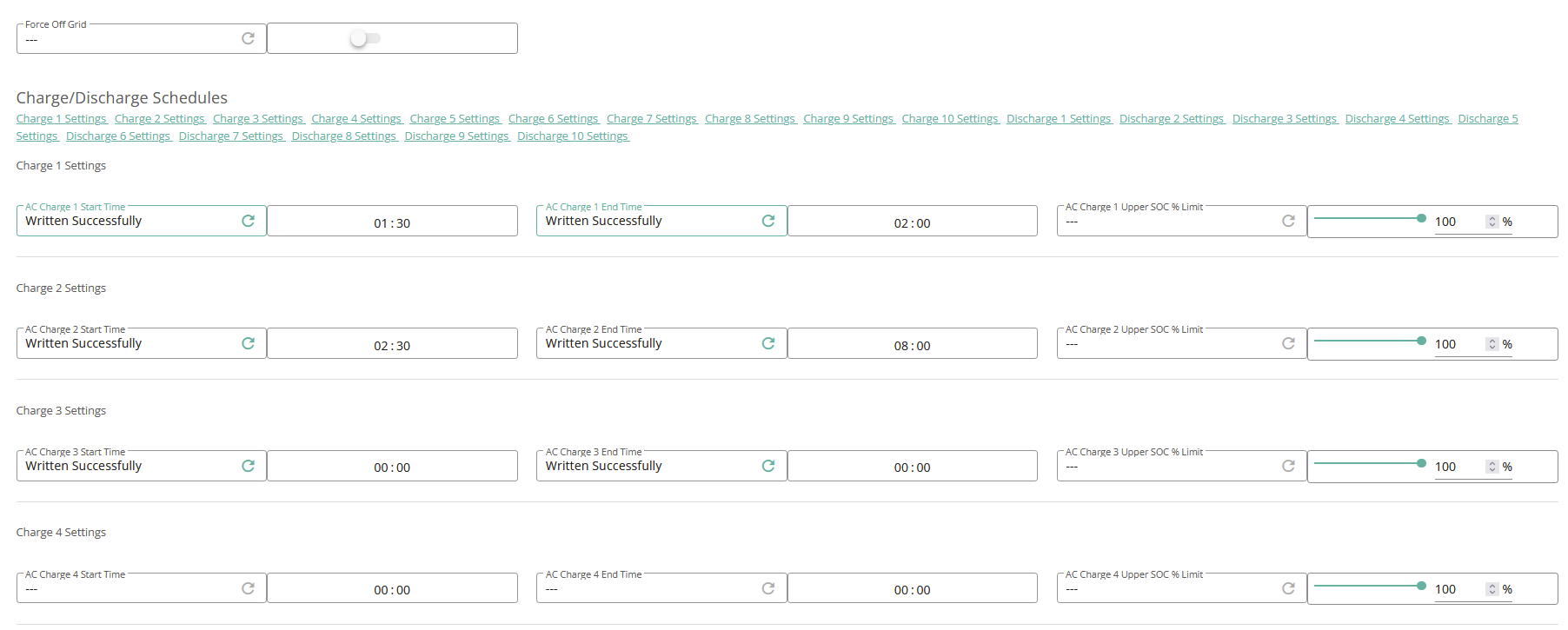
PLEASE someone tell me im doing something wrong.
I reset them all to 00:00 and done it via the portal settings
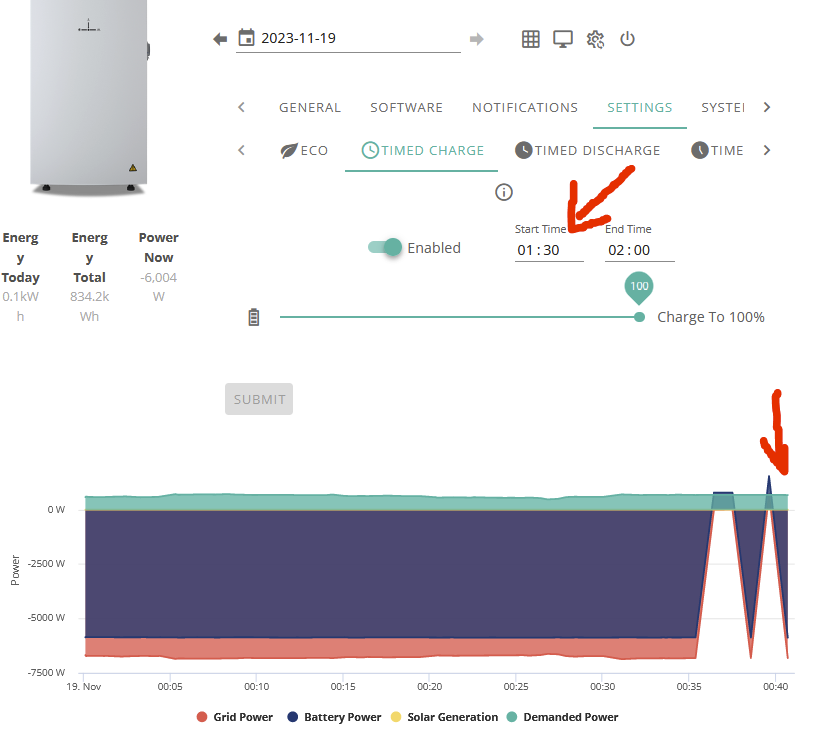
OH COME ON
Is this happening to anybody else?
EDIT Thought id change to 2h from now
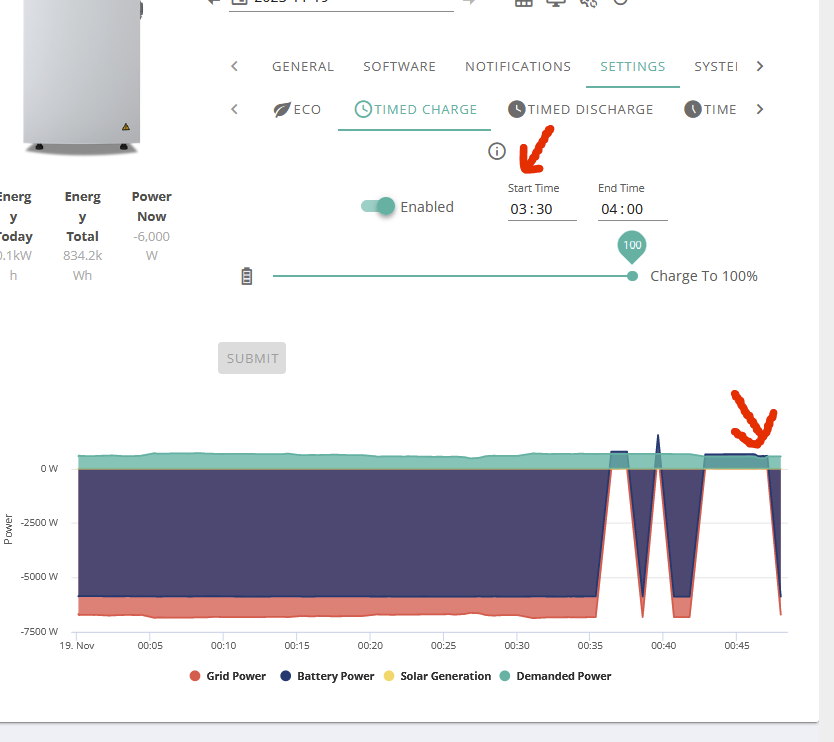
EDIT
Done another reset to defaults and waited for inverter to restart then AFTER 01:30 had already gone I had set this then turned on charging
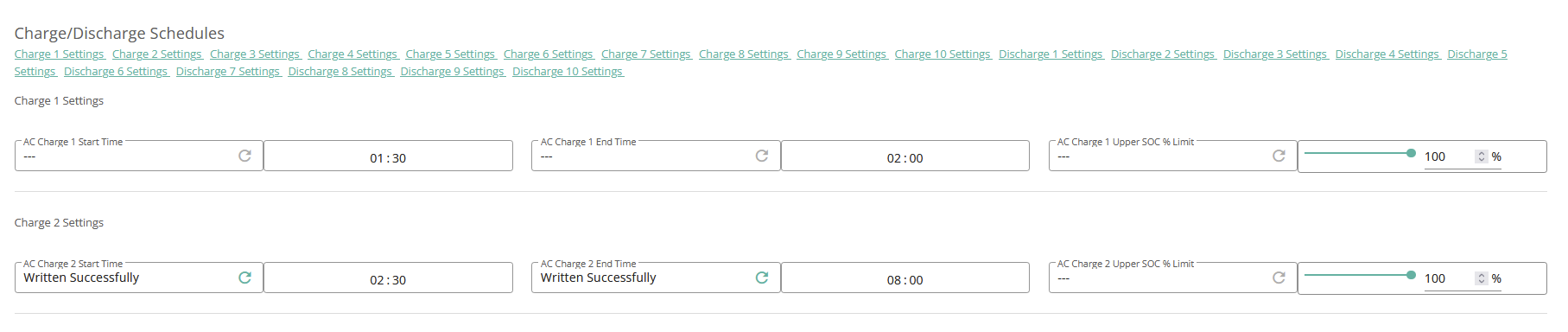
It is now 02:04 and its STILL CHARGING.
Not going to hear back from GE til Monday I don't think.
EDIT, YET AGAIN
Going to bed, have set alarm for 8am incase it doesn't switch off like its supposed to so I can turn it off manually.
Alarm went off at 8am and I saw it go from grid to battery as you would expect so whatever is happening is happening as soon as midnight hits which is when you usually see it full charge for 30-60s for some weird reason but this time it isnt stopping so something is happening between 00:00 and 08:00 if it decides to operate as it should then.
This started to happen coincidentally when I finally got a image for my inverter in the portal so im not sure if they have screwed something up but judging by nobody else seeming to have this issue I doubt that is indeed the case.
I am hoping that tonight from midnight we have some cheap rates again as what I can do is to set a time for the PM and when it triggers at midnight I can see how long it lasts for, I know I had difficulty with it still trying to charge around 4am so the issue has to be persisting for at least 4-5 hours.
15th - You can see it done the whole midnight minute charge thing as it usually does then followed timeslots.
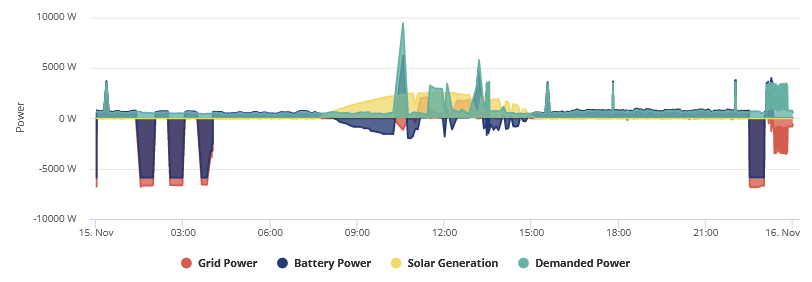
16th - Same thing here
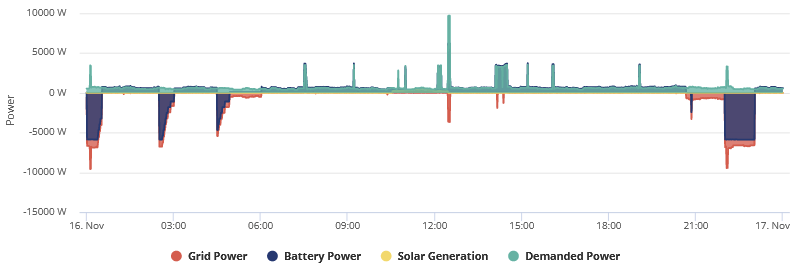
17th - Also seemed fine here
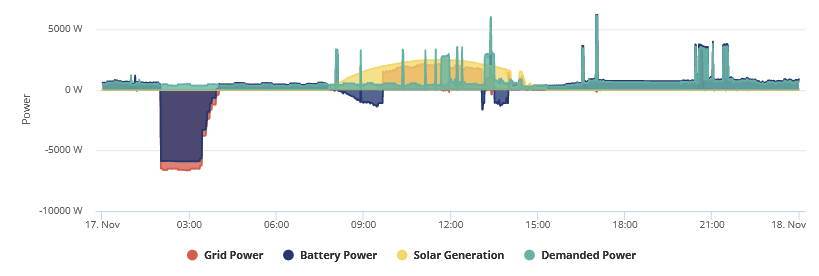
18th - This is when it started to go wrong, the thicker midnight line was for over 3 minutes til I disabled charging completely and then from 03:30-04:30 tried to get a charge slot working before bed but it kept starting to charge immediately.
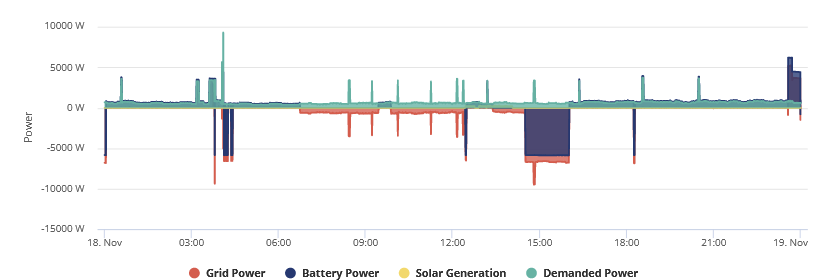
19th - Repeat of yesterday just with more attempts, I tried emptying the battery before midnight as they were going to pay me to use electricity so wanted to get max use and then charge up on -2 and then feed back for 15p then let it charge completely but when you look at the close up view it wouldn't stop charging at 00:30 and I spent a while trying to get the damned thing to work
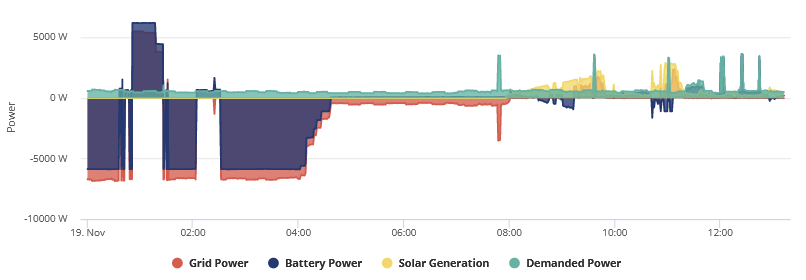
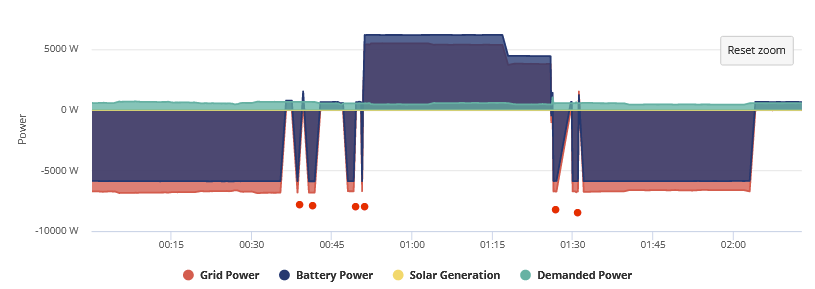
The red dots were me trying to get it to work before eventually giving up and waiting for 02:30 to set it off for 8am and then getting woken up a few hours later to see if it would turn off which it did by itself as you see below.
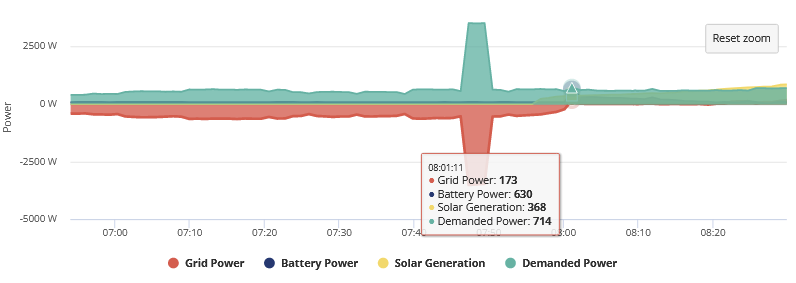
and it did the battery discharge rollback again.
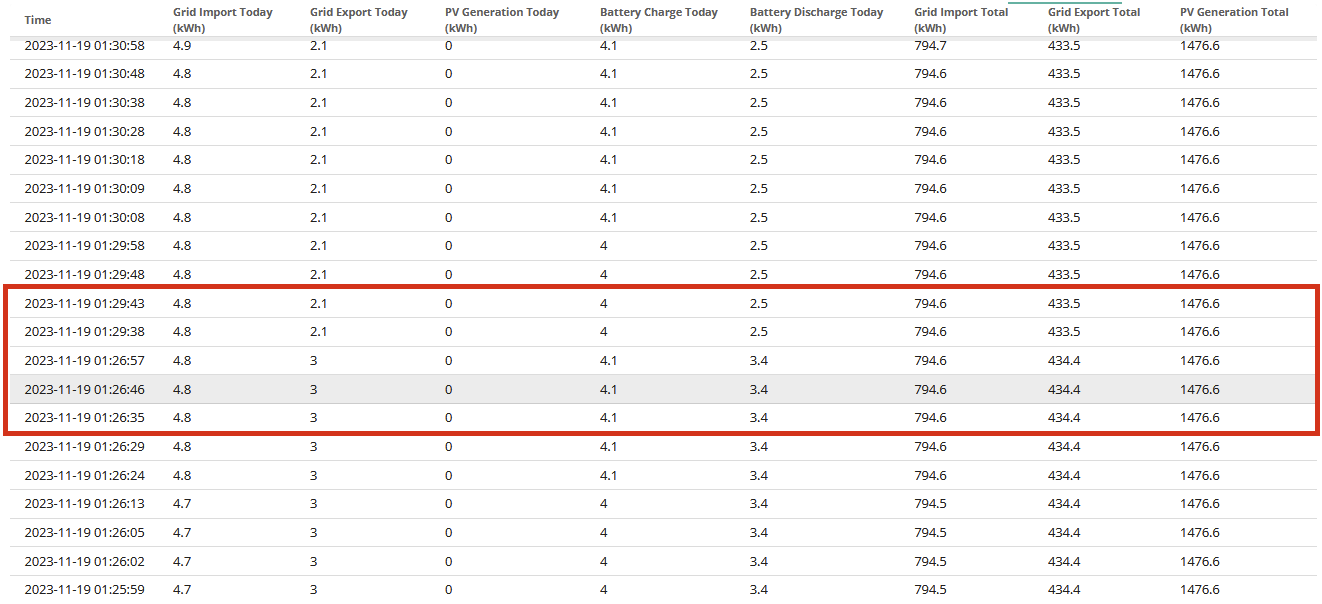
I have forwarded this on to GE as well for them to catch up on on Monday, hopefully they can track down or know what is causing this.
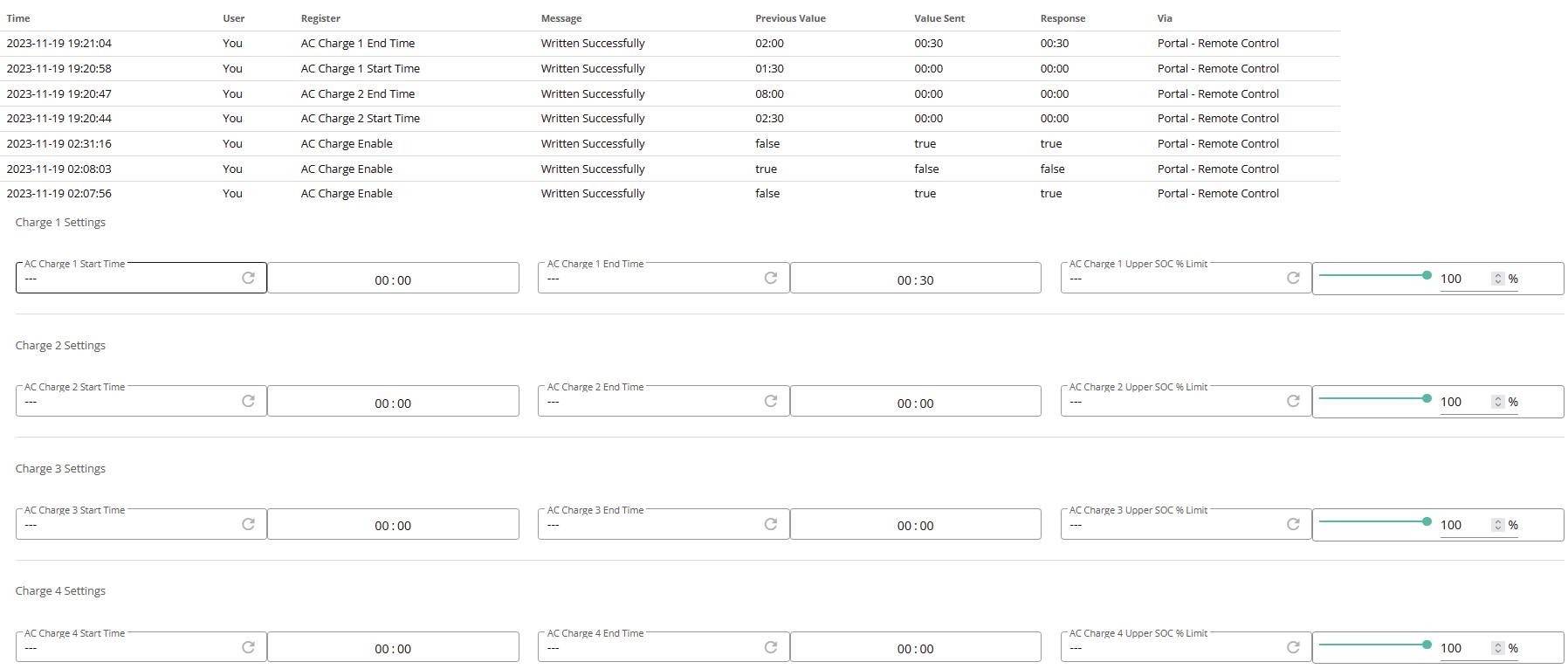
03:36 and its still charging, there have no no changes in the remote control to suggest any other changes have been made, I am not using any automations but for the third night in a row it wont follow charge times and as soon as midnight hits BAM it wants to endlessly charge.
See, this is just now, no changes

EDIT
Still going at 1AM
EDIT 2 - 01:53
Battery fully charged and now running off grid so its not just because battery wants to get to 100%, something else is going on.
EDIT 3 - 02:45, heading off to bed but so far its still running off grid like im asking it to charge.
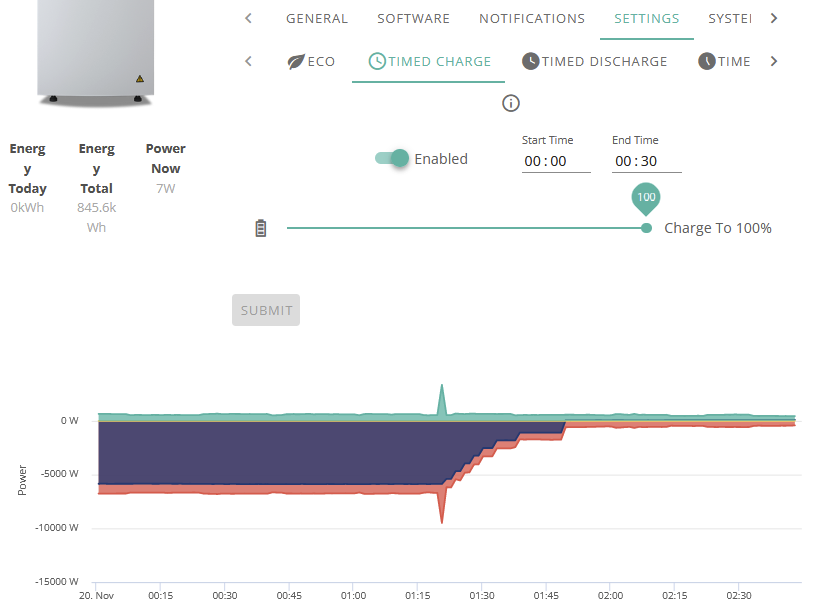
May be an update to this development, despite the remote control page confirming the #4 timeslot changes as you see below for both start AND end apparently the next day for some weird reason if true ended up resetting back to 06:00 end time but start time stayed at 00:00 BUT it still showed as 00:00/00:00 in the portal.
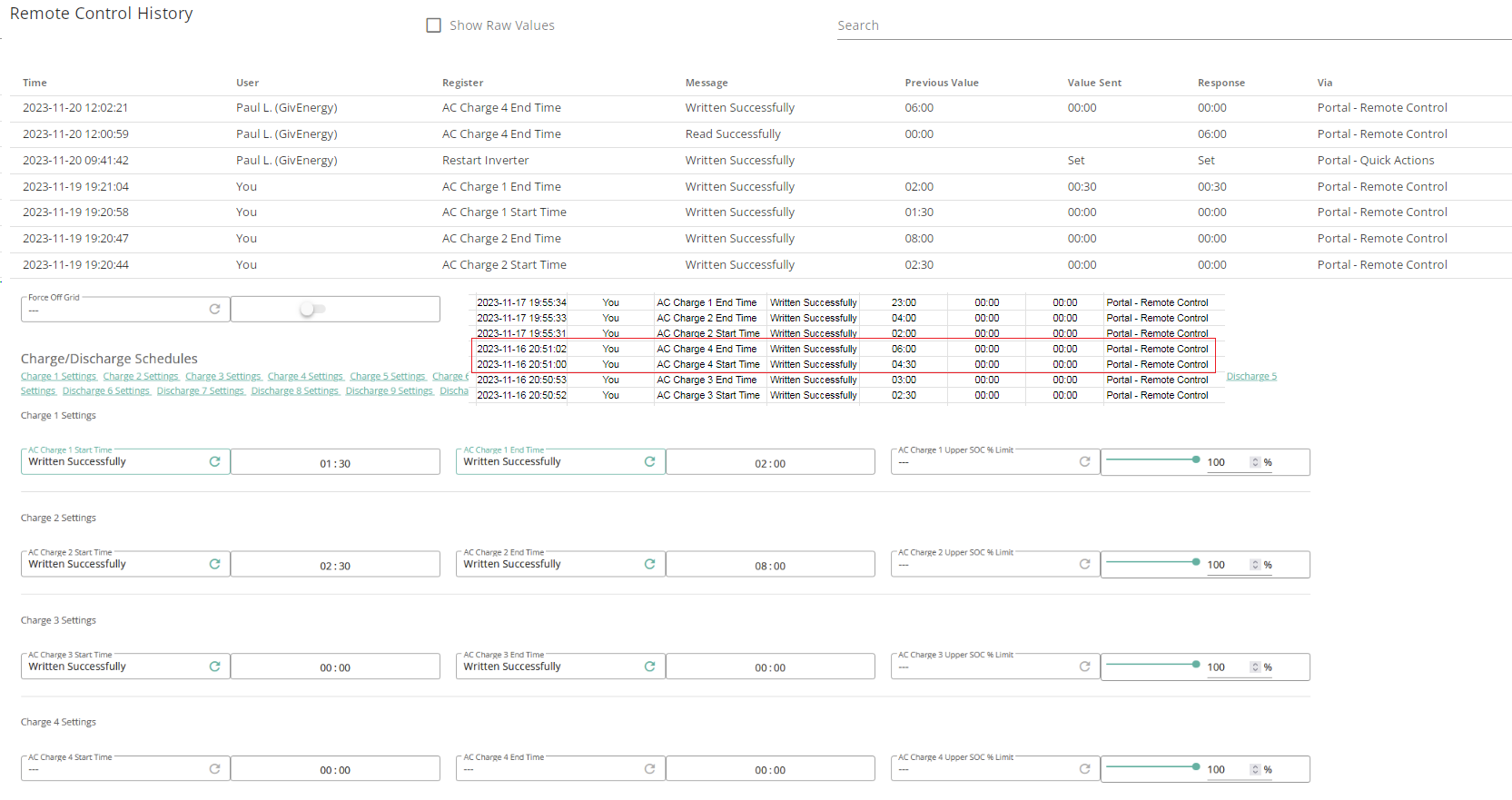
So, if this turns out to indeed be the case then I got no ******* clue how after 24hrs it got turned back on as its not in the remote control page for commands AT ALL and it didn't change the end point to 06:00 itself.
Hopefully anything I encounter can aid someone else if they encounter the same but my question is when you reset to defaults WHY DOESN'T IT INCLUDE THE PORTAL REMOTE CONTROL SETTINGS, like, seriously.
Portal info below in excel and you can see the slot #4 changes here and the 17th went off without a hitch and it ended the charge at 4am like it was supposed to.
https://docs.google.com/spreadsheets/d/1lOLm_XbA5iVvrF1oYoC6c5_aTiBV3k3KGG27KbeZF5w/edit#gid=0
This conclusion was probably aided by the test I ran last night and seeing when it ended and this explains why the 08:00 ended fine.
This has been a very very weird experience and hopefully my growing pains can help mitigate some issues others have with their systems.
EDIT
and ive just noticed comms went out at 12:06, ffs.
Ok, just an update since ive seen it didn't exhibit the same behavior tonight if anybody else runs into the same issue of their battery charging all willy nilly, go into the remote control page and read each of the charging slots to double check they have indeed been reset (depending on how many you have used before), if they have not it should change and show in the audit at bottom of the page.
I also don't understand why reset to defaults does not work on all the timeslots either as that would have solved things on the first night but since it read 00:00 AND it was confirmed to have gone through AND the day after was fine I had no reason to believe that it would have been down to that but apparently it was.
So now im back to just the comms issue and testing the firmware updates.

I also have the occasional single spike of charge at 00:00 on my AIO - even though it’s set to 00:30-04:30 for Octopus Go. Over the last week it happened on three occasions.
Perhaps it’s been happening every night, but as I’m on 5 min data sampling and it’s only a brief event, sometimes the data sampling misses it? Now you’re on 60secs perhaps it’s more obvious for you?
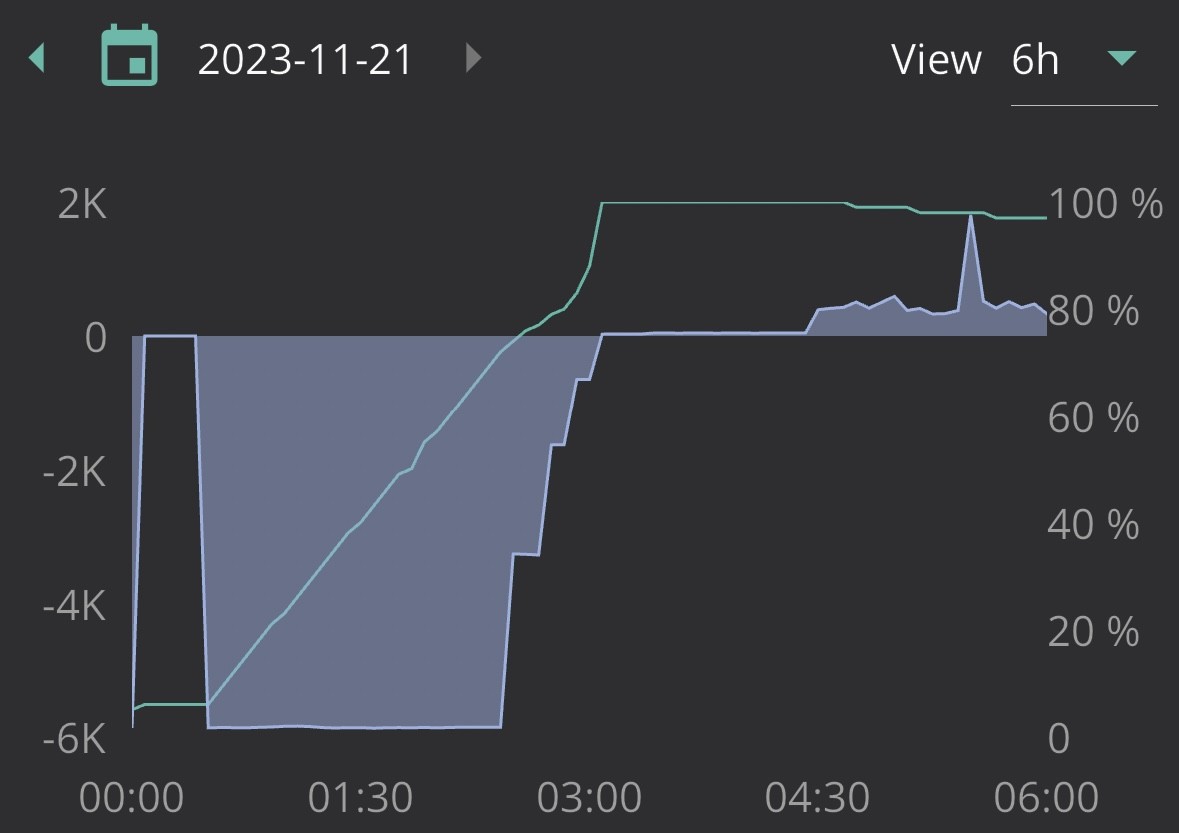
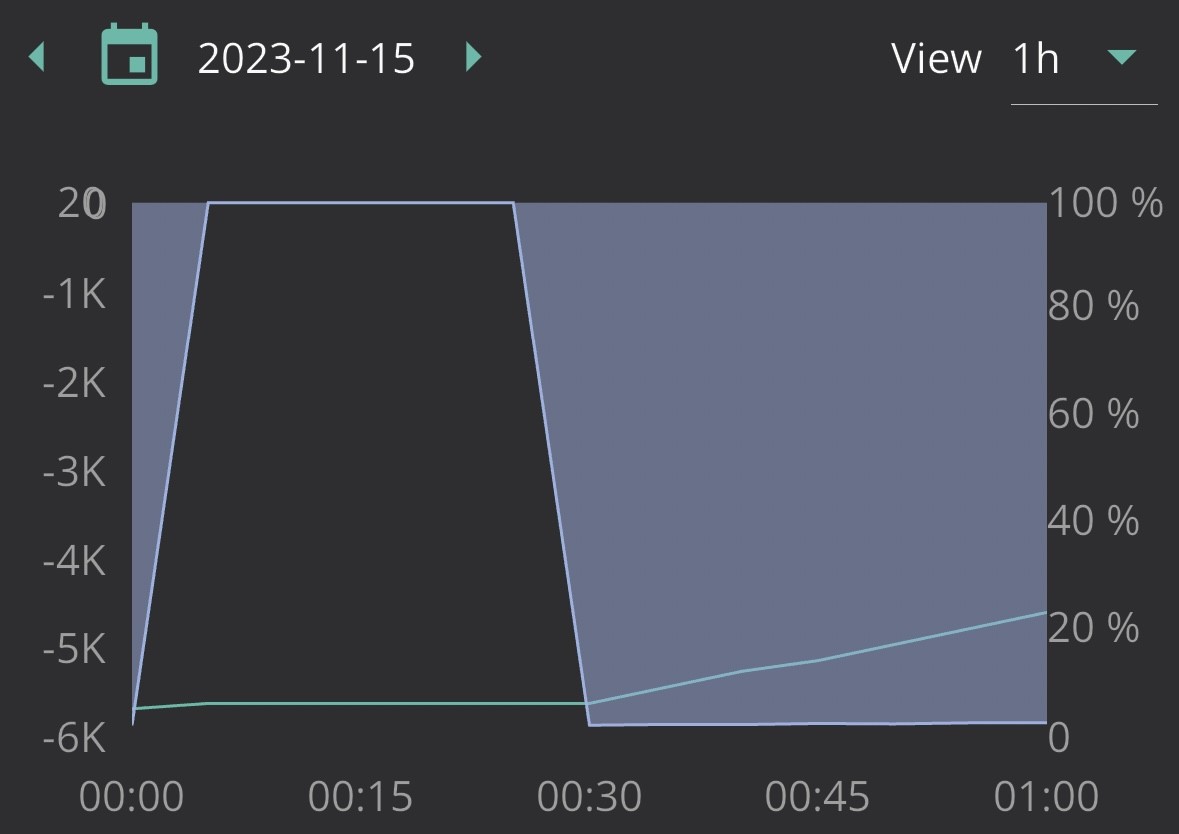
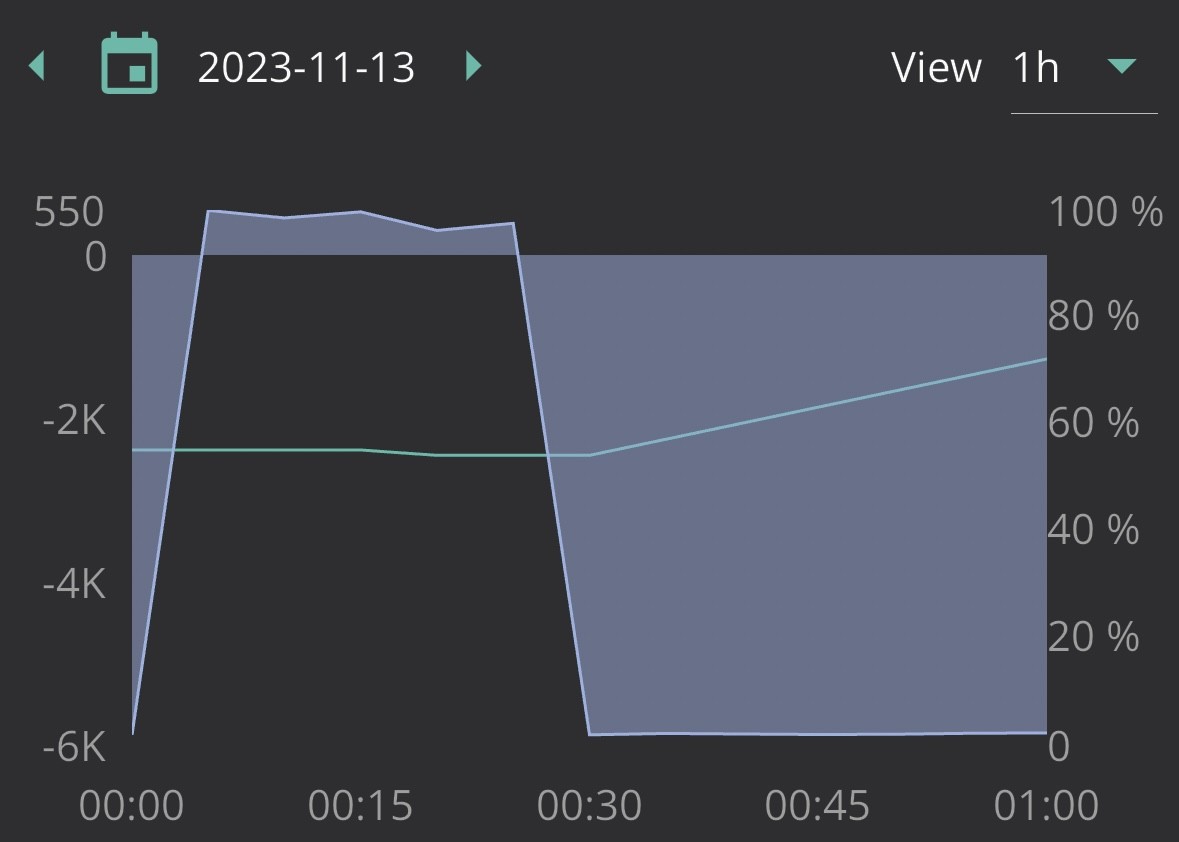
Isn't this the long running midnight charge spike thing that the other inverters suffer? Given I'm 99% sure that inside is 2 of the normal inverters anyway this would make sense:
https://community.givenergy.cloud/d/1786-battery-charging-for-5-minutes-every-night-from-the-grid-when-it-shouldnt-be
Charge slot 2 set to start 00:00 and end at 00:04 is the normal clue.
26Left I'd set a read category / refresh each charge slot manually on that page. You'd be surprised how out of step with the inverters own settings things can be.
The portal doesn't keep refreshing live status, just whatever you last told it. Hence why those using say GivTCP can make all sorts of changes and the portal is none the wiser.
I just wish they could figure out this comms issue and the midnight minute charge happens if charging is on, its a long running bug over all inverters afaik.
But if your batteries try to charge when they shouldnt aside from the whole midnight thing give all the slots you have ever modified a read over.
Can't believe someone at GE tried to pass the buck on comms failures on solar dropping below the 200w register limit for the portal data.

I often get a 5 minute charge spikes at midnight on my GIV-HY5.0 inverter. None of my charge slots say to do it. Slot one is the one I set to charge 2am to 5am. The rest all say start and stop at 00:00. My theory is because there is no explicit enable it can actually turn it on and off at midnight and sometimes it registers on the graph.
Thought I would provide a little bit of an update on how things have been going for me for those following.
I was pushed the 24301 battery firmware (with no calibration after) and I had an update to the dongle firmware due to me ending up having to reset the AIO pretty much every day now and since that was pushed through touch wood I have not had it needing a power down and reboot due to failure which would indicate it must have been a firmware issue.
Onto the battery, since the new firmware was pushed through I have been keeping an eye on things (I tried with the initial firmware test update but as you know my AIO kept going offline and numbers going backwards and all sorts of shenanigans including a hiccup with the remote control portal charge slots) this is the current progress so far, whilst the SOC for average charge left did seem out of whack often enough it did sort of fall in line every now and then which was very nice to see.
This was the first flat to full then to empty charge after the latest firmware went on
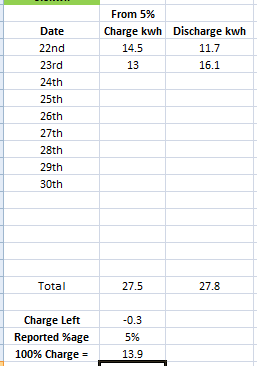
This was the graph behavior of the day the battery was depleted after the flat to full charge (dad decided this was the day his laser cutter would be on like 10 hours lol)
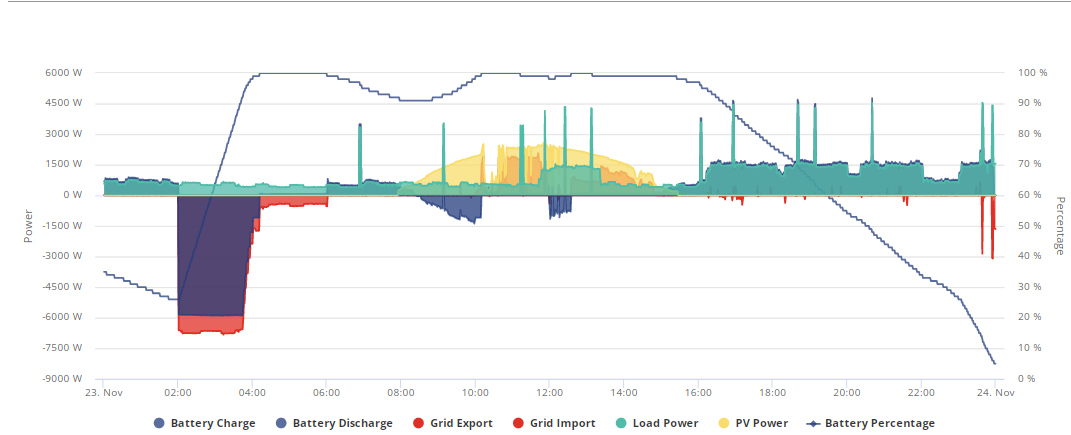
This is currently right this very second (20:23:56 GMT) from a flat>full (the info on spreadsheet gets reset each time I do a flat to full charge)
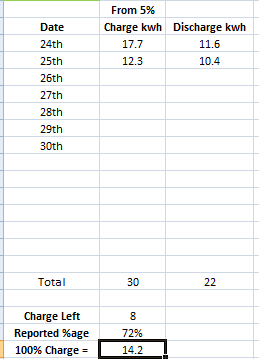
So far the behavior has been drastically different from before the test firmwares, its a shame I didn't manage to monitor the previous test firmware just as well due to the AIO comms constantly going kaput on me.
As always, ill continue to keep an eye on this and keep anybody that has been following or interested in how things are looking any/all info from just an individual user standpoint who as you can tell from the length of this thread has had quite the teething process with this thing.
Hi All,
I have just had a charge cycle that I have not seen before, any ideas and has any one else had this. My set charging time is 2-4. As I don’t need the whole 2-5.
Looks like it stars charging at full power at 2 as expected, however line stays level for 45 mins?
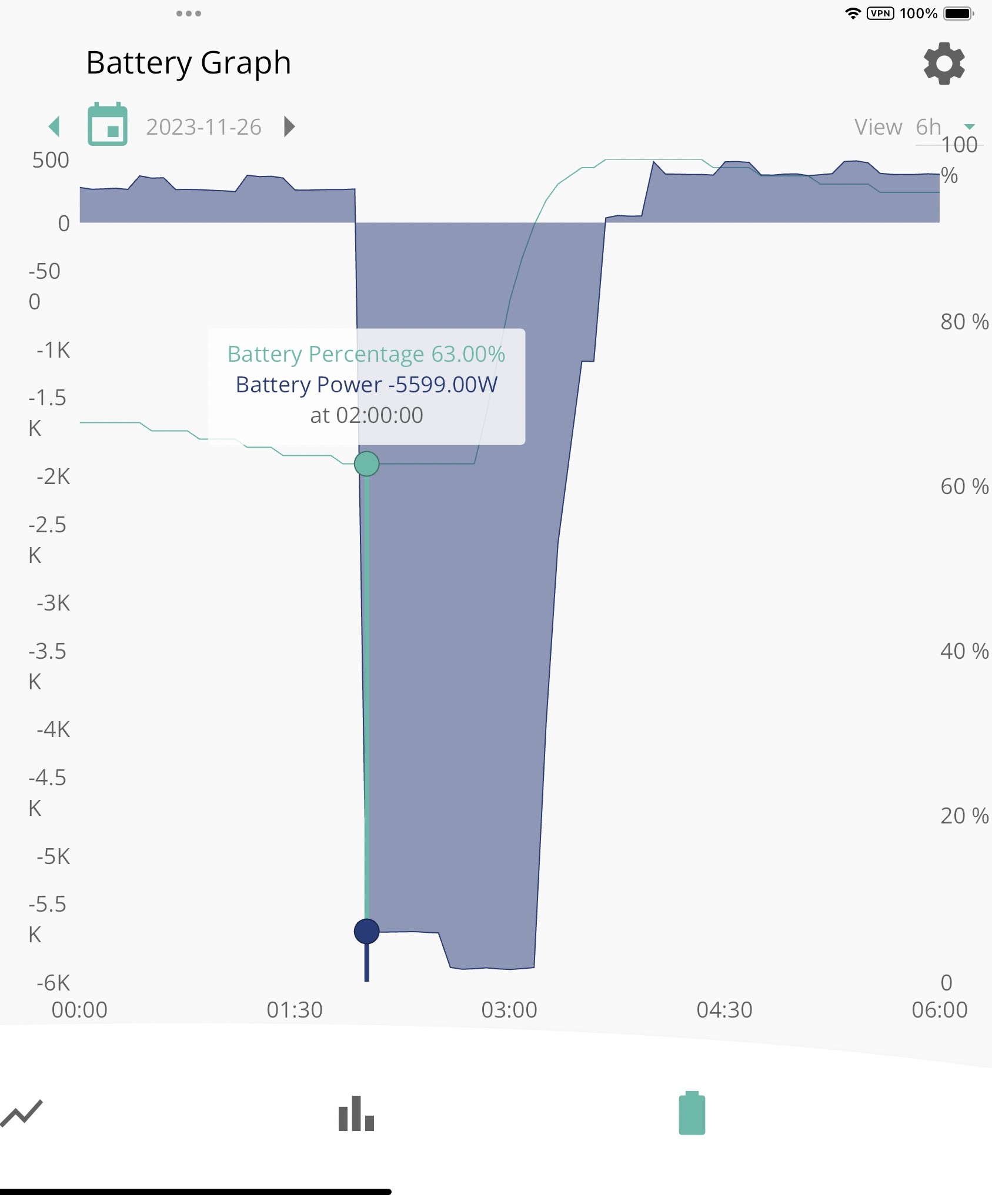
hhmmmm that does seem rather odd, maybe the SOC was being reported wrong and it played catch up later? Hard to tell.
What Firmware/Battery software are you currently on?
Also if you are on Flux as your 2-5 statement implies id still run off the grid depending on your usage for the extra hour rather than draining the battery for an extra hour whilst its cheaper, will help out if you have to do anything unexpected later in the day.
Daveb01 Can keep it the same if you wish but if you are going to just be discharging the battery during that last hour you may as well give yourself that extra hour for the rest of the day, thought id just point it out and let you decide 🙂
Also regarding software version I also meant the battery firmware as well, with 7 there have been quite a few issues reported by many.
I have also raised the following in the Cloud portal. But don’t think any one is worried at the moment
Thank you GE for updating the AIO & Gateway Picture in the Portal, however please consider the following to make each tab correct as per the product.
AIO tabs:
Gateway
I don't have the gateway in mine, just the AIO. I got no clue on Gateway info.
Regarding the PV data tab, what do you mean its not populated?
This is because the AIO inverter does not have any PV going to it, you would see this in a GE hybrid inverter. I have a SolarEdge so any PV input is on the Meter Tab on Gateway, but is also read by the AIO inverter. If that makes sense.
My issue is the cloud portal thinks everything is an inverter e.g gen 1, 2 &3, they have not updated the portal for the AIO and Gateway, each has its own function.
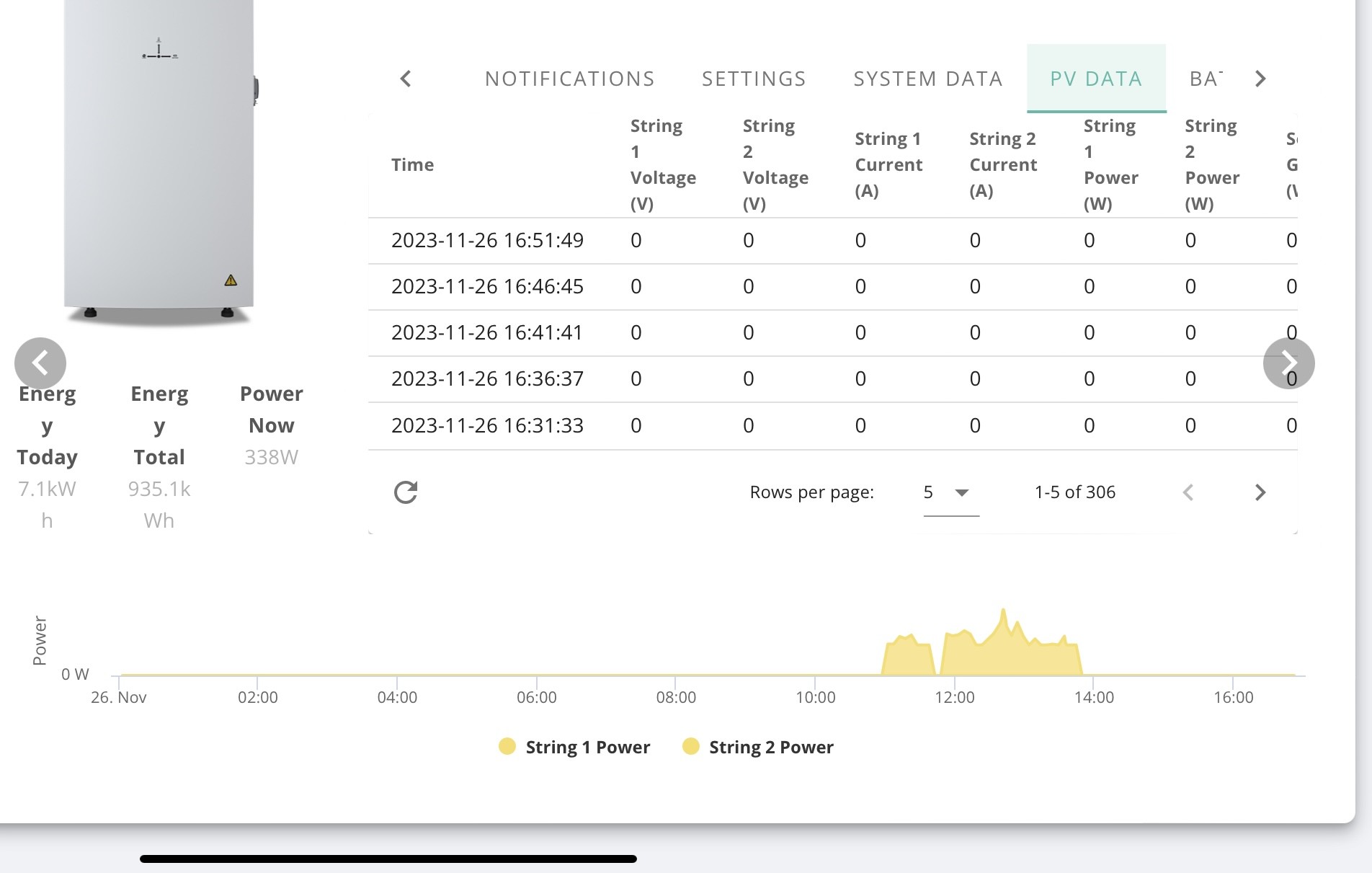
Well, this is a new development
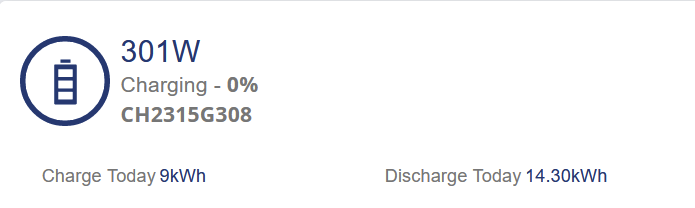
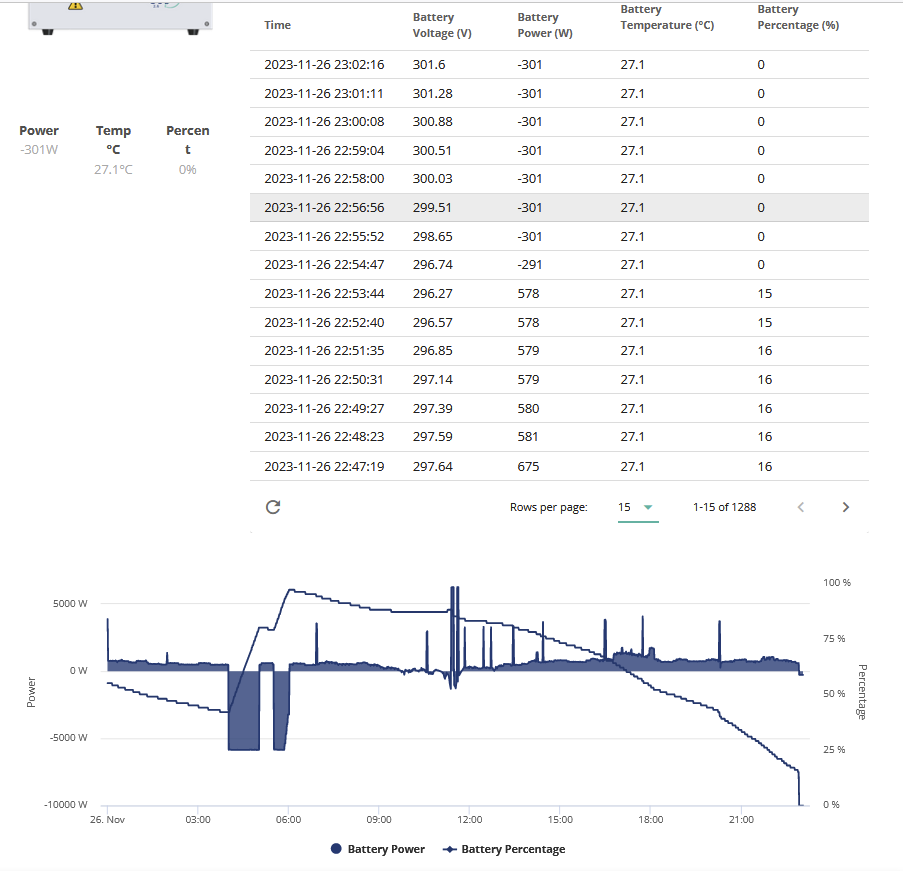
@treborUK @PianSom Have you encountered this yet?
EDIT
I did have a charge slot set for 23:30-00:00 and ive just hit running off grid power and this is where I currently stand
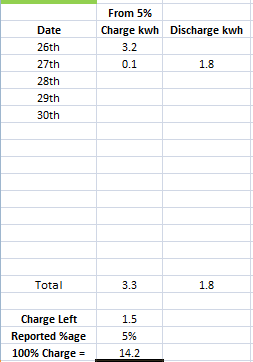
Seems a little much for 5% but ill see how much I get when the battery gets charge overnight.
Jellybaby
Yes.
The same thing (a drop from 9% to 0%) happened to me yesterday (00:03 on 26 Nov). It stayed at 0% until my standard charge period started at 00:30, and was followed by an entirely normal day (discharge to 5% then stable).
A bit disappointed to see that issues still remain, I had high hopes. Hopefully with (at least) two bug reports GE will be able to track it down quickly. Or maybe it's just that a low point calibration is required?
Daveb01 I have just had a charge cycle that I have not seen before, any ideas and has any one else had this. My set charging time is 2-4. As I don’t need the whole 2-5.
Would it be kinder to battery to charge at 2/3 power for 3 hours, rather than full power for 2 hours ? I tend to set the power level low enough to add whatever charge is required over my whole off-peak period (4 hours, in my case).
PianSom I did lob them an E-Mail to let them know it happened as I like to keep them up to date incase they don't check too often themselves on people with the test firmware.
I knew I was about to run out but wasn't expecting it to hit 0.0 but if thats a tradeoff for actually having all my battery available ill take it compared to firmware 7 lol.
Has anyone actually worked out a good way to get the AIO connectivity reset? This time it went for a month before it dropped off which is better than the week or two cycle it was on but it seems to be a random number generator as far as how many times to push the reset button for it to actually come back (I'm already on 2 tonight)...probably not the right thread to comment on but seemed the most lively one 🙂
DCostura How do you do it, sometimes just pressing the button on the AIO and letting it click off then waiting for it to come back on works but a lot of time I do that it fails to work, wait for it to click off then flip the breaker next to power button then flip the AIO breaker in the gateway and wait for the light to go out.
Sometimes just power cycling the network switch its plugged into will sort it but I can test that rather well as if it does need a reboot my hue app wont load up the lights that is a sure fire way to eliminate the switch as a potential issue.
For the first time since 24301 100% is under 10kwh (currently 9.6 so im going to hit expensive period ><) on the first saving session ive been able to join BUT since I have discharge paused til 15:30 it still discharges when 100% at 100w+.
I am quite annoyed at the capacity falling to below 10kwh when its usually 11-12 on session saving day ><.
Still happy with current firmware though, guess ill find out tonight what 100% will give me after battery is drained.
Seems for the second consecutive time the battery went down to 0.0 wanting to put the initial charge to 5% into it and unfortunately it is doing so before expensive part of agile ends and 20p hits.
@PianSom and @treborUK Did you by chance unload all your batteries for the saving session or deplete them before charging them tonight?
Jellybaby Did you by chance unload all your batteries for the saving session or deplete them before charging them tonight?
Nope, I pre-charged for an hour beforehand, which, after today's sunshine and even after the tumble dryer going endlessly, took me back up to 90%. 90 mins discharge at close to 5kW (I have a DNO limit) took me down to about 30%.
PianSom Appreciate the reply, this is the second time on 24301 ive fully discharged I believe and both times it has gone to 0.0
Whats odd is the lower the batteries get the warmer they get, was at a steady 27c for an hour whilst discharging at 6kw but when the discharge dropped to 4 I noticed the batteries at 31 iirc.
Jellybaby
I charge fully and discharge fully most days. (Little solar at this time of year, coupled with a house stuffed full of computer kit constantly burning close to 0.5kWh make it easy to do.) I have only had one drop to 0%, which I mentioned to you before. Other than that, this version has been great for me.
I started keeping an eye on battery temperatures only this week, though more because I’m concerned about lows during this cold snap than highs. Not really noted any concerns as yet.
I updated my AIO firmware to D0.609-A0.609 yesterday and battery to version 7. It ran a calibration and reported successful just in time for the ESO DFS event and exported ~ 9kWh successfully between 5-630pm. Dynamic discharge then took over, going gradually down to 15% until my regular charging slot kicked in at 00:30. I've not seen these lower percentage levels of battery before as usually I get SoC drops from c 40% straight to 9% of lower.
Dashboard reports 12.5kWh charging today to take it from 15% back up to 100% - so suggests 12.5 / 0.85 = 14.7kWh, less 5% at bottom of range = 14kWh useable range. So pleased about this. Will keep an eye out to see how well this is maintained as PV output continues to fall and make more use of the full battery range.
One thing I noticed about this version was a different charge profile at the end of the cycle. I went back to 6kW max charging rate overnight (rather than slower to keep it warmer for longer as it's an external unit) given I wasn't certain how it would behave post calibration. At the end of the cycle towards 100% charge, I now see smoother step downs of the charging rate across the 5 minute sampling intervals of {5.89, 4.65, 2.51, 1.80, 1.09, 1.09, 0}. Previously they were more abrupt (step downs of approx 1/2 each time). So it definitely looks to me that the BMS is behaving differently - perhaps to push more charge towards the end of the cycle as the battery / SOC algorithm approaches 100%...
See below for example
New profile (AIO 609, BMS 7) @ 6kW charge rate
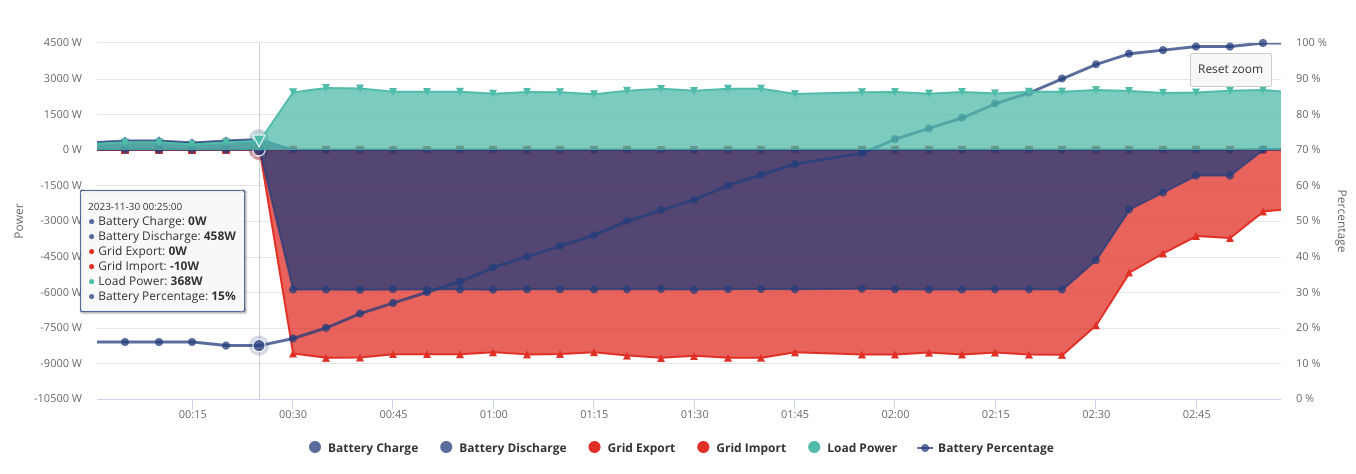
Old profile (AIO 607, BMS 6) @ 6kW charge rate
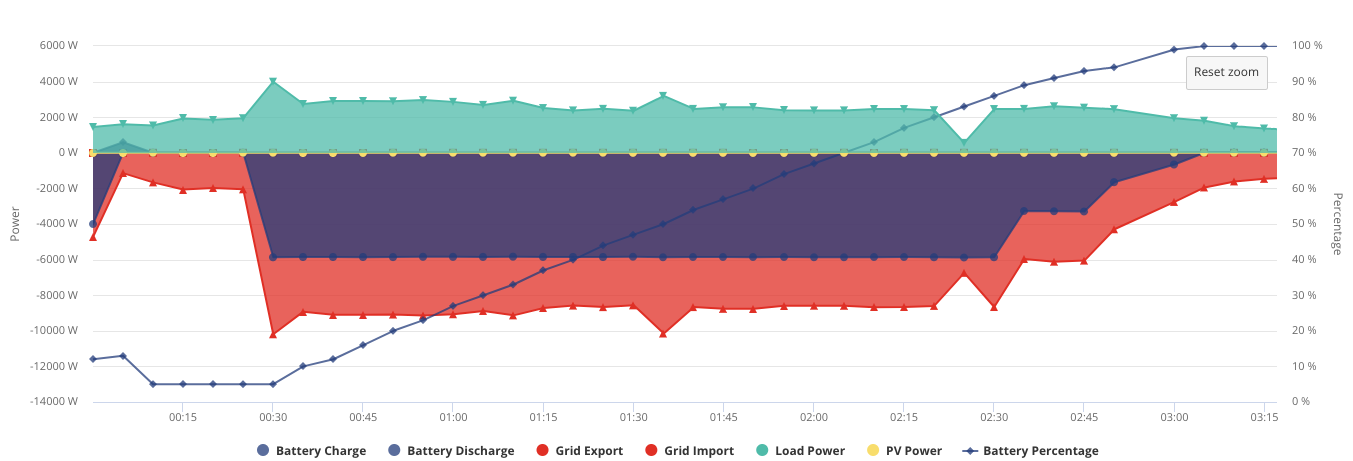
0.0>100% was not 16kwh as I thought, I screwed up by entering info into new line in excel instead of updating the correct cells.
0.00>100% was 14.8kwh after the battery got drained on the 29th and charging up on the agile tonight I think I am going to come up about 3.5-4kwh short of where it should be.
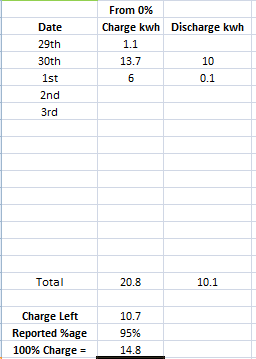
Annoying as the previous saving session I only had close to 9kwh I believe at 100% and I may have the same again if the capacity keeps dropping in big steps. Down nearly 4kwh after just 24hrs, possibly due to not letting it go completely flat I have no idea.
I shall probably see tomorrow if I get a third consecutive 0.0% when the battery drains tomorrow.
So initial charge from 0% was 14.8, then it dropped down from that initial charge and got charged back up again via agile slots as you see above to 10.7 Charge left at 95%
This is now after it being on til sun was enough for house load and charged battery up to 100%, going to hold the charge now for the saving session.
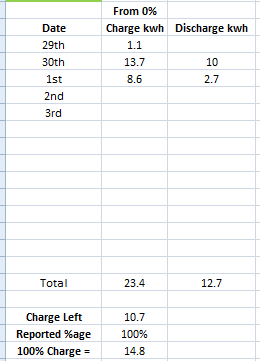
What i don't understand though is whilst paused since last night and waiting to get to 100% it was idle and just had the standard idle 35w discharge whilst waiting, but when it gets to 100% its always discharging despite being paused at over 100w

I am getting quite irked now, battery discharge is paused and normally it just idles at around 35w but its discharged 0.3kwh and is STILL discharging at over 100
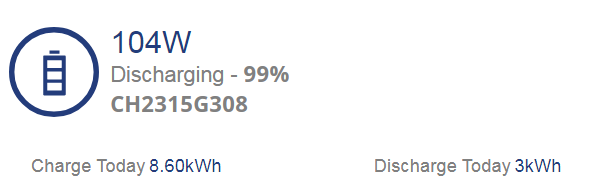
EDIT
Apparently I should have had around 1kwh left and it was still showing 26% so I paused it for 45m to see if it adjusted itself but whilst paused this is what it typically idles around at but ive seen it idle at up to 39 as well.
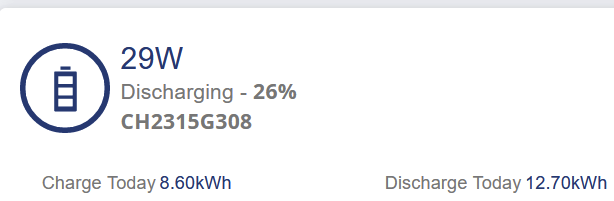
AIO on 609 and BMS 7. Fully charged ahead of DFS event.
Didn’t make the it past 80mins ie 1.33 hours x 6kW = 8kWh - very disappointing.
100% full at 1630
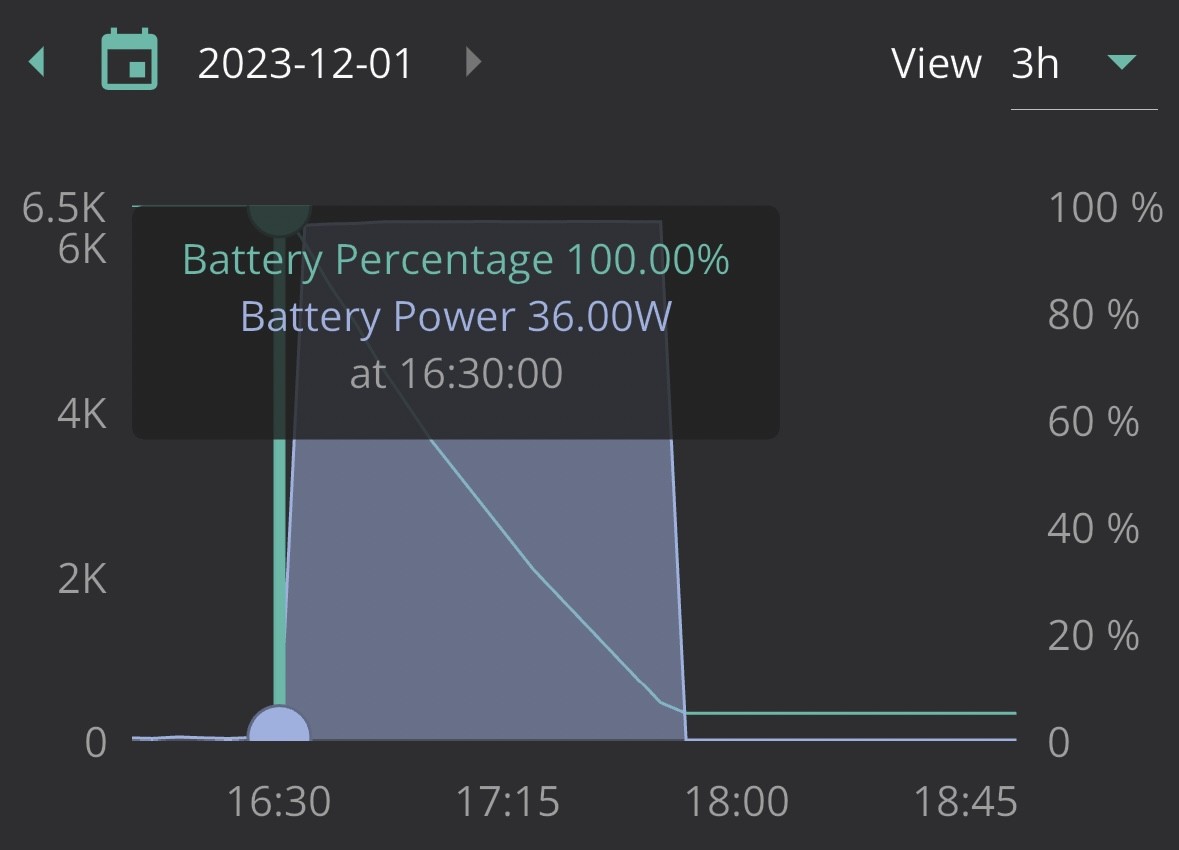
5% ie empty at 1750
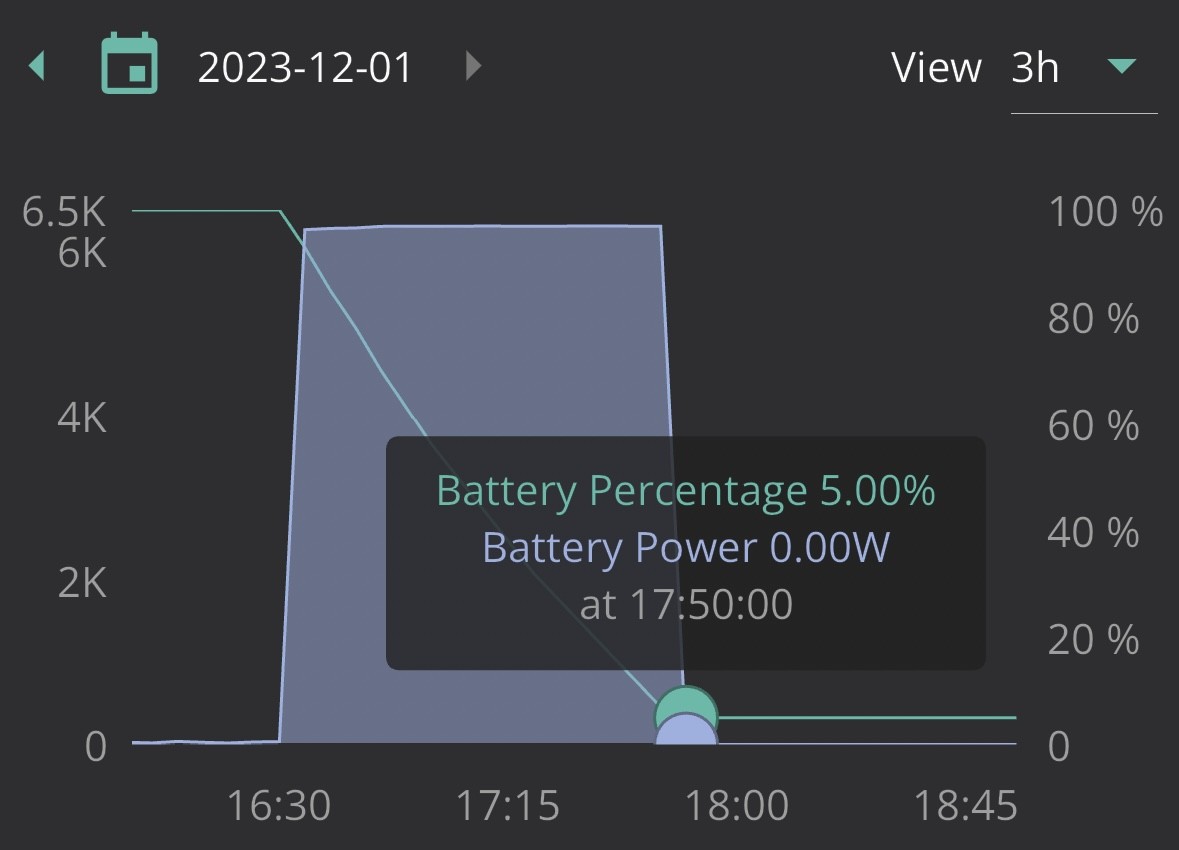
45m pause resulted in no SOC change, it should have emptied by now if it wasn't going to drop me to 0.0 but I don't think it will last til 20:15.
This was mine today. Not to bad, as had sun during the day to top battery up.
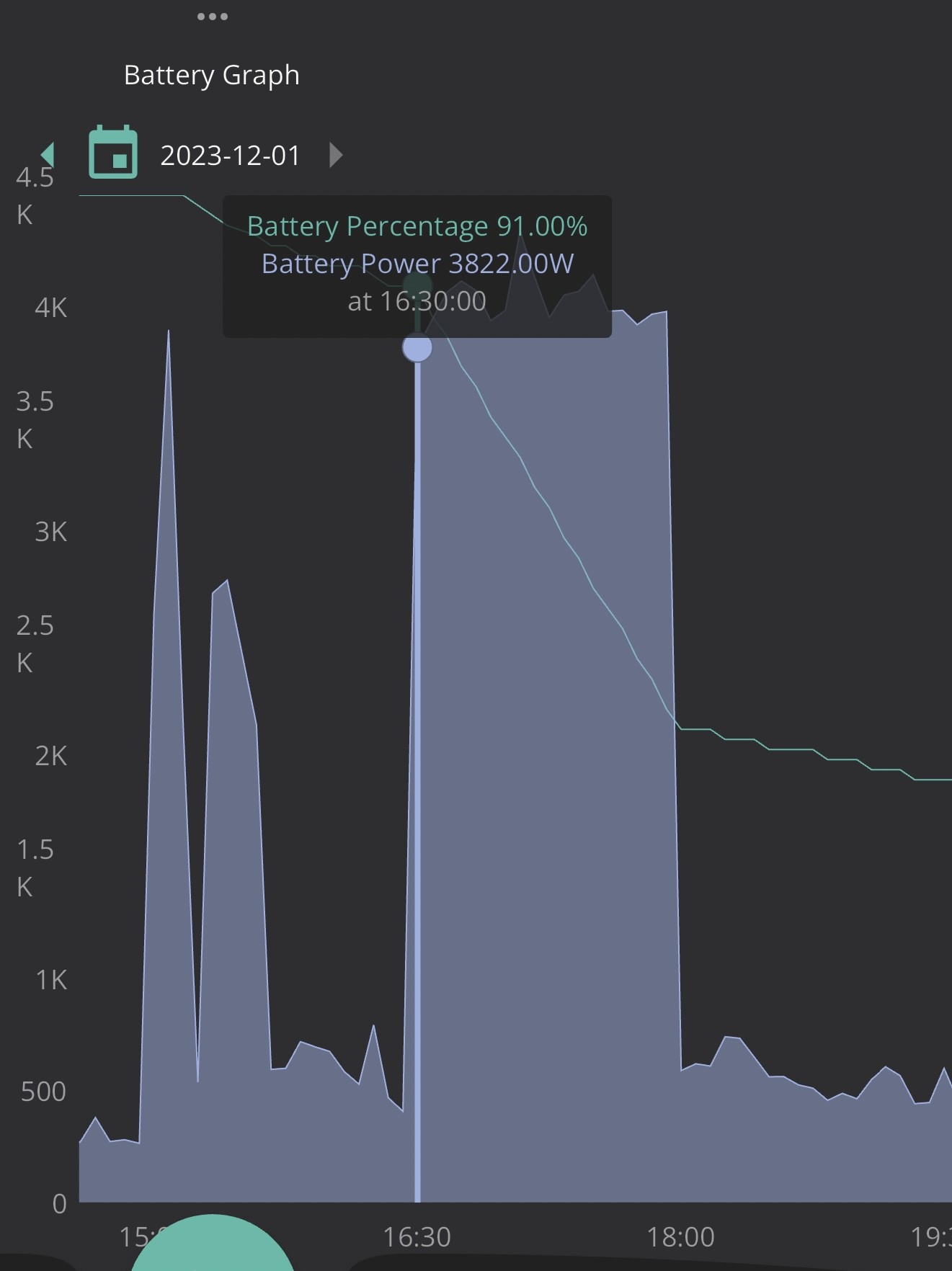
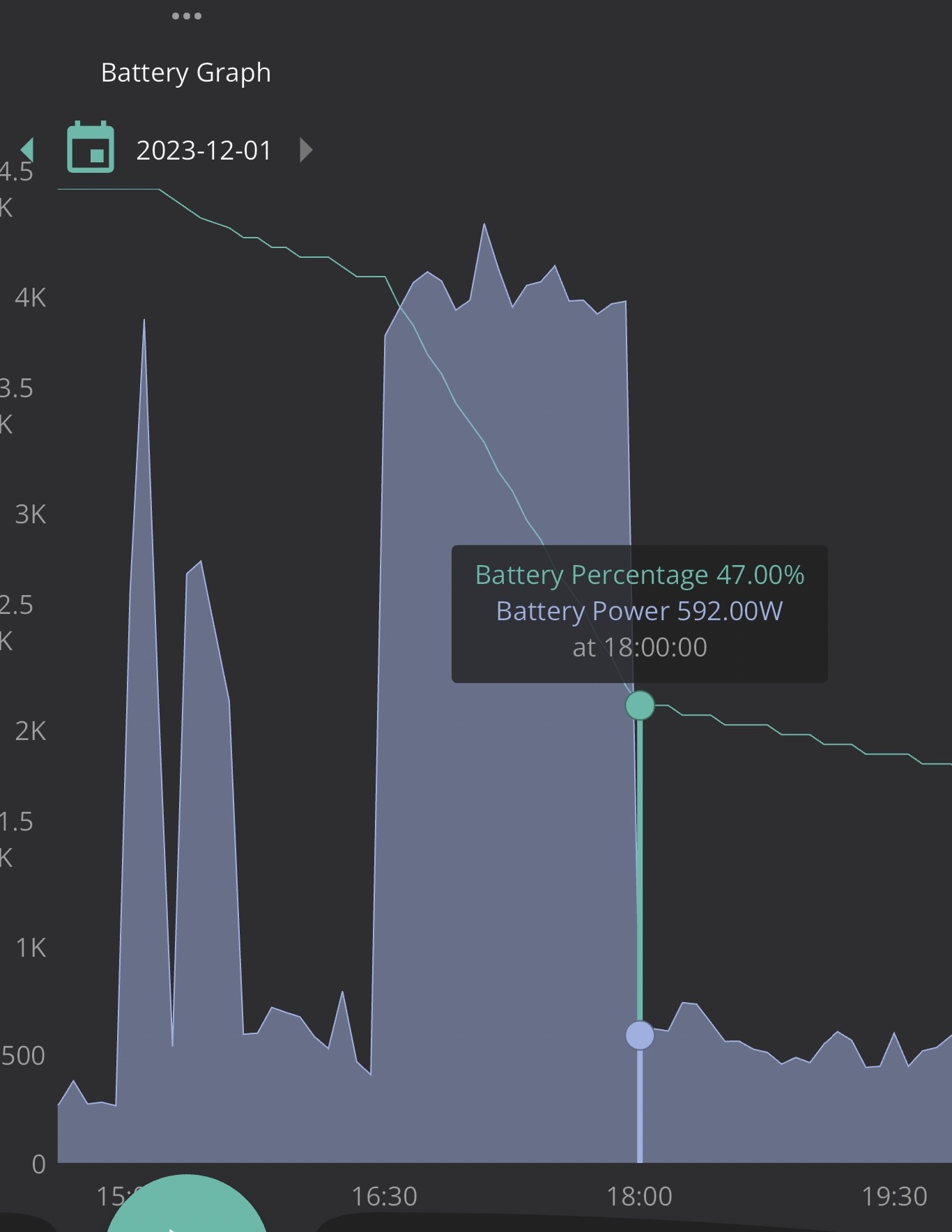
Mine managed to find 1kwh somewhere and it stopped at 5% this time instead of dropping to 0.0, not too bad.
So far on the saving sessions ive exported 9kwh (going by givenergy portal) today and 7,448kwh (via octopus site) on 29th for around 16.448kwh exported for £4 per, £65 BUT that 9kwh export for today probably includes the house load so at average of 5.3kwh over 90 minutes id guess im around 15.398kwh exported during both saving sessions but that is still little over £60.
Please see this post and feed it back to the developers.
https://community.givenergy.cloud/d/3593-aio-soc-drop-analysis-based-on-inverter-data
Looks like 3/4 full discharges hit 0% although this one is charging at 6kw instead of trickle charging like it had done on the previous two times it happened, I suspected it was going to hit 0% as it went way below 0 on the math
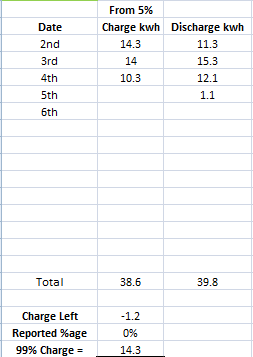
EDIT
So far 12kwh has gone back in, I don't care if it hits 0% as long as I keep getting around the battery capacity back.
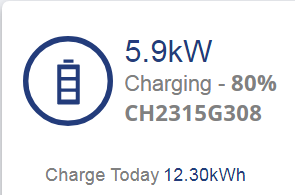
Been exporting nearly 2kw for past couple of hours and I still don't understand why the battery is discharging and not idle whilst discharging little over 100w when fully charged and its just dropped to 99%.
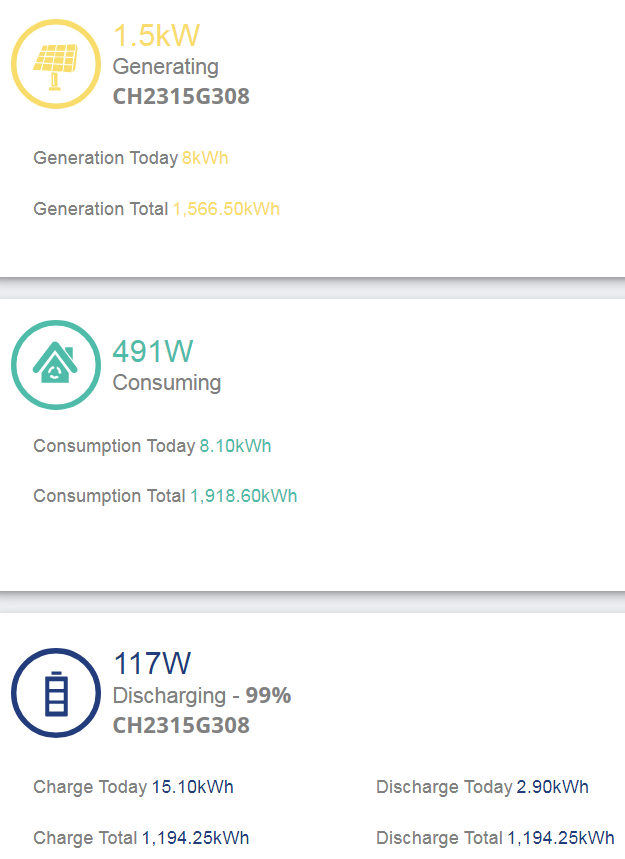
Its always happened and confused me why it doesn't just sit idle.
On the 4th day without full discharge and I am at 9-10kwh capacity at 100%, Have you gone a few days without fully discharging trebor?
I am hoping SOC accuracy isn't dependant on battery getting fully discharged every day, 1h 18m into day 5 from last flat to full charge and charge left should be 0.2kwh and im not drawing from grid yet and reported SOC is 51%
It does seem that total kwh in battery goes day a little each day if you don't fully discharge, 100% charge started at 13.1 into battery from 5% and day 4 I think was around 9.5kwh.
But at least when it does happen full battery usage is restored.
EDIT
As of 02:52
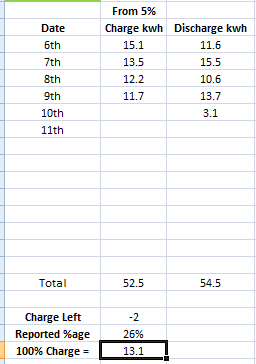
Not sure where its found an extra 2kwh oO
EDIT 2
Went to -2.6kwh before getting to 0%
treborUK ah, I forgot some of you were bumped up to 8, I missed the couple of emails I was sent as ive not been checking things lately as mum was taken into hospital on the 30th Nov, its all been rush rush. Hopefully agile prices stay low tomorrow as they have today so it can be kicked off for me.
Now on BMS8, I know its just the first day but it took 80m to go down 1% after it finished calibration with house load of 600w minimum and after 3kwh used its down to 86%, will have to see how it gets on throughout the week.
I’ve been putting around 13 kWh in overnight (according to App) to go from 10-15% back to full. Calibrations have been 15-16 kWh from 0 to completion. So looks about right I think so far.
Early days but with 7.3, 7.4 and now 8 I’ve not seen any capacity issues (couple of SOC drops with 7.3).
First impressions of V8 despite a slow start seem promising over the previous test iteration but this only got done earlier today, am hoping it lasts til 22:30 for 30m agile slot at 14p before 02:30 when it will get fully charged to see how it handles prolonged session without full discharge.
I did have quite a scare this morning though as comms I didn't notice were not going out til 2h after it started, thankfully this time around it was just the network switch that needed rebooting and then it was back up, it had been rock solid after a previous dongle update done by the person I had been speaking with over at GE via email and I started to panic that the BMS update may have screwed something up lol.
Hopefully this version is tuned nicely, will let folks know how I get on.
EDIT
Battery didn't last til 22:30 lol, I would have charged it a little before saving session but I didn't get home til like 40m before it started lol.
So far for this firmware its
Full discharge = 5% 1
Full discharge = 0% 0
Ok this is odd, I am currently connected via home in the app and getting 10s updates yet trying to change anything portal side is telling me inverter is offline and the circle is grey, is anybody else having trouble atm?
EDIT
Seems to have cleared up around 10 minutes after it started, very odd. Not sure I like the timing of it happening to go off around midnight on consecutive nights after the update and calibration after being rock solid since around 21st of november.
Not looking too bad, initial charge ran out but ive been keeping track since then and its just finished charging and im heading to bed but not bad going into the third day (well, technically second since it charged at 22:30-23:00 for 30m on the 12th so its a bit cheating to count that as a whole day) for a full charge without fully discharging. Hopefully this keeps up so everyone can finally get off of 7
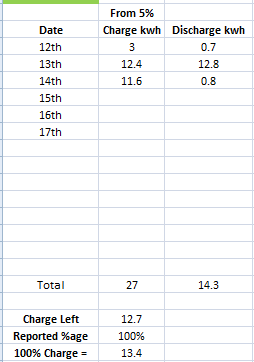
The charge last night was just over 12kwh, still no full discharge since evening of the 12th, this is where it currently stands after tonights saving session
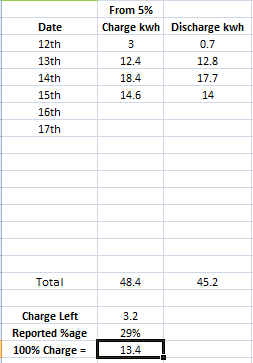
Looking pretty solid so far for V8, hopefully they think its ok to release by end of year.
EDIT
Think ill let the battery fully discharge tonight, this is where it currently stands atm atm 19:05
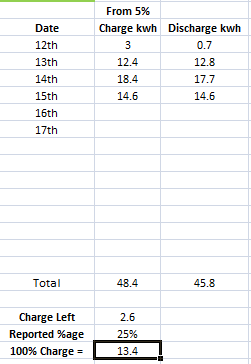
But after seeing the agile prices I am just going to wait til later lol
Ill do a nice low charge so it takes up all the AM 😃 Its cheaper than what flux was, ill put a washing load on and tumble dryer as well 🙂
EDIT 2
Fell short by nearly a full kwh
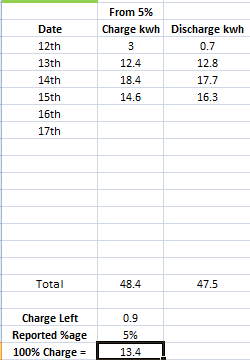
This AIO keeps ignoring every limit I set and its really starting to **** me off
Edit
Finally got it to charge at 3kw but had to set it to this, neither charge or discharge limit follows what I set it at and its doing my bloody head in.
Well, for some reason tonight my system keeps going from normal to idle, this was after going flat so discharge should match charge
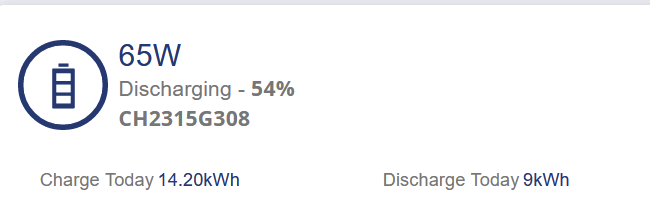
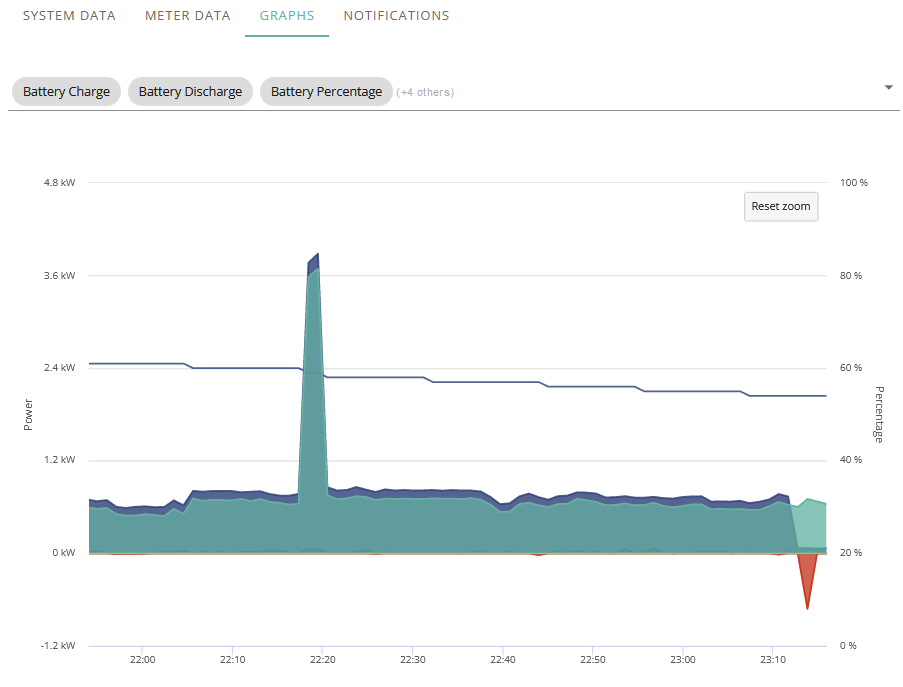
It went from covering home to idle for about 1-2 minutes then went back to battery for about 30 seconds but now its back to grid.
Edit
Back to covering home now
Having a related issue since updating software on GIV-HY3.6 about a week ago. LEDs on battery are not quite in sync with actual battery charge. Also when dicharging thy battery the % level does not go down immediately. See image below when battery (5kw one) stops charging at 6am and then level remian at 100% despite draining from the battery. This wasn;t the case prior to update.
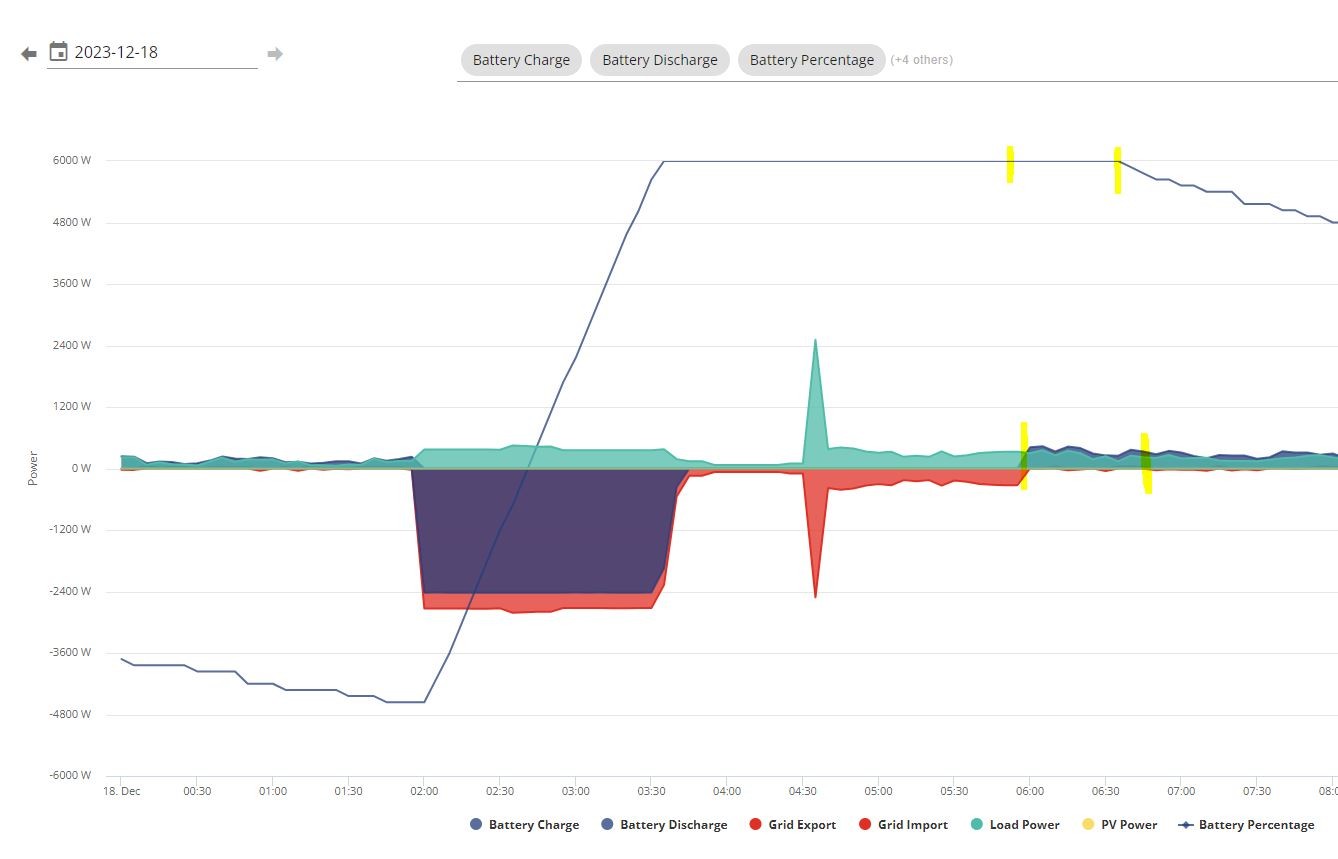
PianSom Sweet, I did let the chap I had been speaking with know, not a big issue as im pretty much getting all my battery capacity back but I did say if anything out of the ordinary popped up id let him know what times and dates to save him a little time going hunting 🙂 Just like to keep things updated here as well to let folks know how things are going.
Was going to update here when I got a reply, overall every update despite the odd occurrences has been substantially better than 7
Seems to be quite a short period it happens for and it has not happened often enough to be that big of a deal.
I would have signed up to the other forum to update and whatnot but didn't like the whole NDA thing since I said I would keep folks updated as I go from one users perspective.
I have a crap memory and would probably only end up breaking it lol
So are you now more confident it is a Software issue rather than a hardware issue?
Also what is your opinion on the consequences of getting a second or third AIO with say 16 x 4KWh batteries? Do you think the SOC issue will continue as it is multiplied or it does not matter how many batteries you have?
Daveb01 Yes since I have only noticed it since being put on 8, regarding the second or third that was my original intent when they allowed that functionality but as long as they can get things within a margin of error.
atm the bouncing from idle to using has happened a couple of times whilst condenser dryer is on and its peak time atm.
I am just pleased atm that im not having to reset the AIO to get comms back every day
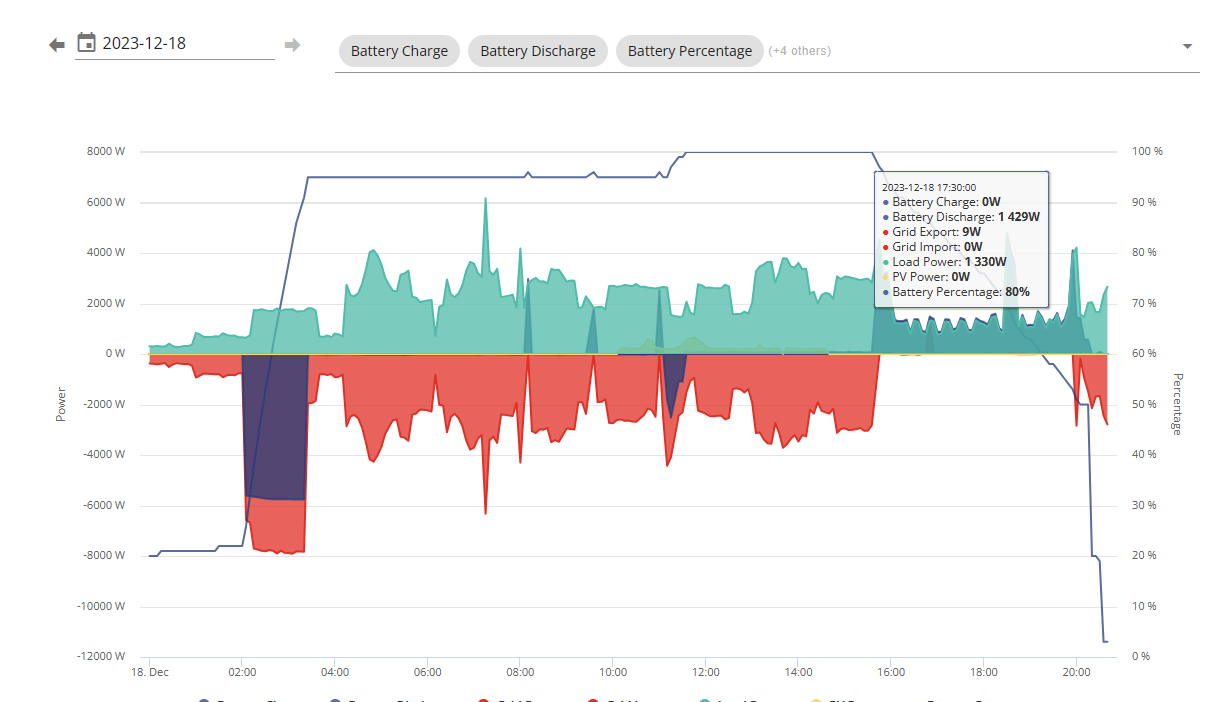
50% drop...30% down to reserve, dropped reserve, back down instantly to the bottom
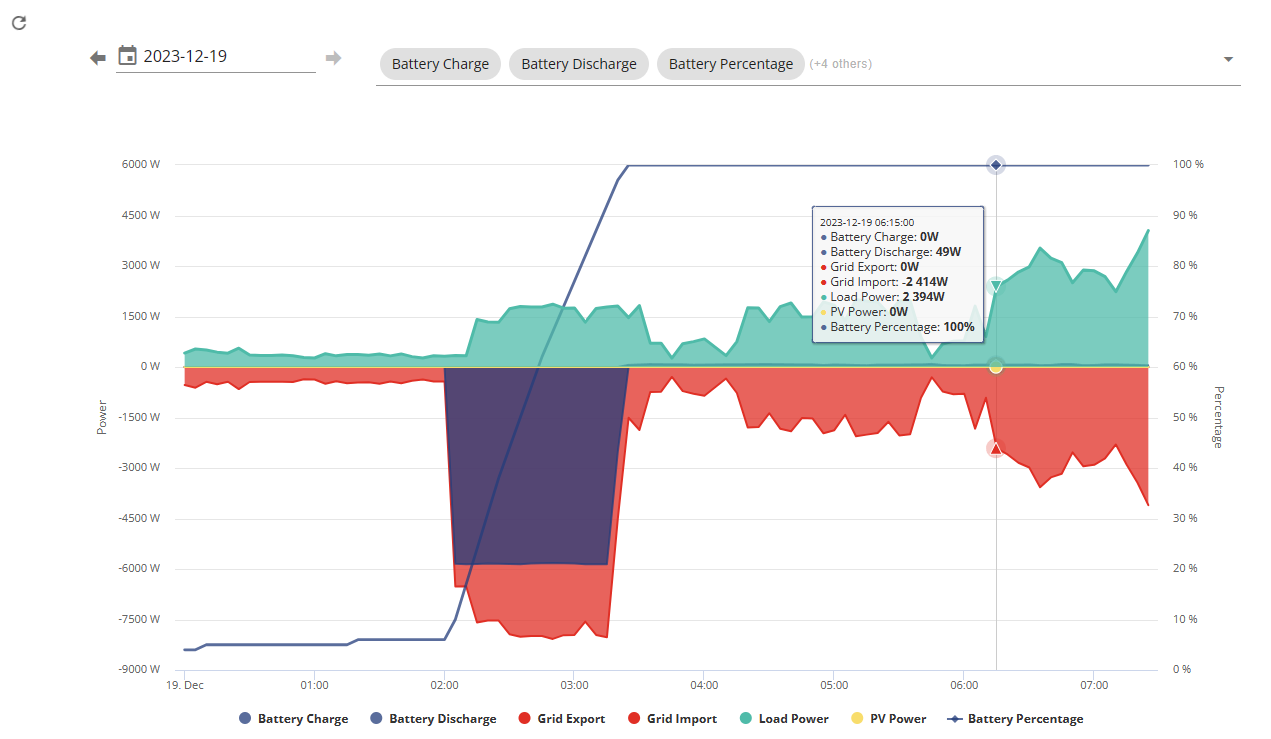
Waited to see how it charged this morning, went from 3% to 100% just fine, but its the 13kW battery, it only charged 7.6kW. Is there a way to force a calibration? Clearly it's lost it's way yet again....just waiting for it to completely lose the plot and lose comms next

DCostura
My usual reported capacity appears to be about 9 / 10kWh on average going on the reported battery percentage when it goes on charge at 02:00 and stops charging at a reported 100%. Last night it took a charge of 5.3kwh to go from 43% to 100%. A few days ago it did take a charge of 13kWh from 4% to 100% but that has been a one off.
DCostura what firmware are you running? V7?, I had some similar issues with it. No way for users to do a calibration, can be set off by GivEnergy through support. For me a calibration was only a temporary cure and after a couple of weeks things had drifted again.
The good news is that the beta firmware some of us have been testing has performed much better. Hopefully it’s not too far from release now.
treborUK Yes, on version 7, seemed to be behaving better than 6 from a drop off perspective, I think this may be one of the first real dives...concerning that it can't be fixed, not sure if I'll have enough stored in the battery now to make it through the 4-7pm high rate period...
This is really doing my head in now
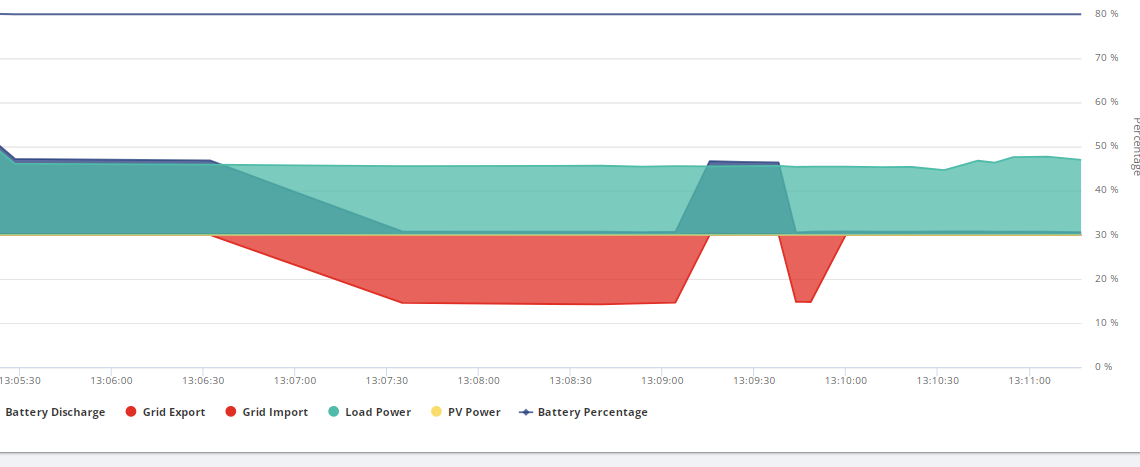
I got 10kwh in the battery it shouldn't be running off grid but inverter keeps going idle.

Its not showing its drawing power from anywhere either whilst its happening
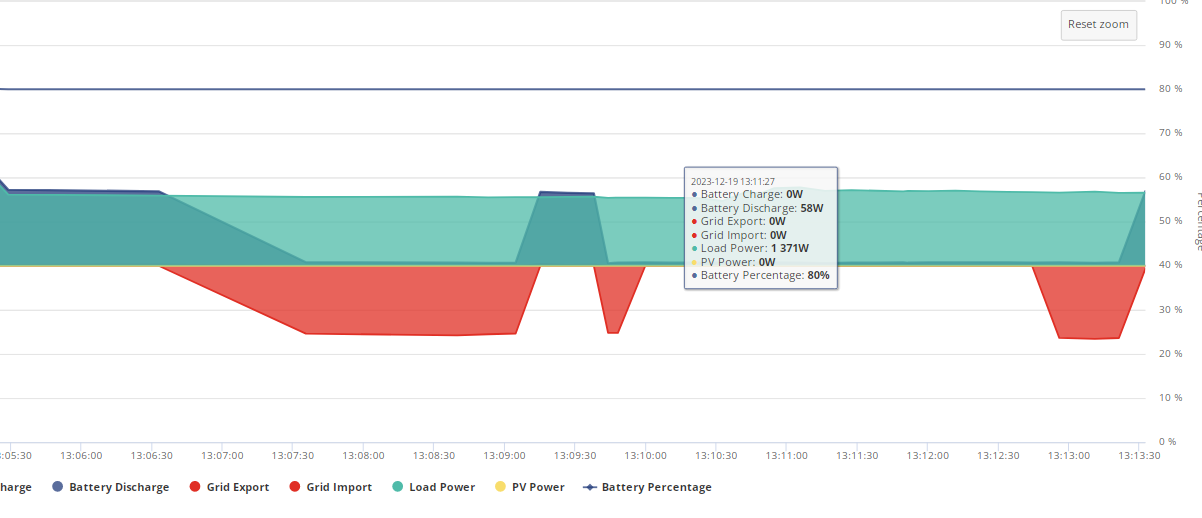
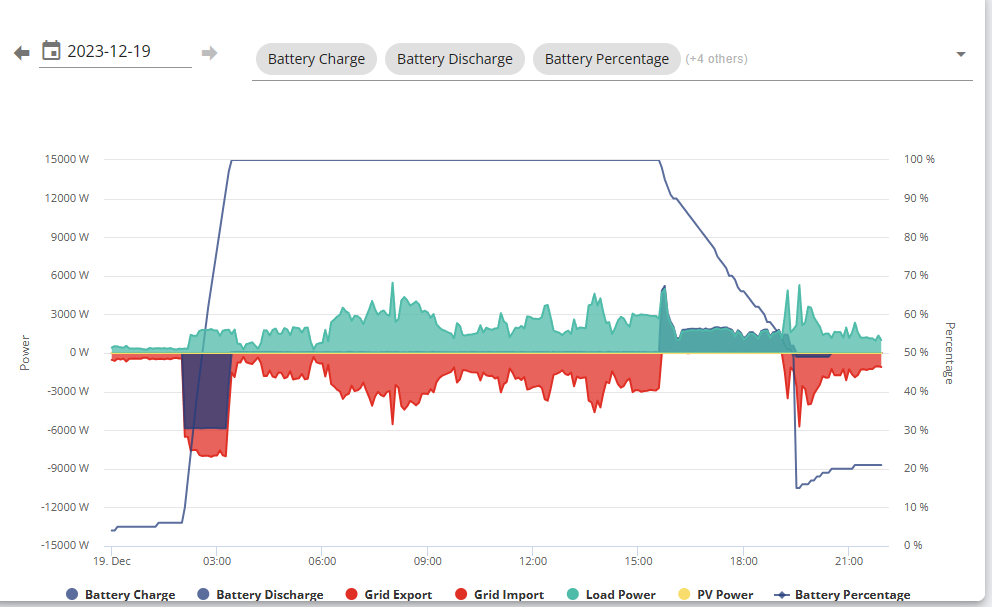
well, another massive drop today, managed to not have to pay a premium for electric today thank goodness
Here it goes again, 3 minutes drawing from grid when I have 10kwh in battery and this is what the app says
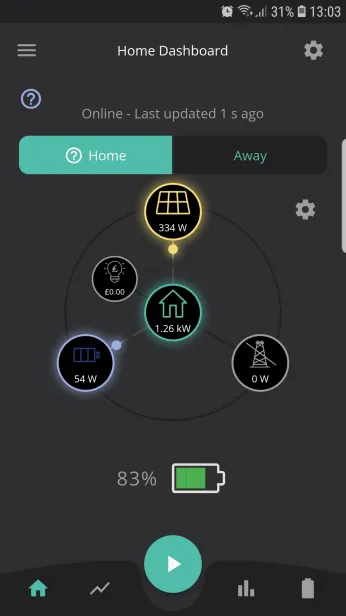
Never seen this problem before going onto latest test firmware.
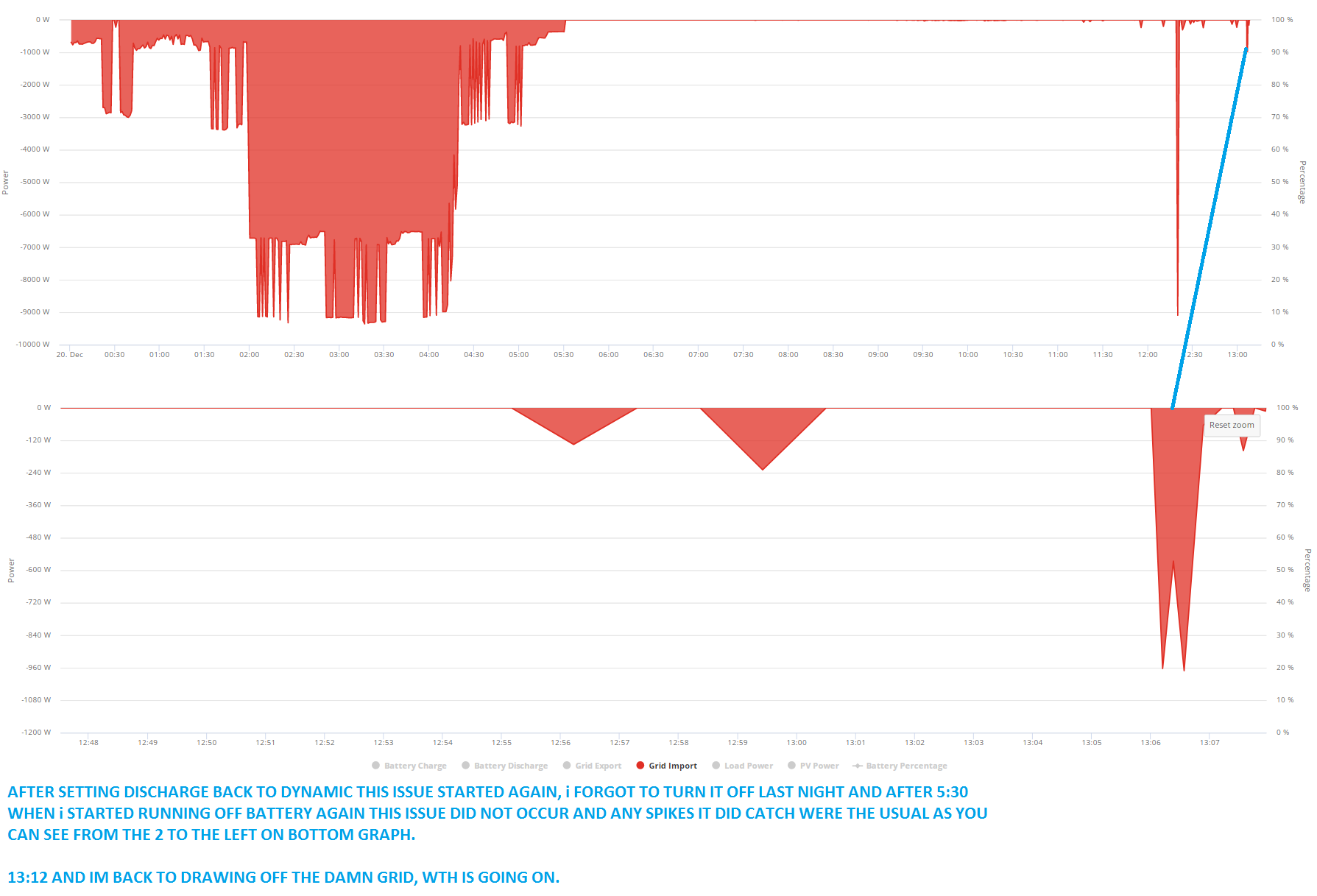
Green dot keeps going yellow to indicate system is idle when it happens.
Pretty much started happening again when I set it to dynamic discharge
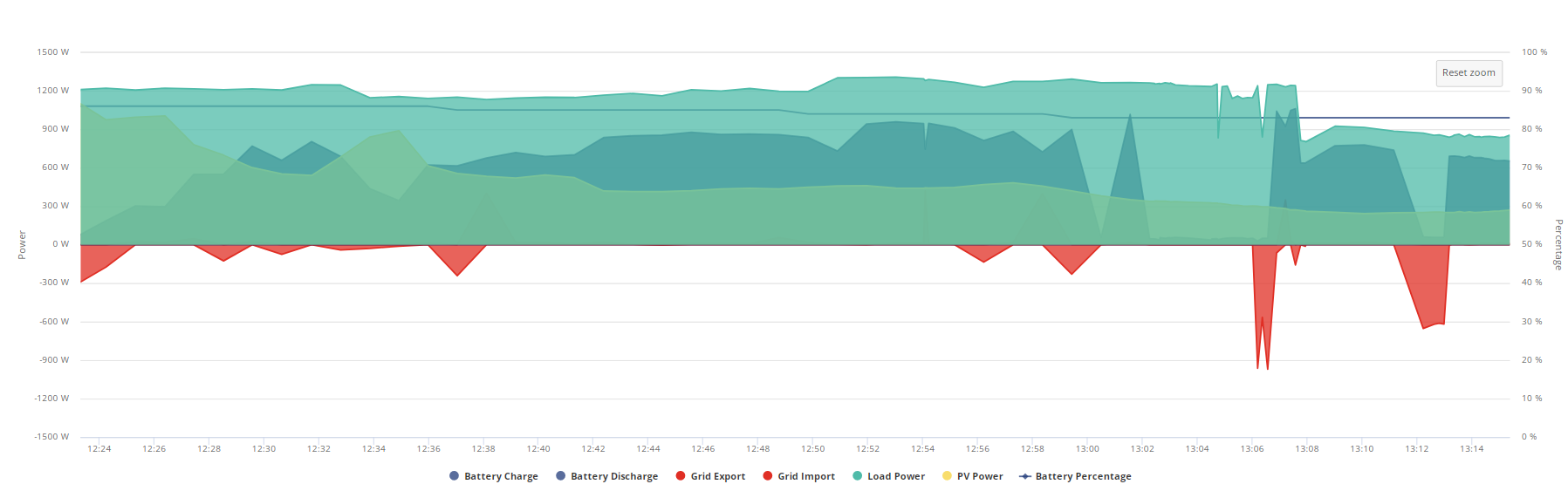
You can see the grid icon is crossed out despite drawing from the grid and battery load has gone so it looks like im drawing out of thin air, happened twice in 10 minutes.

Jellybaby, you could have a flaky grid meter in the gateway or a bad connection that passes the grid meter data from the gateway to the AIO.
Item C in the gateway, has a display on it. If it is safely accessible, press the button on the grid meter to cycle through the live values (including power).
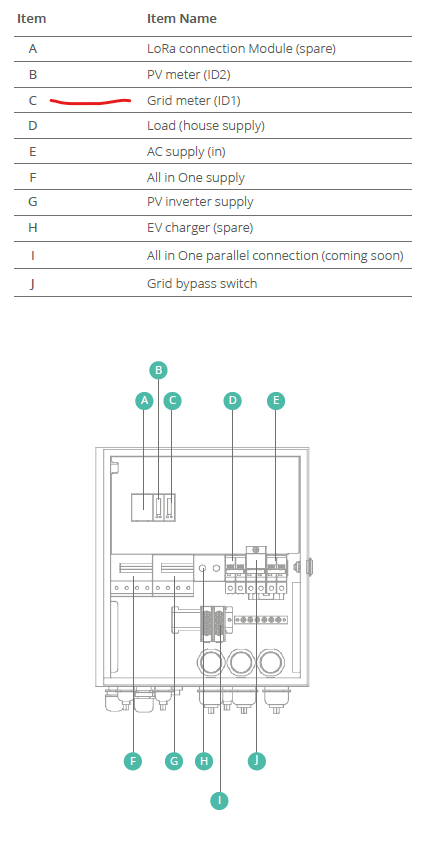
I have never seen this til I was put on V8 battery firmware., its just gone back to grid AGAIN, surely if it was flakey it would have presented itself long before now and a flaky meter wire wouldnt stop battery covering house load would it.
Its like the inverter just idles and ignores everything but load power.
Also its stating the inverter is just going idle as well

Edit
It went back to battery whilst typing that but now its gone back to grid again
I have an IHD sitting under my PC monitor that shows me its running from grid, this issue is way more annoying than the SOC issue.
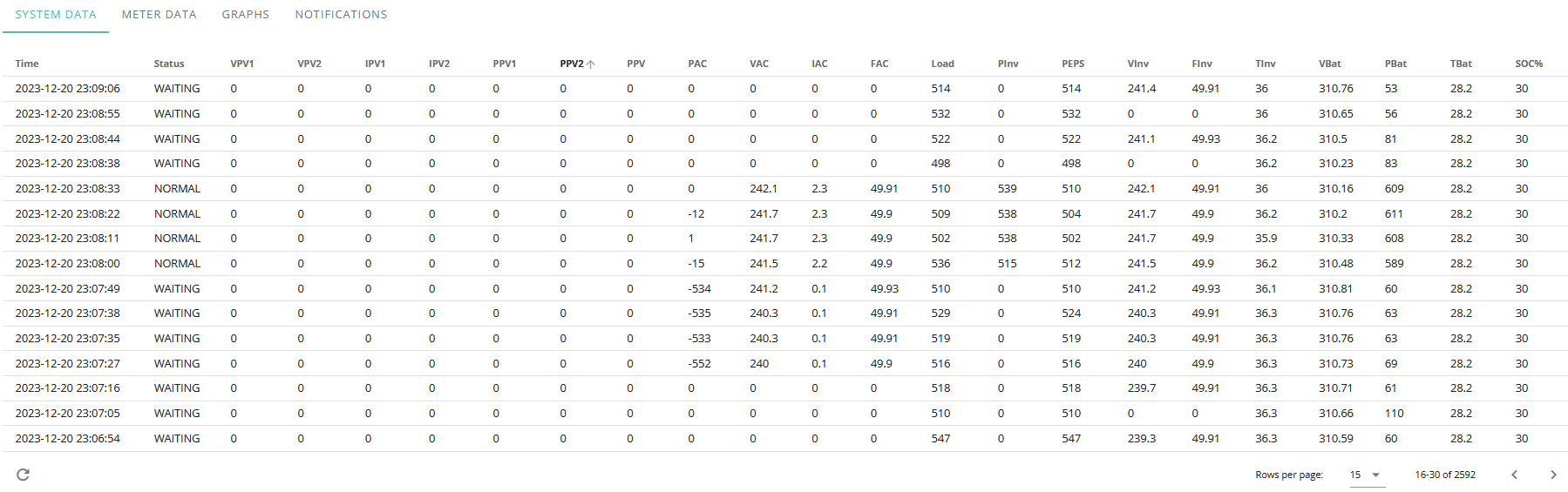
Really starting to **** me off.
Jellybaby, the grid meter and the comms to the AIO inverter are a key part of how the whole system works, that applies also to the hybrid and AC inverters.
Whilst running in dynamic mode there is a control loop operating based on the measured import/export power that instructs the inverter to increase or decrease the A/C output in order to maintain as close to zero import/export as possible. When any component part of the control loop is not performing correctly the whole strategy is affected, hence unexpected grid import.
The timing of this occurently shortly after latest battery firmware test has me a little suspicious though that it might not be anything physically wrong.
Jellybaby You've made over 600 posts over the course of 6 months, the vast majority of them complaining about the AIO not working in one way or another.
Why do you still have it installed? Why haven't you gone for a refund?
I'm genuinely curious because if I was in your position it'd have been gone months ago.
Vestas Because I want it to work, the only issue I did have was the SOC thing but that seems substantially better but then another issue cropped up and this thread ive mainly kept updating incase anybody ran into the same issues I have they may find an answer and its another way to inquire with other testers to see if they have exhibited the same behavior.
SOC Percentage is still off of where it should be by quite a margin but it seems to adjust quickly do the drops are not very consistent despite a quite consistent load.
EDIT
It done it again today and it seems to look identical to what happened yesterday
Today
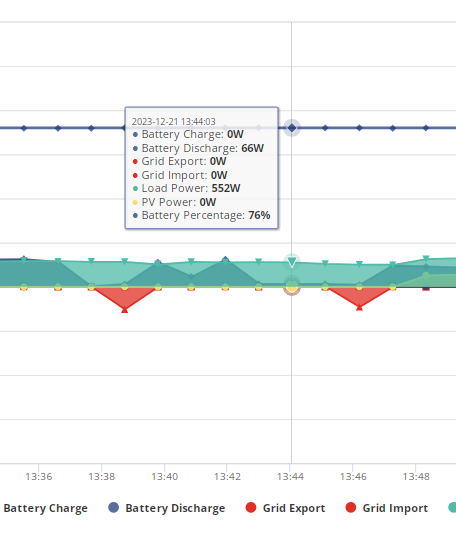
Yesterday
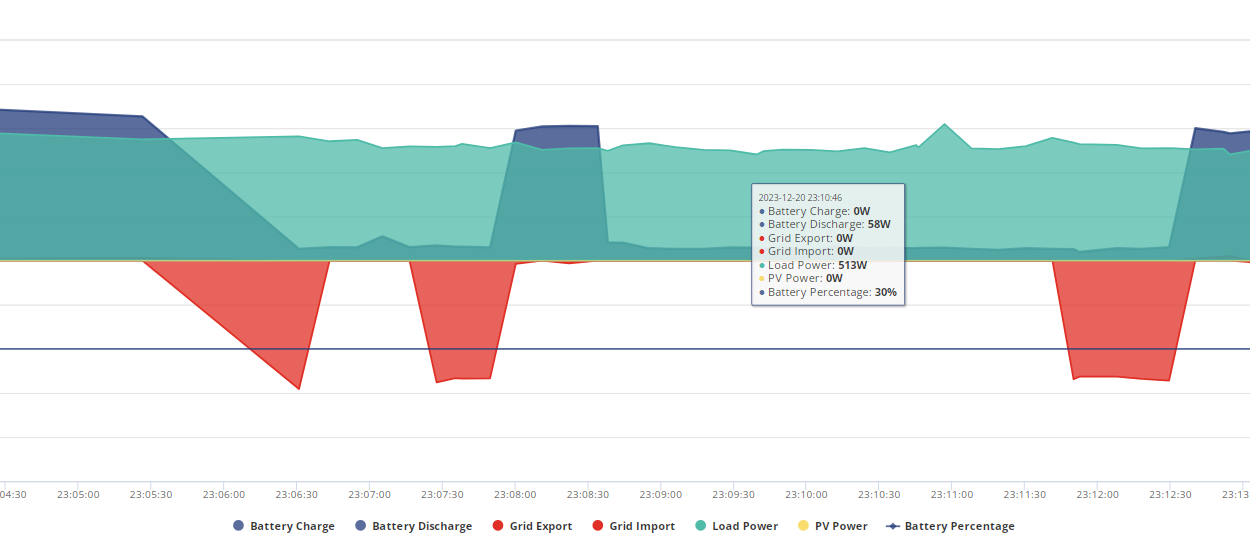
Starts with a small gap then goes to a larger gap but then earlier in the day yesterday it was a larger gap followed by a shorter one
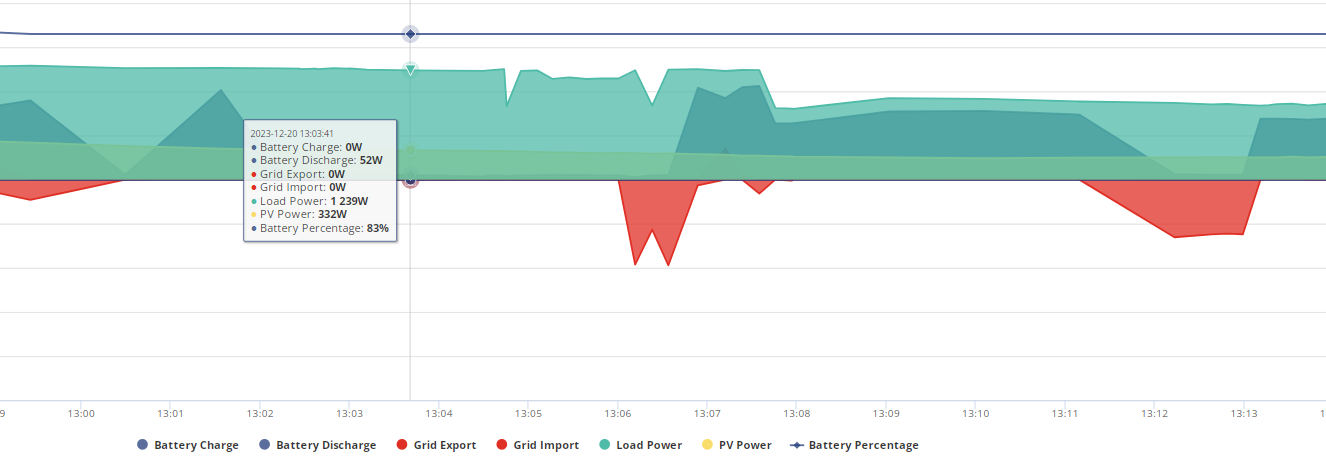
It is very strange, I did E-Mail the person I had been speaking with to see if anything like this has been spotted on other testers equipment.
hhmmmmm odd, had some charge schedules set,
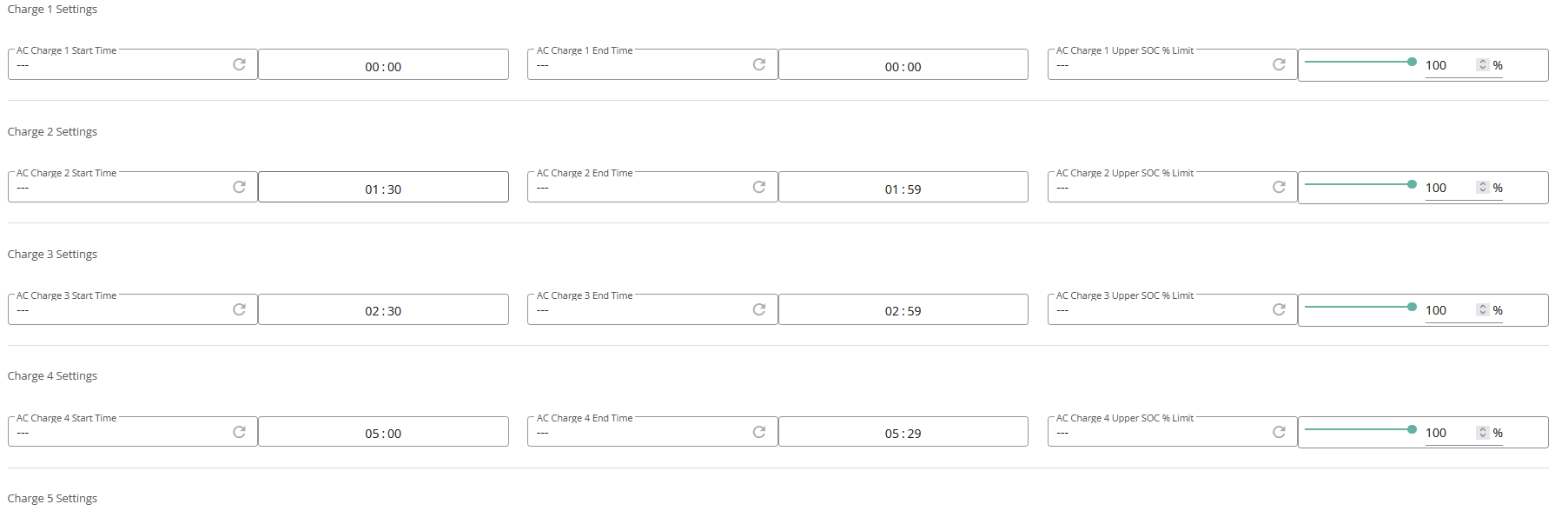
But

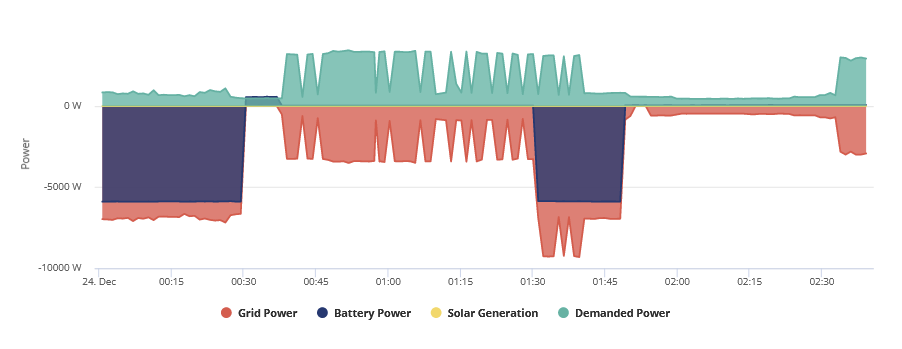
Reloaded page and refreshed the timeslots but nada
Losing out on a -2.3p timeslot cause of this, this is the first time its refused to charge.
EDIT
If I force charge the battery it will charge it but going back to scheduled charge it wont charge, I even tried setting the charge 3 settings to default and inputting 02:30-02:59 into slot 1 and it still wont do it and inverter is just sitting idle, I cant keep staying up to 6am to make sure it does what its supposed to.
EDIT 2
wth, just set it to force charge from grid and it did for like 1-2 minutes now its stopped.
Tried a inverter restore to default settings which didn't work so resumed normal operations via the app in home mode and for some reason it decided to turn off AC charge enambe and AC charge uppper % limit when these were both previously enabled and somehow every single charge slot had gotten reset to 00:00, it also reset my discharge slot that was set for saving sessions.
Not sure wth just happened.
EDIT
I JUST noticed in the graph above that the 01:30-01:59 timeslot didnt go all the way either so it started playing up around 01:50, not sure if that is when the inverter decided it was going to just go idle on me.
EDIT
03:30-03:59 charge slot (I don't do to the hour because end time always seems to run 1 minute longer) went off without a hitch so I think ill just hit the sack and hope it goes on as it normally should.
First time I have ever had this behaviour with the charging times, hopefully the last, not sure if its related to the inverter going idle issue ive been having and it just so happened to occur during a charge session and im not sure why force charging ended up stopping after a minute, had only put around 6-8kwh into battery and it was on 60% iirc.
EDIT
Just woke up but looks like inverter decided to go idle again today before I woke up, this time for 10 minutes then again for 2 minutes 7 minutes later, gone up in time from around 5 to 10 minutes it looks like, it still kept track of PV power but I must have been running on grid power, battery stopped supplying home and it stopped registering any info but pv and load power.
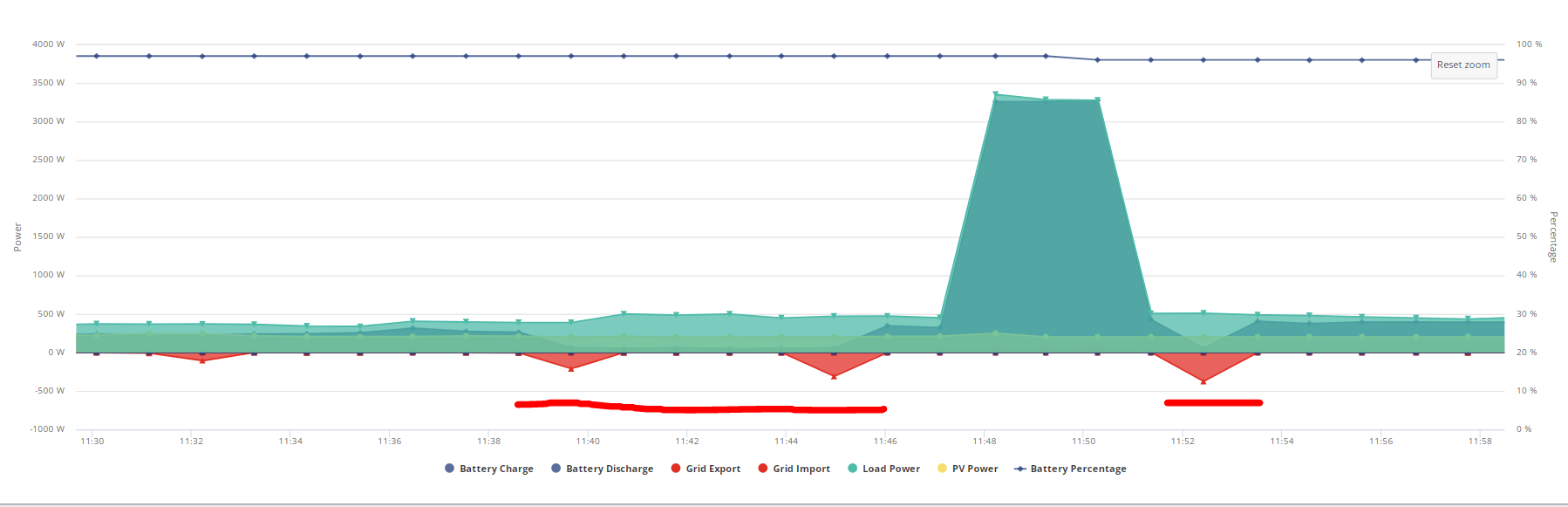
Jesus christ, its done it again at nearly the same time, went idle during a charge and just went to grid draw for home load for 2 minutes, went back to charging at full rate for 10 seconds and now its back to just home load on grid.
If they can't see any additional info their end on why its doing this they can come out and look at the damn thing, I have brought it up when it started happening but no info back about this particular issue yet, will probably be next year when I get a reply.
Its now idle just after half way through a -2.3p charging slot.
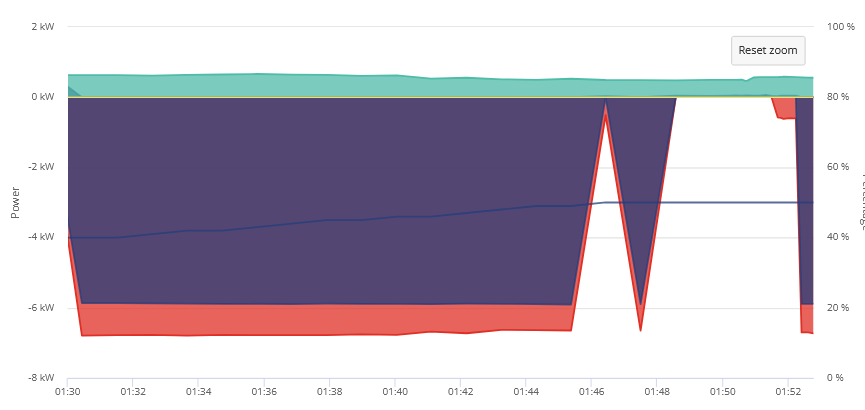
From flat its had 8.2kwh put into it so far and its reading 55%, hopefully I get into the 13kwh range for 100% charge.
Jellybaby I note you say you've tried to set up predbat in earlier posts. Could you left predbat "live" and it is somehow sending signals to your inverter.
I ask as I am in the process of setting up predbat myself and last night stalled the battery charge by "playing" with the settings! Had to stop Appdaemon and reset the battery to default settings as I could not see what was stopping the battery from charging.
Ivan oh I dont run home assistant anymore, I couldnt get predbat to see anything and removed it, only thing I got working was givtcp lol, this issue only started after the latest battery test firmware. I went back through all my data including the week I did use home assistant and had it refreshing every 10s like the app does.
EDIT
Here we go again, thats 3 times its done it today
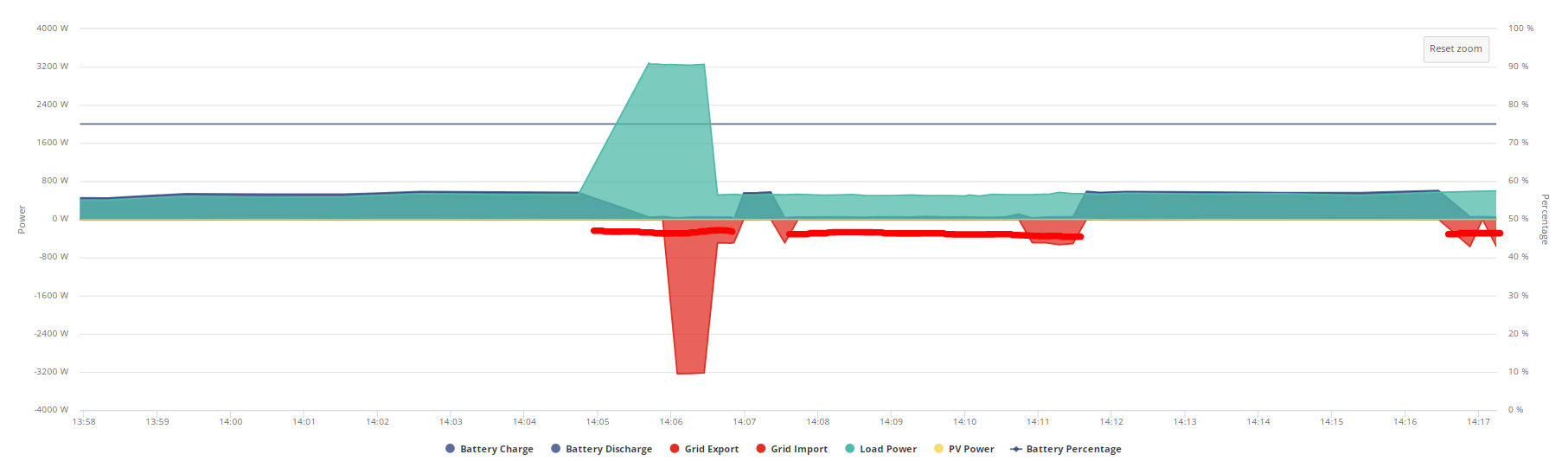
Early this morning when trying to charge, just a short while ago and now its kicking off again, its unusual how its a small gap then a big gap nearly every time.
Now its doing it 4 times a day
Into the third day without a full charge and this is what is showing via the math, not sure it will last the day since there is thick black clouds out today so no floating by on solar for a few hours so I should be able to see how accurate doing the math is on V8.
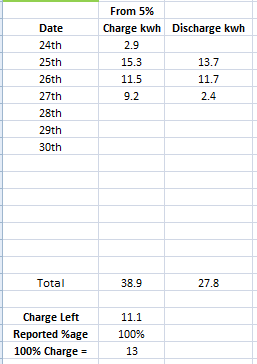
Now all the saving session stuff and plunge pricing seems to be easing I can see how it fairs between full discharges, unlike previous firmwares it seems to be less accurate than before but V8 still seems significantly better but SOC seems to be off considering the assumption of kwh remaining via the math and overnight when everyone is sleeping and the draw is stable and steady I don't think its checking and correcting personally.
Sometimes it may start declining faster the lower it gets but the sudden high %age drops I have not seen myself.
I do think that a kwh in/out that resets when the battery drains down to 5% or under that can account for any losses would be nice addition, maybe next to the SOC %age on the portal.
This is where I currently stand and given the battery capacity of 13.5 (Although I only got 13kwh into it as you see above) it should be closer to 60% considering where I am now.
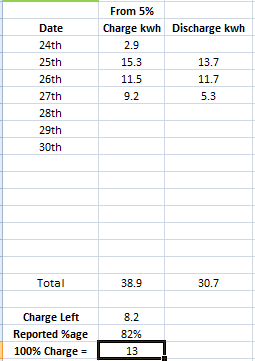
Little bumps are the fridge freezer kicking in, large ones are the kettle going on, not sure if length between full discharges is why its not dropping as much as it should which in turn resulted in 2 less kwh upon full charge on day 3.
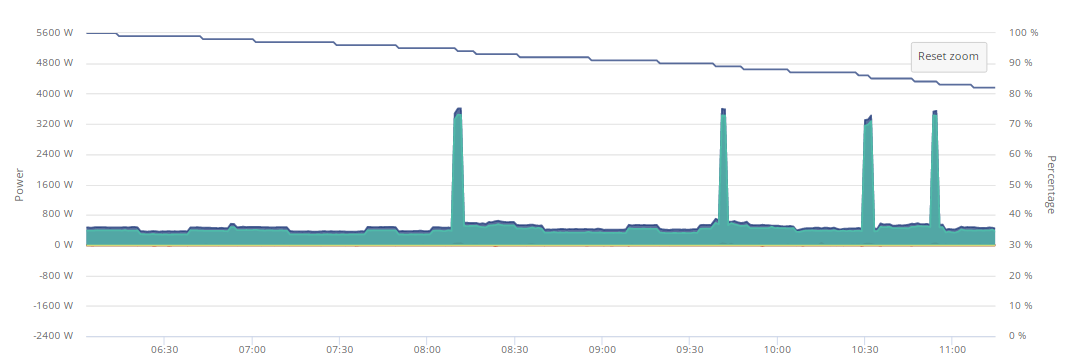
All things considered im getting nearly all capacity back after each full discharge (between 12-13, would prefer seeing 13+ every time though considering ive had it 5 months).
Just an update on V8 as I go as promised 🙂
Also as I type this the inverter has decided to go idle AGAIN >< Just when I thought the stress had finally gone from this system something else crops up.
EDIT
Decided to shut the damn thing off and power it back on again, see if that helps, when I went into cupboard the green light on the front was blinking.
EDIT 2
Nope, came back on idle ><
Math worked out pretty good this time around.
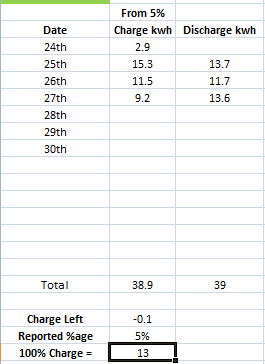
Got a charge schedule set up for 03:30-06:30 (plunge price period) so will see how much goes back in.
Regarding my inverter going idle issue it seemed to creep up 2 days after V8 firmware was put on and I went through days on data and got it all spreadsheeted.
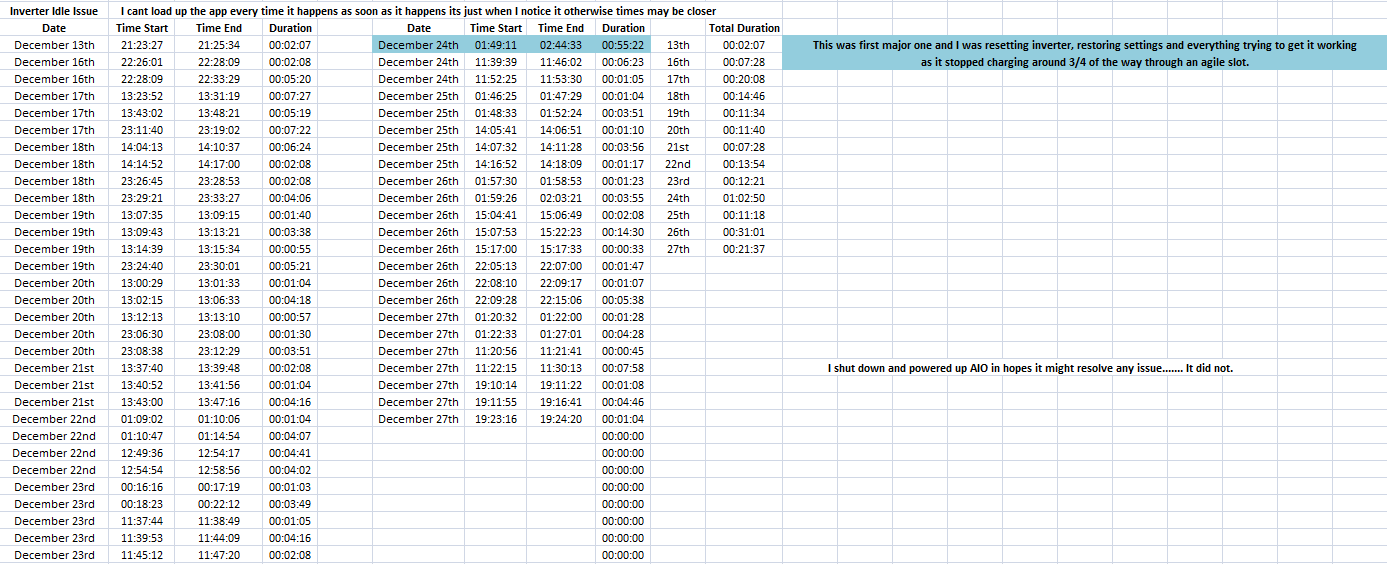
Can't use IHD to see when it goes idle again so will have to look at "System Data" in the "Inverter Data" (the waffle data 2 left from remote control stuff) and search for "Waiting"
EDIT
There goes my thoery that it might just be doing it when charging/discharging.
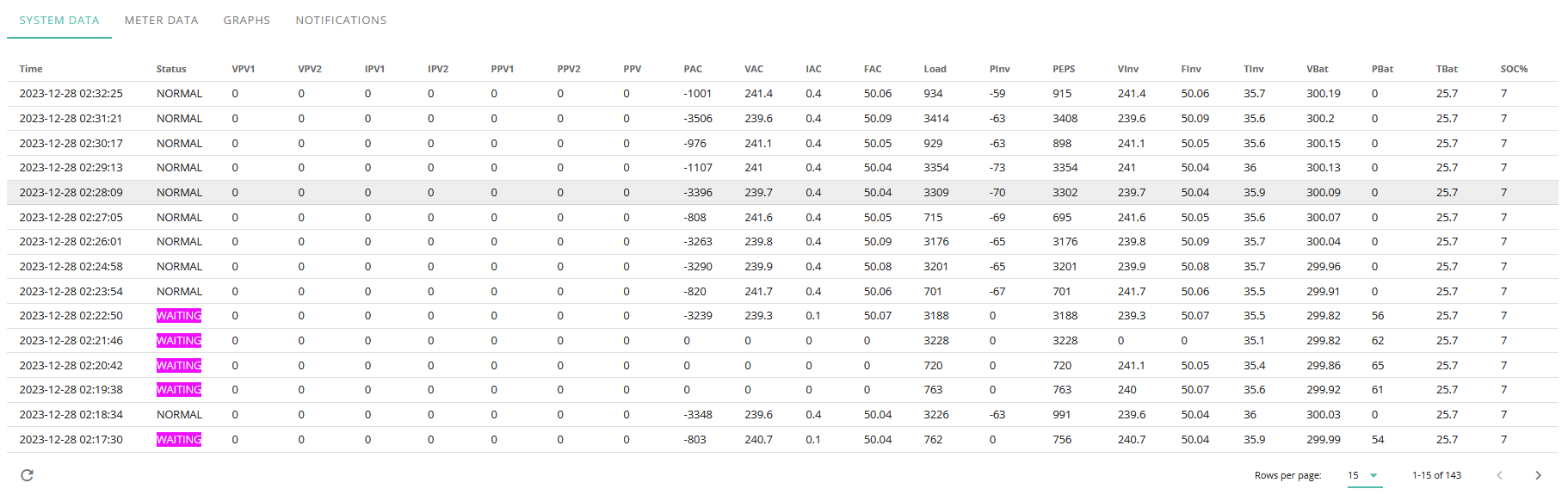
Considering this is an AIO unit and the inverter is always active regardless of whats going on it should never be going idle.
Jellybaby Been reading through your thread, not everything but enough I think to get a handle on your concerns. Just a thought on your maths of power in vs power out where you look like you are assuming 100% efficiency. Or am I mistaken? I'd expect at least a 5% loss both ways in the real world and I doubt the metering built in is 100% accurate either. That said, you do seem to be getting some weird results. I think the whole issue with these BMS is that there is such a small range of voltage to measure between charged and discharged which is particularly problematic at the ends of charge state when I suspect that the BMS is just doing a linear calculation. I too am running the AIO and generally seem to be getting what I expect out of it though today it tells me it only gave about 8.5kwh before 5% was reached from a full overnight charge. Running octopus Intelligent here so a simple flat cheap rate from 11:30 pm to 05:30 to charge it up each day to 100%, not necessarily from flat depending on sun/weather. Occasionally I get free leccy during the day so also use that to top up so paying less for the overnight charge. I'll see if I get a better output tomorrow if demand takes it to empty again. ASHP heating, fully electric here so demand is erratic to say the least. I charge generally at 3kw ish as with 6 hrs to top up I don't need to hit it harder but I do whack it at 6kw when I get the free leccy slots which are normally only 2 hrs, though some up to 4hrs.
Ultima357 ive just been keeping track since I started having the SOC issues shortly after having unit installed to give me a fair idea of when it would go flat on me and typically it had been +/- 0.5kwh but there were the odd around 1-1.5kwh differences.
Honestly I have no assumptions as to efficiency I am just keeping track on how much the full charge drops between full discharges which may be where the losses start to accumulate and so the reported kwh at full charge is not what the initial 100% charge was.
Earlier for example, last full charge was 13.7 at 100% but around 12pm I believe when batteries were topped up via solar 100% was around 12.8.
My only concern now has shifted from SOC which has been substantially better on all test versions of teh BMS to the issue in the post you replied to with the inverter going idle which to my shock only happened once yesterday (29th)
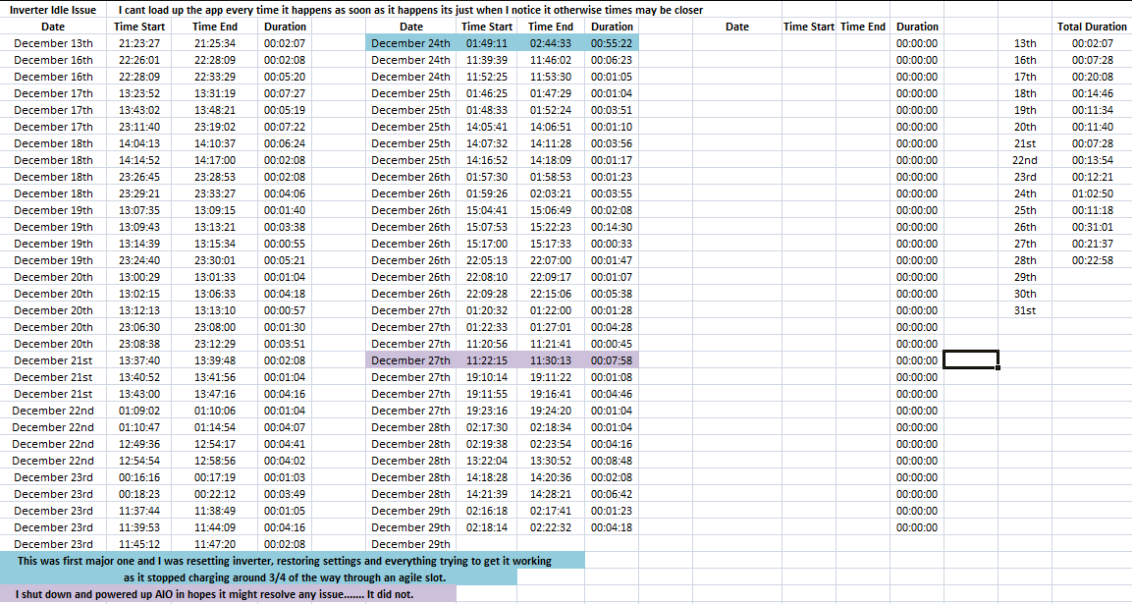
Considering the inverter handles grid/solar and battery as a whole unit it shouldn't at all at any time have the time to go idle unless something is quite wrong.
Aside from posting any issues I have incase someone else has experienced them with the same equipment I am mostly updating my personal experiences with V8 for those that are waiting for its release and want to hear on how its doing.
Whilst battery 100% from empty does vary from 12-13.7 it does seem to have stayed fairly consistently in that range instead of the 1kwh I was getting from 5>100%.
EDIT
I am wondering if its related to the dongle firmware uploaded as this time it lost comms half way through the secondary idle period and it came back after removing and reinserting the lan cable to router a couple times (though this may have been coincidental).
This is when comms went offline just now and typically inverter fires back up just after it starts picking up grid again and switches to battery.
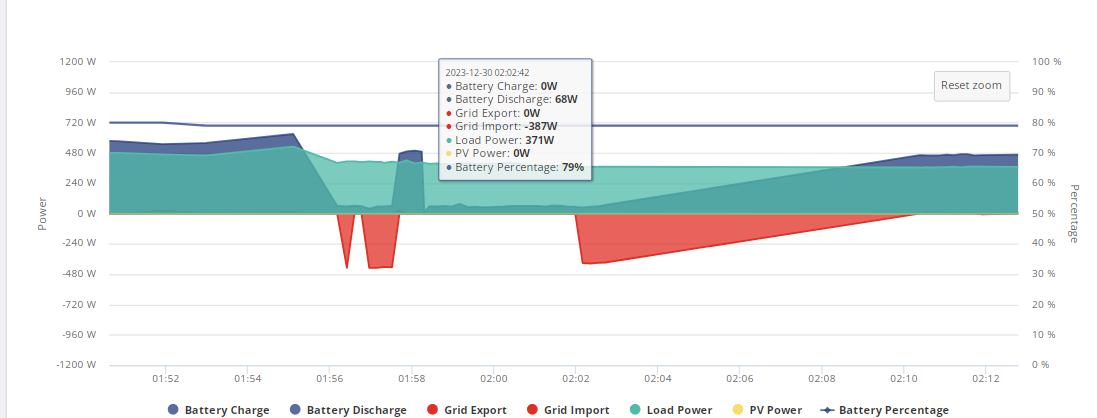
It is quite puzzling indeed because when this happens im not getting the typical load I usually do when battery is flat, usually I get the inverters power on top of house load but its like the inverter just shuts down during these periods, that load power above should be around 450-70 and its still registering an idle discharge from the battery.
What was powering your house at 2AM? The graph shows your load, very little battery discharge and no grid use. There must be something wrong with the metering because the graph doesn't make sense. If the metering isn't working I don't think you can draw any conclusions about what the system is doing.
Jellybaby Looking at your last graph, I think you've drilled down to micro management and it's probably just a Comms dropout. The internet/IT things in general often do a mini reset in the early hours just to ensure everything ticks over. It could be a watchdog timer in the AIO or any other part of your Comms stream (but would repeat same time each day). I think the metering built in the AIO app is probably not that accurate and you'd need to set up an industry standard high quality monitor to fully look at what's going on but they are mega bucks if you want logging too. So long as you're getting the battery output expected, I'd not worry too much about the odd glitch but agree that these shouldn't be happening in a fully stable system.
GE use the Highcharts library for the graphs so any data dropout just draws straight lines between the last and latest points rather than dropping to 0. This does sometimes make graphs look weird/misleading. (02:02 to 02:10)
Update - Having looked more in detail at my battery performance yesterday where I was concerned that I didn't get full energy output, it seems that the system took itself away with the fairies and declared fully charged at around 317v, or circa 75%. Why? No explanation really except that a couple of previous free power sessions on the 25th and 27th, I had capped the overnight charge to 75% to allow me to use more free power to top it up during these free power blocks at 12 midday to 3 or 4pm. So on the night of the 27th/28th when it was back at 100% overnight charge setting, it only had a little to add as it was still 78% full at 11:30pm when the cheap rate kicked in. So in short, a bucket full of gremlins. Last night / today it once again appears to be behaving. Not updated anything since commissioned on 17/8/23, so still on AIO D0607/A0.607.
nophead That is the problem, the grid was powering my house, it happened just now again and take a look at this.
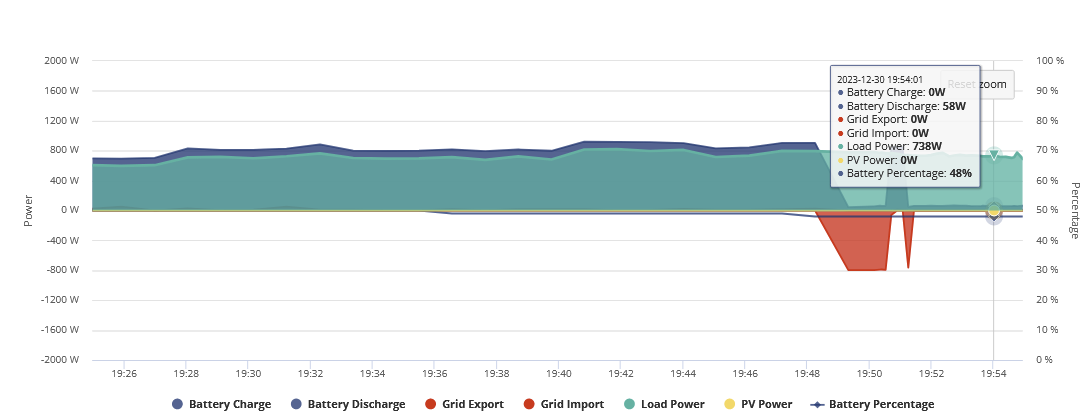
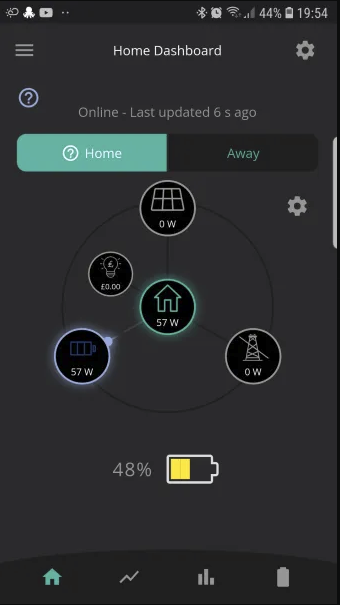
That was the second gap and as I am typing this right now its happening again, the system sees the load but inverter goes idle and with calculated load in the app it will only show the battery as home load but on the portal it shows the home load as it should.
I am inclined to think its an inverter fault, I just saw the IHD go from 5-600w (what it usually is without fridge freezer) down to around 200w then go back up.
Here is the third gap and some updated data.
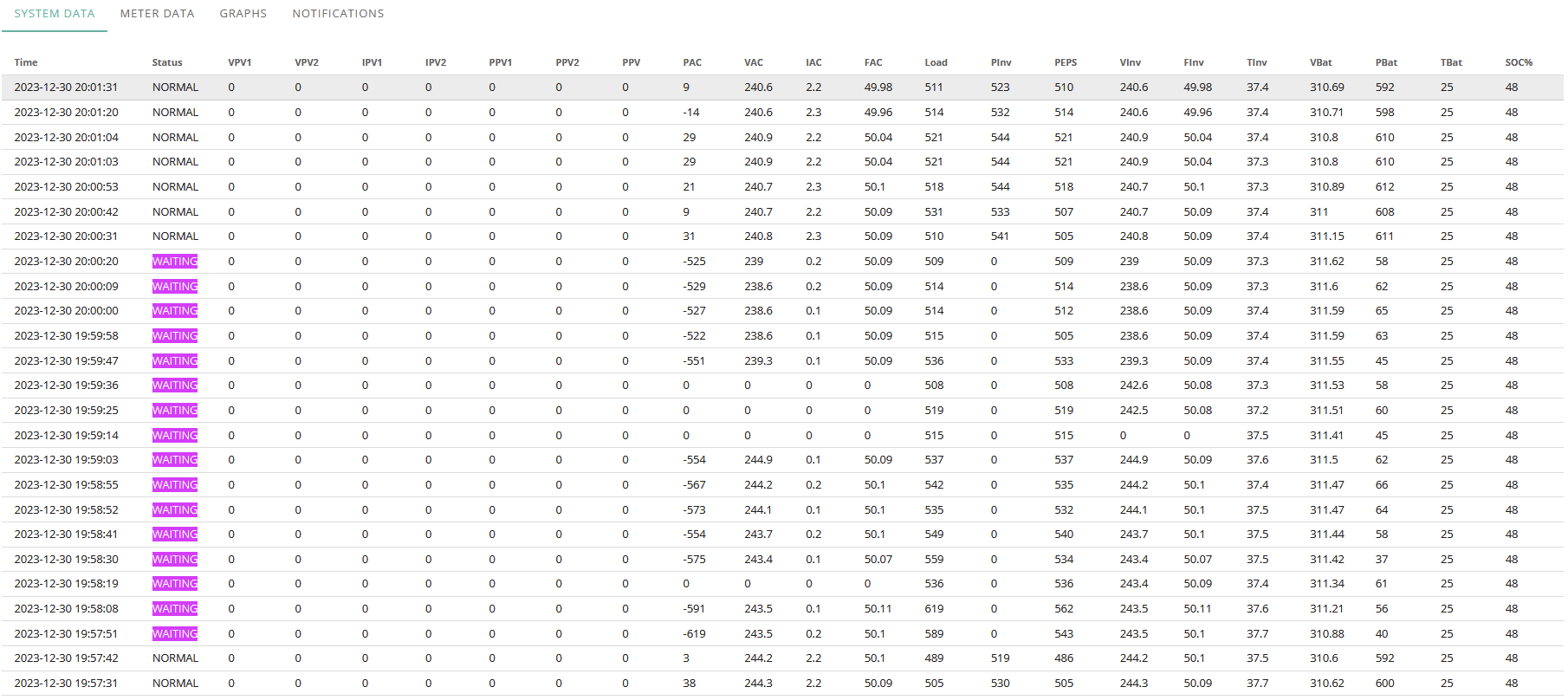
Whats odd is that the first two updates it sees the grid info, then it doesn't, then it does, then it doesn't.
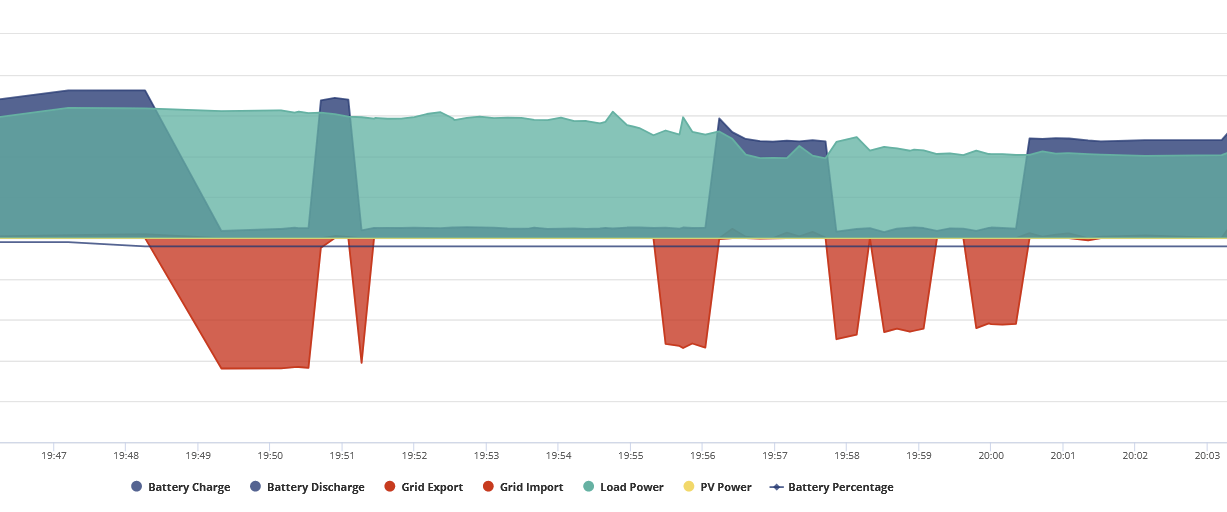
What I find really interesting is there is quite a lot of consistency, I try to load the app up for more frequent refreshes but it doesn't pan out every time and sometimes I am not even at computer to see it show on the IHD but it going down for a couple of minutes then 4 minutes successively is interesting.
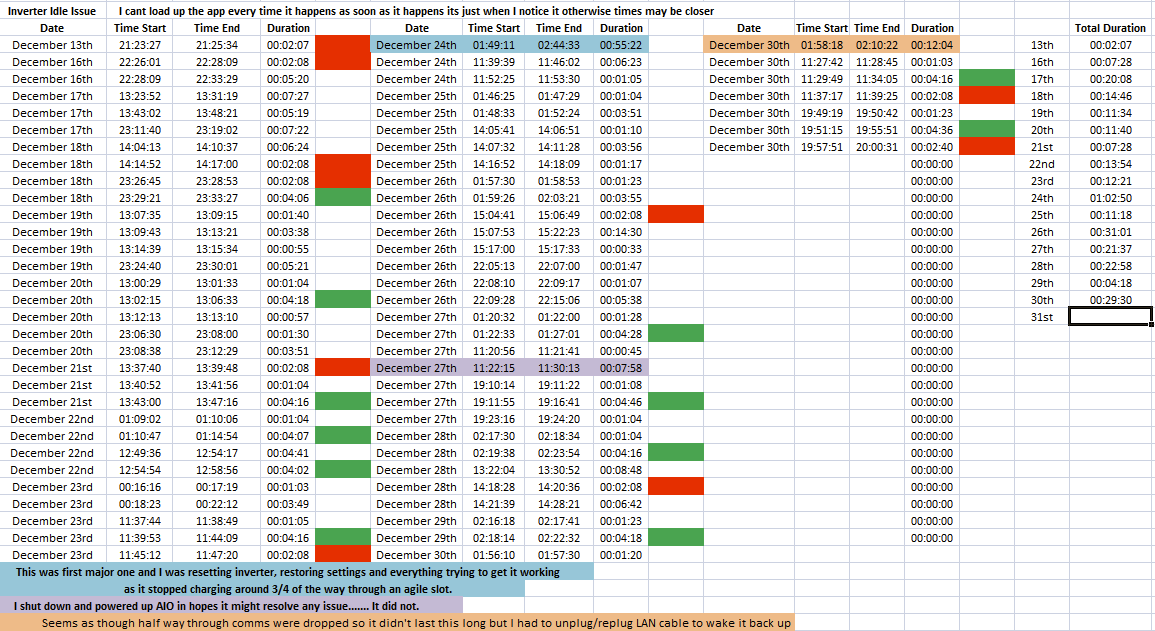
I noticed the 2+4m breaks happen quite a lot and it happening for 2m 8s is quite the coincidence considering its not 1s refresh on the data.
There is a glitch or fault somewhere causing this to happen.
I think today is the first time its happened 8 times so far, im expecting another one around 10/11pm
The graphs shows the house being powered by the battery, then the grid and then by nothing at all. The nothing at all bit is impossible, so something is wrong with the metering. I think you need to get that fixed first.
nophead I did send an E-Mail to installer and they are going to get in touch with GE in the new year, I am still inclined to believe its an inverter issue though, if something was wrong with metering alone would it not show anything for anything?, when it happens it still shows PV and house load (on the rare occasions sun comes out in december), despite the meter info lines up with IHD (the best it can since it only does one decimal place) so it doesn't appear to be losing out on that info.
Not sure if a metering issue would prevent it from continuing to use battery to power home considering it still detects house load, it saying waiting and yellow circle in portal status sounds like it just decided to shut off for a bit, also as I said I don't get the typical inverter wattage on top of home load on the IHD so its like I actually turned the AIO off when it goes idle, its another way I can tell its gone idle when the house load returns to pre solar levels, I got 5 years of history to know what home load should be.
All still relatively new to me and im learning things that could help others if I come across any but this issue I can't say that I have seen anybody bring up.
@Ultima357 I let the battery go flat again as its around 4p in a few hours so im going to charge up on that but this was the latest Flat > Full > Flat charge.
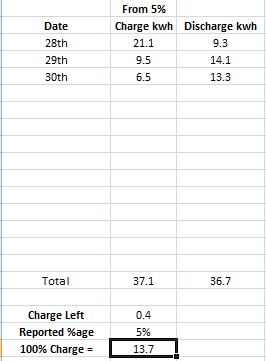
I know in and out isnt going to match 1:1 often but I like to see how much loss I get for 100% as I prolong a full discharge.
Thats a first, charged and fully depleted in same day and charge left via math was 1.1kwh, that is more remaining than my 5 day sprint with 1kwh left at 5%, I know I have to factor in losses but didn't think it would be more in same day than over a 5 day period.
I bet folks are happy that BMS 8 is finally up on portal for everyone.
DCostura Have you tried manually restarted the AIO, are you wifi or lan, if lan you can press the button on side of AIO and let it click off then press it again to turn it back on then wait 5-10m (time can vary) or what I have done in the past is press the button on side til it clunks off then flip the AIO breaker in the gateway til the light goes out then turn it back on.
will take a few minutes to boot back up but can take 5-10 for comms to come back.
DCostura Sometimes the button is enough for me, when it wasn't that was the second option.
Surprisingly enough a couple of ties just unplugging and re-inserting the lan cable seemed to be enough to wake it up. If you get constant comms dropouts and frequently you could give dragon a shout for the comms fix that I had applied.
I get it occasionally.
I remove the LAN cable to the AIO from my garage Ethernet switch.
Shutdown AIO with long press on button.
Wait 2 mins.
Plug LAN cable back in and start the AIO then wait 5-10 mins and usually it connects back up ok.
Not sure the cable removal is required but I was advised to try it when I first had the comms issue and I’ve just carried on doing the same. Mental note to just try shutdown, wait, startup, wait next time
treborUK ive not had to do that whilst power cycling but thats the first thing I do but if that doesn't do anything after 3 tries I try pressing button on side of AIO, if that dont work I go to last resort, flipping breaker in gateway.
There is a comms issue in these units though that needs sorting.
Whelp, that inverter idle issue I mentioned apparently it could be the stair chair lift, its nearly 2am and im dead tired to go into too much detail atm but it is quite a headscratcher if anybody that is on the Givenergy Battery and EVC Owners group on Facebook wants to take a look at.
Long story short the two times I have written down time for when chair beeped it had reached end to the time when inverter was idle the time between the two was 2m 41 and 2m 45 and when the chair is not used the idle issue doesnt crop up BUT it doesnt always happen when it goes downstairs just upstairs and for some reason it goes idle 2 times in a row.
Not good if using it will take house offline if there is a power cut lol
It will take a lot more power going uphill.
When Givenergy updated my firmware in December and it was doing a battery calibration I took a shower on the max setting, which is about 10kW. That caused the calibration to stop and the battery to go idle. I reported it to GE and they changed some settings to get it going again. I haven't taken a 10kW shower since.
nophead The thing is it doesn't, the chair has two battery packs in it that take it up and two plates at either end to charge it back up.
It doesn't do it on the way up or down, my mums electric shower uses over 10kw and its fine and the kettle has even been on at the same time and its been fine.
Not sure why it would have interfered with the calibration but you would have been drawing around 17kwh at that point.