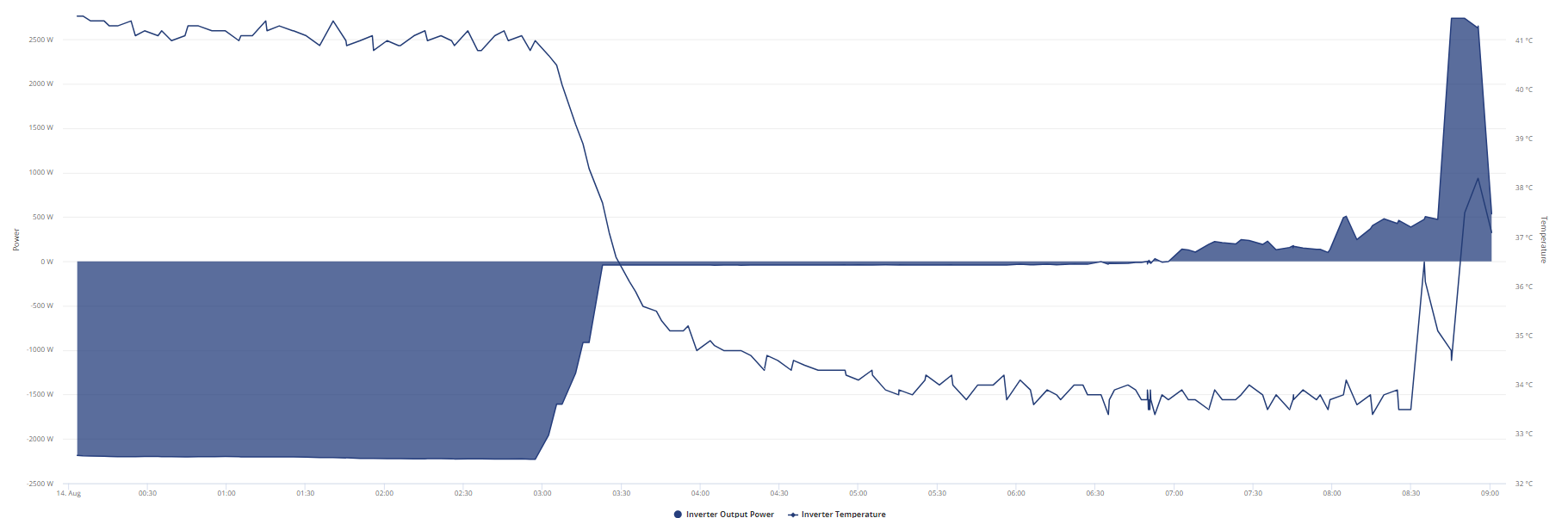
Inverter Cooling - Sharing my solution

85 comments started 2024-02-13 last 2024-08-15
Home AutomationGivEnergy ProductsHybridHome Assistant
N
#1 Northwarks

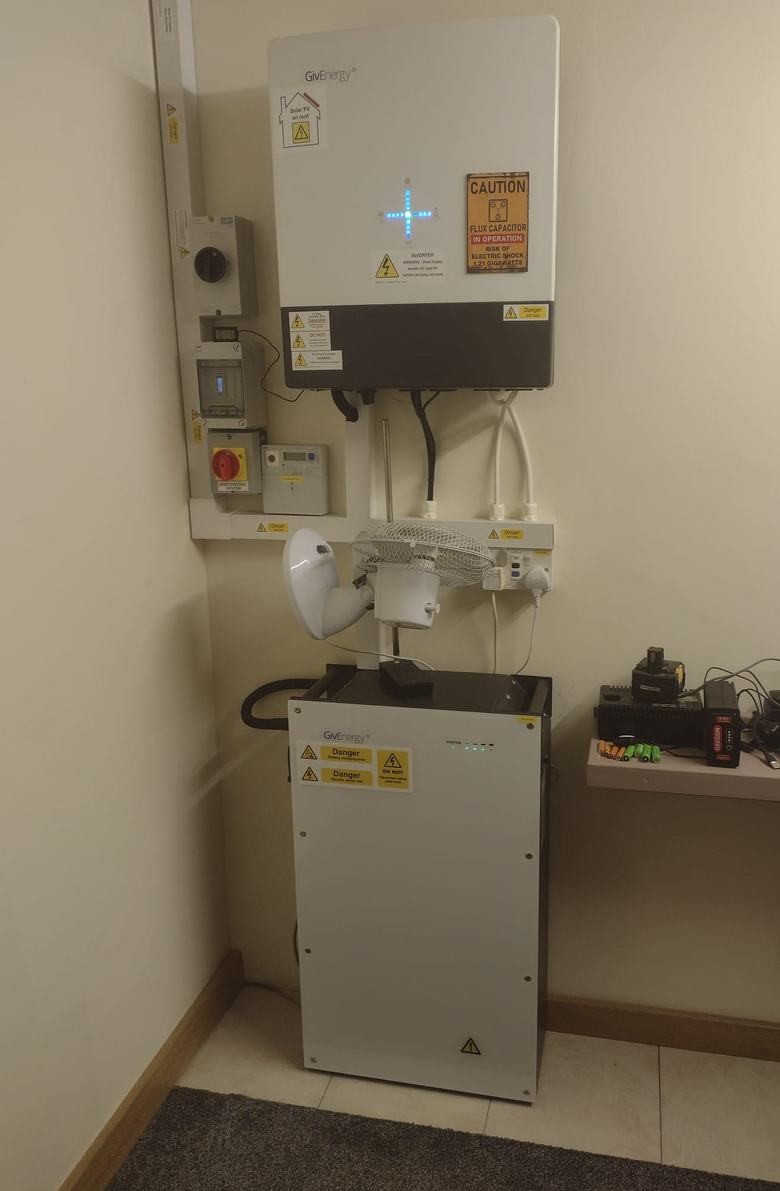
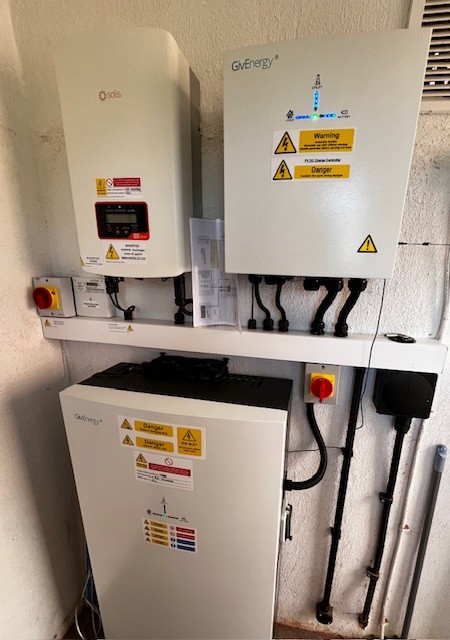
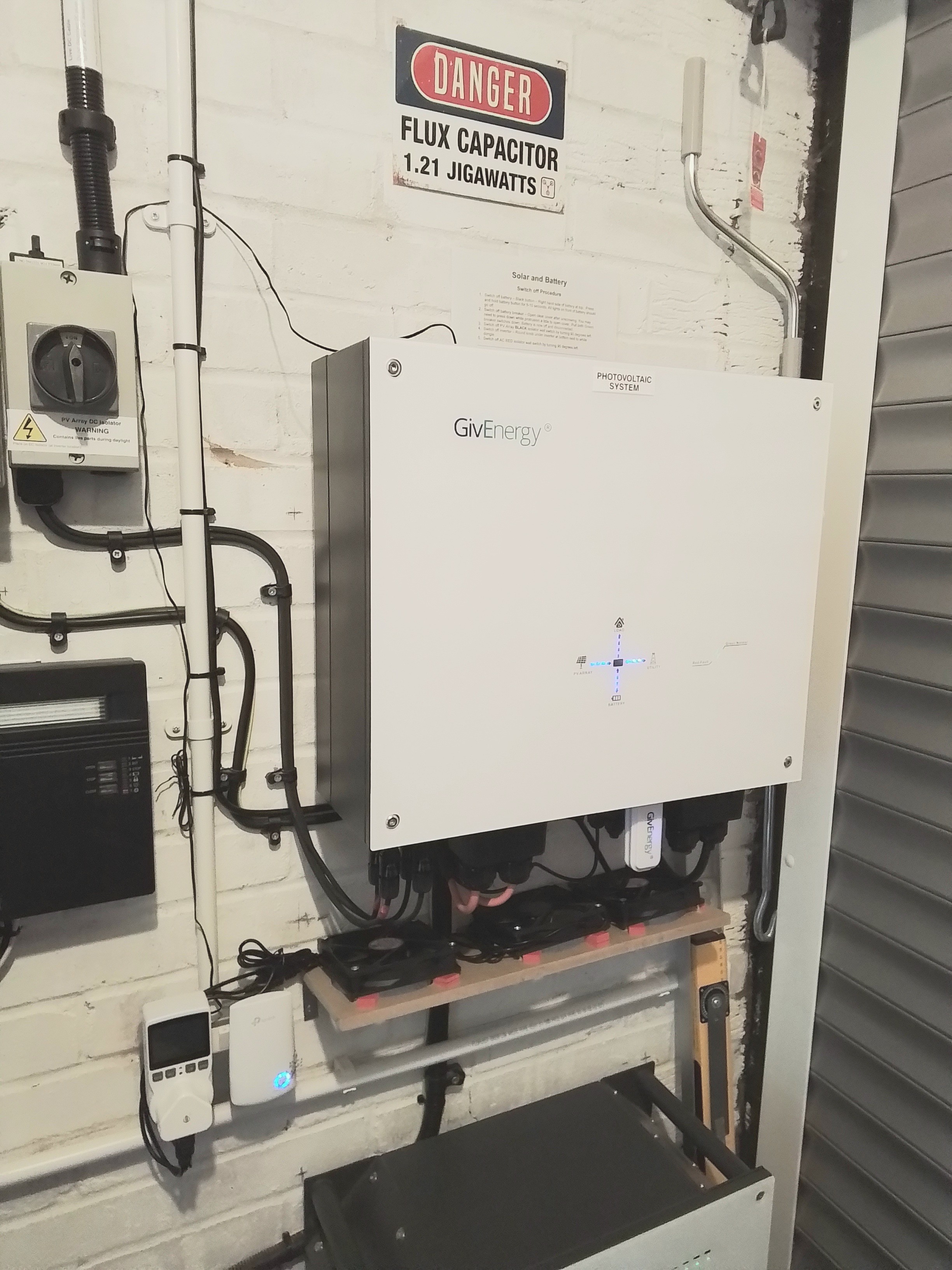
So I've been concerned at how hot my Gen3 inverter gets when importing/exporting, my inverter sits on a fireproof board in my garage, in Summer the afternoon sun heats the garage up all afternoon/early evening and 60c wasn't an unusual reported temperature for the inverter most days. We all know that cooler temperatures prolong the life of components so I decided to have a go at addressing them before the Summer was here.

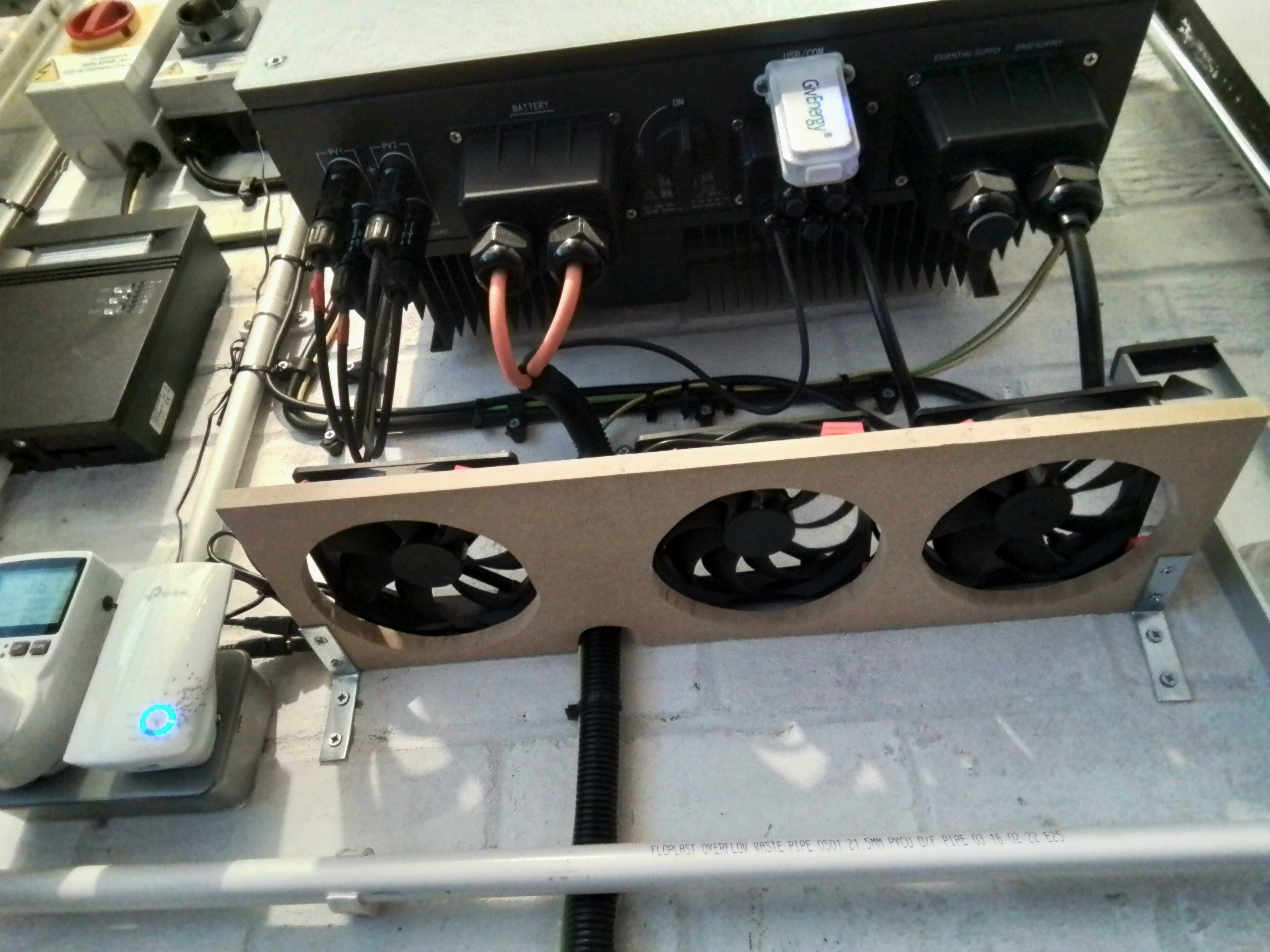
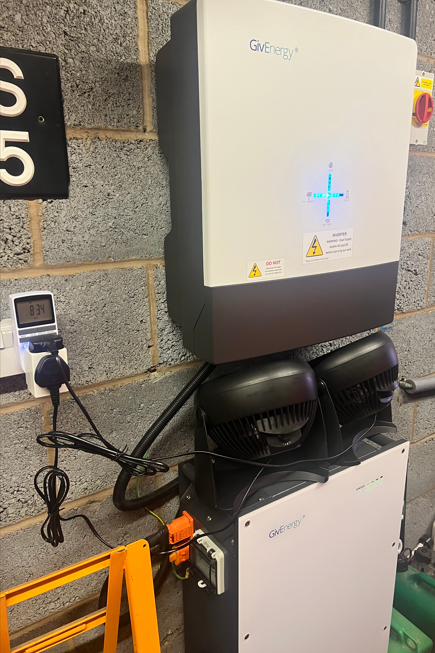
I went down the route of 3x 120mm 12v case fans, controlled by a Shelly 1 and Homeassistant. The fans were fastened together with some metal bits I got from Amazon and I just used the case fan screws that came with them.

  • 3x Case Fans - Corsair 120mm ML120 - £30 - Scan.co.uk
  • 12v Power Supply - Universal 30W 3V 4.5V 5V 6V 7.5V 9V 12V AC/DC Adapter -£13 - Amazon
  • Flat Fixing brackets - £3.50 - Amazon
  • ABB IP55 Junction Box - £4.40 - Amazon
  • Shelly 1 - Already had this spare but they are around £12
  • Fan guards - Already had these in a box of spare bits so £0

Ideally they would blow up over the cooling fins but space is really tight at the bottom of the inverter so I've rested them on top for now and they seem to be working a treat blowing downhill.
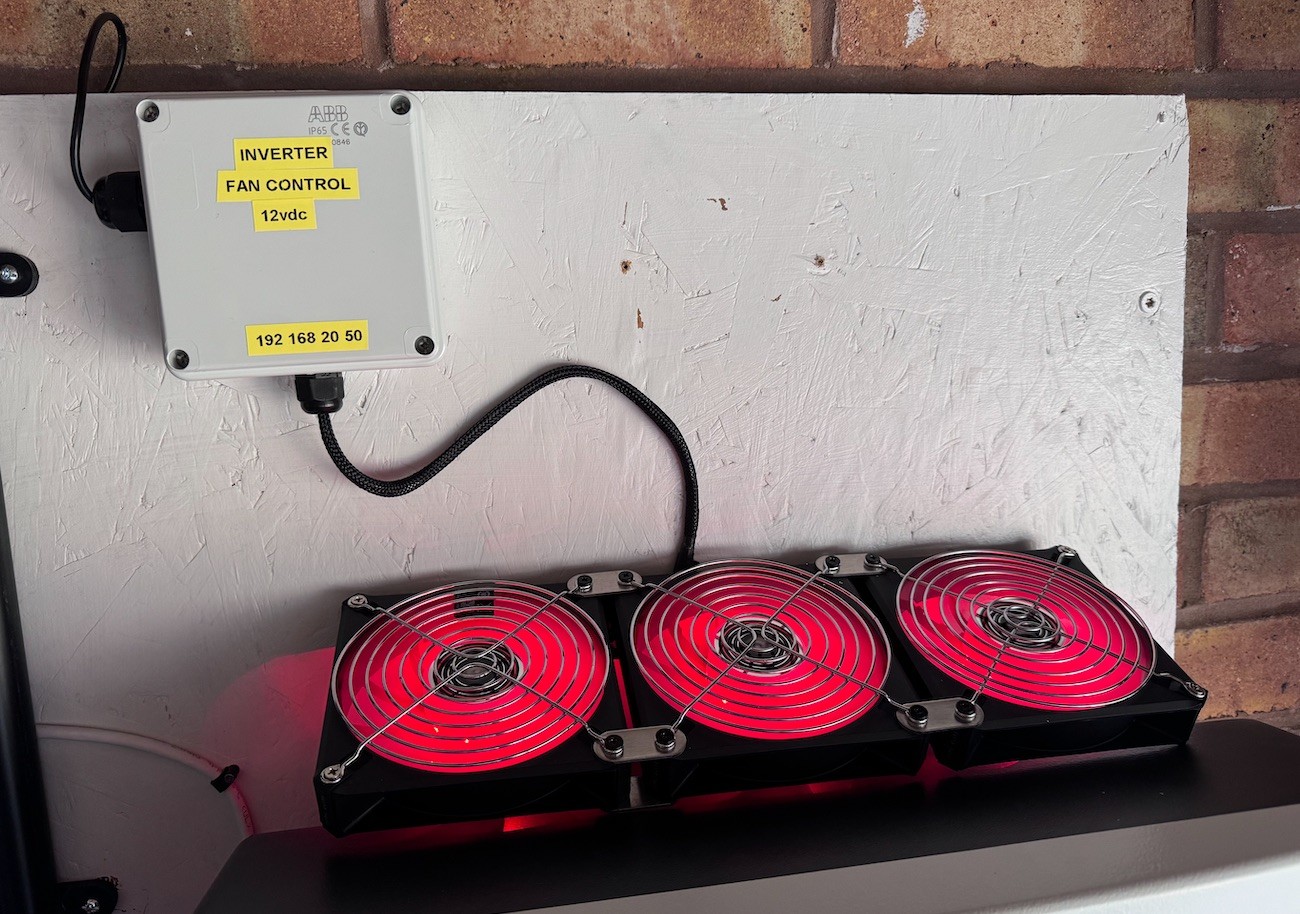
The Shelly 1 wiring for 12vdc switching can be confusing so here's a screenshot if anyone finds it of use:
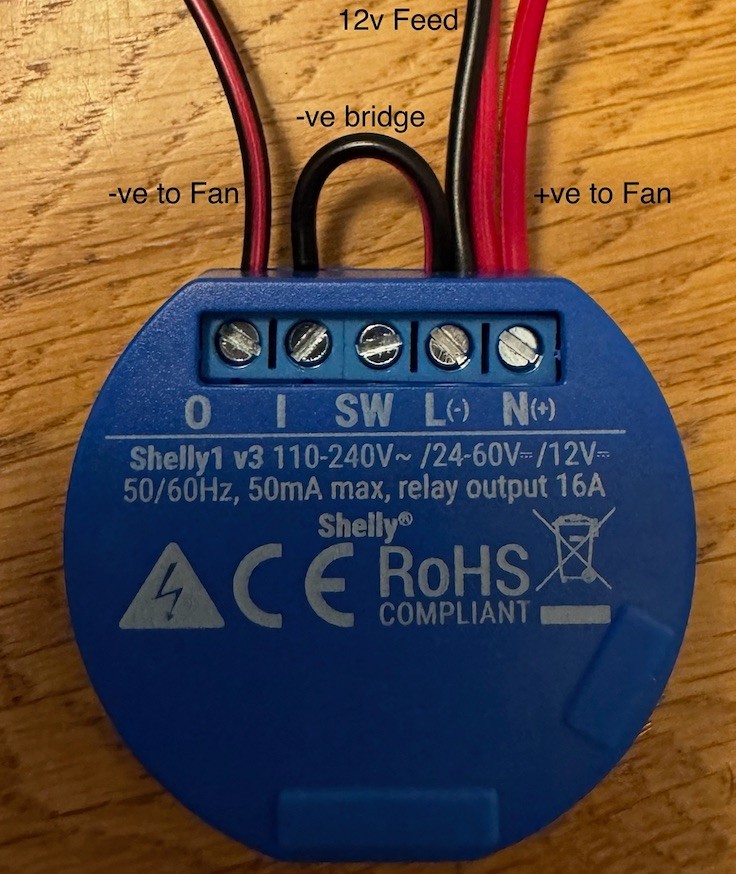
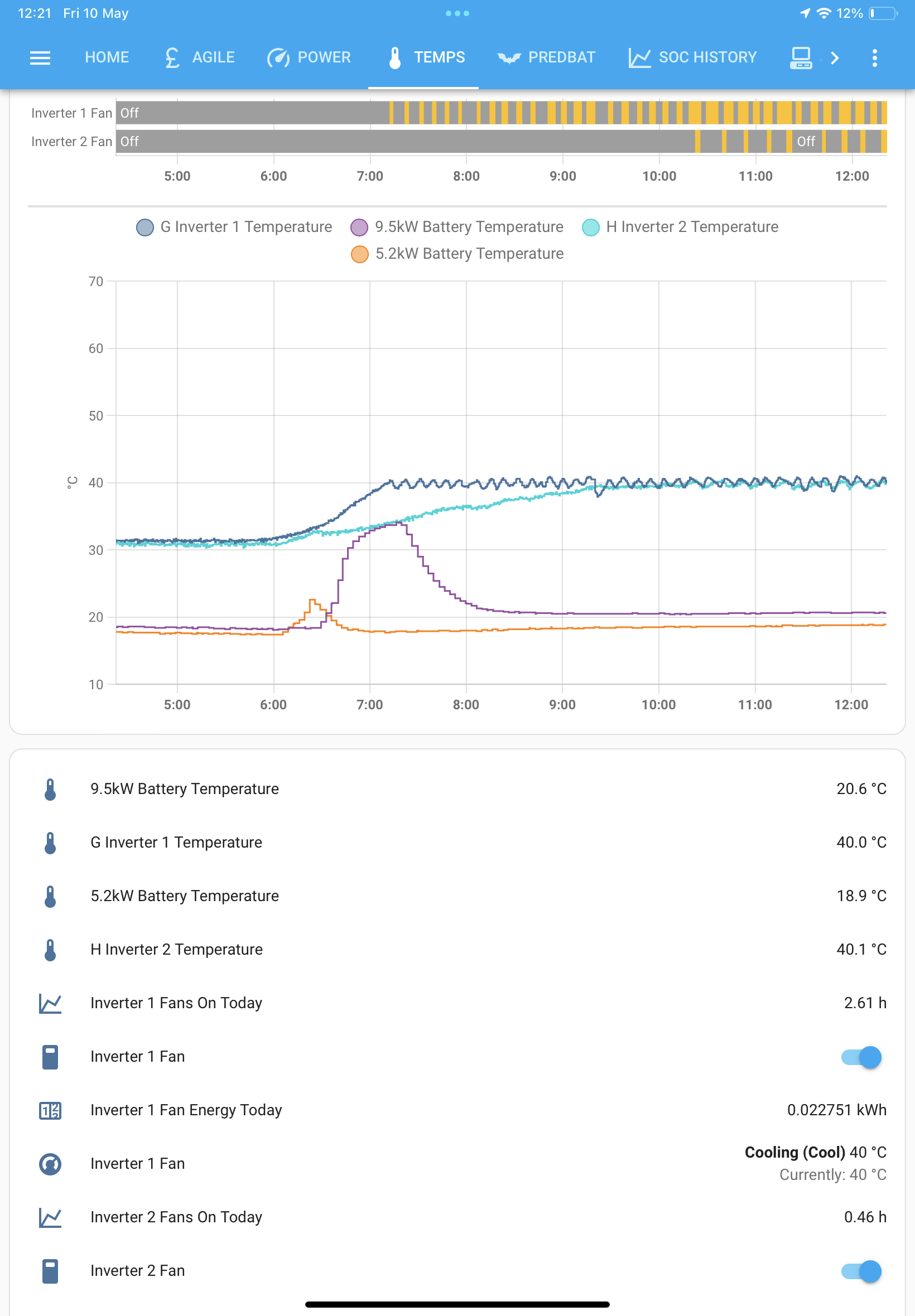
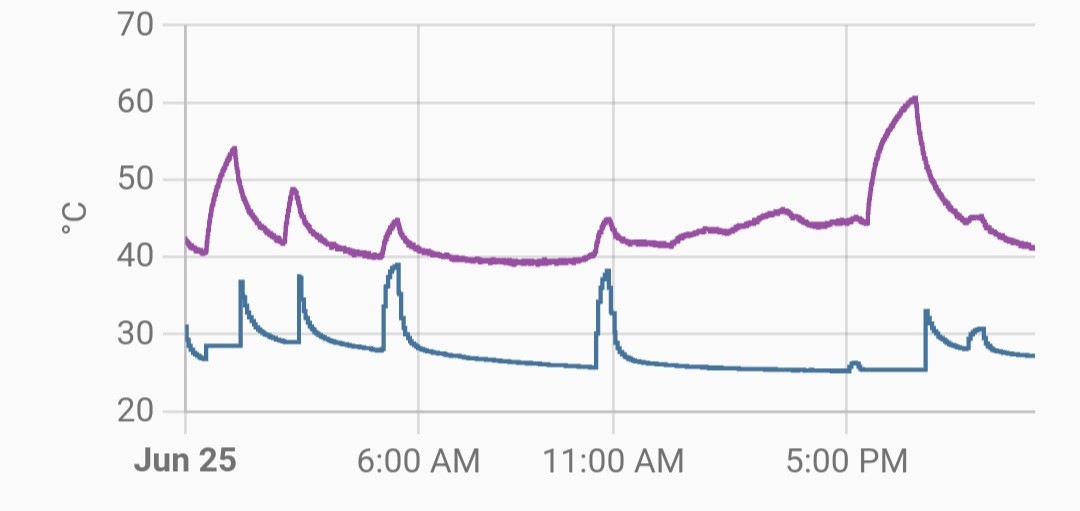
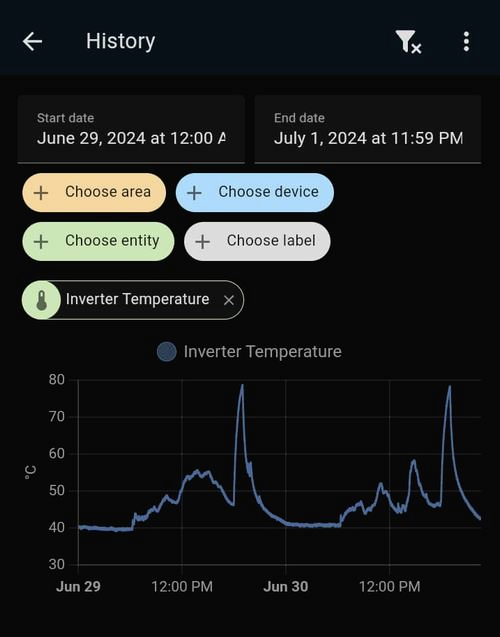
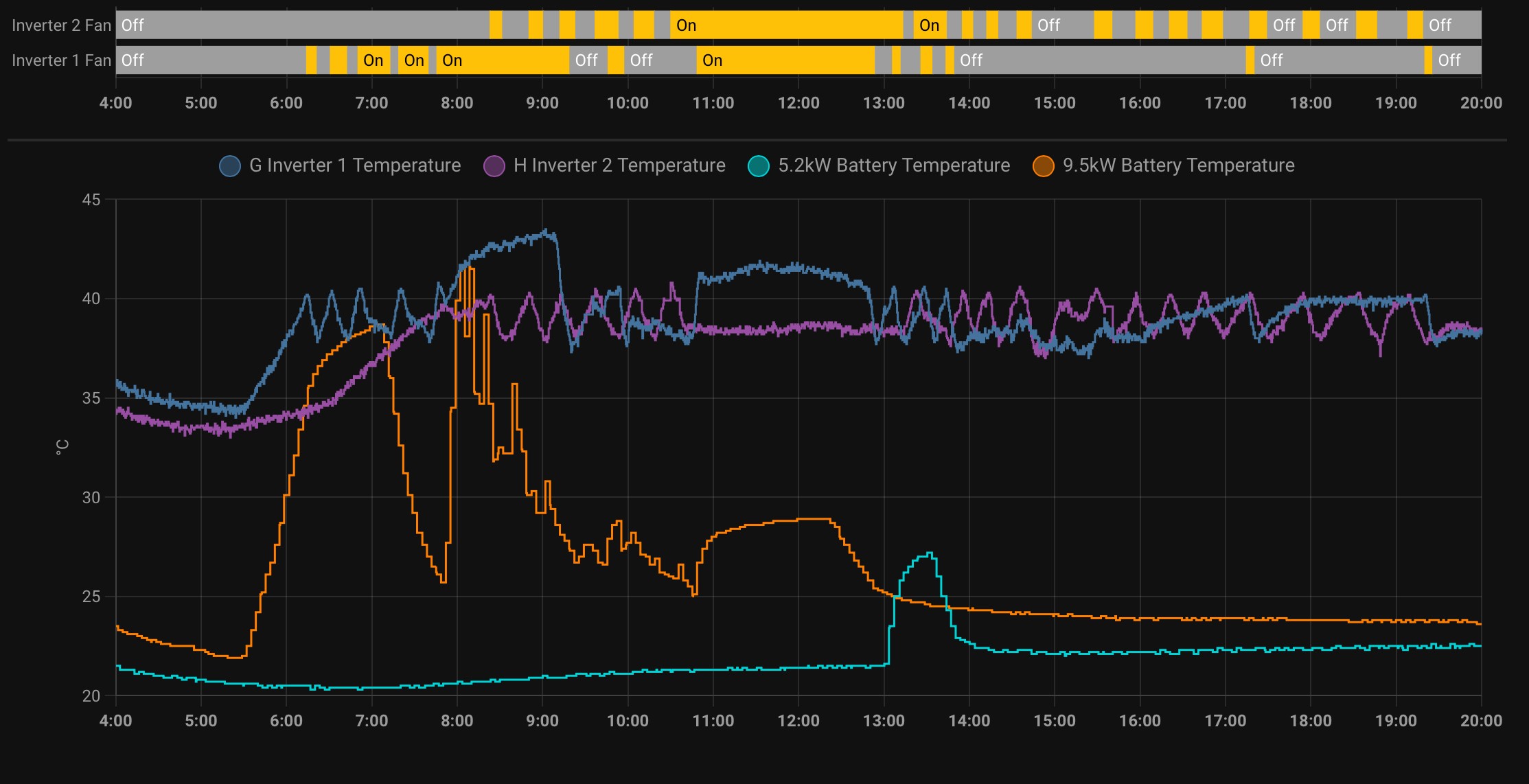
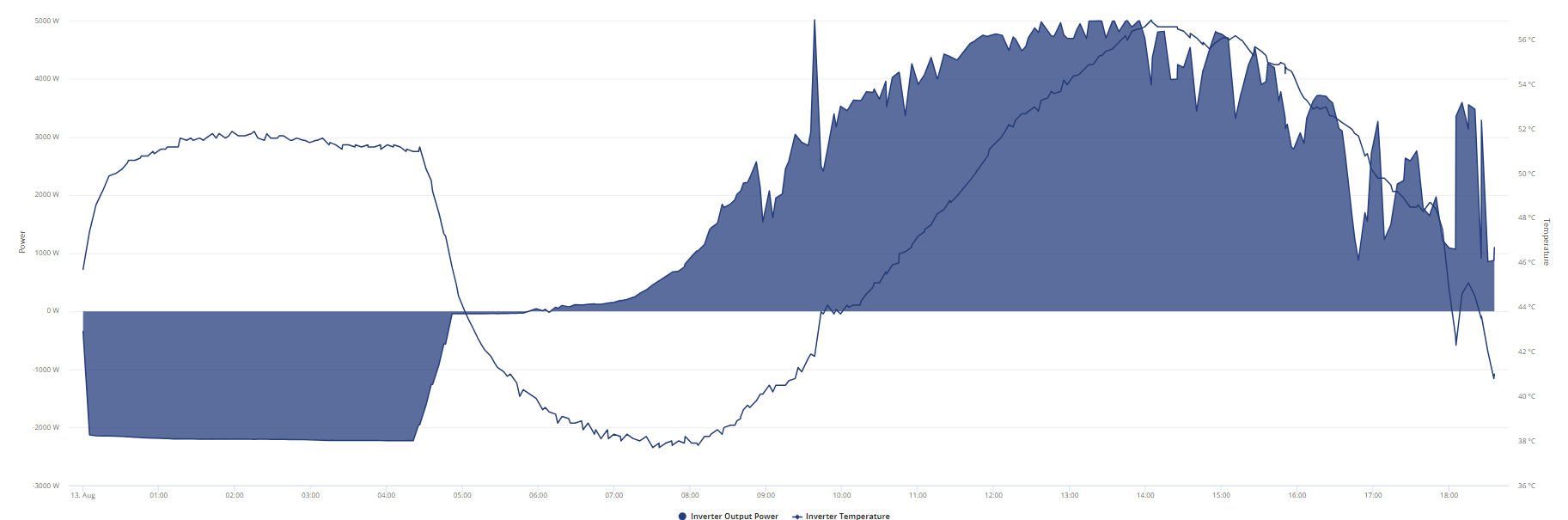
Screenshot of the results, I've got home assistant set to 40c and it keeps it well under control from the top of the inverter:
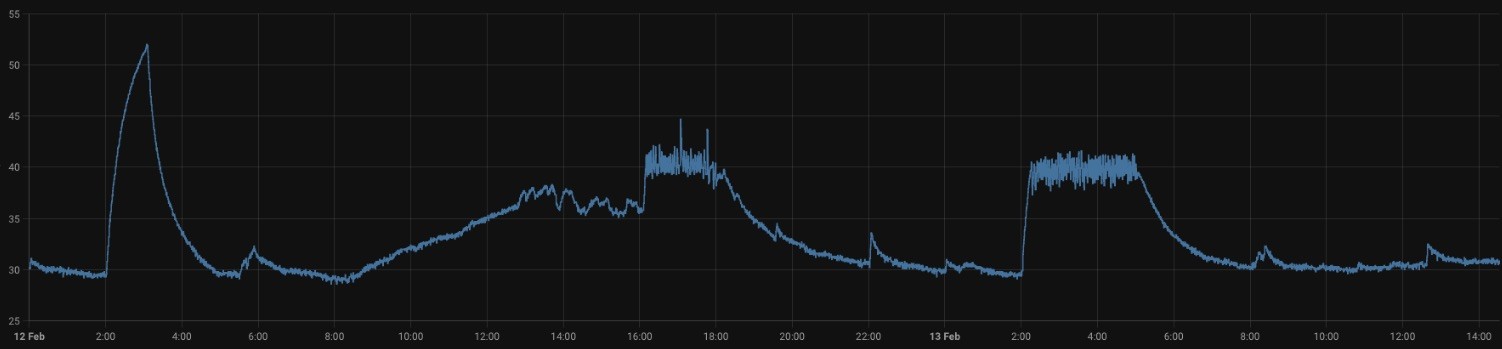
The home assistant config.yaml, I've added a timer so I can see how long the fans run for each day:

  - platform: history_stats
    name: Inverter Fans On Today
    entity_id: switch.shelly1_inverter_fans
    state: "on"
    type: time
    start: "{{ now().replace(hour=0, minute=0, second=0) }}"
    end: "{{ now() }}"

  - platform: template
    sensors:
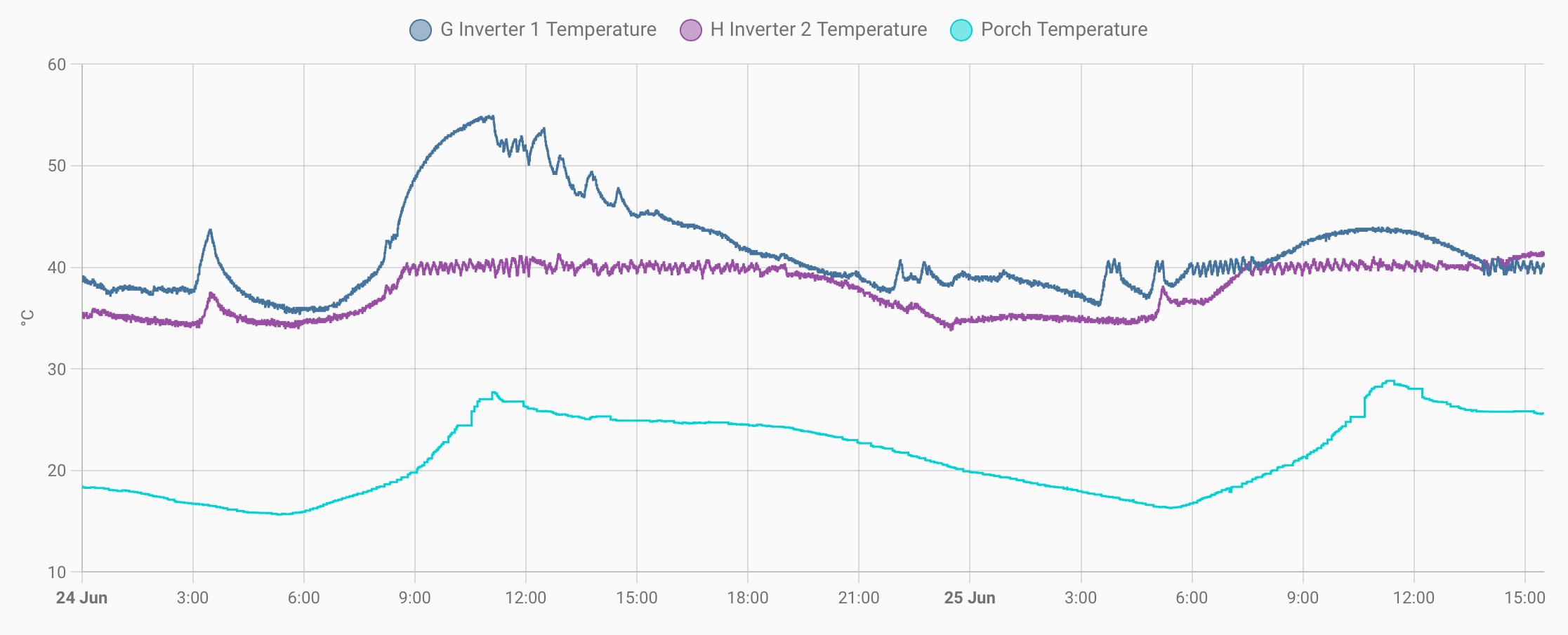
      inverter_fans_on_today_rounded:
        value_template: >
          {{ timedelta(hours=states('sensor.inverter_fans_on_today') | float(0)) }} 
          
climate:
  - platform: generic_thermostat
    name: Solar Inverter
    heater: switch.shelly1_inverter_fans
    target_sensor: sensor.givtcp_xxxxxxxxx_invertor_temperature
    ac_mode: true
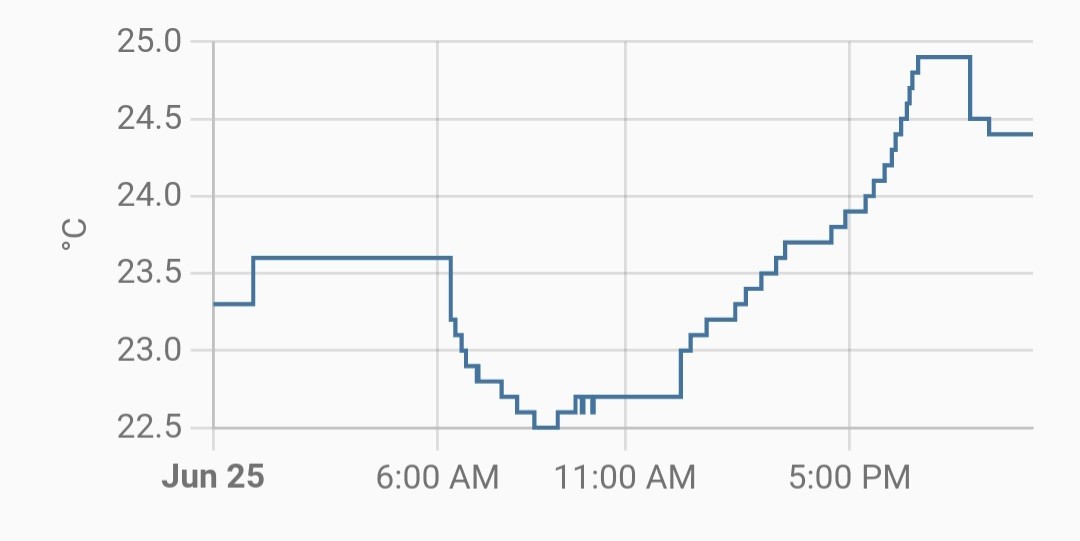
    max_temp: 60
    target_temp: 40
    initial_hvac_mode: "cool"

I have the following cards as a result.
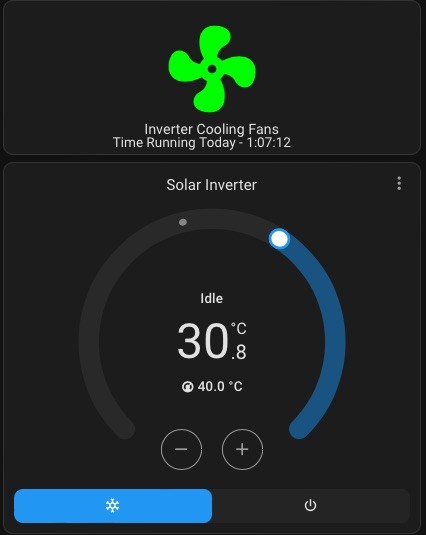
Enjoy !

A
#2 athresuk

I wimp out with my force cooling, in summer months I just have a pair of 5V 80mm fans on top of the inverter (pulling air upwards to match convection air flow direction) and just turn on at 9am and off at 5pm with a time switch............

Z
#3 Zakalwe

I have two PC case fans running 24/7 sitting on top of the inverter. Cheap as chips, nothing else required apart from a USB plug-in transformer.
No need for fancy switching, timers or HA integrations.
If they die then they can be replaced for less than that Shelly unit. They've been running for 2 years so far....

#4 hoggy

I'm afraid I will have to mark you down a few points if those fans aren't RGB...

N
#5 Northwarks

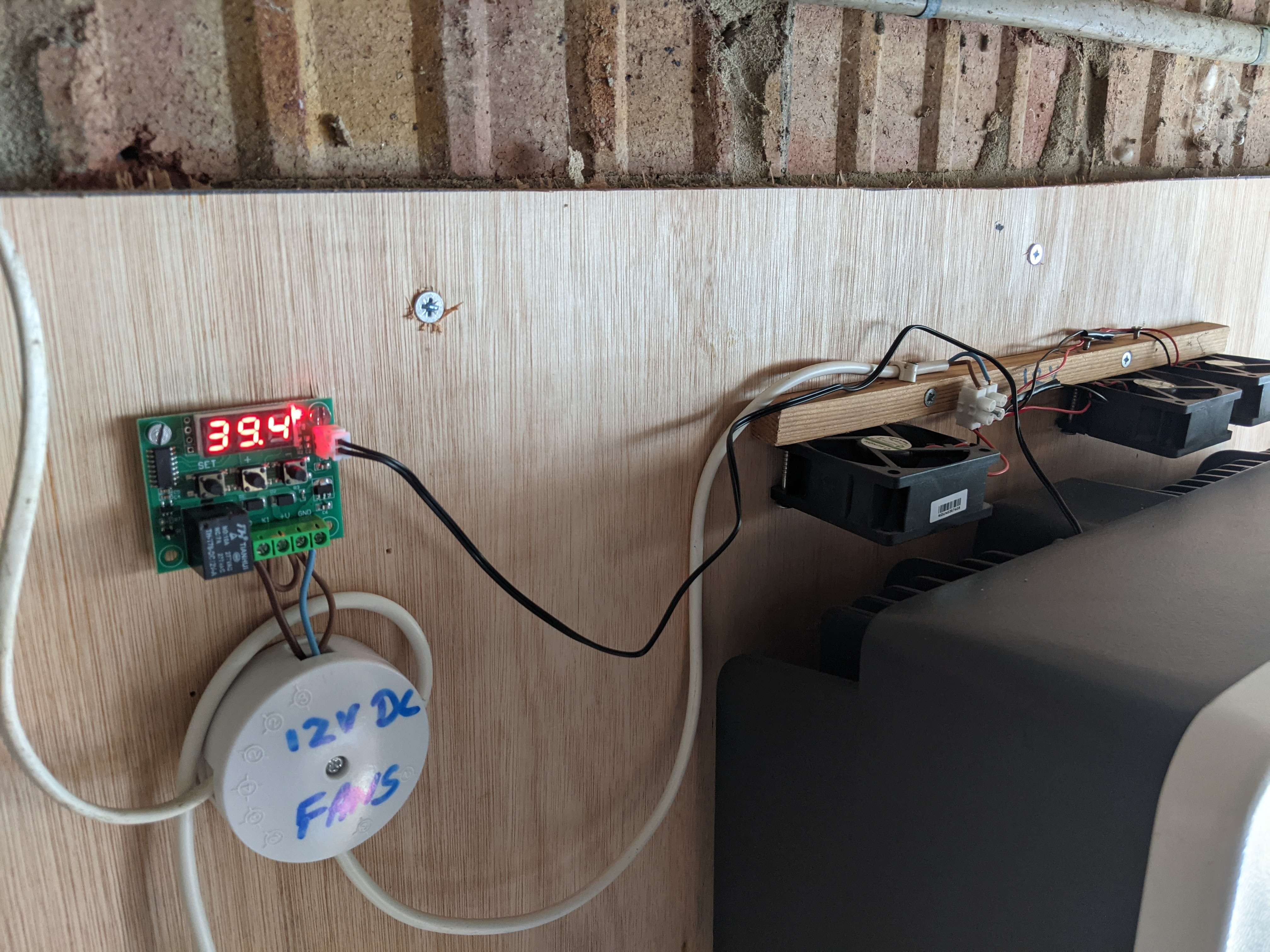
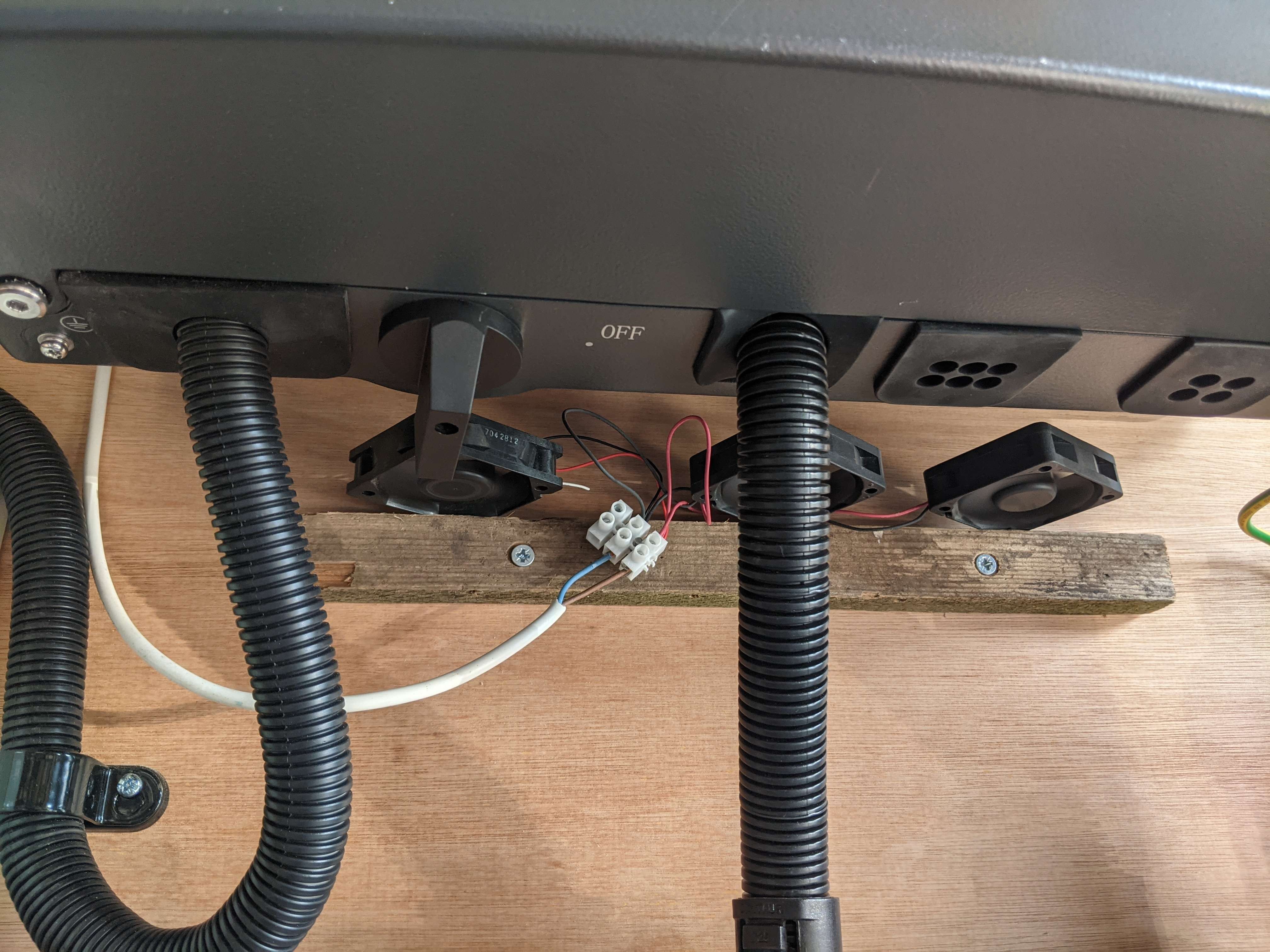
Zakalwe Totally agree, easier ways to do this, I just love a bit of over engineering when I can't get in the garden and enjoy the sun 🙂

Z
#6 Zakalwe

hoggy I'm afraid I will have to mark you down a few points if those fans aren't RGB...

I'm sorry that I have failed. I've let you down, I've let the dress-your-PC-up-like-a tart's-boudoir brigade down, but most importantly, I've let myself down.
:-(

G
#7 geoffreycoan

I like the solution, especially sharing the HA coding, the timer bit and climate sensor I'd have done with an automation so its good to see a more 'HA way' of doing this, thanks @Northwarks

I have 6 12v PC fans left over from when I had them underneath the lounge radiator to improve the temperature output. I was too mean to buy one of the ready made radiator fan products that'd have been twice the price. Had the radiator swapped for a bigger one so this is on my to-do list for summer.

N
#8 Northwarks

hoggy
There was actually a couple of reasons for having red fans - 1 they were on offer and cheaper, 2 its glows red when they are on so act as a finger protector 🙂

V
#9 Vestas

Northwarks Finger protector? How on earth do your fingers fit through the fan grille?

N
#10 Northwarks

geoffreycoan I did start with an automation to be honest but was a faff and would come on and stay on, so went down the climate/generic thermostat route, well documented, way simpler and I can adjust it

N
#11 Northwarks

Vestas Ahhh ya see initially it never had them on and I'd planed to have them underneath the inverter, dug into a spare parts box and found some grilles .. I'll need a startup klaxon with a 10s warning next 🙂

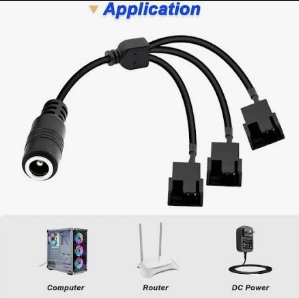
S
#12 simont

Northwarks I have a very similar setup but I used some 3D printed pieces to join some PC fans I had together and house an Sinilink XY-WFMS ESP8266 MOSFET Board. I have ESPHOME running on the ESP and it varies the speed depending on temperature. Shows up in home assistant for control/monitoring but runs on its own without HA if needed

M
#14 michaelmcgoldrick

i have something similar, two usb powered fans over the inverter plugged into a ge smart plug - power on the plug via home assistant when the inverter internal temp rises above a certain temp and off below.. works well and drops the temps..

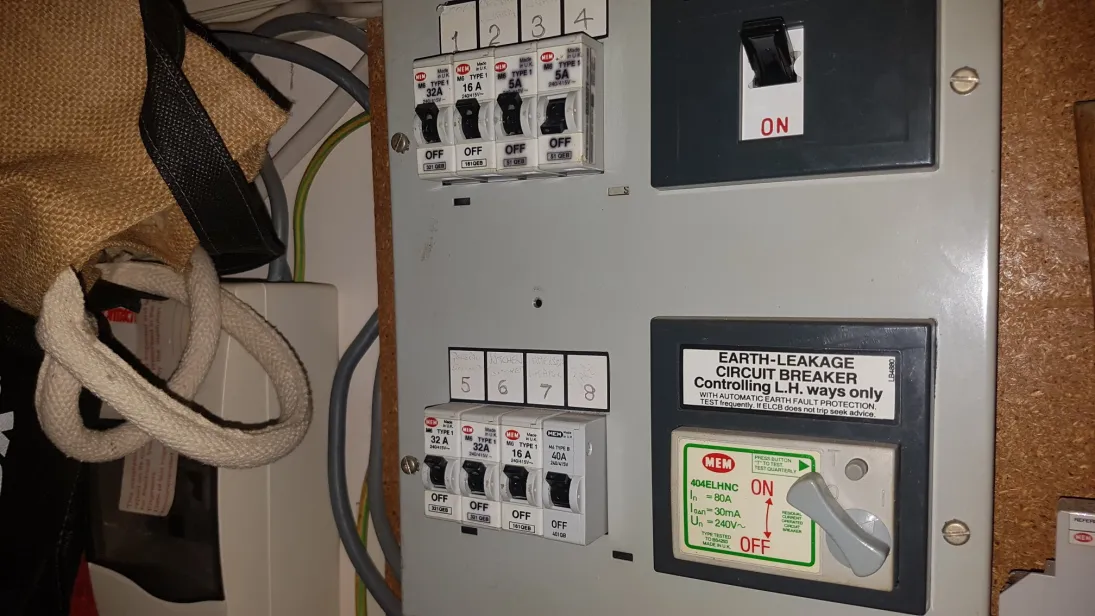
L
#16 lifco

Updated code if you would like to use


sensor:
  # Calculate total time the inverter fans were on today
  - platform: history_stats
    name: "Inverter Fans On Today"
    entity_id: switch.shelly1_inverter_fans
    state: "on"
    type: time
    start: "{{ now().replace(hour=0, minute=0, second=0) }}"
    end: "{{ now() }}"
    # Optionally, you can adjust the time window for calculation
    # scan_interval:
    #   hours: 1

  # Calculate rounded total time for better readability
  - platform: template
    sensors:
      inverter_fans_on_today_rounded:
        friendly_name: "Inverter Fans On Today (Rounded)"
        unit_of_measurement: "hours"
        value_template: >
          {% set fan_hours = states('sensor.inverter_fans_on_today') | float %}
          {{ fan_hours | round(2) }}

  # Calculate total time the inverter fans were off today
  - platform: history_stats
    name: "Inverter Fans Off Today"
    entity_id: switch.shelly1_inverter_fans
    state: "off"
    type: time
    start: "{{ now().replace(hour=0, minute=0, second=0) }}"
    end: "{{ now() }}"
    # Optionally, you can adjust the time window for calculation
    # scan_interval:
    #   hours: 1

  # Calculate rounded total time the inverter fans were off today for better readability
  - platform: template
    sensors:
      inverter_fans_off_today_rounded:
        friendly_name: "Inverter Fans Off Today (Rounded)"
        unit_of_measurement: "hours"
        value_template: >
          {% set fan_hours = states('sensor.inverter_fans_off_today') | float %}
          {{ fan_hours | round(2) }}

  # Calculate the percentage of time the inverter fans were on today
  - platform: template
    sensors:
      inverter_fans_on_percentage:
        friendly_name: "Inverter Fans On Percentage"
        unit_of_measurement: "%"
        value_template: >
          {% set fan_on_hours = states('sensor.inverter_fans_on_today') | float %}
          {% set fan_off_hours = states('sensor.inverter_fans_off_today') | float %}
          {% if fan_on_hours + fan_off_hours != 0 %}
            {{ (fan_on_hours / (fan_on_hours + fan_off_hours)) * 100 | round(2) }}
          {% else %}
            0
          {% endif %}

  # Calculate the average time the inverter fans were on per hour today
  - platform: template
    sensors:
      inverter_fans_avg_on_per_hour:
        friendly_name: "Average Inverter Fans On Time Per Hour"
        unit_of_measurement: "minutes"
        value_template: >
          {% set fan_on_hours = states('sensor.inverter_fans_on_today') | float %}
          {% if fan_on_hours != 0 %}
            {{ (fan_on_hours * 60 / now().hour) | round(2) }}
          {% else %}
            0
          {% endif %}

  # Calculate the maximum time the inverter fans were on continuously today
  - platform: template
    sensors:
      inverter_fans_max_on_continuously_today:
        friendly_name: "Maximum Inverter Fans On Continuously Today"
        unit_of_measurement: "hours"
        value_template: >
          {% set states = states.sensor.inverter_fans_on_today.attributes %}
          {% set max_on_duration = states.max %}
          {% if max_on_duration is defined %}
            {{ (max_on_duration / 3600) | round(2) }}
          {% else %}
            0
          {% endif %}

  # Calculate the total time the inverter fans were on each day of the week
  - platform: history_stats
    name: "Inverter Fans On by Day of Week"
    entity_id: switch.shelly1_inverter_fans
    state: "on"
    type: time
    end: "{{ now() }}"
    duration:
      weeks: 1
    # Optionally, you can adjust the time window for calculation
    # scan_interval:
    #   hours: 1

  # Calculate the total time the inverter fans were on each month
  - platform: history_stats
    name: "Inverter Fans On by Month"
    entity_id: switch.shelly1_inverter_fans
    state: "on"
    type: time
    end: "{{ now() }}"
    duration:
      months: 1
    # Optionally, you can adjust the time window for calculation
    # scan_interval:
    #   hours: 1
K
#17 kram

hoggy

But then you need to change the colour at suitable thresholds so you can see the temperature is warm , getting hot and very hot without getting the phone out.

#18 hoggy

kram they all glow red eventually if you get it hot enough!

Just so I actually add something to this- I mounted my Hy5 to a huge steel sheet so it's just a big heatsink in itself.

G
#19 geoffreycoan

Been meaning to share this for ages, so here’s my inverter cooling solution which is very similar to @Northwarks except I mounted my fans underneath the inverter as @lifco did over on this other forum post https://community.givenergy.cloud/d/2544-inverter-temperature-again/81

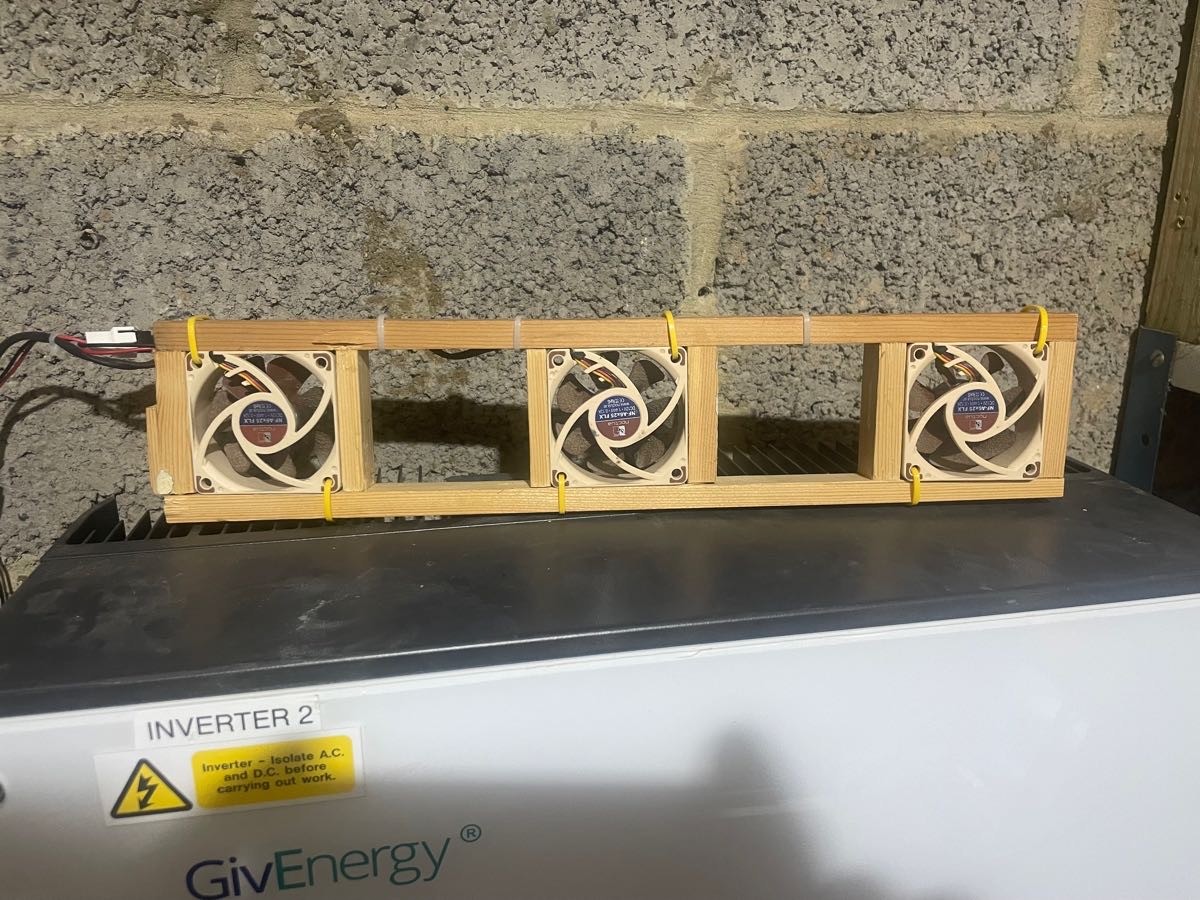
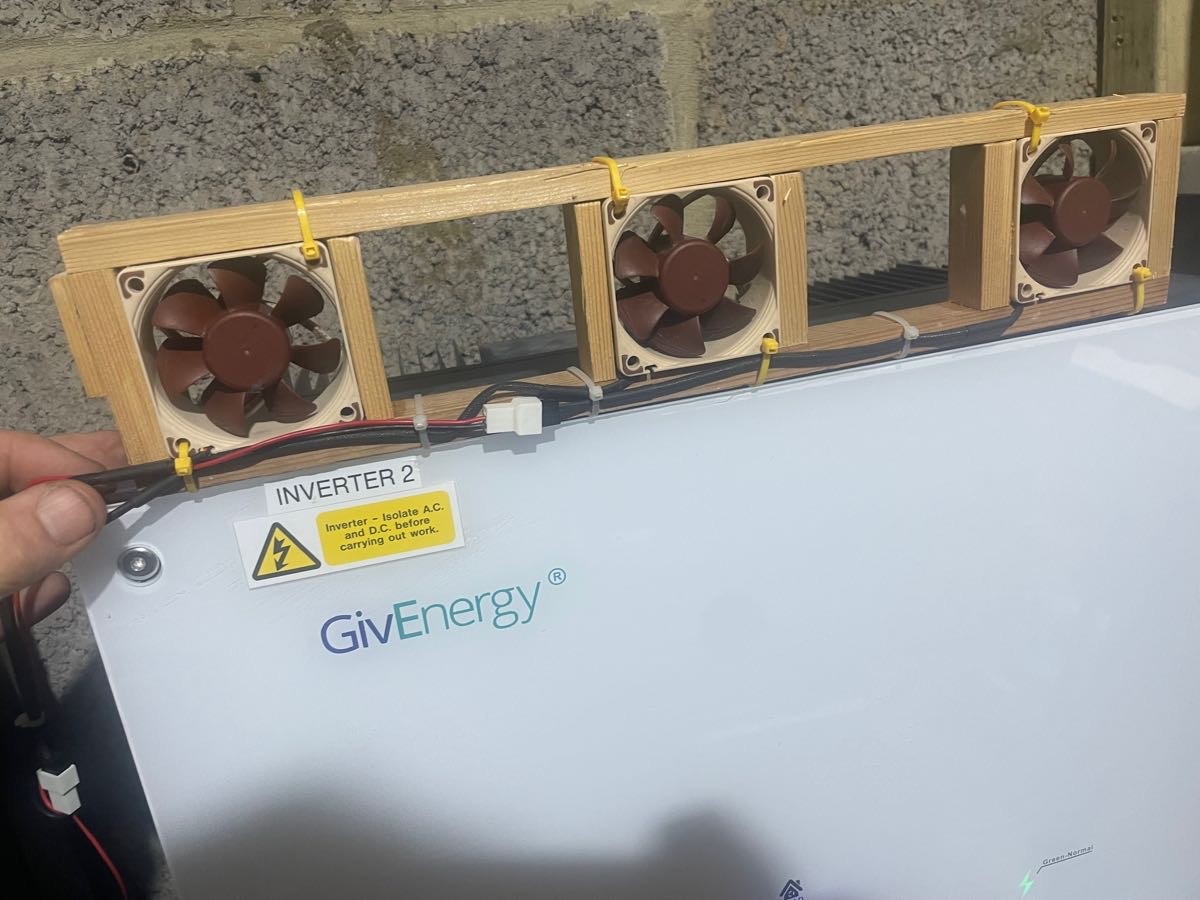
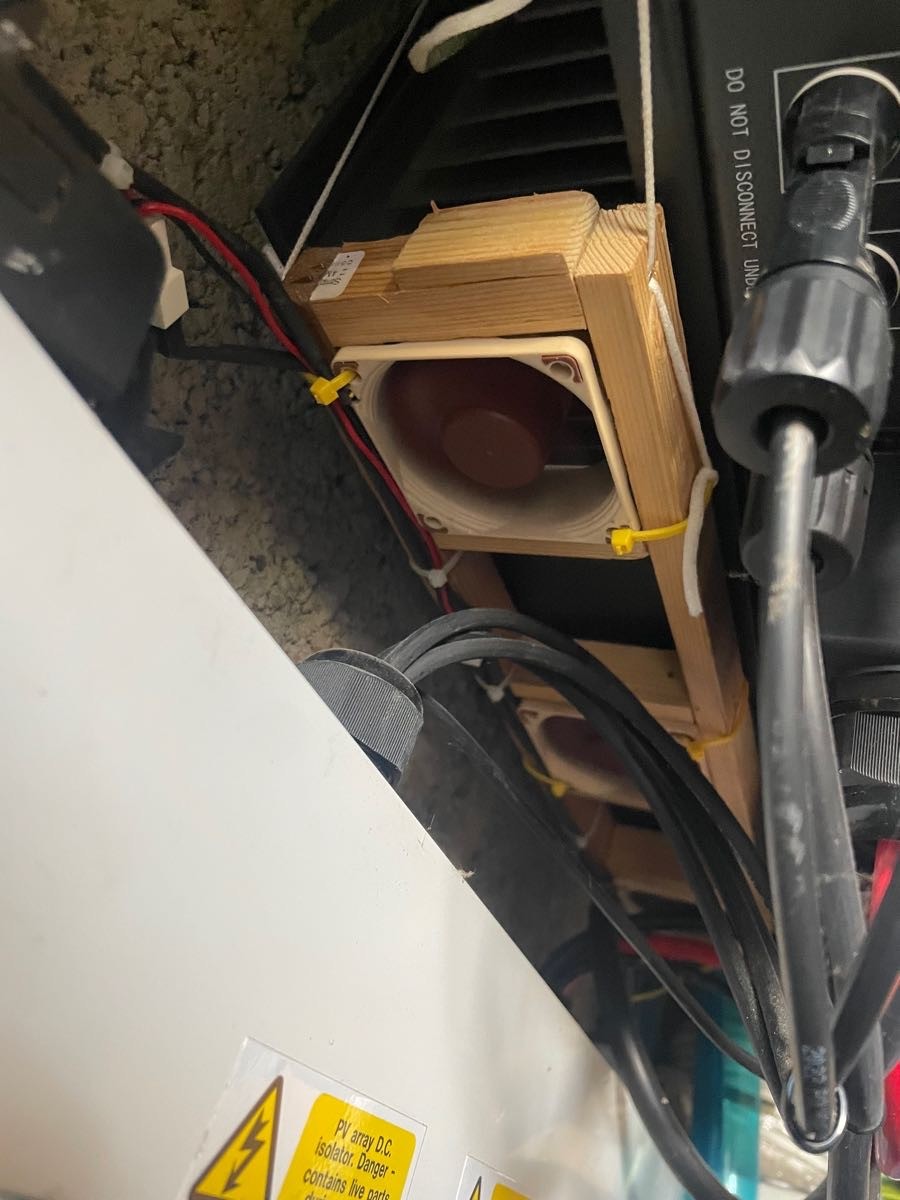
I built a simple wooden frame to hold 3x 12v 60mm computer CPU fans and connected them together in parallel using a cut-down 5-way fan extension cable I already had (from the radiator fan project I had used the fans on previously).


The fans are held in position underneath the inverter by elastic cord attached to the frame and blow air up the back of the inverter to cool it.

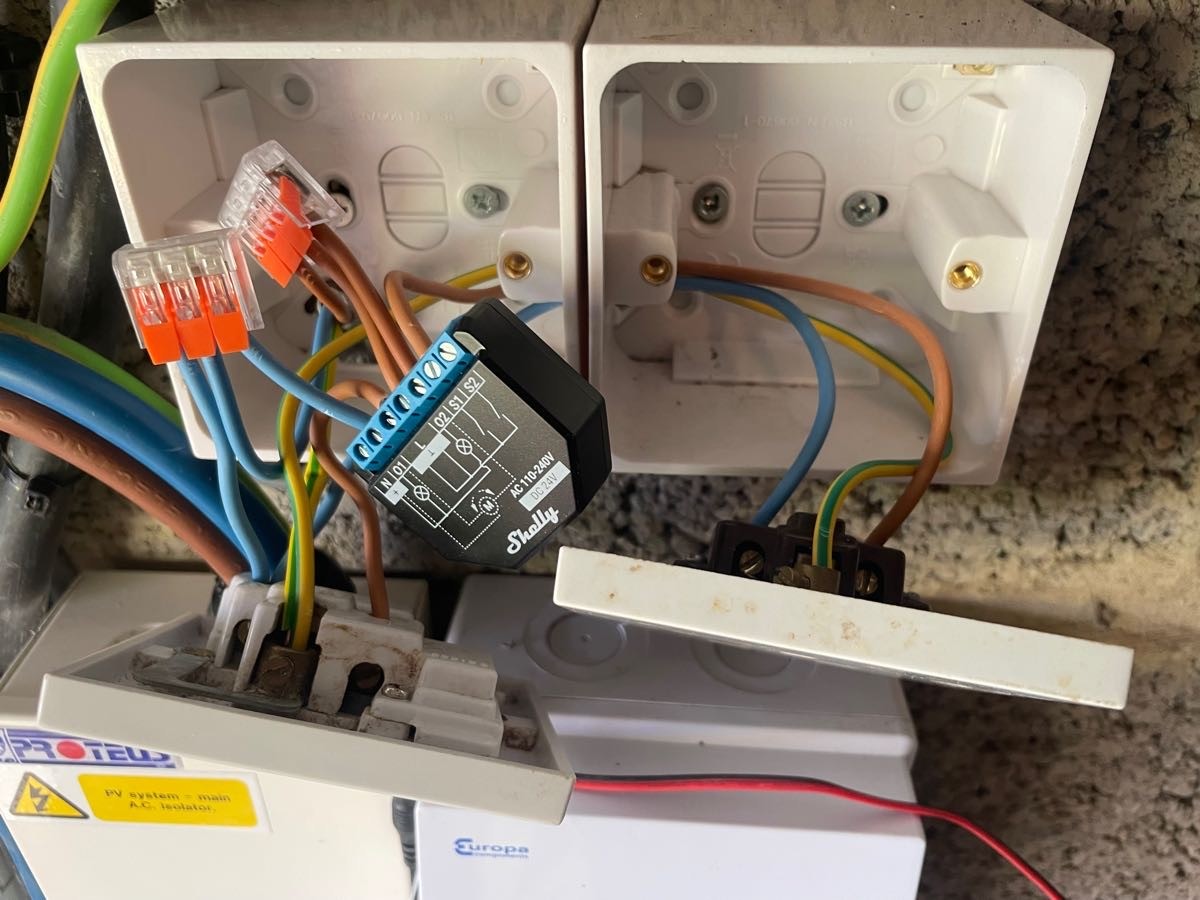
The fans are powered by a 12v power supply plugged into a socket controlled by a Shelly Plus 2PM. I needed the plus 2 as I have two Gen 1 inverters and I wanted to control fans for each inverter independently.

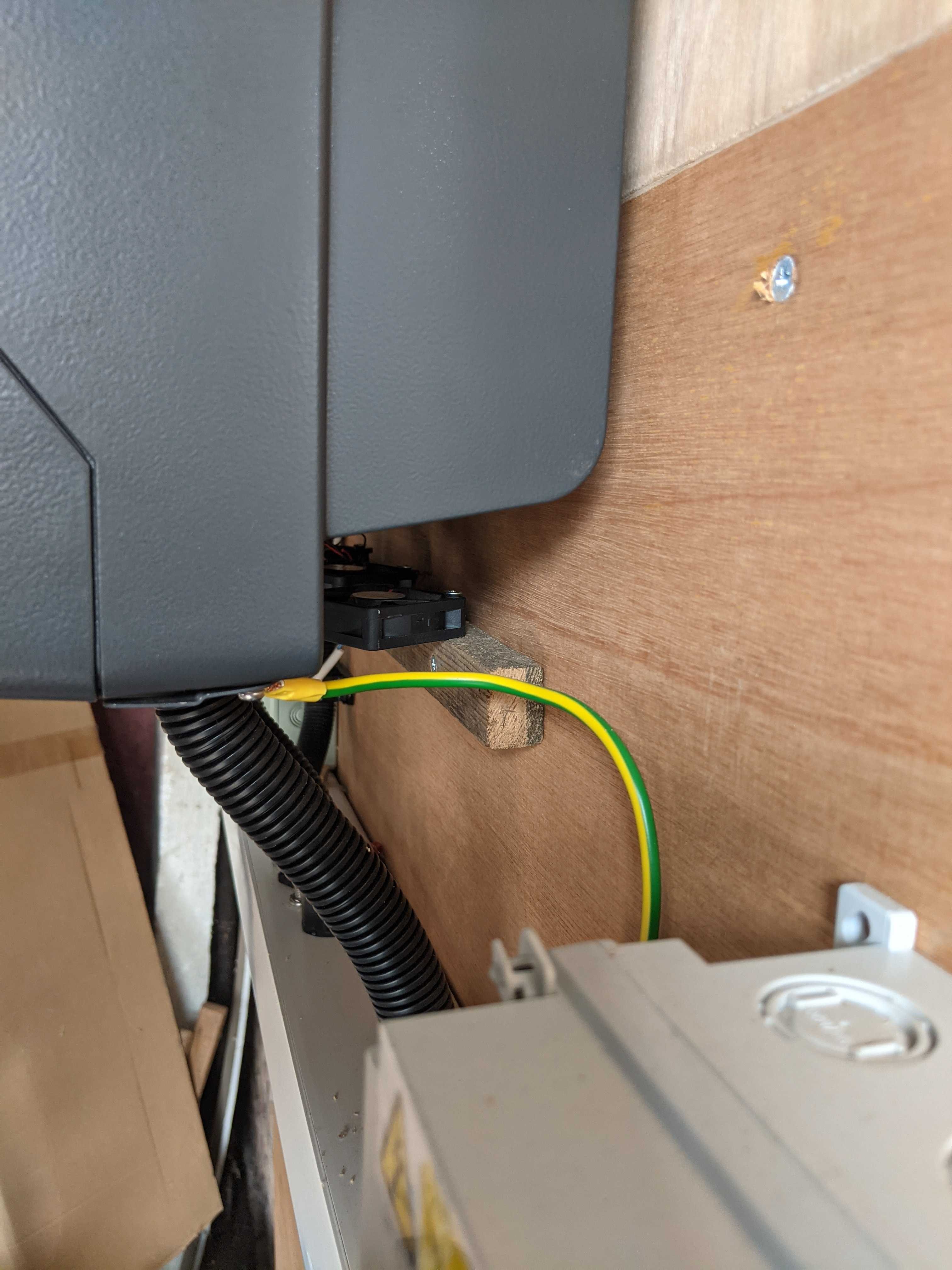
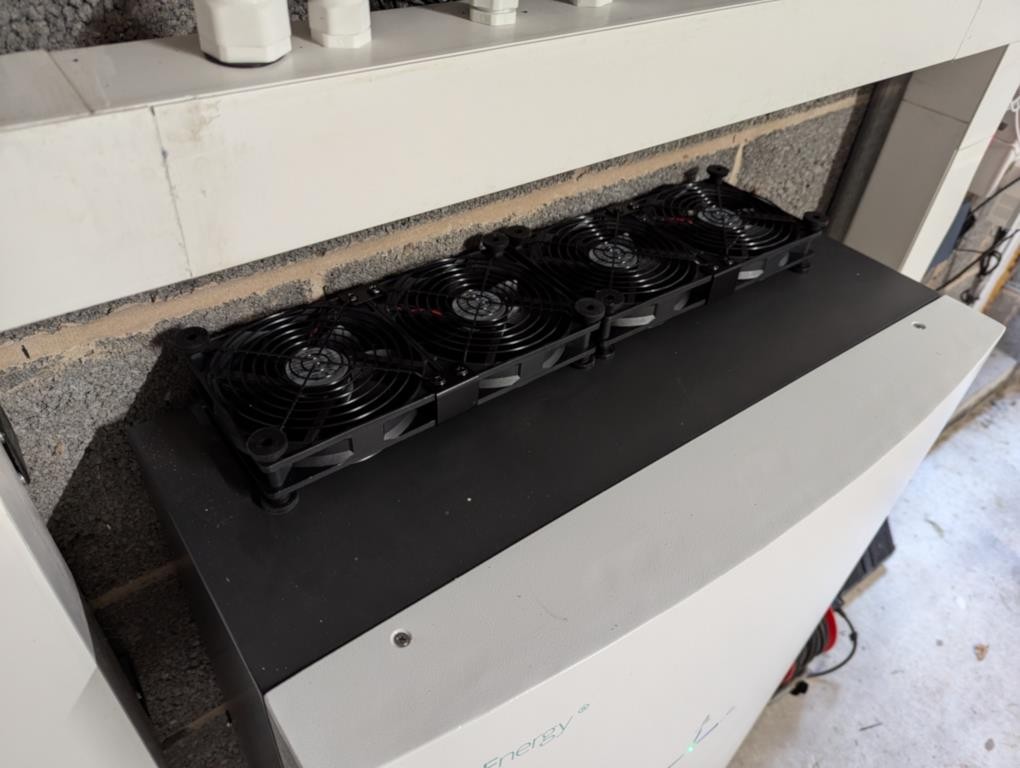
The photos show inverter 2 which has a 5.2 battery attached. For inverter 1 which has the 9.5 battery it turned out I only had 5 fans from my previous project so I bought 2 more and built a similar second frame but with 4 PC fans for that inverter.
Interestingly, despite the extra fan, inverter 1 always runs hotter than inverter 2. I don’t know whether its because its got the 9.5 rather than 5.2 battery or whether its due to the larger array size, but I have seen it peak at 50 degrees even with the fans on whereas inverter 2 sticks at a maximum just over 40 degrees.

Power consumption is negligible, 0.3kWh per inverter fan for the whole of May.

I created two climate controls in Home Assistant. The only disadvantage of these over an automation is that you can’t (as far as I can tell) set a ‘run-out’ temperature, i.e. cool if temp > 40 degrees but don’t shutdown unless temp < 38 degrees. With only a single target temperature the fans can tend to cycle on and off.

climate:
  # Thermostat control for inverter fans
  - platform: generic_thermostat
    name: Inverter 1 Fan
    unique_id: g_inverter_1_fan
    heater: switch.inverter_1_fan
    target_sensor: sensor.g_INV1id_invertor_temperature
    ac_mode: true
    max_temp: 50
    target_temp: 40
    initial_hvac_mode: "cool"
    
  - platform: generic_thermostat
    name: Inverter 2 Fan
    unique_id: h_inverter_2_fan
    heater: switch.inverter_2_fan
    target_sensor: sensor.h_INV2id_invertor_temperature
    ac_mode: true
    max_temp: 50
    target_temp: 40
    initial_hvac_mode: "cool"

And two sensors to record how long the fans are on each day. I did try the ‘rounded’ version but couldn’t spot any difference. Inverter 1 typically on 9 hours a day on sunny days, inverter 2 around 2 hours.

sensor:
  # Calculate total time the inverter fans were on today
  - platform: history_stats
    name: "Inverter 1 Fans On Today"
    unique_id: g_inverter_fans_on_today
    entity_id: switch.inverter_1_fan
    state: "on"
    type: time
    start: "{{ now().replace(hour=0, minute=0, second=0) }}"
    end: "{{ now() }}"

  - platform: history_stats
    name: "Inverter 2 Fans On Today"
    unique_id: h_inverter_fans_on_today
    entity_id: switch.inverter_2_fan
    state: "on"
    type: time
    start: "{{ now().replace(hour=0, minute=0, second=0) }}"
    end: "{{ now() }}"
V
#20 Vestas

geoffreycoan Did you just have the Noctua fans knocking about or did you buy them specifically for this? Seems a bit OTT given your inverters are in the garage (IIRC)....

G
#21 geoffreycoan

Vestas I had 5 Noctua fans left over from a previous project where I had them fitted underneath the lounge radiator to increase the airflow through the radiator and thus wam the room better. Total cost was about £70 which was way cheaper than buying an off the shelf radiator fan.
(Digressing but the reason we did this is that we didn’t follow the heat pump survey’s recommendation on radiator size in the lounge, we had a larger one fitted but not the size they recommended. Lounge never got quite warm enough so this was a cheap(ish) fix. Last year I then had the radiator swapped for a larger one so the fans were spare).

I didn’t have enough fans for both inverters so bought two Sunon HA6025’s for £7.50 off ebay. The Shelly 2PM was £22. Couple of socket boxes and total expenditure for both inverters would be around £100.
If I was doing it again I’d probably buy all the fans off ebay rather than buying brand new.

Is it worth it? I think yes, I’ve seen advice that the inverters start throttling back when they get to 65 degrees. I’m pretty sure that my inverter 1 would be getting towards that without cooling. Lower temperatures can only be good for the electronics and I had most of the bits already.

M
#22 M_J

After seeing threads about inverter cooling I checked the temperature it was getting to and on a warm day in excess of 60 so I got 2 120mm fans and attached via wire to underneath the inverter cooling fins.

Dropped temperature to around 40 at full load.

Currently 42 while doing a recalibrate for the new battery firmware I had to manually place on the two usb drives.

So it has worked at dropping the max temperature.

V
#23 Vestas

geoffreycoan I meant the Noctua fans seemed OTT but given you had them then fair enough 🙂

Edit - I use the 40x20mm Noctuas in just about everything - 10Gb switches, Hikvision NVR, routers, AV equipment, pretty much anything that has a fan and can be heard.

#24 Tenkaykev

My AIO is in an outbuilding. Current inverter temperature is 37c. I'm making a couple of cakes ( Cornish Saffron Cake ). I have put the mix in a large bowl, covered with a damp teatowel and need to leave it somewhere warm for an hour. The bowl is currently sitting on top of the AIO, should be the ideal location 😁

R
#25 Robgy

Tenkaykev bring your cake round and you could cook it on my inverter, logs show it as high as 80c

G
#26 geoffreycoan

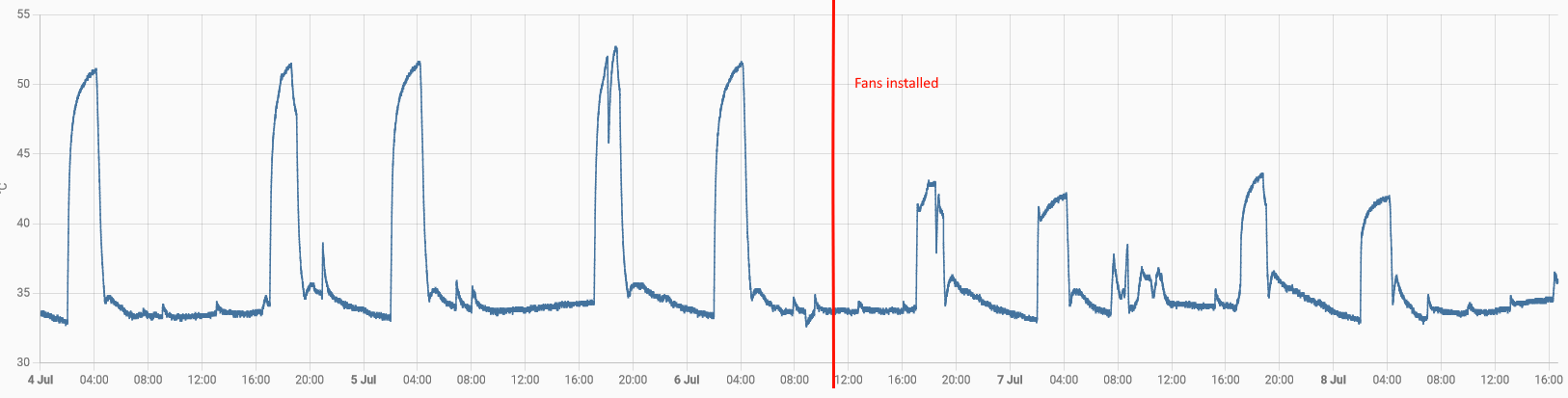
geoffreycoan Very visual demonstration of the difference the inverter cooling fans make.

I used a Shelly 2PM (two channel switch with power monitoring) to control the two sets of fans on my two gen 1 inverters. Noticed about a week ago that the fans on inverter 1 were not working despite the switch saying they were on. Bunch of testing and I identified that the Shelly 2 was at fault, whilst I could hear the relay clicking on for channel 1, it didn’t actually supply any power to the output terminal. Channel 2 was still working fine.
Shelly support were pretty good, I had to show them videos of how I had concluded the Shelly was at fault (measuring output via a multimeter) and they issued me a voucher code to buy a replacement switch with free P&P.

Last night in the interim I wired a spare Shelly 1 Mini switch up for inverter 1, leaving inverter 2 still connected to the 2PM as channel 2 was working fine:

Similar outside temperature range today as yesterday (pale blue line). Inverter 2 (with the working fans) gets up to 40 degrees C and stays there, but inverter 1 without the fans yesterday got to about 55 degrees C whereas today with the fans now working the temperature peaked at 44 degrees C.

R
#27 Robgy

I would assume that givenergy can see the temperature of people's inverters and I would assume that the inverters are designed to work at high temperatures which presumably is why they don't have factory fitted fans.
I would also assume that they are fit for purpose.

Apart from a handful of people on this forum who have retrofitted their inverters with fans I wonder how many other people have done the same either with a custom cooling unit or a standalone fan, or are there just hundreds or thousands of very hot inverters merrily cooking away around the country.

How concerned should we be with the temperature?

#28 Tenkaykev


It's 26 degrees at the moment. I have a couple of 120mm cooling fans lying face down at the rear of my AIO pulling air up and through the grille at the top. Seems to be remarkably effective.

G
#29 geoffreycoan

Robgy Previous posts on this forum from GivEnergy have said IIRC that the inverters start throttling back output if they get over 60 degrees C.

Agree that the inverters and batteries should have been designed to work in a typical range of operating temperatures, but equally high temperatures do affect electronics, so cooling them down is no bad thing and can only be a positive thing.

Since I have the data available on inverter temperature I thought it worthwhile to use it to cool the inverters. By comparison my FIT inverter is up in the loft so far hotter than the garage, I have no such data on it and its been working for 8 years now but I do now plan to put a couple of fans on it for all of these reasons.

Running costs is almost negligible. About 0.5kWh a month.

R
#30 Robgy

geoffreycoan how can one tell if an inverter is throttling, would you get a notification or alert of some sort?
Is just that some output would appear drop perhaps when exporting to grid?

G
#31 geoffreycoan

Robgy I don't know if there is any alert generated, not heard of anyone on here mentioning it.

What you would probably see is less AC current generated (and exported) for the amount of PV generated by the solar panels. How this would show up on the display I don't know, sorry.

R
#32 Robgy

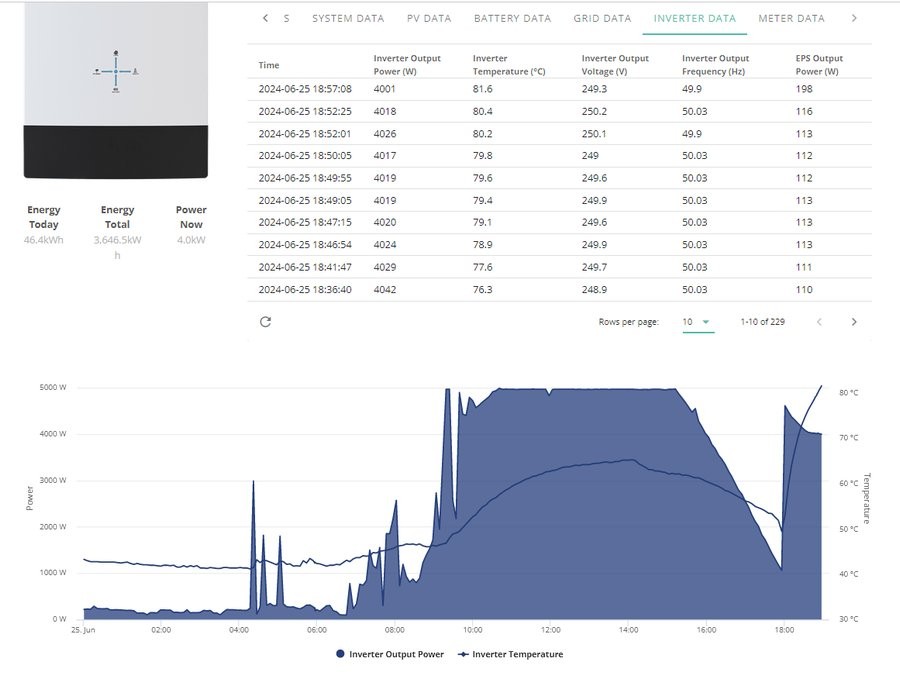
I checked on tonight's grid export temperatures.
taken over five a min period so all within a few deg of each other
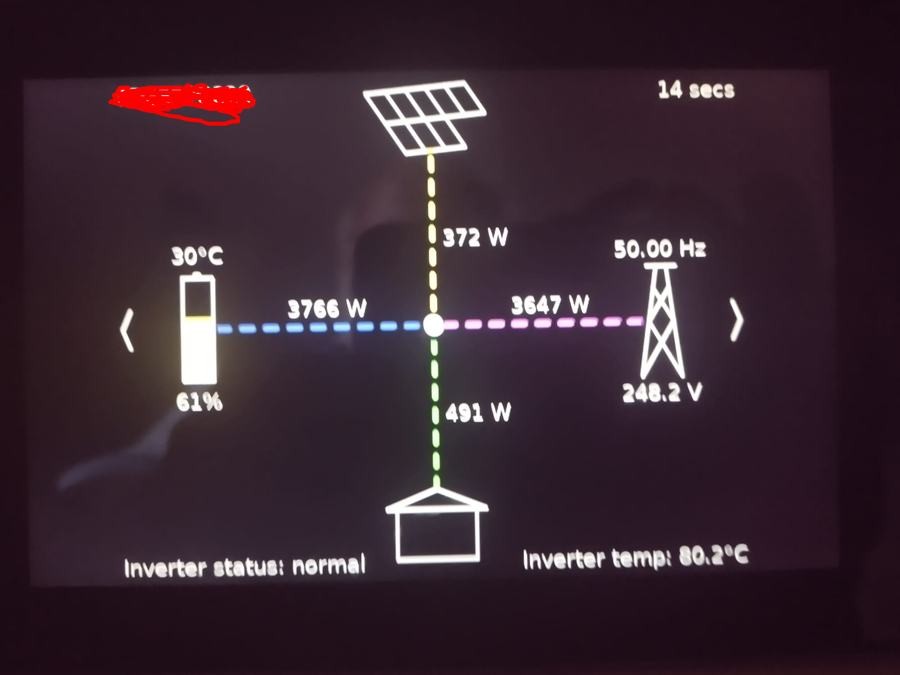
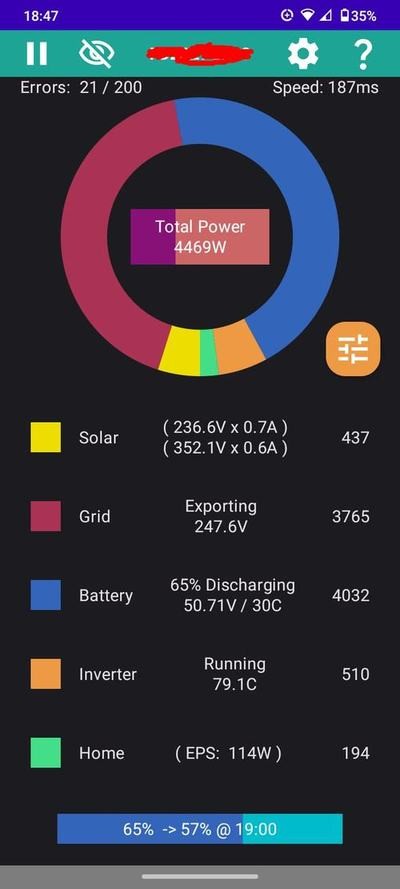
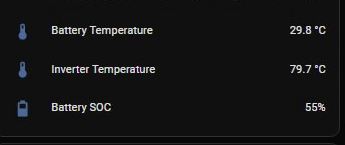
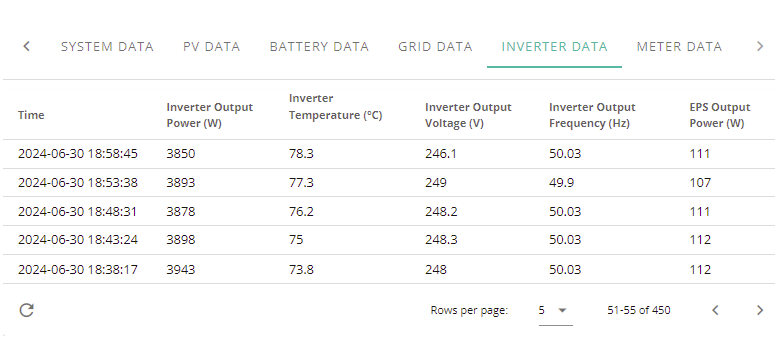
The GivEnergy portal shows the inverter temp at 81.6c
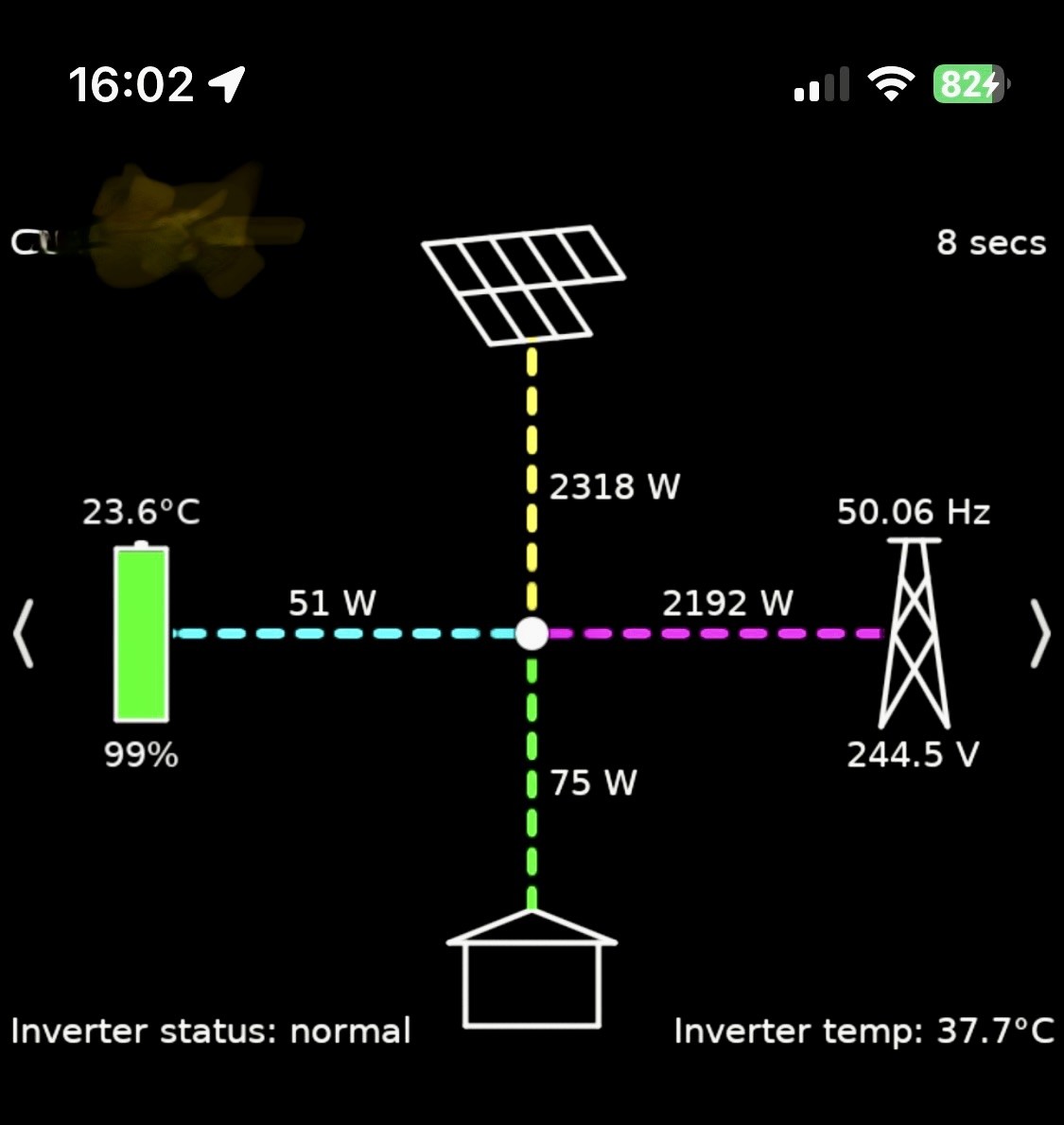
the bbc code running on an old tablet shows 80.2c
the rubikcube app shows 79.1c
and home assistant (which I only got up and running over the weekend) showed 79.7c
I also put an external probe on top if the inverter and that was indicating 61c
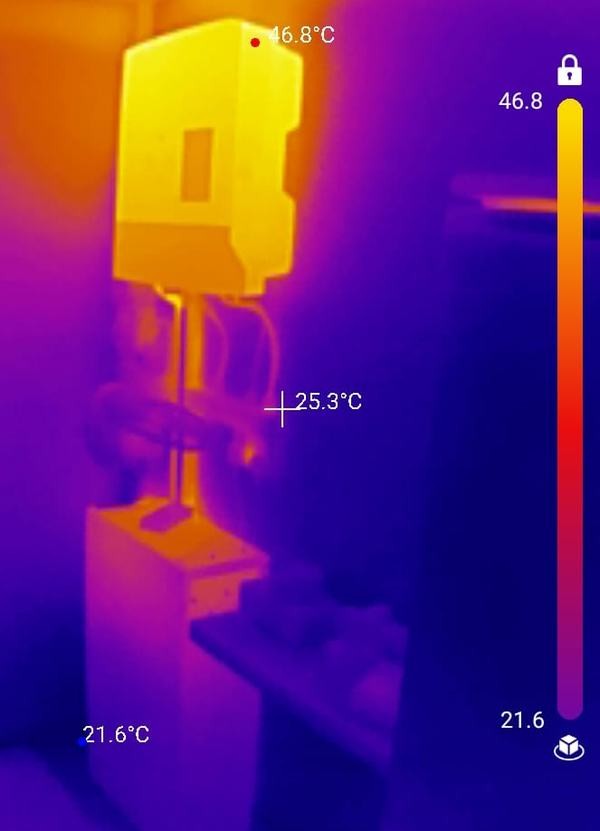
and a thermal camera shows the front case being 46.8c
The room temperature at waist height was 22c
I have recently put a temporary desk fan pointing upward and it does make a difference.

#33 PianSom

FWIW - a few comparative data points from another manufacturer.

I have a Growatt PV inverter. The manual gives an operating ambient temperature of up to 60C, with a note that it de-rates from 45C.

The inverter is sitting in a well-insulated attic, where the ambient has reached 30C the last couple of days. The reported internal temperature reached 72C at peak. I don't think it's throttling at all, but I'll try and blow air around tomorrow when the PV output starts to drop - see if I can raise it again.

(My AIO is outside, and reaches it maximum operating temperature on its overnight charge. The inverter reached 62C with an ambient of 17C at 1.30am. The battery temp was around 36C at the same time.)

T
#34 TX200

Robgy 80c sounds quite hot.

Is that a 5kW hybrid you've got?

Mine peaked at 60c during the evening export.


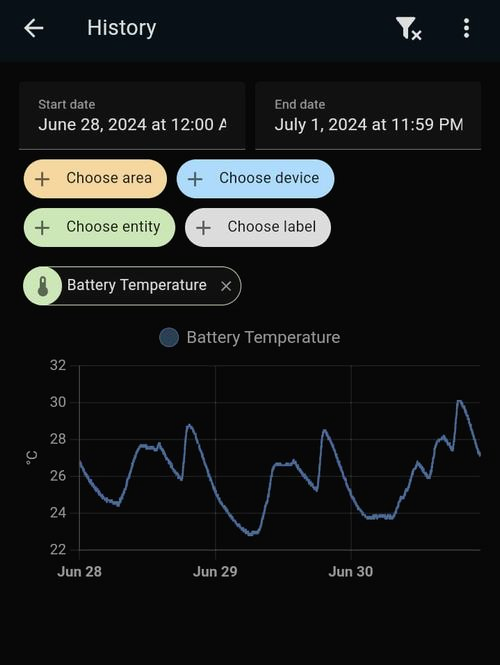
Top is inverter, bottom is battery.

T
#35 TX200

And the cupboard the inverter is in got to 25c today

The cupboard is partially underground and is in the middle of the side of the house, so no direct sunlight.

R
#36 Robgy

TX200 yes, 5kw hybrid and a 9.5kwh battery installed six months ago

T
#37 TX200

Robgy probably explains it then. Mine is a 3.6 kW hybrid, so it's not doing as much. 😁

#38 Tenkaykev

My setup, you can just make out the twin fans on top of the AIO. I'm surprised with how effective they are. I ran a 5 metre usb cable through the plastic trunking.

#39 PianSom

PianSom I don't think it's throttling at all, but I'll try and blow air around tomorrow when the PV output starts to drop - see if I can raise it again.

So I am at the point of the day (around 1.25pm) where my PV generation starts to come off its clipped peak. (8.8kW of panels, 6kW inverter.) To see if this may be to do with the inverter throttling rather than the sun shifting, I have today put a fan pointing at the inverter, and left it for 20 mins - to compare with yesterday. The ambient temperature was pretty much the same both days.

In the same 20 min period yesterday the inverter temp dropped by 0.7C (71.2->69.5). Today it dropped by 17.2C (71.9->54.7) (!), thanks to the fan.

Over that 20m period yesterday the output power of the inverter dropped by 156W. Today it dropped by 246W - somewhat counter-intuitively a cooler inverter seemed to generate less power. But anyway - no sign of any throttling, which is what the point of checking was.

Of course, cooler circuits last longer, so cooling may be a good thing anyway.

#40 Tenkaykev

Got a confession to make. I did a bit of a tidy up before taking the photo that I uploaded ( moved the yardbrush and other bits that seem to accumulate everywhere there's something that can be used as a shelf). Noticed a fine layer of dust so took a cloth to it, next thing I know I have got the can of Pledge out and given everything a clean and polish 😮

R
#41 Robgy

Tenkaykev I have to confess that mine always looks like the day it was installed, it's still new'ish and I never know when someone who who hasn't been here for a while and is slightly interested in solar will want to look at it, although another confession: even people who aren't interested still get the tour. 🙂

R
#42 Robgy

PianSom I've had a fan pointing to the inverter today but we've had light cloud on and off so I couldn't say for sure if my inverter is throttling or not.

#43 PianSom

Robgy
Yeah, on reflection I suspect that the larger drop I saw today may have been due to some misty cloud.

Hard to control for that!

R
#44 Robgy

Not sure what to do, one part of me says put fans on it like some other people have done for cooler circuits, the other part of me says leave it as it came from the factory don't mess with it, especially if a hotter system is more efficient!

The inverter and battery is located in my office which is only 12ft x 11ft built in part of the old garage so not actually in the house, although for the past 25 years I've always said I work from home not in a garage! (covid was nothing new to me)
I just can't stand the thought of a fan noise running 3ft behind me all day like I had today, any fans would have to be very quiet or or quite quiet, I paid extra for an almost silent set of fans in my computer or perhaps some sort of remote fan and ducting.

T
#45 TimHutchings

Robgy These 120mm usb computer fans are pretty quiet, and they only use a few watts each.


G
#46 geoffreycoan

Tenkaykev Got a confession to make. I did a bit of a tidy up before taking the photo that I uploaded

I did notice that you had what appeared to be the entire sheet of GivEnergy warning stickers spread over your inverters and battery. Its as if your installer felt duty bound to have to use them all up!

M
#47 ma9mwah

geoffreycoan

EDIT: didn't noticed you said you swapped from an automation to a thermostat control.

Actually you kind of can do the run-out temp. I've got my to switch on at 40c and switch off when it gets down to 35c

alias: AIO Fan switching
description: ""
trigger:
  - platform: numeric_state
    entity_id:
      - sensor.givtcp_chxxxxxx_invertor_temperature
    for:
      hours: 0
      minutes: 0
      seconds: 10
    above: 40
condition: []
action:
  - service: switch.turn_on
    metadata: {}
    data: {}
    target:
      entity_id: switch.aio_fan
  - wait_for_trigger:
      - platform: numeric_state
        entity_id:
          - sensor.givtcp_chxxxxxx_invertor_temperature
        for:
          hours: 0
          minutes: 1
          seconds: 0
        below: 35
  - service: switch.turn_off
    metadata: {}
    data: {}
    target:
      entity_id: switch.aio_fan
mode: single
G
#48 geoffreycoan

ma9mwah yes the ability to have different switch on and switch off temperatures is something I have lost by moving to a thermostat control from an automation unless someone cleverer than me knows how to resolve this !

A comment on your automation, I hope you don't mind me making it, there is a design flaw with it.
If you restart/reload HA then all running automations will stop (and don't resume when HA starts) so if your inverter temperature is > 40 degrees the fan will be on and the 'wait for temperature to drop' bit will get lost, resulting in the fan being left on even when the temperature drops.

A better solution is to use different trigger id's and the choose action. I don't have my inverter fan automation but here's one that turns a heater on and off in my wife's horse shed if it gets too cold. There are two sets of triggers as I have had occasional issues with loosing connection to the bluetooth sensor and this just belt-and-braces it:

alias: Horse shed heater auto on/off
description: Turn horse shed heater on and off depending on temperature
trigger:
  - platform: numeric_state
    entity_id:
      - sensor.horse_shed_temperature
    below: 4
    id: low-temp
  - platform: numeric_state
    entity_id:
      - sensor.horse_shed_temperature
    below: 1.5
    id: low-temp
  - platform: numeric_state
    entity_id:
      - sensor.horse_shed_temperature
    above: 6
    id: high-temp
  - platform: numeric_state
    entity_id:
      - sensor.horse_shed_temperature
    above: 8
    id: high-temp
action:
  - choose:
      - conditions:
          - condition: trigger
            id:
              - low-temp
        sequence:
          - service: switch.turn_on
            target:
              entity_id: switch.horse_shed_heater
            data: {}
          - service: script.notify_all_devices
            data:
              title: Horse shed heater turned on
              message: >
                INFO: Horse shed temperature is {{
                states('sensor.horse_shed_temperature') }}°C, turning heater on
      - conditions:
          - condition: trigger
            id:
              - high-temp
        sequence:
          - service: switch.turn_off
            target:
              entity_id: switch.horse_shed_heater
            data: {}
mode: single
#49 PianSom

geoffreycoan yes the ability to have different switch on and switch off temperatures is something I have lost by moving to a thermostat control from an automation unless someone cleverer than me knows how to resolve this !

I'm certainly not cleverer than you, but aren't cold_tolerance and hot_tolerance what you are looking for (decribed here)?

So set the target_temp to 39 and hot_tolerence and cold_tolerance both to 1?

(Code is at line 543 of https://github.com/home-assistant/core/blob/dev/homeassistant/components/generic_thermostat/climate.py to check my logic.)

G
#50 geoffreycoan

PianSom I'm certainly not cleverer than you, but aren't cold_tolerance and hot_tolerance what you are looking for (decribed here)?

ARGH !

I am sure I read the HA documentation for the thermostat control trying to find just that sort of feature and failing.

Grr

Thanks a lot

M
#51 ma9mwah

geoffreycoan
Thanks 🙂 I've still not got my head around how HA works after a reboot. Luckily that doesn't happen very often.

D
#52 DD

Here's my not-very-pretty attempt:

Just fans I found lying around the place (from dismantling things such as sky boxes).

R
#53 Robgy

I assume 39.4c is the external probe,
what temperature would the inverter be reporting in the portal with and without the fans?

K
#54 killythebid

Robgy I have some fans and thermostat control on my GE inverter and the difference between the inverter's reported temp and the thermostat is 1-2 deg. I did try to get the temp probe at the hottest part of the cooling fins.

It seems to work quite well and some days the fans don't cut in much or at all.

I has taken a bit of adjustment to find the right balance between cutting in and out too often and just cutting in and staying on all day.

R
#55 Robgy

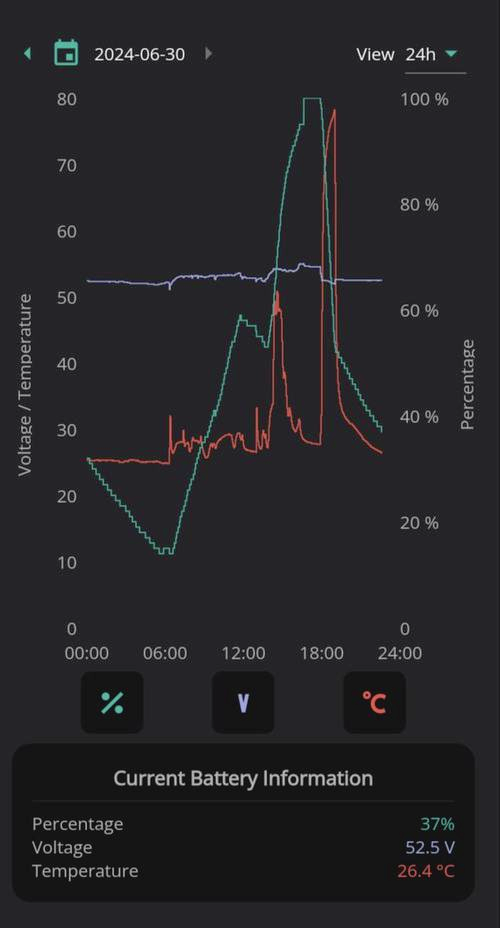
killythebid Mine is quite different, today my inverter via the portal reported a peak internal temperature of 78.3c but the external probe was 68.5c
I have the probe taped down so it has full contact with the inverter as well as some insulation over the top of the probe to prevent any air movement potentially cooling it.

The hottest part of my gen3 5kW hybrid inverter is top left

D
#56 DD

Robgy At the time the photo was taken, the temperature reported by the inverter was 45 degrees. The probe is jammed in between two of the ribs, so it should have quite good thermal contact.

I've had the top set of fans in for a while, but the lower ones are new. Today was a bit dull, so inverter wasn't running all that hard. Looking back, on the 24th when solar was around 6kW, the reported temperature was around 60 degrees. Today it got to 6kW around 2pm, and the highest the reported temperature got was 49.4 degrees.

G
#57 geoffreycoan

DD Compared to the Gen 1, there isn’t a great deal of ‘gap’ at the bottom to encourage the airflow through. I wonder whether you could reduce the temperature further by moving the fans nearer to the inverter, the above ones put them directly on top of the inverter and the bottom ones put them just below the air holes to the right?

My fans are directly on the bottom of the inverter so the air is forced straight up the back.

R
#58 Robgy

DD killythebid My inverter gets up to around 80°c only during the one hour of export to the grid (Flux peak) but at peak solar around 6kW it hovers around 60°c so perhaps not too bad.

The inverter is much hotter to touch on the left side, is that normal?

Any idea why it gets so much hotter during export?

Home Assistant is new to me (last few days) and the extra data is quite an eye opener.

the battery temperature in home assistant is nothing like the Givenergy App appears to indicate

I think I understand now that the GE app is showing the inverter temperature and not the battery temperature even though it indicates its the battery information.

R
#59 Robgy

geoffreycoan I still haven't fitted any fans yet, I thought about putting some 50mm fans right up the back near the fins but feel a little concerned they may restrict the airflow if/when they're not running.

G
#60 geoffreycoan

Robgy There’s no active airflow in the inverter, it relies entirely on passive airflow over the heat sink at the back. Adding fans just improves the airflow.

Yes I suppose there must be some slight air circulation reduction made by the fan blades when not on, but I suggest that all that’ll happen is the fans come on a bit sooner when the temperature rises

I definitely see a positive cooling impact from having fans fitted, eg yesterday, very sunny, lots of generation

K
#61 killythebid

Robgy Intersting. My Inverter is a Hybrid 5 gen 2. The hottest part of mine is top right looking from the front.

I do not experience anything like the temps you are showing. Where do you have your inverter located?

R
#62 Robgy

killythebid my inverter is on the wall of my office, and the office air temperature is around 22c

C
#63 CGoode

I'm going to give one of these radiator booster fan sets a go.

[https://www.amazon.co.uk/dp/B0CS338TM4?smid=A371LHTAMDOP0P&ref_=chk_typ_imgToDp&th=1](https://)

It should fit my 3.6kW HY Gen 2 Inverter OK in my garage & has adjustable fan switch-on & switch-off temp settings. Not decided whether to put it underneath or on top of the inverter. On top looks far easier.
For the price it looks a far simpler solution than PC fans & switchgear to go with. I'm not interested in automating or remote controlling the fans. Come winter I'll probably disconnect the fans as the garage gets quite cold.

D
#64 DD

geoffreycoan Compared to the Gen 1, there isn’t a great deal of ‘gap’ at the bottom to encourage the airflow through.

I think the photo may be deceptive - there is quite a wide gap. Here's a different view:

G
#65 geoffreycoan

CGoode I'm going to give one of these radiator booster fan sets a go.
Not decided whether to put it underneath or on top of the inverter. On top looks far easier.

Previous threads on cooling have said that underneath will get the best results, blowing air up past the inverter rather than sucking hot air from the top, but either will work and make a difference.

These certainly look a simple way of adding cooling. I attached my fans to the bottom of the inverter using a couple of pieces of elastic cord tied around the top of the inverter.

DD yes, the photo did suggest there wasn’t a lot of room. I think there is value in putting the fans closer to the bottom of the fins to direct the airflow straight up the back rather than some of the air spilling partly out the sides as can happen at the moment. Might be worth trying it and see if it makes any noticeable difference

D
#66 DD

geoffreycoan Might be worth trying it and see if it makes any noticeable difference

Yeah, though I don't really have sufficient access to attach that piece of wood any higher. I guess I could use a longer piece, and attach it outside the area of the inverter itself. (But it was hard enough manoevering that piece past all the boxes and cables.)

M
#67 ma9mwah

This is what i've done with my AIO. 4 old 120mm computer fans hooked up to a smart plug. I wasn't particularly worried about temps but this has certainly helped.

#68 Tenkaykev

I just have two mounted in the same position as yours. I did an experiment last week when the Agile price went negative during the day. I'd emptied the battery and then set it to charge from grid at 6kWh. I logged the temperature rise over an hour and a half and then switched the fans on. Temperature started trending down, eventualy shedding 10 degrees ( although the charge rate had started to drop just befor the end of the test. )

K
#69 killythebid

ma9mwah Do you have it setup to blow downwards or draw air up?

M
#70 ma9mwah

killythebid its drawing the air upwards

J
#71 Jellybaby

TX200 My cupboard with consumer unit and solar equipment has been around 30c today, I just stuck the govee wifi thermometer/hygrometer in there for a few days to see what its like before I relocate it to the loft to monitor up there.

I got 2x120mm fans set up on top of AIO though full speed.

J
#72 Jellybaby

ma9mwah What 4 did you get, I got 2 atm but thinking about another 2 but honestly with the price of some of them I could buy a floor standing fan and leave it on full whack lol.

I got quite a few old PC fans but no idea how to power them without a PSU lol.

T
#73 TX200

Jellybaby 26.8°c is the highest my cupboard has got to in 12 months (that was last September).

#74 Tenkaykev

I got a pair of " Eluteng twin row 120mm usb" fans from Amazon for under £20. I have them mounted on top of my AIO drawing air upwards ( if you look in the grill you will see that there's a metal plate just under the grille on the right hand side, so I have the fans offset to the left). They're 3 speed but I keep them on max. I also have a long male to female USB extension so I can plug them in to a nearby twin power socket with built in USB charging sockets ( Screwfix )

D
#75 DD

Jellybaby I got quite a few old PC fans but no idea how to power them without a PSU lol.

The old PC fans I used are 12V so I just used an old 3-pin power supply I found lying around - broadband routers are typically 12V, for example. 5V fans can just use usb chargers.

J
#76 Jellybaby

DD With something like this?

S
#77 SimonClarke

I put a cheap extractor in the cupboard my stuff is in and a small mains ducted fan under the inverter both controlled by a plug in stat all from Amazon.

D
#78 DD

Jellybaby yes, if you can find a suitable adapter cable. I just cut off plugs, stripped insulation and used one of those screwed wiring strips.

G
#79 geoffreycoan

DD that’s what I did except I think I might have soldered the power supply connections onto the adapter plugs for the PC fans. The 12v power supply draws basically nothing at all even if its on all day and the fans make quite a difference in keeping the inverter cooler

J
#80 Jellybaby

DD Was this from personal knowledge or did you follow a guide, having difficulty imagining what you done.

J
#81 Jellybaby

SimonClarke I was thinking about that but I have no plugs in there and a very old consumer unit that I don't think has much room and was looking for a cheaper option than having some plugs fitted in there or hardwiring a extractor in there.

I do ideally want to upgrade the consumer unit (its the original one from when house was done) and get some plugs fitted and would have been easier to do before I had all the solar stuff installed.

EDIT
This is an old pic and it was from when the guys were swapping over bathroom fan and the switch down was the power for it.

S
#82 SimonClarke

Got my tv etc all plugged in the same cupboard through a hole in the wall (don’t like cables) so it was easy. Did have a couple of usb desk fans to start with but they were noisier and required a power supply so it stuck out a bit. The ducted fan was around so it was easier. Main problem is that it’s 30c in the cupboard when exporting etc so tends to be warm - 52c now rather than 64c before. Giv said it is ok. Normally about 40+

D
#83 DD

Jellybaby you should be able make out the details from the photos above. One of the fans had a third wire, which measures the fan speed - I just cut that one back.

#84 Midlands_Solar

My fan setup, using a couple of fans bought from Argos and a timer on from 00:00 - 22:00 7 days a week, so far seeing temps drop by 8-10 degrees C

#85 Midlands_Solar

Before the x2 Argos desk fans added, and the battery charging from 00:00 - 07:00

And after the fans being installed