Timed Discharge Not Working

32 comments started 2024-06-02 last 2024-06-09
GivEnergy Products
P
#1 Pakey07

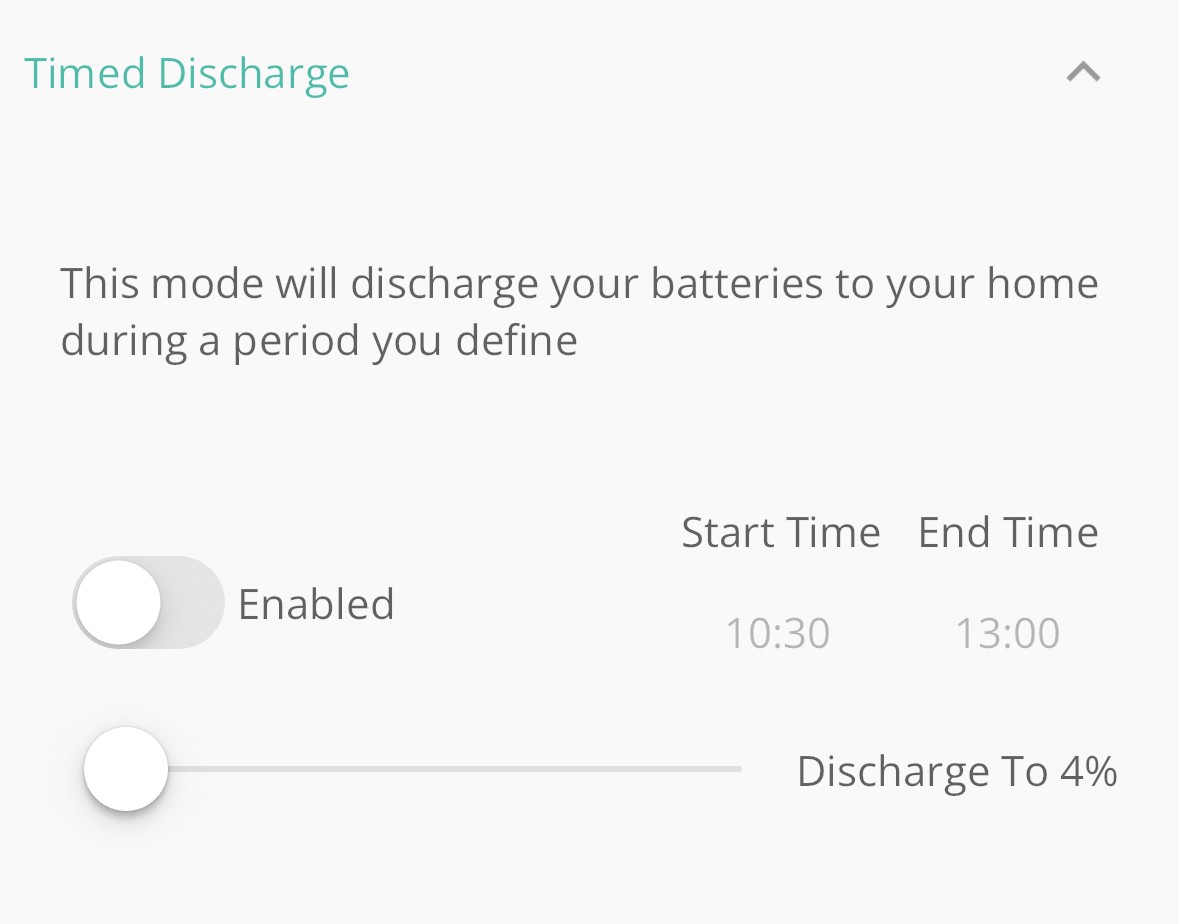
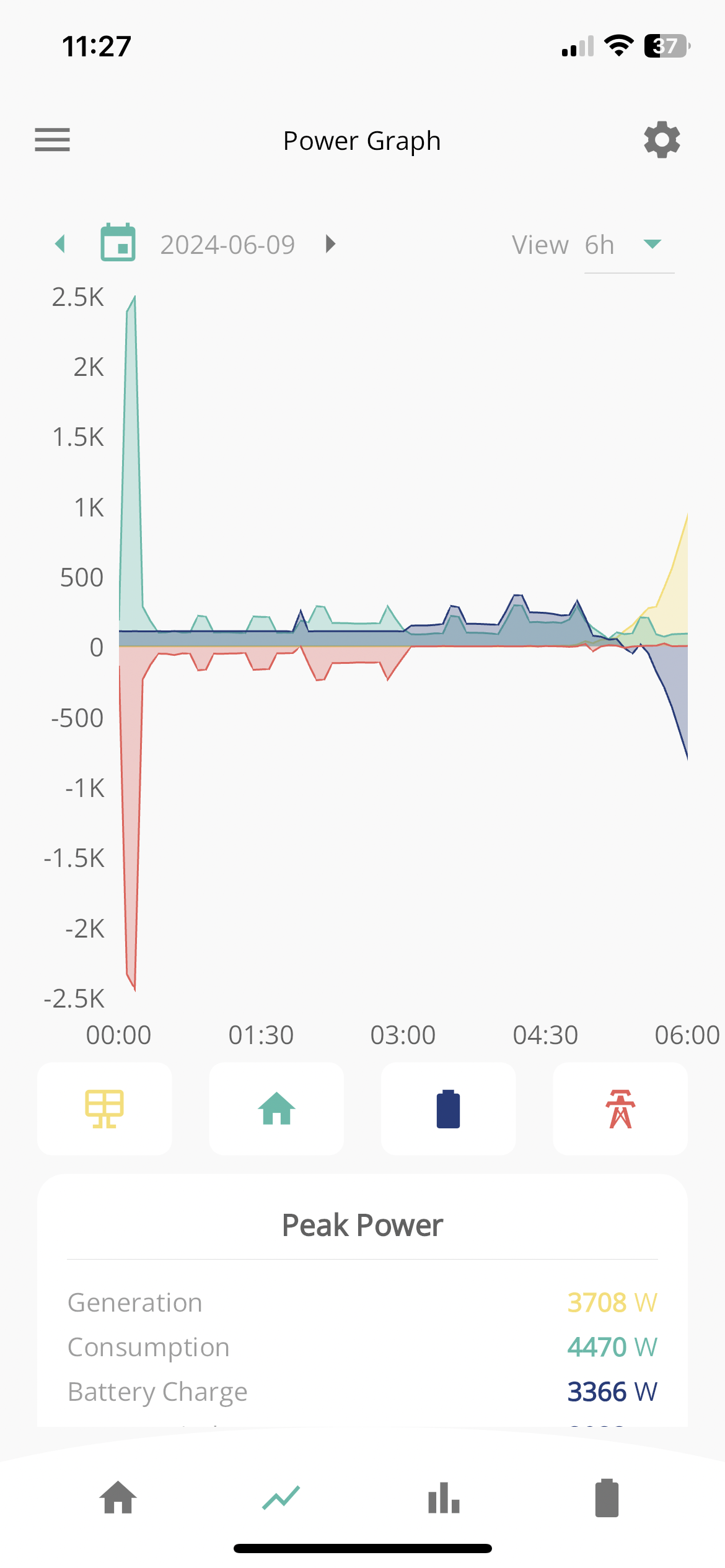
Does anyone know of an issue at the moment with timed discharge to the grid? I’ve got it set up to do pretty much the same everyday with the exception of a few small tweaks but the battery has retained the charge past couple of days. I’ve done a couple of system reboots as well as setting the app back to defaults with no change. Any ideas?


D
#2 DD

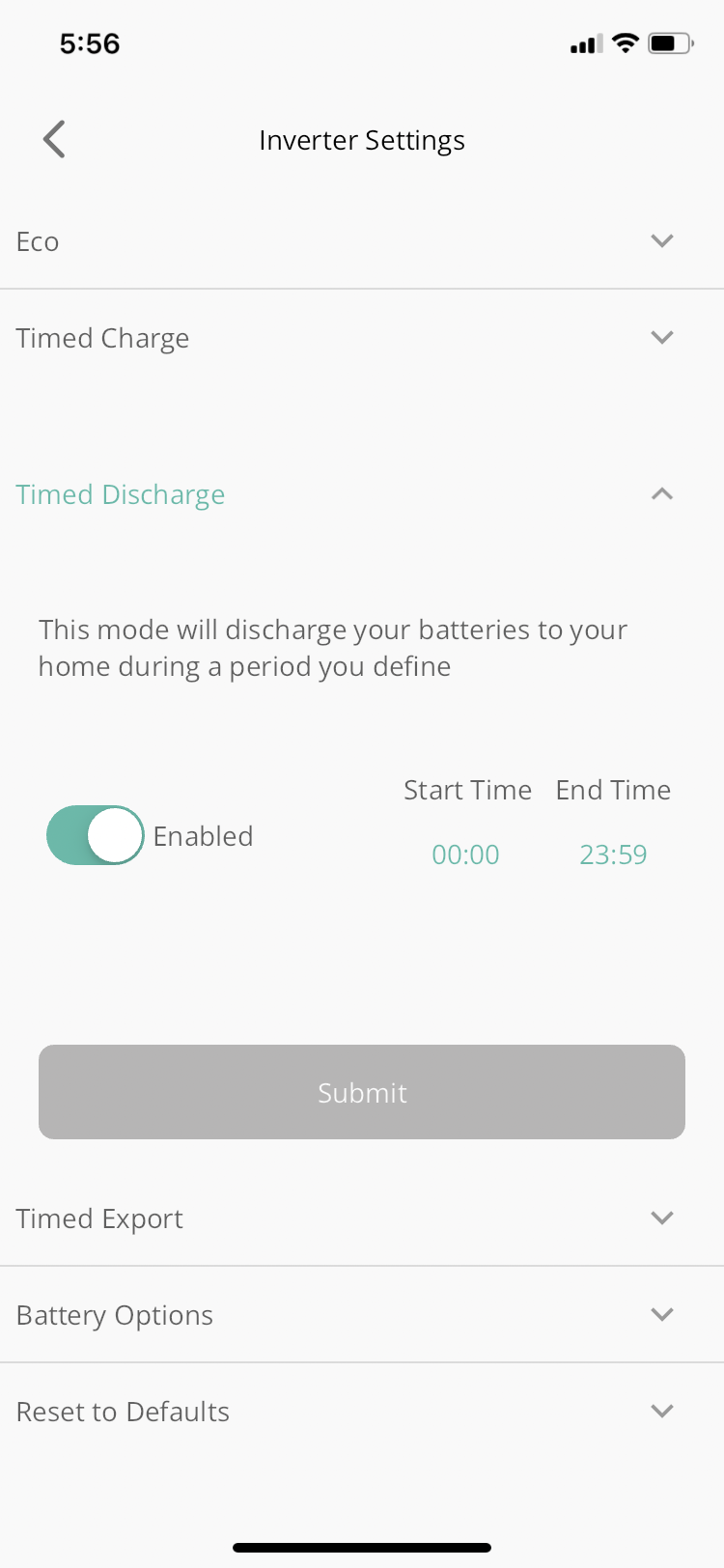
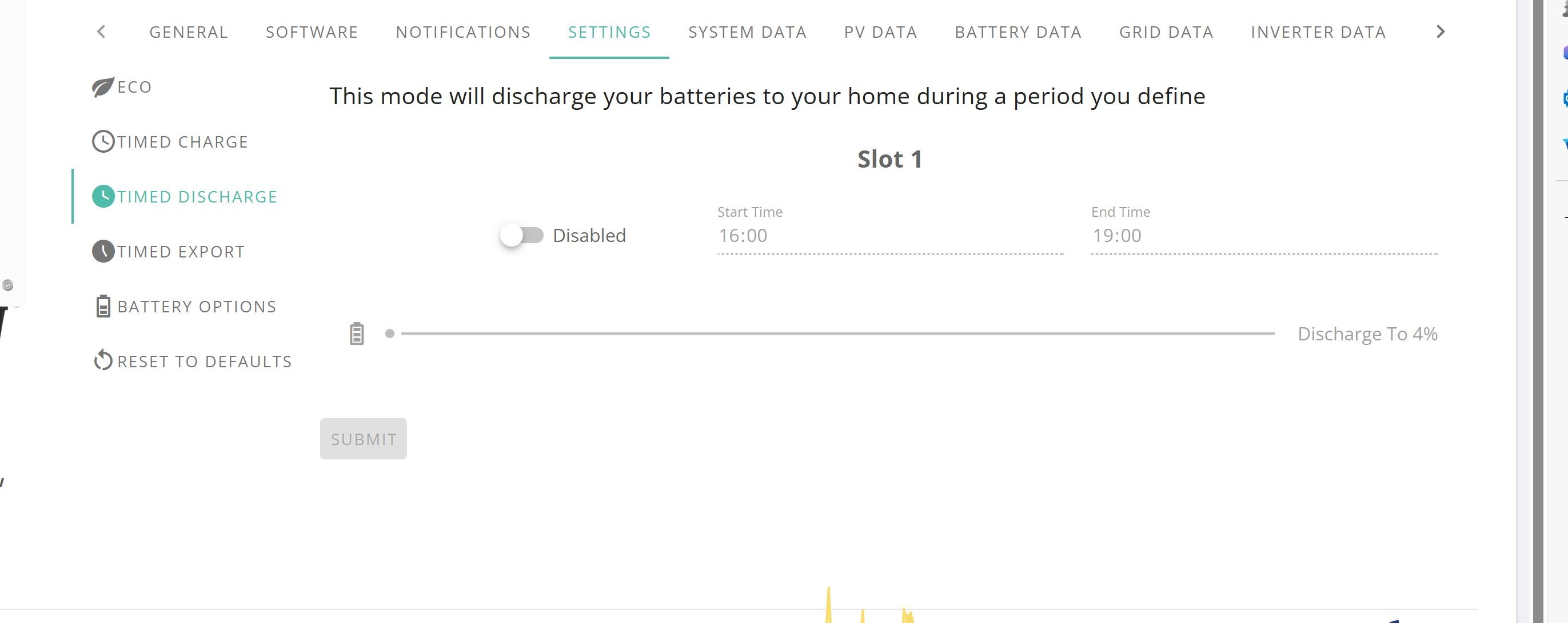
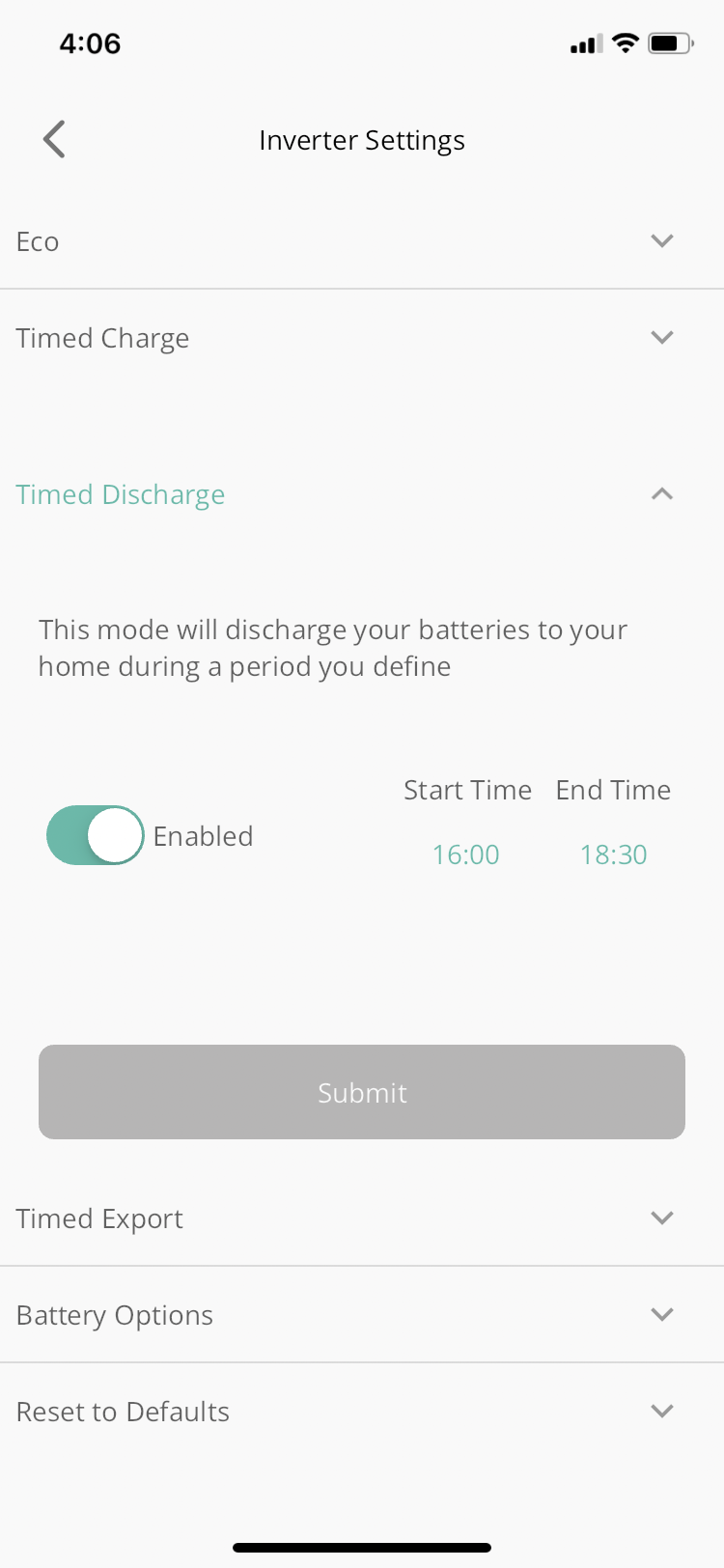
One (unlikely) possibility is that the time is set incorrectly on the inverter. If you temporarily set the discharge window to be 0000 to 2359, does it export?

P
#3 Pakey07

DD thanks again for your reply, your support is excellent!

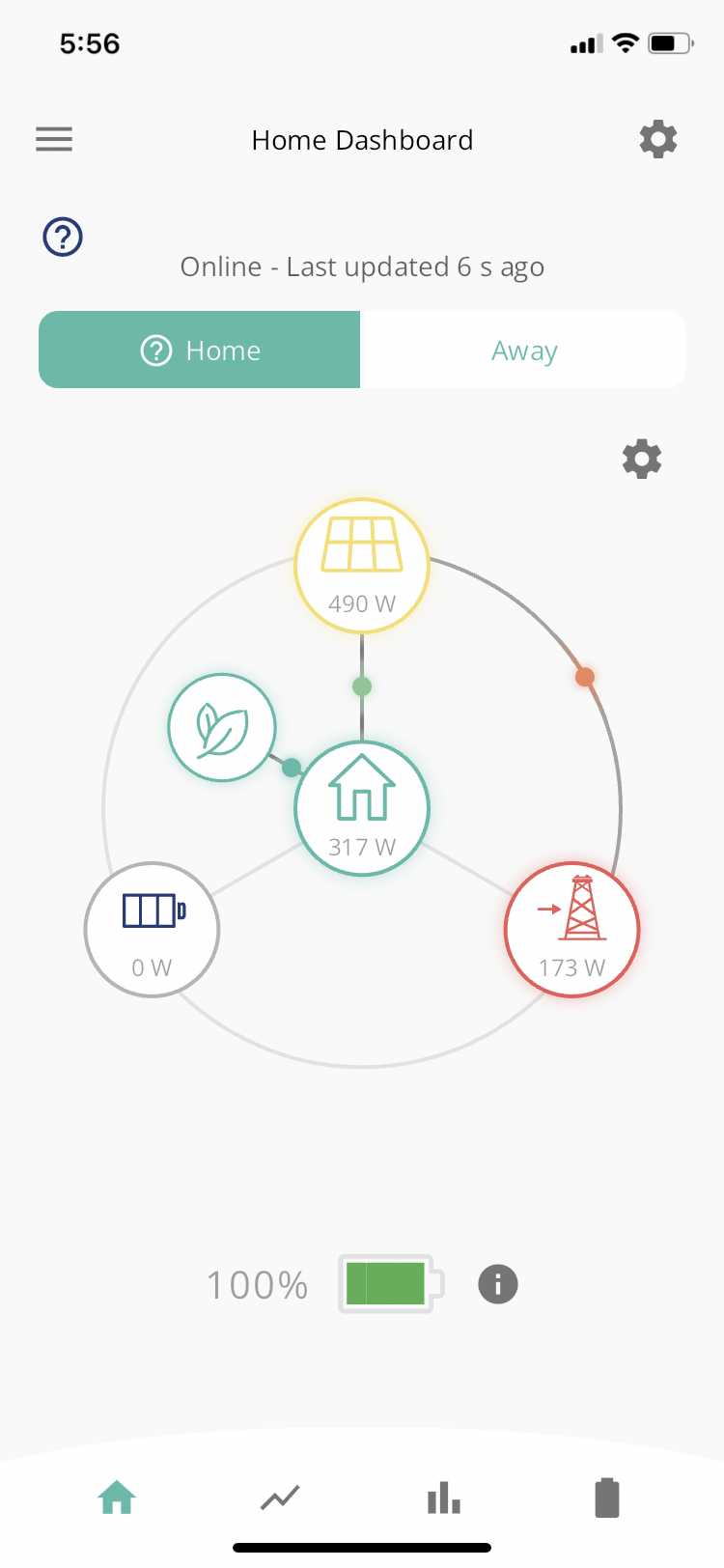
I’ve made the changes as suggested but with the same outcome, see attached.

Very frustrating when you’re sitting with a packed battery and can’t sell it on.

D
#4 DD

Pakey07 hmm... Most of the things I can think of would tend to pause battery discharge, rather than continue to charge from solar.

You could try enabling the quick-settings button on the app (menu settings preferences) and then using that to force an immediate discharge.

D
#5 DD

One problem is that the portal (and app) tend to show the values they last sent, rather than actually reading the inverter. (I noticed recently that API reads to seem to actually go to the inverter.) So for some reason the portal is out of date (for example it tried to send an update, but didn't get confirmation, so assumes the change didn't go through, but in fact it might have just been the confirmation that got lost). And I'm not convinced that reset-to-defaults actually unconditionally resets everything - it might only reset things it knows have changed.

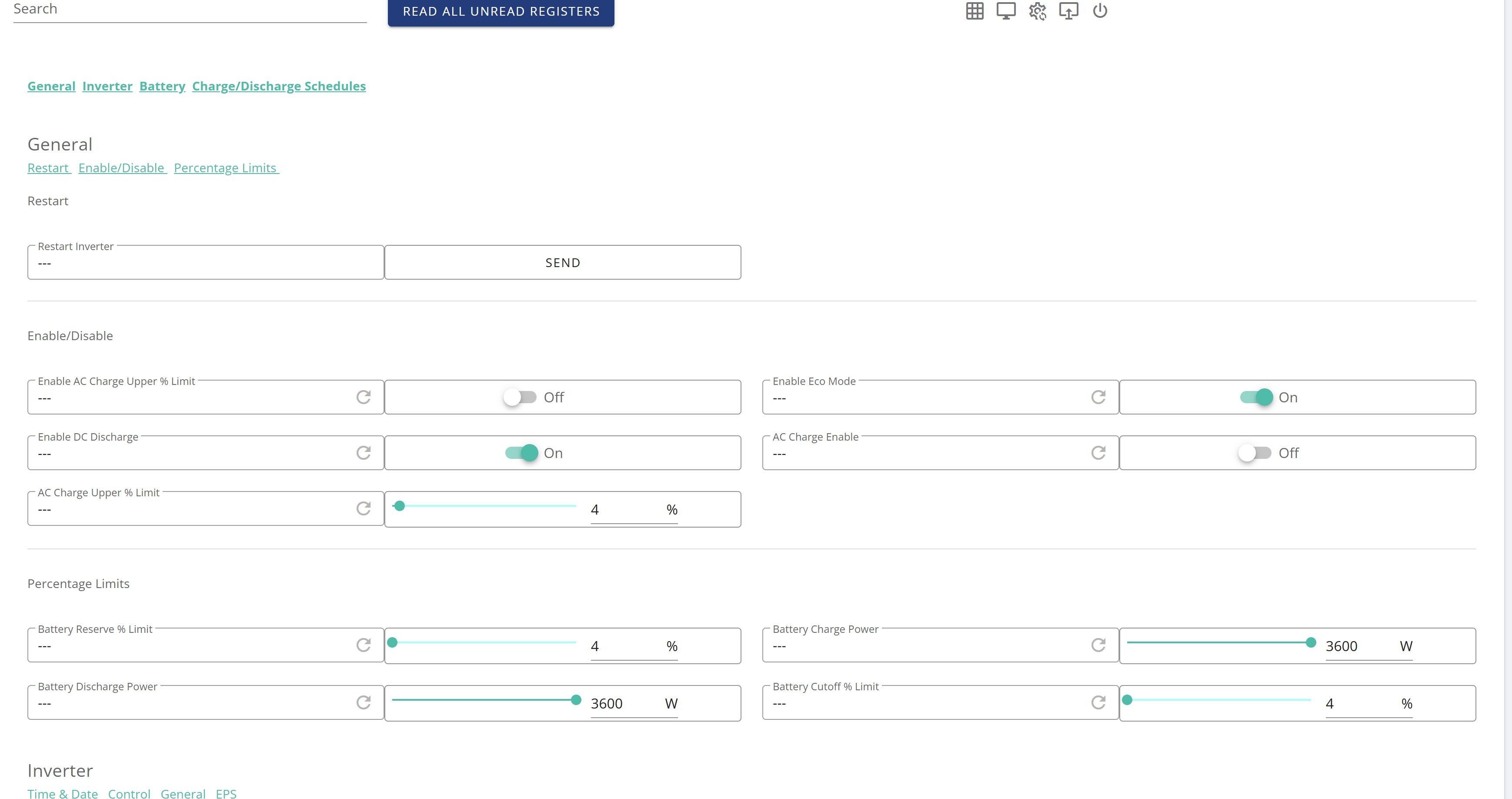
One way is to go to the remote-control section on the portal and force it to read from the inverter. Simpler is to just change the values away to something different, and then back again. So you could try simply turning timed-discharge off, saving it to the inverter, and then setting it back on again. That should ensure that portal and inverter match. Similarly for any other values that might be of interest.

J
#6 JK

My inverter has exactly the same problem - I have tried to reboot, changed all settings (which often forces erroneous values to correct) and still no export. I’ve paid a lot of money for something that is so frustratingly limited in its functionality that it’s infuriating, and now it’s not doing even the basic functions!

Anyone else having this issue or know how to fix it?

D
#7 DD

JK do you run any external agents? Looking through previous posts, you have in the past tried home assistant?

J
#9 JK

DD home assistant isn’t currently plugged in, and hasn’t been for weeks. This behaviour has definitely come out of the blue.

D
#10 DD

JK would you be interested in running a script which collects and publishes all the registers from your inverter? I've thought for a while that this would be a useful tool to have at our disposal, but it does require quite an element of trust for someone to actually run it.
Could base it on the API, but that wouldn't get everything. Using modbus to access the inverter directly (as home assistant plugins usually do) would get everything.

(It's actually possible to get the data with a very minimally invasive connection, if you use rubikcube's app anyway - can either do it with man-in-the-middle port forwarding, or a separate entirely passive TCP connection which merely collects all broadcast replies. Then an offline decoder can interpret the raw data from the file as register contents. It might even be possible to do it from a wireshark capture, but that's not something I've ever tried.)

D
#11 DD

Pakey07 Does anyone know of an issue at the moment with timed discharge to the grid?

I don't know when this changed, but I've just noticed that the web portal has been changed so that now timed-discharge implements the documented behaviour, not what it has been doing for the last few months.

It looks like you probably want timed export after all.

J
#12 JK

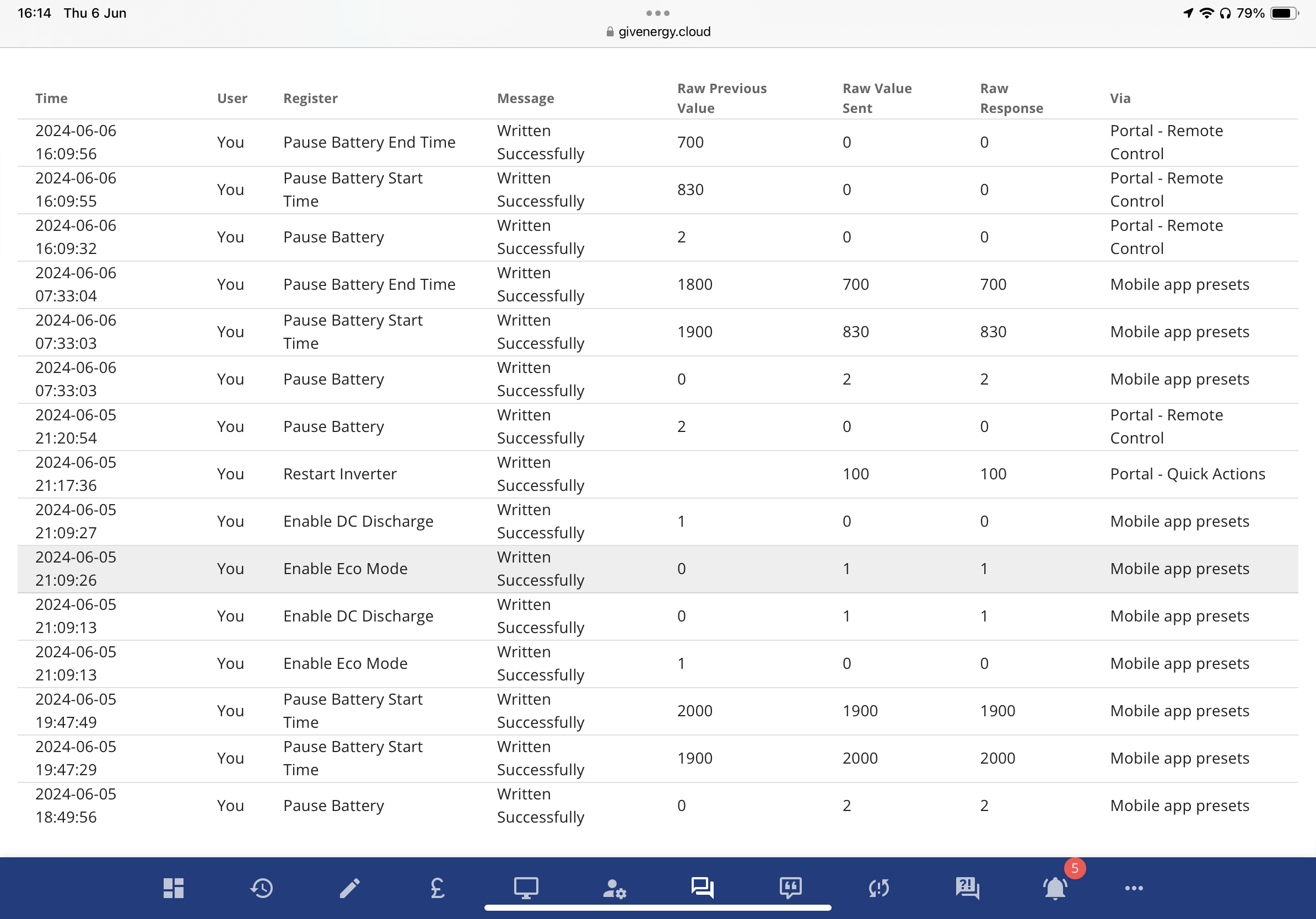
DD probably not that keen to give external access right now. I’ve looked at the advanced settings and noticed that I have paused discharge turned on. I changed the value to no pause, but it has re-paused when I changed the discharge settings - it appears the discharge settings are actually altering the pause settings?
I’ve also just updated to the most recent inverter firmware, which hasn’t fixed the problem…

J
#13 JK

DD I’ve just confirmed that the mobile app is setting a pause discharge when I change the discharge settings. The only way to work around it to set the “discharge 1” through the advanced web portal, and manually disable the pause discharge. Very odd behaviour.

D
#14 DD

JK probably not that keen to give external access right now.

(wouldn't require any external access)

I’ve looked at the advanced settings and noticed that I have paused discharge turned on. I changed the value to no pause, but it has re-paused when I changed the discharge settings - it appears the discharge settings are actually altering the pause settings?

Yes, there's been a recent change such that timed-discharge now uses the pause-timer feature to suspend discharge outside of the configured window. ie timed-discharge now does match the behaviour described on the portal. See https://community.givenergy.cloud/d/4569-givenergy-messing-with-timed-pause-timed-discharge-settings

We now need to use timed-export in order to export to grid. But it should be possible to have both timed-export and eco mode active.

S
#15 SimonClarke

Mine appears to be working but the portal and app both show timed discharge and timed export are off but it worked perfectly last night. See what happens tonight

C
#16 CGoode

DD We now need to use timed-export in order to export to grid. But it should be possible to have both timed-export and eco mode active.

I'll second that. After months of having to manually re-instate ECO mode after every "Timed Discharge / Export" (export in my book) it seems that "Timed Discharge" no longer cancels ECO mode. Also, both Timed Discharge & Timed Export seem to use the same time settings. I haven't played with the Portal settings too much but the App now seems to be playing ball 🤞 .
My only issue currently is that, even though they are set for 100%, my batteries will not charge beyond 90-93% overnight (SOC /overvolt limitation?). The batteries will charge to 100% on solar but this takes a bit of time first thing in the morning so delays the point at which they can start exporting. My ESE array starts generating around 5am so it's somewhat annoying having to wait for the batteries to top up before they can export & earn me some revenue.

D
#17 DD

CGoode My ESE array starts generating around 5am so it's somewhat annoying having to wait for the batteries to top up before they can export & earn me some revenue.

You don't need to wait for the batteries to be full before exporting. You either reduce the charging power, or fully pause battery charging, and the excess will be exported. (I export solar all day, keeping batteries around 40%)

D
#18 DD

CGoode Also, both Timed Discharge & Timed Export seem to use the same time settings.

Oh, that's not what I observed: on my system, timed-discharge now uses the pause-battery timer, whereas timed-export still uses the discharge timer.
What model/firmware do you have? Not all systems have pause support.

J
#19 JK

Thanks DD - that is starting to make some sense- I’ll try timed export instead.

But what a complete mess - I’m a fairly competent user and I’ve been completely flummoxed by this change - how is anyone supposed to keep track of their system if suddenly settings do different things without warning?

I have now just tried to pause charging by limiting battery charge to 0w (because prices for electricity are so low later today). And guess what - my battery is still charging from solar… this was not a cheap system and it simply doesn’t function consistently…

D
#20 DD

JK how is anyone supposed to keep track of their system if suddenly settings do different things without warning?

The way I see it, the changes are entirely at the UI presentation level. The actual behaviour is configured via the lower-level settings on the remote-control page, and those haven't changed. The timed-export and timed-discharge "modes" are constructed by the UI out of these lower-level settings, and these are what's changed.
For as long as I've had my inverter, timed-pause has not done what the documentation said it did. Now, finally, it does. And timed-export did what I wanted, but the UI had the undesirable side effect of turning off the eco flag. Configuring it at the remote-control level avoided that side-effect.

#21 26Left

SimonClarke ditto - my timed discharge setting on the app says it is not enabled yet it is working right now.

When I try and toggle it on it stays showing off in the app… regardless of being off or on…

@TheDragon (GivEnergy) please can you get this bug fixed? The GE app is no longer authoritative as to the state of settings on the inverter!

D
#22 DD

26Left The GE app is no longer authoritative as to the state of settings on the inverter!

Given how many settings there are in the remote control section that are not shown in the app (multiple charge/discharge slots, pause states, etc), the app has never been definitive.

#23 TheDragon (GivEnergy)

Devs are aware already working on this

P
#24 Pete Thomas

JK Anyone else having this issue or know how to fix it?

I am also having this issue

P
#25 Ps

JK - I am also having the same problem since the latest Android app update. None of the battery charge/discharge settings seem to have any impact at all. When e.g. enabling timed charge, the setting appears as, 'enabled' but the toggle shows 'off'. Clearly a bug

#27 Maxwell

Same here on Apple App. I noriced that initially when i started using timed discharge about 3 or 4 weeks ago that the app settings matched the inverter, ie when i enabled timed discharge you get the action confirmed message then the toggle button on the app showed that feature was enabled. But, at the same time it disabled eco mode which i found out the hard way. The other thing i noticed was that if i set the battery discharge limit to say 40% then when the time period ended the battery would no longer provide any power to the house. I guess that was tied to the fact that it had disabled eco mode. But, just recently i noticed that whilst i still get the setting changed confirmation message in the app the enabled tab no longer shows as enabled (which is the behaviours described in other posts here). Although eco mode is no longer disabled. Definately sounds like some developer "feature" change going on.
I'd have thought the logic for timed discharge would be something like (assuming you are starting in eco mode)

  1. Set timed discharge with a battery reserve which only applies when timed discharge is in force.
  2. Within the timed discharge period the battery discharges to house and grid where solar and inverter power export limits permit. So, if there is enough solar to feed the house plus meet the maximum grid export limit then no battery discharge. So, the system trys to maximise export to the grid after house demand has been met from solar plus battery.
  3. When either timed discharge period ends or battery discharge limit is reached the system switches back to eco mode and the battery can if required continue to feed the house (ie going below the battery discharge limit set during the timed discharge).
    No doubt there are some other cases i may not have considered here. And there is certainly a number of threads all with the same/similar theme here. Come on GE we only have a finite amout of time to get on with life..
    And when looking in the portal and inverter remote control settings there is also conflicting information.


    So settings shows the timed discharge not enabled. But, the settings in remote control say it is. Although both agree on the start and end times..
P
#28 Penlanfarm

I have the same problem and it started after the Android app update.

This is ridiculous, it took me an age to get this working as it should, requiring working with support and a beta update of the firmware, and now scheduled discharge is not working.

Please fix.

J
#29 JK

And… now I’m drawing 400w from the grid for no reason at all. I’ve reset all settings and still it’s happening. So back onto the forums hoping that someone who has already has this issue can help me… 3 nights in a row now.

This system is supposed to be consumer facing and Easy to use but the constant, random errors are costing me time and money… next question is going to be my rights in terms of getting this returned and a different system fitted.

#30 hoggy

I don't understand how this kind of thing wasn't picked up in testing (was there any?) It's not like it's some obscure feature not working its a bread and butter part of the app.
Need to bring back the app beta group like before if you simply don't have each piece/revision of hardware available to the devs to test against.

D
#31 DD

JK And… now I’m drawing 400w from the grid for no reason at all. I’ve reset all settings and still it’s happening. So back onto the forums hoping that someone who has already has this issue can help me… 3 nights in a row now.

You'd need to give us a bit more info if we're to help. Eg is this 400W going into the battery, or covering home consumption. Is the battery not discharging at all, or is consumption particularly high ?

J
#32 JK

DD
It turns out that the discharge was limiting itself to 108w - the remainder was served from the grid. I tried everything I could to stop it.

This continued until 3am.