How to use Predbat (from scratch)

170 comments started 2024-09-09 last 2024-09-24
Home Automation
D
#1 Daveb01

Hi all you HA geeks šŸ˜€šŸ˜Ž

I have a few (well quite a few) questions. As I have no experience on Raspberry Pi, HA or Predbat.

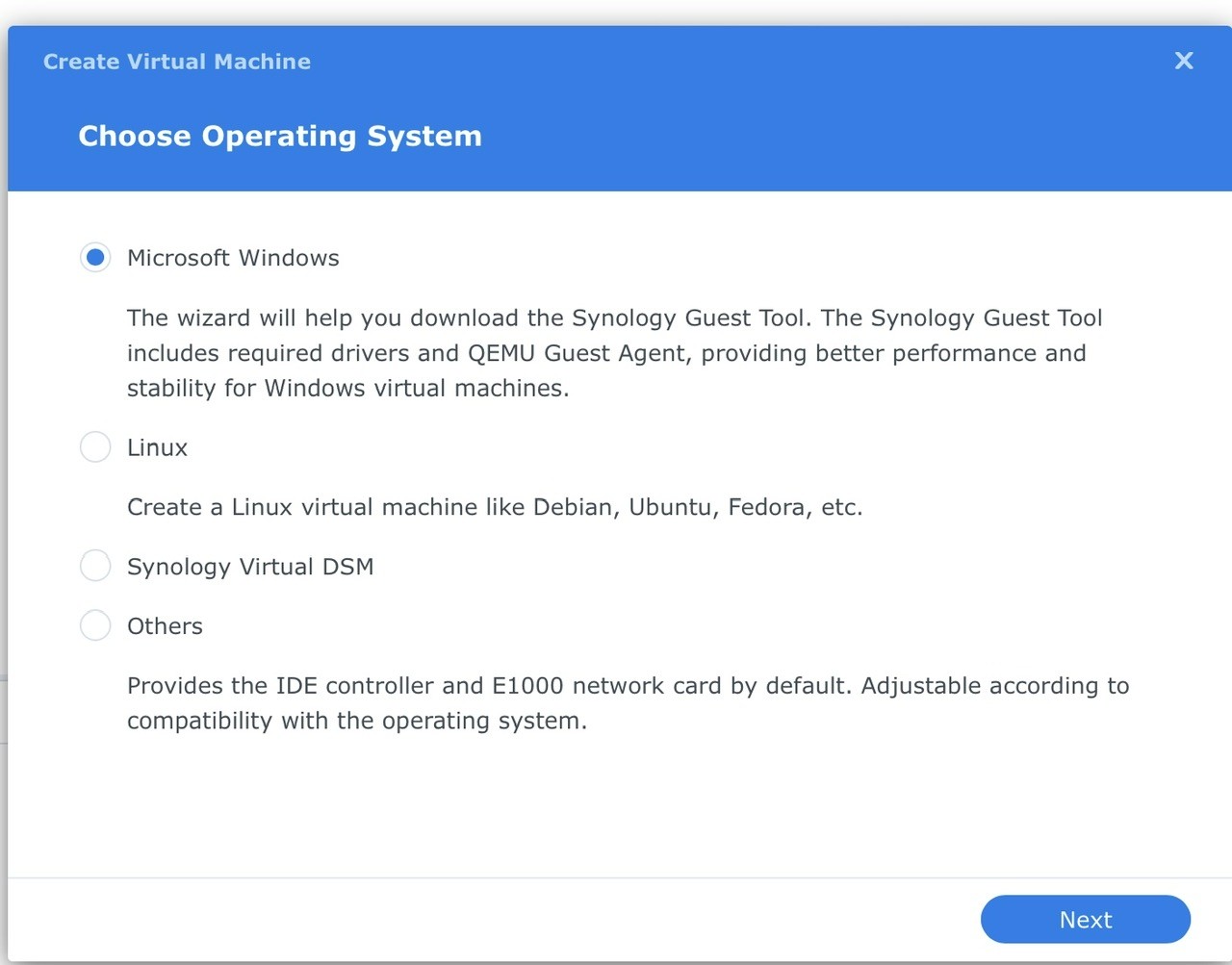
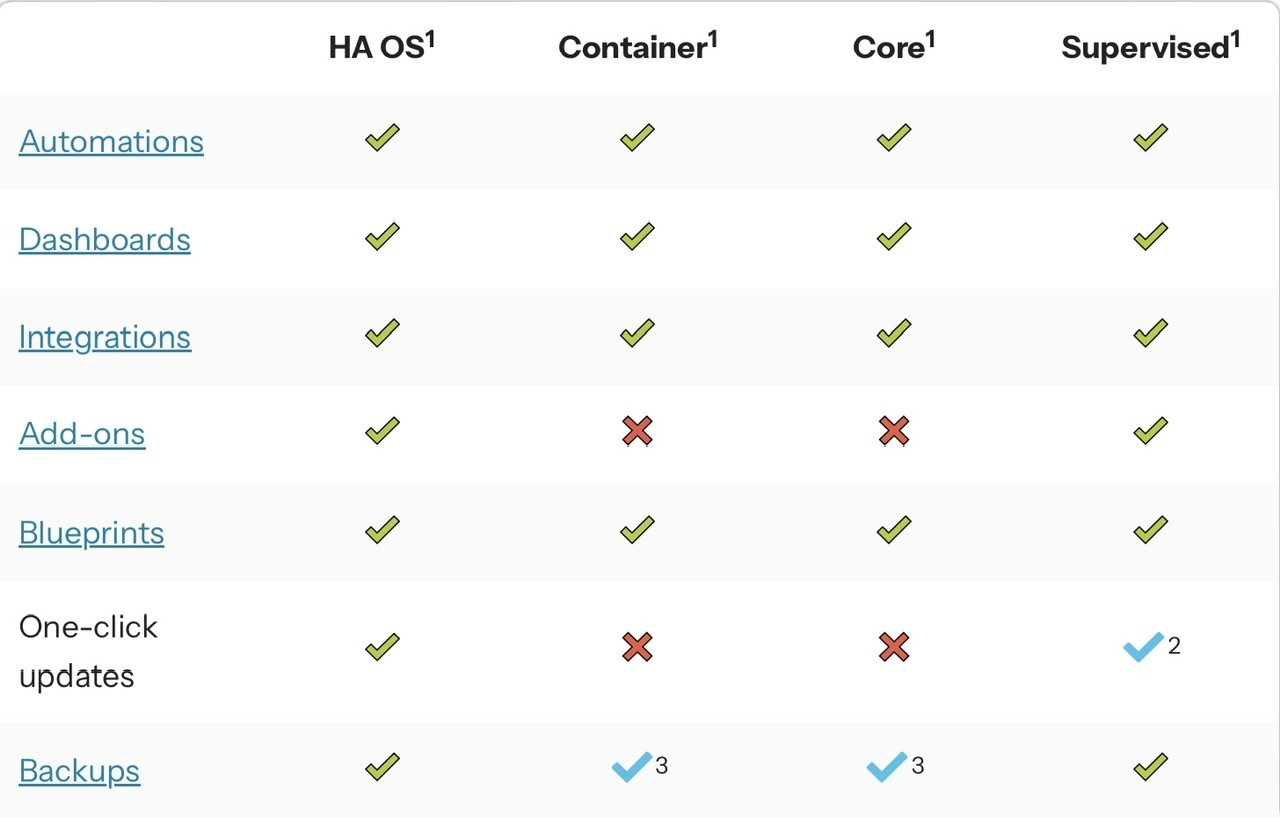
I have started to look at the documentation and videos recommended on the channel. I have subscribed to Trevor Southwell YouTube channel. I understand Predbat sits on top on HA. HA can sit on a quiet a few OS’s. I have a Synology NAS and thought that would be the best option, however that would mean my NAS would have to be on 24/7 which it is not as it uses quiet a lot of power & quiet noisy with all the HDD’s in it (so it’s on 10-6 at the moment). I have also seen I need to install Docker, then HA, then Predbat. Then I saw a table on which OS does what and what will be missing. (See pic). I then saw the HA Green, all ready to go.

So Q1.
Do I just go for the HA Green - easiest route or do you guys have any better suggestions.
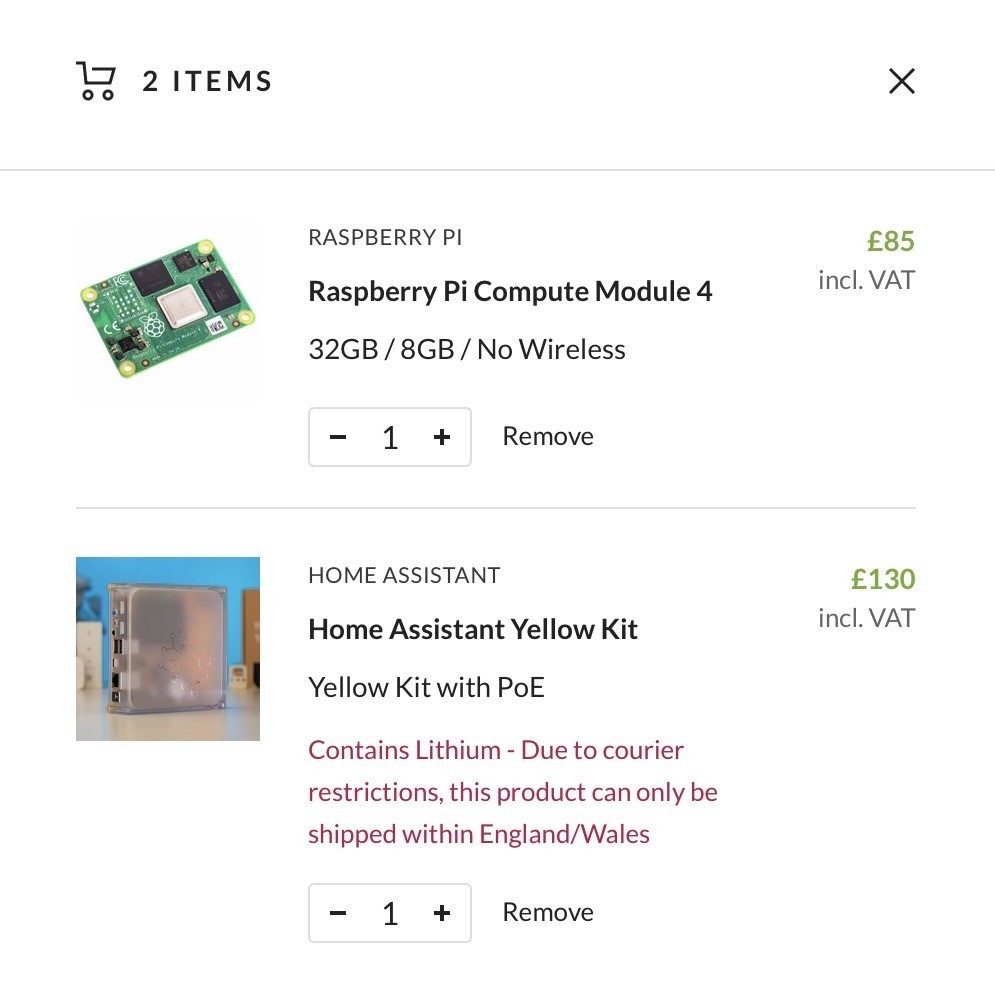
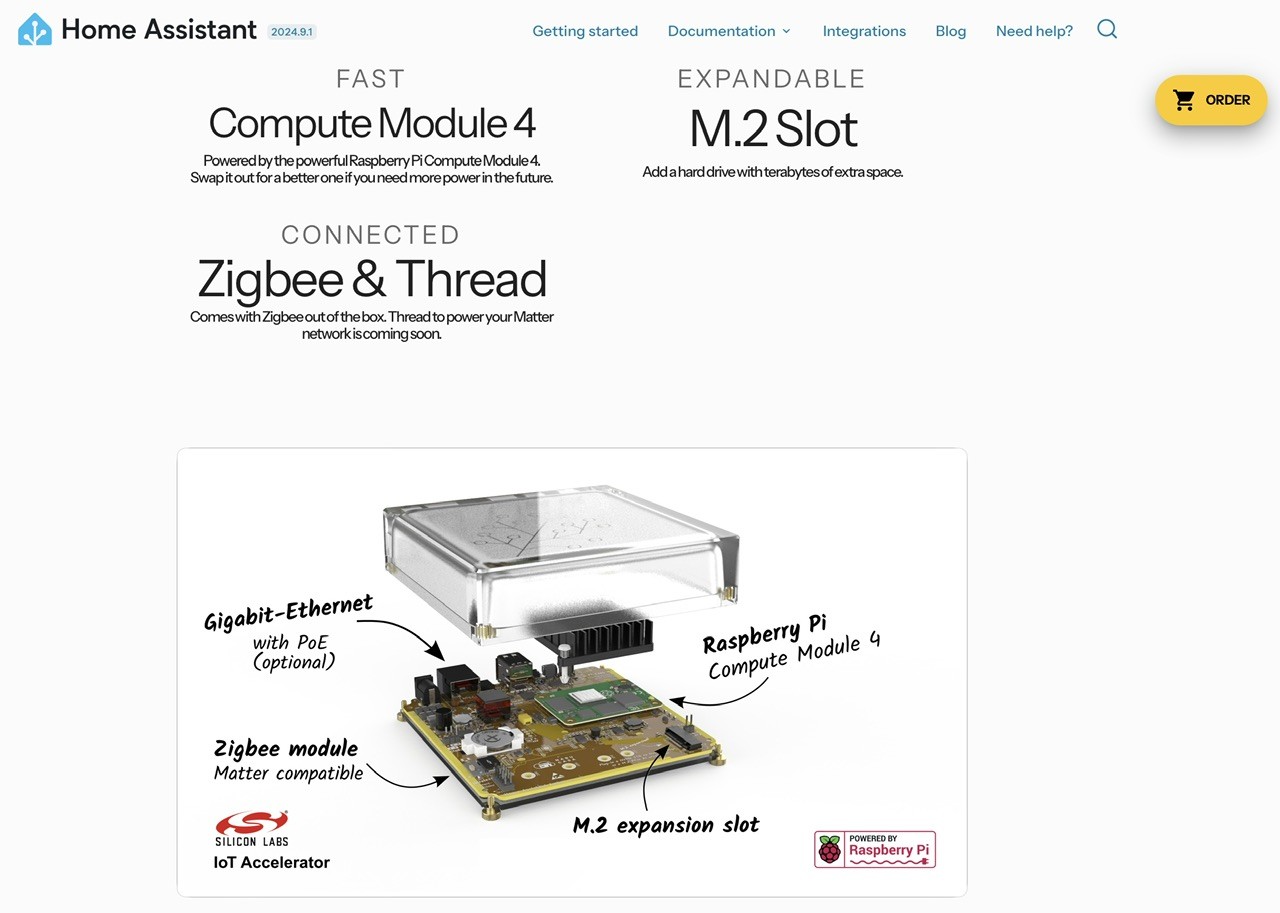
1b - does this work with Predbat as well? (Should I go with HA yellow PoE)

#2 PianSom

Daveb01
Taking "easiest" to mean just that, then yes - go for the Green. Not an eccentric choice by any means. Yes, Predbat will be just fine on that. Go for it!

But if you are quite happy with computing/tech stuff, and want to avoid potentially wasted cost if it doesn't work out then installing Docker on the Synology, loading up HA Container and Predbat (container) on it and trying it out isn't too hard. And if it doesn't work out for you all you have done is wasted a few hours and a bit of a kWh. (You may need some earplugs too, I guess!) It will be easy to move across to a Green later if HA/Predbat floats your boat.

D
#3 Daveb01

PianSom

Thank you šŸ‘, what about NO add-ons with Docker?
I have seen a few issues when Docker updates there OS as well, does this also happen on Raspberry Pi if updated?

#4 PianSom

Daveb01
No add-ons is an inconvenience, nothing more. You just have to spin up docker containers as necessary by hand. (Add-ons are in fact exactly that - docker containers. They are just managed by HA.)

But then I have been a HA user for 7+ years, under Docker for probably 5+, so I may not be entirely objective about this! I also like tech tinkering.

I have been running a skeleton HA on a Pi5 for the last few months (as well as my main Docker instance) as I mean to get around to strengthening my network security. Updates on both systems have been equally pain-free.

G
#5 geoffreycoan

Personally I would run HA on a Raspberry Pi 4 or 5 as it gives me the ease of running HA add-on’s. I have no particular desire to have to debug docker, quite happy to run the out of the box solution.

On top of the price of the bare Pi you need to include the cost of an SSD. Running HA on an SD card is likely at some point to fail as HA does a lot of database reading and writing. Yes you can get high write specification SD cards but the general advice is to use an SSD.

I’d avoid the HA Green. Yes Predbat will run fine on it but I believe they are underpowered when compared to the Pi and if you start doing more with HA then you might run out of ā€˜umph’

#6 Tenkaykev

geoffreycoan
This is interesting as I'm still prevaricating about HA. Pi 5, case with SSD Hat, SSD drive, power supply et al means the initial investment is a bit of a lump, though it should pay for itself. Any advice on the best case for Pi5 with SSD attachment built in ?

R
#7 Rbor

geoffreycoan I agree about running Predbat under HA on a raspberry pi.

I use a Pi 4 and I recommend attaching an SSD. An SD card just isn't up to the task.
Good video here: https://www.youtube.com/watch?v=WAolAvektlw

You can install HA directly onto the pi and then follow the install instructions in the excellent Predbat documentation: https://springfall2008.github.io/batpred/

And watch the videos. I learnt so much from these and have watched some several times.
https://www.youtube.com/playlist?list=PLTjtFJ0drtomKJzT7oZ3pCa0kzvFzUA_u

You will need to spend some time to get into Predbat but it is well worth the effort. It is a brilliant pice of software, improving all the time and it automatically runs my solar/battery system.

You will find a lot of help on the forums, especially first-night-live-on-predbat, approaching 2,000 posts!
https://community.givenergy.cloud/d/3696-first-night-live-on-predbat/1941

Rob

#8 PianSom

@geoffreycoan Rbor
Horses for courses, but I can't say I agree that buying a Pi is the right way forward here.

If the main criterion is "easiness" then the Green wins hands down. No messing with finding high quality SD cards or finding and getting an SSD to work, no nasty installing issues. Getting to know Predbat will be the biggest challenge (true whatever platform is chosen). (As I mentioned, I set up a new Pi5 with HA+Predbat a month or two ago and it was not challenge-free.)

If cost efficiency comes in to the decision process then the Synology surely is a better way forward? Zero upfront cost wins every time, and my guess is that the incremental power cost would take a long time to make a Pi saving worthwhile. Noise is a potential issue though.

And in terms of learning curve, there is no doubt that the Add-on store wins out over Docker containers in initial ease of use. However, like I said I think the major challenge will be coming to terms with Predbat. Once the platform learning curve is climbed, there is minimal difference in on-going maintenance time between Pi and Docker in my experience. (Never used a Green.)

So - to my way of thinking at least - Green or Synology win out over Pi4/5 + SD/SSD. But none of these alternatives is obviously wrong.

Let us know what you decide and how you get on @Daveb01 !

#9 PianSom

geoffreycoan
PS Welcome back! šŸ™‚

D
#10 Daveb01

Thank you all very much for the advice, lots to consider. So think your right the HA Green would be a bit restrictive.
So it’s down to Synology/Docker, Pi or I have seen the HA Yellow.

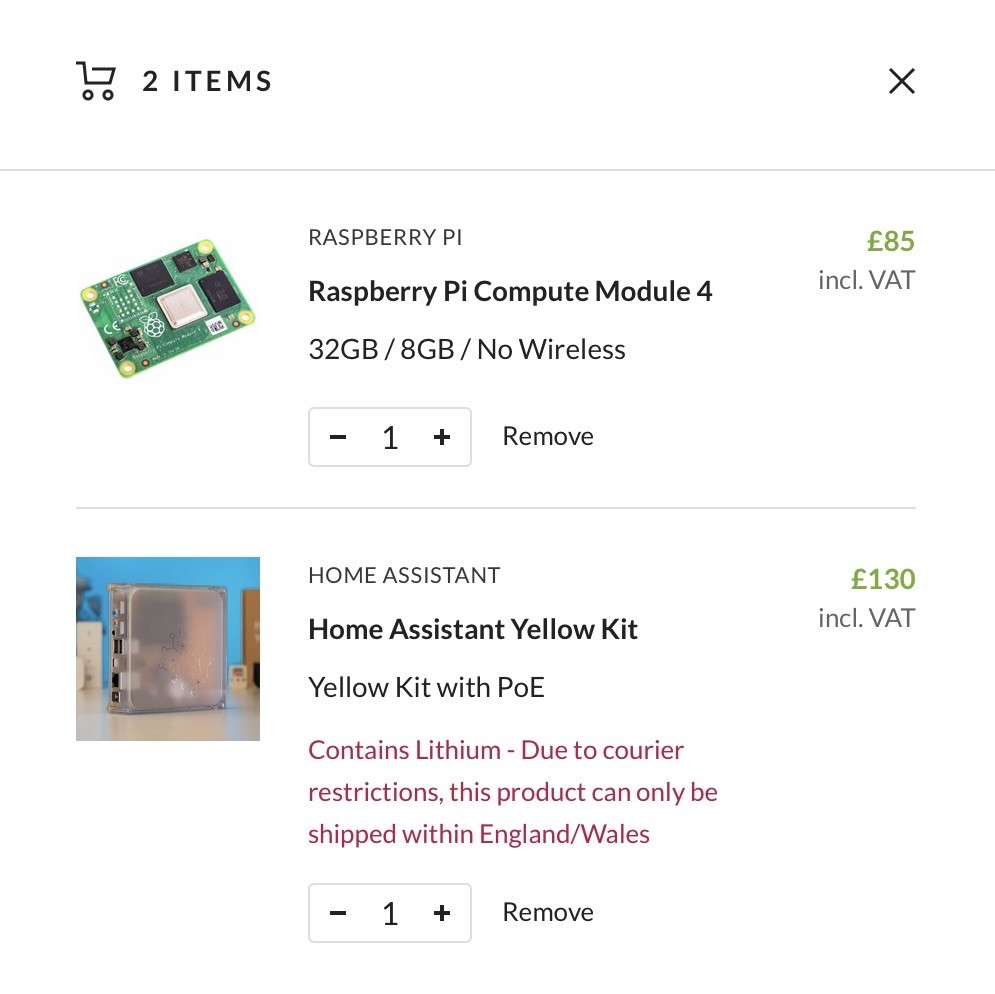
Forget about price at the moment how about the HA Yellow with PoE and the Pi compute Module 4 with the highest spec?
What are your opinions on this option please????

It’s also Matter comparable so will work with my Apple TV?

F
#11 Fridgeman

ive just started down this route and went for the HA green, no complaints here, everything running great including predbat. no crashes or slowdowns, click on something and its there whether on my mobile or pc at home.

B
#12 browellm

Daveb01 If your model of Synology supports it, you may want to consider running HAOS as a virtual machine rather than having separate Dockers for Home Assistant, Predbat, GivTCP etc. I run it on my QNAP and it's absolutely brilliant.

One of the advantages is getting access to Add-ons within Home Assistant.

G
#13 geoffreycoan

browellm I agree, if you can run HAOS as a virtual machine on your existing Synology then this is the lowest investment and gives you the opportunity to test it out easily.

The Green or Yellow are certainly one-stop solutions and easy to set up.

Also to add into the mix is Nabu Casa HA Cloud, I understand its as feature rich as HA on your own hardware but in my mind I can’t quite understand how easy local access to your inverter for example would be. Feel it would require firewall/router configuration, but no personal experience of this.

I currently run my HA as a virtual machine on a Tiny PC that I bought for the purpose. What I like about it is that it also gives me a Windows 10 PC that I can easily open lots of windows on HA, websites, etc on. The companion apps on mobile and ipad work fine but there’s an advantage to having a big screen.

This was reasonably cheap to buy and works well with HA, but I’ve had random periods when my HA stops working. I’m pretty sure that it is when I’m running the production HA and a test HA VM at the same time and the PC gets stuck on 100% CPU. I’m thinking about going down the Pi route to give me a more dedicated machine for HA (can run test VM’s on the Windows PC still) and the Pi for production which will use less energy.

I’ll probably just 3D print a case for it, must be STL files out there

#14 PianSom

browellm
Completely agree. I hadn't realised that the Synology may be able to run VMs. If it can then that would be a superior solution to the Docker one I suggested.

D
#15 Daveb01

browellm

Thank you for this suggestion, sounds like the best option to trial it out.

Here is the instructions from the HA web site. Under Synology and QNAP it gives you instructions for docker, what would I use to do what you have done please? Do you have a link or instructions please?

https://www.home-assistant.io/installation/alternative/

R
#16 Rbor

Great discussion looking at many possibilities.

I went with a raspberry pi 4 partly because I already had one! I had experimented with HA many times but always gave up. When I found out about predbat, I thought I would give HA another go. I also had a spare SSD so my set up was cost neutral. A plus is that setting up predbat has taught me so much about HA.

Another advantage of a pi is its very low power requirement (4-5W?) and quiet operation. I also had case that acts as a heat sink so my pi is fanless and noiseless. I don't really know enough about the green and yellow.

I recently bought a pi5 with a 'hat' and NVMe SSD (from Pimoroni) with the intention of using the set up for predbat. But my pi4 with HA and predbat is running so smoothly, my pi5 will now become my 'experimental pi'. I may even install Docker on it!

So consider all our collective advice and opinions, choose and then set about joining the predbat users. I am sure you won't regret it.

Rob

B
#17 browellm

Daveb01 That is a weirdly confusing page, I remember it from my install 😃

From that page you download the VM image appropriate to what the Synology VM manager supports. In my case on the QNAP it supports Viirtualbox images so I downloaded the .vdi image file. Follow the rest of the virtual machine instructions setting the amount of mem etc to at least the min, or more if you can.

Ignore the Synology/QNAP docker instructions which are specific to Docker installs - they should move those off on to another page imo.

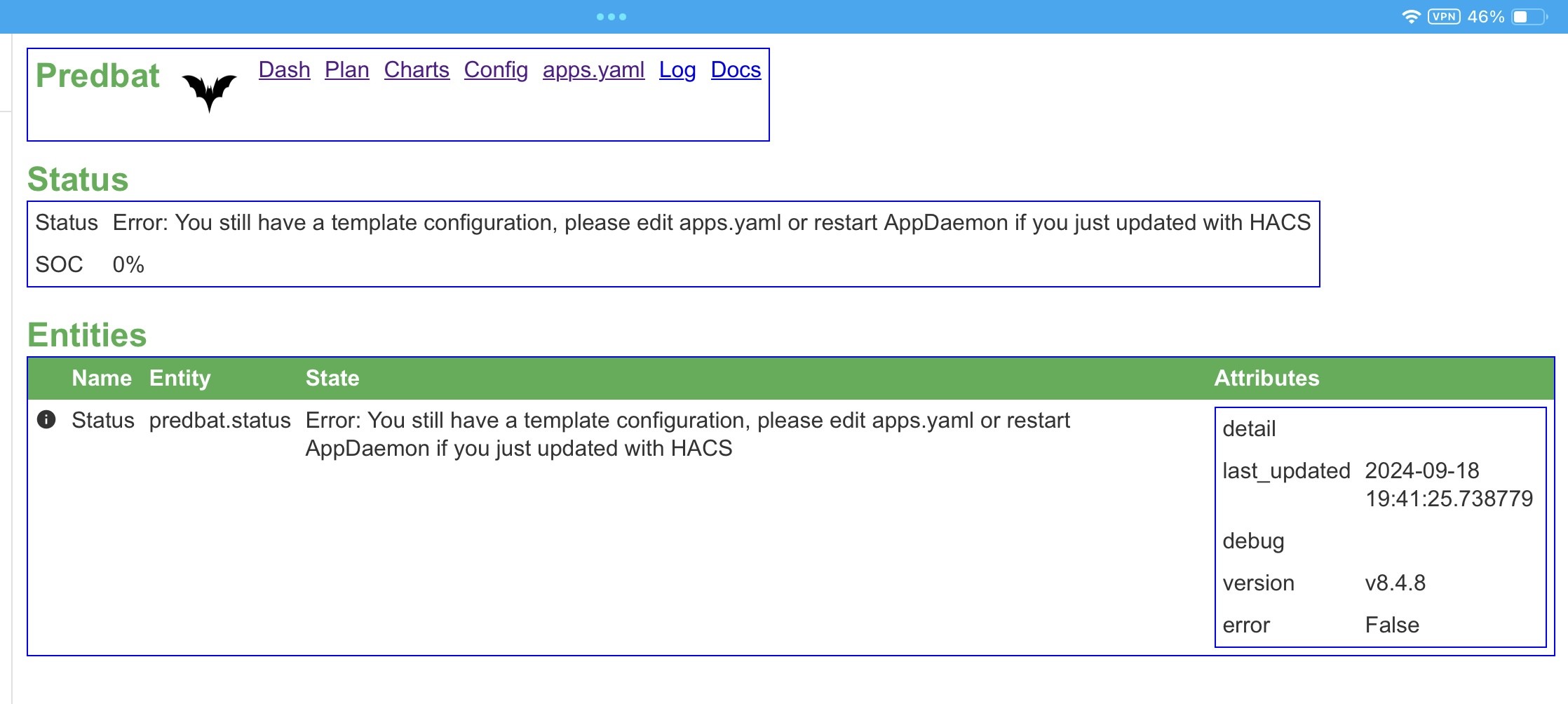
D
#18 Daveb01

Thank you all again this is such a good post for anyone wanting to get started. If I had not had all your reply’s and advice I could have just bought a HA Green (which would have been the wrong decision for me). I thought it was just going to be HA Green or Yellow, now it is Pi’s 4 or 5, VM’s, Docker. And that’s just to get HA, we have not even got to Predbat yet. I am now following the Predbat post and will read the posts and probably ask a few questions once I get to that stage.

So my conclusion is look at VM on my NAS first and see if I can get that going. If it’s working and not to loud at night, I can play with it a bit. Second choice will be the HA Yellow PoE as it will be silent and very little power.

Thank you all again šŸ‘šŸ¤ž

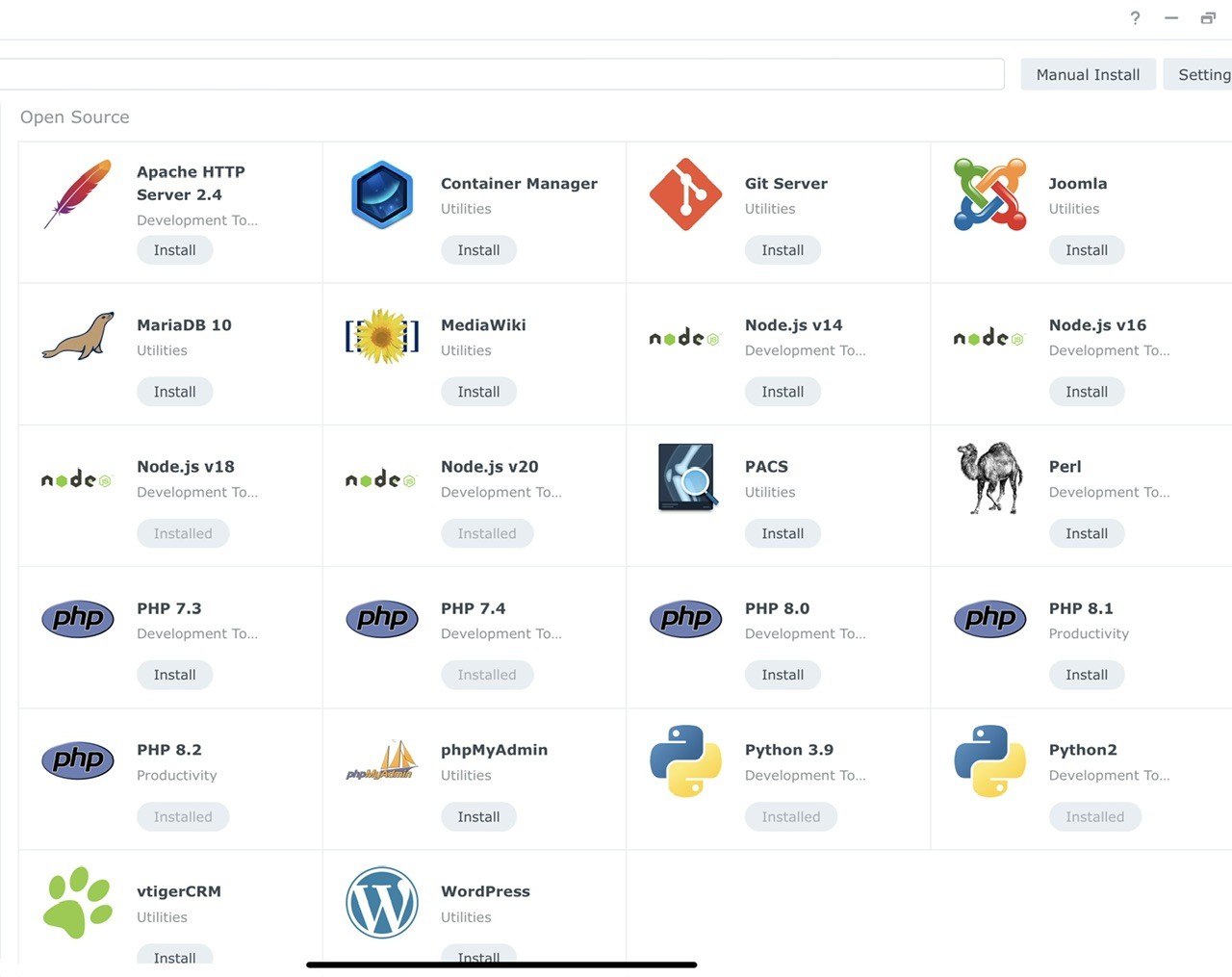
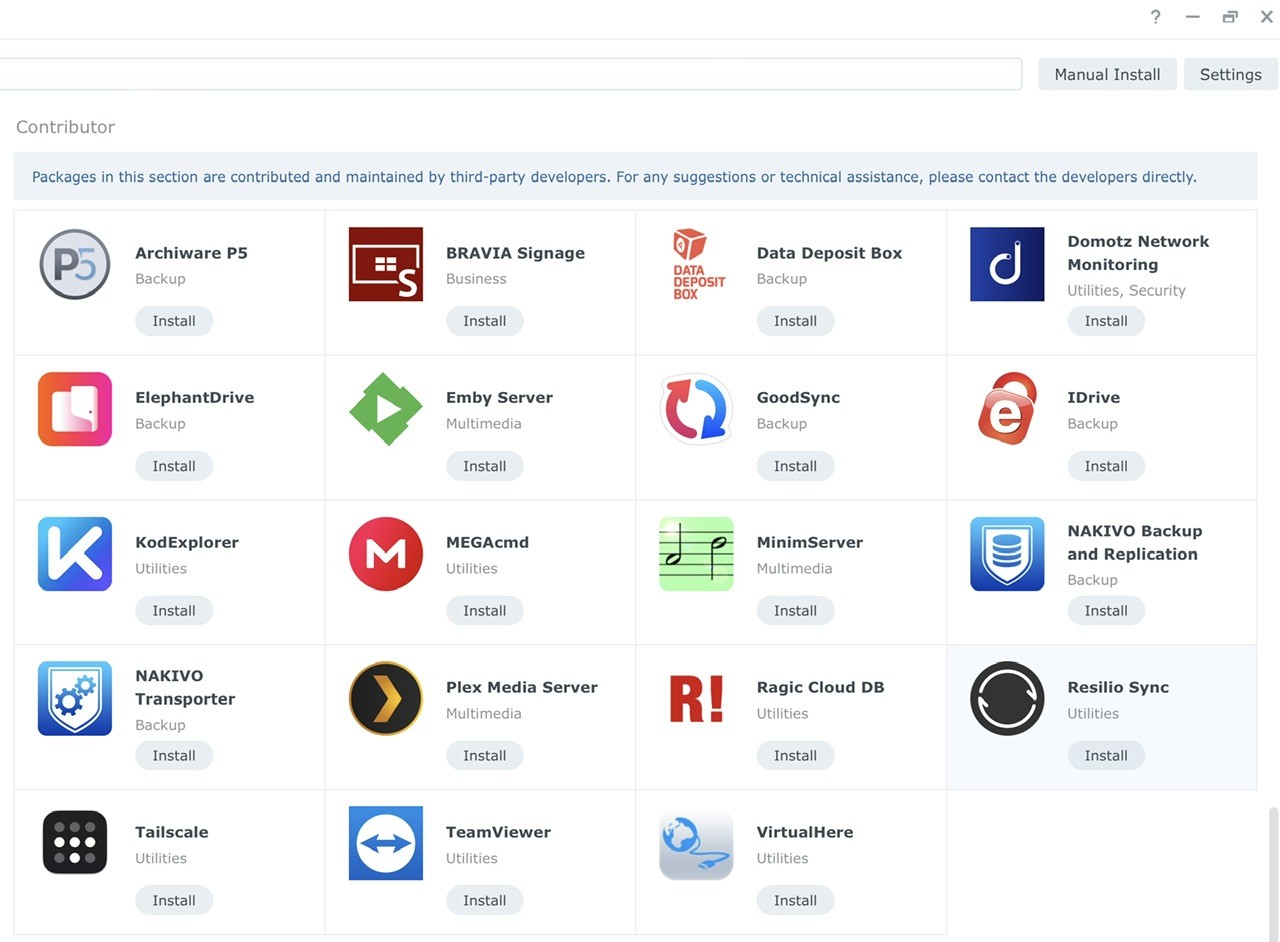
Looks like Docker has been removed from v7.x. This are not the options plus VM. I have noticed Git Server? Would that be an option as well?


These are the options I get in VM manager.

D
#20 Daveb01

Well that was easy, quick update:-

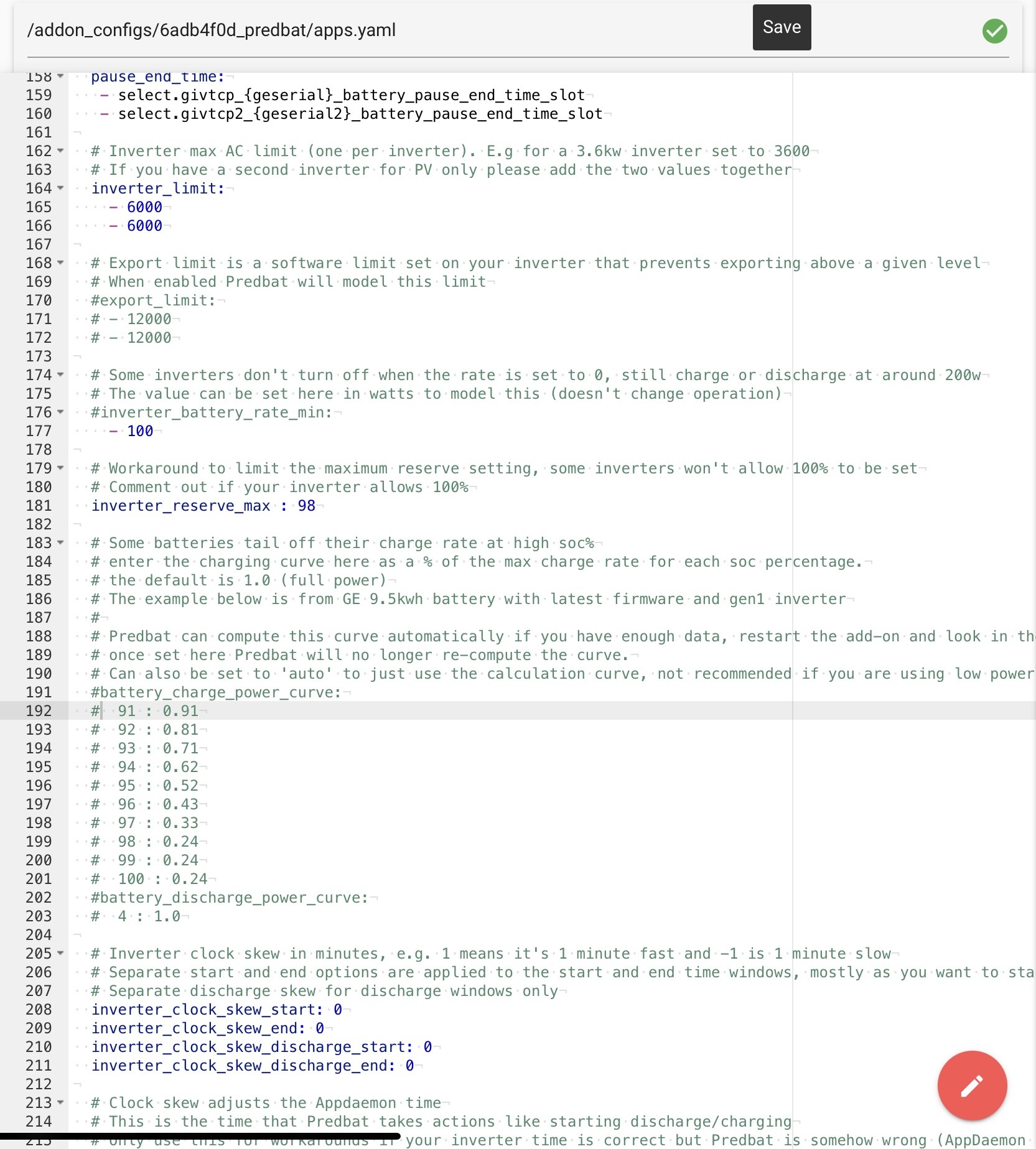
VM sorted on NAS
HA started (signed up and logged in with 2FA)

HA started on my home network as expected and found all the things there. However as my Solar and battery stuff is all on a separate network I now have to work out how to either move HA to that network or open the FW. Hhhmmm.

So guys I have joined the HA club. Next step once HA sees my battery etc is to get Predbat installed. Let’s finish off this post to help anyone else starting out once Predbat is installed then I will move to the existing Predbat post for help šŸ‘šŸ˜€ if that’s OK with you guys.

G
#21 geoffreycoan

Daveb01 In order to get HA talking to your inverter you will need to install MQTT and GivTCP. This video from Speak to the Geek is excellent and covers the process well https://www.youtube.com/watch?v=ygD9KyciX54

I’ve been working a lot on the Predbat documentation but at the moment it just says ā€˜install your inverter control software’ without much more details. It’s on my to-do list to add more detail for GivTCP.

Welcome to the HA club, you’ll find it quite addictive and interesting as to what you can do. I’m nowhere near the level of automation some people have!

#22 PianSom

Daveb01 HA started on my home network as expected and found all the things there. However as my Solar and battery stuff is all on a separate network I now have to work out how to either move HA to that network or open the FW. Hhhmmm.

Currently I have a "home" network and an "IoT" network. (And a Guest network.) My HA instance, GE kit and solar kit all reside on my IoT network.

My medium term plan is to move the GE and solar kit on to a new "energy" network, along with a new HA instance. I will leave the existing HA instance (including light switches, weather stations, AC units etc) on my IoT network. The reason for this is that I don't trust the GE/solar kit enough to let it on my home network, but I rely on it too much to want to risk it being attacked via an IoT device. I suspect this move is not going to be without its challenges - there will likely need to be some cross-dependencies that haven't occurred to me, and I may end up poking a hole in the firewall to allow some/all MQTT traffic to be mirrored, we shall see.

My point is that I wish I had set up my system this when when I was installing it all. You may want to benefit from my lack of forethought and do it this sort of way from the outset.

[To anyone reading this and wondering about multiple networks and my level of paranoia - your doubts may well be right! But Dave already shares my concerns to some extent, so my thoughts are aimed at him specifically.]

D
#23 Daveb01

PianSom

Thanks for the advice, I think I am one step ahead and have got 3 networks (Home, IoT & Energy), as thought the same as you, especially as I have already given control to WW.

I will try and point the VM at the energy Network, then install as per Geoffrey’s comments above and see if my inverter pops up in HA, will keep you posted.

I am guessing once this has been done (at a high level) do I then look at Predbat or does that come later and I need to set up HA more?

#24 PianSom

Daveb01
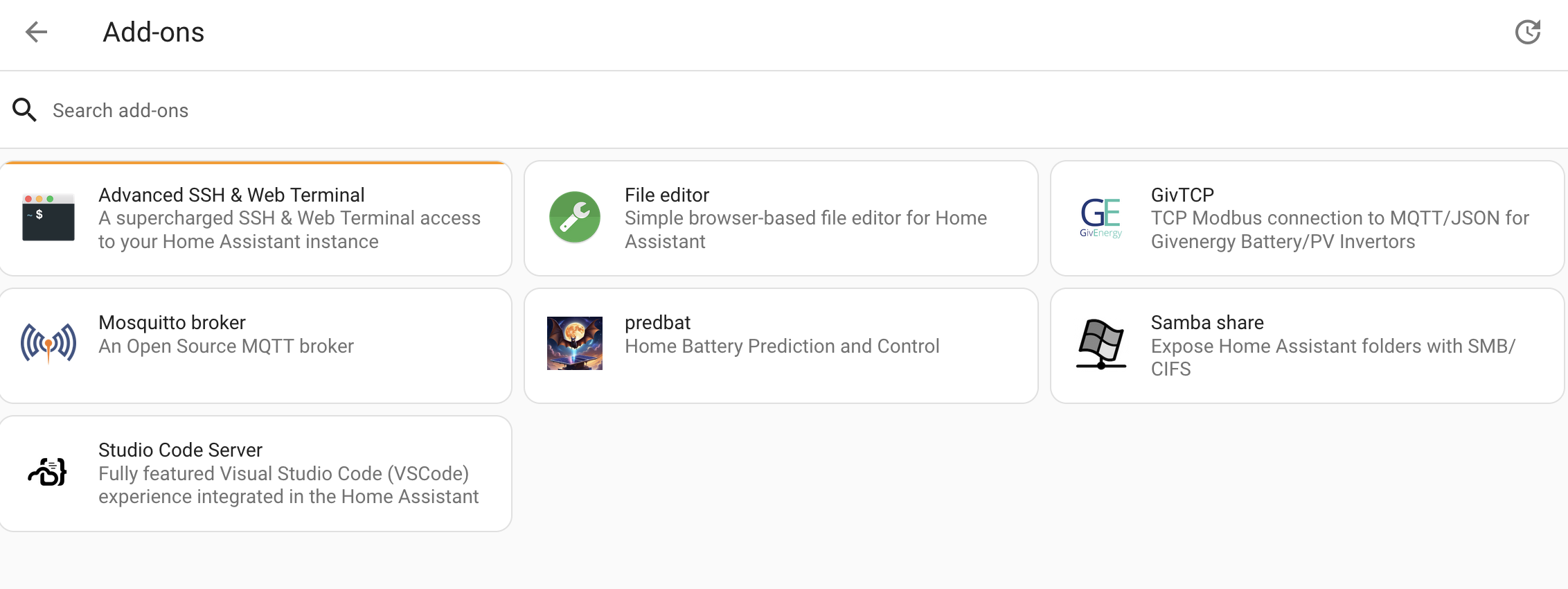
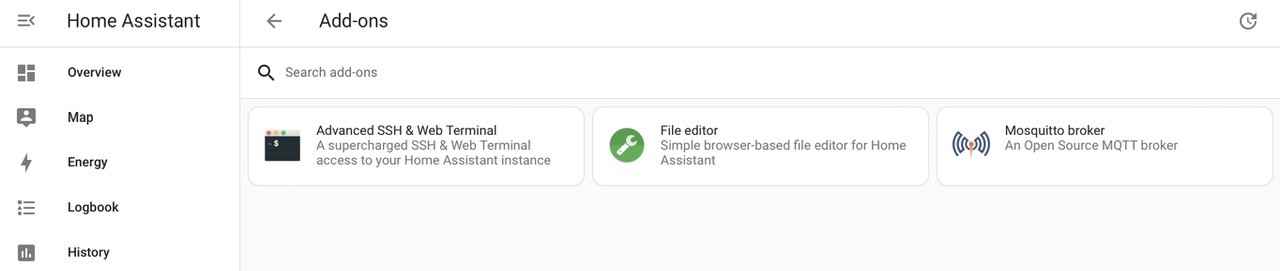
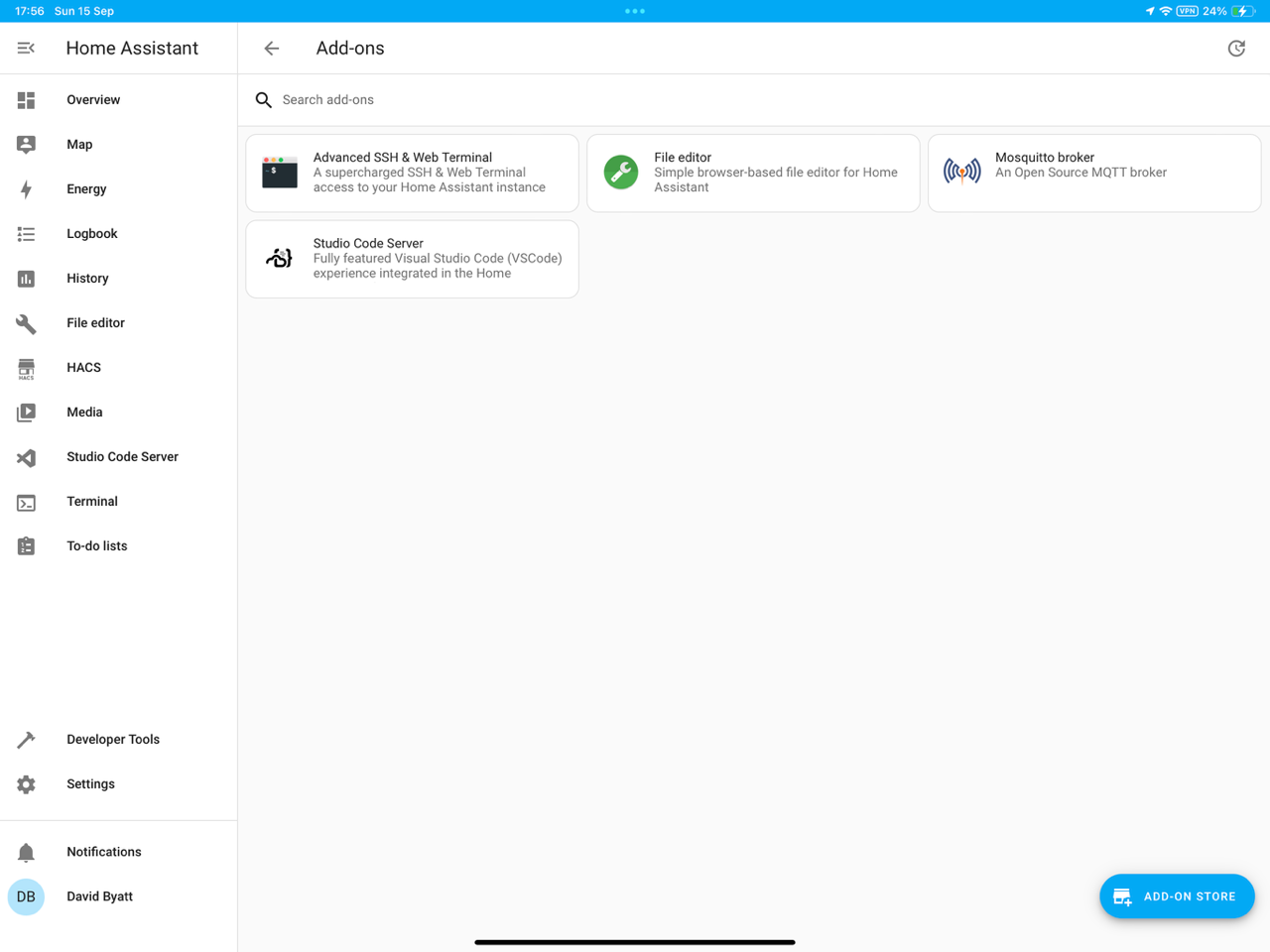
On my soon-to-be-Energy HA instance, here are the Add-ons I have installed:

Not much there! The first, second and sixth aren't really needed iirc

Though I will need to add in the Myenergi add-on for my eddi/zappi idc. A backup automator (probably Google drive) is also on my list

G
#25 geoffreycoan

PianSom Not dissimilar to my own HA add-on list, but I would add:

  • MQTT Explorer
  • SQLite Web

Both of which are installed for debugging but normally shutdown.

I also have the HA Google Drive Backup, ESPHome and Wireguard. I normally only have wireguard, predbat, Samba share, Google drive backup and SSH running

S
#26 SteveCook

I have a pi with SD card and am nervous about failure, so plan to buy an SSD.
Is there an easy way to move everything from the SD card to SSD and get going again.
Thanks in advance

S
#28 SteveCook

Thanks. Time to order SSD then

R
#29 Rbor

SteveCook If you haven't picked this up, definitely watch this from Speak to the Geek.
https://www.youtube.com/watch?v=WAolAvektlw

When I started, I ran HA on a pi with SD card but the port SD card cannot really cope and will likely fail at some stage.
I transferred onto an SSD and the difference in speed is amazing, to say nothing for greater peace of mind.

Rob

S
#30 SteveCook

Rbor
Thanks
SSD and cable ordered

D
#31 Daveb01

PianSom
@geoffreycoan

Hi all, so an update. I have moved the HA to the correct Network (Energy) so it will only be able to see the Solar/Battery/EVC stuff. I think I need to clear up in my mind the next steps please.

So My understanding is I need to go to add-ons and install these (see below), however a few questions have now come about.

Do I do them in order (one at a time) nd set them up, Or all at once?
What are the mandatory (M) ones and what are optional (O), I am only doing GE stuff. (I can install another HA for my home stuff later if needed, on the Home network)
What optional ones are recommended & for what purpose for a beginner like myself. (Are they needed to look after GE stuff only?)

  1. Mosquito blocker (MQTT) - (M)
  2. GivTCP - (M)
  3. Predbat - (M)
  4. Advanced SSH (O)
  5. File editor (O)
  6. Samba share (O)
  7. Studio code server (O)
  8. MQTT explorer (O)
  9. SQLite Web (O)

I watched the ā€œSpeak to the Geekā€ YouTube video and Mosquito MQTT was easy to understand, however the GivTCP setup was OK until he got to the settings for tariffs, as I am on Agile and fixed, can this be added or shall I leave it blank, then install Predbat (and that will sort out the tariff?)

A few more questions will come out on the settings for Predbat (once I start that), do I ask here or are all the settings and what to do all over on the main Predbat post? (I will need a week as there are over 2000 posts) The reason I am asking is to finish off this post to get to Predbat for all who want to start down the same path as me.

D
#32 Daveb01

Do I need to fill in this info in HA or will it be done once I connect to my GE stuff please?

D
#34 Daveb01

Rbor

Thanks for the links, I will look at them once I get past HA initial BASIC setup. I think I just need to install a few add-ons and need a few pointers on the basic steps from you guys.

I have now installed the following add-ons and think I need to sort out a backup before I go to the next step.

Ohhh No I am not seeing GivTCP or Predbat in the add-ons, and it does not come up when I search either. Yes I have selected advanced to get the extra stuff as recommended.

#35 PianSom

Daveb01
Sounds like you are making good progress!

Here's what I would do:
1 - get the Solcast service signed up for, and make a note of your API key: https://springfall2008.github.io/batpred/install/#solcast-install
2 - get the Octopus integration working: https://springfall2008.github.io/batpred/energy-rates/#octopus-energy-integration (This sorts out your tariff question.)
(It's worth noting that HA Integrations and HA Add-ons are similar in concept but live in different places in the UI and are different in coding but quite similar in user experience. The first is ancillary code to HA, the second is a managed Docker container which integrates into HA, in case you are interested.)
3 - I don't recall if you have an EV, but if you do then install what you need to to get that working with HA
4 - work down steps 3 and 4(a) of https://springfall2008.github.io/batpred/installation-summary/ . You already did steps 1 and 2, and did steps 5 and 6 above, so then skip to step 7 and carry on down.

Don't worry too much about reading the 2,000 post Predbat thread - the program has evolved over the year and lots of the old posts will be out of date. Don't be afraid to add newbie questions on to the bottom - no-one will mind.

Predbat needs at least a days historic data to work, so no need to rush to install and set that up immediately - get everything else working first. While you are waiting for data to build, you can sort out your HA Energy dashboard question - https://bottlecapdave.github.io/HomeAssistant-OctopusEnergy/setup/energy_dashboard/ (skip to the Previous Day Consumption section unless you have an Octopus Home Mini/Pro)

PS Many, many kudos are due to @geoffreycoan who wrote - I think - all the text in all the links above

G
#37 geoffreycoan

@Daveb01 Not a lot to add to the above good advice other than you will need either File Editor or Studio Code Server installed in order to edit the predbat apps.yaml file. You can stop the add on once you have configured the file.
Either will do, File Editor is simpler and Studio Code Server is more powerful. Do follow the install instructions for predbat as it fixes the ā€˜gotcha’s’ you’ll stumble across

J
#38 JasonF

I started life running HA on a VM on my synology, it now runs as a VM in proxmox. No issues at all.

D
#39 Daveb01

Just seen this, so it is now possible to use HA and Predbat on the GE Cloud? This is a good option as well. I am guessing you can not have both, so I need to decide which one it better?

Thanks for all the responses so far. I was getting hung up about not being able to install GivTCP without realising that there was a GE Cloud integration that works with PredBat. That serves me right for working bottom-up rather than top-down. I appreciate that this integration relies upon GE Cloud so if my interwebs fails, then I am snookered, but I will also be relying upon the interwebs for the solcast data.

Is this basically what Wonder Watt does via the api?

G
#40 geoffreycoan

Daveb01 yes you can use HA and Predbat with the GE Cloud add-on, it works fine, only limitation is that that its data 'liveness' is only every 5 minutes as per the GE Portal (its the same data), and every command has to go up through the internet to the GE Cloud, then get sent back to your inverter in your home network.

Means you have GE Cloud add-on rather than GivTCP. I've tested it and it works fine.

D
#41 Daveb01

geoffreycoan

I had a think and compared the differences in my head and think the local GivTCP is the better option. As I have just had a second AIO fitted today, do I need the beta version as per the other post? Think it is beta 3. Where do I get that from if I need that version please?

G
#42 geoffreycoan

Daveb01 I think you would be better off with GivTCP, more responsive and less internet connected, so good choice IMHO!

To install the beta version which yes you need if you have more than one AIO, follow the Speak to the Geek video linked above by Rbor except when you get to the bit to add the custom add-on site to the add-on store, use https://github.com/britkat1980/ha-addons as the path rather than /givtcp

This will then give you the option of installing either the production, dev or beta versions of givtcp direct from the add-on store

D
#43 Daveb01

PianSom

Hi all, thought I would update you guys where I am up to (sorry it has taken so long, it’s all new to me)

So looked at a few you tube videos, and there was one about the top 15 things to do in HA, setting up, backups, creating Rooms, installing HACS, etc. I have done all the above.

I have got a Solcast account, set up PV and got an api key.
I have installed Octopus Energy
I have installed SolarEdge (to read direct from PV inverter)

I have not done the EVC yet (as can not find a video on that yet)

Is there anything else you think I need to do before I go to the next step please?

Next steps:-
Backup
Install GivTCP (as I now have 2 x AIO, I understand I have got to instal a beta version)
Backup
Install Predbat
Backup
Configure a good Dashboard
Backup

How do I get Agile working in Predbat

#44 PianSom

Daveb01 Install GivTCP (as I now have 2 x AIO, I understand I have got to instal a beta version)

The Good News - GivTCP 3.0 has just been released, which I believe incorporates much/all of the beta changes, and in particular allows for multiple AIOs

The Bad News - you are in uncharted territory here!

See https://github.com/britkat1980/ha-addons/tree/main/givtcp

Daveb01 How do I get Agile working in Predbat

It should be working already if you have correctly installed the Octopus add-on ...

D
#45 Daveb01

PianSom

Thank you for the update, wow that went from beta to live quickly (they don’t hang about in HA world šŸ˜€šŸ‘)

I have got to read some documents, watch a few videos etc before I go to the next steps, so can wait a little longer. Are you going to move from your beta version to v3 ?

P.S. I have just seen your new post on the subject, so it maybe interesting for me as you guys are all upgrading and I am going from new.

W
#46 Weasel

Just to chip in here...

I too am new to predbat and I found the documentation pretty straightforward to follow although I was surprised just how much manual configuration was needed. This wasn't a problem because I have ssh access to my HA appliance and 40 years experience of vi !!

I chose the GE Cloud integration because I cannot get Givtcp to work. I figure that I need Internet connectivity for solcast etc, no it's not a huge issue to talk to the inverter indirectly.

So far my experience has been positive and I went live almost immediately. I will try to get Givtcp now 3.0 is avaliable, but this isn't a high priority thing for me

G
#47 geoffreycoan

Weasel Good to hear your positive feedback, especially about the documentation (of which I’ve had quite a hand in šŸ˜‰).
There’s quite a lot of manual configuration of apps.yaml because Predbat is so flexible. It started off for GivEnergy inverters but now different inverters behave slightly differently and Predbat can support lots of other inverter types so again more configuration options.
I have a long list of documentation improvements still to make so any suggestions are welcome, just raise a feature request on GitHub. Likewise if you can’t get GivTCP working please raise an issue but do definitely try v3

D
#48 Daveb01

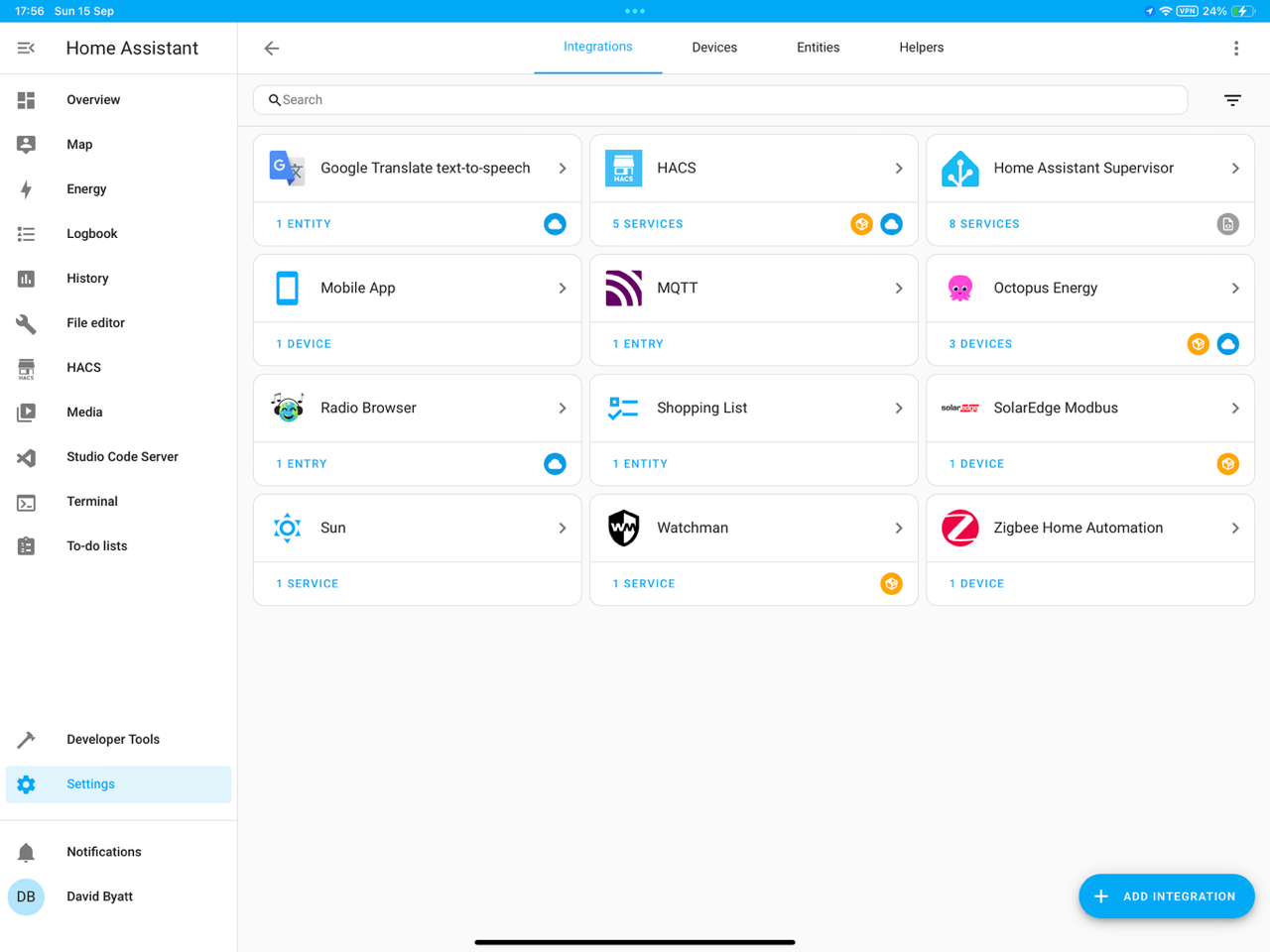
Here are some pic’s of successful instals so far. Back to reading and videos šŸ˜€šŸ¤ž


G
#49 geoffreycoan

Daveb01 Getting there. You can disable integrations you don’t use (e.g. radio browser, translate text to speech, shopping list) to reduce the clutter.

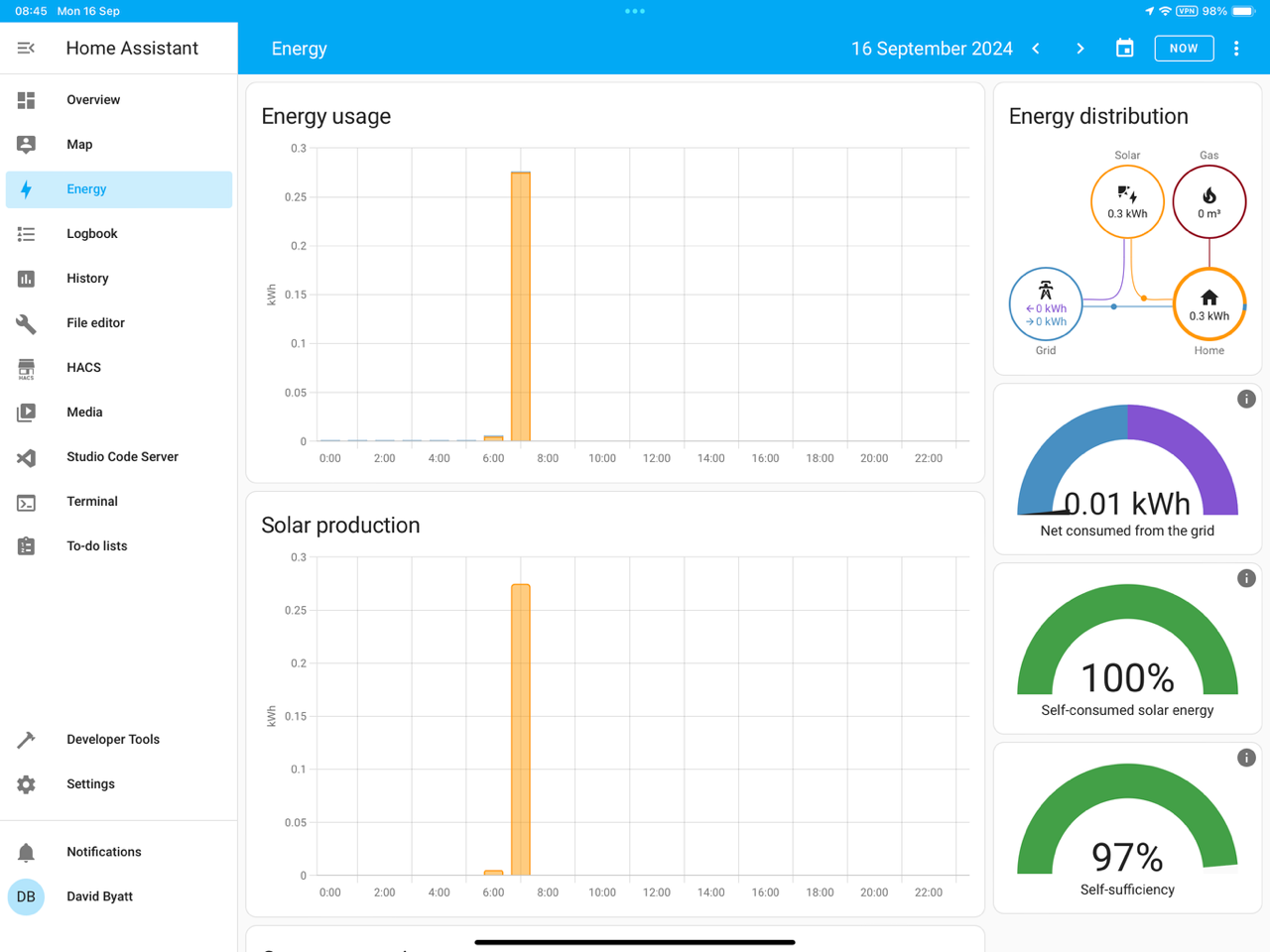
As mentioned earlier do put in place a backup mechanism. I personally use the Google Drive addon; I created a dedicated google account for HA backups and every Google account comes with 15Gb of free cloud storage which is enough for a reasonable backup regime.

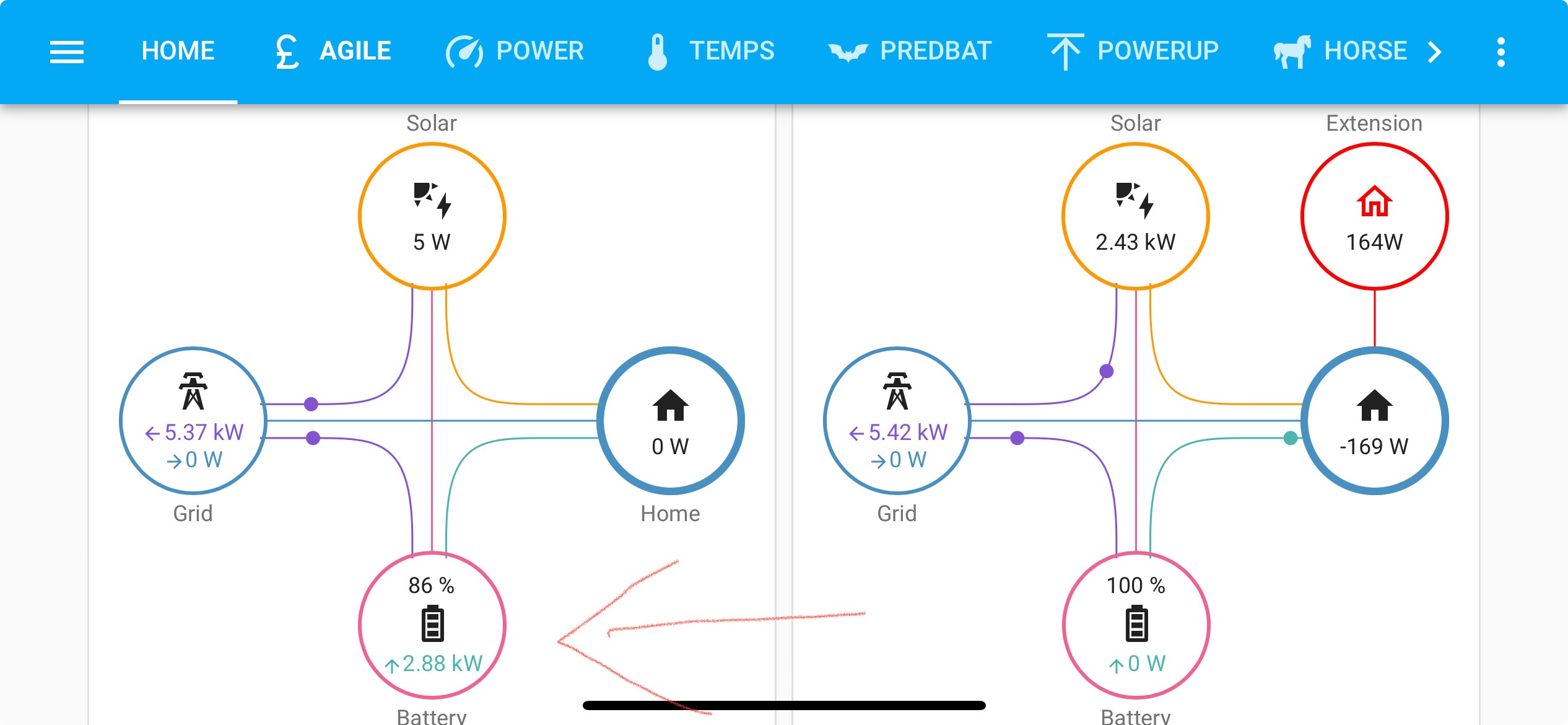
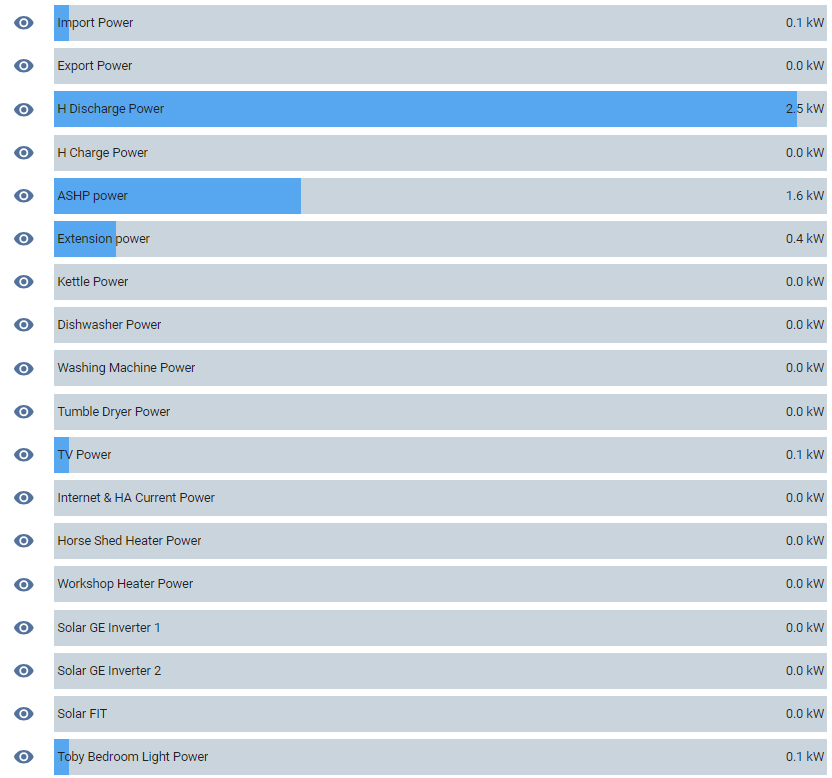
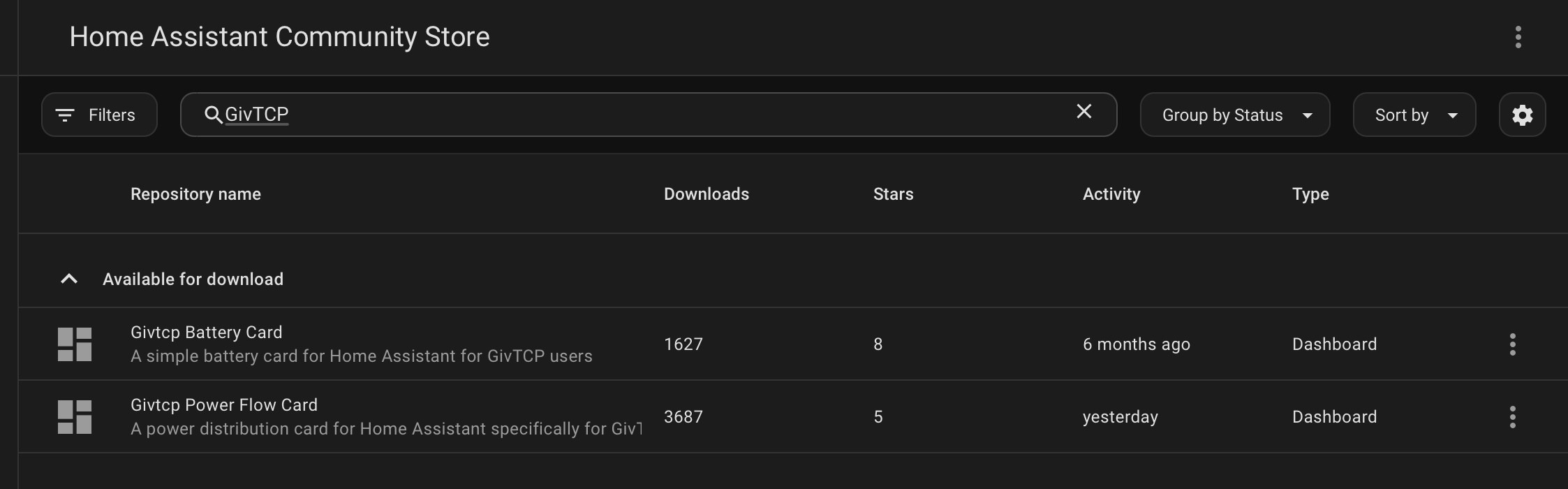
As well as the energy dashboard which is great for showing ā€˜up to now cumulative energy’, I’d recommend creating power flow meters (there’s a speak to the geek video on this, I use Power Flow Plus from HACS) to show the LIVE flow of energy through your home.

And I also use bar charts as an easy way of seeing what’s happening.

Welcome to the world of Home Automation

D
#50 Daveb01

geoffreycoan

Thank you Geoffrey for your very wise advice, I have watched a video and the guy said backup backup backup. I have watched the Speak to the geek video and will pick a solution before my next stage.

One question comes to mind, have you set up remote access to HA? I understand this opens up the front door, but my HA is on a dedicated vLAN, so would appreciate your opinion please.

This guy is very good as well.

https://youtu.be/FVusYP4fHFM?si=J8fWqfNk2hFj_3DQ

D
#51 Daveb01

geoffreycoan

I have disabled those suggested thank you, I have installed Solcast but where do you get your weather from please?

G
#53 geoffreycoan

Daveb01 One question comes to mind, have you set up remote access to HA? I understand this opens up the front door, but my HA is on a dedicated vLAN, so would appreciate your opinion please.

yes I have setup remote access.

I’ve got 3 different mechanisms:

  1. Use the Home Assistant Companion app on my ipad and iphone (also Android, Mac and Windows versions available). This enables you to control and see HA more easily.
    Optional as to whether you then give remote (off your network) access. I have a static IP address on my broadband and have created a port forward on my router for the companion app so I can use the app remotely. I know this is a security risk but I have turned on 2 factor authentication for login so feel it’s pretty secure.

  2. WireGuard VPN. Some routers have wireguard built in, I don’t so I run the wireguard add-on to HA. This enables a secure tunnel through HA onto my home network. Again will require a port forward for the VPN on your router and is arguably more secure to use this and then the companion app for remote access.

  3. Teamviewer remote access. I run my HA as a VM under windows 10 so I have also setup Teamviewer so I can remotely connect to my PC. From there if HA gets ā€˜stuck’ (as has happened in the past when I was away for 2 weeks) I can shutdown and restart the VM remotely.

Also worth saying that I did use the DuckDNS SSL and dynamic DNS add-on for a while which meant that all traffic to/from HA was HTTPS secured and encrypted, but in the end I gave up with it for two reasons, 1, all local traffic to homeassistant.local:8123 also had to go over https and you get certificate errors as the site doesn’t match the duckdns certificate, and 2, my mobile phone provider (O2) blocks duckdns so I used to have to open the VPN every time before I could use the companion app remotely.

So junked duckdns, went back to http, and mainly I use option 1, the companion app directly via a router port forward. Not encrypted but 2FA login secured so I live with that. You make your own security decisions

G
#54 geoffreycoan

Daveb01 but where do you get your weather from please?

At the moment I have 3 sources of weather data, I have the Met Office integration, AccuWeather and Met.no all installed.

TBH none of them give me what I want which is ideally an hour by hour weather forecast giving rain %, cloud cover, wind speed and wind gusts. I like the Met Office mobile app but their API only gives 3 hourly forecasts.
And I don’t have a weather forecast UI component I really like either.

Lots of videos online comparing the different options for both.

Solcast is good though and has active development of the solcast integration. You can get predbat to interrogate solcast directly but the integration has more powerful configuration and output options.

G
#55 geoffreycoan

Agree, Everything Smart Home does good videos and he’s done some good smart home sensors. I’ve got a few that I still haven’t setup yet šŸ™„

Also Smart Home Junkie is worth a look and Bearded Tinker.

B
#56 browellm

There's also a ZeroTier add-in for HA which makes things very simple. You then don't need static IPs and port forwarding.

D
#57 Daveb01

geoffreycoan

One last question at the moment please, Speak to the geek has a video on the GE EVC, however he had to use the GE cloud api to get it working as GivTCP v2 did not work.

Question does GivTCP v3 have the GE EVC integration?

#58 ProximusAl

Daveb01 Yes, it does.

D
#60 Daveb01

geoffreycoan

So had a think about my backup solution and have created a Google account, do you have any instructions or add-ons/hacs that I can use please (what do you use) to link Google drive to HA?

Found this and followed all done (well recommended back up solution) 321 was that not a quiz program on TV?

https://youtu.be/MTlkjVrpo-o?si=HzowYg_Xl115UFCZ

G
#61 geoffreycoan

Daveb01 I use the Google drive backup add-on. It does everything for you, automatically takes daily backups (full or partial) and copies them to your google drive, keeping X copies in HA and Y copies on Google drive. Can set generational controls such as keep 7 daily copies, 3 weekly copies, 5 monthly copies, etc.

https://github.com/sabeechen/hassio-google-drive-backup#installation

There's plenty of other ways of automating backups but I find this one works well and the storage is free (up to 15Gb)

D
#62 Daveb01

geoffreycoan

So think I am now ready for GivTCP, however do I set up the dashboard first or can it be done at any time?

I understand there are 2 good options the dashboard you suggest (speak to the geek) or the GE one.

Do they configure themselves when you install them or a config (more reading and a video or 2

D
#63 Daveb01

Are there any instructions with the new GivTCP v3 install please?

I now have these ready


R
#64 Rbor

Daveb01 I know I keep referring to the PredBat documentation:
https://springfall2008.github.io/batpred/

When I set up Predbat from scratch 8 months ago, I followed the excellent documentation religiously. I also watched Trefor's videos several times, often pausing.

Do look at the section on Viewing Predbat data:
https://springfall2008.github.io/batpred/output-data/
You need to be able to see your Predbat Plan, Status and available Controls.

There is a lot of work getting predbat up and running efficiently but it will then largely look after your system automatically. And I got so much help from folk on the GE forums, especially from geoffreycoan

Question does GivTCP v3 have the GE EVC integration?

Yes! But GivTCP v3 is very new and we are finding that there are some rough edges.

Rob

R
#65 Rbor

Daveb01 There are instructions below the GivTCP add ons. I used these.
If you haven't started any of these and you want to set up GivTCP v3, my advice is:
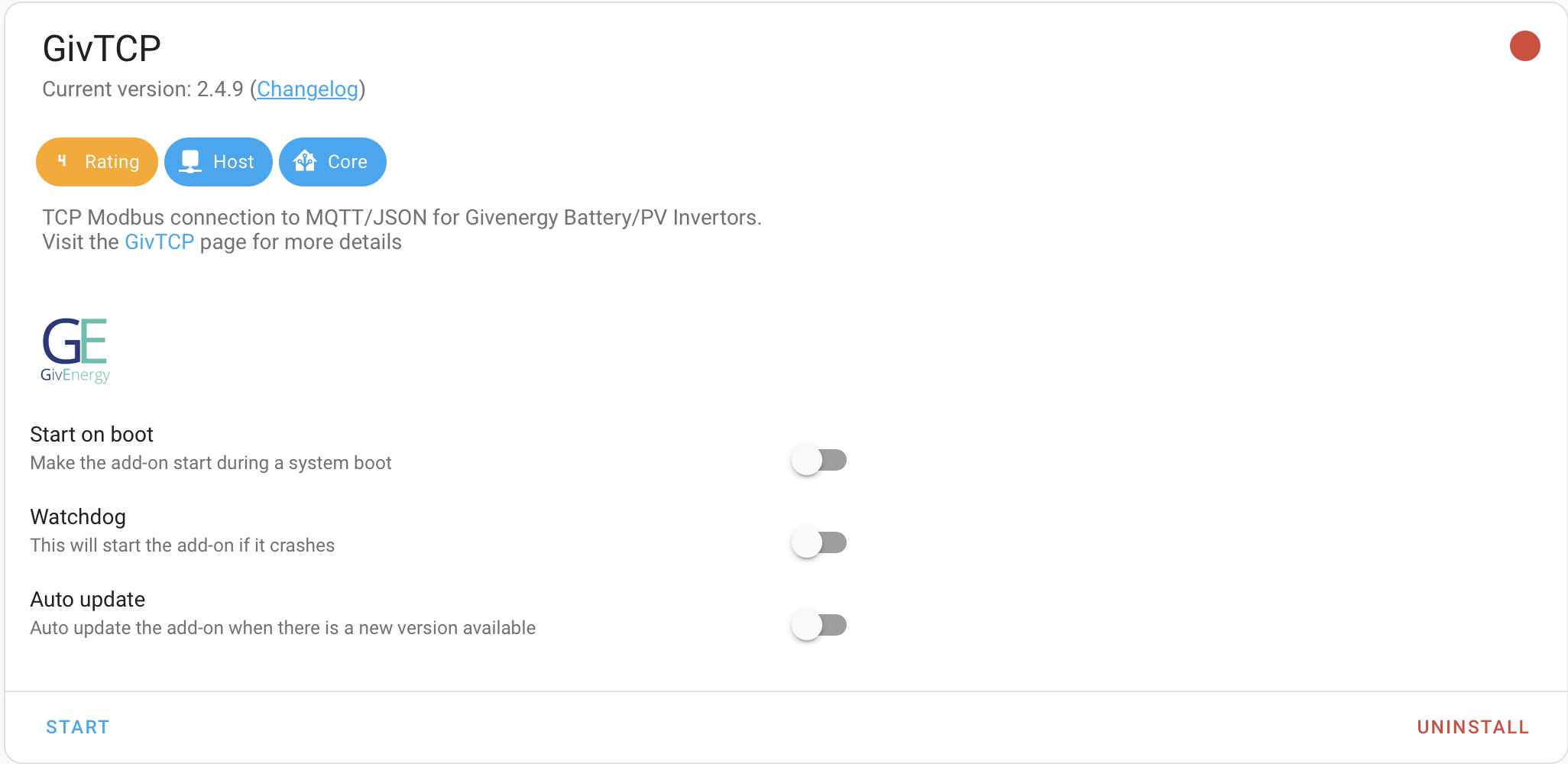
1. Make sure that the GivTCP v2.4.9 is OFF:

If you try to set up v3 while v2.4.9 is running, you will get all sorts of errors as there will be two GivTCP versions competing for access to your system. And be careful that v2.4.9 isn't set to start on boot!

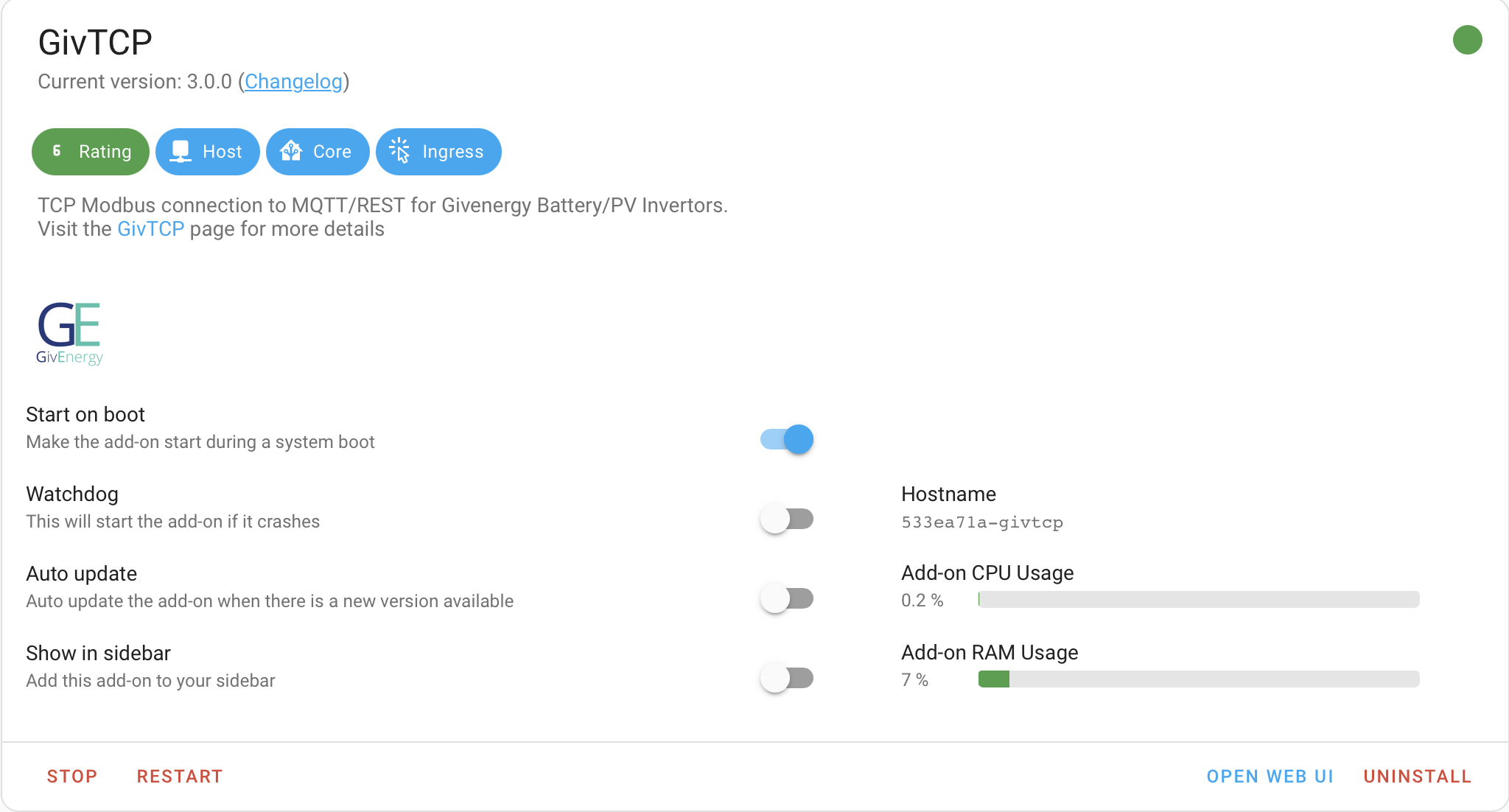
I made all these mistakes. I don't want to uninstall v2.4.9 in case I have to fall back to it from v3.
v3 is effectively a different add on to v2 and not an upgrade in my eyes.

2. Then install GivTCP v3.
Here are my GivTCP v3 options:

3. Follow the instruction below the options. You configure via the WeUI.
BUT FIRST, get MQTT running (Use the Speak to the Geek video)

Supporting video
I believe that there is supposed to be a video coming out imminently on setting up GivTCP 3.0. See https://community.givenergy.cloud/d/4982-givtcp-docker-v300-released/22

I will post details if and when I know more.

Rob

G
#66 geoffreycoan

Daveb01 So think I am now ready for GivTCP, however do I set up the dashboard first or can it be done at any time?

I understand there are 2 good options the dashboard you suggest (speak to the geek) or the GE one.

Do they configure themselves when you install them or a config (more reading and a video or 2

In Home Assistant you get a default dashboard that contains all the entities it knows about, usually grouped by location & type. So the GivTCP ones will appear in a block of controls, then a block of output sensors, etc.

This is an easy way to see what's happening but its rapidly quite unwieldy and you will want to create something specific to your needs. You can create a dashboard/multiple dashboards at any time, no need to do it immediately, but as you learn what the sensors are you will want to create your own to show stuff of interest to you.

To see what predbat is doing there are a number of output sensors, most useful of which is the html plan. There's also a set of input sensors you will need to setup to configure to your system and there are a set of graphical charts you can choose from. Again as Rob says, have a look at the YT videos and follow the install instructions.

We all have quite different dashboards, I think there's a thread somewhere on the forum where we shared what we had a while ago, but as always, keep tweaking it. There are also lots of useful UI add-on's in the HACS store that you will want to explore!

I have a GivEnergy dashboard with a series of tabs:

  • Key system info (battery state, house load today, ASHP use today), battery cards showing the activity of my batteries, power flow meters showing the flow of energy through each inverter, a set of key controls for each inverter, and then a summary of solar forecast today/tommorrow
  • Power flow bar charts showing live what power is being used where
  • Agile rate card, predbat forward plan and calculated sensors for when to put the washing machine on on the cheapest power
  • Predbat controls, change any of the predbat config items
  • Temperature charts for the rooms in the house, the inverters and batteries
  • SOC history and a number of other history charts for the last 18 hours
  • Power up control card (see other thread)
  • Predbat charts, I only use the greenness forecast and the solar today vs forecast
  • System monitor (CPU & memory utilisation)
  • Battery cell voltage levels now and graphs for the last day and 30 days
D
#67 Daveb01

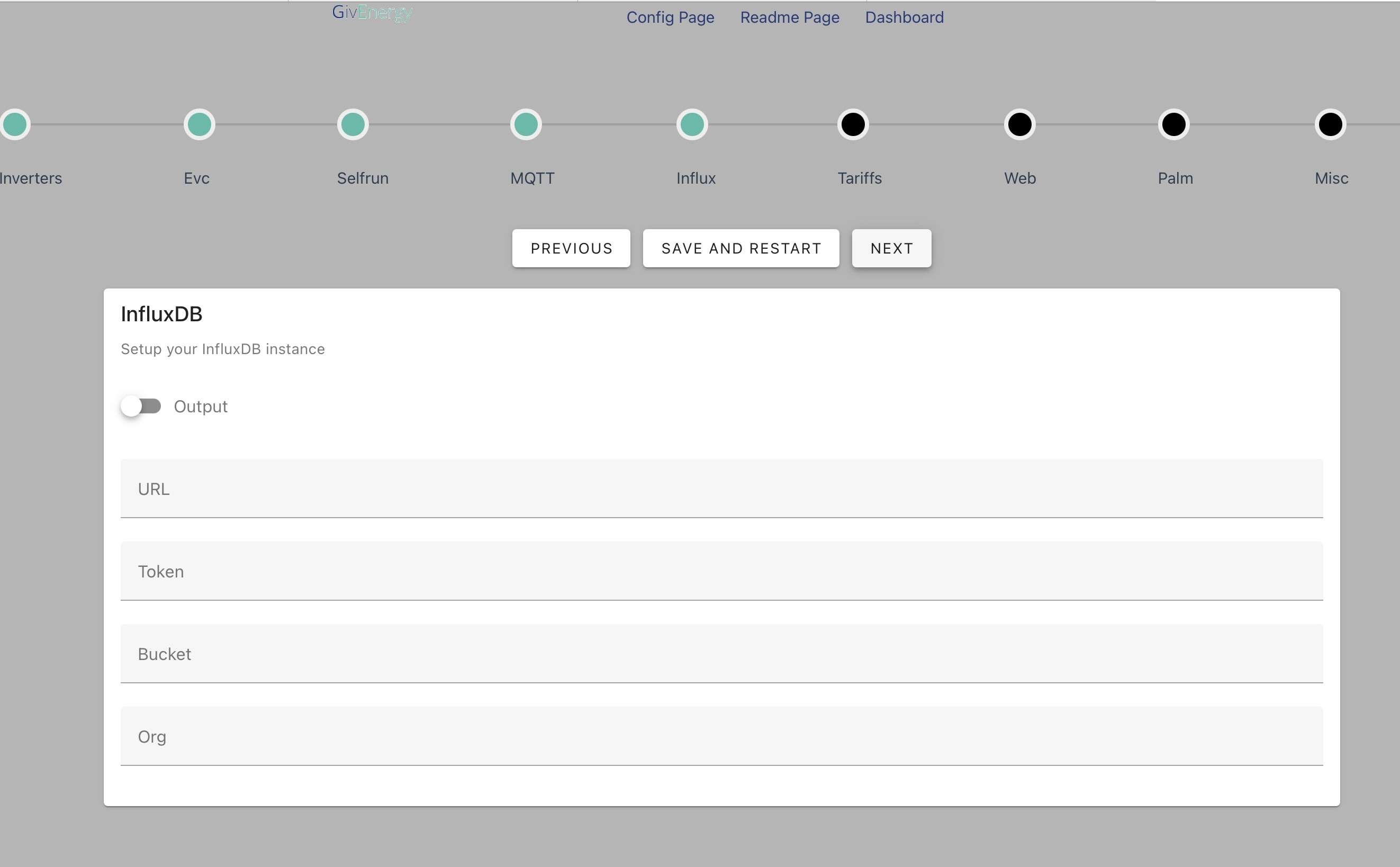
Hi all, I have successfully installed GivTCP. Restarted HA and get the config web page. The first couple of options were easy however I can not find anything in the instructions about this setting. Advice please?

D
#68 Daveb01

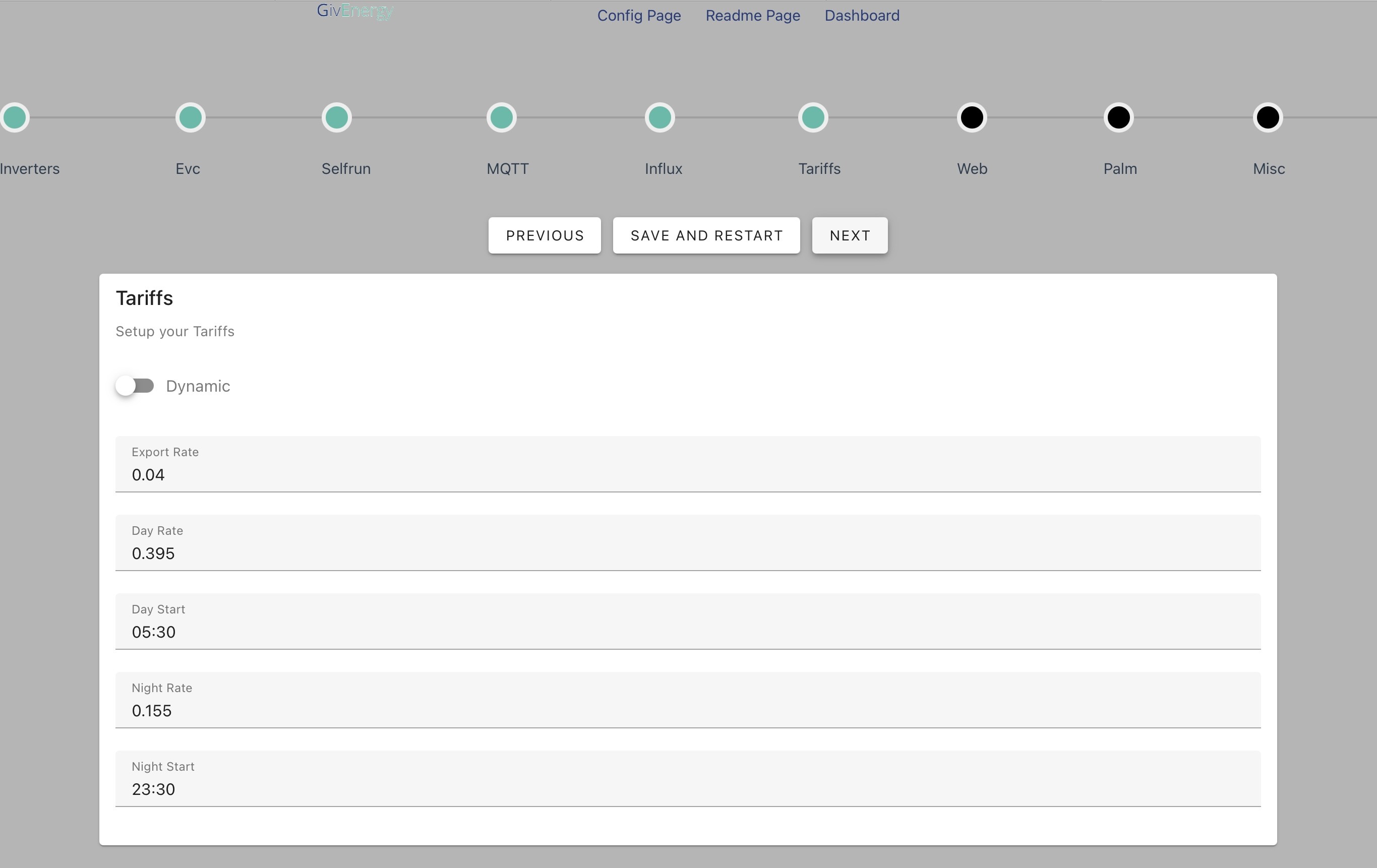
Next setting question Tariff. I am on Agile, I have installed Octopus Agile & Octopus prior to this. I was thinking I would have got an option to pick a tariff. Help please?

D
#69 Daveb01

Last question I think on the config page. I have the info for the api keys etc. Do I leave the rest as default? Or do I need to tweak them for my situation. If later where do I get this info please?

#70 PianSom

Daveb01
1 - you don't want to turn on InfluxDB output right now. (It's a standalone time series database. Not something that is required or desirable unless you know you want it.)
2 - Don't worry about tariff selection also. GiveTCP will do calcs if you want it to, but you don't. You will be relying on HA/Predbat.
3 - Same with GE/Solcast APIs - you don't need GivTCP to do this for you, as you will be doing it all elsewhere.

G
#71 geoffreycoan

@Daveb01 adding to the great answers given by PianSom

  1. Don’t turn influx on unless you know what you are doing. There are videos on this and influx is good for long term stats, but personally I don’t use it and instead use the long term statistics feature already built in to Home Assistant

  2. GivTCP only has a very simplistic economy-7 type of view of tariffs. If you have anything more complex then its simple night/day view of costs isn’t much use. I have disabled several of the related output sensors as they’re not useful. Let Predbat do the cost calculations

  3. The GE API is I think for remote controlling your GE equipment via the GE cloud. Possibly needed for a GE EV charger, but not for your inverters. The Solcast API’s are to enable you to use PALM which is a standalone solar forecasting unit that comes as an option to GivTCP. It does simple battery charging based on tomorrow’s solar forecasting. Predbat is much more powerful and TBH I think its stopped working reliably since Solcast introduced rate limiting (there have been several GivTCP issues on this function no longer working)

R
#72 Rbor

And watch the Speak to the Geek video:
https://www.youtube.com/watch?v=ygD9KyciX54
The video sets up v2 from scratch nut many of the settings are the same for v3.
He goes through a lot of the settings you need to input.

I have checked my webUI.

  1. I have dynamic tariffs switch OFF. Predbat will sort that out for you, provided your octopus tariffs have automatically been set up by predbat.
  2. I have set up Solcast to be run by predbat.
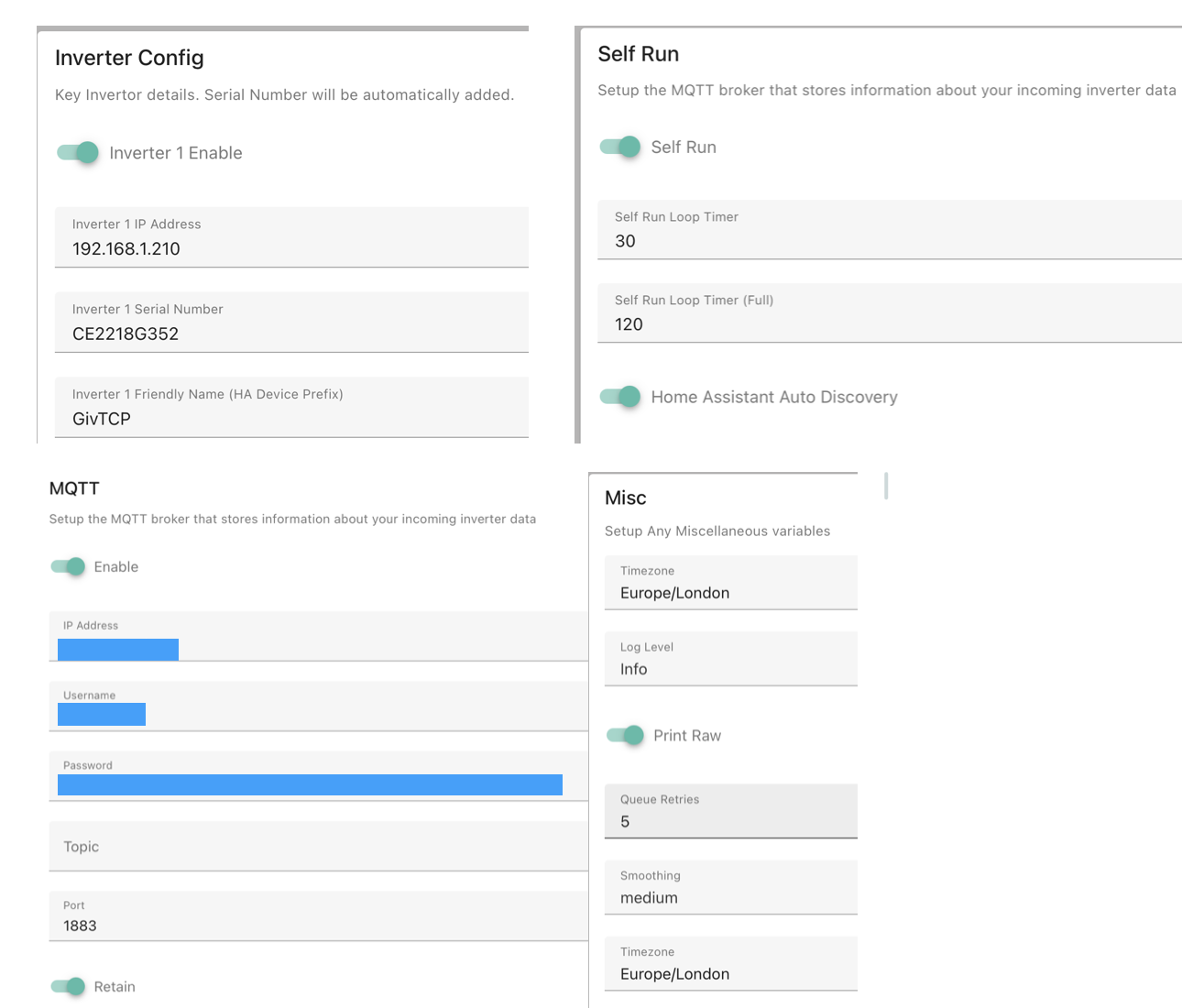
  3. The only options I have enabled with essential info area:
    Inverters
    Self run
    MQTT
    Misc

You can enable EVC but I would first worry about just getting givTCP running.

There is an option for 'Dashboard'. You can enable this and you get a graphic available (shown in the info on the add on page). I don't bother with this as I have better info in my own dashboards (See geoffreycoan).

My settings.
The MQTT entries may be populated for you but they will depend on how you have set up MQTT (Speak to the Geek!)

PianSom You don't want to turn on InfluxDB output right now. (It's a standalone time series database. Not something that is required or desirable unless you know you want it.)

I don't know what InfluxDB output does so mine isn't enabled yet. I can easily switch on the option if I need it in future.

As always, with me, it is all in the documentation (although I, like you, was trying to make sense of v3 WebUI.

.... and watch out for new videos that are bound to appear on setting up v3.

And best of luck ....

Rob

D
#73 Daveb01

Thank you guys, so think I am ready for Predbat install. I will get that done and swap over to the Predbat post for questions.

So I think this is the end of this stage of this post. Hopefully it will help those setting up from scratch, a bit of choice for hardware, then answers from you guys setting up the apps in the correct order, plus settings that are not documented or were difficult to understand for a total beginner.

Thank you again guys šŸ‘šŸ˜€šŸŗšŸŗ

R
#74 Rbor

Possible problem with apps.yaml restart and using givTCP v3.x rather than v2.x

I have picked up this potential problem from one of the Facebook forums:

  1. For any Predbat users, you must ensure that the auto restart code (in apps.yaml) is commented out or pointed to the new container ID.
    Consequence is that otherwise Predbat will restart V2 and 2 instances will then be running together. This will cause issues
 # When enabled automatic restart will restart the add-on if communication fails
  # Example below is auto-restart for GivTCP add-on itself
  auto_restart:
    - shell: 'rm -rf /homeassistant/GivTCP/*.pkl'
    - service: hassio/addon_restart
      addon: a6a2857d_givtcp

I have temporarily commented out these lines in my apps.yaml.

geoffreycoan Is this a real problem?
Should I raise an issue. If givTCP add-on v3 is being run, presumably there will be a different add-on identifier in the apps.yaml code?

Rob

G
#75 geoffreycoan

Rbor correct, a good spot from whoever it is on facebook, the slug id will need changing as predbat will attempt to restart the v2 givtcp add-on. Because of the way that v3 has been released from a different github folder and as a different ā€˜product’ it will will have a different slug-id in Home Assistant

do raise, and you can assign it to me to fix it as a documentation fix.

For now, best to comment out the restart line or change it to the correct slug id

R
#76 Rbor

geoffreycoan Thanks.
I do lurk on Facebook but never contribute – I don't trust Facebook.
The contribution was from Matt Partington who has raised some Github issues for Predbat in the past.

The potential issue did look urgent so I flagged it here.
I have experienced myself the issues with v2 and v3 running concurrently.
I would have changed the slug-id myself in my apps.yaml but I have no idea where to find it!

I will raise this as an issue now and assign to you.
However I don't know how to assign to geoffreycoan or to show as a documentation fix.
It is down as a bug (#1462) and assigned to Trefor.

Rob

G
#78 geoffreycoan

Rbor it is Rob, I hadn’t yet started my v3 givtcp (only have it installed not started) so I couldn’t easily find the slug id myself, but you are correct, thanks for finding it

Simplest way to test it, try calling the add-on action yourself:

Developer Tools/ Actions

Search for restart add-on, and choose the add-on name

I just followed this process myself and the GivTCP v3 slug id is indeed 533ea71a_givtcp

If you click ā€˜perform action’ and check the givtcp log you should see it restarting OK

R
#79 Rbor

geoffreycoan Thanks
I can't find an Actions section under Developer Tools but I haven't updated HAOS for a while.
I am on
HAOS: 12.3
Core: 2024.6.4
Perhaps a hint that I need to do so.

Rob

G
#80 geoffreycoan

Rbor Its Services in the older HAOS Core. Was renamed recently. Works just the same, just changed the name thats all

I’m still on 2024.8.2, not upgraded to 2024.9 yet, I like to let the releases settle down a bit more upgrading, but having said that, am on the latest predbat version even though the web UI which is where most of the work has been isn’t available with appdaemon. I want to see what Trefor comes up with to enable automation of power up sessions before I change as I’m getting almost one power up session a day at the moment!

D
#81 Daveb01

Wow that was a bit heavy for me. So as I have not installed v2, will I still need to do anything.

I have v3 and intended to install the latest Predbat on top, I am guessing it should pick up the new version and start is as required?

D
#82 Daveb01

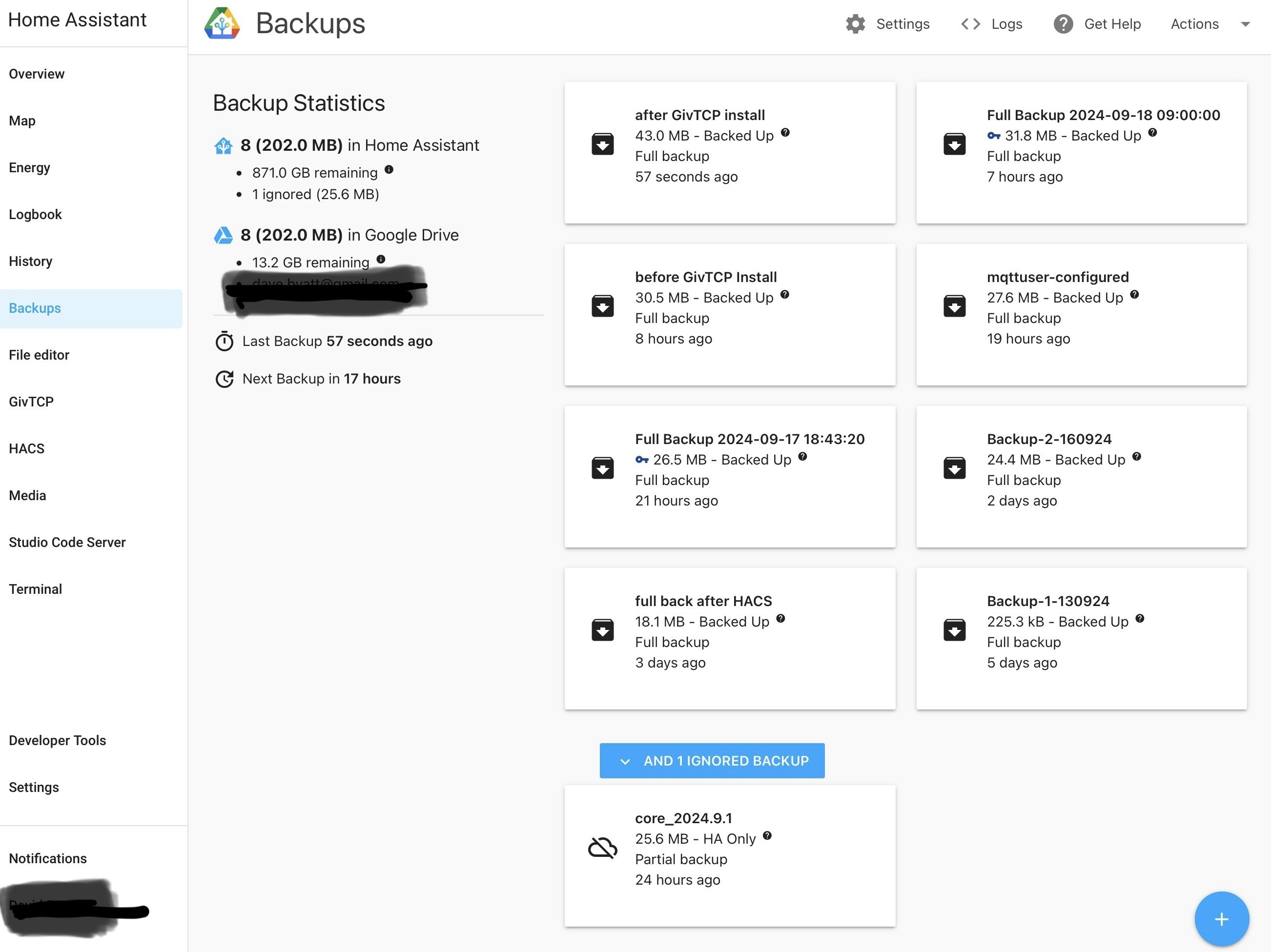
Backups are working great thank you all again šŸ‘šŸ˜€

#83 PianSom

Rbor I don't know what InfluxDB output does so mine isn't enabled yet. I can easily switch on the option if I need it in future.

It is just a database which is designed for storage of data, typically time series data. It is reasonably efficient, and some people choose to store their long term HA data in it. Oftentimes you will find it coupled with something to display the data - I used to use it a lot with Grafana, a package to chart time series data.

Like I said, unless you need it you don't really need it šŸ™‚

G
#84 geoffreycoan

Daveb01 wow, super small backups. I’m very jealous. Mine were about 1.1Gb for a full backup and 950Mb for a partial. I’ve managed to get it down to 480Mb last night, so coming down nicely.

D
#85 Daveb01

geoffreycoan

So took the plunge further down the rabbit hole (for the very inexperienced. This is where I am at the moment. Going to back up now and follow the documentation tomorrow (will keep you guys posted)

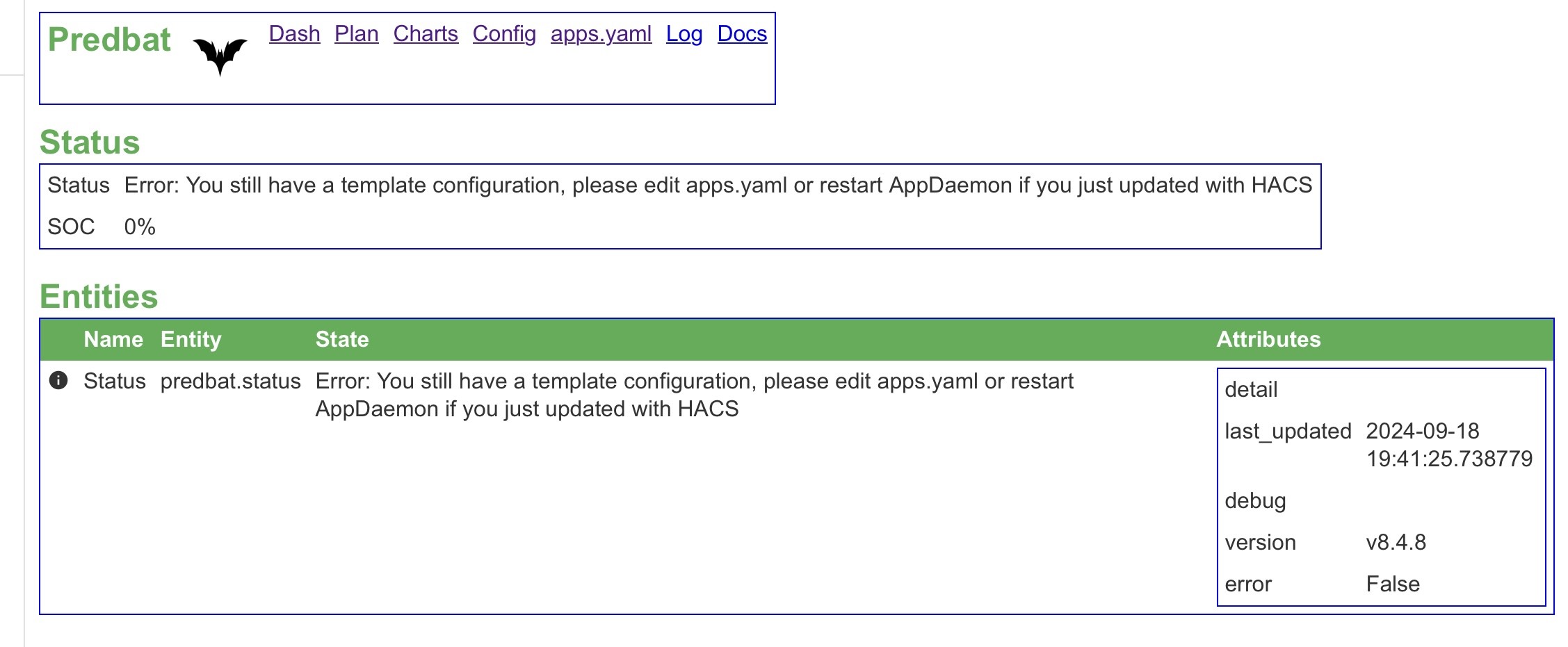
L
#86 Leeshore

Daveb01 It's because you haven't deleted the following line in apps.yaml:

# XXX: Template configuration, delete this line once you have set up for your system
template: True

G
#87 geoffreycoan

A bit late for you @Daveb01 I know, but I've just updated the Predbat documentation to give detailed instructions for installing MQTT and GivTCP, highlighting where v3 differs from the v2 covered in the Speak to the Geek video

Draft available here: https://github.com/gcoan/batpred/blob/main/docs/inverter-setup.md

I upgraded myself to GivTCP v3, and but for a stupid typo error on my part with one of my inverter names which caused one inverter not to poll, after an hour of head scratching and writing up a new github issue I spotted the mistake and its all running fine now

R
#88 Rbor

geoffreycoan A really good update to the documentation. Well done.
Now it is time for a problem with me, although I realise it is really a givTCP/HA issue rather than Predbat.

I made the transition from givTCP v2.4.9 to v3.0.0 successfully.

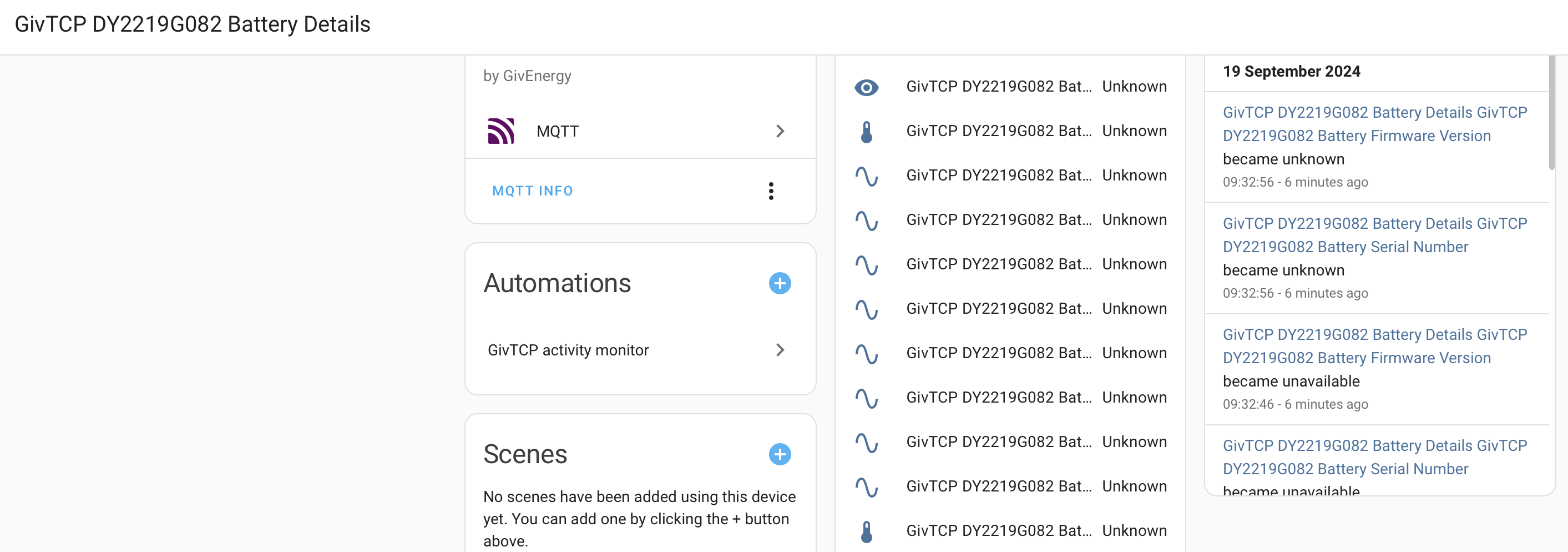
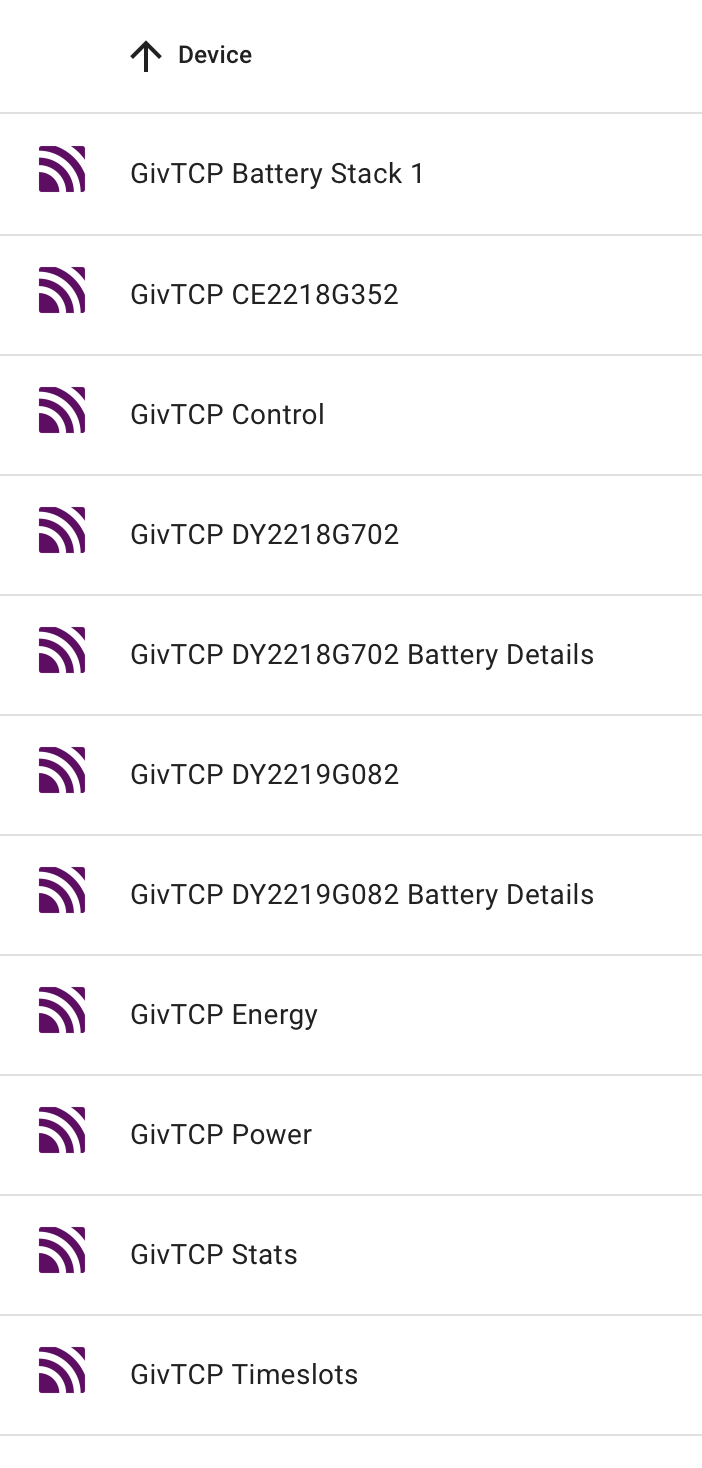
Everything seemed to have worked but I can now no longer access any information about my 2 batteries. All the battery entities are coming up as 'unknown'. I have checked in Settings/devices and Services, and in Developer Tools/States.

In v2.4.9, I could see everything, individual SOCs and cell voltages, etc. This is the first time I have noticed so I don't know whether v3 broke this for me?
In the givTCP 3 log, I get a line that suggest that the batteries have been found:
2024-09-19 09:42:04,153 - Startup - startup - [INFO ] - Inverter CE2218G352 which is a Gen1 - Ac with 2 batteries has been found at: 192.168.1.210

I can see all inverter details. In the GE app, I can still see the individual batteries.

See screenshot below showing that any battery details are coming up as 'Unknown'.

I have checked in Entities but there are no newly named entities for each battery.

Any idea what might be wrong?

Rob

R
#89 Rbor

geoffreycoan More information:
Quote from your draft updated documentation https://github.com/gcoan/batpred/blob/main/docs/inverter-setup.md

GivTCP now auto-populates the MQTT page so as long as you're using Mosquitto broker within Home Assistant you won't need to create a dedicated MQTT user or enter the details on the MQTT page

I did notice that the MQTT page in the WebUI config had auto populated with completely different credentials than I have set up for givTCP v2 in line with Speak to the Geek. I had setup an MQTT user and my own password.
Should I copy these into the WebUI MQTT page or use the new details? Could this be part of the reason for my missing Battery Details?
I wonder whether I should post my missing Battery Details as a potential issue on givTCP Github.

...... I may first downgrade to v2.4.9 to see if this solves my problem but I will see first if any solutions emerge from this forum.

Rob

G
#90 geoffreycoan

Rbor I had a similar issue with one of my batteries appear but not the other. Eventually I traced it to me inadvertently setting the second inverter to have the same prefix ā€˜G’ as inverter 1 and this caused loads of problems.
The missing battery was created but with completely different entity id’s and it wasn’t populating properly either.

Once I fixed my GivTCP config issue and restarted, the data all flowed through OK. I’m getting all my temperatures and voltages through OK.

The sensors above show that the data isn’t being populated which is why they are all unknown. As you say the givtcp log says that it has found the batteries OK.

Have a look on the default dashboard and see if you can see the missing entities mis-named on there? Also try looking at devices & services / entities and filter for ā€˜voltage’.
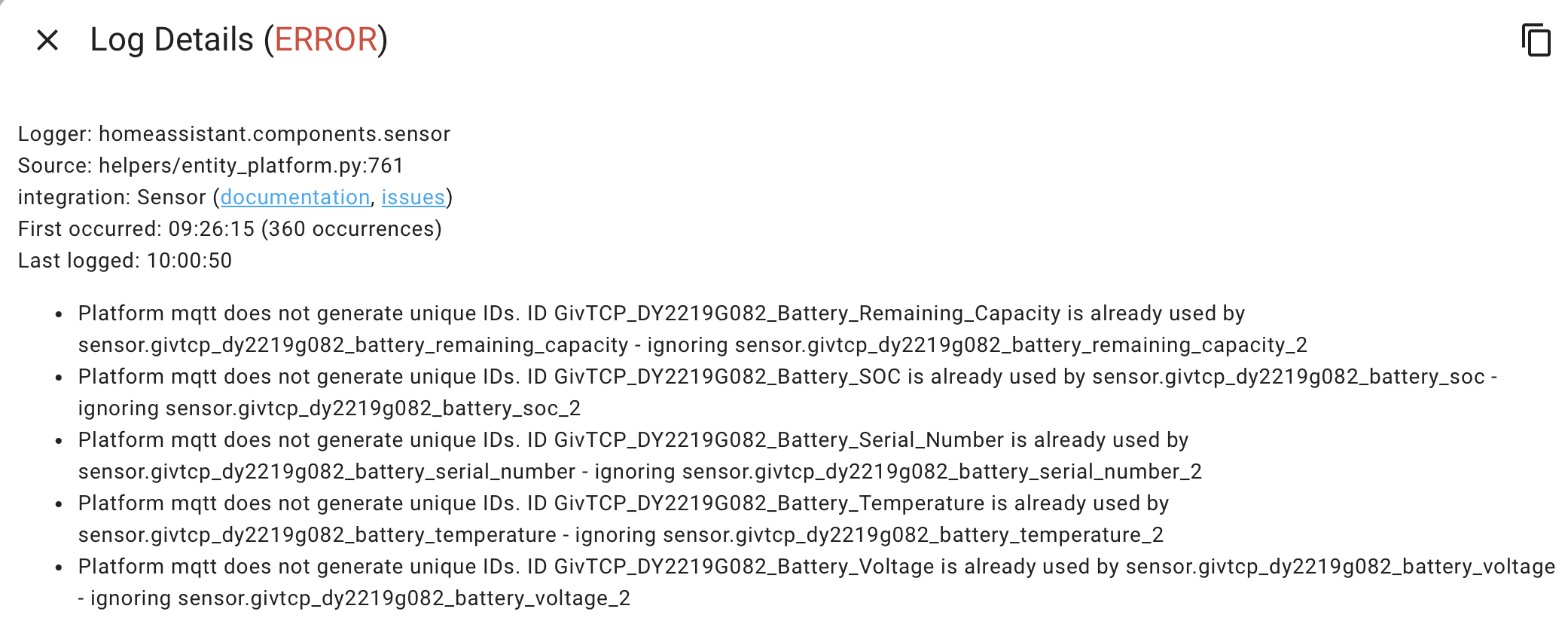
Also look at System / Logs and see if there are any error messages from MQTT in there. I had messages about a duplicate entity id which was caused by my mis-config.

G
#91 geoffreycoan

Rbor I did notice that the MQTT page in the WebUI config had auto populated with completely different credentials than I have set up for givTCP v2 in line with Speak to the Geek. I had setup an MQTT user and my own password.
Should I copy these into the WebUI MQTT page or use the new details?

No you don’t need to populate your own MQTT details. I too had my own credentials as per the speak to the geek video but they are no longer needed as GivTCP does its own thing. There was a previous github issue with someone who had copied their own mqtt user in and britkat advised not to do this. I didn’t overwrite the auto config that GivTCP v3 had created and it all worked fine, hence the additional line in the guidance.

R
#92 Rbor

geoffreycoan Thanks for rapid response.
This is from System log

Rob

G
#93 geoffreycoan

Rbor that’s what I had as well. Mine was caused by misconfiguration of the inverter prefix, but you only have 1 inverter I think? It shows that its trying to create the sensors but for some reason with duplicate id’s.

You could try shutting down MQTT, GivTCP and Home Assistant and restarting everything, that may cure it

Next option will be to delete the battery config from MQTT if this doesn’t work. If you don’t have it installed you will need the MQTT explorer installing. It’s worth having anyway so you can see what MQTT is reading from GivTCP. It doesn’t need to be running all the time, only when you want to look at the MQTT queues.

S
#94 SteveCook

OK thanks. i will keep playing
Should HA time be set as GMT +1? to reflect BST?

D
#95 Daveb01

geoffreycoan

Oh no, I did the same thing, created a MQTT user and pasted that in, also used this ID for GivTCP. There are loads of errors in the logs now.

I will restore from backup and install mqtt, GivTCP again as per your new instructions.

One more question when installing Predbat it says, can you confirm I need AppDaemon please?

Install Predbat, either:
a) Install the Predbat add-on - Predbat add-on install, or
b) Install the AppDaemon-Predbat combined add-on - AppDaemon-Predbat combined install, or
c) Complete the separate installation steps:
i) Install HACS if you haven't already - HACS install
ii) Install AppDaemon if you haven't already - AppDaemon install
iii) Install Predbat using HACS - Predbat install

R
#96 Rbor

geoffreycoan So v3 is trying to generate new battery entities rather than use the 'old' entities.
And it cant use the old entities.

I have tried restarting everything and have also updated my HAOS and Core now.

I had thought about stopping MQTT, then deleting all my battery entities (and there are loads) in the hope that MQTT would generate new entities for me that work.

Moving up to v3 is not clean! It may be better for a new set up entirely without v2 baggage to get in the way.

If you don’t have it installed you will need the MQTT explorer installing.

I have hunted and have found MQTT Explorer which I have installed. I have run the test and see loads of links.
I have no idea how to get MQTT Explorer to look at my MQTT broker so looks like youtube time!
I'm off to spread grass seed on what I hope with be a new lawn, v3.0.0. Should take me less time than the 2 hours I have spent on this task today.

I will first though try closing down MQTT, givTCP and HA and restarting everything (again). ā˜¹ļø

Rob

D
#97 Daveb01

geoffreycoan

Recovered to backup (good test of backups)
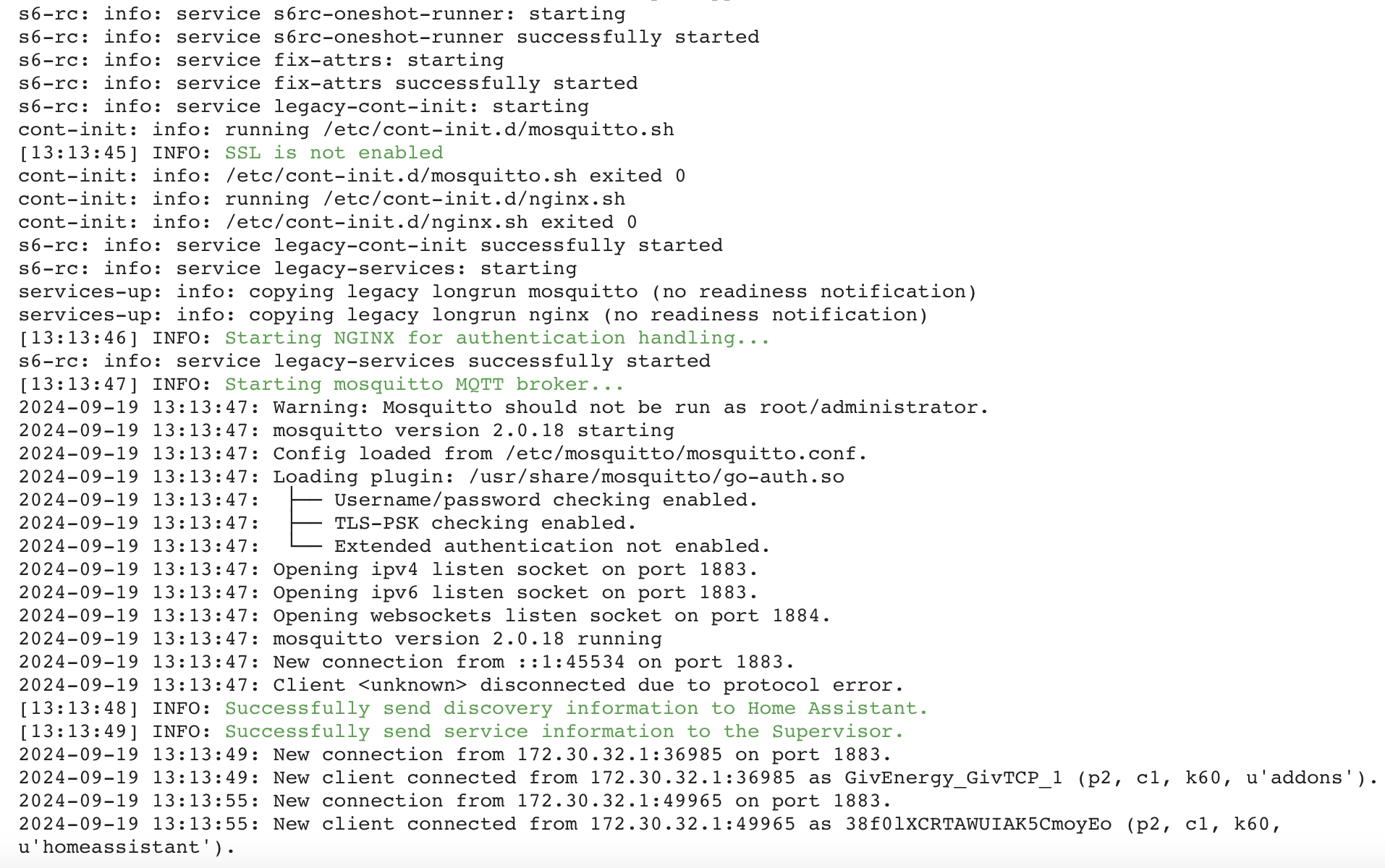
Reinstalled MQTT, had a look at the logs and saw these, do,I need to do anything or go for The next step?

[11:43:22] INFO: SSL is not enabled

2024-09-19 11:43:24: Warning: Mosquitto should not be run as root/administrator.

G
#99 geoffreycoan

Just got back from the tip and I find lots and lots of questions here. It’s turning into the ā€˜first night live on predbat’ thread which I still haven’t looked at recently. 140+ unread messages over there so I’m fearing the mountain to read …

SteveCook Should HA time be set as GMT +1? to reflect BST?

No, just leave it set to GMT+0 (London). That’s what mine is and it handles BST fine.

Daveb01 Oh no, I did the same thing, created a MQTT user and pasted that in, also used this ID for GivTCP. There are loads of errors in the logs now.

I think if you’d have just removed the user name and password from the givtcp config then it should have auto populated it again. But anyway, a good test of the backup and recovery system šŸ˜‰

Daveb01 One more question when installing Predbat it says, can you confirm I need AppDaemon please?

Install Predbat, either

Predbat is a program written in Python. It needs ā€œsomethingā€ inside Home Assistant to run the Python program in. Originally Trefor used AppDaemon, then he made a custom version of AppDaemon called AppDaemon-predbat, and now he has a dedicated Predbat add-on. The Predbat add-on is the recommended way of running Predbat and at some point the AppDaemon option will cease to be supported.
So if you are using the Predbat add-on to run Predbat within, then no, you don’t need AppDaemon for Predbat. AppDaemon is a general purpose Python runtime environment so you might find some other program you want to run within AppDaemon (I have Octoblock installed), but not needed for Predbat any more.

Rbor Moving up to v3 is not clean! It may be better for a new set up entirely without v2 baggage to get in the way.

Other than my misconfiguration issue with the inverter prefixes which was entirely my own fault as I wanted inverter 1 to be prefixed G and inverter 2 to be prefixed H, rather than the other way round as GivTCP had defaulted to, I found the upgrade process completely painless.
I would argue strongly against starting with a whole new load of sensors as (a) it loses sensor history if you have something with a new name, and (b) it would people’s dashboards and Predbat config would need to be changed for the new sensor names.

Rbor I have no idea how to get MQTT Explorer to look at my MQTT broker

A quick summary of how to use MQTT Explorer.

You will find that in HA you can’t delete any of the givtcp_ entities from the normal devices & services /entities view as they are created by MQTT. You have to delete them from MQTT first.

First stop GivTCP
Then in addon’s, MQTT Explorer, start MQTT Explorer
There’s no configuration needed
Click Open Web UI
You’ll get a login box like this:
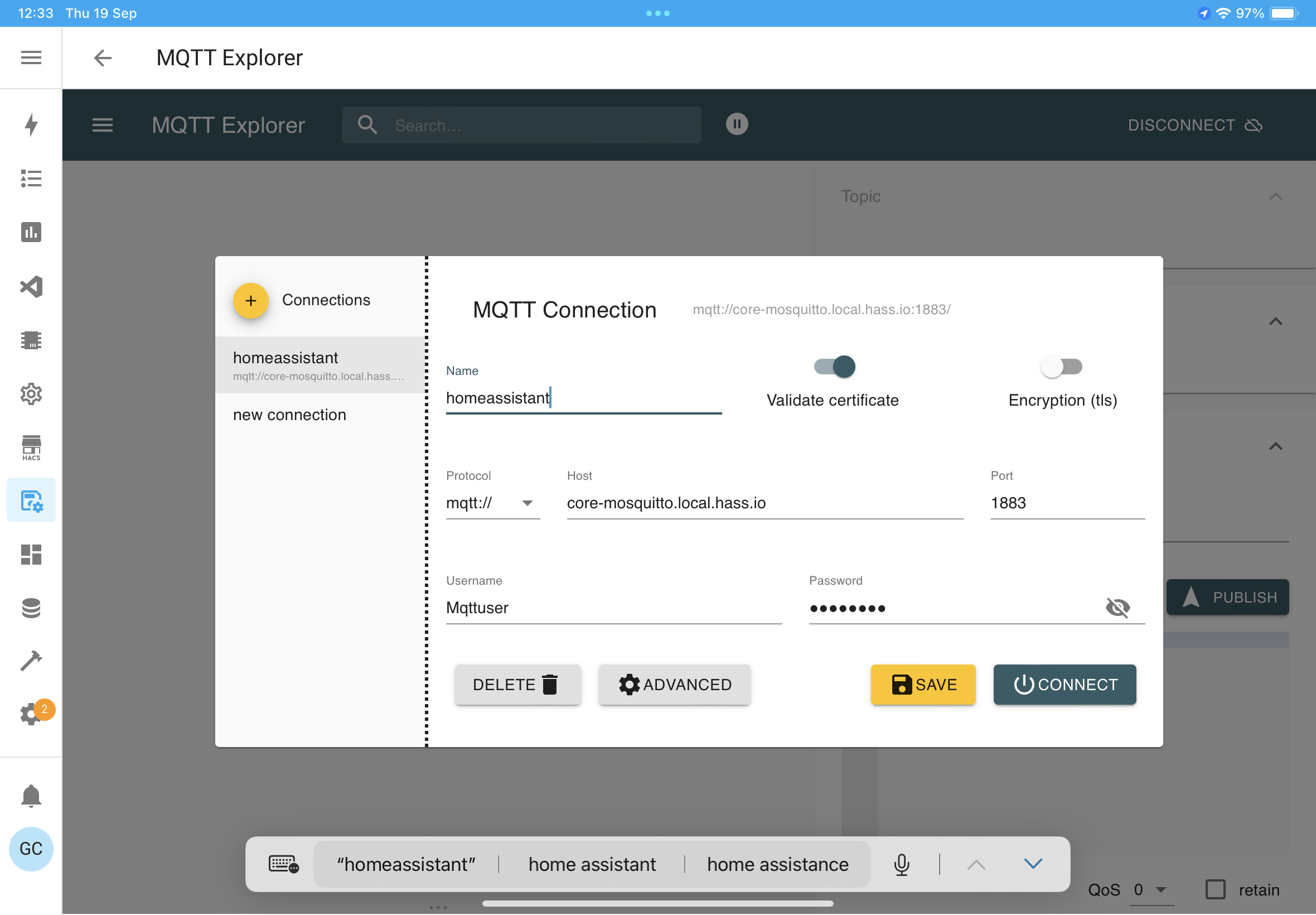
Enter a valid HA username and password. Can use the one you created previously for GivTCP connecting to MQTT or probably (not tested) put you own HA username and password in.

Click save to save the credentials, then connect

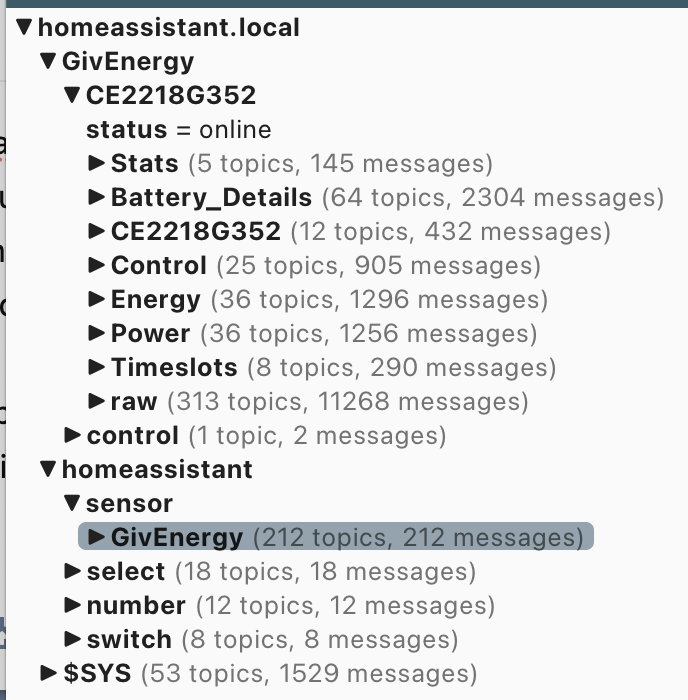
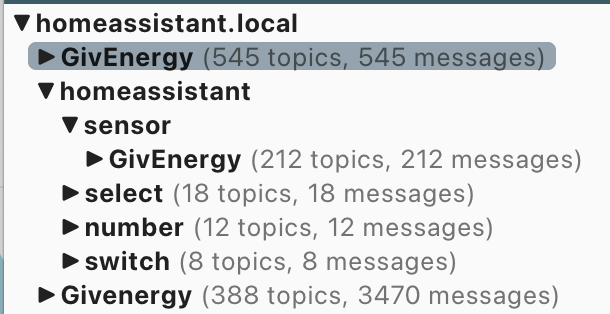
You will see a tree of MQTT topics. GivEnergy is what’s come direct off the inverter (useful to see the raw inverter data), homeassistant is the sensors that GivTCP is writing to HA

Open the homeassistant tree and find and select the sensor you want to remove (step 1):
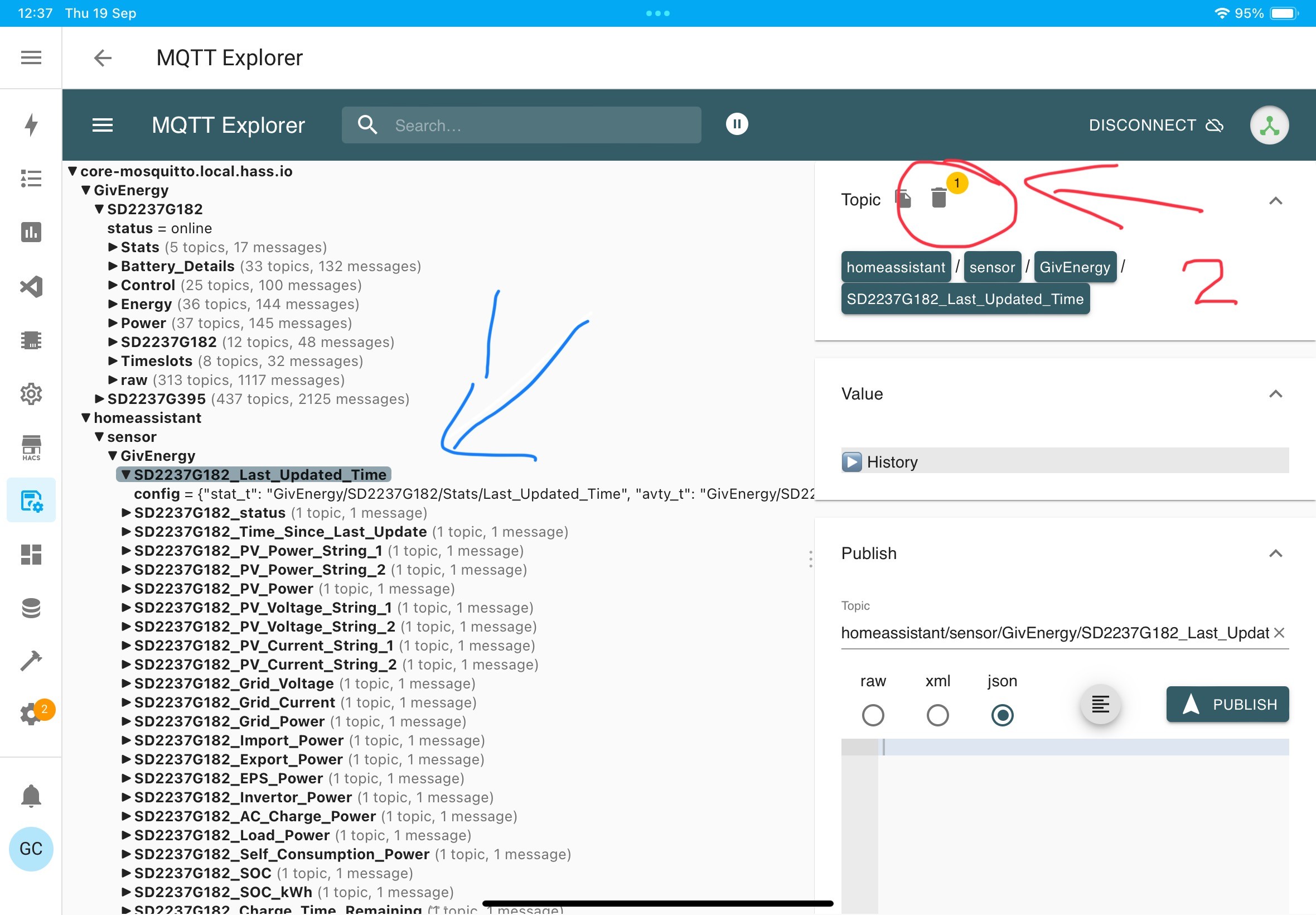
make sure you have selected the right sensor, do not select something too high up in the tree

Then click the delete icon on the right, step 2

You’ll get an ā€˜are you sure’ or something similar and confirm this.

You should be able to do this for all the battery sensors you want to remove, and once done in MQTT Explorer you can then delete the sensors from Devices & Services / Entities

Don’t go in to Developer tools / Statistics and click ā€˜fix’ to remove the sensors from there as that will remove all your historical data for these sensors. Assuming you want to retain it.

Once done, can shutdown MQTT explorer, maybe restart HA to be sure, and restart GivTCP and it should create all the MQTT sensors afresh.

Daveb01 [11:43:22] INFO: SSL is not enabled

2024-09-19 11:43:24: Warning: Mosquitto should not be run as root/administrator.

No idea, which log do you see this in? I don’t but my Mosquitto has been running since the last full HA reboot so if its early in the log it may have wrapped off the screen

D
#100 Daveb01

geoffreycoan

Thank you so much, I have got back to the install of Predbat, ready for config (as per photo above)

It was in the mqtt log just after install and restarted HA, I can not see them now either.

R
#101 Rbor

geoffreycoan Daveb01

INFO: SSL is not enabled
2024-09-19 11:43:24: Warning: Mosquitto should not be run as root/administrator.
No idea, which log do you see this in? I don’t but my Mosquitto has been running since the last full HA reboot so if its early in the log it may have wrapped off the screen
I have just restarted MQTT and this is from MQTT log.
Messages are line 7 and line 18.

Rob

G
#102 geoffreycoan

Rbor I just restarted my Mosquitto and get a similar set of messages, the same ā€˜warning should not run as root/administrator’ but I get a ā€˜certificates found: SSL is available’ message:

7.0.0.1:80: connect: connection refused"
time="2024-09-19T13:24:22+01:00" level=error msg="Post \"http://127.0.0.1:80/superuser\": dial tcp 127.0.0.1:80: connect: connection refused"
[12:24:22] INFO: Service restart after closing
[12:24:22] INFO: Service restart after closing
s6-rc: info: service legacy-services successfully stopped
s6-rc: info: service legacy-cont-init: stopping
s6-rc: info: service legacy-cont-init successfully stopped
s6-rc: info: service fix-attrs: stopping
s6-rc: info: service fix-attrs successfully stopped
s6-rc: info: service s6rc-oneshot-runner: stopping
s6-rc: info: service s6rc-oneshot-runner successfully stopped
s6-rc: info: service s6rc-oneshot-runner: starting
s6-rc: info: service s6rc-oneshot-runner successfully started
s6-rc: info: service fix-attrs: starting
s6-rc: info: service fix-attrs successfully started
s6-rc: info: service legacy-cont-init: starting
cont-init: info: running /etc/cont-init.d/mosquitto.sh
[13:24:28] INFO: Certificates found: SSL is available
cont-init: info: /etc/cont-init.d/mosquitto.sh exited 0
cont-init: info: running /etc/cont-init.d/nginx.sh
cont-init: info: /etc/cont-init.d/nginx.sh exited 0
s6-rc: info: service legacy-cont-init successfully started
s6-rc: info: service legacy-services: starting
services-up: info: copying legacy longrun mosquitto (no readiness notification)
services-up: info: copying legacy longrun nginx (no readiness notification)
[13:24:29] INFO: Starting NGINX for authentication handling...
s6-rc: info: service legacy-services successfully started
[13:24:30] INFO: Starting mosquitto MQTT broker...
2024-09-19 13:24:30: Warning: Mosquitto should not be run as root/administrator.
2024-09-19 13:24:30: mosquitto version 2.0.18 starting
2024-09-19 13:24:30: Config loaded from /etc/mosquitto/mosquitto.conf.
2024-09-19 13:24:30: Loading plugin: /usr/share/mosquitto/go-auth.so
2024-09-19 13:24:30:  ā”œā”€ā”€ Username/password checking enabled.
2024-09-19 13:24:30:  ā”œā”€ā”€ TLS-PSK checking enabled.
2024-09-19 13:24:30:  └── Extended authentication not enabled.
2024-09-19 13:24:30: Opening ipv4 listen socket on port 1883.
2024-09-19 13:24:30: Opening ipv6 listen socket on port 1883.
2024-09-19 13:24:30: Opening websockets listen socket on port 1884.
2024-09-19 13:24:30: Opening ipv4 listen socket on port 8883.
2024-09-19 13:24:30: Opening ipv6 listen socket on port 8883.
2024-09-19 13:24:30: Opening websockets listen socket on port 8884.
2024-09-19 13:24:30: mosquitto version 2.0.18 running
2024-09-19 13:24:30: New connection from ::1:53524 on port 1883.
2024-09-19 13:24:30: Client <unknown> disconnected due to protocol error.
[13:24:31] INFO: Successfully send discovery information to Home Assistant.
[13:24:31] INFO: Successfully send service information to the Supervisor.
2024-09-19 13:24:32: New connection from 172.30.32.1:58141 on port 1883.
2024-09-19 13:24:32: New client connected from 172.30.32.1:58141 as 4ODmtAvGSqU66Xq4srdKSu (p2, c1, k60, u'mqttuser').

There are files in my /ssl folder in HA related to wireguard, so maybe its picking that up, or it may be because I used to have DuckDNS running which enforced https: connections to Home Assistant, and as that’s still installed but not running, that it recognises that there are certificates available but you get a different message.

I wouldn’t worry about it either way, its not saying its an error

D
#103 Daveb01

geoffreycoan

Thank you for this as well.

Just running through the Predbat setup (before a join the Predbat post). And would like advice on this one please.

It says I have 2 options for Solcast, which one do you guys use please.

Predbat direct Solcast method

Solcast Home Assistant integration method

#104 PianSom

Daveb01
Currently I use both, and set it up so that neither uses more than 5 API calls a day (since there is a limit of 10 a day).

The advantage of using Predbat is that all the info/coding is in one place, and it's Trefor's problem to keep up with any API changes.

The advantage of using HA is that the Solcast forecasts will then display on the Energy Dashboard, which I find useful.

If I had to choose one I'd go for the HA route, I think. YMMV

#105 PianSom

In case it helps, here is my HA automation, which makes 5 API calls equally spaced between sunrise and sunset:

alias: Solcast_update
description: New API call Solcast 5 times/daylight
trigger:
  - platform: template
    value_template: >-
      {% set nr = as_datetime(state_attr('sun.sun','next_rising')) | as_local %}
      {% set ns = as_datetime(state_attr('sun.sun','next_setting')) | as_local
      %} {% set api_request_limit = 5 %} {% if nr > ns %}
        {% set nr = nr - timedelta(hours = 24) %} 
      {% endif %} {% set hours_difference = (ns - nr) %} {% set interval_hours =
      hours_difference / api_request_limit %} {% set ns = namespace(match =
      false) %} {% for i in range(api_request_limit) %}
        {% set start_time = nr + (i * interval_hours) %}
        {% if ((start_time - timedelta(seconds=30)) <= now()) and (now() <= (start_time + timedelta(seconds=30))) %}
          {% set ns.match = true %}
        {% endif %}
      {% endfor %} {{ ns.match }}
condition:
  - condition: sun
    before: sunset
    after: sunrise
action:
  - data: {}
    action: solcast_solar.update_forecasts
mode: single

And for Predbat I (rather lazily!) just have solcast_poll_hours set to 6

G
#106 geoffreycoan

Daveb01 I use the Solcast integration not Predbat direct.

There’s a number of reasons for this, you can display the Solar forecast in the energy dashboard as @PianSom mentions, but there’s a whole set of additional things you can do: site specific breakdown (I have separate East/West arrays so this is useful to me), damping factors if you have partial time of day shading, projected power-now sensors throughout the day, advanced auto-retry to handle Solcast API failures (they’ve recently implemented throttling of the free accounts).

It’s a matter of personal choice. If you only want to use Predbat and don’t have any more complex needs then the Predbat direct method is perfectly good and does the job, I just find the Solcast integration is more powerful.

By way of history recap, Predbat always used to use the Solcast integration to get its solar forecast. The developer of the integration got increasingly fed up with stupid questions from the community who didn’t appreciate what he was doing for free, and he deleted the integration in frustration. This meant nobody could get any bug fixes and new users couldn’t install the Solcast integration so Trefor wrote the required code into Predbat.
Meanwhile the github community rallied round the original lost integration, recreated it from individual’s backups (forks), and its now much more actively being developed and enhanced than it ever used to be

R
#107 Rbor

geoffreycoan Thanks you so much for your description of how to use MQTT Explorer.
I have tried for ages but just can't get the credentials accepted by the mqtt broker.

The good news though is that I have got my battery details back but in a drastic, brute force method! Here were my steps.

  1. Restore to the backup that I ran prior to installing givTCP v3.
    This got me back to givTCP v2.4.9 which showed the battery details.
  2. I stopped v2.4.9, downloaded the v3 repo and installed it.
  3. I started v3 and went through the webUI configuration.
  4. I can now see the battery details in v3.

I have 9 MQTT devices set up, all givTCP.
I am pretty sure that I had 11 devices when I was running into problems.
So there must have been conflicts between v2.4.9 relics of the battery details conflicting with v3.

I would like to get MQTT Explorer running if I need it in future but a challenge for another day.

Rob

D
#108 Daveb01

Oh dear HA has gone into idle mode and looks like it is frozen.

I installed again back to where is was this morning.

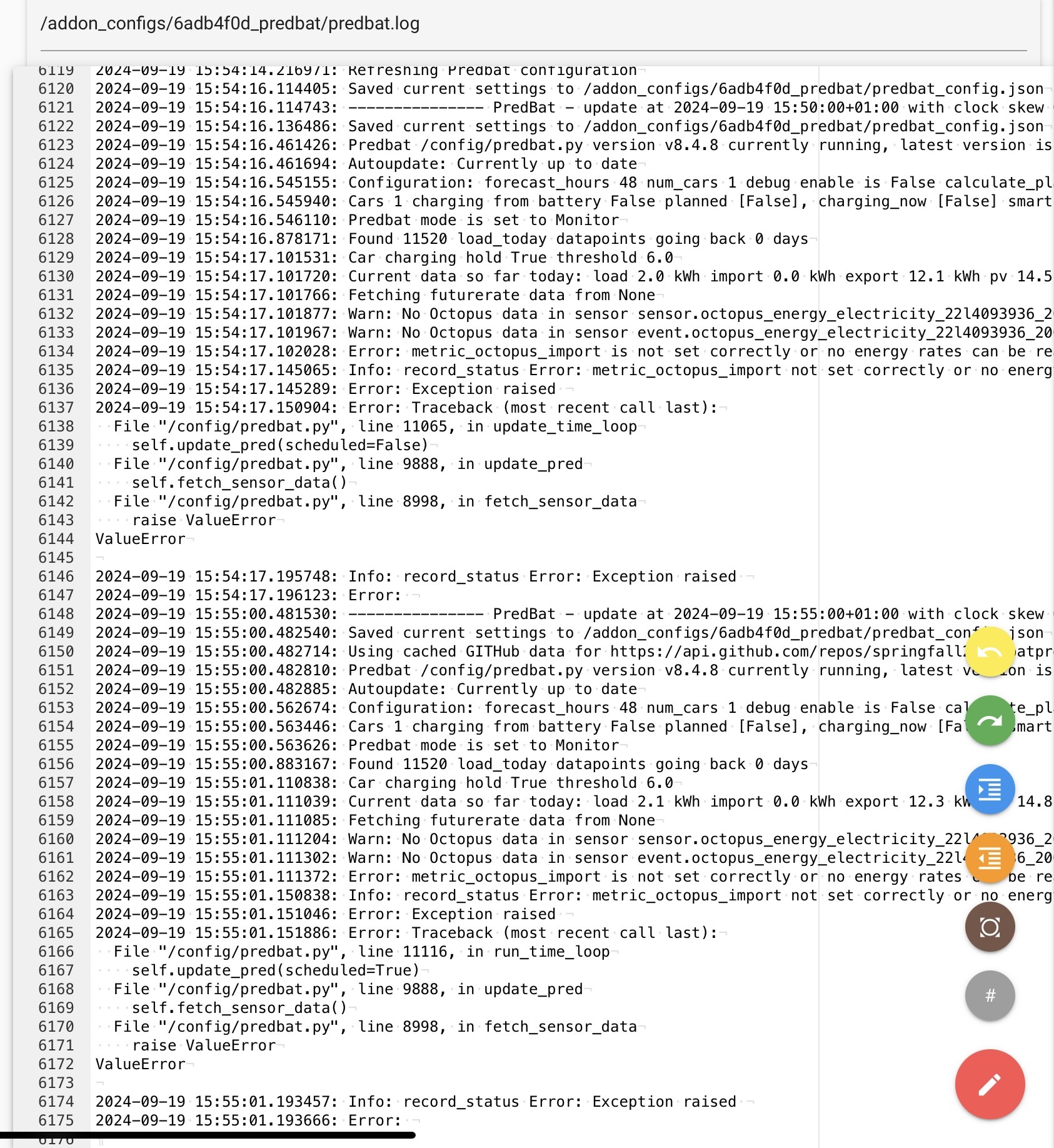
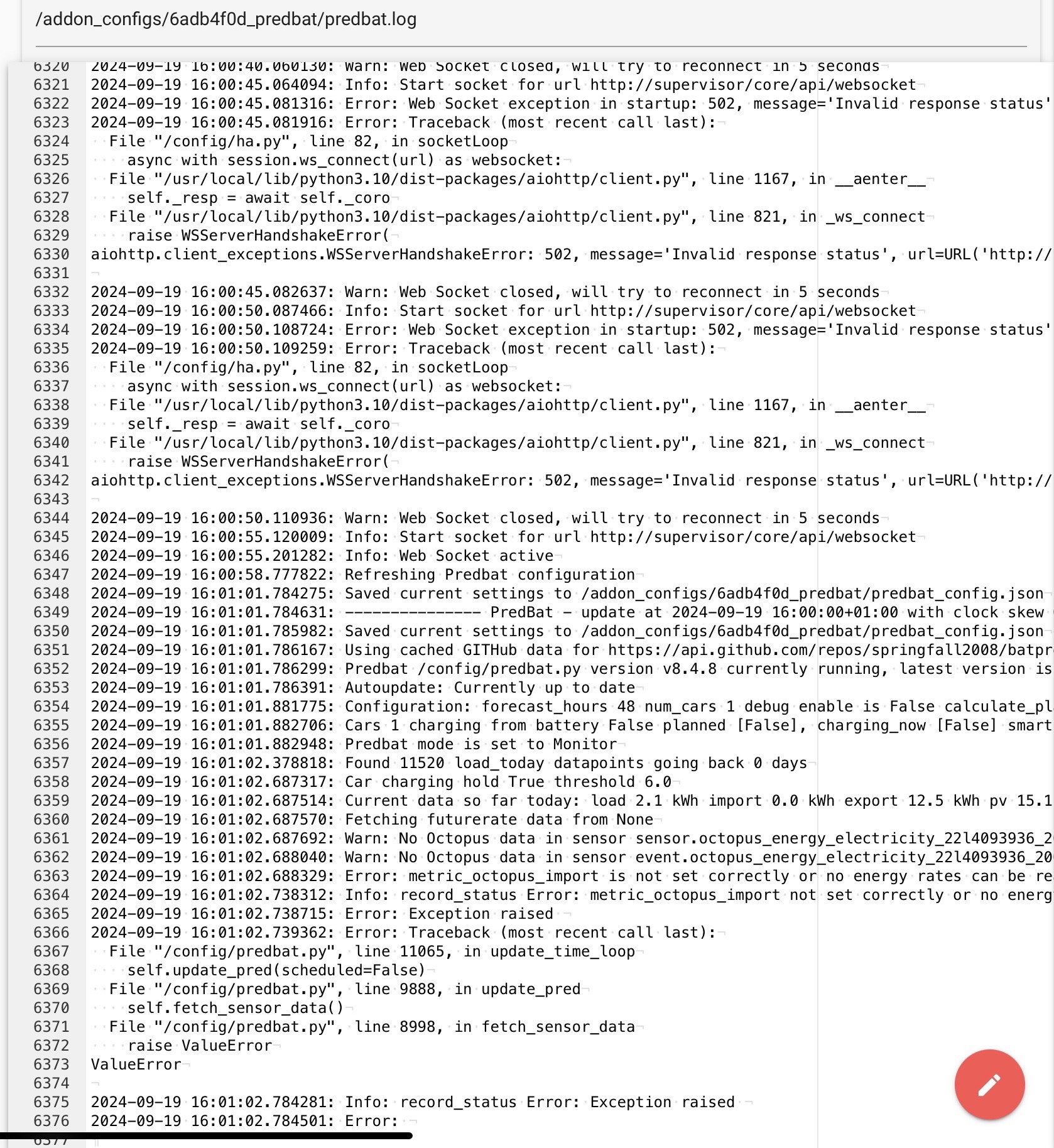
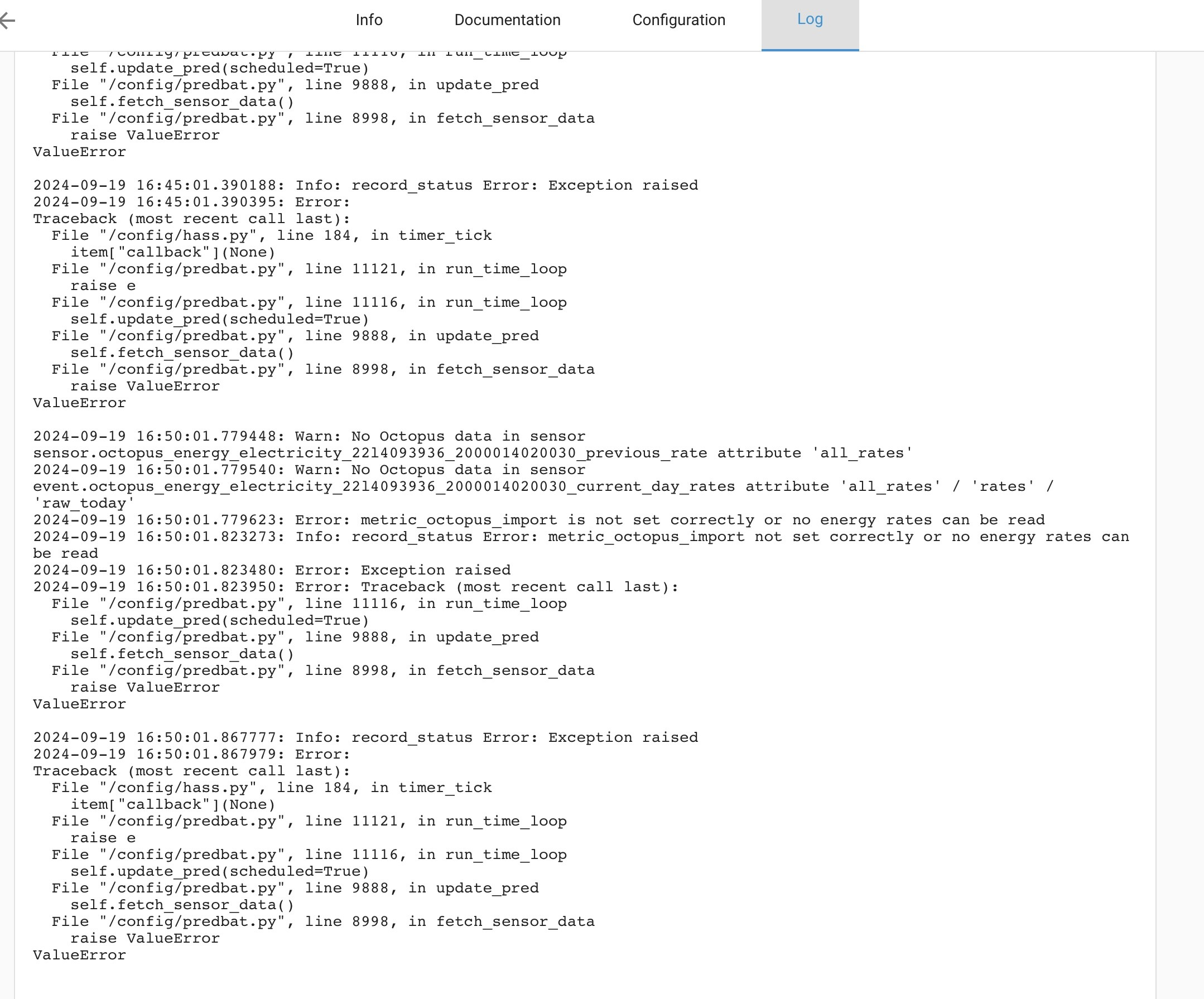
All good, looked at the docs and watched the video, took out the template and put in the settings I thought we right for me (as I am a beginner, I had no idea really). Since restarting HA is not happy and the logs for a Predbat look like this


D
#109 Daveb01

I think I need help with the initial setup, what do I tweek for Gateway and 2 x AIO, just this?

G
#110 geoffreycoan

Daveb01 I can see three problems with your config in the screen shot above:
  1. If you have a Gateway and two AIO’s then you ONLY need to configure Predbat to communicate to the Gateway as the gateway is what controls the multiple AIO’s. All the lines with geserial2 should be commented out
  2. Similarly your inverter_limit should only have 1 entry not two and it should be the sum of your AIO’s max capability
  3. You have a rogue line in your yaml; inverter_battery_min_rate is commented out but ā€˜- 100’ is not commented out. This may cause you problems as that - 100 will get tagged to the previous node (inverter_limit). Unless you specially need this I recommend you comment both lines out

There isn’t much you need to configure specially for an AIO, but geserial must evaluate to your gateway serial number. When Predbat starts up it will tell you what it evaluates the regular expression to, just check it matches your gateway serial number, and if not, just hard code it in the apps.yaml

You do need to set battery_scaling for the AIO https://springfall2008.github.io/batpred/apps-yaml/#battery-size-scaling and inverter_reserve_max https://springfall2008.github.io/batpred/apps-yaml/#inverter-reserve-maximum

I also see in your logfile you have set num_cars to 1. Just to get things going and reduce the number of things to get right, set num_cars to 0 and once you get predbat working you can add it back in later.

The errors you are getting in the logfile point to the metric_octopus_import not being set correctly. I think you said you were using the direct API for the rates not the Octopus integration. What is it set to in apps.yaml?

D
#111 Daveb01

geoffreycoan

I think I am going to owe you a few beers with all you help.

I have had a think and this post was to help people to get to Predbat install, which we have done. So think I will start a new post to configure Predbat (link that in here) & hopefully get it running without any errors. Once that’s done, link that post to First night on Predbat?

Here is the link to continue your journey :-

https://community.givenergy.cloud/d/4996-basic-config-of-predbat-after-staring-from-scratch

#112 PianSom

[Post deleted due to author stupidity]

R
#113 Rbor

geoffreycoan As a final update, I have spent some time putting back bits that I had changed since I first installed v3.
As you warned, I would likely lose some historical data, which I have done!
I found that my apps.yaml had changed in places and my projected load in my plan was set to zero for the whole of tonight.
I have fixed it all now and I am hopefully back in action, albeit with some very strange data for last few days.
BUT ........ after I restarted HA:
My battery details are again all 'unknown'.
I have 11 MQTT devices shown and I can now see the duplicates:

I have GivTCP DY2218G702 (all blank), followed by GivTCP DY2218G702 Battery details (all unknown).
With the same for GivTCP DY2219G082.

I will have to live without the battery stats for now.

I am determined to crack mqtt explorer ........ !

Rob

G
#114 geoffreycoan

Rbor Rob, I am getting duplicate sensor id errors for my batteries with v3 but the entities working OK. Seems they had frozen last night, but a restart brought them back.

Suggest you add your experience onto my ticket https://github.com/britkat1980/ha-addons/issues/23

R
#115 Rbor

geoffreycoan I will add to your issue having spent all day on this.
I thought my problems showed my stupidity but looks as if this is a real issue.

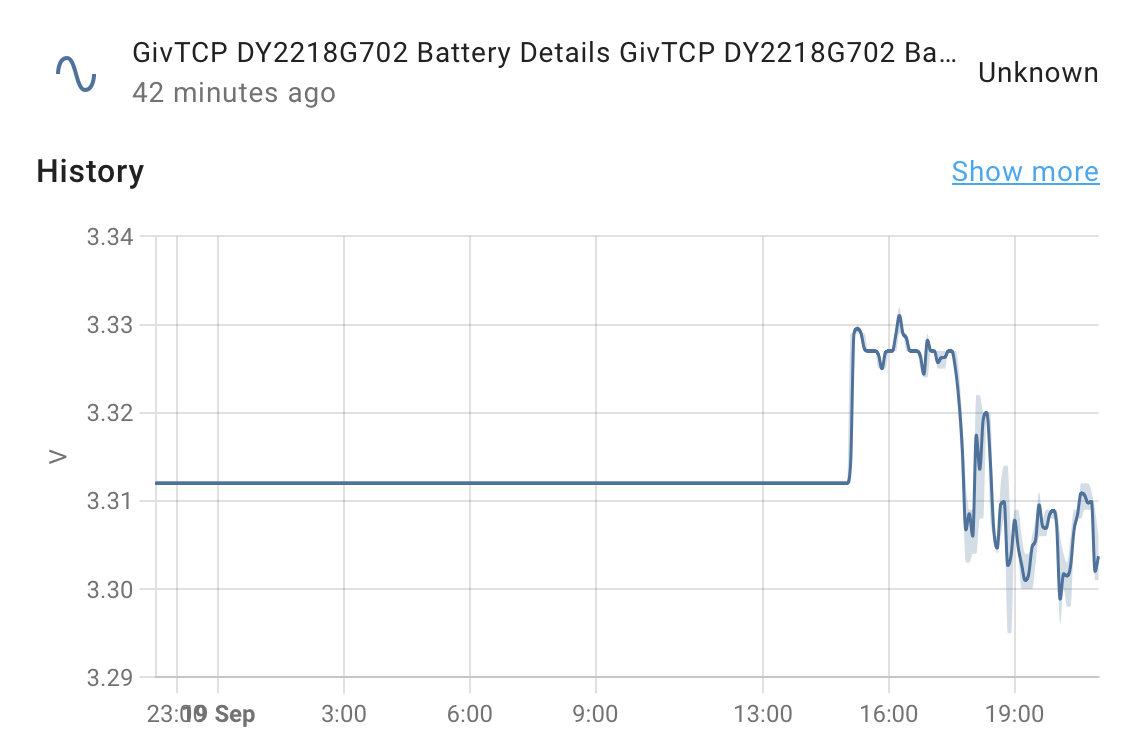
If I select one of the 'unknown' entities, I see a trace! e.g.

Rob

G
#116 geoffreycoan

Rbor that’s weird, the frozen line is like I have, the sensors not sending anything. Did you reboot HA, GivTCP etc around 3pm today which is when it unstuck?
Strange its still showing as unknown though

R
#117 Rbor

I sent #10 to you at about 3 pm.
I have now uninstalled v2.4.9 completely, although it is still in my add on app store.
I also now see my error in the system logs.

I also see this warning in my system logs which refers to my single inverter (I have 2 batteries).

Rob

G
#118 geoffreycoan

Rbor first message is the same I get from these duplicated sensors. The second one has also been spotted and raised https://github.com/britkat1980/giv_tcp/issues/234 a couple of days ago
Considering that v3 has been in beta for such a long time, I am a bit surprised that there’s these teething issues.
I’ve left v2.4.9 still installed but just realised that I hadn’t disabled v2.4.9 and set v3 to auto-run on boot, so when I restarted HA and the add-on’s earlier and the battery sensors started working, that was because I’d reverted back to v2.4.9. Argh.

I just shutdown 2.4.9, changed v3 to auto start, started it, and yes, all my battery cell voltages and temperatures are not being reported by v3. Same as yours.
I’ll reboot everything and check the logs for messages, then update the github ticket, but looking like the battery data doesn’t come through with v3. Annoying

R
#119 Rbor

geoffreycoan
I am nothing but persistent and hate being beaten by software
I have finally managed to get into mqtt explorer!
I will search properly for duplicates tomorrow.

In the explorer log in screen, for the 'host' prompt, I finally tried in desperation 'home assistant.local' instead of 'core-mosquitto' variants (Yours was core-mosquitto.local.hass.io).
In explorer, all the inverter and battery info shows up twice:

  1. under Givenergy
  2. under homeassistant.

If I expand the entries, I can see all the info including both batteries with voltage and temperature.

Rob

G
#120 geoffreycoan

Rbor how weird, I’m not aware of making any configuration setting for the top level/server address. Mine is I am sure what it defaulted to.

Other than the top level node being different, its the same, there’s data under GivEnergy which is what’s coming from the inverter and data under homeassistant which are the HA controls and sensors that are being published.

I have a theory that the duplicate id is because the id was in lower case and now it’s trying to be created in upper case and hence the duplicate sensor id as HA isn’t case sensitive on the id’s.

Another thing I have noticed in MQTT explorer under the homeassistant/givenergy tree is the cell data appears twice.

Another idea: there are sensors for <battery id>voltage and also <inverter id><battery id>_voltage. Maybe one set created by GivTCP v2.4.9 and one set by v3?

R
#121 Rbor

geoffreycoan I have been looking at the top level in MQTT Explorer.
The initial data under GivEnergy looks clean with no duplicates that I can see.

I have seen your 2nd entry in Github issues and I see the same.
But I am not seeing the different case for Voltage and voltage.
What I am seeing is that one set of entries is under 'Battery stack', the other not under 'Battery stack'

The HA data shows all the battery details under my inverter but twice. e.g.

And again


The inverter/Battery entries appear to be under 'Battery stack'.

I am tempted to go back again from v3 to v2.4.9 to get back battery details showing properly.
When I did this before, I have 9 devices under MQTT.
When I get duplication and battery details showing up as 'unknown', I see 11 devices which looks like 1 duplication for each battery.
Then to go back to v3.
I wonder whether the duplication is coming in on restarting HA as the duplicated entries are under the 'homeassistant' top level.

I need to add something to https://github.com/britkat1980/ha-addons/issues/23 to build upon your comments.

Rob

G
#122 geoffreycoan

Rbor Rob, I have decided to revert back to 2.4.9. v3 appears to be a bit faster than 2.4.9 and I can see from the error logs that it self-checks better, but there’s no material improvements for me with a Gen1 inverter, but with the issue with missing battery data makes it more of a step backwards than forwards.

Reverting was just be a matter of toggling the ā€˜start on boot’ settings for the two add-ons and changing the slug id for autorestart in apps.yaml back to a6a2857d_givtcp for GivTCP v2.

Did those tasks and it restarted and is all working fine, all sensors including the battery sensors are populated. Predbat didn’t even notice.

R
#123 Rbor

geoffreycoan I have added a lengthy comment in https://github.com/britkat1980/ha-addons/issues/23 to summarise and add to your comments.
Yesterday, I uninstalled v2.4.9 and today I reinstalled to 'downgrade'.
But my uninstallation seems to have cleared my config and I couldn't get it back again!
So I will keep on v3. I don't want to spend another full day on this.

Whilst writing this message, britkat1980 has come back (you will also have received this).
I would welcome some help to know how to delete MQTT entries in MQTT Explorer and which entries to delete!

Rob

G
#124 geoffreycoan

Rbor I would welcome some help to know how to delete MQTT entries in MQTT Explorer and which entries to delete!

Instructions for using MQTT explorer to delete MQTT topics are in my post above geoffreycoan

I’m not sure which ones should be deleted, have asked britkat1980 for advice as well!

R
#125 Rbor

geoffreycoan Thanks
Kicking myself for not spotting this, especially the number of times that I reply to folk to 'read the documentation'.
My 'excuse' is that I never got that far as I was trying to get into my mqtt data tree.
For info, when I did manage to log in, I used my HA log in credentials.

I saw your britkat1980 message so let's see what he comes up with.
I will then delete the superfluous battery details in MQTT Explorer and I hope that I will then have v3 up and running.
Like you, I am surprised that this wasn't picked up during beta process.

Rob

R
#126 Rbor

geoffreycoan I have got so frustrated with moving to v3 that I have reinstalled v2.4.9 and have stopped v3.
As I had previously uninstalled v2.4.9, the configuration page had lost all its settings. So I watched the Speak to the Geek video again and I now have v2.4.9 running successfullyšŸ¤žand I can now see my battery readings again.
According to Devices & Settings/MQTT, I now have 16 devices under MQTT! (How many duplicates?!*)
I have turned off 'Start on boot' in v3 and am going to restart HA after doing a backup.

I have looked in MQTT Explorer to see what v2.4.9 looks like and I can see that the trees with inverter ID prefixing battery ID are not there. So I wonder whether these were the new trees for v3?
I have gained another tree also. Burrowing in, this seems to refer to givtcp v2.4.1. I have tried deleting it but it keeps coming back!

Through all this, I have lost my historical data!.
Advice on starting again here? I seem to remember –1 as an initial option but we have finished up with threads all over the place. It would be good to get back to 'First night on Predbat'.

Anyway, I am back to the relative sanity of 2.4.9. I know that I can easily flip between v2.4.9 and v3 provided that I take care with the 'Stop' and 'Start on boot' settings.

Rob

G
#127 geoffreycoan

Rbor I’ve gone back to running 2.4.9 as it does everything I want it to do.

One unexpected side effect is that the GivTCP monitor (code sample in from the predbat output data docs) needed to be changed for the different givtcp addon to detect that GivTCP was running. Of course this alerted when the v3 addon was shutdown.

I too can swap with ease between v2.4.9 and v3, but each time I do it changes all the units of measure from kW back to the default W and the custom sensor names get lost as well.
I have 27 devices under the MQTT integration, some like GivTCP version are new with v3 but I’ve decided to not start fiddling with any of them until I get a working v3.

What sensor history have you lost? It should be possible to get it back from a prior backup so make sure you squirrel one away. This is something I started working on for my own setup so will post instructions when I’ve done it properly myself. Current project is reducing the size of the HA database and I have a writeup on that to go when finished. Also been back on improving the Predbat docs again the last few evenings.
Suppose I’d better get back to ā€˜first night on predbat’ at some point as well, 150 unread posts!

R
#128 Roy124

I was encouraged the title to look at this thread, sadly, right from the first post I was lost and drowning in abbreviations and acronyms.

Rather than question everything in this thread, I ask, where can one start?

Even typing Predbat into Google gives no start point.

R
#129 Rbor

Roy124 This thread has lost its way.
I suggest you go to 'First night live on Predbat'.
Although it is a monster thread, it has managed to keep its focus.

To get you started, my advice is always to go to the excellent documentation:
https://springfall2008.github.io/batpred/

... and to watch the supporting videos.
https://springfall2008.github.io/batpred/video-guides/

Then query places where you get stuck and there are many folk to help you on the Predbat journey. It is brilliant software and once set up will automate almost everything.

So make a start and I will see you on the First night thread.

Rob

R
#131 Rbor

geoffreycoan I decided to swap to v3 from v2.4.9
I now have 10 devices under MQTT.
I can also see Battery Details!

I then restarted HA and all the Battery Details became 'Unknown again'
So something within HA seems to object. So something is broken.

I will post add a comment within the relevant Github v3 issue

Rob

D
#132 Daveb01

Please only post things here for getting to Predbat install only.

#133 PianSom

Roy124
@Rbor is quite correct - assuming you are already up to speed on what Home Assistant is and how to run it.

If not, see https://www.home-assistant.io/ as a first stop, and get that up and running first.

People also like the Speak to the Geek videos.

R
#134 Roy124

PianSom
Quite right. I have had my system since May last year, only switched to Octopus in July, and have been learning how to use Givenergy and Octopus. The rest here has been a mystery so far.

D
#135 Daveb01

PianSom

Hi yah, I have managed to set up Solcast via the integration (chose this over Predbat version). I followed Trevor’s instructions. I can also see he has a scrips I could add (1)

I have done some reading and I have 3 scrips I can use to pole Solcast. Yours (2), or the one in the Solcast document (3).

Q1. Did you look at the others and decided to design your own? Which one do you think runs best please.
Q2. Where do I put this scrips (I may need instructions)

Hers is what I have at the moment


R
#136 Rbor

Roy124 Look at the first comments within this thread.
Tell us if you have an HA setup and, if so, hw does it run (pi, Green, etc).
And to get into Predbat, go to the documentation file and follow the steps religiously.

I learnt so much about how to use HA by installing Predbat from the documentation and videos.

Rob

#138 PianSom

Daveb01
Q1 - I did look at and have used other scripts. They are all much of a muchness, since they do essentially the same thing. The one I posted (which I stole from somewhere long forgotten and have slightly customised!) is - for me - probably the best, because it polls Solcast for updates at the latest times that updates are needed (ie between sunrise and sunset) and for the maximum number of times allowed (10, in most case; 5 for me). Your script, which polls every 8 hours is fine - but will update only 4 times a day, at least 1 of which is likely to be while it is dark. But I doubt it will matter much in practise.

Q2 - Just create a new script (Settings/Automations & Scenes - +Create Automation - Create new automation) then hit the three dots top right and choose Edit in YAML, paste in my script then Save. Should just work from there

R
#139 Roy124

Rbor I 'ave nuffin

I am as far as using the Givenergy App for settings got Octopus Flux having had Fixed and Intelligent Flux. I just have 3.2kW solar and a 5.25kW battery, that's it.

Don't even know what HA is or does or where to get it.

I will follow the prior advice re-videos

D
#140 Daveb01

Rbor

Hi rob, I followed the instructions and it is working every 8 hrs, however I do not want a prediction in the middle of the night. So found three options to make it better, thank you for your link.

D
#141 Daveb01

PianSom

Sorted thank you šŸ‘šŸŗ

As I am new to this, I thought I had to edit the existing one, but now know i can have loads doing the same thing and enable the one I want šŸ‘

D
#142 Daveb01

Think this question belongs on this post. Do I need a Weather integration into HA?
As I have now setup Solcast, what would I use a weather prediction app for?

If answer no I can cross this one off my list, if answer is yes, I will do some reading from the links everyone has sent me.

G
#143 geoffreycoan

Daveb01 As you are discovering there are multiple ways and multiple opinions to do anything in Home Assistant and different people will have their own views. Best to just canvass for input and make your own decisions.

To add to the mix, here is the triggers for my Solcast update automation:

platform: time
at:

  • ā€œ01:01:00ā€
  • ā€œ06:01:00ā€
  • ā€œ10:01:00ā€
  • ā€œ13:01:00ā€
  • ā€œ18:01:00ā€

I have two sites in Solcast so can only do 5 polls a day. In my view I DEFINITELY want to do a poll in the night (at 1am) because I want the latest solar forecast for that day so Predbat can decide whether it needs to charge my battery up overnight on cheap rate, or there’ll be enough solar predicted to forego (or reduce) the grid charging.
Similar logic for the 6am and 6pm charging to give Predbat the best data it can to plan the day and evening activities.

The 1pm poll is to give Predbat a decent forecast for the afternoon, but I see little advantage in polling frequently during the day as by then we’ve got actual solar generation and house load rather than forecasted generation and load so Predbat would be adjusting activities based on actual SoC %.

But that’s my thinking anyway.

On the question of weather forecasts in HA, depends what you might want them for. If you have an automated irrigation system then yes could be useful, and a forecast outside temperature might be useful for aircon or heating controls, but otherwise I think its just there if you want to display it.
At the moment I have 3 different forecasts in HA, Accuweather, Met Office and Met.no but none of them I really like and I’ve never found a weather widget that displays detailed weather info as I’d like, so maybe I will just scrap them all. Horses for courses. For predbat though, not needed

#144 PianSom

geoffreycoan In my view I DEFINITELY want to do a poll in the night (at 1am) because I want the latest solar forecast for that day so Predbat can decide whether it needs to charge my battery up overnight on cheap rate, or there’ll be enough solar predicted to forego (or reduce) the grid charging.
Similar logic for the 6am and 6pm charging to give Predbat the best data it can to plan the day and evening activities.

Interesting. As you say, just goes to show - it depends.

In my own case, I am on IOG so I pretty much always expect and want Predbat to do a full overnight charge - since I import overnight at 7p and export at 15p I always want a full battery at the end of the overnight period. It does not matter one jot to me how much solar is forecast for the day ahead for this. (On Agile this would not be the case.)

What I do care about is the projected load/solar flows during the day. I want these to be as accurate as possible especially while the sun is shining, so that Predbat can determine if/when to discharge, or to export rather than solar charge.

Horses for courses.

But no need for weather forecasts for any of this šŸ™‚

D
#145 Daveb01

geoffreycoan

I am on Agile so what would be the best one for that please?

I have 2 PV aspects on the one account and one api. Does this count as 1 and I can do 8 times or does it count for 2 and I can only do 5?

G
#146 geoffreycoan

Daveb01 I am on Agile so what would be the best one for that please?

I have 2 PV aspects on the one account and one api. Does this count as 1 and I can do 8 times or does it count for 2 and I can only do 5?

I am on Agile so my suggestion is you do something similar to me, but that's just my suggestion !

You say you have two PV aspects, did you create these as one SITE within Solcast, i.e. summed up the PV panels across each aspect with a compound orientation, or did you create 1 site for each aspect, each with its appropriate orientation?
My roof ridge line runs almost North South so the panels are on the East and West sides, so I get quite different solar generation from the two sets of panels with different peak solar generation times (eg today East peak was 10:30, West peak was 14:00) so I set these as two different sites.

Solcast will retrieve all sites for your account, but each site consumes a single API call. So I only get to poll 5 times a day with my 10 API call limit

R
#147 Rbor

geoffreycoan It depends! I have 3 aspects, E, S and W.
I have set up 2 aspects in Solcast which I have tweaked as roughly SW and SE to accommodate my aspects.
This seems to work reasonably well. I get some days with very good agreement with actual and others with poor agreement, reflecting the ups and downs of UK climate.
I use the direct Solcast method within Predbat set every 8 hours. I could tweak this but happy with 8 hours.
So my 'work' was simply to copy the documentation lines into my apps.yaml file.

Rob

#148 ProximusAl

PianSom ā€œ I always want a full battery at the end of the overnight periodā€

Me too. Any idea why PredBat is planning to do this for me?

G
#149 geoffreycoan

ProximusAl I don’t know for sure, but it could be that because there is such poor solar forecast for tomorrow, you’re not going to be able to export anything, so no financial benefit to fully charge and export, so Predbat just charges enough to see you through to the next night’s cheap rate?

As a theory it sort of works, but I can’t explain my own plan for tomorrow. Very poor solar forecast tomorrow, we’ve been getting 30kWh a day most days but tomorrow is forecast for 14.3kWh (PV50) / 6.5kWh (PV10) and the resultant plan shows the battery not fully charging and I’ll run out of SoC just after tomorrow’s peak.

Logically it should be charging in the red marked blocks in order to prevent grid import in the blue marked.

I am hoping that it’s just the long range plan that isn’t right and as it gets nearer to execution time the plan will correct itself. Otherwise and if the solar really is that bad I’ll have to put some manual charge slots in

#150 PianSom

ProximusAl Any idea why PredBat is planning to do this for me?

Short answer - no

Longer answer - I have now settled on using Trefor's default settings for Predbat EXCEPT I have

  • Expert mode to True
  • Battery rate max scaling discharge set to 0.89 (for an AIO)
  • Battery loss charge and discharge and Inverter loss set to 0.5 (seems about right by my calc, though may need tweaking still)
  • Inverter Hybrid set to False
  • Combine Charge - and Discharge - Slots set to True

In addition, for the last few days I have been manually setting the 23:30 slot to a Forced charge.

This is working well for me - the context being that I am someone who has decided to work the battery hard to get economic payback as soon as possible, even with the potential of a s shorter battery life.

Here is my actual charge profile for last night from about 8pm to 8am. Dump before 23:30, then charge, then discharge to earn, then charge back up to full. (Full disclosure - oftentimes doesn't make it back up to 100%. This morning it only got to 98%.)

Why did Predbat choose to do that wobble (a quick 5 min discharge at the start of the last charge period)? Why is the discharge in the late evening so disjointed? No idea! But it's not an awful plan, and pretty much what I want and expect.

ProximusAI - What are your settings and what do you want to achieve from your plan?

geoffreycoan it could be that because there is such poor solar forecast for tomorrow, you’re not going to be able to export anything, so no financial benefit to fully charge and export, so Predbat just charges enough to see you through to the next night’s cheap rate?

As a theory it sort of works,

I'm not so sure it does work? Wouldn't he be better financially to charge to 100% and then discharge the unwanted 19%.

#151 ProximusAl

PianSom I have all default settings but set PredBat to Charge control only. I decided I didn’t want it to punish my batteries. I am mainly using PredBat now purely to deal with any IOG slots outside normal hours, which works really well, I just don’t get why it won’t always do 100% overnight in the cheap slots.

As you say, i would rather export any electricity, than charge the batteries with it, but I can also see the poor solar forecast. I wish there was a setting that said, whatever happens, always fully charge overnight in cheap slots.

#152 PianSom

ProximusAl
Me too.

The quick, hacky solution is to use an automation to set manual charge slots. In my case for 23:30, in yours for 23:30-05:30. I intend to do that.

#153 PianSom

ProximusAl I have all default settings but set PredBat to Charge control only

Doesn’t this explain why Predbat is not fully charging for you? If it can’t discharge then presumably it sees no financial benefit in charging over the level of battery that it forecasts will be required

#154 ProximusAl

PianSom possibly, but I’d rather pay 7p per kw to charge the batteries full, than risk running out and paying 22p.

I turned off discharge control, as I do understand its purpose, but I didn’t feel the battery wear was worth a few pence per day.

I wanted a quick fix to the IOG outside hour slots, which I did originally write my own automations, but everyone recommended PredBat, which does indeed work perfect for that purpose. So I understand I’m not really using it for the purpose it was designed for. I may end up putting overrides in for the whole slot as you say, to set the cost to free, and that way it should always charge I guess.

#155 PianSom

ProximusAl
Perhaps an alternative solution for you would be to bump up the forecast load projection and bump down the forecast solar projection? Both are readily accessible Predbat parameters

R
#156 Rbor

My solar prediction for today is 12.7 kWh
10:24 pm and I have managed 0.19 kWh so far
A week ago, I had 2 days on 40 kWh actual.
Last Friday was 6.61 kWh with predicted of 20 kWh.
The effect of living 800' up on the eastern edge of the Pennines with a NE breeze wafting in North Sea murk.
Currently, I am in hill fog.
My Predbat plan (Agile) is mainly at 100% with lowest down to 91% at 22:30.

Rob

B
#157 browellm

Also had the same wacky plan created by Predbat on IOG as @PianSom and that was after some additional off-peak charging from 7-8:30 this morning. Predbat decided that the battery wasn't worth topping up, but it's going to run out by 19:30 tonight. Certainly a head scratcher.

#158 ProximusAl

PianSom So my idea of doing a 0p import rate override from 23:30 to 05:30 won’t work. Well it half works as in it will fully charge the batteries, but then because I’ve set 0p, it favours discharging the batteries after full, even within the window.

I just wish there was an option to say always charge batteries and hold SoC until end of cheap period.

This is tonight’s plan….which is not what I want.

G
#159 geoffreycoan

ProximusAl set an automation to override the slots you want with force_charge.

You probably can't bang in all the selects in rapid succession and will need to add some pauses between batches to let Predbat keep up.

#160 ProximusAl

geoffreycoan I’ve gone with a slightly different approach mentioned by @PianSom

I’ve increased predbat_load_scaling from 1.0 to 1.2, so it thinks I’m going to use 20% more load than previous. This is the result. Will monitor for a few days.

G
#161 geoffreycoan

ProximusAl that'd work and you could swap the load scaling back to 1.0 via an automation after the cheap period to stop predbat thinking you need more charge during the day.

I normally have load scaling set to 1.1 but with the rubbish solar and rubbish agile rates have dropped it to 1.0 to try to reduce some of the poor rate charges Predbat has planned

#162 PianSom

ProximusAl
As we move in to shoulder season I am finding that Predbat’s plans aren’t doing too well for IOG. I wonder if Agile users are better served.

Last night it discharged around 19:30 then ran out of battery by 22:30 and had to import at peak (with no special charge in load).

I’m going to follow my own advice and permanently bump up the load projection, see if that helps.

R
#163 Rbor

PianSom

Battery loss charge and discharge and Inverter loss set to 0.5 (seems about right by my calc, though may need tweaking still)

I presume you mean 0.05. Otherwise it is a helluva battery loss.

I am on Agile import and 15p fixed export
I have decided to go with Trefor's defaults in the webUI except

  • Expert mode to True
  • Inverter Hybrid set to False
  • HTML Plan Debug to True

In the documentation, defaults losses are shown differently from in the WebUI.
Losses in WebUI shown below with Documentation in brackets (although documentation also suggests experimenting)

  • Battery loss charge 0.03 (0.05)
  • Battery loss discharge 0.03 (0.05)
  • Battery loss charge 0.04 (0.05)

I have gone with WebUI losses but there is certainly a mismatch here.

Although I have an AC battery inverter, in practice I don't think Inverter losses are significant.
Most of my PV bypasses the battery, going to house load or exported to the grid.
Battery charging is mainly from grid during low Agile slots with discharge to House or to Grid.

In my Predbat Plan recently, my % SOC has been mainly on 100% dropping down to 90s or 80s.
Battery is discharging evening and overnight unless there are lower Agile slots. Most of the time, Inverter has been idling.
In times of low Agile slots, SOC heads towards 4%
I am a low energy user, although I do have an ASHP so energy requirements are going to increase ......
Now that Nordpool predictions are in (10:49 am), here is my Predbat Plan.

My predicted Solar generation for today is 4.80 kWh !!!!!
So this is my (current) Plan perspective as a low energy Agile user.
..... but the IOG Plans do look strange .....

Rob

R
#164 Rbor

Following on from my previous post, this is what Predbat decided once the 4 pm rates rolled in.

This looks pretty much as I would expect with Predbat idling away until some Agile 'lower rate slots emerged after midnight. Pity about the total cost but just look at my PV generation today with just 2.3 kWh up to 16:34 pm and currently generating 142 W!

This is even lower than yesterday's 3.0 kWh and my lowest generation since 12th January.
Solcast is 'promising' me 24.2 kWh tomorrow so šŸ¤ž

So I reckon that Predbat has predicted a good plan and nothing like the IOG plans.

Rob

G
#165 geoffreycoan

11.6kWh generated today, better than the 8kWh I produced yesterday.

Interesting seeing the difference in rates and plans Rob, my rates are about 0.7p/kWh more than yours and so Predbat has just let the battery drain down to empty last night and today. Tomorrow (and today) quite a lot of discharge freezing so exporting the solar rather than letting it fill the battery. Not sure why.
At least we’ve got 2 hours of Octopus free power up electricity tomorrow so I can recharge the batteries.

R
#166 Rbor

geoffreycoan It is worth looking at the comment and plan that I added last night on our old favourite thread. I upgraded to v2.4.9 and this changed my plan drastically.
https://community.givenergy.cloud/d/3696-first-night-live-on-predbat/1989

I guess that the planning changes that Trefor has incorporated in response to free charges and discharges have had quite an effect on my battery behaviour.
https://github.com/springfall2008/batpred/releases/tag/v8.4.9
I will see how Predbat v2.4.9 runs with givTCP v3.0.0 (which seems to be fine .....).

I would be happy to help with any beta testing of Trefor's sqlLite db developments but i don't think my knowledge base is there. But I am willing to try things as you have seen). What is the best way of contacting Trefor directly?

Rob

G
#167 geoffreycoan

Rbor I need to get back onto first night live with predbat. 160 unread posts though is putting me off 🄓

I’m not convinced that the changes in 8.4.9 are for the better for me. There was some non-GE tweaks but in the core logic it was for IOG/Go customers to freeze discharge more rather than charge and then discharge the battery.
For me I’m now seeing a lot more freeze discharge happening, e.g. today, F-D at 18% all the way through to the power up at 3pm which means I won’t get my battery full today. At the moment predbat is in read only and I’m charging the 9.5 with all the solar generated to get it at least half full before the 2 hour power up.

And Trefor has released my latest documentation changes for GivTCP v3, multi-AIO’s, etc.

His email address is on the github page under ā€˜buy me a beer’

R
#168 Rbor

With v8.4.9, I have the weirdest plan with Agile.

So I have gone back to v2.4.8 ......

I am happier with the v2.4.8 plan.
I have just raise an issue on the effect of v2.4.9 on Agile which has almost abandoning use of the battery!
See https://github.com/springfall2008/batpred/issues/1482

Rob

G
#169 geoffreycoan

Rbor Not disagreeing with your concern over the 8.4.9 plan, but just digging into the ā€˜is one better or worse than the other’ question and (out loud) walking through the process I follow:

I find the best way is to look at the plan at a certain point in time, so for example, the 8.4.9 plan is -Ā£2.05 at midnight (27% SoC) whereas the 8.4.8 is -Ā£0.27 (97% SoC).

The extra SoC (97-27 = 70%) has a value. You have 2x 8.2kWh batteries = 16.4kWh, 70% of that is 11.48kWh

If you exported that extra 11.48kWh at 13.97p (after losses) you would earn £1.60 extra export income.

Adjust the 8.4.8 plan with that extra income -0.27 - 1.60 = -Ā£1.87 which is a worse financial result than the 8.4.9 plan, so the 8.4.9 plan is actually better at this point in time. Its can be a bit more complicated than that because in reality it depends on what the import prices are after the (midnight) point in time and whether you would be importing from grid or not and at what future import price, but it gives a way to compare the ā€œbetternessā€ of different plans

R
#171 Rbor

geoffreycoan Interesting.
Might be good if you add this comment to my issue on Github.
I presume that Trefor has adjusted an algorithm somewhere. It is a case of hitting the right point.
Trefor will want to get a balanced view.

I will upgrade again and see how 2.4.9 goes.

Rob