AIO web portal control settings - what do they all do?

24 comments started 2025-03-04 last 2025-03-07
Cloud Portal
S
#1 solaroptimist

Does anyone know of a list of explanations for what each option does in the control settings on the web portal and the mobile phone app?
I am trying to set up my AIO so that when there is more solar power being produced than the house is consuming, the power charges the battery. But at the same time I don't want the grid powering the battery.
I have the Octopus Cosy Tariff. And there is no advantage to me exporting to the grid as I have the old FIT on my solar panels.
Enabling the Eco Mode in the AIO creates the times of battery discharge and charge that fit with the Octopus Cosy Tariff. The battery only charges from the grid at the cheap electricity periods.
The solar power supplies the house first, then the battery, and then the grid when the battery is full. However when the cheap electricity period starts the grid starts feeding the battery as well. The result is that when the cheap electricity period starts at 1pm, by about 2pm my battery is full, and for the next couple of hours the excess solar power is being fed to the grid. What I want to happen is that the solar power is allowed to trickle into the battery without the grid power coming in as well at 1pm. And at night to have the grid power filling the battery to the % I have specified for that period.
Reading a post in the beta forum (https://community-beta.givenergy.cloud/t/managing-the-inverter-from-the-app/1129) it looks like this can be set up with a combination of the global "Enable AC Charge Upper % Limit" set to "On" and "AC Charge Upper % Limit" set to "100%", and the daytime Charge Setting (13.00-16.00) "AC Charge 2 Upper SOC % Limit" set to something around "30%". This makes the grid stop charging the battery when it gets to 30% between 13.00-16.00, while the solar power will keep trickling in until the battery charge reaches as close to 100% as the excess solar power allows.

BUT - when I set the global "Enable AC Charge Upper % Limit" to "On", within a few seconds it pings back to "Off".
I have tried several times. Also updated the software. Still keeps happening.

So, two questions:
What am I doing wrong? Is there some other combination of switches that is automatically pinging my switch back to Off?
And, if I knew how the commands in the Enable/Disable section just below the "Restart Inverter" command interacted with each other and the other commands I might be able to work it out for myself!

Thank you for your advice (and thank you for getting all the way through my verbiage!)
D
#2 DD

solaroptimist Enabling the Eco Mode in the AIO creates the times of battery discharge and charge that fit with the Octopus Cosy Tariff. The battery only charges from the grid at the cheap electricity periods.

Not really... Eco mode does everything you asked for - solar goes first to house, then battery, finally grid. It doesn't do anything to configure grid-charging.

Perhaps you've configured a smart tariff to give you a cosy charging schedule?

Unfortunately there's nothing built in to predict solar, and only charge from grid enough to make up a shortfall in solar.

I've never really seen the point of smart tariff support for straightforward tariffs - there are sufficient timers provided to set it all up manually, as you want it. For midday, you could perhaps have 3 timers for consecutive hours, so that grid charging only goes to 20% then 60% then 100%, to give solar a chance. (Solar charging ignores those limits iirc.)

G
#3 geoffreycoan

DD I've never really seen the point of smart tariff support for straightforward tariffs - there are sufficient timers provided to set it all up manually, as you want it

I think the use case for the smart tariffs is the older Gen 1/2 hybrid and AC coupled inverters that only have 1 charging slot where you want to maximise a tariff that has multiple cheaper rate periods

S
#4 solaroptimist

DD Thank you for your reply. You are correct, I have Cosy set up in the Smart Tariff setting on the GivEnergy app. I will turn that off, and ensure the three low cost electricity periods remain configured so that the battery is only charged during those cheap periods.
I like the idea of having three different settings over the three hour cheap electricity setting 1pm-2pm, I will give that a try.
Thanks again!

D
#5 DD

solaroptimist another thing you could try is limit charging power. Not quite sure how it works on AIO, but on hybrid it would use solar first, then grid. Eg if solar is 1kW and I limit charging to 2kW, then only 1kW would come from grid. Two downsides:
Cannot automate this within the inverter, so would need external programming
Limit applies to both grid and solar, so if solar exceeds the limit, excess would go to the grid, which isn't what you want. Again, external programming could monitor and dynamically adjust charge power limit.

D
#6 DD

geoffreycoan I think the use case for the smart tariffs is the older Gen 1/2 hybrid and AC coupled inverters that only have 1 charging slot

Is it just the newer (beta?) smart tariff card that has dynamic support? I thought the original just did static configuration? I think I did enable it when I was on Go, but not sure it had ever done anything, so turned it all off and never looked at it again. Only needed a single timer anyway.

D
#7 DD

solaroptimist I have the old FIT on my solar panels.

Not something I've ever had, but some on here suggest that switching to measured export rather than deemed export can be beneficial. You still get to keep the generation element of the payment.
And some say that you are required to switch once you have a smartmeter, though some say otherwise. (Contract might specify?)

C
#8 CW

DD And some say that you are required to switch once you have a smartmeter, though some say otherwise

I don't think that is the case. I saw this video on YouTube a while ago covering this topic - now whether is it correct or not I do no know, but could possibly help in pointing at where to go for own research.

S
#9 solaroptimist

I switched removed the Octopus Cosy from the Tariff Information page on the GivEnergy app.

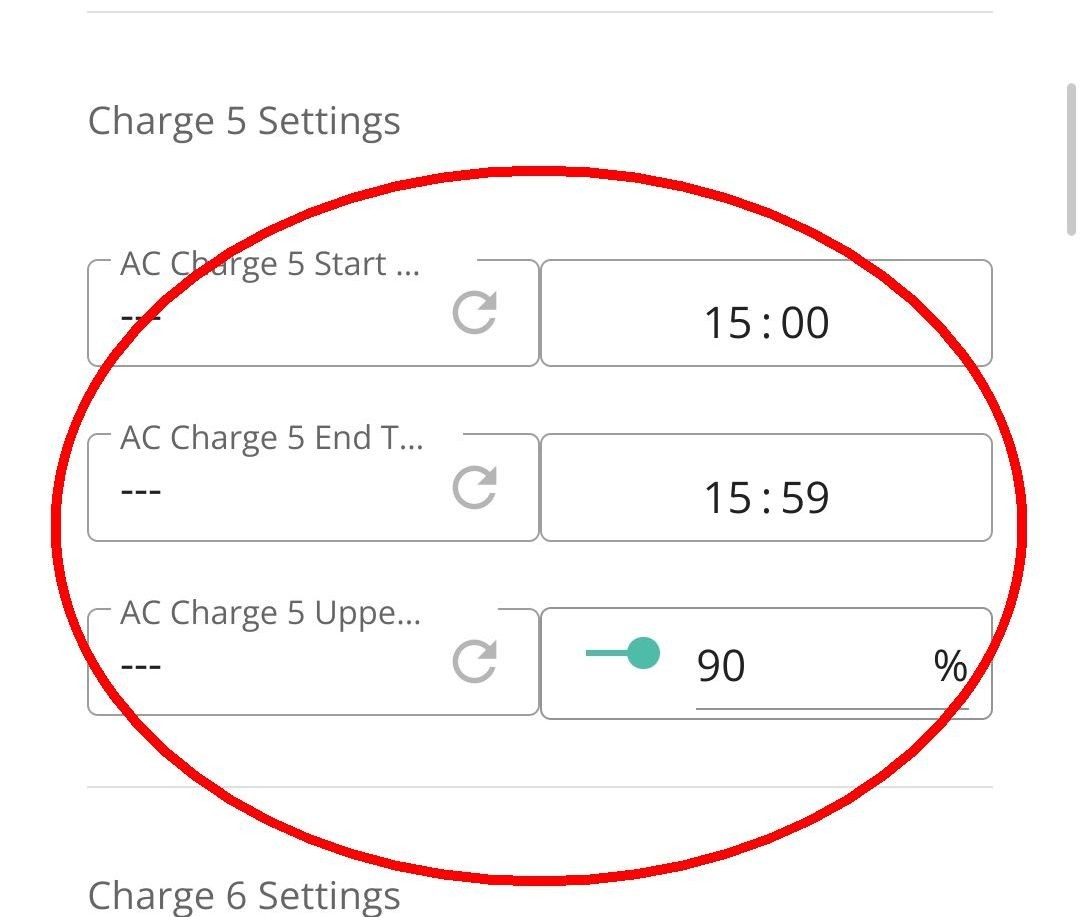
And the setting for the AC Charge 5 Upper SOC % Limit at 90%

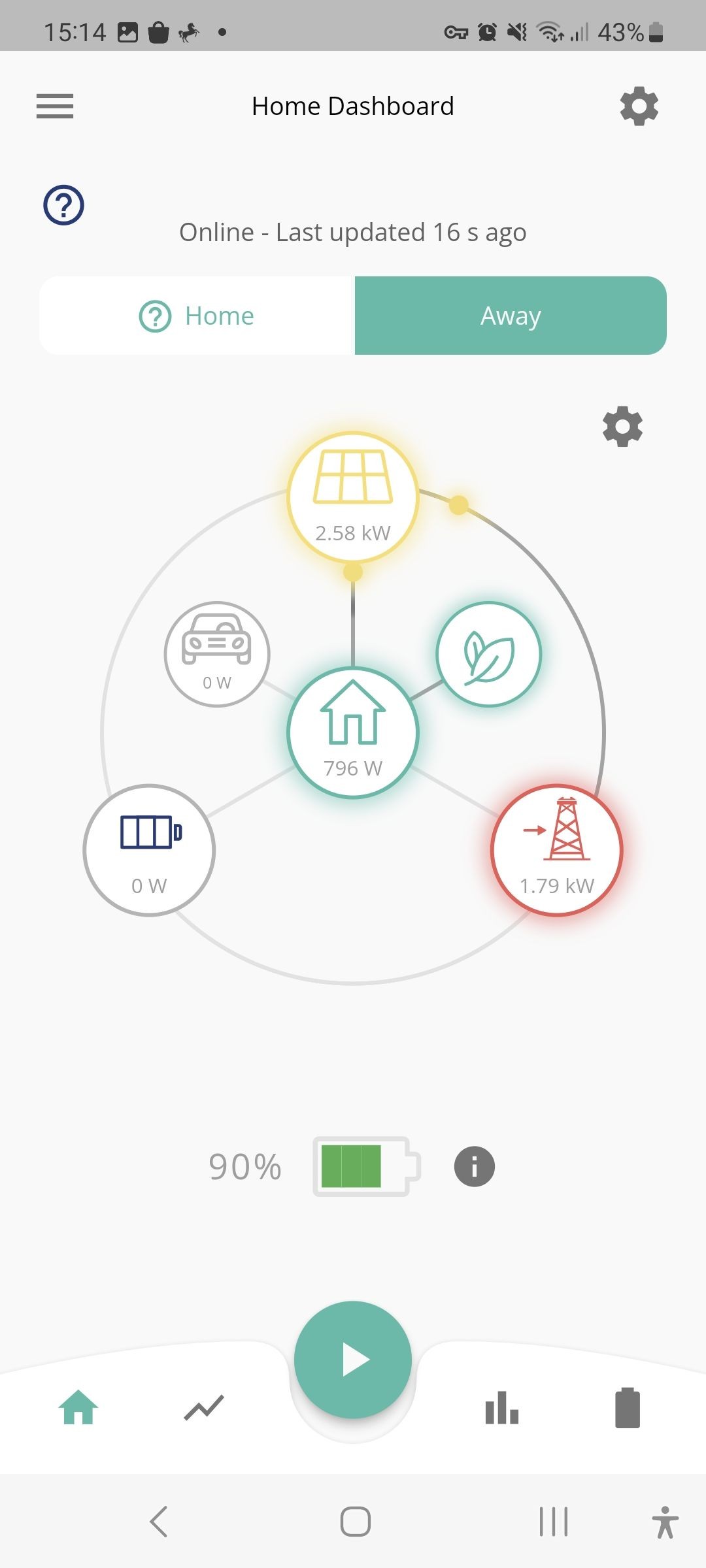
The battery was 90% full. There was surplus solar power. And this was sent to the grid and not to the battery

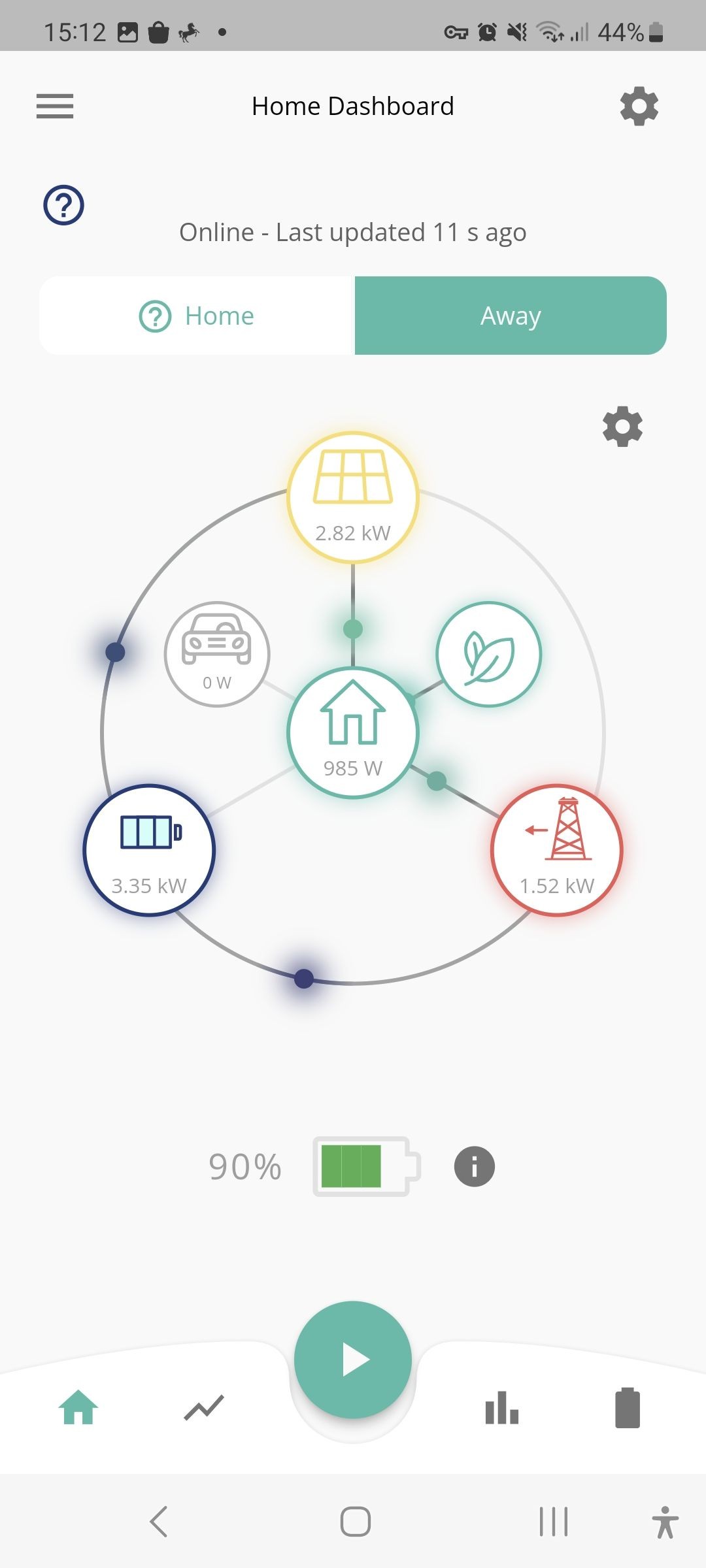
And when I dropped the AC Charge 5 Upper SOC % Limit to below 90%, solar and the grid powered the battery - as one would expect.

Any thoughts on how I can set the controls so that the excess solar power fills the battery but the grid does not?
Thank you very much for your help.

D
#10 DD

solaroptimist Hmm... that's not quite what I expected, but it's quite possible that AIO behaves differently from my hybrid system. In fact there was talk about that just the other day:
https://community.givenergy.cloud/d/5783-aio-solar-not-charging-when-ac-charge-off

(I've never been entirely clear how AC-coupled systems like AIO distinguish AC solar from AC grid.)

As an experiment, try turning off enable-ac-charging during this afternoon timeslot tomorrow (assuming there's some sun) and see what happens.

C
#11 CW

DD (I've never been entirely clear how AC-coupled systems like AIO distinguish AC solar from AC grid.)

On the AIO with a gateway, there are seperate feeds for PV input and Grid In & Load

S
#13 solaroptimist

CW I don't know if this confuses things, but my solar power feeds into the house circuit. There is a CT sensor attached to the solar feed that tells the AIO how much solar power is being produced.

S
#14 solaroptimist

DD Thank you for the link. It does seem unclear what commands are needed to enable solar charging of the battery only without the grid charging the battery at the same time.
I will try your suggestion to turn off enable-ac-charging during the afternoon timeslot today. Or possibly tomorrow because today looks rather dull.

S
#15 solaroptimist

For completeness, GivEnergy support successfully answered my query about why the switch in the Enable/Disable section called "Enable AC Charge Upper % Limit" kept switching off a few seconds after I switched it on. It was because an external agent was taking control. In my case it was likely GivTCP running in Home Assistant. When I powered off HA and the problem stopped. I guess the next step is to find out what in GivTCP is controlling this switch. I had a look at the entities produced by GivTCP yesterday evening and had a brief twiddle, but could not work out which one was the relevant one.

G
#16 geoffreycoan

solaroptimist "Enable AC Charge Upper % Limit" kept switching off a few seconds after I switched it on. It was because an external agent was taking control. In my case it was likely GivTCP running in Home Assistant.

GivTCP should only be reading the inverter settings, its only if you write your own automations or change the controls in HA would the control be updated (and appears in the portal log as 'external change detected')

G
#17 geoffreycoan

CW DD And some say that you are required to switch once you have a smartmeter, though some say otherwise

I don't think that is the case. I saw this video on YouTube a while ago covering this topic - now whether is it correct or not I do no know, but could possibly help in pointing at where to go for own research.

Here's the bit on the Ofgem website:

https://www.ofgem.gov.uk/environmental-and-social-schemes/feed-tariffs-fit/tariffs-and-payments#:~:text=Generators%20may%20receive%20deemed%20export%20payments%20for%20installations,than%20being%20based%20on%20an%20export%20meter%20reading.

Key bit is you can receive deemed export where export is estimated as a percentage of generation if an export meter is not fitted

And on Eon's FIT page https://www.eonnext.com/help/feed-in-tariffs#:~:text=Can%20I%20have%20a%20smart%20meter%20installed%20as,happy%20to%20move%20from%20deemed%20export%20to%20metered.

Can I have a smart meter installed as I have a FiT system?

You can have a Smart Meter installed, but you would need to be happy to move from deemed export to metered. Currently you'll be on deemed export which is 50% of everything you generate, moving to a smart meter means that we'll be able to record what you actually export back to the grid, and therefore will be paid to actual readings.

S
#18 solaroptimist

geoffreycoan Thanks, I will check on the automations. I have been trying to get Predbat to work for the last 4 weeks (still having trouble with the configuration!) so perhaps Predbat has left something behind.

G
#19 geoffreycoan

solaroptimist Thanks, I will check on the automations. I have been trying to get Predbat to work for the last 4 weeks (still having trouble with the configuration!) so perhaps Predbat has left something behind.

if you need any help with predbat, do post on the 'second year live with predbat thread'
If predbat is in read-only mode or the control mode set to Monitor only then it shouldn't change anything, but if you look at the entity history in Home Assistant that should give you a clue when and what changed it

S
#20 solaroptimist

geoffreycoan Thank you for the suggestion about posting on the "second year live with predbat" thread. I've been too embarrassed to ask for help because I'm sure there is something blindingly obvious I am missing!

G
#21 geoffreycoan

solaroptimist no problem, plenty of people over there to help, some of whom have only recently been through the predbat learning curve and are now helping others. So do ask if you need help.
It might sound trite but its only through people raising their problems and things that are not obvious that I can improve the documentation for others. Most of my changes come from questions and answers here and github

S
#22 solaroptimist

geoffreycoan Crikey I didn't realise you are the creator of Predbat! It looks like it is a massively useful piece of software. I will try harder to get my configuration sorted out.

G
#23 geoffreycoan

solaroptimist Crikey I didn't realise you are the creator of Predbat! It looks like it is a massively useful piece of software. I will try harder to get my configuration sorted out.

No I'm not the Predbat creator, Trefor Southwell is, but he doesn't frequent this forum.

I've just done a lot of work on improving, rewriting and expanding the Predbat documentation in the last year. Plus a few small bits of code change but nothing in Trefor's league !

T
#24 The Black Cat

geoffreycoan No I'm not the Predbat creator, Trefor Southwell is, but he doesn't frequent this forum.

I've just done a lot of work on improving, rewriting and expanding the Predbat documentation in the last year. Plus a few small bits of code change but nothing in Trefor's league !

But you do a wonderful job on here. Most of us would have been lost or given up without your help.