
Placing my hand on top it seems very warm! Worth adding a fan to assist with cooling?
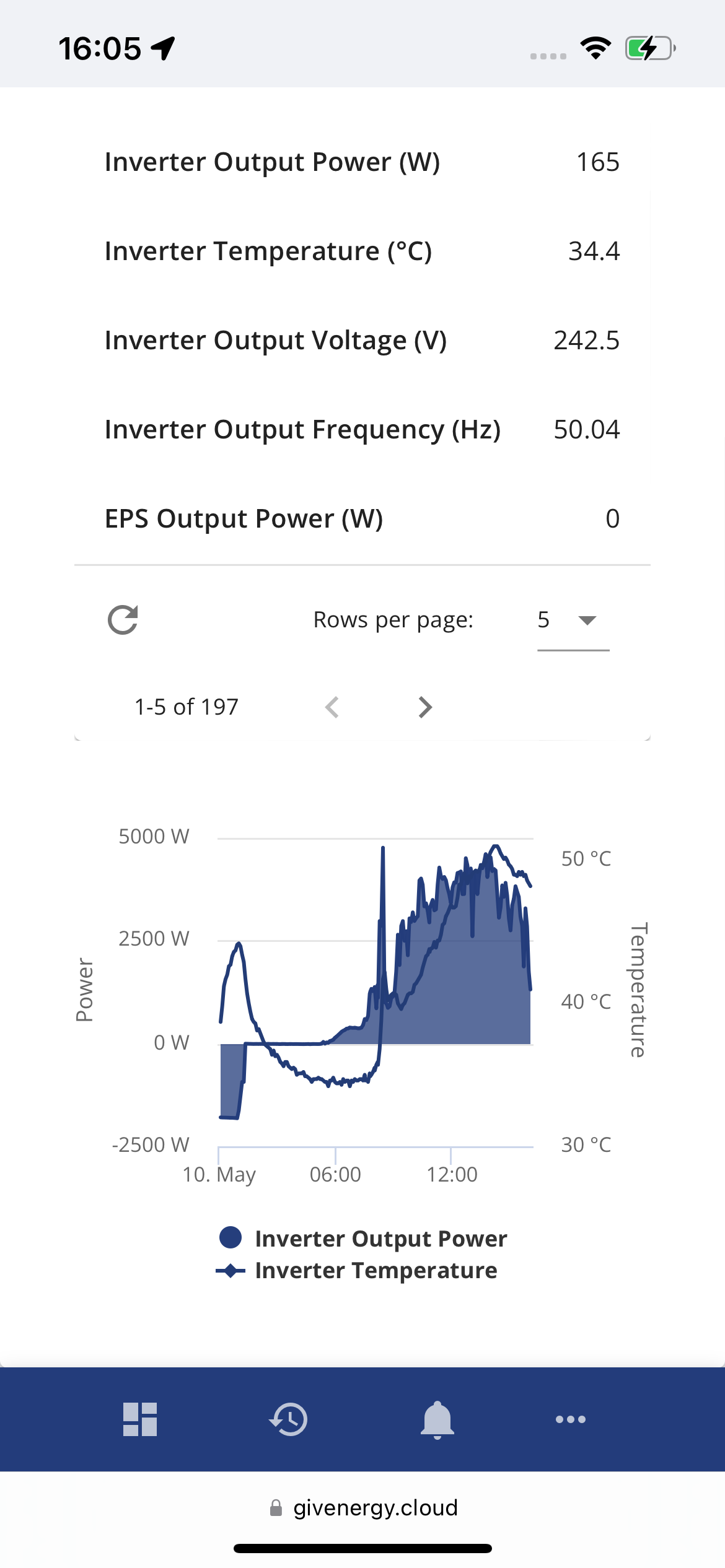

Placing my hand on top it seems very warm! Worth adding a fan to assist with cooling?
See https://community.givenergy.cloud/d/2544-inverter-temperature-again/ and https://community.givenergy.cloud/d/3970-inverter-cooling-sharing-my-solution and https://community.givenergy.cloud/d/267-extra-inverter-cooling/
I've recently added fans to mine to keep them at 40 degrees and will share my solution on the above. 50 degrees is ok, 40 would be better. If you get around 60 then that's too high.
Aye, cracking solar day today, and I can see ours starting to self-limit at around 65°C, so time for some additional cooling, I think. Swithering between cheap, dumb 24/7 approach, and something a bit more geek-worthy!
The inverter shouldn't be derating if the ambient temperature is under 35-40C, which unless you've got the inverter in a loft or tiny cupboard is unlikely to be the case in May.....
I have fans which auto start/stop on the inverter. This keeps the BMS reported temp mid/high 40s worst case, however the external casing of the inverter gets much hotter - 65 Deg or thereabouts according to my thermal imaging camera. That also shows the top left of the inverter to be hotest and what look like a couple of hot wires within the case at that location. So although I see manageable BMS temps now, I'm still unsure as to why the external case temp seems so hot, typically during forced export. Anyone else seeing the hot case issue please?
sponev Yes, I noticed that the inverter case was very warm yesterday (after many hours of exporting almost 5kW). The portal records the temperature peaking at around 61 degrees. (This is in a garage with a relatively large volume of air, but not much airflow. Metal garage door is south-facing.)
But isn't the BMS in the battery box, rather than the inverter ? Battery case is always cool, even though the temperatures shown on the app get quite high. (The portal doesn't show the battery temperature getting quite as high, but I think BMS temperature and battery temperature are different.)
Josephiah
I didn't like the 24/7 approach as cooling is normally only required for peak periods during the day and not at all during the winter.
The W1209 temperature control module is a very cheap solution that doesn't need much geek! It is widely available and comes with a temperature probe that can be placed in the inverter fins. It is easy to set up and has a display of the temperature.
I use this with a pair of 12V fans blowing up the back of the inverter.
I have mine set to turn the fans on at 45C and off at 40C. This means the fans don't cycle too rapidly. Typically during peak the fans turn on for about 5 minutes and then switch off for about 5 minutes as the inverter heats up again.
Got a cheap plug in temperature sensor and two usb fans off Amazon. About £25 and no wiring. Been running for months now. With the sun out now they are running a lot….

Believe there's 7 in toal:
Inverter has 2 probes -
AC > DC charger for the battery charger.
Inverter Heatsink Temp
Although on Gen1 atleast they are both physically connected to the same heatsink adjacent 2 inductor pockets about 2 inches apart (the round bulbous parts on the heatsink) so they rarely read much different to one another.
Battery has 5-
1 BMS temp - this is the PCB tracks right next to the Mosfets on the PCB board. These get hot at max current - owing to how this all works if you have a Gen 2+ with a single 8.2/9.5 pack then they run hottest at 80A. (Anything else - multipacks or 5.2s either are derated or simply load share so run less current each)
4x cell temps - these are scattered around the pack depending on which one you have but basically don't monitor every cell. Generally you have a probe on an inner and outer edge so some will read higher than others.
DD yes, sorry my bad. Bit confusing as to where all the temps are monitored but Hoggy's post helps a lot. Still unsure as to why the inverter case is so warm when the internal measurement (I just checked in the inverter section on the portal) shows max in the mid to high 40s. If anyone can explain that I'd feel happier! I may also ask GE support but the answers they give tend to be very variable unfortunately.
Had the tweet not been deleted the Polar ESS video i posted yesterday (weirdly) showed them building a Gen 3 which may have helped you identify which part gets hot.
Despite being heavier aren't Gen3 fronts and sides made mostly of plastic? Older kit was all metal so the entire block worked as a heatsink ontop of the actual heatsink.
(Your IR gun is probably picking up some of the internal bridges which will run hot (top left by any chance?) They simply aren't connected to the heatsink as they sit topside of the board.
Top left has the cable bundle from the HV/LV stage inductors going to/from the battery. I've a picture somewhere.... they likely run quite hot and sit close to the lid just there.
What's classed as normal I've no idea.
I thought I'd start at the simple end for now, but open to making it more complex/refined/powerful in future. I've got 4x cheap 8025 fans plugged into a 4-way USB adaptor, zip-tied together in a line with a couple of laser-cut end mounting pieces (I love having a workshop with fun tools at work...). It slots in beautifully at the bottom of the inverter. Will test tomorrow and see how things look.
(Will upload photos if I can persuade the media picker on this site to work - used to work for me, but not today, on multiple browsers and devices...)
Rtidey
Thanks, the W1209 is a nice suggestion - may revisit that if I end up revising the system.
I keep meaning to write this up properly, but I wired a set of CPU fans in parallel with a 12v supply, built a simple frame and hold it in place under the bottom of the inverter with elastic cord. Blows air up across the back of the inverter.
3 fans on one inverter and 4 on the other (just because I had to buy some more fans so was just as easy to fit 4 as 3)
12v power adapter controlled by a shelly smart switch
Shelly controlled in home assistant as a climate controller linked to the inverter temperature, set to 40 degrees
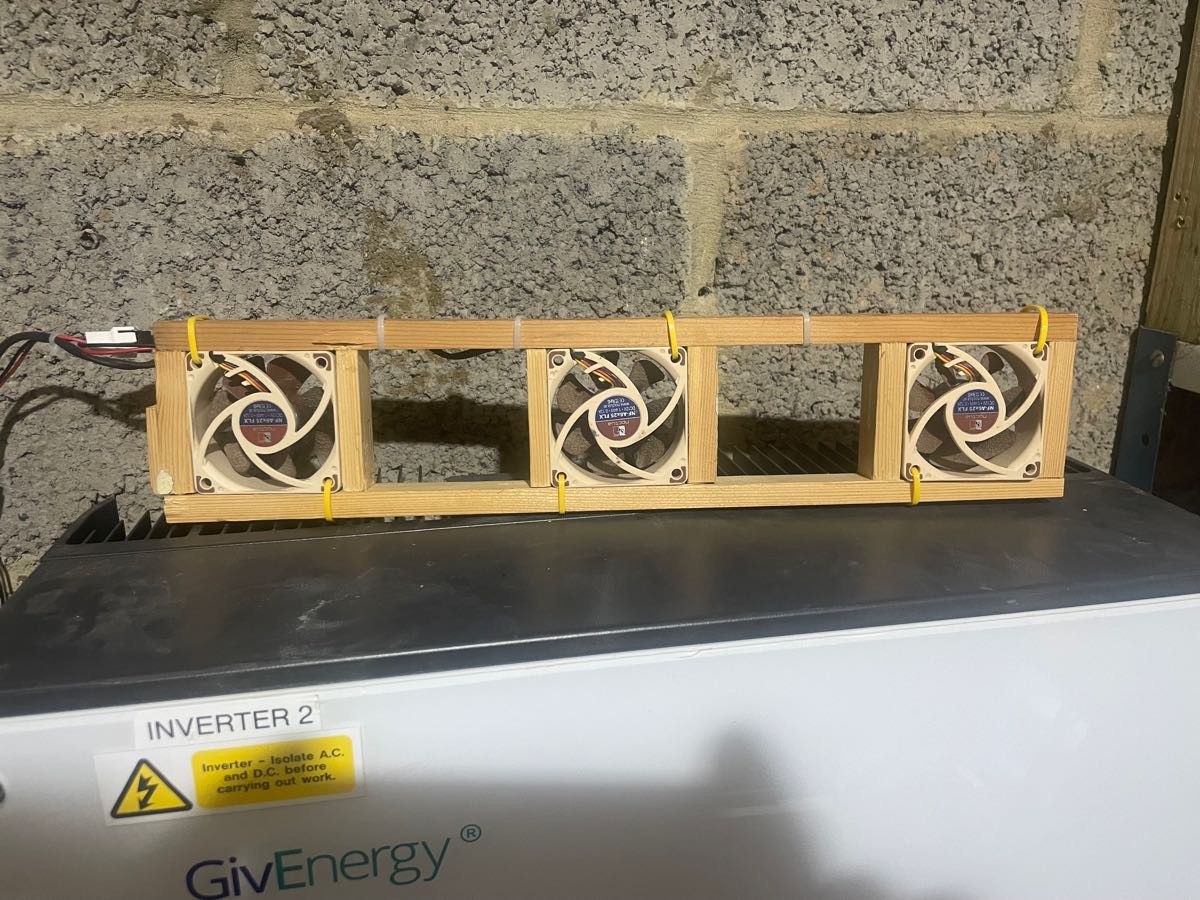
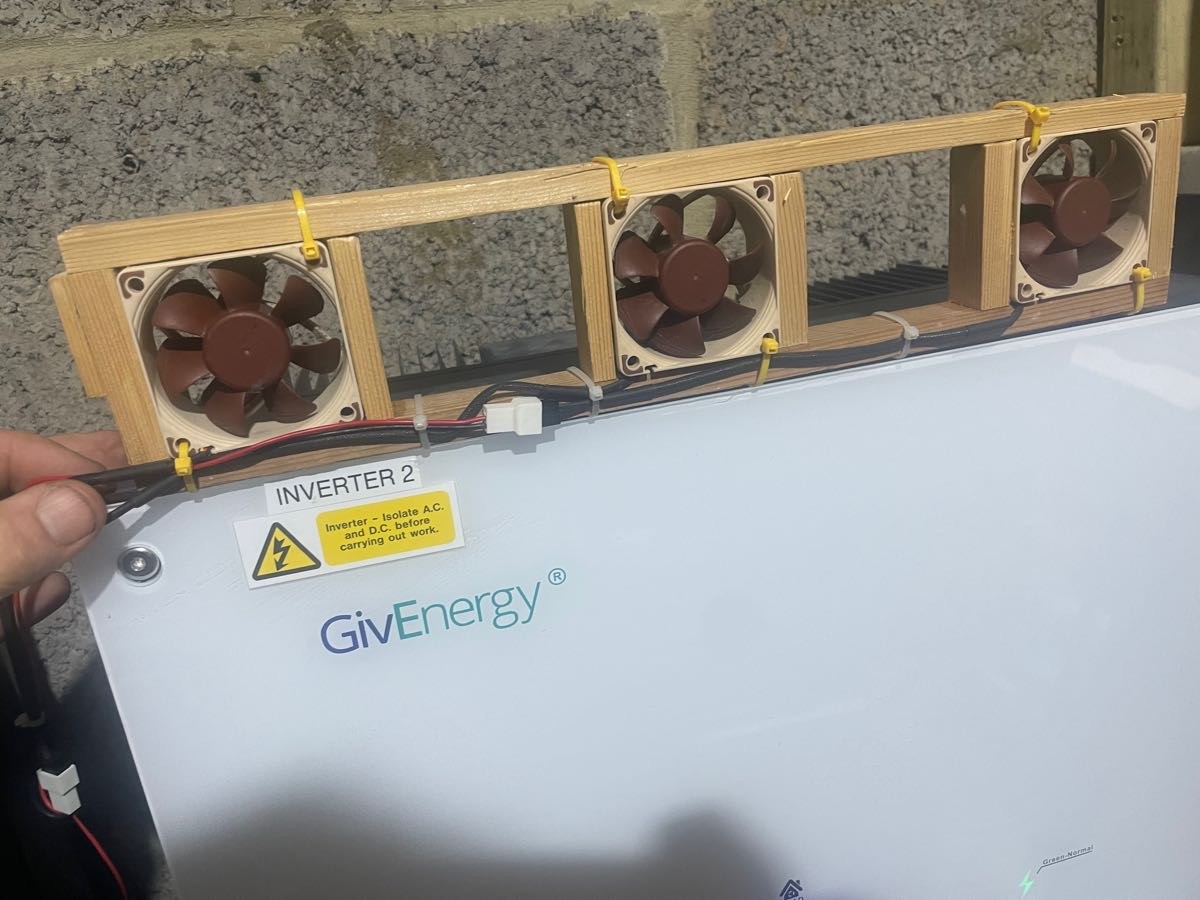
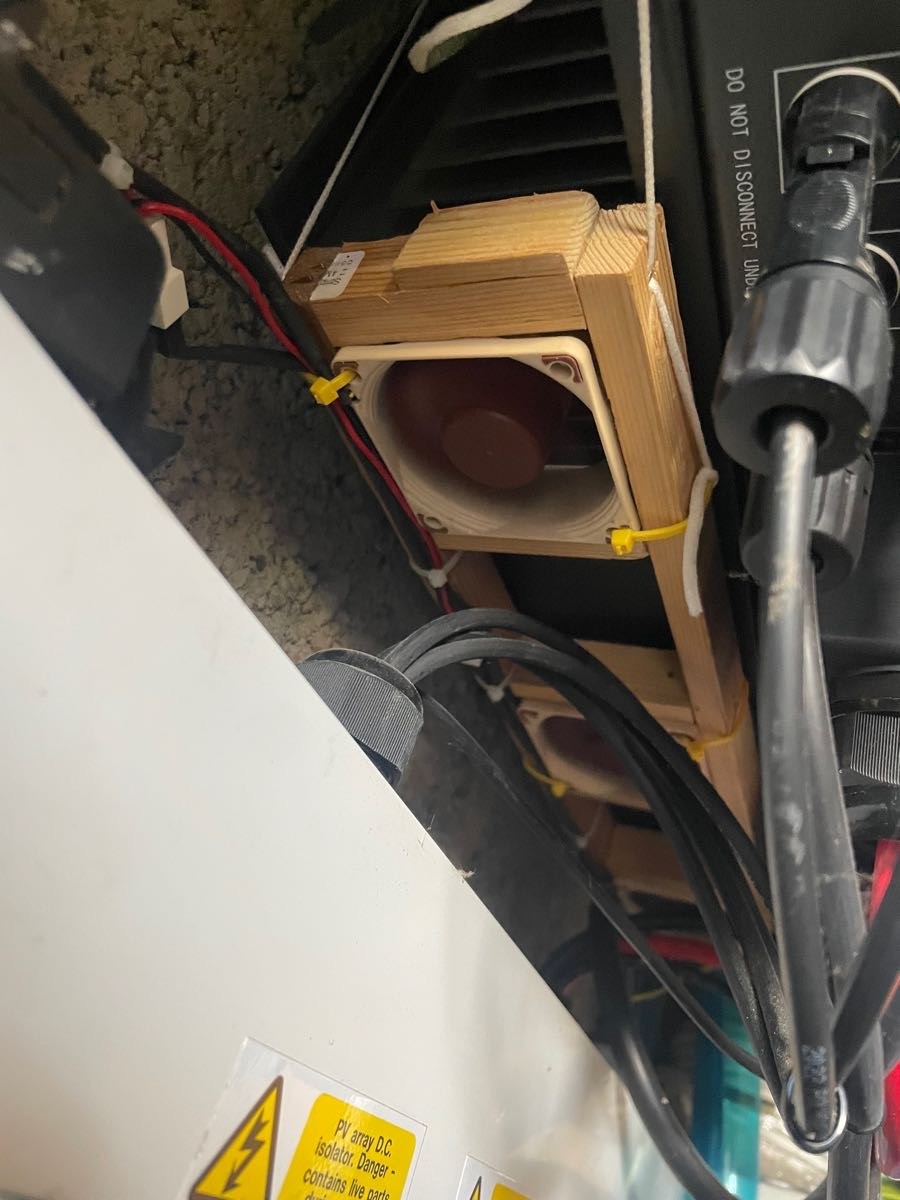
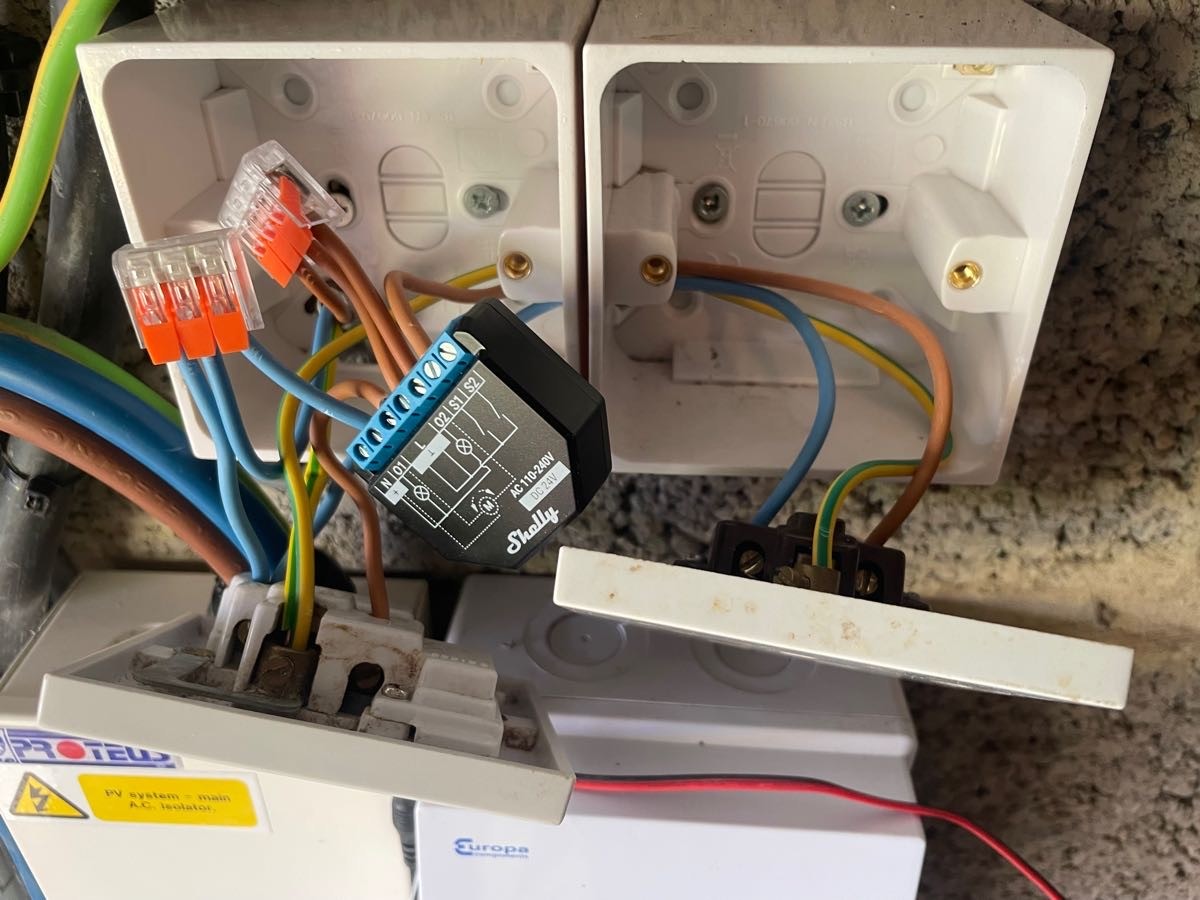
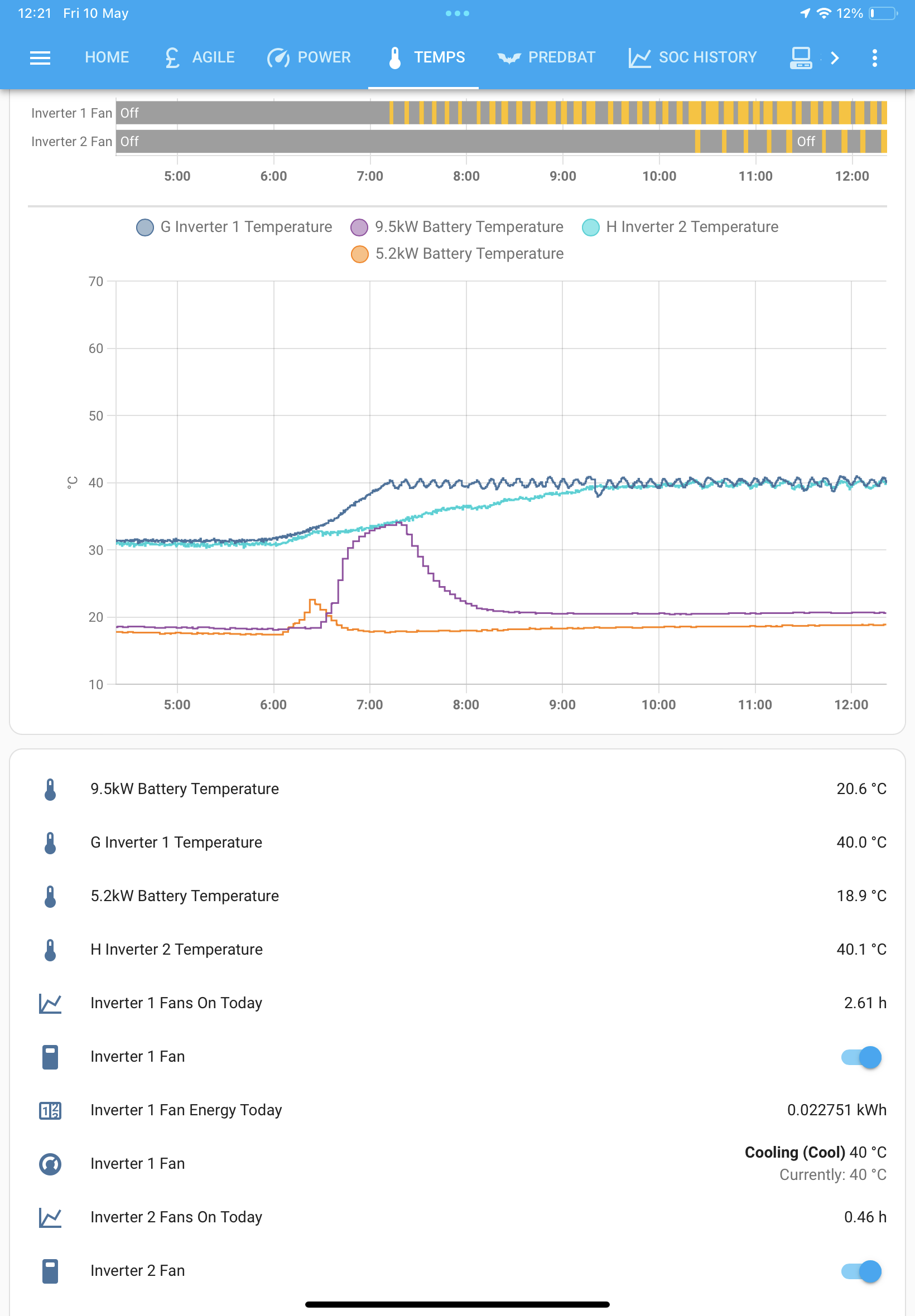
Since posting my solution [https://community.givenergy.cloud/d/3970-inverter-cooling-sharing-my-solution] I’ve printed an enclosure with internal vanes to focus the fan output over the cooling fins.
Josephiah Added a smart plug from LocalBytes, connected to my Home Assistant. Guessing at settings for automation, but "turn on when >40°C for >1min" and "turn off when <35°C for >1min" seem to be working pretty well so far.
(Probably not the place for it, but still can't upload pics here, on MacOS, Windows, Android, various browsers - just get "Oops! Something went wrong. Please reload the page and try again." every time. Anyone else seeing the same problem...?)
@geoffreycoan Ah, here we go! Logging in/out wasn't helping, but I think perhaps the images or file sizes were too large.
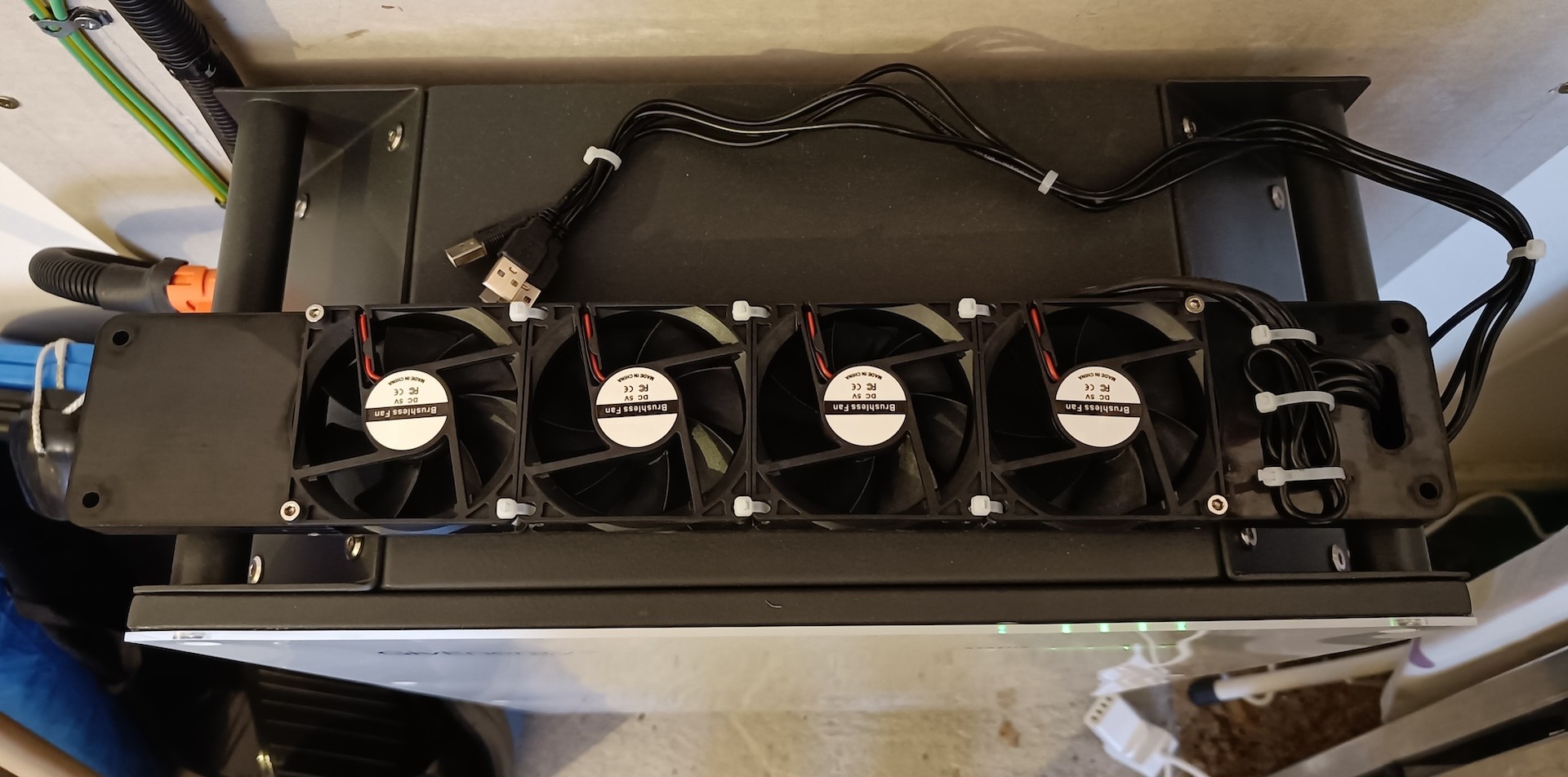
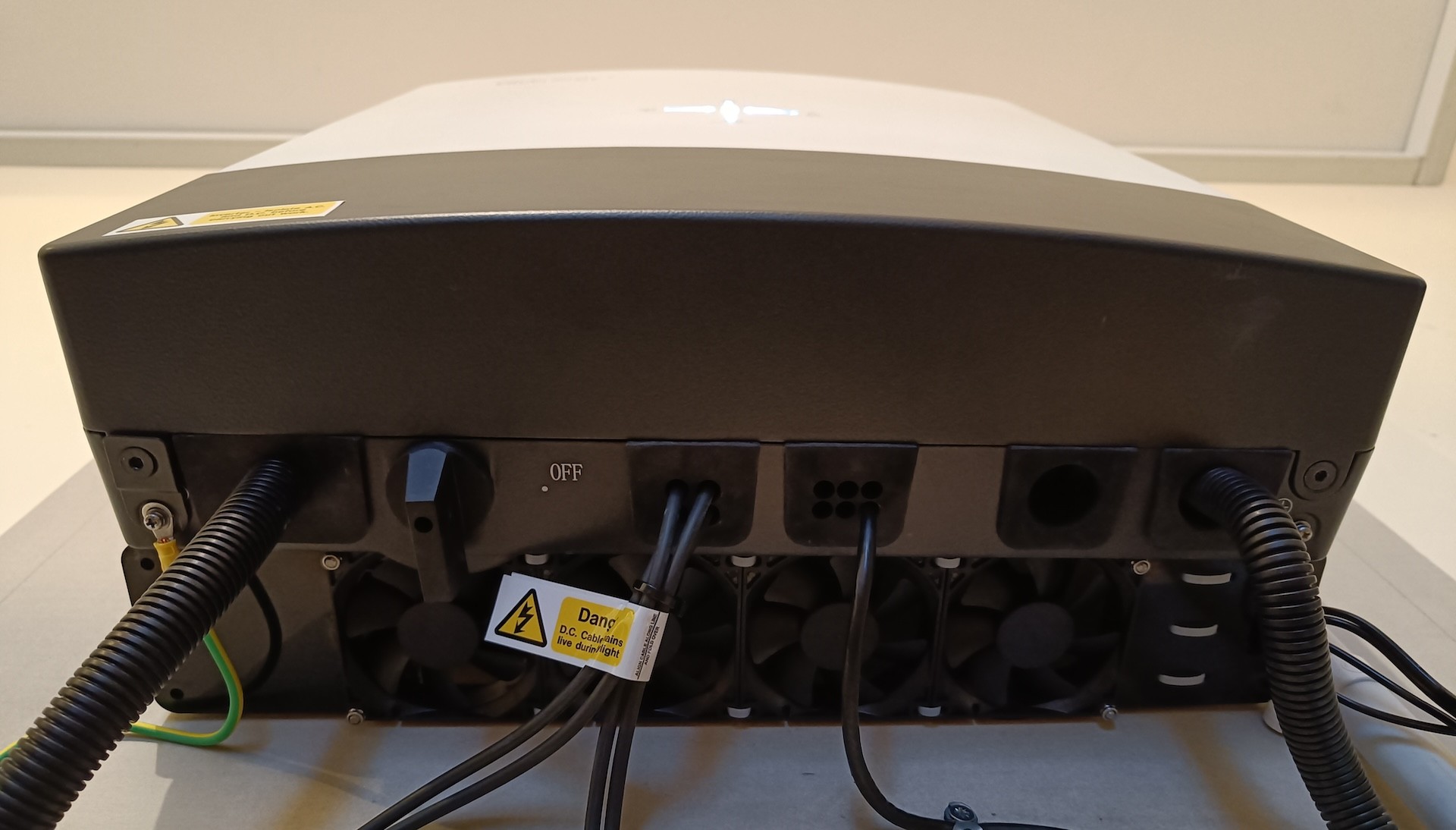
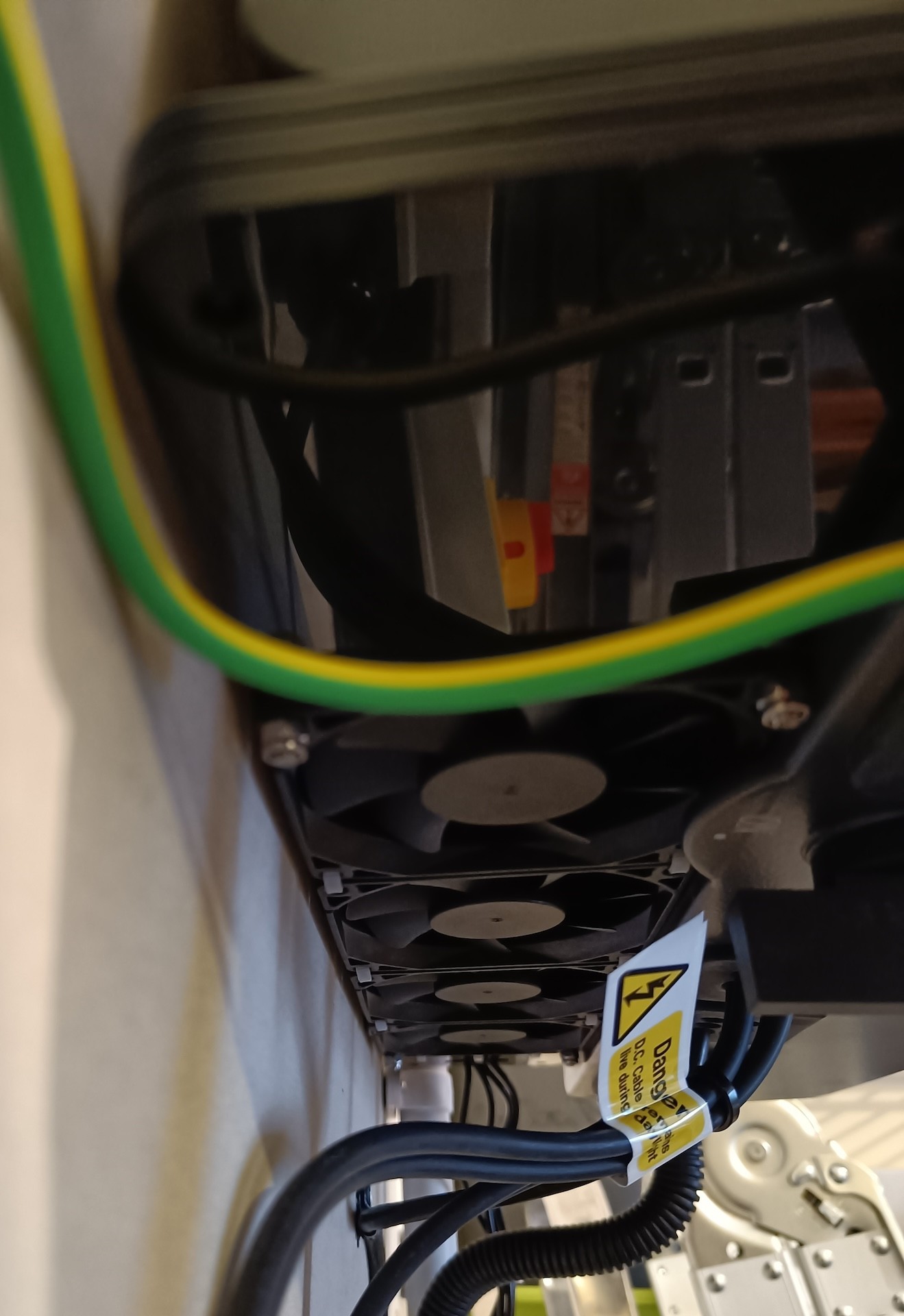
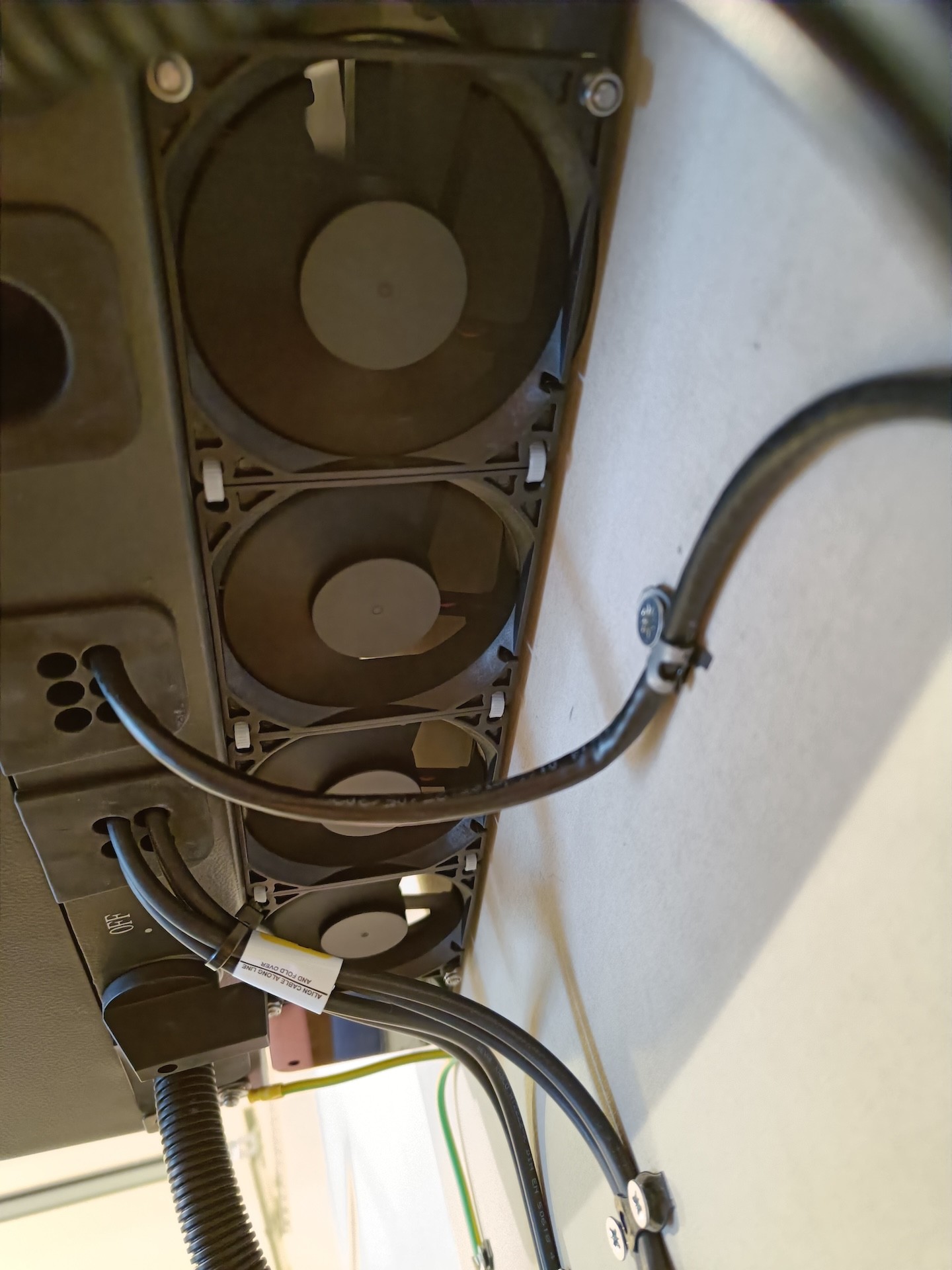
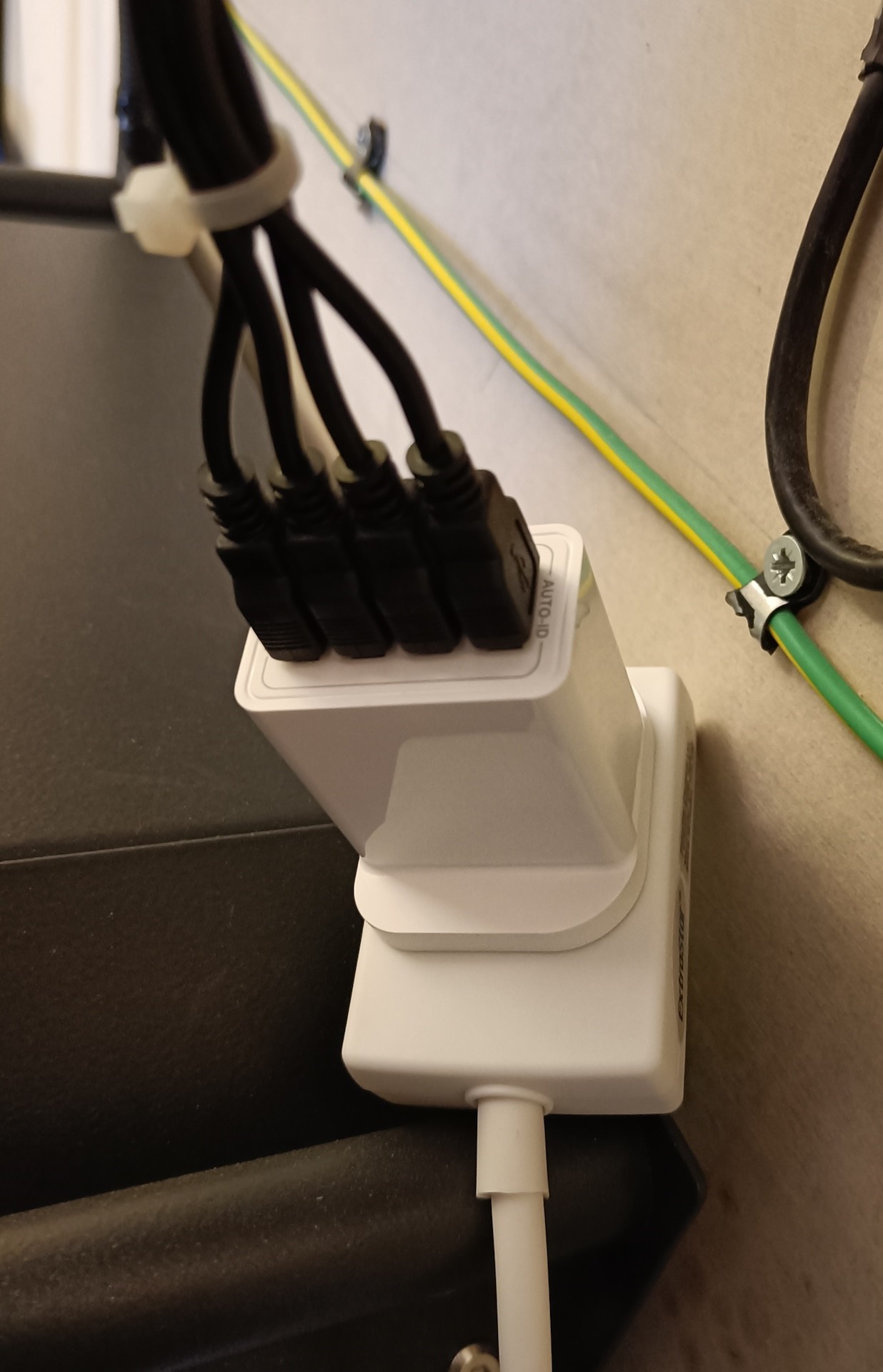
Josephiah Very nice and tidy, neat job. The Gen 3 inverter also looks a lot tidier than my own Gen 1.
My own cooling fans have been working well, they consume tiny tiny amounts of power each day. Very happy.
I think there is a limit to image size with the community site, I’ve occasionally had images fail to upload for the same reason. Shrinking them down has fixed the issue I had.
Just thought I'd upload a couple of pics to show my version of gen1 temperature control. I didn't want to block the natural ventilation access for the fins, and there are too many cables in the way really anyway. So 3 holes cut in a bit of left over mdf, 3 x 120mm usb computer fans off ebay (use a couple of watts each), a digital plug in thermostatic controller from ebay, and a 3 socket USB charger. About £25 in total. 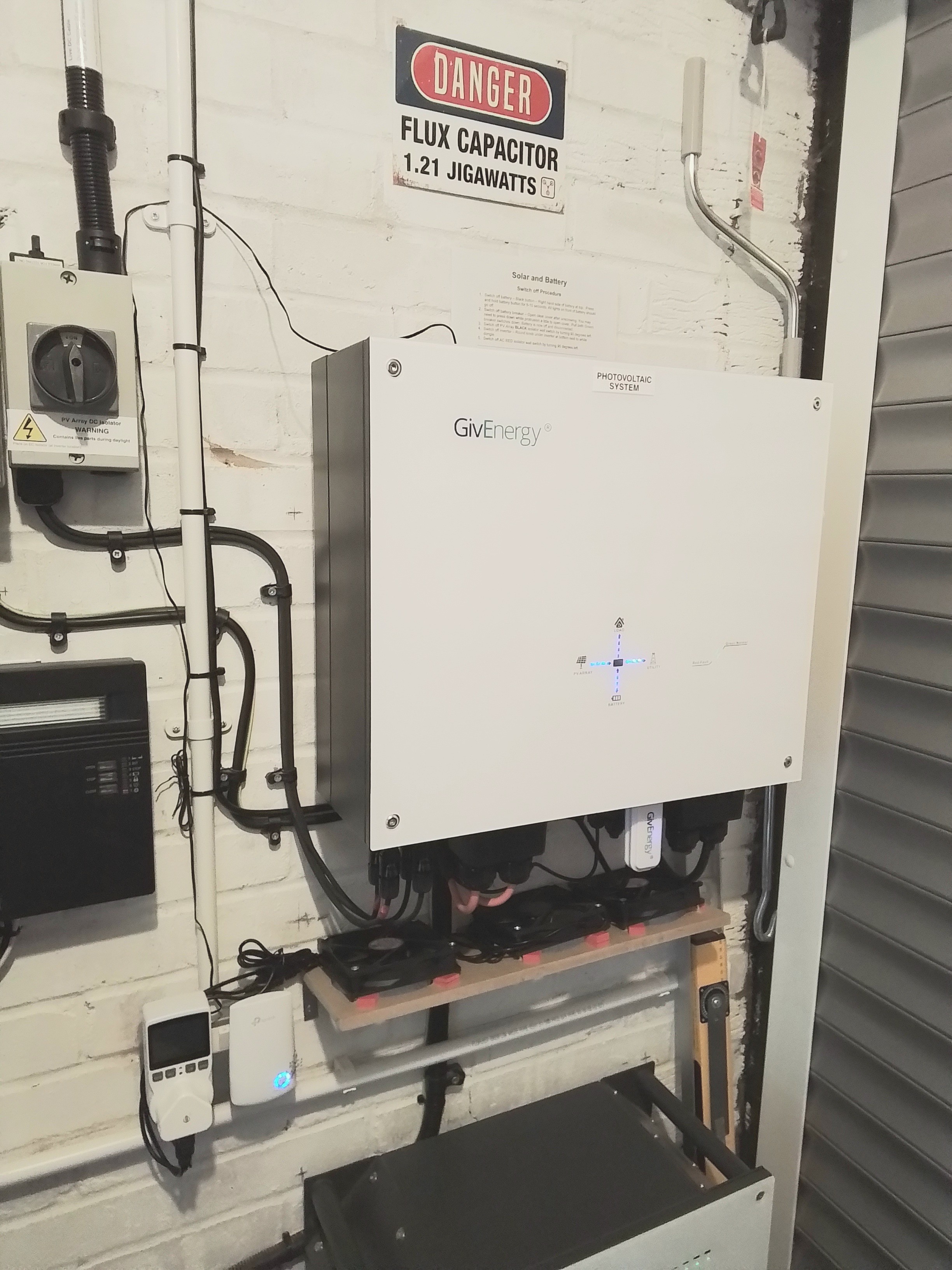
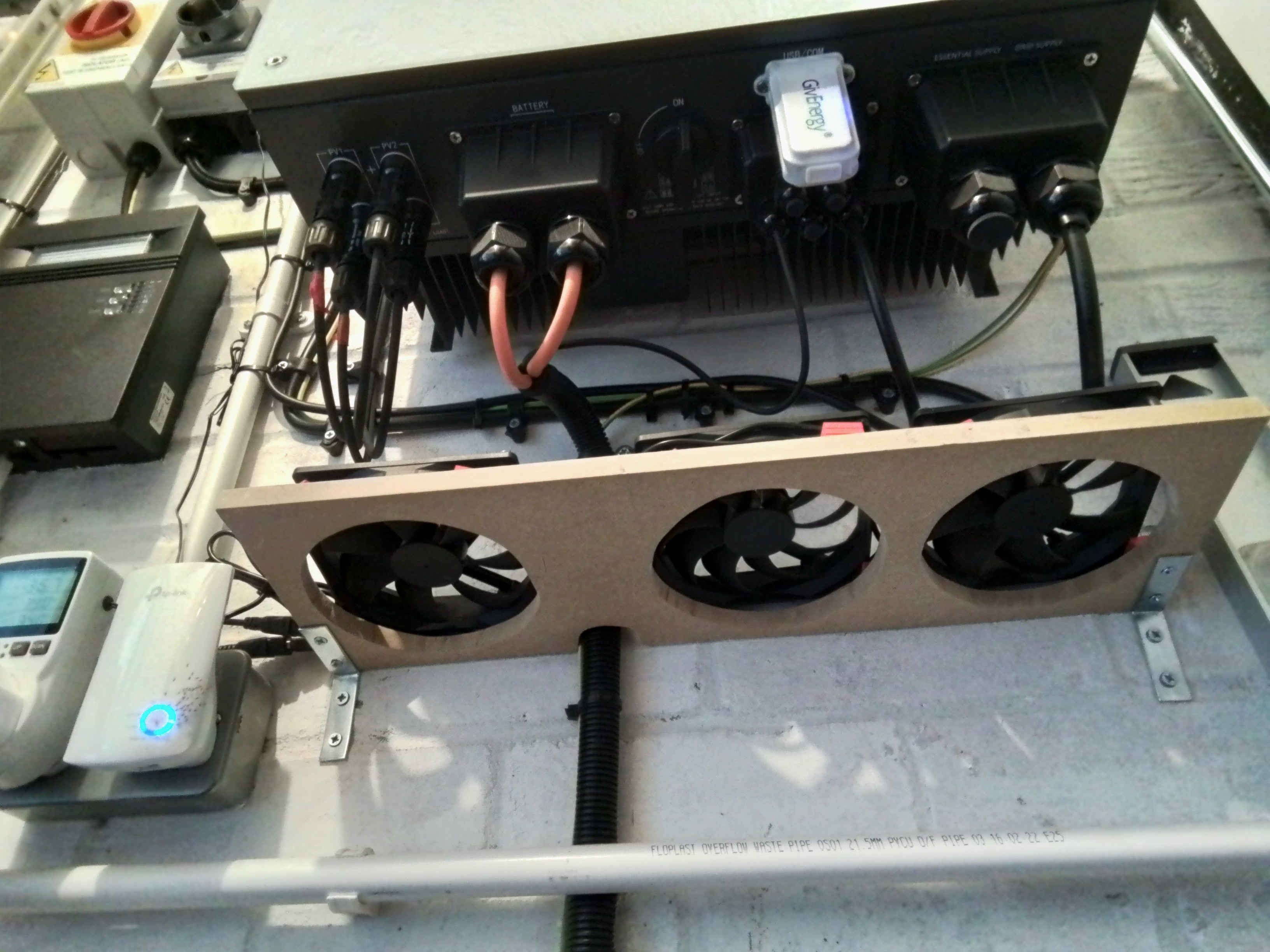
TimHutchings Nice solution Tim, those fans are probably too big to fit under the inverter. Mine are smaller 50mm CPU fans, but yours should generate more airflow.
Like the 'flux capacitor' warning sign !
TimHutchings So is there a DeLorean behind the camera? 😉
Vestas Birthday present last July from my daughter and family who went to LA in May last year. Think they picked it up at Universal Studios.
Must admit, I always thought the flashing lights on a gen1 were probably modeled by GE on a Flux Capacitor, and I guess Octopus may have derived their Flux tariff with the film in mind too.
Anyway, I'm fully DeLoreaned! Just not sure what century I'm in or if my name is Marty. 🤣
im thinking of trying this, do people recommend fitting them above or below the inverter?
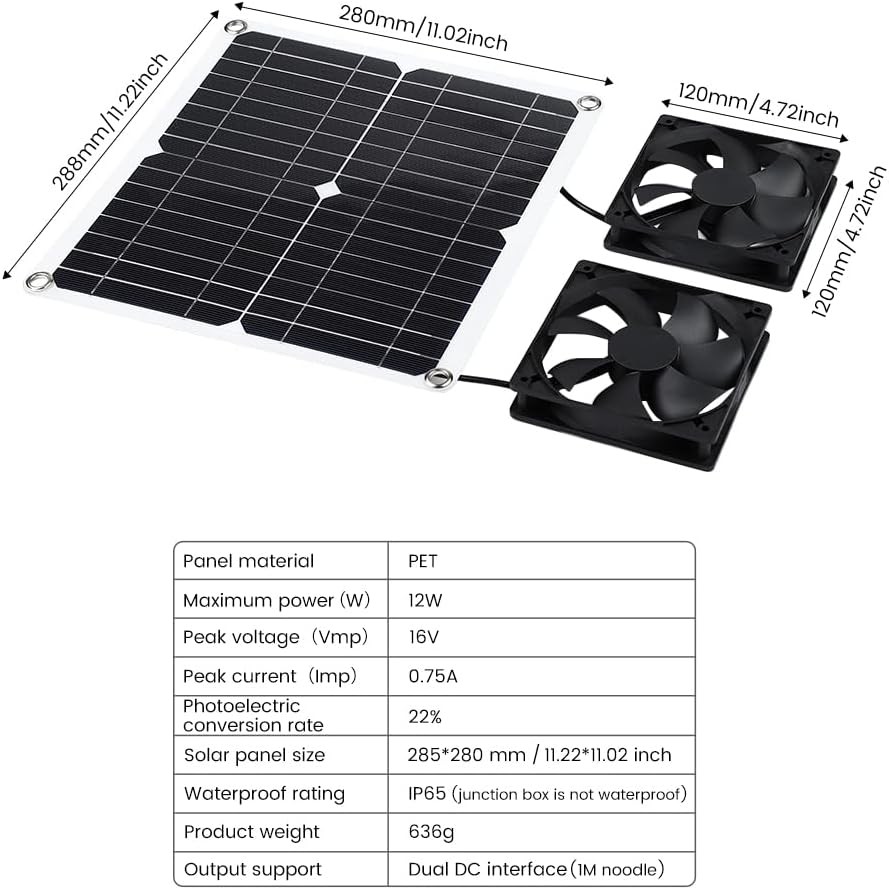
Chips78 I would say below as I have done with mine
Incidentally my fans are now on from 22:30 to 07:00 the following day, then on again at 09:00 - 18:00 as I'm exporting the battery before midnight, and then charging the battery at the off peak rate. highest temps so far are 47deg c
All of the above (very impressive, btw) beggars the question: are Giv designing products that are inadequately ventilated?
Chips78 definitely fit them below, pushing the air over the vents gives better cooling
You could fit smaller fans though, I have 4 50mm CPU fans in a row under my inverters as there isn't a lot of room between the wall and the cables coming out of the bottom of the inverter.
I keep my inverter temperatures at 40 degrees, one set of fans was on 6 hours today, the other 2:20. Power consumption is negligible
[unknown] very nice, I have just ordered this setup.
[unknown]
I've been trying out this exact setup in the last week. I need to print / manufacture a better setup, but having these 2 fans pointing at a 45 degree angle up into the heat sync dropped my load temperatures by about 12 degrees.
I've been trying out this exact setup in the last week. I need to print / manufacture a better setup, but having these 2 fans pointing at a 45 degree angle up into the heat sync dropped my load temperatures by about 12 degrees.
My main temperature woes occur when the system is in the sun (Yes I know not ideal, but I don't have any other space outside). The solar produces a very good speed on the fans and still spins at a nominal rate after the sun goes over the house at about 3pm (SE system)
I tie-wrapped four 80mm PC fans into a string and fitted them at the bottom of my inverter blowing up the back - like the images shown in other posts but not as nice looking. They fit exactly in the gap between my hybrid inverter and the wall. I have the fans on supply run from a smart switch controlled by Home Assistant, which reads the inverter temperature using givTCP. The fans turn on at 45C and off at 40C. This works well for me and I have rarely seen an inverter temp of over 45C since fitting them last summer.