Home batteries self exporting!

28 comments started 2024-07-10 last 2024-07-12
GivEnergy ProductsHybridBattery
J
#1 J1m

Last night I noticed that my batteries were discharging/exporting to grid, despite (am on IOG) the inverter being set to charge between 23.30 and 05.30. Tried restarting the inverter, app quick settings wouldn't work etc. Ended up switching the batteries off overnight as I didn't want to end up with nothing. Switched back on this morning, they immediately started discharging again. Rang GivEnergy support, the guy reset the inverter to defaults, still discharging. He then said as Octopus 'have control of the batteries' I need to contact them as they could have instigated the discharge owing to demands on the network. I said I can't believe they would do this overnight, and its never happened before! I'm still trying to contact Octopus, but wonder if anyone else has had this happen please?!

G
#2 geoffreycoan

If you are on IOG (Intelligent Octopus Go) then Octopus have control of your EV charging, nothing to do with the inverter. Maybe thinking of IOF (Intelligent Octopus Flux) where they control the batteries and inverter and they can control the charging and discharging at any times they want to.

J
#3 J1m

geoffreycoan Thanks for the reply Geoffrey. Yes you are correct, I eventually got through to Octopus and they confirmed exactly what you said.
I rang GivEnergy support again, spoke to someone else. He said that there was some registry that he reset concerning battery calibration which 'may have got stuck'. It's around six months since I had my additional battery installed, when the last calibration took place (which seemed to complete okay at the time), and I've not had any similar issue since. However whatever he did do seems to have worked, and the batteries (now around 3% charged!) are beginning to charge via excess solar. It's a bit concerning though that this sort of thing can happen out of the blue!!

D
#4 DD

J1m From previous posts, you are using GivTCP ? I wonder if you have a log of requests that were sent to the inverter. There was a post on here a while back suggesting that single-bit corruption of messages was not uncommon, and could lead to this sort of problem.

J
#5 J1m

DD That's interesting. I've been having various issues with GivTCP and have actually yesterday reverted HA to a previous full backup, prior to GivTCP being installed with a view to reinstall it. Thanks for the advice..

D
#6 DD

J1m I don't think it's an issue with GivTCP itself. Just some fragility in the comms link, so could happen just as easily with commands from the portal. Later firmwares added a requirement for CRCs, which may have reduced the problem, but I don't think that's on gen-1.

J
#7 J1m

DD Understood thanks. It's a bit worrying that this can happen spuriously like that, especially as I was unable to resolve it without having to contact GivEnergy. It is beginning to put me off using GivTCP! I was planning on trying out Predbat, but I suppose that the same thing could happen any time with having a Gen1 inverter?! It's a real shame.
I don't suppose I would have access to the registry that GivEnergy reset?

G
#8 geoffreycoan

J1m I’ve got two gen 1 inverters and use GivTCP and Predbat to control my batteries. Have been doing so quite successfully since September last year so there’s no inherent issue with that setup (and I am pretty sure the author of Predbat, Trefor, has a gen 1 as well).

As @DD says there is a potential risk of data corruption which the newer firmware adds CRC checking to try to mitigate against. When the ‘fast response’ firmware (v191/193) gets rolled out on the Gen 1’s, this adds the CRC checking so you’ll be the same as the gen 2’s and 3’s.

Sometimes though the inverter just goes off in the boonies for no discernible reason. Mine stopped talking to GivTCP earlier in the week. A reset to defaults from the portal fixed mine so that could be something to try if it ever happens to you again.

D
#9 DD

J1m I don't suppose I would have access to the registry that GivEnergy reset?

In principle, you have access to everything via modbus. But there are questions over warranty violations if you fiddle with registers. (There is at least one which will, apparently, brick the inverter if you write the wrong value to it.)

The register that controls calibration isn't supposed to be user-writable, but at least one version of the code I've seen does suggest making at least one value writable.
https://github.com/britkat1980/giv_tcp/blob/90f78b32060b7808a2a055cf29993219bf9d8f66/GivTCP/givenergy_modbus_async/model/inverter.py#L160

(There are still multiple copies of the modbus code - slowly working towards getting them to converge.)

J
#10 J1m

geoffreycoan That is reassuring thanks Geoffrey. I assume that the fast response Gen 1 firmware is overdue, but hopefully will be released soon. Will it be announced here?
Hopefully a fresh install of GivTCP will be okay in the meantime! Thanks again..

J
#11 J1m

DD Thank you for the info! I think I will wait for the new firmware that @geoffreycoan mentioned above, as I don't want to break anything! I shall keep this for emergency use! Cheers!

#12 Cdent

J1m mindful you don't wait too long, older gen 1s won't be getting the firmware as it needs an additional piece of hardware apparently

J
#13 J1m

Cdent Oh dear! How can you tell if it's 'old'? Mine was installed in December 2022, but I don't know what the Gen1 age span is/was..

T
#15 TimHutchings

J1m If your inverter number starts SD2210 or above, ie. 22 is the year and 10 is the week, it will be OK with the new firmware. Gen 1s before week 10 aren't compatible with the faster response firmware as they don't have a large enough capacitor or the extra capacitor needed.

J
#16 J1m

TimHutchings Really appreciate that Tim! Will check when I get home. Fingers crossed!

G
#17 geoffreycoan

@J1m have a look at this thread which discusses the new firmware, in short its great, I’m very happy with it, quicker response to changing solar/house load, CRC, battery pause and it suppresses the over-voltage errors that BMS 3015 brings

It is apparently in test so should be released soon. There are a number of us on it as beta test and no adverse issues that I’m aware of

https://community.givenergy.cloud/d/4371-gen-1-hybrid-new-fast-response-firmware/

J
#18 J1m

geoffreycoan Many thanks for this Geoffrey!

J
#19 J1m

TimHutchings My inverter is SD2237G223, so hopefully I'm okay!

T
#20 TimHutchings

J1m 👍

G
#21 geoffreycoan

J1m Ha, my two Gen 1 inverters are also week 37 of 2022. Must have been brothers and sisters on the production line ! As I said the beta fast response is working great for me

J
#22 J1m

geoffreycoan
What a coincidence! Incidentally I've just got round to reinstalling GivTCP (2.4.3) and I'm back to the 'GiV_Settings has no serial number' problem! Obviously nothing shows up in devices. So I'm back to square 1. At least it's siblings (yours) are okay!

G
#23 geoffreycoan

J1m The no ‘serial number’ issue is a right pain. I don’t know what causes it, but the suggested I’d seen are:

  • do a ‘reset to defaults’ of the inverter in the portal
  • connect to the wifi dongle on the inverter and restart it
  • power off and power back on the inverter
  • delete all the pkl files from the givtcp directory and restart givtcp (these are cache files I think)
  • revert to an earlier backup of givtcp (if you have one), or uninstall and reinstall givtcp

I’m fairly sure the problem lies in the inverter not accepting givtcp connections rather than it being a givtcp corruption. I’ve seen one inverter work fine and the other not which is part of why I think this way.

J
#24 J1m

geoffreycoan

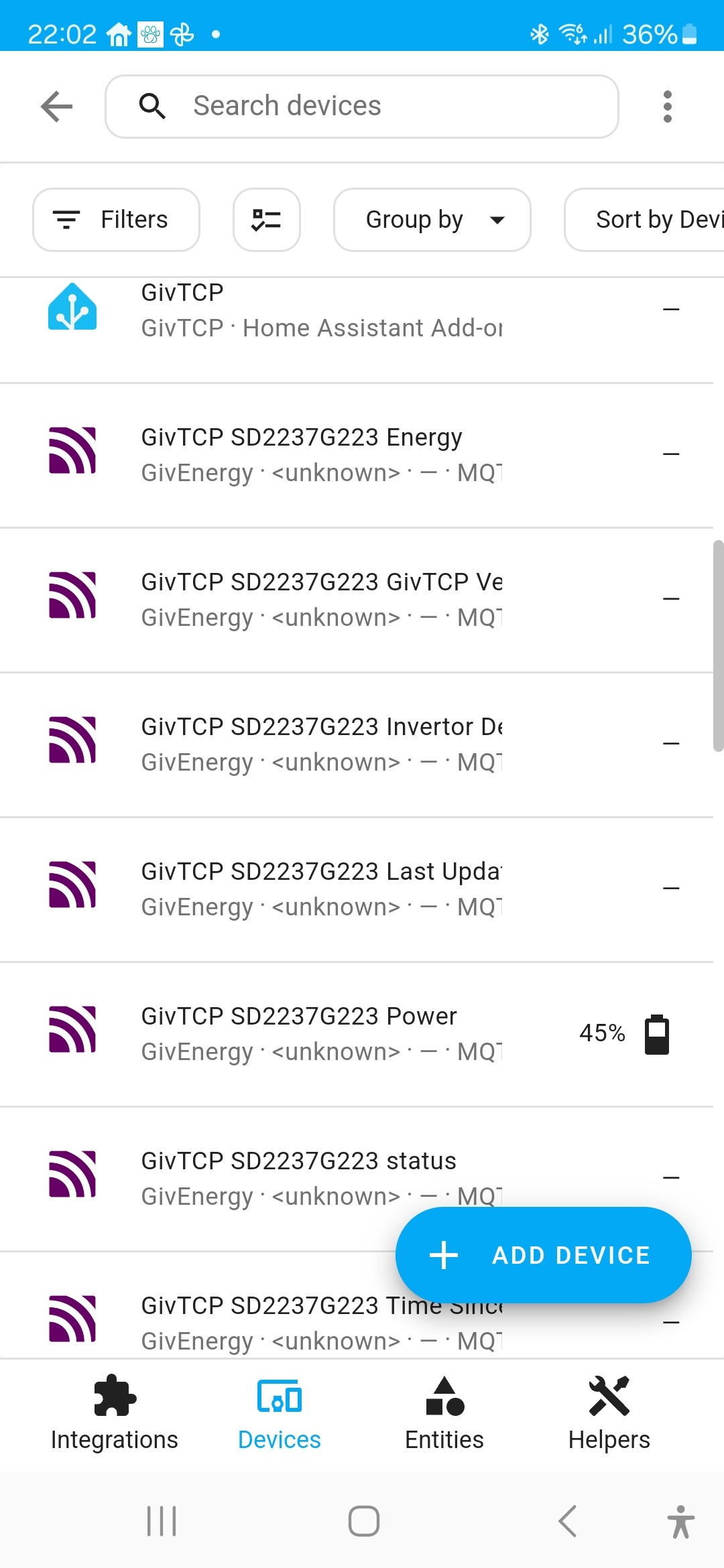
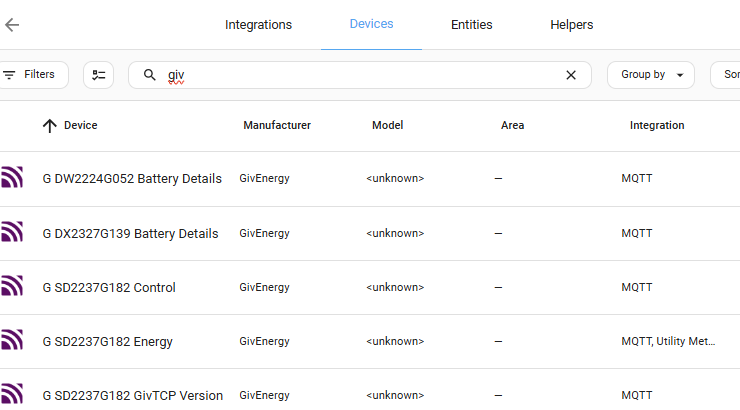
geoffreycoan I'd read somewhere else about deleting pkl files. I tried that but it didn't work. I then found another suggestion, to set the 'old firmware' option in the GivTCP config. My inverter firmware is D0.450-A0.451, but I tried that, restarted GivTCP and MQTT and it worked! Now have the GivTCP entries in devices, although they have 'unknown' in the names but have data in the sensors which appears okay, so hopefully I'm getting there!
Thanks once again Geoffrey!

G
#25 geoffreycoan

J1m Ah yes, if you have firmware 450/451 then you definitely need the old firmware switch on in GivTCP.

If the sensors have unknown in the names then something has gone wrong with the setup, if you don’t care about any history, shutdown MQTT and GivTCP, then uninstalling MQTT add-on should remove all the entities, or at least then let you delete them manually, and then reinstall MQTT.

Glad to hear you are getting there

J
#26 J1m

geoffreycoan

geoffreycoan I did what you suggested Geoffrey and deleted the GivTCP
devices, reinstalled MQTT and ran up GivTCP again. Lo and behold I got the no serial number issue again! This time however when I deleted the pkl files and restarted GivTCP it worked. However I still have 'unknown' on the GivTCP devices. Any further advice much appreciated!

G
#27 geoffreycoan

J1m that's just the model number on the devices tab that is unknown, mine is too

As long as the next tab, entities are OK you are good to go

J
#28 J1m

geoffreycoan That is reassuring Geoffrey, I think I'm getting a bit paranoid now!
Thank you as ever for your advice...