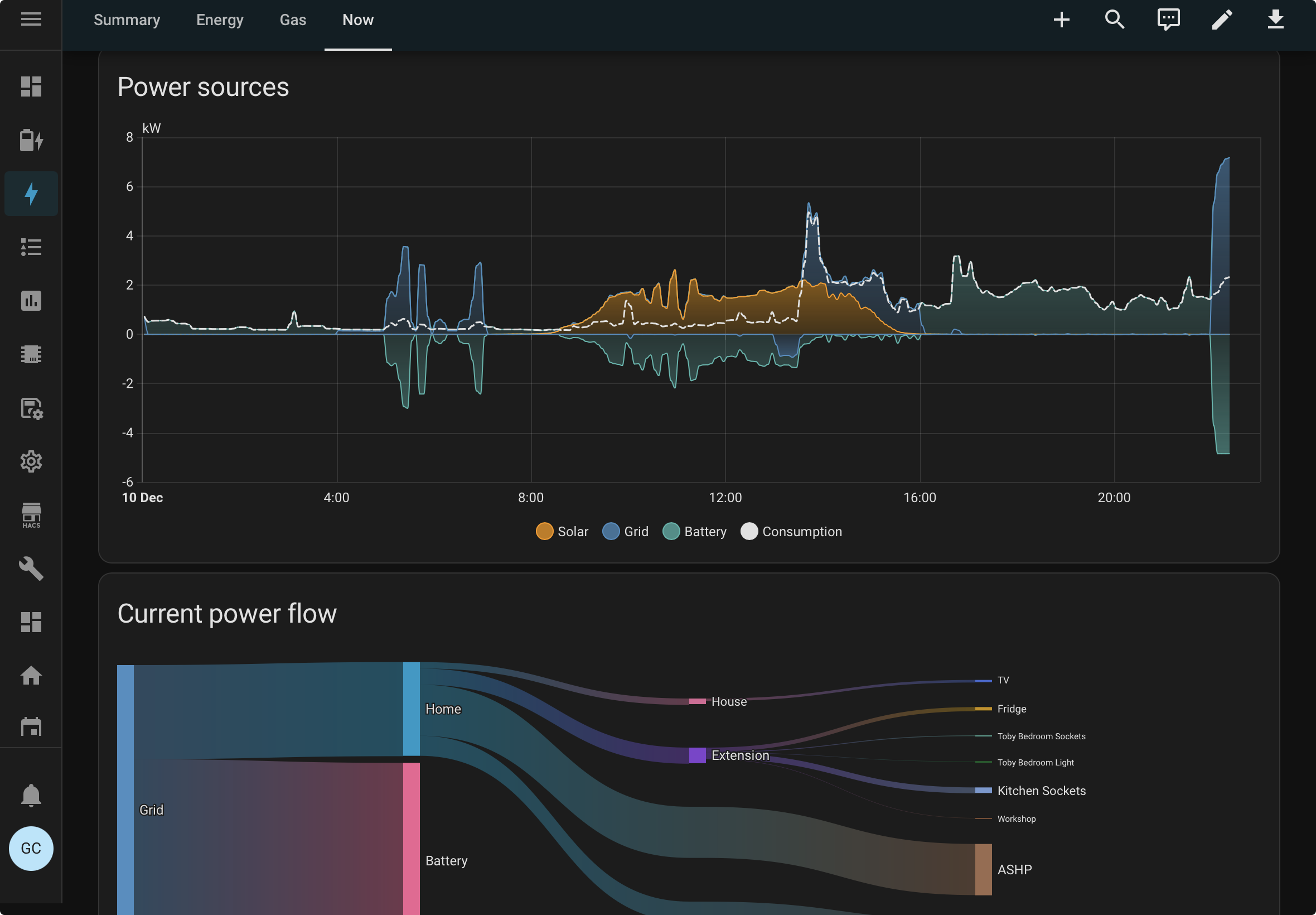
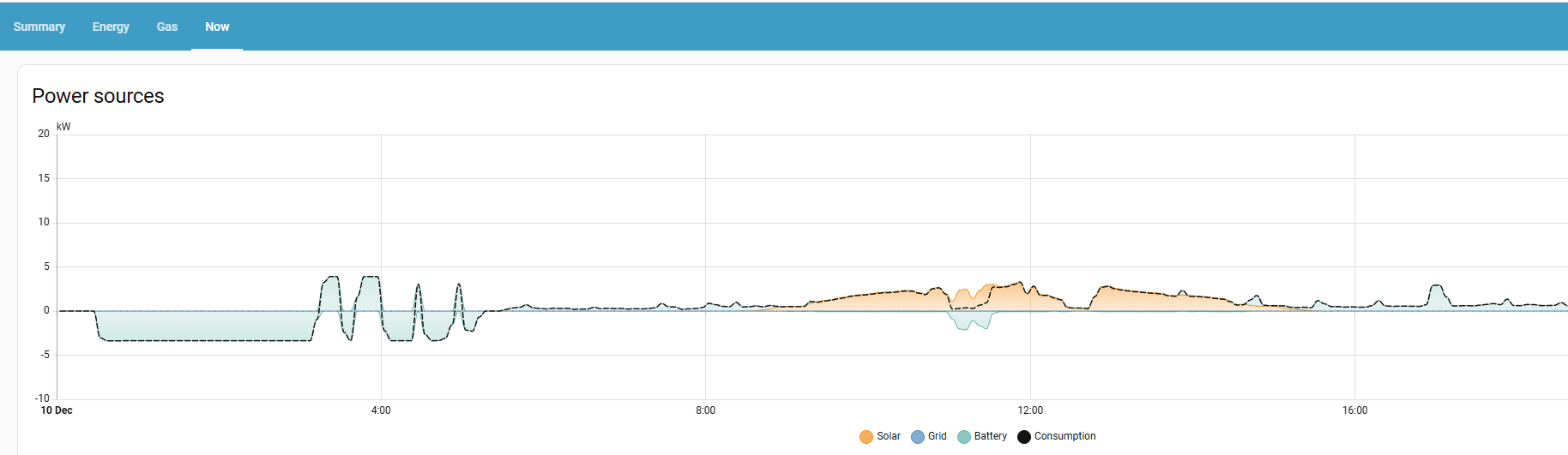
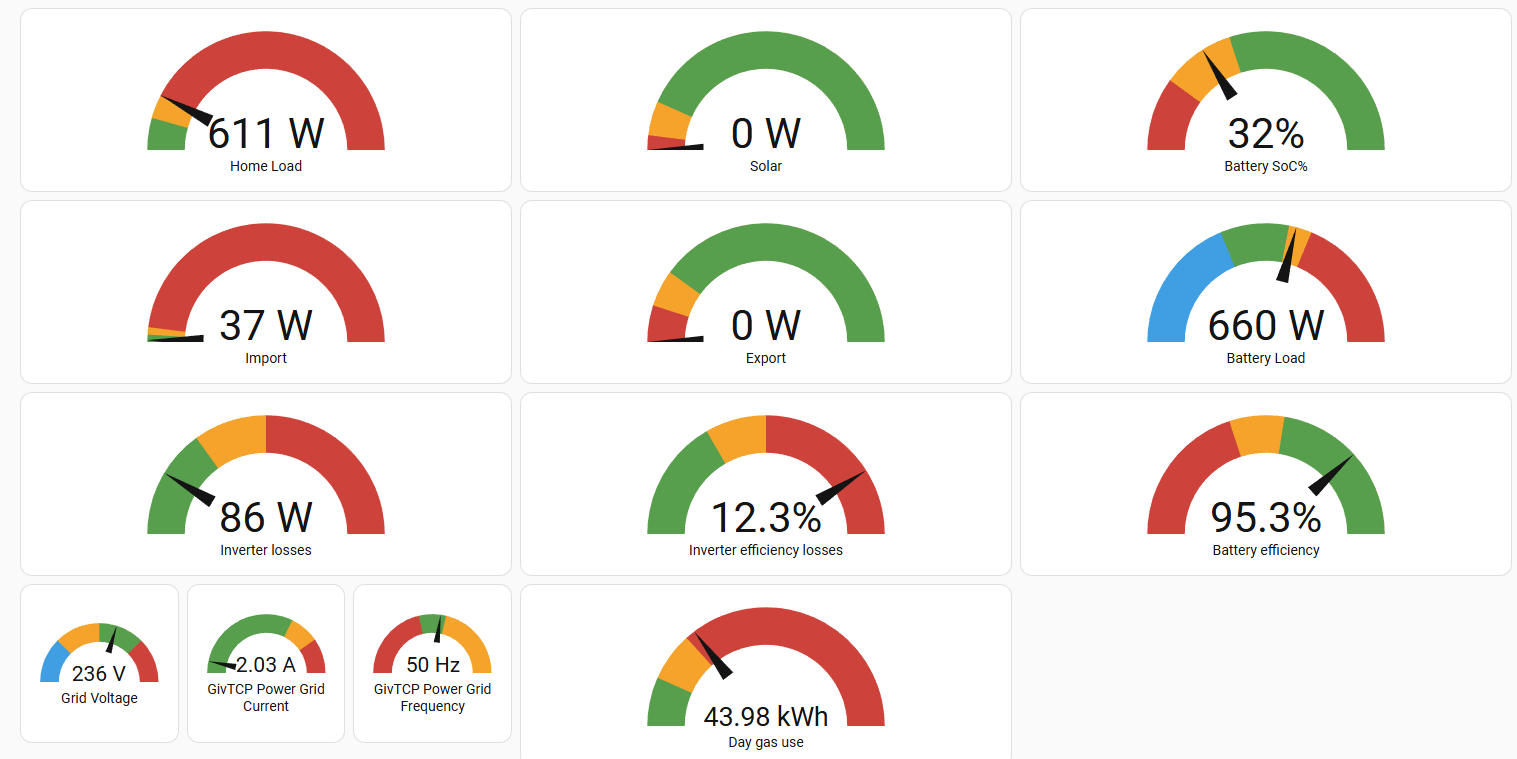
Experiences with GivTCP3 and predbat

268 comments started 2024-09-17 last 2026-01-19
Home AutomationHome Assistant
W
#1 Weasel

Hi,
I just thought I would jot down my experiences with GivTCP3 and PredBat in case it helps others. I have an all in one plus a gateway that have been running for 3 months or so. I am new to HomeAssistant, but have 40+ years IT experience, mainly working with Unix/Linux. My use case for PredBat is to minimise exports by limiting the charging performed on sunny days and also avoiding peak prices. I am looking at the Cosy Octopus tariff here in UK since it will enable me to import everything at off-peak rates.

I had previously attempted to install and configure GivTCPv2 but could not get it to connect to my inverters and as a consequence had successfully installed and configured it using GE Cloud. However I started having issues with GE Cloud tonight with 502 errors, so I thought I would take the plunge and try GivTCP v3.

GivTCP install

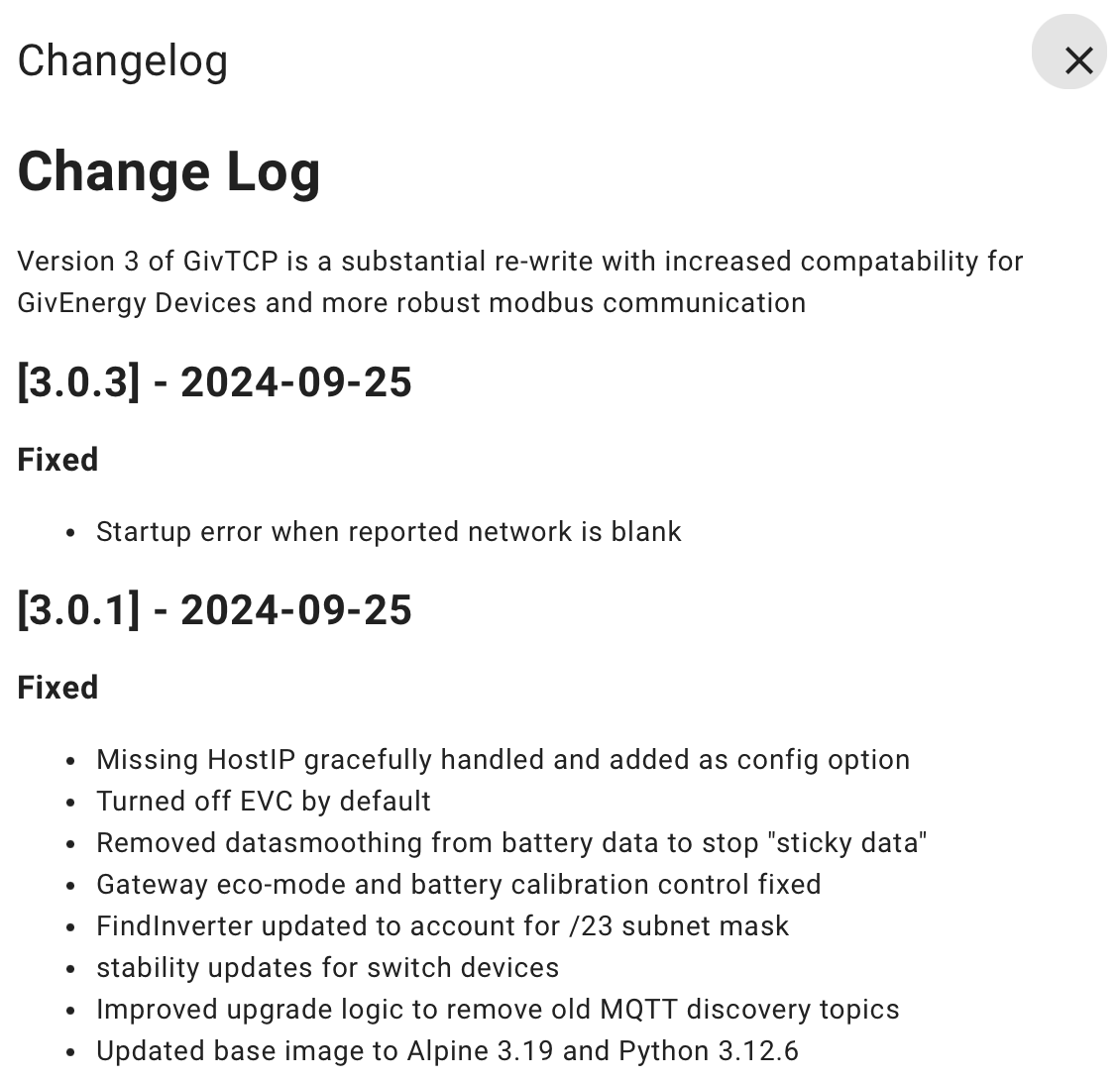
  • Configuring Givtcp3 was easy although the "close and restart" at the end did not work for me. I always needed to restart GivTCP manually
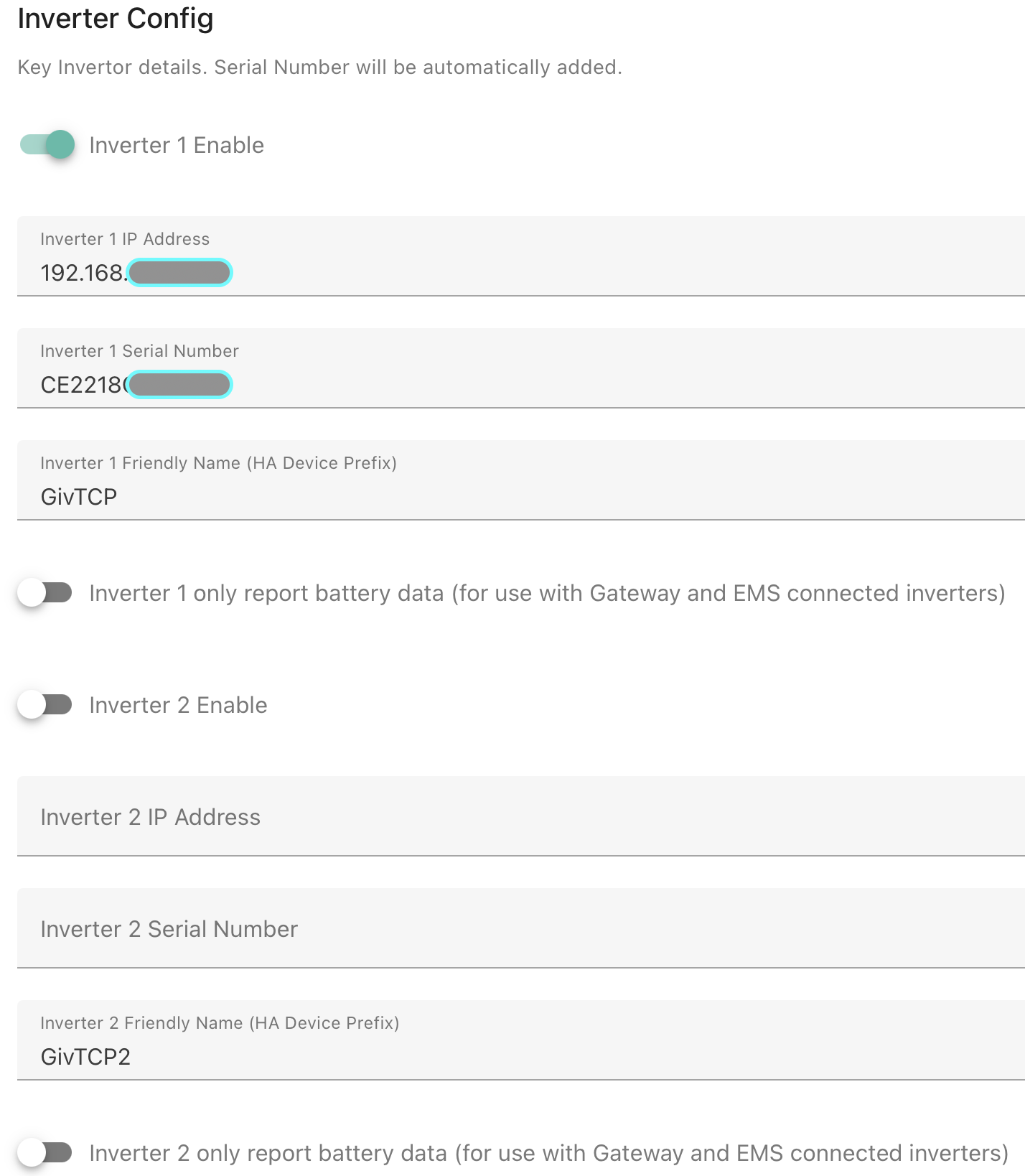
  • My Gateway and my AIO were both discovered and populated into MQTT with my GW prefixed with givtcp and my AIO with givtcp2.
  • The dashboard isn't working - maybe its picking up the values from the gateway. It's no biggie for me since the actual entities that I need for predbat look to be working fine

Configuring PredBat

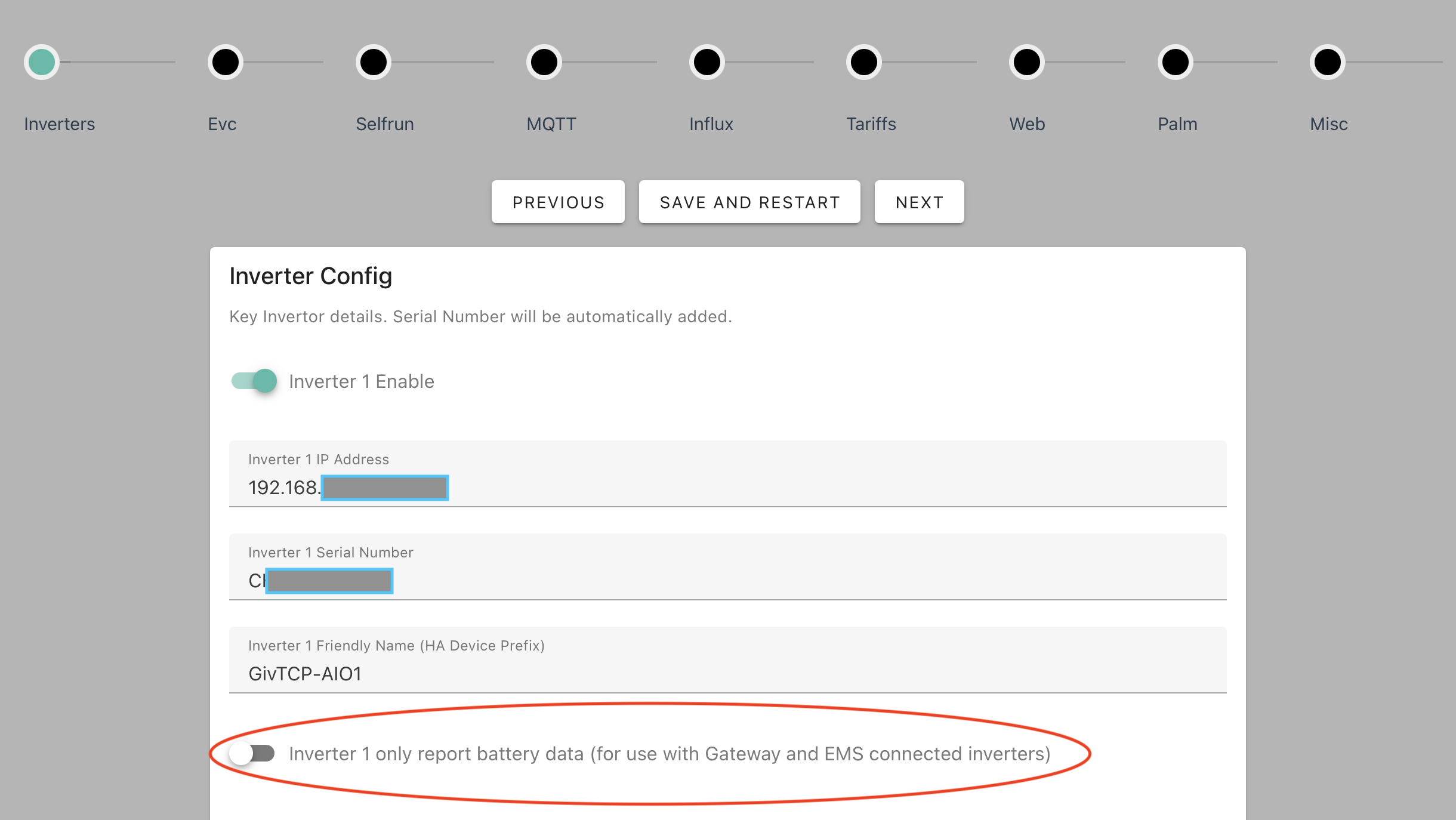
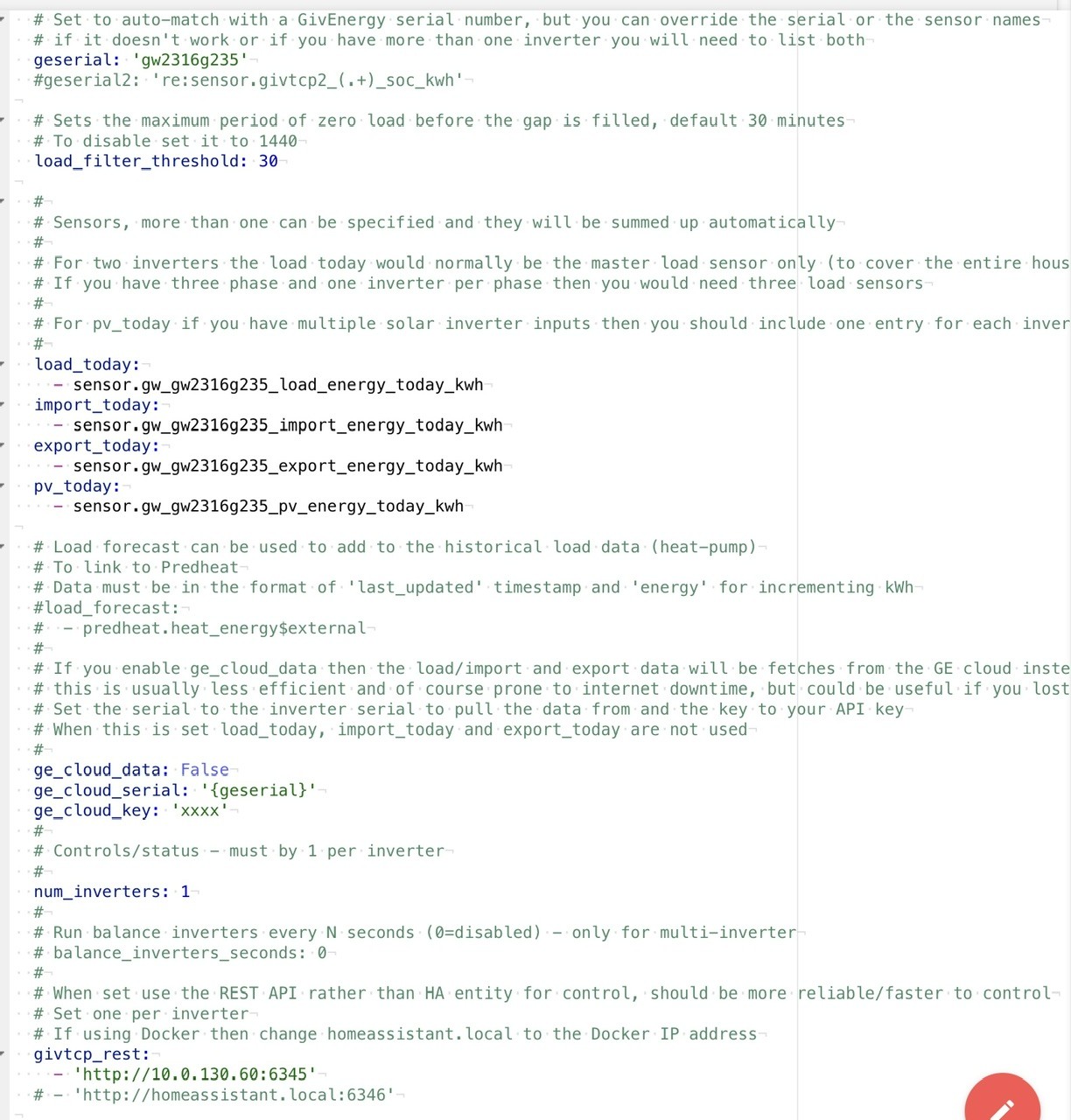
  • I hardcoded the inverter serial numbers because the default regex expressions did not work and I could not be bothered to figure them out. I will have a go in the morning at fixing that
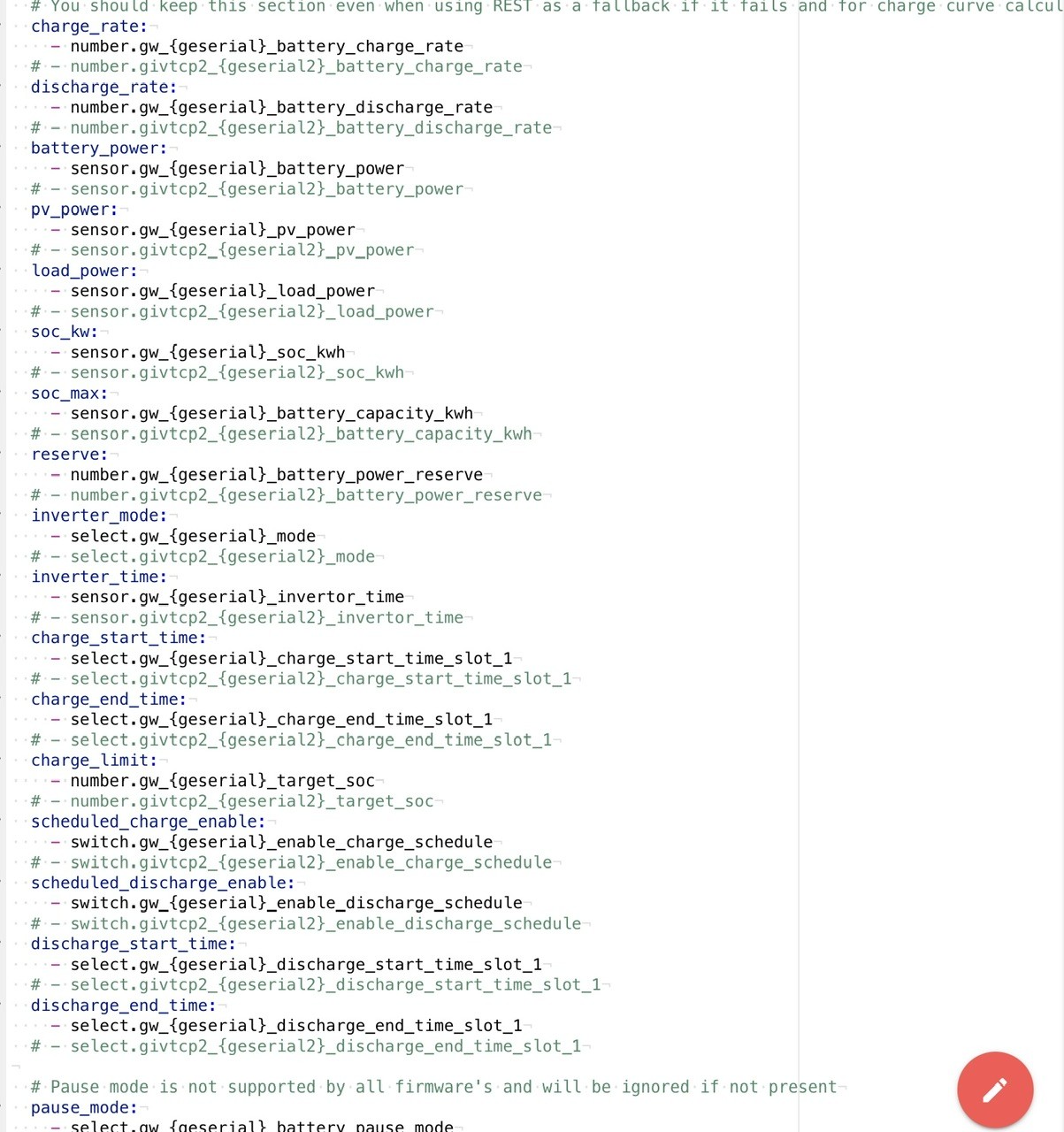
  • I set the number of inverters to 1 and used all the givtcp2_{geserial2} entity names. I might look at adding in the GW, but I see no pressing need.

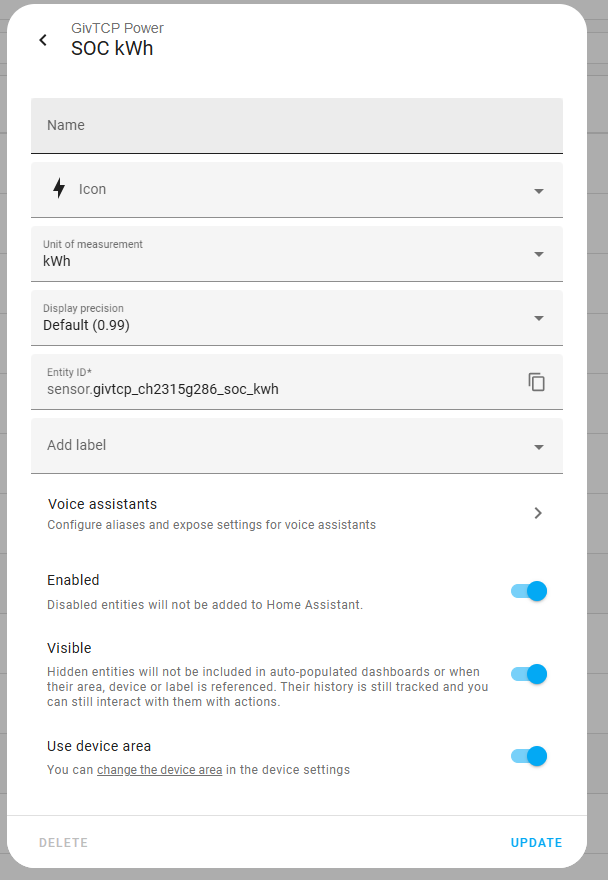
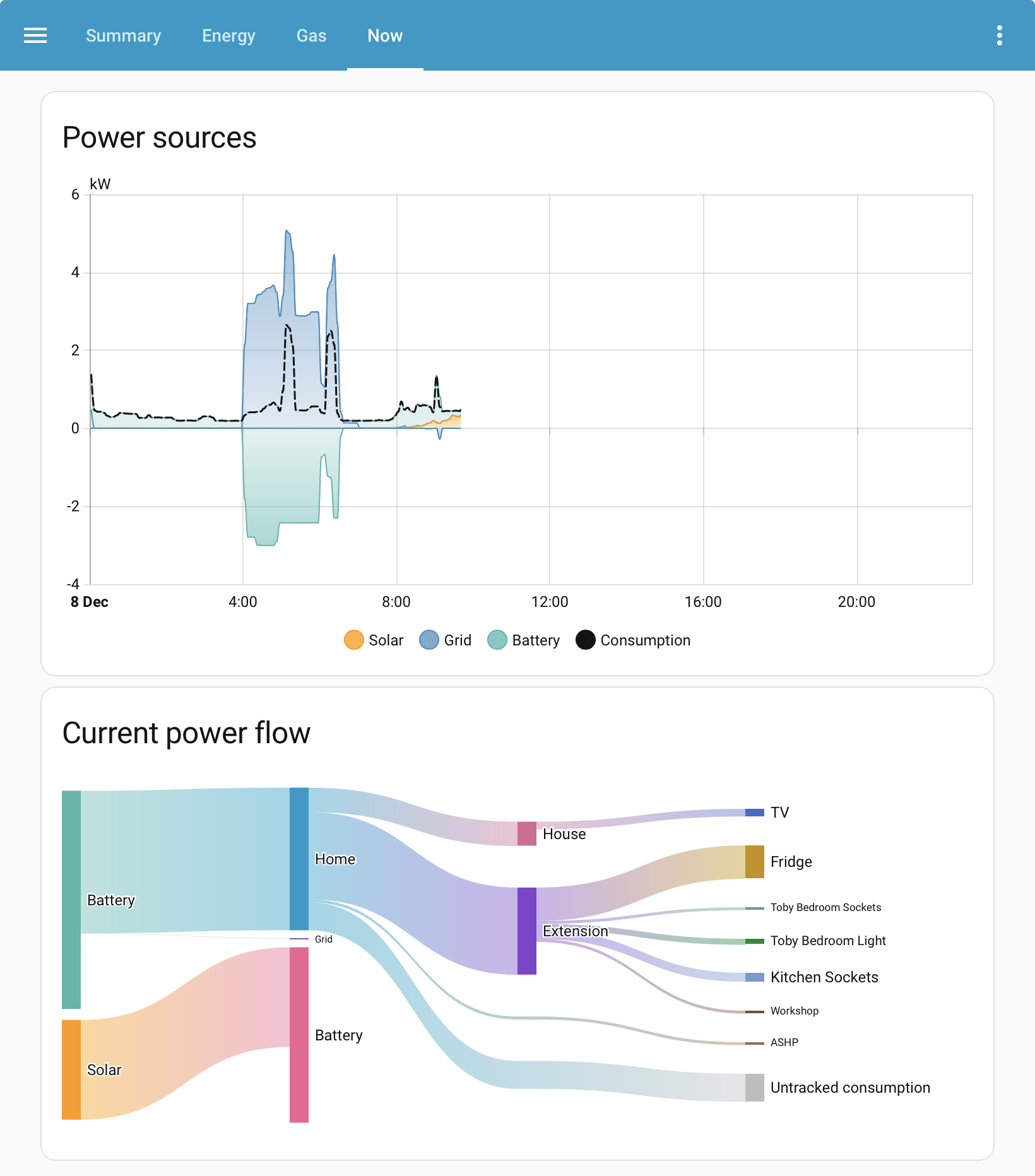
The end result is that all appears to be working. I have reconfigured my Energy dashboard with GivTCP entity names and this looks OK so far. My only surprise was that I have no historical data so PredBat cannot model my usage. On reflection, this makes sense because I had set "ge_cloud_data" to be false. I am hoping that PredBat will start collecting and storing the data from GivTCP (or maybe it is stored in MQTT anyway), so I am back in monitor mode for now which is no great hardship

G
#2 geoffreycoan

Weasel Great, thanks for sharing your experience. I think I’ll wait for trailing .0 on some of the sensors to be fixed, but then I’ll upgrade myself.

One annoyance you’ll probably experience with the energy dashboard as you’ve swapped sensors from ge_cloud_ to givtcp2_ is that you won’t see any historical data as the dashboard assumes your sensors are always the same names
(for this reason I still have peak_import and offpeak_export accumulations from when I was on Flux and didn’t know how to use current_accumulative_rate).
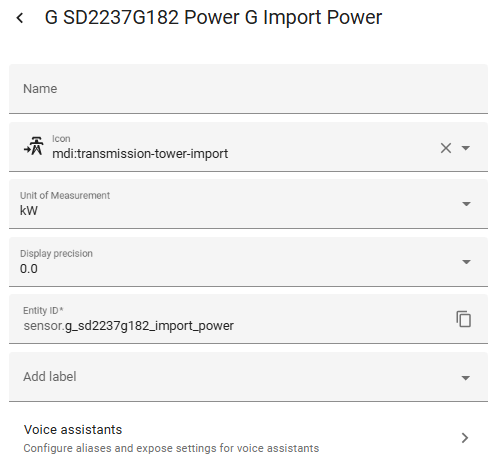
One tip that I got from a speak to the geek video I saw early on was to use utility meter helpers to abstract the sensor names from the actual sensors - e.g. battery_charge_today
This has proved useful when my primary inverter failed and I had to swap to my secondary and would have lost all my import and export history if I’d just changed the sensor name in the dashboard.

There is BTW an integration that can be used to load historical data into the long term stats that the energy dashboard needs, I’ve done a bit of this to fill in data gaps. Will post something about it at some point.

Anyway off topic but great to hear predbat is working fine. You can set num_days down to -1 and get going just with limited history pretty quickly although the forecast will be better the more history you have.

D
#3 Daveb01

Weasel

Thank you for posting this, as I have just started down the HA & Predbat path. I started another post on best ways for hardware/virtual machine to host HA.

I have just got to sort out auto backups to Google then I will be ready for GivTCP and Predbat. So doing a bit of reading and watching the odd video.

As I am not very experienced plus not a coder I will be back for help 😀👍

W
#4 Weasel

geoffreycoan
Oooo, I will have a look for the historical data integration. If I can copy from GE cloud to pre load data for PredBat, that would be excellent

G
#5 geoffreycoan

Weasel The integration you need is https://github.com/klausj1/homeassistant-statistics

I’ve done a bit of manually creating the TSV files it needs to repair bits of my HA sensor history, and it works well. Only issue is that it does require a starting point for the history sensor, not just the delta value, so it takes a bit of trial and error to work out what the correct value is for the sensor to increment properly, but you can reload the history multiple times so not a problem.

It requires data at 10 minute granularity and the GE portal is of course 5 minutes. My plan was to create a Google sheets spreadsheet that you could paste the GE data into, it would then do all the summing and spit out a correctly formatted file that the integration would then load. Its on my to-do list, just not done it yet !

#6 PianSom

geoffreycoan
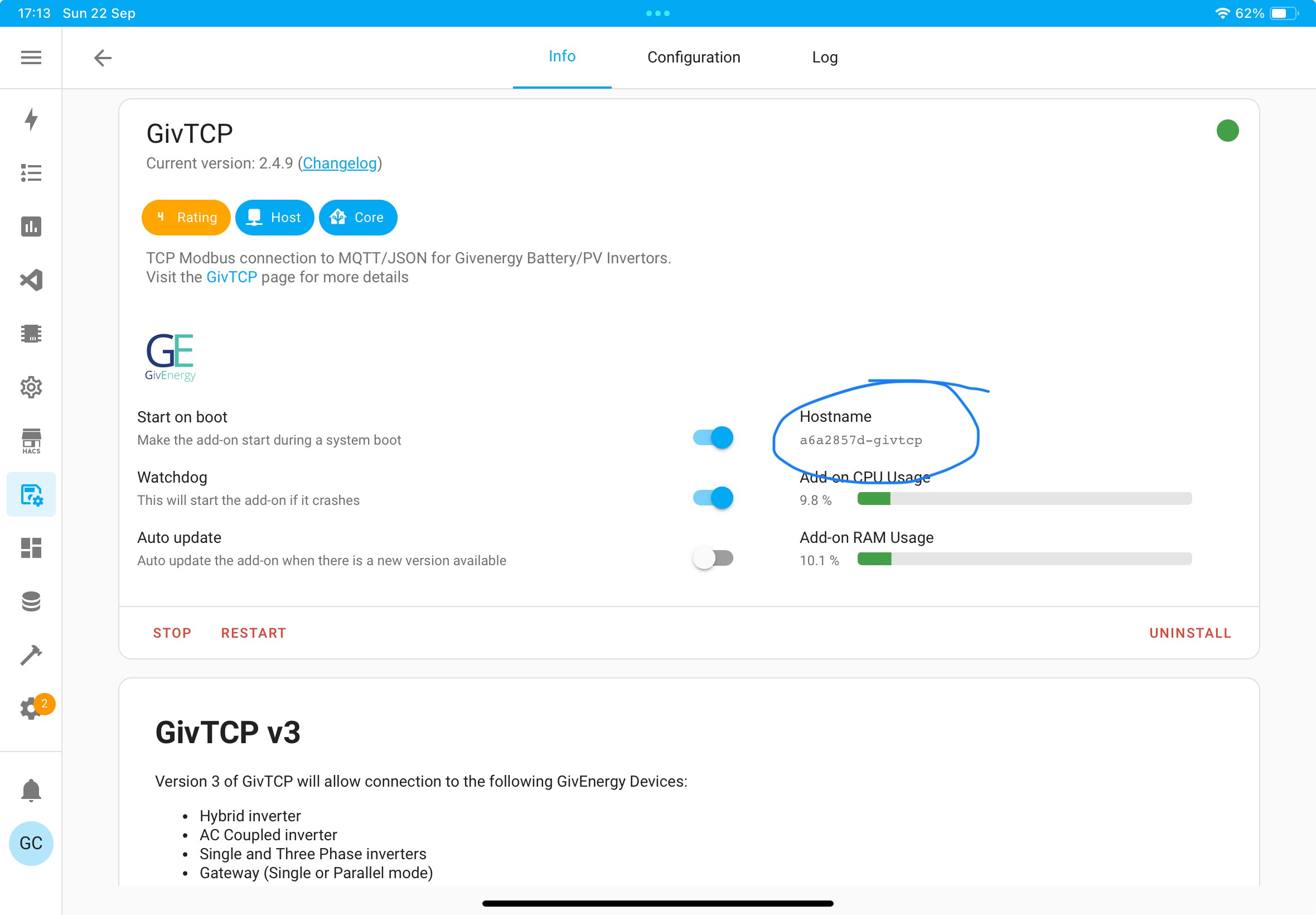
How do you export stats to a CSV, please?

This add-on could be just what I need to transfer my energy history from my existing HA instance to my new, energy-specific one.

G
#7 geoffreycoan

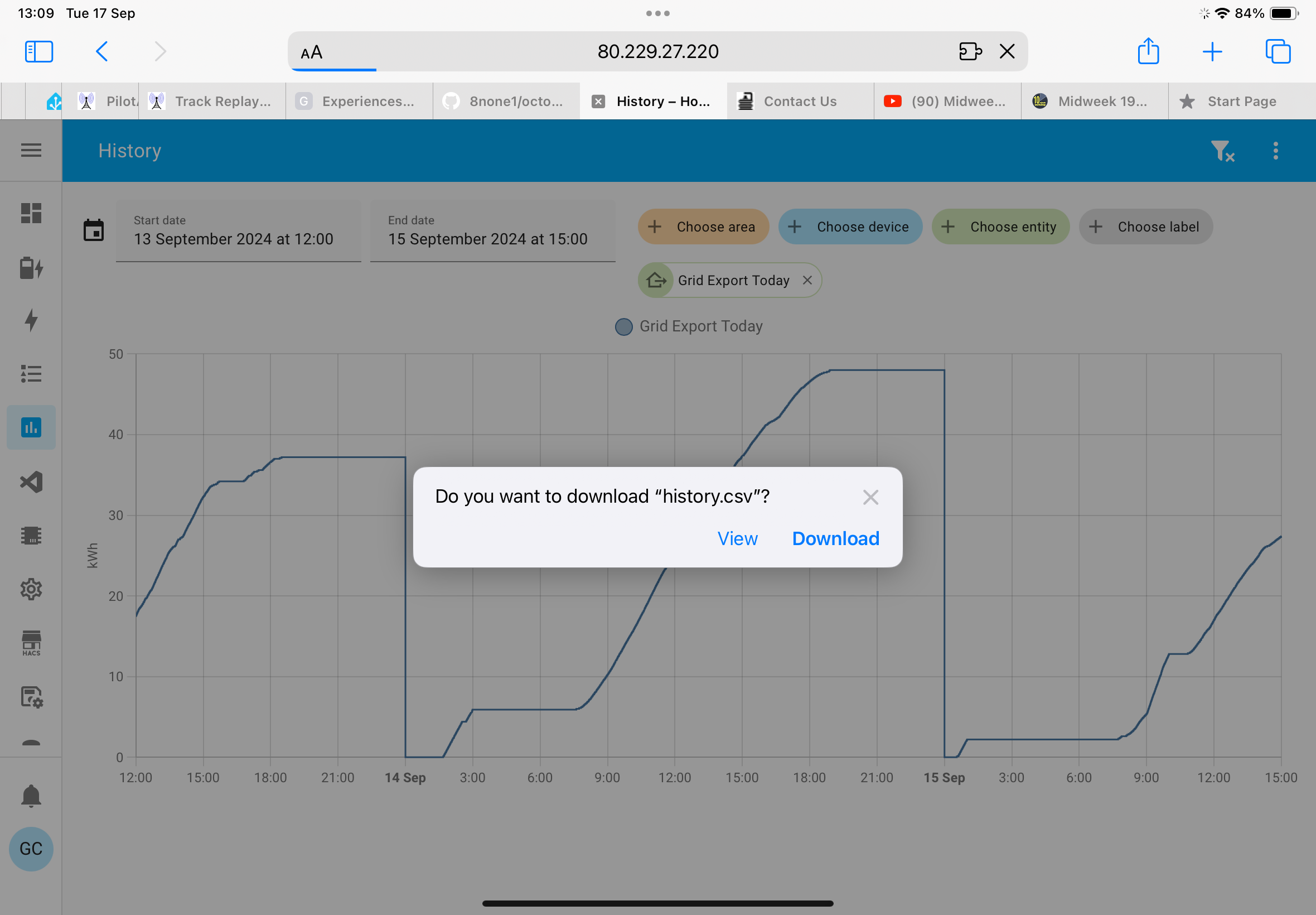
PianSom (Doesn’t work in the companion app, has to be in a web browser)
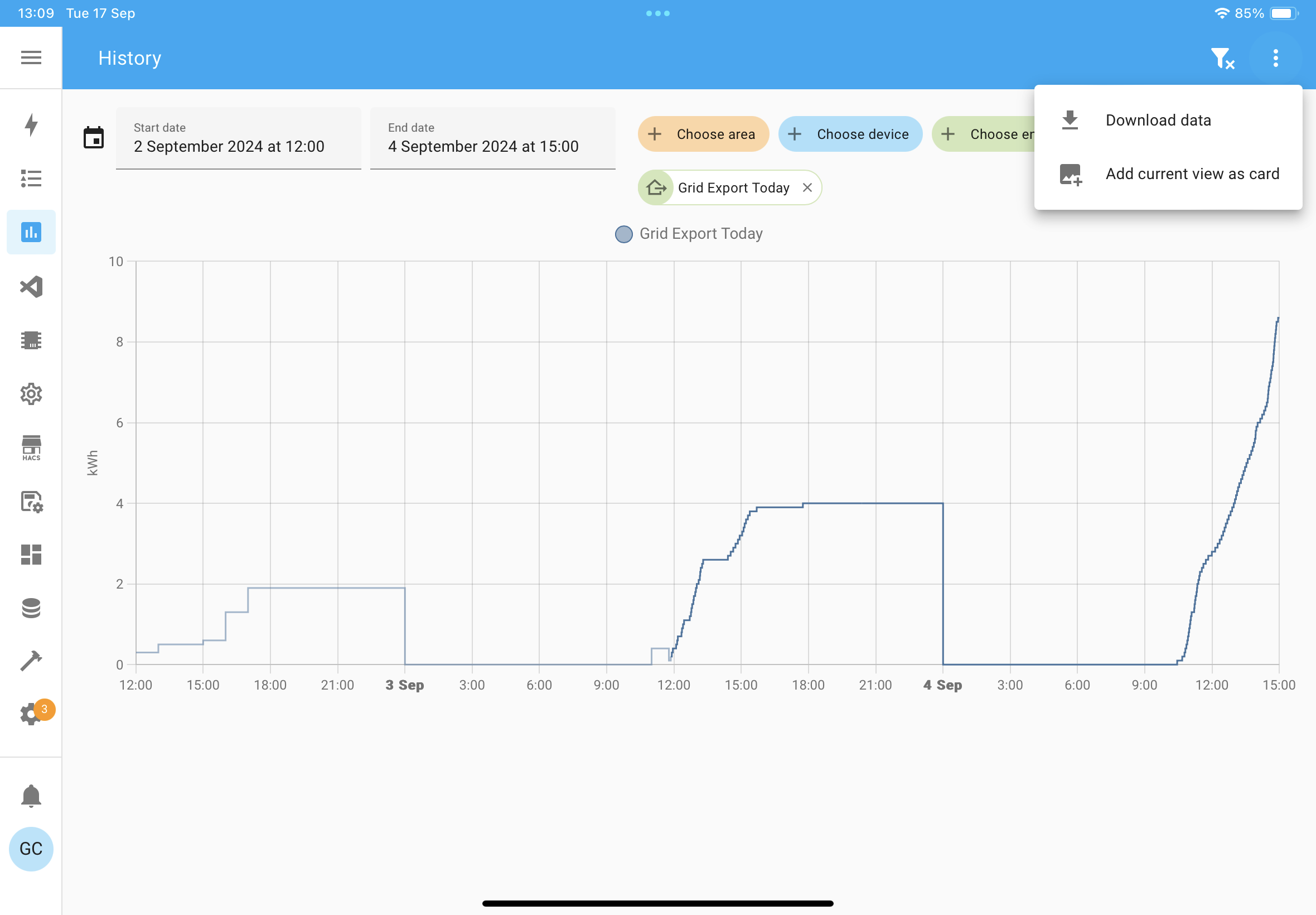
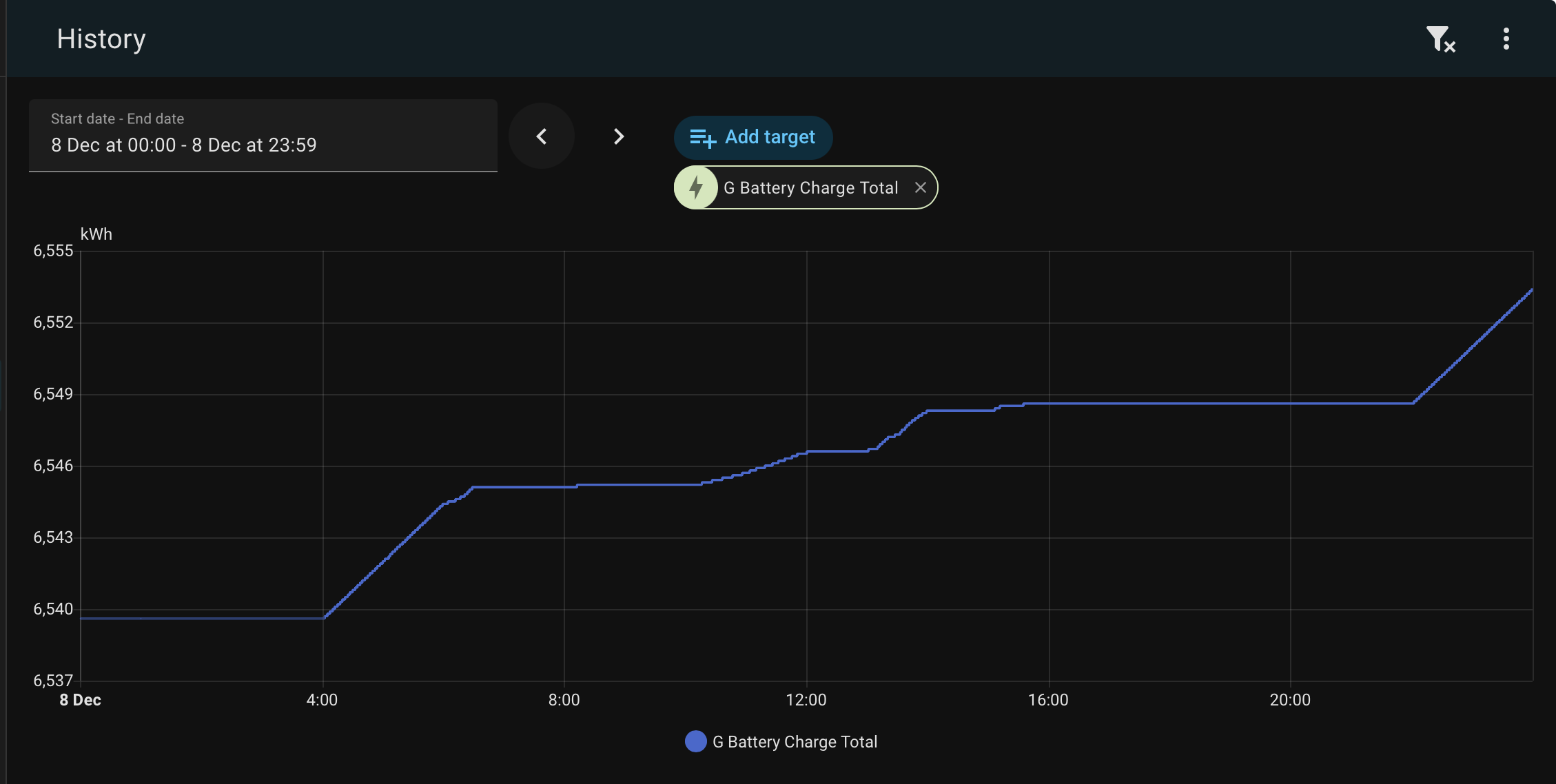
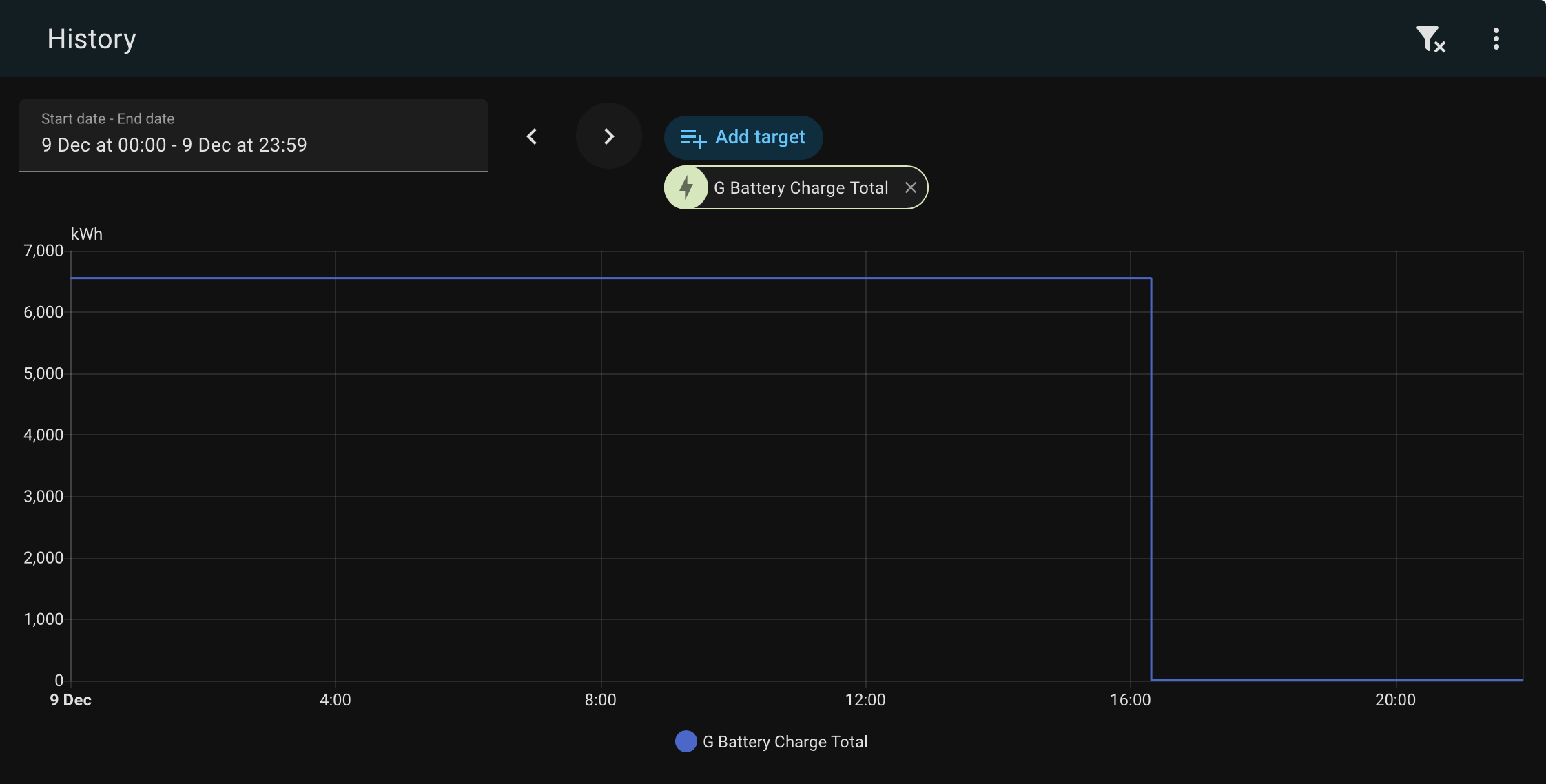
History view

Select the entities and date/time range you want

Three dots top right corner

Download data

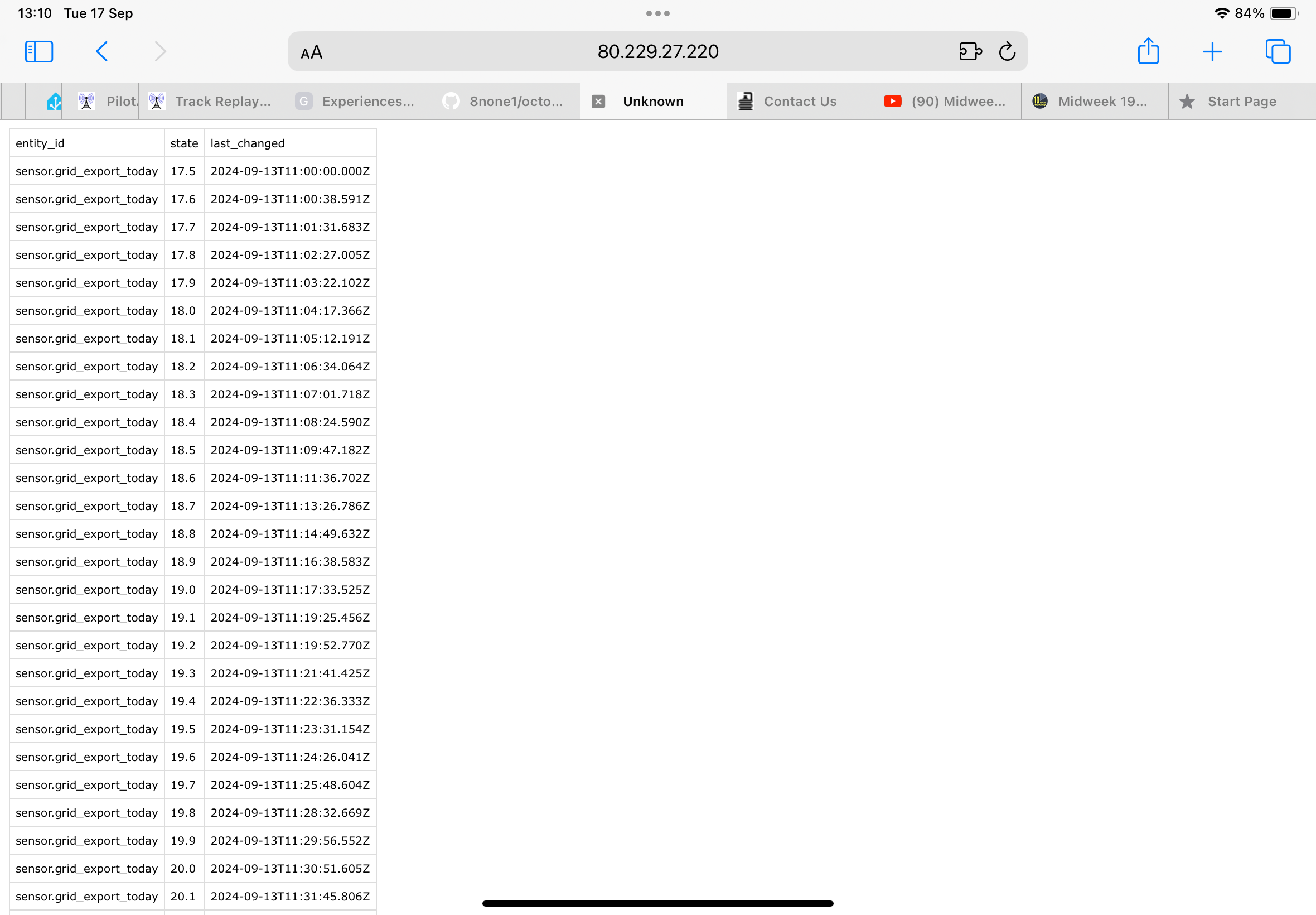
Gives you a data set like this

(Correction to previous note, Long term stats are captured every hour, not every 10 minutes, so to load LTS with data from the GE portal you need to sum each hour of portal data)

Let me know how you get on transferring data from your old HA instance. I’ve got the same task on my to-do list to recover some old sensor history from a backup prior to when my HA crashed

#8 PianSom

geoffreycoan Let me know how you get on transferring data from your old HA instance. I’ve got the same task on my to-do list to recover some old sensor history from a backup prior to when my HA crashed

Thanks. (Who knew???)

Will do. It's a job for a long, dark afternoon probably some time this Autumn, when I have time to sort out a boring job!

W
#9 Weasel

I am just checking back in after a few days

So far, my experience has been positive although I was confused for a while when I saw my predicted usage was virtually zero. This is caused by me having insufficient historical data and was cured by setting

  days_previous:
    - 1

Thanks to @"geoffreycoan" for this tip.

On reflection, the log messages about gaps in the data should have pointed me to the root cause a little quicker that it did (I blame man-flu for this).

I have since incremented the value and will continue to do so daily until I get to 7

For the moment, I have set a fixed export rate of 1p because I am not yet on a smart tariff. My smart meter has been fitted and I an just waiting for Octopus energy to change my account status etc. Once I am able to do so, I will move to the appropriate import and export tariffs either through directly using the octopus URLs, or else the Octopus HA plugin. I know how the former works and this can be a backup in case the latter does not.

G
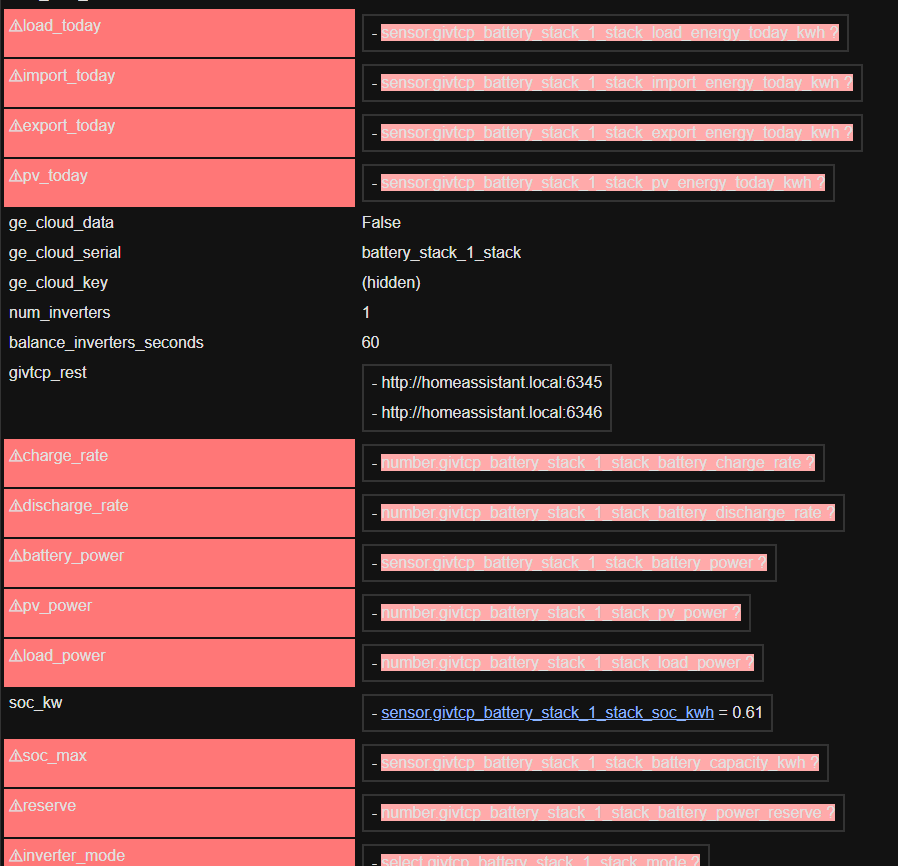
#10 geoffreycoan

Weasel Glad to hear its all working fine. Just be careful about setting days_previous to 1, there are some side effects to this (see the long explanation in the apps.yaml documentation https://springfall2008.github.io/batpred/apps-yaml/#understanding-how-days_previous-works

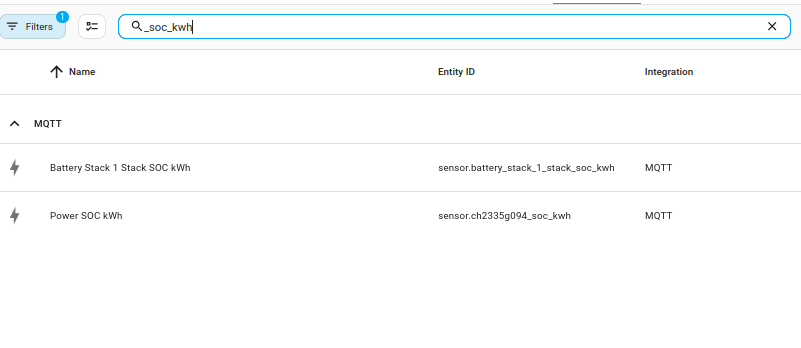
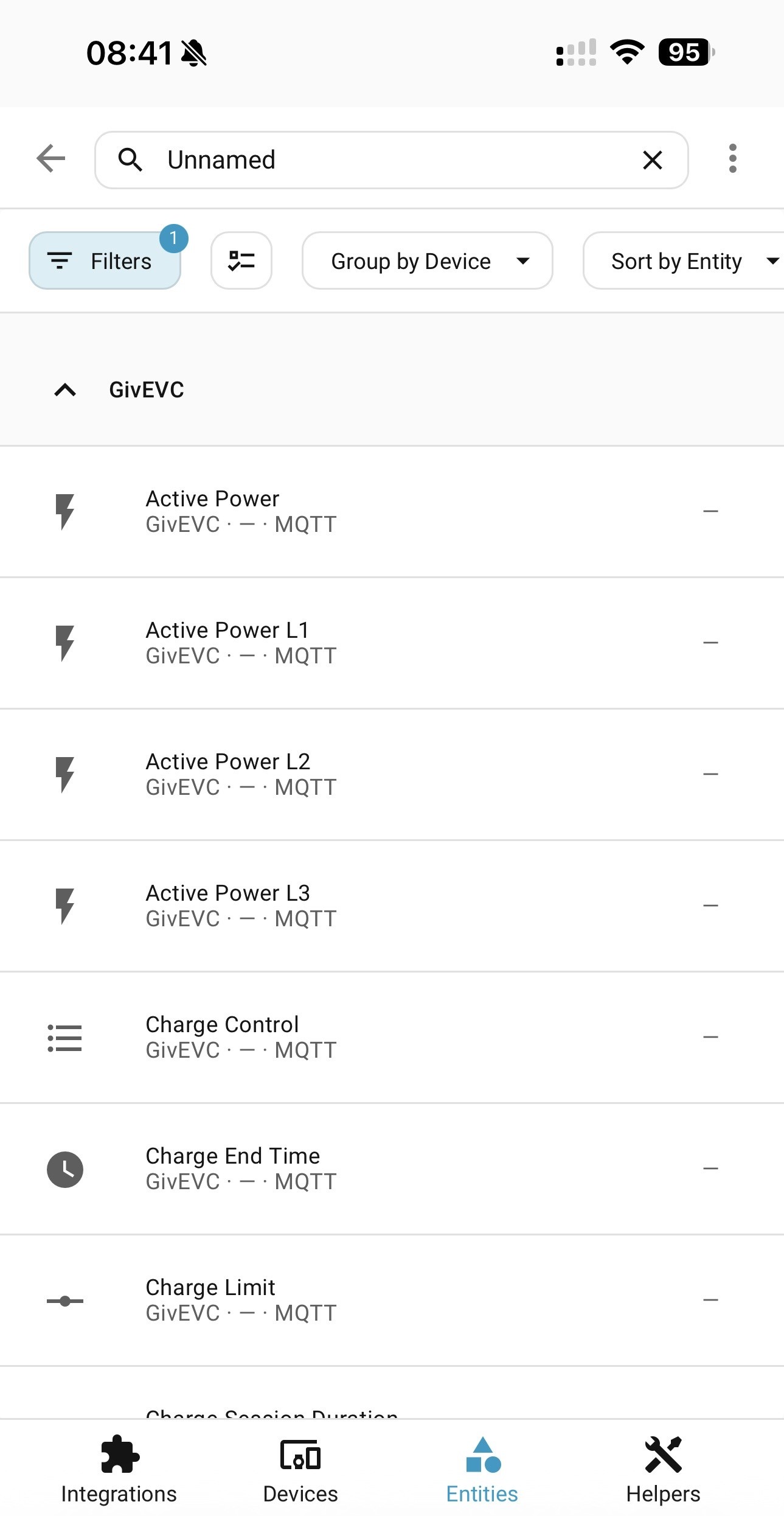
My own setting is for days 2 through to 8.

I upgraded my own GivTCP to v3 last night and after an mis-configuration error of my own making, it’s all working fine and no visible issues.

Whilst I was doing so I took the opportunity to extend the Predbat documentation to include step by step installation instructions for MQTT and GivTCP v3. Draft copy of the docs here https://github.com/gcoan/batpred/blob/main/docs/inverter-setup.md

W
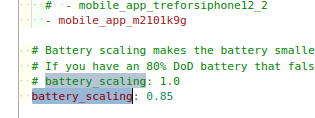
#11 Weasel

geoffreycoan thanks again for pointing me in the direction of some very clear explanations about this parameter. I will leave things as-is for now, but am minded to change days_previous to 2 through 8 as you have done. I will wait a week or so before testing this out.

G
#12 geoffreycoan

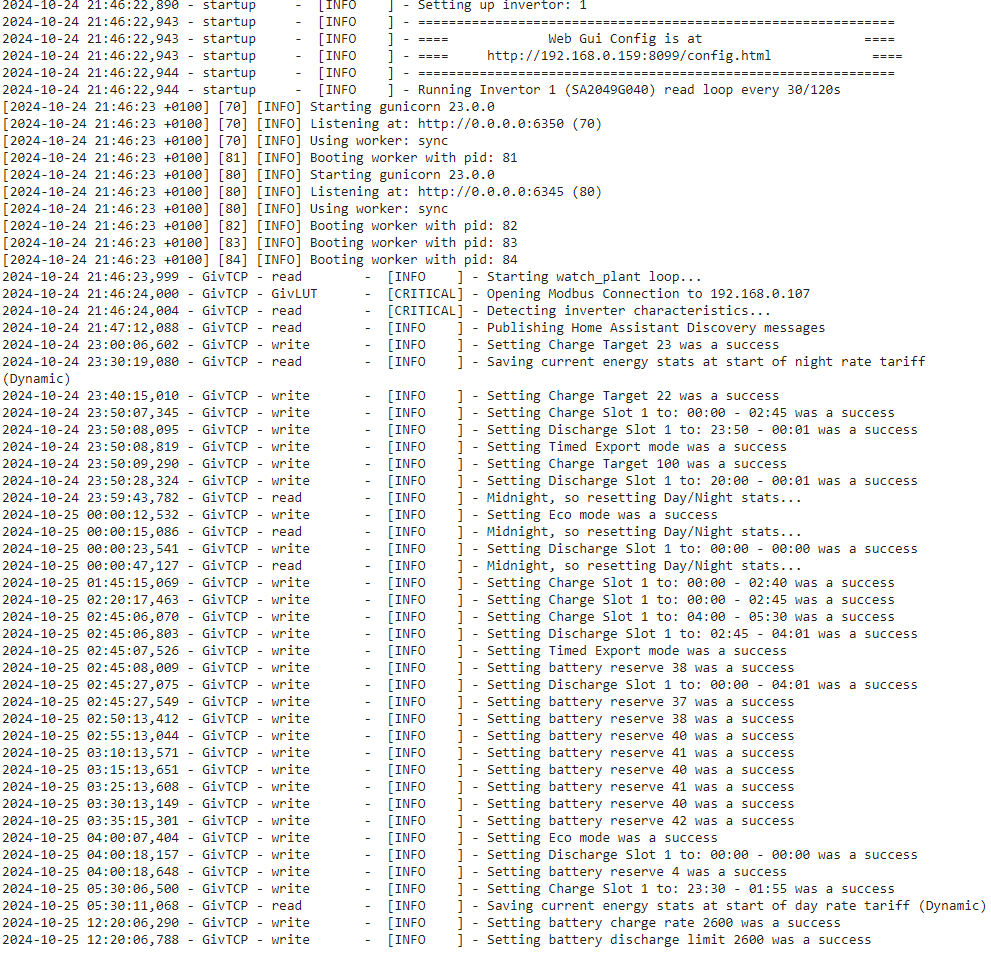
One thing I noticed in my GivTCP v3 log is that it seems to have auto-detected a connection failure and restarted itself:

2024-09-19 13:24:32,254 - Inv1 - mqtt        -  [ERROR   ] - Error getting connection to MQTT Broker: ('gaierror', 'mqtt.py', 52)
2024-09-19 13:27:36,342 - Startup - startup     -  [ERROR   ] - Self Run loop process stuck. Killing and restarting...
2024-09-19 13:27:36,352 - Startup - startup     -  [INFO    ] - Restarting Invertor read loop every 30s

Predbat does have an auto-restart mechanism to restart GivTCP if it identifies a repeated comms failure but good to see this directly in GivTCP

B
#13 browellm

Any simple way with GivTCP3 to display the inverter outputs to no decimal places again?

#14 ProximusAl

browellm Britkat has said he will fix in the next point release

G
#15 geoffreycoan

browellm Other than the SoC which appeared as 100.0% and was easily fixed by changing the display precision from default to no decimal places, I don't see any of my inverter outputs with decimal places with v3.

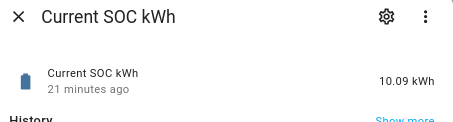
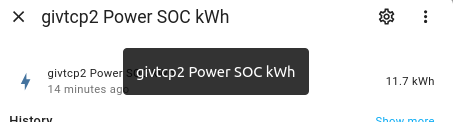
But then I pretty much have all of my inverter outputs in kW to one decimal place not W so maybe that's why? Certainly battery charge/discharge rate in W has no decimal places.
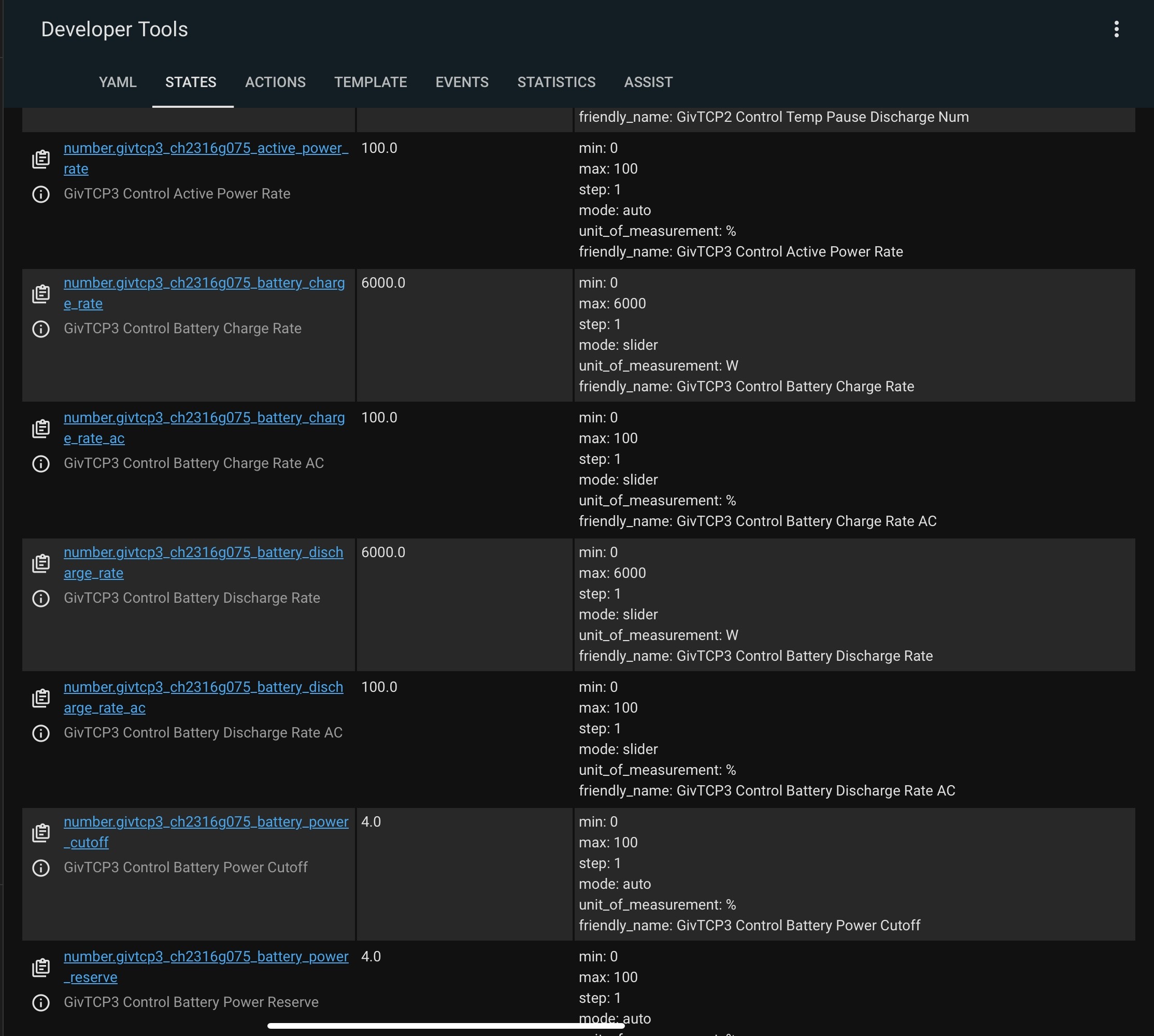
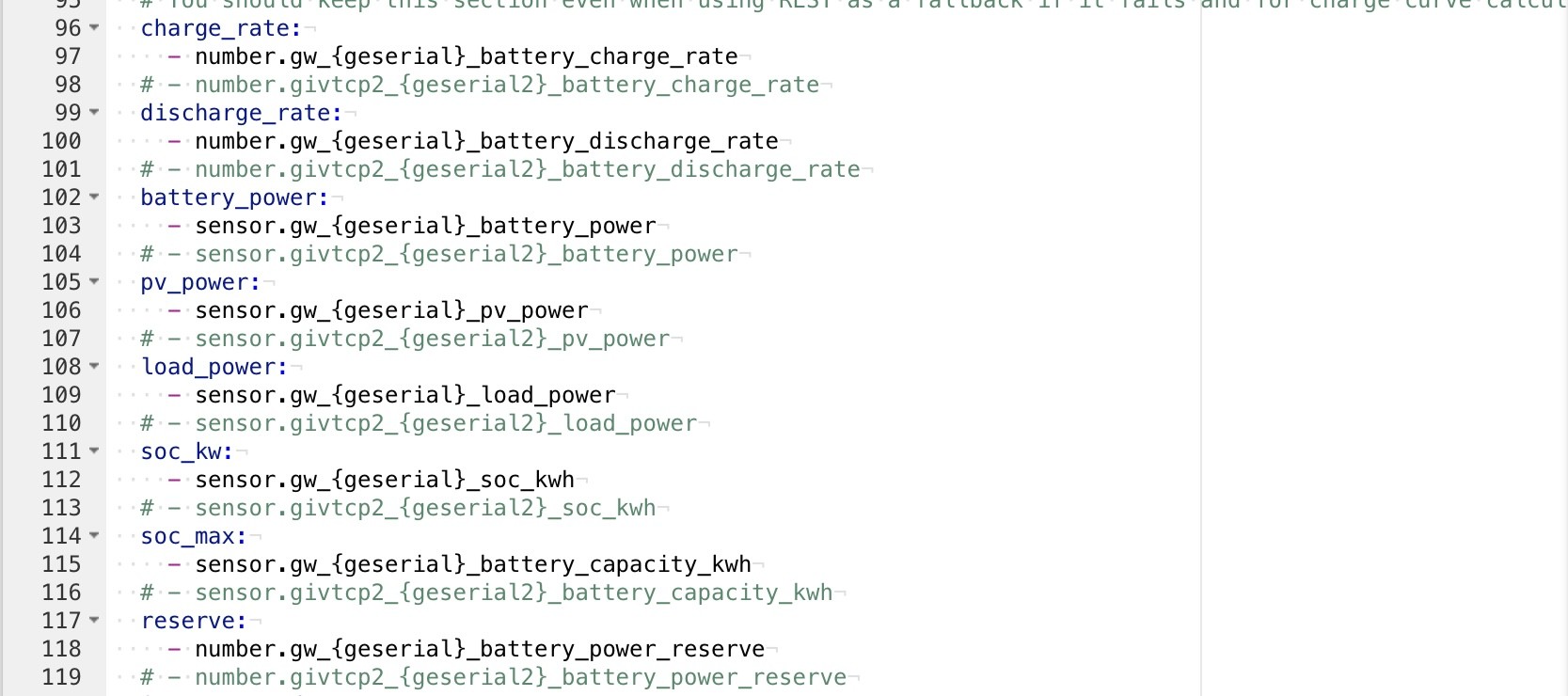
Interestingly charge/discharge rate on the inverter with my 9.5 battery the maximum is 2883W whereas the inverter with the 5.2, its 2610W. Sort of matches reality with the 191/193 firmware as I can discharge the 9.5 at 2.9kW and the 5.2 at 2.6kW. Another minor change from v2

G
#17 geoffreycoan

browellm can you not just change the display precision on the sensors?

OK mine are in UoM kW but the same applies

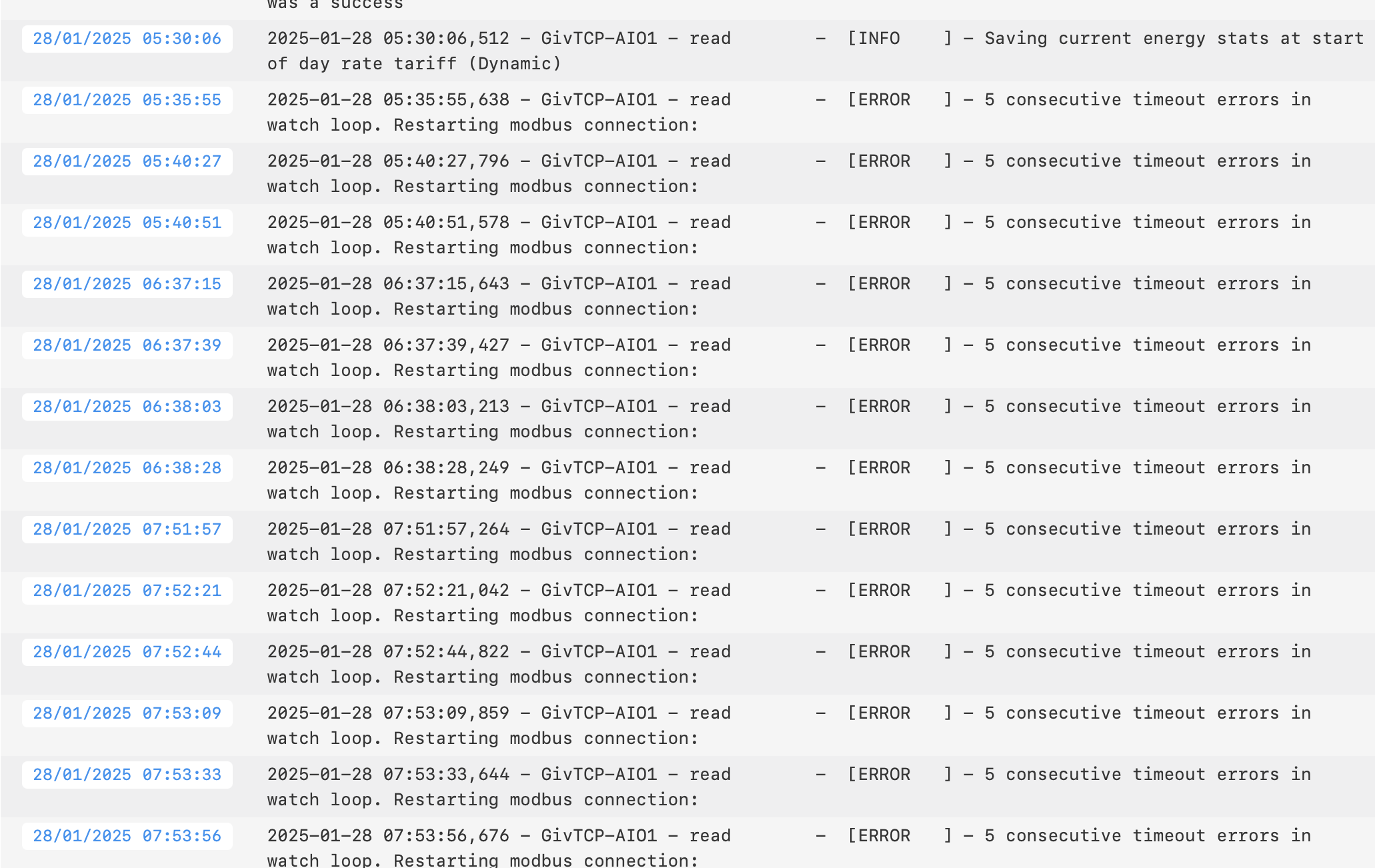
W
#18 wrighar

I'm normally bleeding edge, but as I'm not 100% HA savvy yet, I'm holding off a few days. when's V3.0.1 out?


G
#19 geoffreycoan

wrighar the author of givtcp says he is away, but has promised fixes to some of the reported issues.

He’s pretty responsive, there’s a dev and a beta version if you want to be bleeding edge; v3 has been a long time in coming, v2.4.3 has been out as a prod version for about a year I think with only a couple of releases in the meantime?

Personally I am happy to lag back on the bleeding edge. I only just upgraded today to the September release of Home Assistant, going from 2024.8.2 to 2024.9.2 so letting others get the bug fixes out first. I only went to GivTCP v3 so early because its been in beta test for ages

D
#20 DrJohnM61

"I hardcoded the inverter serial numbers because the default regex expressions did not work and I could not be bothered to figure them out."

I think that this is because the serial number is determined from the SOC of the found device and since the gateway is not a battery, there is no SOC and it fails. 're:sensor.givtcp2(.+)soc_kwh'

I tried upgrading from v2... to v3 and backed out after hitting a few walls (I also had the gateway found first but then removed it from the list - that cause GIVTCP to hang and I could only move on by changing the GIVTCP JSON configuration).

IMHO, I think there needs to be better [some] documentation on migrating to this new version (deleting the old version and old devices/entities, purging out old MQTT records, configuring PREDBAT for the AIO etc).

For anyone migrating - take a full backup of HA before you start!

G
#21 geoffreycoan

DrJohnM61 I think that this is because the serial number is determined from the SOC of the found device and since the gateway is not a battery, there is no SOC and it fails. 're:sensor.givtcp2(.+)soc_kwh'

We may need to add something more to predbat doc to explain how to use givtcp v3 with predbat.

If it’s a single AIO then predbat needs to control the AIO directly and not the gateway.
If its a multi-AIO then predbat needs to control the gateway and not the AIO’s, but I thought in the beta code changes had been made to sum the individual AIO SoC’s together and present from the gateway?

Either way predbat should only be controlling a single device and not need the givtcp2 sensors.

On migrating, yes there isn’t a great deal of documentation on v3 yet, I think there was planned to be a video but it’s not out yet. I have reverted back to 2.4.9 due to problems with the battery sensors not working - I think only an issue for upgrading rather than fresh installs.

G
#22 geoffreycoan

Folks, I suggest we continue the discussion on here about GivTCP v3 and the battery sensor issue that @Rbor and I have found, and leave https://community.givenergy.cloud/d/4954-how-to-use-predbat-from-scratch/126 to just discussing getting predbat working for anyone who is new to predbat.

geoffreycoan We may need to add something more to predbat doc to explain how to use givtcp v3 with predbat.

I have updated the Predbat documentation now with detailed instructions on how to install MQTT and GivTCP v3, pointing out the differences from v2 and the speak to the geek video that we point people to.

I have also added details of how Predbat should be configured for multi-AIO’s, and a quick reference of the other AIO and 5.2 battery specific settings.

I’ve PR’d the documentation update so hopefully Trefor will merge it into base soon https://github.com/gcoan/batpred/blob/main/docs/inverter-setup.md

As covered in the other thread, I have reverted back to GivTCP v2.4.9 as the battery sensors don’t work and whilst britkat1980 has suggested I can fix this by manually removing them from MQTT, I’m a bit loathe to do that in case of issues https://github.com/britkat1980/ha-addons/issues/23

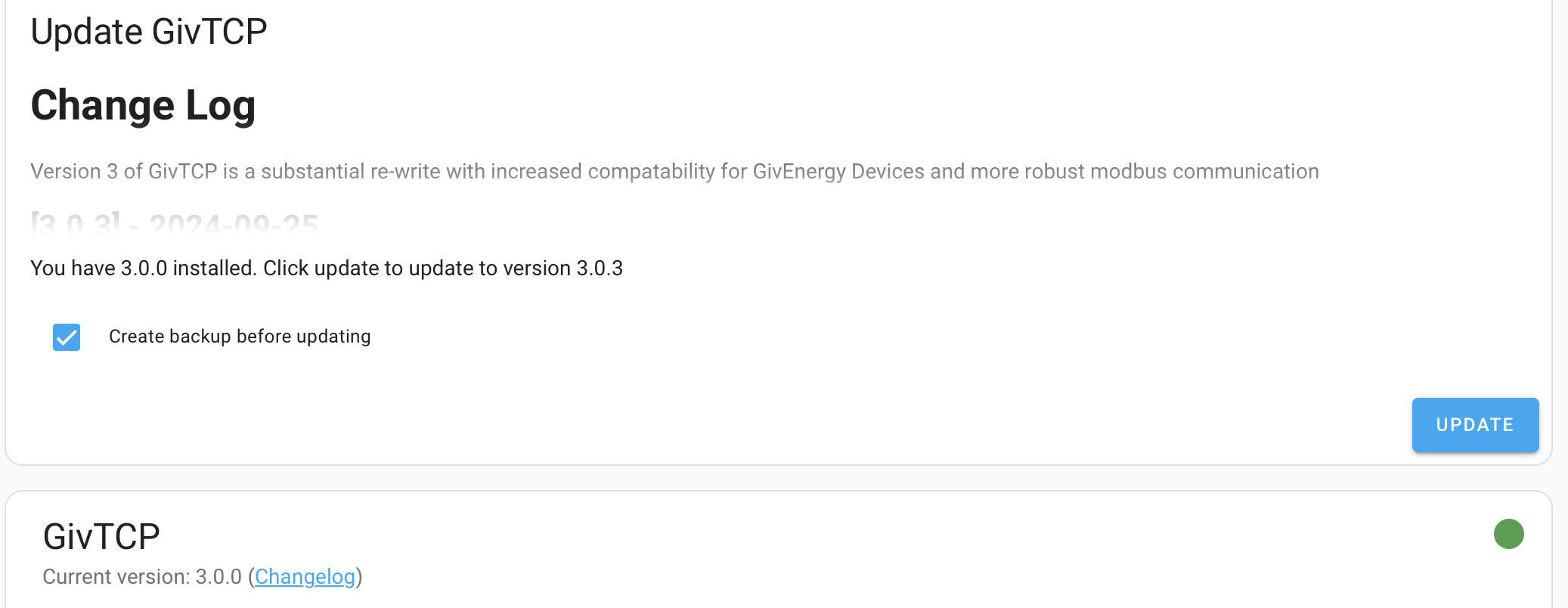
I saw today there was a push of GivTCP v3.0.1 but not clear that what this fixes. It was pushed on the givtcp add-on release, not the ha-addons that is being used for GivTCP v3 so it may just be ‘catching up’ v2 to the v3 codebase.

R
#23 Rbor

geoffreycoan I am now on v3.0.1.
I tried going back from v3.0.0 to v2.4.9 but ended up in v2.4.3 with upgrade info to v3.0.0.
It appears as if v2.4.9 has been withdrawn???

v3.0.1 is supposed to solve a problem with duplicated battery devices and missing battery details.
I will see how it goes.

If I were on v2.4.9, I would stick there for the moment.

Rob

G
#24 geoffreycoan

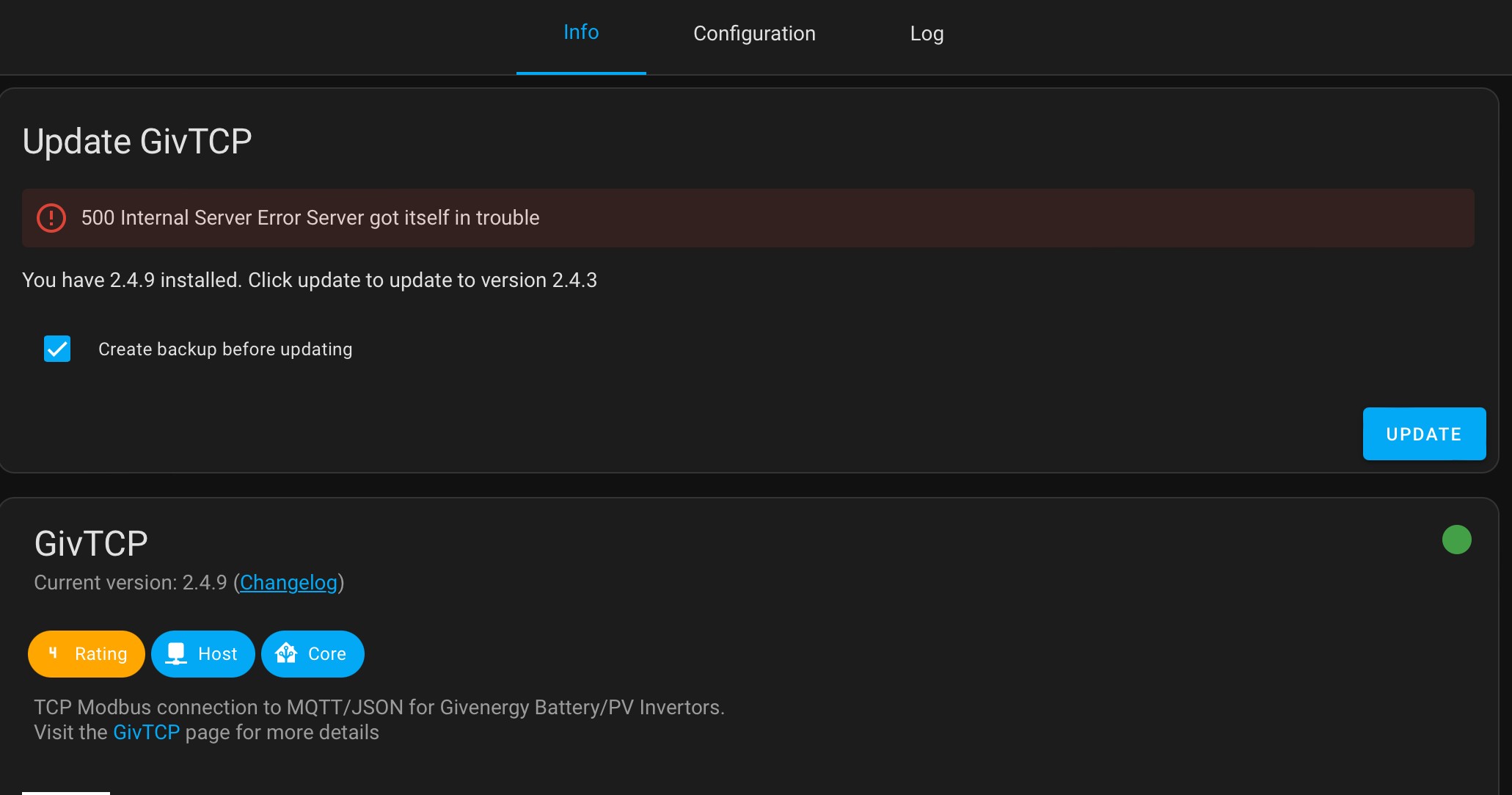
Rbor yeah, I saw there was a published patch of givtcp (v2) to 3.0.1, but HA reports a server error and suggests to downgrade.

The 3.0.0 add-on isn’t suggesting I should upgrade 🤷‍♂️

I’m staying where I am on 2.4.9.

D
#25 Daveb01

geoffreycoan

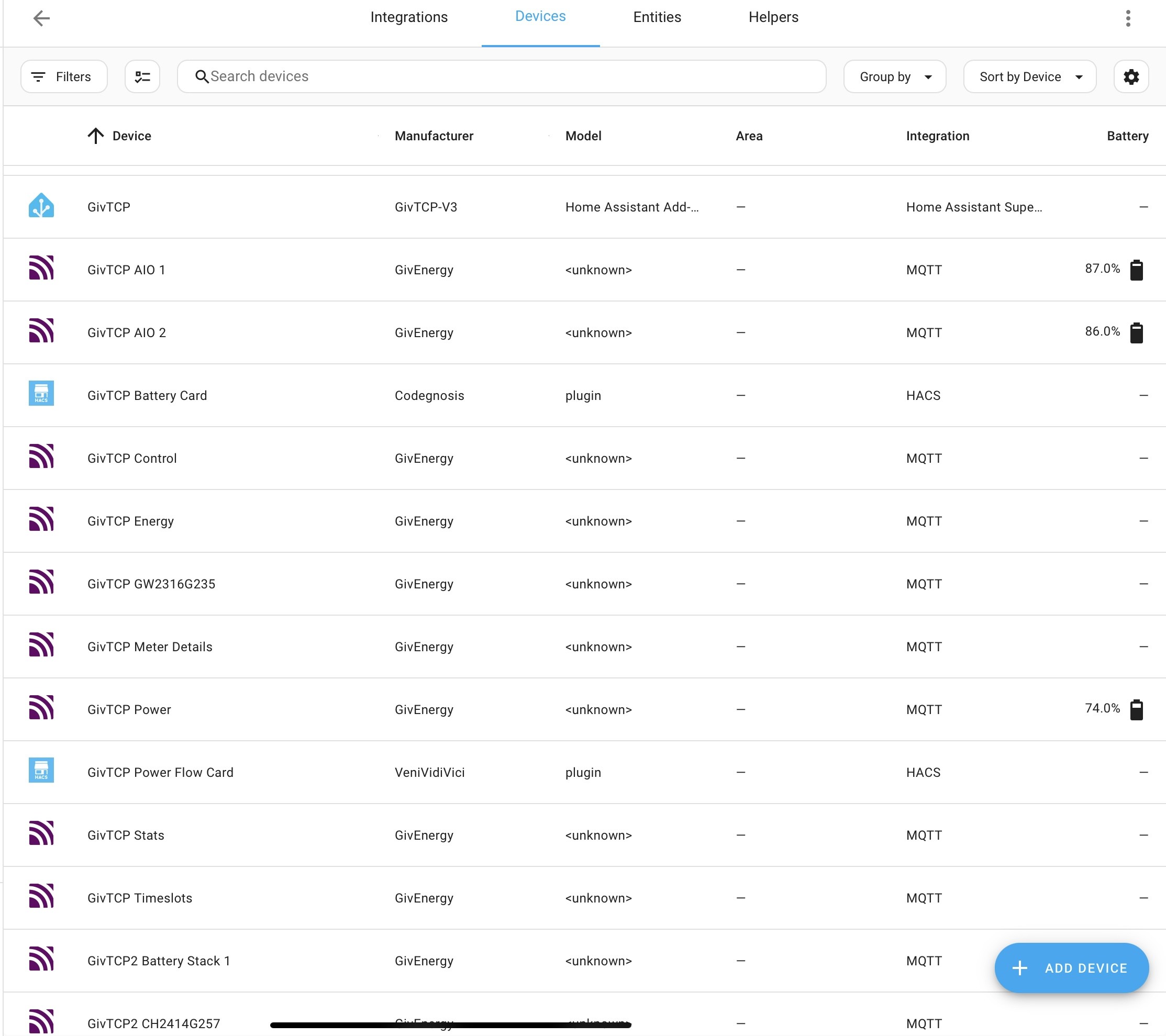
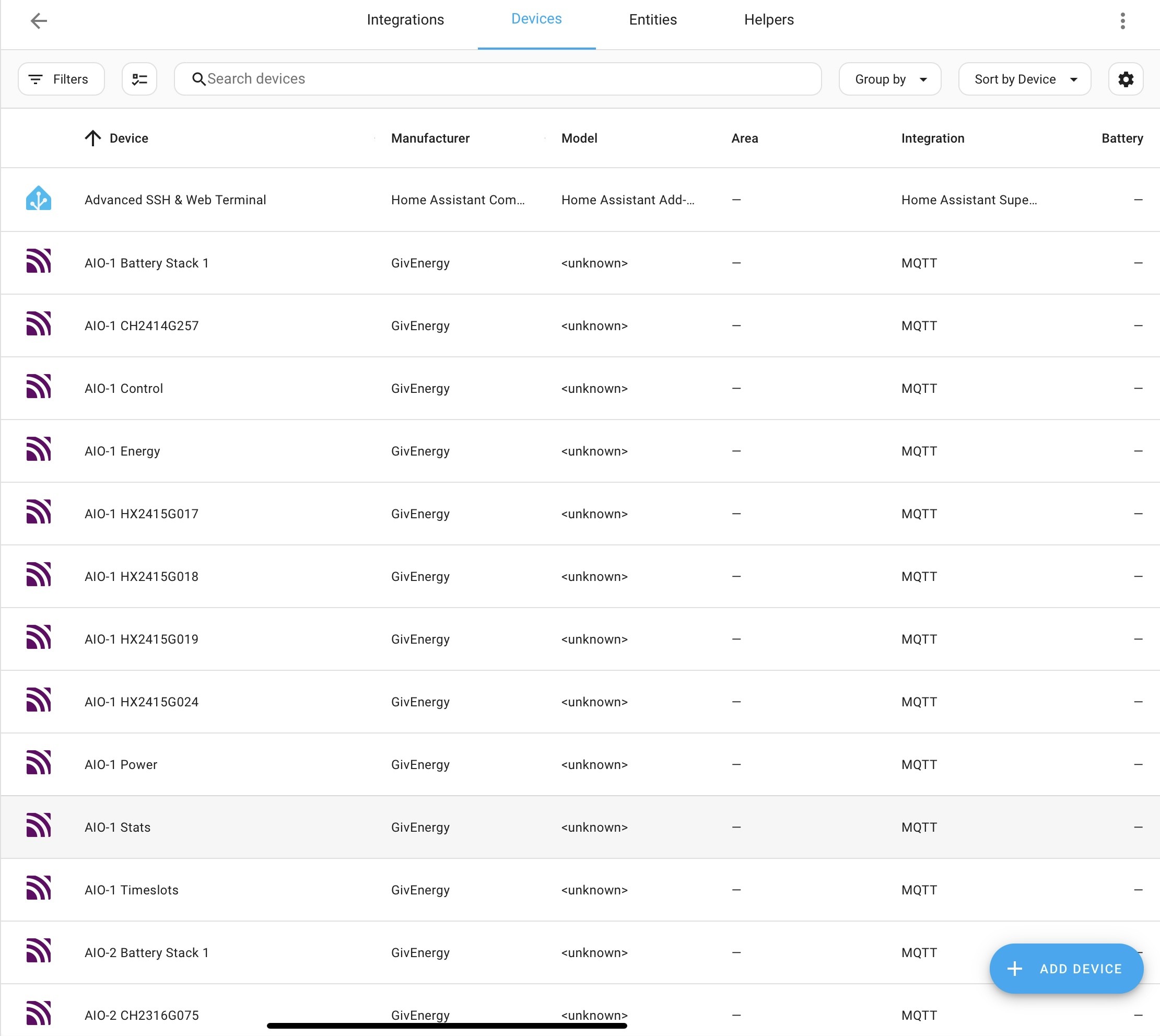
Hi Geoffrey, as you know I have 2 x AIO and started from scratch so had to go for v3, however looking as things in HA I have spotted GivTCP v2 things, as I never installed v2 would this conflict things? It seems there maybe duplicates?


G
#26 geoffreycoan

Daveb01 This is perfectly OK

You don’t have any givtcp v2 artefacts, but what you have is multiple GivEnergy devices recognised,

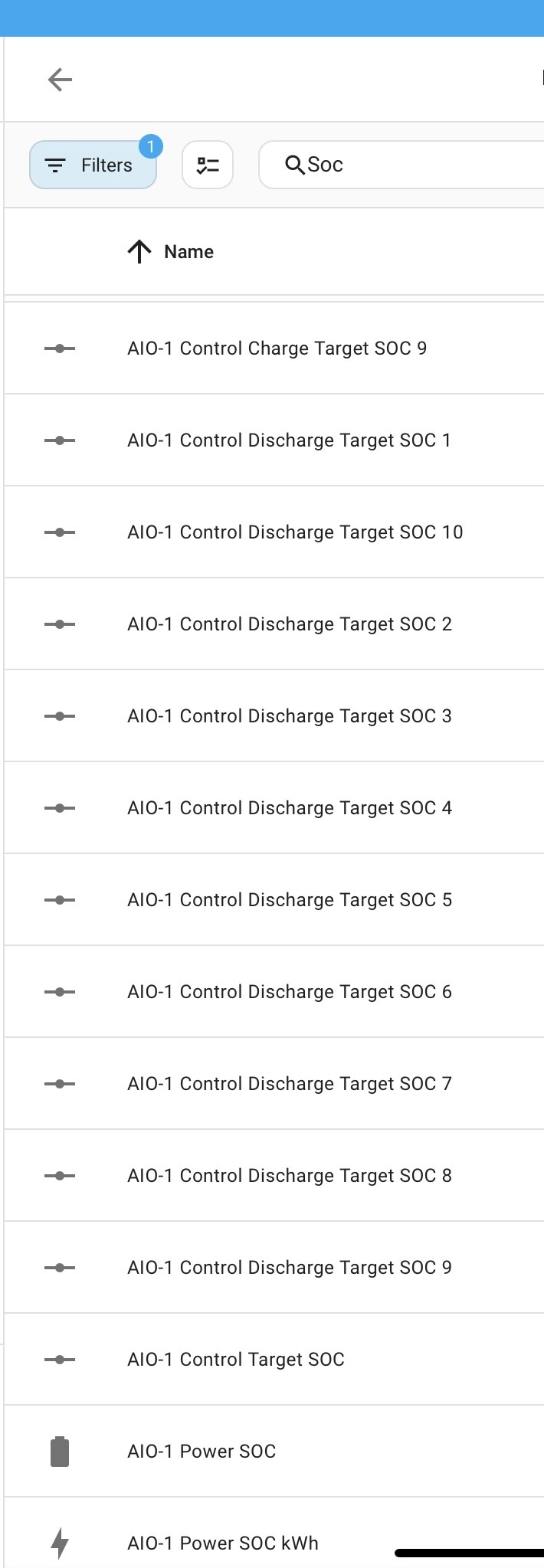
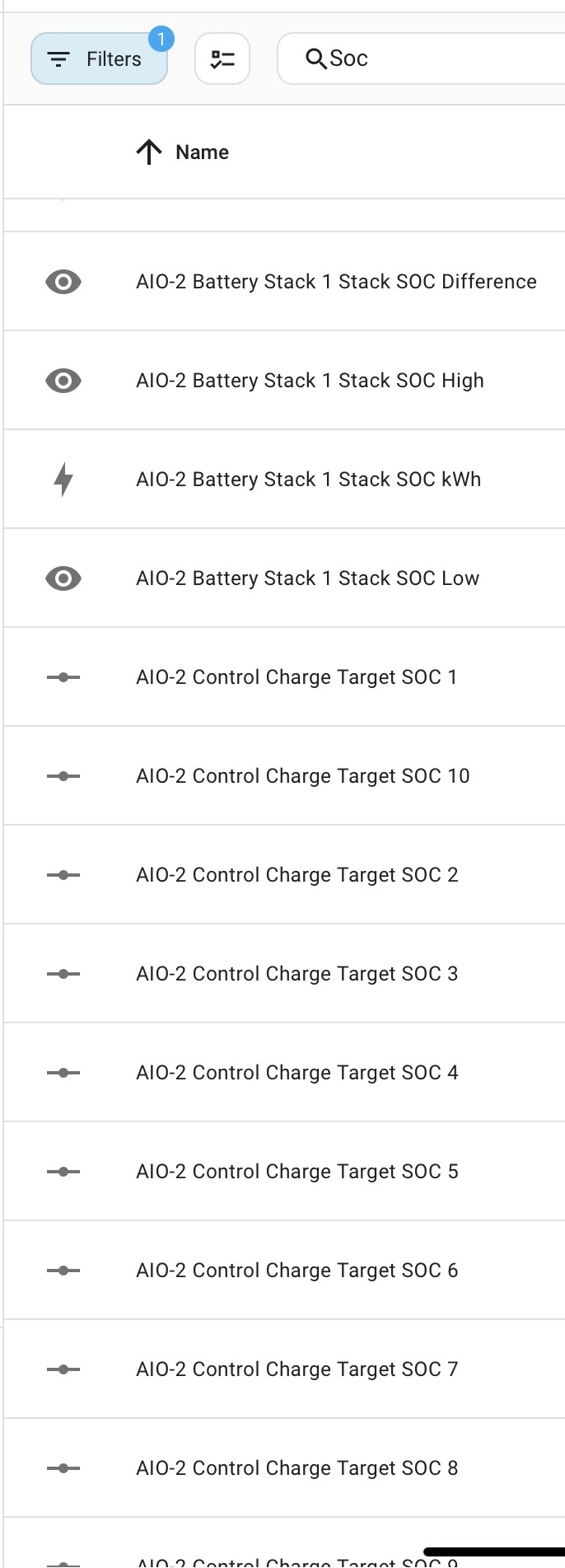
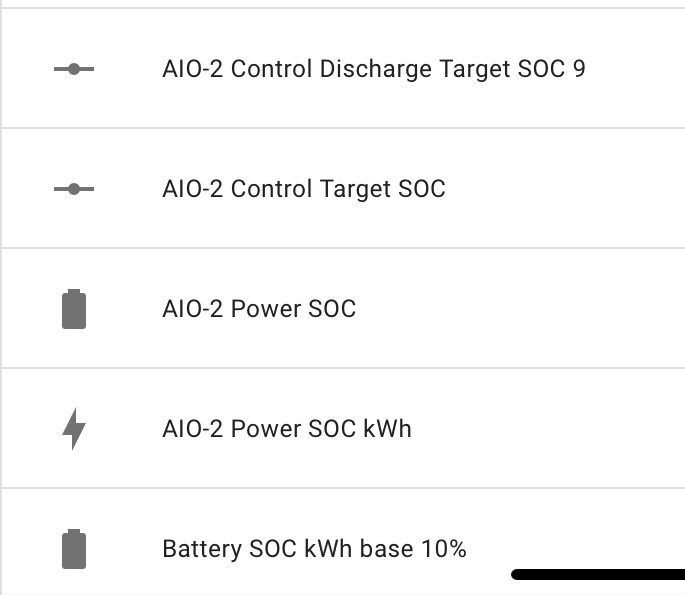
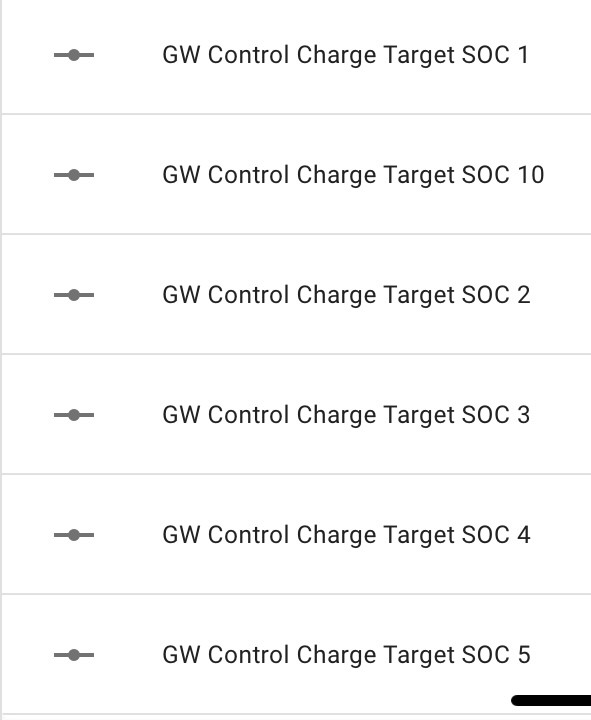
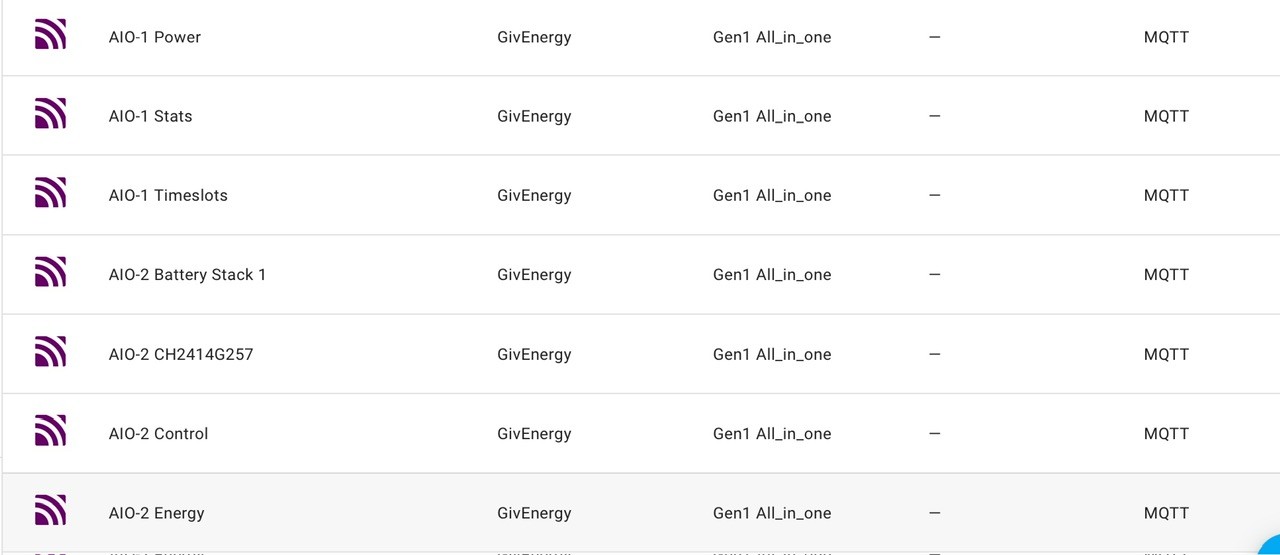
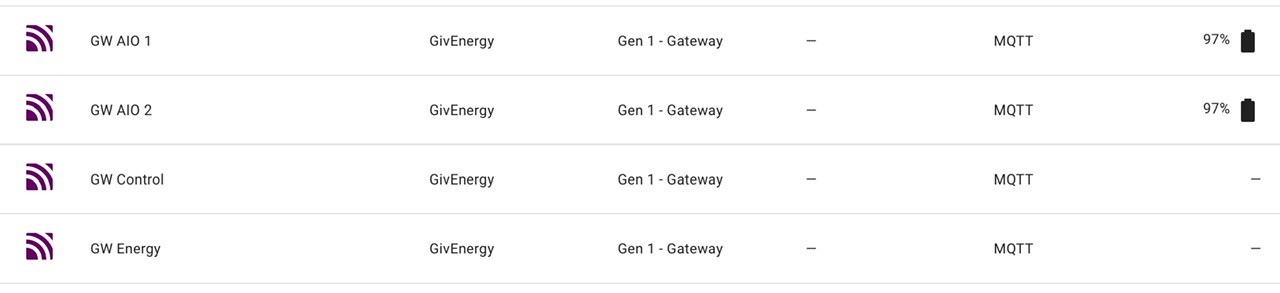
When GivTCP creates its devices it gives them the prefix ‘givtcp’ for the first inverter it finds. For the second it allocates the prefix ‘givtcp2’, then ‘givtcp3’ for the 3rd. With two x AIO and a gateway you will have 3 sets of devices - so for example the givtcp2….soc you are seeing is the battery level in one of your AIO’s.

Personally I don’t like this prefix naming notation so when I first installed GivTCP (v2) I changed the prefixes to G and H so mine are G<serialno>soc and H<serialno>soc etc.
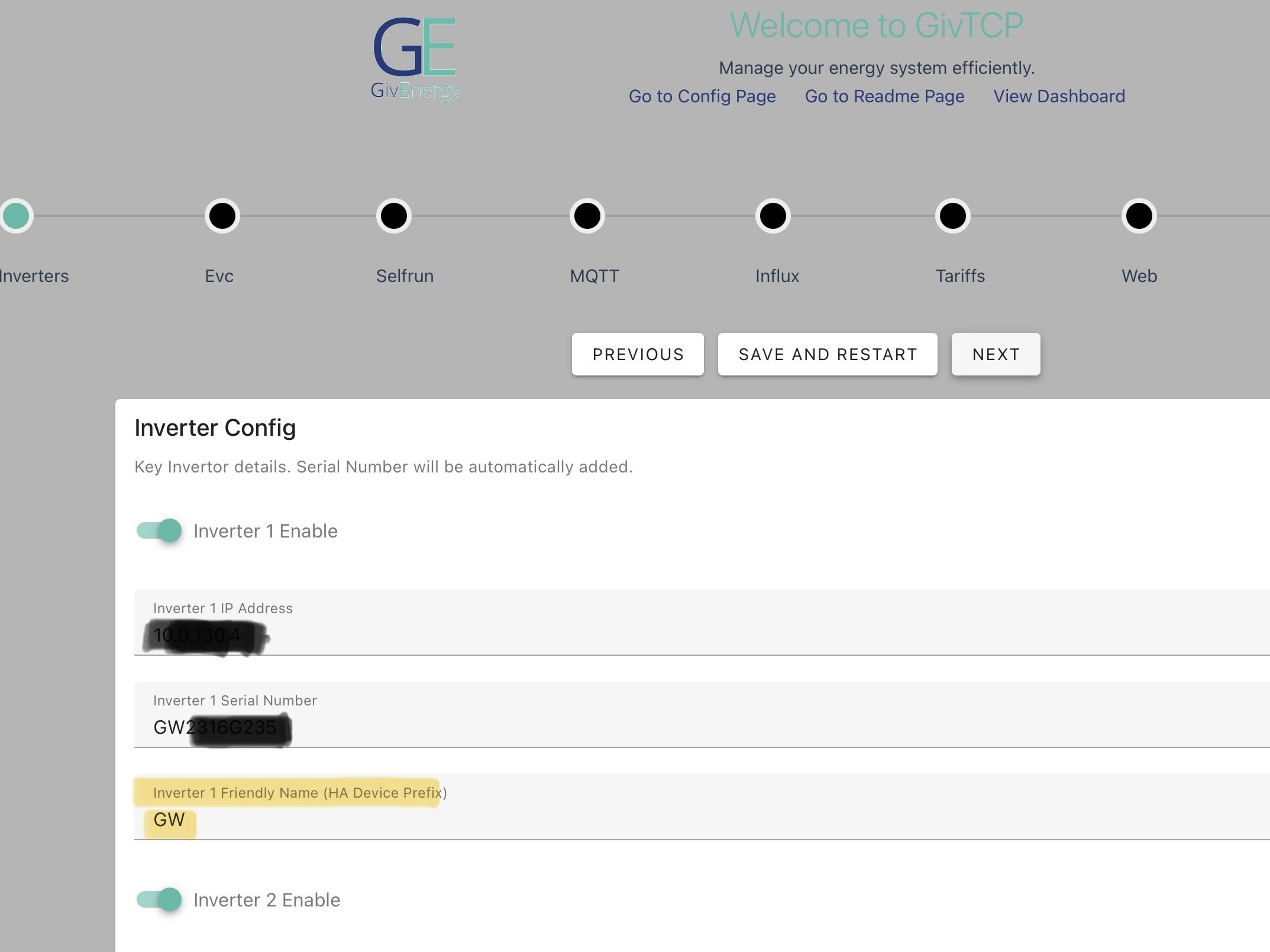
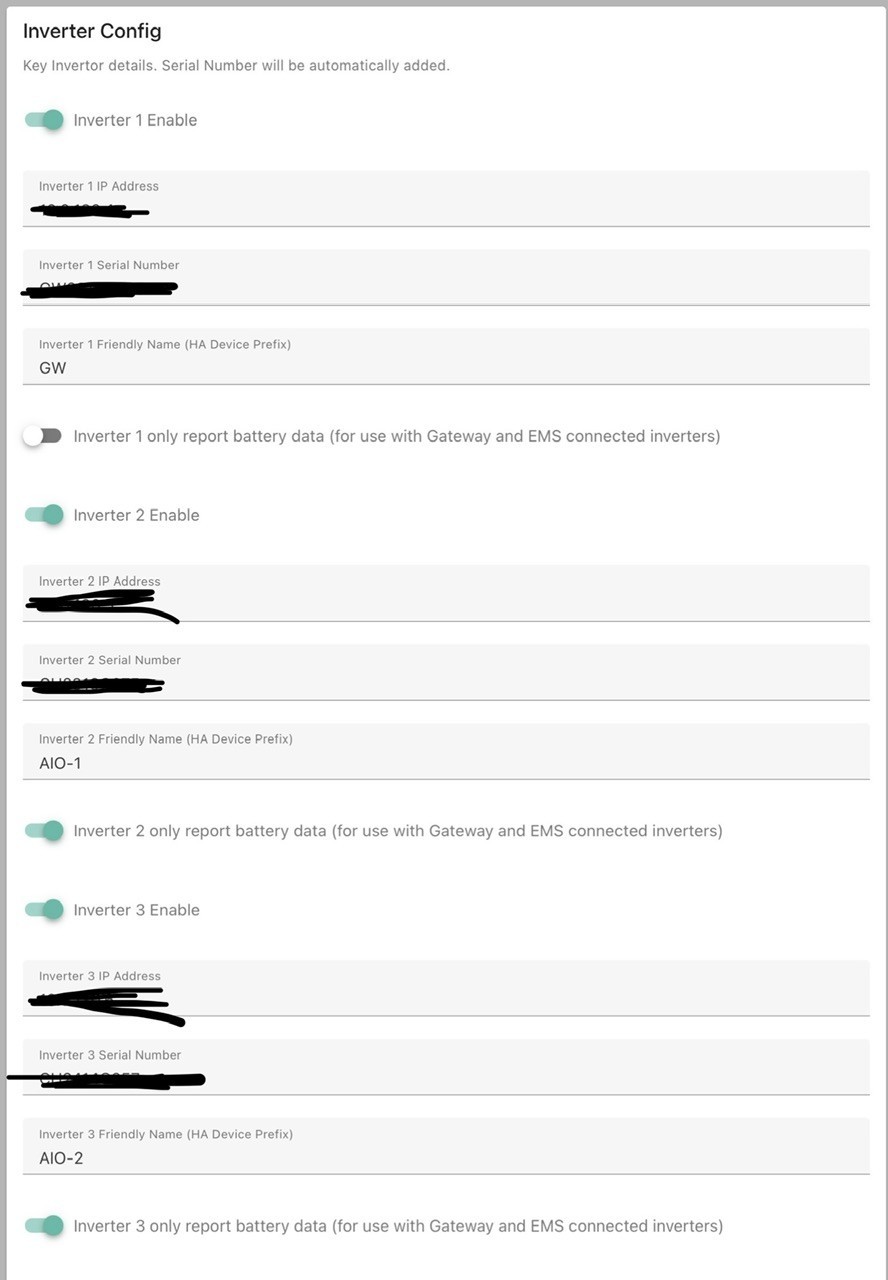
You can leave it as it is or change the prefixes to GW, AIO1, AIO2 or whatever you want. It’s in the GivTCP configuration, first page.

geoffreycoan saw there was a published patch of givtcp (v2) to 3.0.1, but HA reports a server error and suggests to downgrade.

The problem I saw yesterday with the GivTCP v2 add-on reporting a server error and suggesting I downgrade has cleared, its now happy with me being on GivTCP v2.4.9

R
#27 Rbor

Daveb01 From the MQTT feeds, it may be OK.
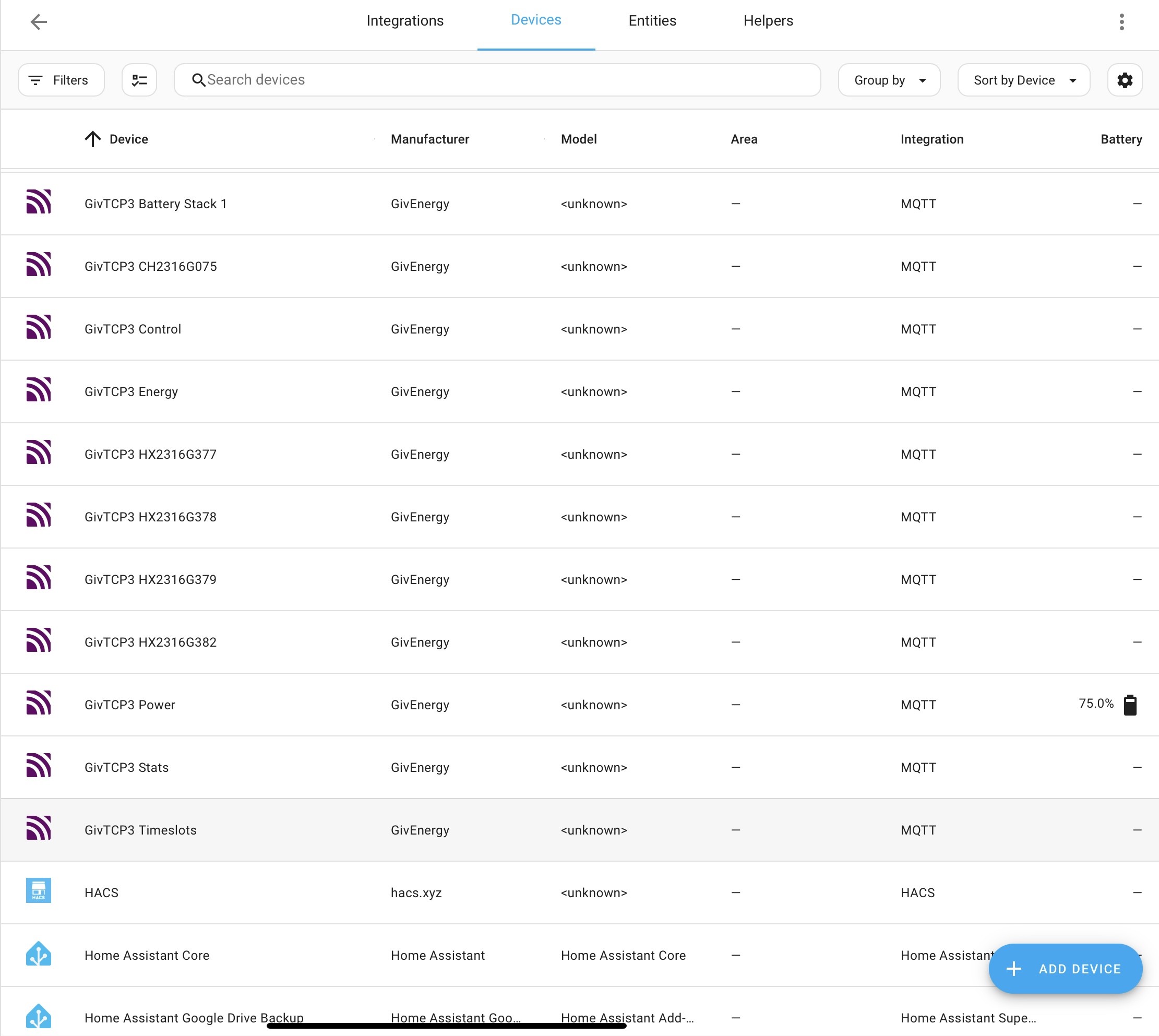
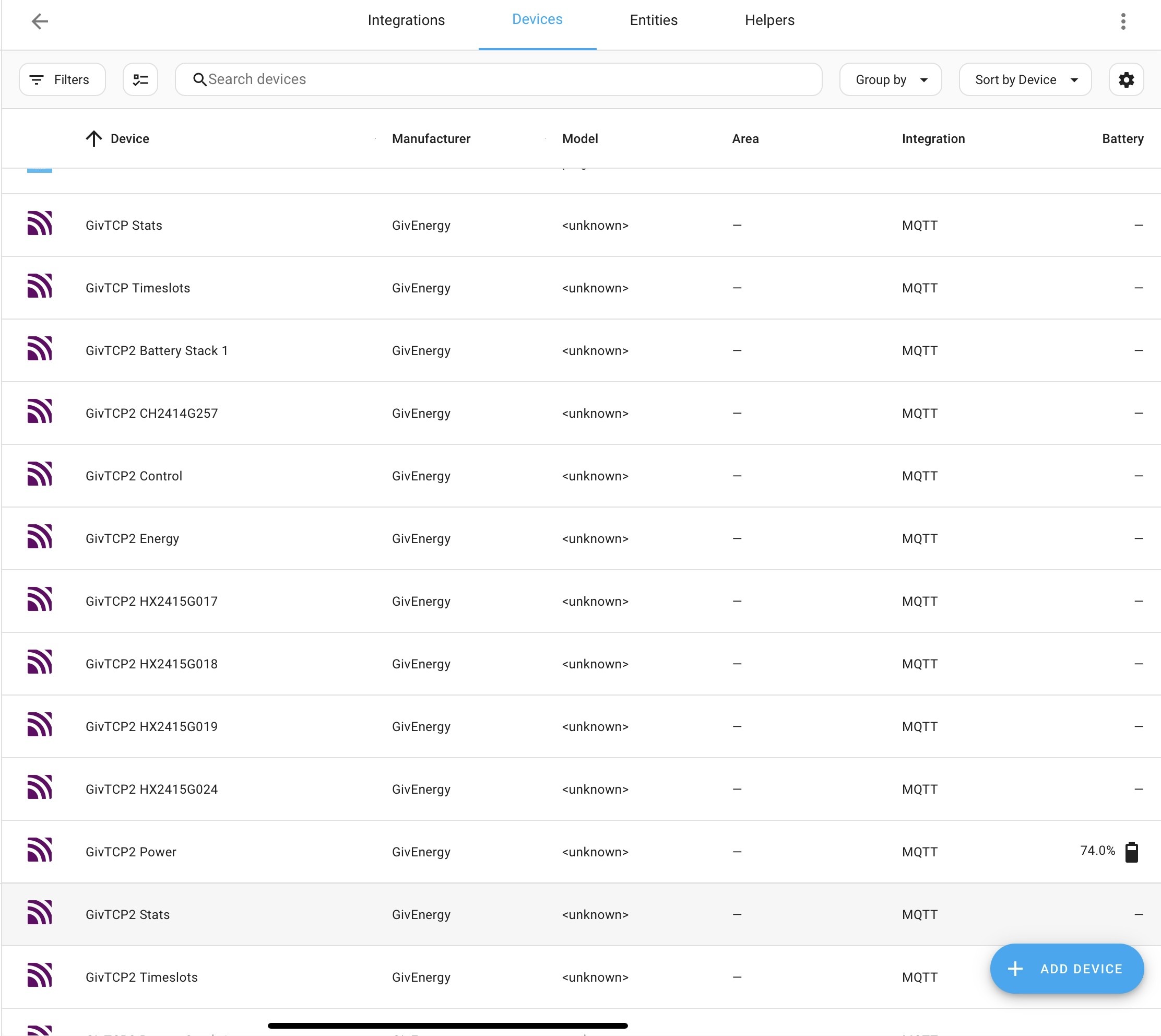
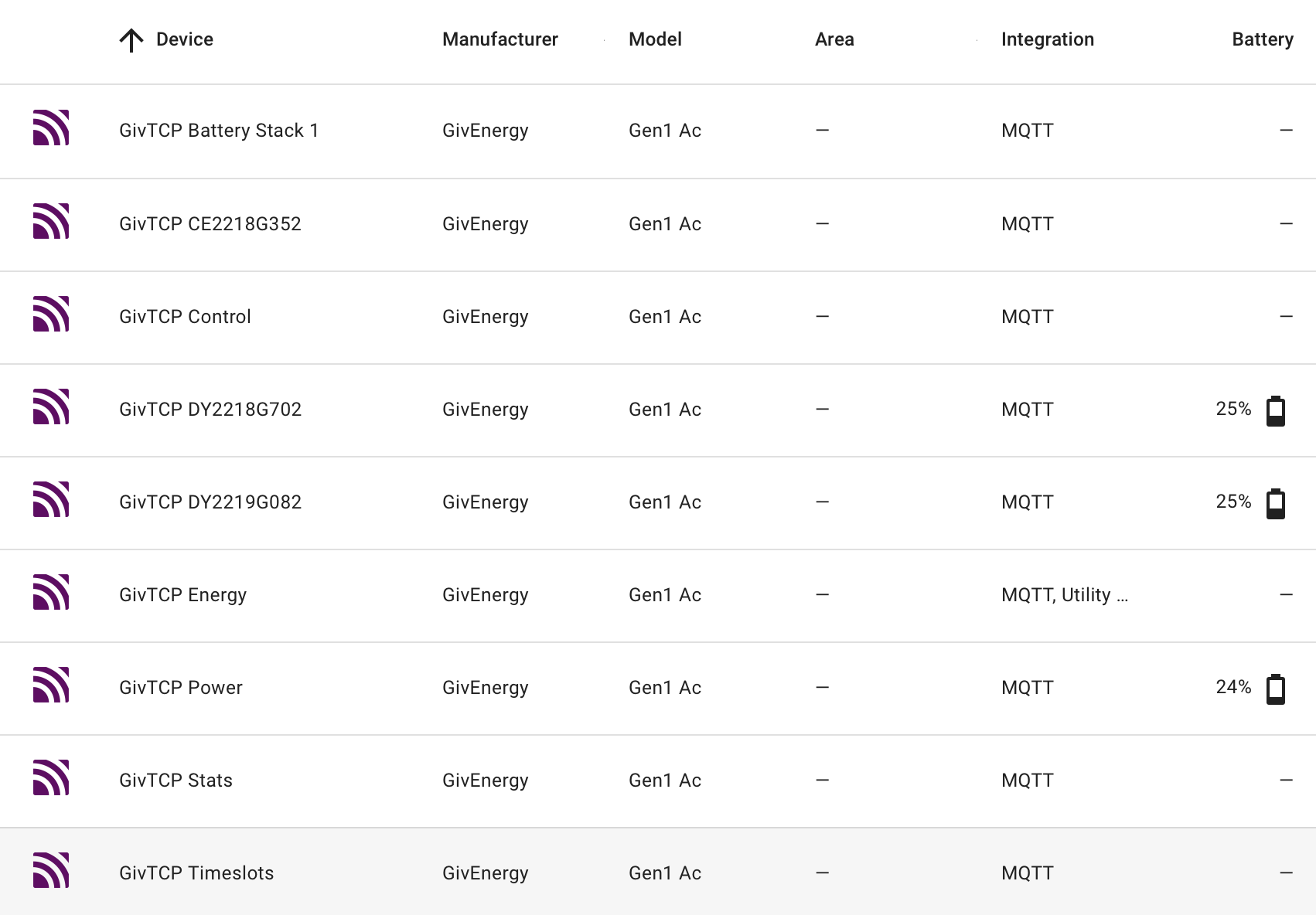
I think that GivTCP, GivTCP2 and GivTCP3 refer to your 3 AIOs. But I can only see GivTCP AIO 1 and GivTCP AIO 2 shown. You have 8 %s in total which seems strange. I don't know enough about the AIO.

It would be easier to follow if you filtered this down by selecting MQTT in integrations, then 'devices' and then sort.

I am running v3.0.1 with 1 inverter and 2 batteries.
This is mine.

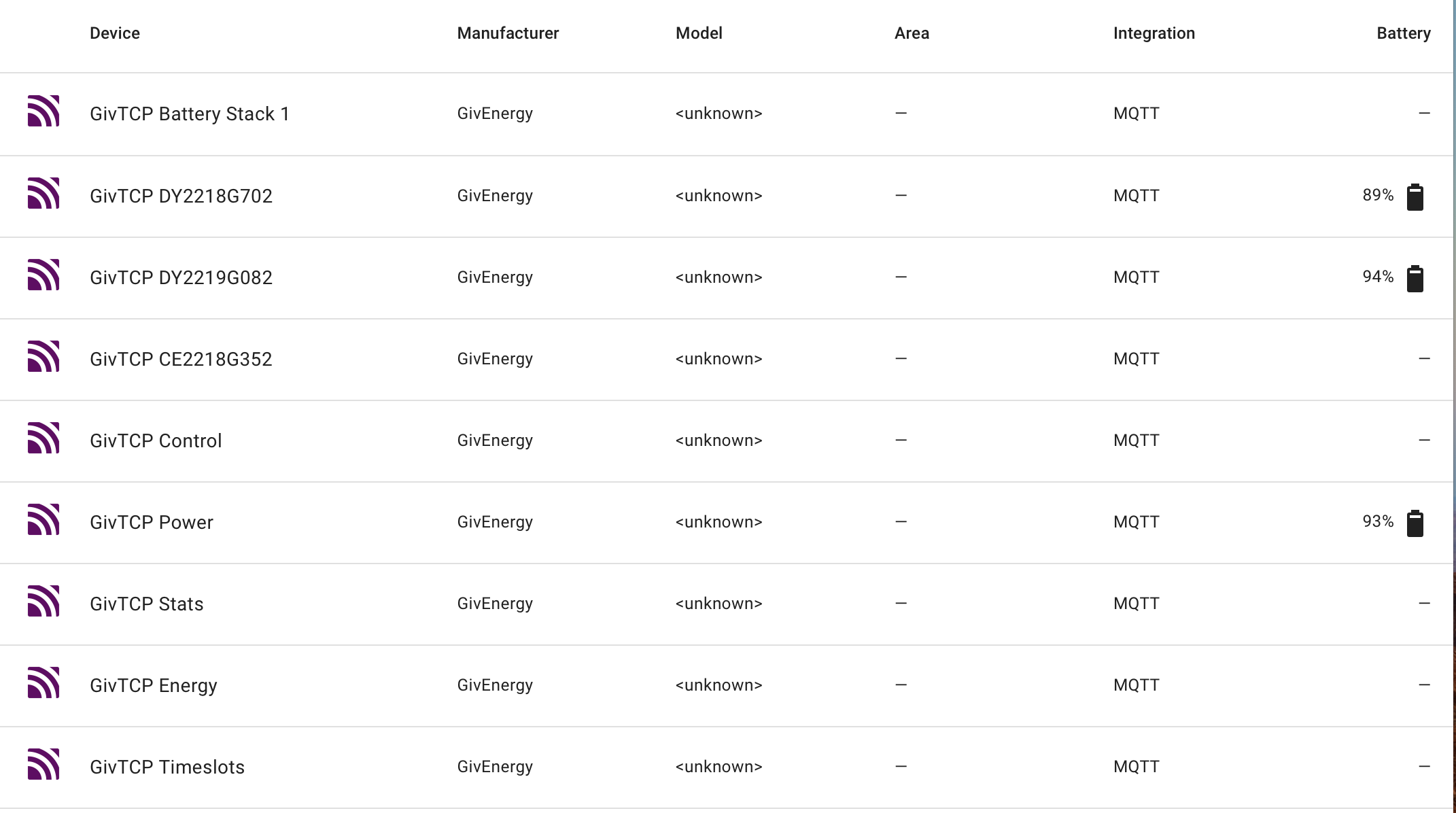
There are 3 SOC %s shown for the inverter and each of my 2 batteries. There are 9 MQTT entries.
When I had duplicates, I had 11 MQTT entries.
I don't think you have duplicates.

I have spent days on v3 variants this week and it is not without issues.
I am receiving some very strange lines in my givTCP log. Thankfully Predbat is whirling along as expected.
Geoffrey and I have added issues on the add-ons Github page for Britkat1980 to ponder.

Although I am on v3.0.1, I am contemplating bailing out back to v2.4.9.
Glad that I backed up v2.4.9 as I couldn't download it again.

Rob

R
#28 Rbor

For the record, v3.0.1 log is showing this repeatedly

2024-09-22 11:24:28,039 - Inv1 - read - [INFO ] - Invertor_Energy_Today_kWh jumped too far in a single read: 0.1->1.9 so using previous value
2024-09-22 11:24:44,562 - Inv1 - read - [INFO ] - Invertor_Energy_Today_kWh jumped too far in a single read: 0.1->1.9 so using previous value

Perhaps to match Predbat 'idle'?
But I never had this before. I have posted to Github as a possible issue.

Rob

G
#29 geoffreycoan

Rbor I saw your bug Rob. This sounds like a bug in GivTCP, it seems to be validating the data received from the inverter and rejecting it because it’s not ‘within bounds’ of what it expects to be.

Of course once rejected, if that is the valid value then its never going to accept the value as it will be increasing through the day

R
#30 Rbor

geoffreycoan

This sounds like a bug in GivTCP, it seems to be validating the data received from the inverter and rejecting it because it’s not ‘within bounds’ of what it expects to be.

Thanks. I will just hanging there with v3.0.1.
If predbat status changes, then givTCP seems to respond as expected. But I expect it not to respond with anything during idle times.

Looking at the GitHub add-ons pages, anything to do with v3 seems to be beta.

Having spent best part of the morning looking through forum comments, I would like to have a givTCP v3 free day today! I am probably the resident 'v3' expert or perhaps the person who finds the pitfalls. Hopefully I am assisting in helping v3 to improve.

The whole installation of givTCP seems to be in a muddle currently. I hope the developers can get this sorted.

Rob

B
#31 browellm

I moved to v3 a few days ago. Other than the inverter sensor reporting to one decimal place I've had no issues and and didn't lose any historical data, but that's possibly down to my simple gen1 hybrid inverter/battery setup. Sounds quite a bit more complicated with the AIOs.

D
#32 Daveb01

geoffreycoan

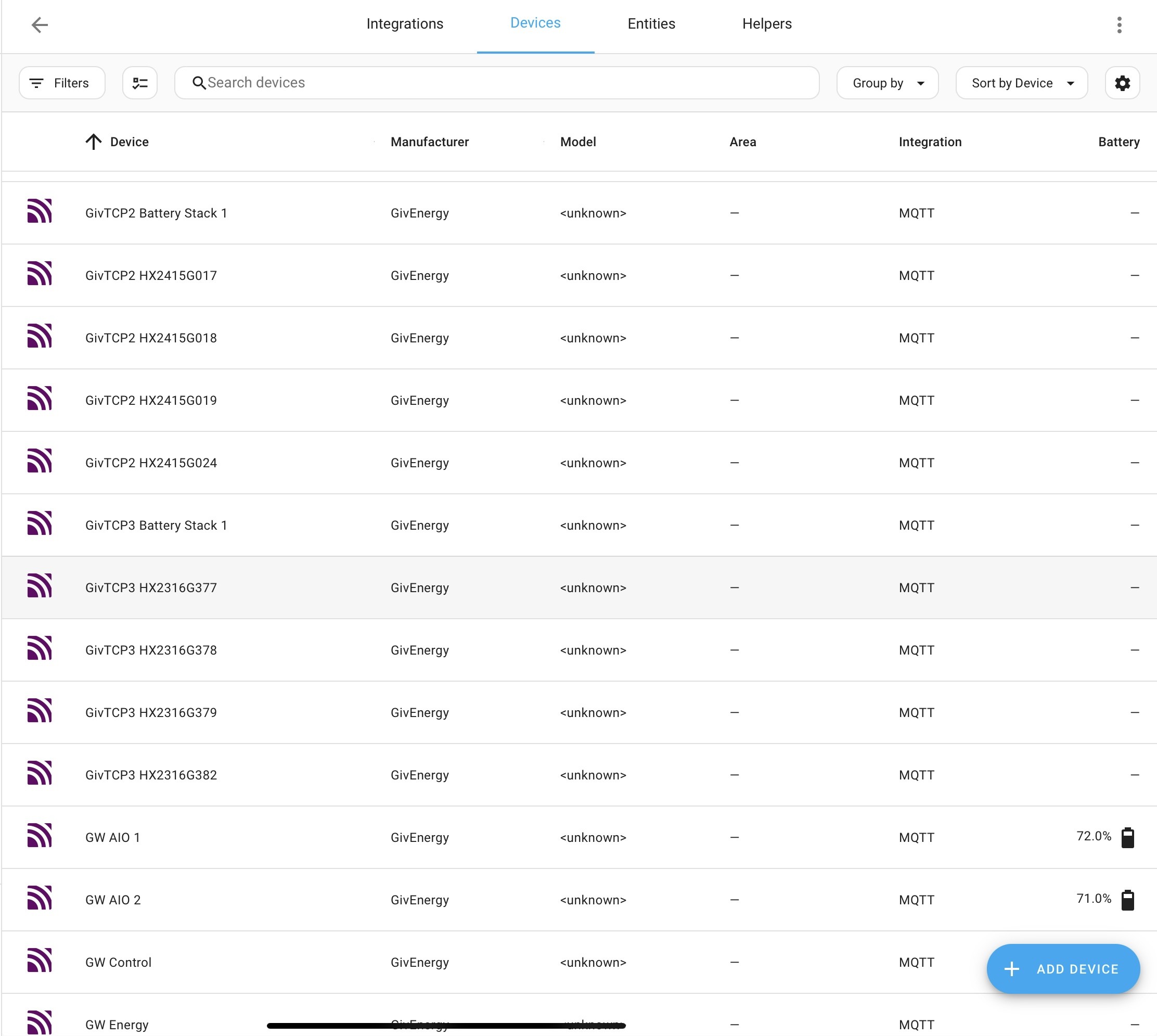
Changed it to GW, AIO-1, AIO-2 (did not see that in the settings. Now looks good with a few exceptions that I don’t recognise the serial numbers? What is HXxxxxxxx?


R
#33 Rbor

I would guess that the HX refers to the battery units within each battery stack in each AIO. Each AIO has 4 so 12 in total.
It’s a lot easier to follow filtered and sorted.

I wonder whether GW refers to gateway. If so, why are just 2 shown?

If you select an entry, you should see info on the right. I would expect each battery to show its cells (voltage and temp).

Rob

R
#34 Rbor

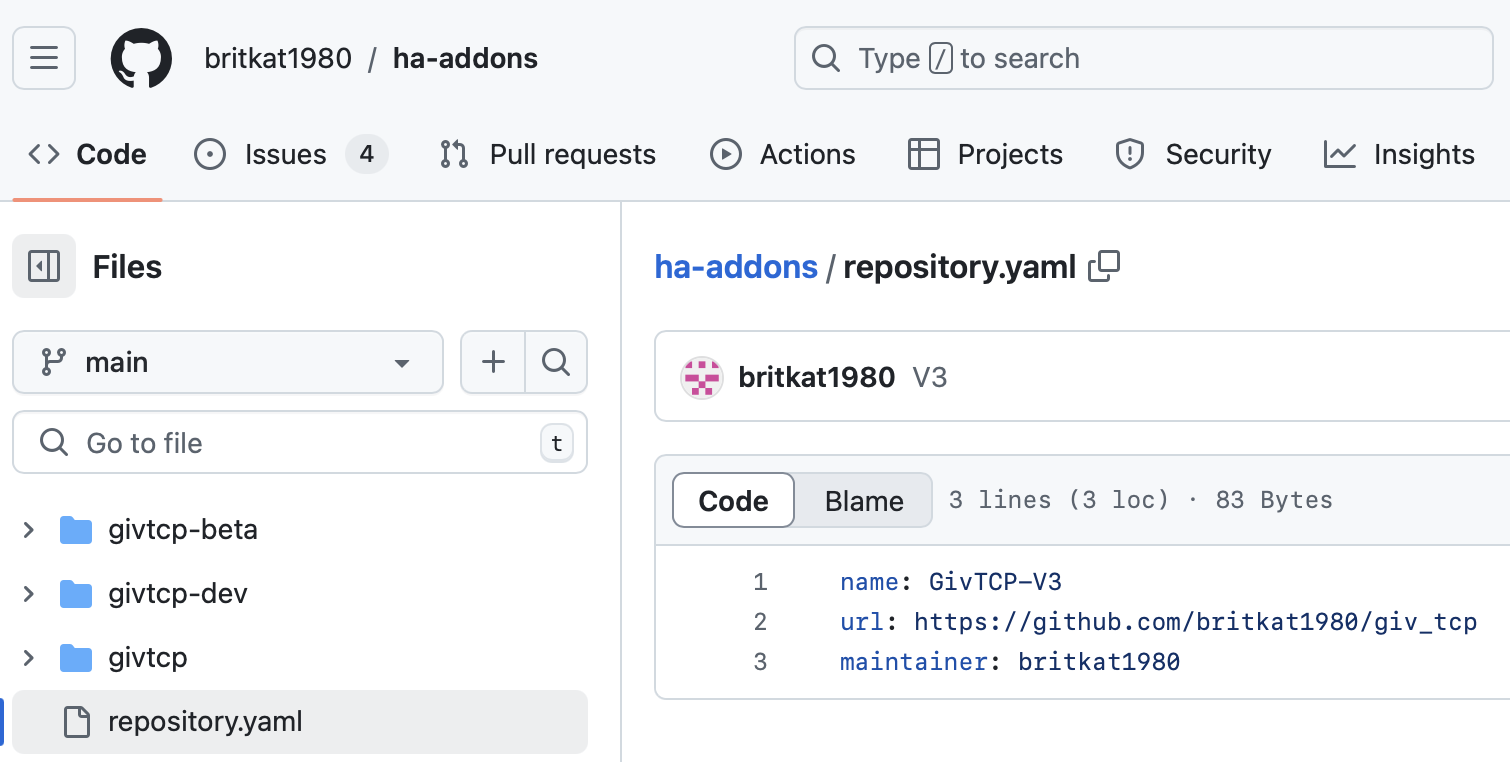
I have looked at the 'Code' section in GitHub givTCP add ons.

This is the contents of repository.yaml

The URL suggests that any attempt to download the givTCP repository directs to v3
..... and that variants of v2 can't be downloaded using this link.

Rob

D
#35 Daveb01

Rbor

The GW goes further down but did not screen shot all of them.

Yes the 4 x battery packs now make sense thank you 👍🍺

R
#36 Rbor

This thread is working well We have a good focus and are helping each other.

As geoffreycoan suggested in #21, we must ensure that we don't stray away from 'Setting up GivTCP3'.

Rob

D
#37 Daveb01

Rbor

This is good for Geoffrey’s documentation as well, he has you guys going from v2.x to v3.x and me starting afresh installing v3. So feedback is good.

L
#38 Leeshore

It's working fine for me - only issue is givtcp not showing battery sensors which I think is being sorted in next update

R
#39 Rbor

Leeshore v3.0.1 is supposed to sort this if you are brave, like me! It is the givTCP v3 beta.
I spent so much time this week trying so sort this and I have learnt ow to use MQTT Explorer.
The glitch seems to be linked to duplicated MQTT entries.

I would live with the missing battery info for now.

Rob

R
#40 Rbor

Another conflict 'gotcha' when installing v3:

I first installed v3. I then moved onto v3.0.1, (givTCP 3 beta).
I had setup the auto restart in apps.yaml to point to givTCP v3

When this triggered, I found that both v3.0.0 and v3.0.1 were restarted.
I was then getting conflicts.

So if you do decide to try the beta v3.0.1, uninstall v3.0.0 to avoid conflicts.
v3.0.0 will stay in the add-on store anyway if you want to go back to v3.0.0.
Now how long did it take me sorting that one out?

Rob

G
#41 geoffreycoan

Rbor When this triggered, I found that both v3.0.0 and v3.0.1 were restarted.
I was then getting conflicts.

Does the v3 beta have a different add-on slug id, I would imagine it would have and you’d need to change the restart line in apps.yaml to point to this new slug id (as shown on the add-on page but you need to replace the dash with an underscore in the apps.yaml config)

I have BTW updated the documentation for the v3 slug id, and covering the v2 id for those on GivTCP v2. Trefor has merged the documentation in (so if you look in the docs folder of predbat github you can see the changes) but I think mkdocs only gets run (updating the separate predbat documentation site) when a new release is issued.

R
#42 Rbor

geoffreycoan Arghhh!
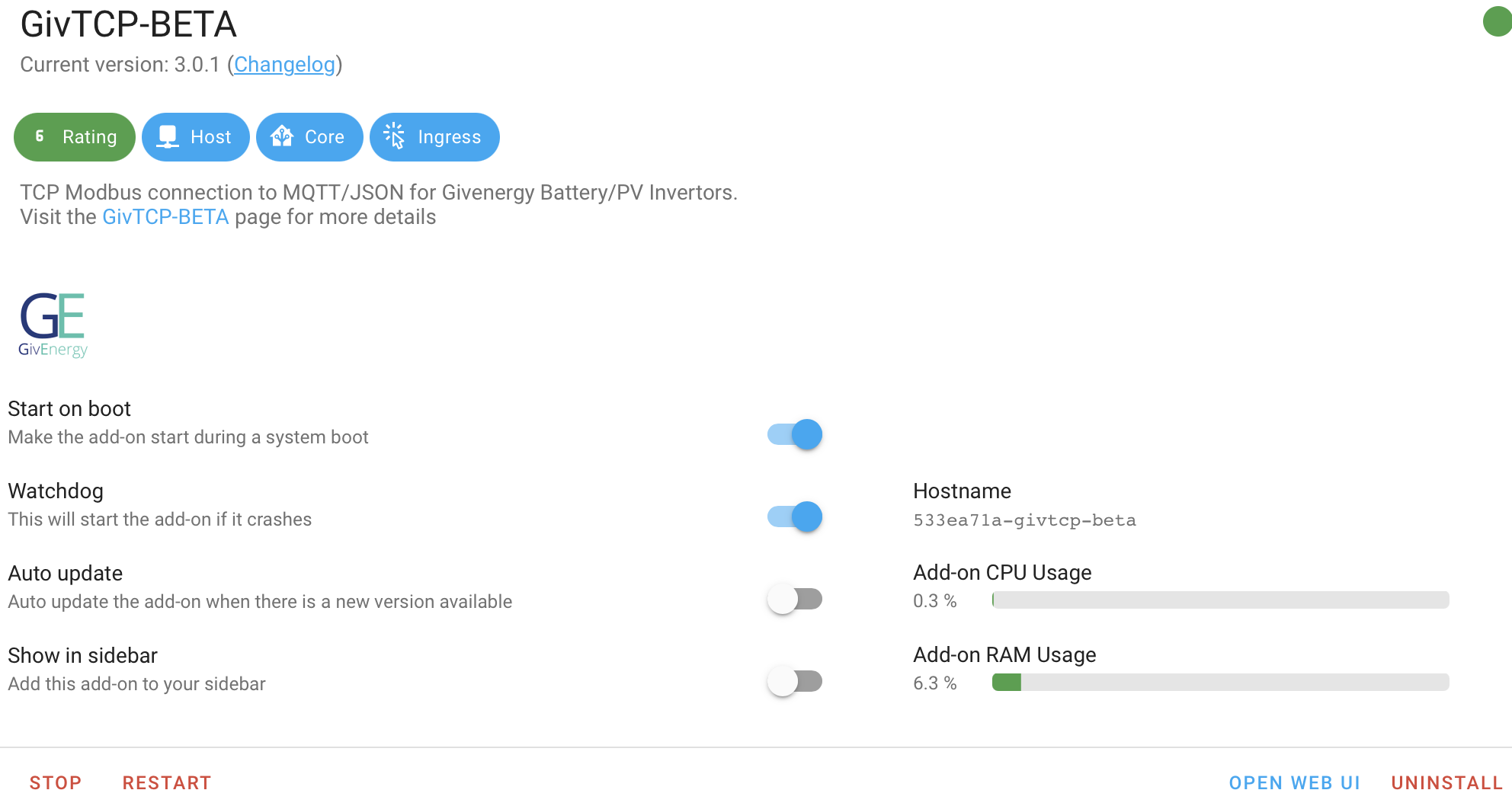
v3.0.0 and 3.0.1 have the same slug number but 3.0.1 has -beta appended to 3.0.0 slug:

I have changed my apps.yaml restart to:

 auto_restart:
    - shell: 'rm -rf /homeassistant/GivTCP/*.pkl'
    - service: hassio/addon_restart
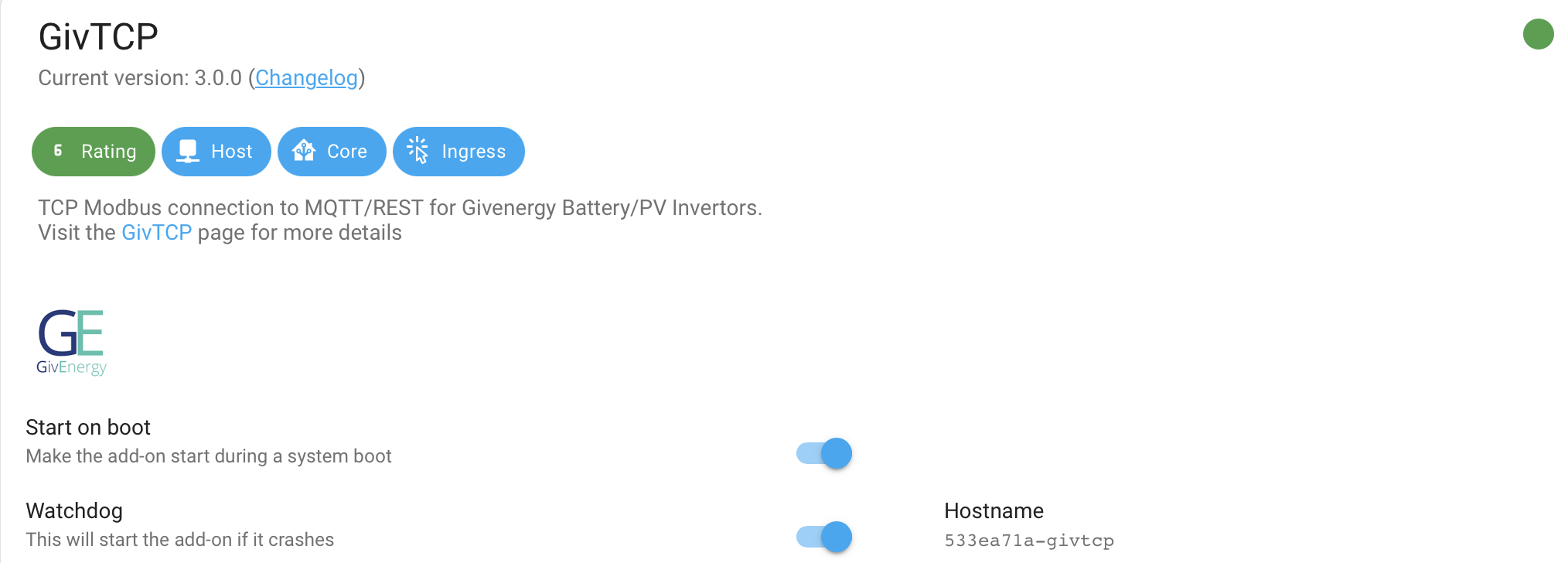
      addon: 533ea71a-givtcp-beta.

This means that if there was a crash when I was running 3.0.1, v3.0.0 was restarting.
I had watchdog switch on for v3.0.1 as well so both 3.0.0 and 3.0.1 would end up running.

Do we need the auto restart in apps.yaml with watchdog?

Rob

G
#43 geoffreycoan

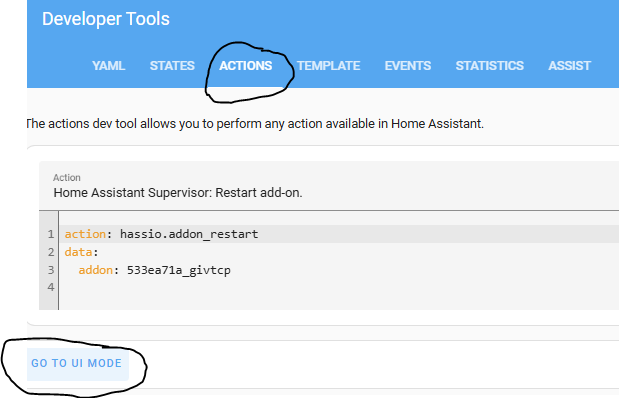
Rbor I would check that this works as expected by going to developer tools / actions (or services if you are on an older version of HA), type ‘addon’ in the search box and find addon_restart

Then check the addon id from the drop down list.

On my HA all the addon id’s in the dropdown have underscores between the different parts of the id, not dashes as is shown on the addon details. Maybe both work, I don’t know, but the original restart code had underscores not dashes.

If you get the id right it should restart the right addon no problems. As for watchdog, I always leave this ticked but TBH have never seen watchdog restart and addon for me, but maybe I haven’t been looking.
Importance to notice the difference between the different functions, the watchdog is to restart the addon if it crashes. Predbat restarts givtcp when it gets an error retrieving data from givtcp, usually due to a comms failure between the inverter and givtcp - so this isn’t a crash.

D
#44 Daveb01

I turned on the Dashboard in GivTCP v3 to see if it worked and it does not 🙁

R
#45 Rbor

geoffreycoan I don't have 'Actions' but I do have 'Services'. And this is latest version of HA

How about this for a dog's breakfast:

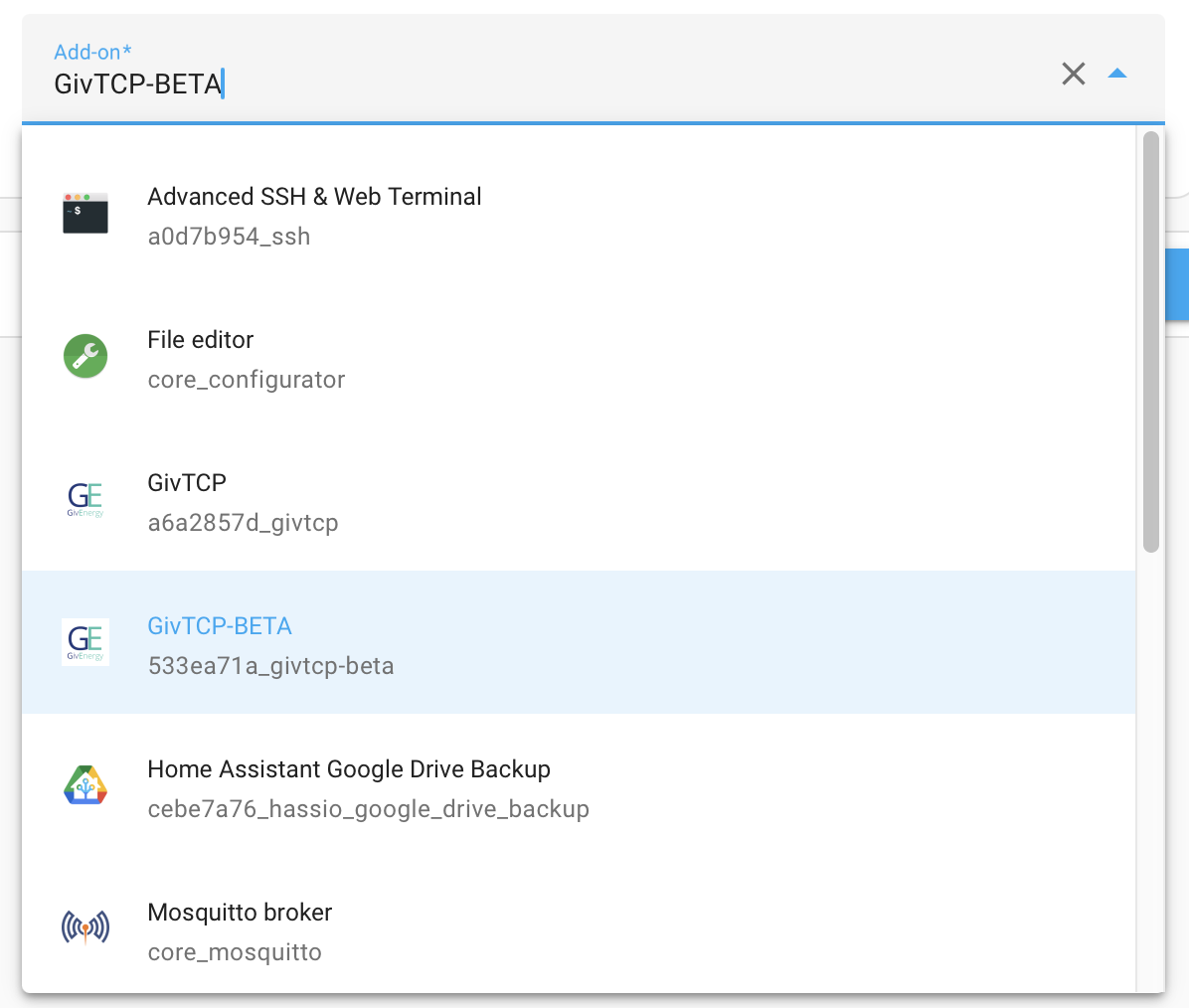
  1. Name of add on is in CAPS with hyphen.
  2. In the drop down, we have underscore and hyphen: 533ea71a_givtcp-beta
  3. And in the add on itself, there are two hyphens: 533ea71a-givtcp-beta

I copied the two hyphened: 533ea71a-givtcp-beta from the add on info page and copied this into my apps.yaml addon restart.

I can't see how I can test this. If I select 'CALL SERVICE' the drop down closes.

Perhaps it is a good thing that I discovered all this (purely by accident)!
How do we direct folk for upgrading.
I wonder whether the apps.yaml lines should be commented out until we can still where this is going.

Rob

R
#46 Rbor

Daveb01 I wouldn't bother about the Dashboard for the moment.
There are bigger fish to fry.

Rob

L
#47 Leeshore

Rbor You are braver than me 😎

R
#48 Rbor

Leeshore I also know when I am bashing my head agains a brick wall.
............I have just gone back to v3.0.0.
In my experience, v3.0.1 was just too 'all over the place'.

I will see if 3.0.0 settles things down overnight.

Rob

G
#49 geoffreycoan

Rbor I don't have 'Actions' but I do have 'Services'. And this is latest version of HA

You can't be on the latest version of HA, it was changed in August I think. This is 2024.9.2:

If you choose the service/action name, and click on 'go to yaml mode' you can see the actual command that will be invoked and if you want you can fiddle with the addon id to test it and get the id right

G
#50 geoffreycoan

Daveb01 I turned on the Dashboard in GivTCP v3 to see if it worked and it does not 🙁

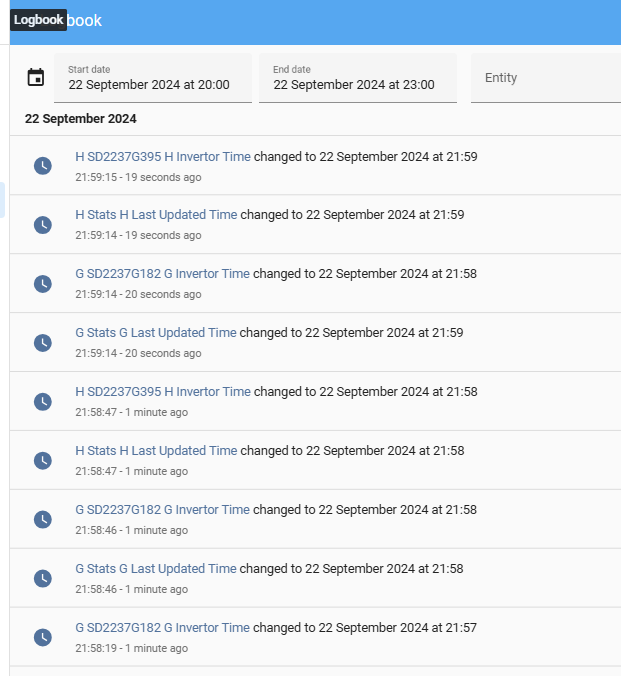
If you look in the Logbook screen you should see givtcp updating the sensors regularly:

Particularly seeing the inverter time updating every 30 seconds or so gives confidence its talking to the inverters.

Personally I gave up on the GivTCP dashboard a long time ago. I found it didn't auto refresh properly so setup my own power flow meters instead. It may be getting confused by you having multiple AIO's and a gateway as well

R
#51 Rbor

Rbor
I have now tried v2.4.9, 3.0.0 and 3.0.1
On the add in page, the slug contains a hyphen - after the initial code, a6a2857d or 553ea71a
In Developer tools, they all show an underscore _ after the initial code, a6a2857d or 553ea71a

In your auto restart code, you use an underscore.

Anyway, I have now finished up with v3.0.0.
v3.0.1 seems to be too unreliable, restarting at random and throwing up all sorts of errors/warnings/info.
I will see how v3.0.0 runs overnight.

On the plus side, I now have 9 MQTT device links in Devices and Services, no duplicated links and all the battery details are showing (which was the initial reason for all my angst last week.

We could do with a ruling on what the slug ID actually is!

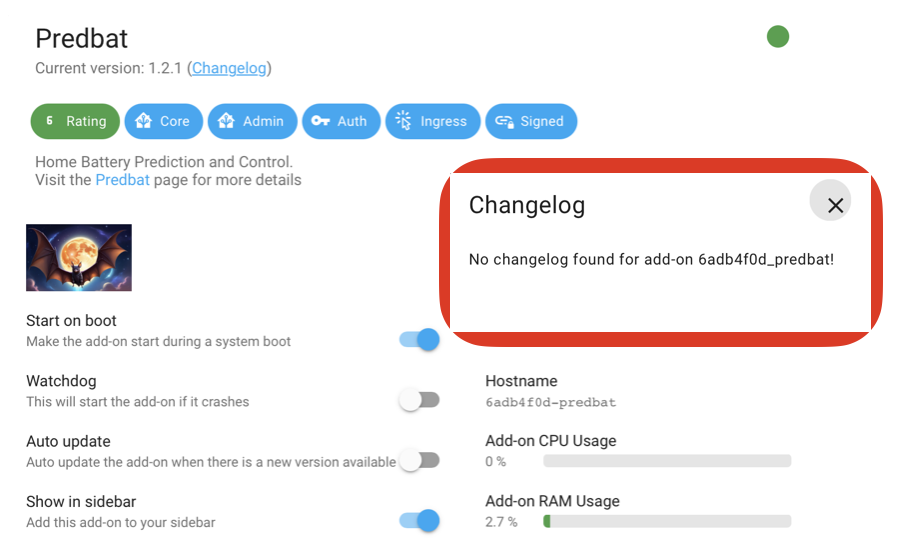
I also (foolishly) updated predbat add on from v1.2.0 to v1.2.1. There is no change-log but I suspect the tweak was to adjust the y axis of the charts on a computer so that they fit without having to scroll.

Rob

G
#52 geoffreycoan

Rbor I also (foolishly) updated predbat add on from v1.2.0 to v1.2.1. There is no change-log but I suspect the tweak was to adjust the y axis of the charts on a computer so that they fit without having to scroll.

Yeah predbat releases seem to come out without much of a change log.

You can look at github to see the release and then see the delta at a file level from there https://github.com/springfall2008/predbat_addon
But github thinks the latest release is 1.2.0 3 weeks ago !

It does say there was a commit 4 hours ago to 'update dockerfile standalone' and there is a change I made to the documentation for the add-on to explain how to upgrade to the predbat addon

R
#53 Rbor

geoffreycoan I only updated all the HA alternatives last week!
I am now on 2024.9.2 and I was told that it had been updated 32 min ago!

Anyway, I have managed to follow your instructions and tried underscores and hyphens.
The 3 slug ids that gave me a white on green tick are:
v2.4.9: a6a2857d_givtcp
v3.0.0 533ea71a_givtcp
v3.0.1 533ea71a_givtcp-beta

How misleading to show hyphens on the add on page!

I now have GivTCP v3.0.0 running with Predbat v8.4.8

One big problem trying to learn HA is the relentless changing of options. I watched YouTube and got so frustrated when my screen looked entirely different from the youtube video. Many showed 'configuration' in the side bar. Another option that fell by the wayside.
I think this is why I would try HA but give up. Predbat and your help have got me navigating around HA and I even know what a slug is now.

Anyway, that's my predbat day done ........ and an 'early' night.

Rob

G
#54 geoffreycoan

Rbor How misleading to show hyphens on the add on page!

I agree, I was pretty confident that underscores were needed not dashes and the addon details page was showing the wrong info. Thanks for testing and confirming it

I have raised a defect on this https://github.com/home-assistant/core/issues/126463 - will see what the HA team say

R
#55 Rbor

geoffreycoan I have compared the Host name and Changelog name for the predbat add on page.

So it isn't just givTCP.
All my add ons show the Host name with hyphens rather than underscores on the add on page.

What a mess!

Rob

W
#56 Weasel

It is now 1 week since I started this thread and so far GivTCP 3.0 and predbat 4.8.4 have played very nicely together. My only issue was when upgrading the firmware on my gateway. The upgrade reset the CT Direction register and that required a call to GivEnergy support to reset it. The lesson learned was to do such upgrades at 9am rather than 5pm. My home usage stats were messed up for 18 hours, so I had to revert to monitor mode until the bad data had aged out.

I am once again live with predbat and in the interim, Octopus have switched me over to my chosen smart tariff and I am now awaiting confirmation of enrollment to my outgoing tariff. This will take a few weeks,but I figure I won't be over generating any solar in the near future

Cheers
Chris

G
#57 geoffreycoan

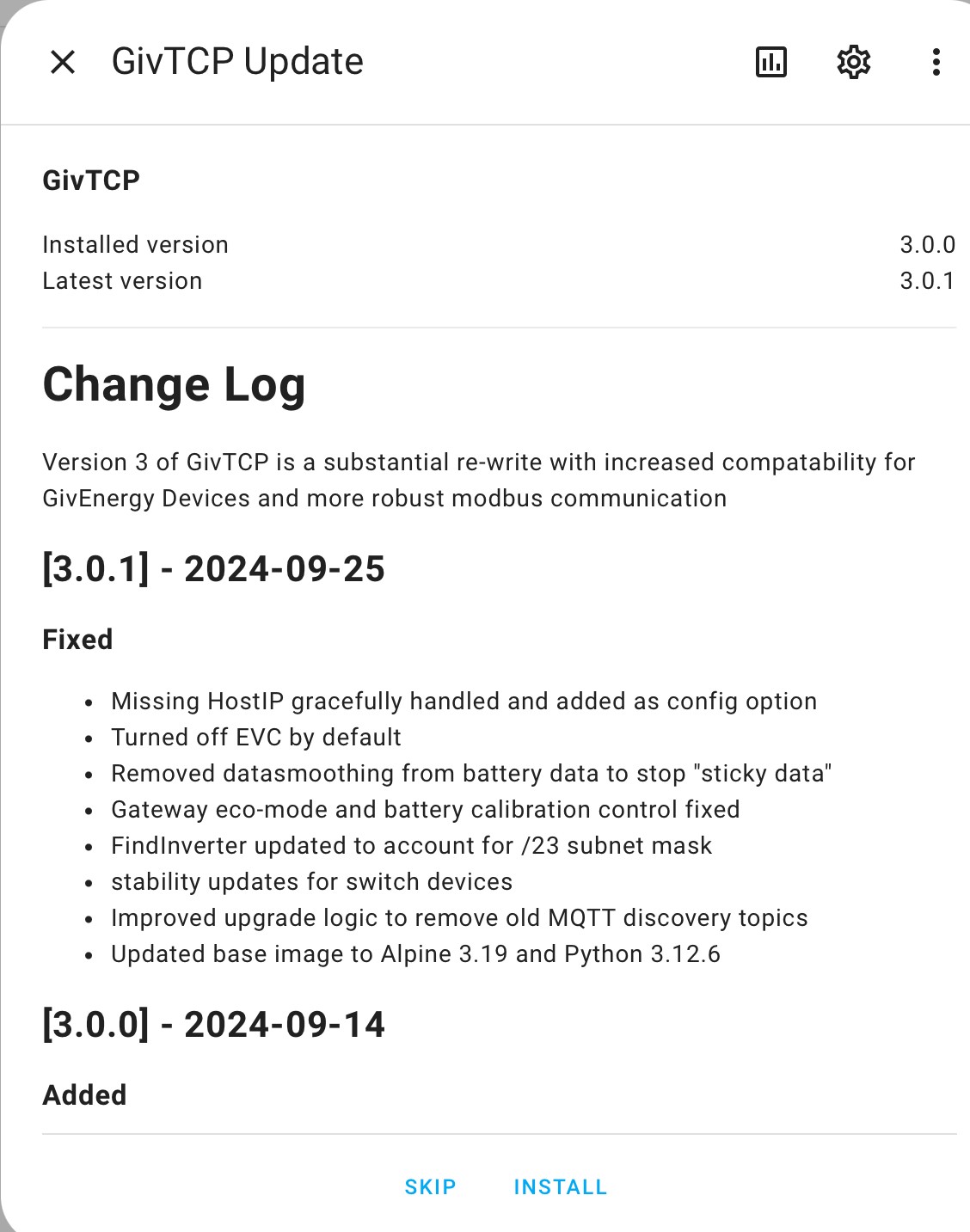
Version 3.0.1 of GivTCP has been just issued by britkat1980, fixing a number of bugs:

I do see a number of other github issues being raised on v3 and dev versions 3.0.2 and 3.0.3 including further bug fixes. I know that v3 is working fine for some people and some of the recent bugs are on more exotic kit like 3 phase, but having had a not wonderful experience with the battery data not working on v3 I’m going to stay on 2.4.9 and wait for further patch releases to come through before I upgrade.

R
#58 Rbor

geoffreycoan Thanks.
Always a glutton for punishment, I have updated and so far the sky hasn't fallen in. Bizarrely, I am on v3.0.3 so look like an additional tweak has been added!

BUT
I have now added to a new givTCP3 issue, as below:

I updated about an hour ago and I finished up on v3.0.3.
I couldn't then open the Web UI at all.
I have restored v3.0.0 from backup but still the Web UI refused to open, instead creating more instances of the UI config screen. So I have now lost the Web UI. givTCP is at least running and I presume that the config is fine.

You did warn me and I didn't listen.

............... You have to admire how well Predbat is doing things.

Rob

G
#59 geoffreycoan

Rbor Bizarrely, I am on v3.0.3 so look like an additional tweak has been added!

I think you are on the dev branch aren’t you? You really are on the bleeding edge of the code and things are much more likely to break. It does of course need testing but I’m definitely not wanting to be leading the pack so much

GivTCP Beta appears to be on 3.0.1, GivTCP dev is on 3.0.8 !

W
#60 Weasel

I upgraded from 3.0 to 3.0.1 this afternoon and all seems well so far

R
#61 Rbor

geoffreycoan When I went to the givTCP addon, I saw a blue button labelled 'Update'.
I then found myself on v3.0.3.
I looks on GitHub issues and saw this:

With a reply from Britkat:

I updated after this.
Although I was able to restore v3.0.0, Web UI is really broken and won't open. It always way flaky before but not broken. Luckily, the default settings look good anyway.

If I go the the addon now, this is what I see, all under v3.0.0:

Nothing about this being a dev version. Not even I would have gone there.

Rob

G
#62 geoffreycoan

Rbor I see there is now a v3.0.3 published with more bug fixes.

If you go to the add-on page, what add-on are you running, is it the v3 or the v3-beta which I think you were trying? My mistake, I meant to say beta version not dev

B
#64 browellm

Really interesting what the Predbat algorithm is now doing with more freeze discharging. In my own case I have a relatively small battery (6.5kWh usable) so success seems very closely tied to how accurate the Solcast forecast is. My contention is that if you don't want to gamble on the freeze discharge plan so much then it will probably be best to adjust the solar output forecast to be more pessimistic.

If you have plenty of battery capacity overhead though, the new prebat plans make a lot of sense in that they minimise inverter and AC/DC conversion losses.

G
#65 geoffreycoan

browellm My contention is that if you don't want to gamble on the freeze discharge plan so much then it will probably be best to adjust the solar output forecast to be more pessimistic.

We’re a bit off topic for GivTCP 3, but yeah, it’s a personal preference balance of how much you want to trust the forecasts vs keep extra battery charge ‘in case’. Changing the pv_metric10_weight is probably the easiest way of making the solar forecast more pessimistic https://springfall2008.github.io/batpred/customisation/#solar-pv-adjustment-options

B
#66 browellm

geoffreycoan We’re a bit off topic for GivTCP 3

I have inadvertently posted this under the wrong topic xD

Mea Culpa!

T
#67 thevilla

I've tried to switch to GivTCP3 (3.03) several times and resorted to restoring HA every time. I've looked at predbat documentation but can't see what I may need to change on my config for my single AIO install. Do I need to increase num_inverters as the gateway is now presented by GivTCP as an inverter?

TIA


2024-09-27 22:43:00.217292: Info: record_status Error: Exception raised 'NoneType' object has no attribute 'lower'
2024-09-27 22:43:00.217516: Error: 'NoneType' object has no attribute 'lower'
Traceback (most recent call last):
  File "/config/hass.py", line 184, in timer_tick
    item["callback"](None)
  File "/config/predbat.py", line 11102, in update_time_loop
    raise e
  File "/config/predbat.py", line 11096, in update_time_loop
    self.update_pred(scheduled=False)
  File "/config/predbat.py", line 9919, in update_pred
    self.fetch_sensor_data()
  File "/config/predbat.py", line 8971, in fetch_sensor_data
    self.load_minutes, self.load_minutes_age = self.minute_data_load(self.now_utc, "load_today", self.max_days_previous, required_unit="kWh")
  File "/config/predbat.py", line 1031, in minute_data_load
    history = self.get_history_wrapper(entity_id=entity_id, days=max_days_previous)
  File "/config/predbat.py", line 971, in get_history_wrapper
    history = self.ha_interface.get_history(entity_id, days=days, now=self.now)
  File "/config/ha.py", line 374, in get_history
    self.db_mirror_list[sensor.lower()] = True
AttributeError: 'NoneType' object has no attribute 'lower'
G
#68 geoffreycoan

thevilla I've looked at predbat documentation but can't see what I may need to change on my config for my single AIO install. Do I need to increase num_inverters as the gateway is now presented by GivTCP as an inverter?

With a single AIO you should continue to just control the AIO from Predbat and not configure anything to the Gateway.
In apps.yaml predbat tries to work out the inverter name geserial and geserial2. If both of these are getting picked up as inverters with v3 then this will likely cause the problems you are having and you should comment out the line that is picking up the gateway, so only the AIO is picked up.

can you post a copy/fragment of your log file and I can update the documentation to guide others

W
#69 Weasel

thevilla

I have GivTCP working (after all I started the thread 🙂 ) and can only reiterate what @geoffreycoan says. i.e. edit apps.yaml to ensure that the various config items refer to the AIO only and ignore the gateway. I hard codes my gateway serial number as follows (obviously your serial number will be different

 geserial2: 'CD2347G136'

and edited my config as follows (just a short extract to give you the idea). Note all the sensors refer to {geserial2} not {geserial}

  #
  # Sensors, more than one can be specified and they will be summed up automatically
  #
  # For two inverters the load today would normally be the master load sensor only (to cover the entire house)
  # If you have three phase and one inverter per phase then you would need three load sensors
  #
  # For pv_today if you have multiple solar inverter inputs then you should include one entry for each inverter
  #
  load_today:
    - sensor.givtcp2_{geserial2}_load_energy_today_kwh
  import_today:
    - sensor.givtcp2_{geserial2}_import_energy_today_kwh
  export_today:
    - sensor.givtcp2_{geserial2}_export_energy_today_kwh
  pv_today:
    - sensor.givtcp2_{geserial2}_pv_energy_today_kwh
T
#70 thevilla

Thanks geoffreycoan Weasel. I have it working now. I had to hard code the serial and sensors as described above.

I also needed to comment out all reference to geserial e.g.


`charge_rate:
    #    - number.givtcp_{geserial}_battery_charge_rate
    - number.givtcp2_{geserial2}_battery_charge_rate
`

and also

`givtcp_rest:
    #  - "http://homeassistant.local:6345"
    - "http://homeassistant.local:6346"
'

I'll upload the logs showing the original error:

givtcp3.txt
10kB
predbat-with-givtcp3.txt
6kB
G
#71 geoffreycoan

thevilla Thanks, the logfile doesn’t show how the regular expressions got expanded by appdaemon

In the standard givtcp apps.yaml template:

  # Set to auto-match with a GivEnergy serial number, but you can override the serial or the sensor names if it doesn't work
  # If you have more than one inverter you will need to uncomment out all the geserial2 lines
  geserial: 're:sensor.givtcp_(.+)_soc_kwh'
  # geserial2: 're:sensor.givtcp2_(.+)_soc_kwh'

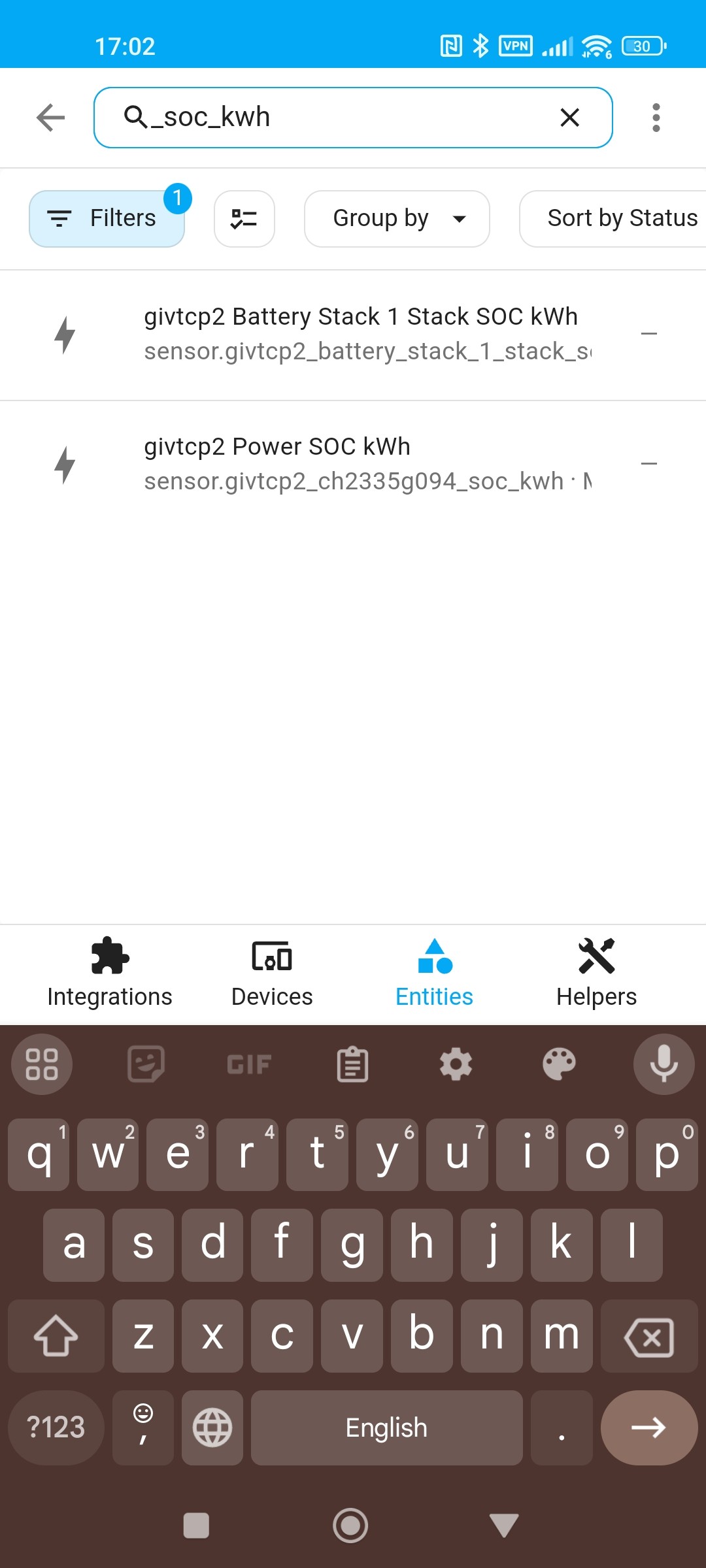
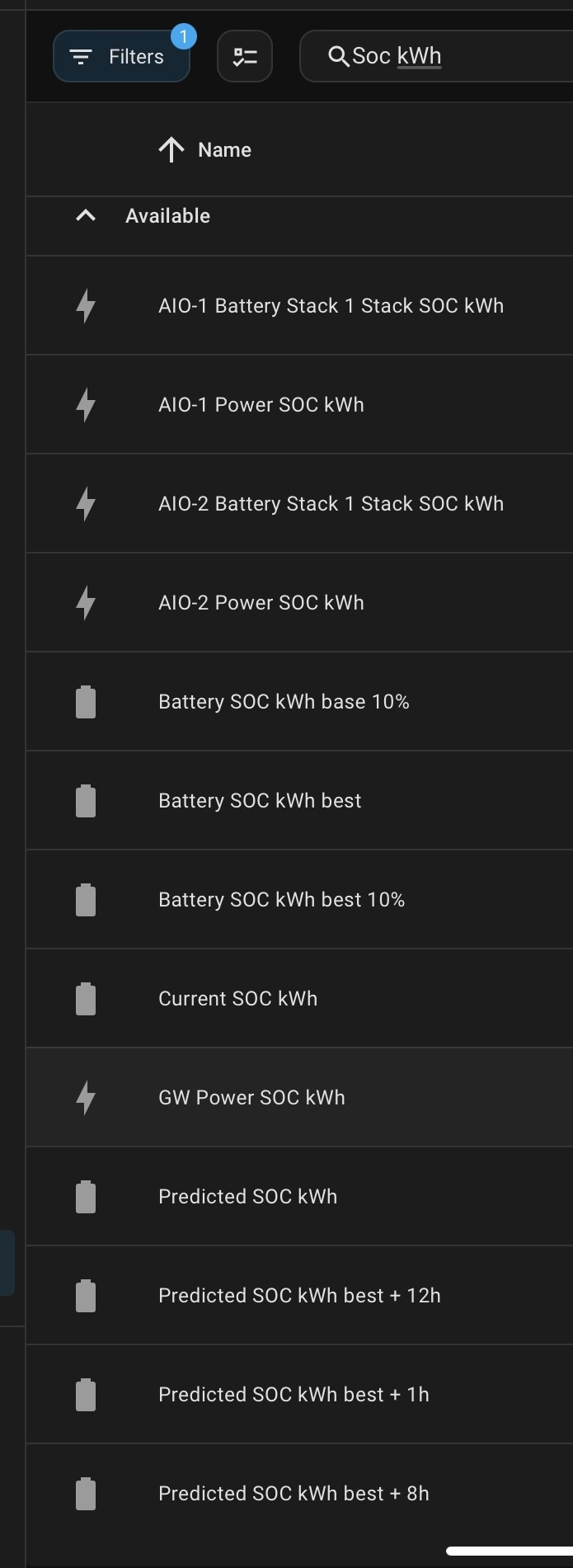
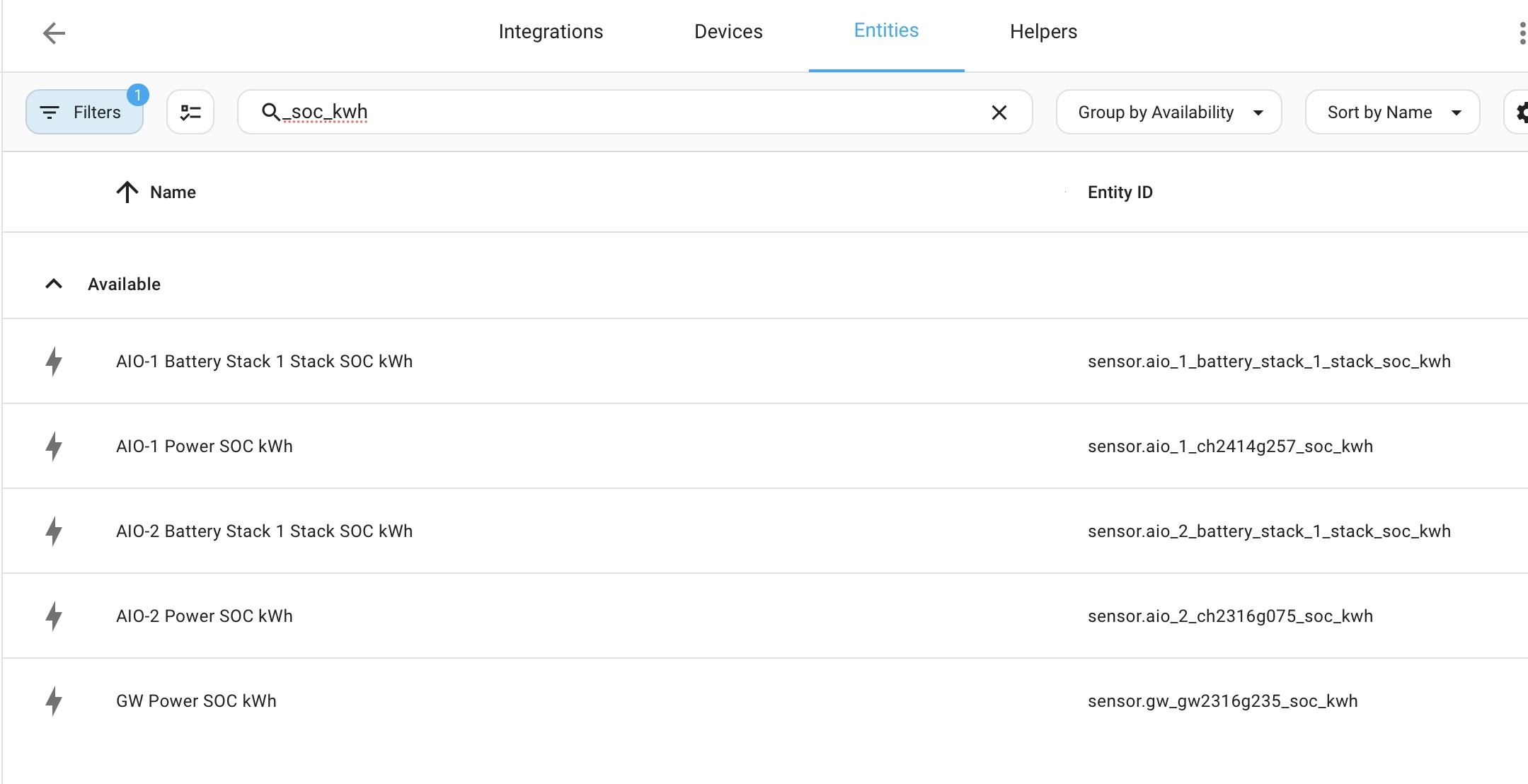
Can you go into settings / devices & services / entities and search for ‘_soc_kwh’ which is what predbat is looking to do the pattern matching with and confirm what you get back.
My guess is that with GivTCP2 you only got a single match with the soc on the AIO but with GIVTCP3 you are now getting a match on the gateway AND the AIO. This was added in v3 for multi-AIO setups as Predbat needs to direct all control through the gateway and Predbat needs the total SoC sensor at the gateway for this to work.

If I am right then the advice will be that you have to hard code the serial number into geserial in apps.yaml when using GIVTCP3 - the AIO serial number for single AIO’s, the Gateway for multi-AIO’s.
I’m saying geserial rather than geserial2 as this is then less edits to apps.yaml, but what you have done @thevilla is fine and will work

T
#72 thevilla

geoffreycoan Looks like you're right. Your suggested edit is probably a bit cleaner, or even change the GivTCP friendly name(?). Horses for courses really. My only concern now is that future updates will complicate things. My experience of predbat so far (since March) is that generally updates are mostly trouble free because of the automated discovery in the config.

Thanks again for your help.

T
#73 thevilla

geoffreycoan well things were looking ok but now predbat has the wrong value for SOC

but which is the real SOC?


or

Edit:

Looks like it is sensor.ch2335g094_soc

But where is predbat picking up 79%?

T
#74 thevilla

Sorry for the spam. The issue was due to the GivTCP configuration gui no longer reporting a inverter 2 friendly name. I hard coded it and all's well. The GUI seems a bit flaky.

G
#75 geoffreycoan

thevilla thanks for confirming, it should be the sensor.<id>_soc_kwh that predbat uses which is the same as is used for the other inverter types. I will update the documentation to make it clear that the serial number has to be hard coded for all AIO’s with GivTCP v3. I can’t see a way around this to avoid the gateway’s battery stack SoC kWh being selected by accident.

Not sure about the 79%, maybe Predbat picked up the SoC in kWh and converted it to a percentage 🤷‍♂️

Just to confirm, you have set battery scaling for the AIO, this needs to be 0.85 as the AIO mis-reports the true capacity - see ‘inverter setup’ documentation

Can someone who has a multi-AIO setup confirm what they see in terms of SoC kWh sensors please. How in particular is the gateway SoC sensor named?

D
#76 Daveb01

geoffreycoan

Quite a few then under SOC


T
#77 thevilla

geoffreycoan yes, i have set battery scaling. I haven't been able to find an appropriate kwh soc entity which is odd, they're too high, but i believe the %soc is correct.

G
#78 geoffreycoan

Daveb01 Quite a few then under SOC

Can you filter for ‘_soc_kwh’ please as thevilla did, that’s the string that the default Predbat apps.yaml template uses to try to find the inverter serial number.

T
#79 thevilla

geoffreycoan The two have different values neither of which correspond to the % value.

G
#80 geoffreycoan

thevilla The two have different values neither of which correspond to the % value.

I’m pretty sure that the givtcp2_ch2235g094_soc_kwh value is scaled in predbat by the metric battery scaling factor (0.85) to give the correct SoC% as used in the plan and predbat sensors

D
#81 Daveb01

geoffreycoan

Sorry did not read the question.

G
#82 geoffreycoan

Daveb01 third time lucky, it looks like you searched for "soc kwh" which included anything that had 'soc' and 'kwh' in the name, I wanted the search for "_soc_kwh" which is the string predbat uses to find the serial number in the sensor id.

And can you turn the screen sideways so I can see the sensor id's as well please as @thevilla did

Thanks !

B
#83 browellm

I assume this is some artefact from a change in the GivTCP 3 sensors. I'm now getting a weird dump of the previous days totals in the energy section of HA which is messing up my numbers.

G
#84 geoffreycoan

browellm I assume you are using the ‘today’ sensor values on the energy dashboard? I had similar issues with GivTCP with some big jumps in battery charge, discharge and solar generation, in and around the swap to GivTCP3. But I and others have found that GivTCP can glitch, putting rogue artificially high numbers in the ‘today’ sensors when you restart Home Assistant. There’s a long thread on it here: https://github.com/britkat1980/giv_tcp/issues/206

It’s not just givtcp3 that is doing it, when I look back I see it happening much earlier in the year with givtcp2. Not often, but it definitely happens.

What has been identified as a fix/workaround is to use the ‘total’ sensors in place of the today sensors in the energy dashboard. It still works the same but the total sensors don’t suffer the same jumps as the today ones do. I’ve swapped over to using the totals for the battery charge and discharge and its now all good.

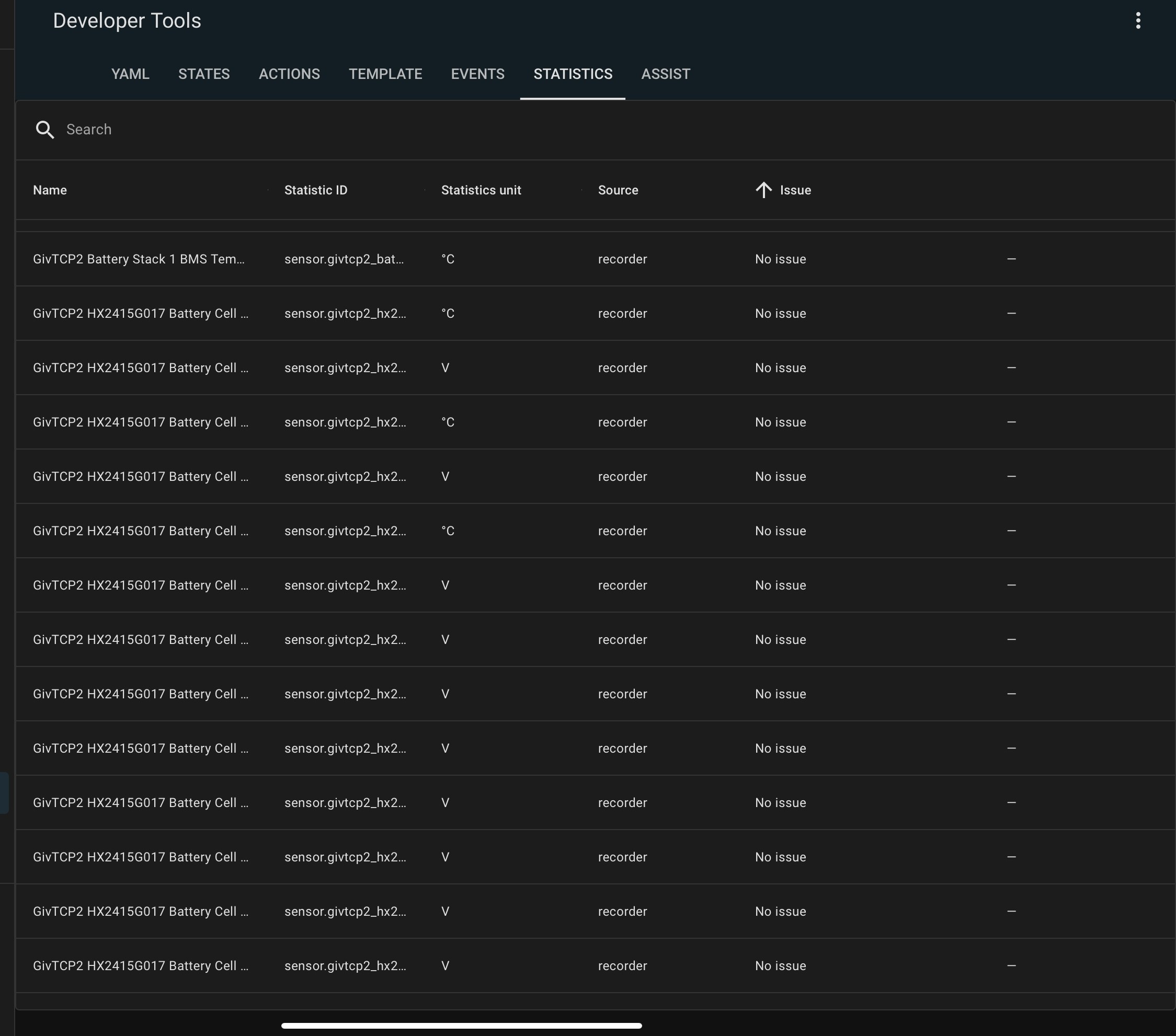
You can use developer tools / statistics, search for the sensor name, click the ramp symbol, select the day/time the glitch happened, and change the statistic value. Can always use the GivEnergy portal / meters view to get the right value. Remember that the portal captures data every 5 minutes but the HA statistics are every 10 minutes then every hour so you’ll need to work out the right delta value to enter for the HA time period.

B
#85 browellm

geoffreycoan I was indeed using "today" values.

T
#88 thevilla

geoffreycoan Thanks for maintaining these docs. The section you have changed looks fine to me.
I believe the section in givtcp_rest also needs a note to comment out the url referencing the second inverter. I mention it because the syntax doesn't make it obvious.

W
#89 Weasel

browellm
I am experiencing exactly the same and need to "fix" the values on 5 sensors in the statistics for the period 00:00 to 00:05 each day

I will update this thread with detailed observations once I can access my PC where I have stored them. My PC is turned off because I am in the middle of a power cut so I am preserving battery.

D
#90 Daveb01

geoffreycoan

Hi Geoffrey, looks good to me.

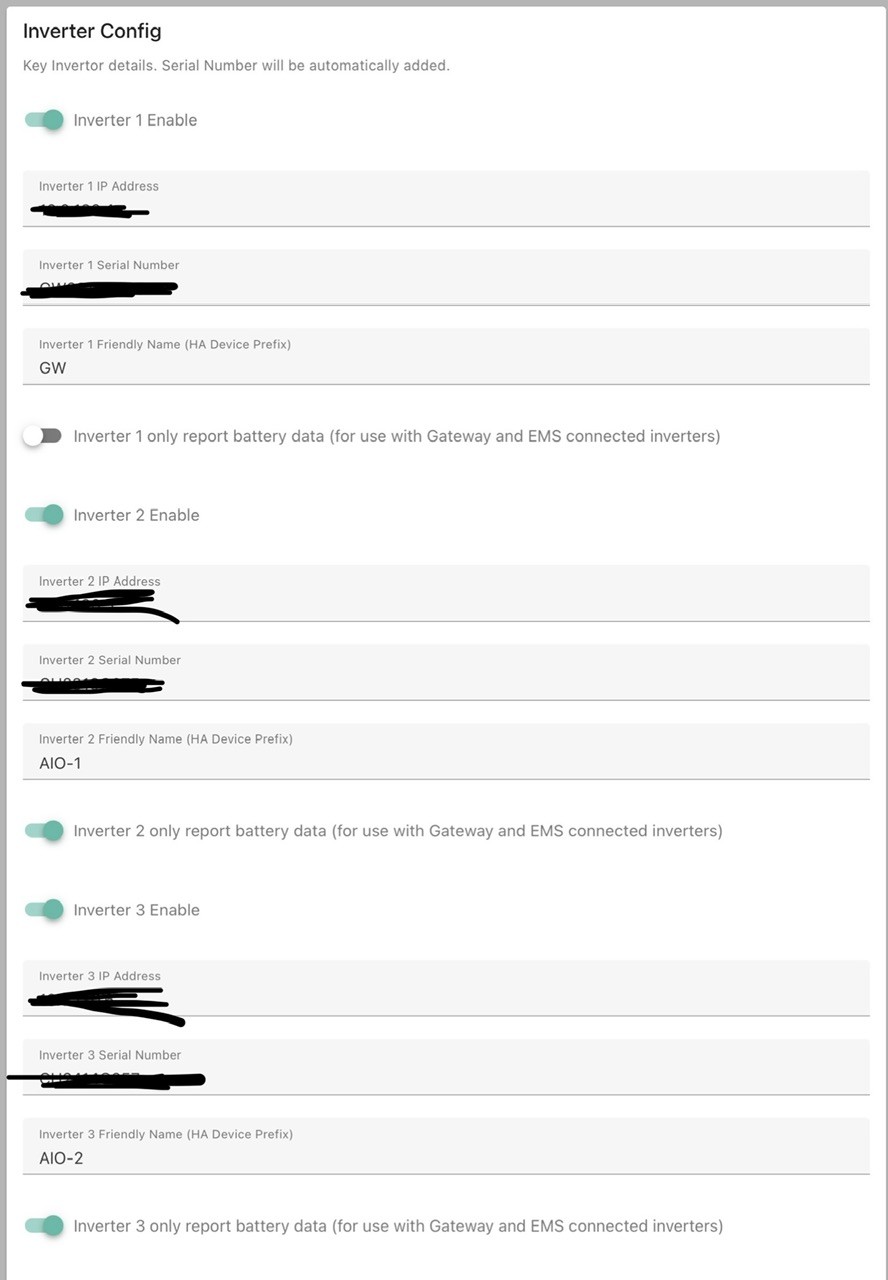
The only thing I would add as an extra note: when setting up GivTCP (first step, inverter config), if you change from the default name givtcp (number), you have to change each entry in app.yaml. See pics


G
#91 geoffreycoan

thevilla I believe the section in givtcp_rest also needs a note to comment out the url referencing the second inverter

Daveb01 if you change from the default name givtcp (number), you have to change each entry in app.yaml

Done

Done

T
#92 thevilla

I'm still not sure that predbat current soc kwh is correct and honouring battery scaling:

Assuming the following is soc %

then soc kwh should be 9.72

Ah! It's tracking 85% of:

G
#93 geoffreycoan

thevilla I was going to say that its working OK for me, and to have a look in your logfile for something like this where you can see the battery scaling being applied (I have a 9.5 and a 5.2 with 80% DoD so my scaling is 1.0 and 0.8):

2024-10-02 20:40:03.187702 INFO pred_bat: Inverter 0 with soc_max 9.52 kWh nominal_capacity 9.52 kWh battery rate raw 2600 w charge rate 2.6 kW discharge rate 2.6 kW battery_rate_min 0.0 w ac limit 5.0 kW export limit 5.0 kW reserve 4.0 % current_reserve 4.0 %
2024-10-02 20:40:05.434800 INFO pred_bat: Inverter 1 with soc_max 4.18 kWh nominal_capacity 5.22 kWh battery rate raw 2600 w charge rate 2.6 kW discharge rate 2.6 kW battery_rate_min 0.0 w ac limit 5.0 kW export limit 5.0 kW reserve 4.0 % current_reserve 4.0 %

The SoC max is the scaled bit of the nominal capacity

Picking up on your answer, yes, Predbat uses the soc_kwh sensor. You can always see what sensors it uses by looking at the non-REST config in apps.yaml:

  soc_kw:
    - sensor.givtcp_{geserial}_soc_kwh
    - sensor.givtcp2_{geserial2}_soc_kwh
  soc_max:
    - sensor.givtcp_{geserial}_battery_capacity_kwh
    - sensor.givtcp2_{geserial2}_battery_capacity_kwh

BTW I am sticking with GivTCP 2.4.9, I know some people are working fine with it but I see a steady stream of issues on Github and since 2.4.9 works fine for me, I don't see any burning need to upgrade for now

T
#94 thevilla

geoffreycoan I think you're wise to stay on 2.4.9.
I may revert, I'll see. It's not causing significant issues but is obviously buggy.

Thanks for the quick response.

B
#95 browellm

Don't know how others have their setup configured but I've squashed nearly all my 3.0.3 log errors by having the self loop run configured to the recommended 30s interval rather than the 15s it was set to previously, mainly this one:
Startup - startup - [ERROR ] - Self Run loop process stuck. Killing and restarting...

R
#96 Rbor

browellm Thanks for this. I have just reverted back to v2.4.9 but if/when I do go back to v3, I will check this reading.
Certainly, I was getting the same error (repeatedly) in my v3 add-on log.
I can't remember now but I have an error that irregularly kicked in for 'restarting 5 times'. It may have been the same one.

With v2.4.9, I do get many errors at midnight on changing over from one day to the next. But this errors disappear just after midnight.
These 'midnight errors' disappeared in v3.

Rob

G
#97 geoffreycoan

I had my self run loop set to 20 seconds in GivTCP v2, to give a reasonable balance between seeing an up to date inverter status and overloading the inverter with requests (if you set this to too low a value the inverter can struggle to respond to GivEnergy portal or app commands/enquiries).

When I installed v3 I saw that the recommendation was 30 seconds so I left it on that.

Since reverting back to v2 I have changed the self run timer to 30 seconds. For a slight reduction in data timeliness it will reducethe volume of givtcp_ state change records in the database by 33%.

B
#98 browellm

3.04 appears to have squashed these errors that I encountered frequently

2024-10-24 16:45:40,486 - Inv1 - read - [ERROR ] - 5 consecutive timeout errors in watch loop. Restarting modbus
2024-10-24 16:54:45,617 - Startup - startup - [ERROR ] - Self Run loop process stuck. Killing and restarting..

Completely clean logs since I installed at 9:45 last night.

R
#99 Rbor

browellm Please keep us all updated on how 3.0.4 performs.
With v3, I was getting so many issues including timeout errors and self loop stuck.

I have a single AC3 inverter and I retreated back to v2.4.9, which, fingers crossed, has run smoothly ever since.
v3 must the the way forwards and I await a stable version.

Rob

G
#100 geoffreycoan

browellm Yes do let us know how it goes with 3.0.4.

There were about 15 github issues closed last night saying ‘fixed in 3.0.4’ so Mark must be confident of this release.

Of course there may be new issues creep out of the woodwork with this one as well. I await the news !

B
#101 browellm

Logs still clear!

Gen1 hybrid single battery, btw.

R
#102 Rbor

browellm Thanks, keep up the reports and I may well take the plunge to v3.0.4 and become a 2nd guinea pig.
I know that we do have others on givTCP3 as well: @PianSom , @Daveb01 and others ?

As I commented before, v3 is the way forwards for givTCP connectivity into HA. Perhaps v3.0.4 has got there.

Rob

#103 PianSom

Rbor
TBF I am using an early beta of v3 (one which allows access to AIO cell-level data, but does not have the v3 front end). Although it's working and worked just great for me, I am keen to move on to a stable version as soon as poss.

Hopefully not too much longer!

D
#104 Daveb01

Rbor

No issues on mine as of 18:10
However I did see a few errors on the log when I rebooted HA, once HA back up and running I restarted in order MQQT, GivTCP, Predbat and all back to normal. 👍🤞

L
#105 Leeshore

No issues with my setup with GivTCP v3.0.4 with gen3 hybrid

G
#106 Goshiki2

No issues with 3.03 and upgraded to 3.04 seamlessly yesterday. AIO + Gateway

G
#107 geoffreycoan

Finally upgraded myself from GivTCP 2.4.9 to GivTCP 3.0.4

Stopped Predbat add-on and GivTCP 2 add-on, turned off start on boot on them both, turned off the GivTCP and Predbat error monitor automations to stop them restarting anything by mistake

Started GivTCP 3.0.4 and saw a number of 'MQTT does not generate unique id' errors in the system log, and the Battery Cell Voltage and Temperature sensors were all unknown.
Rebooted HA and all add-on's to see if it cleared it, it didn't, so going to have to manually clear up with MQTT Explorer...

Stopped GivTCP 3, Started MQTT Explorer

In the tree homeassistant\sensor\GivEnergy deleted all the topics that I was getting errors for in the HA log, these were:
prefix_Battery_Firmware_Version
prefix_Battery_Cell_NN_Voltage
prefix_Battery_Cell_N_Temperature
prefix_Battery_Cells
prefix_Battery_Cycles
prefix_Battery_Design_Capacity
prefix_Battery_SOC
prefix_Battery_Serial_Number
prefix_Battery_Temperature
prefix_Battery_Voltage
prefix_Battery_Capacity
prefix_Battery_Remaining_Capacity

prefix was both battserialno and inverterserialno_battserialno which I suspect is the cause of the duplicates, and of course I had to repeat this for both of my inverters.

Possibly could have shortcut all this manual deleting by just deleting the entire homeassistant\GivEnergy tree and let the right entities get re-crearted, but I wanted to be in control of what was removed.

Rebooted HA and all add-on's again and checked the HA log. No duplicate errors but lots of errors about automations and utility meters having unknown inputs (because GivTCP is shutdown I guess)

Started GivTCP, the battery sensors are all populating OK now, no further log errors so started Predbat and turned 'start on boot' for both of them on

Re-enabled Predbat and GivTCP error detection automations.
Changed GivTCP error automation and predbat apps.yaml to refer to the new GivTCP 3 slug id, 533ea71a_givtcp, and changed the GivTCP error automation to check for the different binary_sensor for checking that the GivTCP 3 add-on is running.

Checked Predbat and GivTCP 3 logs, all looking good.

Took about an hour and a quarter end to end to swap over.

Final reboot of HA and all add-on's to check the HA log that there's no errors on a clean start, and seems I still get the same errors on the utility meters. May be due to GivTCP3 taking longer to start than v2, it certainly causes Predbat some initial gripes that GivTCP isn't responding and Predbat restarts GivTCP a couple of times before it all settles down.

Looks like I will have to re-apply all the entity sensor labels I had as well, but all seems to be working fine.

R
#108 Rbor

geoffreycoan Sounds similar to my experience.
I learnt all the pitfalls of the slug ID and having v2 and v3 running concurrently.

I became an 'expert' at using MQTT Explorer.
givTCP3 is supposed to clear out any duplicates but it certainly didn't for me.

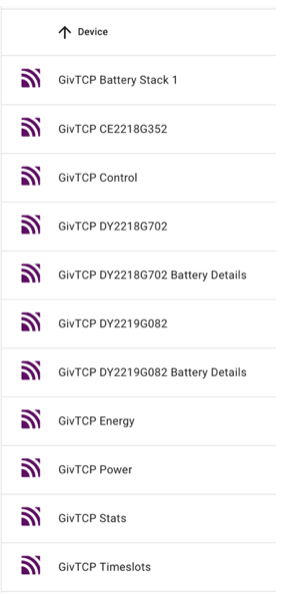
Do check out the device entries under MQTT in Devices & Services.
When I had 'duplicates' there were 14 entries. Haven't cleared out stuff using MQTT Explorer, I now have 9. See screenshot below. I would guess that yours would be similar, although you have two inverters. I think the Battery Stack was new with givTCP3.

When I had duplicates, battery voltages, temperature, etc showed up as 'unknown'.

I think that givTCP3 is cleaner and I like the way it picks up my 2 batteries in the log when it starts.

Rob

G
#109 geoffreycoan

Rbor Mine mirrors yours Rob, except of course all x2 for the two inverters each with their own batteries.

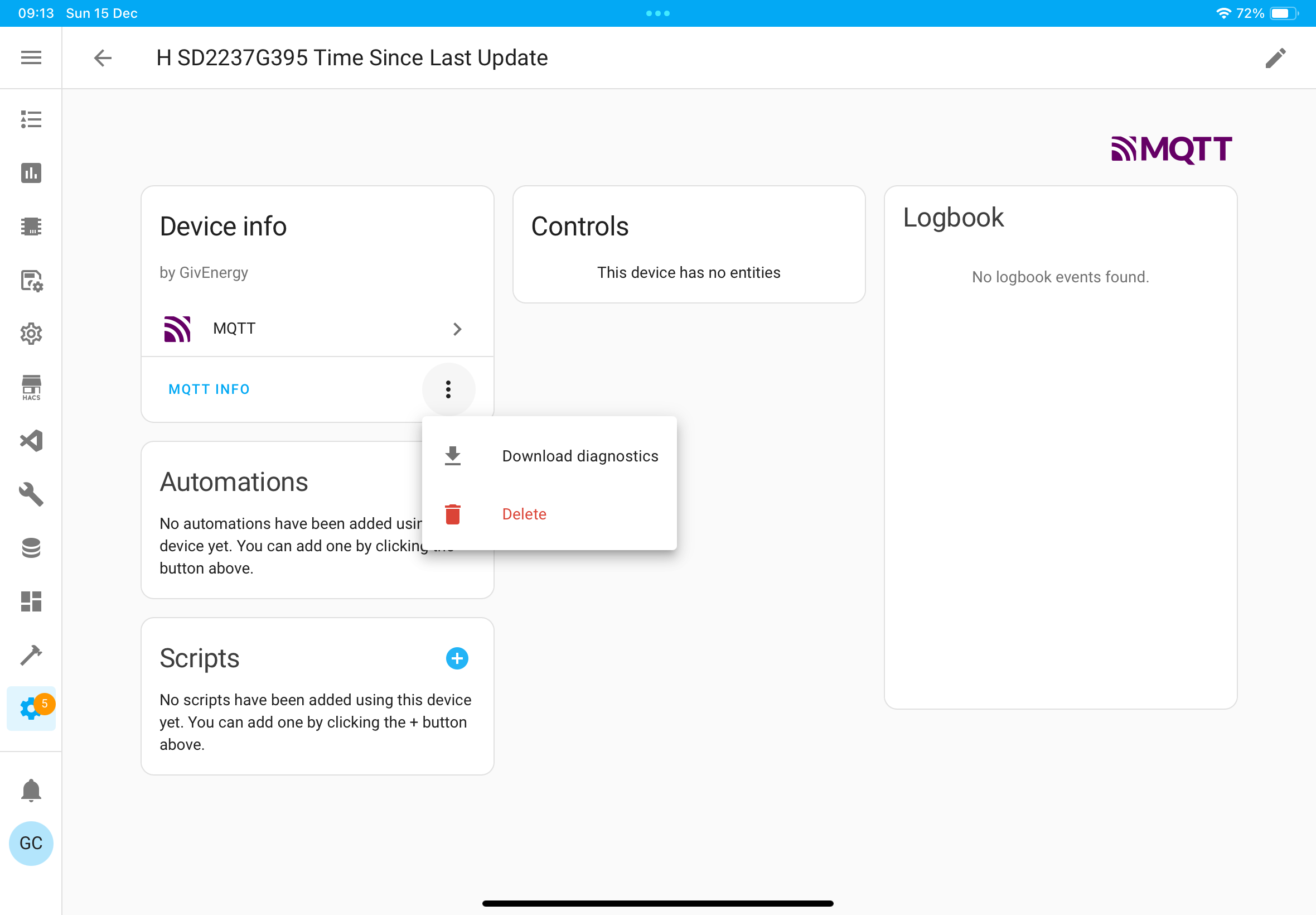
I do additionally have two devices called 'invid Time Since Last Update' with a model of 'unknown' that you don't have. I suspect this is because I have disabled this sensor.

R
#110 Rbor

geoffreycoan I have found one of my duplicate records (11 entries).
The battery details lines were the duplicates which I cleared out with MQTT Explorer.

Rob

T
#111 T-M

geoffreycoan

Rebooted HA and all add-on's again and checked the HA log. No duplicate errors but lots of errors about automations and utility meters having unknown inputs (because GivTCP is shutdown I guess)

Maybe have a look at adding an availability template option to ensure that all the dependencies of a sensor/utility meter are available. As an example see:
https://community.home-assistant.io/t/why-an-availability-template-is-important-for-energy-template-sensors/700740

G
#112 geoffreycoan

geoffreycoan Finally managed o clear the spurious MQTT ‘time since last update’ devices.

The sensor givtcp_invid_time_since_last_update is part of the Inverter Stats device, and was showing up there as a disabled sensor (which it should be for me), but I still had these two empty devices. Tried deleting the entry with MQTT Explorer but this lost the sensor entirely. Several reloads of the MQTT integration, add-on and GivTCP later I got the sensor back again in the same right place, but still had these orphan devices,

In the end just deleted the device from the device list

And back to 16 devices

D
#113 Daveb01

Rbor

Just looking at your MQTT names (all start with givtcp) I am glad I named them after spotting this and changed Predbat while setting it up, so it’s easy to recognise my devices in MQTT etc.


D
#114 danielnepomuceno

Can I just ask people's opinion on GivTCP v3? Any palpable improvements you might have found when compared to v2?

G
#115 geoffreycoan

danielnepomuceno I don’t believe GivTCP 3 is materially different from GivTCP 2 which is partly why I have held off upgrading for so long. It is more stable, better at finding the inverter automatically, less liable to lose connection to the inverter, hopefully shouldn’t suffer from the ‘no serial number’ glitch that randomly affected v2.
If you have multiple AIO’s or a 3 phase inverter then you do need v3 as v2 doesn’t support them.
And all bug fixes and enhancements are going into v3 not v2. There will be a new entity giving inverter write details in a forthcoming release for example (its already in the dev branch).

The only disadvantage I’ve noticed is that it takes longer to start up initially, so causing Predbat to complain.

R
#116 Rbor

danielnepomuceno Overall, I judge givTCP3 to be better software than v2. Configuration with MQTT is largely automatic.

BUT
for me, the move from v2.4.9 to v3.0.4 was anything but smooth.
You need to be extremely careful that v2 and v3 are not running concurrently, leading to many errors. Also relics of v2 may not be deleted and these are then read by v3, leading to duplicated MQTT device code. I then found that I was unable to view battery data. I was only able to remove conflicting code by using the MQTT Explorer app. I have to learn how it worked and deleting countless duplicated code lines was tedious.

Earlier versions of v3 were extremely flaky. I tried them all and reverted back to v2.4.9 each time. v3.0.4 does seem to be stable and I have run this now for a couple of months.

Overall you don't need to upgrade from v2 and the benefits of v3 for single inverter uses are marginal. For multi-AIOs, you need to go for v3.
But with time, v2.4.9 isn't going to be upgraded so the time will doubtless come where upgrading to v3 is necessary.

Rob

H
#117 Henry3rd

I have transferred to v3 and have eliminated errors from duplicate sensors. I think.
I am now in the process of setting up the GivTCP activity monitor.
There are a couple of sensors not recognised.
One was binary_sensor.givtcp_running, but I have seen that binary_sensor.givtcp_running_2 has been generated.

I cannot, however, find sensor.givtcp_dx2403g127_battery_cells
Have I missed a step? I have looked at the documentation.
Thinking about this logically, I would think I could use any battery sensor as this is a check that the battery is connected and working.
I used givtcp_battery_stack_1_bms_temperature

G
#118 geoffreycoan

Henry3rd On my GivTCP 3, sensor.givtcp_dx2327g139_battery_cells exists and is being populated OK

If you want to use a different sensor name I’d suggest you use one that is definitely linked directly to the battery such as a cell voltage or temperature. The ‘BMS temperature’ is actually a cell temperature but it is (I think) a value that givtcp calculatesvalue across the battery sensors not directly read.

The binary sensor givtcp_running you have to enable for the add-on, and if you’ve got both givtcp 2 and 3 installed then it will create it with a new name to avoid the duplicate.

You’ll need to change the slug id that is used in the automation to restart givtcp as otherwise if the automation triggers it ill restart givtcp 2! Details in the predbat output data documentation

R
#119 Rbor

Henry3rd I have a battery_cells entity and this shows up under the MQTT 'inverter device'. For you, I think the device would be GivTCP 3 dx2327g139
It isn't very exciting as it is just a count of the number of cells (16 for each of my 8.2 kWh batteries).

For me, I see BMS Temperature under GivTCP Battery Stack 1. Your labelling may be different.

Do check GivTCP 3 [Battery ID], as @geoffreycoan has stated, which will show 4 battery cell temperatures, cell voltages, etc.
If you can't see any info, you still have a duplication issue from v2 and it will be back to MQTT Explorer ......

You are lucky as Geoffrey and I have already identified many glitches from this upgrade after stumbling into them and fixing ourselves. You do not want to go down the rabbit hole of having v2 and v3 running together.

Rob

H
#120 Henry3rd

Rbor geoffreycoan
Thanks, as per your suggestion I have now used one of the cell temperatures as my sensor.
I probably deleted the battery_cells entity during copious MQTT deletes. I imagine it will be recreated at some point in time. I'll worry about it if it shows up as an error somewhere. I may restart v3 to see if that recreates the sensor.

I have disabled and then deleted v2, but during set up binary_sensor.givtcp_running_2 was probably created to avoid a duplicate. I'll check the slug id, but I'm fairly sure the template directs to v3.
I shall force run the automation later today if I feel brave enough. It's best to iron out any problems under test conditions and with time to resolve.

H
#121 Henry3rd

Henry3rd I probably deleted the battery_cells entity during copious MQTT deletes. I imagine it will be recreated at some point in time. I'll worry about it if it shows up as an error somewhere. I may restart v3 to see if that recreates the sensor

That's exactly what happened, I now have this sensor following the restart.
Do I rename binary_sensor.givtcp_running_2 or just leave well alone?

R
#122 Rbor

Henry3rd Just check whether it is a relic from v2 or a new v3 entity!
I don't think restarting HA restarts add ons, so worth restarting MQTT which should regenerate anything that is required.

Rob

D
#123 Daveb01

Rbor

HA does restart add-ons if you click Advanced options when rebooting, and click Reboot System. 👍

#124 PianSom

Rbor restarting MQTT which should regenerate anything that is required.

I don't think that restarting the MQTT Add-on will actually give you a clean start. To get that you will need to uninstall and re-install the MQTT Add-on.

(Technical explanation - HA Add-ons are essentially Docker containers. Restarting a Docker container (or indeed restarting HA) will not usually delete data that has been saved by the container. The MQTT protocol - which is basically a publish/subscribe model - has the concept of "retained topics" ie topic data which persists across restarts. GivTCP entity info is held as retained topics, and so is saved by the container. Deleting the Add-on will delete all stored data. Re-installing will give you a clean slate.)

G
#125 geoffreycoan

I think we are getting confused here folks. The binary_sensor.givtcp_running_2 comes from HA not MQTT and is a system monitoring sensor that indicates if the add on is running.

Yes you can rename it @Henry3rd or leave it as-is if that matches what you have in your automation. I renamed mine to givtcp3_running to distinguish it from the original givtcp2 sensor.

Now I have been running for some time quite happily on GivTCP 3 I really should uninstall givtcp 2 and maybe tidy these things up a bit more

H
#126 Henry3rd

Thanks everyone, this is such an informative and helpful forum.
Unless get anymore errors, I shall attempt to leave the system alone.

R
#127 Rbor

Henry3rd When I found this forum and installed predbat nearly 12 months ago, I couldn't even get around HA. I have learnt so much and hope that I have then been able to help others.

There are some really helpful people and the great thing is that we learn from each other.

Rob

#128 PianSom

Long after all you cool kids, I finally got around to upgrading to official GivTCP3 yesterday (largely because the early beta I have been using for months was causing a Predbat update fail, and in preparation for the forthcoming second AIO). A few squeaky bottom moments and some now abandoned sensor history due to name changes, but generally all went well.

Looking at my logs this morning though I see regular occurrences like the below. Anyone else seeing similar? (Paging @browellm in particular)

G
#129 geoffreycoan

PianSom maybe try deleting the /config/givtcp/*.pkl files and restarting givtcp

Or restarting your AIO if its failing to talk to modbus

I don’t recall losing any HA sensor history due to name changes, there are some new sensors in v3, and where I had renamed or changed the display name of the sensor, these all got lost and I had to do them again. Also had some kW/kWh reversions to default W/Wh unit of measurement, but my main problem was battery sensors that didn’t work until I deleted them with MQTT Explorer.

H
#130 Henry3rd

PianSom
Yes, I get this error message, but not as frequently (I had it twice overnight).
I had communication issues with v2 which were far more frequent.

#131 PianSom

geoffreycoan maybe try deleting the /config/givtcp/*.pkl files and restarting givtcp

Thanks. I've done this, and will monitor.

I think my data issues may have been because I decided to make a change to the HA names - a change which will be needed anyway when the second AIO is installed.

#132 PianSom

Interestingly, I had to re-start GivTCP3 a couple of times today, as I was messing with UPSs/servers and docker containers. I found that if I did just a brutal shutdown then I always had errors as above. But a restart following deletion of the .pkl files seems to eliminate the errors.

I will be interested to see if it survives the night ...

@geoffreycoan - do you know what function the pkl files have? Deletion seems to have no adverse effect, so it does make you wonder what they are actually for.

R
#133 Rbor

PianSom and something I have asked in another thread:
Where are the .pkl files hidden away? I can’t find them in the usual directories revealed by file editor.

I don't know what they do.

Rob

#134 PianSom

Rbor Where are the .pkl files hidden away?

I - slightly eccentrically - run GivTCP in a docker container, not as a HA Add-on. So for me they are in the folder which I map to /config/GivTCP.

I'm guessing here, but I would have thought for a HAOS Add-on they should be in /root/config/GivTCP. Or something similar.

G
#135 geoffreycoan

PianSom they are in /config/GivTCP on HAOS

My understanding is that they are cache files that GivTCP creates to cache the connection details. So if you delete them it forces a clean start of GivTCP

@Rbor you may notice in the predbat auto-restart of givtcp (configured in apps.yaml) it has the line ‘rm -f /config/GivTCP/*.pkl’ which is a forced remove of these cache files
Just restarting givtcp can resolve a lot of issues, deleting the caches first I have seen can cure some of these weird issues like @PianSom was getting

R
#136 Rbor

geoffreycoan that could explain why I couldn’t find the .pkl files. I have seen so many auto-restarts!

Rob

#137 PianSom

geoffreycoan
No issues overnight, so looks like I’ll need to delete the pkl’s from now on.

Thanks for the tip!

H
#138 Henry3rd

PianSom Same here, I deleted the .pkl files and had no modbus errors overnight.

R
#139 Rbor

Another help from me!
Northern powergrid completed their repairs to my street's energy supply (83 houses affected).
On turning electricity off and back on again, my dongle once again lost connectivity.
This was at 10 am and I have just emerged with a connection (6 hours today!). Although I had set up an up address, it was changed!

givTCP3 appears to be working OK but I now have predbat pain.
Any ideas? See iPhone exception, plan issue with predbat log below:
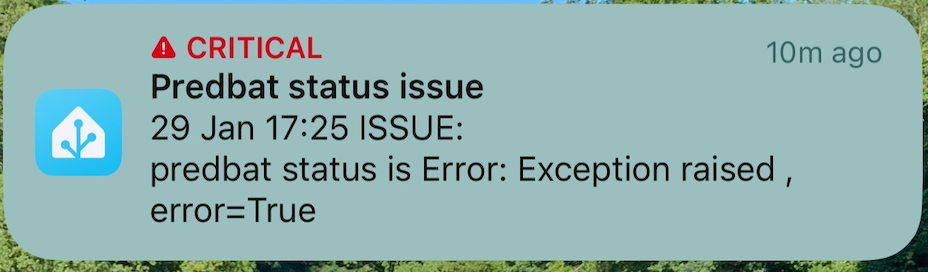

**** Starting Standalone Predbat ****
2025-01-29 17:28:44.773165: Loading apps.yaml
2025-01-29 17:28:45.088286: Info: Connected to Home Assistant at http://supervisor/core
2025-01-29 17:28:45.100849: Info: Add-on slug is 6adb4f0d_predbat
2025-01-29 17:28:45.101205: Creating task: <coroutine object HAInterface.socketLoop at 0x7facbda730>
2025-01-29 17:28:45.102549: Info: Web Socket task started
2025-01-29 17:28:45.103137: Creating task: <coroutine object WebInterface.start at 0x7facbdb990>
2025-01-29 17:28:45.105840: Info: Start socket for url http://supervisor/core/api/websocket
Web interface started
2025-01-29 17:28:45.148888: Info: Web Socket active
2025-01-29 17:28:45.294169: Warn: Regular expression argument: geserial unable to match re:sensor.givtcp_(.+)_soc_kwh, now will disable
s6-rc: info: service base-addon-log-level successfully started
s6-rc: info: service base-addon-timezone successfully started
s6-rc: info: service legacy-cont-init: starting
s6-rc: info: service legacy-cont-init successfully started
s6-rc: info: service legacy-services: starting
s6-rc: info: service legacy-services successfully started
Watching ['./config.py', './solcast.py', './hass.py', './inverter.py', './utils.py', './futurerate.py', './download.py', './gecloud.py', './execute.py', './prediction.py', './output.py', './predbat.py', './energydataservice.py', './octopus.py', './ha.py', './unit_test.py', './alertfeed.py', './web.py', './apps.yaml', './fetch.py', './userinterface.py', './predheat.py', './plan.py'] for changes
2025-01-29 17:28:53.343584: Warn: can not resolve load_today value sensor.givtcp_{geserial}_load_energy_today_kwh
2025-01-29 17:28:53.381238: Warn: record_status Warn: can not resolve load_today value sensor.givtcp_{geserial}_load_energy_today_kwh
2025-01-29 17:28:53.381573: Error: Failure to fetch history for None
2025-01-29 17:28:53.381689: Error: Unable to fetch history for None
2025-01-29 17:28:53.421336: Warn: record_status Error: Unable to fetch history from None
2025-01-29 17:28:53.421557: Error: Exception raised 
2025-01-29 17:28:53.424349: Error: Traceback (most recent call last):
  File "/config/predbat.py", line 945, in update_time_loop
    self.update_pred(scheduled=False)
  File "/config/predbat.py", line 569, in update_pred
    self.fetch_sensor_data()
  File "/config/fetch.py", line 816, in fetch_sensor_data
    self.load_minutes, self.load_minutes_age = self.minute_data_load(self.now_utc, "load_today", self.max_days_previous, required_unit="kWh")
  File "/config/fetch.py", line 407, in minute_data_load
    raise ValueError
ValueError
2025-01-29 17:28:53.461634: Info: record_status Error: Exception raised 
2025-01-29 17:28:53.461884: Error: 
Traceback (most recent call last):
  File "/config/hass.py", line 184, in timer_tick
    item["callback"](None)
  File "/config/predbat.py", line 951, in update_time_loop
    raise e
  File "/config/predbat.py", line 945, in update_time_loop
    self.update_pred(scheduled=False)
  File "/config/predbat.py", line 569, in update_pred
    self.fetch_sensor_data()
  File "/config/fetch.py", line 816, in fetch_sensor_data
    self.load_minutes, self.load_minutes_age = self.minute_data_load(self.now_utc, "load_today", self.max_days_previous, required_unit="kWh")
  File "/config/fetch.py", line 407, in minute_data_load
    raise ValueError
ValueError
2025-01-29 17:30:01.111424: Warn: can not resolve load_today value sensor.givtcp_{geserial}_load_energy_today_kwh
2025-01-29 17:30:01.152450: Warn: record_status Warn: can not resolve load_today value sensor.givtcp_{geserial}_load_energy_today_kwh
2025-01-29 17:30:01.152720: Error: Failure to fetch history for None
2025-01-29 17:30:01.152828: Error: Unable to fetch history for None
2025-01-29 17:30:01.189983: Warn: record_status Error: Unable to fetch history from None
2025-01-29 17:30:01.190208: Error: Exception raised 
2025-01-29 17:30:01.190890: Error: Traceback (most recent call last):
  File "/config/predbat.py", line 999, in run_time_loop
    self.update_pred(scheduled=True)
  File "/config/predbat.py", line 569, in update_pred
    self.fetch_sensor_data()
  File "/config/fetch.py", line 816, in fetch_sensor_data
    self.load_minutes, self.load_minutes_age = self.minute_data_load(self.now_utc, "load_today", self.max_days_previous, required_unit="kWh")
  File "/config/fetch.py", line 407, in minute_data_load
    raise ValueError
ValueError
2025-01-29 17:30:01.232489: Info: record_status Error: Exception raised 
2025-01-29 17:30:01.232706: Error: 
Traceback (most recent call last):
  File "/config/hass.py", line 184, in timer_tick
    item["callback"](None)
  File "/config/predbat.py", line 1004, in run_time_loop
    raise e
  File "/config/predbat.py", line 999, in run_time_loop
    self.update_pred(scheduled=True)
  File "/config/predbat.py", line 569, in update_pred
    self.fetch_sensor_data()
  File "/config/fetch.py", line 816, in fetch_sensor_data
    self.load_minutes, self.load_minutes_age = self.minute_data_load(self.now_utc, "load_today", self.max_days_previous, required_unit="kWh")
  File "/config/fetch.py", line 407, in minute_data_load
    raise ValueError
ValueError

Thanks

Rob

G
#140 geoffreycoan

Rbor the failure all starts from the line

Warn: Regular expression argument: geserial unable to match re:sensor.givtcp(.+)soc_kwh, now will disable

One of the early thing in apps.yaml is a wildcard expression that determines what your serial number is by looking for the entity sensor.givtcp_INVID_soc_kwh

And the serial number then determines the entity id’s for all the controls and givtcp inputs throughout the rest of apps.yaml

If Predbat can’t find the inverter serial number based on finding this entity, then it all goes to custard

So:

  • does that entity exist from givtcp?
  • look in the HA logbook you should see regular retrievals of givtcp sensors, inverter time, date last updated, etc
  • the givtcp log should be clean with no repeated errors
  • you may well need to restart givtcp, mqtt and predbat to get things going again
#141 PianSom

Rbor
Like Geoffrey said.

When I upgraded the serial number reported by the HA entity which Predbat uses was NOT my actual serial number. (To use his notation “INVID” was “battery_stack_1”. But the sensors that Predbat actually needs have the real serial number in.)

As a short term fix I hard coded my serial number in the 6 or 8 places it is referred to in apps.yaml. I will revise idc.

My experience may be AIO specific - dunno.

R
#143 Rbor

Thanks for all your suggestions. Predbat is back up again but I went for the 'easiest' attempt which was successful.
Backup was my friend and my most recent backup was from 4 am this morning.

This is what I 'think' caused the problem.

  1. When I eventually got a steady blue light from the dongle showing that the inverter had communicated to my wifi and to the GE cloud, the givTCP log showed that it hadn't picked up the new IP address. It then tried to communicate with 'many' inverters. The WebUI showed no IP addresses, just 'Inverter1', etc. I also had no entries in the MQTT page and self run was off.

  2. This spooked predbat which appended 'invertor_serial_number' after my serial number in all my many inverter and battery entities, rendering them useless.

  3. When I restarted givTCP, it did pick up the new IP address and populated the WebUI correctly but the damage had already been done.

  4. In conclusion, by restoring from my 4 am backup I got back all my entities, the IP address was updated when I restarted givTCP and Predbat generated a plan.

I think there is something very wrong with my AC3.0 dongle or perhaps the board on my inverter. I have contacted my installers who was talking about '2 weeks' – hence my stubbornness in wanting to sort out connectivity now to take me 2 weeks, no power cuts being willing.
I did stress that I was in a mess with an inverter and 2 batteries as paperweights.

It isn't quite this bad though. I have discovered that the inverter will continue to fill my batteries with excess PV (of which I have had a lot today) and to discharge when required.
I switched my heat pump off until 7 pm and I am trying to get the house's temperature back up so that it is comfortable. Ironically, over the last 2 days my costs have reduced.

Still Predbat is back to its rightfully position as part of my home assistant.

Phew .......

Rob

G
#144 geoffreycoan

Rbor there is possibly an element of 'I told you so' when advising as to why I always did the fixed IP allocation at the router not the device, but anyway, glad you have got it sorted again. You are a wizz at these backups ! I think I have only ever once restored the live system back to an earlier backup, I prefer to try to fix forward, but I don't mind getting my hands dirty if I have to.

Agree worth getting your installers to look at your dongle and ideally replace it or something. You get far far more connectivity issues than anyone else I know

R
#145 Rbor

geoffreycoan With IP address, I wanted to try your method but I couldn't access the dongle in the Tplink app until the dongle was connected.
I had also tried changing the channel on the dongle but changes did not stick.
When connected (using DCCP for IP), I was allocated a new IP address by Tplink.
I tried to change this the IP back in 'address reservation' but nothing stuck.
As givtcp3 had now found the new IP address, I have stuck with it.
The GE app also picks up this IP address but the BBC inverter app hasn't found it yet.
Bizarrely, I can ping both old and new addresses.

I have been looking at videos for manually updating the dongle's firmware but will only go there if I lose connectivity again. See this thread: https://community.givenergy.cloud/d/5288-givinstaller-dongle-firmware-update

On a related note, have you seen this?
https://givenergy.co.uk/half-price-ac-coupled-inverter-free-ems-resources-page/
I have asked my installer to investigate and give me a price. But I would want current dongle to be sorted!
My reservation would be whether GE are releasing a replacement with more updated innards. But I fear not as GE are treating these as EOL, despite still selling post week 10 2022 installers (Mine is CE2218....)
The away that 'dongleland' is going, in a couple of years, I may move to a different brand of kit.

Rob

G
#146 geoffreycoan

I hadn't seen that. On the face of it it looks to be a good deal, drive up takeup of the EMS and help what are otherwise orphaned AC3 customers to further exploit their system by increasing their charge/discharge rate.

It was only in the end detail is it highlighted that its for purchase of a battery and inverter setup, so they're making their money on the battery. For you it would make sense to get another inverter and the EMS. Another battery, less so.

And there is a bit of me that says that the EMS will be a brand new product and could well have teething problems. The AIO's certainly had when they came out, as did the GivEV charger (and arguably there still seems to be major SoC drop issues for some people with the AIO and different BMS versions).
But saying that the multi-AIO delivery, promoting the Gateway to be the master over multiple AIO's seems to have been very smooth. Not many issues reported from what I've seen so maybe some of these were historic issues.

It might be worth trying the dongle firmware upgrade. Some people have reported no issues, some have reported terrible trouble with loosing connectivity. Maybe thats something for your installer to do...

R
#147 Rbor

geoffreycoan I hadn’t picked up the bit about a battery which makes a purchase for me far less attractive. More 'old tech'.

Getting my Installer to look at dongle connectivity should be my first port of call. With more PV generation starting to appear, I hope we will be on the way now for 2025. I had 15.6 kWh today and tomorrow looks good also. I should finish up with 10-15% more PV this Jan than last Jan.

Rob

G
#148 geoffreycoan

Rbor I just put some analysis of this year to last on the predbat thread, I reckon I'm about 20% on solar generation in January compared to last year, and definitely exporting far less than last year. Due to the higher Agile rates I'm sure

#149 PianSom

Question for @Daveb01 and/or anyone else with multiple AIOs using GivTCP3 -

GivTCP3.04 has an option for each "inverter" (ie AIO or GW) that it finds - "Inverter X only report battery data (for use with Gateway and EMS connected inverters)"

My guess is that this option should be ON for the AIOs and OFF for the GW in a multiple AIO scenario - is that correct? (So the opposite of a single AIO situation.)

D
#150 Daveb01

PianSom

Hi yah, GivTCP can see the GW, AIO-1 & AIO-2, however everything now goes via the GW. The GW serial number only is also in Predbat yaml.

You are right the battery card can see the individual AIO’s to report battery levels etc, but the control of the system is now all through the GW.

#151 PianSom

Daveb01
Yeah - but my q was about settings inside GivTCP …

How is yours set up?

D
#152 Daveb01

PianSom

Hi yah, not sure where to go, please point me in the right direction?

Here is a screen shot of GivTCP


G
#153 geoffreycoan

Daveb01 click open web ui, then Goto Config page then Inverters and its the switches below each inverter details

R
#154 Rbor

Configuration doesn’t do anything and I think it is a relic from givTCP2.
You want webUI lower right. I found that everything had been populated for me anyway. I don’t know about the AIO and gateway though, a mystery to me.

Rob

#155 PianSom

Daveb01
Ah, I had - wrongly, it seems - assumed that the Add-on configuration would follow broadly the same steps as the Docker configuration.

So you never had to follow the procedure which was looks like this -

(It's the red area I was enquiring about)

R
#156 Rodmac76

I have upgraded to GivTCP3 and have discovered a few errors am I missing anything? I dont see the error while checking Predbat WEBUI.

R
#157 Rodmac76

I have upgraded to GivTCP3 and have discovered a few errors am I missing anything? I dont see the error while checking Predbat WEBUI.

G
#158 geoffreycoan

[unknown] those errors look like predbat isn't running properly as its not created all the sensors that your dashboard is looking for

simplest thing is to just restart the predbat add-on and it should start cleanly

D
#159 Daveb01

PianSom

Found the settings and it’s not ticked on all three devices. So guessing I leave GW unticked and tick both AIO’s?

Everything has been working fine, so if I tick it, I will have to keep an eye on things for a few days.

#160 PianSom

Daveb01
On my (currently) single AIO I ticked the box for the GW (as that is what it appeared to imply) and it works just fine. The only thing I can find in the docs is

which isn't very illuminating

I would leave your system as it is. I will experiment when my second AIO is installed.

Thanks for looking.

D
#161 Daveb01

PianSom

Oh no, I read it the other way round, so on the AIO I have ticked the boxes. Let’s see what happens.

Unless Rob or Geoffrey have any pointers?
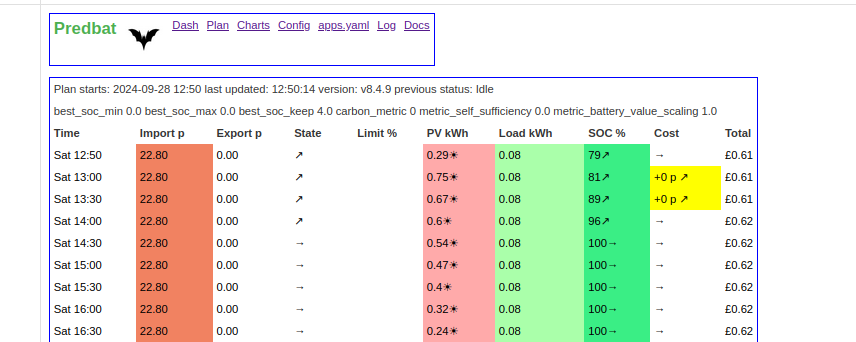
R
#162 Rbor

Daveb01 Unless Rob or Geoffrey have any pointers?
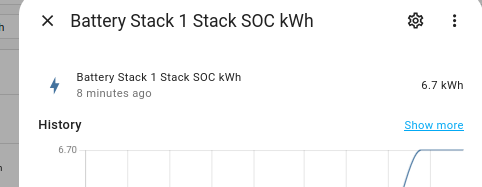
Sorry from me. I have no experience of AIO, just my old AC3.0, This is all I see for my single inverter, etc:

Rob
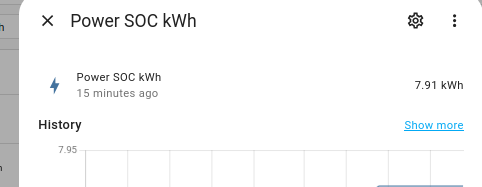
#163 PianSom

[unknown] so on the AIO I have ticked the boxes.

I suspect that is correct for multiple AIOs.

But who knows?

M
#164 matttheotter

PianSom It is a mystery

D
#165 Daveb01

PianSom

This is what mine looks like at the moment.

R
#166 Rbor

[unknown] I lurk on some facebook groups and I have sent your AIO query on to a GE givTCP group frequented by the givTCP developer and 'The Dragon' at GE.
I will let you know the reply (if I get one).

Rob.

R
#167 Rbor

Daveb01 I lurk on some facebook groups and I have sent your AIO query on to a GE givTCP group frequented by the givTCP developer and 'The Dragon' at GE.
I will let you know the reply (if I get one).

Rob.

T
#168 The Black Cat

This was posted on the GivTCP Facebook page in January:-

I've got a single AIO + Gateway and the install added the Gateway as GIVTCP2 by default. I haven't disabled it yet as it appears to be working fine, but I probably will do soon.

G
#169 geoffreycoan

Daveb01 I think your config is correct for multiple AIO’s, you turn the option on on the AIO’s so they only report battery data (and can’t be controlled), and on the Gateway you leave it off.

The switch disables the inverter controls.

If you have a single AIO and Gateway you’d do the reverse, you’d turn the switch on on the gateway, and leave it off on the AIO as that’s the control point

D
#170 Daveb01

Thanks to everyone, for looking at this and giving information on the correct setting. I did not even know it was there. It was not there when I set up the second AIO last September.

Is this the only setting in GivTCP v3.04 that’s new?

@geoffreycoan guess you will be adding this to the documentation at some point.

G
#171 geoffreycoan

Daveb01 this the only setting in GivTCP v3.04 that’s new?

I think this was added to 3.0.4, it wasn’t in the original v3 release. Am sure we talked about it at some point; and if you want I can add it to the predbat documentation even though it is a givtcp config item

R
#172 Rodmac76

Rodmac76 Restart off Predbat has not cleared but I cannot see its affecting the system. As I say all sensors on the WEBUI not detecting errors.

G
#173 geoffreycoan

Rodmac76 the errors are that some of the controls that predbat creates have not got created in home assistant, which is why I suggested restarting the predbat addon.

If you don’t need to use those controls, then its fine, those ones are for manually entering a forced discharge, idle or freeze discharge time slot (bizarrely the manual charge freeze control is working fine). But if there are controls you need to use then its a problem !

Just to confirm you have shutdown givtcp2 and unticked the options on the addon to autostart it on HA startup?

If you’ve restarted predbat and it’s not cured the problem then you could try restarting home assistant and predbat.

R
#174 Rodmac76

[unknown] As I scroll down it does look like some other sensors not working.
I have deleted the GIvTCP2 folder and subfolders uninstalled before installing. V3.04.
I have tried stopping/starting both GivTCP and predat and also HA but errors still there.

R
#175 Rbor

geoffreycoan Daveb01
As I don't have an AIO, I don't need to go run down this rabbit hole.
But if I need to know about the AIO ....... I know who to contact ( @Daveb01 🐇).

Rob
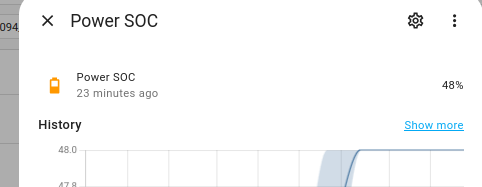
G
#176 geoffreycoan

[unknown] As I scroll down it does look like some other sensors not working.
I have deleted the GIvTCP2 folder and subfolders uninstalled before installing. V3.04.
I have tried stopping/starting both GivTCP and predat and also HA but errors still there.

I struggle to believe that the problem you are having is directly related to givtcp v3 as the sensors that are not showing are all predbat sensors, and its predbat not creating those (or HA not recognising them) that is what appears on the screen. These are predbat output sensors, not the input sensors that are provided by givtcp. The givtcp sensors are generally the same names in v2 as v3 (there are a few additional sensors though) so predbat picks them up without issue.
The transition issue that @[deleted] and I both had was that givtcp wasn’t correctly populating a number of the givtcp battery sensors, and this was due to the MQTT pathname had been reorganised and for some reason the givtcp migration didn’t work properly. The fix was to delete the old paths out of MQTT using MQTT explorer and then it all worked OK. But this was givtcp output sensors for the battery, not predbat output sensors.

Have you looked in the HA core log, and the HA supervisor log to see if there are any pertinent error messages (system / logs, core by default and you can change the dropdown to see supervisor log)

When you say you restarted HA, givtcp and predbat, did you restart them individually or did you shut everything down and restart it all from scratch?

The only other idea I have is whether for some reason HA is running out of memory or something like that and that’s why predbat can’t create these entities properly. Givtcp 3 is bigger than v2 so this could cause it, maybe? What are you running HA and GivTCP on?
Would think any such issues would manifest in the core or supervisor log

Did you take a backup of givtcp v2 beforehand or have you got an older backup of the addon you could revert to?

R
#177 Rodmac76

geoffreycoan Thank You for your time and suggestions. I will go through the logs and see if I can see anything causing the issue. I did restart them all individually stopping first and then restarting HA. I have not got into looking at MQTT Explore too much I did have to change the SOC pathname to match the new GIVTCP3.
I am running HA on an HP micro pc using proxmox VM and have 6GB of RAM using about 2GB.
I do have a backup which I can revert to but will spend some time going through the logs and your suggestions first as dont really want to go back, it has taken me long enough to be brave enough and update after all the issues logged here.

G
#178 geoffreycoan

Rodmac76 6Gb of RAM should be enough, my Oracle VM has only got 4 I think
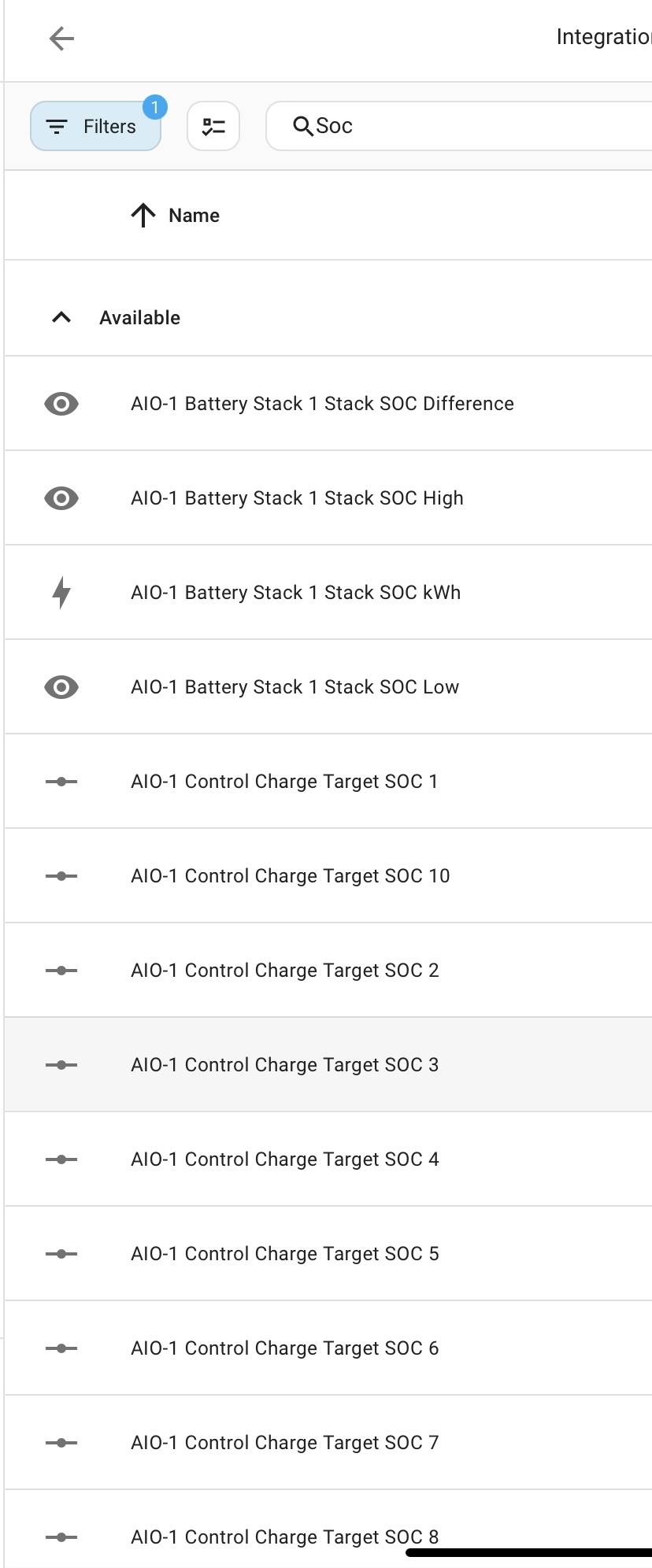
I think I’ve seen some people run into problems trying to run GivTCP on a Pi 3, so was trying to rule that out.

Try the full shutdown and restart of HA and all the add-ons (by default a HA restart only restarts HA not the addons), it might cure what looks to be a HA<->Predbat communication issue

#179 PianSom

Just finishing up setting up my new second AIO battery. I am finding that the REST interface no longer works properly - it just reports the data from one AIO, rather than the Gateway. This in turn stuffs up my Predbat plan, since it limits import and export to 6kW (rather than the 12kW I now enjoy).

I run GivTCP in Docker, so the REST interface is on port 6345 whereas the docs (see below) say that non-Docker implementations are on 8009 - so that's unchanged for me. However, it says that the different inverters' REST endpoints are on REST1, REST2, REST3. My Gateway is the second in the list on GivTCP, so I am guessing that I need to use REST2. http://MY_GIVTCP_IP:6345/readData returns data from the first on the list - my old/first AIO battery

{there should be a pic of the section from https://github.com/britkat1980/giv_tcp here but it won't upload. Sigh }

So how do I specify the REST2 endpoint to Predbat?

Predbat seems to be working ok without REST, but iirc it is needed for some functionality (was it auto scaling the charge/discharge curves?).

R
#180 Rbor

PianSom Is it this section?

Rob
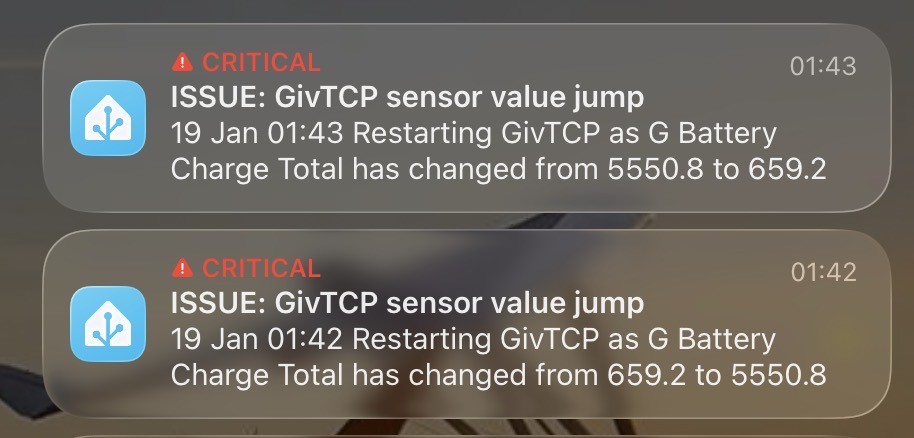
#181 PianSom

Rbor
Yup - you had better luck than me!

G
#182 geoffreycoan

PianSom I run GivTCP in Docker, so the REST interface is on port 6345 whereas the docs (see below) say that non-Docker implementations are on 8009 - so that's unchanged for me. However, it says that the different inverters' REST endpoints are on REST1, REST2, REST3. My Gateway is the second in the list on GivTCP, so I am guessing that I need to use REST2. http://MY_GIVTCP_IP:6345/readData returns data from the first on the list - my old/first AIO battery

{there should be a pic of the section from https://github.com/britkat1980/giv_tcp here but it won't upload. Sigh }

So how do I specify the REST2 endpoint to Predbat?

Short answer, you can’t.

You can specify a REST URL used by Predbat for controlling the inverter (or fall back to using HA controls) but the REST URL for querying the inverter is hard coded into Predbat.
Maybe a FR to make this configurable, or could you change the givtcp configuration of IP addresses to read the gateway as the first REST device?

Its your own fault for doing things difficult like using docker. You are probably the first gateway+2 AIO user running docker

#183 PianSom

geoffreycoan
Thank you.

I was rather afraid that was the answer, but was hoping my ignorance of api protocols might lead to an easy way out.

PS I prefer to think of myself as "special", rather than "difficult". Some of my immediate family may disagree 🙂

#184 PianSom

@Daveb01
I am getting a warning/error from Predbat: "Warn: Return bad float value unknown from charge_limit using default 100.0". Checking my apps.yaml, I have set charge_limiit to be number.givtcp_MYGATEWAY_target_soc. But that seems to be undefined - no value is supplied by GivTCP.

Please can you (or any other multiple AIO users reading) see what you are using for charge_limit, and confirm it is being returned by GivTCP?

Thanks!

EDIT - hmm. I wonder whether this error is caused by my inability to use the REST interface...

#185 PianSom

@Daveb01
Don't worry - the issue was indeed the REST interface.

I was trying to avoid re-arranging the order of inverters within GivTCP, but it seems like this was a killer issue, so I succumbed and did it. Putting the Gateway first and re-enabling REST has made my problems go away.

D
#186 Daveb01

PianSom

Don’t forget to also tick the correct “report battery data” button please see further up this post 👍.

There are loads of other settings, you may need to change, most are in my other posts.

E.g I have restricted the power out and in, as I found the batteries we crashing the SoC to much so not 12000 kw.


#187 PianSom

[unknown] Don’t forget to also tick the correct “report battery data” button please see further up this post

I have had a search, using the dreadful options available on this awful forum software, and can't find the post you refer to. Sorry, but can you say what you found again?

I will keep an eye on SoC crashes, and if I start to see them may have a play with the charge/discharge rates. Did you find these values by experimentation? Seems strange that they are different.

G
#188 geoffreycoan

[unknown] Don't worry - the issue was indeed the REST interface.

I was trying to avoid re-arranging the order of inverters within GivTCP, but it seems like this was a killer issue, so I succumbed and did it. Putting the Gateway first and re-enabling REST has made my problems go away.

It would be useful to understand whether the need to do this was specific to your docker install with Predbat or needs to be done for all Gateway/multiple AIO users and @[deleted] was just lucky.

[unknown] [unknown] can you have a look at /config/GivTCP/allsettings.json and what device order you have the gateway and AIO’s in. Is the Gateway inverter 1, AIO’s 2 and 3, etc?

G
#189 geoffreycoan

PianSom Don't worry - the issue was indeed the REST interface.

I was trying to avoid re-arranging the order of inverters within GivTCP, but it seems like this was a killer issue, so I succumbed and did it. Putting the Gateway first and re-enabling REST has made my problems go away.

It would be useful to understand whether the need to do this was specific to your docker install with Predbat or needs to be done for all Gateway/multiple AIO users and @Daveb01 was just lucky.

PianSom Daveb01 can you have a look at /config/GivTCP/allsettings.json and what device order you have the gateway and AIO’s in. Is the Gateway inverter 1, AIO’s 2 and 3, etc?

D
#190 Daveb01

geoffreycoan

Hi yah, yes I set them up in that order from day one. The thing that I now recommend is to name them as well while setting up GivTCP. I did this a few days after and had to go thought many scrips and yaml to update it. So best to do it one day one, plus the new feature just under the settings.

D
#191 Daveb01

PianSom

It’s in GivTCP config page, you have to go to the web interface.

#193 PianSom

geoffreycoan
Yes, since I re-arranged the inverters in the GivTCP setup I see in settings.json that invertorIP_1 is my Gateway (which is different from what it was before I changed order).

I had wanted to(for neatness, mainly) to have the order as being AIO1, AIO2, GW - this would match my fixed IP numbering and would have made me happy. However, I now believe that in a single AIO use case one needs to have the AIO first, and in the multiple AIO case the Gateway first. If this is not what is set then the REST interface will not be usable, which has Predbat consequences it seems.

So unless/until there is a code change in Predbat to allow for multiple REST endpoints I think you are correct. I do not think this is a Docker implementation artefact, but obviously cannot check. I wonder if there is any HAOS user out there with a single AIO who has tried putting their GW in GivTCP first and is wondering why their REST isn't working? Or maybe the HAOS GivTCP add-on just automatically puts the AIO first?

#194 PianSom

Daveb01
Thanks.

Yes, it was actually me that started that bit of the discussion off!

#195 PianSom

Daveb01
Ah, I have never seen any value in the Giv reports. Too much noise, not enough signal!

D
#196 Daveb01

PianSom

I named my Gateway - GW, so in apps.yaml you have to change a few settings. The default on yaml is givtcp_gwxxxxxxx, as I have renamed mine it now looks like this:-
gw_gwxxxxxx

Here are the things I had to change, I hope this helps.
geserial is the main bit, then a few tweaks


#197 PianSom

Daveb01
Thank you. I pretty much got Predbat working ok with my two AIOs last night, just tidying things up now.

FYI you can use the same {geserial} shortcut in the course sensors at the top if you want to.

Also, I saw that you have set inverter_limit to 12000. My understanding - and I am sure Geoffrey will correct me if this is wrong - is that that limit is the maximum current that the Gateway can supply. In the case of, say, a 6kW solar inverter and a twin AIO system this should be 18000. I believe this is only used for planning purposes, and the chances of doing a full battery dump in full sunshine seem remote, but anyway.

Another question for you - is the GE web interface showing you anything useful? My battery power no longer shows on the Power Chart for me - which rather limits how useful it is!

Also the GE iOS app does not seem very happy about my move to two AIOs - how are you finding that?

#199 PianSom

PianSom in the course sensors at the top if you want to.

Bloody autocorrect. FOUR sensors

R
#200 Rbor

[unknown] Looks like Trefor is on with his weekend updates.

v8.15.1 may be of interest to you with the description:
'Made the web interface port configurable - only for docker users.'

Perhaps this elevates you to being "special".

Rob

R
#201 Rbor

PianSom Looks like Trefor is on with his weekend updates.

v8.15.1 may be of interest to you with the description:
'Made the web interface port configurable - only for docker users.'

Perhaps this elevates you to being "special".

Rob

#202 PianSom

Rbor
Thanks, yes, I saw.

I didn't really understand the request tbh. I already map 5052 to another port in my Docker setup, so don't use that port at all. The user request seemed to want to have two instances of Predbat. But I didn't really see why they need different ports. Maybe the specific setup needs host networking.

He/she must be VERY special.

G
#203 geoffreycoan

[unknown] Yes, since I re-arranged the inverters in the GivTCP setup I see in settings.json that invertorIP_1 is my Gateway (which is different from what it was before I changed order).

I had wanted to(for neatness, mainly) to have the order as being AIO1, AIO2, GW - this would match my fixed IP numbering and would have made me happy. However, I now believe that in a single AIO use case one needs to have the AIO first, and in the multiple AIO case the Gateway first. If this is not what is set then the REST interface will not be usable, which has Predbat consequences it seems.

I have updated the documentation to include details that the gateway has to be the first device in GivTCP for Predbat to work if you have a gateway and multiple AIO’s

https://github.com/gcoan/batpred/blob/main/docs/inverter-setup.md#givenergy-with-givtcp

[unknown] Also, I saw that you have set inverter_limit to 12000. My understanding - and I am sure Geoffrey will correct me if this is wrong - is that that limit is the maximum current that the Gateway can supply. In the case of, say, a 6kW solar inverter and a twin AIO system this should be 18000. I believe this is only used for planning purposes, and the chances of doing a full battery dump in full sunshine seem remote, but anyway.

Correct. https://github.com/gcoan/batpred/blob/main/docs/apps-yaml.md#inverter-control-configurations

Its inverter_limit_charge and inverter_limit_discharge if you want to slow the AIO’s down a bit

D
#204 Daveb01

PianSom

I finally got a reply from GE, as you have 2 x AIO this is a beta project….. they did not continue with so loads of things may not work and you will not see graphs or battery info any more.

In the GE Cloud All the previous monthly info has all gone and if you produce a new one it is all blank or was I gave up and have not checked recently.

On the GE app (4 tabs at bottom) i only got, home tab & energy graph. The other two did not show anything it just said loading. I have just checked just now and they are now working for the first time.

P.s just checked the GE Cloud reports and still blank for 2 x AIO.

G
#205 geoffreycoan

Just been doing a bit of tidying up of givtcp controls that are I think hangovers from givtcp 2

Stopped GivTCP 3 to stop it writing to MQTT

With MQTT Explorer, deleted

homeassistant/select/GivEnergy/INVID_Local_control_mode - I raised a ticket on this because it was always reporting as unknown, and was confirmed that this was depracated

homeassistant/switch/GivEnergy/INVID_battery_calibration - this again seems not to do anything. I tried initiating a calibration using this but got an error, instead the controls appear to be select.givtcp_INVID_battery_calibration (change to Running to start a calibration) and sensor.givtcp_INVID_battery_calibration_status (changes from Off to On when a calibration is active)

homeassistant/select/pv_input_mode - again always seems to be unknown, and there isn't an equivalent entry in the GivEnergy/INVID tree

And now my ask the audience question ...

In HA you can rename a sensor. I've done this for quite a few of my sensors as some of the givtcp names are quite long.

But for:
-invertor temperature

  • BMS temperature (which is actually the battery temperature)
  • Battery temperature (which is actually the BMS temperature)

I can rename them and assign labels to them, but then a few weeks later I find the names have reverted to the givtcp defaults and the labels removed. Only does it for these, others I have renamed and labelled others such as grid_export_energy_today_kwh and import_power have no such issues.

Why?

I tried deleting them from the homeassistant tree in MQTT and let GivTCP recreate them, was able to rename them OK, but next GivTCP restart they reverted back.

Looking at the entity list whilst givtcp was doing the 'publish home assistant discovery messages' it looks like the sensors were removed and then recreated so its looking like a GivTCP bug unless anyone has any better ideas

#206 PianSom

geoffreycoan
I think I’d describe that behaviour as more of a feature than a bug.

Think about how the HA MQTT autodiscover function works - when a device (like GivTCP, or even a simple smart plug) starts up it has no idea whether the MQTT broker it is about to connect to is an old favourite or a brand new one. So it first publishes messages specifying eg the sensors it is going to send data for, and in those messages sets out the name, the units, the message that is going to be updated with data, and so on. It has to do this anew each time it starts up, so that both it and HA (which subscribes to the MQTT autodiscover topic, and will create any entities it finds published there) are unambiguously clear about how to communicate.

So each time GivTCP starts up the sensors it wants are created afresh in HA. The problem/bug is when GivTCP publishes erroneous data. Sadly, the only way to correct that without it recurring is to amend GivTCP. So , yes, it sounds like a GivTCP bug (or at least data error).

#207 PianSom

(As a PS, remember when we all upgraded from GivTCP 2 to 3? In 2 the HA/MQTT autodiscover messages published by GivTCP had the "Retained" flag set, so they persisted between MQTT broker startups. And, of course, that meant they persisted until they were actually deleted somehow - even though the sensors actually changed between 2 and 3, and the old "2" ones were not used or updated by "3" but still hung around causing confusion in HA. The dangers of using the Retained status without first engaging brain.)

N
#208 neomancer

I've tried to search for this with no luck... I recently upgraded to 3 from 2 (and reverting now)

anyone else had problems where the sensor is not resetting correctly overnight? i'm getting my previous days usage show, and then reset during the same day.

Looks like sensor.givtcp_fd2311g523_pv_energy_today_kwh shows a negative number for the first 5 min... because givtcp resets the value at around 40sec past mindnight.

Edit:
https://github.com/britkat1980/giv_tcp/issues/352

Urgh, but if i do that i believe it wipes all the historical data..

L
#209 LewisWatt

[unknown] Swap from _Today sensors to _Total sensors. HA is a little weird with the reset at midnight, and setting to Total avoids this issue.

N
#210 neomancer

[unknown]

The only issue with that, is I lose all my historical data/cost calculations 🙁

N
#211 neomancer

LewisWatt

The only issue with that, is I lose all my historical data/cost calculations 🙁

G
#212 geoffreycoan

neomancer The only issue with that, is I lose all my historical data/cost calculations 🙁

You don't lose your historical data as the total sensor should have been populated since when you first installed givtcp, so all the long term statistics that the energy dashboard uses will still be there

However, for import_total and export_total when you first set those up as cost and compensation in the energy dashboard it creates new import_total_cost and export_total_compensation sensors and these will be zero so you loose the financial history. I have a couple of processes that I have developed to resolve this, either migrating the data from the existing today_cost sensor or reloading it from Octopus energy download. I did the latter when I simplified my energy dashboard, getting rid of the peak/offpeak/day energy/cost sensors that I had previously used.

N
#213 neomancer

Yeah i was meaning the financial information, I'm guessing you did some database shenanigans to do the former?

I'm using EON, so basically have to use the givtcp values for my power monitoring now, i miss the Octopus API

G
#214 geoffreycoan

neomancer Yes indeed its database shenanigans to copy the long term stats from one entity to another. Its actually not that difficult to do, I’ve got some step by step instructions on the process that I will share once finalised

N
#215 neomancer

Amazing, i'd appreciate that a lot!

#216 Jase1703

Only just updated Givtcp to 3.1.6 from V2 and I’ve broken PredBat. Errors in Givtcp log related to processing Gateway data. Followed the Facebook instructions video to update to v3. Am I missing something simple in the config of either Givtcp or PredBat! And suggestions very welcome?

#218 PianSom

Jase1703
I haven't seem the FB instructions, but the most common issue is with the old HA entities hanging around even though they are no longer needed.

To clear them out, the easiest route is to stop GivTCP, use MQTT Explorer to examine the MQTT broker, and delete all entities that refer to GivTCP. (It may be possible - I have not confirmed this - to delete the MQTT add-on, restart HA, and then re-install MQTT, as an alternative.) Then restart GivTCP.

EDIT - just re-read your post, and noted that you are seeing errors in the GiTCP log - sorry. What errors are you seeing?

#219 Jase1703

PianSom thanks, I have deleted all old entities using MQTT explorer just as instructed in the video on FB.restarted v3 Givtcp and no errors.. but Predbat won’t run, finds 24 config errors with Givtcp! It’s like it’s still looking for the old v2 sensors! Must be a setting in PredBat. I have not got the auto restart for Givtcp set in apps.yaml and also not updated my gateway firmware.

#221 PianSom

[unknown]
What errors are you seeing in GivTCP?

What errors are you seeing in Predbat?

Hard to help diagnose without knowing what the symptoms are!

#224 PianSom

Jase1703
In the GivTCP config options you have entered the IP addresses of both your AIO and Gateway - correct?

And (see the message in the log!) have you tried disabling the Gateway and just entering the AIO dets?

#225 Jase1703

I’ve not changed anything in PredBat apps.yaml since Givtcp update to v3.1.6 . My Ge gateway does need a firmware update.

#226 Jase1703

PianSom yes it auto detected both when switching to V3. I have now disabled gateway in the config, deleted all sensors using MQTT explorer and restarted Givtcp. No errors in Givtcp since disabling gateway but PredBat still broken.

#227 PianSom

Jase1703
Progress - good!

Now that GivTCP is working we need to check that Predbat is picking up the HA entities correctly.

I would suggest checking the names of the GivTCP entities in HA, and comparing that to the way that Predbat is looking for them. In HA go to Settings/Entities and search for GivTCP. Find the entity which shows the SoC of your battery.

In Predbat's apps.yaml it finds the HA entities with the line

geserial: 're:sensor.givtcp_(.+)_soc_kwh'

(which means "look for the SoC sensor called "sensor.givtcp_YOURSERIALNUMBER_soc_kwh"; it then uses that serial number to find all the other entities it needs to work)

Does the HA SoC sensor that you found match this format? If not, what is it?

#228 Jase1703

PianSom yes seems to be the same format. Apps.yaml has two lines here the second relates to geserial2. I tried to # out this line and restart PredBat but still the warnings and errors follow. The warnings all relate to the geserial2 entities

#229 PianSom

Jase1703 The warnings all relate to the geserial2 entities

If Predbat warnings (after a restart) relate to geserial2 entities then that suggests that you have not, in fact, commented out ALL the references to geserial2 in apps.yaml. (But that should have been an issue before your update - so confused.)

Just to check - the SoC entity is being updated in HA - correct?

What Predbat errors are you seeing now? If you access the Predbat web interface (port 8045, I believe) then which entities are showing in red on the apps.yaml page?

#230 Jase1703

PianSom now commented out all references to geserial2 and these warnings have now gone, now still a bunch of warnings relating to battery stack 1 and then errors around battery stack 1 sensors. I’ve been back and checked my backup apps"yaml and it has always contained geserial2 sensors!
Might be time to restore from back up and forget V3.

#231 Jase1703

PianSom 24 errors, 23 related to battery stack 1.

#232 PianSom

Jase1703
Aha - problem spotted!

You can see that Predbat has decided that eg the load sensor it wants is sensor.givtcp_battery_stack_1_stack_load_energy_today_kwh and NOT - as we have previously shown it should be - sensor.givtcp_YOURSERIALNUMBER_load_energy_today_kwh

So the geserial: definition in apps.yaml isn't working correctly. Replace it with

geserial: `battery_stack_1_stack`

and we should be cooking with gas (or inductance).

#233 Jase1703

Unfortunately that didn’t work. I have gone back to Givtcp v2 and still PredBat broken so going to revert to back up. Thanks for trying to help me, but I need the system back up and running.

G
#234 geoffreycoan

Jase1703 there are changes to predbat's apps.yaml you need to make if you are using GivTCP 3 and/or you have an AIO https://springfall2008.github.io/batpred/inverter-setup/#givenergy-with-givtcp

Sounds like the battery stack error you are getting is down to this as @PianSom points out above.

If you have done a load of mqtt deletions then this may affect the history that predbat requires which is why it was broken when reverting back to v2.

I would strongly encourage going to v3, lots of us have done it. v2 is effectively frozen in time and won't get any bug fixes. Make sure you follow the inverter setup instructions in the predbat documentation, and in MQTT you only need to delete the battery entities, but even those are only needed if the auto upgrade doesn't work properly

G
#235 geoffreycoan

geoffreycoan further to my tidying up of orphaned givtcp2 entities in HA, I spotted a couple more control entities that were stuck on unknown:

switch.givtcp_xxx_battery_power_mode or in MQTT homeassistant/switch/GivEnergy/xxxx_Battery_Power_mode

switch.givtcp_xxxx_enable_discharge or homeassistant/switch/GivEnergy/xxxx_Enable_Discharge

In both cases they no longer exist in GivEnergy/xxxx/Control so are not being populated by GivTCP so I deleted the homeassistant keys with MQTT Explorer

The following sensor is not being populated:

sensor.h_sd2237g395_battery_current or homeassistant/sensor/GivEnergy/xxxx_Battery_Current

Additionally the following entities in HA have changed from being a button control to being a switch control, so the button is status unknown and the switch is being populated with Off.

button.g_sd2237g182_sync_time or homeassistant/button/xxxx_Sync_Time

button.g_sd2237g182_reboot_addon or homeassistant/button/xxx_Reboot_Addon

button.g_sd2237g182_reboot_inverter or homeassistant/button/xxx_Reboot_Inverter

The battery current and all the buttons can be deleted

#236 Jase1703

geoffreycoan thank you, I will give it another go. Managed to rebuild back to old V2 and fix apps.yaml to get things back up and running. I’ll give it a go this week and let you all know.

N
#239 neomancer

[unknown]

did you get a chance to do these?

N
#240 neomancer

geoffreycoan

did you get a chance to do these?

G
#241 geoffreycoan

neomancer yes I have got the instructions written up and @Rbor has beta tested them.

I was thinking about them and when best to share them the other day actually. I’m going away in early August for 2 weeks and probably won’t be contactable or online much so I was thinking I’d wait until I get back and then post them up so I can answer any questions that arise.

H
#242 Hopeful

I dont use predbat but I found that with GivTCPv3 the settings to change the charge/discharge rate actually change the invertor charge/discharge % instead which means that if your actual charge/discharge rates are set to anything but max (via portal/app/api) the % ones you set via GivTCPv3 dont do what you expect.
something to watch out for!

N
#243 neomancer

geoffreycoan winner! I'm happy to beta test too if needed.

N
#244 neomancer

@[deleted] not sure if this slipped your mind since then! keen to get this fixed on my install!

G
#246 geoffreycoan

neomancer Hi, no not forgotten, was actually using and refining them earlier this week.

Will get them shared soon. I plan to put them on the HA community rather than in here as they’re useful procedures wider than us givtcp users

Cheers

N
#247 neomancer

geoffreycoan

Just following up again, happy to take anything without expected support or anything - I'm getting close to just accepting i'm going to lose all my historical data and starting again.

if they have been posted on the HA forums please share a link, i did try to search for them

G
#248 geoffreycoan

neomancer Fair reminder, my (continued) bad

I have written them up and shared them with a few other people as a beta test, I’ve made some further refinements myself since then as I have used them again, but the version I wrote up is still fundamentally good

If you signup for the givenergy beta community https://community-beta.givenergy.cloud/invites/sqLf84NGAP I will add you to the shared conversation where they currently reside. But I do need to get down to sharing them more widely, thanks for the reminder

N
#249 neomancer

same username over there!

G
#250 geoffreycoan

GivTCP v3.3 released this evening promising improved support for Gen 3 and 4 inverters

I have upgraded.

Feedback so far:

M
#251 matttheotter

geoffreycoan after waiting a few months, I have upgraded from 2.4.9 to 3.3, upgrade went smoothly, no significant issues.

Spotted that the Battery no longer reports detailed info like voltage per cell on my 9.5, don't know if I need to edit the config or if this is how it is under 3.3.

G
#252 geoffreycoan

matttheotter Spotted that the Battery no longer reports detailed info like voltage per cell on my 9.5, don't know if I need to edit the config or if this is how it is under 3.3.

what you have probably found is that part of the upgrade from v2 to v3 hasn’t worked properly and you’ve still got the old v2 sensors sticking around. Instructions for dealing with this are earlier in this thread, but in summary:

  • stop Givtcp
  • with MQTT explorer delete all MQTT entries affected, usually battery
  • stop MQTT
  • do a full reboot of HA and all addons
  • givtcp should recreate the battery entities with the correct path in MQTT and start populating them
M
#253 matttheotter

geoffreycoan ended up needing a proxmox reboot to get it to refresh properly.....

M
#254 matttheotter

@[deleted] overnight something odd happened after updating to v3.3, the EVC entries became unnamed.

Any ideas? Should I wipe them using mqtt explorer?

G
#255 geoffreycoan

matttheotter several people have reported this, I see you have added to the github issue on this https://github.com/britkat1980/ha-addons/issues/57

It looks like a bug. Fix appears to be to manually rename the entity id’s you need. Mark has been cranking out fixes and dev releases for givtcp quite a bit, has fixed an issue I identified, so one of the dev releases might fix it, or just wait for the next published release

G
#256 geoffreycoan

there is a new GivTCP v3.4 including fix for “isoformat error associated with REST calls” which is the error I keep getting

....

I tried it, and suggest you don’t bother as it has a problem with a number of sensors being set wrongly https://github.com/britkat1980/giv_tcp/issues/437,

I have reverted back to givtcp beta 3.3.15 which is working fine for me

G
#257 geoffreycoan

neomancer Just following up again, happy to take anything without expected support or anything - I'm getting close to just accepting i'm going to lose all my historical data and starting again.

if they have been posted on the HA forums please share a link, i did try to search for them

@neomancer Finally posted

See article on this forum https://community.givenergy.cloud/d/6483-loading-manipulating-recovering-and-moving-ha-long-term-statistics

HA community guide https://community.home-assistant.io/t/loading-manipulating-recovering-and-moving-long-term-statistics-in-home-assistant/953802

G
#258 geoffreycoan

Home Assistant 2025.12 makes some significant changes to the Energy dashboard, introducing a new ‘Now’ tab to show instantaneous power flow for today and a sankey powerflow diagram:

Its pretty easy to configure, you just set the appropriate GivTCP power sensor for grid, solar, battery and any individual devices you have configured in HA.

One issue though is that the GivTCP grid power records import and export with the wrong positive/negative sense to what the HA Energy dashboard is expecting, so to get the diagram to work properly you’ll need to create a helper template sensor to invert the sign of the grid power sensor.

Settings/Devices and Services/Integrations/Helpers/Create helper
Template
Sensor
Name: e.g. ‘Grid Power’
State: {{ (states('sensor.givtcp_xxx_grid_power')|float(0))* -1 }}
Unit of measurement: kW
Device class: Power
State class: Measurement

Then use that new sensor in place of the existing GivTCP sensor in the Energy dashboard grid power configuration.

Hopefully the ability to configure the polarity of the grid sensor will be added, but for now, this works fine

S
#259 SteveCook

Geoffrey. Thanks. Do i need to download and/or install any cards to see this?
Ta Steve

G
#260 geoffreycoan

SteveCook No, it’s part of the standard Energy dashboard in HA 2025.12.

The Energy dashboard has had a makeover, it previously showed only Energy generation/consumption for a selected day/period.

That still remains but there’s now a new ‘Now’ tab that will show instantaneous power generation/consumption.

You will need to configure the energy dashboard with power sensors as well as the energy sensors you’ve previously setup for it to appear, and the existing GivTCP sensors work fine apart from the Grid Power where you’ll need to create a custom sensor as described above.

N
#261 neomancer

geoffreycoan Thanks for the instructions. all sorted now and i've moved to 3.5!

although seems tariffs don't work, but i've fixed that by adding 2x automations to flip the day/night rate setting

G
#262 Guybrush-Threepwood

Is 3.5 still giving people problems with the nightly rollover? I rolled back to 3.3 as it wasnt always resetting and soemtimes just stayed the same but since going back to 3.3 it has been solid.

G
#263 geoffreycoan

neomancer although seems tariffs don't work, but i've fixed that by adding 2x automations to flip the day/night rate setting

I've been on 3.5 since it came out, its been solid for me. I don't use the GivTCP day/night tariffs; when I was on Agile it wasn't much use, and now I'm on Cosy it wouldn't support the multiple sessions either. I use the Energy dashboard to track my import and export costs, using the Octopus 'current import rate' entity.
All the GivTCP day/night sensors have been disabled in my HA, but I do see in the logs that GivTCP swaps between them:

2025-12-08 23:30:19,796 - G - read - [INFO ] - Saving current energy stats at start of night rate tariff (Dynamic)
2025-12-09 05:30:11,262 - H - read - [INFO ] - Saving current energy stats at start of day rate tariff (Dynamic)

Maybe worth raising a bug?

Guybrush-Threepwood Is 3.5 still giving people problems with the nightly rollover?

For me not excessively so. There is still an issue open on it and I have contributed to the issue with what was happening on my own system, which was that the sensors did reset to zero but not precisely at 00:00:00; I could see there was a small but noticeable delay for when the reset to zero occurred.
Others have reported on the issue more random behaviour though so I don't think your issues are isolated to you

N
#264 neomancer

geoffreycoan it was dynamic being turned on (dynamic requires a external control to switch its rates)

G
#265 geoffreycoan

Something to be aware of, on our inverters, certainly the Gen 1 hybrid and Gen 3 hybrid, so presumably the Gen 2 and AC3 as well, the battery charge and discharge total registers are held as 16 bit unsigned integers.

This means that when the total reaches 6553.5 it will roll over to zero.

At the moment GivTCP doesn’t accept the sensor dropping in value like this so it flatlines in GivTCP until you restart GivTCP and it then picks up with what the latest rolled over value is. I knew my inverter was approaching the limit but failed to spot it happening until this afternoon. Restarted GivTCP and hence the big jump down to 6.6kWh (as I missed out on all the charging overnight and this afternoon):

Fortunately the energy dashboard copes with this without creating any big spikes so no intervention there.

Mark is going to change GivTCP in v3.6 to allow this rollover so the flatline issue will be removed.

#266 hoggy

geoffreycoan I had always hoped that the firmware would be modded to combine reg 105 & 106 with 180 & 181 to get around this, but alas it appears not to be.
All the other "total" based ones take account of the fact it's very likely to roll over.

https://github.com/dewet22/givenergy-modbus/blob/9fc61b53f85f91a1bd16f0bfb6c9071d0090fc9e/givenergy_modbus/model/register.py#L572

https://github.com/britkat1980/giv_tcp/blob/b6a3ba85c5d81f0acaad0e574fccb902aa23b03c/GivTCP/givenergy_modbus_async/model/baseinverter.py#L290

G
#267 geoffreycoan

hoggy I think part of the problem is Mark as added code to GivTCP to try to prevent rogue sensor ‘bounces’ when you get duff data from the inverter, comms issue, etc. He said he would add 6553.5 going to zero as an additional condition which isn’t there at the moment.

I can’t imagine we will see any more major functionality improvements to these older inverter firmware. The Gen 1 hybrid fast response is seemingly stuck in perpetual beta test as an example.

#268 hoggy

geoffreycoan I've never looked in the portal but I'm unsure (if its even in it) if it equally rolls back around to 0 like an old Ford Escort or if it notices and carries on as normal.
I kinda expected Gen 1 to be dead and gone but had thought Gen 3 would atleast manage to fix it with its far larger memory

G
#269 geoffreycoan

hoggy It looks like the portal has coped with the rollover. It doesn’t display separate battery charge and discharge totals, only a battery throughput total which is now on 12,280.

PV Generated, Consumed, Imported and Exported are all in the range 8100-23000, so looks like the battery totals are the only ones affected.

There’s obviously some logic going on in processing the inverter values into the portal. I had one inverter replaced under warranty due to the BMS board going (battery click of death) and the inverter battery charge, discharge and PV generation figures I could read with the BBC app were all reset to zero for the new inverter. But in the portal the PV generation shows my all-time generation, a different figure from what I see in the app. Neat,

Yes, the flatline and rollover was first spotted on a Gen 3 inverter https://github.com/britkat1980/giv_tcp/issues/448

W
#270 wrighar

geoffreycoan

Hmm, I don't get the 'now'


G
#271 geoffreycoan

wrighar Now is an instantaneous view of energy ‘now’, i.e. power.

You have to configure the power sensors for battery, solar, any individual devices, etc, and for grid you’ll need to create a template sensor as described above.

Gives similar graph to what you see in the GivEnergy Portal:

Its clearly an area of HA that is getting some love and enhancements, I expect more features in future releases

W
#272 wrighar

Waiting for the helper to populate, but looks better. Think I need to set it a W not kW.
No Sankey yet.

G
#273 geoffreycoan

A random problem with GivTCP 3 that I and others have experienced is that some sensor values occasionally jump up to a very high number, and stay there on that value. If GivTCP is restarted then the sensor returns to the correct value but of course if you haven’t spotted it then it could be weeks before GivTCP is restarted and meanwhile the sensor history and the energy dashboard is messed up. See https://github.com/britkat1980/giv_tcp/issues/338

In that thread I shared an automation that would detect this situation occurring and restart GivTCP automatically. Whilst I’d tested it artificially, the GivTCP problem is random and infrequent so it hadn’t fired and proven to work.

Last night I got one of these random spikes that was auto detected and GivTCP auto restarted:

The second restart wasn’t needed really but the automation detects large jumps up or down, so givtcp got two restarts. Absolutely nothing in either the givtcp or predbat logs when the first jump occurred.

Automation if you want to use it: https://github.com/britkat1980/giv_tcp/issues/338#issuecomment-3604383414