D
Hi all and welcome to BMS Release 10 👍😀🤞

Hi all and welcome to BMS Release 10 👍😀🤞
Anyone brave enough to press the button yet.
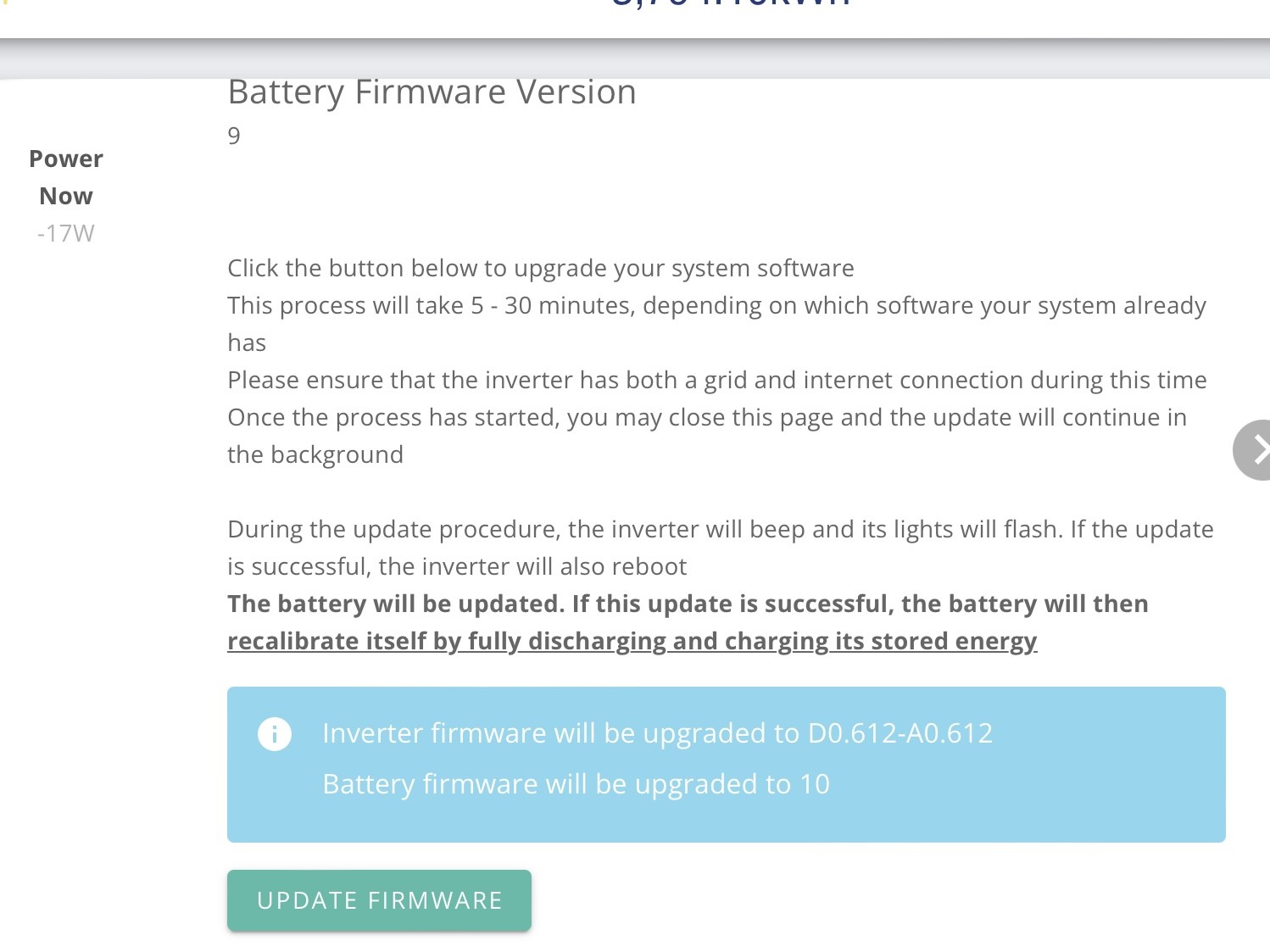

May do the BMS tonight.
I've been Beta-ing on 612 for a couple of months. Only mentionable effect I have seen is that on two occasions I have had what appears to be a packet loss, where the reported grid voltage/frequency/current drops to zero. I have a HA automation that looks out for such things and alerts me sharpish that there is a grid outage. But on these two occasions there doesn't seem to have been an actual power cut. (Though, oddly, both times were in a charging cycle, and the reported power import took a few mins to ramp back up.) So be aware if you have a similar notification.

Daveb01 I saw that and immediately stepped away before my finger twitched ( I like living on the edge, my phone is running iOS 8 public Beta 😮 )
I've been scanning the forum waiting for the first brave soul to press the button. For those of a certain age it's a bit like watching an episode of " Danger! UXB " 😁
So have they sorted the Soc drops when you don’t charge and discharge fully each day and just keep it topped up with Solar? My last one was from 45% to 0.
I can only refer to all the posts about if this was an EV and it said you have 45% left = 100 mile and you drive of the drive and it stops and then says 0% - no one would ever buy a GE EV 🤬
Daveb01 So have they sorted the Soc drops when you don’t charge and discharge fully each day and just keep it topped up with Solar? My last one was from 45% to 0.
I pretty much always fully charge and almost completely discharge every day, so can't comment sorry.
Had zero SoC drops fwiw.
Has anyone seen the release notes?
My first try failed, I’ll take that as a sign….
Nope, nothing on the website either - Coming Soon
https://kb.givenergy.cloud/article.php?id=129
Found this though
AIO A612-D612 08 Apr 2024 (611 With Parallel Added)
Ah so it’s the firmware for multiple AIO’s, cool.
Mine updated and calibrating, I will keep you all posted!

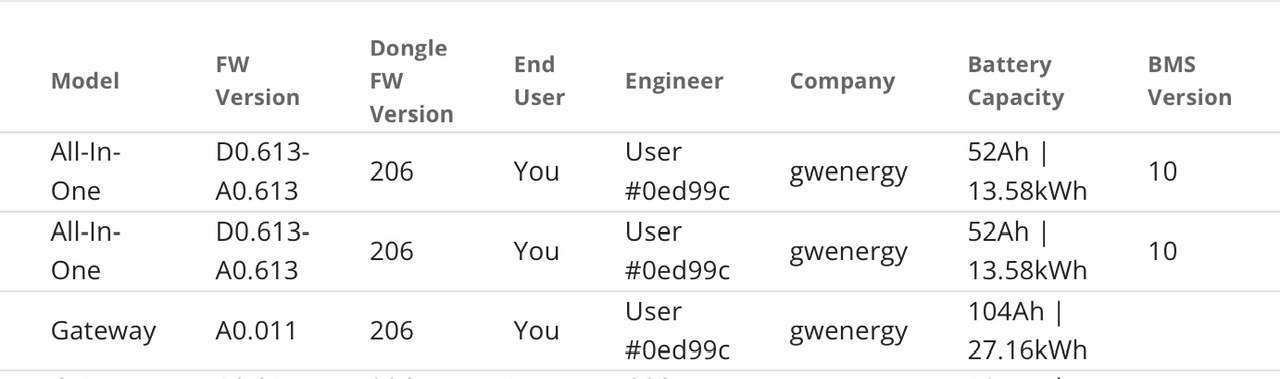
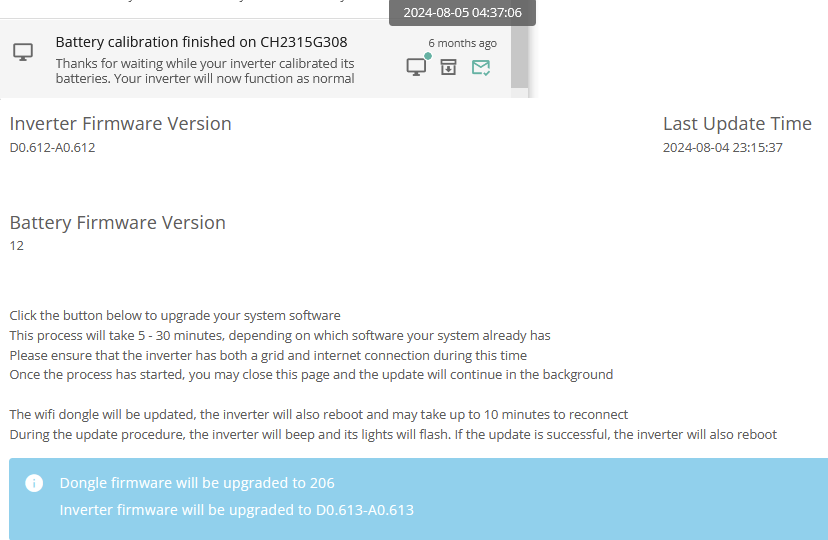
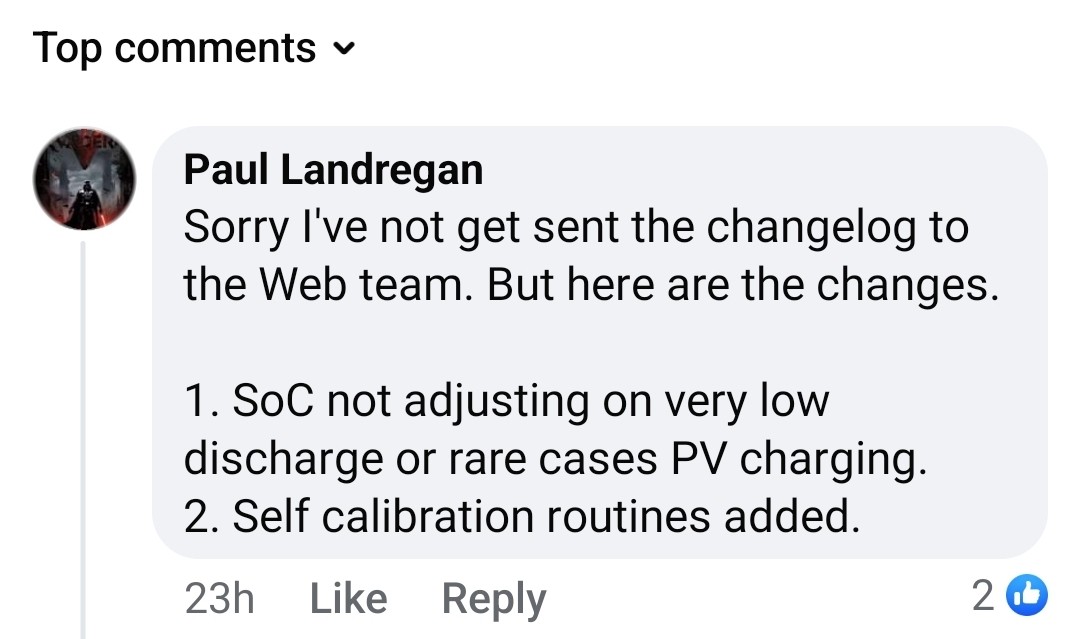
Inverter:
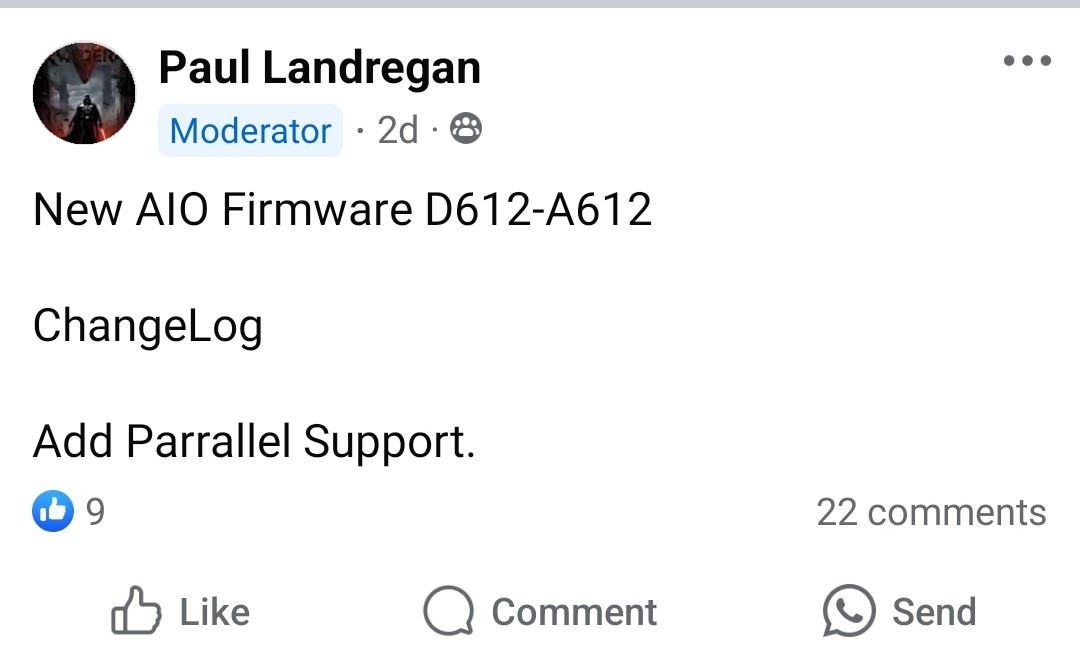
BMS 10:
👍🏻
first update attempt failed, not sure what it's doing right now as I've lost the progress of the 2nd attempt...
V10 works fine in itself but it seems once integrated with multiple AIO (I now have 2) the app software loses some functions and the graphics are functioning but a bit buggy on app and portal.
Paul L. said these issues are being worked on so should improve soon. Indeed a few have been fixed already following my feedback over the last week.
Both batteries SOC have been consistent for 3 days now so this issue seems to be fixed.
JamesFisher22 it'll be because it should now be polling the gateway for combined stats not the AIO. I assume you'll be seeing half readings and other general nonsense currently, similar to other plant setups
I could not help myself, I pressed the button this morning.
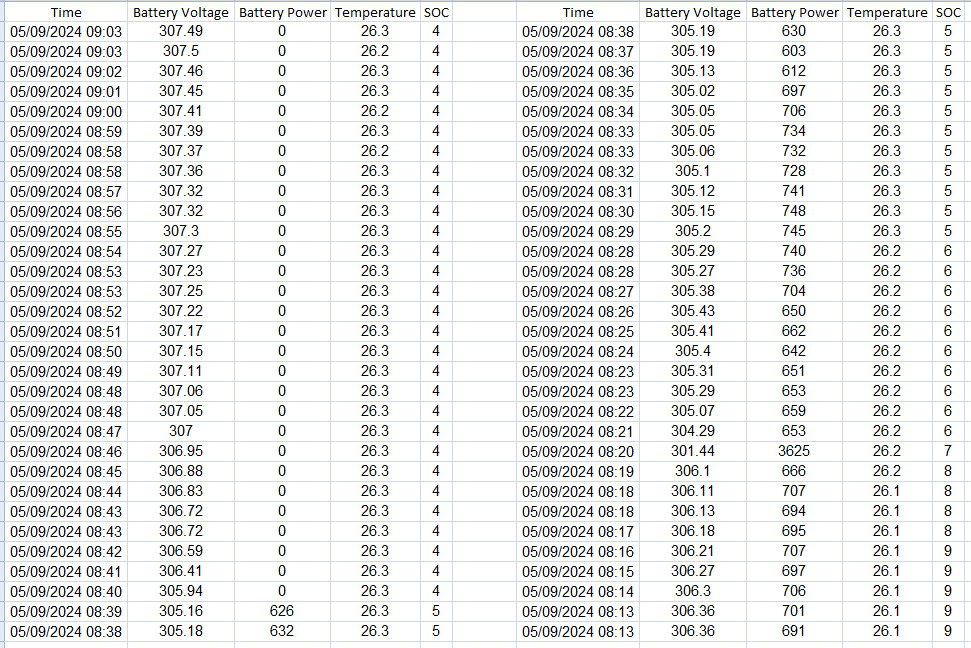
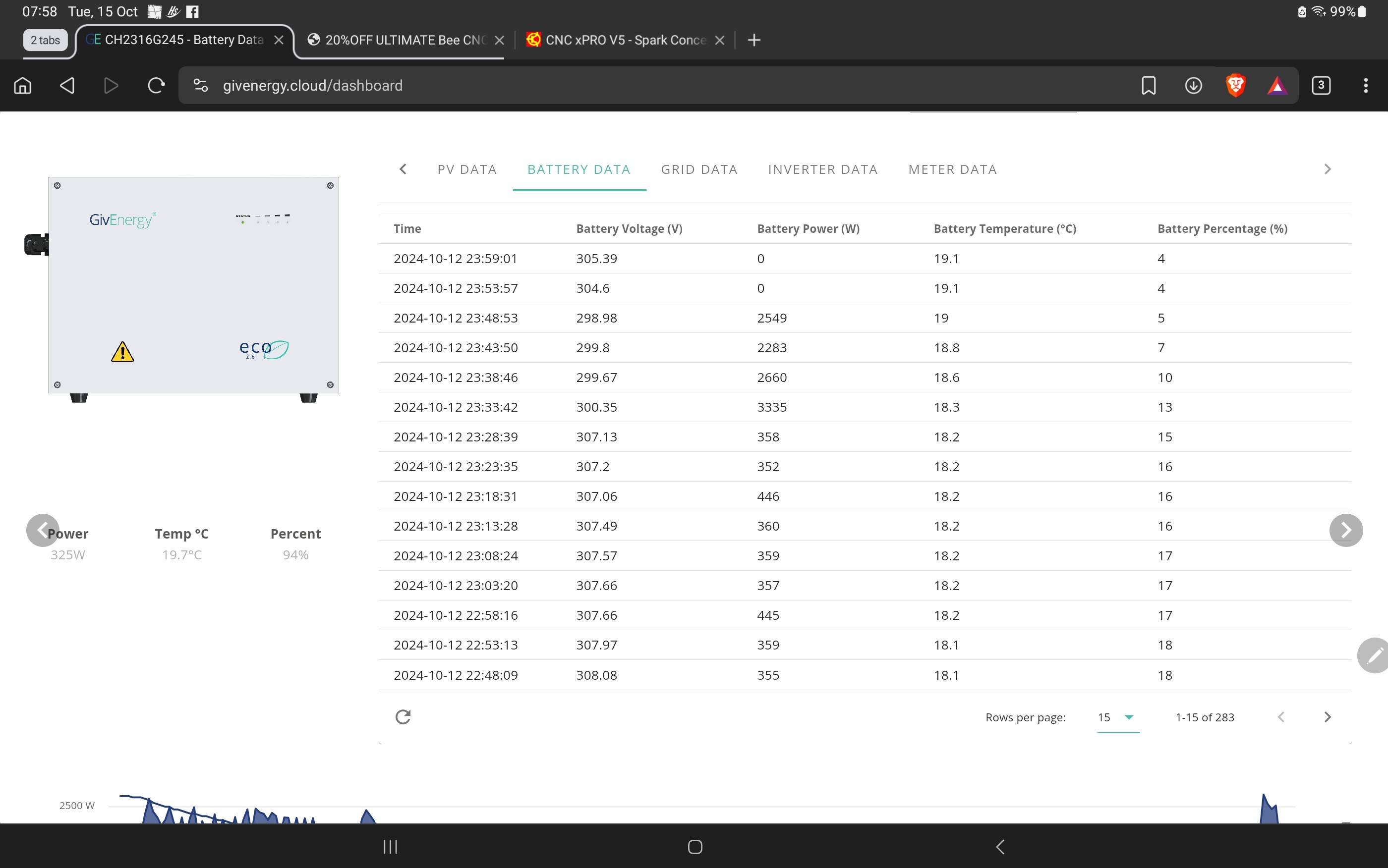
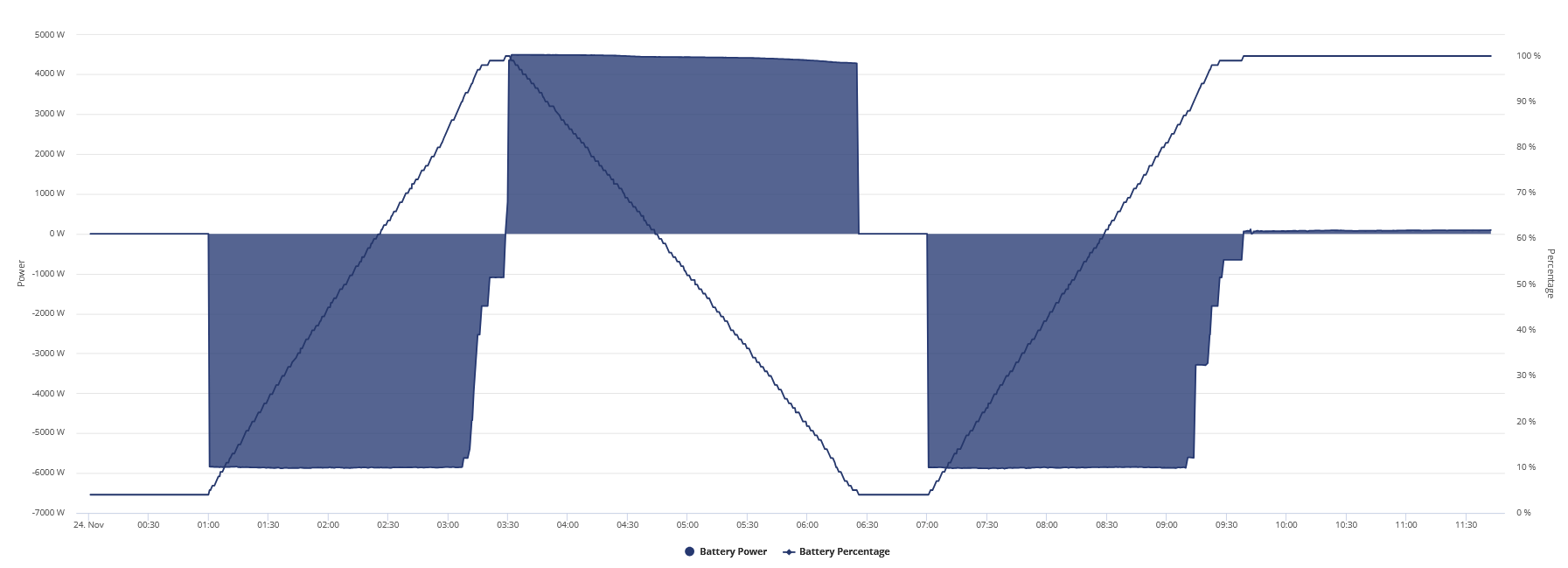
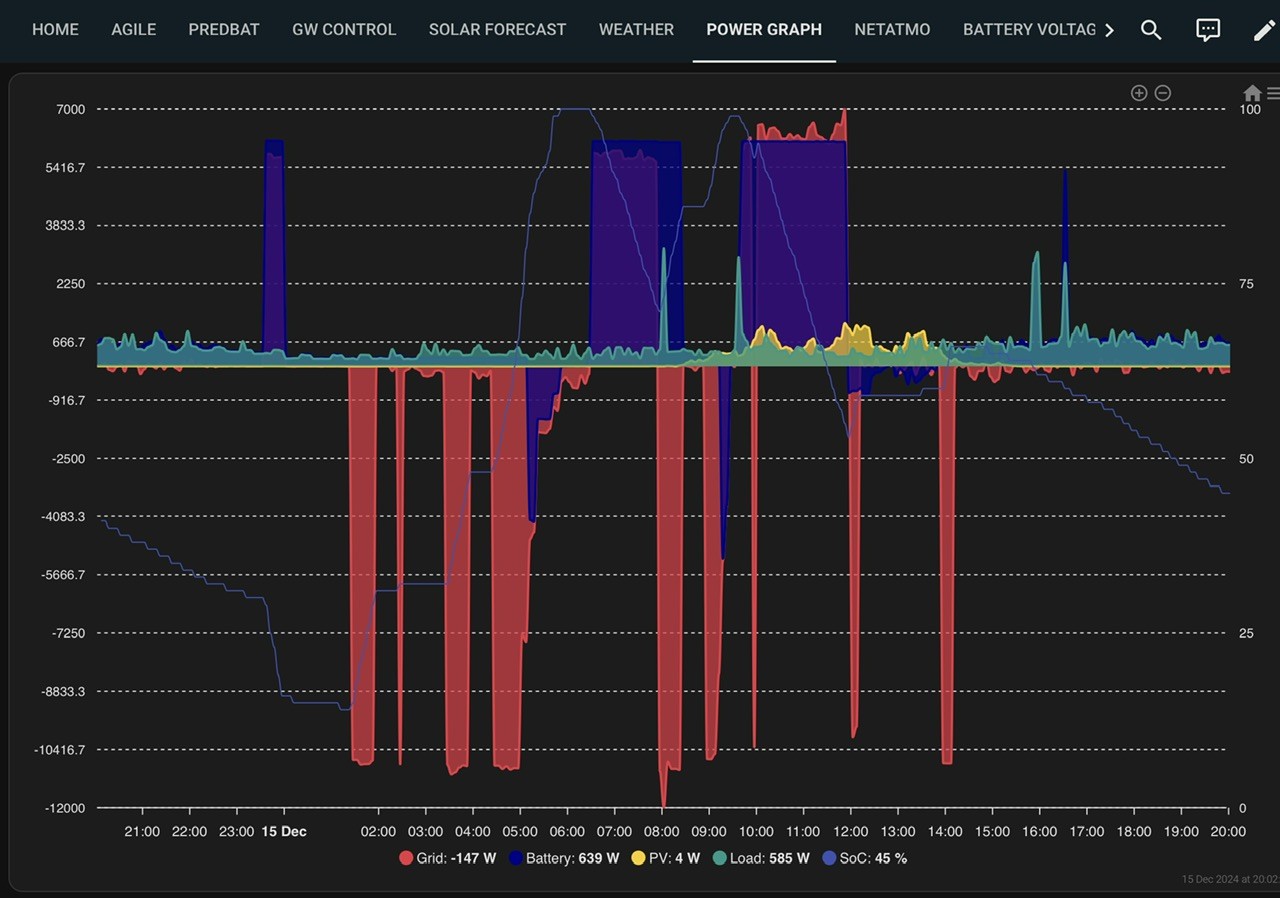
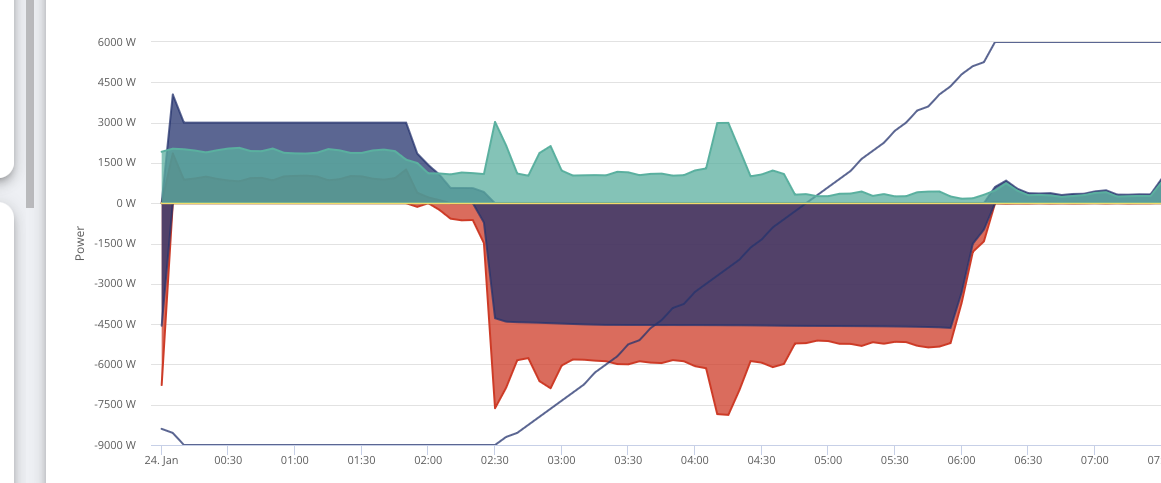
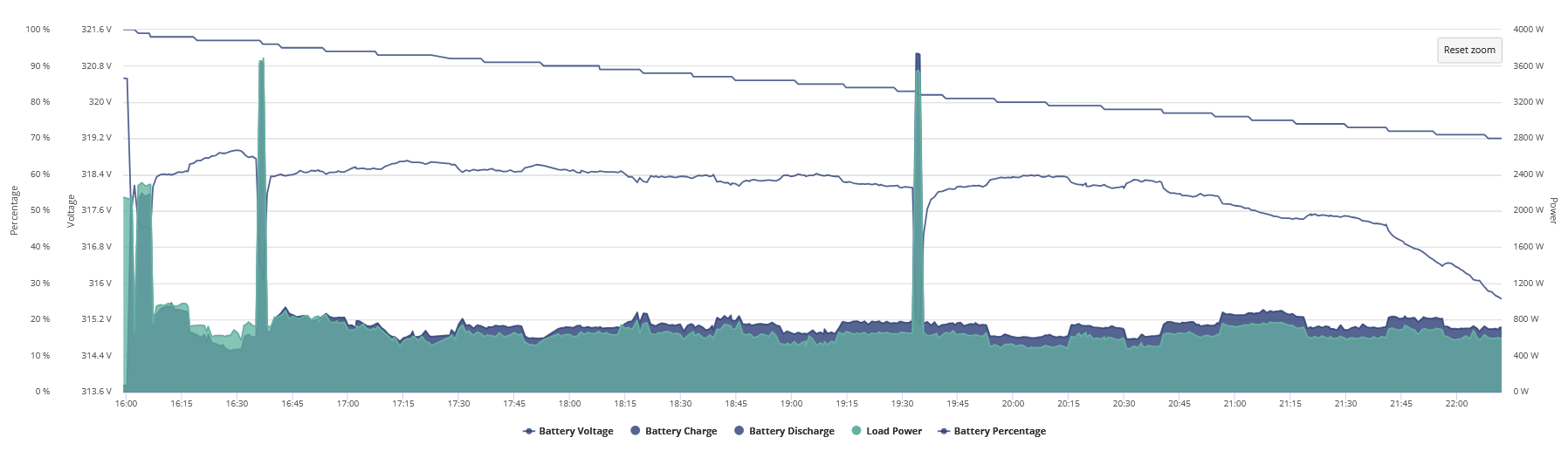
It’s busy doing a re-calibration, it did not start well (see graph). It went from 60% to 0, the back up again. Fingers crossed it completes OK.
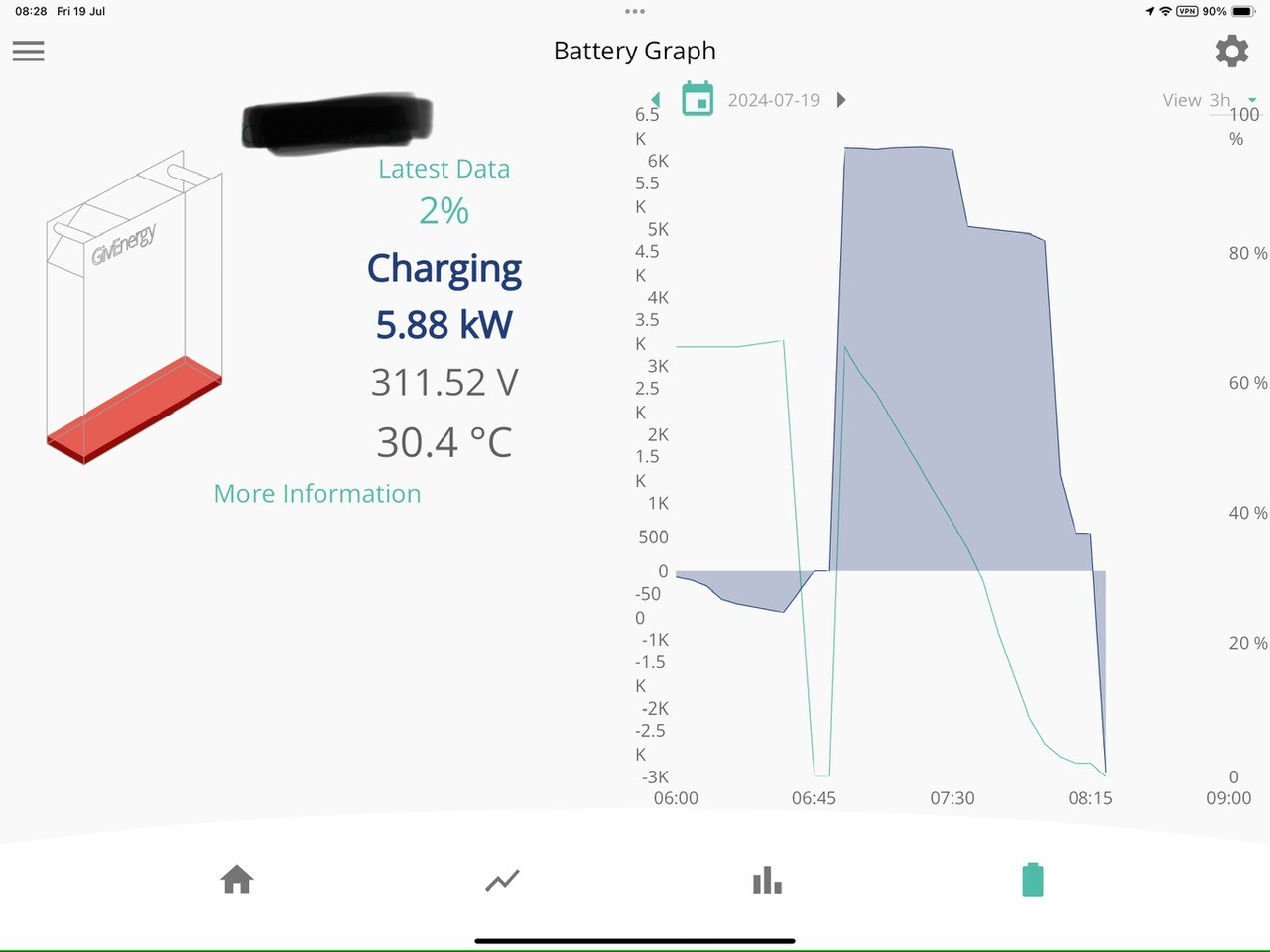
Yeah thats it. Gateway now serves a virtual battery and shows average SOC. The AIO's aren't perfectly balanced but within a few % on the portal. On the app battery temp & voltage are blanked out as this data can't currently be shown for multiple units until app software is re-written. Max charge/discharge power can't be modified on the app at present but charge/discharge schedules are working. So it works but with a few rough edges to be addressed.
Daveb01 on my second attempt mine also went from 60% to 0% then back to 60%.
The calibration started but was only discharging at 60W, I went to bed and checked it 5 hours later and it was still only discharging at 60W. I sent a reboot and it started discharging at full rate for the calibration...
I had 4 attempts to get it to stick but mine has completed its discharge and load by 6am and all looking okay - full load took about 4.5 *4 kWh so far so good.
Had a Undervoltage and Overvoltage warnings but had that before in a calibration so hopefully one offs.

I have it a go today and it reported back 14 mins later that the “firmware update failed: The firmware update running on CH(blah) has failed. You can start it again on the inverter card”
The transitions were:
Will give it a bit and try again a different day - enough other things breaking round the world today!
Mine appears to have done the update and is currently calibrating.
JamesFisher22 were you warned about it before hand or was it new news? just so others can have their expectations managed I guess. Be interesting to see how long it takes, app & portal updates have historically not been overly quick to take into account new devices.
calibration done, charged 16.4kWh
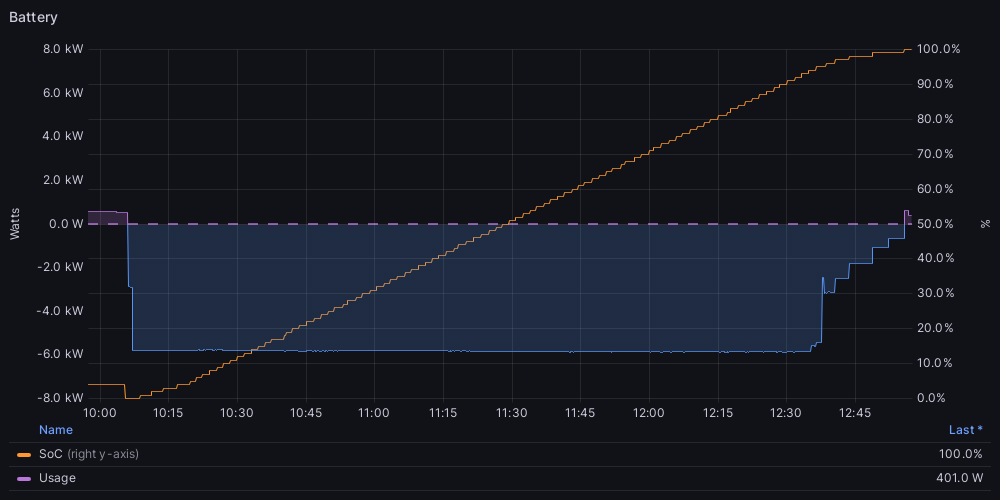
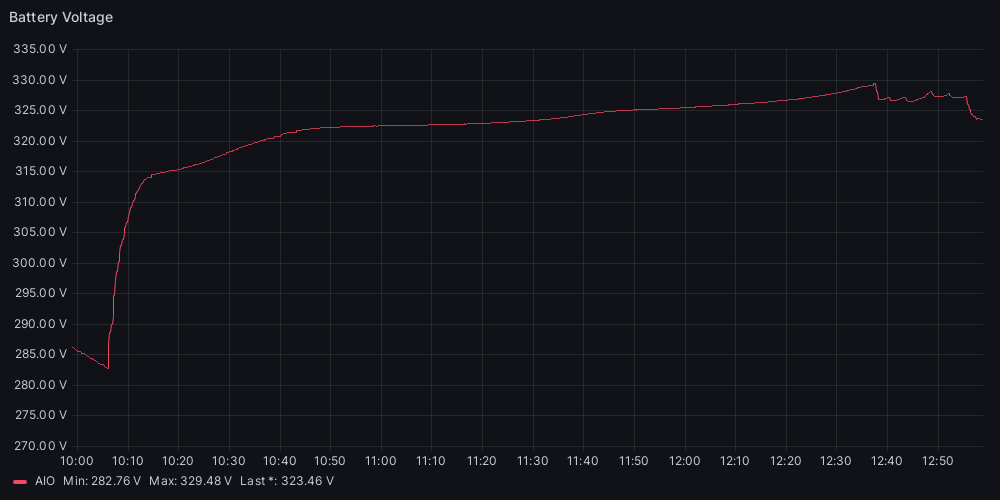
This calibration and the last one mine has only put 15.2 in from empty. Should I be concerned?
No I had no idea what exactly was involved with the beta trial. So you guys now know a lot more than I did. The main thing is it works and is functioning properly. I'm not too upset about the app functions being a bit patchy. Paul L has shown himself to be pretty pro-active so hopefully these changes are "coming soon" as in actually coming soon.
Heavy usage day today, managed 13.3kwh discharge, not bad. Let’s see if it keeps up.
Check the EPS! Mine stopped working with 0s delay after updating.
Called Giv and now even worse. They changed the setting for N-PE and now the gateway trips when power is restored.... and then also randomly! So now I have random power cuts....

video here: we transfer
My EPS still shows as on and the 0 Second switch over I don’t see an entry switching it off in the logs.
JasonF I had no entry in the logs either. You can test by flicking grid to off and see what happens!
My big issue is the AIO relay is tripping on its own now, although I’ve managed to get Giv to turn N-PE back to off (although they say it should be on) which seems to have stopped the random tripping at least.
I can never help pressing the big shiny “update buttons” 🤦♂️
luckypants calibration completed, no dramas. 16kWh into the battery.
All good my end 1st time as well. Started it at 07:00 this morning and used solar to charge it from 0 to 100%

I Charged 27.5 kw/hr today the rest went in the car. One of the great advantages about two AIO's apart from the increased storage is that I no longer need to load manage to prevent the EV pulling from the grid. Before I was having to tweak charge rates to keep below the 6kw limit.
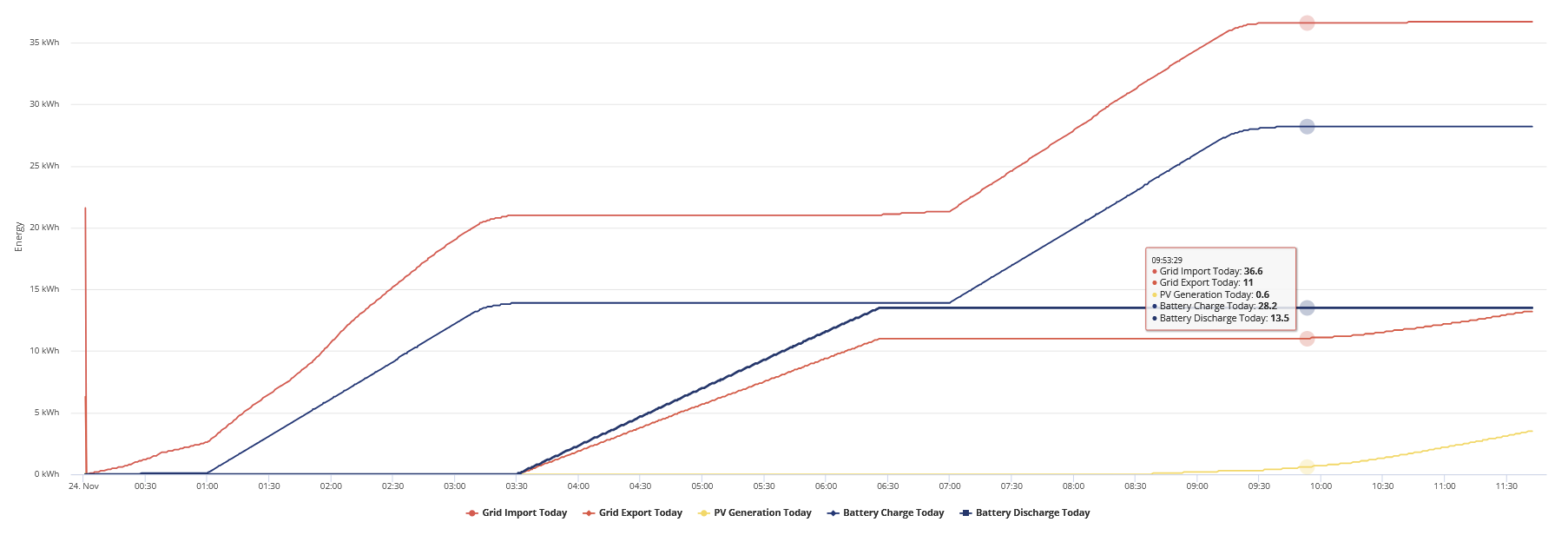
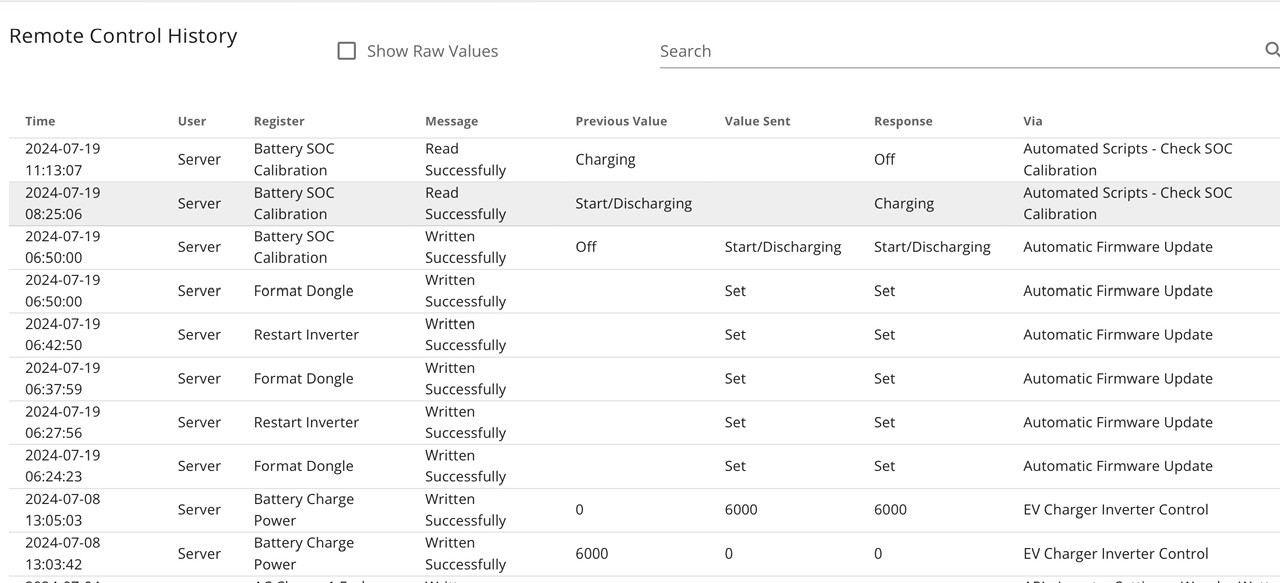
Here are the logs from the update today fyi.
Note:- there is a funny setting by the server at the bottom changing the battery charge from 6000 to 0, then back to 6000 ???
JamesFisher22 yeah 12kw is nice
Hope this continues first full day and 13.9 kWh from mine today (grid charged only)
Yeah after mine went flat, the soc raised back up to 6% and then it gave me another few % and I got 13.8 out of mine too.
Let’s see what today brings!
Did the update last night and had to head back into the portal this morning to reactivate a number of settings, specifically around paused charging during the day which had been stopped. Since reinstating, it has slowed the solar charge to the AIO however it's still consistently sending circa 160W to the AIO which is annoying as I don't want it to charge from solar as I export that via Octopus at 15p/kWh. Additionally, during the calibration, it appeared to override the Grid Setting to not exceed 3.86 kWh of export (set because the DNO wanted £2K to apply a minor tweek a local transformer to allow this) and blew right past, exporting at the full 6kWh which I'm sure would have upset them.
woodersonb it appeared to override the Grid Setting to not exceed 3.86 kWh of export (set because the DNO wanted £2K to apply a minor tweek a local transformer to allow this) and blew right past, exporting at the full 6kWh which I'm sure would have upset them.
The DNO will never know. We won’t tell.
Just tested the AIO and Gateway EPS function by isolating the grid on this new version after reading some of the comments above. All worked as expected (phew). I will now go back to testing once a quarter.
One thing I would like GE to look at in the future would be an alert in the app when the grid goes down.
Daveb01 One thing I would like GE to look at in the future would be an alert in the app when the grid goes down.
Yes yes yes yes yes yes yes! I need this! One of my RCBOs sometimes trips and I'd like to correlate this with grid glitches, but I'm amazed that there's no log of when the EPS is used.
deanjesper I believe so. But it causes nuisance tripping on mine 🙁
Going to wait for a negative night to do this and hopefully I don't have such a horrific time trying to get teh update done this time.
Daveb01 One thing I would like GE to look at in the future would be an alert in the app when the grid goes down.
Probably beyond what they could do but id love a pause discharge which is ignored if grid goes offline so if its cheap can use grid instead of battery but still have the backup if grid goes.
Don’t pull the main fuse. The DNO won’t be happy!
But if you have an isolator just after the main fuse, you can use that.
Pretty consistent since update, getting 13.2 ish per day.
Battery
Jellybaby battery reserve %. This is the percentage the AIO will keep unless there is a grid disconnect in which case it will go to the cut off 4%.
But remember if EPS is wired properly the solar will still work and charge the battery during a grid outage. I leave mine at 4% reserve and figure if the grid was to go out I could use absolute minimum power if I had to. I have gas heating though so it wouldn’t be a disaster in the winter
Another 13.5kwh day today. If it stays like this I’m never moving off of this BMS.
Dochtie yeah im going to leave mine at 4% I just thought I could limit the %age it goes up to if its going to be sunny day after day for a while and only charge to like 60% or something but wasn't sure if that was just a limit to the grid charging as well so the battery isn't in the high %age too much.
Did mine last night. I had somehow dropped off the V9 thread and wasn't aware of V10, so I was going to hit the button on V9 and then saw V10, so took a deep breath and hit it. The upgrade seems to have worked and all is back online. Hoping it behaves. Interestingly it put in just over 15kwh on the recalibration charge. Now off to look at the portal.
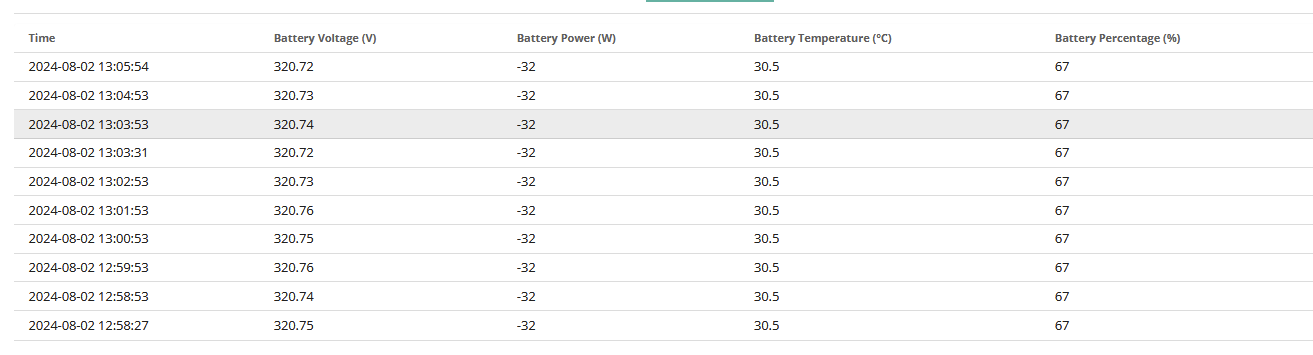
Edit. Well full discharge on the recalibration took it down to 289v,, then peaked at 328v on recharge and 326 at 100%, settling back to 320v. Warmed the batteries up though at 38.6deg.
Gateway still on A0. 005.
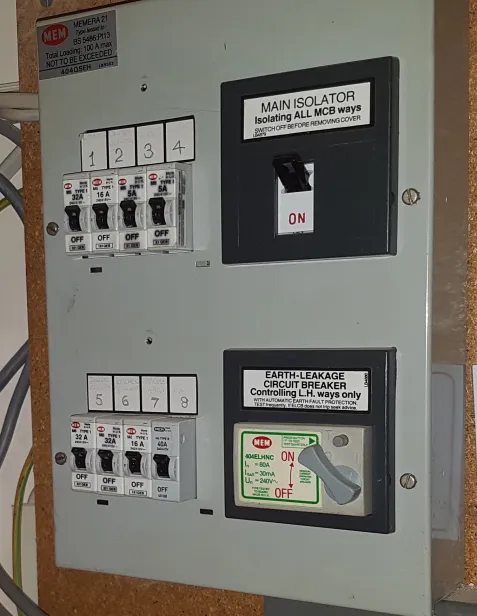
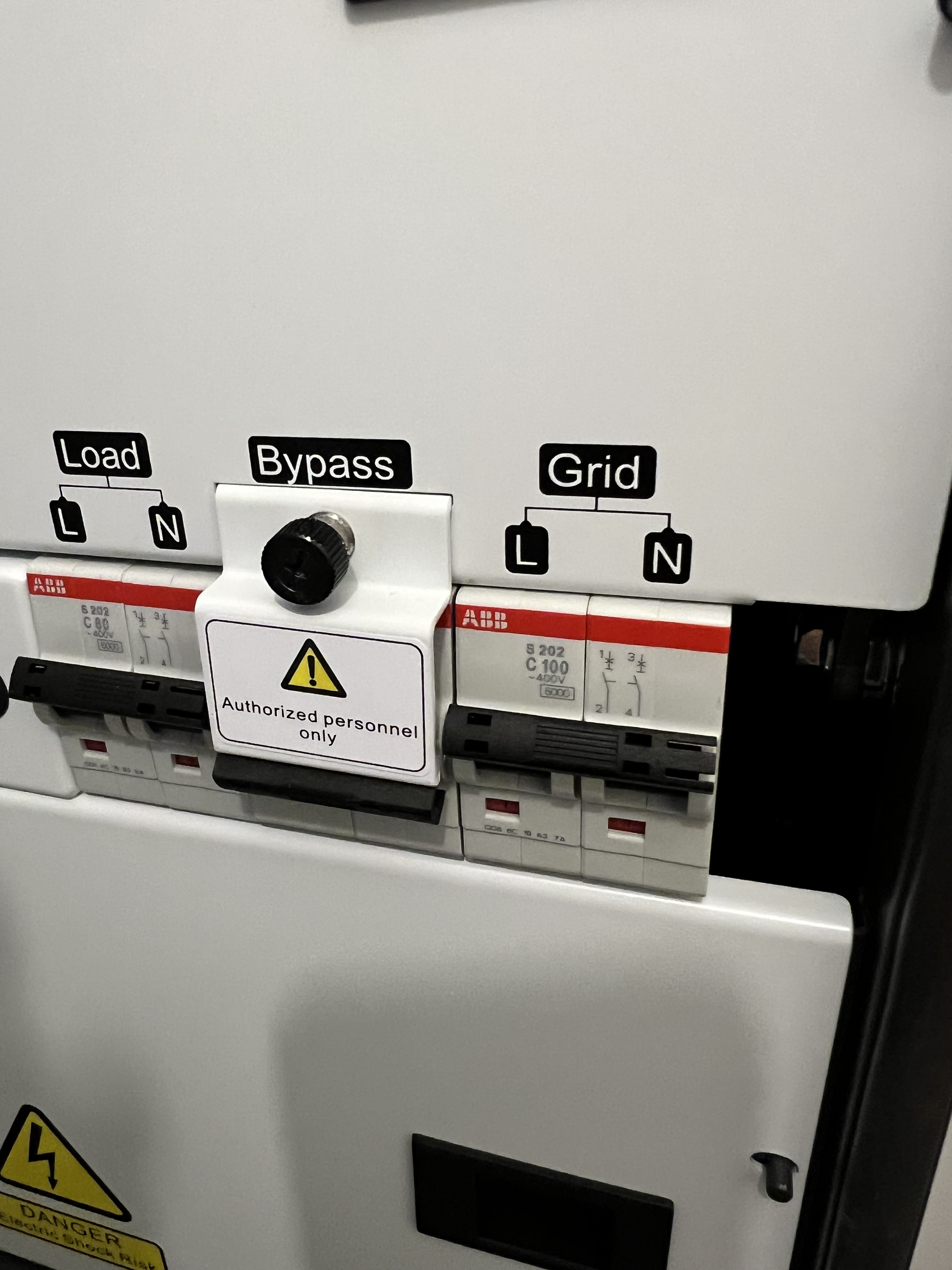
Dochtie What's before/after the gateway is pretty much installation dependant. Mine goes in the CU main switch first, then straight out to GW and then back to the CU. Reason, because the incoming meter tails could not be replaced and anyway, they were at the DNO limit of length (2.5m I think from memory or maybe just 2m).
Like you say each installer does different.
This is what my installer has done and said he would not do it any other way to meet MCS, this also includes an earthing rod. He said that he needs to ensure no power from my system (solar or battery) can get back to the grid, if there is a power cut or someone working on the grid. And this is the place where I shut of the grid to test my Gateway.
100A into house plus what was installed by Octopus smart meter team, with isolation if Meter needed changing in the future.
This now goes to new Fuse box 100A instead of house CU.
Large cable from fuse box goes to Gateway (in garage)
Large cable comes back from garage Gateway to house CU.
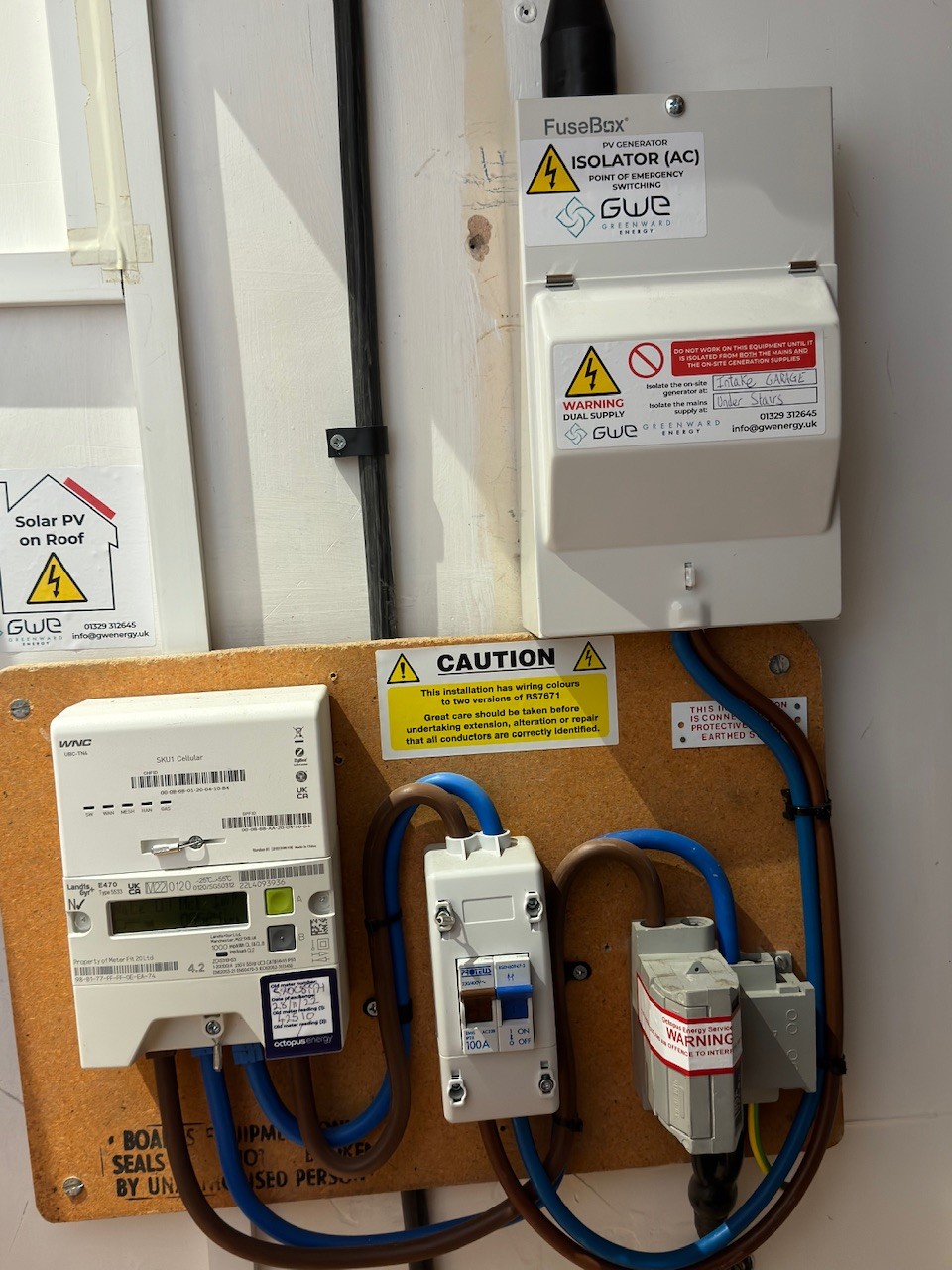
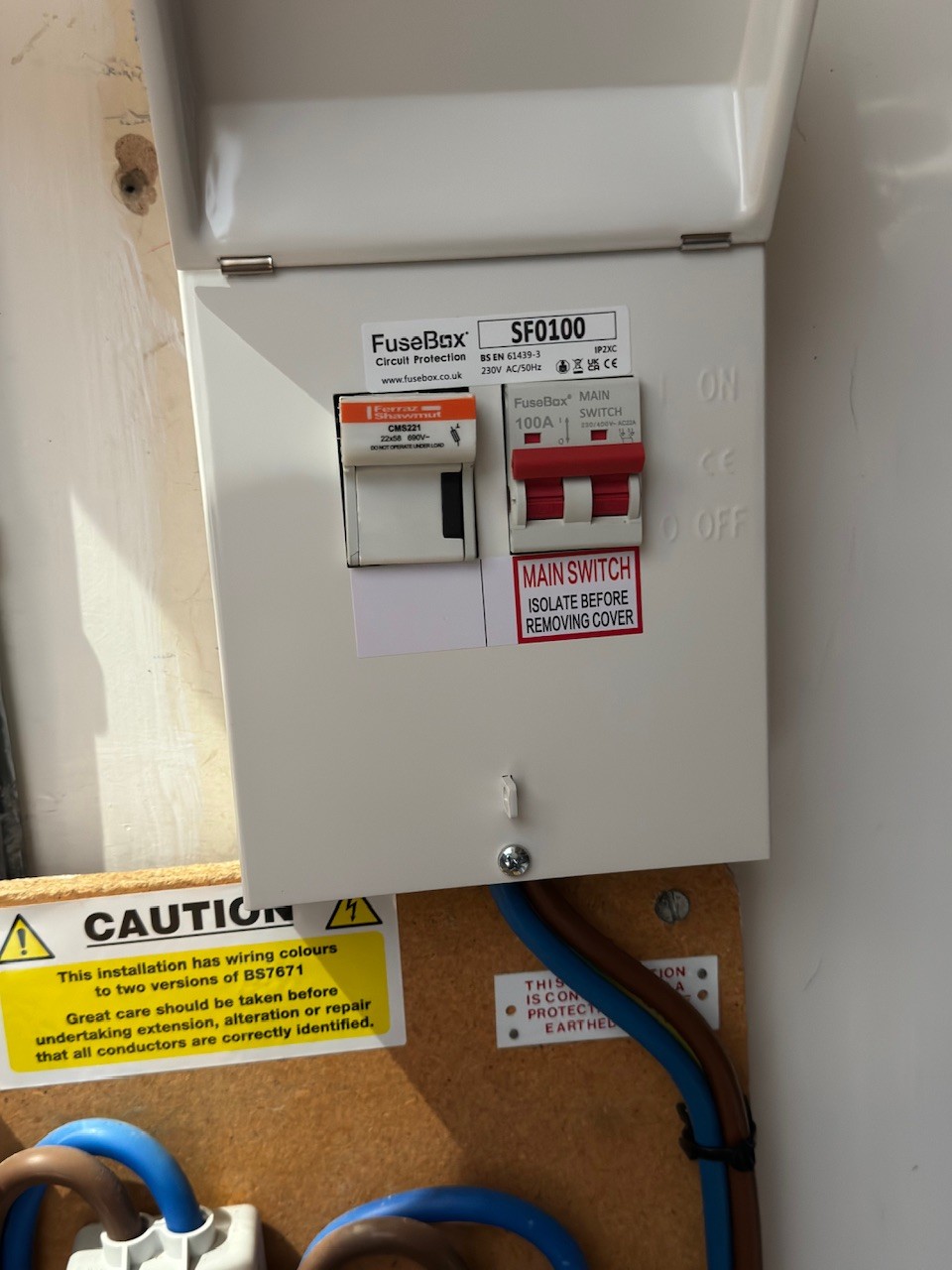
Ah, yes quite neat. My meter is in a box on the outside of the house and tails are routed in through the wall and metal trunking to the rear of the CU. (this is the main CU as I have two others that feed off this one due to the house layout) Hence all quite tight to get the GW in situ. That's my MVHR above the CU. So I can flip the main income in the CU to emulate a power out. Haven't tried it since new firmware added. Thanks to this thread I saw I needed to switch on the EPS. 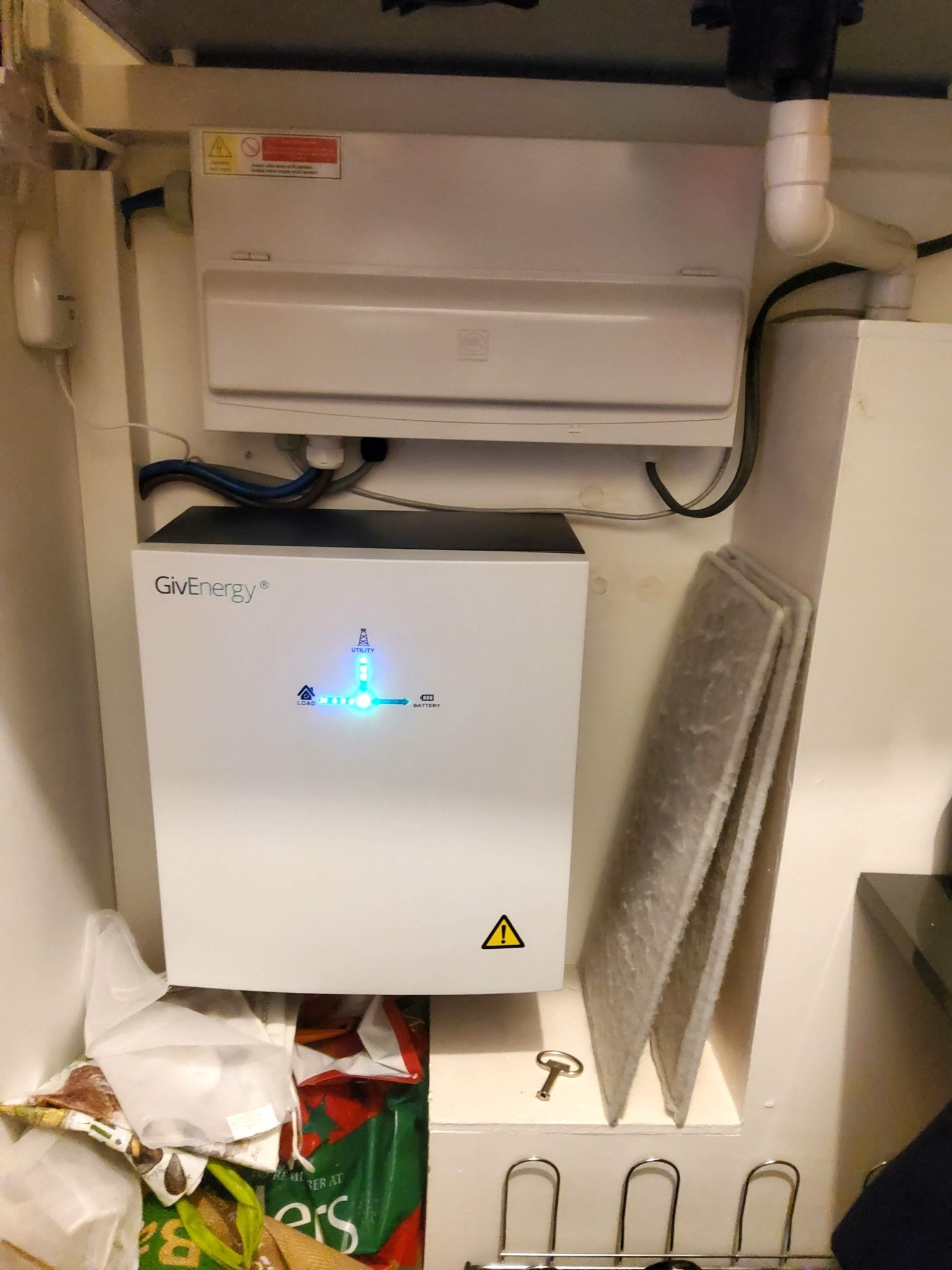
Just tested the UPS function and failed.
turned off breaker at the meter box and the whole house went off for 30secs before AIO kicked in, then when switching the breaker back on, the whole house turned off again for about 2 secs before going on the grid.
Guess I'm going to have to call GE up. sigh.
Did your installer test it before handing it over to you? A full test was part of the commissioning?
As my main CU was plastic I had that changed at the same time for a new metal one (as per new regs) and new RCBO’s as did not want any issues. BTW you do not need to do this, but I wanted everything tested and signed off with my installer.
JasonF Do you know if this switchover time gets reset when you do an update? I noticed that after I did the update to V10 that the EPS mode was off in the remote control, so turned it back on there but haven't tested the response time. I also found that if you read the EPS state in remote control then just doing that switches it off and you have to turn it back on. Weird.
Just be careful changing settings direct on the AIOs when you have multiple ones. The Gateway should be the one running them all so I'd suggest aiming commands at that in the first instance. I've heard trying to force changes individually causes odd things to happen as it gets itself in a muddle.
Daveb01 hi pressed the button Saturday...
All seemed well until ...
No message saying calibration completed....
Seems to have hung...
No output from battery ....
No blue lights from battery on aio
Flashing green light on aio
No blue lights from battery on gateway...
..sadly now drawing from grid sunset to sunrise...
Anyone know what happens if I press reset in the app?
MG
Sent help message to mcs installer today ...watch this space...!
Thanks...
..I'll update on progress
Mark...
So...
Good advice to contact support direct
👍 thanks ....
So, my journey...
Phoned support 01377252874
Option 1
Short wait only
Only 5 mins end to end event...
Alessandro 11/ 10 for support....!
So...
Post code or serial no of unit requested
He reset aio ...
Confirmed the calibration cycle had not finished,[ just as my messages indicated by the very abscence of the message saying it had finished...!]
...so message system working well...
Noted that aio was not in eco mode when update initiated ...
has reset my aio to eco...and for future use ...[although not compulsory.!.]
Recommended eco mode unless you have specific needs...
Confirmed as ok that i am operating in configuration d [ no details yet on help line as to what conf e might be so be patient...]
So if you are at all hesitant to press reset or about what to do call direct is a good option....
support 01377252874
or email
support@givenergy.co.uk
Just need postcode and serial no.
Many thanks
Enjoy being off grid to all...
Mark G
So far so good, roughly 108 hours partial charge/discharge
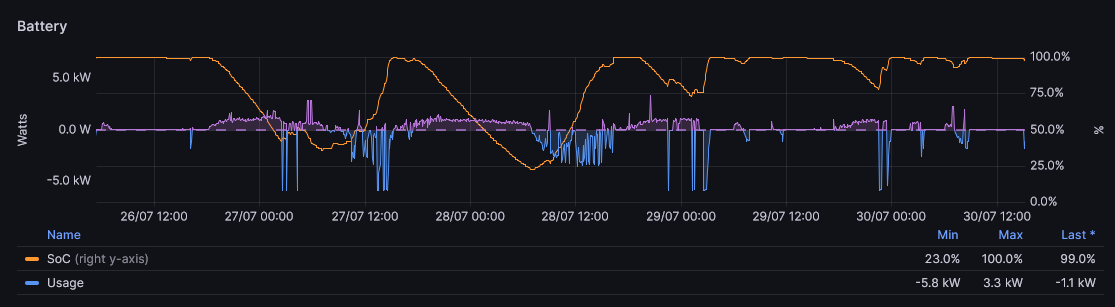
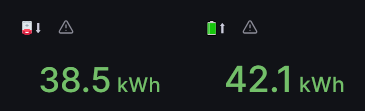
38.5 discharge and 42.1 charge starting at 100% and ending at 100% with the lowest point at 23%, some solar charging, some grid charging.
Well a week in on V10 and only solar charging after the calibration and it is still topping out at 320v, a great improvement on V8 which was always gradually drifting down. So a thumbs up so far.
Hi, what is your battery BMS version after the update, my inverter is at D.0612 A.0612 but my BMS version is 24431.
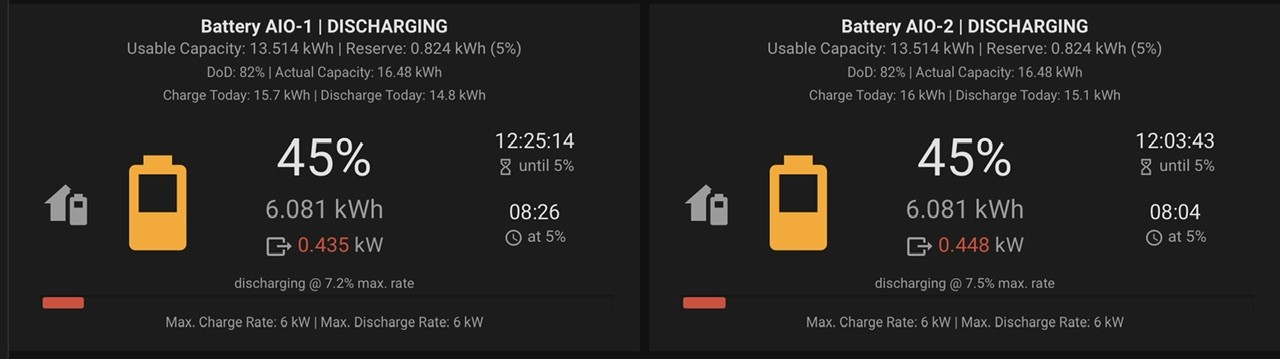
Hmmmm. Just looking at the charging today. Circa 7kwhr out overnight to 45% soc and then today 12.98kwh in to 100%. So is the bottom soc drifting up? Not really sure what it is doing as voltage indicates 100% correctly and 45% wasn't near empty. Maybe with solar charging it just isn't that great at calculating power input.
Daveb01 I had 24431 (or a bunch of number like this) at one point when testing a pre release, I believe it was either BMS9 or BMS10 beta? Think Paul or someone at giv has to upload the final BMS because it won’t auto pickup BMS10. Or it might be identical and it doesn’t matter anyway.
Dochtie Not sure how that gets done. I did see an update pending when I was abroad together with the V9 that I hadn't done. As I didn't want to risk it whilst not there, I left it alone. Then when I got back home there was V10 waiting only. Though the gateway does say the last update was the 12th of April.
Been stuck on 90% Verifying update for nearly an hour, second time on the trot its gone tits up, update message was 1H 35M ago
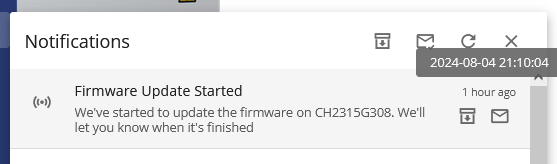
5-30 minutes my backside, been screwed out of another cheap calibration period on agile.
Went down to check it and it was just beeping and I had BMS communication error that didnt clear in lgo so thinking it didnt start up so pushed button on side of AIO and battery went to 0.0% and red dot in portal so went and pressed button again and said update failed so im trying again.
I had two fails on my upgrade to 10, way better than 9 which took 28 goes to make that stick (Im not kidding) so hopefully you'll be up and running soon
I really REALLY regret updating from BMS8
Forgot, this is the image I posted

But the top two hadn't cleared yet but you can see how long the first set were there for.
I hate the portal dashboard so much, how does it cause over 40% GPU usage lol
EDIT
After dropping to 0% during calibration from a charge from 10%>100% on the 30th of July to the 0.0 around 7kwh was missing from what I should have had left.
Yeah for mine it did the AIO update, it all came back on line and then ages later it decided to do the BMS update, for ages it showed 0% and 0 voltage. I just let it be and it was all fine.

BMS 10 does take a long time to install, it will show BMS comms lost for around 10 mins post install too, while it updates the 4 packs.
Performance of BMS10 is pretty good IMHO, which is why we recommneded this for Parallel AIO, where the batteries need to run evenly and the system is easier to balance.
However even with out of balance batteries, the Parallel formware will favour the higher to realign them over time
TheDragon (GivEnergy) I can confirm this to be true.
It put in 15.3 for calibration, ive managed to export over what I imported from 9pm last night to when it finished calibration.
Ultima357 I would have if 0.0% battery, red light and comms failure didnt come up without clearing.
It went from short beeps which I assumed it had to be doing for nearly 90 minutes between when first fault occurred to when I tried pressing button on side and it resolved then went into long 10-20s beeps with it showing same error and 0.0% battery and beeping, given the 5-30m range I didn't expect it to take 2 hours and run into as many hiccups as I did.
Maybe I would have felt better if we had some notification of what it was doing every step of the way but it just stuck on verifying update 90% til eventually calibration finished.
Gonna have to run this battery down to 4%, and charge up again because what im reading SOC and kwh used wise can't be right.
Anybody else noticed that when you pause the battery the charge rate has doubled, this is what it is now ill go looking for a paused image from before
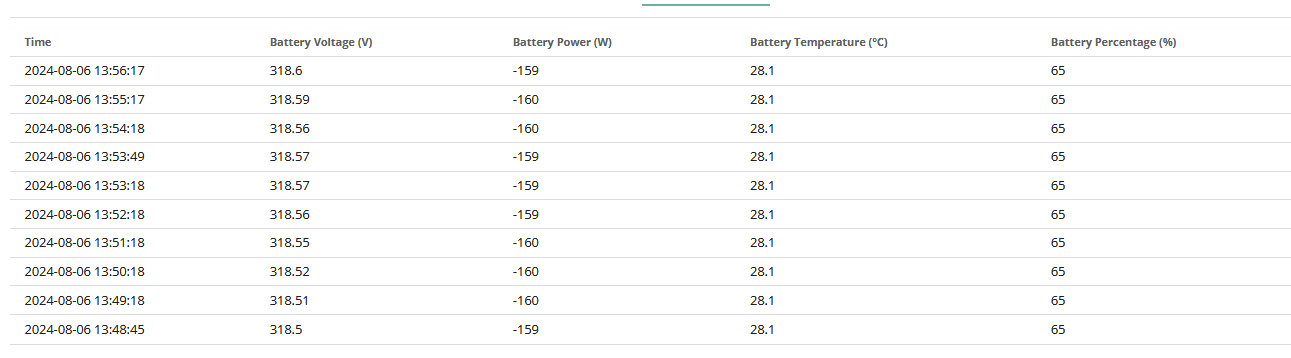
This is on Inverter 612/BMS10
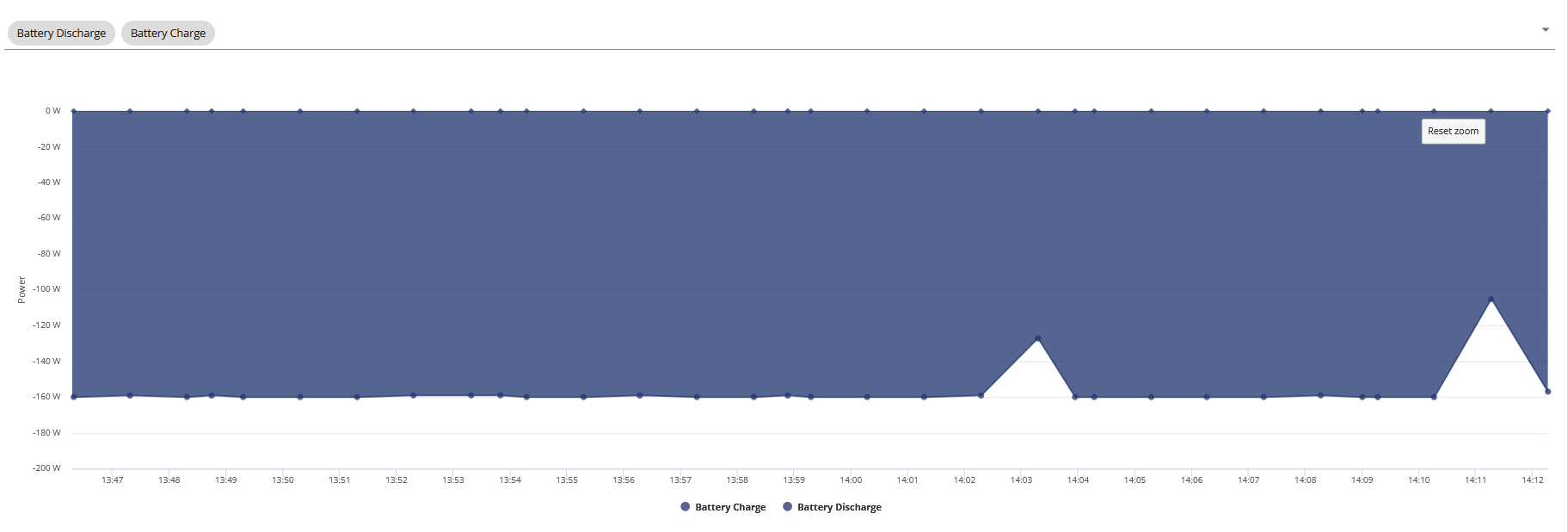
This was before update
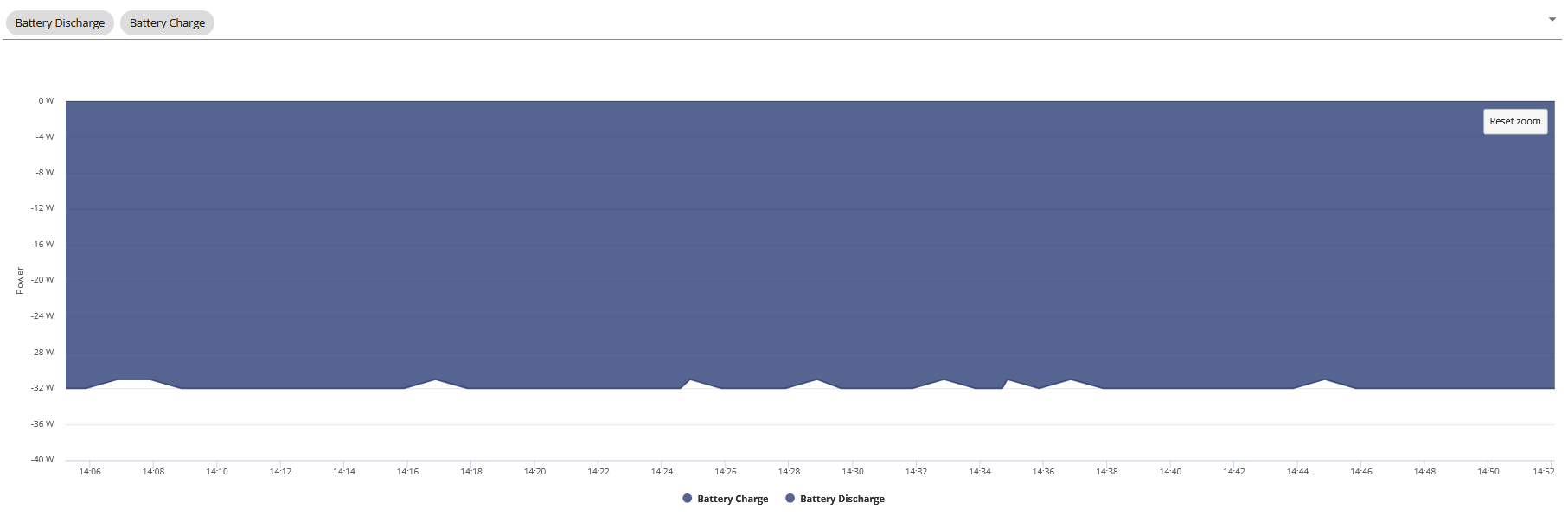
This is when battery charging has been paused.
I think I would find it to much now looking at all the tables and figures then trying to do the math. I have stepped back a lot. I now use Wonder Watt, this looks after my battery.
As I am now on Agile plus fixed export 15p, I have also stopped charging and discharging the battery since the 1st June. I intend to try and get to the end of September on this method.
I just charge the battery via solar and use it on house load when there is no sun or during the night. I am finding I am exporting at 15p most days.
I have only had one SOC crash on this method, and no SOC drop on v10 as it has only been a short while. Everyone is different on how they want to use there battery. If we all did the same thing and saw the same results I think GE would have to look at it, however because we are all using it differently then GE have to do the best they can for the average Joe. Most want the SOC drop sorted and it seems to be better on v10.
V9 was good with charging and discharging, but not very good at topping up on solar from say 60% every day.
I have just got a second AIO ready for winter, this will be commissioned in September.
Daveb01 Id expect the same behavior though tbh when paused/hitting 100% and still having solar run everything, 5x increase on behaviour is not a little adjustment, when paused why is it having any charge put into it whether that be 32w or 160w
Understandably the whole SOC thing is being addressed and other stuff but I would not have though it would have effected what was supposed to be an idle state to such a degree.
First discharge from calibration charge and kwh in/out is 3.6kwh short, I doubt that is the 4% reserve. time to do a 4% > 100% and see what happens next but I swear to god if its gotten worse.
I’ve stopped the analysis now as the main issues with SOC drift resulting in reduced capacity appear to be fixed (seen no issues with BMS9 or 10). I use the app daily to just check all is ok but do no more unless I spot something that looks odd.
I’m on the old deemed export FIT so no fancy export tariff, no export MPAN (exporting is effectively a waste for me). In the summer I basically just leave it alone and it charges when solar is available; for the winter I plan to charge overnight from the grid just to move my grid draw away from peak hours, work the battery and prevent it sitting almost empty for weeks on end and maintain temperatures.
I'm much the same as treborUK. Benign neglect seems to be working well at the moment. The sun tops up my battery usually by mid morning and then exports to grid, dropping to about 70%SOC overnight, rinse and repeat. I have the Octopus Compare app which alerts me to the overnight rate, if very low then I will use Wonder Watt to select a couple of charge slots so I start the day at 100% and then the export starts a lot earlier. ( AIO on Agile tariff and fixed 15p export )
I did consider IOF but from reading various comments it seems more advantageous to Octopus than the end user.
Jellybaby I am finding V10 better than V8. No soc drops/spikes and using solar charge seems to be working a whole lot better too. It is maintaining the full and empty voltages with no drift, so from that it appears to be maintaining capacity. In the summer I rarely go down below 50%. If I charge my car, then I set the AIO to maintain 50% as it's pointless draining it just to put into another battery. The EV tariff giving me 6hrs of 7p juice overnight. Tracking the soc against output it is giving pretty much as expected, Eg circa 6.5kwh to 50%. I doubt the app monitors it 100% accurately.
I stopped tracking myself on BMS9 as it was just getting depressing losing 1-1.5kwh per day it didnt fully discharge, this wasn't cheap so I expect it to run as intended and atm it seems to be behaving charge wise just like 9 did, 14.3kwh went into it from 4% today so I guess ill see where I land next time it discharges fully and the SOC %age to kwh used after calibration was at minimum 10% off and being discharged fully straight after calibration charge shouldn't have left a 3.6kwh discrepancy.
We should have all waited to upgrade until tomorrow as the Agile rates are very good. wonder Watt has auto picked my slots to charge if needed.
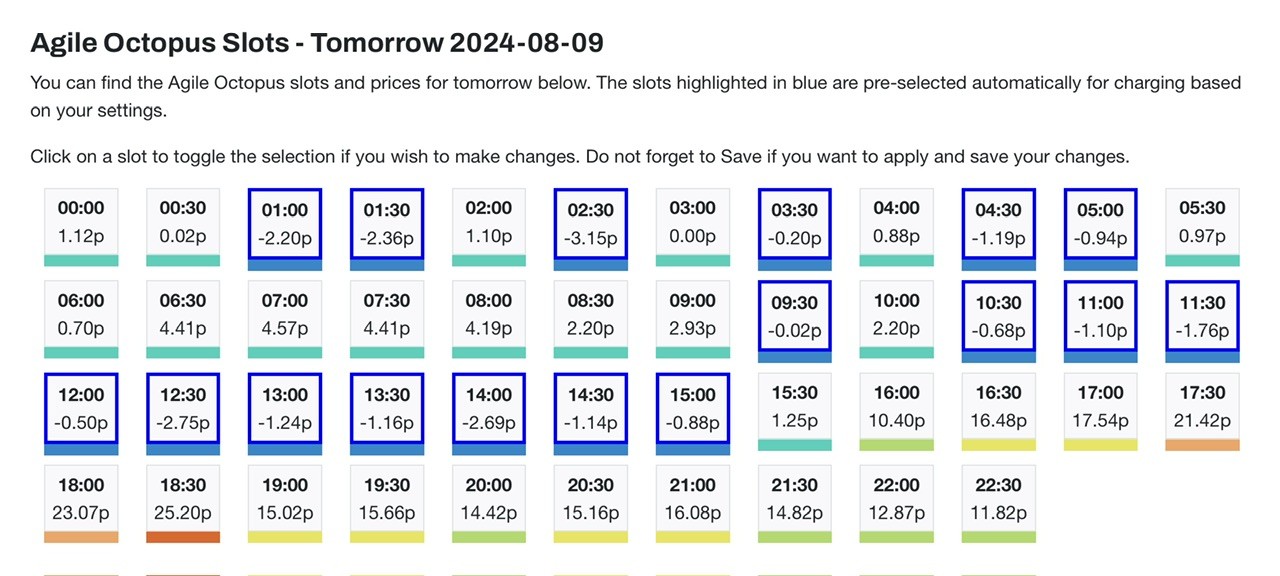
Charged 7th from 4>100 just dropped to 4% again and 2.5kwh AWOL, seems like nothing has changed.
Stopped at battery voltage 302
Jellybaby Mine drops to 290v now but I think that is dependant on how much juice you are pulling at the time it empties. Your 2.5 awol, is that in and out? If so, that's circa 10% which sounds a little high just for battery chemistry and heat losses. But if you're pumping and pulling at a high load, then heat becomes more of an issue I guess. I don't think GE publish typical losses do they?
hhmmmmm, disabling Eco not idling the battery anymore, I marked where I turned Eco mode off whilst opening the app for 10s refresh interval.
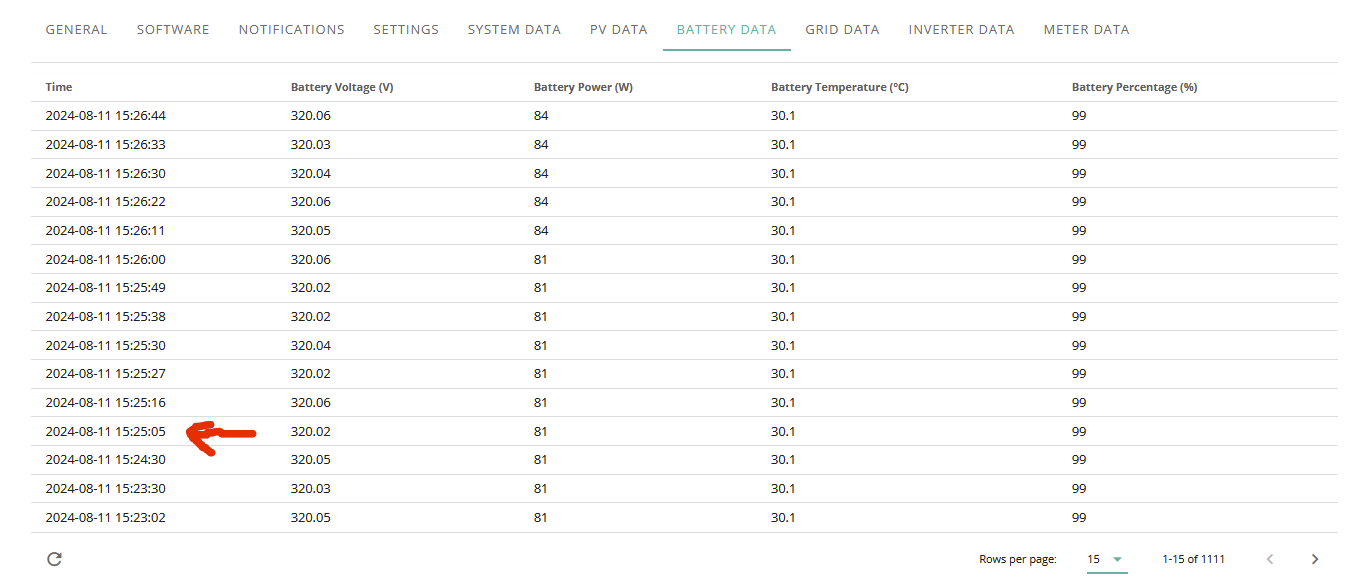
Done a nice slow charge overnight, not sure how it found nearly 1kwh of space in batteries as I put my charge slot in from 00:30 to 10:00 lol
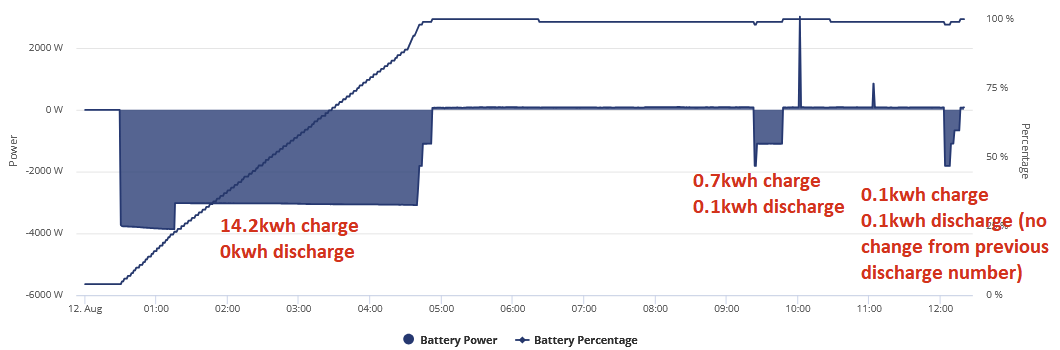
Battery was at 4% before the 12th of August started
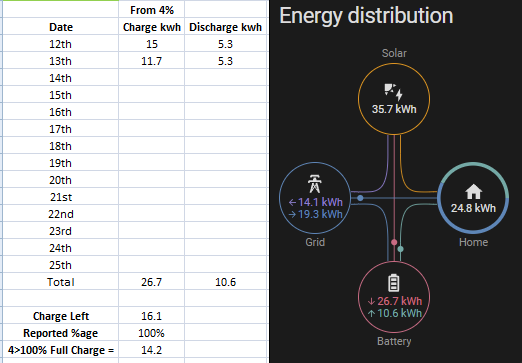
Surely the losses can't be that bad with no forced export to account for just shy of 2kwh extra supposed capacity left from one day to the next.
Don't think so as the variations have been different from one bms version to the next, 8 has been the mos accurate for me so far.
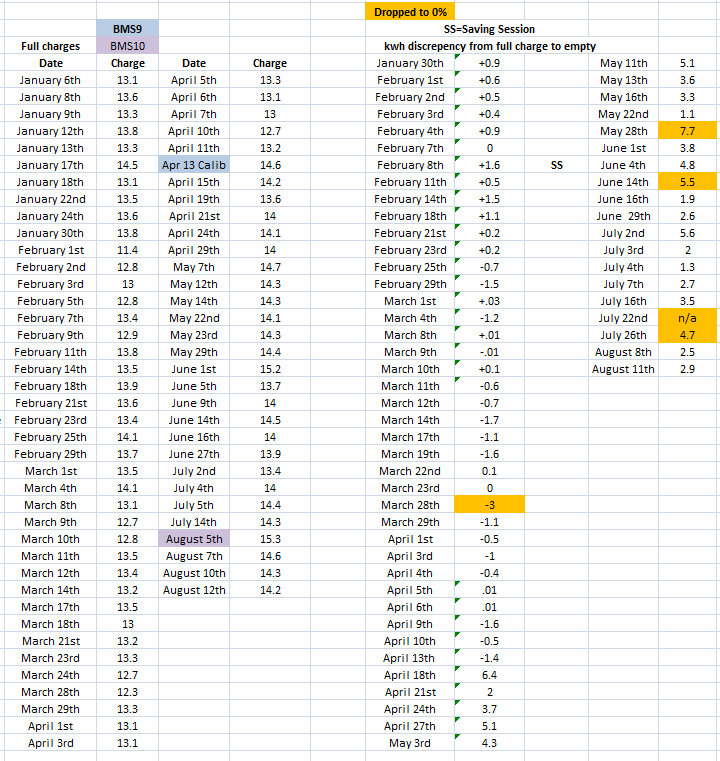
Well Well thats nice....
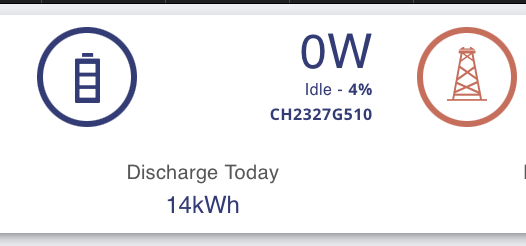
Loving BMS 10
Nice Dread, im at 5.5kwh discharged from 100% so far, currently at 63% and according to 14.2 original charge 37% = 5.2.
Going to check agile predictor tomorrow and if its sub 15p overnight I might pause charge and see what else I get out of battery but so far ive got nowhere close to that.
I got 13.2 and 13.8 out of my two yesterday. It fluctuates but I’m consistently getting at least 13 out of both the average is about 13.2. I’m pretty happy.
SOC currently at 42% which seems low for a current discrepency of 8.5kwh.
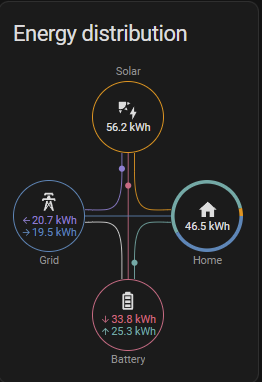
EDIT
This was at 28% SOC before charge time started
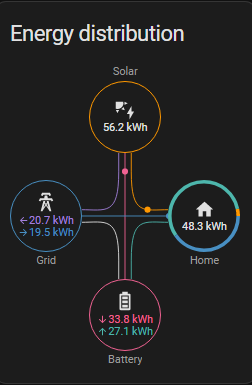
I doubt very much 28% would have = anywhere near 6kwh, mostly likely 2 id say, 1.7kwh home consumption between those times and 1.8kwh battery discharge.
So far my experience its just as bad as 9 but worse because the the paused charge or 100% battery discharge when solar covering the house is nearly doubled. When paused and its still putting around 160w into the battery for some godforsaken reason it should take over 10 hours to go up nearly 2kwh when its been told not to charge not 6 hours.
This was the 15th when it was supposed to be paused.
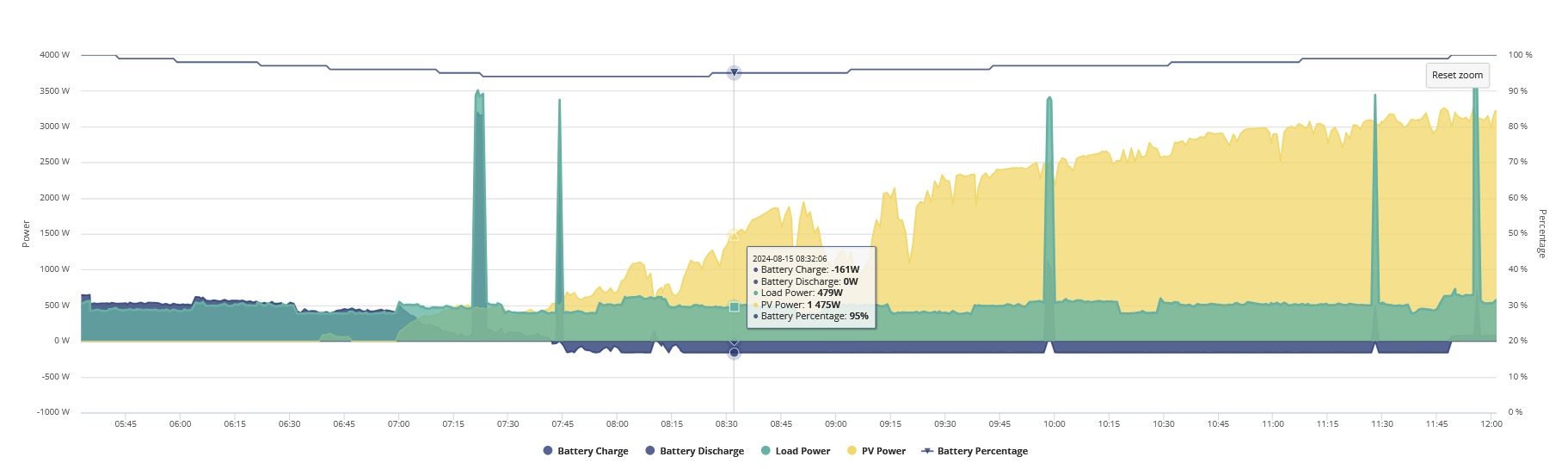
I lost 2% SOC whilst discharge never went up as well.
15th August
00:00 42% - 0 Charged, 0 Discharged
03:00 28% - 0 Charged, 1.8 Discharged (28% SOC Should = ~ 4kwh)
05:31 100% - 9.8 Charged, 1.8 Discharged
23:59 24% - 11.5 Charged, 13.6 Discharged (I don't know how I went up to 11.5 since I had the damn battery paused)
16th August
00:00 24% - 0 Charged, 0 Discharged
01:00 15% - 0 Charged, 0.6 Discharge (9% should be around 1.2-1.3kwh, discharge rate was between 6-700w)
02:00 4% - 0 Charged, 1.2 (1.3 at 02:04) Discharged (Battery got to only 302.39v before idle happened)
20% Which should be nearly 3kwh was just over 1.
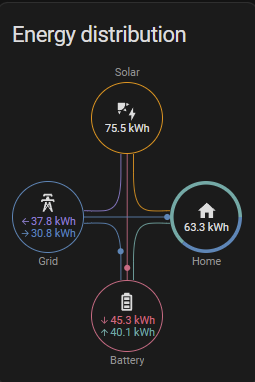
I don't know what they changed with 9+10 but the one before the in and out kwh wise was typically +/- 1kwh not nearly half the battery capacity.
So lets say I started of yesterday with 24% Battery and ignore the already discharged 1.8kwh.
11.5 went in to top it up to 100% which would be around 14kwh, I use 11.8 then a further 1.3 for total of 13.1 so effectively losing 1-1.5kwh through losses?
Now when I see people getting 14kwh discharge from their battery and im charging up for nearly 14.5 and getting 13 out of it it irks me.
Are the losses not counted in the battery discharge or something or could there be something wrong.
Anybody else running home assistant and had their battery idle before midnight and then used it over a few days able to show something similar to above.
Jellybaby Now when I see people getting 14kwh discharge from their battery and im charging up for nearly 14.5 and getting 13 out of it it irks me.
Are the losses not counted in the battery discharge or something or could there be something wrong.
I see your regular posts about battery software, but have to admit I struggle to understand what problem you are having.
I occasionally use the wonderful BBC Basic "Inverter" app. Swiping left from the main screen gives a summary table. Two lines on that table are "Charge" and "Discharge", with figures given for both today and for the lifetime of the system. (My belief is that these numbers are taken directly from the battery system, and are not calculated.) In my own case, looking at the ratio between the two lifetime shows Discharge/Charge = approx 85%.
This doesn't strike me as wildly worrying. I expect it is measuring AC in, converted to DC, charged to a DC battery, discharged from a DC battery and converted to AC out. I would have expected losses in the 10-15% region. (For example, if each AC/DC conversion lost 4%, and 4% is lost in battery charge discharge then the loss ratio I would get would be 0.96 x 0.96 x 0.96 = 88.5%.)
So putting in approx 14k.5Wh and getting out approx 13 kWh is about right - no?
PianSom Interesting analysis. It's a pity that GE don't publish in/out efficency of the batteries. But checking on Midsummer Wholesale and looking at various manufacturers data sheets, the only one I found publishing battery efficiency was Solaredge. They of course are considered top end of the market and give it as >94.5%. Their inverters are class leaders too at 99.2% where most are around 98%.
However, power factor is another issue and GE quote 0.8/0.8 leading/lagging. According to the IEE, POWER FACTOR is the ratio between the useful (true)
power (kW) to the total (apparent) power (kVA)
consumed by an item of a.c. electrical equipment or a
complete electrical installation. It is a measure of how
efficiently electrical power is converted into useful
work output. The ideal power factor is unity, or one.
Anything less than one means that extra power is
required to achieve the actual task at hand.
So battery efficiency, inverter efficiency and power factor all need to be taken into account when calculating the amount of losses likely. Maybe we should ask GE if they have a representive figure?
I also agree with you, plus one other factor, the AIO is 16kWh (4 x 4kwh Batteries) so each battery may have its own in/out factor (especially if one is playing up). If it was one big 16 kWH battery then the math works.
What GE don’t say is how much of the reserved battery is used for any of this AC/DC conversion or is it all reserved for them and they are using the default 4% min for the conversion? Or is it just the 13.5 KWh minus the 4% min?
I am the same as you, I have paid for the AIO is it does what it says on the tin, for about 4-6 weeks with out a SOC crash (for me) on this software version. If I see a huge difference then I would suspect one of the four batteries has an issue and would contact GE.
Jellybaby my suggestion as it’s summer is let the AIO do its thing for you and if it’s working don’t look to deep into it, go have some fun in the sun and enjoy a beer 🍺 or two 👍😀
PianSom I occasionally use the wonderful BBC Basic "Inverter" app. Swiping left from the main screen gives a summary table. Two lines on that table are "Charge" and "Discharge", with figures given for both today and for the lifetime of the system. (My belief is that these numbers are taken directly from the battery system, and are not calculated.) In my own case, looking at the ratio between the two lifetime shows Discharge/Charge = approx 85%.
I've been looking at that screen in the Inverter app and not paying much attention to the lifetine charge/discharge line. Mine are 2130 - 1673 which my schoolboy maths gives me 75.5% 🤔
My figures for this year to date are 1793.37 in and 1642.23 out with it sitting at 100%. That's 91.6% which feels about right. (4% inverter and 5% battery losses). But I'm not fully discharging it most days as I leave it in eco and let solar charge it. In winter months I top it up to 100% every night, weather dependant discharge but down to 4% some days. Figures from the app. Tariff is Octopus EV Go. When the car is charging (overnight cheap rate) I set the battery to charge to whatever % is appropriate for the time of year for the same charge window. This avoids draining the battery into the car.
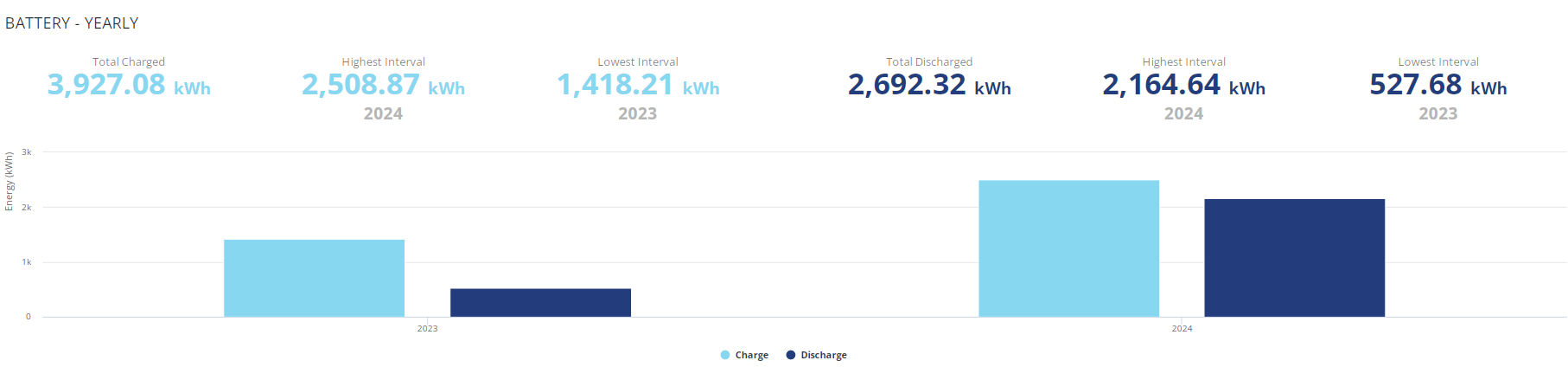
The portal figures for lifetime are wrong as it gives exactly the same figure for both charge and discharge.
All time report
Negative pricing on agile until mid-afternoon today so I’m re-attempting the firmware upgrade from v9 to v10.
27 minutes in and I’m still stuck at “90% - verifying update”
The AIO is currently performing its scheduled charge as per the settings at 4kW, rather than a 6kW calibration.
How long should I have to wait for the firmware upgrade to complete?
Ultima357 I do the same as my car charges slowly off a standard 3 pin plug. But I switch from Go to Agile for the summer months to earn 15p a unit on export, as we switch to being a net exporting household over the summer. Agile pricing tends to be less than 9p to charge the car and AIO if you can pick your slot (easier if the car is mostly home during the day).
zag164 Ah. Well having thought about it, I can't easily get to grid as we have three CUs and the charger is connected to one of the slaves, hence nowhere near the gateway. It'd be a bit of a challenge to locate the cable and reroute as it's below an airtight membrane over which sits 400mm of insulation. (Passive house).
Ultima357 Ok you've done well in that case as I can't have Outgoing Fixed at 15p with Go (only Outgoing Fixed Lite at 8p). You must be on Intelligent Octopus Go to get 6 hours at 7p.
https://octopus.energy/help-and-faqs/articles/which-export-tariff-can-i-combine-with-my-import-tariff/
26Left
Messaged support and James has now confirmed update complete - and at my request initiated a calibration, which is not required apparently as this update self-calibrates over 48 hours.
Full marks GE support ✅
BAAA0010 (17 June)
Firmware changes:
1) resolve the issue of SOC not adjusting when charging from PV
2) Static OCV optimization, improved self calibration
12:00
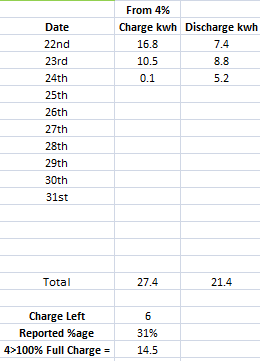
13:50
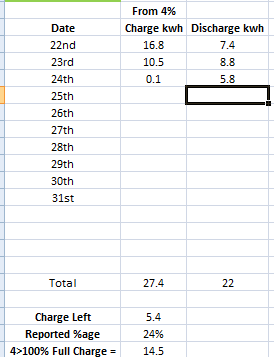
At this rate im going to be around 3kwh short because just like BMS9 it doesn't seem to be taking any losses into account inbetween full discharges.
EDIT
Ive put more in the battery than went out and im stilll over 15% off from when I started today at midnight.
I'm tempted to update soon but I'm a bit concerned around the off grid mode changes. Anything I should be aware about?
deanjesper I've been running it since mid July and have had no issues with either solar or grid charging. It's much better than V8 on solar and largely seems to be running within parameters. I just asked GE to check the EPS setting as when I looked, it had not switched it on after the upgrade and each time I read the setting it reverted to off. That said, I'm not aware that we have had a power out since it was upgraded. So I'd say do the upgrade but check the EPS settings afterwards.
I’m running it for parallel AIO, and it seems fine to me.
The image from Home Assistant doesn't include the 3kwh put in on the 24th from 23:30-00:00.
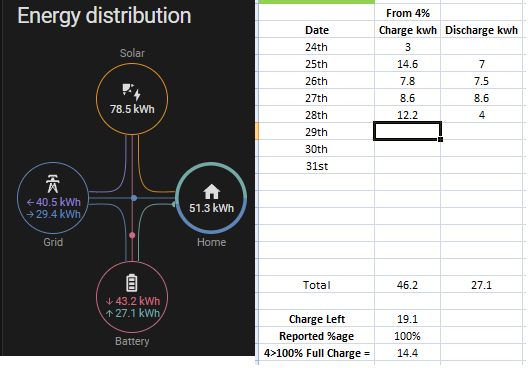
Out of 100% charge yesterday it only took 10.9kwh for it to go empty despite it keep putting over 14kwh in.
100% > 20% = 9.2kwh apparently.
I agree, physics says you can’t keep putting 14 in and getting 10 out.
Hhhmmm if you do the basic math on AIO totals it is just possible.
AIO comprises of 4 x 4 kWh batteries = 16 kWh (so 14 possible)
14 in 10 out is also possible if one battery is not working as expected.
If AIO is thinking it is charging up all 4 batteries then it may think 14 in is OK if there is an issue with one of them, then when discharging the faulty one could discharge less throwing the math out. Unless GE look at this and confirm all 4 batteries are working as expected it’s difficult to know.
It’s a shame there is no tool within the AIO software this could be checked continuously and reported on (if one or more battery packs starts to have a fault it would be better to get it replaced asap so the other 3 could continue to operate to full capacity).
Not sure how the other three would react if one totally went and if GE would get a warning.
It’s the same type of thing I have requested as a warning, why can’t GE set up a Notification/Warning that the Gateway has gone into backup mode when the grid goes down? Plus this new one lock at all 4 batteries.
“Coming soon” sorry for the pun 😎
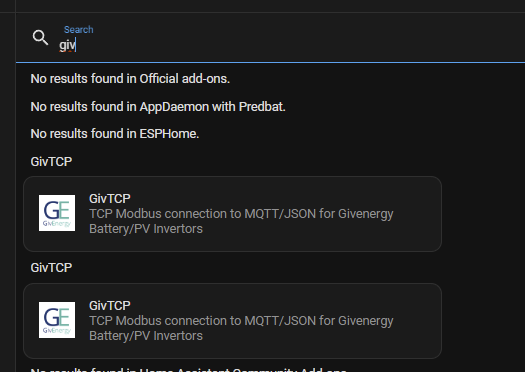
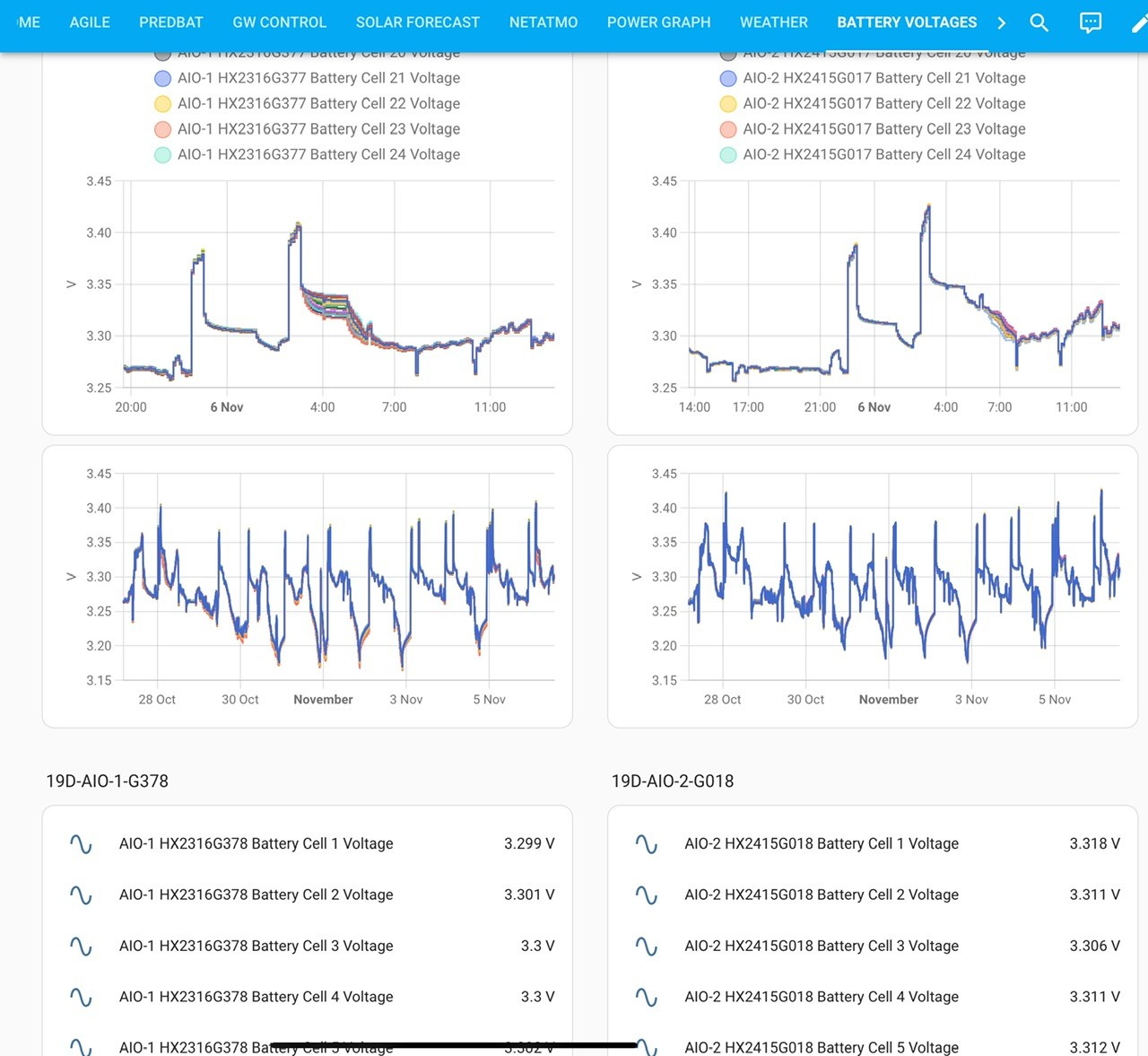
GivTCP beta has info on individual battery voltages. Might be worth looking at that to see if one of the batteries is wildly different to the others.
Couldn't find it, no options to select version inside home assistant.
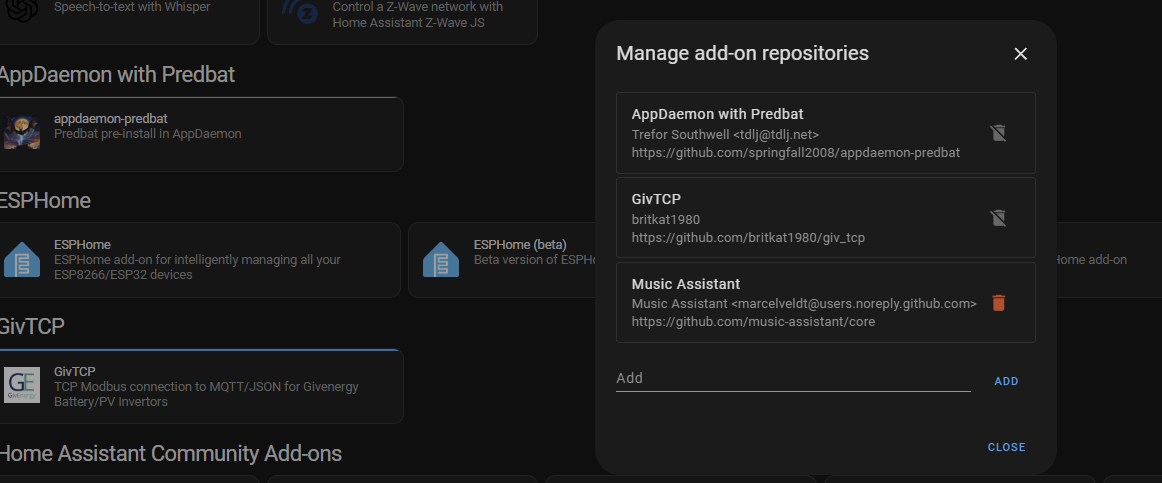
Yeah it’s a different repository. You can run it alongside the one you have now. I’ll find the repository for you later, just heading out for dinner.
Jellybaby https://github.com/britkat1980/giv_tcp
In the add on store list you should see the normal dev and beta options, install the beta.
Apparently its standard install now but not seeing voltages
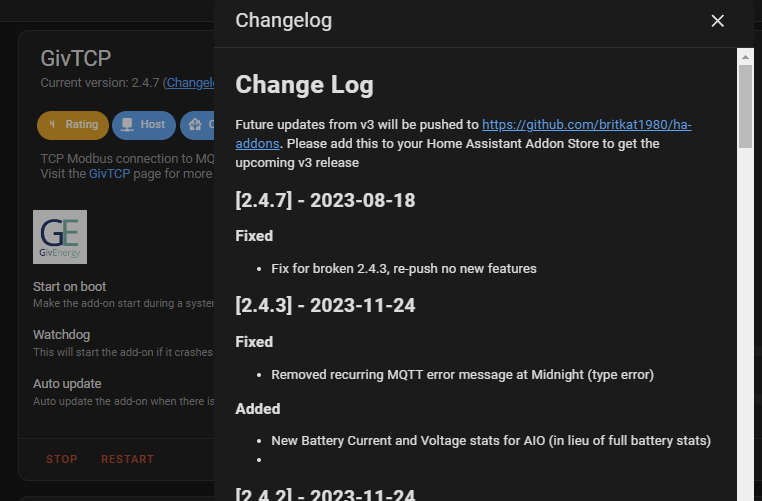
I was a numpty earlier, didn't realise I had scheduled discharge on and after charging at 6kw from 1>4pm today it had discharge set up for 4pm>11 10 lol (usually turn it off and wanted to discharge fully before afternoon hit this morning) and after putting 13.6 into the battery today I ended up discharging 5.5kwh lol, since then ive used another 4.4 for 9.9kwh total and am currently at 35% SOC, good thing its cheap all night and into tomorrow afternoon.
It will stop at 4% so 31% SOC left which should be around 4kwh,
Going to leave it til tomorrow afternoon to charge as its looking to be a crap day lol.
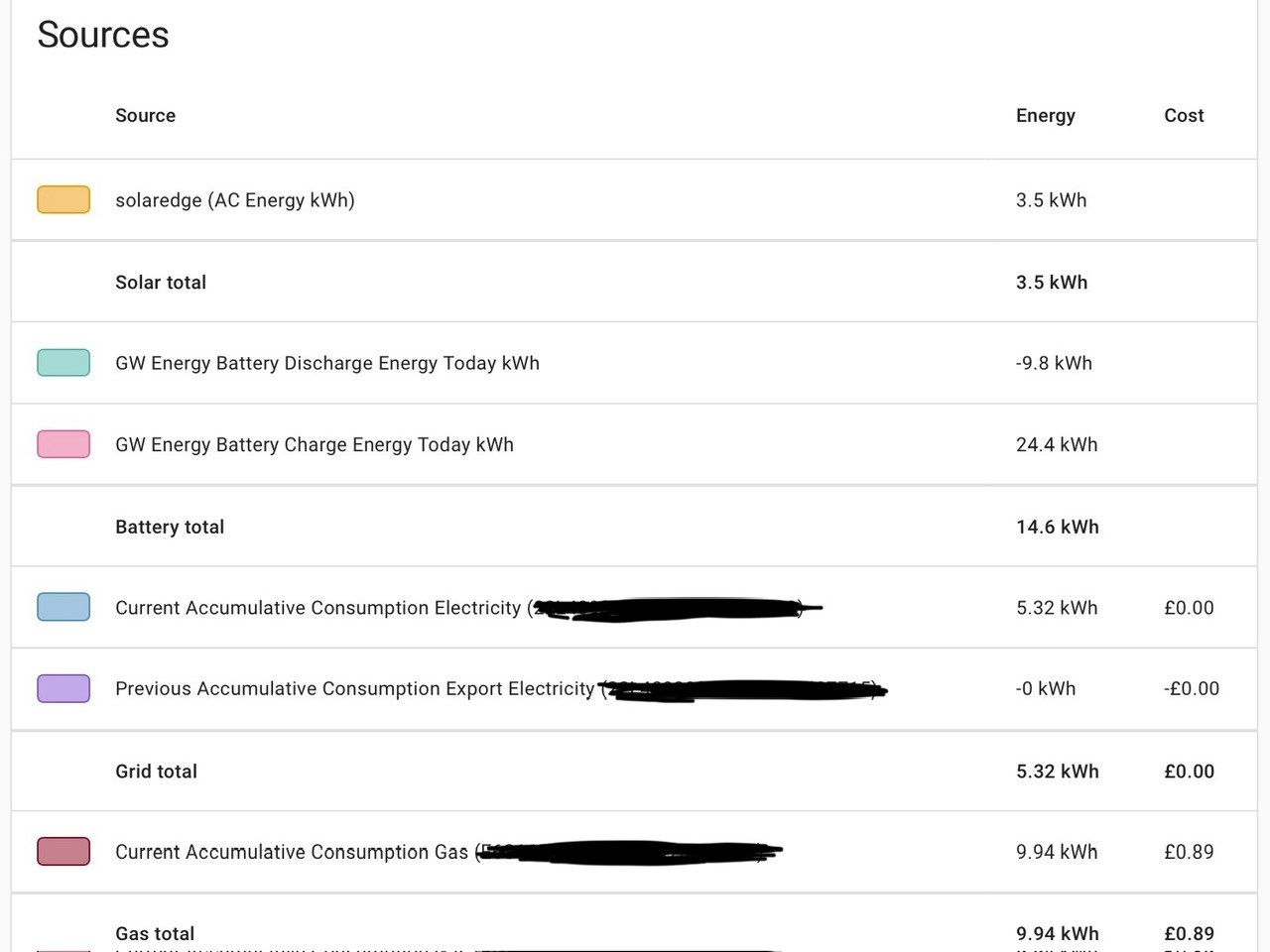
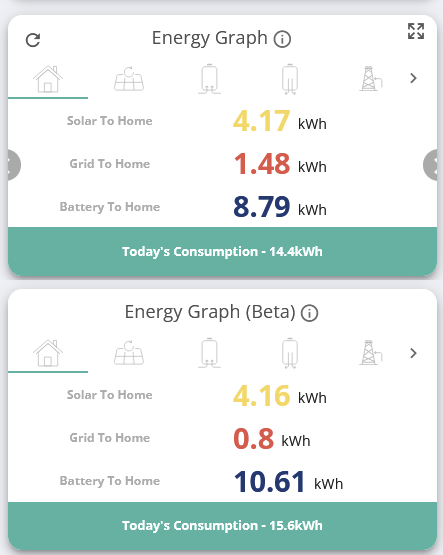
This is funny as well, according to Home Assistant they are both wrong on consumption.
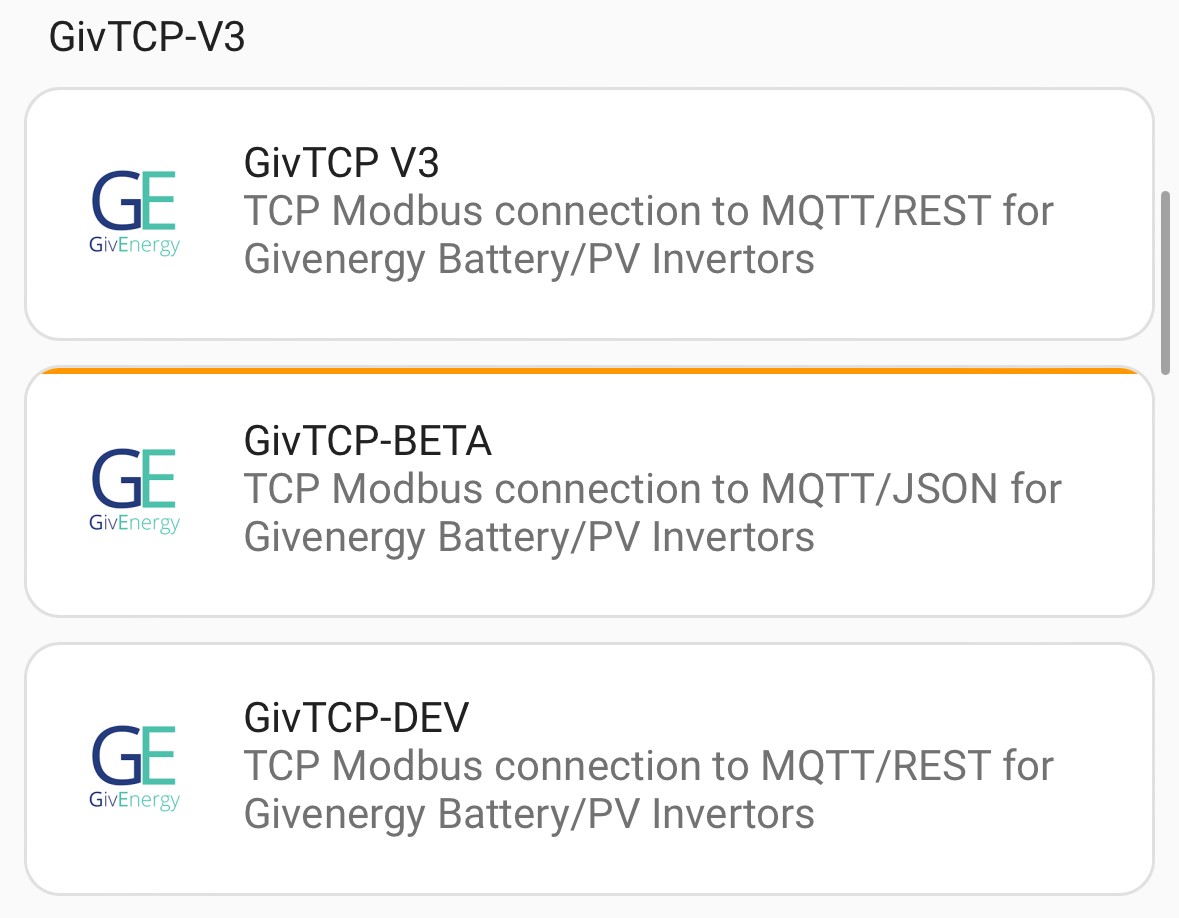
I have these options when I go to the add on store.
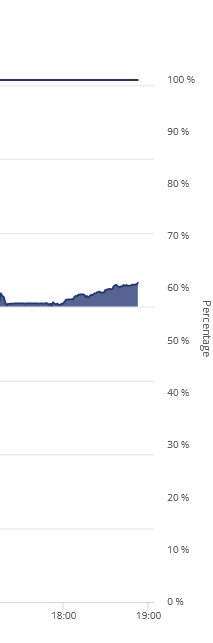
Can't seem to get it to show for some reason, also after running flat overnight and charging from 4>100% again im not sure I like the SOC still being on 100% considering how long its been using battery, battery discharge has been 500w+ for past 20 minutes.
Tried a second browser, still couldn't get it to show more than 1 version of Givtcp.
Got the link that worked, asked teh FB group and this one did the trick
https://github.com/britkat1980/ha-addons
EDIT
So, where are voltages supposed to be?
EDIT 2
Going through setup page for all inverters its just chucking up

Can't even do the setup for givtcp beta
Jellybaby Tried a second browser, still couldn't get it to show more than 1 version of Givtcp.
Should be possible to just run a script with modbus directly, rather than having to fully instantiate givTCP. I have a script that works for low-voltage inverters and it should be possible to change it for AIO. I don't have access to a real AIO, but I do have a register dump from a system which I might be able to run in my emulator, so maybe I'd be able to test a script that way. (Have never yet tried that in anger.)
Started at 19% SOC, 11kwh put into battery and im up to 77%.
Edit
It was 100% yesterday when home went over to battery at 16:00 and until midnight used 5.1kwh, midnight til this post used 4.9kwh for total of 10kwh.
Just catching up on the thread. Surely if one of the four modules were on the blink you'd see a lower than expected voltage at 100% in the standard GE cloud reports? That said I'm not entirely sure how the voltage stack is laid out across the 4 battery modules.
On another note, after a few days of solar only charging and the recent weather being more grey than sunny, I noticed the 100% soc was back to the old V8 tricks at letting the full charge voltage drop to 317v, so not fully charging. This confirmed on Monday when it got to 4% after giving less than 9kwh. But grid charge to 100% overnight resets it. 13.5kwh input to charge from 4% to 100%. So V10 is better than V8 but it still needs a few more tweaks.
99% at 4PM yesterday, 6.1kwh used up til midnight and then from midnight to 4% it used 4.7 for a grand total of 10.8kwh,
Perhaps the GE batteries have a bit of human in them (or 5 year old), it gets used to the daily routine and you get the most out of it, then when things change like the weather today it throws its toys out the pram, sulks then says I am not doing this any more and drops to 4% (SOC drop)
This is just a cheer me up pun on a very rainy day ☔️☔️
Daveb01 Ha ha! You've probably cracked it. But I suspect that the awkward one is the fact that during slower and varying charging from PV, the algorithm can't rely on just battery voltage to indicate full charge. Probably a tricky one to dial out but I'd like to think that a little bit of summation of power in & out could correct this. Failing that, a routine that says "after x minutes idle at 100%, if the voltage doesn't equal 320v, then continue charging. Repeat after each additional 0.5kwh charge until 320v".
Incidentally, where did you find the info that each battery pack is 4kwh?
I put 6.1kwh in battery to tide me over til later, it took SOC from 4% to 42%, 6.1kwh from 02:30 to 03:30 should last me til at least 9:30 minimum given my home load doesn't exceed 1kwh unless kettle is on and typical battery discharge rate is under 800w.
Mine was updated from beta 9 to 10 two days ago and I think I'd like to go back to 9. I have used around only 7kw-7.5kw today and it's gone down from 100% to 26% yet still showing 313 volts. Looks like it will be going idle before I have used 10kw. Is D0.689-A0.689 the latest inverter firmware version?
I noticed it only took 14kw to charge it from 0% during the recalibration, in the past it would take around 15.5kw.
Kwaka my inverter is 612/bms 10.
I would like to go back to BMS8 myself and whatever inverter firmware was on that.
The damn thing outside of BMS8 has been a complete bloody headache.
After just 4 days nearly 6kwh unaccounted for, something is seriously wrong in how its doing calculations.
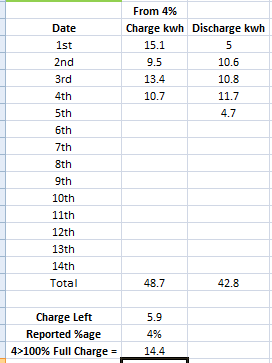
Kwaka D0.612-A0.612 is what mine says. I did the V10 upgrade mid July. I noticed recently that solar PV charging wasn't filling it but otherwise it's OK. Mine recently went to idle (4%) at 302v, floating back up to 306/7v. This on a 400w ish load. Check your previous 100% volts. Should be around 320 once idling after charge.
Seems like my 4% is around 304v, put 6.1kwh in got 5.9kwh out, guessing these batteries are only what they say on the tin if you discharge in same day you charge otherwise you just start losing kwh somewhere day to day.
I guess ill find out soon enough how much of a 4>100% charge ill actually get to use.
ok, now im getting angry.
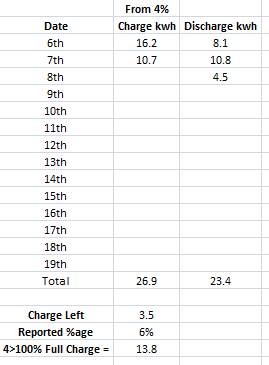
WTH has 3.5kwh gone in TWO DAYS
Edit
Now im up properly
Yesterday it was on 97% SOC at 15:38 and this is how that charge got used.
97% 15:38 > 00:00 5.7kwh
00:00 > 6% 4.5
Total kwh out 10.3
10.3 should have been around 75-80% SOC not 97%, this was after ONE day.
ok, grid charging only (except for the stupid 150w it puts in when solar is above house load, pause should not = +/- 150w) from the 8th to the 9th.
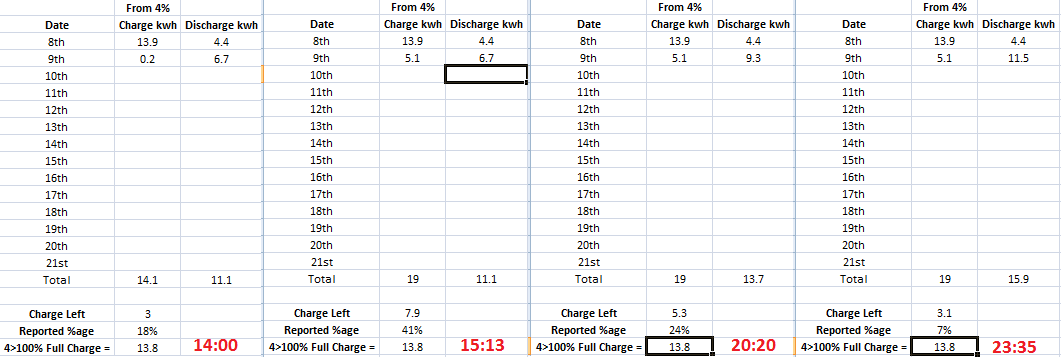
It was at 18% when I put 5.1kwh into the battery and ive used 4.8 of that 5.1 and its down to 7%, WHAT THE HELL., looks like im going to be out 3kwh AFTER ONE DAY, there is no way that is just losses.
Edit
Wasn't too far off, 2.5 went somewhere from one day to the next.
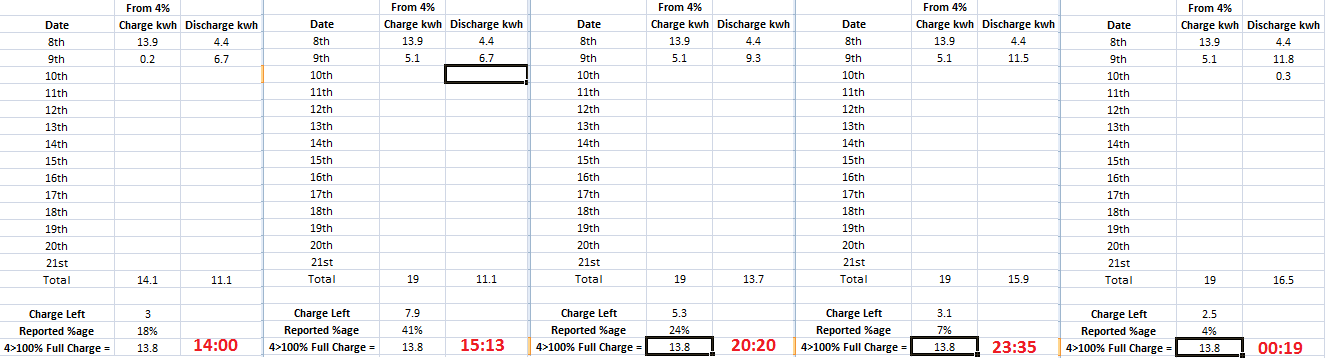
Ultima357 Ive sent them an E-Mail, awaiting a reply, since agile prices are low I decided to do a test, charged batteries to full which put 13.4 in and discharged 13.3, charged at 6kw and discharged at 4 so im not exactly sure what is going on.
Discharge happened literally 30m after charging finished.
Based on your numbers I’d say one of your batteries is duff. Get GE on it.
I’m getting average 13.2kwh out of both of my AIO’s
I haven’t seen numbers as low as yours since the really early ones.
Ok, from 12pm to 4pm I let it charge up at 4kw charge rate, I let it power the house til 22:12 and it used 4.6kwh and since it was cheap overnight on agile again (sub 5p) I thought id discharge the rest at the same rate as I did in the AM after a full charge where the difference between in and out was only 0.3.
Here is the results of when it got to 4%, nearly 1kwh missing in 8 hour period despite a full charge then discharge at 4kw only gave 0.3kwh difference, no clue how its more than doubled.
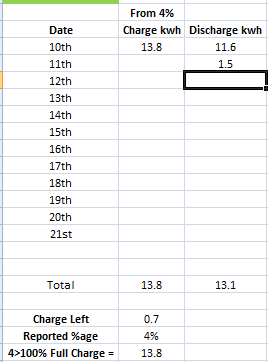
4pm to the minute before I started discharge, not sure I like the voltage tank around 21:40.
What a copout answer

I ran a test and 4>100>4 I lost only 0.3, from one day to the next im out over 2kwh, if it was losses then it would be consistent.
This has been past couple of days, yesterday it charged up to 100%
So they are telling me that with normal operation I should expect to get around 10kwh from a battery that I put 14+ in, wish I could go back in time and tell myself not to get this pos equipment.
I told them to explain how I didn't have this problem on BMS8.
Ignoring the 4% it stops at this is purely for what is put in.
This is what it was like before battery started being charged by solar.
98% > 31% (67%) = 8.8kwh im sorry but that is BS and when other people are not having this issue they can't put it on losses.
98% > 31% = 8.8kwh, so far via solar ive put in 9.1kwh and im at 75%, there is no way that has anything to do with losses.
98% > 31% = 8.8kwh (after that I used another 0.1kwh of battery and it dropped to 28%), so far via solar ive put in 9.1kwh and im at 75%, there is no way that is just down to losses, I could narrow down when battery was going to hit 4% within a +/- 1 period on BMS8, but currently I got no idea because apparently 8.9kwh battery discharge takes 70% battery but 9.1kwh charge only pushes me up 47%.
But apparently that is just due to losses, losses my backside.
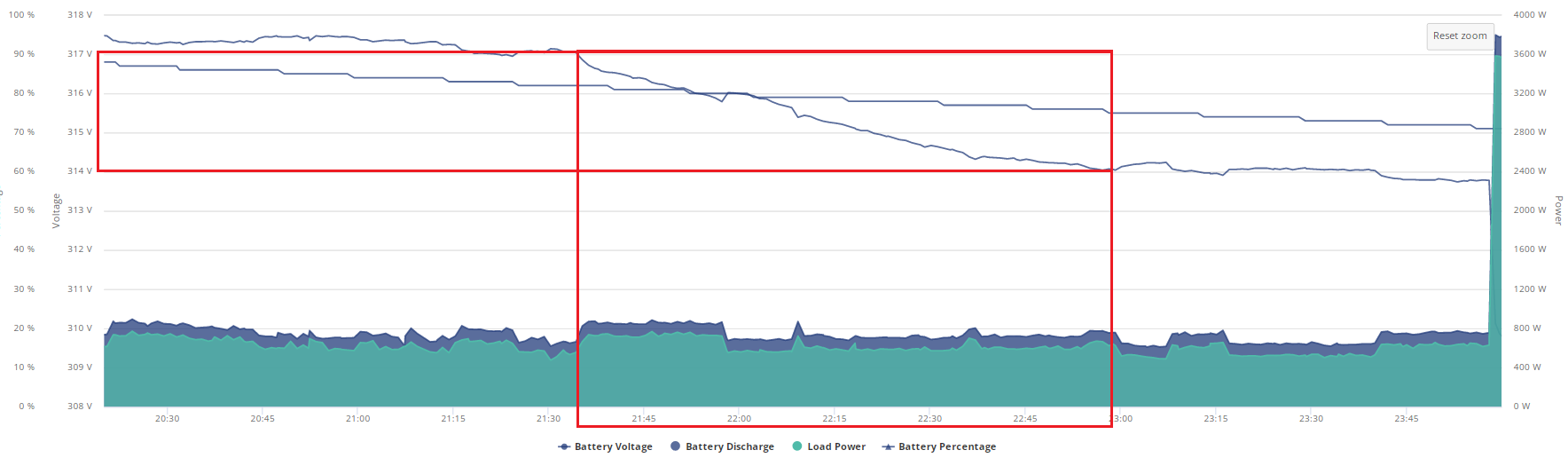
I really don't like how the voltage is tanking on a consistent load, I lose 3v in ~ 1h period
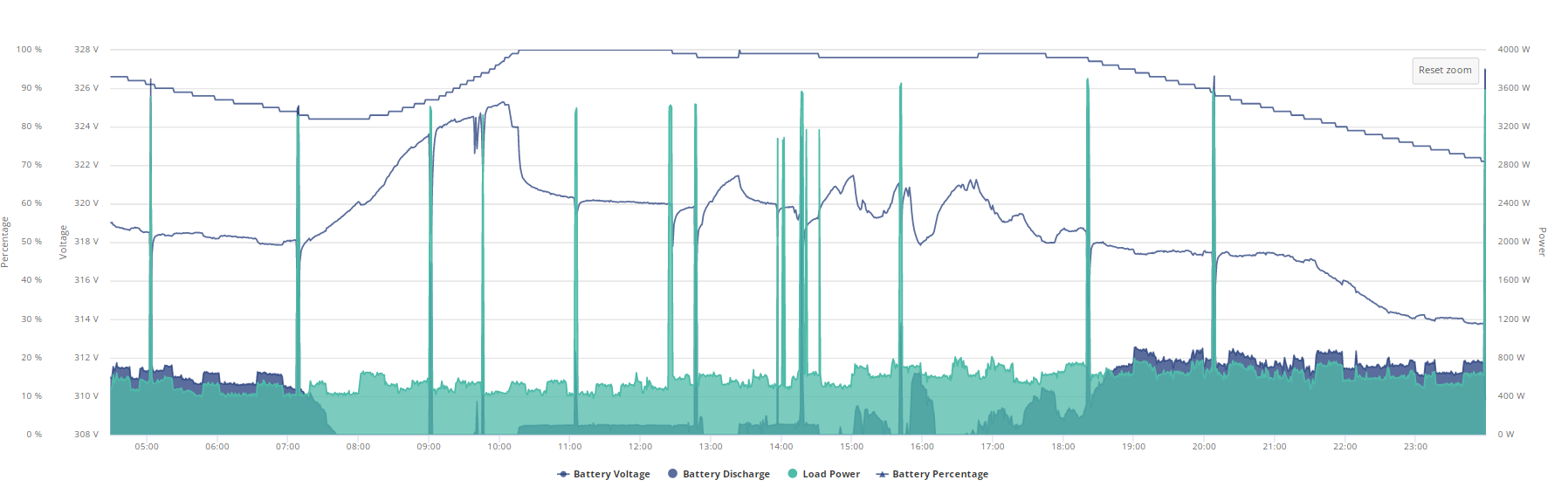
This was last night
This is this morning
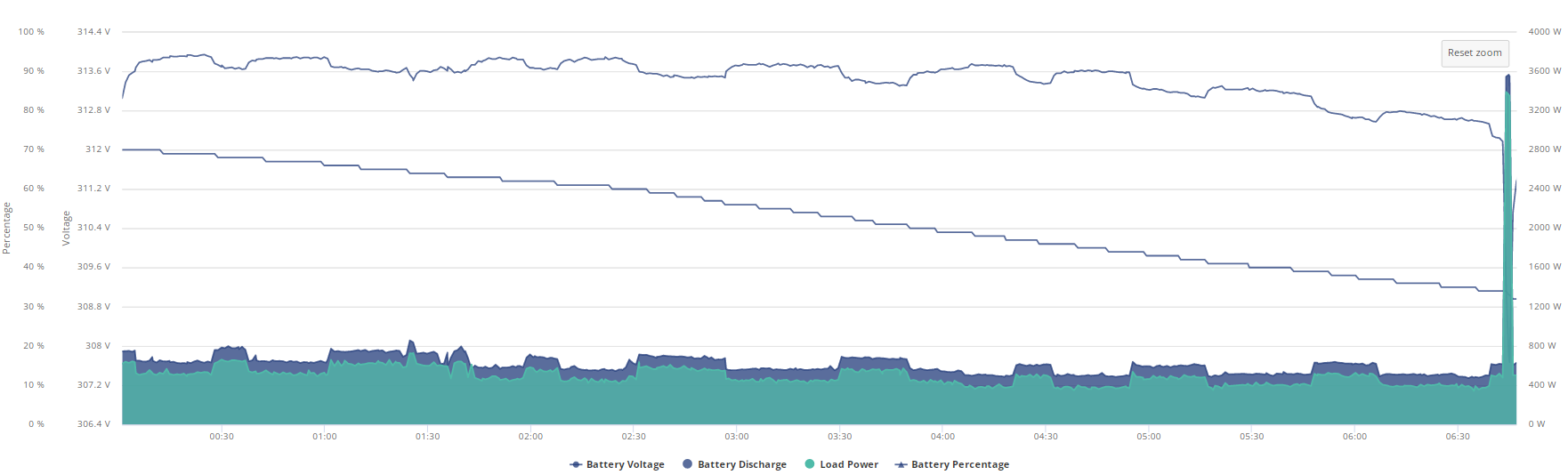
Outside of that drop I highlighted the voltage is fairly consistent with the consistent load
I know back in the day when I was on BMS7 I had to leave battery flat for couple of months I believe because it would only put about 1kwh into the battery for some reason.
EDIT
8.9 went out from yesterday when battery took over and so far 11kwh have gone in, there is no way that is down to conversion losses because im way above that if the 7.5% I quoted above is right, even at 15% I am over that for the entire battery capacity.
EDIT
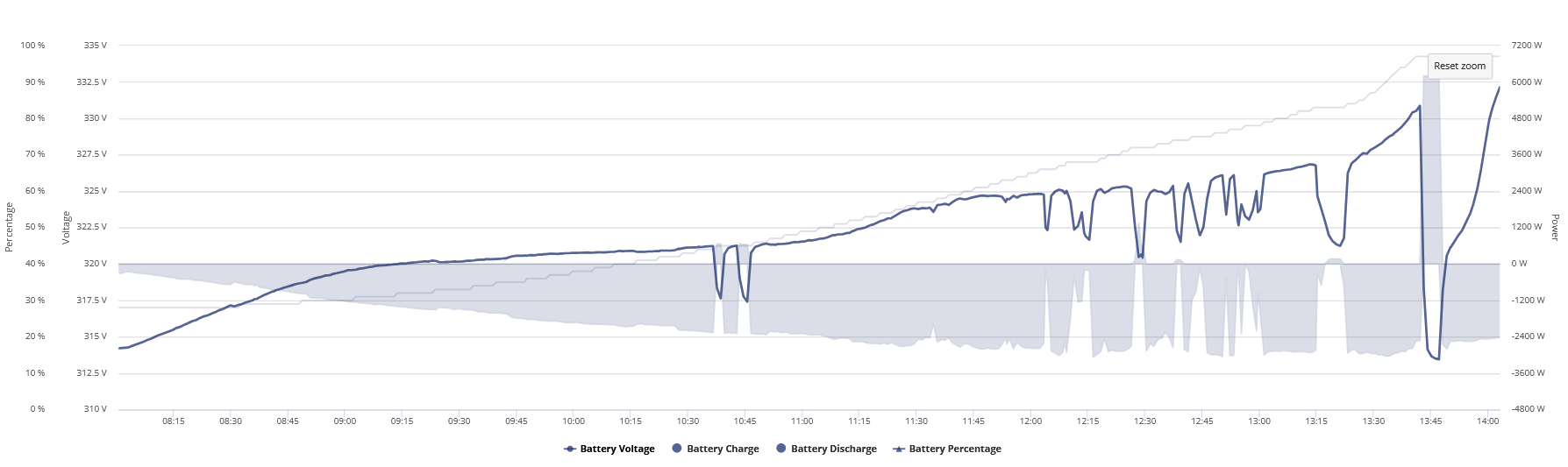
Sharp voltage increase as well with a consistent charge rate just before mum used the shower which is a lot steeper than the ones before it (excluding the increase at start were it went from discharging to charging).
EDIT 2
Mum woke up and ruined the in/out progression by having a shower lol but here is from yesterdays 98% onwards.
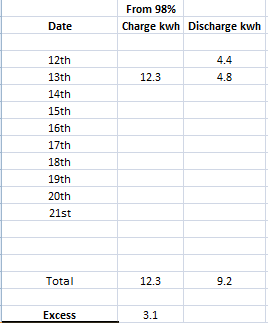
Excess of 3.1kwh went into the battery.
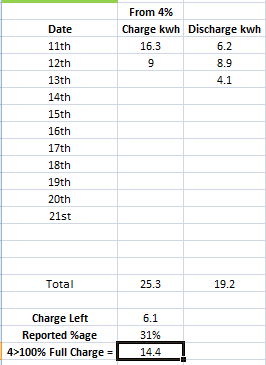
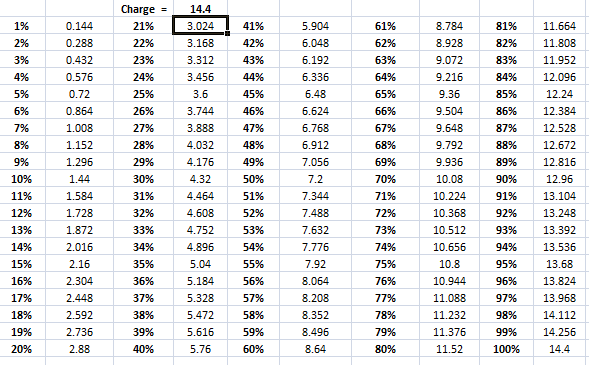
I started on the 11th at 4% the difference in what should be there to what is there cannot be put on losses in just 2 days when its being fully charged each day and the above is from yesterday to today, 3.1kwh difference is nearly an entire battery.
Given today's Agile pricing, I've finally decided to trigger the v10 update. Wish me luck...
It restarted 4 times (I'm sure last time it was only 3? I could be mistaken) and no battery calibration.
Calibration doesn’t trigger automatically anymore, apparently it doesn’t need to.
That's good, I've been putting off doing the upgrade mostly because the calibration bit is tedious and needs careful planning when on Agile.
KevinB mine was restarting and beeping for nearly 2 hours after inverter update, did you get any comms issues logged in portal as well?
I manually restarted twice when it started beeping and throwing comms loss messages as it was just displaying 0.0% battery before starting calibration for nearly an hour.
Edit
10kwh from 14:00 yesterday when battery was 100% used, 100% charged just now and it put in 12.4
No comms issues, it was beeping a little in the middle I think (or maybe that was my freezer... they're near each other) but only for 20 seconds or so. Although... if your home network takes a while to come back after a power cut I can see how that might present as a comms issue perhaps? Thankfully mine went quite smoothly (other than the 3 or 4 power cycles for the house during the process, which I really wish it wouldn't do but at least it has always come back up afterwards).
Well I have had a look back at battery efficiency using the app. By simply setting the dates to whole months (within the graph view) you can see total in and total out for the month. Then correct for state of charge at beginning and end to get the correct %.
March 2024 V8 95.8% (note mostly grid charging)
June 2024 V8 94% (note largely floating on solar as I was away most of the month)
August 2024 V10 87.4% (note charging mostly solar)
September to date 86% (note a fairly balanced mix)
Interesting I thought, so had a look at November 2023, 83.4% and December 2023, 92.6% followed by Jan to Aug this year, 91.4%. The latter worked out about 46% solar, 54% grid charge.
Only conclusion is that it's pretty inconsistent. Maybe temperature has a part in it, but I'm sure that consistent and level power mains charging is the biggest influence. But overall, pretty much within the 7.5% in, 7.5% out losses quoted by GE.
Anyone fancy comparing? Maybe just the Jan to Aug figures. Mine was 1745.29kwh out and 1910.57 in to give an idea of throughput.
Month to date about 93%
YTD 92% ish
Similar figures for my Gen 1 hybrid inverters. 90% YTD, 90% last month, 83% for June
Curiously 99% for January and February, 96% for March, 85% for April by which I could only conclude that the batteries don't like warmer weather?
The earlier months will almost exclusively be grid charging rather than solar charging, but you'd think grid charging with the AC to DC conversion would be less efficient rather than more.
It makes me think that the way and place that the power is measured isn't consistent
My hybrid+9.5 seems to be fairly consistently up at 95+%, with 96.8% for ytd. Without correcting for SoC but I fairly consistently start and end each day on 10%-ish.
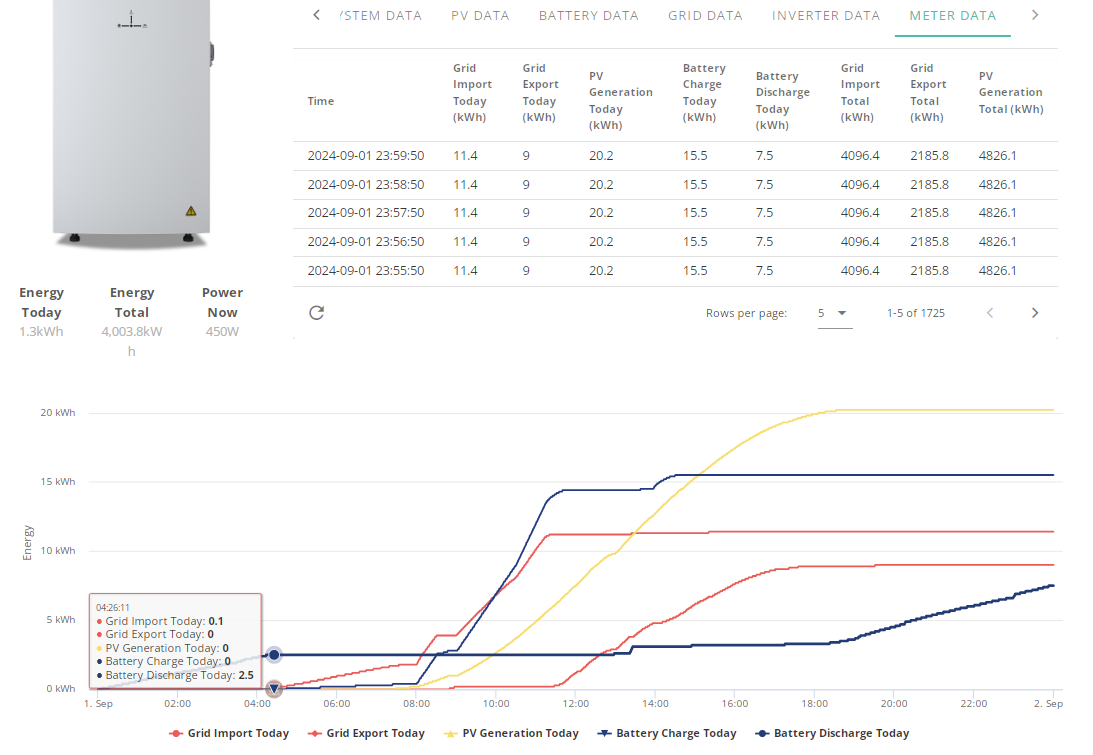
The meter data gives slightly different numbers from the energy flow. Eg for me, for August the app reports battery-in=245.63, battery-out=231.48 = 94%
But totalling up each days meter values, I get in=247.6, out=241.5 => 97.5%
(I allow the battery to idle from 2330 to 0030 - one of the reasons is so that I can collect clean daily in/out numbers. The meter data does provide an all-time, but that seems to be strictly the average of in and out, and it doesn't present those separately for some reason.)
Ultima357
ENERGY GRAPH
BMS - Month - Battery In - Battery Out
8 - January - 385.83 - 254.99
8 - February - 354.62 - 279.68
8 - March - 362.2 - 342.97
8>9 - April - 320.32 - 304.74
9 - May - 302.41 - 275.89
9 - June - 308.3 - 275.54
9 - July - 306.57 - 280.18
9>10 - August - 337.75 - 308.47
ENERGY GRAPH BETA
August - 354.17 - 321.32
July - 337.57 - 275.31
June - 284.37 - 241.32 (this is missing first 3-5 days as I assume that is when it was added.
EDIT
I heard back from GE again and apparently they are investigating a possible issue with BMS10 that could be affecting my system, aren't I lucky.
Jellybaby Well apart from January & February they are in the 90%+ sector which indicates quite a reasonable performance. If your battery is outside, then maybe Jan & Feb were cold enough to require some more power as they don't perform well at low temperatures (sub 2 degrees I think) . The figures don't seem to relate to the measured in/out losses you were previously posting so I'd be asking myself if the other figures are astray somehow. But I'm not sure how you get the previous figures, are they off GE cloud/app or some separate monitoring.
Ultima357 I got them from meter data, that is where I look at charge/discharge on batteries.
Home assistant does its own thing and the daily +/- I do with what the meter data reports and I have a little section at the top for if I discharge after midnight and before I charge up, for example this is when I was a complete lazy moron and forgot I to turn off the discharge that was set to run til 1pm, I should have narrowed the field but I usually turn it off right after but I left it on so it got a full charge then discharge lol.
But for the sake of an example this is the last thing I had in my sheet
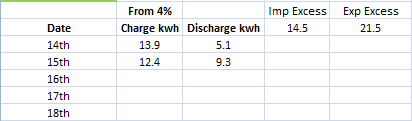
Also the battery is inside cupboard with consumer unit and the temps are around the same as what they are now, gets toasty when charging or nearing the end of the capacity but typically between 20-30c range.
Yesterday topped up 12.2kwh, used 10kwh from then til 100% today when it added 9.9 but the 12.2 I put in before I had only used 10.1 lol
They said they are investigating an issue with bms 10 about under reporting.
Started 00:00 with 66% battery, down to 32% by 7am (3.9kwh discharge) when I put 3kwh in which took me to 42%, 07:30 - 10:36 with 1.1kwh used im down to 34%, 2 above where I started lol, this BMS is wild.
Ok, now im really confused.

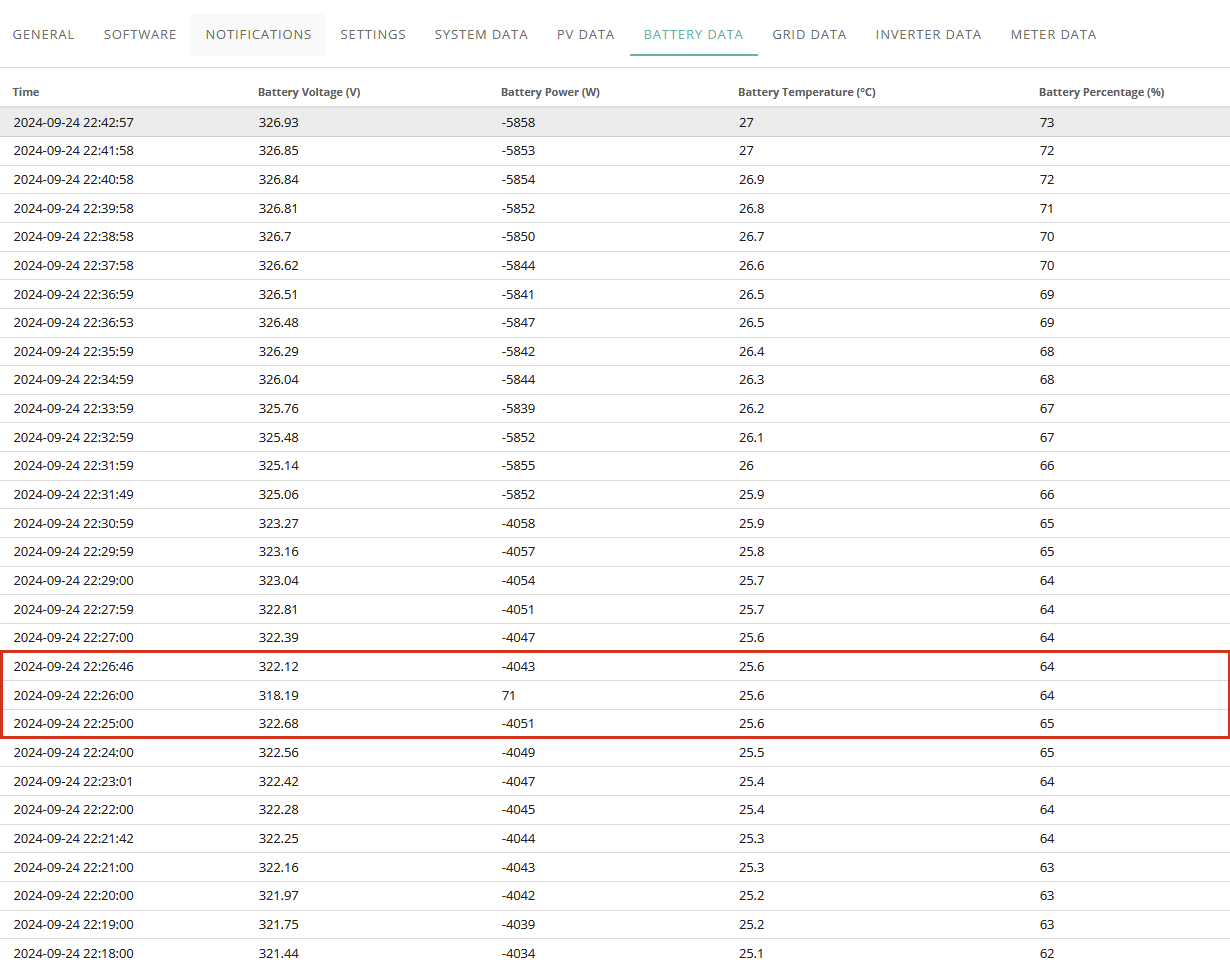
Got charging paused on battery.......

Just, why?
GivTCP Battery Card
September battery report, around 16% difference give or take from power in to power out.
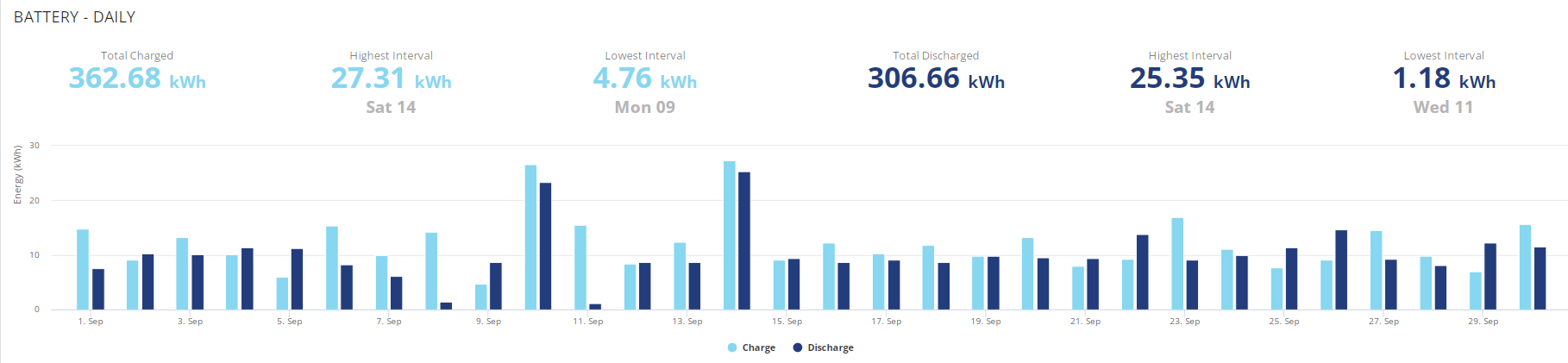
atm im at 27% after 16.5kwh of charge 4>100% yesterday to 02:18 12kwh used and charge period starts in 12 minutes.
This is how September started
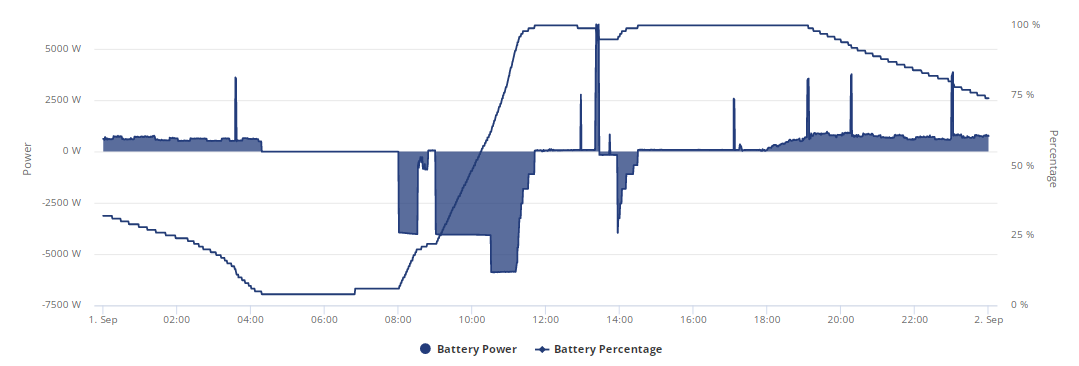
Mine took almost 11.5kw to charge from 27% to 100% overnight and here I am at 815pm 5% and idle after discharging only 9.6kw but had 312volt remaining before going idle. Doesn't bode well with winter coming up, BMS8 was better.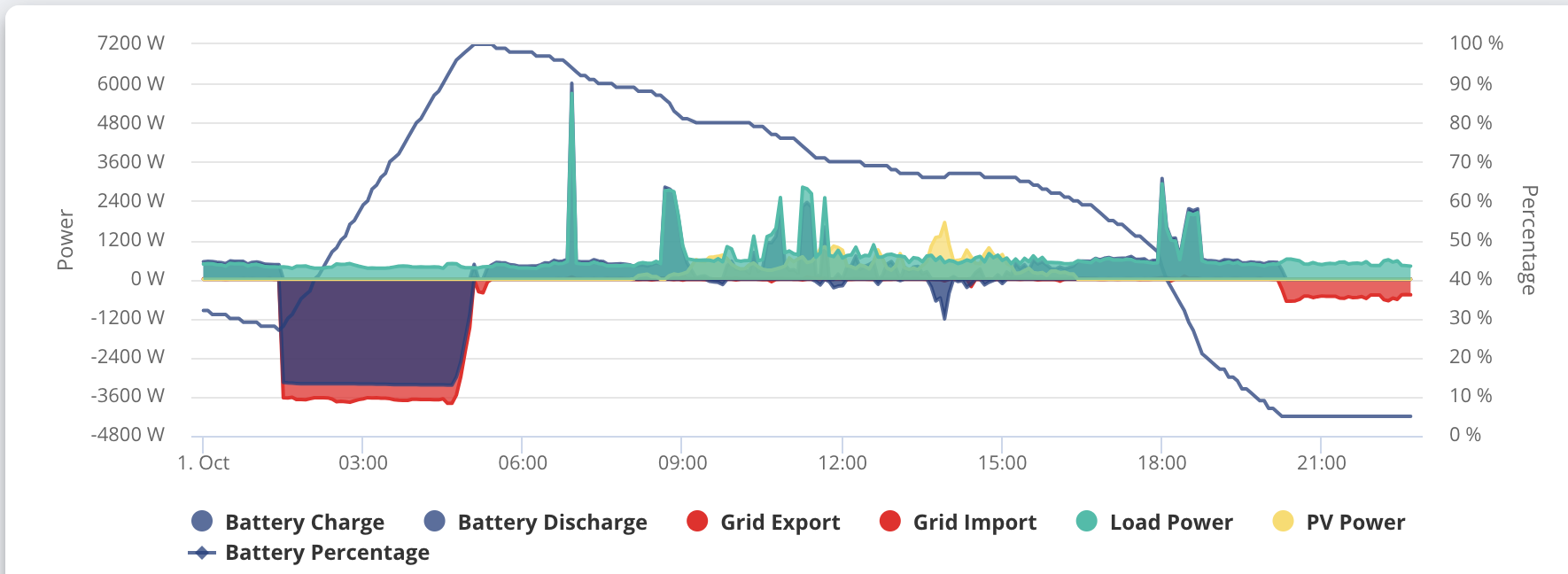
Kwaka I note on your graph that the decline in soc gets steeper after 15:00 even though it looks like you were pulling roughly the same, apart from I'm guessing cooking activity around 18:00. It could be that you have some hidden solar though. My experience, is that if you pull high loads near the bottom of the charge, then it seems to trigger a before empty idle from which it doesn't recover. BMS 8 wasn't any better in this respect and I've found 10 is more consistent but still has some improvements needed.
Well yesterday was interesting. Bombed out to 4% overnight having given only around 9kwhr from 100% then with solar and an octopus power up session, it took 15.3kwhr to charge back to 100%. Charging at full rate under the free power slot to full. Voltages, dipped below 300v on discharge before idling back up to around 306v and full charge nudging 330v before the usual idle at 320v.
So still some work to do GE.
Have you guys seen this new GE battery?
Fresh 4 > 100% on the 6th, got down to 50% on the 7th before charging up to 100% and from 100>7% tonight has taken 10.5kwh discharge., albeit ive been emptying the battery at 2-3kwh rate but as I have shown before in an accidental test I only lost 0.3kwh going from 4>100>4 at 6/6 rates.
As usual discharge took a nosedive around 40%, I was supposed to have it last me til 23:30 if the battery was at all reliable in numbers.
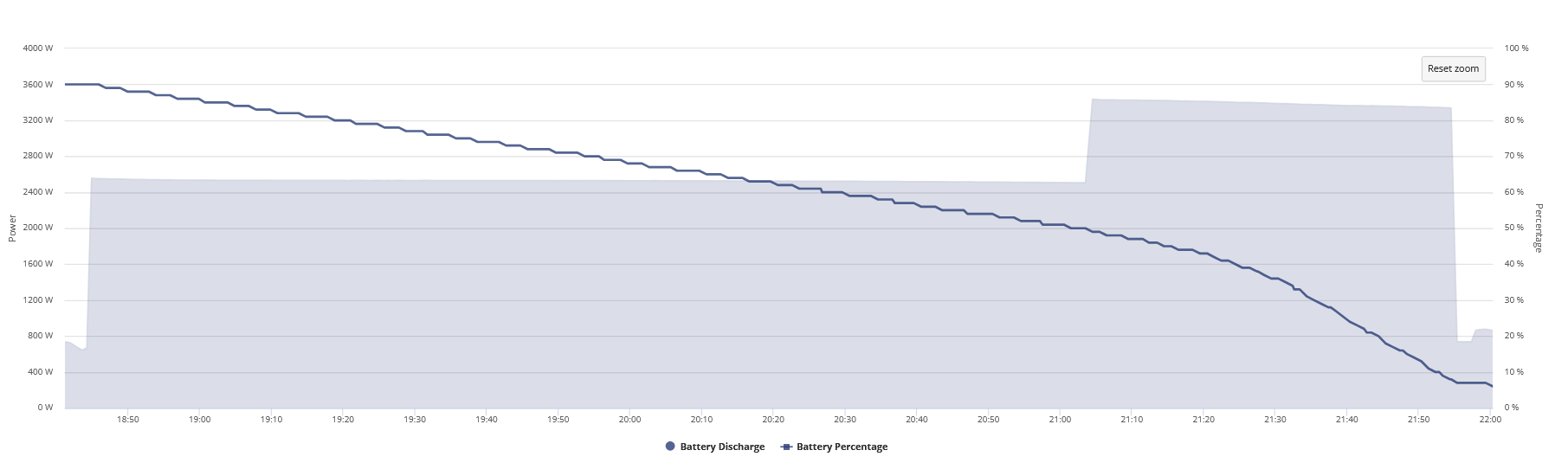
Edit
Gone down 3% in 0.1kwh
Edit 2
Make that 4% lol
Jellybaby So as I suspected, the algorithm is doing some battery protection at the bottom of cycle when pulling a chunk of power. Had it been a linear program you would expect to see the soc start to angle down steeper from the point that you raised the discharge, but it didn't. It only altered the glide path at around 40%. Makes trying to estimate the amount of time you have left very difficult when playing with the agile rates which I'm guessing was what you were doing.
Ultima357 I was trying to not prolong the days between full discharges but even back in the day as soon as it hit 40% the SOC seemed to nosedive whether I was force discharging or not.
Edit
9th October 17.5 in 15.9 out and I done a 3-4kw discharge again for 2 hours before returning to covering home load.
Edit 2 11th October
Starting from 4>100% charge on the 10th this is how the fight between charge/discharge went til 100% on the 11th, given that a 4>100>4% cycle at max charge/discharge rate only lost 0.3kwh im not sure how it somehow lost 1.5kwh in a day unless a battery is faulty and not holding a charge.
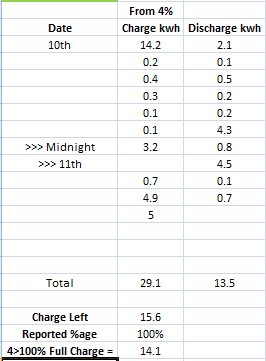
Thats odd, put 6kwh into battery and after force discharging it got 6.2kwh discharge from it.
Seems like I get out what I put in if I use it instantly lol
Edit
What would be nice is to be able to choose charge rate along with the individual slots.
Well yesterday turned out a duller day than forecast, so battery dribbled along all day between 30 and 40% soc. In the evening, from circa 4:30 to 23:30, it ran the house base load (circa 360w) and discharged pretty much linear down to 15% from 38%. It dropped voltage linearly too. Calculated the load at an equivalent battery capacity of circa 11.6kwh which is OK as the figures are wet finger averaged due to fridges etc cutting in and out, plus cctv IR coming in as it gets dark and adding a few extra watts to the load.
But, at 23:30, cheap rate comes in and I automatically put the heating top up on, so the ASHP kicks in at around 2.6kw. Result is battery voltage immediately dives nearly 10v, the last 11% of charge to 4% gets consumed in 18 minutes and a battery capacity calculation at this point gives around 7kwhr. Had it run to 4% at the low rate calculated capacity of 11.6, it should have done 30 minutes at the 2600kw.
It's not an easy task getting that algorithm spot on and I guess they err on the side of battery protection. Plus my figures coming off the portal are only averaged from the circa 7 minute data points too so could be quite a bit out in that last 18 minutes as the ASHP is certainly not linear in power consumption. Maybe putting in a smart meter to measure actual in and out totals is the only was to get the numbers but then you'd have to manually read it at the key points (OK if you did a managed charge discharge cycle but not for everyday consumption). Or is there a bit of kit out there that could be built into HA or similar?
This is where I stand right now as of 21:32 from a full charge, I documented every change and stopped discharge accumulation when it charged a bit, that is each step you see.
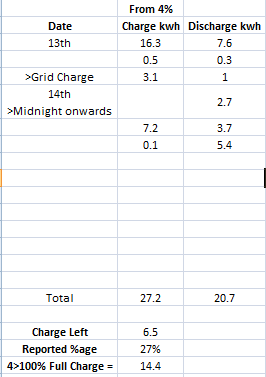
There is no way on this or any planet that im gonna get 6.5kwh out of 23%, how did it even get THAT far out after 24hrs?????
At 6AM today it was at 100% SOC, since then only 0.1kwh of charge has gone in and so far 9.1kwh has come out.
EDIT
Forgot my 22:30 charge period was still active from last night and got another 1kwh put into it, I was going to stop it but thought id let it go from the 6m it was running to 10 minutes to get me hopefully to at least 1am but I was at 9.7 discharged and down to 19 %
Edit 2
1.3kwh took it from 19% to 23% and after 0.9kwh im down to 16%, sorry but WTH is going on
Edit 3
From 13th to 15th 01:24 14.4 went in on initial charge and via the math I should have had 5.1kwh left when battery hit 4% just now but from 100% at 6AM I managed to get a total of 10.2kwh out of the battery.
Battery voltage was on 308.69 when it hit 4%
Odd, I done a bit of discharging tonight since agile price overnight is low and this is how it looks atm
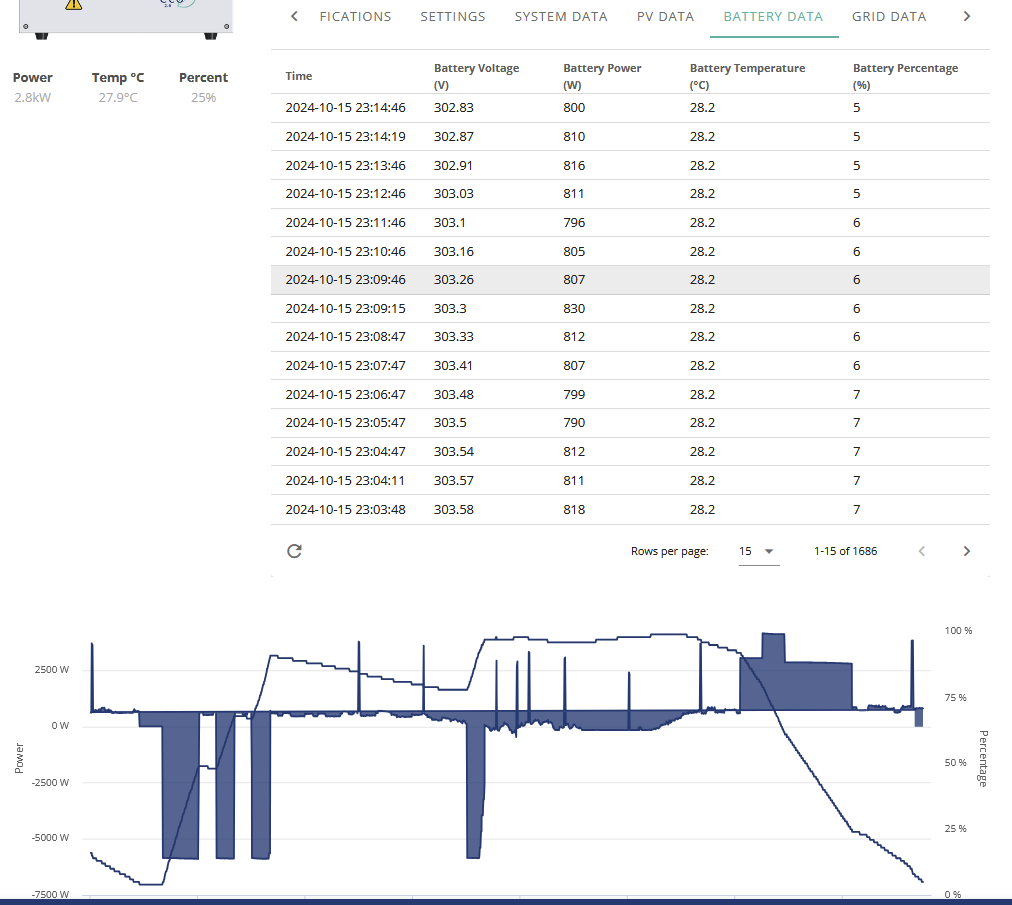
EDIT
Lot different from this midnight.

Edit 2
Even more odd but from midnight til the battery went flat I discharged 0.9kwh from the battery before it hit 4% and this is the charge/discharge for today, take off the 0.9kwh from the total discharge
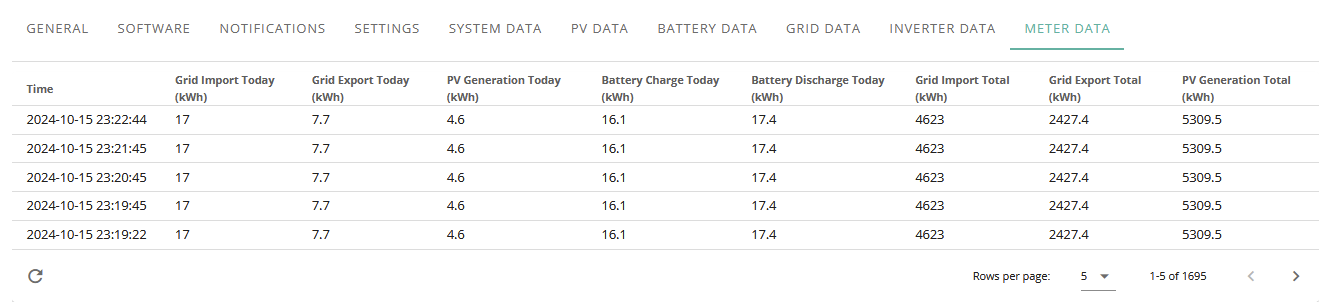
I went from 100% to 4% with only 8.1 kWh discharged and then
4% to 100% with only 9.1kWh charged.
I hate this damn thing
After it got to 4% I charged it for an hour then fully discharged it, it put in 6.1kwh but I only got 5.4 discharge out of it, I really don't understand this thing, above I got more out than I put in lol.
Blasteh What voltages did you hit at both ends on each cycle and then what did it float at when idle? Full range as I see it is charge peak around 330v, floating at 320v when charging stops and then dipping just below 300v on discharge before idling back up to around 306v. Mine drifts back from the top end on solar charge and then gives less energy than expected.
Hi All,
BUG: AIO Release 10 may not respect your configured export limit
I read through all this thread before pressing the magic button and having a smooth and quick upgrade....(thanks all!)
I'm not a big exporter however I noticed last night that it hit 5.5kw exporting - which it shouldn't do as I am configured with an export limit of 5Kw.
Just picked this up with Givenergy Support whom have confirmed it's a bug they see on __some_ systems...they're currently in the process of rolling me back to R9...
Therefore please be aware of this if you have an export limit configured...
Many thanks - Interesting as they rolled it back to R9 and still had the issue. I've just mentioned this to them and I think they'd clocked that at the same time....
.......
Now fixed and indeed back on inverter firmware 611 but BMS 10
Wow, they have known about this for months. Why are they still pushing 612 out!
Yet another false bottom last night. Stopped discharging at 4%, above 300v and floated back to near 314v, then jumped to 6%. Just 3.5kwh out from 56% to 4%. The algorithm just can't seem to handle anything over a few hundred watts discharge as it nears empty. Now taken 12.5kwh input to 100% via mains and then solar. Thought it had thrown a real wobbly as it was jumping between 4% and 26% and then 4% again until I realised that it was two sets of figures interlaced due to clock shift back an hour.
From 100% yesterday
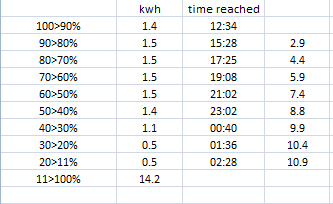
It had a flat to full charge the previous day, always tanks hard after 40%.
Mine went from 100% at 316V to 20% before it SoC dropped to 0% at 285V while only discharging 8kWh
The only upside is that it auto calibrates when it charges back up and will fill back up to 16kWh.... but this keeps happening every week or so.
I know if it doesn't get to 329-330V when charging then it isn't truly at 100%, this also happens a lot.
It stopped at 302v tonight
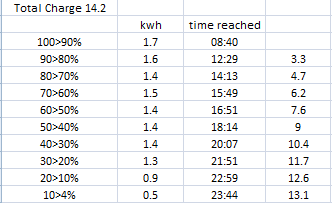
Well last night it did 75% to 4% giving only 3.7kwh at a 3.5kw load (ashp running). Then took only 11.5kwh to charge to 100%. Looking at voltages, fine at 100% charge but 4%, 313.6v. So not true discharge with lowest discharge volts at 304.6 at the point it shut off. Approximately it gave about 2.5kwh from 100% to 75% prior to this as it fed house base load of 350w for 7 hrs.
I had been getting pretty consistent results, but the past couple of weeks the SOC tracking has been wild again. It seems to be ok charging, but it the force discharge when you get below 50% it’s just drops off a cliff. For the past two weeks I’ve been averaging about 10kwh out of each AIO.
Like day before yesterday they both charged 14+kwh so definitely full, yesterday only discharged 11 to empty, overnight charged 12 so definitely knew the energy was still in there and today all good and they both discharged about 13.2. I just don’t get how it just fluctuates so much.
only got 11.2 out of 14kwh today, absolutely no consistency whatsoever
Well I rather foolishly hit the update button last night. All seemed to be going well until it got to 90% and " verifying update " where it hung. Got a notification this morning that update had failed. I’ve set it running again, initial stages seemed to progress much faster but it seems to be stuck on 90% again.
Tenkaykev
And it failed again, and again, and again. I went to the outhouse / plant room and there was a lot of beeping and the occasional klunk from the AIO. Pressed the blue button to switch it off and then switched the AIO isolator off. Switched it back on and everything fired up ok. Software hasn't been updated, still on V9. I will give the update a miss.
hit 4% at 301.94 before going back up, had dryer on for a bit, today was bad day, came upstairs with bowl of milk and coffee, tripped on edge of quilt on floor and there goes nearly half the milk over bedsheets I only washed the night before so stuck them in wash before they had chance for milk to dry and start smelling then dried them in dryer.
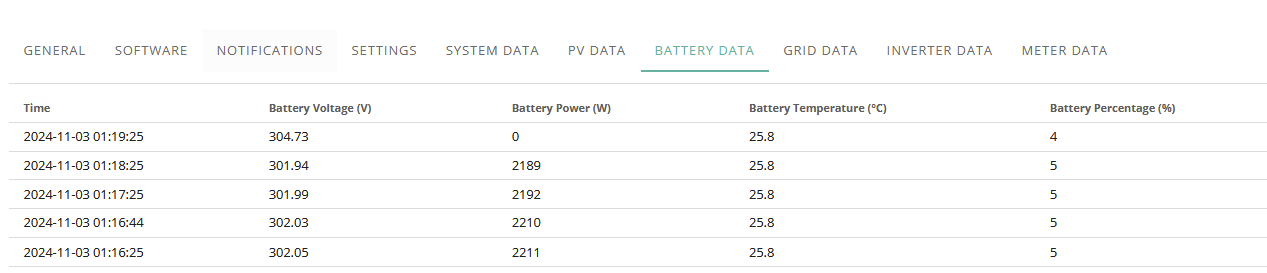
I've noticed that since the weather has gotten milder, SoC has started to play up again. I've had SoC drops for the last 3 days running even though I ran a re-calibration.
running BMS 10 on a AIO.
Mine is slowing down charge once it hits 327.8V, I know it's slowly drifting down because it doesn't hit 329-330V
Expecting another SoC drop at some point...
Losing about 2% every kwh so far since it got down to low 20%'s and it was a fresh 4>100% charge this morning from 02:30 to 6am lol
atm im at 14% with 14.1kwh going into battery and so far ive gotten 12.1 out, it was 11.6 at 22% so I doubt ill get past 12.6kwh out.
EDIT
22>4% = 1.1kwh apparently but 1.1kwh should be around 8% based on 14kwh charge and 9% on 13.5, this is the same 24hr period it was charged from flat to full.
So if I 4% > 100% > 4% straight away at max charge/discharge there is only iirc a 0.2 or 3 kwh discrepancy but 4% > 100% then let it run down naturally as it should I get 1.4kwh gone poof, and thats per day and number keeps rising a lot til I get a full discharge.
Hi yah, I was worrying about all this before I moved to HA, now I just let it get on with it, I have not had a crash for over a month as Predbat looks at everything every 30 mins etc. (as I am on the Agile Tariff)
I got a HA Yellow (PoE) from The Pi shop and never looked back.
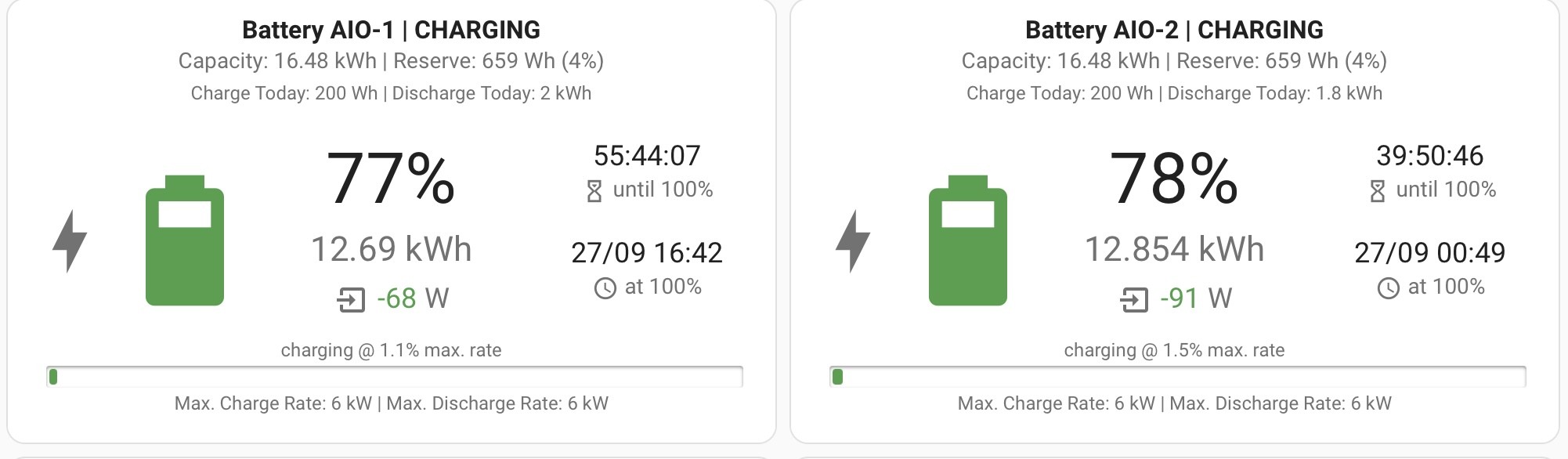
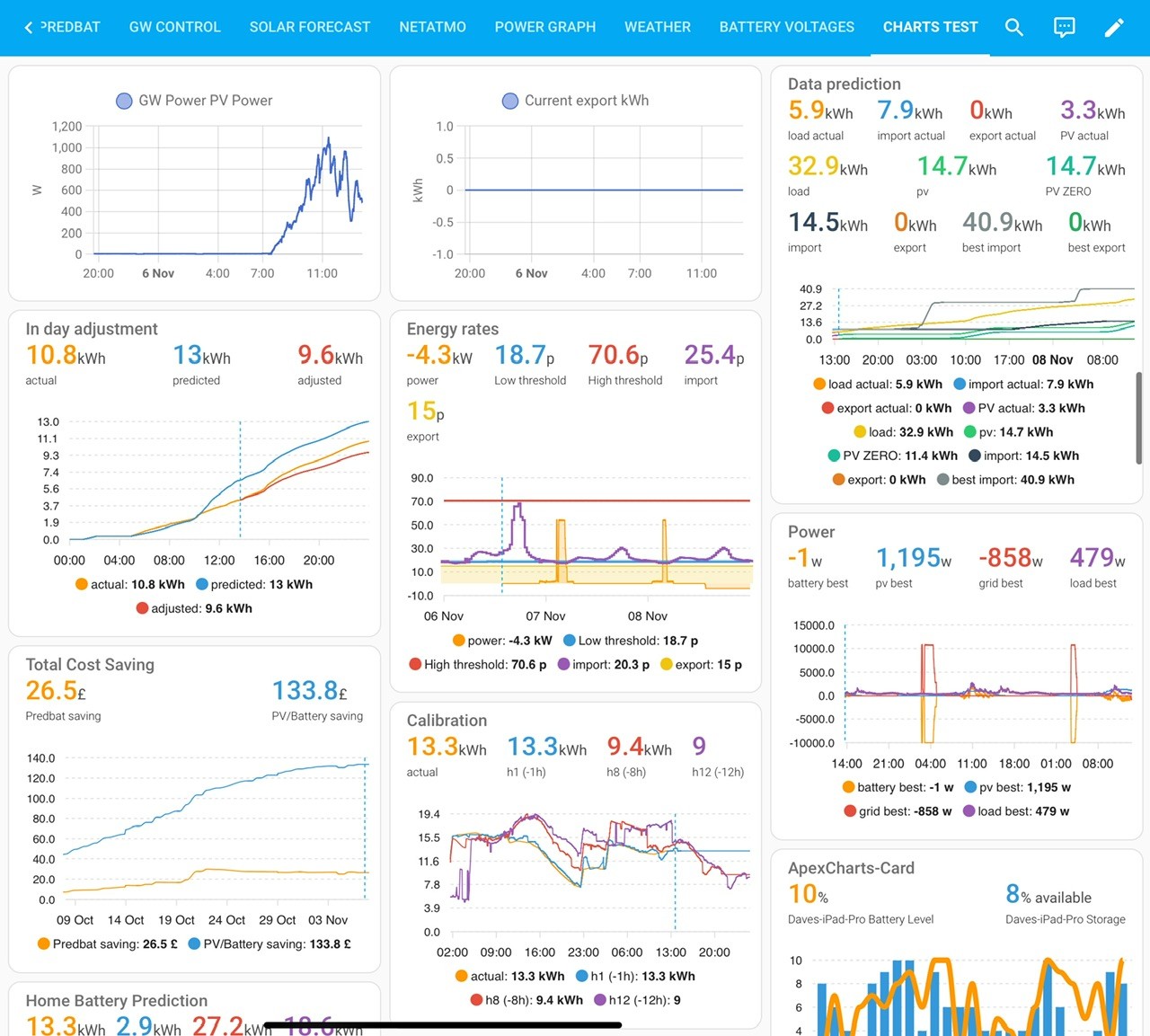
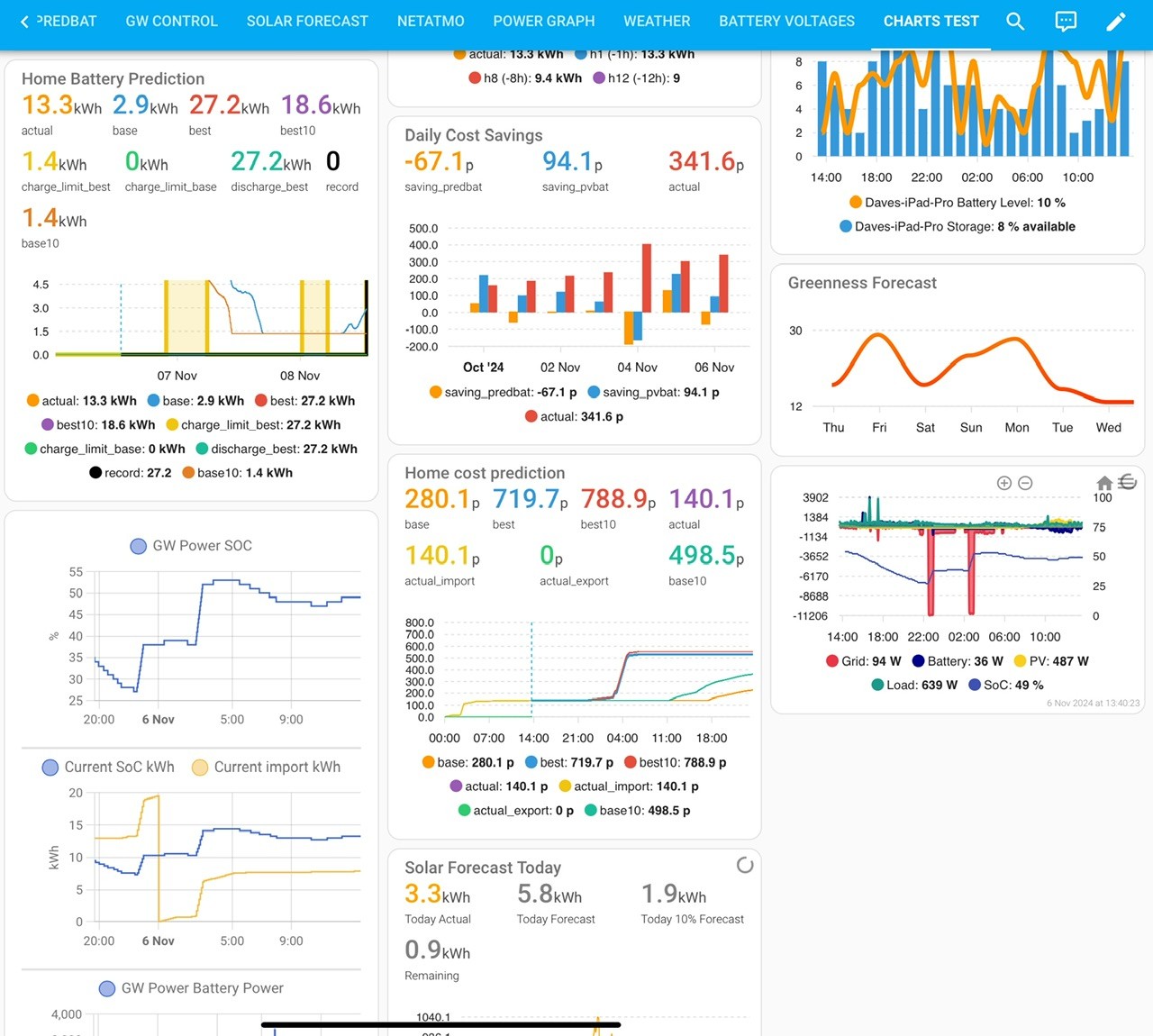
Below is my HA card display and a few days worth of what Predbat is doing. As you can see it is not fully charging and discharging any more. I can also see the full battery capacity 16.48 kWH.
I have a post about getting started with HA and Predbat, it was not easy but the guys on here have been excellent and I could not have done it without them. All up and running now.
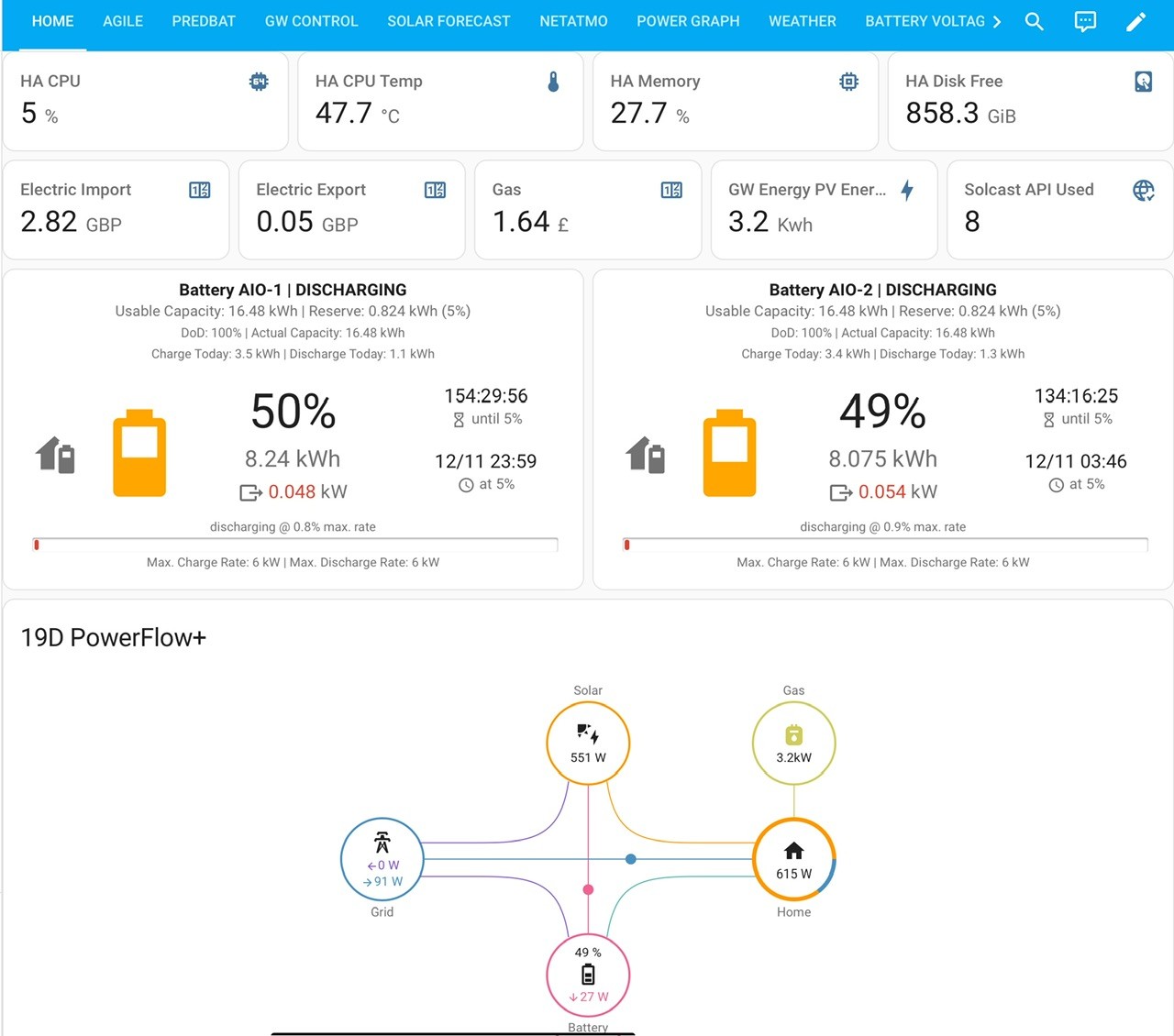
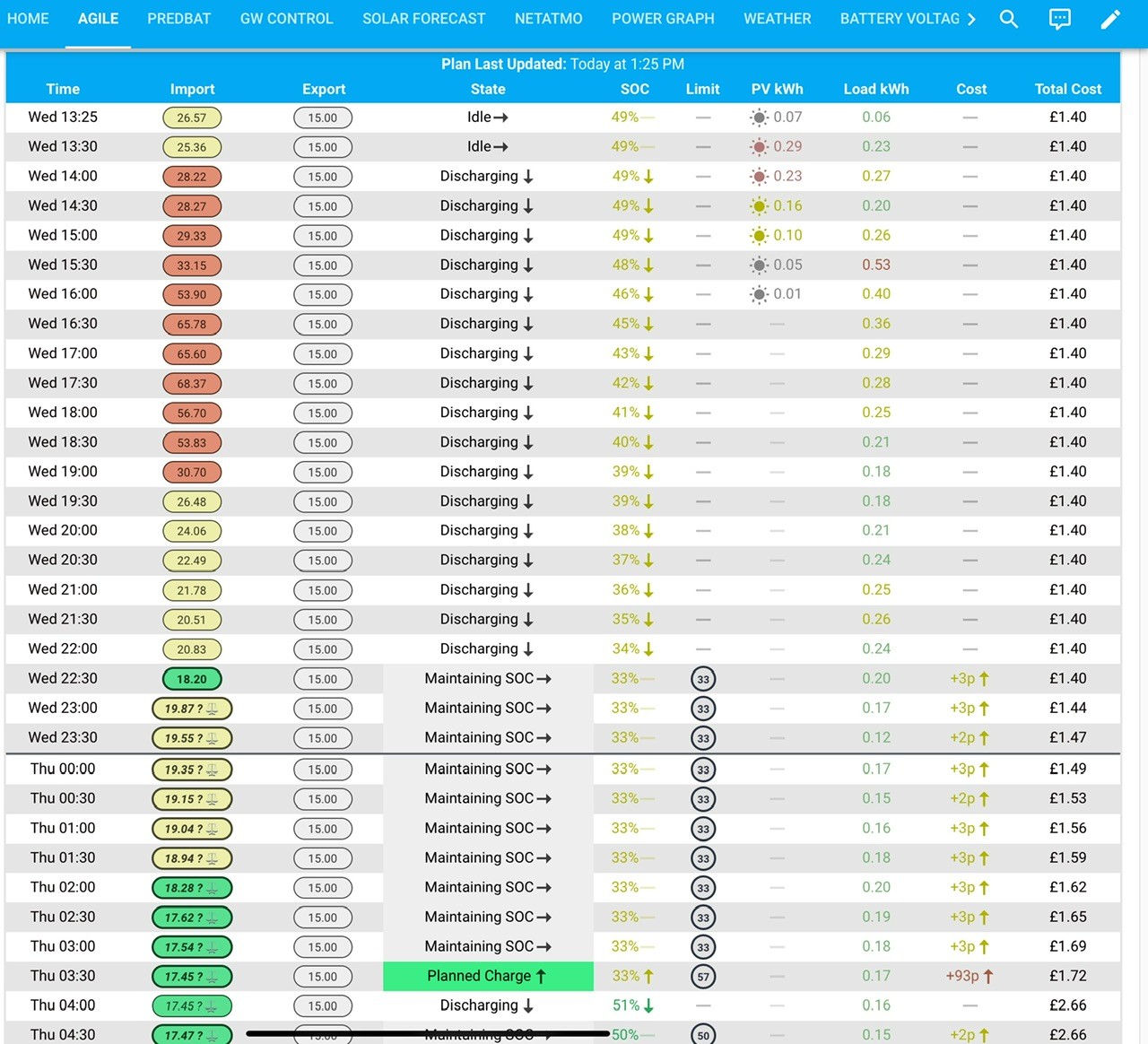
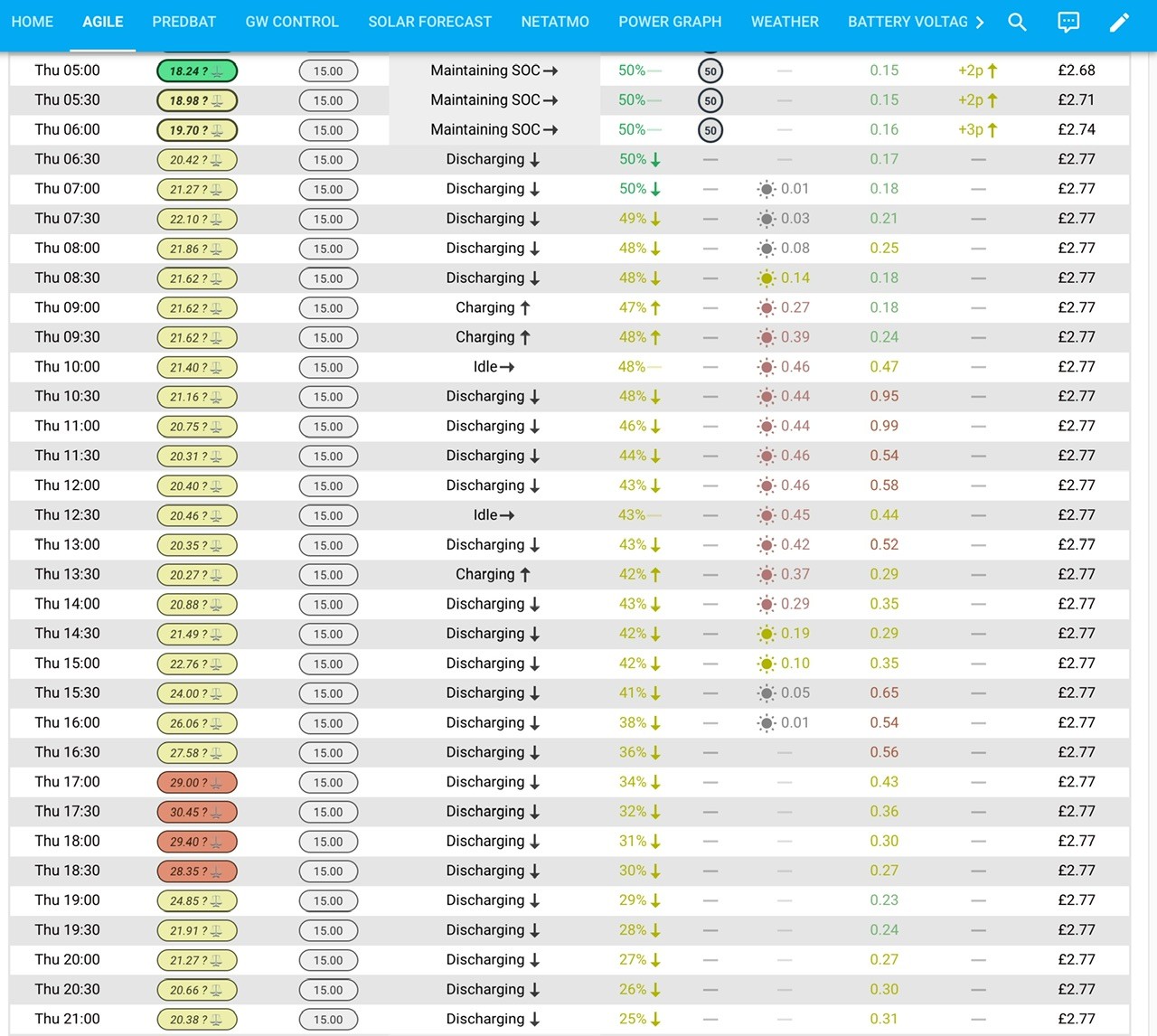
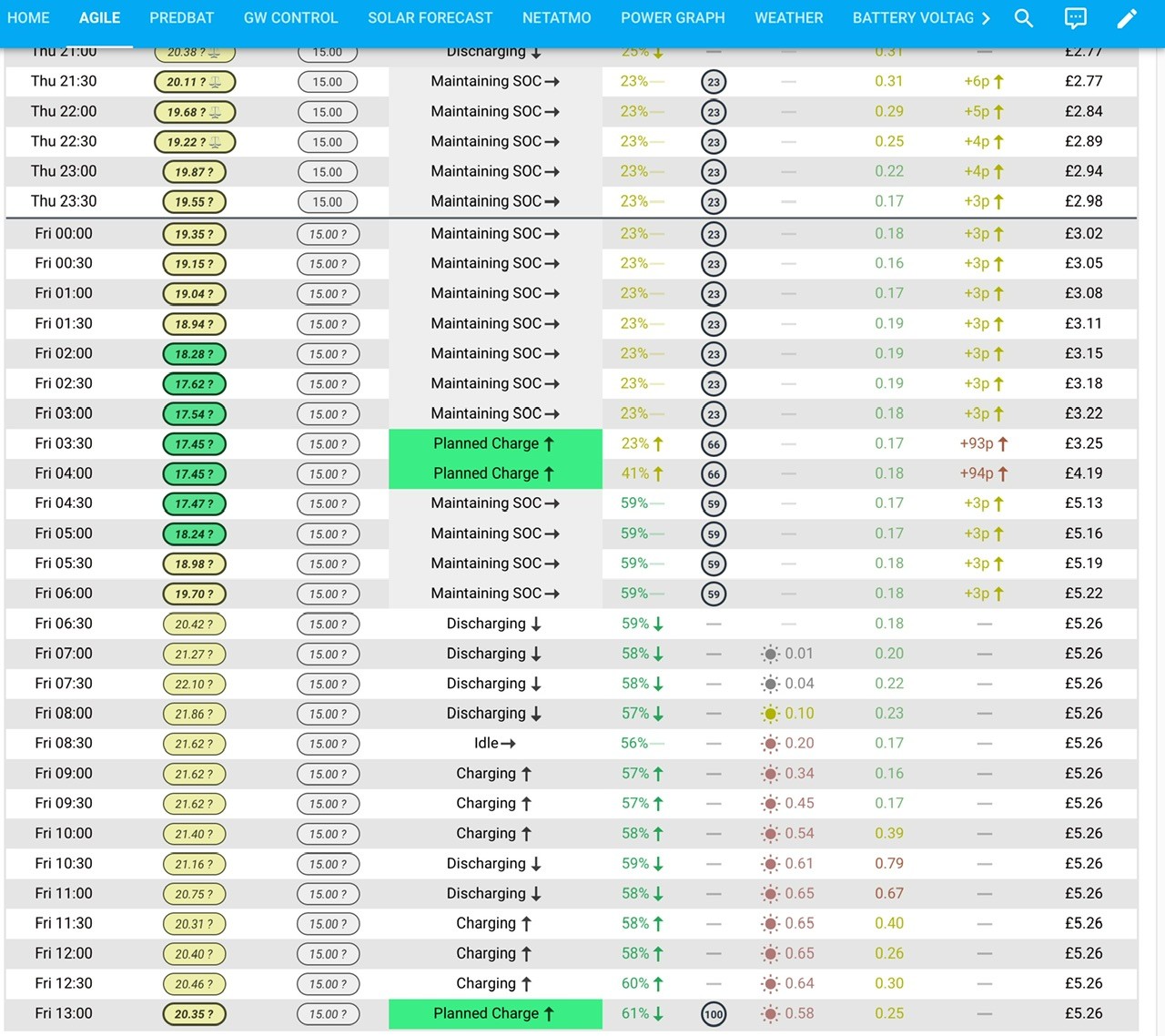
I tried predbat it kept resetting my discharge rate to max so stopped using it, I tried putting the app version on but it kept telling me that there was already a file set up for it and it couldnt do anything and I can't delete any folders in home assistant.
Predbat is fine to keep things working as long as the SOC is right which it rarely is.
Also wasn't sure how to fill in info for the AIO
EDIT
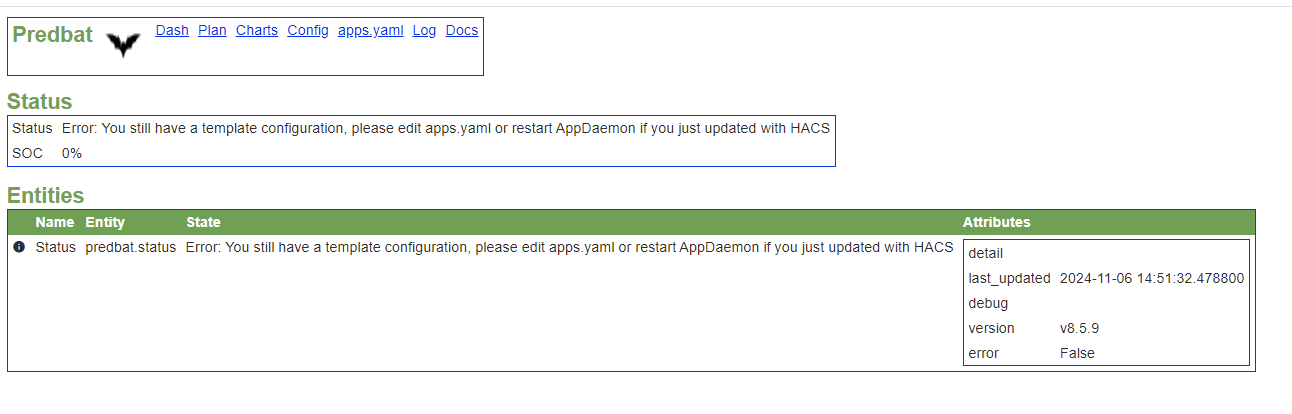
EDIT 2
Ok, got it working but now its resetting both charge and discharge rate to max
ANOTHER EDIT
Now im getting this after restarting home assistant

EDIT
OMG every addon is giving that log error now, wth did I do trying this addon again
EDIT
NOOOOOOOOOOOOOOOOOOOOO I backed up AFTER I installed the addon and not before and now all logs are permanently broke, good god what the hell, I am so done with all this crap.
Im going to have to start from scratch AGAIN
Have a look at this post
https://community.givenergy.cloud/d/4996-basic-config-of-predbat-after-staring-from-scratch/215
I now have 2 x AIO’s, so happy to help with any config. Mine is working good, best to start with basics then leave them alone. Only tweak things once it’s been running a while.
The main thing I have learned is it is very hard to get away from the thought process (the way it’s always worked). Charge up at night, top up with Solar, then export during peak period. Fill the battery up, discharge the battery fully etc etc. Predbat does it all, so don’t question for a month, then as I said tweak it as required.
Daveb01 Hi. Thanks for posting all this. I'm on Intelligent Go, so don't do discharging to grid as I use all the stored energy at this time of year and have the 6 hr overnight cheap rate to charge in. So whilst not needing to automatically charge / discharge, I like the granularity of the cell info it gives. So would I be able just to use this part for monitoring without bothering with the active charging regime?

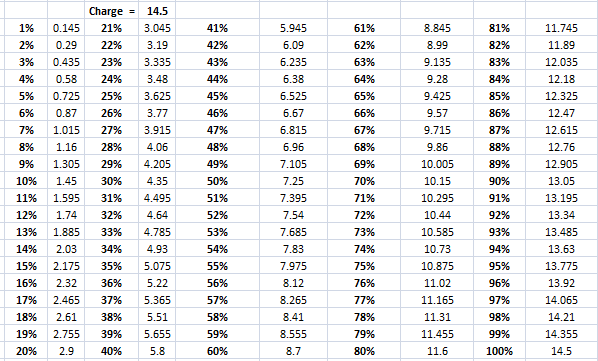
Right now its telling me math wise I got 2.9kwh left but its saying 31% (27% if you take 4% into account) which should be around 3.8. Be interesting to see what im at when it gets to 4%.
Edit
I screwed up, on spreadsheet I forgot to include the discharge excess from midnight to 2am when it went to 4%, below is correct way of the above
"Right now its telling me math wise I got 3.9kwh left but its saying 31% (27% if you take 4% into account) which should be around 3.8. Be interesting to see what im at when it gets to 4%."
So that seems to be roughly right, Midnight tonight this is how its looked
23% remaining (19% actual), math says 2.9kwh remaining which sheet tells me just a smidgen under so lets see how fast it goes tonight lol. Yesterday 20% was around 1kwh
EDIT
01:00 23% > 13% after 0.7kwh, 10% supposed to be around 1.4kwh so going down twice as fast as it should lol.
EDIT
00:00 > 02:02 = 23%>4% (19%) was 1.4kwh, end voltage 302.71
This time yesterday the math said I was missing 1.4, tonight 1.5 so whatever I put in I can expect around 1.5-2kwh short per day cumulative if I have no 4% discharge which is why some days math says im 5+kwh out.
Not sure why BMS 8 wasn't like this, that was always pretty consistent.
This is based off 4>100% and what my last charge was, 23% should have lasted me past 3am.
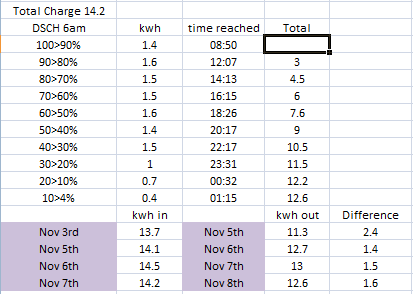
Yesterday to today, you can see I hit 4% and I let it charge til 6am when it started discharging the battery, the big spike is electric shower being used and you can see how fast it starts dipping, it didn't wait for 20% tonight after the last time kettle was used it was at 27% when kettle finished boiling then down it went and you can see from above that 30>4% only discharged 2.1kwh and im consistently out by around 1.5kwh which the SOC isn't accounting for and honestly what im actually getting is similar to the numbers I used to see with BMS8.
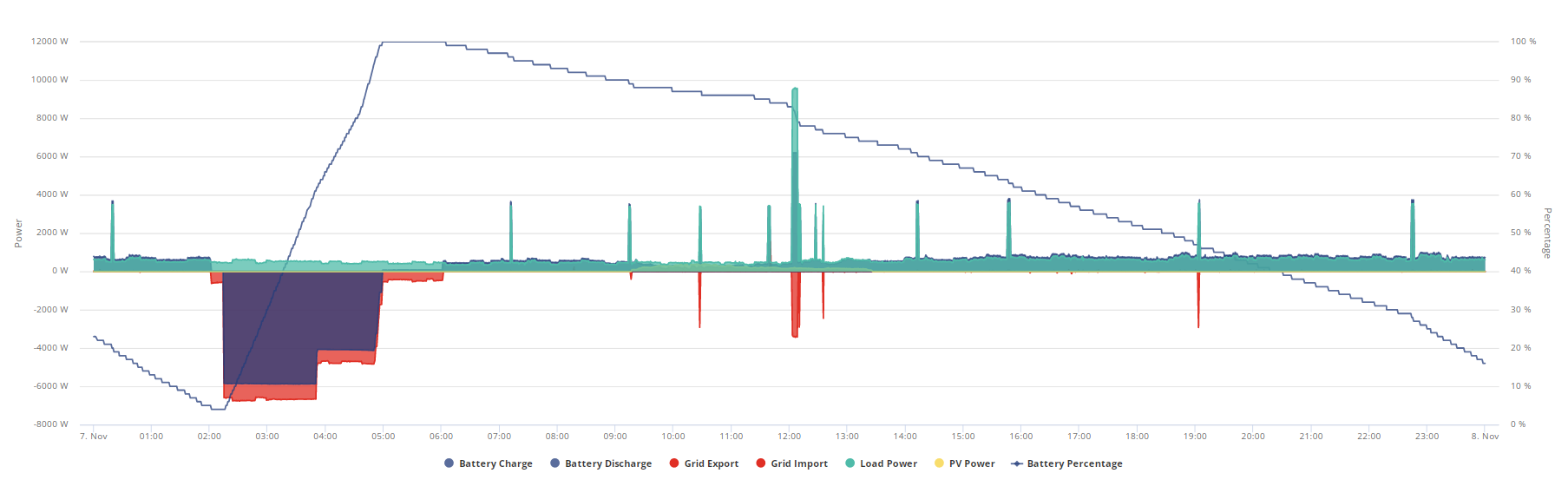
Jellybaby Well the last couple of days or so, I've reverted to my winter mode of charging it fully overnight on cheap rate. With the grey grey skies we've been having, then effectively no solar charging and providing it's not hit with large loads as it nears empty, then by and larger it is running to spec. Last evening, the car charger operated at 23:00 (pulling 3.6kw) and as the battery was around 20%, I played around with the discharge rate. When it was giving over 4kw (car +house load) the soc was dropping 1% every 15 to 20 seconds, dropping like a stone and a quick calculation showed it was not going to give a full discharge before it cut out. So I dialled it back to 1kw and not only did the battery voltage rise, but the soc% flatlined for longer than the load dictated and then proceeded to track accurately. So proving that the soc algorithm is not coping with high discharge rates, particularly as it nears the bottom.
Well I now have a new trend it seems. Charging from cheap mains overnight, I have now seen it stay at 100% for 2 hrs + whilst delivering circa 350 - 400w of house load. Last night it took 14.27kwh to charge from 4% to 100%.
Hi all,
Someone has posted two things.
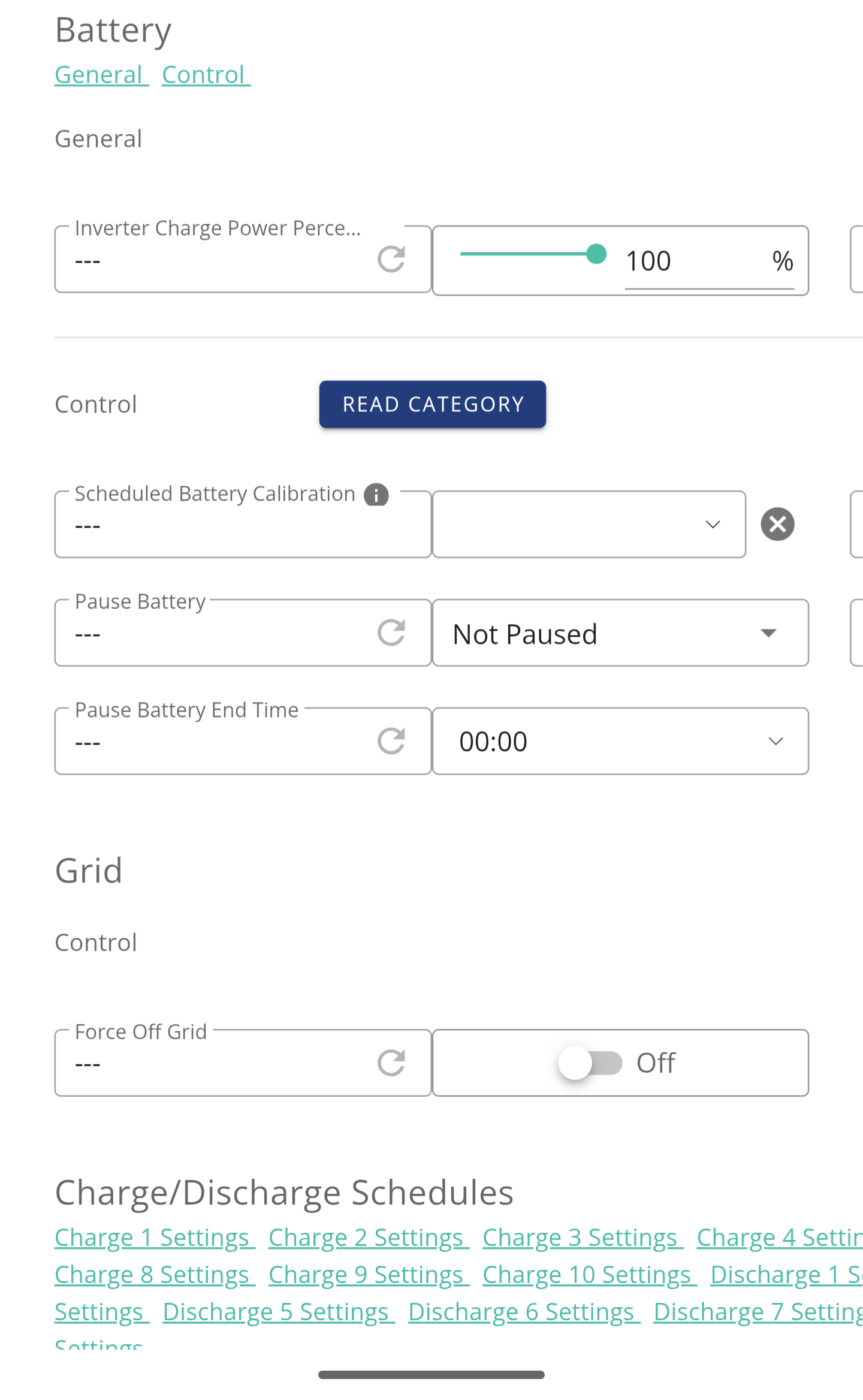
AIO discharge setting now goes to 0% (instead of 4%). Any one else able to do this (I can) and has seen any documentation stating this is now the case?
AIO (inverter) software update available (anyone brave enough to do it) ???
AIO D613-A613 19 Sept 2024
ARM Updates
1. Added the requirement of charging and discharging power limit in the self-generation and self-consumption mode.
2. Grid-on/Off-Grid Retention SOC logic optimization.
3. Added AC input current limit requirement (no gateway). IMPORT LIMITATION
4. Off-grid on-board logic optimization
5. Optimized the anti-backflow failure and anti-backflow response time of more than 10s
6. Optimized battery power calculation logic
7. In the off-grid no-load state, battery is kept active
8. Optimization of the problem of large deviation in battery discharge power control
9. When charging is disabled, the battery charging power still has 160W problem optimization
10. The shutdown delay time of the auxiliary source has been changed from 6 seconds to 15 seconds
DSP Updates
1. Added the status of sending a single parallel to a DSP
2. Added grid input current limit and enable level
3. Added battery charging and discharging power limits
4. The effective range of PV power generation power is changed from 50100W to 3575W
5. Optimize the problem that PV energy does not accumulate when the inverter is in standby mode
6. The load power is less than 50W and is not displayed
7. Adapt to parallel SOC calibration function, needs GW11 to function
8. Added BMS software reset function
9. Open the total energy data of battery charging and discharging
10. Added Bypass detection Error code
Still stuck at 4%. Although it says inverter update, it looks like an update for the gateway? Although I admit this has never been clear in my mind but the inverter is in the AIO box so I've always assumed that when that updates, it affects the inverter and the gateway is separate. Obviously need to give this a go during the day as it's says you'll lose power for up to 5 minutes.
Sorry guys
Correction to above the Battery Reserve is still fixed at 4% (13.5 - 4% = 12.96 kWh)
The DC Discharge SoC % can go from 0 - 100. This is the SoC calculation, so can use all your battery down to 12.96 kWh if set to 0%.
Sorry again for the wrong info.
anyone done the gateway update? does the whole house lose power? for how long?
When I had the second AIO fitted my installer had to upgrade the GW to v10
He also had to update all three dongles, plus WiFi software, and AIO to v612.
I still don’t see 613 available yet? Hmm do I go for it manually. It looks like a lot has been done, but a bit concerned why it’s not available to everyone yet via the Cloud, as it was released in October.
Think I will wait as to near Christmas and everything is OK today, unless it appears in the Cloud (I may not have the will power to not press it)
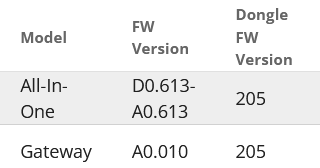
Daveb01 My AIO is on D0.612-A0.612, V10 and no upgrade available. The option is to upgrade my gateway (although labelled inverter firmware) from A0.005 to A0.010. Not sure how that corresponds with yours. The Gateway software page doesn't give a version number? The cloud info is not exactly clear mixing up I think the gateway, inverter and battery descriptors. In my head I have the battery and inverter inside the AIO cabinet and the Gateway as a simple switching device. Or am I getting it wrong.....?
GE upgraded me to gateway 11 and AIO 613 because I needed a battery calibration and parallel calibration only works on these firmwares.
If you have parallel AIO do not use the new calibrate function until you’re on the new firmwares, it’ll send your SOC wild.
Weirdly he got to put bypass on while he did it.
CW What problem do you have? I had to get my Gateway RDC replaced with a 100ma one to avoid gateway tripping. Now mine seems to switch to island mode smoothly and pretty seamlessly unless the battery is in pause discharge mode when power takes 20 seconds to be restored by the battery. This is apparently fixed in 613 along with the G100 bug where the AIO doesnt adhere to G100 setting.
Got offered 613 but waiting till I hear a bit more about its behaviour
My problem was when they introduced the ability to calibrate in the portal, they didn’t mention that parallel AIO users shouldn’t press it.
So I had a failed calibration that messed up my SOC so have had to wait for the updated firmware that has correct parallel calibration in it to correct it.
I’ve never had a problem going back and forth to island mode.
Hopeful I had to get my Gateway RDC replaced with a 100ma one to avoid gateway tripping.
That is exactly the problem I get - although it is variable. If I start off by turning the solar off, everything works perfetly, then same thing again just a few minutes later and again everything works perfectly. However if I leave things alone for 30 mins or so then retry, the gateay cuts-over within the 20ms time period and a short time after that the AIO breaker in the GW trips.
This is apparently being investigated by GE 3rd line support, but I haven't heard much recently.
PianSom I would be v interested to hear what they eventually determine to be the root cause of this - mine is intermittent, but no-body can explain why and what is causing this behaviour. I did wonder if perhaps I had a faulty RCD, but from your comment that is likley a no then!
Interestingly, my installer said that technically, there was no need to have the breaker for the AIO - I didn't understand the reasoning, I think it was something to do with the fact that all the circuits in the CU were all proteced by RCBO's which made the AIO one redundant
CW Interestingly, my installer said that technically, there was no need to have the breaker for the AIO
My installer (or, at least, one of his staff) has said the same thing to me. One theory now appears to be that it's the interaction between my CU RCBOs and the AIO RCD (with a fundamental issue of earth leakage across my home circuits) that is causing the issue. That is not what GE said when they came out - they said the 100mA RCD would solve the problem.
My CU is partly RCDs and partly RCBOs, so there is some talk about replacing them all with RCBOs. From what you say, even this is not certain to solve the issue.
But I know nothing. I'm at my wits end here.
PianSom I think from when they were checking here, I was getting about 10ma of leakage, so not really enough to cause the problem (says the non-expert 🤷 ). Yes, my CU is all RCBO's (all replaced after an interesting experience with an electric shower!). What I don't get is that it seems to be kind of dependant on what else is happening. As I said above, with turning off the solar then trying things, all worked as expected, but if I leeft if for a while and then tried (in all cases just turning the grid breaker in the GW off) if fails. But I am with you onthe frustrating point, I just want this thing working as described and what I paid for
The conclusion we reached after having the RCD and then the gateway swapped out was that everything worked fine until the earth bond relay was activated. This then made the gateway more susceptible to the earth leakage. I have 3 30ma circuits across 2 fuse boards and although none of them are above 30ma leakage on their own the combined was too much for the 30ma gateway. Turning some stuff off did help but ultimately with 2 solar inverters, an all in one, numerous computers, dc wall warts and other electrical junk by the ton it was a losing battle. GE said 100ma was the best solution but getting the like for like replacement but in 100ma was a huge challenge and took a couple of months to arrive in the country
Hopeful The conclusion we reached after having the RCD and then the gateway swapped out was that everything worked fine until the earth bond relay was activated. This then made the gateway more susceptible to the earth leakage
Interesting - this seems to be quite similar to my issue, in that the cut-over happens and then a little while after (say 5 secs or so) the breaker trips
PianSom Mine worked when we tested it last, the only issue seemed to be that if your battery is in pause discharge there is a 20 second delay whilst the battery realises it needs to kick in. 613 FW should fix that but not taken the plunge yet. If you are in Eco mode it worked fine. The gateway was replaced due to tripping when the earth bond configuration was done to bring it up to proper UK spec. The tripping could be gateway or house. Prior to the earth bond it always worked fine in island mode but just wasnt correct for UK regs. My installer has spent many hours jumping through GE hoops on this!
What behaviour does your system have?
CW I'm not an electrician and know sod all but your description of the way solar seemed to cause issues reminded me of this.
https://youtu.be/xEhoiWf-meM?si=GkOSWbJWJ6jlJ7aS
Apparently water ingress can cause the frame of solar installations to become charged. Just a thought.
Hopeful What behaviour does your system have?
After last week's replacement of the RCD it will go into Island mode ok.
But if something innocuous then happens in the house (eg a light is turned on) then all my CU RCBOs trip. (I think this is correct - though it may have been the AIO RCD that tripped. The installer did the test, not me, so I don't recall.)
I have never had the delay you describe. My issue has always been either the AIO RCD or the CU RCBOs (but not RCDs) tripping.
CW What I don't get is that it seems to be kind of dependant on what else is happening.
This video might help you understand.
https://www.youtube.com/watch?v=JTkuoMplER8
PianSom That was the sort of behaviour I had when they enabled the Earth bond relay on my 1st Gateway. Although to be fair it was tripping so many things in various scenarios I kinda lost track. The newer one doesn't do that and seemed ok but I think I'll have to refit all my UPS's before I start testing in anger as losing internet adds a lot of pain to any testing process
Well the cold weather brings further surprises. Last night my car charger cut out complaining about the voltage and checking the Givenergy cloud, I can see the grid dropped to just 202v. The AIO was charging at the time so not playing an active part other than contributing to the overall load of 16kw. (Car, AIO, heat pump and immersion).
I then checked the AIO and found the soc dive from 45% to 4% giving just over 2kwh and then only taking 6.41kwh to get it to 100%. 4% registering 314v so clearly not discharged.
So today I have emailed Givenergy to complain and challenged them under the consumer goods of sale in not being compliant with how it is sold.
On the grid issue, I phoned UK power networks and they are pretty useless saying I have to phone when the issue is occurring. Doh! So I have to get up in the early hours just to check grid voltage and then call them. This grid dip doesn't bode well for our path to net zero and everyone charging cars overnight. Not mine is a PHEV and only pulls 3.6kw.

I kicked off the automatic firmware update too, now on 613.
However, having looked in the log, should I be concerned?

A while back my N-PE Relay Toggle was set to true by GE engineer, due to problems following grid failures (basically AIO did not maintain power to my house within 20mS).
However, having done the 613 firmware update, it has explicitly set the parameter back to "false" and my grid export to zero.
Icarus Strangely my problems started when they enabled the relay, without it my AIO was solid during a powercut but apparently its not to UK regs. Seems strange that it defaults to off. Grid Export has always been set to 5950 for me as I have 6000 DNO limit and if both the solar and the battery were on 6000 they used to fight and the solar ended up winding back. With 5950 the battery always winds back to allow the solar to take precedence. Not sure if anyone else has seen that behaviour?
JasonF Well I thought it was about time to give them a bit of a nudge. Just done the inverter firmware upgrade and all went smoothly. Took about 12mins. Might do the gateway at the weekend when weather is warmer as I don't want any issues during this cold spell if it kills whole house power.
PianSom
No power outage for me either during the update.
However, my point was that previously before the firmware update, GE set my N-PE Relay Toggle to give me 0-230v upon grid failure instead of split phase 120-0-120 volts when running in island mode.
On past experience, the current setting will upset equipment in the house (when I get a future grid interruption) and it doesn't seemlessly back up my house maintaining a nominal 0-230v.
One other thing I've noticed (since waking up to a flat battery this moring) is that both "Scheduled charge enabled" and "Scheduled discharge enabled" were set to no/false. Ironically the schedules were all correct, just not enabled.
JasonF Basically for me I have to take away 1.6kwh from whatever gets put in, then its fairly accurate on when I will start running from grid, each consecutive day that goes by without a full discharge I add another 1.6kwh so if I charge on monday and it doesn't go dead til wednesday I subtract 3.2kwh from whatever total charge has gone in.
Last night from flat 14kwh went in so that means around 12.4 ill get out of it.
Just did the Gateway software update and although it reported failed and killed power for about 30 seconds (grrrr!) when I checked the logs, nothing there and then head back to the Gateway software to retry and it reports that it's on the latest version and all is good. But, only A0.010. Dongles reported as updated too.
I see on the cloud under issues, that GE have logged the errant soc as a problem that is being investigated. Worth tapping the "this affects me" button if you haven't done it before.
This was a 4>100% charge Friday, ended on 307v at 4%, seriously, 16.2 in and 11.8 out for 4.4kwh discrepancy, this is really REALLY getting old, 24hrs should be around 1.6kwh not nearly triple that.
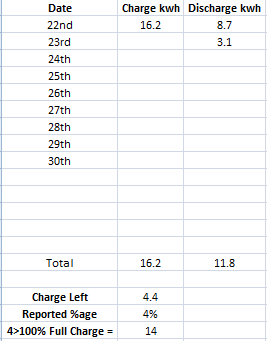
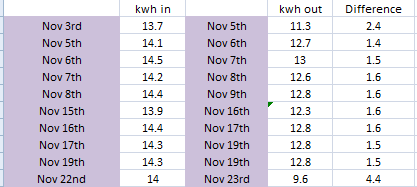
Ultima357 On the grid issue, I phoned UK power networks and they are pretty useless saying I have to phone when the issue is occurring. Doh! So I have to get up in the early hours just to check grid voltage and then call them
The DNO should be able to fit an energy monitor to your house that records what your voltage is over that time period. I had them do this when I had problems with over voltage supply. They are pretty quick at coming out when you report it as a fault, especially if you say it’s a property safety issue ….
The first person that came out measured the house supply and my neighbours, they then booked someone else who came out next day with a crane and climbed the pole to check the wiring from my tap-off, then they booked a 3rd person who came and fitted the monitoring equipment. A week later they took it away, checked what the monitor said and wrote to me to confirm there was a supply problem and they’d need to schedule work on the transformer for our village.
I would Phone GE and get the GW updated to v11 as this is a big update, plus ask for dongles to be all at 206.
This was released in September, I did ask GE why it was not posted on the Cloud for us to update ourselves. He said they don’t put all the updates in the cloud. (They should in my opinion)
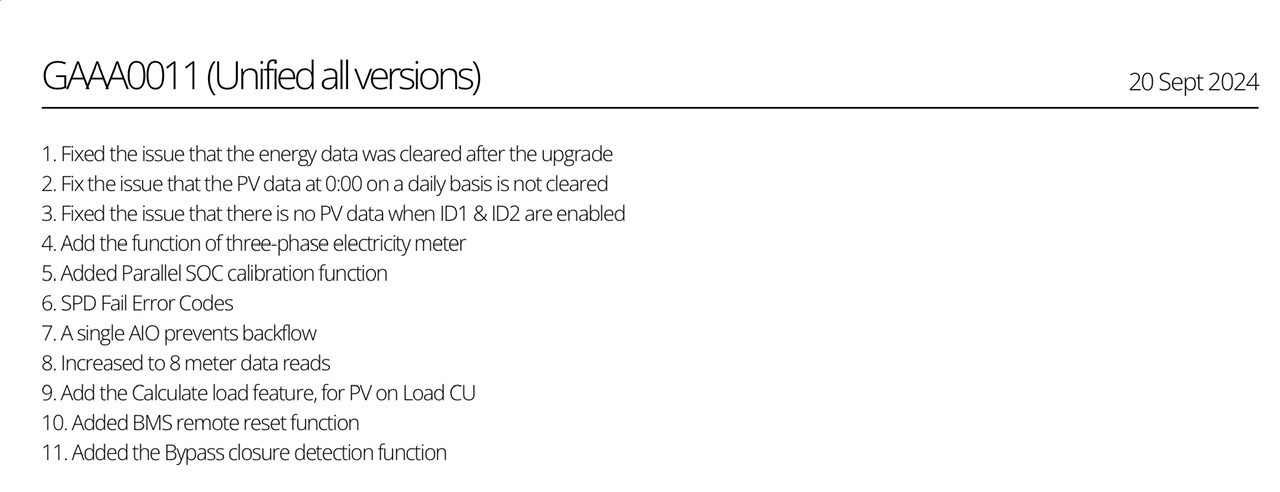
Hi yah, as the weather is crap today, I have been looking at the Predbat documents and found this section. It may be worth having a read?
https://github.com/gcoan/batpred/blob/main/docs/faq.md
This bit was especially interesting and explains a lot.
You could adjust input_number.predbat_load_scaling to 1.2 so the plan will incorporate 20% more expected load if you want to be more pessimistic about historical load, and input_number.predbat_pv_scaling to similarly adjust the PV forecast - these and other adjustment options are described in the Scaling and Weight options.
It is very important to correctly set Predbat's Battery Loss Options and Battery Margins as these can have a huge and critical impact on the plan that Predbat generates.
Predbat's default configuration values are the recommended starting values for most users but there is no single right set of configuration values for every user of Predbat, it depends on many factors and your personal preferences. Many users will need to customise and tweak their Predbat configuration to suit their needs.
The SoC level that Predbat aims to keep in the battery input_number.predbat_best_soc_keep and the absolute minimum SoC level input_number.predbat_best_soc_min are the first thing to check. If these are set too high then Predbat will charge at unfavourable rates to maintain the battery SoC. Conversely if you find Predbat is letting the battery exhaust too early, set predbat_best_soc_keep to 1.0 so Predbat will aim to keep 1kWh available for unexpected load.
Predbat performs a lowest cost battery optimisation so a key part of deciding whether to charge, discharge or feed the house from the battery are the loss rates input_number.predbat_battery_loss, input_number.predbat_battery_loss_discharge and input_number.predbat_inverter_loss. Typical values could be 4, 4, 4 or 5, 5, 5. It is tempting to set these inverter loss figures lower to encourage Predbat to use the battery more, but this should be resisted as experience from the GivEnergy community forum suggests total energy conversion losses are in the range of 10-20%.
Putting these losses into context and assuming you have an AC-coupled battery and have set the losses to 4, 4 and 4; then for every kWh charged from the grid you will only get 0.92kWh stored in the battery (4% charge + 4% inverter conversion loss) and similarly when that 0.92kWh is discharged to the home you will only receive 0.85kWh (0.92 x 0.92).
These loss percentages also impact the Predbat plan. Consider an import rate of 20p/kWh; after conversion losses are considered, each 1kWh of stored battery charge will in effect have cost 21.7p (20 / 0.92) to import.
Then for discharging, the same applies. Each kWh of stored battery charge (that cost 21.7p to charge) will in effect have cost 23.6p (21.7 / 0.92) to discharge. Predbat makes cost optimisation decisions so unless the current import rate is more than 23.6p, it will be cheaper to let the home run off grid import rather than to discharge the battery.
Daveb01 You can find all the latest AIO/Gateway/Dongle updates here:
https://givenergy.co.uk/installer-resources/
I done a flat to full charge on the 24th and today boiling the kettle is taking off 5% battery LOL
100% > 20% so far has used 7.9kwh, jesus christ.
EDIT
Battery got to 48% this morning before it put 8.3kwh into it, SOC/voltage tracking really sucks.
Apparently 4kwh = 60% lol
EDIT 2
Started at 48% this morning before I put 8.3kwh in and I got 8.6kwh out of it
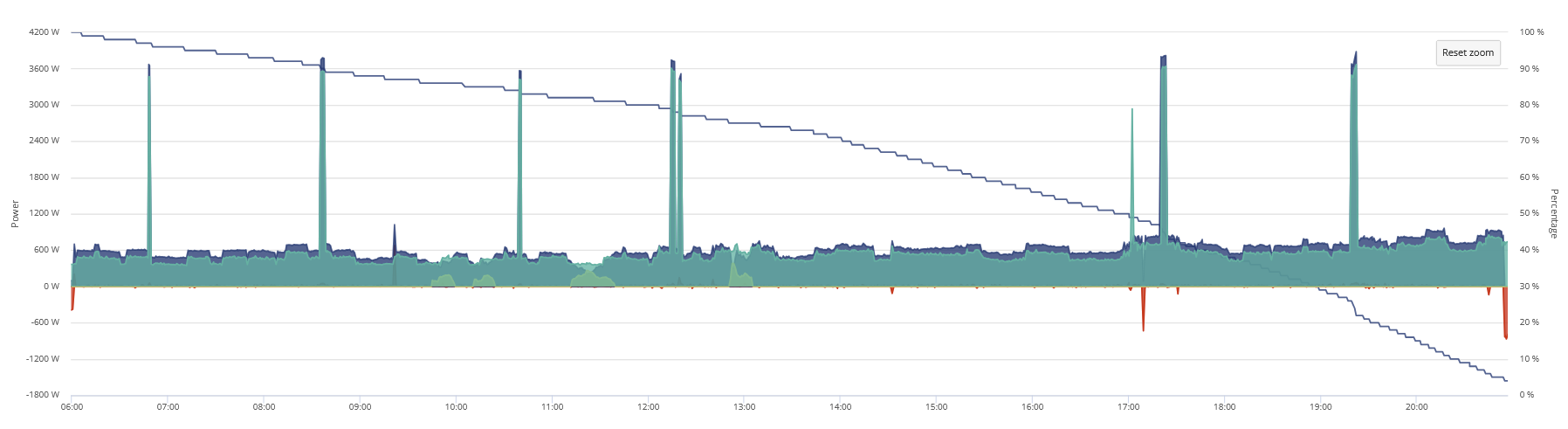
307.09v before it hit 4%
Update on my technical support query with GE relating to the inaccurate soc and not giving full capacity. Reply below received today:-
"Thank you for raising this. We are aware of this issue and working on an updated firmware version for the AIO battery. This is a current firmware bug which is essentially doing exactly as you have described we are hoping to have the fix for this released next week."
So watch out for the update. Presumably it'll be V11.
11.7 today and this is the first time in a long time ive seen a big jump either way, which means ill get 10kwh out of this battery today.
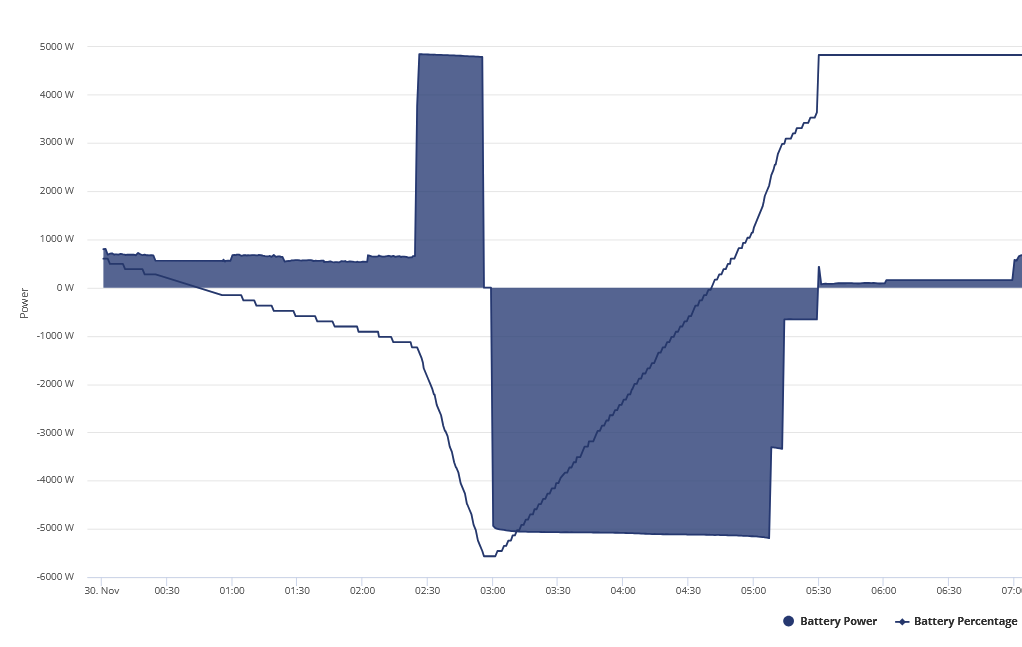
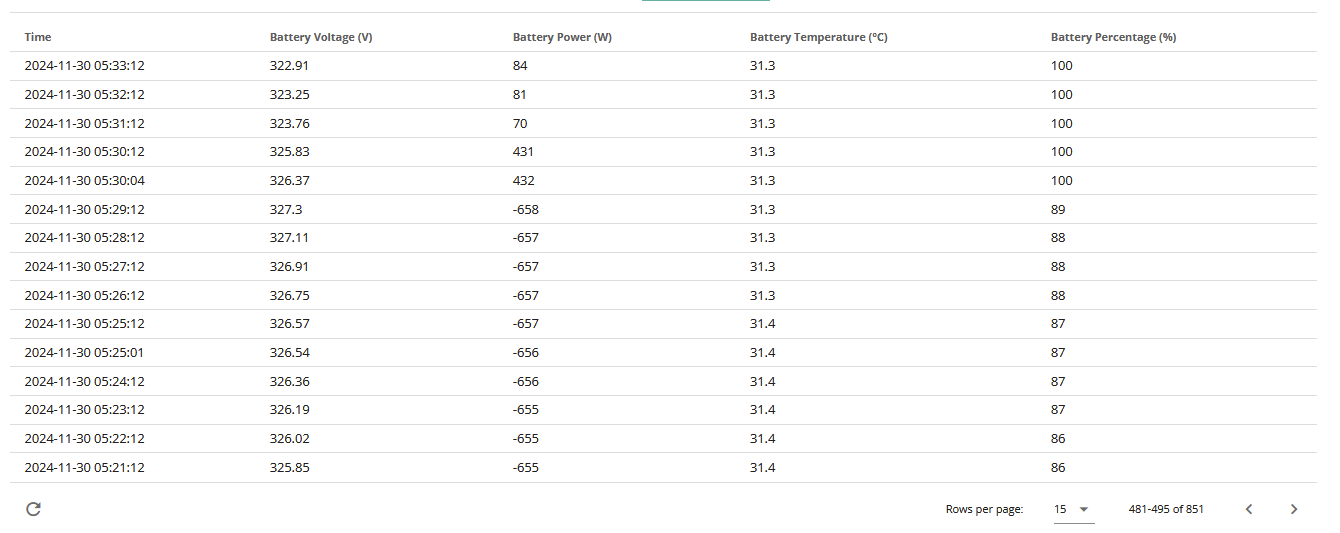
Nov 24th 14.3 went in
Nov 25th 14.6 went in
Nov 28th 11.7 went in (I actually got 12.4kwh out of it)
Today 14 went in, ive used 8kwh so far today and its started to tank early, im not even going to get 12.4 out of it I dont think, its currently going down nearly 2% per 0.1kwh
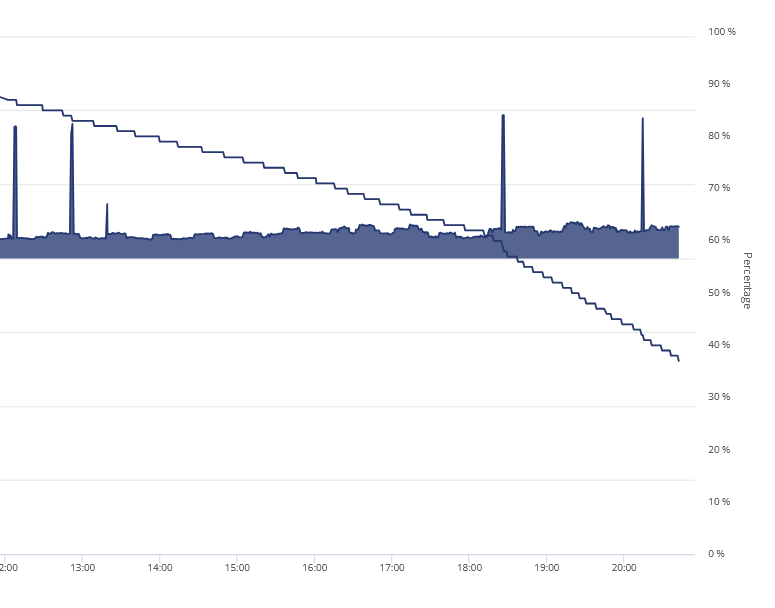
Never seen such inconsistency in anything before.
apparently 2.6kwh tonight is 32% lol, that should be more like 17-20%
EDIT 22:00
So far 14 went in and ive gotten 9.3 out and im down to 23%, this is such bs.
0.3kwh and it went down 6% and im still on 312v WTH
Swear to god if it didn't cost so much id rip the damn thing off the wall and lob it into the street.
EDIT
14kwh went into battery this morning from 4%, its just hit 4% again and ive used 9.8, how is this even possible, that is a 4.2kwh discrepancy IN THE SAME DAY.
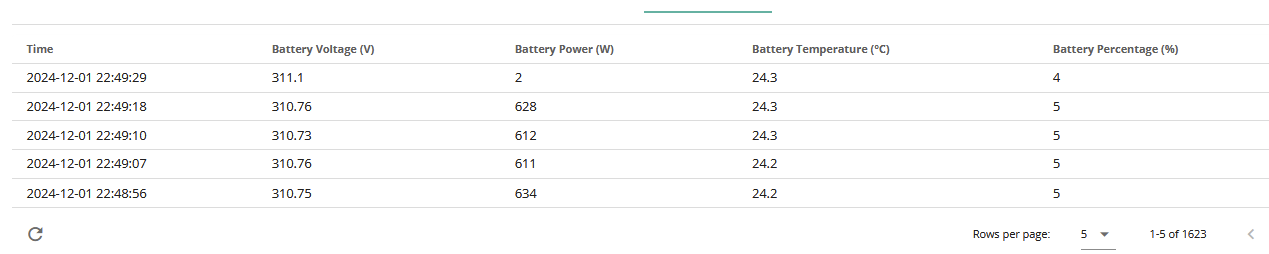
Really can't be dealing with this whilst mum is in the hospital again.
EDIT
This was after trying givtcp3 again, dev version so hopefully doesn't add the entire day tomorrow.
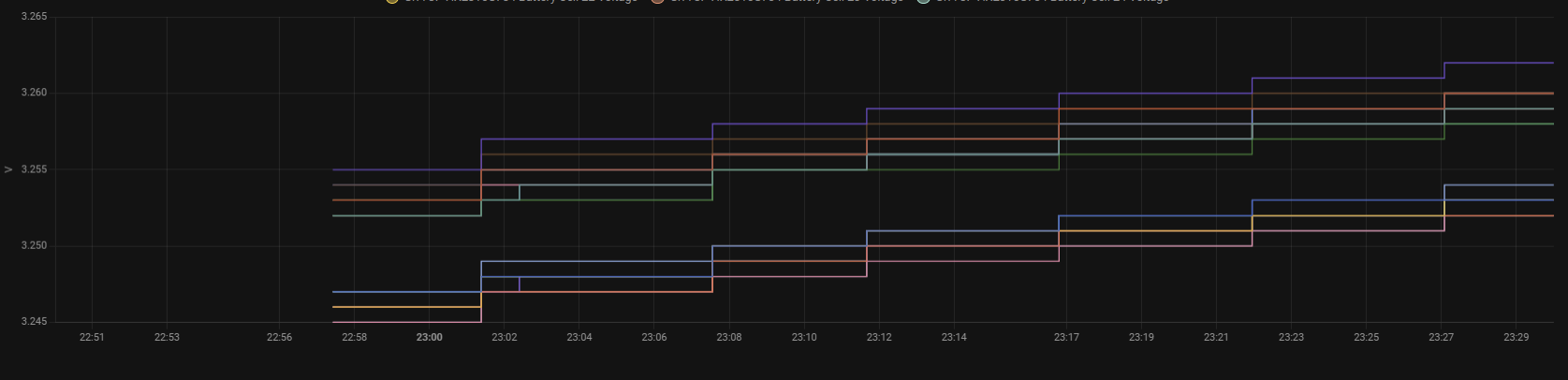
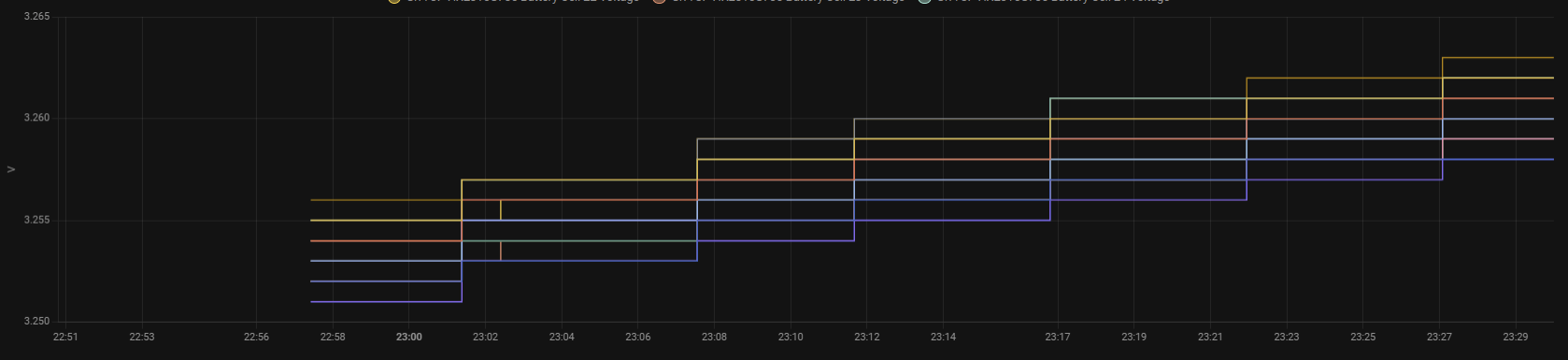
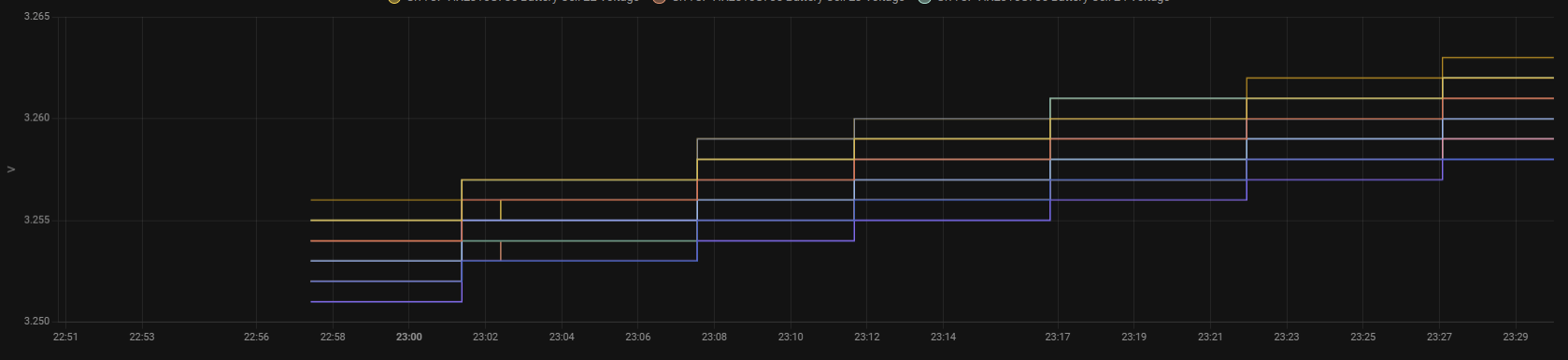
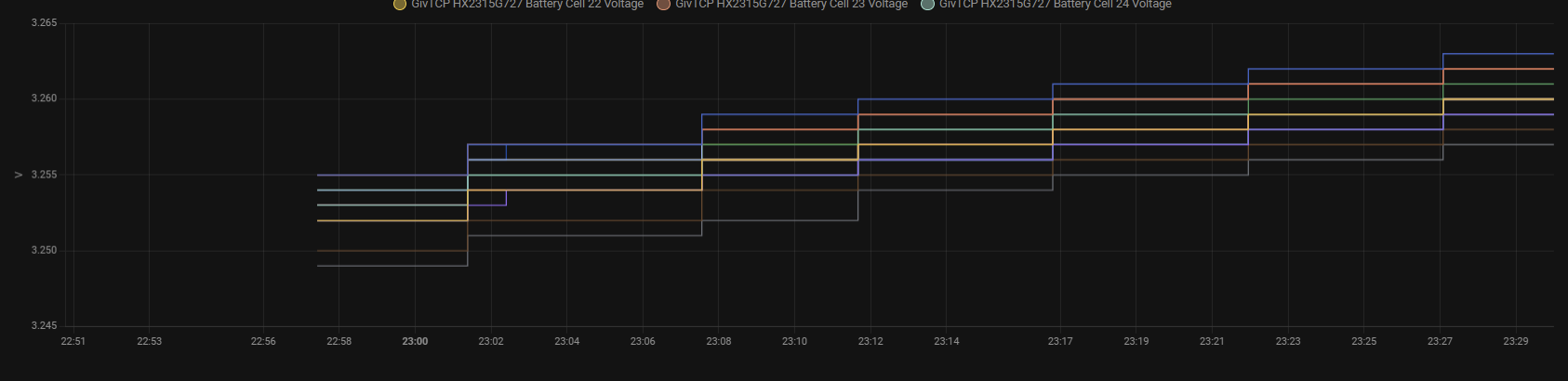
Each of the battery packs im presuming.
Edit
Was told to download dev version as it was supposed to have fixed this
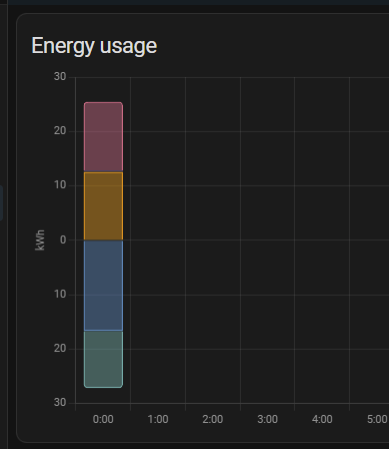
Apparently not, all this is stressing me out way too much and I don't know how much more I can take atm and not only that but nothing registering on home again either, shouldn't that have some info there and why is solar in the negative?
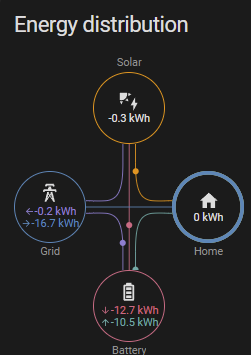
EDIT 01:55
I am going to bed after my experiment, I put 3kwh into battery at 6kw charge rate then discharged it at 6kw for about 15 minutes then slowed it down to around 3.3kw discharge rate and I kid you not 3kwh went into the battery........... AND 5KWH CAME OUT.
Now if you remove that extra 2kwh from the above where 14 went in and actually 10.3 came out leaving me with 3.7 missing that would leave me with 1.7 unaccounted for which is what I have to do daily to get an accurate tell on when battery will die before it started doing all this weird crap.
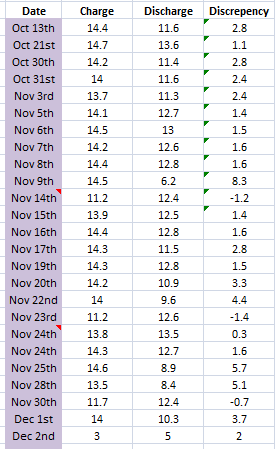
Jellybaby Well what you did and the outcome is not surprising. Yesterday mine shut off at 4% during cooking dinner, but voltage was 313v ish and it had given a little over 10kwh from full. So during the evening I put about 1.2kwh in and then on a lower house discharge rate (500w ish) it proceeded to give another 3+kWh. So as per the response from GE they know it's not tracking under bigger loads. After all this, it still only managed 12.4 kWh charge to 100%, so undoubtedly there was still some reserve left.
I suspect that full charging followed by full discharge is going to exaggerate the issue, especially if you are pulling more than 1 or 2kw.
Roll on V11.
Ultima357 It is typically what I do to try and fix the voltages being off, I very VERY rarely go over 1kw draw on the battery, typically I am between 5-800w and it is quite consistent for example this is when fridge freezer and boiler happen to come on at same time whilst im playing a game on PC.
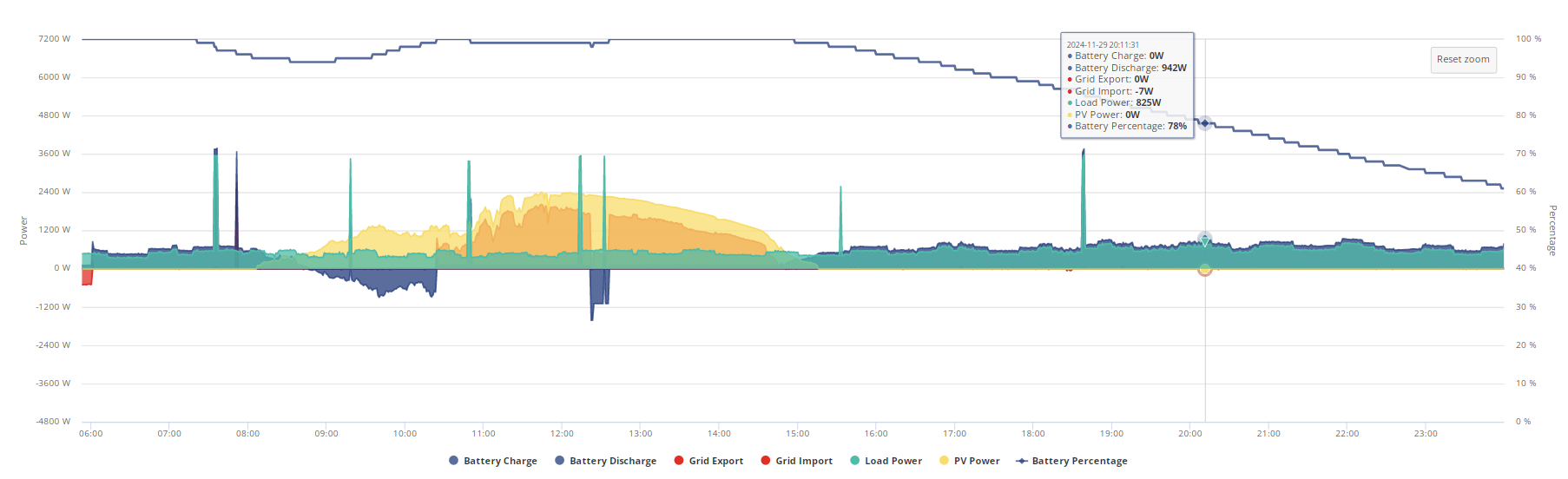
I also think I am going to go back to home assistant 2.4.9 because its telling me between midnight ad 12:00 home usage has been over 2/3 of what I typically use in a day and the grid to home circle is going like 4x faster than everything else.
If tomorrow comes and it does the previous day in the midnight to 1am slot again im just going to call it quits on givtcp3
Hoping that givtcp doesn't play up after midnight again forcing me back to 2.4.9 because voltage monitoring is interesting, this is a little weird.
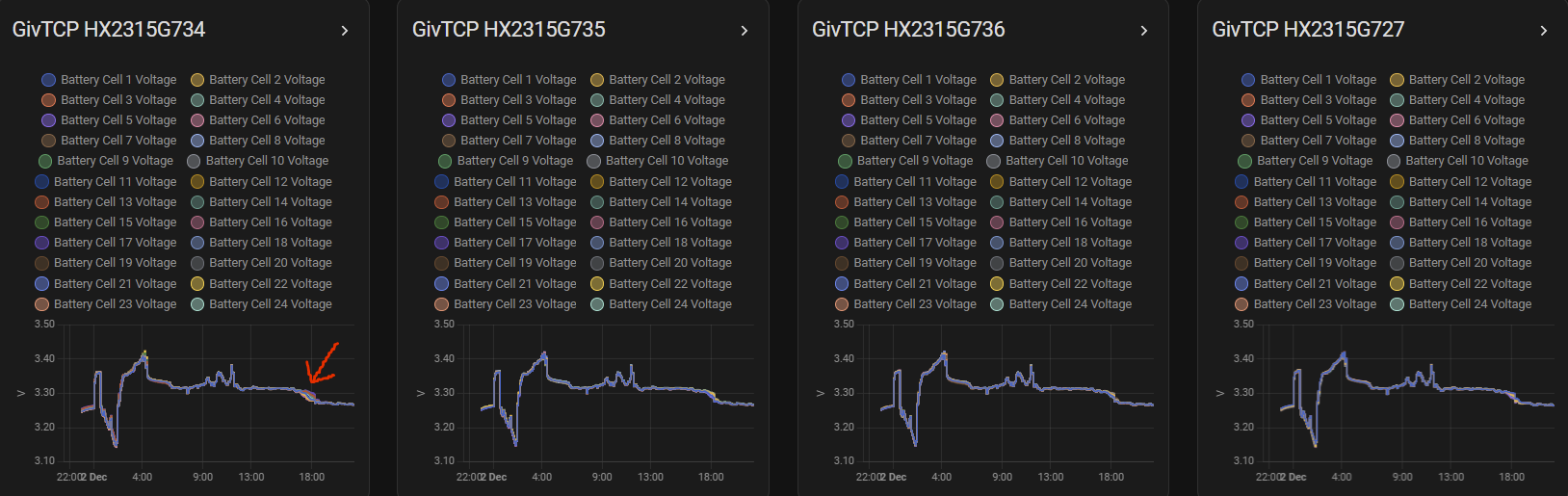
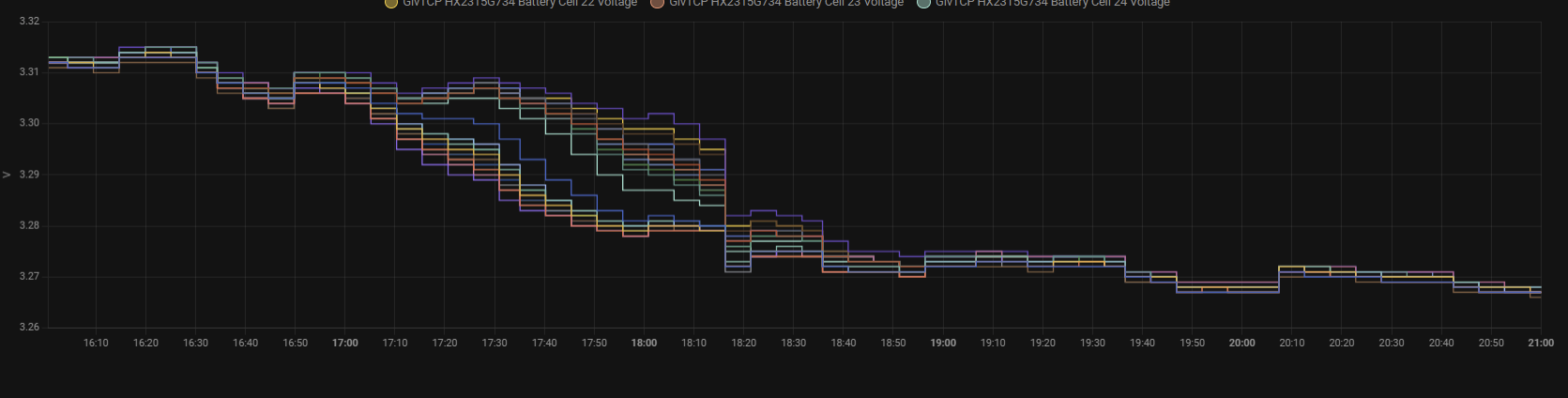
EDIT
I switched to totals like some suggested but it didn't help, looks like im going back to 2.4.9
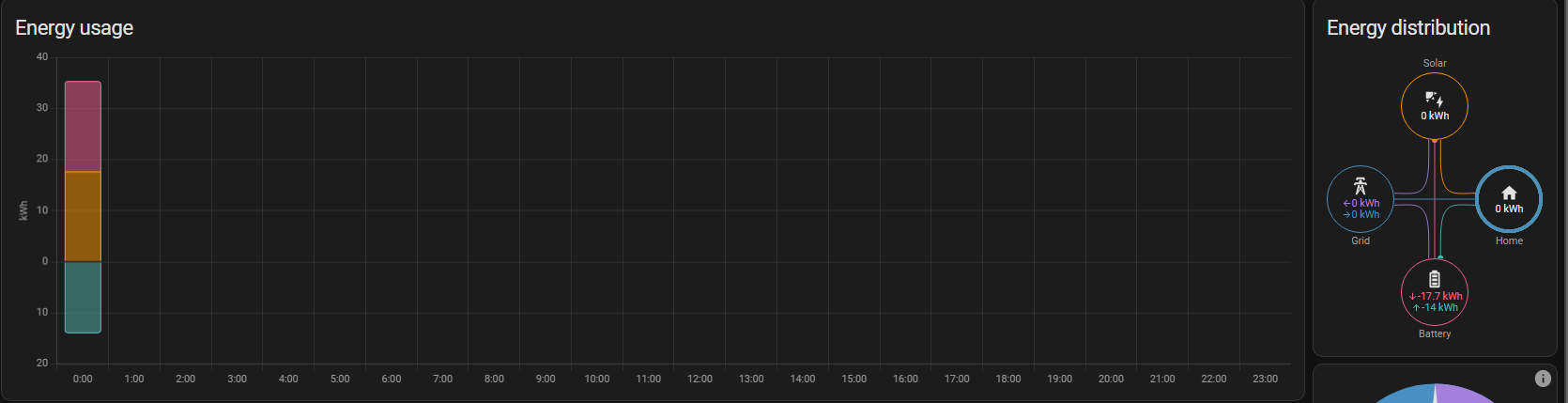
Ill just have a couple of days of data missing
All battery voltages from 5am on Monday to now
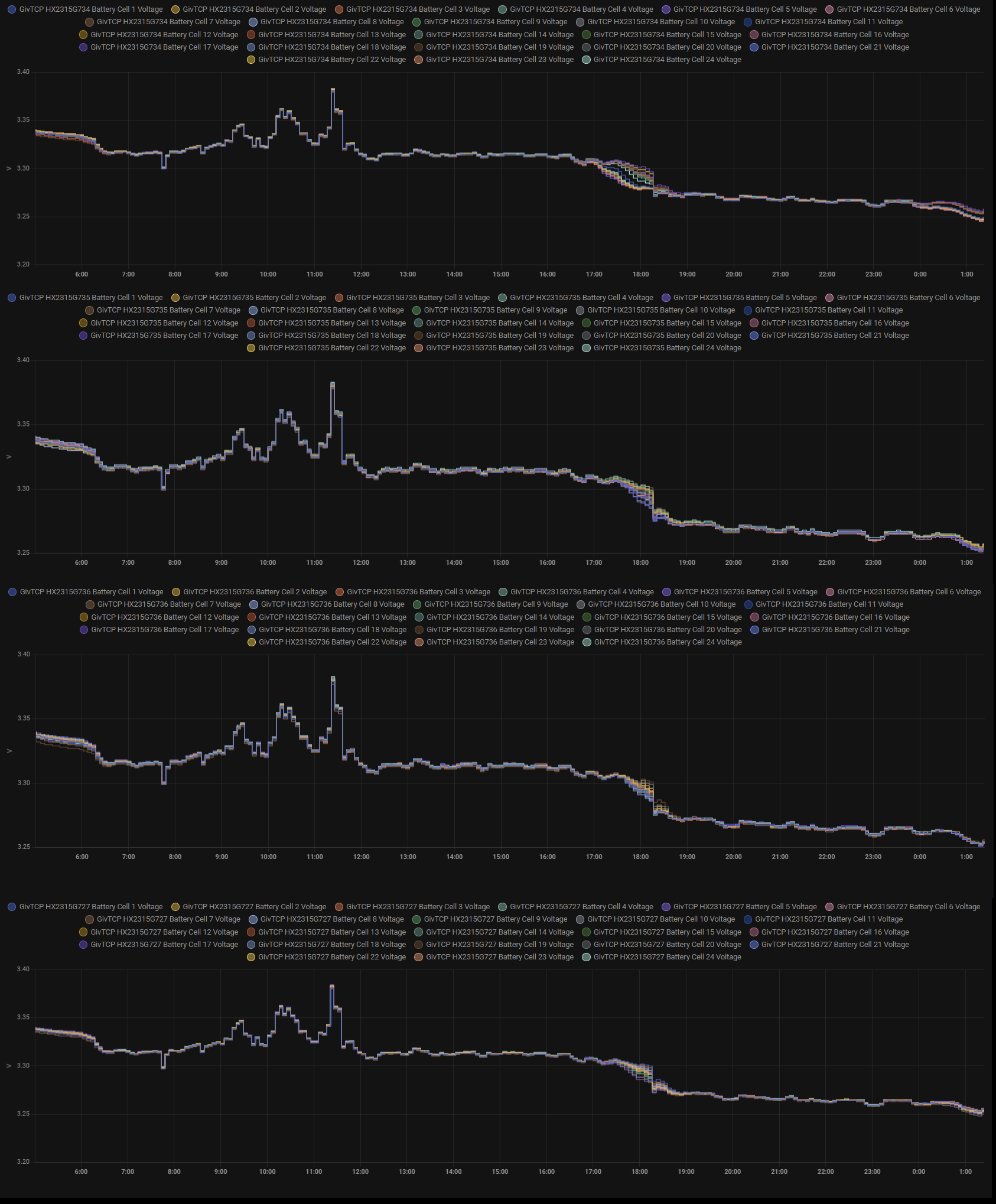
For those with 1x AIO and GivTCP3 what sensors are you using for your energy dashboard.
10 has been reasonably OK for me.
Had probably 2 big SOC corrections since it was installed, both after a periods of a couple of weeks or so where the SOC was quite static and it didn’t get near the top or bottom.
I have ditched HA as I found I was just spending too much time tracking things and to me it was generally within acceptable tolerances (losses) on charge vs discharge and capacity. I’m not trying to maximise profit by complicated import/export strategies as on FIT deemed export. My AIO use case is to reduce electricity cost by taking advantage of a cheap rate overnight and having protection against power cuts.
I just leave it do its thing now, quick check on the app a couple of times a day (when I use it to switch some smart plugs manually) to make sure everything looks ok. Only look in more detail if I see something that looks odd.
treborUK I'm similar to you, in that I use it to take advantage of the cheap IOG rate overnight but it does also take a charge from solar if available as only on 15p SEG and day rate is higher than that. Grey days drain it totally by early evening unless it's very cold, then maybe by lunchtime. (All electric here, ASHP with UFH). Otherwise, V10 seems much better than earlier versions but still not 100 %.
My biggest gripe is the way it loses full and empty reference points and then ends up as per last couple of days delivering only around 10kwh. I do wonder how accurate the app monitors the power though.
My ASHP has all that built in to the programmer display but is wildly inaccurate and basically doesn't make any sense. Fortunately I have two in line power meters on that as part of the RHI requirements so I know exactly how much juice it takes for the pump and control kit.
Just found that the dongle update is available in the app under the Gateway software page. Applied and successfully completed.
Daveb01 I was more referring to this
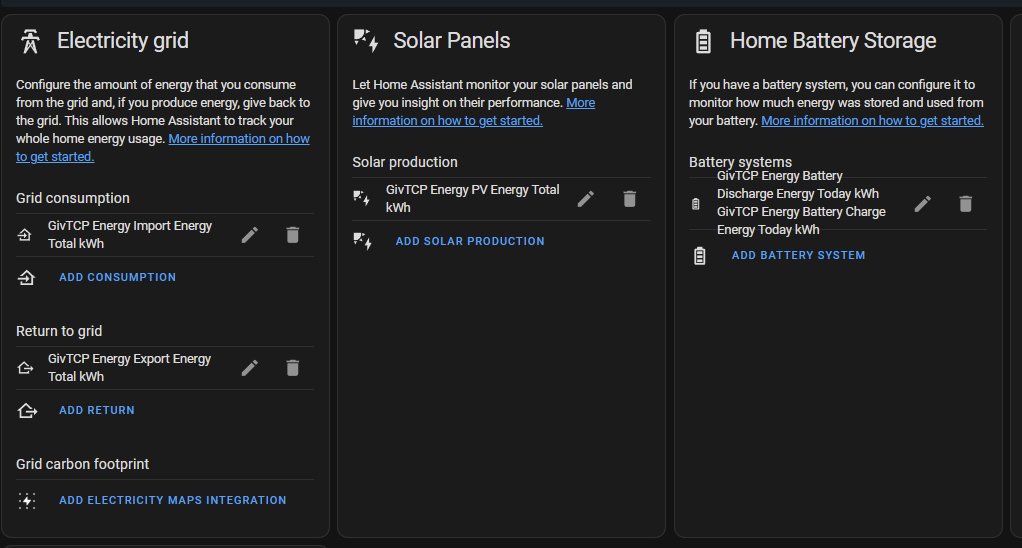
Because no matter what I do I keep getting this
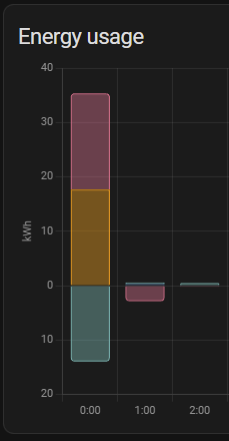
I think I am going to just go back to 2.4.9, I like HA and GivTCP because you cannot change the refresh rate yourself in the portal and after updates it keeps reverting to 5minute intervals and I would prefer it at 1 minute.
97>100% jump, thats two jumps ive seen this week since it stopped after BMS8, also not sure im liking the 1st and 3rd battery voltages here though
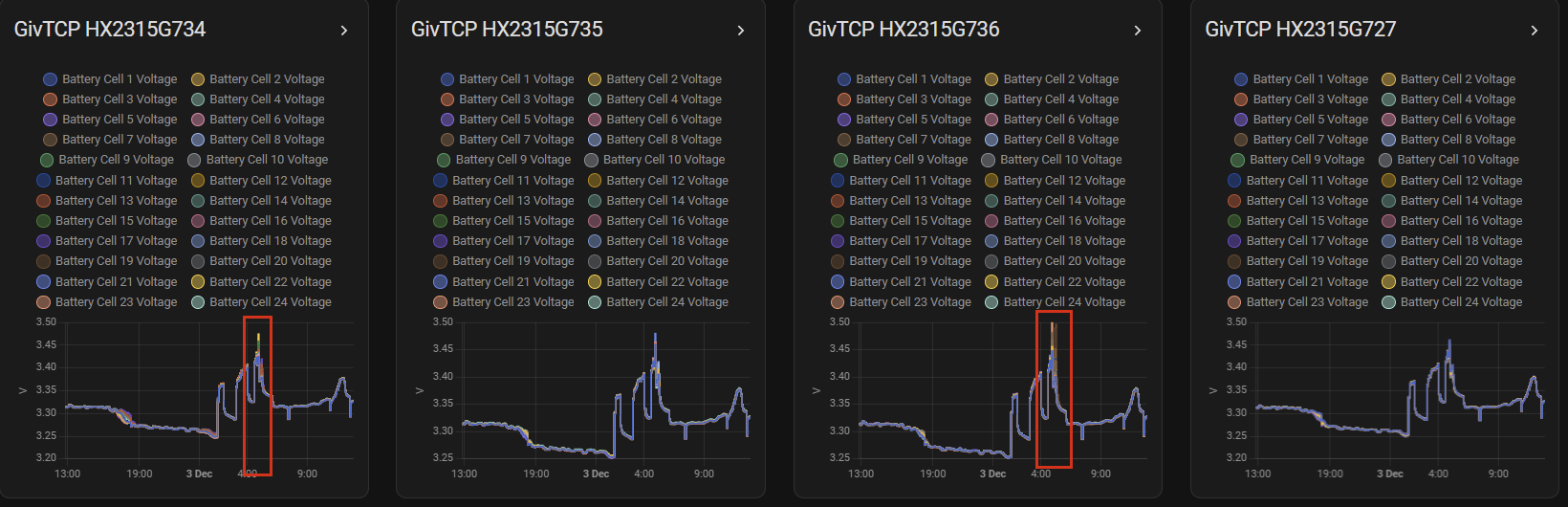
That’s correct these are the settings I have, as it is advised to have the meter settings for grid and gas. As I have a SolarEdge PV inverter I use that one. And I have to use the GW settings as I have 2 x AIO’s
I set mine up for accumulation, but you can set it up for what you would like. As I said I don’t like it as mine says zero for home if I have not used any electric just battery and solar, which is correct for the settings I have.
If you want to see if as it is in the GE app then you will have to pick different sensors. I have not manage to get it the same (yet)
Mine are the same really.
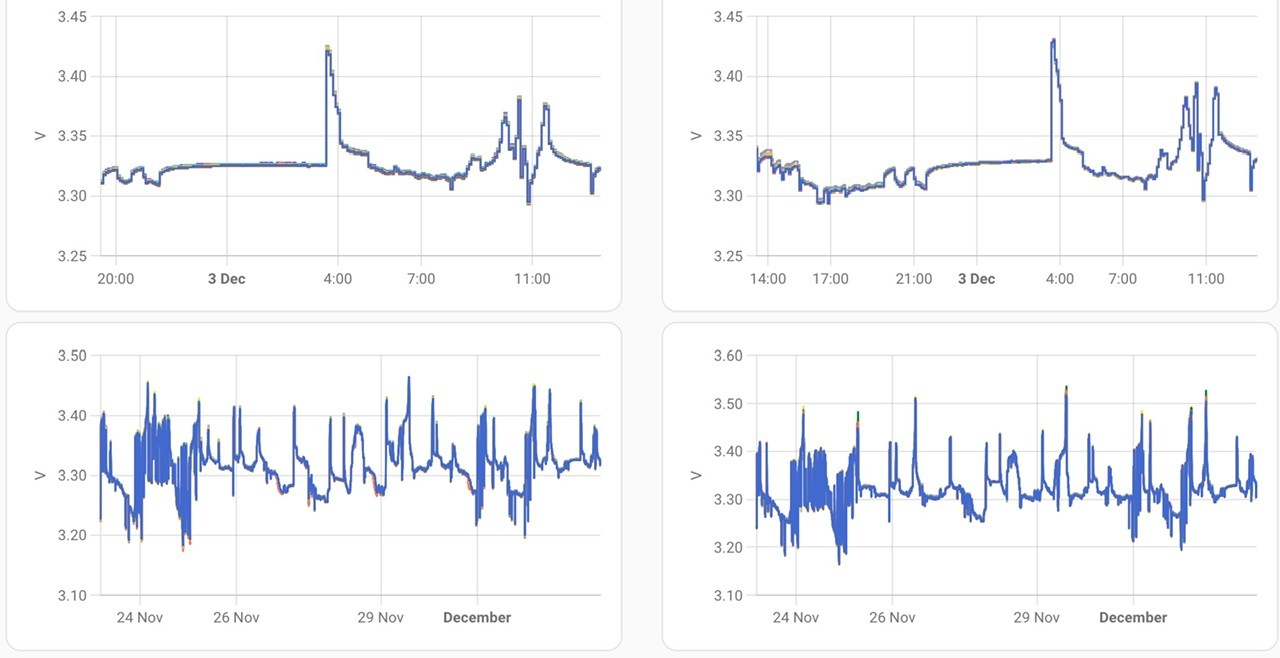
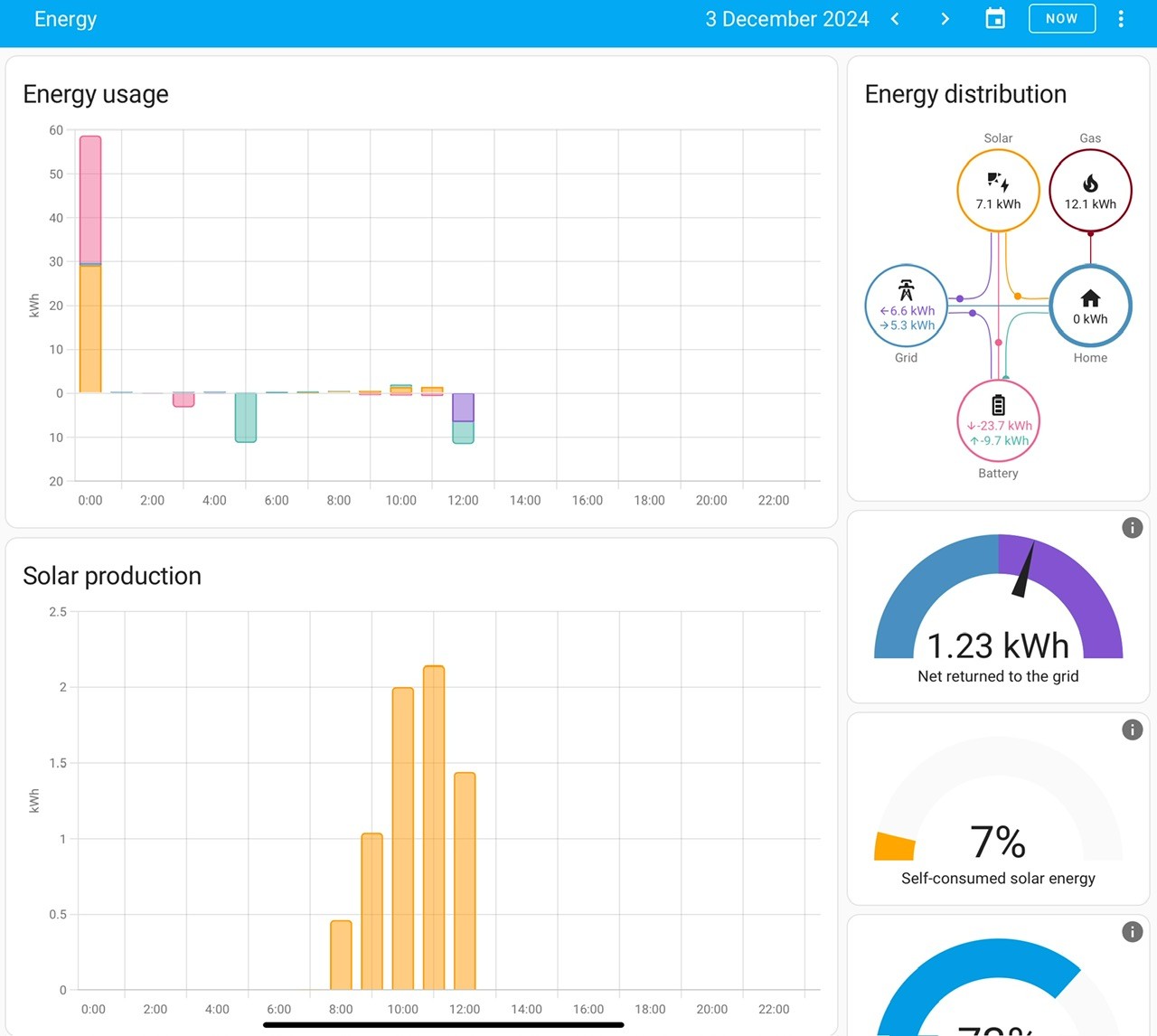
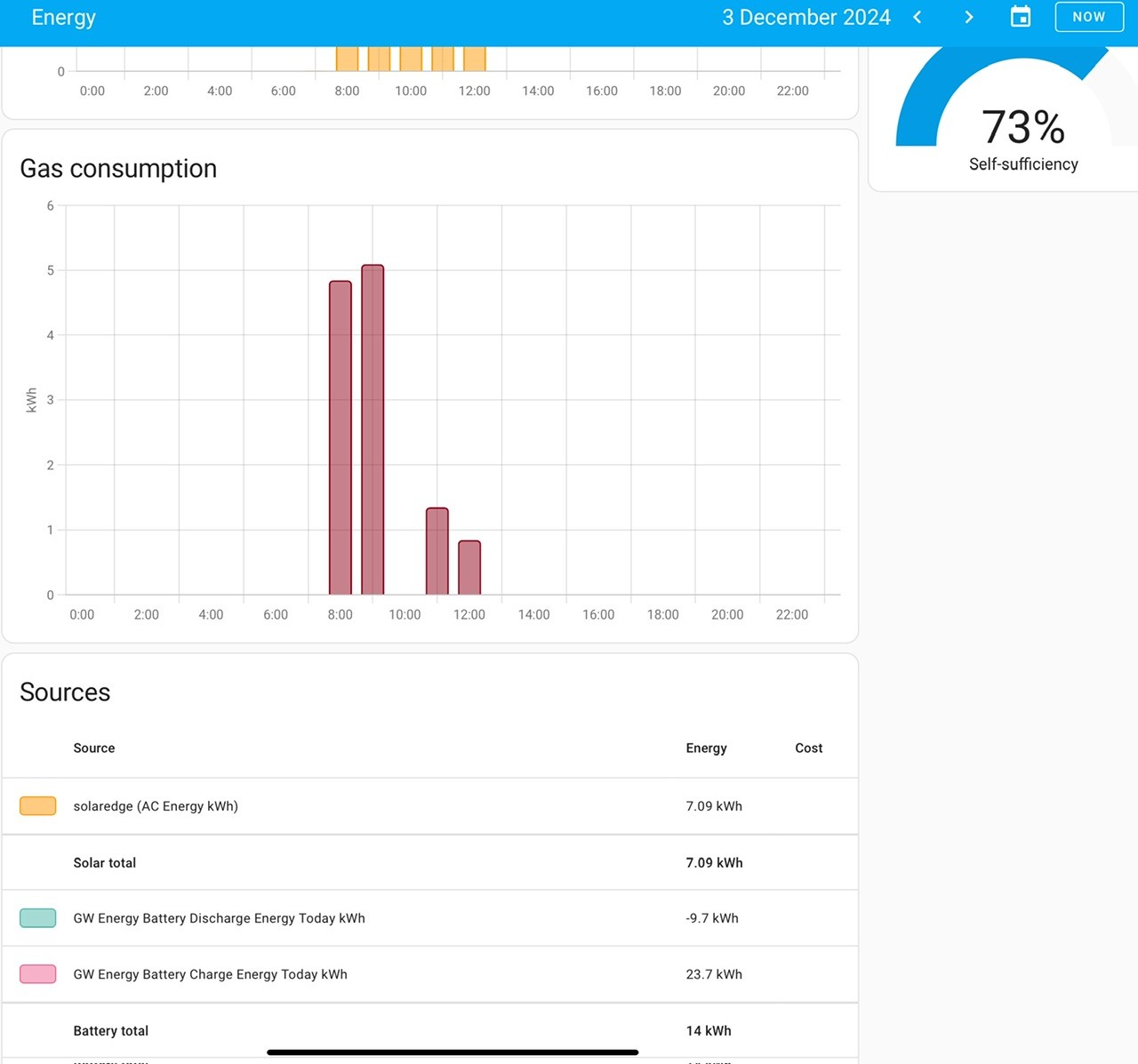
I think there were a few issues upgrading from Predbat 2.x.x to 3.x.x, I was lucky and started HA and Predbat after v 3 was released so installed v3 and have had no issues. I also needed v3 for Parallel AIO.
Here are a few more things to look at. I am not on Flux, I am on Agile, so this means to me I don’t need to charge the battery up and discharge it every day. I let Predbat work it out every 30 mins. I found that 1 x AIO was not enough to power my house as I was using on average over the year 15 kWh. So got another one. I have not had a crash since moving to Predbat.
If you look at pic 2 and 3, I was saying in my head what are you doing Maintaining SoC, I could be using the battery instead of importing at 20p ish. The. You look further down the table and see the price shoot up and realise that Predbat was saving me money by keeping the battery ready for these high prices.
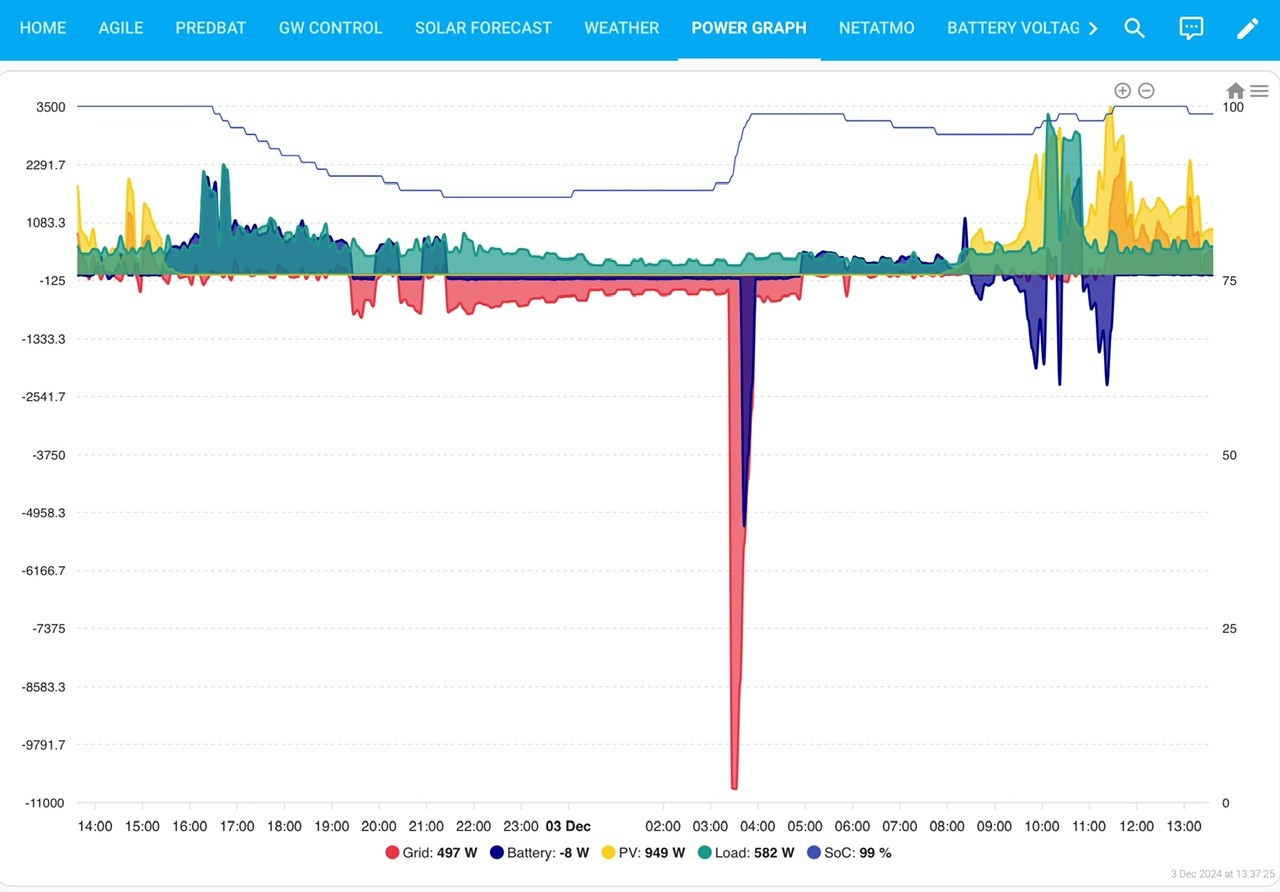
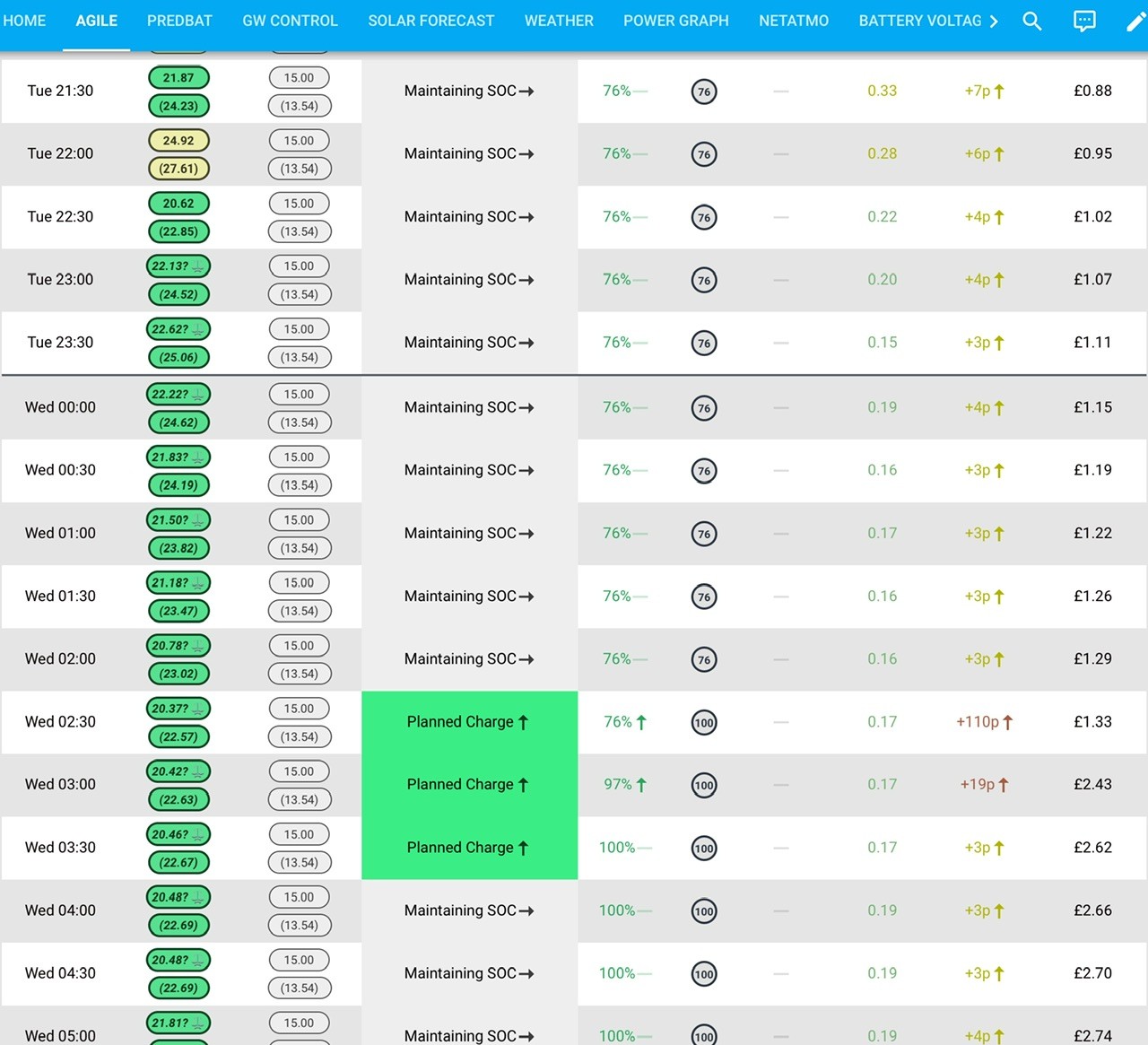
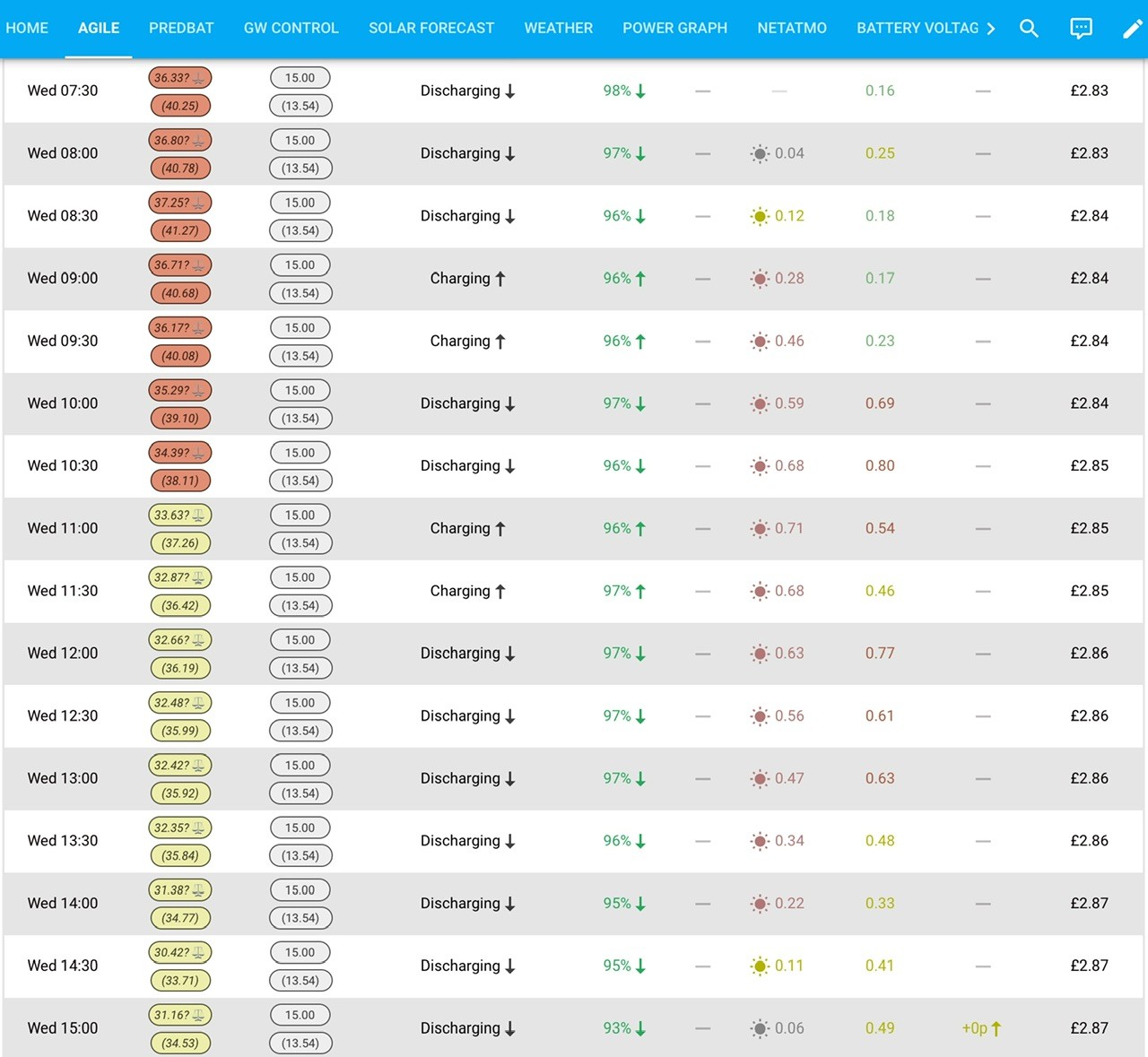
I understand what you are saying about the SoC as I was getting the same issue when on Flux. I moved to HA and Predbat as I did not want the stress any more.
I think you need to decide where you would like to go with your AIO, as GE may not be able to fix the SoC for everyone. They may fix it for those that charge and discharge fully every day but not those that part fill and part discharge, or visa versa. Predbat keeps an eye on all that and if you have the correct settings it works very well, we are all willing to help you with those settings. I would say one thing and this is not a criticism just advice really, if you think you can not let go and let the automation take charge then perhaps HA and Predbat is not for you.
Let’s hope also GE can find a way to please most people with BMS v11 or v12 and it works with whatever plan your on. 👍🎄🎄🍺😎
Daveb01 I had the settings right before for predbat but as I reported before I ended up with the lowest ever full charge since BMS6/7 (iirc voltage at 4% was around 313v) and I wasn't sure if that was due to all the pausing and the general issues I have been having and all GE come back with is "Its a firmware problem" and won't entertain anything else despite the sheer amount of data I keep track of and the extreme inconsistency.
Also thanks to the issue of it seemingly adding an entire day to a 1 hour timeslot that is going to skew predbat plans anyway and if I try using predbat after updating to GivTCP3 I get this
Add-on: Predbat
Home Battery Prediction and Control
Add-on version: 1.2.1
You are running the latest version of this add-on.
Bootstrap Predbat
Startup
System: Home Assistant OS 13.2 (amd64 / qemux86-64)
Home Assistant Core: 2024.11.0Home Assistant Supervisor: 2024.11.4
Please, share the above information when looking for help
or support in, e.g., GitHub, forums or the Discord chat.
s6-rc: info: service base-addon-banner successfully started
s6-rc: info: service fix-attrs: starting
s6-rc: info: service base-addon-timezone: starting
s6-rc: info: service base-addon-log-level: starting
s6-rc: info: service fix-attrs successfully started
[14:59:06] INFO: Configuring timezone (Europe/London)...
s6-rc: info: service base-addon-log-level successfully started
s6-rc: info: service base-addon-timezone successfully started
s6-rc: info: service legacy-cont-init: starting
s6-rc: info: service legacy-cont-init successfully started
s6-rc: info: service legacy-services: starting
Predbat files are installed correctly for version v8.5.9
**** Starting Standalone Predbat ****
2024-12-03 14:59:06.498551: Loading apps.yaml
s6-rc: info: service legacy-services successfully started
2024-12-03 14:59:06.528385: Info: Connected to Home Assistant at http://supervisor/core
2024-12-03 14:59:06.529651: Info: Add-on slug is 6adb4f0d_predbat
2024-12-03 14:59:06.529686: Creating task: <coroutine object HAInterface.socketLoop at 0x7f2a382f90e0>
2024-12-03 14:59:06.529875: Info: Web Socket task started
2024-12-03 14:59:06.529998: Info: Start socket for url http://supervisor/core/api/websocket
2024-12-03 14:59:06.530415: Creating task: <coroutine object WebInterface.start at 0x7f2a382f9150>
Web interface started
2024-12-03 14:59:06.535723: Info: Web Socket active
2024-12-03 14:59:06.546296: Warn: Regular expression argument: geserial2 unable to match re:sensor.givtcp2(.+)soc_kwh, now will disable
2024-12-03 14:59:06.547232: Warn: Regular expression argument: car_charging_energy unable to match re🙁sensor.myenergi_zappi[0-9a-z]+charge_added_session|sensor.wallbox_portal_added_energy), now will disable
2024-12-03 14:59:06.547530: Warn: Regular argument car_charging_planned expression re🙁sensor.wallbox_portal_status_description|sensor.myenergi_zappi[0-9a-z]+plug_status) failed to match - disabling this item
2024-12-03 14:59:06.547782: Warn: Regular expression argument: octopus_intelligent_slot unable to match re🙁binary_sensor.octopus_energy([0-9a-z]+|)intelligent_dispatching), now will disable
2024-12-03 14:59:06.548035: Warn: Regular expression argument: octopus_ready_time unable to match re🙁time.octopus_energy([0-9a-z]+|)intelligent_ready_time), now will disable
2024-12-03 14:59:06.548309: Warn: Regular expression argument: octopus_charge_limit unable to match re🙁number.octopus_energy([0-9a-z]+|)intelligent_charge_limit), now will disable
2024-12-03 14:59:06.548612: Warn: Regular expression argument: carbon_intensity unable to match re🙁sensor.carbon_intensity_uk), now will disable
Watching ['./config.py', './web.py', './futurerate.py', './apps.yaml', './predbat.py', './ha.py', './predheat.py', './prediction.py', './inverter.py', './hass.py', './download.py', './utils.py', './unit_test.py'] for changes
2024-12-03 14:59:08.590411: Error: Unable to fetch history for sensor.givtcp_battery_stack_1_stack_load_energy_today_kwh
2024-12-03 14:59:08.596665: Info: record_status Error: Unable to fetch history from sensor.givtcp_battery_stack_1_stack_load_energy_today_kwh
2024-12-03 14:59:08.596704: Error: Exception raised
2024-12-03 14:59:08.597521: Error: Traceback (most recent call last):
File "/config/predbat.py", line 11041, in update_time_loop
self.update_pred(scheduled=False)
File "/config/predbat.py", line 9839, in update_pred
self.fetch_sensor_data()
File "/config/predbat.py", line 8839, in fetch_sensor_data
self.load_minutes, self.load_minutes_age = self.minute_data_load(self.now_utc, "load_today", self.max_days_previous, required_unit="kWh")
File "/config/predbat.py", line 892, in minute_data_load
raise ValueError
ValueError
2024-12-03 14:59:08.603532: Info: record_status Error: Exception raised
2024-12-03 14:59:08.603569: Error:
Traceback (most recent call last):
File "/config/hass.py", line 184, in timer_tick
item"callback"
File "/config/predbat.py", line 11047, in update_time_loop
raise e
File "/config/predbat.py", line 11041, in update_time_loop
self.update_pred(scheduled=False)
File "/config/predbat.py", line 9839, in update_pred
self.fetch_sensor_data()
File "/config/predbat.py", line 8839, in fetch_sensor_data
self.load_minutes, self.load_minutes_age = self.minute_data_load(self.now_utc, "load_today", self.max_days_previous, required_unit="kWh")
File "/config/predbat.py", line 892, in minute_data_load
raise ValueError
ValueError
2024-12-03 15:00:00.792965: Error: Unable to fetch history for sensor.givtcp_battery_stack_1_stack_load_energy_today_kwh
2024-12-03 15:00:00.799194: Info: record_status Error: Unable to fetch history from sensor.givtcp_battery_stack_1_stack_load_energy_today_kwh
2024-12-03 15:00:00.799236: Error: Exception raised
2024-12-03 15:00:00.799500: Error: Traceback (most recent call last):
File "/config/predbat.py", line 11095, in run_time_loop
self.update_pred(scheduled=True)
File "/config/predbat.py", line 9839, in update_pred
self.fetch_sensor_data()
File "/config/predbat.py", line 8839, in fetch_sensor_data
self.load_minutes, self.load_minutes_age = self.minute_data_load(self.now_utc, "load_today", self.max_days_previous, required_unit="kWh")
File "/config/predbat.py", line 892, in minute_data_load
raise ValueError
ValueError
2024-12-03 15:00:00.806530: Info: record_status Error: Exception raised
2024-12-03 15:00:00.806571: Error:
Traceback (most recent call last):
File "/config/hass.py", line 184, in timer_tick
item"callback"
File "/config/predbat.py", line 11100, in run_time_loop
raise e
File "/config/predbat.py", line 11095, in run_time_loop
self.update_pred(scheduled=True)
File "/config/predbat.py", line 9839, in update_pred
self.fetch_sensor_data()
File "/config/predbat.py", line 8839, in fetch_sensor_data
self.load_minutes, self.load_minutes_age = self.minute_data_load(self.now_utc, "load_today", self.max_days_previous, required_unit="kWh")
File "/config/predbat.py", line 892, in minute_data_load
raise ValueError
ValueError
I have no idea why its switched to wanting to get info from battery stack 1?
I changed {geserial} to sensor name but ended up witha load of rest errors.
I now use the GW serial number
If you have not really used HA and Predbat in Ernest why don’t you switch back to GE app. Set up everything from scratch and install HA, MQTT, GivTCP and Predbat with the latest versions? then start a backup to Google drive, then look at the other post to setup from scratch, I can send you my apps yaml if you want to see the settings I have.
This post is about BMS 10, so this is a bit off piste.
I’ve been talking to Paul at GiveEnergy about not getting full capacity and SOC issues. He said BMS11 is significantly better, something to do with cold chambers. They pulled some data from my AIO’s to help work on some stuff.
Let’s see….
does he want to look at mine? got about 7.6kWh from 100% to 0% just now
treborUK Same here 10 has been night and day difference for me - I now get 13 kWh daily.
I have kept HA as Ive never fussed over it to much having no solar, I just use it to have as two tiles on a dashboard to see if there is enough power to deal with something like using the washing machine etc.
I think when 11 comes along Im going to be dragging my heels
My understanding from @Rbor @geoffreycoan (the experts) v2.9.x was OK, v3.0.x is also OK (I have this version) and needed for AIO parallel running. It was a small issue upgrading from 2.9 to v3.0. Combined with the SoC issues we have all been experiencing with BMS 10. You may also have a setting in Predbat to tweak (I am still doing this as well)
All of these things added together is understandable you are frustrated, I think I would be as well. This is why I suggested starting from scratch with HA 2024.12, GivTCP v3.x etc, we can send you the settings we have in Predbat so you don’t have to worry about that either. Hopefully this will get you in the same position (over Christmas) same as me.
Then we can look forward to BMS 11 in the new year.
Daveb01 I did start from scratch and it still kept adding previous day to 00:00-01:00 slot, I got no idea what sensors im supposed to use for energy dashboard because apparently the ones for battery I were using don't work in V3.
I couldn't even get energy dashboard working right, I tried today sensors one day and total sensors the next day and it wasn't reading home usage properly or wasn't reading it at all and im not sure if that was because of the midnight to 1am hiccup and someone suggested sensors on facebook group but couldn't seem to agree on the name of the actual helper I was supposed to use or how to set it up.
atm I am back on 2.4.9.
Also when did they change how you add HACS, it took me 10-20 minutes just to figure out how to install that damned thing.
I would post a before and after but I deleted the one I activated V3 on and copied back the pre V3 so I only lost a couple of days data and that was before I tried trying v3 in a brand spanking new VM.
Apparently V3 doesn't like these sensors for things
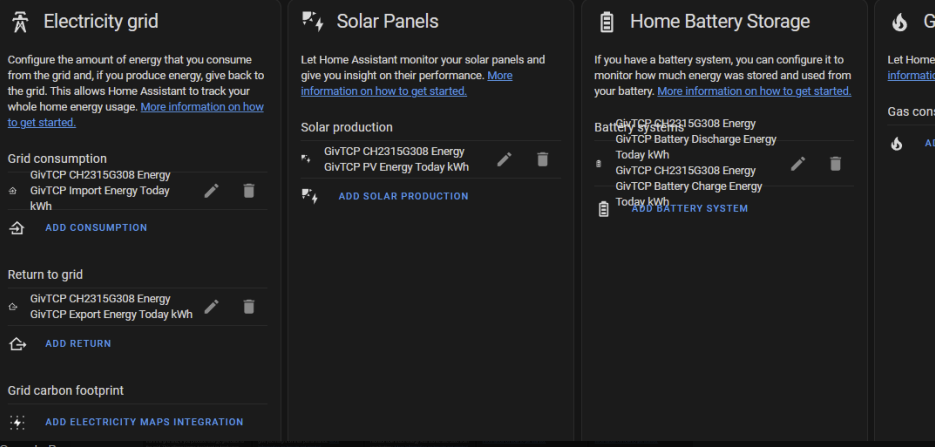
I even switched the givtcp and givtcp 2 names so the AIO had the givtcp so the normal sensors would work but even after trying to re add them it didnt want to play ball.
This thread BMS 10, is not the place for Predbat things. Please use this post
https://community.givenergy.cloud/d/4954-how-to-use-predbat-from-scratch/166
Here is a screen shot of what I have set, to help but please let’s use the correct post.
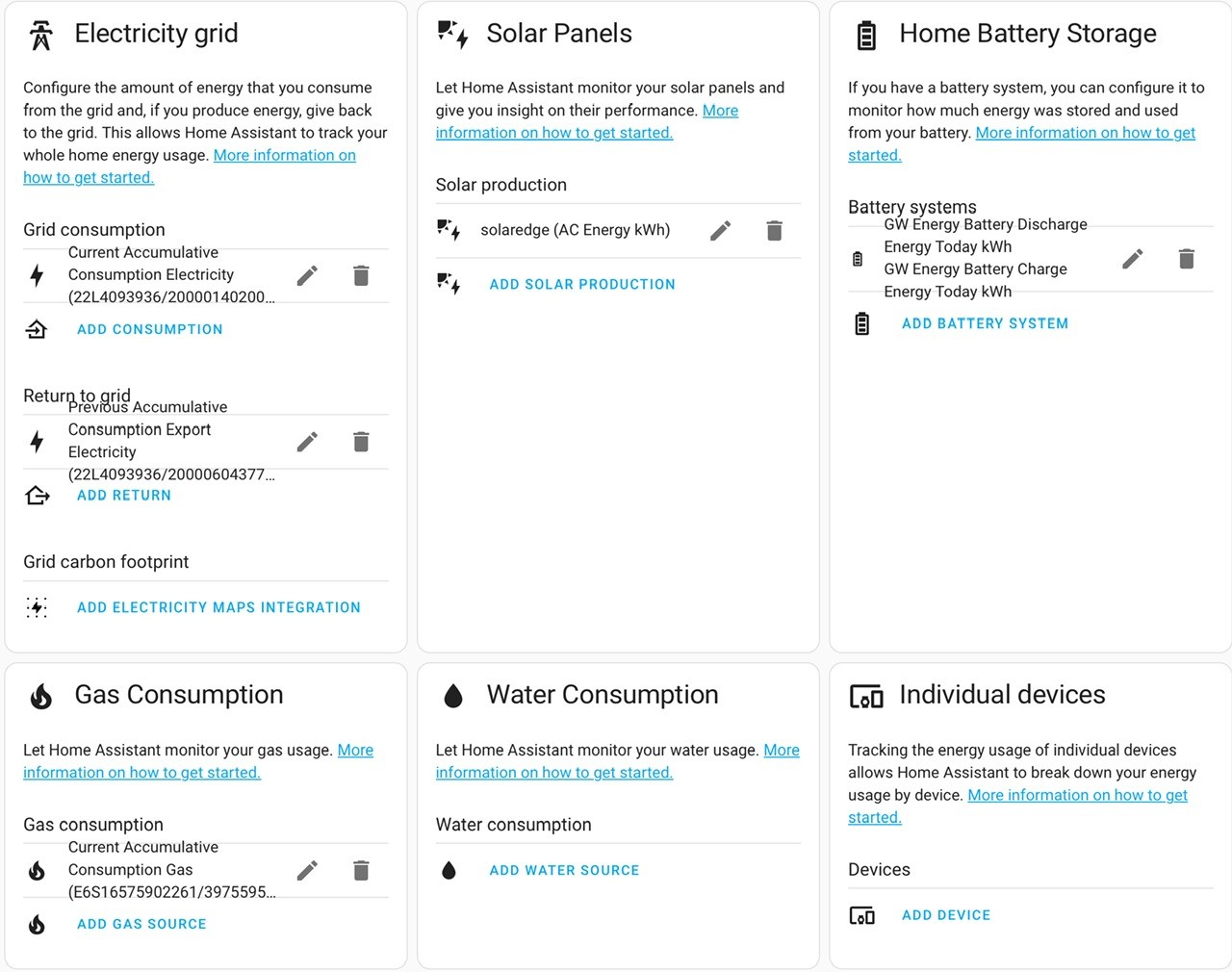
When I setup GivTCP I did not like givtcp1, 2, 3. You can name your devices in the Configuration page, I named mine AIO1, AIO2 & GW. I then had to edit Predbat with the same info. I also find it easier to see things etc.
Here is an example for my GW, so gw_gwxxxxxx_battery_charge_rate instead of givtcp2_
‘’’
charge_rate:
- number.gw{geserial}battery_charge_rate
‘’’
My recent attempts to upgrade to V10 all failed at 90%. The final attempt requiring an Inverter restart which is when I gave up. Remembering the initial enthusiasm when V10 was introduced, hopefully when V11 does arrive it will have all the glitches ironed out. Meanwhile I am stuck on D0.612-A0.612 Firmware V9. The upgrade screen mentions Dongle will be upgraded to 206. Something to keep an eye on in the new year, along with the long awaited release of the EMS 🤔
Ultima357
I have the patience of a Saint, so I was happy to let it run its course. I kept getting " Update Failed " messages so I'd leave it a bit and try again. Rinse and repeat about half a dozen times. The final attempt resulted it the system shutting down and requiring a reboot ( I did leave it in it's failed state hoping for a Lazarus style recovery, but unfortunately no miracles at our dwelling place )
I will wait for V11 to settle in and then ask Giv if they can update remotely.
How are people getting on with the latest firmware? I had issues with RCDs tripping in December 23/Jan 24 and had my 30mA Type AC RCDs replaced with 100mA Type A RCDs which has fixed the issue when going off-grid, however, I've noticed there are some changes to the way the AIO goes off-grid, so would rather avoid updating until I know the issues are solved... 🙂
deanjesper For grid backup, mine seems fine. I have today been doing some house wiring today which I needed to kill the incoming power and tested grid off which worked well. A few years ago I had problems with an RCD tripping which turned out just to be the RCD getting weak and not holding in. RCDs are known to trip well below the 30ma level as they get older and the increasing amount of plug top power supplies we all now have, add to the problem as each of these add mA to the circuits.
Otherwise, BMS 10 has its issues with soc tracking, depending on how you use the battery but a new version is promised soon.
What’s the opinion and betting slip for BMS 11 being available to all before Christmas? 50/50? 70/30?
Christmas 2025 20/80. Just before the EMS release ...
deanjesper When I did mine, the EPS setting was set to off after the update and I set it to on. Then when I checked it to make I'd set it correctly, it always reverted to off so I got GE to check it and correct the issue. Seems OK now. SOC issues are incorrect charging using solar which results in less than full charge and diving under high load which prematurely calls the 4% cut off. In mine, full charge is circa 320v, but solar top up gets as low as 316v at supposedly 100%. At the bottom end, it should be around 305v at empty but I've had it stop and then float back to as high as 312v, once I think it was over 314v from memory. The result of all this is you get down to a battery pack that is only giving 8 to 9kwhr.
deanjesper What did you notice? I went 100mA route, after a replacement gateway, and that seemed to cure the tripping however Inverter firmware 611 had a 30 second delay issue with going into Island Mode if the Pause Battery Discharge was active. 613 is meant to fix that but I haven't had a chance to test Island Mode yet since I loaded it.
Hopeful Interesting - I have an engineer coming next week to take a look at my GW to see if they can resolve the intermittant tripping problem when losing the grid. My installer said that we didn't really need the AIO RCD (can't remember why not - possibly to do with the fact that all the circuits in the main CU are on RCBOs). I'll update when they have been and taken a look
CW
Moving to a 100mA RCD in the Gateway did not solve my Island Mode issues. Even though GE came out and recommended that.
I am waiting for pricing from my installer to replace the RCDs in my CU with RCBOs (I have a mixture), and then remove the (new!) RCD from the Gateway.
A seemingly endless saga.
PianSom Well let me know how you get on - that is sort-of where I am leaning towards, because I am not sure that there is a large draw of current leakage - certainly not when we were checking. As all the downstream circuits are on RCBO then the entire circuit set is protected as far as I can tell.
Just been notified by the beta team they’re about to put new BMS and new AIO firmware on my kit for the capacity issues I’ve had.
Will let you all know when it’s done and how it’s looking.
Ok so on both AIO’s I now have Dongle 206, Firmware 614 and BMS 11 ….. wish me luck.
Would you all like some preliminary results….
Because I did a long journey today in my EV, octopus is giving me cheap electricity from 8:30 so I’ve just dumped the contents of both AIO’s …
So I charged to 100% before 5:30am, this was on BMS 10 so I don’t know whether it was actually 100%. The issue I had been having is both AIO’s would only charge/ discharge 10-11kwh.
After the upgrades earlier, my AIO’s emptied 13.1 and 13.2 kWh respectively today.
Not going to count my chickens yet, but let’s see how the charge tonight and then tomorrow goes. But I haven’t been able to get it to discharge that for a very long time.
My Island Mode problems started when they tried to enable the earth bond relay. Hopefully we are now at the position where thats enabled and it works as it should. I have asked my installer to check the earth bond relay setting (if he can!) and then I'll find a time to give it a test. If it doesnt I guess its time to put the UPS's back in place to keep the internet and computers covered!
11th 14.5 went into battery, 10.7 went out
12th 1.5 went out, total 14.5 in, 12.3 out and it was at 15% before 13.6 got put in, for the past 3 hours ive been losing 10% an hour which should be around 1.3kwh per 10% but so far out of that 13.6 I have used 7.9kwh and its cost me 72% battery, ARE YOU HAVING A DAMN LAUGH, oooooooo I want to use so much bad language its untrue.
It was on 15% before it started charging for christ sake
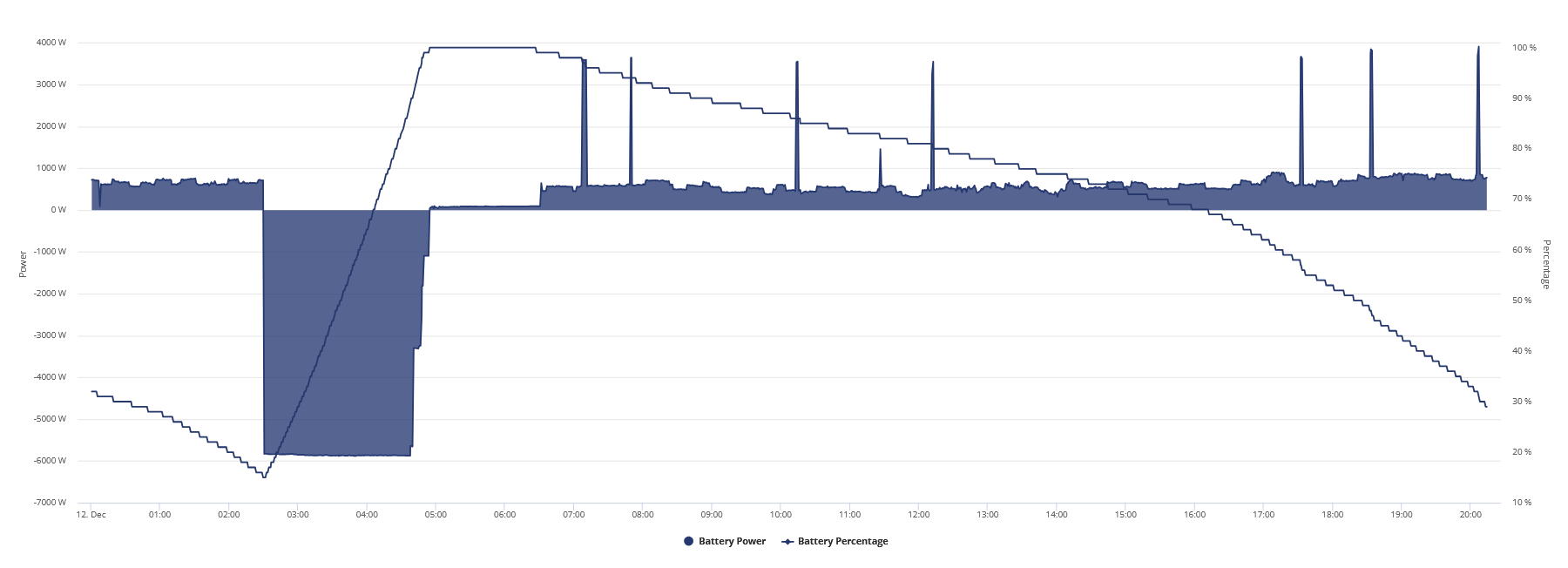
The spikes are the kettle.
Really, 313v at 29%
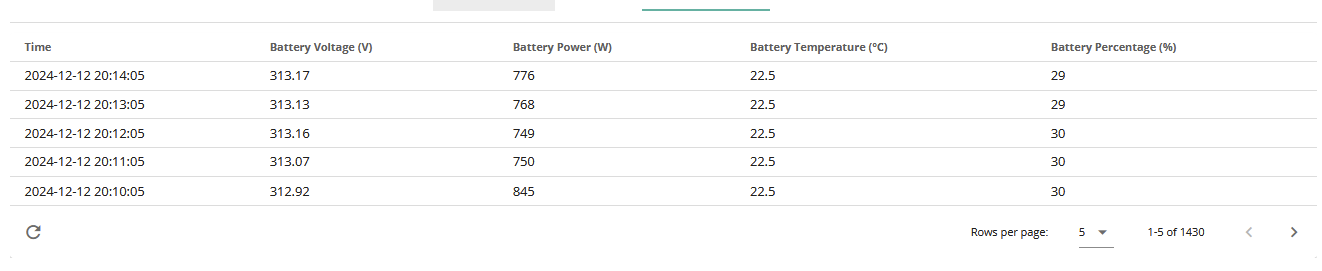
I should have had enough to last til midnight, man this is one expensive pos.
Here is yesterday as a comparison
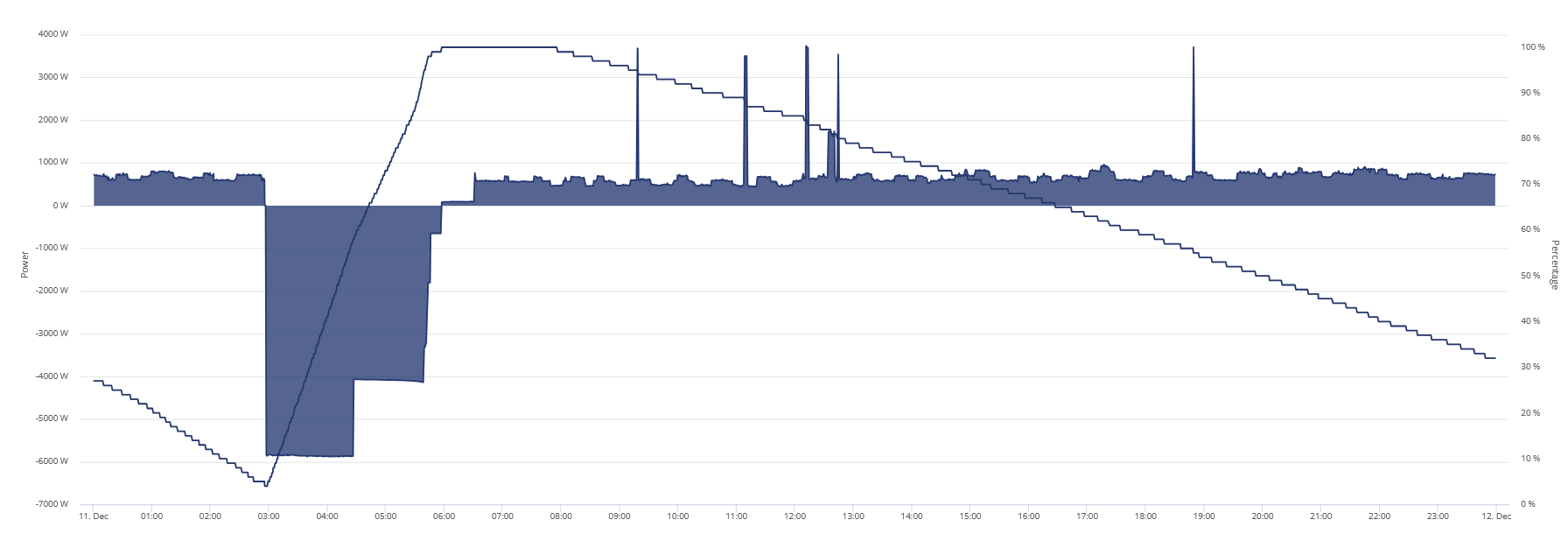
and here is the voltage it got down to before I started charging this morning
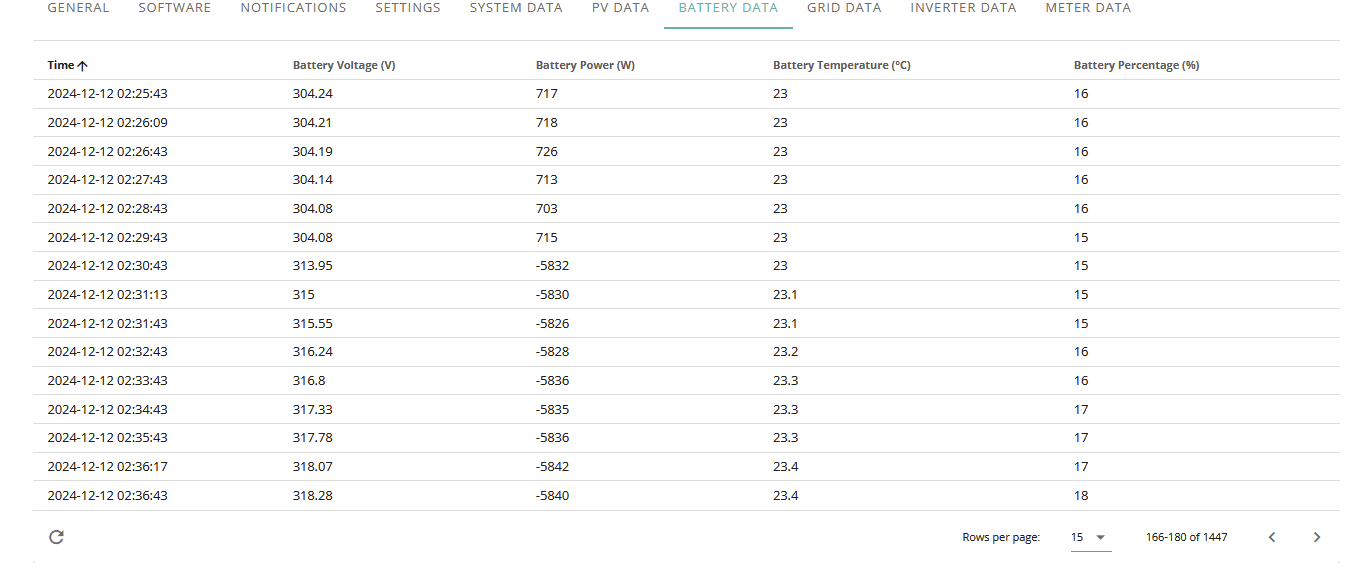
Already spent £3.16 topping battery up and what it cost on top for house load whilst charging and now im gonna end up paying over standard rate because this system sucks.
EDIT
Its been at 313v since 5pm so for 40% of the battery its stayed in 313v range, currently losing around 4% per 0.1kwh
EDIT 2 Where the hell has 4.3kwh gone?
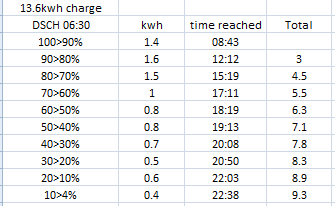
EDIT 3
Tried doing a 6kw charge for 30m then discharge to try and correct the voltage as it typically worked before, not this time and ive lost even more, 3kwh in and 2.8kwh out, where the hell is this system hiding nearly 4.5kwh of energy.
It shouldn't be hitting 4% anywhere near 310v based off previous experience, I swear if it does the same today (friday) after hitting 4% as it did Thursday I am going to 100% lose it in an email to GE.
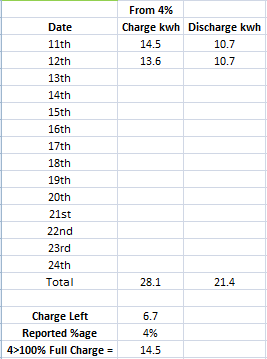
6.7 is nearly half the capacity of the battery inside of two days.
EDIT 4
After 9kwh has gone in its gone from 4>86%, ******* SERIOUSLY, I am not even going to get 10kwh into this thing.
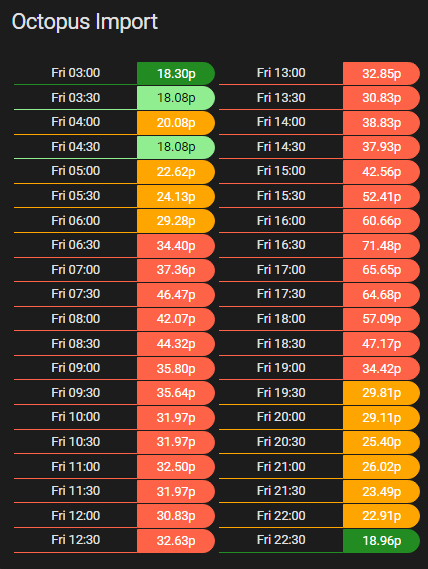
Thats not going to last til 8pm.
Maybe its a good thing we can't call them anymore.
EDIT 5
Whelp, I was wrong, I got 10.1kwh (my lowest record since I left BMS6 and 7) put into it from 4% which means ill get to use about 8.5 of it.
8.5kwh isn't going to even last til past the peak period ffs.
Jellybaby I found that soc tracking works best when you charge it at around 4.6 to 4.8kw. I seem to remember that the dragon said that was best. With winter grey days I now set mine to charge (mostly from 4% as I consume it all during peak charge) at 4.6ish, the app not being particularly accurate in this respect to full and hold it at that until cheap rate finishes. Recently due to practically 0 solar, it has regularly done 13.5 in, 13.5 out give or take a few hundred watts. Most drift occurs if pulling load as it nears empty. Figures from app.
If you've got HA running, can you check each cell voltage to see if you've got some cell level issues?
deanjesper I have sent them yet another E-Mail.
Whelp, so far 10.1 went in from 4% > 100% and ive currently gotten 10.9kwh out of it and im still at 29%, 309v.

EDIT
That left one seems quite lower than the others and a bit more erratic.
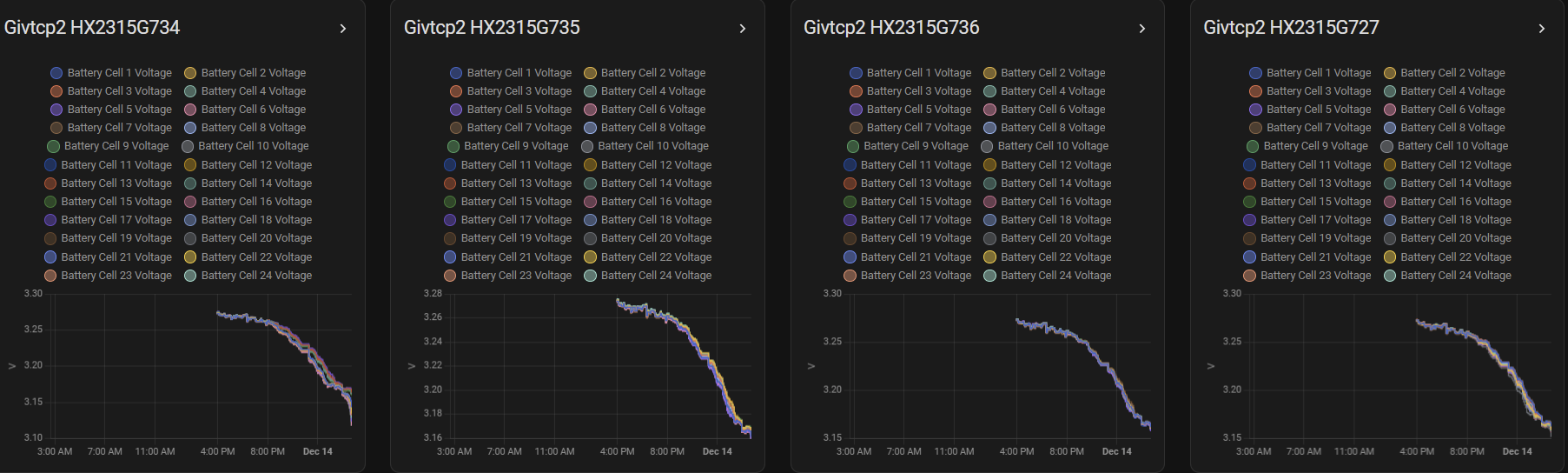
EDIT 2
Damn, half of that took a nosedive lol
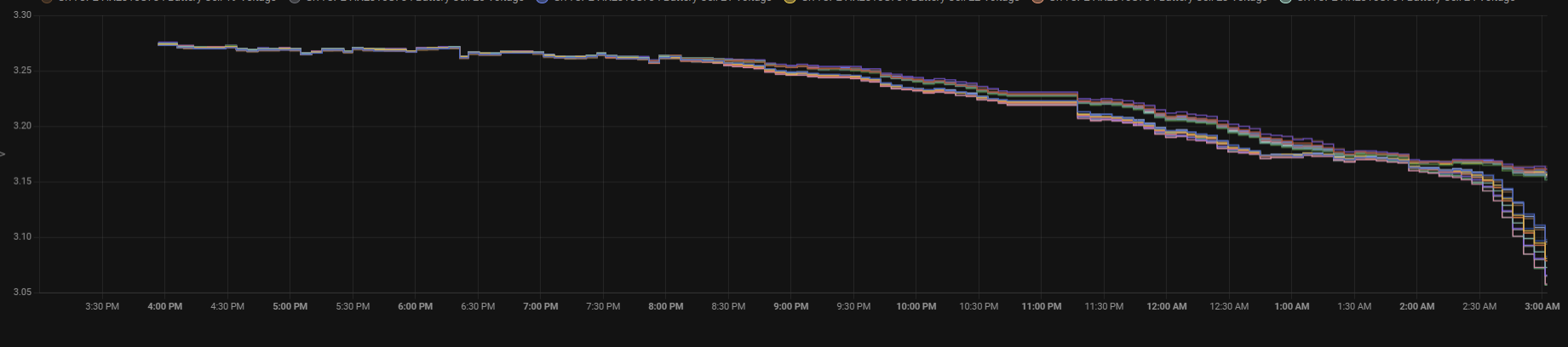
Just hit 4% at 301.61v, 10.1kwh in and 13kwh out lol.
All I can say is BMS11 is WILD. I have no words for how bad it is. First night was good, I had hope. Since then, it’s the worst I’ve seen it.
uh oh
Fingers crossed for v12 then...
The SOC seems to track fine until about 60% then it nose dives down, not instantly but much quicker to about 15%, then slows down even more because it realises it did it too quick - like one of them output 1kwh from 5%to4% two days in a row. One of my AIOS hasn’t output more than 10kwh since Friday and the other about 12.
Right now the amount discharged correlates to the SOC% and the estimated kWh remaining. But I just know in a couple of hours it’s going to go wild again.
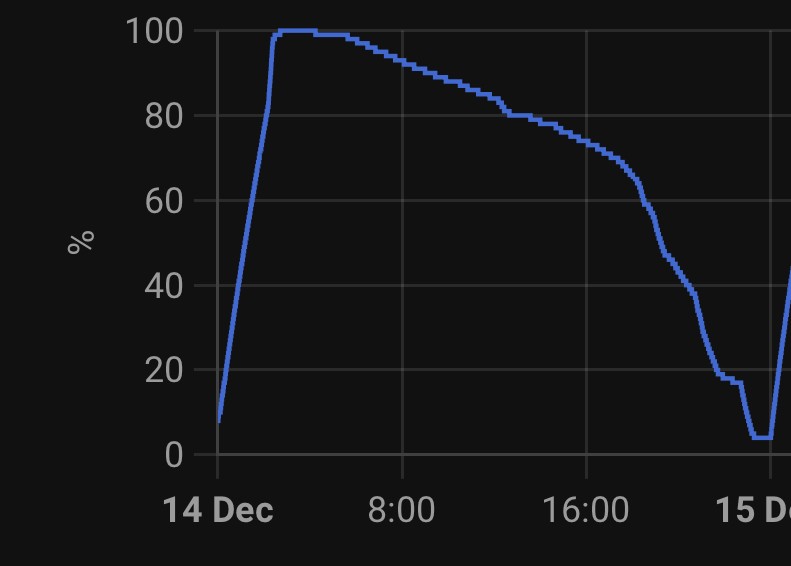
That steep decline, the load on the battery was the same or less than it had been all morning. The bit at the end was discharge.
If my Tesla did this, I wouldn’t go anywhere.
Here we go…. Told you it would happen.
Both have discharged around 6.5kwh, which should give me 50% left.
What an absolute joke.
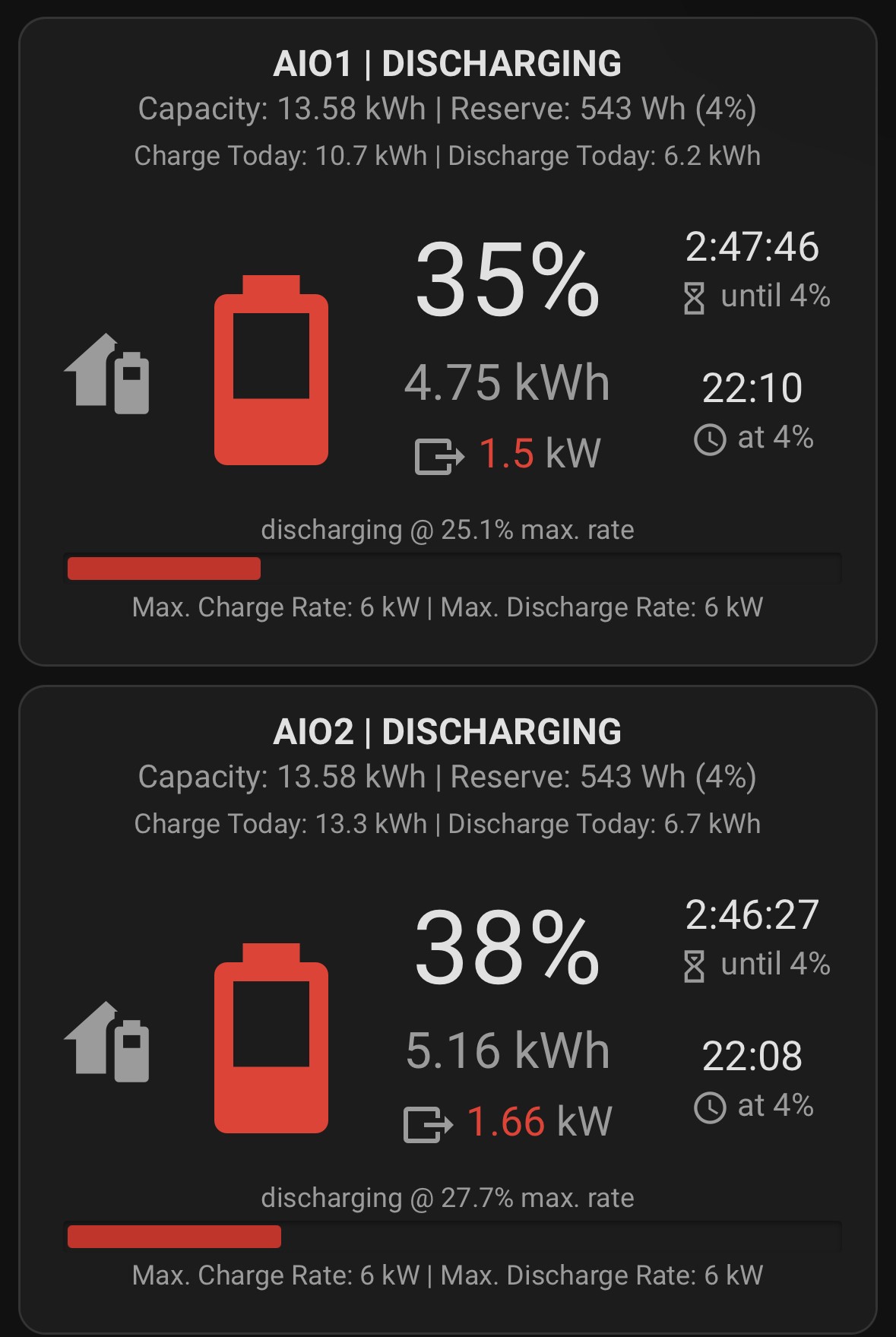
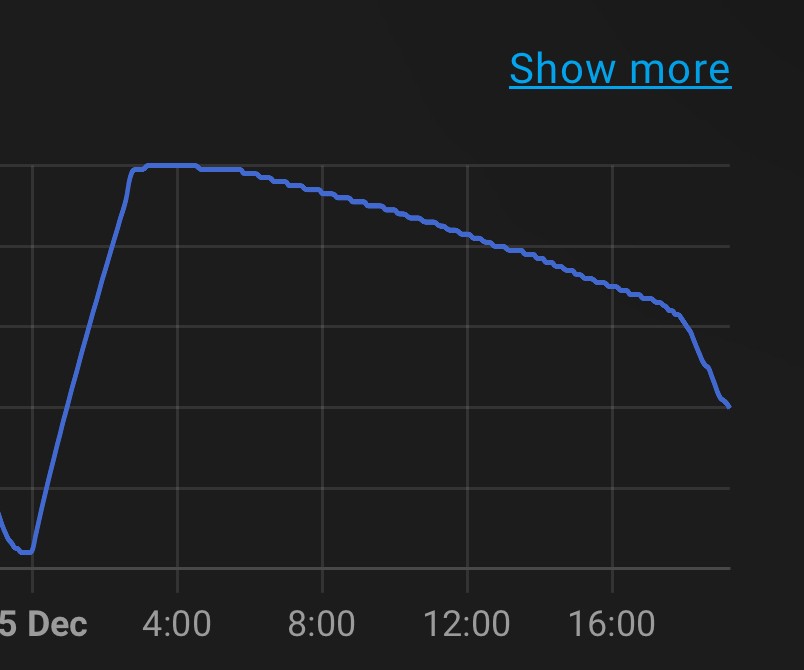
The annoying this is, it’s not faulty hardware. On Thursday night after the BMS update, they both discharged pretty much the right amount as I said
When a calibration was done a few weeks ago, again they both took and discharged the right amount.
Both of them can take and hold the rated capacity.
It’s something else, and GivEnergy need to find it, fast.
And it keeps going:
Predicting to barely get 10kwh from each, load on the batteries is not changed.
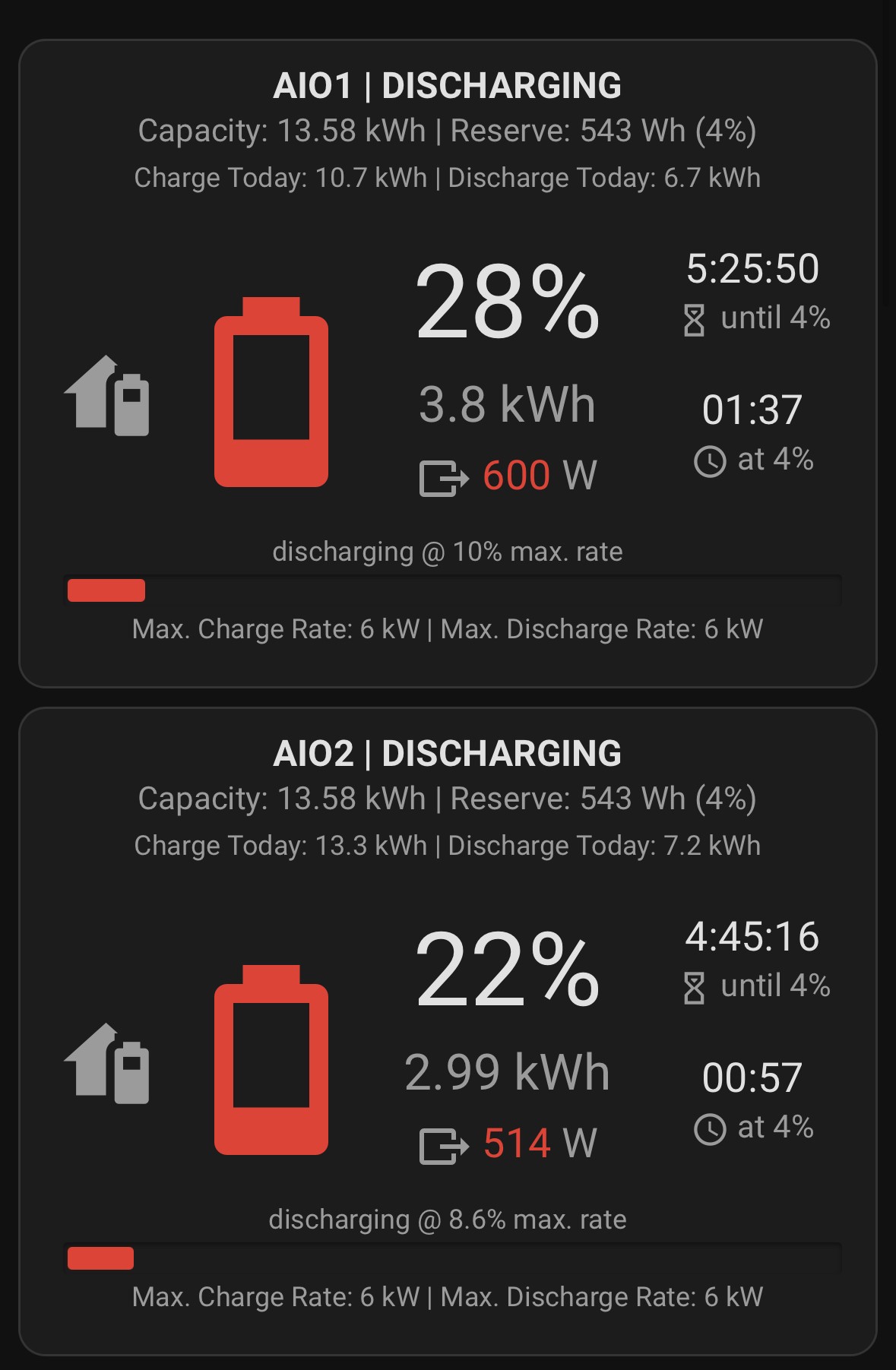
JasonF Just wondering why the seem to discharge at independent rates? I would have thought that the discharge would be balanced /shared with each battery. Wondering what voltage you are getting down too at full discharge.
Some interesting reading on soc here https://batteryuniversity.com/article/bu-903-how-to-measure-state-of-charge
The gateway does the balancing. When the Soc is equal, they discharge equally. If they fall out of balance, then the gateway shifts load onto the one with the higher SOC to try to balance them.
Now they have hit theirs “oops I dropped to fast phase”:
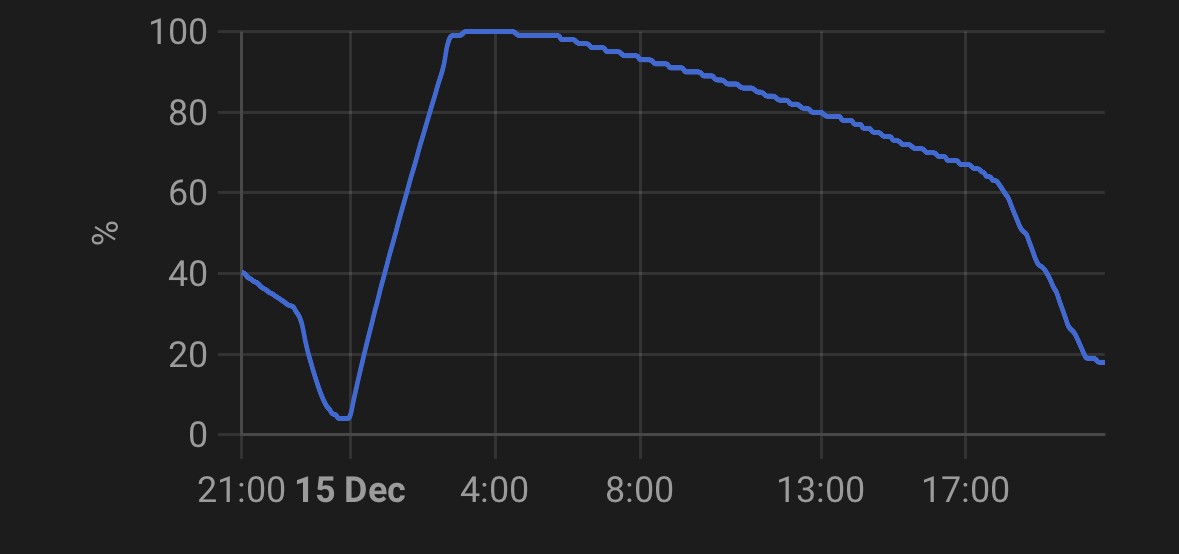
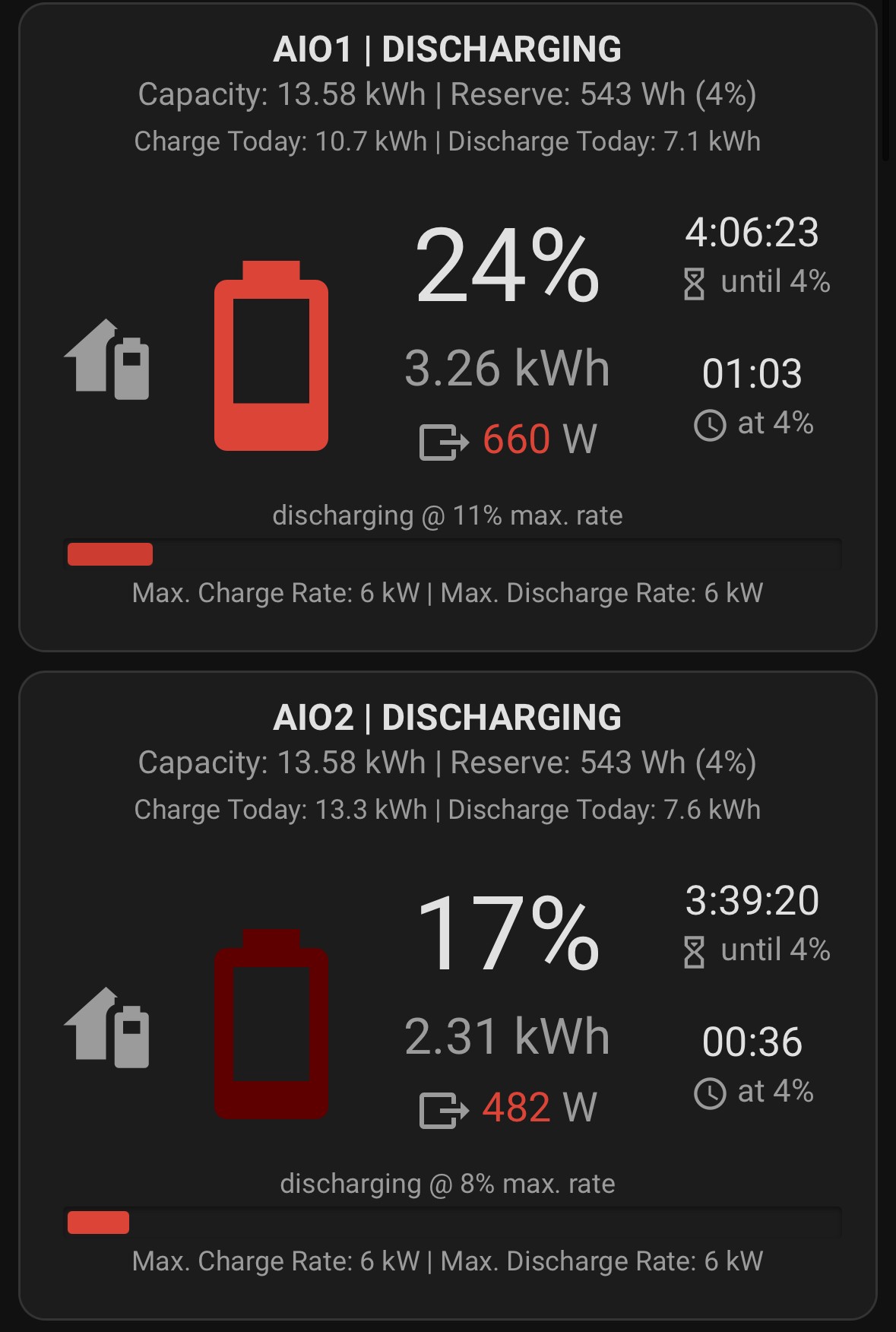
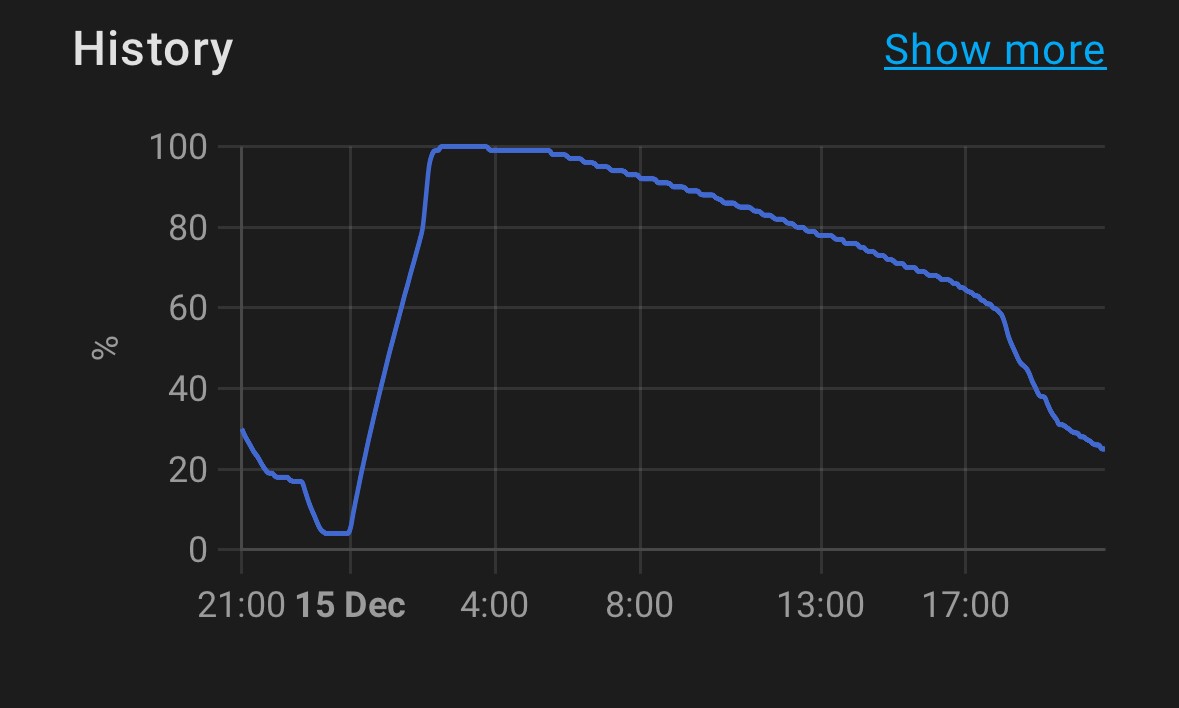
You can see the rate of drop is now levelling off, and it will now slow right down until 4%. But neither will get to 13.5kwh, or even close.
You can see during the whole period of SOC drop, the rate of actual discharge from the battery was pretty static, the drop was not caused by a change in actual energy use:
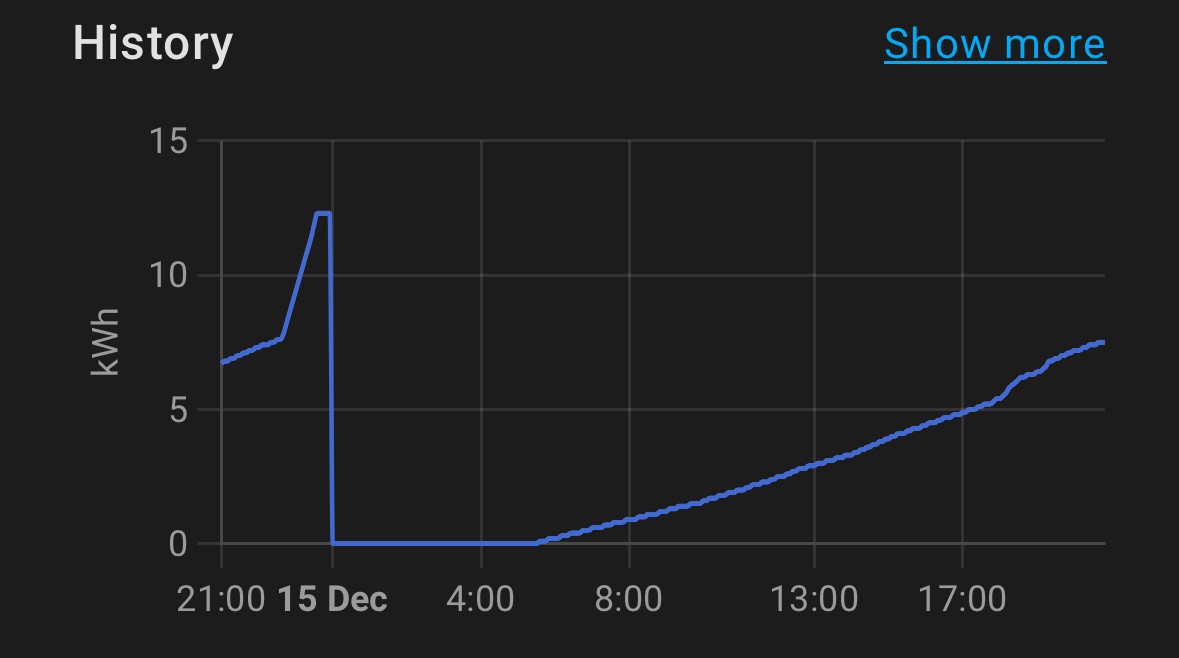
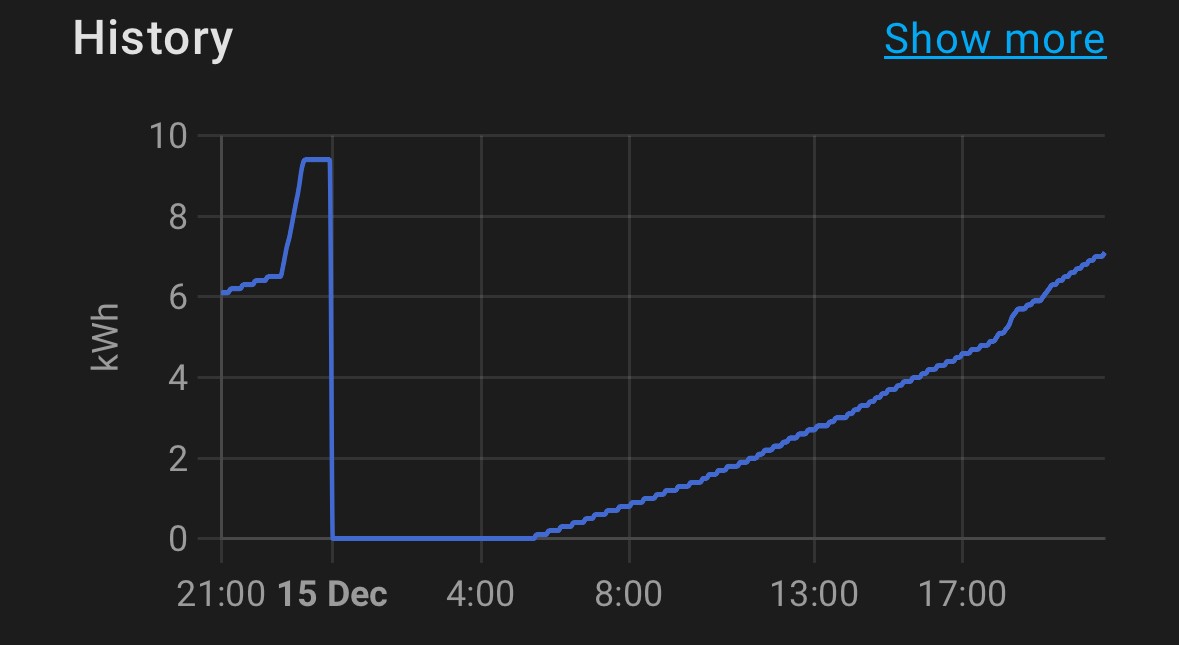
TheDragon (GivEnergy) this is from yesterday from the one that hit 4% first:
Was 303.56 at 5% and then 30 seconds later was 308.74 but hit 4% so stopped discharging.
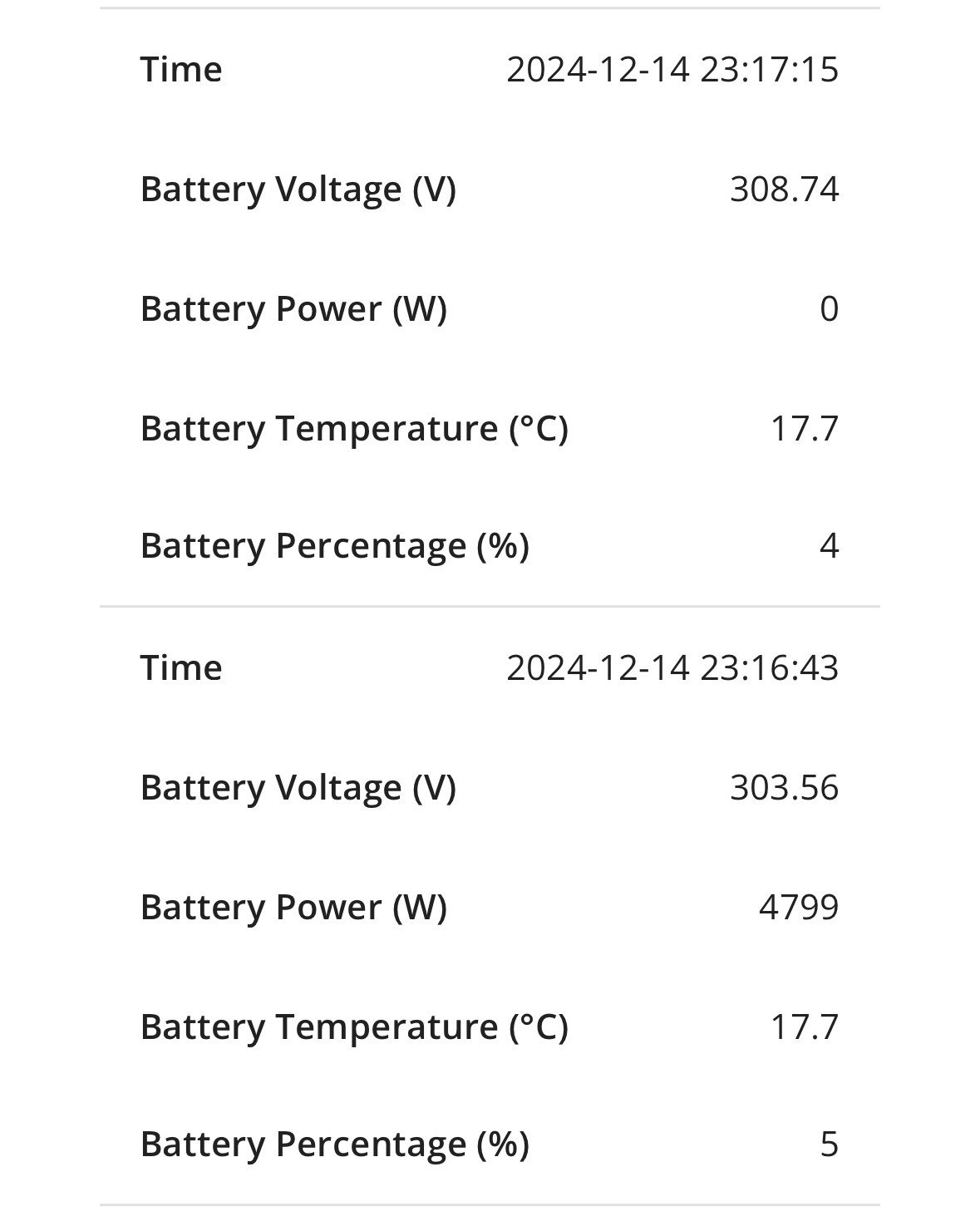
TheDragon (GivEnergy) it idled back to 313.52 by midnight when I started charging.
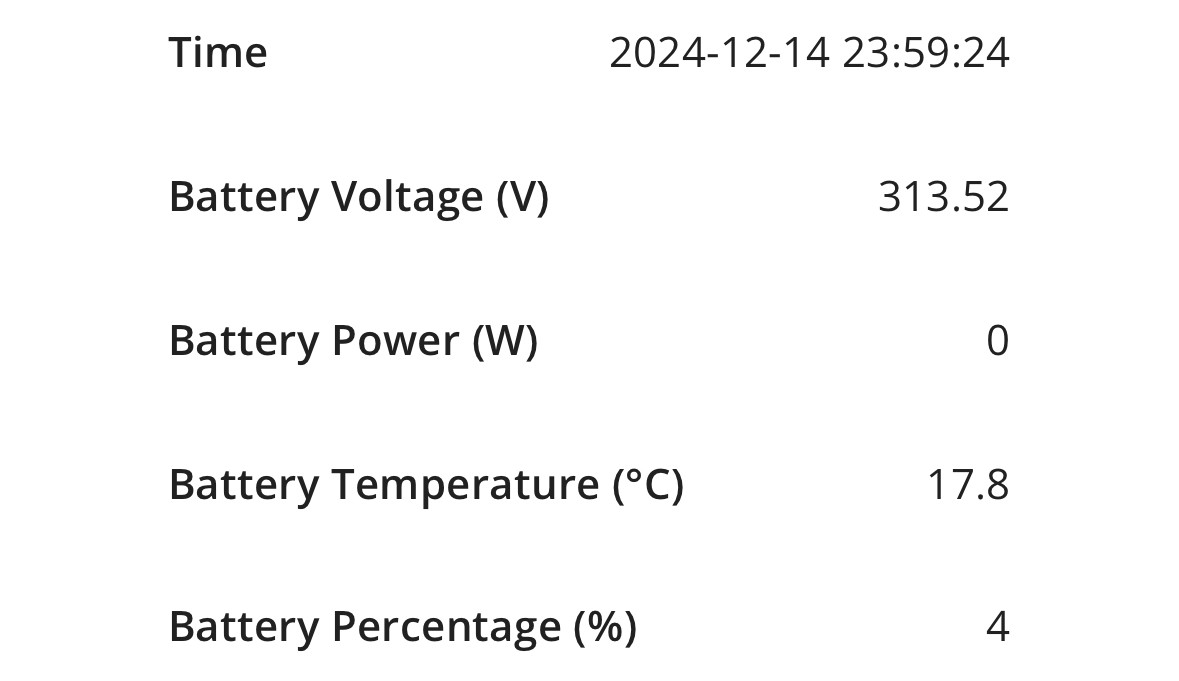
if you wish to try the Pre-Release ahead of the Service desk sending it out for auto, drop in an email FAO Paul L.
Ill update your pair tomorrow
TheDragon (GivEnergy) this is already on BMS11 and firmware 14, you put it on on Thursday….
TheDragon (GivEnergy) I was going to mail you my findings in the morning….
TheDragon (GivEnergy) it’s been the same behaviour except the first night you put it on there. Soc drops off a cliff around 60%, with no real change in load. It realises and then slows right down at the end and outputs more than predicted. But nowhere near 13.5 for either of them. Battery voltage is around 316 when the drop starts, and when it’s flat it idles around 308 and idles back up again before I charge.
Honestly, it’s worse than what I had before.
My AIO says it charged 12.2kWh today, and discharged 9.9kWh today (no appreciable solar). Which is interesting, as this is what the SOC graph looks like for today:
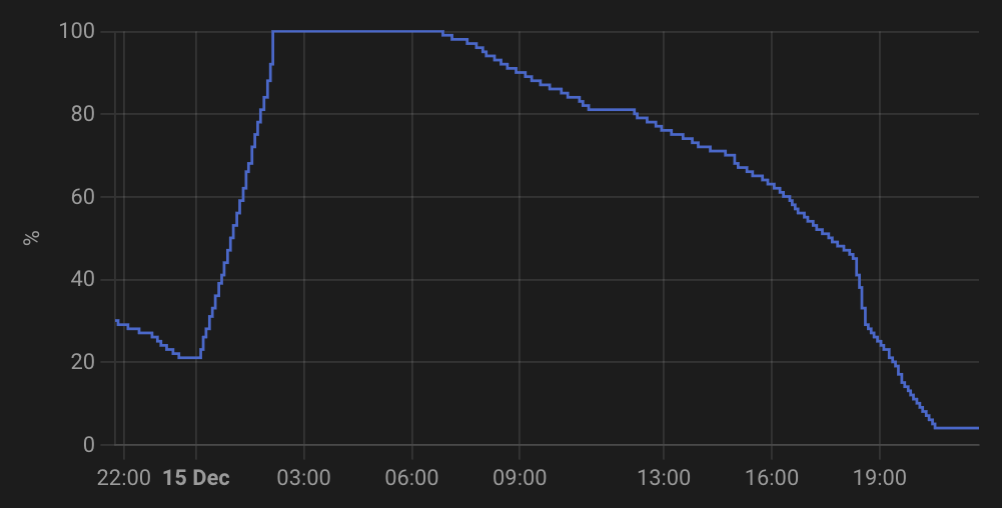
Now it's flatlined at 4%, on a battery voltage of around 314v (when it first hit 4%) (floated up to 317v since then).
TheDragon (GivEnergy) yeah all of my screenshots over the past day or so are all BMS11 and 614. It’s the exact same behaviour. Although today the AIO that dropped first and seems to be looking to output the least, was the one that up to today and been doing the best.
JasonF At 314v that's the same as V10 on a bad day with intermittent solar top ups. Mine has recently been behaving now that it's without solar and has dipped as low as 292v at the end before floating at 4% at circa 306v which I believe is correct. Won't be diving into V11 if it's released soon.
Hi all, as the Beta version of BMS 11 is out and being talked about I have started the new post so we can ensure we talk about any details about v10 and v11 in the correct post.
If that’s OK with you guys?
https://community.givenergy.cloud/d/5381-all-in-one-bms-release-11
PianSom So the engineer came out yesterday and has basically said it is looks like earth leakage. Their recommendation will be to either install 100mA RCD or just use an MCB (as all the circuits on the main CU have RCBO's fitted).
Interestingly, he checked the tightness of all the wire connections in the RCD's in the gateway and one on the AIO breaker took a fair few turns to tighten up! I have just tried cutting the grid today and .... no trip.... I wonder if that loose connection was the culprit (and you can bet I will be trying a few grid disconnects over the course of the next few days to test)
CW
I hope (foolishly?!) that given that both Giv and the installer have been out, and that my Gateway has been replaced, it's not that for me!
I am still waiting for my installer to quote on replacing my CU RCDs with RCBOs and removing the Gateway RCD.
Very jealous that you seem to be sorted! Let me know how the tests go.
PianSom Well it has been successful today, but, I do need to do some tests when there is solar coming form the roof as that apparently goes into the mix.
The engineer said that you get something like 16mA of earth leakage from the AIO and, I think, the Hybrid (not sure about that) when it is doing the whole thing, which is well over half-way to the tripping point on a 30mA RCD (and less if it trips around the 26mA mark)
CW Sounds about right, I got 12mA on my hybrid
CW
Yeah, that's what I was told by the Giv guy.
When my installer came and put in the 100mA RCD we thought it had done the trick - Island Mode with no issues. He then asked me to try turning on a few light circuits - poof! The surge even from that was apparently enough to trip.
Deeply depressing/frustrating/annoying.
PianSom I can fully understand your frustration - it has/is the same here. The only salvation I can see (depending on how my tests go) is would be to replace the RCD with a MCD (with RCBO's in the CU for all the individual circuits).
If you think about it, if you had 10 circuits on a single RCD, they individually wouldn't have to leak much to aggregate up to the 100mA (especially when you lump in another 16mA) - especially if they are prone to trip below that.
I'm not an electrician, but from my understanding that would a good solution (although it costs more!). I think the MCB still has some protection in as well, but don't understand what that is and how it is different to the RCD.
CW
My installer finally got back to me. Seems that the units in my CU are now obsolete (15-20yo), and the cost of replacing the RCDs is not materially different from replacing the whole CU board with a new system. So I am going ahead with the latter.
Quite why Giv don't specify what homes their kit will work with before selling it is very frustrating. But at this point I am all in with Giv, and I am very fed up with going on holiday not knowing whether a power event will kill my freezer. So an unexpected pre-Xmas bill it is. 🙁
If that doesn't solve the problem then - well, I really don't know.
CW That's a huge leakage from a single unit. 30mA RCDs easily trip between 20 & 30mA and most people these days will already have a good few mA from plug top power supplies. A dodgy light switch can give a few mA on operation too, not to mention older fridges etc. I once had a cooker switch causing problems even without operation, presumably because it had spark corroded previously and changing that cured the issue at the time.
My understanding of RCDs was that 100mA was not permitted in domestic installations but I may be behind the current regs as I haven't studied them for a good few years. Going to get my earth leakage meter out and investigate the AIO circuits.
100mA definitely fixed my tripping issues back in January. I've not had any trips since. I'm also on BMS 9. I have a Hager board which I've been told is the best brand.
My AIO has gone from 100% to 4% today, and by its own metrics says it's discharged 10.2 kWh. That's 75% of the usable 13.5 kWh. That's... not really very good.
VBat = 316.17v
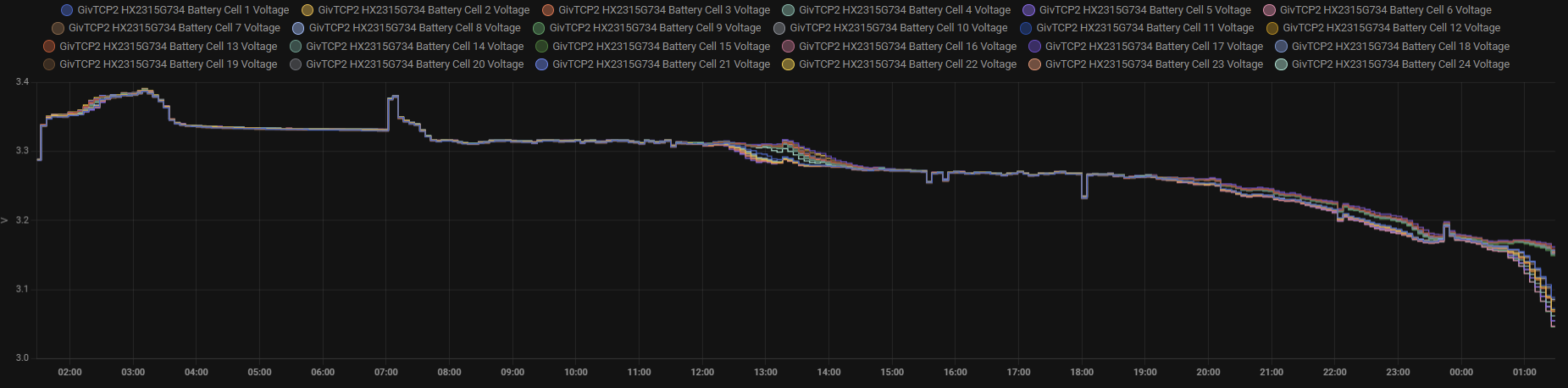
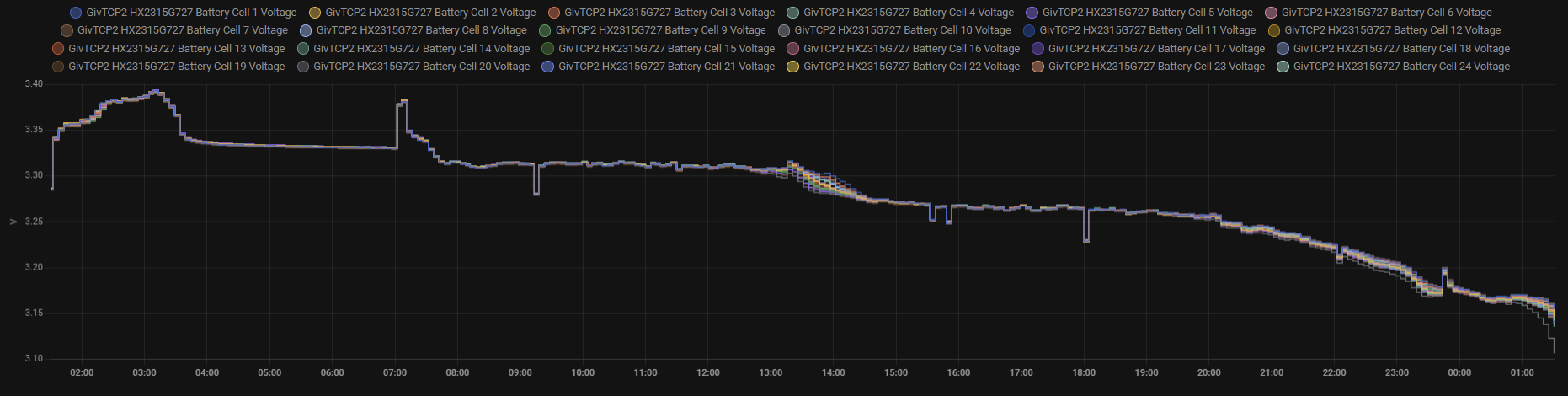
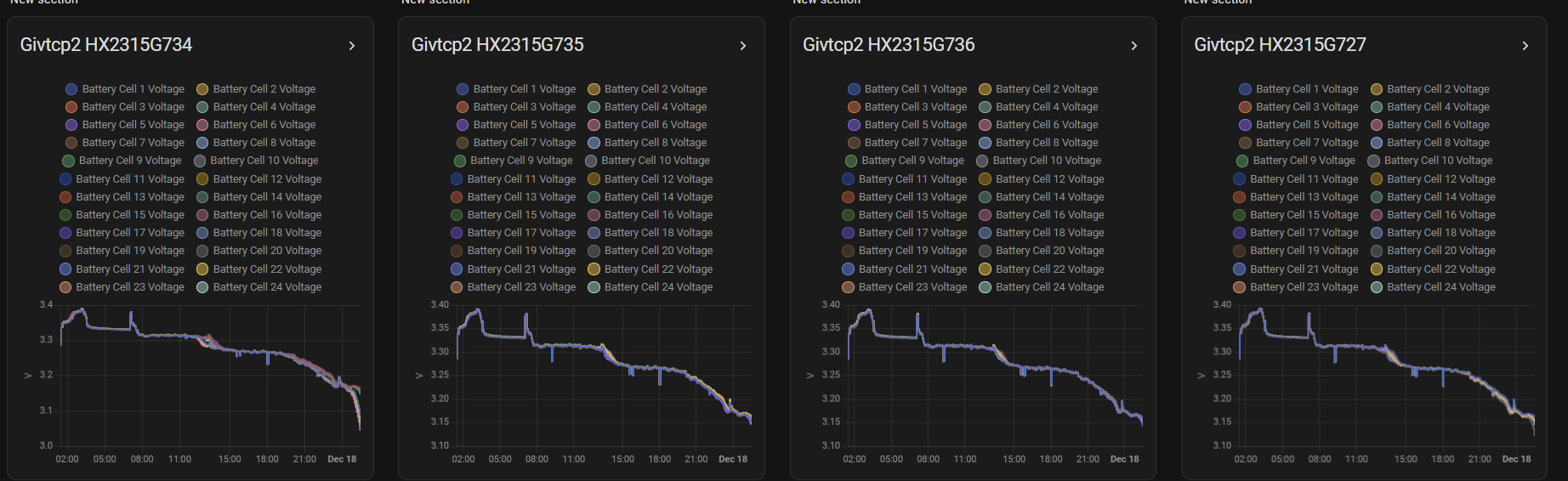
Middle two seem to be a lot more consistent with each other, whilst the 4th slips a little on a one cell its nothing like the first battery.
For the first battery its these
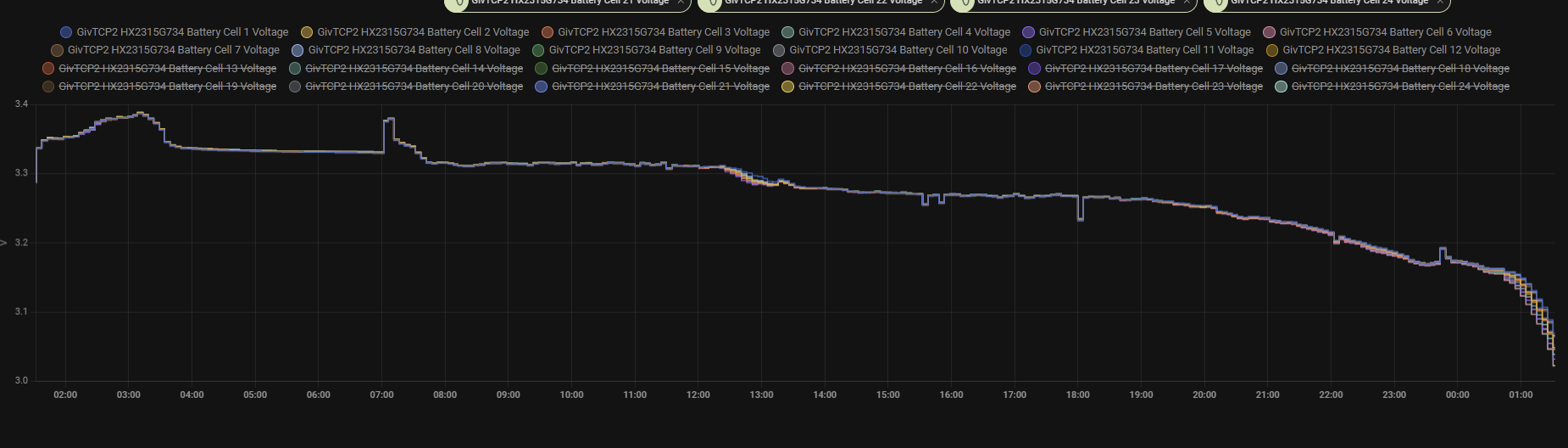
Mines been anywhere from 7kw - 12.9kw for 4%-100%. We all know there's an issues, not just cold weather, its in a sheltered garage. I don't think it's ever Bern lower than 10°c..
If Givenergy are aware and they are, why can't they email us all to tell us an issues exist and we're working on it.
I did not like the space/gap, plus they will always go up in price so decided to fill it up now.
This was a good decision as got a second AIO plus a free EVC so have used them all except one for a third AIO (won’t be getting a third AIO)
My installer was worried about the 2 x RCD’s in the GW as they are type AC, all the rest are already RCBO’s.
Have a look at the pictures in this post
https://community.givenergy.cloud/d/4706-aio-secondthird-battery-install/176
CW Hi. Well I measured mine and it's around 6.5mA. This at the AIO incomer to the gateway. Checked it at circa idle, 100% charge with just a trickle out and at 400w load. So it's not exactly bad. My AIO is in my insulated garage, so always a fairly stable environment.
I had a look on a couple of sparky forums and it seems that the view is to put 100mA s type time delayed RCD on the main incomer and 30mA RCDs on the final circuits. So in a gateway installation, that would be putting the 100mA one in there as the main incomer routes via it. BUT, there is much discussion on this and I'm not sure that it's entirely bottomed out, but with metal clad CUs, everyone seems in favour of the 100mA time delay type at the front.
Following the RCDs story, here's the professional view. My thought previously that 100mA is not permitted in domestic installations was correct. The note of mine above re time delayed RCDs seems incorrect if the below is the latest.
"However, the current regulations (18th edition and onwards) recommend 30mA RCDs for shock protection in domestic installations, and 100mA RCDs are no longer considered suitable for this purpose. (Source: Wells Electrical Contractors)
The use of 100mA RCDs is generally considered outdated and no longer compliant with modern regulations. (Source: ElectriciansForums.net)
Time-delayed RCDs (S-type) with a 100mA trip are no longer stipulated for any use, except in commercial applications where skilled personnel are involved. (Source: ElectriciansForums.net)"
Ultima357 Well I measured mine and it's around 6.5mA
Interesting - though I have to confess, it seems that the AIO does something a little different when going off-grid. As I said earlier the GE engineer did a serious tightning of one of the wires in the AIO RCD and I haven't been able to make it trip since then. However the unit never tripped under normal operation, so I am guessing there is more leakage generated in that situation?
Hmm, my consumer unit is not metal (a bit too old for that!), but tbh I think I would get rid of the RCD all together and just replace with an MCB.
Ultima357 However, the current regulations (18th edition and onwards) recommend 30mA RCDs for shock protection in domestic installations, and 100mA RCDs are no longer considered suitable for this purpose. (Source: Wells Electrical Contractors)
The use of 100mA RCDs is generally considered outdated and no longer compliant with modern regulations. (Source: ElectriciansForums.net)
I couldn't comment on that as I am not an electrician, but I would say that I got the feeling that the 100mA RCD in the GW would be okay because I have 30mA RCBO's for all the circuits in the CU. I wonder if that is what makes it acceptable in that set-up
CW Well it's not exactly straightforward and retrofits with new and old CU mixes starts to make it all a bit of a debate. Latest regs have to have metal CUs, and then no RCD with individual RCBO per circuit as best practice. But in this case, incomer tails have to be protected and in the case of a TT earth installation, they have to have some means of making sure that even if they came away from the main switch, they can't touch the metal case (case becomes live with potential to make all earth's live). So in your setup, the 100mA in the gateway is probably OK as the rules also differ for fixed equipment like the AIO. It's all down to the desire to avoid one fault taking out the entire house, hence no RCD at the front of everything. I'm not sure quite how the gateway is structured but I'd assume that the RCD is only protecting the AIO, PV, and EV charger circuits, not the main in/out. That way your house remains OK if you get a fault on the AIO etc. But if that tripping shuts down the entire house then that's not good. Have to have a play and see I guess.
The Website electrical-assistance.co.uk has a section on RCDs that makes good reading, but even then it's not black and white.
This is a very long running thread so this may have been tried, but does performance improve at all if you force the system off grid and let it run 100 to 4%?
It's a very off the wall theory but seeing as it seems pot luck people who have no problem hitting 13.5kWh and those thay don't I'm wondering if grid voltage (either higher or lower) plays a part.
Theory being the system struggles with efficency at higher / lower grid voltage so wastes more DC energy than expected.
Forcing off grid it'll just sit at 230V.
hoggy That's a good thought. Mine has been giving near enough 13.5 now that it empties and charges fully each day. My daytime grid is usually around 245v when it's discharging. Overnight a different story as it has dipped to 208v whilst charging. All said, kwhr is still a unit regardless of the voltage swing and I wouldn't think the usual 220 to 250 would make a huge difference to efficiency. Mine simply didn't give the full amount because it either didn't fully charge or didn't fully drain. Eg 316v at supposedly 100% and 312v or more at 4%. Voltages after floating back from charge/discharge.
So, to expand on the theory slightly. It's all about where the current measurements are being done for what's going in and out of the battery and also how efficient the (presumed buck-boost) side of things are as its likely using a rectifier (which means the DC side voltage is likely having to run at 1.41x the AC side) - meaning the battery voltage will need to be increased or decreased depending on what the grid side is doing.
Example:
Battery Voltage (3.2V x 96 cells) - 307V
Grid Voltage - 240V
Presumed DC bus voltage required (240V x 1.41) - 338V
Meaning battery voltage is needing to be increased by 31V.
Obviously you can play around with the values of battery voltage and grid voltage but there will be a sweet spot where the battery voltage matches what the bus voltage needs to be. Presumably the opposite will apply if it has to adjust a bigger defecit and there will be some sort of penalty.
The second part is more about where the current readings are measured - are they taken directly out the battery, are they measured after the boost stage or somewhere else - basically what losses are or aren't captured.
Sorry if this comes across a bit rambling, but the thought popped into my head after someone mentioned they had the entire 4 battery modules switched out and still struggle to see 13.5kWh so it made me think it might not always be down to BMS and perhaps some sort of interaction between what's happening grid side and how the system has to adjust its self internally to grid follow - thereby skewing readings.
Disclaimer - lots of ifs and buts. I've never had the lid off an AIO so no idea on what exact topology in there to really prove anything but perhaps a useful experiment for someone.
Very interesting subject, now you have put that in my head, I was thinking:-
Going off grid and using the battery all the way down, then connecting the grid to top up is like a calibration in slow time and you get to use the power. In theory this may be good.
The other issue I have is because the AIO has 4 x separate batteries not one large one. If one had degrade just a little, how will this affect the overall math?
Daveb01 appreciate this derails thread massively (this isn't really BMS related at all) - I just find it a bit odd the variability people have with these (& in my little head this would perhaps explain a bit of the variations along with temperatures etc...)
Unless I'm mistaken there has never been a published efficiency value (let alone a curve) for the AIO so it's hard to say just how efficient it really is when in real world operation. (all other Giv kit curiously has one listed)
Yes a test like that would potentially be quite useful test, particularly as it would remove any leakage out to the grid from the equation.
Single pack degradation would I guess show as a lower voltage available from that pack compared to the rest when it nears empty (and the opposite on the other way) and given reading through the above voltage is a key marker (keep seeing 307V being a key one for the bottom end) - although in theory at least, all the packs should age / degrade together.
hoggy Its an interesting theory, so going along those lines...
I wonder whether the system was designed for 230V or 240V?
I'd assume 230V as that's what the specs say for the UK grid. Reality is usually different and is 240V and above.
FWIW on a half-built new estate with its own substation and a handful of solar/EV installs I see a peak of 242V, min of 233V and a mean of 236V over the last month. Old house was 242-257V and that was on 80s/90s infrastructure.
Vestas I have no idea what it's nominal design voltage would be. It's sold in many markets. Could be 230V or could be lower (isn't China 220v?)
It shouldn't really be making kWh sized losses so I don't doubt it's not THE answer (if it turns out to make any difference at all) but just something that crossed my mind.
I only had 30 sec to check at home today (I've exposed some of the Bus voltages in my own library clone) and to be honest it seemed to run far higher than the 1.41x I thought it might, so I may be wildly wrong (although I'm on a Hybrid and it was really sunny so that may be screwing the bus up)
hoggy I wondered about the battery voltage on the AIO when I saw it but at the time thought "must work etc" because I wasn't really interested. Bored today 🙂
Assuming the idealised 1.41 then....
220Vac = 310.2Vdc
230Vac = 324.3Vdc
240Vac = 338.4Vdc
250Vac = 352.5Vdc
There's a variance of 12% in terms of what you'd need in voltage terms but you'd hope the losses aren't linear so somewhere between 0-12%....
Another thing that was going though my mind (especially if I was seeing the same results as jellybaby). Does the order of the 4 x batteries make any difference e.g the one at the top is the main one and always gets used/voltage changes etc first.
If So would it be a good idea to consider say every year swap the 4 x batteries round?
Daveb01 I'd very much hope that the battery control circuits would negate this. Most, if not all battery packs have monitoring per cell, or at least they do in the automotive sector. Without such monitoring, series connected cells would die as the weakest cell collapses so I think it's highly likely that these packs have such circuits. With the 4 x packs also in series, swapping them around would be a bit pointless I think. But, if anyone with knowledge wants to disagree, I'm interested to listen to the reasoning.
Hmmm. Just seen the soc dive and only just over 8kwh delivered. Of course today being sunny and that delivering figure accounting for 3.28kwh top up by the PV. Interesting to see that the cloud has been recording the stats 4 to 5 times a minute rather than the usual once every 7 mins or so during the tail end of battery depletion, 429 data points so far today. Not seen that before. Of course it isn't empty, now sitting there at a tad under 314v.
The one thing Ive learned with GIV data is trust nothing.
The only way Ive found you can really verify charge is by reading your charge time period (hr) x Kw (which you can verify manually)
if that concurs with everything all fine but if not then you know your data is wrong and no longer usable, Im in that boat with online data from GIV showing Im only getting 10 kWh when in reality Im actually getting 13.? daily (I have no solar which makes things easier for me to judge)
DreadorUK I've wondered for a while if the data was accurate, but I can't measure discharge as with ASHP the modulation of power given is too erratic to manually calculate. That said, my output vs voltage tracking seems to correlate and hence like yesterday, the soc tracking was out. I ended the day with it sitting there at 4% and just over 316v, clearly not empty as the overnight charge confirmed at 9.5kwh to 100%. I had under 9kwhr out. So today, it's already heading to 50% as ASHP is working harder, so I'm going to let it get to 30% ish and then throttle the output to see if I can get 13+ out.
Edit. Just hit 50%, 7.78kwh delivered. ASHP is idle and voltage rising from 309 to now 315. It'll probably float to 316-7.
I’ve been trying to track my SOC with a calculation that uses the meter tab values “Battery Charge Today” and “Battery Discharge Today” but applies around a 5% loss charging and 5% loss discharging to calculate a SOC. I’ve been running this for a number of months and what I find is the reported SOC drifts from my calculation but eventually comes back to or very close to the calculated value once it is fully charged again.
When it drops below 40%, the reported SOC starts to drop rapidly and will often hit 4% when there should still be plenty of power in the battery. Below is a graph of the reported and calculated SOC over the last 10 days:-
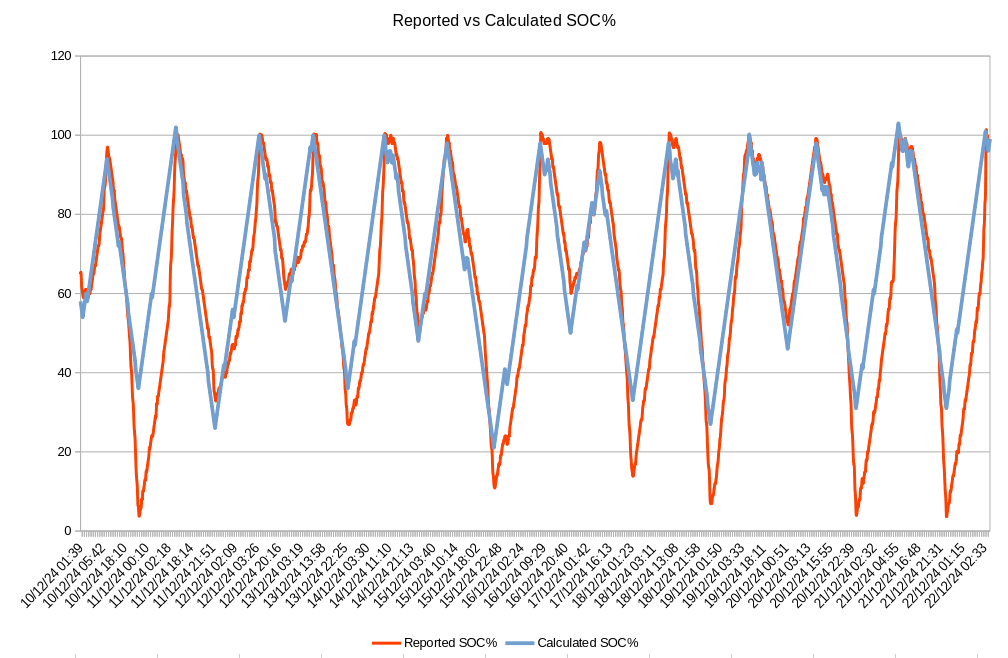
I’m certainly not getting the 13.5kWh out of the battery that I paid for. Is this due to the BMS or is it due to a faulty battery? How can I tell?
I’m running a single AIO and using GivTCP version 2.4.9 on HA.
The Black Cat Almost certainly the BMS. When you get to the 4%, check the voltage after 30 mins at 4%. If it's not in the 306 to 308v range, then it's not given all stored energy. I've had mine declare enough and then float back to as high as 316v.
Ultima357 Almost certainly the BMS. When you get to the 4%, check the voltage after 30 mins at 4%. If it's not in the 306 to 308v range, then it's not given all stored energy. I've had mine declare enough and then float back to as high as 316v.
The average voltage when it gets to 4% has been 309v and after half an hour sitting at 4% it's been 313v.
The Black Cat Not empty then. Need to see below 300v as it nears discharge end and then float back to around the 307v mark. I think it only gets fully discharged if it is only giving a few hundred watts. Anything above 1kw and it tanks.
EDIT
The batteries are 3.3v fully charged and 3.1 considered discharged. So 96 x 3.3=316.8 and at 3.1=297.6. So those are the real end stops. Of course it can go over/under but after half hour stable, this is roughly where they should be.
Used the Givenergy battery card for HA and set DoD to 77% but still not coming close to being accurate on how much I have left, will have to lower it to 70-75%.
I set it to 77 so it says 12.69 (Usually I take off 1.6kwh for same day discharge and usually if things work as they should I get around 14.4kwh of charge into battery, minus 1.6 = 12.8 but I guess im going to have to go a bit lower.
Telling me 2kwh left still at 16% but its going down 1% every 0.1kwh atm from 26%.
Xmas day. Charge in 13.5, charge out 13.7 but was at reserve by 1800.
Took 13.8 overnight and stayed at 100% for an hour and half after the charge window before starting to drop this morning.
I’m hitting 100% charging every night but daily discharge varying between 60% and 10% depending on solar and load variations.
Whllst I've seen plenty of cases of big drops in SoC, is anyone else experiencing what I am....
My battery dropped as expected to 20%... but then just stopped discharging. The SoC doesn't drop - just stops there (it's not the reserve etc that are set to the standard 4%).
at 20% voltage was reading 307.7 - which seems more 4% than 20%...
100% was only 324v compared to 331 only a few days earlier.
It's usage over the winter - it does typically get fully consumed after a charge overnight. Depending on solar it may sometimes have charge left over.. but it does get dropped to 4% on a reasonably regular basis.
I did experience this a few months ago and ran a calibration that brought it back in check. Going to see how it gets on today before I schedule another one... I'm aware it's not ideal to do them too frequently.
Just to add, i extracted a grand total of. 10.8 from it!
Richjb Mine is doing the opposite at the bottom of the cycle, diving to 4% with still 313+V left of the batteries and only giving circa 10 to 11kwh. Full after floating from charge equates to around 320v, though obviously see 330 or more whilst charging. Annoying that you still have 3kwh ish of cheap power that you can't get at during higher rate periods.
Just wondering how you trigger a calibration?
Daughter arrived on Monday. She has a VW iD3. I plugged it to a Granny charger ( Masterplug 2.3kWh with 10metre cable ) and left it to itself. It ran overnight and into mid morning before we took it off charge. We're on Agile but the rates weren't too bad. It was also an opportunity to discharge the AIO and leave it at 4% for several hours. We use WonderWatt and have 8 overnight charge slots selected as we prefer to charge at a lower rate for longer. The Inverter app showed 13.8 kWh of charge from 4% to 100%. This is pretty consistent with what I have been seeing ( still on V9 as update failed a few times and I took it as a warning from the gods 😉). My unsophisticated method for checking what's going in is to check the ( bbc basic ) Inverter app first thing in the morning to see how much went in, then use the battery page on the Givenergy app to check the reported existing charge level when charging commenced and use a bit of mental arithmetic to ball park the total capacity.
Jellybaby I don't know why it says "Deleted" when im trying to reply to myself but I got a response to this finally about 13.6 going in and only 9.3 coming out the same day and it keep hitting 4% at 310v+ and just got the bog standard
"Unfortunately with battery systems what goes in will not come out, you will lose power to inversion, heat loss, resistance and a few other things" blah blah blah, that is why I take off 1.6kwh per day to what goes in but they don't tell you this when you are buying it so this shouldn't be marketed as a 13.5kwh usable when its not even close to that.
Should have been marketed as a 12kwh battery but that isn't why I emailed them, it was shortchanging me on energy by a substantial margin and kept going to 4% at 310v+.
Thankfully since that week it has not been playing up so much but that may have been assisted by the free leccie on agile for a couple of days where I charged, discharged, charged, discharged then charged the battery from flat to full to flat etc etc.
Jellybaby
With daughter visiting and putting her car on a granny charger for 14+ hours my AIO was discharged and hovering at 4% for several hours. From 4-100% then saw 13.6kWh going in to the battery. I think I will do a deep discharge about once a month depending on the Agile widow being favourable.
Jellybaby Well mine started to not give full amount, but also didn't accept full 13.5 charge either. So last three grim dull days (partically 0 PV), I easily consumed the full charge and found that if I throttled the output to below 1kw at around 40%soc, I got out the the full charge. Then full amount back in afterwards when charging from grid, limiting the charge rate to 4.8kw. So confirming that the algorithm just doesn't handle it well at higher loads. In the above throttled setups, full equals circa 320v and 4% 306v ish. Left to its standard output, then 4% was in the 313 to 316v range.
As an asides to this, I've had a grid issue of low volts overnight. I finally convinced UK Power Networks to come out and they are going to fit a volt measuring recorder. My lowest voltage, according to the AIO cloud was just 204v. At this time I was charging the AIO at 6kw, car, ASHP and possibly topping up hot water via immersion, drawing around 14kw in total. But I can pull nearly 18kw during the day and only drop the volts to circa 225v. Doesn't bode well for all of us in the push to an all electric green energy future. I've since limited the AIO to charge at around 4.8kw but still seen below 216v (the lowest guaranteed service) 17 times in the last 6 weeks.
Headlines this time in 2034 "National Grid failures cause blackouts over Xmas"
Ultima357 only time I go above 1kw is if either shower goes on or kettle does, its a pretty consistent draw from the battery here.
Edit
Looks like its going to play up again tonight, 18% and still over 310v when it should be around 308 at this point at around 25%
Might as well get rid of the card now
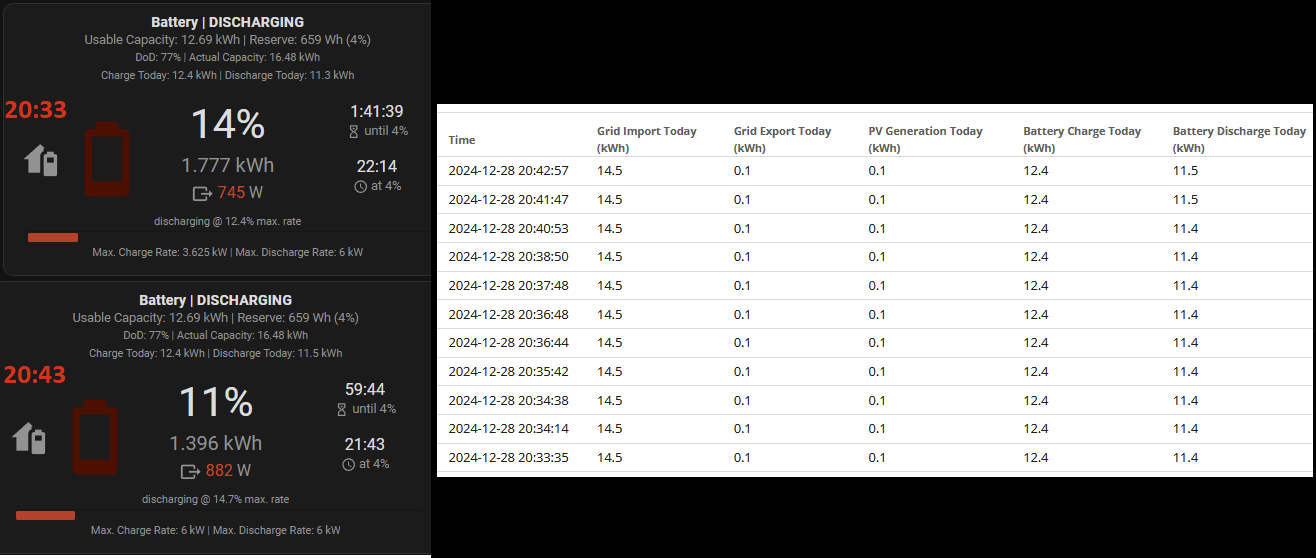
In the span of 10m the time til empty has dropped by 40 minutes and there is no way its going to come close to the typical loss I get.
Edit
Empty at 21:00 309v 23.4 temp
Jesus christ even if I take away 3.6kwh because it didnt fully discharge yesterday im still left with nearly 2kwh missing.
27.8 went in, 22.8 came out, this thing is complete and utter garbage, this should have lasted til at least midnight.
EDIT
If I take away the 0.9 discharge from todays totals only I put 12.6kwh in and I got 10.9 out and I started charging the batter when I was at 26% left from yesterday when 15.4 went in and 11 came out, if I add the daily 1.6 to that 11 that is 15.4 in and 12.6 out so I should have had nearly 3kwh so how 12.6 went in I don't know and on top of that how did I not exceed todays charge numbers in discharge numbers.
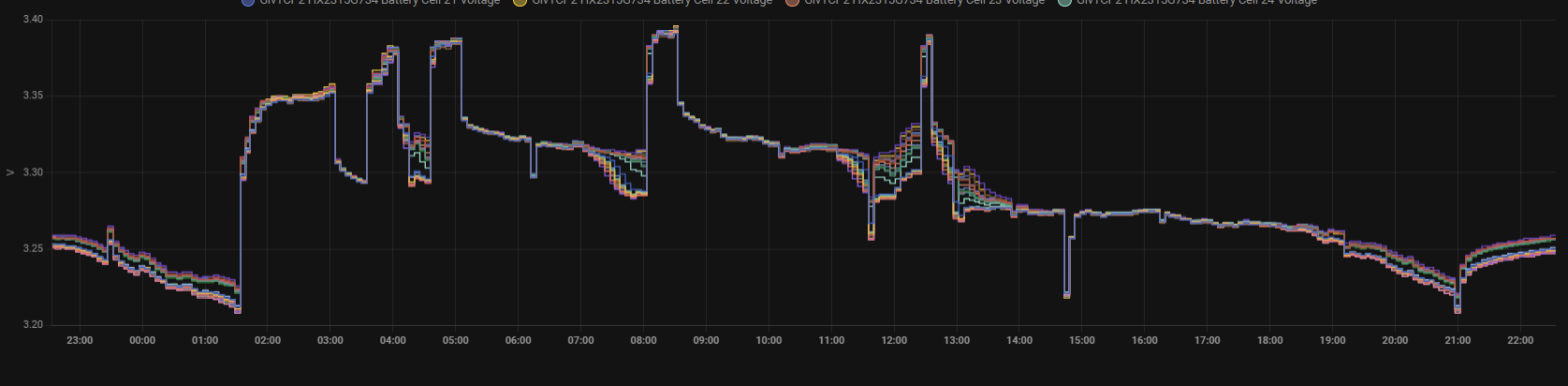

Those numbers usually see 3 and 3.1 on the low side of voltage chart as well when they hit empty
ok, topped it up with 3kwh on cheapest period before midnight hit (19 pence) and just finished dumping it at 1.5kw after holding the charge between 00:00-00:30, 303v at 6% at just before 3am but I didn't pay attention to time and charge period hit for 3 minutes, cancelled it and started it discharging again, hopefully I didn't screw it up too much.
From the 3kwh (plus the oopsie 0.1kwh from short charge I missed) I put in I got 4.8 out of it and ended on 301.88 (I had gone down to mid 290's a few times before it hit 4%).
lol man this battery pack sure is trippy
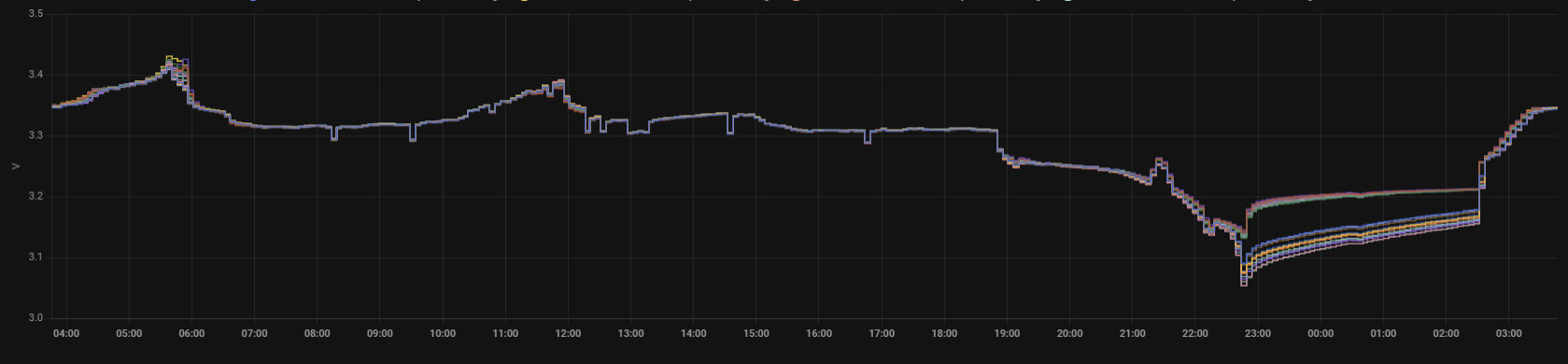
Been running GCTP3 just to keep an eye on these whilst keeping 2.4.9 running til I work out hiccups ive hit with GCTP3 and what ive noticed so far is
#1 isnt too bad
#2 is pretty wild
#3+4 are pretty consistent
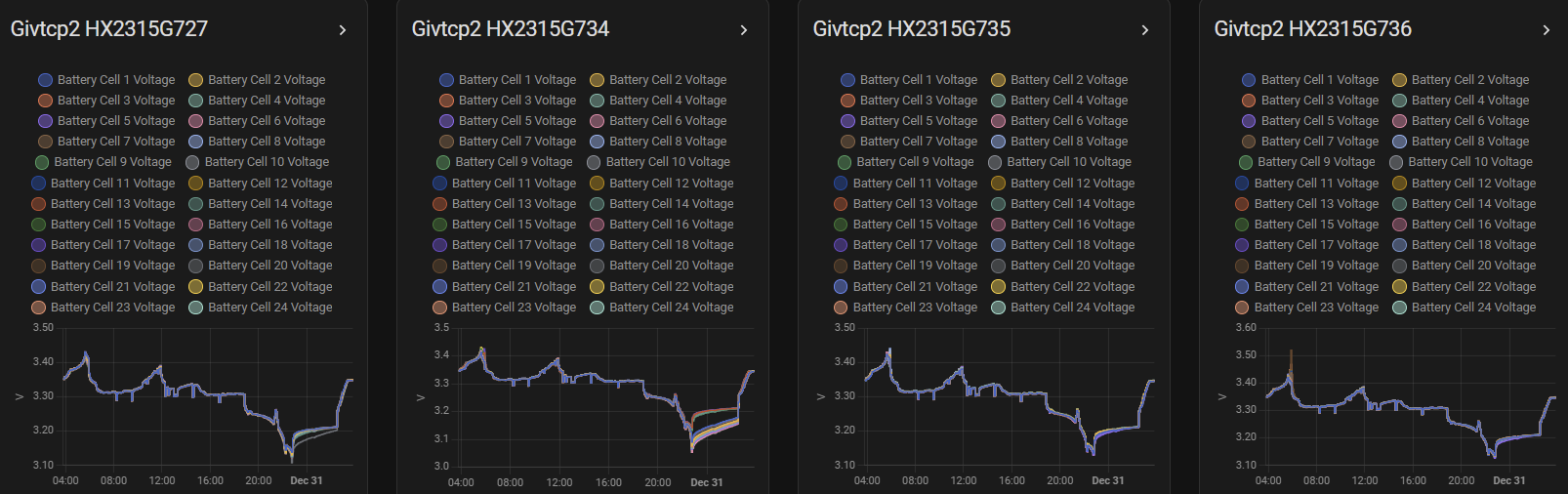
Jellybaby I'd expect the cells to be occasionally different, especially during a charge, but providing they all end up at the same voltage, then all is well. The battery regulating chip should be monitoring them all and as I understand, if one cell gets full before the others, the chip bypasses it to avoid overcharging (then expansion, gas, bang) Be interested if you fed this into GE and get their feedback.
Ultima357 I have exactly the same profile with battery 2 as Jellybaby. It’s actually 12 of the 24 cells that split off and follow a completely different profile than the others. They then realign some time later which usually coincides with a charging cycle. I’ve reported it to GE and apparently it’s within the design parameters although when I asked what those parameters were, there was no reply.
The other three batteries are pretty consistently in line.
I knew I was going to get screwed tonight, not even going to make it to the 20p and under slots.

Its not going to give me all the battery it has because its wigging out on the SOC vs Voltage again and the only way to fix that is to charge then discharge then charge, voltage should be around 305 at this point if it wasn't going to be a dick.
Edit
Half way through boiling kettle it dropped 3 percent LOL
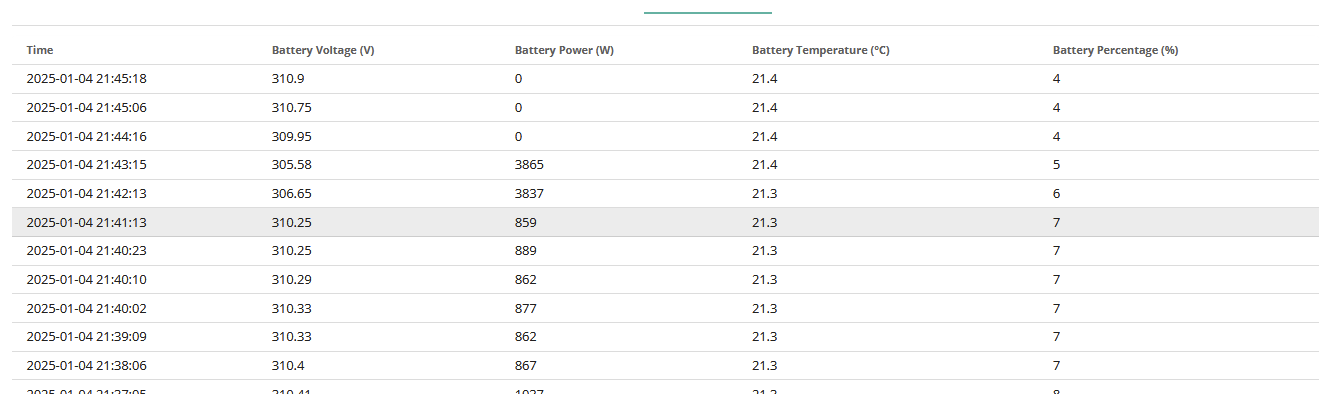
I was on 46% before I started charging this morning and this morning 8.2 went in and 8.7 came out.
From yesterday to today 23.7 went in and 18.4 come out.
Also none of the batteries went below 3.2v
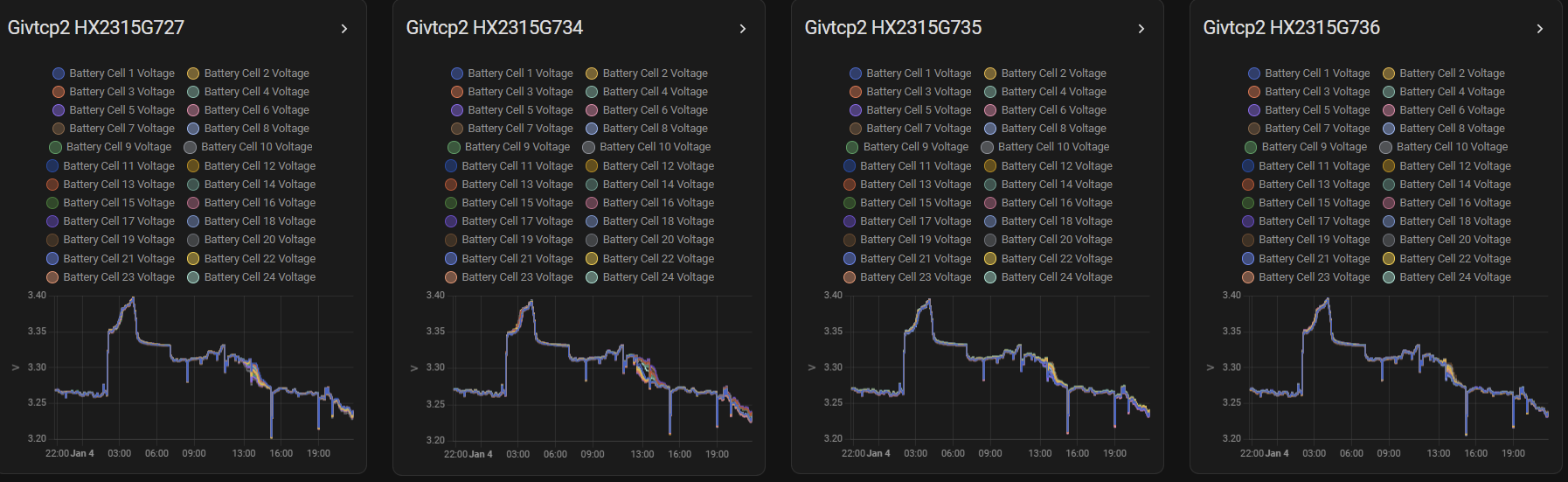
There is at least another 2kwh in this system.
You don't want to know how long this took but I added voltages to the empty percentages and red boxed when the trouble seemed to crop up, the blue discharging color is for forced discharge.
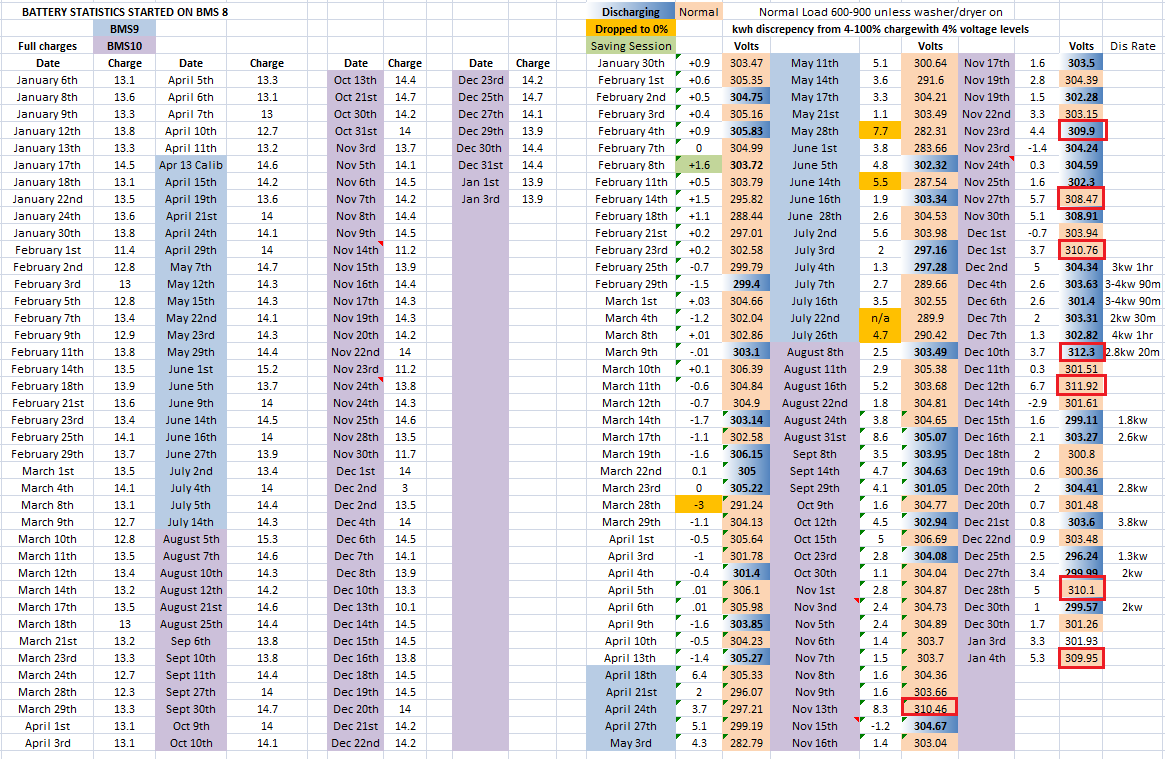
Outside of these issues and the odd 0% drops you can see that the end voltage is usually consistent and no June 1st wasn't a 0% drop I had to double check myself after reading it all back lol
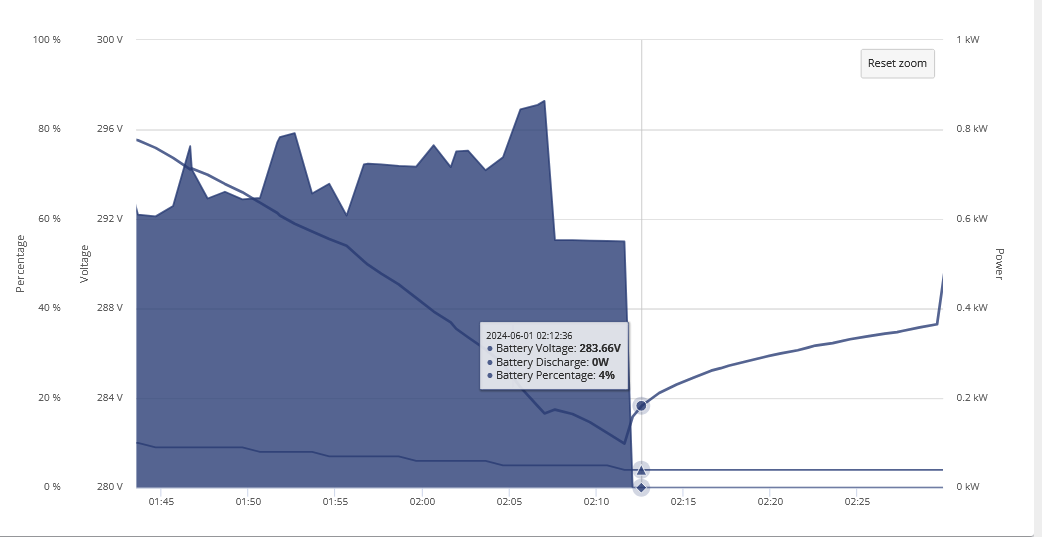
Going to cost me 20ppkwh but I got 30m charge slot set up at midnight and im going to discharge at 2kwh to see if that sorts this voltage thing out.
It looks like on BMS9 it was hitting the lower voltages before reading empty but BMS10 went back to similar to BMS8 I wonder if that contributed to the amount of 0% drops people had on 9.
That 30m charge was sufficient, 3kwh put in and I was in the ball park with the estimate on what should have been left as 5.2kwh went out and instead of just under 310v after it discharged to 4% it was at 302.03 just before the power dropped then bounced up to 304.7 and then then 305.48.
Not sure why it keeps doing this but its frustrating.
Jellybaby Quite simply the system loses calibration. I've never seen sub 292v on mine and mostly now it's 4% voltage is around 306v, providing I throttle the output to below 1kw at say 25 to 30%soc. If it pulls more than that, then typically it dives to 4% and volts float back up to circa 314v, not giving the full capacity. I easily consume it all these cold grey days.
Edit - Does everyone know this?
GivEnergy warranty limits the total of non PV charge/discharge to 135MW. It equates to 500 full cycles per year over ten years for the AIO. Fine if you only charge once a day, but multiple times a day can clearly exceed this.
Given my experience they better up that because im having to fix the dodgy SOC tracking around 3-4 times a month currently going by the last couple of months and when agile is cheap I do a full charge then discharge then charge to try and help it out.
Jellybaby Using the app, (graph view, per year tab) last year ran at just over 92% efficient, well up from the early BMS August to December 2023, when it tells me that it was only 58%! Power in/out total over 2024 was just over 6MW, so well within their warranty restrictions as that includes PV. Doesn't matter if you're grid charging whether it's just a brief top up or a full cycle, it all counts.
On resetting the soc, I've found that by limiting the discharge rate in the last 30% or so corrects the bottom, then followed by a full charge at around 4.8kw sets the top. It then seems to run OK if both fully cycled and no heavy load at the bottom.
Not sure really how accurate the app counters are as apparently I got 15kwh + out of it the other day! (Again on a low discharge from around 30%) This gives me near 100% efficiency for 2025 year to date lol.
outside of the electric shower being used this is a typical day, aside from the kettle and fridge freezer its a pretty consistent load
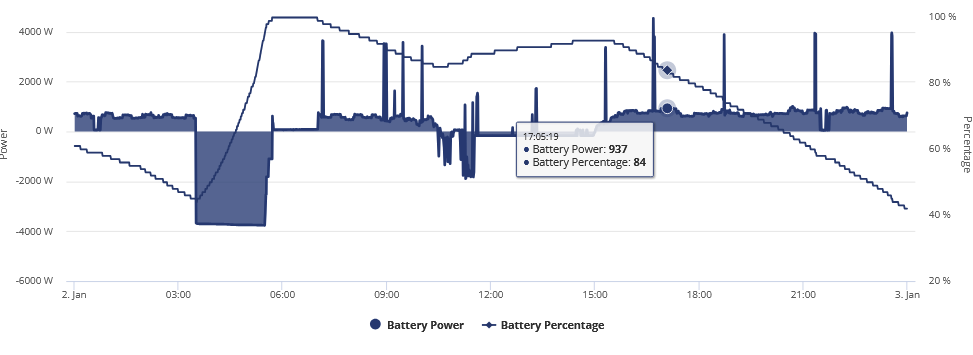
Well here's possibly the worst one I've seen yet - my SOC crashed today when the voltage was still at around 315v, it dipped to 310v, and then made it back to 318v even though the reported SOC is still 4%.
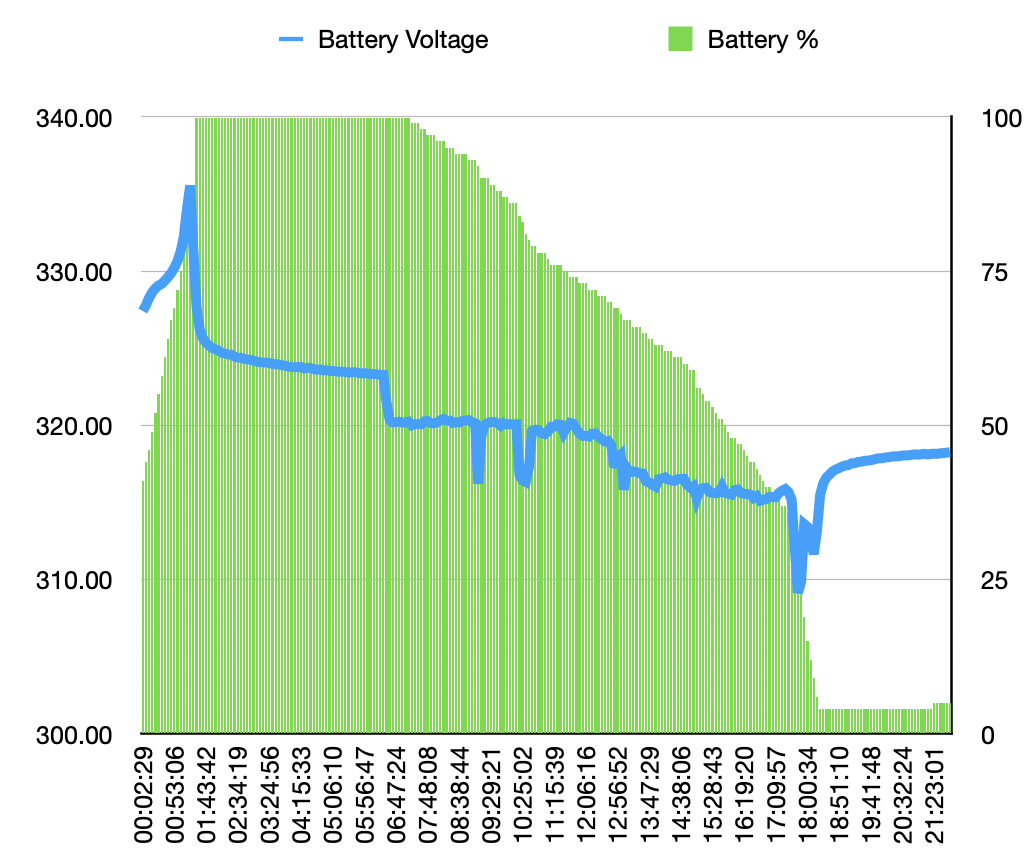
(firmware 0.613 BMS 10)
Just when you think you understand the anomalies of the BMS, it goes and changes. Yesterday, I got out 13.69kwh, but because it was very sunny, mains + solar put in a total of 18.43 and it sat there at the end 4% at 314v. This despite a low rate discharge which normally pulls out the last dregs. Overnight charge was just over 9kwhr, showing as usual it wasn't empty. Then today. Ignored it as I was busy, but being grey and very cold, the ASHP chewed through it by 12:30 and despite pulling 2kw+ for most of the morning, it delivered the full charge, well 13.44 to be precise, and properly empty at 305v. Too late in the day I get Octopus ask for a saving session tonight just to add to the fun.
I set mine to dump during the DFS (when I remembered, at around 17:20), it had over 50% SOC. It took under 30 mins to bottom out 🙁 Note the jump up from 90 -> 100% when charging last night as well.
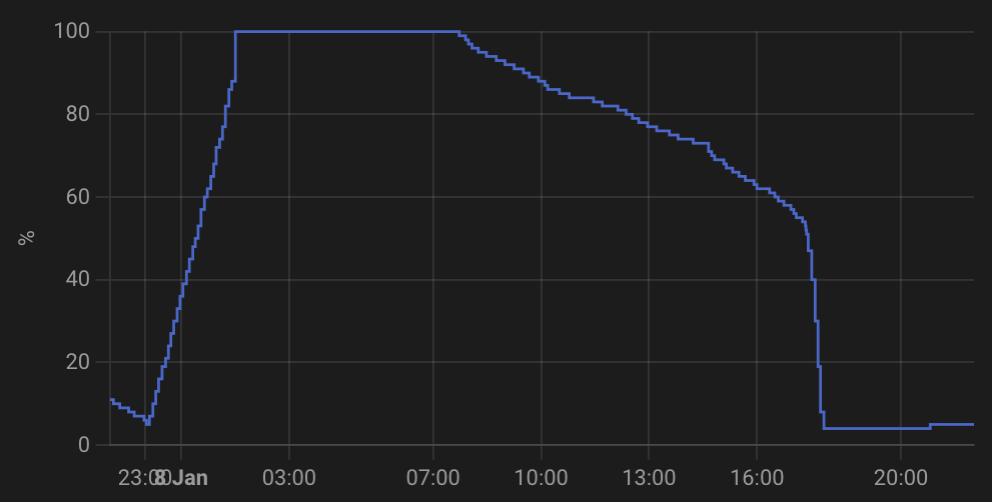
Battery currently sitting at 318v even though it's not delivering anything. Quite, quite baffling.
After that particularly bad SOC drop, I scheduled a calibration and it's been OK for a couple of days. However, I see that last night's charge leapt from 90% -> 100% instantly, so I'm expecting a drop at the end of today when the battery realises that it doesn't have as much SOC as it thinks...
Honestly this is getting into warranty request territory, at the very least I'll raise another ticket with GE if the SOC drops this evening.
KevinB Mine has done the 50 to 4% plunge yesterday and today. So today I topped it up with about 2.5 kwhr to 26% and then limited to power out to 800w ish and it's now given over 4kwh and is still at 10%. It's a better way to recalibrate as it's cost effective when topping up at the day rate.
Both the plunges were when it was giving 2kw+ for the ASHP and after stopping it floated back up to the 314 - 315v range and then declared itself 7% soc before the night's charge (though still not discharging at this 7%) . Judging by the overnight charge, it still had over 4kwh in the tank as it only took 8.1kwh to top it up.
What I don't understand is say 4>100% is 14kwh right and by my math I consistently lose 1.5/6 in the process of the day so I get 12.4 useable by the home.
BUT yesterday I put in 14 from 4>100% and if I take away the 1.6 for days loss that is 12.4 useable, now before I started charging in the AM today I actually got in the battery 14.9 (had a little bit of sun) so 14.9-1.6 = 13.3 minus the 10.4 before it started charging leaves me with 2.9kwh.
9.7 went into the battery to get it from 36 to 100% so its not even topping up the loss from the first day either, 9.7+2.9=12.6.
Currently I am losing 3% for every 0.1kwh I use, its like the system isn't calculating for system losses so unless you fully discharge every day you are going to lose out on 1.6kwh every day you don't fully discharge regardless of how low it gets.
That is the only thing I can think of, with BMS8 it was pretty close to spot on for what you got in and what you got out, assuming it done a better job of adjusting for any losses.
Sure it meant on average 12-13 went in instead of 14+ but you got out what you put in nearly every time within typically a +/- 0.5 discrepancy which is a lot better than 1.6 on day 1, around 3 on day 2 and around 5 on day 3.
I know im going to run out way before midnight and I have put in -3 to formula as it is usually pretty damned close to being accurate for not fully discharging on first day, usually I would but agile has been expensive lately.
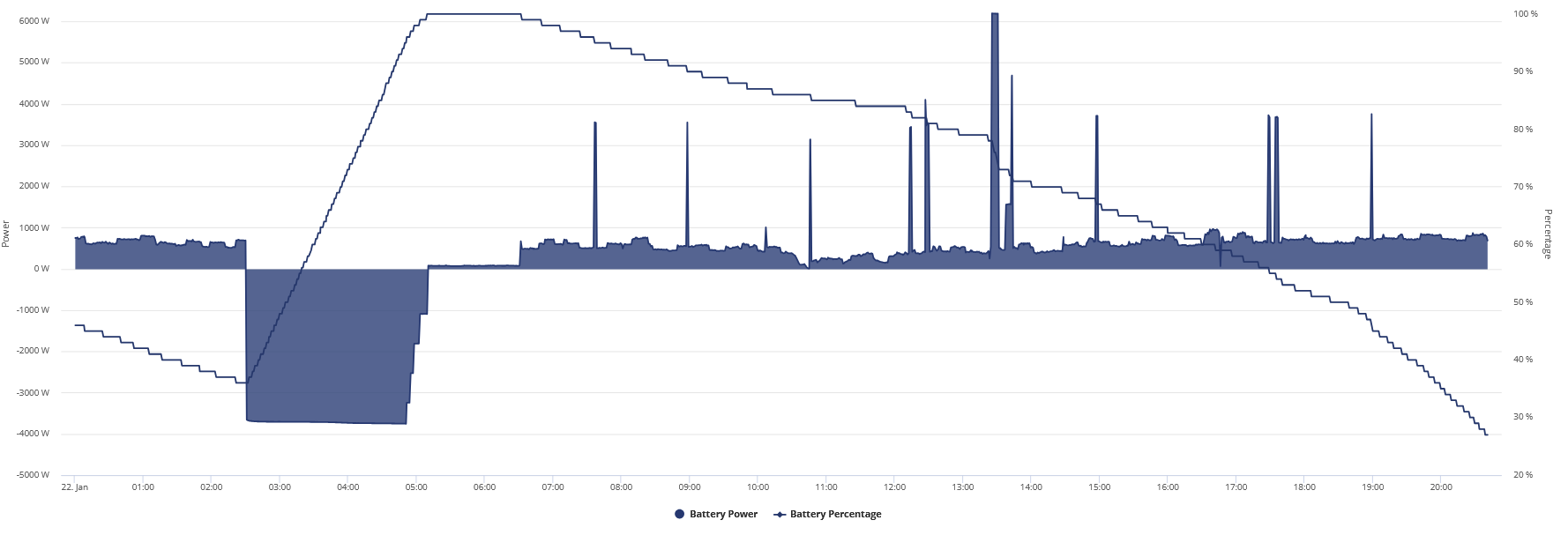
Edit
I also don't like the voltage battery is on for the SOC level, at 30% it should be around 308 by now.
Edit 2
Looks like that not fully discharging has screwed things up, now at 24% and 310v still, im going to have to waste money charging then discharging, damn this piece of rubbish.
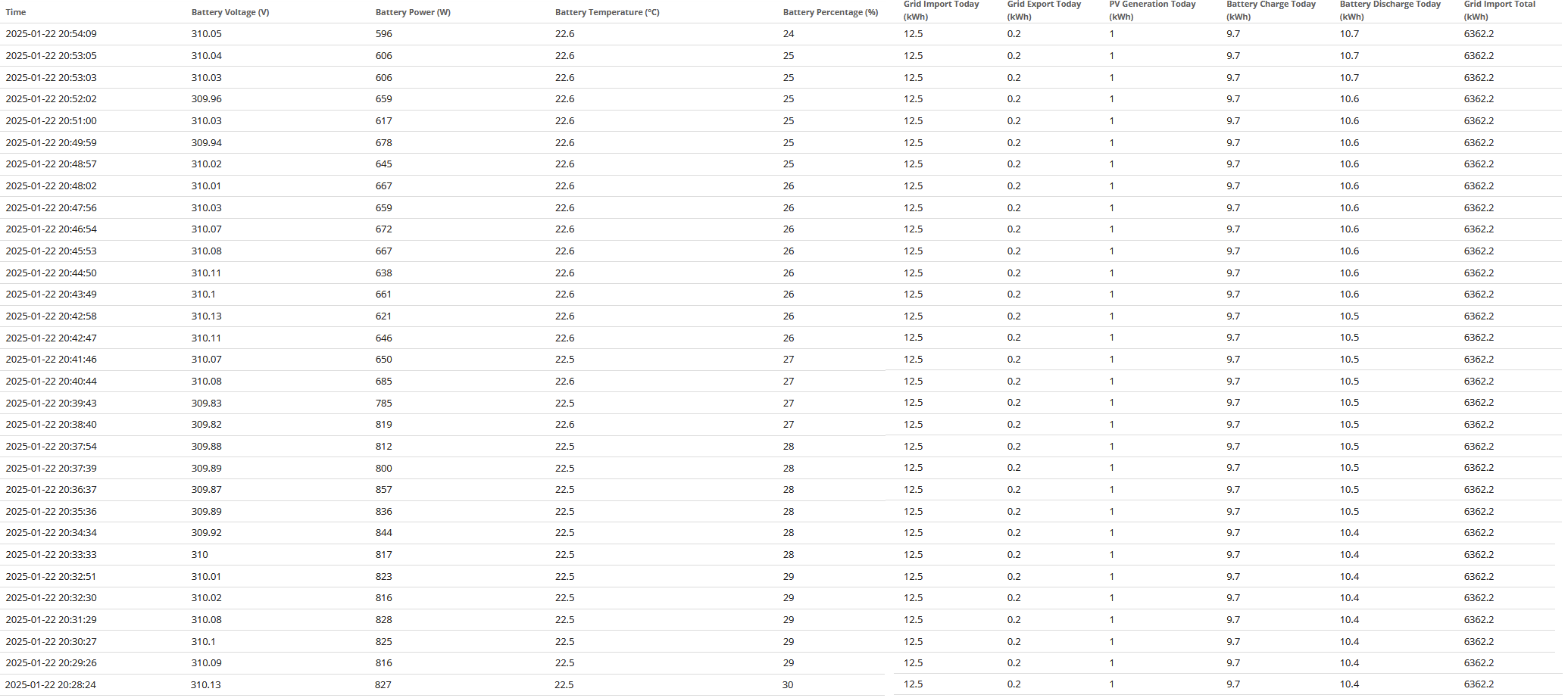
Jellybaby Well it's all a bit crazy. Out today so just left it to do it's own thing and after the overnight charge of 13.63kwh from 4 to 100%, it then gave 14.46kwh back down to 4% despite pulling quite a high load due to the ASHP running near full time. Beginning to think it's possessed. :-)
Im convinced it's not the BMS but the Inverter Firmware.
I had a perfectly fine BMS10 working for months and then I made the mistake of updating inverter firmware and since then it's been a mess and back to what I saw in BMS9 with reducing capacity but same BMS.
DreadorUK V10 worked better than V8 for me, but never been good on PV charging and less than full cycle use with both bottom and top of charge drifting. I found that reverting to typically 800w load corrected the bottom end and charging from grid the top. So maybe yesterday after a series of grey days, near zero PV and emptying every day, it's working as it should be. I didn't upgrade the inverter until recently and can't really says it made any difference.
couldnt attempt to reset voltage last night so 4-100% was 12.7 today.
As before, it's definitely crazy. Did the same as yesterday and ignored it. Much the same ASHP load, grey day, very little PV. It gave just 11. 2 kwhr after an over night charge of 14.3kwh. Now sitting sulking at 4% with 313.26v. More like a random number generator than a standard output.
Its like being on 9 all over again....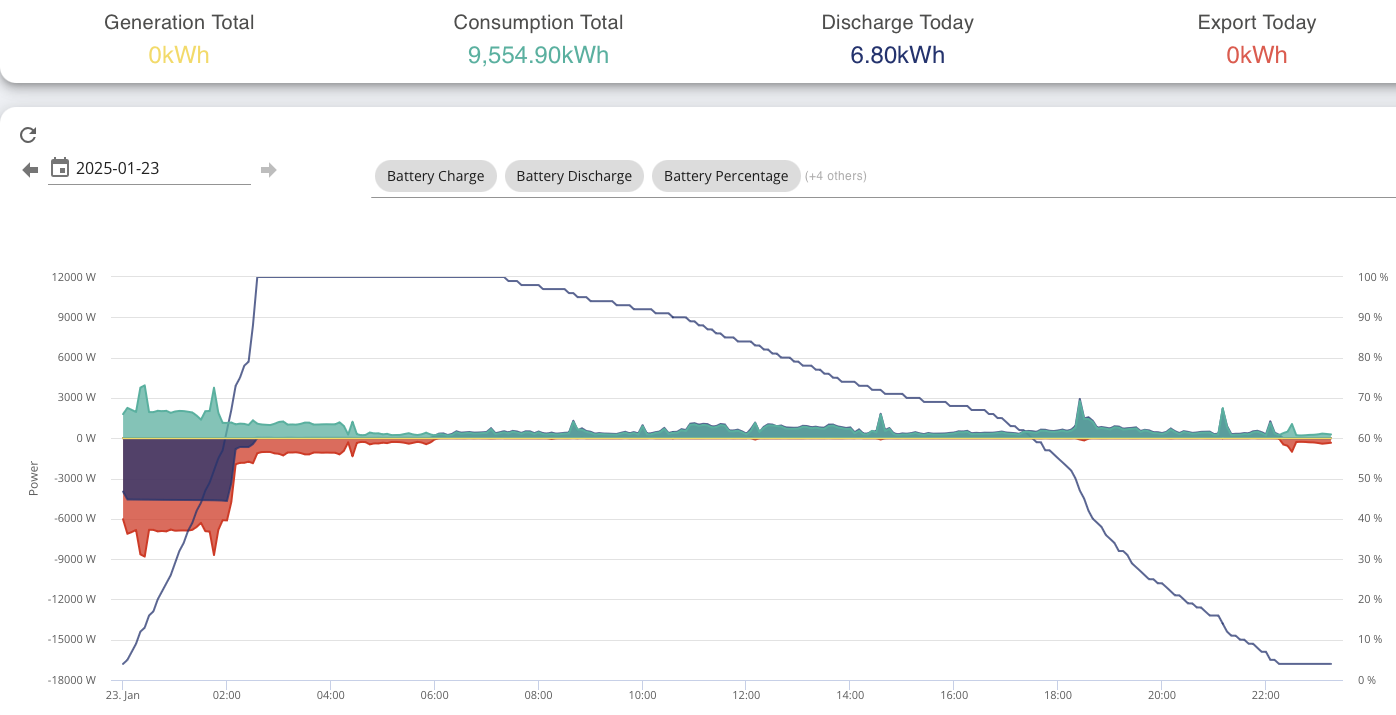
I emailed GE no response at all so going back to iVoltz to see if they can solve (I assume they will push BMS11 as probably cant revert firmware back)
Ultima357 Whilst I was waiting for the charge period 0.2kwh went into teh battery (it doesn't stay completely empty) and so far im at 12.8 in (12.6 from grid, other .2 as above) and 10.4 out and currently on 31% and 309v and no sign of accelerated SOC dropping it looks pretty even still
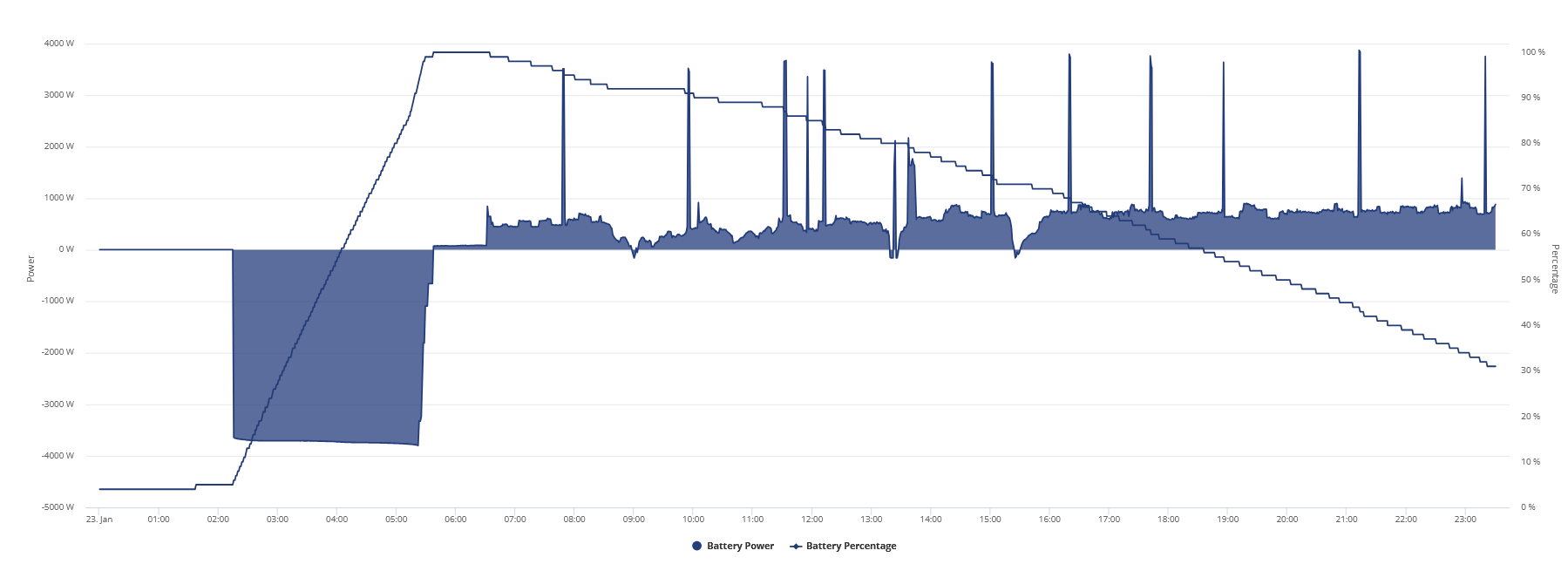
Jellybaby I meant to say it doesn't stay completely idle, stupid edit system lol
EDIT
Just hit 4% and I was right on the hostage of some capacity, 21st > 23rd should have left me around 3kwh discrepancy but instead it was out by 4.3 further reinforced by only 12.6 going into the battery, so 12.6 went in which meant I should have been left with around 11 to use for home but I ended up getting out 12.9.
Whelp, holding storage hostage again for second night in a row, getting really sick of this, how am I supposed to plan when to run battery if it keeps screwing me over.
14.7 in (14.5 from grid), 11.2 out
Edit
I tried doing a correction, 6kw charge for 20m then discharging after, 1.8 went in but 1.2 came out, wth is going on.
Edit 2
11.7 went into battery from grid, 4>100%
Just reading through some of the scare stories about upgrading, I'm on v8 and don't generally consider myself super knowledgeable on this subject, what are the benefits of v10? Is there a risk of it going wrong?
Thanks
Dave_Sw1 If yours is working fine LEAVE IT TF ALONE.
Also current I am on 12.2kwh in, 13.2kwh out and battery is reporting 55% SOC, 313.51v LOL I got no clue how much is even in this at this point its ridiculous.
Edit
If I try going back to last time I put 100% in I am left with as totals without the 1.6kwh loss per day.
Mindnight start of 24th to Midnight start of 26th
28 in, 20.1 out now lets say I take away 3kwh for the 2 days that should be 28 in and 23.1 out so should have around another 5kwh in the battery.
Good god this is messed up beyond belief, I hope that agile is cheap overnight tomorrow ill do a FULL Charge > Discharge > Charge.
Even voltages on batteries are still high

Dave_Sw1 Well it's a different ride for different people. The actual upgrade is usually straightforward but be aware that it will recalibrate after it completes, so best to do when it's nearly empty and cheap to charge. I've found V10 more stable than V8 but still erratic, mainly when getting PV charge. It tends to lose refence to full, circa 320v and empty, circa 306v. If you've read through some of this long thread you'll have seen the comments. V11 is in the wind, but who knows what that'll bring. If you tend to just let it do it's thing, I doubt you'll see a lot of difference. I monitor mine and occasionally tweak it to keep it on track so wise. It has certainly been a lot more efficient in terms of in/out than V8 for me.
Dave_Sw1 I had no issues with 10 - it actually was a god send for me as before that was a mare.
Inverter upgrade messed me up
Though oddly Im hoping third times a treat for me as this is since upgrading the third time Ive done a forced calibration (that one I did 2 days ago) and its now gone back to storing over 14 kWh overnight (prior about 12) so fingers crossed its somehow self healed - only time will tell.
Overnight before the charge period hit I was at 12.2 in and 16.8 out lol, SOC was dropping quicker by that time but voltage was still too high at 308.5v for 25% from what it typically is when getting low.
10.5 went in during charge period (4kw charge rate at 5 cheapest slots) and pushed it to 75% so ill see what happens later, if it doesn't get close to 300v when at 4% ill have to charge>discharge>charge.
Since moving to HA and Predbat I have seen a huge improvement in the way my batteries operate. I am also on Agile not Flux. I have restricted my charge and discharge below the 6000 max and this has also made a difference.
Have a look at the highlighted charge and discharge today. At the moment the batteries are on the way down supplying the house ready for the cheap rate between 2p & 11p later tonight.
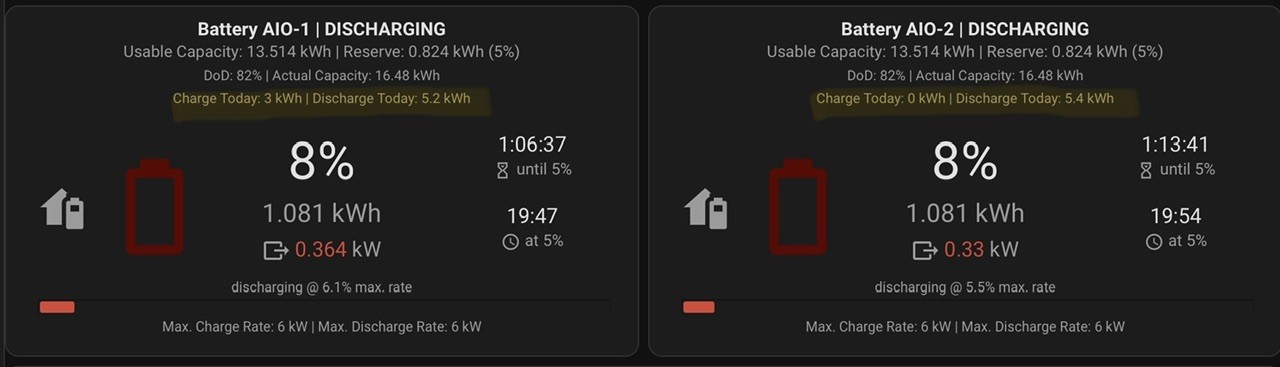
Here is my Power Graph for the day as well
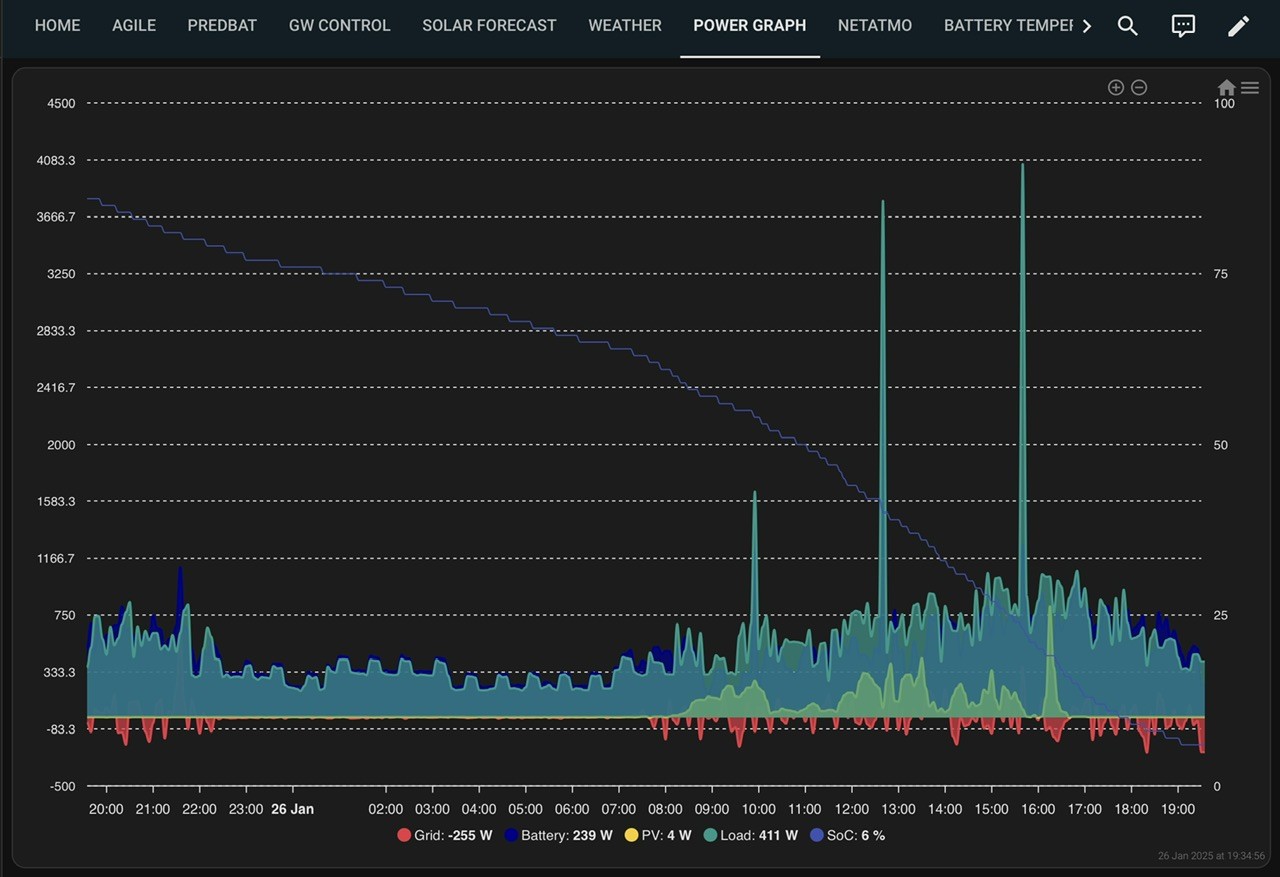
Total from yesterday to today 22.7 in, 25.5 out and it hit 4% at 310v so im going to have to do a 1hr charge at max rate then discharge and hope that 1h is long enough to sort it out.
EDIT
That seems to have done the trick, 7.1 in and 8.8 out, 4% was at around 305v which is a lot better but still not as low as id like for 4% based on history.
EPS woes today. Had a planned grid upgrade today with a power outage from approximately 9:30 to 16:30, so I set the house and battery up to provide power for this. At the first power shutdown, the EPS kicked in without a glitch but then the system failed repeatedly during this period of 0 grid. Cctv time line in picture shows the events. I've emailed GE to get them to investigate as unfortunately I wasn't in to look at the time. My other systems also confirmed power loss, so not a connectivity issue. 
Ok, now im REALLY GETTING ANGRY.
I should have 5.1kwh left but im currently at 312v and 12%, I swear to god if they don't get a handle on this crap im going to lose it on them.
14.2 went into battery this morning, WHY CAN'T I POST AN IMAGE. "oops something went wrong"
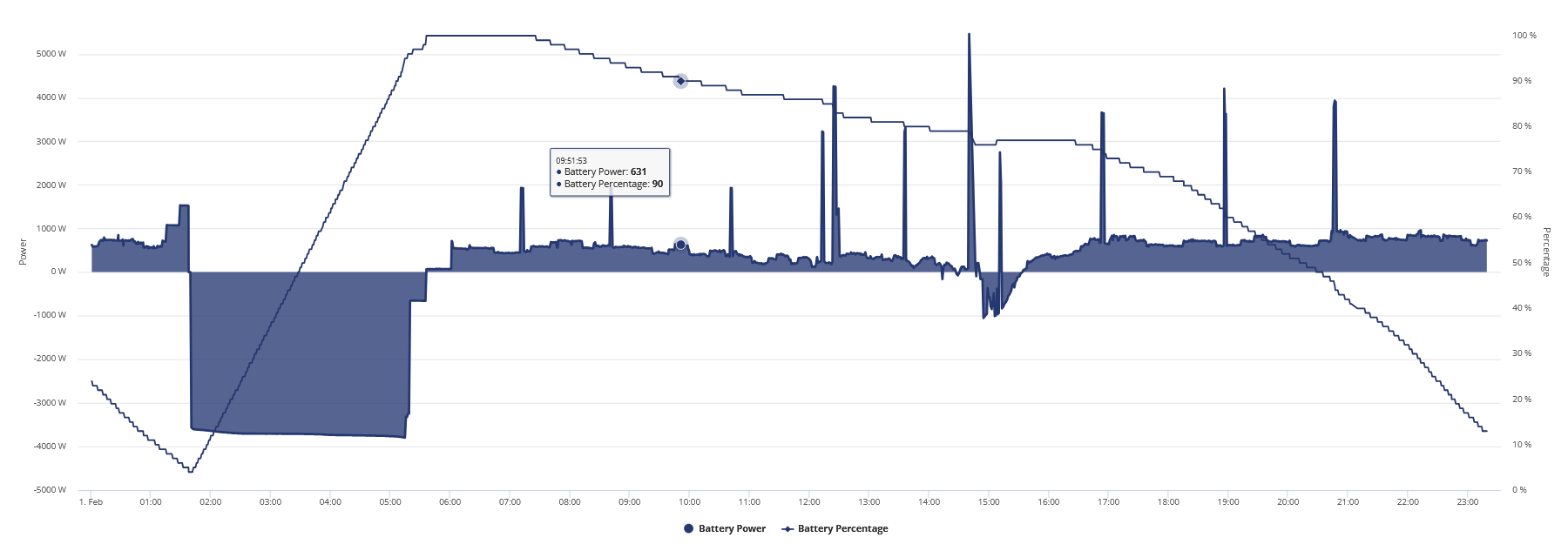
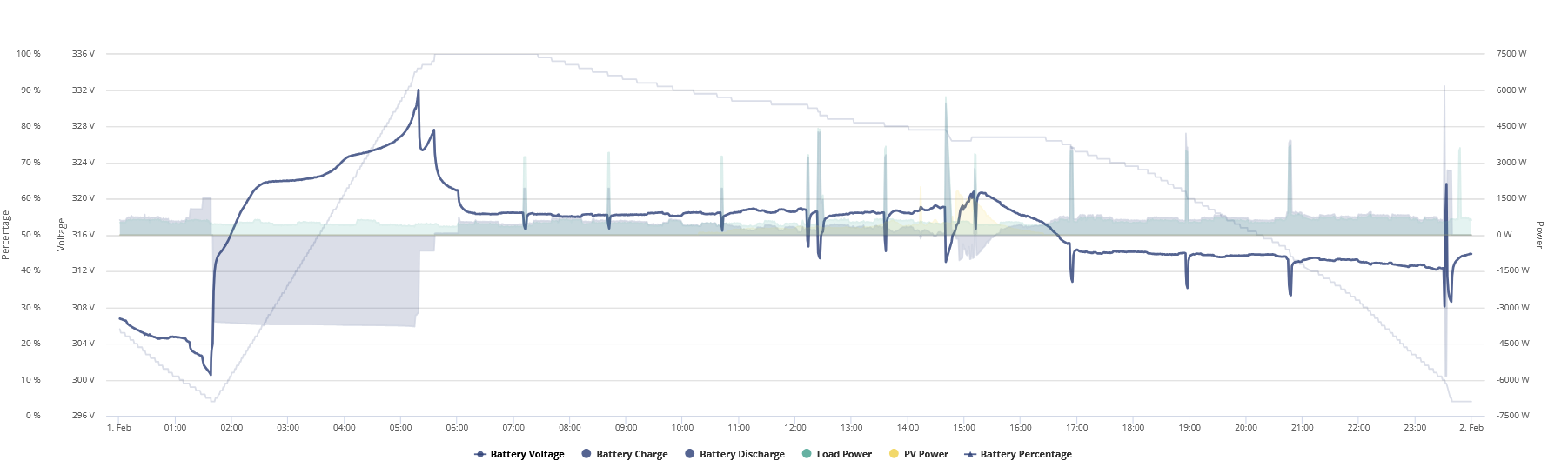
Voltage is the highlighted part above
Finally, that is dropping WAY too fast, it was a fresh charge from 4% today, unreliable piece of crap.
voltage at 4% was around 300v so no way in hell this should be doing this today.
Going to have to charge for 30m at 23 pence then try discharging to sort it out, AGAIN, I regret ever disregarding the warnings on GE stuff.
Edit
Update for hitting 4%, its been REALLY bad this week.
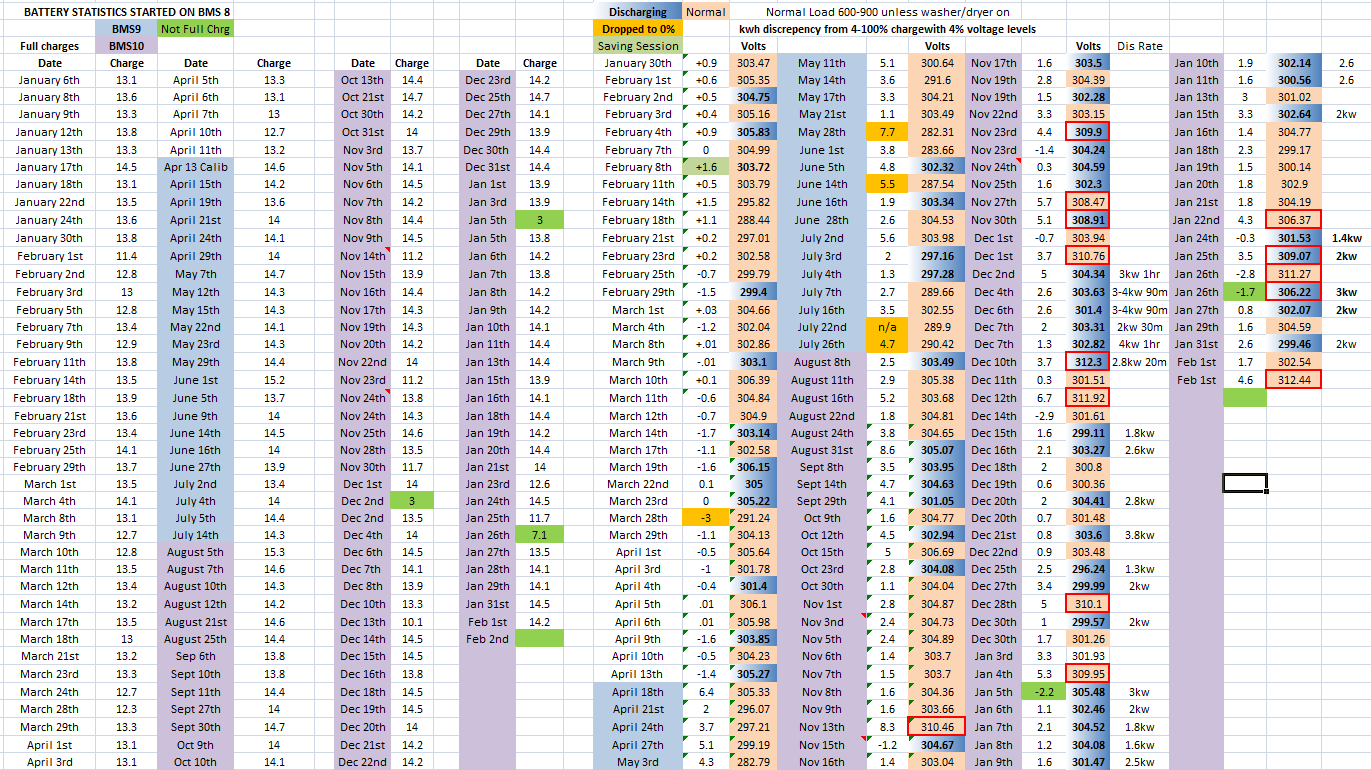
Just look at all the red boxes, don't worry about empty green boxes they are for the 3kw charge then discharge cycle to try and fix this.
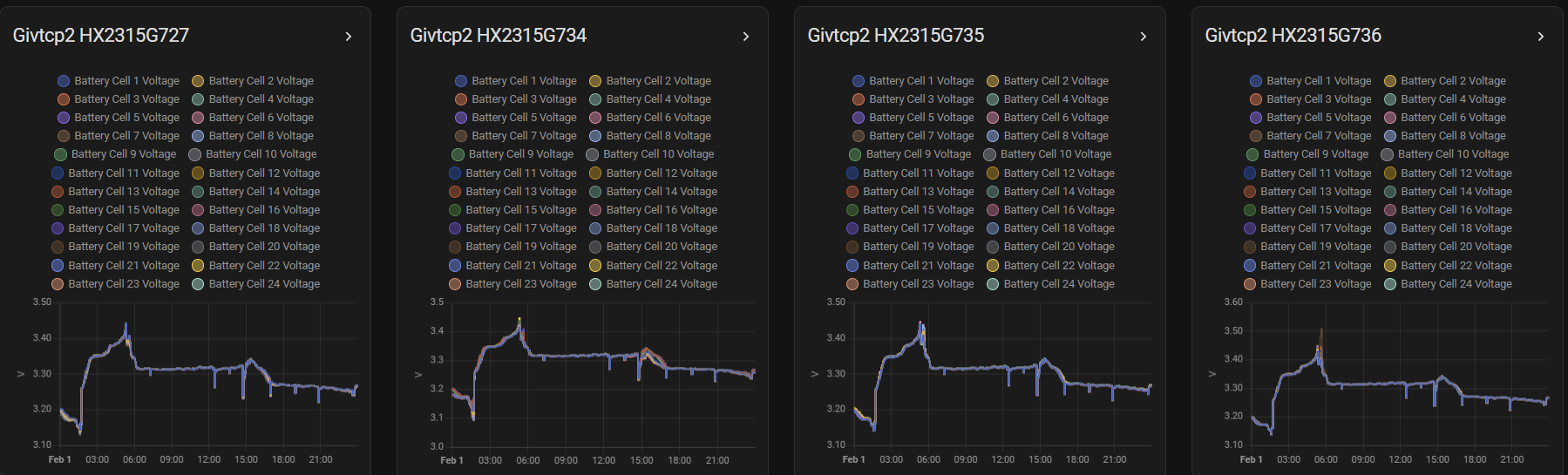
Took me 5 minutes for it to not error on pasting that image.
geoffreycoan Same here.
Rob
geoffreycoan I got it just trying to post a reply with JUST text and when I clicked again both were they so I had to delete one.
Edit
Whelp, that charge discharge didnt work, 3.5kwh at 22.3p and 30p in export out, seriously going to have a mental breakdown soon, never had something so inconsistent in my life, I guess it needs to be a full hour charge.
Don't know how im supposed to plan when to charge if its going to be a tossup as to if its going to hold any capacity hostage, if it had pulled this crap during the 99p agile days I would have absolutely lost it.
3kwh charge went in, 2.6kwh discharged, after hitting 4% it levelled to 313.35v which is worse than when it started by over 1v.
EDIT
Only 10kwh went in overnight
Edit 2
Been in the 317v range since just before 4pm when I was drawing from battery, its now gone 8pm.
Battery finally ran down, from that initial 10.1kwh that went in on the 2nd a total of 22.1 went in and 22.8 came out for a total of -0.7 kwh discrepancy, now if you factor in the two running days losses of around 1.5 each that would be -3.7 (which I don't factor into my spreadsheet, the discrepancy of typically 1.5/6 is when the system works as it should from 4>100>4 in the same day.
Ended on 302.7v after it stabilised a little which is much better and where it should be instead of 312 or 313
Edit
This forum error is really doing my nut in, its as unreliable as this system atm
Just had the worst soc dive in a long time. From 60% to 4% in just over an hour on a load of around 3kw. That gives it a total rating of just 5kwh. Bonkers and of course it's sitting there now at 313v, so nowhere near empty.
Not sure I like the pacing picking up on SOC going down after it hit 60%
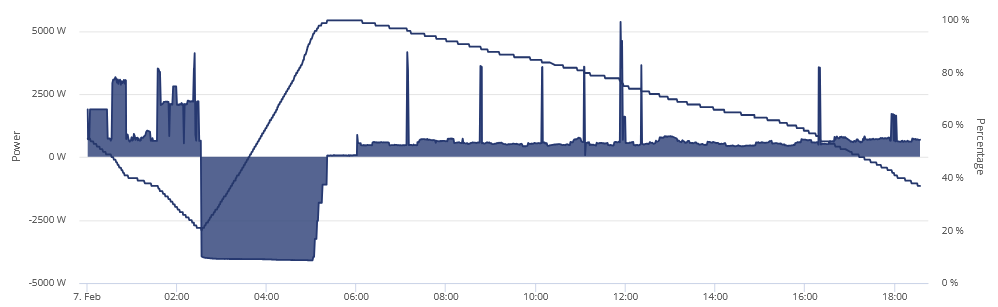
Voltage should really be lower than it is as well.
Edit
Losing 3% per 0.1kwh and at 17% voltage is still at 310.94, should have going on my math backed up on data have around 2.6kwh left which means another 3 hours but at 3% per 0.1 I should be out with ill say around 2.3 that I should have left still.
This is day 4 so 1.6 for losses per day *4 = 6.4 off the total in, so far its been 52.1 in and 43.1 out.
EDIT
Doing a small charge to get me through couple more expensive slots, really should just dump agile but 3hrs on flux just isn't enough to sort out any issues with voltage.
Edit 2
LOL I was spot on, hit 4% and I should have around 2.3kwh left, 4% at 310v.
I wonder if it has to be a full rate charge for 1h or if I can do it lower, I am going to try doing a lower rate 1h charge.
Edit 3
Whelp, that didn't work, 4.1 in and 4.2 out and back at 310v when done, so very very very tired of this.
EDIT 4
9.9 went into the battery overnight
Man, every day more and more battery is being held hostage and no cheap rates to try and fix it.
I think I might just switch over to flux, day rate is pretty much what agile is all day and hopefully the near 10p difference in price between 2-5 will make up for the crappy battery that can't sort itself out.
1.2 discharge dropped me 16% which should be around 2kwh then another 1kwh later im down another 16%.
My last 4>100% straight charge was 9.9kwh and after landed me on 310v, on Sunday I ramped up the charge rate and went for 6 cheapest slots incase it didnt give me full capacity and again nowhere close to the voltage it should be for being empty and im out another 1kwh on top of what it was already holding hostage and tonights voltage at 4% was 309.
Past 2 weeks its screwed up on SOC/Voltage 8 times and 3 of them were in a row and its frustrating because it got up to 330v today on charging.
Usually when its pretty much accurate on emptying its around 298-303/4 depending on draw which is typically around 5-700w
@Ultima357
Did you get anywhere with this? It’s rather concerning
Battery got up to 332v when charging, apparently 12.4 went in which means I SHOULD get 10.8 out of it but I doubt it will last til midnight, got switched over to Flux though.
Well that's a new one but as I'm playing with HA for the first time, I'm not sure if I caused it. What happened? Well it was steadily giving power after overnight charge and was at 42%. Then nothing, sitting idle. I checked the cloud interface and looked at battery data and noted it had been doing over 4000 reads a day since I'd implemented HA and GivTCP, setting up an energy dashboard. Hmmm.
So rebooted the AIO, turned HA off. Still not playing ball. So checked the remote control logs on the inverter in the portal and saw a server read of the battery cutoff limit saying previous value 4, nothing sent and a response value of 42% and 'Via' was External Change Detected. Where did this originate I wonder? I'm guessing HA. Checked settings on the battery via app and it was still set to 4%.
Another reboot - nada.
So charged it for 30mins and it's now playing ball again. Back to head scratching on HA I guess.
HA running on Raspberry pi 5 BTW.
How do you find out how many reads have been done?
Ultima357 Now it's just flipped again to reads every few seconds, not giving power but charging at 300w??? This thing is crazy today.
Edit
I phoned GE. On hold for well over 1/2hr before I got through, but they took a look and claimed that a third party had addressed the API and set the reserve to 42%. Don't quite understand why or how or why when I checked after the issue it reported 4% reserve. What the above was doing I didn't get to the bottom of but they reset it and at the time of writing this, it is behaving.
Swear to god im going to end up with a mental breakdown with all this soon, never in my life has something produced so much stress and frustration, using more electricity trying to fix every time SOC/Voltage breaks costing me more than what im supposed to be saving, I specced the battery to home pretty perfectly and I can't even get any consistency out of this piece of crap to get the capacity it should be giving me.
Absolutely kicking myself I didn't heed the GE warnings.
Edit
You know what else isn't helping...........

THIS ******* THING
Set charge period from 2am to 7am and it only put 12 in and after system losses for the day im out on nearly 3kwh which means I won't last til even 10pm.
Ultima357
Well at the same time as the above conversation I took up the issue of EPS malfunctioning on the grid outage I had on the 29th January, the CCTV timeline showing the issue. After more than 15 minutes of discussion /investigation of logs etc, we sort of came to the conclusion that it was caused by fluctuations in PV generation. The story goes something like this. At power out, circa 9:39am, PV was generating enough power to cover house load and was pumping excess into the battery just fine, but at around 10:15, presumably a cloud came over and PV dropped to below house load (circa 350w) and the system couldn't handshake quick enough to demand that Mr Battery should cough up some juice, so we lose power. Then after a while (about 30mins) it gets it's act together and comes back online. Cloud comes over and repeat.
Now whilst this was going on, I took a look at my Solaredge portal and discovered that the PV did drop out for that first 1/2 hr but then stayed up throughout the day. Hmmm. But I suspect that the Solaredge is quite granular in reporting and maybe only does it once every 15minutes, so short outages might not record. However, the total for the day was quite decent, so probably did keep up. It sort of proves it in the CCTV timeline in that EPS performs perfectly from shortly after 2pm until power was restored at 16:35, when the day turned cloudy and PV output dropped.
So conclusion is that the firmware is not fit for purpose when the sun shines and if you're going to get a power cut on a sunny day, then best to turn off your PV. Told GE that this is not good enough and that their firmware needs sorting. Kept it polite despite wanting to should a few expletives down the line. Also asked about BMS 11 and told that it's probably a couple of months away.
[unknown] No, it's quite unusual to have a 7 hr outage. I've had blackouts before and EPS kicks in just fine but this is the first time I've seen it fail in this mode. As per original post, other systems confirmed the dropouts, it wasn't just a cctv glitch.
lost 8% in 45m, tanking like a brick.
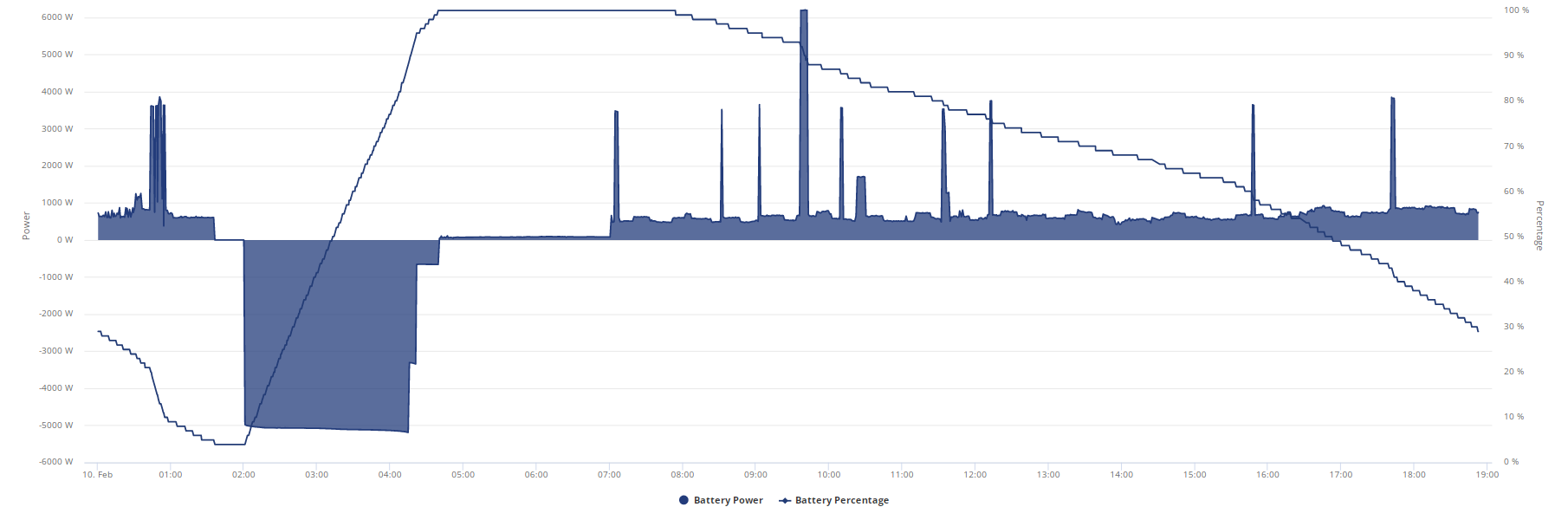
Took 11 tries to get image to paste, down to 29% and still at 312.8v, this is really taking the **** now, its going to eat up another kwh I reckon and this isn't even going to last til 10pm
So far 12.4 in and 8.9 out.
Wonder how much I could get for this system if I got it taken out.
PianSom no (and I don't buy the cloud cover thing as it's an instantaneous island mode, they aren't that slow to react) but there's a couple of things it might be:
1 - Your PV system is greater than 5kW or so in Island mode (or it's producing more than that at the time) - this can and will swamp the AIO as at best it can "absorb" 6kW + whatever your house is using. If say you have an 8kW system kicking out 8kW while in island mode the AIO will shutdown from overload (well technically local grid over voltage) - this then collapses your little island grid, which then takes down your PV inverter - result is power cut in house.
After about 30seconds the AIO will reboot, stuff comes back up (including your PV inverter) and - again if you go beyond this upper limit it'll do the same. I'm unsure how many times it will shutdown before throwing in the towel but if it's doing it over and over then it's probably not enough time for your router & cctv etc to get booted up and going again.
2: Your AIO battery is 90%+ full - in this case the AIO shifts the grid frequency to 54Hz. This will force a shutdown your PV inverter to stop it overloading the AIO (so you don't get in the boot loop like point 1)
However, as your local grid is now running at 54Hz not 50, there's a chance electronics in the house get upset about this. most Switchmode power supplies probably won't care but I imagine a UPS (which is looking very closely at power quality) will not really know what to make of this and potentially just switch off.
3: The Neutral Earth Bond thing (again....) - the older AIO Gateways had an issue where they didn't bond Neutral to Earth when in Island mode. Long story short you get a split phase 120V jumble to get you to 240V (think of the USA kind of thing, where you just connect across 2x 120V feeds to get a 240V supply for your oven/dryer) - again certain devices may not like this, such as a UPS - see 2.
All the above can be proven/disproven relatively easily without an actual power cut. Just turn the Grid input MCB off in the gateway at night and you can remove theory 2 & 3 straight away if everything works. Then it's really just down to how your PV inverter reacts with your AIO.
hoggy
Thanks for your thoughts. I too was doubtful about the slow reaction time theory.
What PV inverter size do you have @Ultima357 ? Whatever it is, I think it will have been doing very well to generate 7-8kW over a number of hours on January 29, even momentarily. But possible I guess - it was a nice day. (My own inverter is 6kW and peaked at 4.85kW on that day, with only about 2 hours over 4kW.)
Do you have your network kit protected with UPSs? If so, this seems to be a theory with legs.
And I seem to recall that you have a newer Gateway - is that correct?
Next time it's dark and my battery is over 90% I will flip to Island mode and see if my UPSs complain/network goes down while lights stay on.
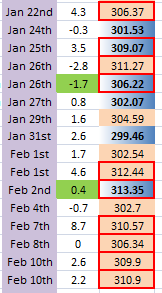
After trying to post that I got a line of "oops" from bottom to top of screen.
12.4 in 10.2 out I don't know what is going on but I don't like it and ive got a feeling I am going to have to try full charge for 1h then discharge then charge it which result in my having to get at least 6kwh into battery at 25p and discharging/exporting at 4.99p to fix whatever has gone wrong but from whats been happening lately it will only do it again in a couple of days.
Or I could do 6kwh at 25p then discharge that before the flux rate.
The number being seen for last 3 entries should be 1.6 normal or less if its recovering charge that its lost track of but instead its constantly over that, anything over 5 has been from more than a couple of days which is rare given the recent weather, full chart below.
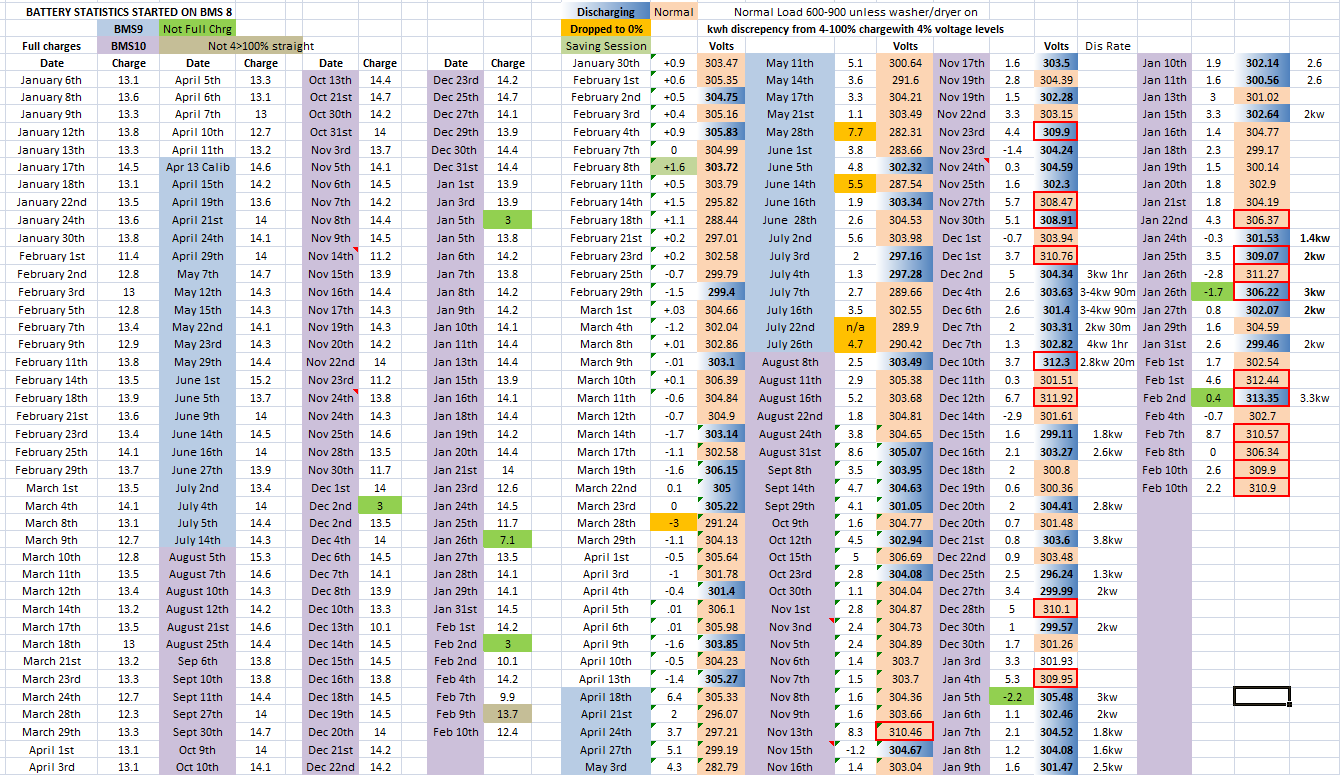
Voltages are not getting low at all

Highlighted line is discharge, imo it should have been at or above charge.
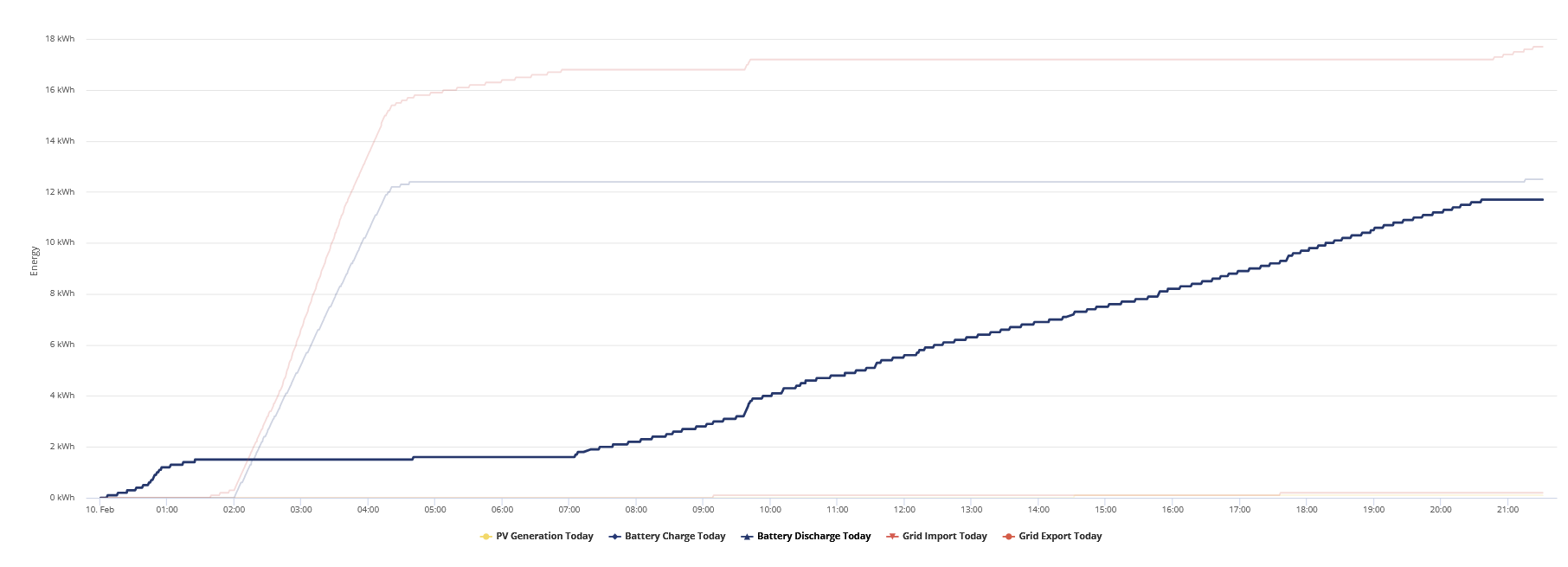

I didn't go through with the 6kwh charge then discharge and just left it til just now 02:05 when flux charge started and here is the inbetween
Hit 4% at 20:44 at 311v
22:31 it jumps up to 6%
23:35 it goes up to 7%
00:40 it goes up to 8% and immediately starts discharging
00:46 it hits 7% discharge of around 6-700w, total 0.1kwh used
01:13 it hits 6% same as above but total 0.3kwh used
01:41 it hits 5% same as above but total 0.6kwh used
01:52 I up the discharge as flux charge period was coming up to 1kw
01:56 I up it to 1.5kw discharge
02:00 I up it to 2kw discharge
02:03 finally hit 4% again, total of 1kwh discharged and ended on 308.84v
So still not got all the capacity I should have back yet but its a start.
Edit
They seriously need to sort this forum out.
and despite all that only 12.3 went into battery overnight still so 10.7 useable and im already down 3.4 so got 7.3kwh if it doesnt decide to screw me over and short change me again.
Very interesting to see battery charge figures since moving to Octopus Go from Agile and having a solid 5 hours charge period instead of ad hoc charging in half hour cheap slots. The battery always starts at 4% as I’m using it all at this time of the year so it’s very easy to see from Meter Data each morning how much has gone in. I calibrated it just before Xmas for an unrelated problem but over the last week the figures have been appalling so I decided to do another calibration last night. The battery had been sat at 4% for well over 4 hours but the SOC didn’t budge from 4% even though the voltage was slowly creeping up so the supposed auto calibration after a period of idle is clearly not working.
The calibration started at 23:55 and it managed to discharge a whopping 4.9kWh over a period of 1 3/4 hours to take it from 4% to 0% before finally declaring itself fully empty. It then filled back up with 14.5kWh to take it to 100% but I think it should have been more as it’s actually a 16.48 battery with supposedly 13.5 useable. All these figures are taken directly from the Giv portal Meter Data which according to a comparison with my Emporia system is pretty accurate. I’m hoping for at least a few days of stability but I can now see why Jellybaby refers to energy “held hostage” within the AIO
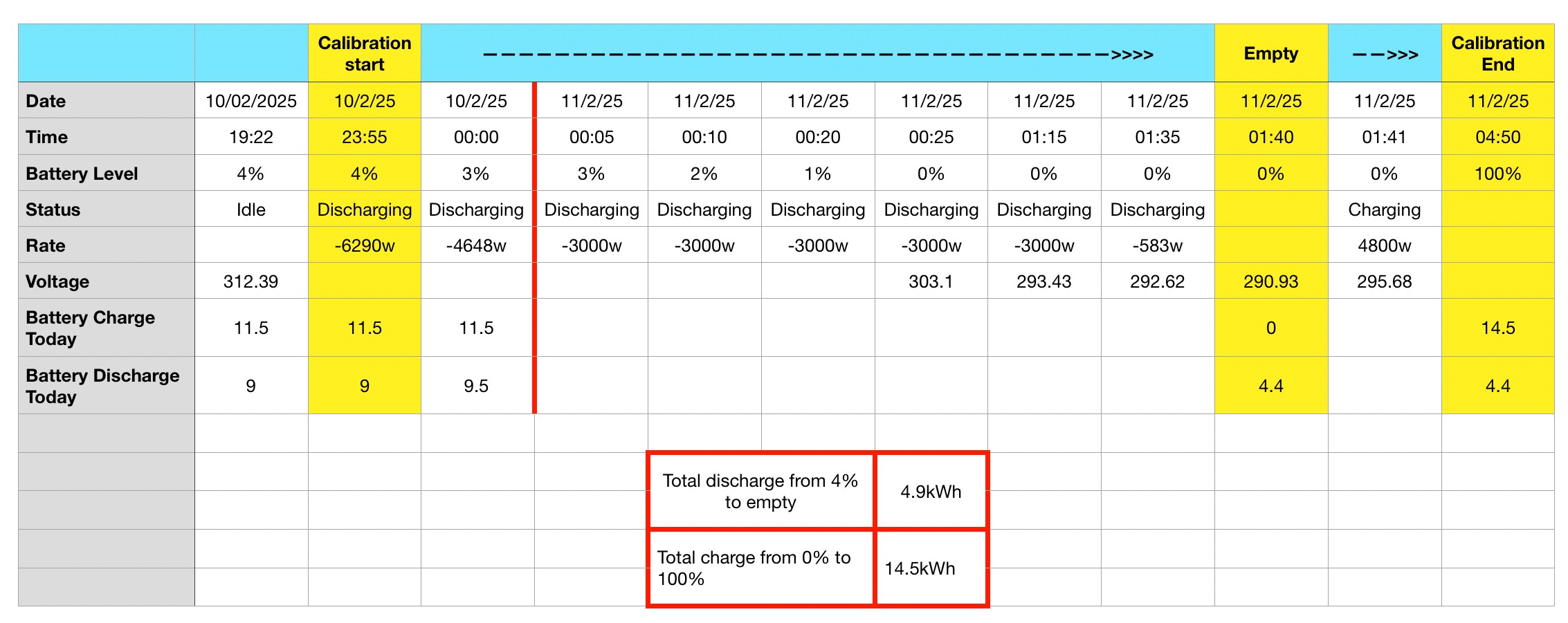
Goshiki2 14.5 seems a little low for calibration.
I am proper confused tonight myself, apparently SOC is at 44% but doing what had been reliable math 12.3 went in minus 1.6 for losses = 10.7 useable, ive used so far 8.7 which should mean 2kwh left and usually SOC is under what I should have but this time its massively over, 40% of 12.3 (because it stops at 4%) is 4.92kwh so its nowhere close.
I am HOPING this means its finally found the charge it had been denying me for the last 4-5 days and im getting back to normal, either that or im in for a SOC accelerated tank soon or a sharp drop on same day 4>100% charge.
I have no idea how im still at 32% SOC unless im in for a SHARP drop, I should have 0.2kwh left in battery based on last nights charge lol
Edit
This is looking promising for getting back hostage capacity, so far im at 12.3 charged, 11.4 discharged and am at 24% still
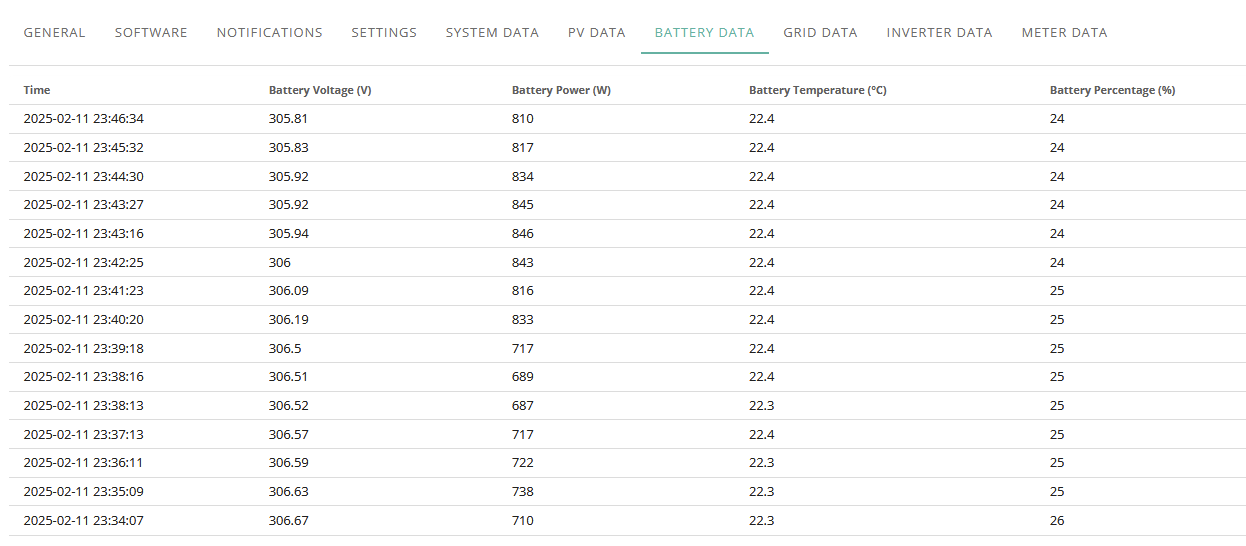
Only took 20 attempts to get that image in.
Edit again
Looks like SOC is accelerating now
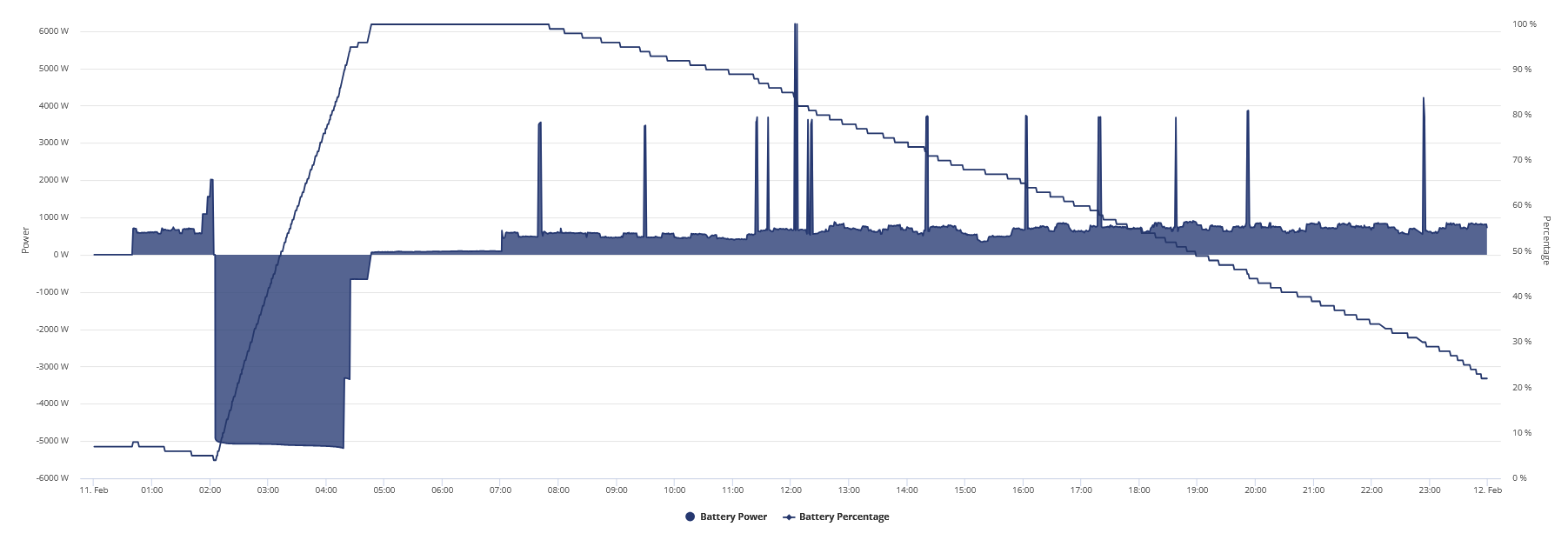
EDIT
Ended up with 12.3 in and 12.7 out and it was on ~ 302.27v when it emptied, 14.2 ended up going in during charge window.
As I mentioned, before Xmas I was upgraded to BMS11 and AIO614 …. And it’s been nothing short of shocking. Max daily output 9-10kwh for each AIO. Seems the changed something to do with temperature calibration and it’s been wild.
Spoke with GE today and they have apparently got a new version of BMS11
Quote: “ I have just today received the releasable version of the test.
From the BMS11 results we now see capacity back where it should be”
I’m getting it loaded tomorrow, so I will keep you all posted. Wish me luck.
PianSom Sorry for late follow-up but for some reason I didn't get flagged with updates, so just catching up. (been busy playing with new HA system and slowly getting to grips with that) My array is 4.2kw with a standard 3.6kw limited output from the Solaredge inverter. I have no other ups in the house either. The sun in/out is not possible to prove as of course I have no pictures when off, but sun was shining on the up times and after 2pm when it came back reliably it was dull.
Ultima357 Update of the EPS failure. I've explored more of the data on the day and the battery was at 98 - 99%. The PV figures show to variable output from odd clouds in the morning, gradually getting more cloud as the day progressed BUT, the PV never shut down. Or at least not shown on the granualarity of the Givenergy polling. I'd previously looked at the Solaredge report which did show one shutdown but it would seem that this was just Internet outage.
So the system was giving a reference to the PV to allow that to generate but not giving it to the house.
I noted one point where the AIO went from being charged to giving 1200w and back to being charged. But that load could have been the Isolar immersion heater grabbing power in a brief window of PV flicker as I do occasionally get some conflict here.
Conclusion, if one can be made, (or just musing what ifs) is that as the battery was nearly full, it limits charge power, so PV power could/did exceed what could be taken. The Isolar will grab excess but only after 300w+ of excess and it only polls every 10 seconds or so. Maybe this caused confusion in the gateway and it shuts down output of EPS but keeps reference volts up for the PV which then gives the question of where does the excess go? Not Isolar as this is off a secondary consumer unit and thinking about it, is probably not ever coming online as it looks for the grid Export on its CT sensor.
Go figure!
[unknown] interestingly they upgraded me to BMS12 and also moved my AIO’s to 616
JasonF
https://community-beta.givenergy.cloud/
You will need to register, and then ask Paul if he will let you in to the beta forum (on the beta community!)
I probably oughtn't to post more. There's an NDA.
Yes the service desk have access to this pre-release ahead of it going live.
Only the team leaders have this before it is available to them on the portal.
Then the service desk will assess it, not me (Independant of RnD teams) and agree its release for auto update
The beta forum is a closed forum, and not open access, as in there is posted actual FW files for self ingest.
Ive no issue putting changelogs here though.
BAAA0012 - 17 Feb 2025
BAAA0011 - 12 Dec 2024 - Test Release
BAAA0010 - 17 June 2024 (No calibration needed from BMS9)
hhmmmm, this is odd
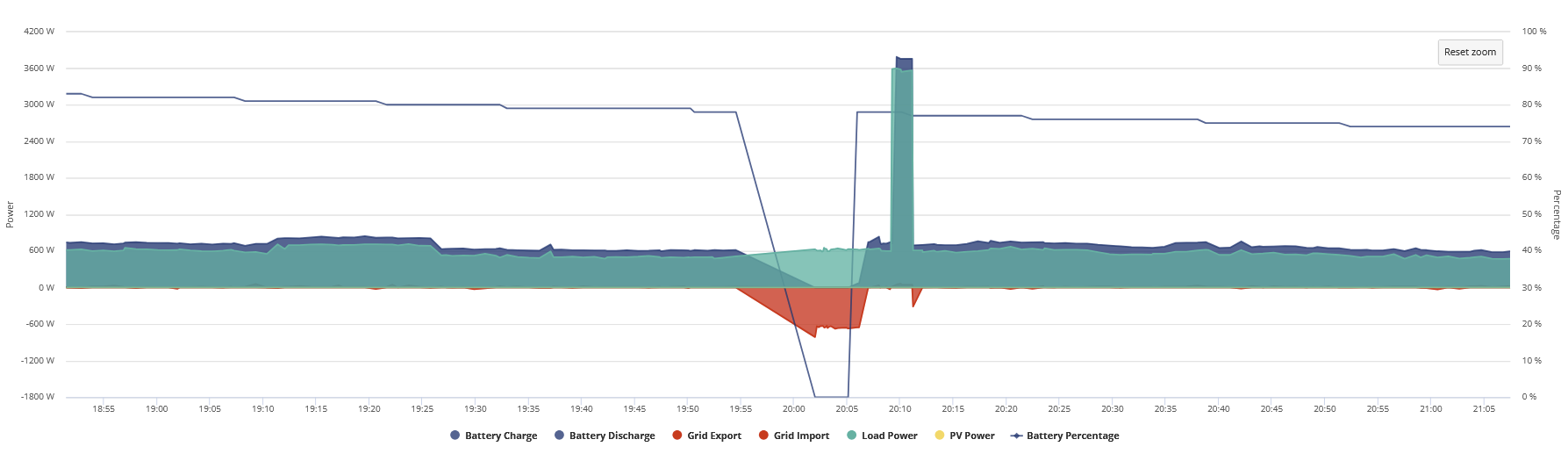
Something similar on the 17th on 2 1m refreshes
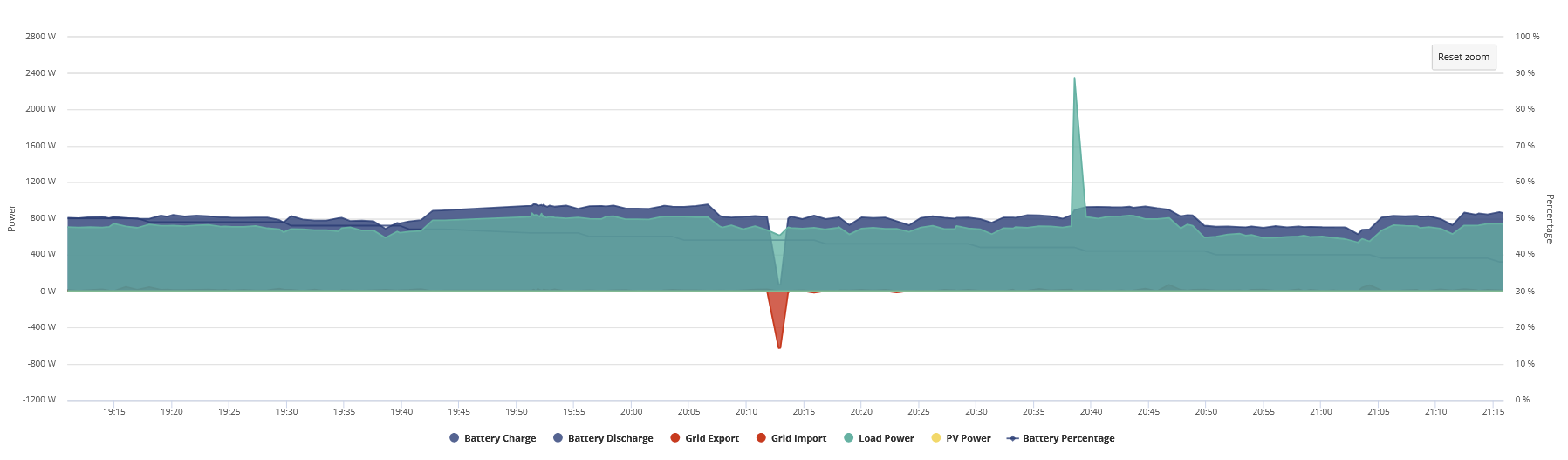
EDIT
Got some unusual things in log, don't know who was messing with charge slot 4

Nothing similar present for the 17th, anybody else got something similar to the above on their logs?
I checked charge slot mentioned and they are still reading 00:00
Edit 2
Just went back to double check EVERY single register and AC4 is now showing 06:00.
Well well well, it’s been a very long time since I’ve seen these charge numbers.
AIO1 - 14kwh
AIO2 - 14.5kwh
TheDragon (GivEnergy) they definitely came out of hibernation 🙂
[unknown] Just now put 2 and 2 together and relaised you were the guy emailing my beta mailbox
I don’t know what magic was sprinkled into this BMS release, but if these numbers continue I’m never updating again.
1st full charge and discharge on BMS12:
28.6 Kwh in, 27.1 Kwh out, yes you read it right….the full 27 kwh. (Not sure why one did 13 and one did 14 - maybe some weird cross charging or something, but I don’t really mind if the total stays consistent).
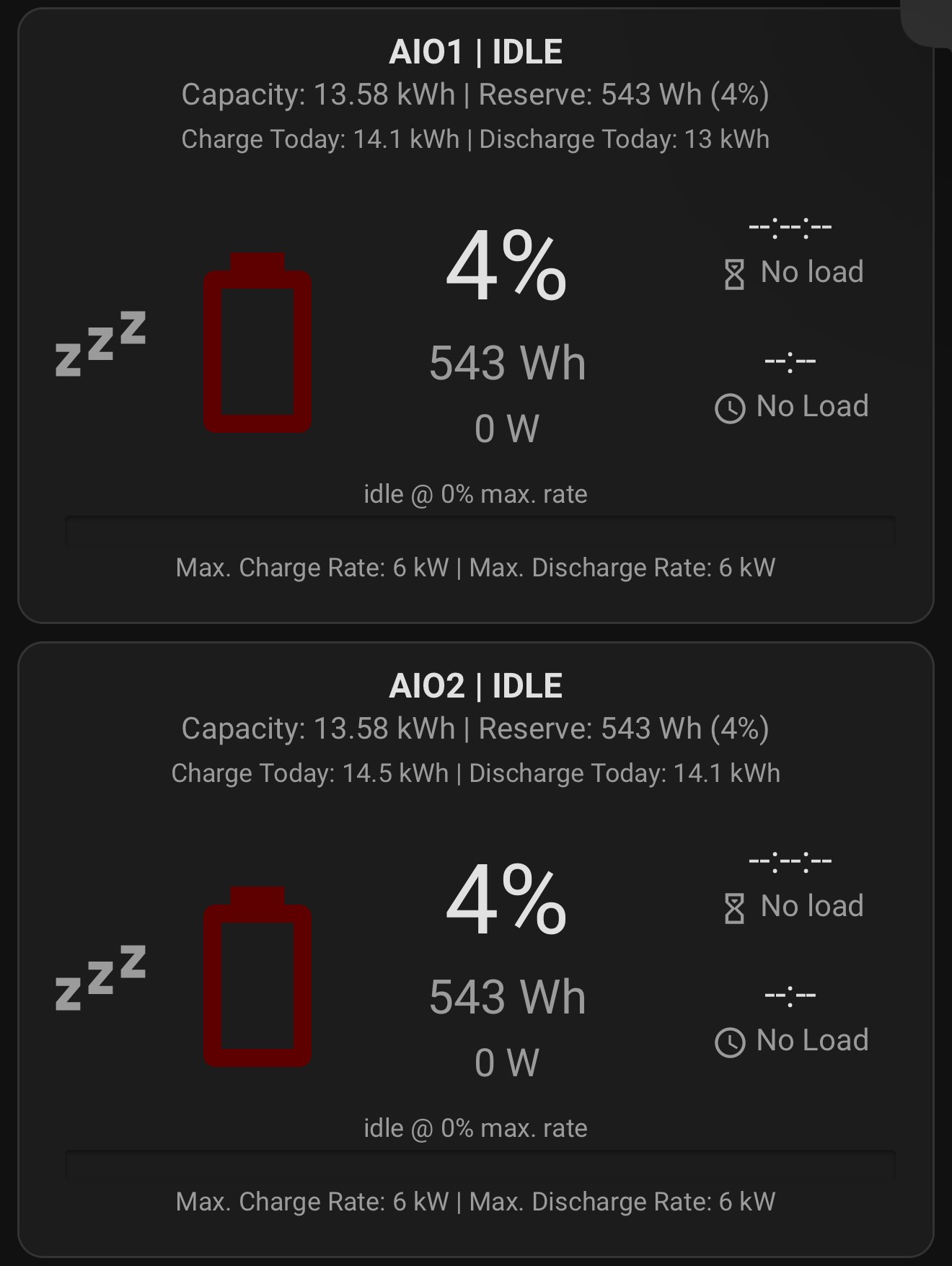
Im just hoping im being paranoid but after the trouble I had getting full capacity I finally got a 14.4 charge into it the day it went off and I was apparently updated to BMS12 but now instead of being around 1.5 discrepancy as I expect I am at 2.
Ill have to see what charge goes in tonight and im hoping this hiccup isn't due to the bms update.
Another good charge night:
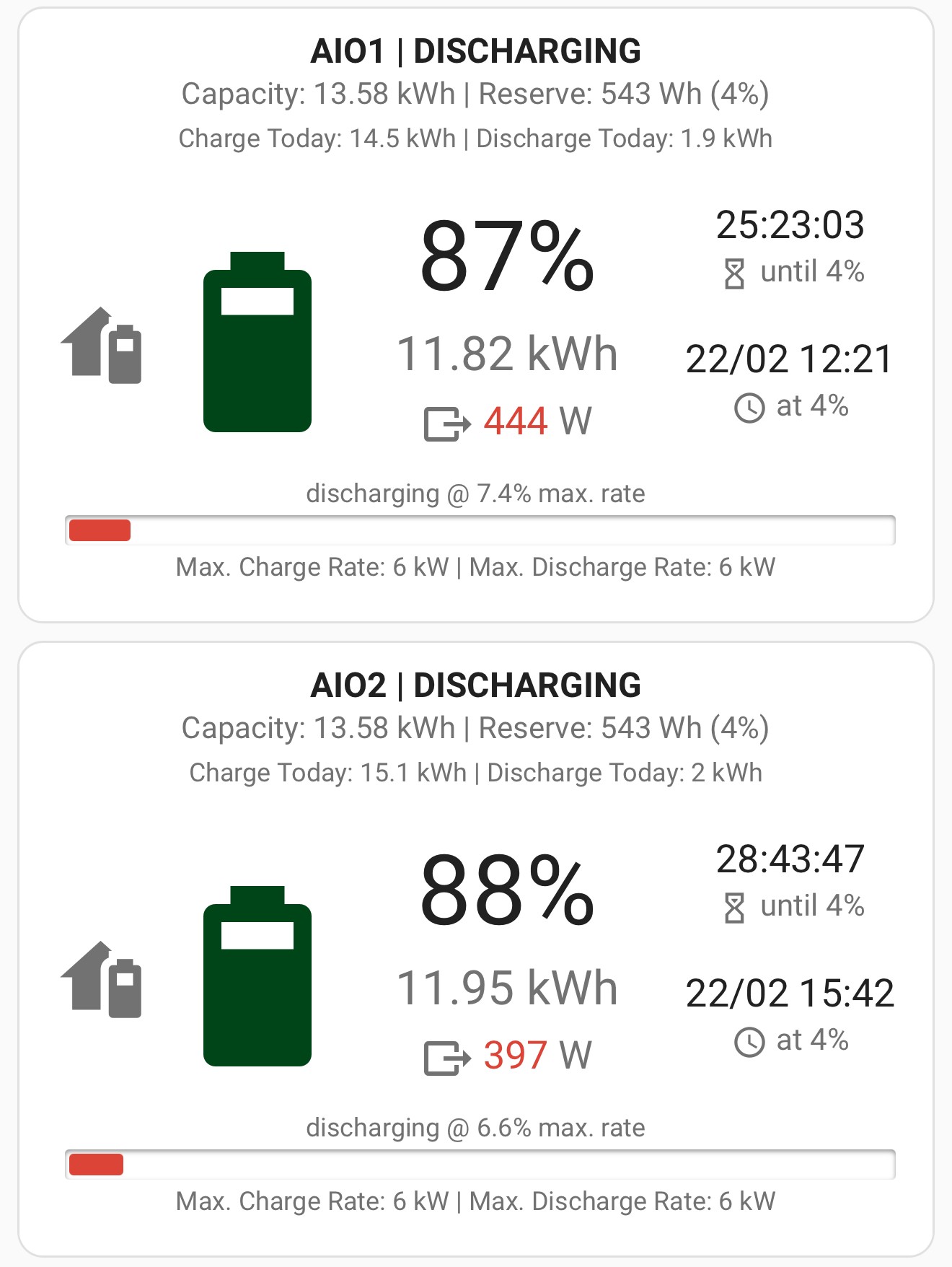
TheDragon (GivEnergy) Typically whatever goes in I need to take 1.5/6 off for what system uses and that is what I typically have left to use.
So say 14 goes in that means ill get to use around 12.4, here for example, you can see when its operating normally it ends up around 1.5/6 mark but it can go higher.
I am quite shocked that 14.2 went into it given that the previous day I got a little more capacity back than I should have which led to 14.3 going in, I figured since I should have had 2 left id get less than 14 going in last night.
That is just same day use, if the battery doesn't empty in 1 day I double up that figure so on my spreadsheet I subtract the discharge from the charge and add in "-1.6" and if I go 2 days without fully discharging I put in "-3"
Doing that if all working well has been pretty accurate over bms 10 period, only time its done me wrong is when it wants to hold capacity hostage or give me back the capacity I had.
Up to date chart below, this does not include the system losses inputted, just the straight math for in and out.
The highlighted portions are single day use of what I would expect.
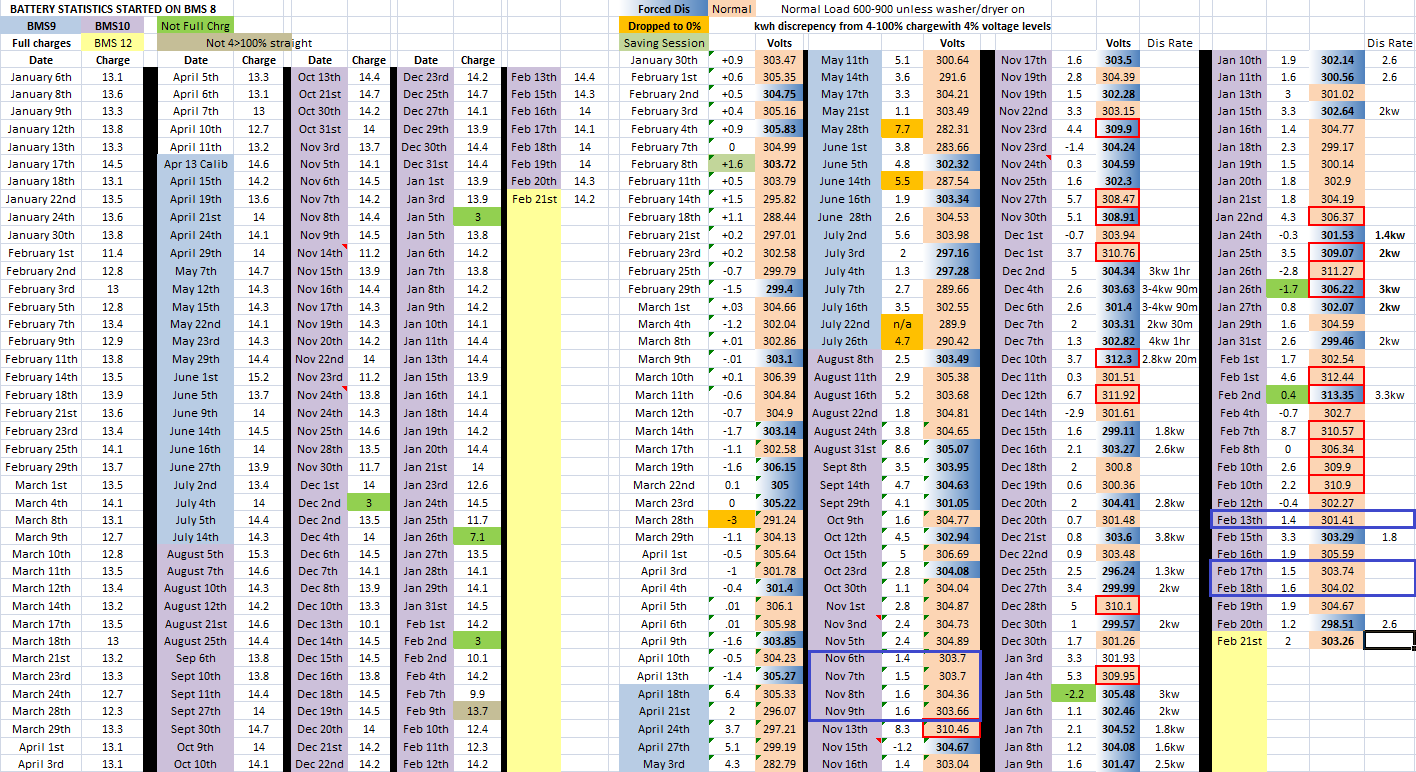
Red squares are just highlighting empty on what I consider high voltages which led to it holding capacity back.
Would like to organise it better so its easier to identify the in and out for the days at some point.
[unknown] Wish it wasn't needed.
Same charge numbers last night as the ones I posted above, yesterday I got 27.1KWh of discharge again.
Pretty happy so far.
Same charge numbers last night as the ones I posted above, yesterday I got 27.1KWh of discharge again.
Pretty happy so far.
JasonF nope, only way ill get to actually use 13.5 is if 15.1 goes in and it doesn't do me over on withholding capacity.
Either that or the only way ill get close to what goes in is if I full charge then full discharge straight away, im just guessing the system eats the 1.6 I usually have to subtract to know what I will get out of it.
Difference between in and out was
Feb 21st 2kwh
Feb 22nd 1.6 kwh
Feb 22nd 1.8 kwh (end voltage was ~ 305v after stabilising from discharge but at 1.8kw discharge rate it should have been lower than 300v before hitting 4% but it didnt go below 301 (I was a moron and forgot I set the first discharge slot to 00:05 so after it finished charge time at 06:00 it started discharging and like an idiot I didn't change it back from 1.8kw discharge rate so most battery had gone by then, oopsie, back on agile today so hit wont be so bad)
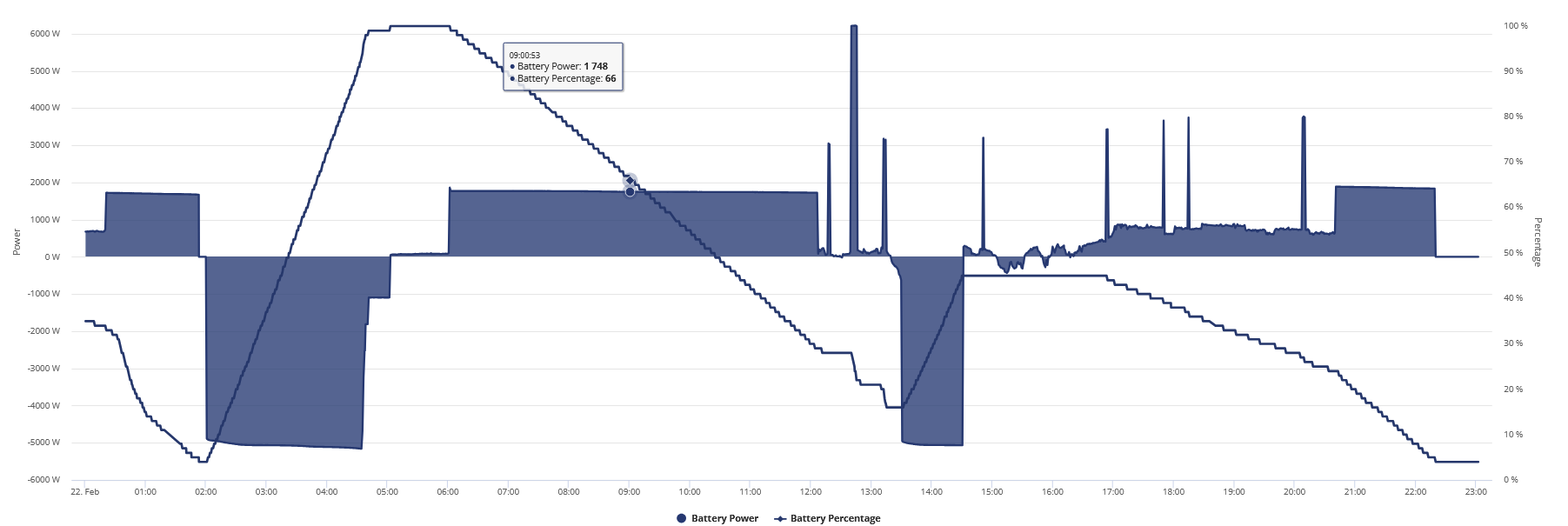
Checking in to the efficiency, I found since BMS V10, I've put 2533.38kwh in and received 2353.65 out, an effective 92.9%. I guess for round trip figures that's more or less what you'd expect. So if BMS V12 sorts out the soc issues, it'll be pretty good.
[unknown] I would say the problem all along with your system not tracking SOC correctly is down to Pack 2 cells .
Possibly pack 1 as well but the balancer might be able to iron that out.
hoggy im wondering if having to leave it idle and flat for over a month had anything to do with it because on BMS7 a 4>100% charge was around 1-2kwh iirc or weather it was that bad due to any problems.
But I can't even get them to send someone to investigate why the whole system resets due to a laptop style battery charger for the stair lift.
As you have been having so many issues, I would do the following:-
Upgrade to the new BMS v12 and AIO FW 616. Give it a while and see if it improves your situation. Calibrate your AIO.
Check pack 2 again.
Turn off the AIO and ensure it is isolated, take the front panel off. Mark the 4 x batteries with a sharpie. 1-4. You now have two options.
a. Change battery 2 over with another one e.g 2 & 3. Power it all back on and see if you get the same issue but moved to pack 3?
b. As above but move all the batteries packs around so they’re not in the same place as now. I would not put pack 2 in slot 1
If you’re still getting an issue you have identified the battery pack. Do a warranty claim and get pack 2 changed or all of all of them. You could do a warranty claim now instead of doing the above?
Disclaimer:- you should get your installer to change the batteries round.
[unknown]
Wow is this still on going? They swapped all my batteries out after having a faulty cell diagnosed. Made no difference. Then didn't send anyone out to sort the issues I'd had from day one after this, not impressed. My installer removed and replace with a PW3. Its been great 🙂
Wow is this still on going? They swapped all my batteries out after having a faulty cell diagnosed. Made no difference. Then didn't send anyone out to sort the issues I'd had from day one after this, not impressed. My installer removed and replace with a PW3. Its been great 🙂
[unknown] what was the price difference between the Aio and pw3?